HP ProBook 440 G7 review – only a mild refresh but still a great business option
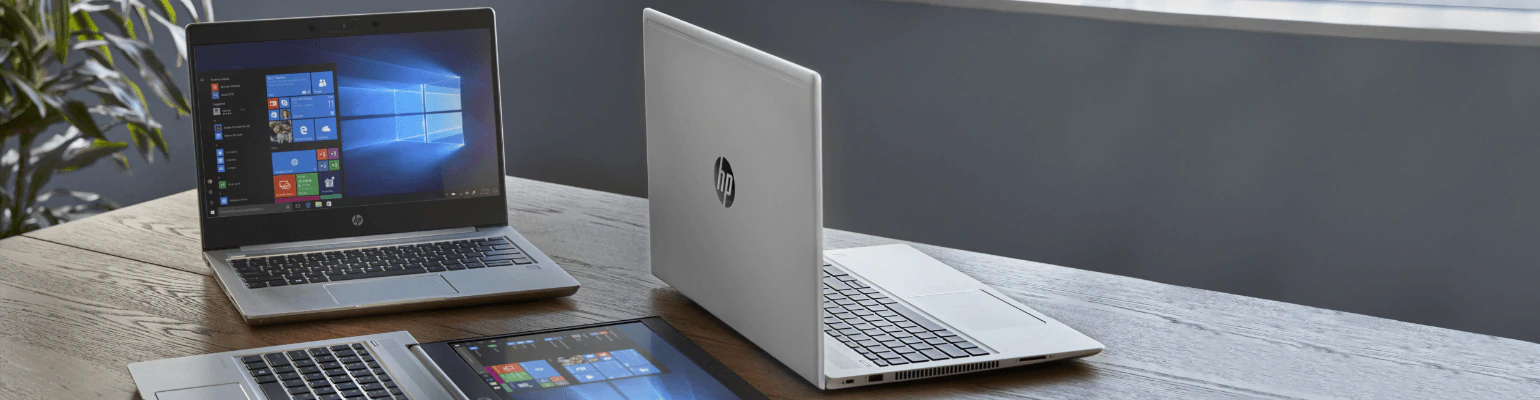
Now that HP’s latest ProBook series is out, it’s time to put it through our usual testing process. If you remember last year, HP actually did some changes in terms of design. The then-new ProBook 440 G6 featured a base, which was the same color as the rest of the notebook, contrary to its respective predecessor. Now, unlike the sixth generation, the ProBook 440 G7 doesn’t offer any design change.
Of course, this isn’t always a bad decision, as there were no general mistakes in last year’s build. However, the ProBook 440 G7 comes equipped with the new Comet Lake processor lineup. All the way from the Core i3-10110U to the Core i7-10510 – no six-core versions yet. Indeed, this is nothing but a refresh to the Whiskey Lake CPUs, so the only major difference would be optimization, hence battery life, although, we are yet to confirm that.
You can check the prices and configurations in our Specs System: https://laptopmedia.com/series/hp-probook-440-g7/
Contents
Specs Sheet
HP ProBook 440 G7 - Specificații



- HDD/SSD
- până la 8000GB SSD + până la 2000GB HDD
- Slot M.2
- 1x 2280 SATA/PCIe NVMe 3.0 x4 Vezi foto
- RAM
- up to 64GB
- SO
- Windows 10 Pro, Windows 10 Home, Windows 11 Pro, No OS
- Baterie
- 45Wh, 3-cell
- Material Carcasă
- Plastic / Polycarbonate, Aluminum
- Dimensiuni
- 324.2 x 237.7 x 18 mm (12.76" x 9.36" x 0.71")
- Greutate
- 1.60 kg (3.5 lbs)
- Porturi și conectivitate
- 1x USB Type-A
- 2.0
- 2x USB Type-A
- 3.2 Gen 1 (5 Gbps)
- 2x USB Type-C
- 3.2 Gen 1 (5 Gbps), Power Delivery (PD), DisplayPort
- HDMI
- 1.4b
- Cititor de carduri
- SD, SDHC, SDXC
- Ethernet LAN
- 10, 100, 1000 Mbit/s
- Wi-Fi
- 802.11ax
- Bluetooth
- 5.0
- Mufă audio
- 3.5 mm combo
- Caracteristici
- Cititor de amprente
- optional
- Cameră web
- HD
- Tastatură iluminată
- optional
- Microfon
- Difuzoare
- 2x 2W
- Unitate optică
- optional
- Slot blocare securitate
Toate HP ProBook 440 G7 configurații
What’s in the box?
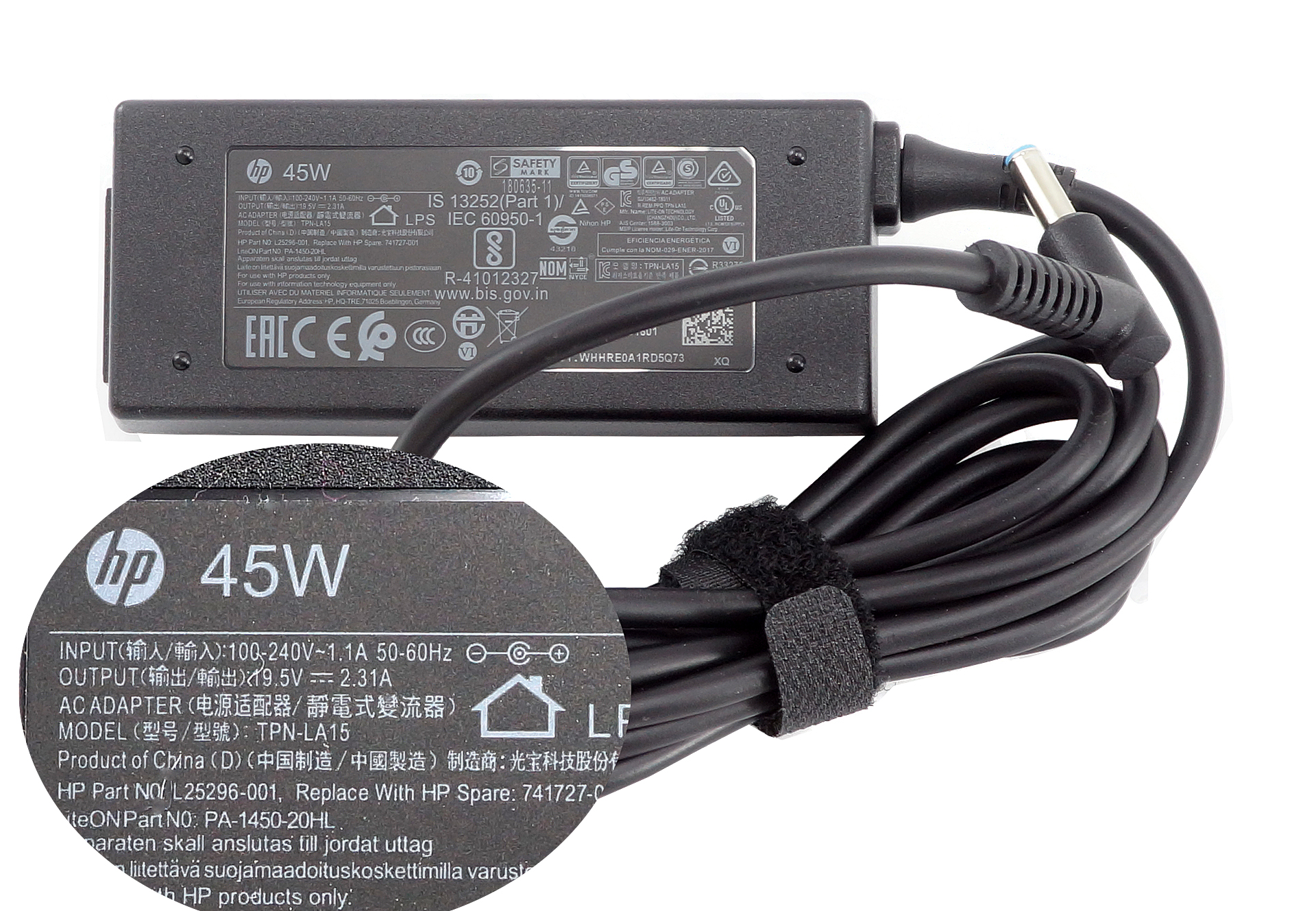
Inside the box, we found a 45W power brick (you will get a 65W one if you opt for a discrete GPU option), as well as the mandatory paper manuals, and the laptop itself.
Design and construction
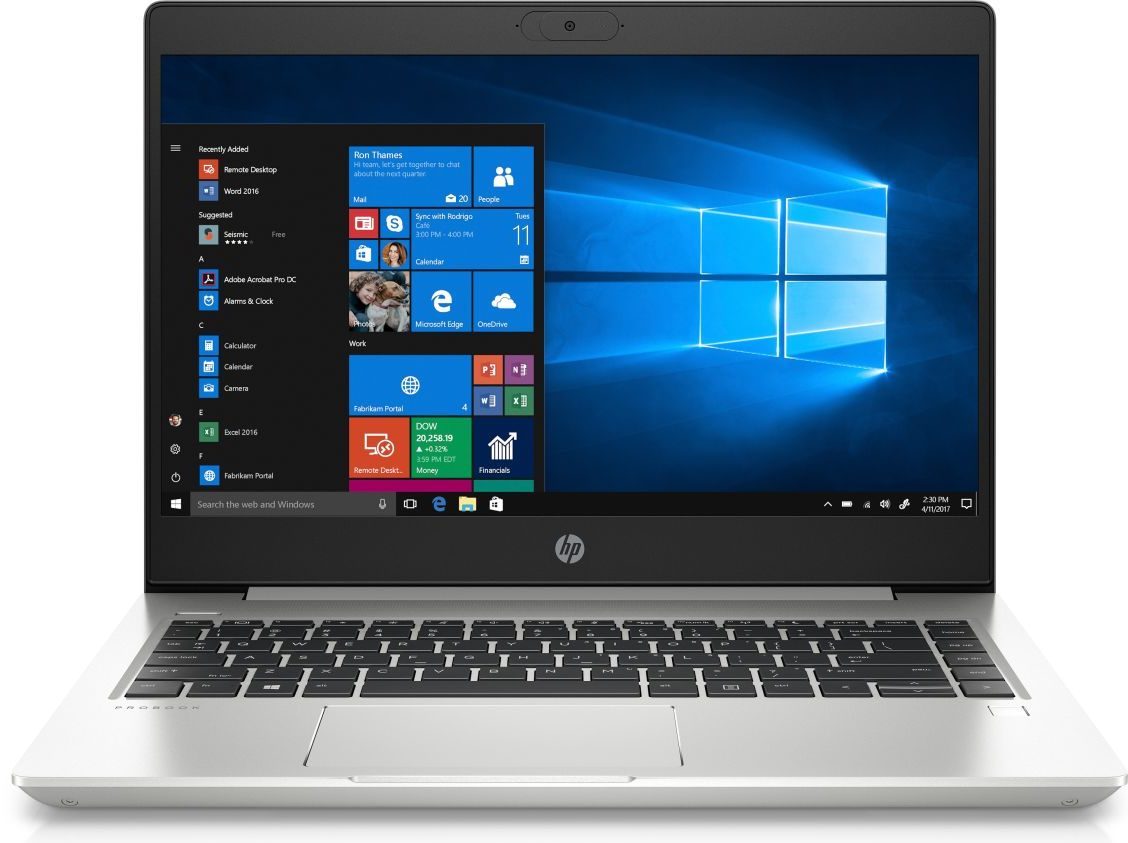
Since there are no differences to the yesteryear device, the ProBook 440 G7 comes with an aluminum/plastic combo for the build. Once again, it has an 18 mm profile and weighs 1.60 kg. Not the thinnest, nor the lightest of devices out there, but for a business 14-incher it seems fine. As far as rigidity goes, the notebook is pretty resistant to flexes.
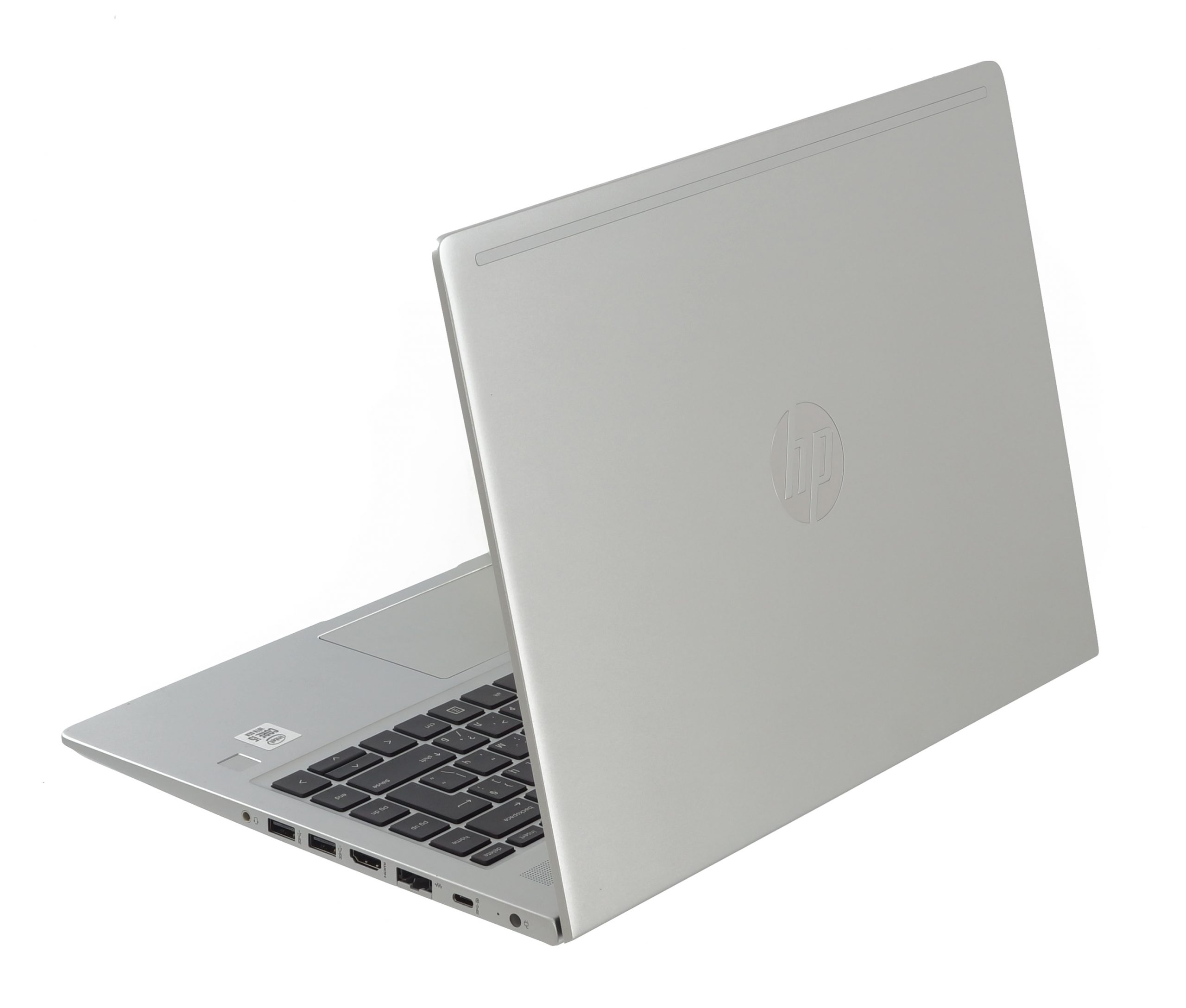
Its lid can be easily opened with a single hand, while the hinges remain balanced throughout their entire travel. And while the side bezels are very thin, this cannot be said about the top and bottom ones, which have quite the bulk. Additionally, HP has put a hardware shutter on the camera, which comprises a single plastic slide block.

Then, let’s move to the keyboard deck, which features an optional backlight. What is better about it is its spill resistance. Additionally, the key travel is still a little bit short to our likings but at least it offers clicky feedback. Also, there is a pleasant finish on top of them, which is soft and smooth. Actually, there is another one difference to the predecessor, which is honestly a little unjustified in our opinion – it is the size of the left Shift key, which now has a buddy – check the images.
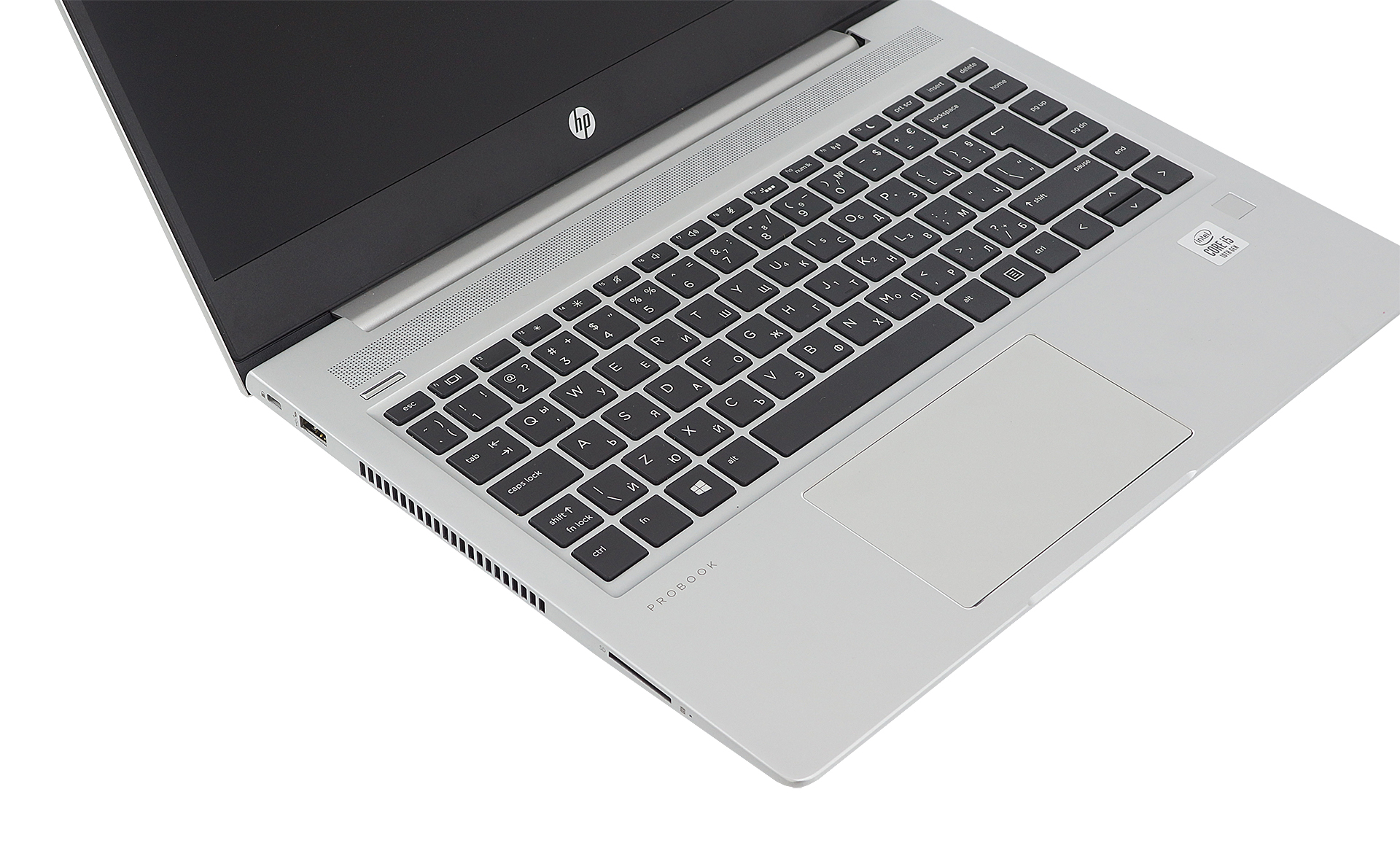

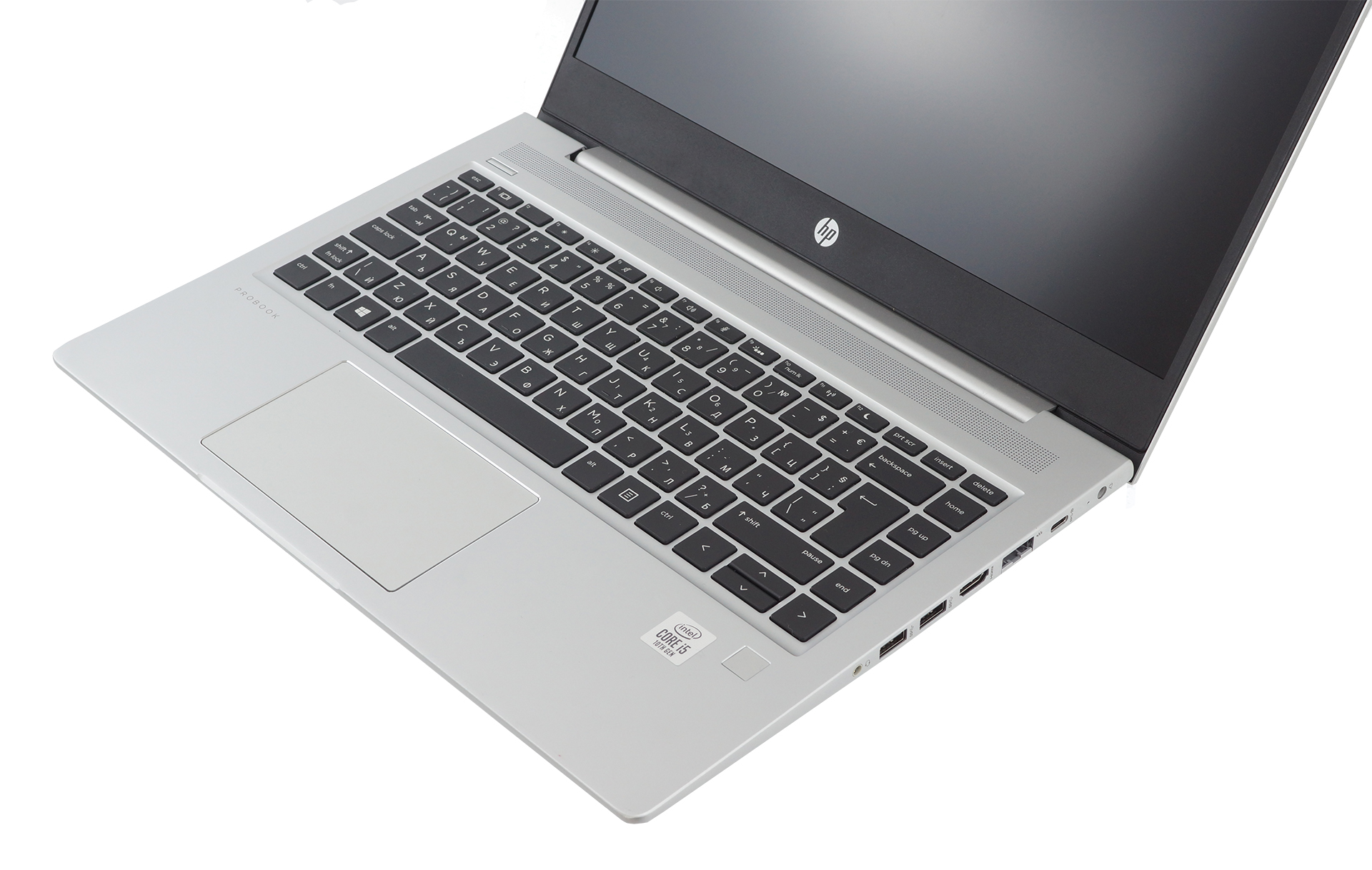
Beneath the keyboard, you’ll find the touchpad which has a glass surface and is pretty comfortable to use. Gliding is great, while all of the Windows gestures are supported. Then, on the right side of the base, you can see the fingerprint reader – a rather fast and accurate unit. By the way, above the keyboard, you can see a pretty long grill, which houses the speakers.
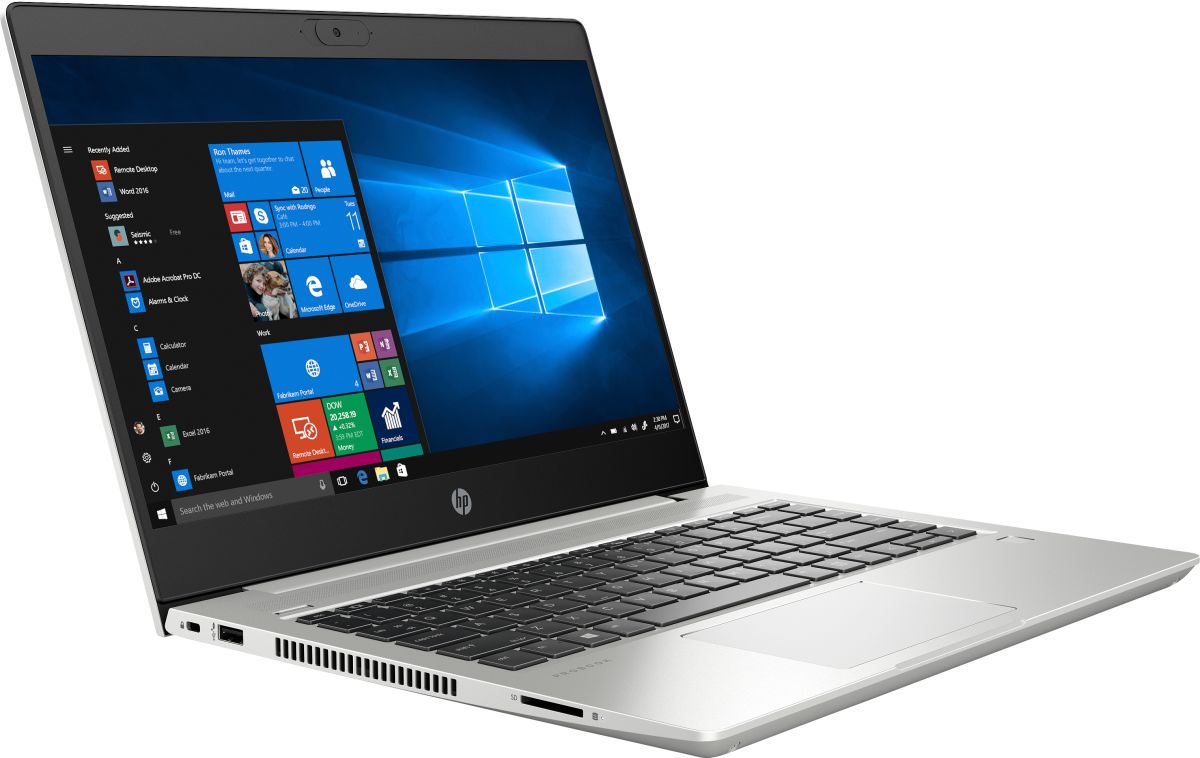
Lastly, on the bottom plate, you’ll see only the air intake grills, as the exhaust is happening from the left side of the chassis.
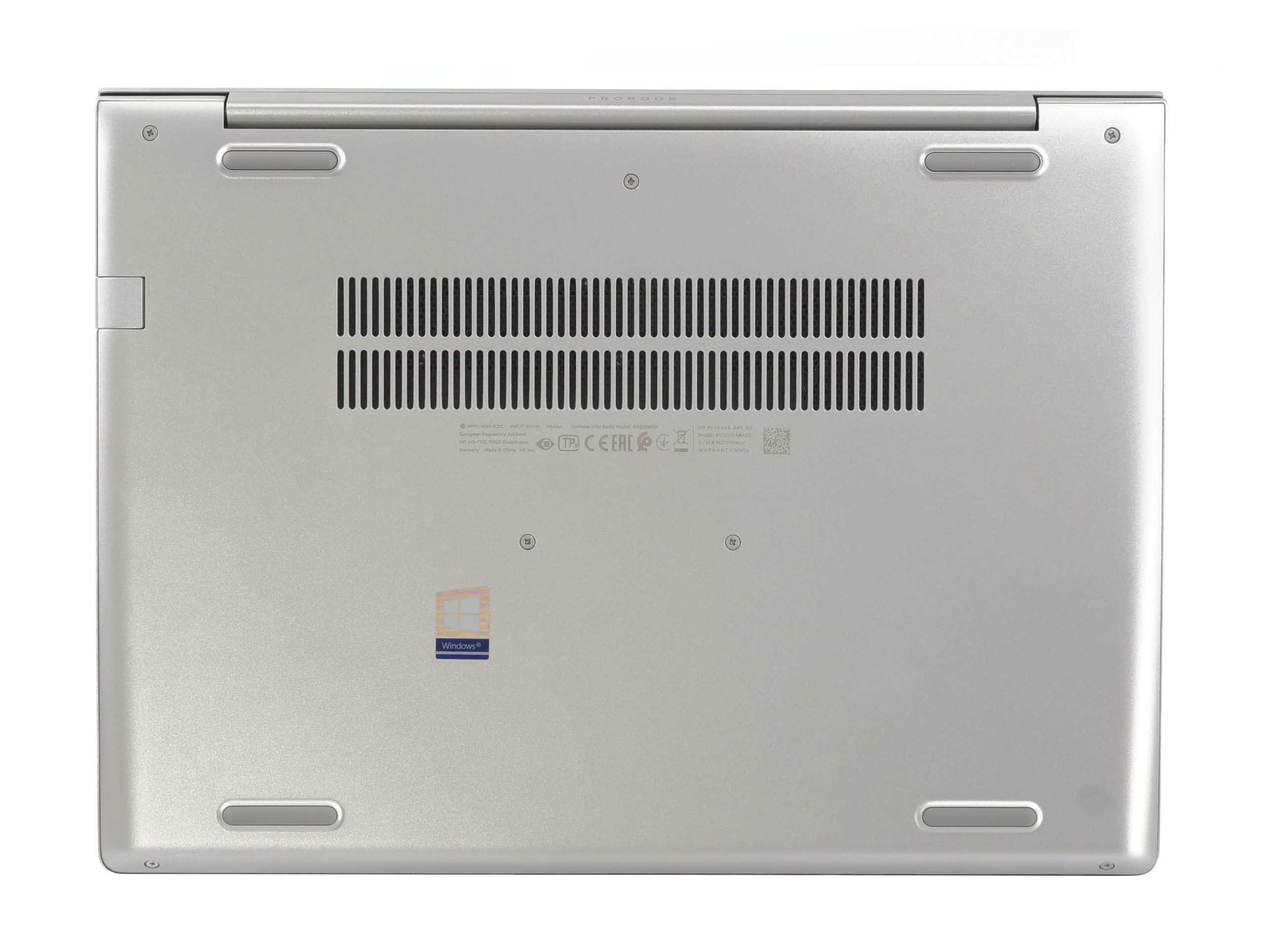
Ports
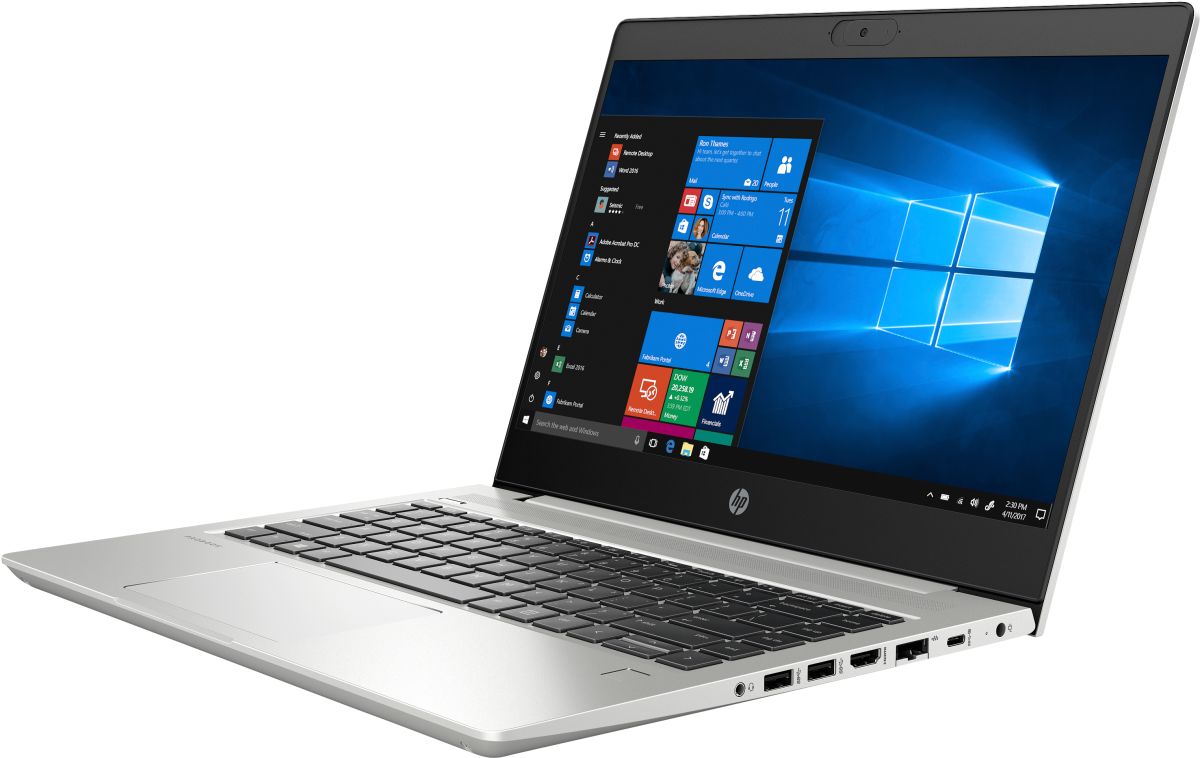
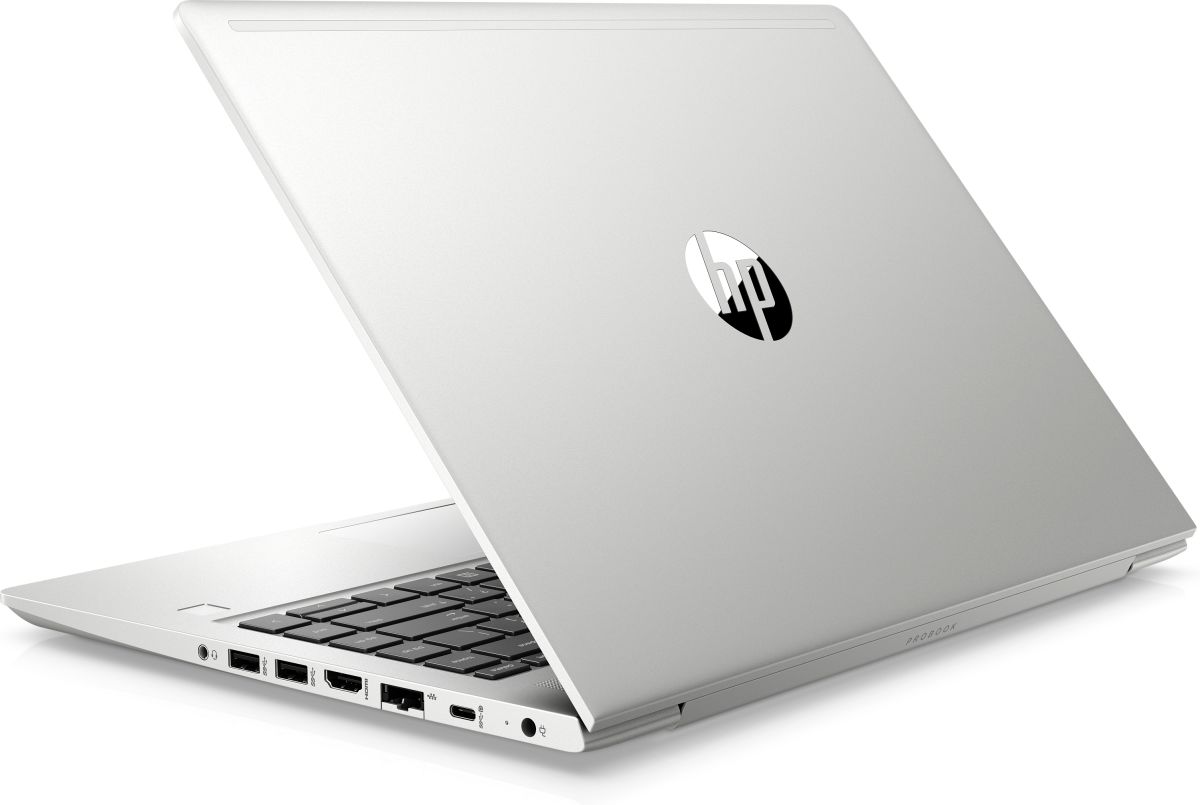
Along with the ventilation cutouts on the left, you can find a USB Type-A 2.0 port, as well as an SD card reader. On the right, there is the charging plug, as well as a USB Type-C 3.1 (Gen. 1) port with Power Delivery and DisplayPort capabilities. Then, there is an RJ-45 connector, followed by an HDMI 1.4b connector, two USB Type-A 3.1 (Gen. 1) ports, and an audio jack.


Disassembly, upgrade options and maintenance
As with the other design features, the disassembly process of the ProBook 440 G7 remains largely unchanged from its predecessor. Unscrew all 7 of the Phillips-head screws and pry the bottom panel with a plastic tool. After that, you should be easily able to lift the panel away from the chassis.
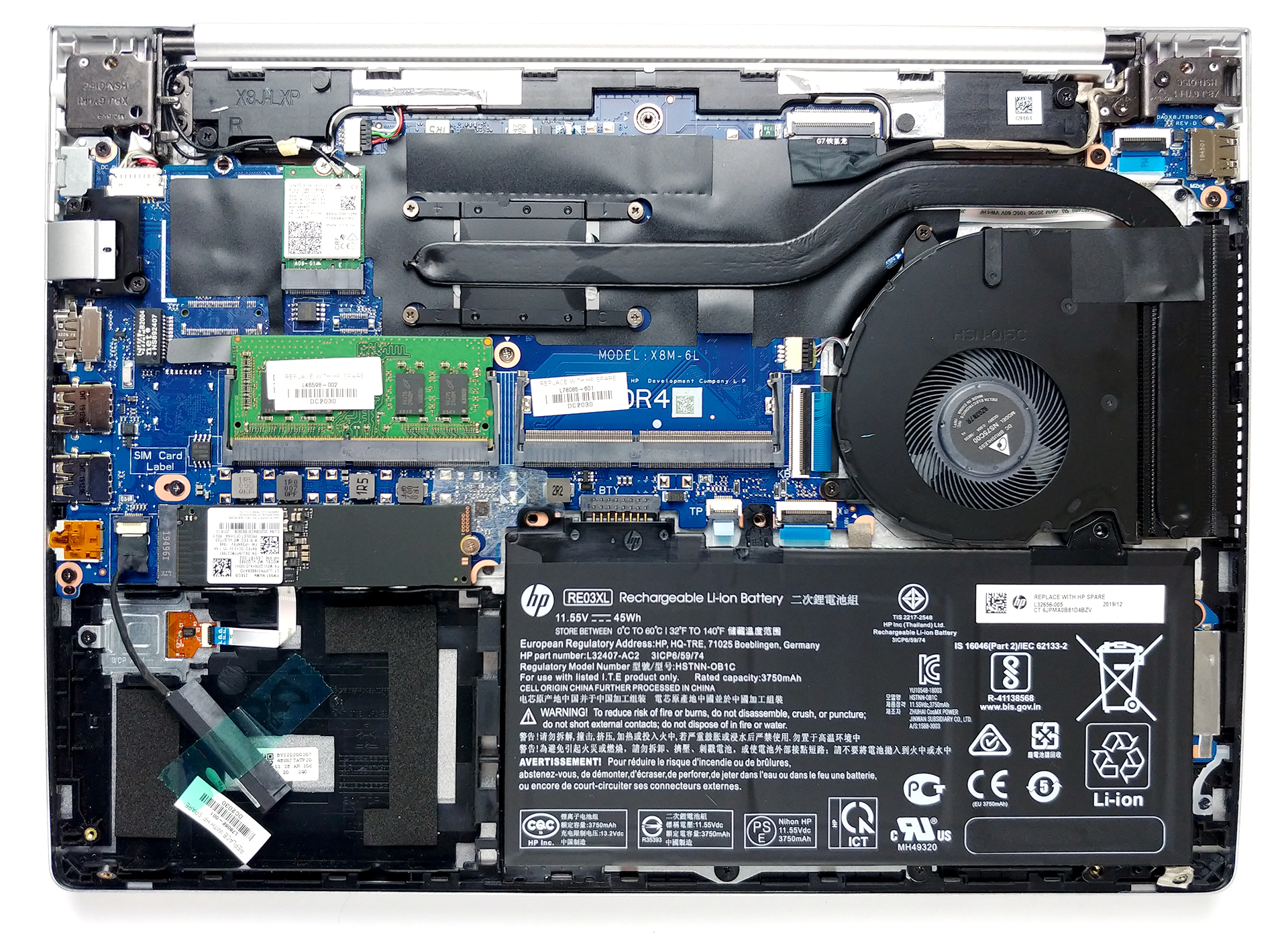
Cooling-wise there is a single, rather long heat pipe that connects to a side-mounted heat spreader. There is also a decently sized fan there. Interestingly, HP was pretty generous when applying the thermal compound, as you can clearly see it sipping away from the cooler mounting spot.
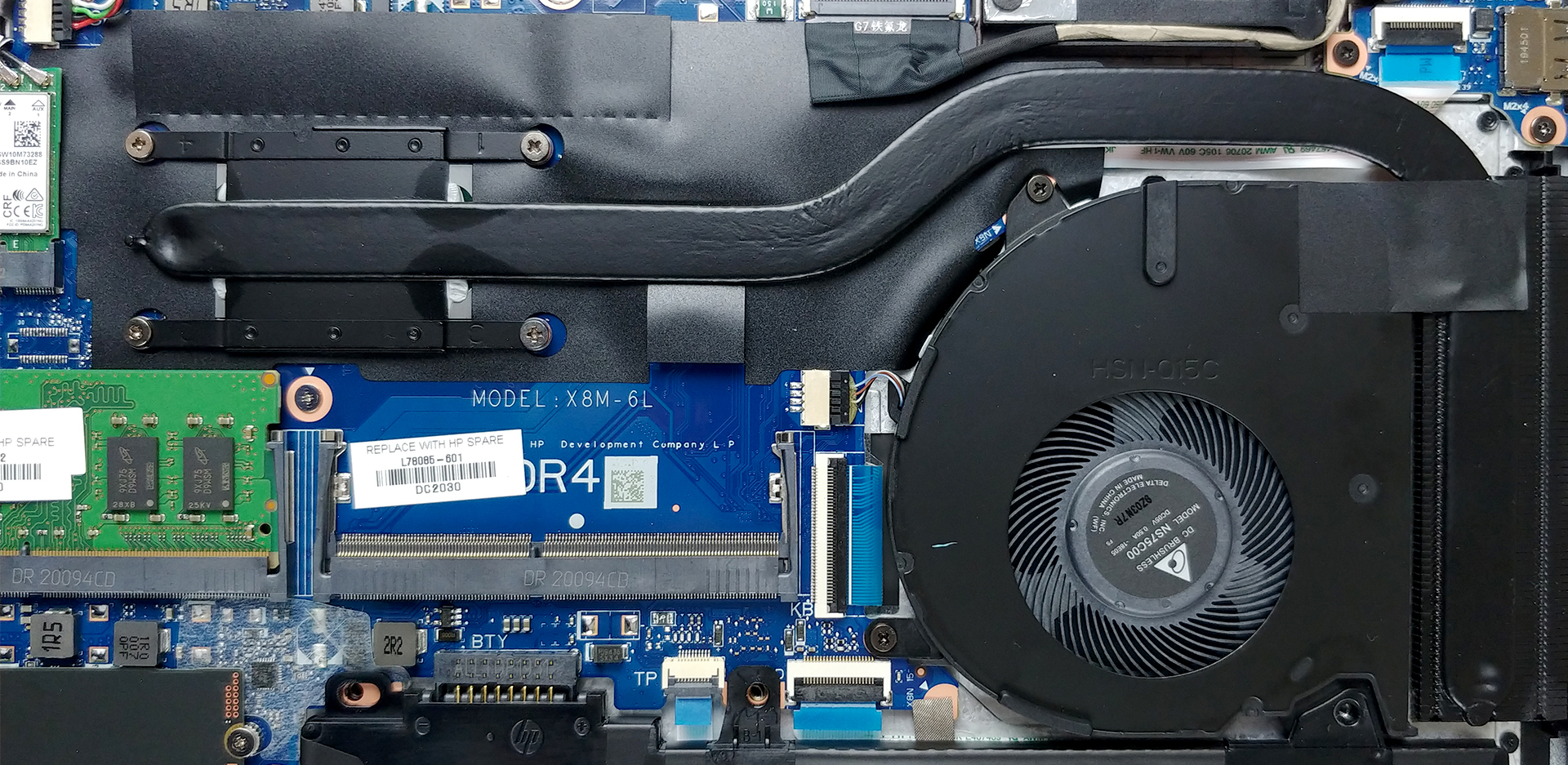
In terms of upgradability, there are two RAM SODIMM slots, which house up to 32GB of DDR4 memory with speeds of up to 2666 MHz. Additionally, there is a 2.5″ SATA drive bay, as well as an M.2 SATA/PCIe x4 slot.
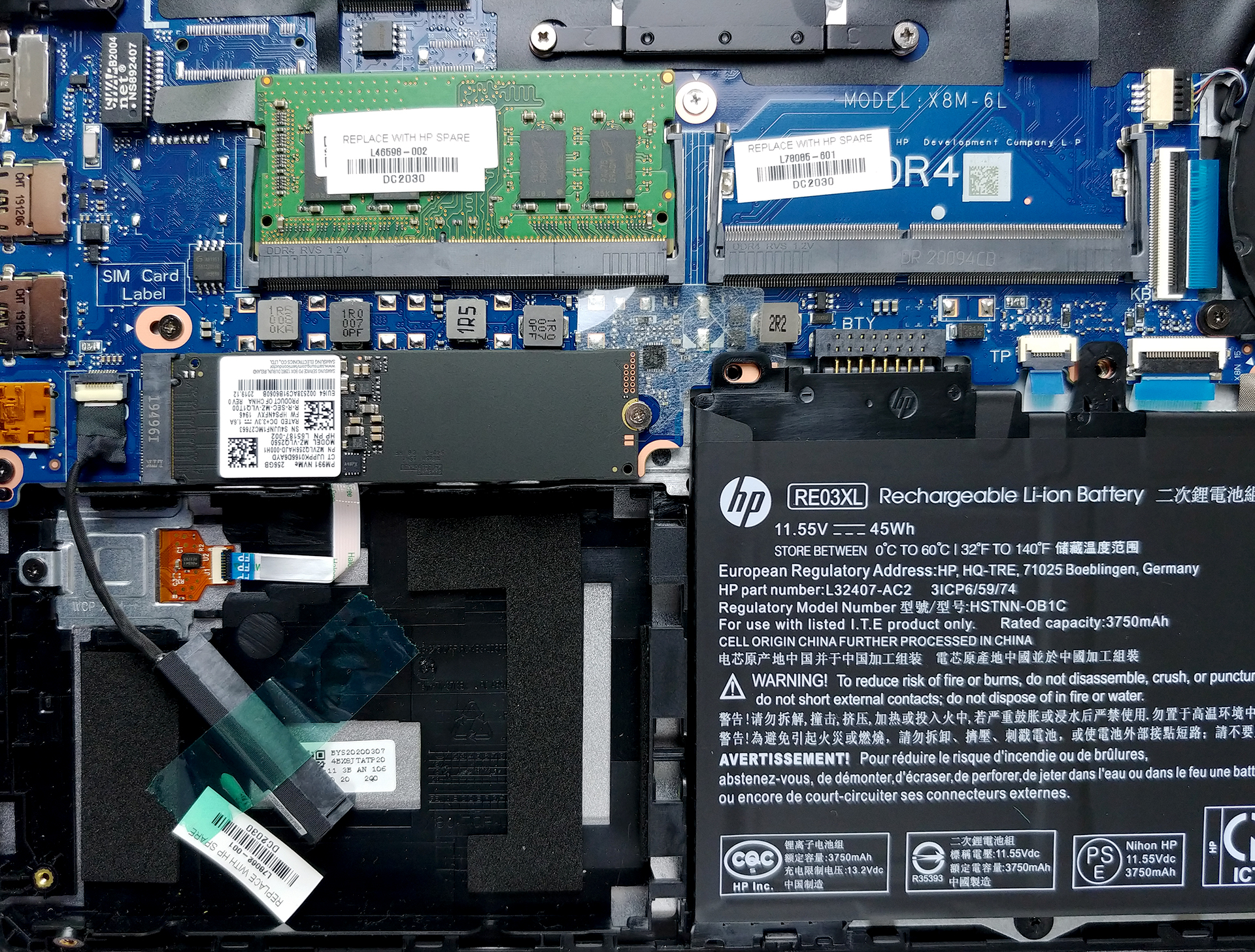
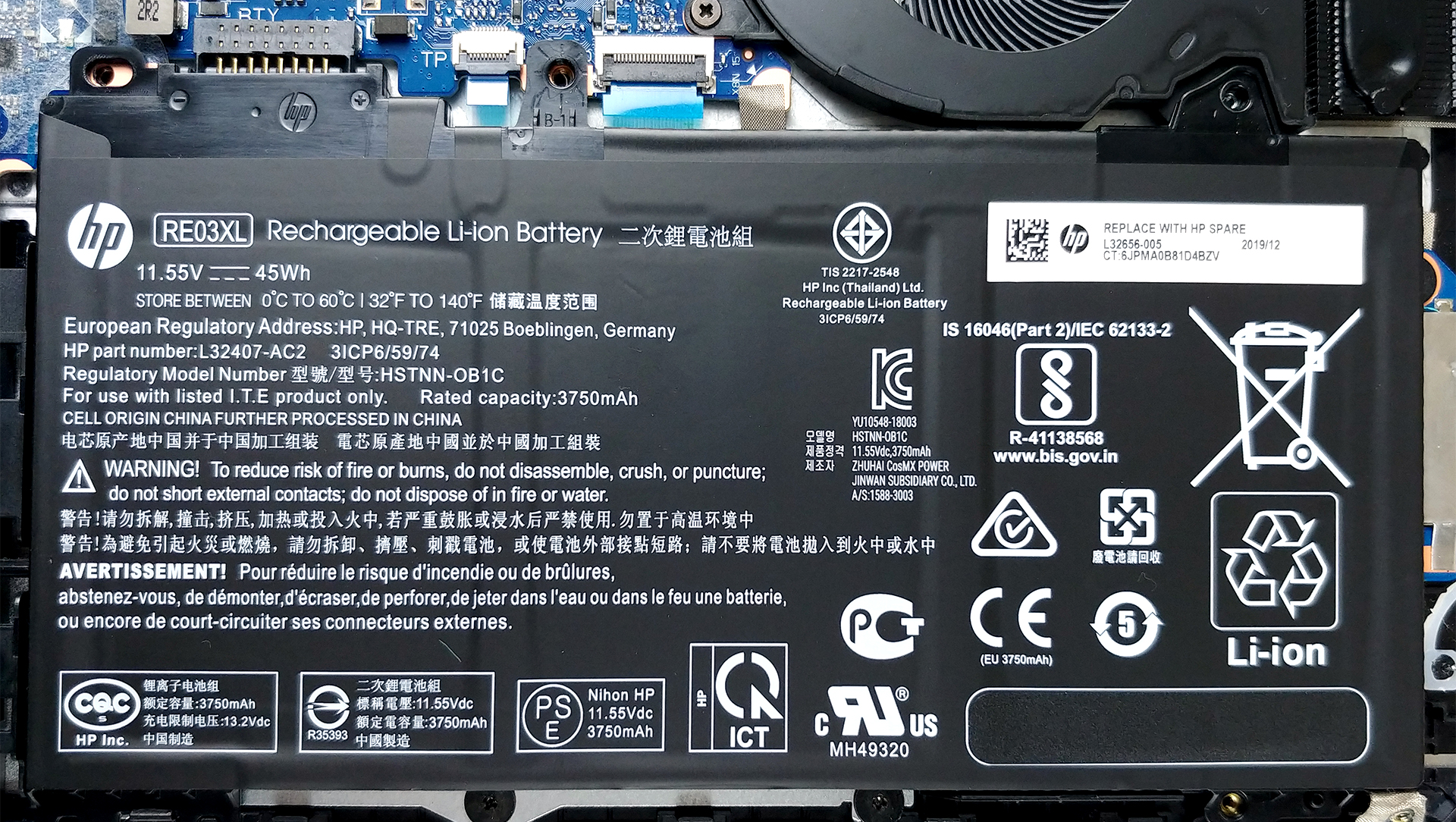
Lastly, there is a 3-cell 45Wh battery pack.
Display quality
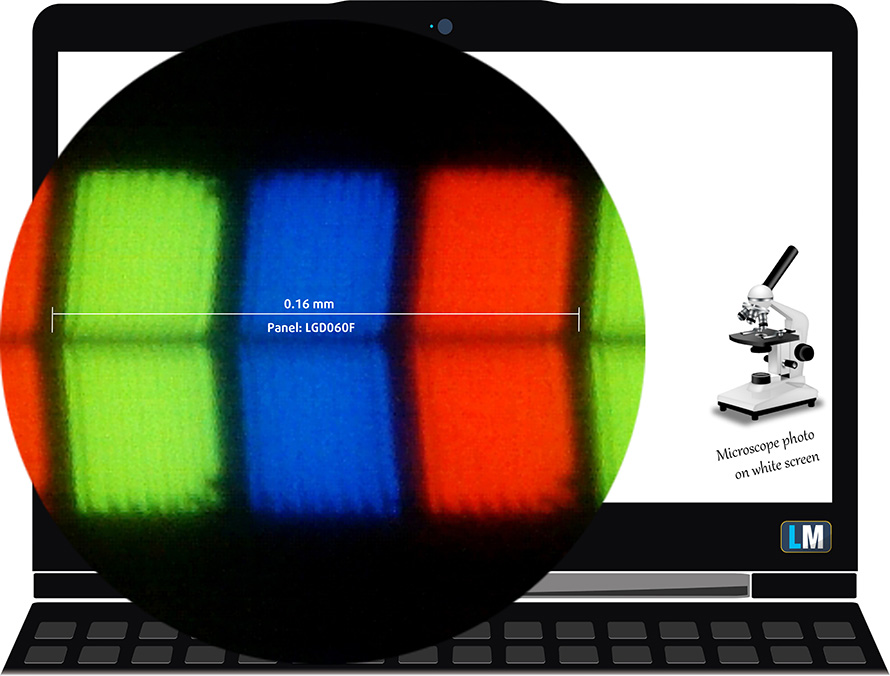
HP ProBook 440 G7’s display has a Full HD IPS panel, model number LG LP140WFA-SPD3 (LGD060F) – the same unit used in the HP EliteBook 745 G6. Its diagonal is 14″ (35.56 cm), and the resolution – 1920 х 1080. Additionally, the screen ratio is 16:9, the pixel density – 157 ppi, their pitch – 0.161 x 0.161 mm. The screen can be considered Retina when viewed from at least 56 cm (from this distance, the average human eye can’t see the individual pixels).
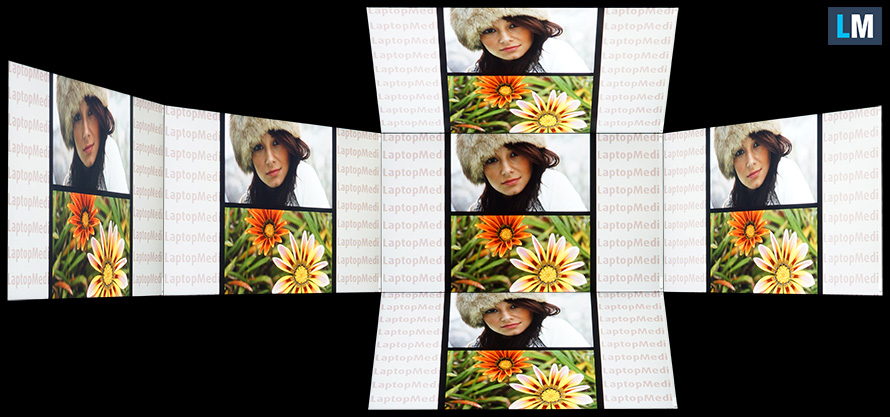
It has comfortable viewing angles. We have provided images at 45 degrees to evaluate quality.
The maximum measured brightness is 261 nits (cd/m2) in the middle of the screen and 259 nits (cd/m2) average across the surface with a maximum deviation of only 3%. The Correlated Color Temperature on a white screen and at maximum brightness is 6400K (average) – slightly warmer than the 6500K optimum for sRGB.
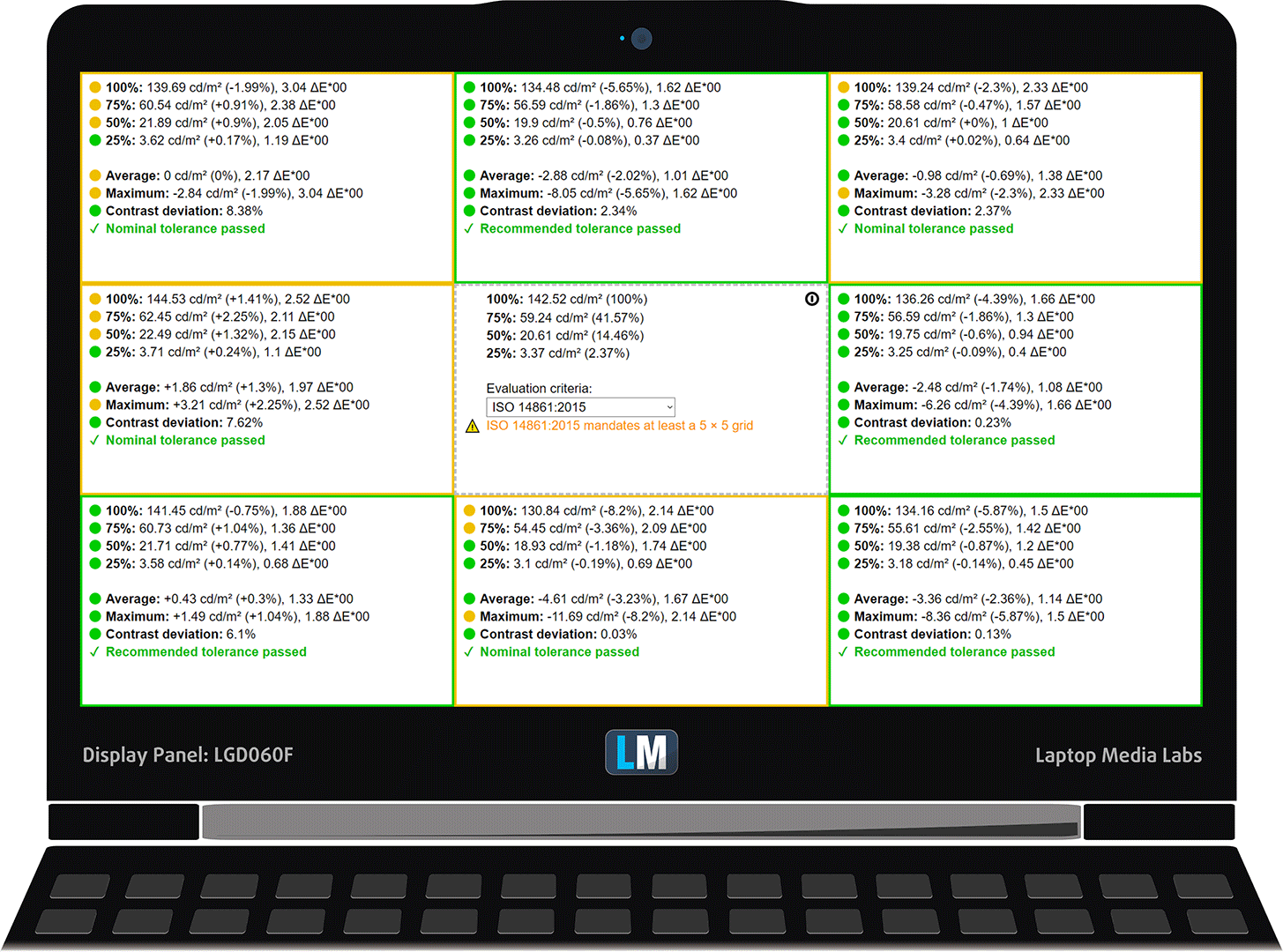
In the illustration below you can see how the display performs from uniformity perspective. The illustration below shows how matters are for operational brightness levels (approximately 140 nits) – in this particular case at 77% Brightness (White level = 143 cd/m2, Black level = 0.136 cd/m2).
Values of dE2000 over 4.0 should not occur, and this parameter is one of the first you should check if you intend to use the laptop for color-sensitive work (a maximum tolerance of 2.0 ). The contrast ratio is good – 1050:1.
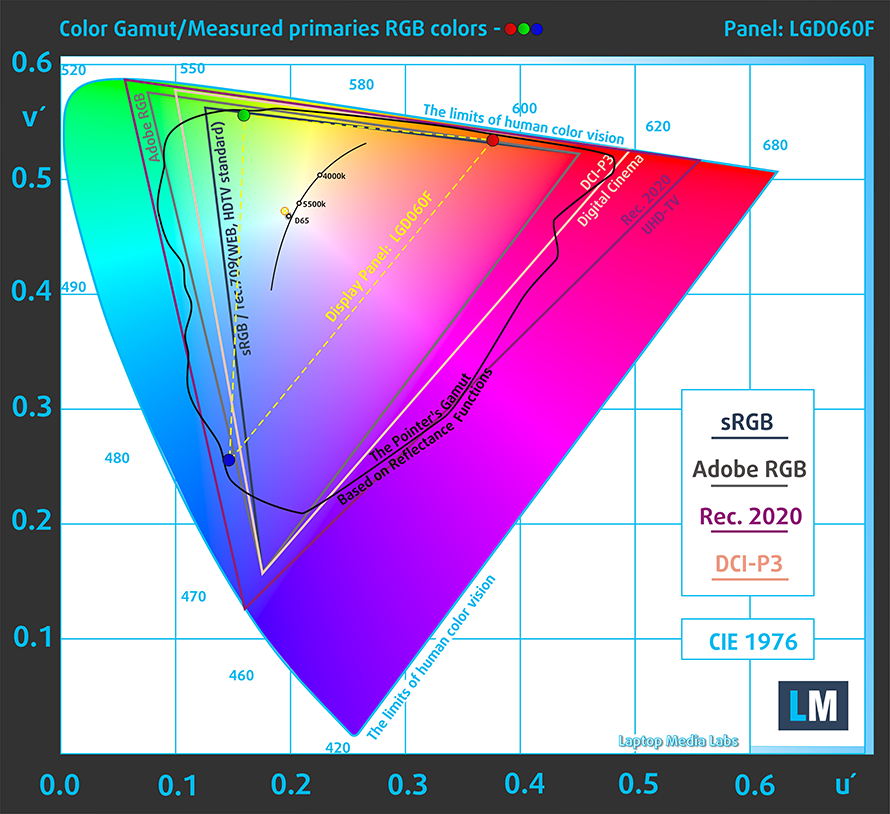
To make sure we are on the same page, we would like to give you a little introduction to the sRGB color gamut and the Adobe RGB. To start, there’s the CIE 1976 Uniform Chromaticity Diagram that represents the visible specter of colors by the human eye, giving you a better perception of the color gamut coverage and the color accuracy.
Inside the black triangle, you will see the standard color gamut (sRGB) that is being used by millions of people in HDTV and on the web. As for the Adobe RGB, this is used in professional cameras, monitors, etc for printing. Basically, colors inside the black triangle are used by everyone and this is the essential part of the color quality and color accuracy of a mainstream notebook.
Still, we’ve included other color spaces like the famous DCI-P3 standard used by movie studios, as well as the digital UHD Rec.2020 standard. Rec.2020, however, is still a thing of the future and it’s difficult for today’s displays to cover that well. We’ve also included the so-called Michael Pointer gamut, or Pointer’s gamut, which represents the colors that naturally occur around us every day.
The yellow dotted line shows HP ProBook 440 G7’s color gamut coverage.
Its display covers a narrow 50% of the sRGB/ITU-R BT.709 (web/HDTV standard) in CIE1976.
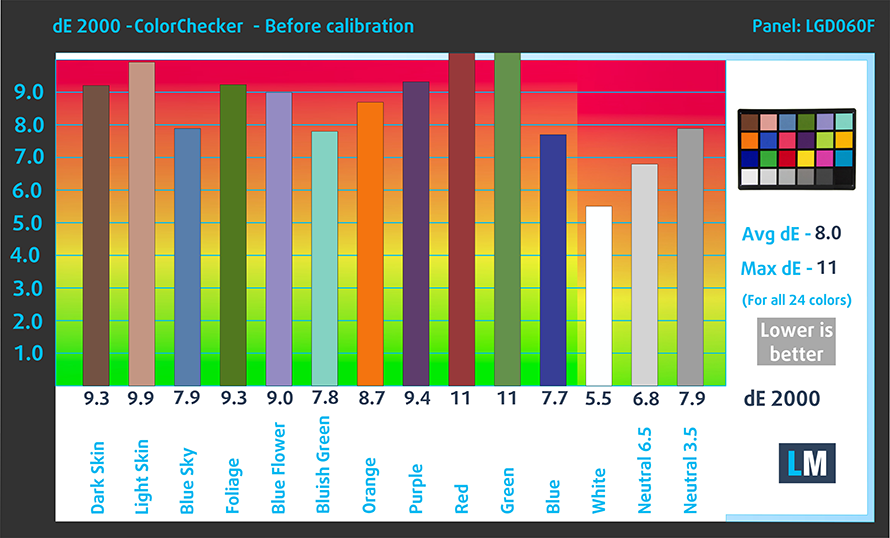
Our “Design and Gaming” profile delivers optimal color temperature (6500K) at 140 cd/m2 luminance and sRGB gamma mode.
We tested the accuracy of the display with 24 commonly used colors like light and dark human skin, blue sky, green grass, orange, etc. You can check out the results at factory condition and also, with the “Design and Gaming” profile.
Below you can compare the scores of HP ProBook 440 G7 with the default settings (left), and with the “Gaming and Web design” profile (right).

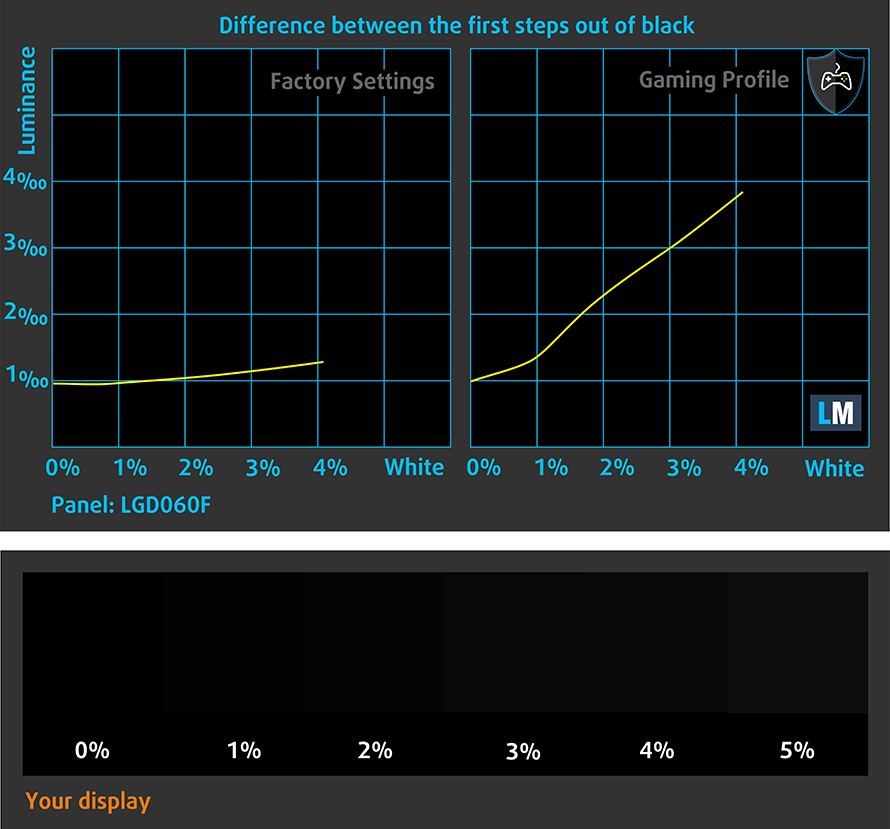
The next figure shows how well the display is able to reproduce really dark parts of an image, which is essential when watching movies or playing games in low ambient light.
The left side of the image represents the display with stock settings, while the right one is with the “Gaming and Web Design” profile activated. On the horizontal axis, you will find the grayscale and on the vertical axis – the luminance of the display. On the two graphs below you can easily check for yourself how your display handles the darkest nuances but keep in mind that this also depends on the settings of your current display, the calibration, the viewing angle, and the surrounding light conditions.
Response time (Gaming capabilities)
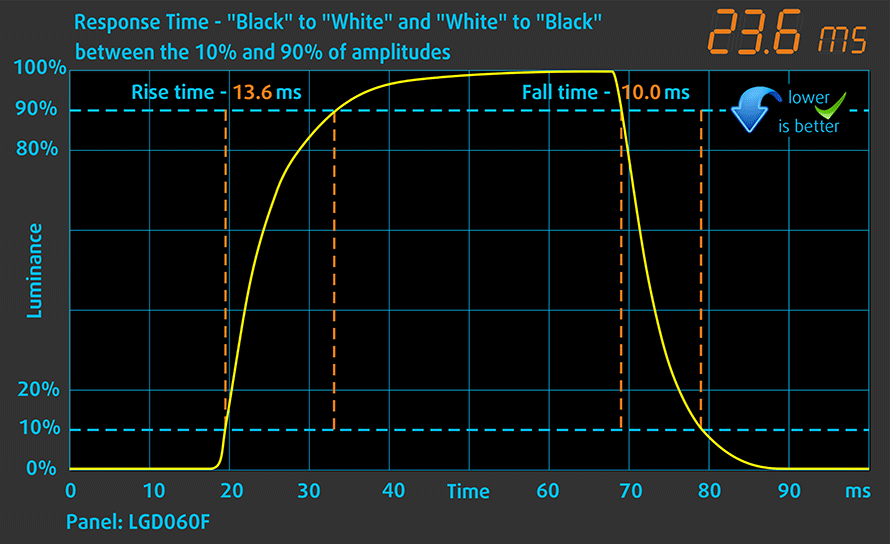
We test the reaction time of the pixels with the usual “black-to-white” and “white-to-black” method from 10% to 90% and vice versa.
We recorded Fall Time + Rise Time = 24 ms.
Health impact – PWM / Blue Light
PWM (Screen flickering)
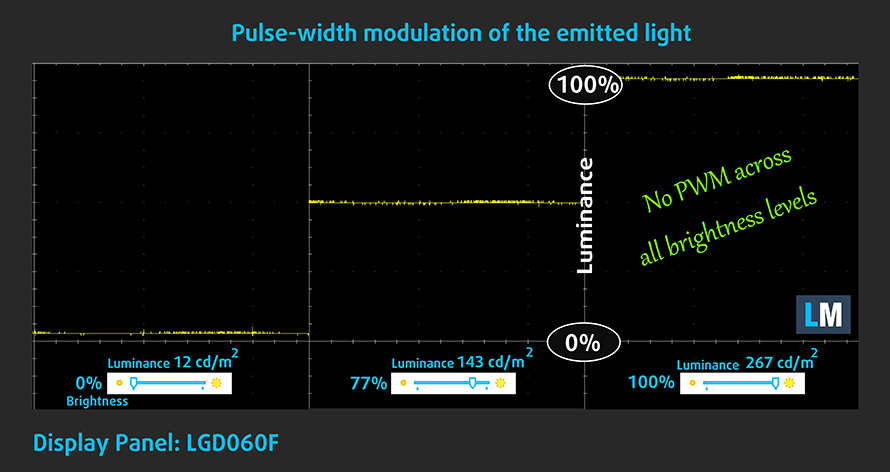
Pulse-width modulation (PWM) is an easy way to control monitor brightness. When you lower the brightness, the light intensity of the backlight is not lowered, but instead turned off and on by the electronics with a frequency indistinguishable to the human eye. In these light impulses, the light/no-light time ratio varies, while brightness remains unchanged, which is harmful to your eyes. You can read more about that in our dedicated article on PWM.
Our instruments didn’t detect any usage of PWM across all brightness levels of the display. This means it is comfortable for long periods of usage, without being harmful to your eyes in this aspect.
Blue light emissions
Installing our Health-Guard profile not only eliminates PWM but also reduces the harmful Blue Light emissions while keeping the colors of the screen perceptually accurate. If you’re not familiar with the Blue light, the TL;DR version is – emissions that negatively affect your eyes, skin, and your whole body. You can find more information about that in our dedicated article on Blue Light.
Conclusions
HP ProBook 440 G7 in the configuration we tested, uses an IPS panel with a Full HD resolution, good contrast ratio, and wide viewing angles. Additionally, its backlight is completely flicker-free, ensuring comfortability for long periods of use. Its only disadvantage is the color representation – both in terms of sRGB coverage and color accuracy.
Buy our profiles
Since our profiles are tailored for each individual display model, this article and its respective profile package are meant for HP ProBook 440 G7 configurations with 14.0″ LG LP140WFA-SPD3 (LGD060F) (FHD, 1920 × 1080) IPS.
*Should you have problems with downloading the purchased file, try using a different browser to open the link you’ll receive via e-mail. If the download target is a .php file instead of an archive, change the file extension to .zip or contact us at [email protected].
Read more about the profiles HERE.
Pe lângă primirea de profiluri eficiente și prietenoase cu sănătatea, prin cumpărarea produselor LaptopMedia sprijiniți și dezvoltarea laboratoarelor noastre, unde testăm dispozitive pentru a produce cele mai obiective recenzii posibile.

Office Work
Office Work ar trebui folosit în principal de utilizatorii care petrec cea mai mare parte a timpului uitându-se la texte, tabele sau pur și simplu navigând. Acest profil urmărește să ofere o distincție și o claritate mai bună prin menținerea unei curbe gamma plate (2.20), a temperaturii native a culorii și a culorilor perceptiv exacte.

Design and Gaming
Acest profil se adresează designerilor care lucrează profesional cu culorile, precum și pentru jocuri și filme. Design and Gaming duce panourile de afișaj la limitele lor, făcându-le cât mai precise posibil în standardul sRGB IEC61966-2-1 pentru Web și HDTV, la punctul de alb D65.

Health-Guard
Health-Guard elimină modulația dăunătoare a lățimii impulsului (PWM) și reduce lumina albastră negativă care ne afectează ochii și corpul. Deoarece este personalizat pentru fiecare panou, reușește să mențină culorile perceptiv exacte. Health-Guard simulează hârtia, astfel încât presiunea asupra ochilor este redusă considerabil.
Obține toate cele 3 profiluri cu 33% reducere

Sound
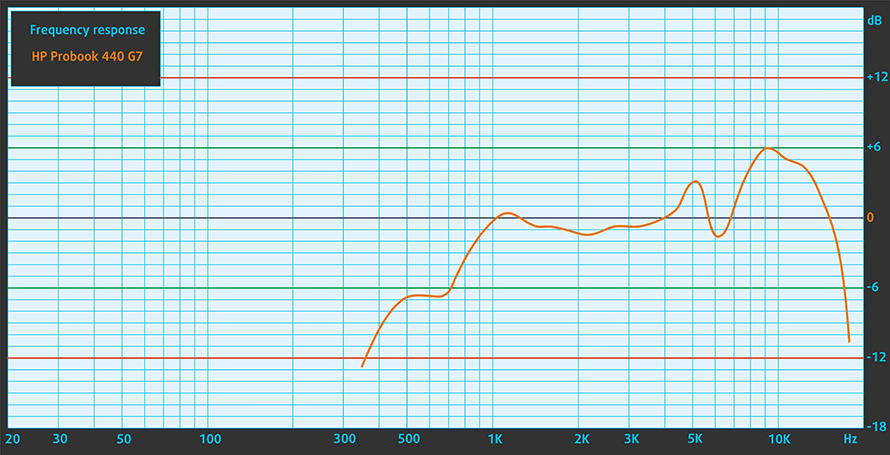
HP ProBook 440 G7’s front-facing speakers produce a decently loud sound with good quality. The low, mid, and high tones are clear of deviations.
Drivers
All of the drivers and utilities for this notebook can be downloaded from here: https://support.hp.com/sg-en/drivers/selfservice/hp-probook-440-g7-notebook-pc/29090063
Battery
Now, we conduct the battery tests with Windows Better performance setting turned on, screen brightness adjusted to 120 nits, and all other programs turned off except for the one we are testing the notebook with. Similarly to its predecessor, this laptop is equipped with a 45Wh battery pack.
It offers 10 hours and 10 minutes of Web browsing, 9 hours and 43 minutes of video playback, and around three hours of heavy load usage like playing games for instance.
Luminozitate: 180 nits; Mod Afișaj: SDR
Timp până la Descărcare Completă: Mai mare este mai bun

Pentru a simula condiții reale, am folosit propriul nostru script pentru navigarea automată pe web prin peste 70 de site-uri.
Folosim benchmark-ul încorporat al F1 2017 în buclă pentru a simula jocurile din viața reală.
CPU options
As the ProBook 440 G7 comes with the Comet Lake processor lineup, you have three CPU choices, which include the Core i3-10110U (2c/4t), the Core i5-10210U (4c/8t), and the Core i7-10510U (4c/8t).
Rezultatele sunt de la testul CPU Cinebench 20 (un scor mai mare este mai bun)
GPU options
In terms of graphics power, you can either go with only the integrated Intel UHD Graphics 620, or you can pick a dedicated GPU. Your options are the GeForce MX130 and the GeForce MX250, both equipped with 2GB of GDDR5 memory.
HP ProBook 440 G7 Variante GPU
Aici puteți vedea o comparație aproximativă între plăcile video care pot fi găsite în modelele HP ProBook 440 G7 de pe piață. În acest fel puteți decide singur ce model HP ProBook 440 G7 este cel mai bun raport calitate-preț.
Notă: Graficul prezintă cele mai ieftine configurații diferite de GPU așa că ar trebui să verificați care sunt celelalte specificații ale acestor laptop-uri făcând clic pe numele / GPU-ul laptopului.
Rezultatele sunt de la 3DMark Time Spy (Grafică). Un scor mai mare este mai bun.
Rezultatele sunt de la benchmark-ul 3DMark: Fire Strike (Grafică) (un scor mai mare este mai bun)
Rezultatele sunt de la benchmark-ul 3DMark: Wild Life (Grafică) (scorul mai mare este mai bun)
Rezultatele sunt de la benchmark-ul Unigine Superposition (un scor mai mare este mai bun)
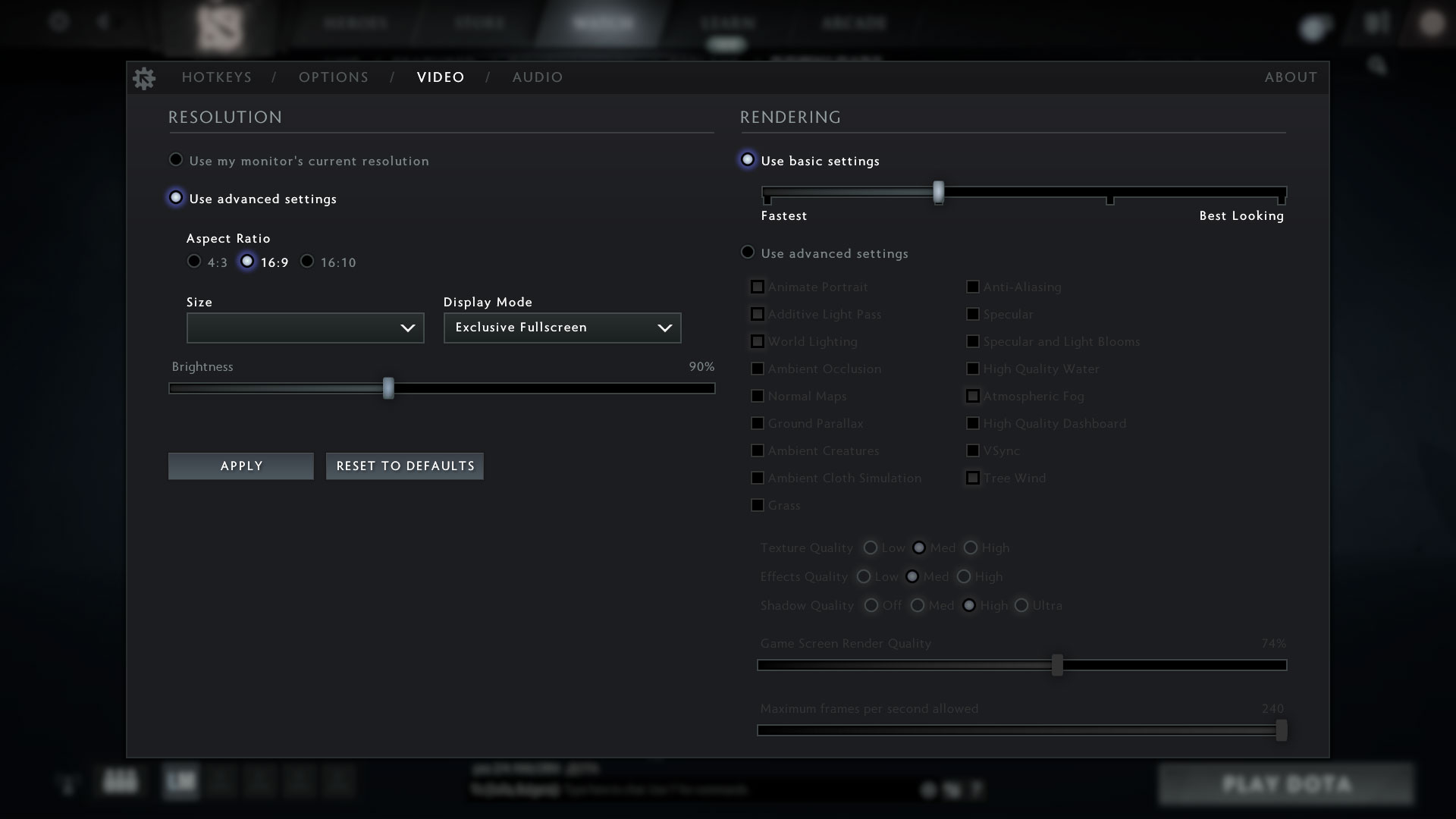
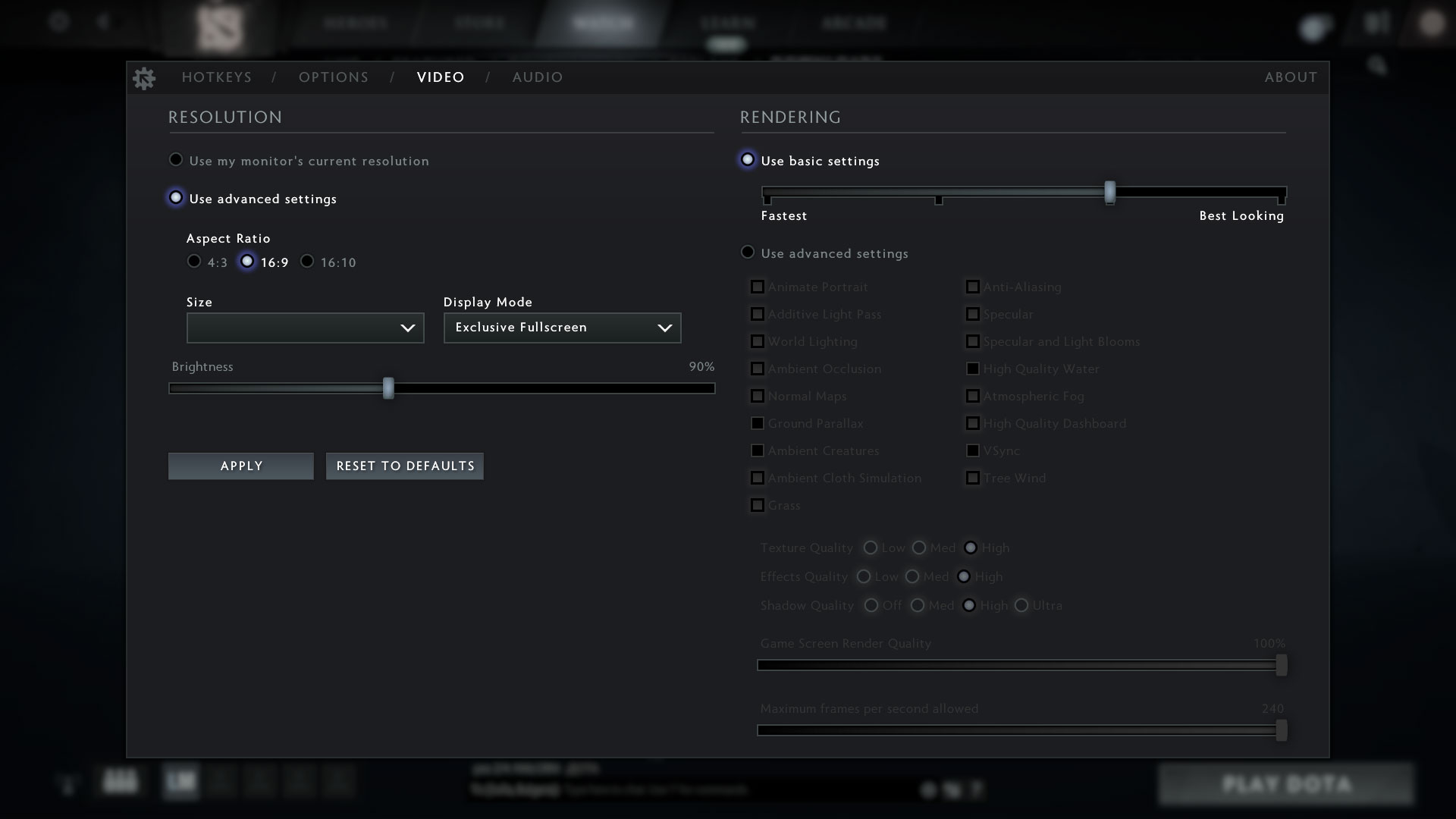
Gaming tests

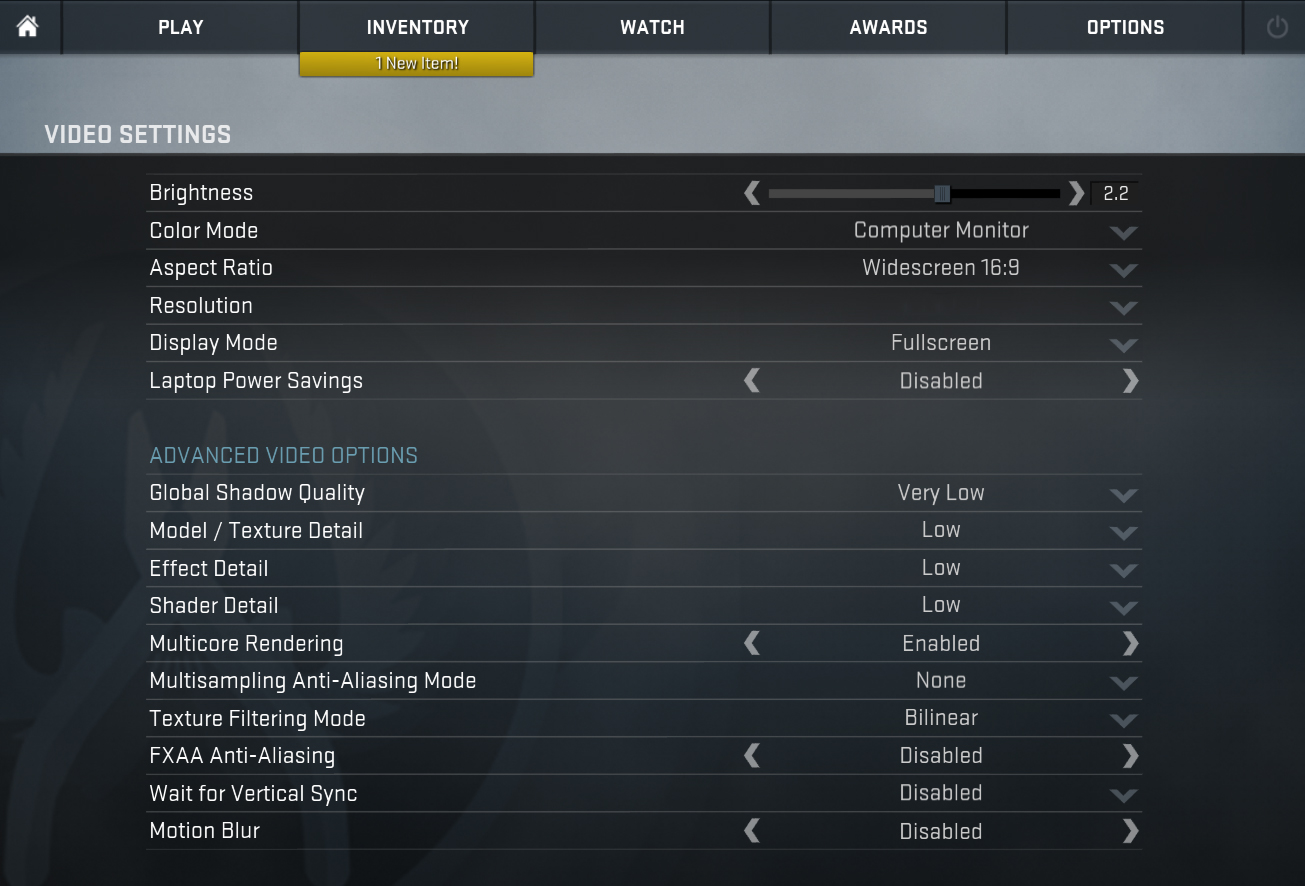
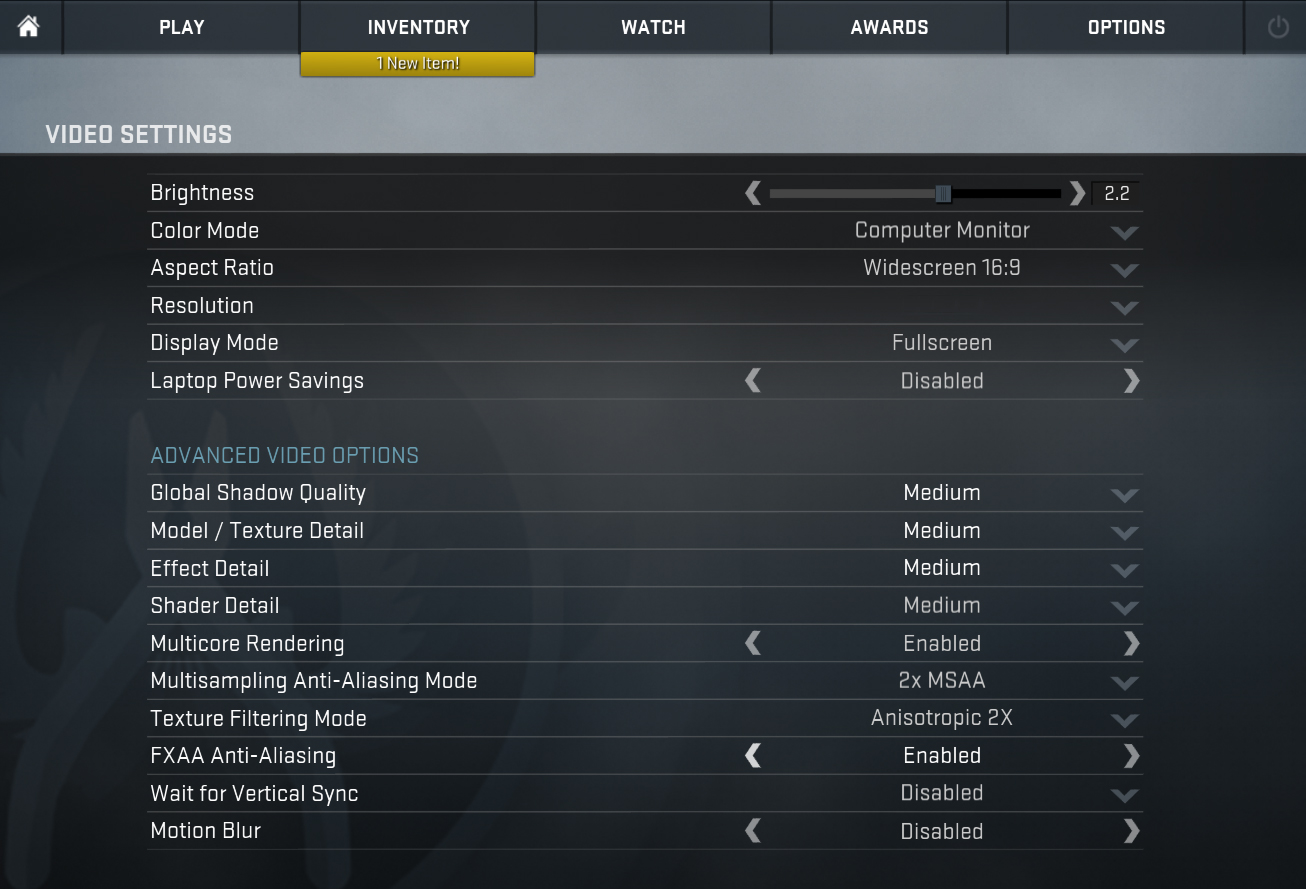
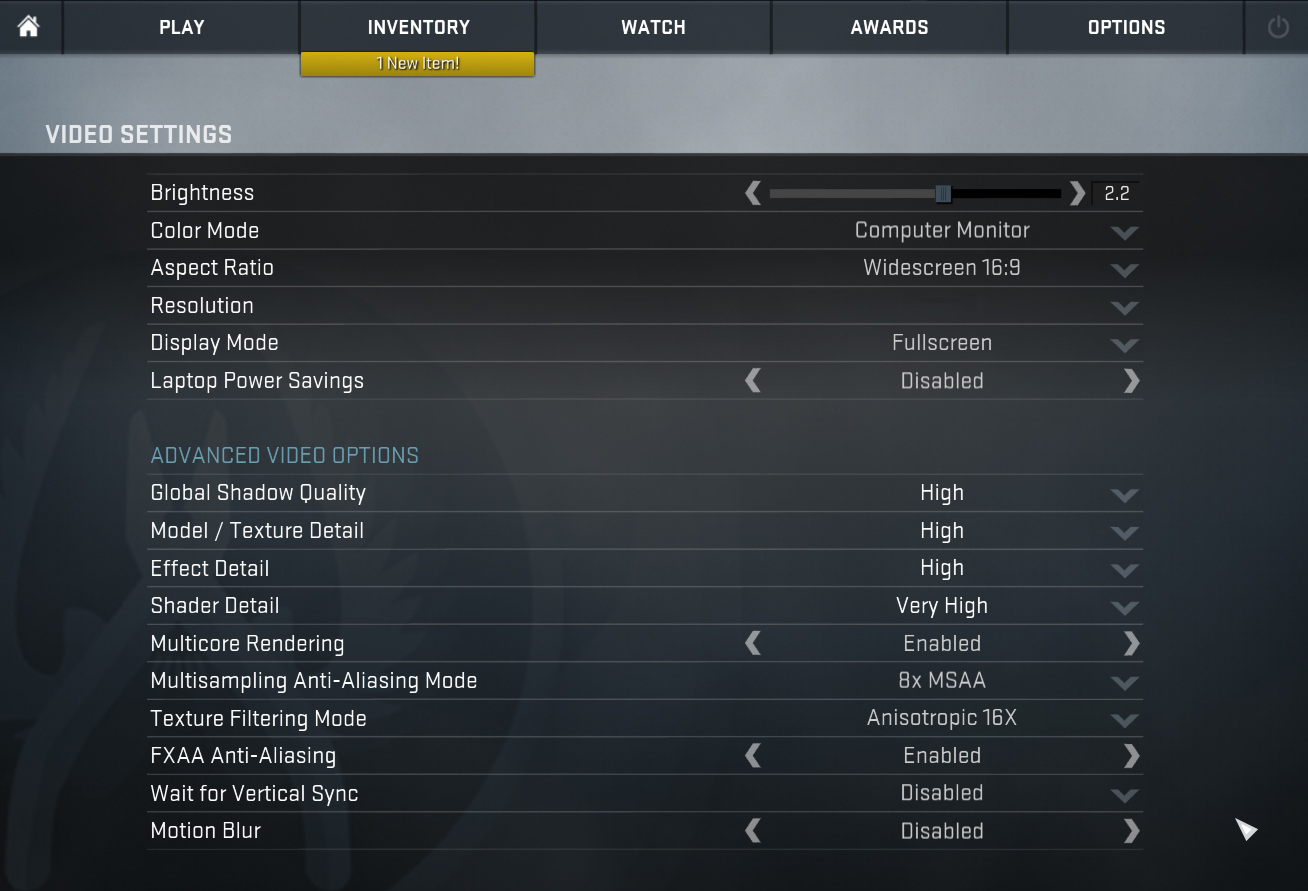
| CS:GO | HD 1080p, Low (Check settings) | HD 1080p, Medium (Check settings) | HD 1080p, MAX (Check settings) |
|---|---|---|---|
| Average FPS | 33 fps | – fps | – fps |

| DOTA 2 | HD 1080p, Low (Check settings) | HD 1080p, Normal (Check settings) | HD 1080p, High (Check settings) |
|---|---|---|---|
| Average FPS | 59 fps | 29 fps | – fps |
Temperatures and comfort
Max CPU load
In this test we use 100% on the CPU cores, monitoring their frequencies and chip temperature. The first column shows a computer’s reaction to a short load (2-10 seconds), the second column simulates a serious task (between 15 and 30 seconds), and the third column is a good indicator of how good the laptop is for long loads such as video rendering.
Average core frequency (base frequency + X); CPU temp.
| Intel Core i5-10210U (15W TDP) | 0:02 – 0:10 sec | 0:15 – 0:30 sec | 10:00 – 15:00 min |
|---|---|---|---|
| HP Probook 440 G7 | 3.08 GHz (B+68%) @ 59°C | 3.00 GHz (B+68%) @ 67°C | 2.55 GHz (B+38%) @ 72°C |
| Lenovo ThinkBook 15-IML | 3.08 GHz (B+93%) @ 73°C | 3.00 GHz (B+88%) @ 82°C | 2.55 GHz (B+59%) @ 80°C |
| Lenovo ThinkPad L13 | 3.04 GHz (B+90%) @ 97°C | 2.10 GHz (B+31%) @ 97°C | 2.12 GHz (B+33%) @ 79°C |
| Dell Inspiron 14 5491 2-in-1 | 3.45 GHz (B+116%) @ 94°C | 2.33 GHz (B+46%) @ 86°C | 2.00 GHz (B+25%) @ 74°C |
| ASUS ZenBook Duo UX481 | 3.26 GHz (B+104%) @ 94°C | 2.77 GHz (B+73%) @ 98°C | 2.06 GHz (B+29%) @ 71°C |
| Lenovo Yoga C640 (13) | 2.87 GHz (B+79%) @ 73°C | 2.89 GHz (B+81%) @ 85°C | 2.23 GHz (B+39%) @ 87°C |
| Dell Vostro 5590 | 3.50 GHz (B+119%) @ 94°C | 2.68 GHz (B+68%) @ 97°C | 2.36 GHz (B+48%) @ 79°C |
| Lenovo Yoga C740 (14) | 3.09 GHz (B+93%) @ 96°C | 2.66 GHz (B+66%) @ 97°C | 1.96 GHz (B+23%) @ 71°C |
It is good to see that the ProBook 440 G7 remains relatively cool even after 15 minutes of stress testing. In the first two checkpoints, we can see that the HP is keeping a 25W power limit, while after that the average wattage is around 17W – close to the default 15W limit.
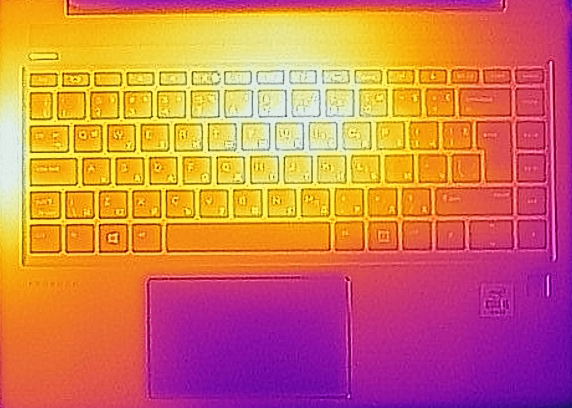
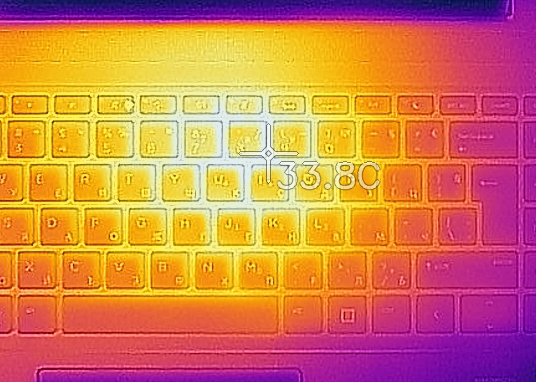
Comfort during full load
We noticed that the fan is spinning occasionally, even when there is no heavy load applied, but the main point here is that the device is not too loud under stress, while the outer temperatures barely reach 34-35C.
Verdict
Once again, HP has produced a more than a decent business machine. Despite the continuity in terms of design and overall build, the ProBook 440 G7 offers a slightly better battery life, which should be a credit to the slightly more efficient chipset. Indeed, in terms of performance, we didn’t see any significant change to the last-year model, while the display has similar characteristics.
HP ProBook 440 G7 in the configuration we tested, uses an IPS panel (LG LP140WFA-SPD3 (LGD060F)) with a Full HD resolution, good contrast ratio, and wide viewing angles. Additionally, its backlight is completely flicker-free, ensuring comfortability for long periods of use. Its only disadvantage is the color representation – both in terms of sRGB coverage and color accuracy.
Moreover, you have an SD card reader, a USB Type-C port with Power Delivery and DisplayPort capability, and a dedicated Ethernet port. If this is not enough to convince you this is a pretty decent machine, you have the option to put up to 32GB of DDR4 memory with speeds up to 2666 MHz, thanks to the dual-channel SODIMM slots. As of the storage, there are two options – one M.2 PCIe x4 slot that also supports SATA drives, and a dedicated 2.5″ SATA drive bay, which can be used both for HDDs and SSDs of the appropriate size.
Honestly, the input devices are great for work, as the keyboard has comfortable and clicky feedback, while the touchpad is agile and precise. In addition to that, you have a fingerprint reader, for better security.
Now, everything seems very good about it, doesn’t it? One would wonder why didn’t we give it the Editor’s Choice award. Well, the main reason for that is the uninspiring decision not to change much about the notebook. And if you happen to own the ProBook 440 G6, we found no reason for you to upgrade to this unit. Even if you own the older ProBook 440 G5. At least it is good you can buy it with the GeForce MX250, should you need some dedicated graphics memory or you just want to play a casual game on your work computer.
Pros
- Cool performance under heavy load
- Decent keyboard with spill-resistance and an optional backlight
- Good port selection with an SD card reader
- Fairly long battery life
- Its Full HD IPS panel has comfortable viewing angles and good contrast ratio (LG LP140WFA-SPD3)
- Lacks PWM for brightness adjustment (LG LP140WFA-SPD3)
- Supports 32GB of DDR4 memory in dual-channel mode and it has an M.2 SATA/PCIe x4 slot plus a 2.5″ SATA drive slot
- Wi-Fi 6 connectivity
Cons
- Pretty much a copy of its predecessor
- Covers only 50% of sRGB (LG LP140WFA-SPD3)
You can check the prices and configurations in our Specs System: https://laptopmedia.com/series/hp-probook-440-g7/
 Author: Alex Iliev
 Author: eng. Kroum NikolovHead of Engineering at LaptopMedia.com, inventor and innovator with 40+ years of experience in electronics and high technology.

![[August 2026] Amazon Global: Top 10 cele mai vândute laptopuri – Apple MacBook Neo domină clasamentul, în timp ce laptopurile Windows din gama economică și de mijloc se luptă pentru volumul vânzărilor](https://laptopmedia.com/wp-content/uploads/2026/09/Best-Selling-Laptops-GLOBAL-Top-10-400x225.jpg)
![[August 2026] Cele mai vândute mărci de laptopuri pe Amazon Global – Apple domină în ceea ce privește veniturile, în timp ce HP se află pe primul loc în ceea ce privește varietatea de modele](https://laptopmedia.com/wp-content/uploads/2026/09/GLOBAL-Best-Brands-400x225.jpg)
![[August 2026] Amazon Global: Top 10 cele mai bine vândute laptopuri pentru jocuri – HP Victus 15 ocupă primul loc, în timp ce modelele accesibile domină clasamentul](https://laptopmedia.com/wp-content/uploads/2026/09/Best-Selling-Gaming-Laptops-GLOBAL-Top-10-400x225.jpg)
![[August 2026] Best-Selling Laptop Brands on Amazon Japan – Apple Dominates Market Share and Revenue Led by Strong Unit Sales](https://laptopmedia.com/wp-content/uploads/2026/09/CO.JP-Best-Brands-1-400x225.jpg)
![[August 2026] Best-Selling Laptop Brands on Amazon USA – Apple Dominates Market Revenue and Volume Despite Lower Model Diversity](https://laptopmedia.com/wp-content/uploads/2026/09/COM-Best-Brands-1-400x225.jpg)


my probook G 440 G7 core i3 10th gen is hot on palm rest…very uncomfort
My hp laptop probook the battery last only 1 hour.