Lenovo ThinkPad X1 Yoga Gen 8 review – premium business transformer
Performance: CPU, GPU, Gaming Tests
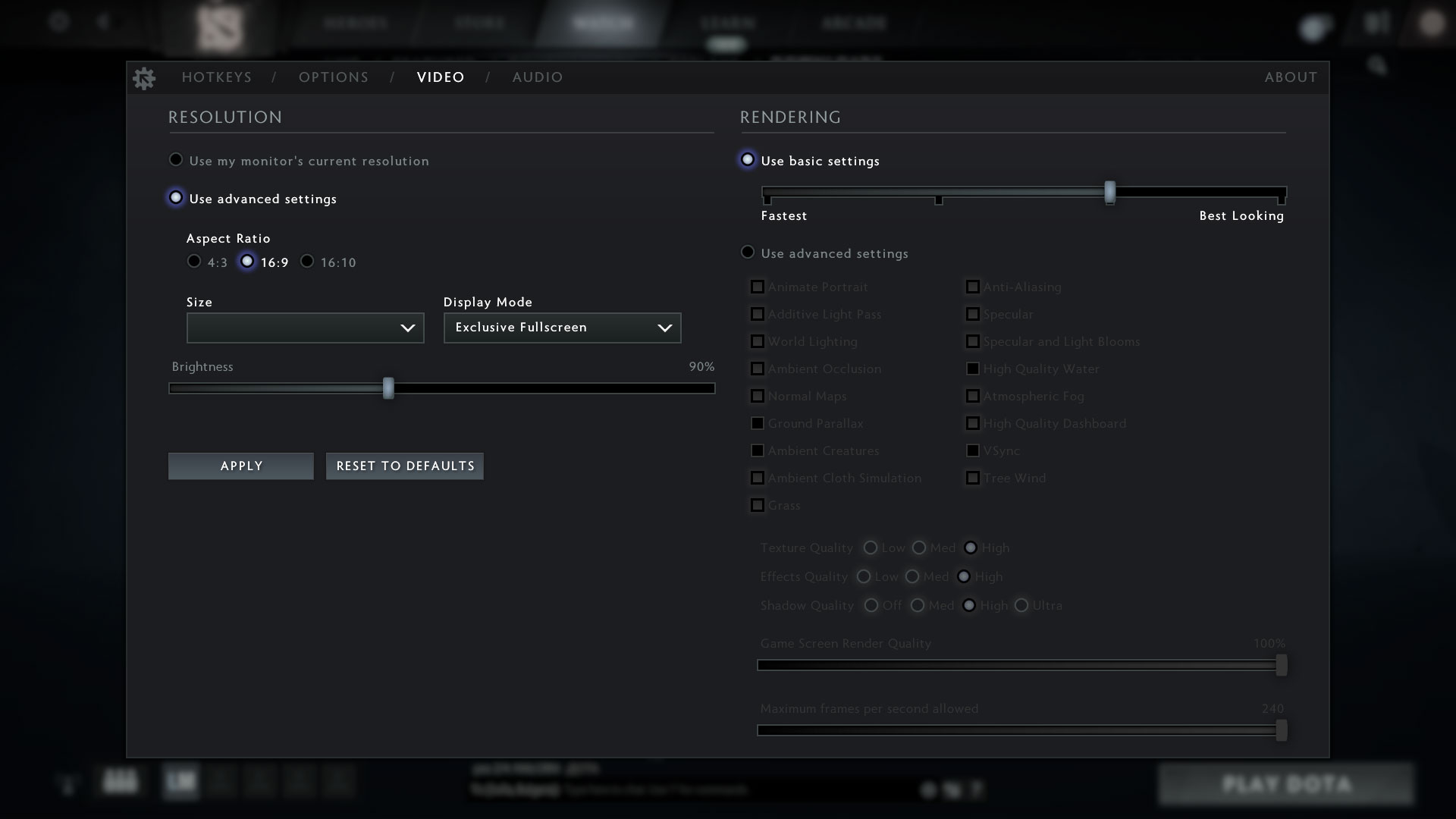
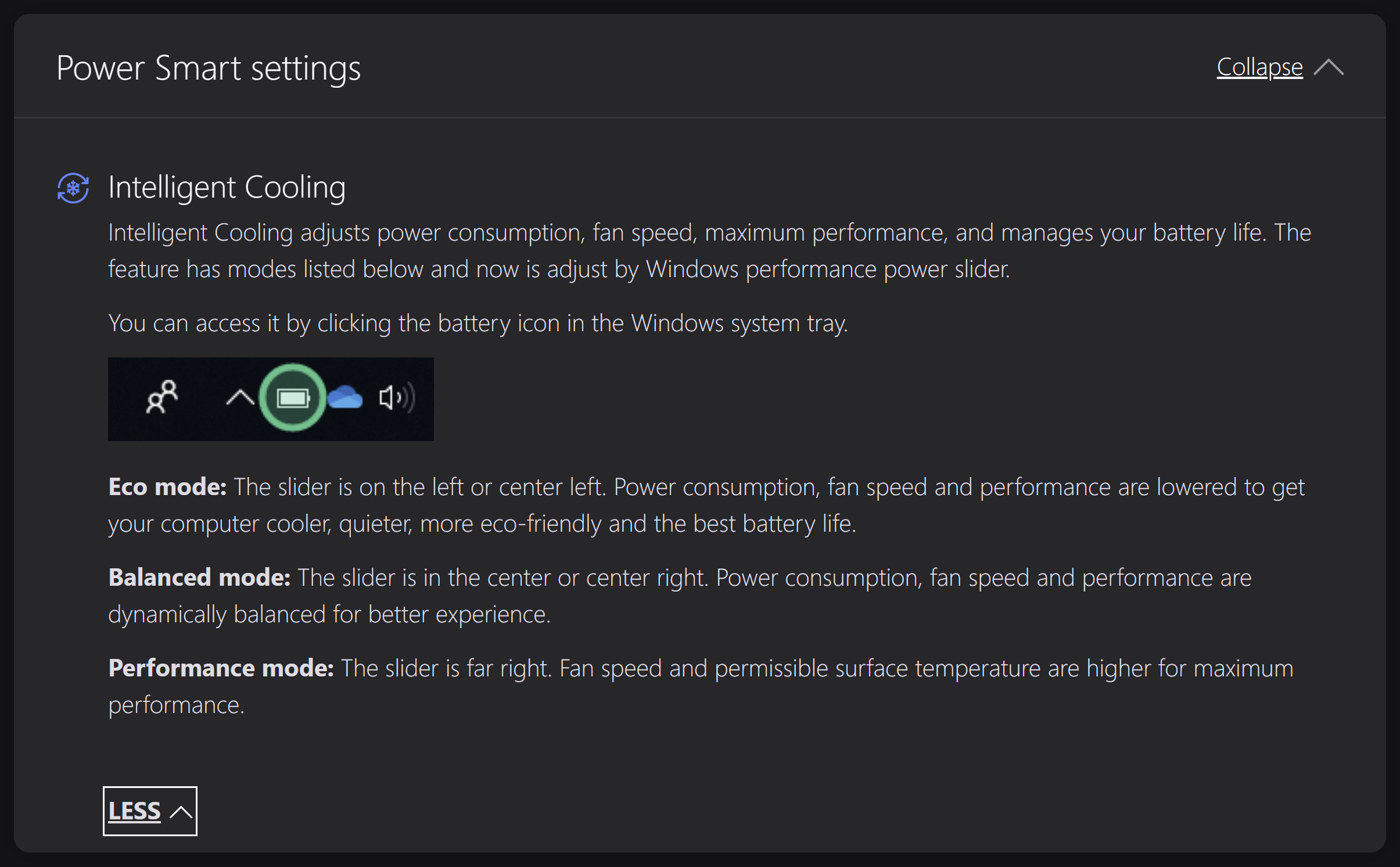
All benchmarks and tests were conducted with the “Best Performance” mode activated (the Power presets are integrated into the Windows Power mode menu).

CPU options
You can find this laptop with 15W or 28W Intel Raptor Lake U or P CPUs. This includes the Core i5-1335U, Core i5-1345U, Core i7-1355U, Core i7-1365U, Core i5-1340P, Core i7-1360P, and Core i7-1370P.
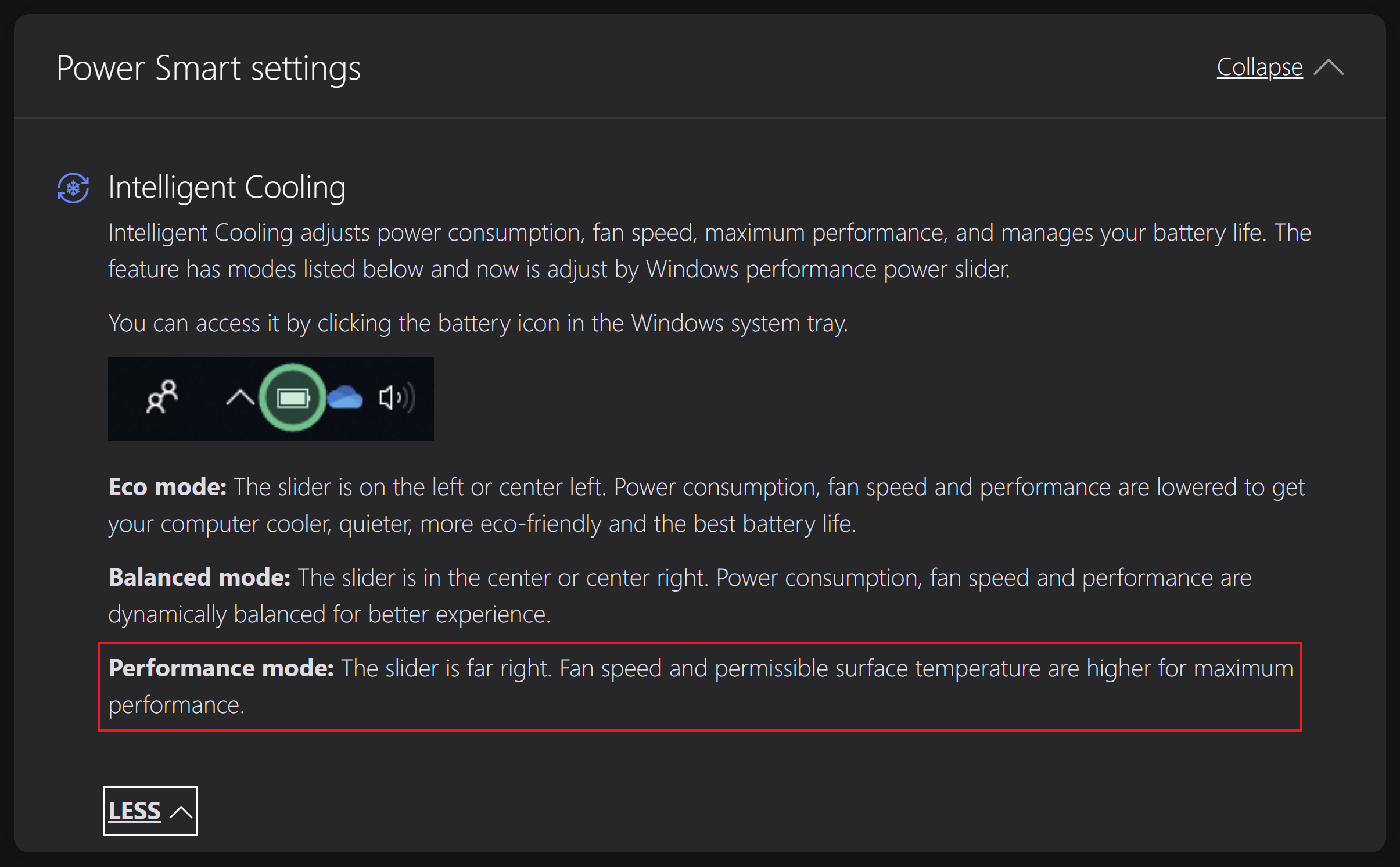
GPU options
No dGPUs here, just integrated graphics.
Gaming tests
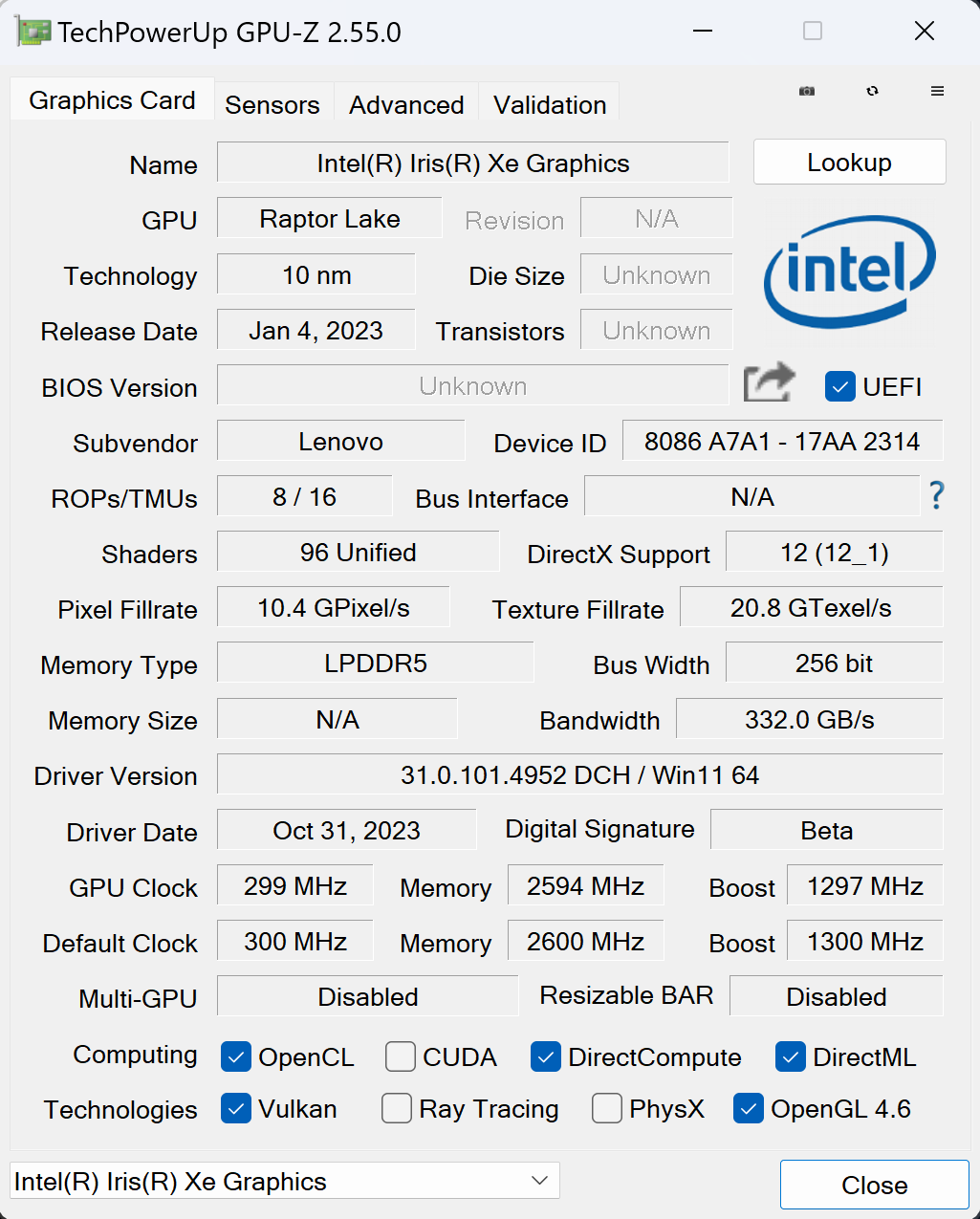

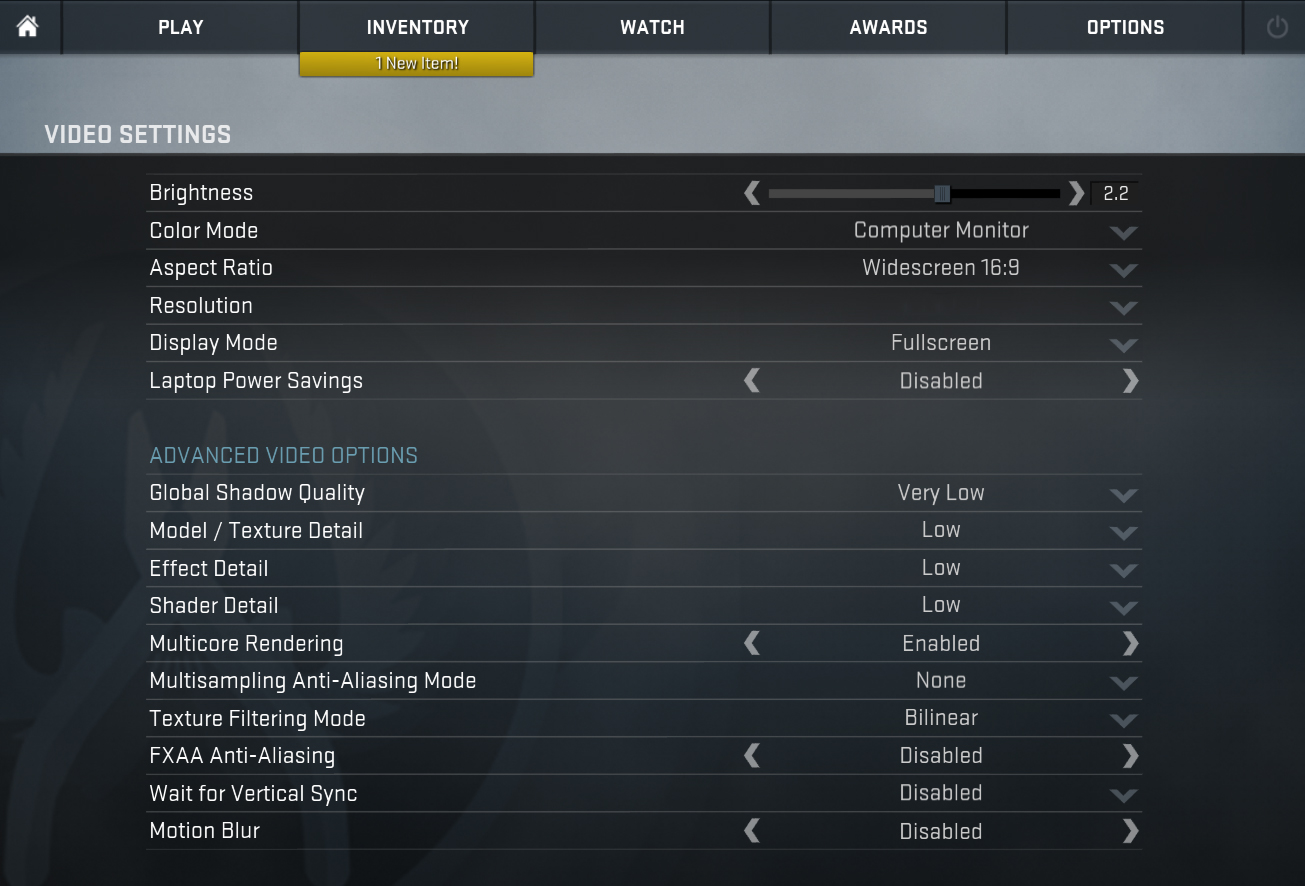
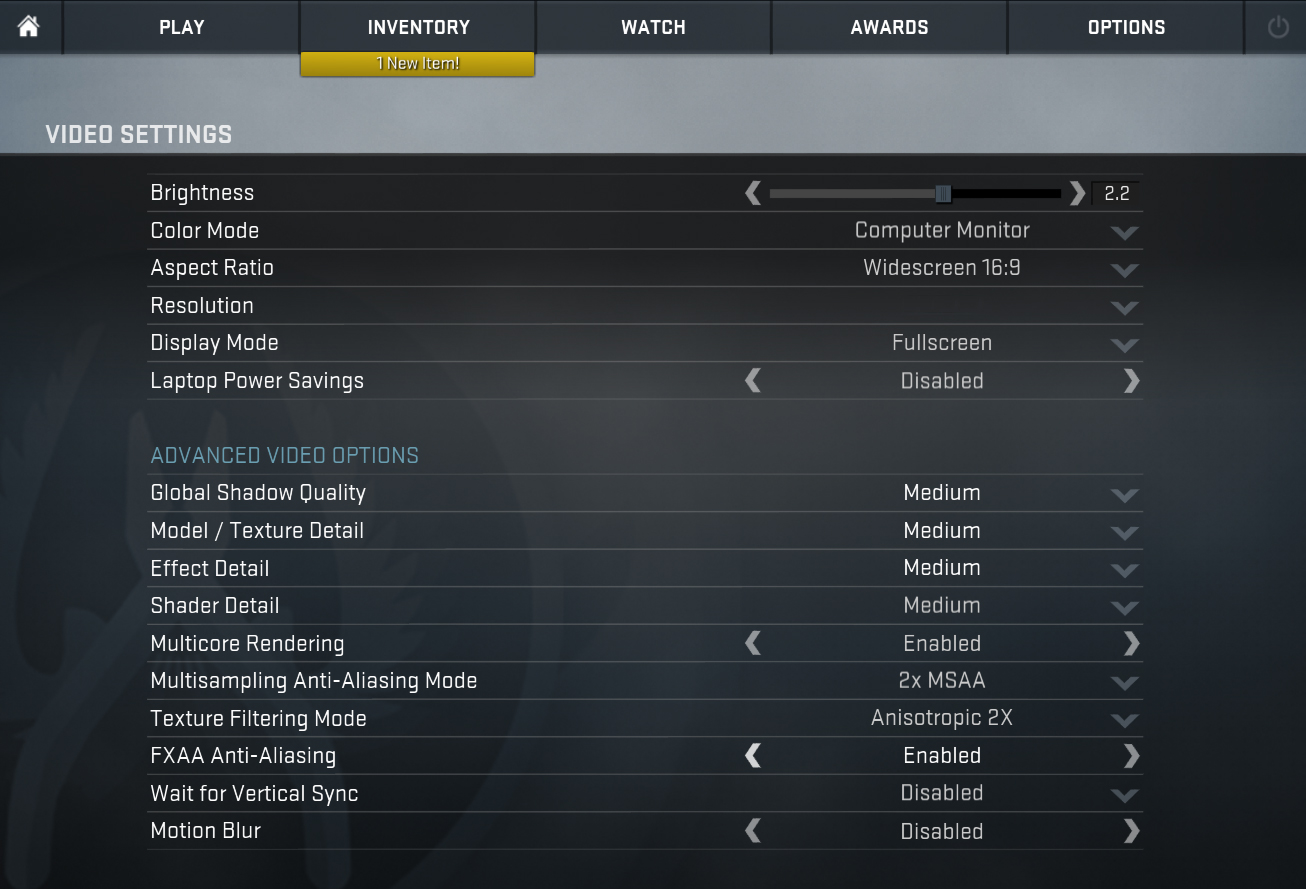
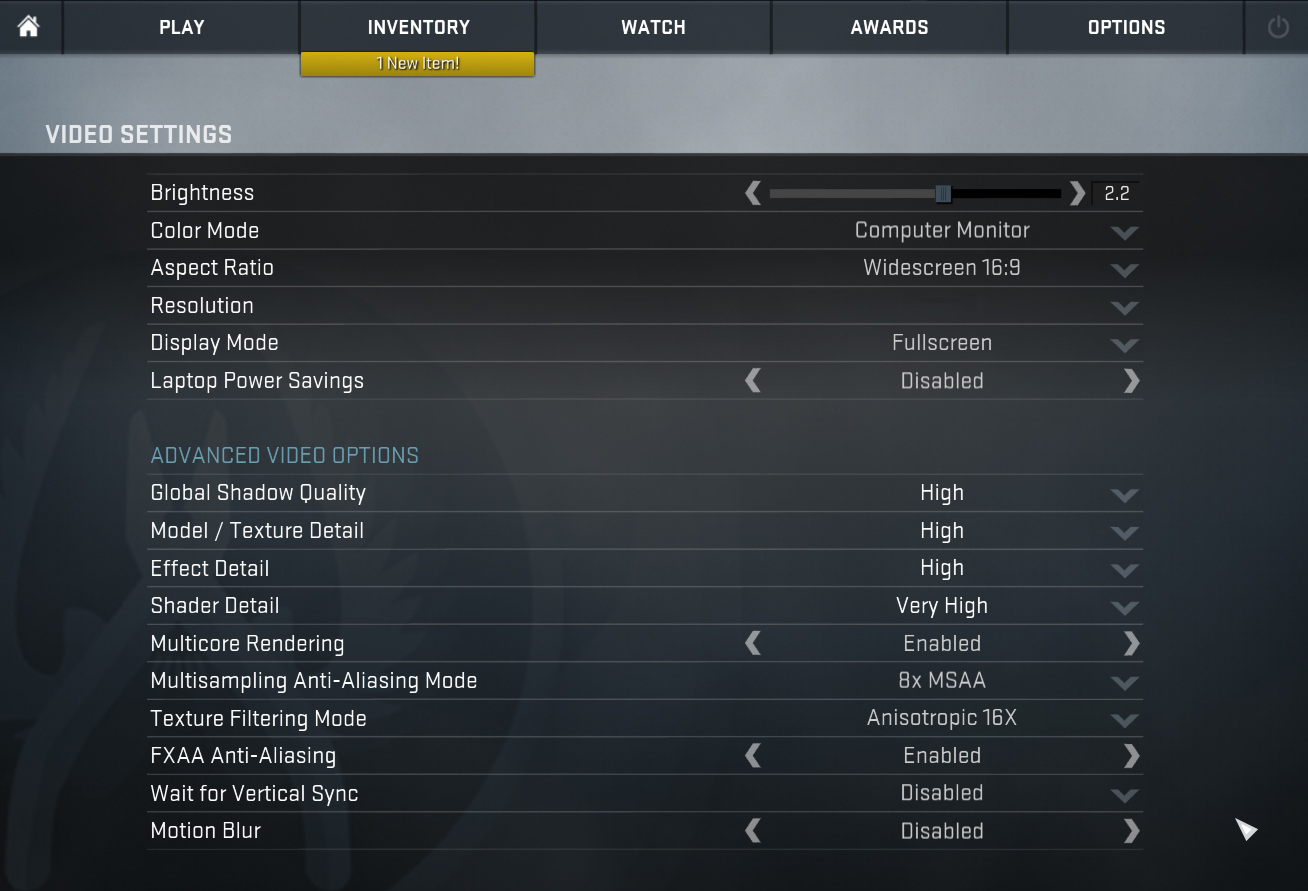
| CS:GO | HD 1080p, Low (Check settings) | HD 1080p, Medium (Check settings) | HD 1080p, MAX (Check settings) |
|---|---|---|---|
| Average FPS | 135 fps | 107 fps | 75 fps |

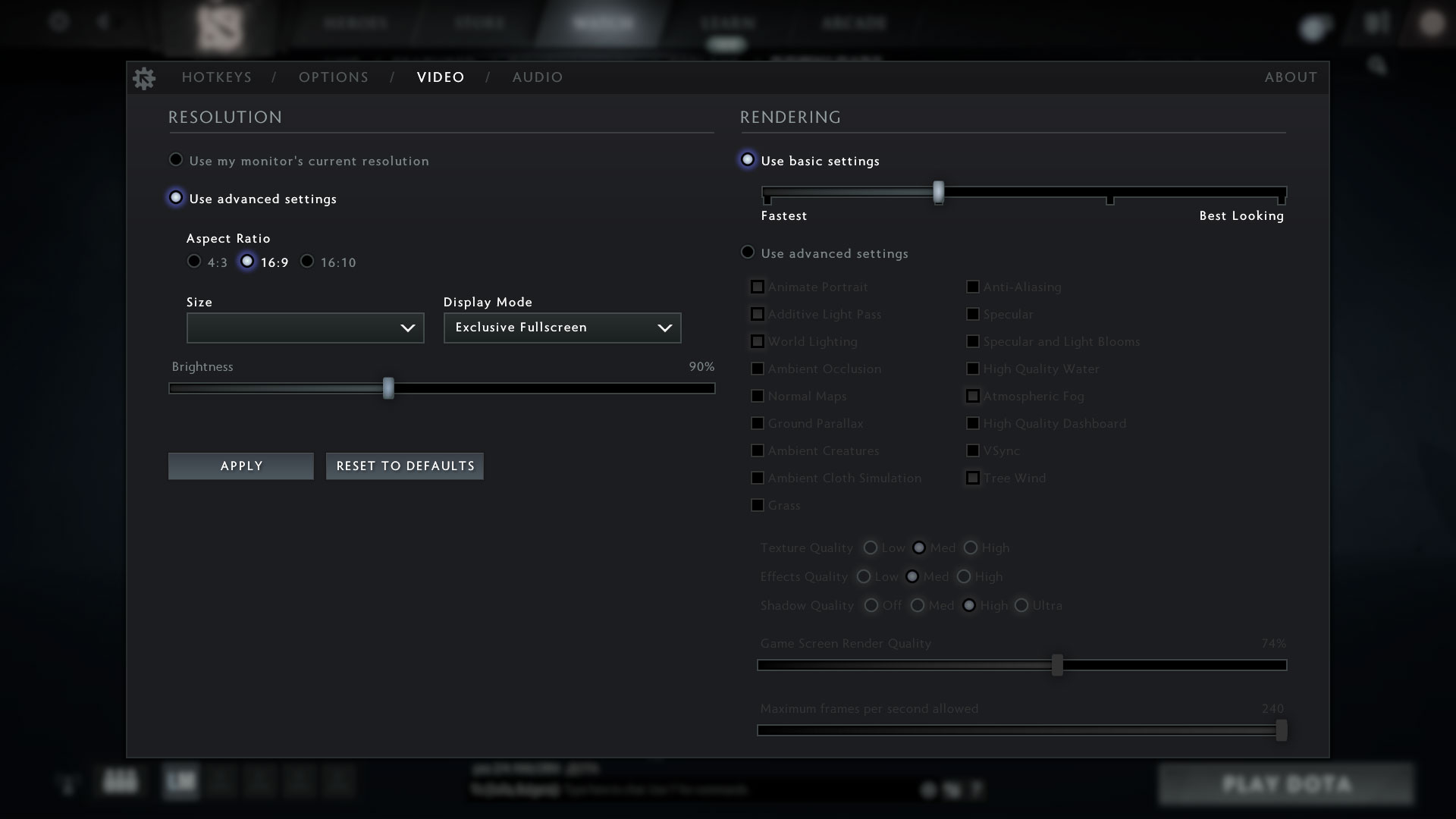
| DOTA 2 | HD 1080p, Low (Check settings) | HD 1080p, Normal (Check settings) | HD 1080p, High (Check settings) |
|---|---|---|---|
| Average FPS | 112 fps | 72 fps | 47 fps |
Max CPU load
In this test we use 100% on the CPU cores, monitoring their frequencies and chip temperature. The first column shows a computer’s reaction to a short load (2-10 seconds), the second column simulates a serious task (between 15 and 30 seconds), and the third column is a good indicator of how good the laptop is for long loads such as video rendering.
Average P-core frequency; Average E-core frequency; CPU temp.; Package Power
| Intel Core i7-1355U (15W TDP) | 0:02 – 0:10 sec | 0:15 – 0:30 sec | 10:00 – 15:00 min |
|---|---|---|---|
| Lenovo ThinkPad X1 Yoga Gen 8 | 3.67 GHz @ 2.81 GHz @ 82°C @ 49W | 3.32 GHz @ 2.53 GHz @ 94°C @ 39W | 2.17 GHz @ 1.64 GHz @ 76°C @ 20W |
| Lenovo ThinkPad E14 Gen 5 | 3.49 GHz @ 2.65 GHz @ 69°C @ 42W | 3.28 GHz @ 2.46 GHz @ 82°C @ 38W | 2.20 GHz @ 1.62 GHz @ 77°C @ 23W |
| HP ZBook Firefly 16 G10 | 3.85 GHz @ 2.89 GHz @ 67°C @ 50W | 3.32 GHz @ 2.48 GHz @ 75°C @ 37W | 2.14 GHz @ 1.44 GHz @ 66°C @ 17W |
| Lenovo ThinkPad L15 Gen 4 (Intel) | 3.34 GHz @ 2.54 GHz @ 86°C @ 39W | 3.16 GHz @ 2.45 GHz @ 93°C @ 35W | 2.38 GHz @ 1.77 GHz @ 77°C @ 20W |
| Lenovo ThinkPad T14s Gen 4 | 3.78 GHz @ 2.93 GHz @ 82°C @ 48W | 3.45 GHz @ 2.71 GHz @ 90°C @ 41W | 2.52 GHz @ 1.87 GHz @ 78°C @ 22W |
| Lenovo ThinkPad T14 Gen 4 | 3.83 GHz @ 2.89 GHz @ 78°C @ 51W | 3.7 GHz @ 2.82 GHz @ 93°C @ 49W | 2.38 GHz @ 1.75 GHz @ 64°C @ 21W |
| Acer Aspire 5 (A514-56M) | 3.82 GHz @ 2.82 GHz @ 64°C @ 55W | 2.18 GHz @ 2.26 GHz @ 65°C @ 37W | 1.43 GHz @ 1.98 GHz @ 60°C @ 28W |
| Dell Vostro 15 3530 | 2.06 GHz @ 2.70 GHz @ 94°C @ 40W | 1.56 GHz @ 2.22 GHz @ 96°C @ 26W | 2.06 GHz @ 2.25 GHz @ 95°C @ 26W |
| Lenovo Yoga Book 9 (13IRU8) | 2.23 GHz @ 2.58 GHz @ 76°C @ 40W | 2.13 GHz @ 2.42 GHz @ 85°C @ 35W | 1.64 GHz @ 2.03 GHz @ 77°C @ 24W |
| ASUS Zenbook S 13 OLED (UX5304) | 3.46 GHz @ 2.47 GHz @ 80°C @ 41W | 3.06 GHz @ 2.24 GHz @ 91°C @ 31W | 2.36 GHz @ 1.68 GHz @ 75°C @ 21W |
The Core i7-1355U inside of the Lenovo ThinkPad X1 Yoga Gen 8 can show a bit higher clocks (and temperatures, sadly) in short and medium loads compared to the Lenovo ThinkPad E14 Gen 5 which is good. In longer stress, the P and E core frequencies are again very close to the ones of the E14 sibling. This time around, the thermals are normal.
Comfort during full load
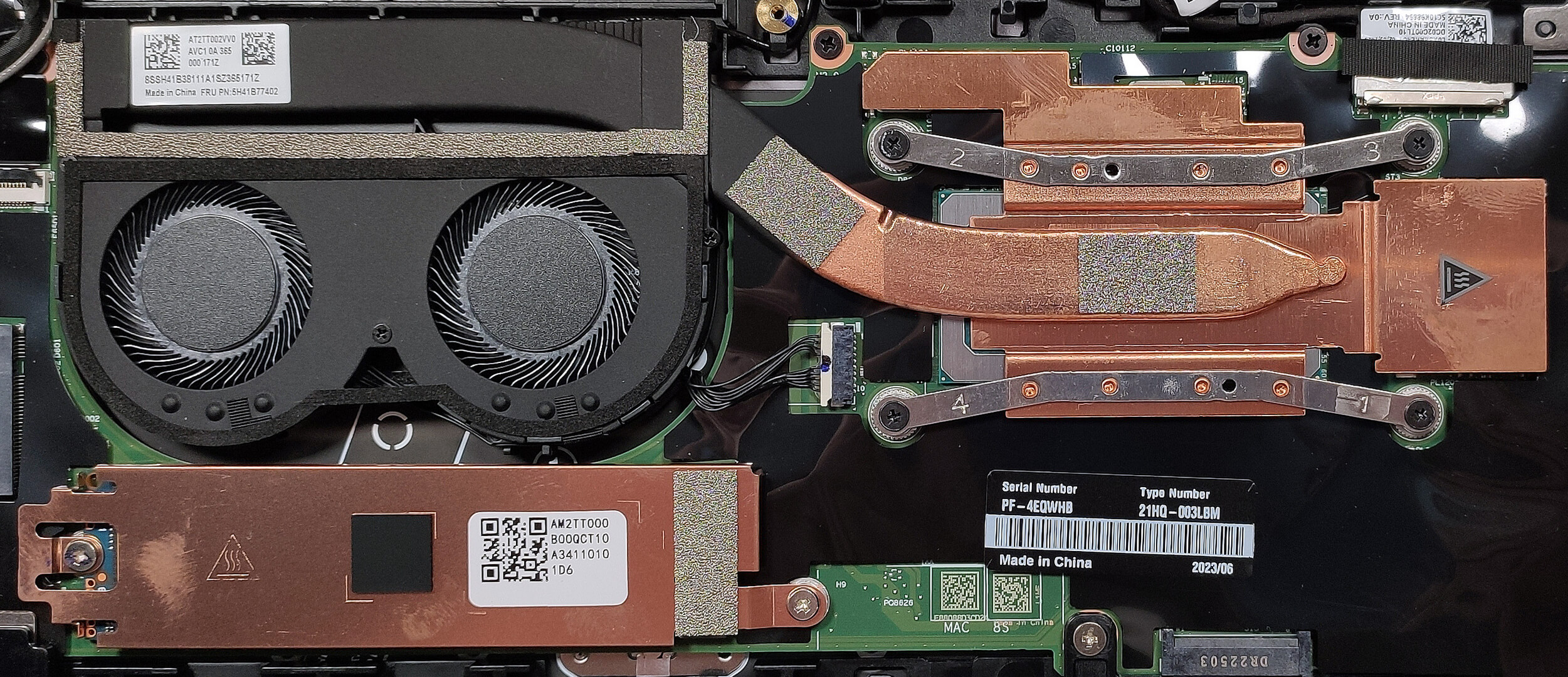
The Power presets are integrated into the Windows default power modes. During 100% CPU stress, the fans are audible, but not too noisy. The left part of the keyboard feels warm but comfortable enough for normal work.

Battery
Now, we conduct the battery tests with the Windows Better performance setting turned on, screen brightness adjusted to 120 nits and all other programs turned off except for the one we are testing the notebook with. The 57Wh battery pack lasts for 8 hours and 20 minutes of Web browsing, or 7 hours and 9 minutes of video playback.
Luminozitate: 180 nits; Mod Afișaj: SDR
Timp până la Descărcare Completă: Mai mare este mai bun
Pentru a simula condiții reale, am folosit propriul nostru script pentru navigarea automată pe web prin peste 70 de site-uri.
 Author: Nikolay Palaozov
 Author: eng. Kroum NikolovHead of Engineering at LaptopMedia.com, inventor and innovator with 40+ years of experience in electronics and high technology.

![[Iunie 2026] Cele mai vândute mărci de laptopuri pe Amazon Global – Dominația de neegalat a Apple în ceea ce privește numărul de unități vândute și veniturile](https://laptopmedia.com/wp-content/uploads/2026/07/GLOBAL-Best-Brands-400x225.jpg)
![[Iunie 2026] Amazon Global: Top 10 cele mai vândute laptopuri – Noul MacBook Neo de la Apple se clasează pe locul 1, redefinind piața prin prețul accesibil](https://laptopmedia.com/wp-content/uploads/2026/07/Best-Selling-Laptops-GLOBAL-Top-10-400x225.jpg)
![[Iunie 2026] Amazon Global: Top 10 cele mai bine vândute laptopuri pentru jocuri – Modelul Nitro V 16S AI de la Acer domină vânzările, în timp ce ASUS conduce în ceea ce privește veniturile totale](https://laptopmedia.com/wp-content/uploads/2026/07/Best-Selling-Gaming-Laptops-GLOBAL-Top-10-400x225.jpg)
![[Iunie 2026] Clasamentul global al celor mai bine vândute plăci grafice pentru laptopuri pe Amazon – NVIDIA RTX 5060 este cea mai bine vândută placă grafică dedicată](https://laptopmedia.com/wp-content/uploads/2026/07/Best-Selling-GPUs-GLOBAL-Top-10-400x225.jpg)
![[Iunie 2026] Clasamentul global al celor mai bine vândute procesoare pentru laptopuri de pe Amazon – Apple M5 domină, iar AMD Ryzen 7 260 înregistrează o cotă solidă în segmentul premium](https://laptopmedia.com/wp-content/uploads/2026/07/Best-Selling-CPUs-GLOBAL-Top-10-400x225.jpg)