MSI Vector GP77 13V review – quiet and powerful
Performance: CPU, GPU, Gaming Tests
CPU options
At least for now, the CPU options are Intel Core i9-13900H and Core i7-13700H.
Rezultatele sunt de la testul CPU Cinebench R23 (scorul mai mare este mai bun)
GPU options
The GPU options available for configuring are the RTX 4070 (140W), and RTX 4060 (140).
Rezultatele sunt de la 3DMark Time Spy (Grafică). Un scor mai mare este mai bun.
Rezultatele sunt de la benchmark-ul 3DMark Fire Strike (Grafică) (un scor mai mare este mai bun)
Rezultatele sunt de la benchmark-ul Unigine Superposition (un scor mai mare este mai bun)
Gaming tests (external display)

The good news is that the GeForce RTX 4070 (140W) is more or less faster compared to the GeForce RTX 3080 Ti (130W) in many new titles. Have a look a bit down below for some comparisons between the two GPUs. We have a playlist with 40+ gameplay videos with benchmarks regarding the GeForce RTX 4070 (140W) that can be found here.

| Metro Exodus | Full HD, Low (Check settings) | Full HD, High (Check settings) | Full HD, Extreme (Check settings) |
|---|---|---|---|
| GeForce RTX 4070 (140W) | 183 fps (+16%) | 103 fps (+8%) | 48 fps (+2%) |
| GeForce RTX 3080 Ti (130W) | 172 fps | 95 fps | 47 fps |

| Borderlands 3 | Full HD, Medium (Check settings) | Full HD, High (Check settings) | Full HD, Badass (Check settings) |
|---|---|---|---|
| GeForce RTX 4070 (140W) | 177 fps (+9%) | 135 fps (+11%) | 106 fps (+16%) |
| GeForce RTX 3080 Ti (130W) | 163 fps | 122 fps | 100 fps |

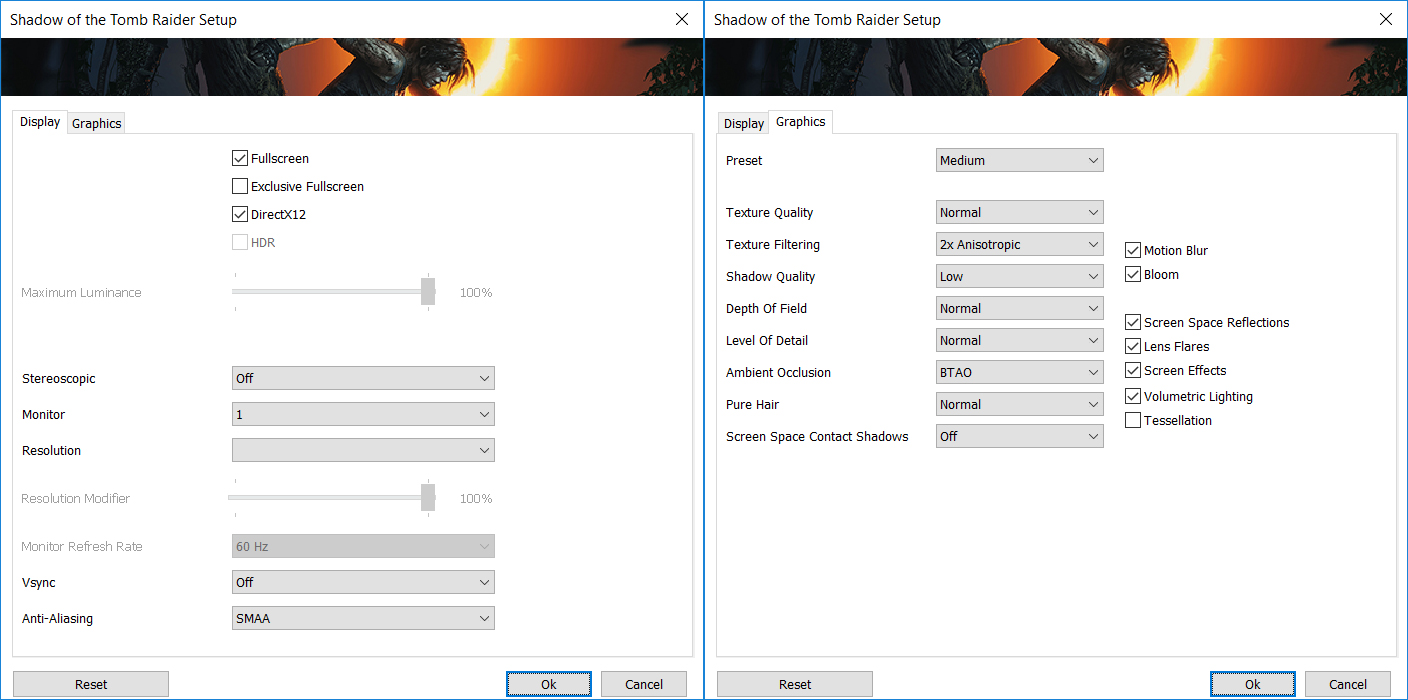
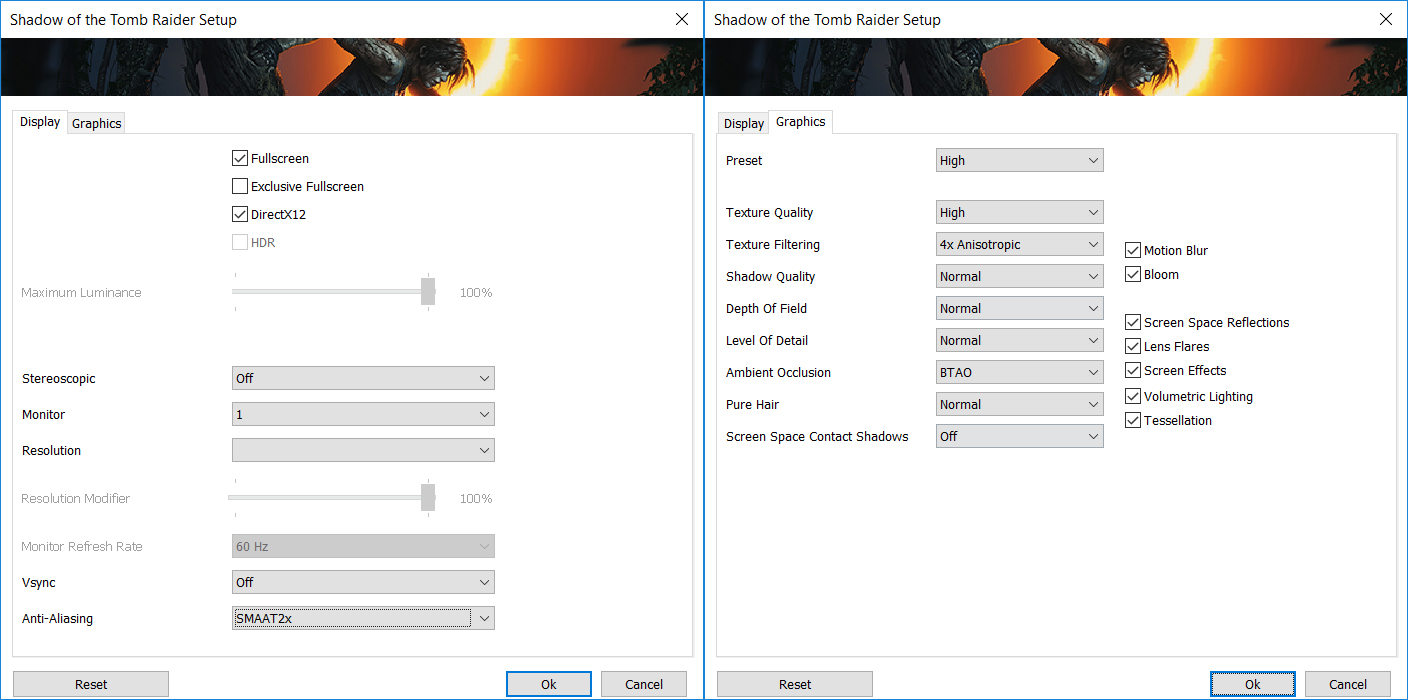
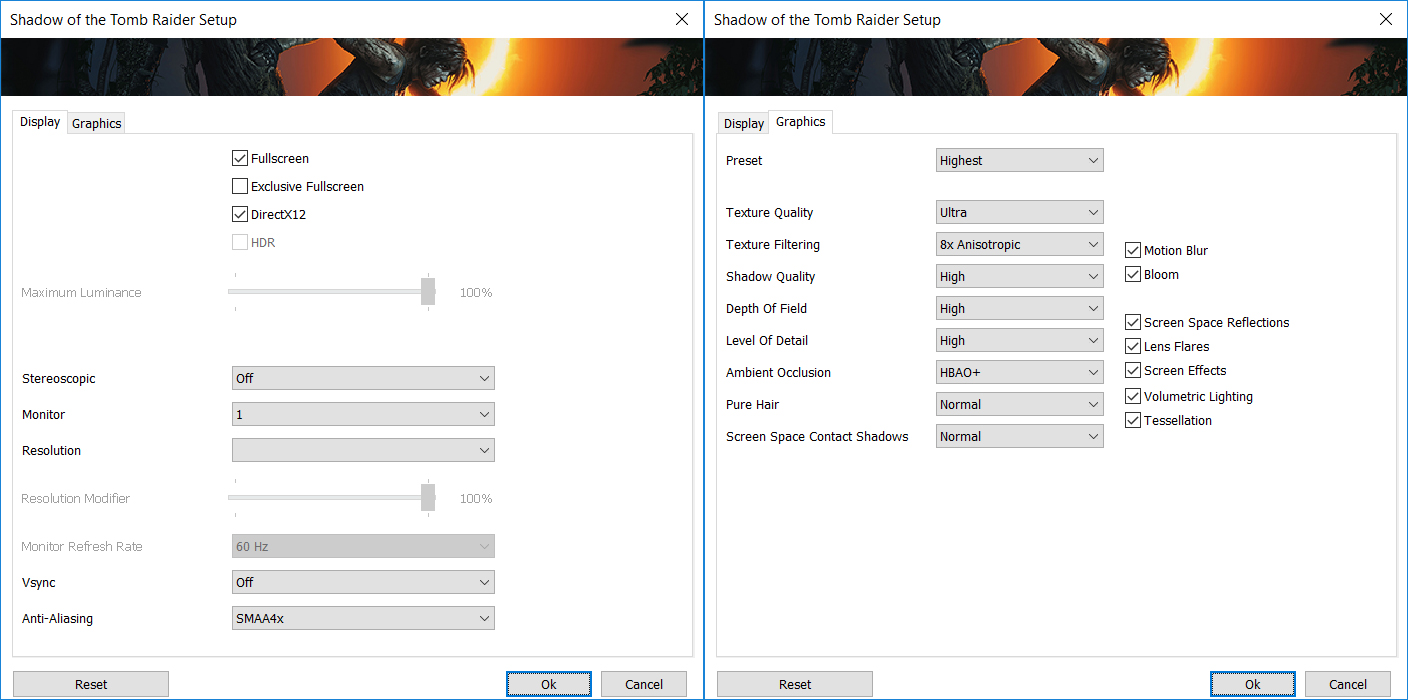
| Shadow of the Tomb Raider (2018) | Full HD, Medium (Check settings) | Full HD, High (Check settings) | Full HD, Highest (Check settings) |
|---|---|---|---|
| GeForce RTX 4070 (140W) | 159 fps (+7%) | 154 fps (+10%) | 114 fps (+5%) |
| GeForce RTX 3080 Ti (130W) | 148 fps | 145 fps | 109 fps |

| Call Of Duty Modern Warfare II | Full HD, Minimum (Check settings) | Full HD, Basic (Check settings) | Full HD, Balanced (Check settings) | Full HD, Ultra (Check settings) |
|---|---|---|---|---|
| GeForce RTX 4070 (140W) | 240 fps (+4%) | 186 fps (+8%) | 149 fps (+5%) | 109 fps (+3%) |
| GeForce RTX 3080 Ti (130W) | 230 fps | 173 fps | 142 fps | 106 fps |

| Call Of Duty Modern Warfare II | Full HD, Minimum (Check settings) | Full HD, Basic (Check settings) | Full HD, Balanced (Check settings) | Full HD, Ultra (Check settings) |
|---|---|---|---|---|
| GeForce RTX 4070 (140W) | 166 fps (+4%) | 162 fps (+7%) | 103 fps (+5%) | 65 fps (+2%) |
| GeForce RTX 3080 Ti (130W) | 159 fps | 151 fps | 98 fps | 64 fps |

Resolution: 1920 x 1080 (Full HD) |
NORMAL |
HIGH |
VERY HIGH |
MAX |
|---|---|---|---|---|
| NVIDIA GeForce RTX 4070 (Laptop, 140W) | 186 FPS REDĂ VIDEO | 186 FPS REDĂ VIDEO | 127 FPS REDĂ VIDEO | 73 FPS REDĂ VIDEO |

Resolution: 1920 x 1080 (Full HD) |
MIN |
MAX |
|---|---|---|
| NVIDIA GeForce RTX 4070 (Laptop, 140W) | 3304 FPS REDĂ VIDEO | 205 FPS REDĂ VIDEO |

Resolution: 1920 x 1080 (Full HD) |
VERY LOW |
MED |
MAX |
|---|---|---|---|
| NVIDIA GeForce RTX 4070 (Laptop, 140W) | 757 FPS REDĂ VIDEO | 692 FPS REDĂ VIDEO | 608 FPS REDĂ VIDEO |

Resolution: 1920 x 1080 (Full HD) |
MIN |
MED |
HIGH |
ULTRA |
|---|---|---|---|---|
| NVIDIA GeForce RTX 4070 (Laptop, 140W) | 161 FPS REDĂ VIDEO | 112 FPS REDĂ VIDEO | 63 FPS REDĂ VIDEO | 33 FPS REDĂ VIDEO |

Resolution: 1920 x 1080 (Full HD) |
LOW |
MED |
HIGH |
ULTRA |
|---|---|---|---|---|
| NVIDIA GeForce RTX 4070 (Laptop, 140W) | 193 FPS REDĂ VIDEO | 157 FPS REDĂ VIDEO | 119 FPS REDĂ VIDEO | 99 FPS REDĂ VIDEO |

Resolution: 1920 x 1080 (Full HD) |
LOW |
MED |
HIGH |
EPIC |
|---|---|---|---|---|
| NVIDIA GeForce RTX 4070 (Laptop, 140W) | 258 FPS REDĂ VIDEO | 168 FPS REDĂ VIDEO | 131 FPS REDĂ VIDEO | 80 FPS REDĂ VIDEO |

Resolution: 1920 x 1080 (Full HD) |
MIN |
MED |
ULTRA |
|---|---|---|---|
| NVIDIA GeForce RTX 4070 (Laptop, 140W) | 389 FPS REDĂ VIDEO | 515 FPS REDĂ VIDEO | 265 FPS REDĂ VIDEO |

Resolution: 1920 x 1080 (Full HD) |
MIN |
MED |
MAX |
|---|---|---|---|
| NVIDIA GeForce RTX 4070 (Laptop, 140W) | 299 FPS REDĂ VIDEO | 298 FPS REDĂ VIDEO | 206 FPS REDĂ VIDEO |

Resolution: 1920 x 1080 (Full HD) |
LOW |
MED |
U.NIGHT |
|---|---|---|---|
| NVIDIA GeForce RTX 4070 (Laptop, 140W) | 377 FPS REDĂ VIDEO | 327 FPS REDĂ VIDEO | 255 FPS REDĂ VIDEO |

Resolution: 1920 x 1080 (Full HD) |
LOW |
NORMAL |
HIGH |
MAX |
|---|---|---|---|---|
| NVIDIA GeForce RTX 4070 (Laptop, 140W) | 213 FPS REDĂ VIDEO | 182 FPS REDĂ VIDEO | 178 FPS REDĂ VIDEO | 167 FPS REDĂ VIDEO |
 Author: Nikolay Palaozov

![[August 2026] Clasamentul global al celor mai bine vândute plăci grafice pentru laptopuri de pe Amazon – Apple domină clasamentul, iar modelul RTX 5060 de la NVIDIA ocupă primul loc în clasamentul dedicat](https://laptopmedia.com/wp-content/uploads/2026/09/Best-Selling-GPUs-GLOBAL-Top-10-400x225.jpg)
![[August 2026] Clasamentul global al celor mai bine vândute procesoare pentru laptopuri de pe Amazon – Apple domină atât segmentul economic, cât și cel premium: A18 Pro și M5 surclasează Intel și AMD în august 2026](https://laptopmedia.com/wp-content/uploads/2026/09/Best-Selling-CPUs-GLOBAL-Top-10-400x225.jpg)
![[August 2026] Amazon Global: Top 10 cele mai vândute laptopuri – Apple MacBook Neo domină clasamentul, în timp ce laptopurile Windows din gama economică și de mijloc se luptă pentru volumul vânzărilor](https://laptopmedia.com/wp-content/uploads/2026/09/Best-Selling-Laptops-GLOBAL-Top-10-400x225.jpg)
![[August 2026] Cele mai vândute mărci de laptopuri pe Amazon Global – Apple domină în ceea ce privește veniturile, în timp ce HP se află pe primul loc în ceea ce privește varietatea de modele](https://laptopmedia.com/wp-content/uploads/2026/09/GLOBAL-Best-Brands-400x225.jpg)
![[August 2026] Amazon Global: Top 10 cele mai bine vândute laptopuri pentru jocuri – HP Victus 15 ocupă primul loc, în timp ce modelele accesibile domină clasamentul](https://laptopmedia.com/wp-content/uploads/2026/09/Best-Selling-Gaming-Laptops-GLOBAL-Top-10-400x225.jpg)

was curious if you know the length of the cable from the power brick to the computer?
5 feet
MSI could have done a better job with the Fan Speed panel UI design if they had labeled everything in Chinese. At least then we could use a translator. All of the fan speed sliders are in percent%, there is no use of actual temp C or F, yet each slider has a specific temp range that it operates within. So to help with that, MSI gave us a blue to red color bar (see pics above). One can also tell that they put absolutely no effort into this panel because there is no “Apply” button. You must press “Save”… Citește mai mult »
…basically just use the Fan Speed panel to set all sliders to 150%. This will keep fans pinned to max regardless of CPU/GPU temps. Use that for gaming. When you use “Cooler Boost” the fans speed will still be tied to temp ranges.