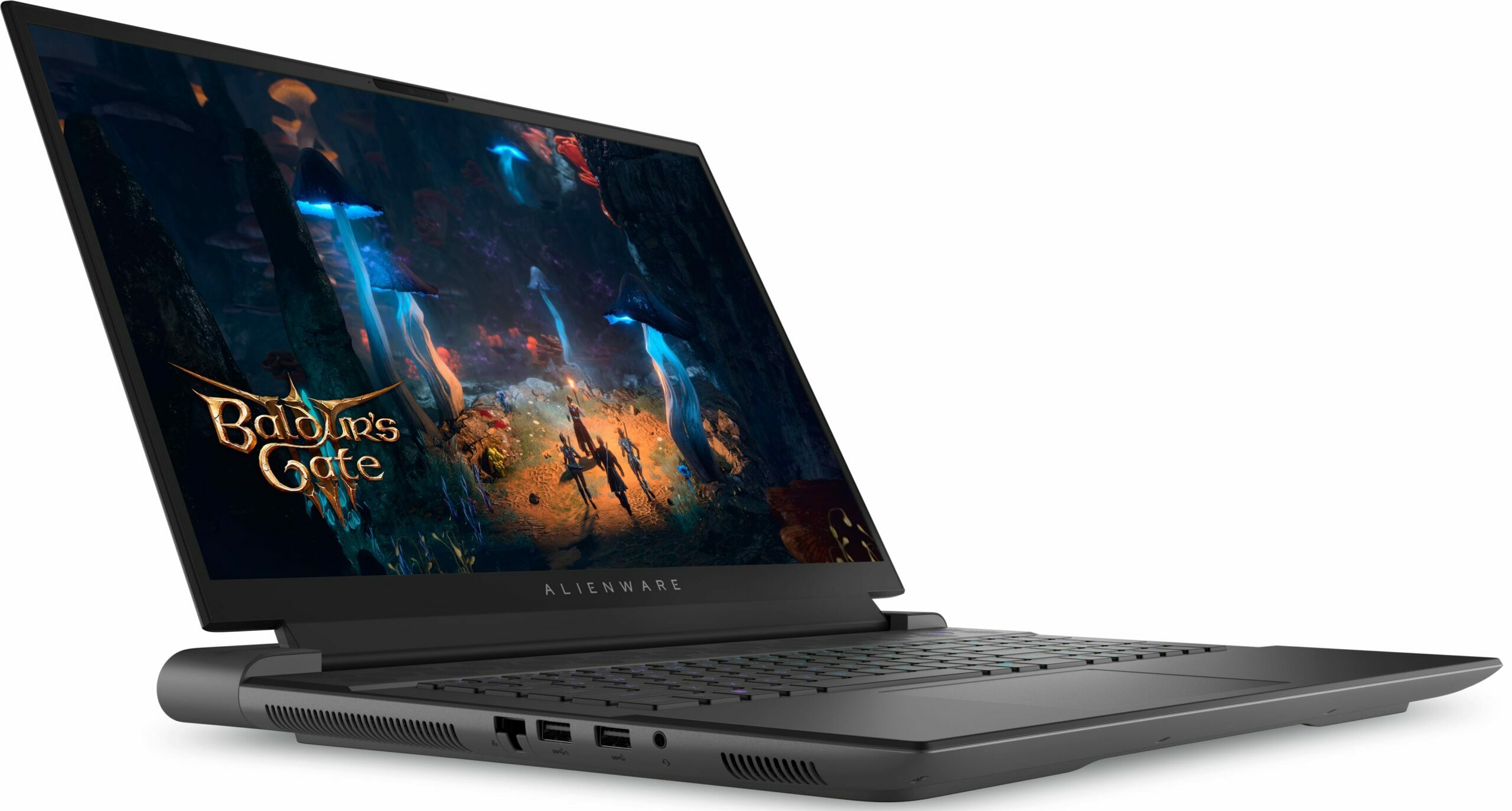
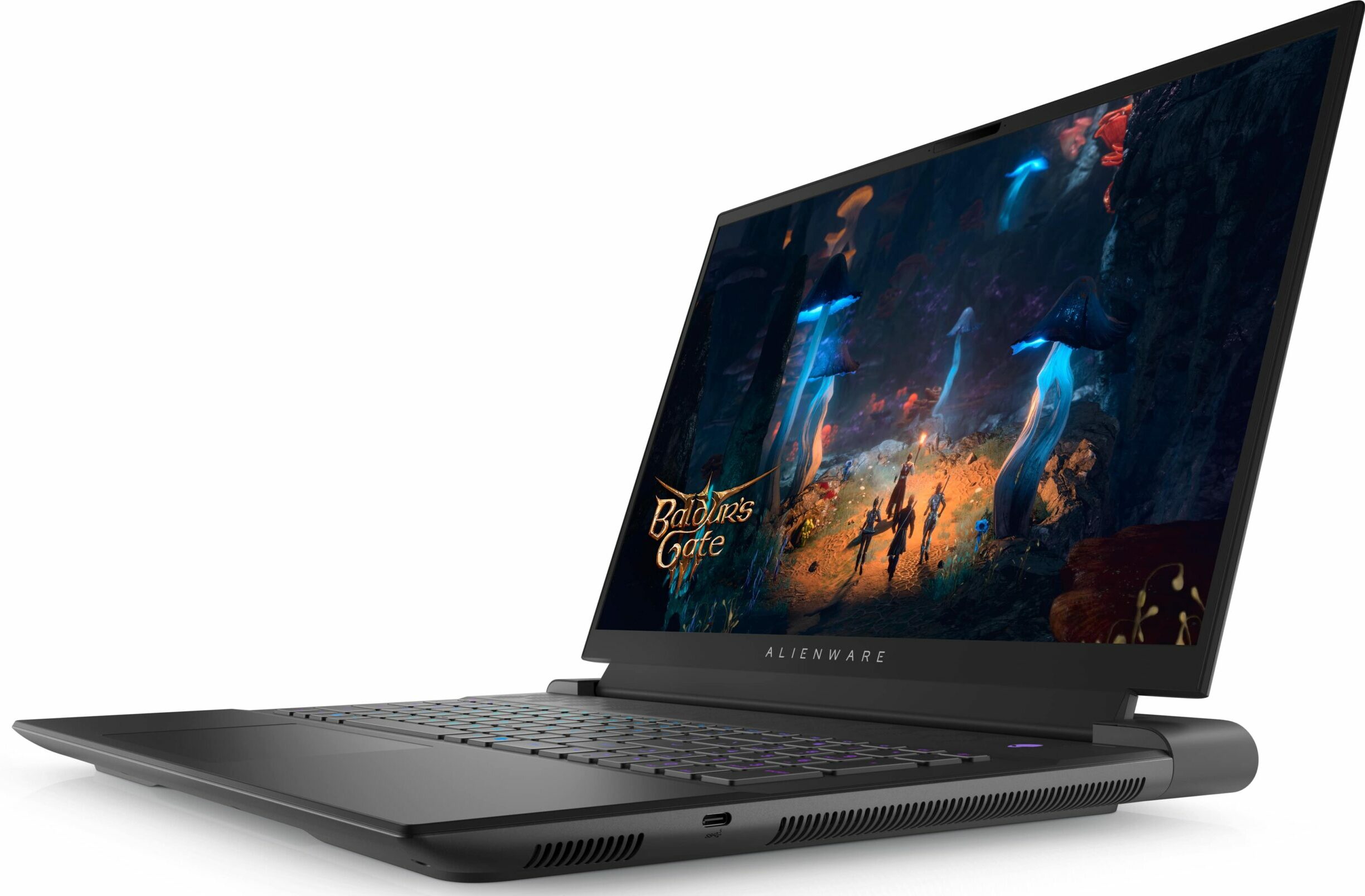
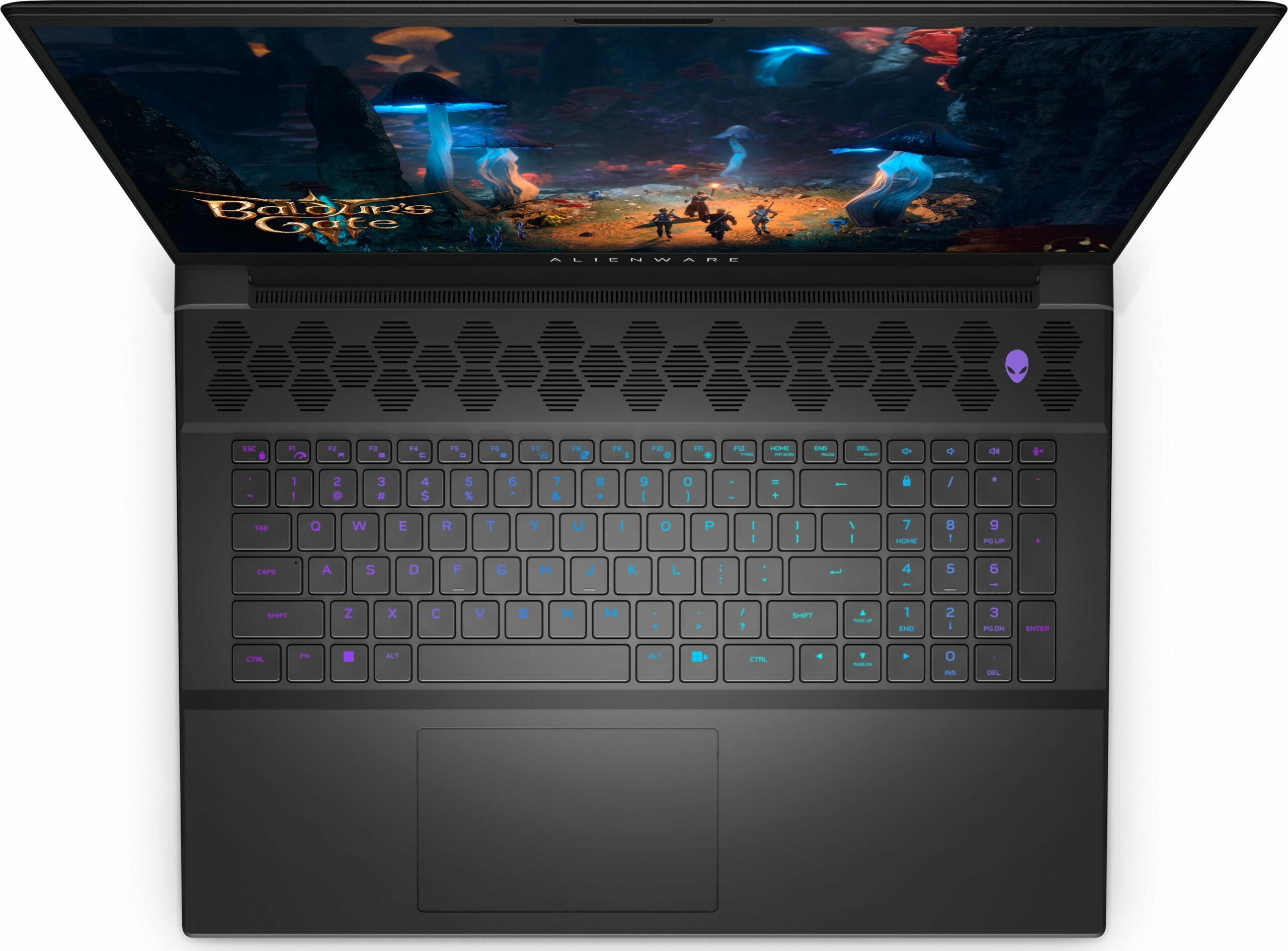
Alienware m18 R2
Alienware m18 R2 - Specificații

- BOE HF1FV-NE18NZ1 (BOE0AFB; NE180QDM-NZ1)

- HDD/SSD
- până la 20000GB SSD
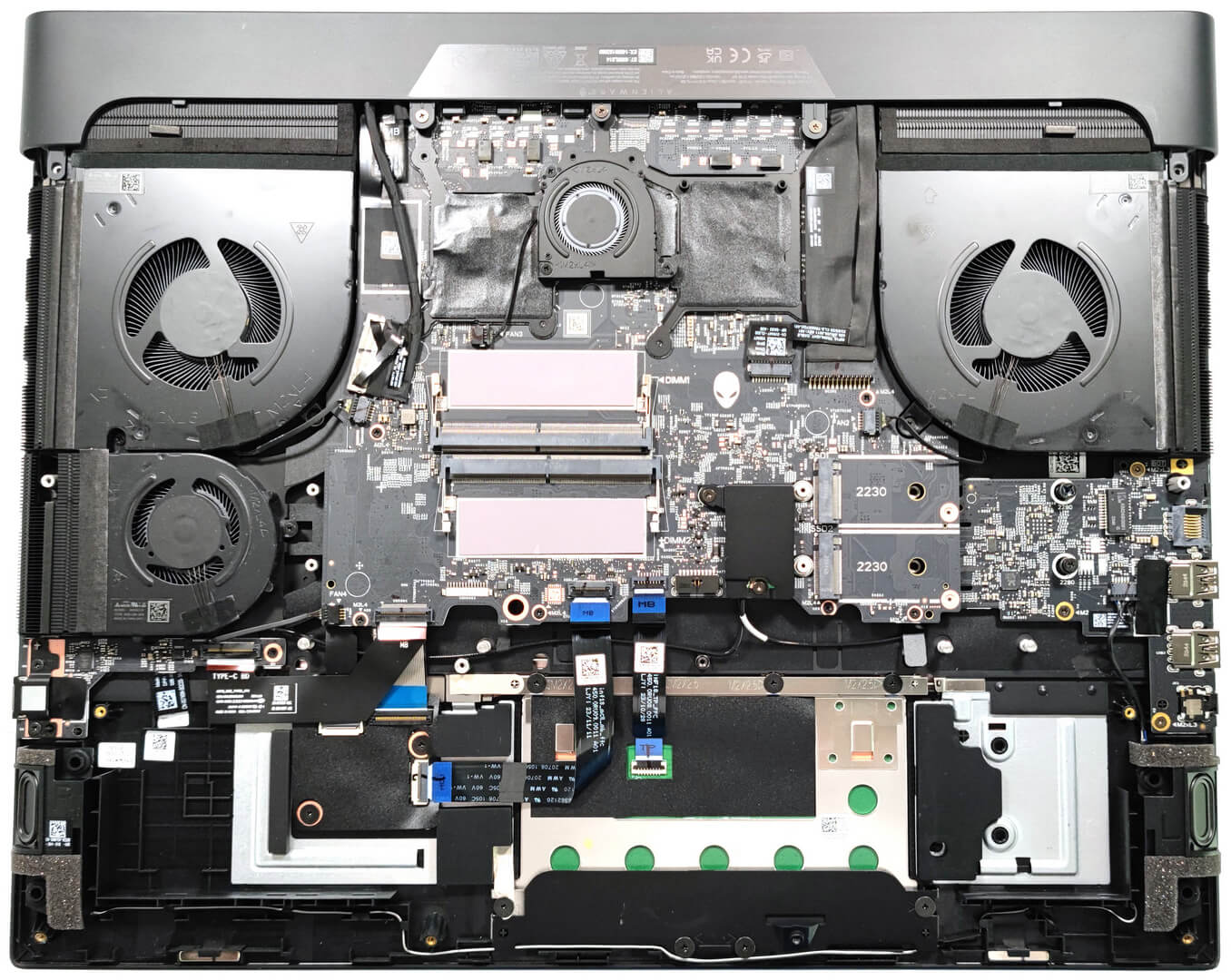
- Slot M.2
- 2x 2230 / 2280 M.2 NVMe PCIe 4.0 x4 or + 2x 2230 M.2 NVMe PCIe 4.0 x4 Vezi foto
- RAM
- up to 64GB
- SO
- Windows 11 Home, Windows 11 Pro, Windows 10 Pro, Windows 11
- Baterie
- 97Wh, 97Wh, 6-cell
- Material Carcasă
- Plastic / Polycarbonate, Aluminum
- Dimensiuni
- 410.30 x 319.90 x 24.10 - 25.10 mm (16.15" x 12.59" x 0.95")
- Greutate
- 4.23 kg (9.3 lbs)
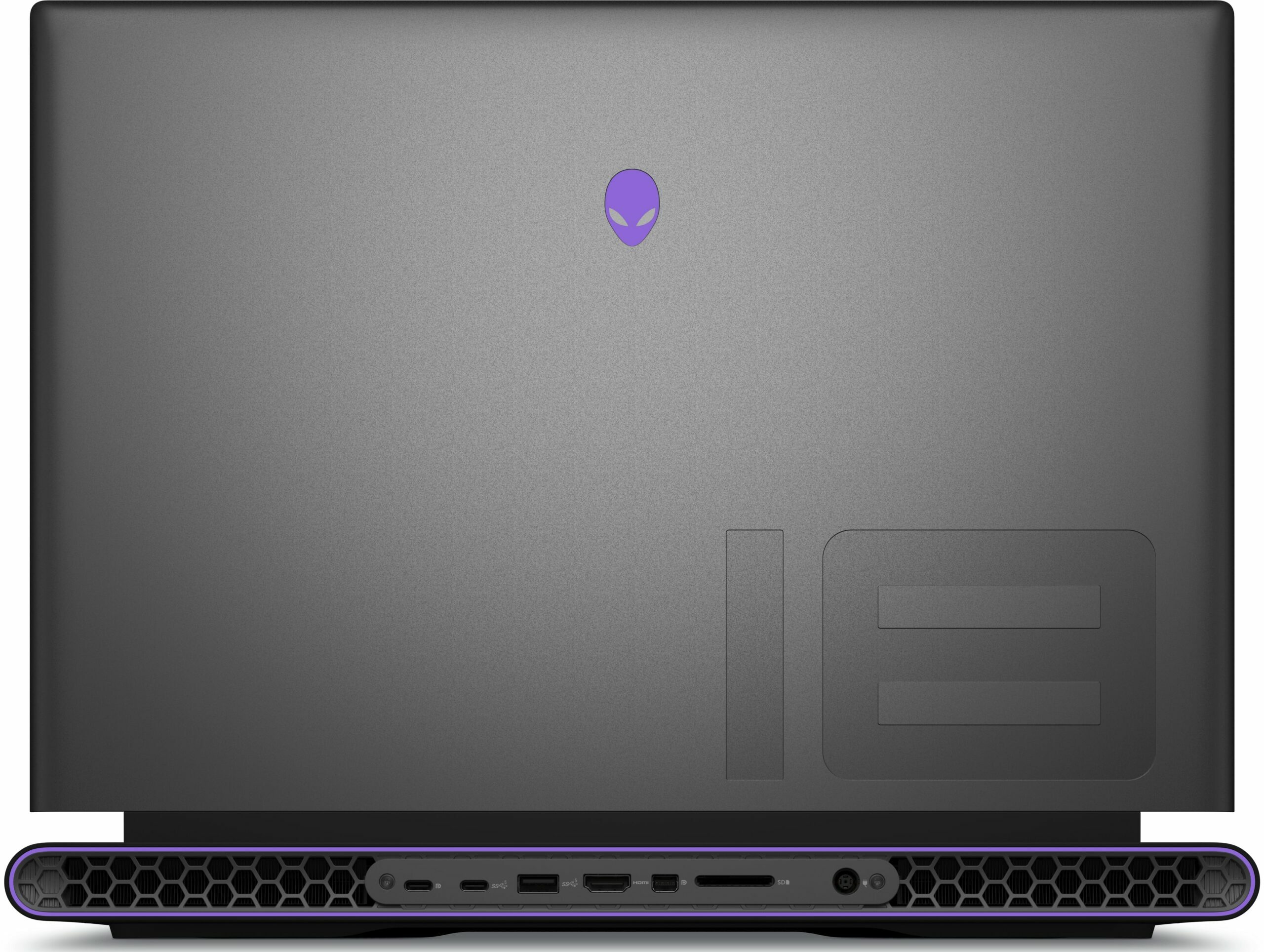
- Porturi și conectivitate
- 2x USB Type-A
- 3.2 Gen 1 (5 Gbps)
- 1x USB Type-A
- 3.2 Gen 1 (5 Gbps), Sleep and Charge
- 1x USB Type-C
- 3.2 Gen 1 (5 Gbps)
- 2x USB Type-C
- 4.0, Thunderbolt 4, DisplayPort
- HDMI
- 2.1
- Displayport mini
- Cititor de carduri
- SD (SD, SDHC, SDXC)
- Ethernet LAN
- 10, 100, 1000, 2500, 5000 Mbit/s
- Wi-Fi
- 802.11be
- Bluetooth
- 5.4
- Mufă audio
- 3.5mm Combo Jack
- Caracteristici
- Cititor de amprente
- optional
- Cameră web
- FHD
- Tastatură iluminată
- Microfon
- Digital Array Microphones
- Difuzoare
- 2x 2W Stereo Speakers
- Unitate optică
- Slot blocare securitate
Toate Alienware m18 R2 configurații
Cumpără profilurile noastre pentru BOE HF1FV-NE18NZ1 (BOE0AFB; NE180QDM-NZ1) / 18.0”, WQXGA (2560 x 1600), 165 Hz, IPS
Pe lângă primirea de profiluri eficiente și prietenoase cu sănătatea, prin cumpărarea produselor LaptopMedia sprijiniți și dezvoltarea laboratoarelor noastre, unde testăm dispozitive pentru a produce cele mai obiective recenzii posibile.

Office Work
Office Work ar trebui folosit în principal de utilizatorii care petrec cea mai mare parte a timpului uitându-se la texte, tabele sau pur și simplu navigând. Acest profil urmărește să ofere o distincție și o claritate mai bună prin menținerea unei curbe gamma plate (2.20), a temperaturii native a culorii și a culorilor perceptiv exacte.

Design and Gaming
Acest profil se adresează designerilor care lucrează profesional cu culorile, precum și pentru jocuri și filme. Design and Gaming duce panourile de afișaj la limitele lor, făcându-le cât mai precise posibil în standardul sRGB IEC61966-2-1 pentru Web și HDTV, la punctul de alb D65.

Health-Guard
Health-Guard elimină modulația dăunătoare a lățimii impulsului (PWM) și reduce lumina albastră negativă care ne afectează ochii și corpul. Deoarece este personalizat pentru fiecare panou, reușește să mențină culorile perceptiv exacte. Health-Guard simulează hârtia, astfel încât presiunea asupra ochilor este redusă considerabil.
Obține toate cele 3 profiluri cu 33% reducere

Performanță CPU
Aici puteți găsi diferența de preț/performanță între toate procesoarele disponibile pentru Alienware m18 R2 Serii.
Aici, evaluăm performanța procesorului folosind o sarcină de randare 3D reală, analizând capacitatea sa de a gestiona eficient calcule complexe și sarcini de randare.
Rezultatele sunt de la testul Cinebench 2024 Multi-Core (un scor mai mare este mai bun)
Performanță GPU
Aici puteți găsi diferența de preț/performanță între toate plăcile video disponibile pentru Alienware m18 R2 Serii.
Rezultatele sunt de la 3DMark Time Spy (Grafică). Un scor mai mare este mai bun.
Alienware m18 R2 recenzie detaliată
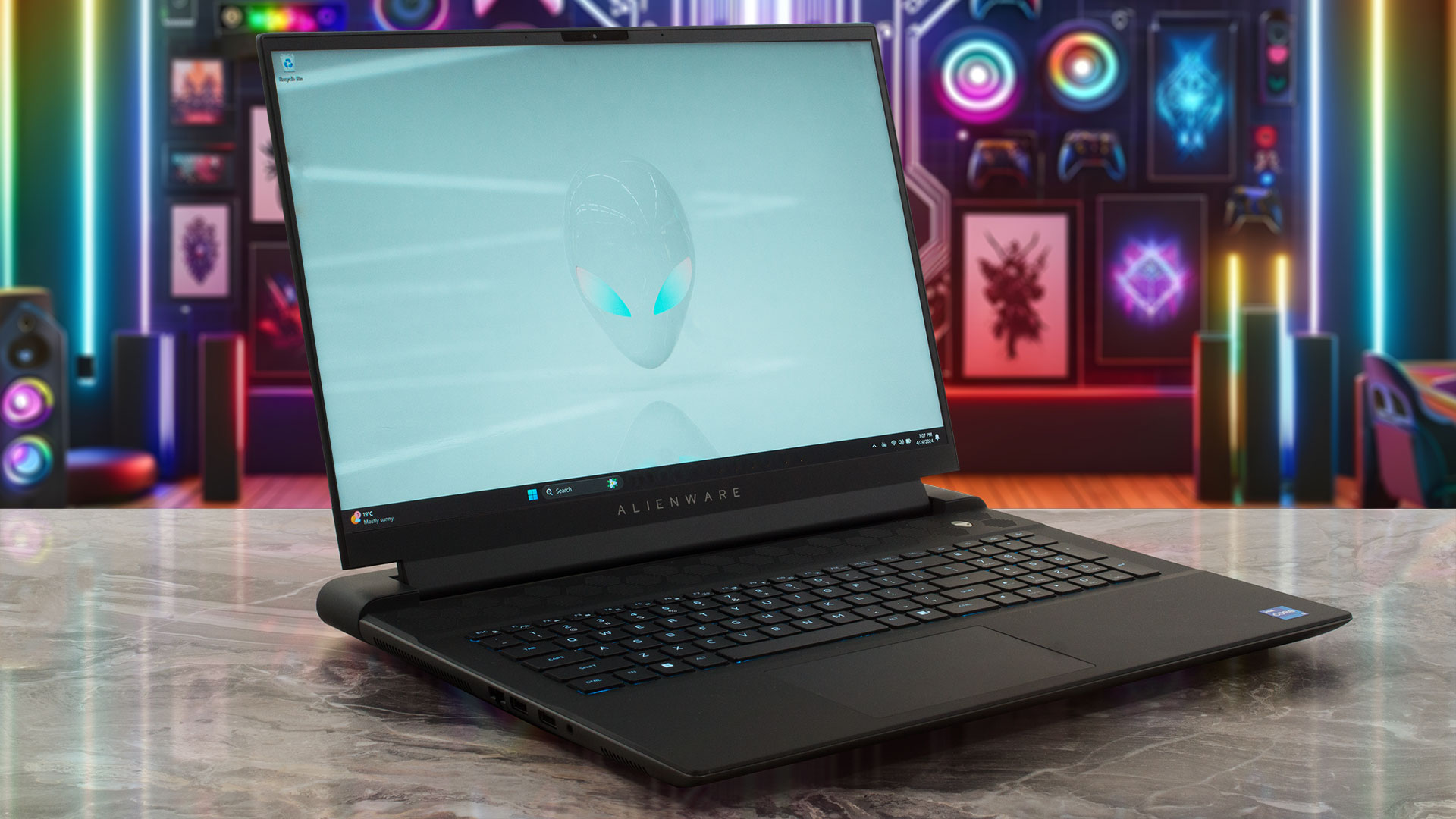
The Alienware m18 R2 is another 18-incher that offers high-end hardware. Expectedly, we are talking about 14th gen Intel Raptor Lake-HX CPU options and GeForce RTX 4000 graphics cards with hefty TGPs. Wealthy enthusiasts could have fun with the 175W RTX 4090 or 4080. Still, if you don't need so much graphics power, the other video cards rely on 140W power limits which is more than enough for the AD107 and AD106 chips. Interestingly, the laptops with the top-tier GPUs have vapor chamber cooling, preapplied Element 31 liquid metal on the CPU and GPU, and two more M.2 slots. If you want these goo[...]
Avantaje
- Solid premium build
- Thin profile for such a form factor
- Capable thermal system
- Stable and high CPU and GPU frequencies under any kind of load
- Wide viewing angles (BOE HF1FV-NE18NZ1 (BOE0AFB; NE180QDM-NZ1))
- Snappy pixel response times (BOE HF1FV-NE18NZ1 (BOE0AFB; NE180QDM-NZ1))
- PWM-free (BOE HF1FV-NE18NZ1 (BOE0AFB; NE180QDM-NZ1))
- 98% sRGB coverage + accurate colors with our "Design and Gaming" profile (BOE HF1FV-NE18NZ1 (BOE0AFB; NE180QDM-NZ1))
- 2x SODIMM slots
- Comfortable per-key keyboard and touchpad
- Offers plenty of ports
- The fans aren't that loud in "Overdrive" mode
- Low noise and a 115W GPU TGP in "Quiet" mode
- Good battery battery life given the 1600p display and the powerful hardware
- The Alienware Command Center app is full of useful extras such as CPU undervolt
- Offers NVIDIA Advanced Optimus, G-Sync + MUX switch
Dezavantaje
- High price
- Heavy
- Only the RTX 4080 / 4090-based machines have four M.2 slots and a vapor chamber cooling
- Too many Gen 1 ports + the Thunderbolts connectors support just a 15W charging
- For such a pricey laptop, the 1600p display should offer better contrast ratio and max brightness
Jocuri pe care le poți juca pe laptop-urile din această serie













![[Septembrie 2026] Cele mai vândute mărci de laptopuri pe Amazon Global – Apple domină piața cu o cotă de venituri de peste 70%](https://laptopmedia.com/wp-content/uploads/2026/10/GLOBAL-Best-Brands-400x225.jpg)
![[Septembrie 2026] Amazon Global: Top 10 cele mai vândute laptopuri – MacBook Neo de la Apple ocupă locul 1, pe fondul dominanței dispozitivelor din gama economică și a celor premium](https://laptopmedia.com/wp-content/uploads/2026/10/Best-Selling-Laptops-GLOBAL-Top-10-400x225.jpg)
![[Septembrie 2026] Amazon Global: Top 10 cele mai bine vândute laptopuri pentru jocuri – ASUS ROG Strix G16 domină piața cu vânzări record](https://laptopmedia.com/wp-content/uploads/2026/10/Best-Selling-Gaming-Laptops-GLOBAL-Top-10-400x225.jpg)
![[Septembrie 2026] Clasamentul global al celor mai bine vândute plăci grafice pentru laptopuri de pe Amazon – Cipul M5 de la Apple surclasează NVIDIA în segmentul laptopurilor premium, dar RTX 5060 este singura placă grafică dedicată care a reușit să intre în top 10](https://laptopmedia.com/wp-content/uploads/2026/10/Best-Selling-GPUs-GLOBAL-Top-10-400x225.jpg)
![[Septembrie 2026] Clasamentul global al celor mai bine vândute procesoare pentru laptopuri de pe Amazon – M5 de la Apple surclasează Intel, iar piața premium devine o cursă cu un singur concurent](https://laptopmedia.com/wp-content/uploads/2026/10/Best-Selling-CPUs-GLOBAL-Top-10-400x225.jpg)