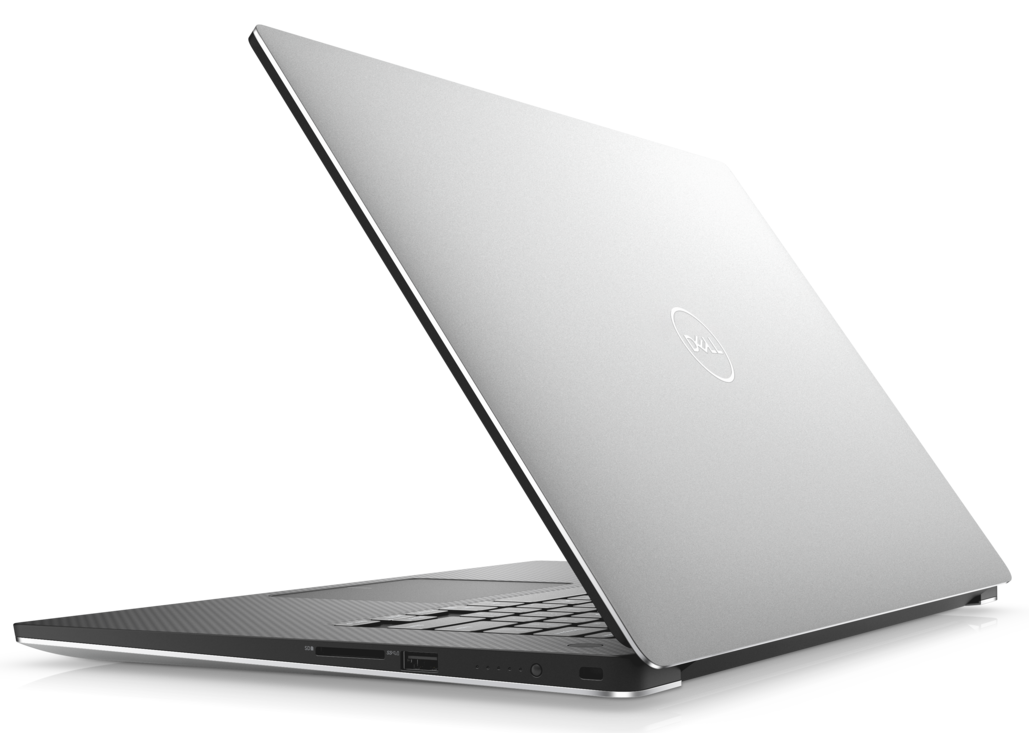
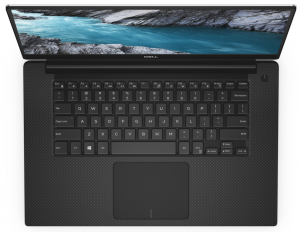
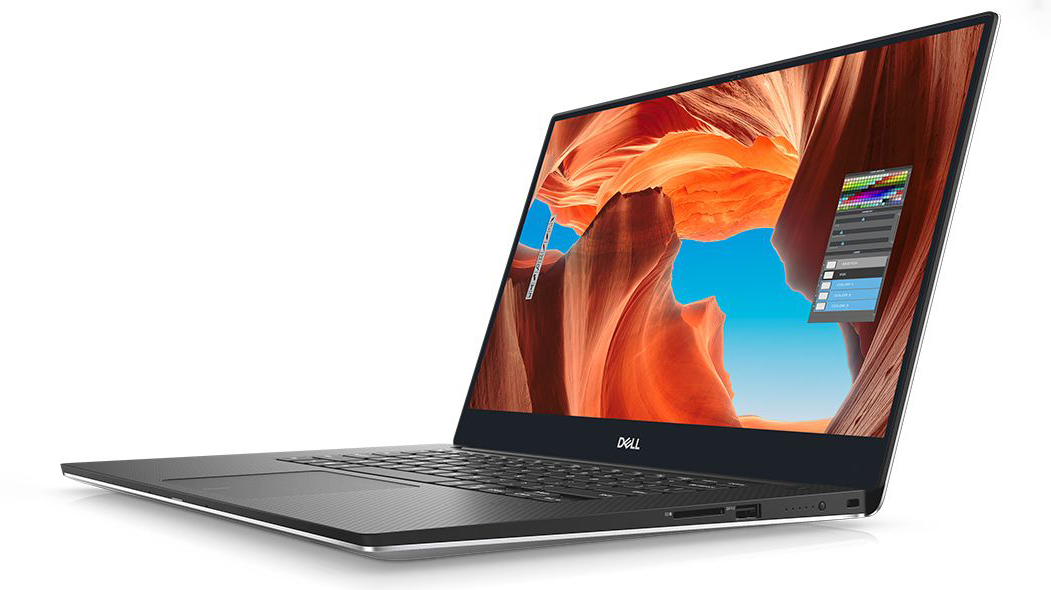
Dell XPS 15 7590
Dell XPS 15 7590 - Specificații
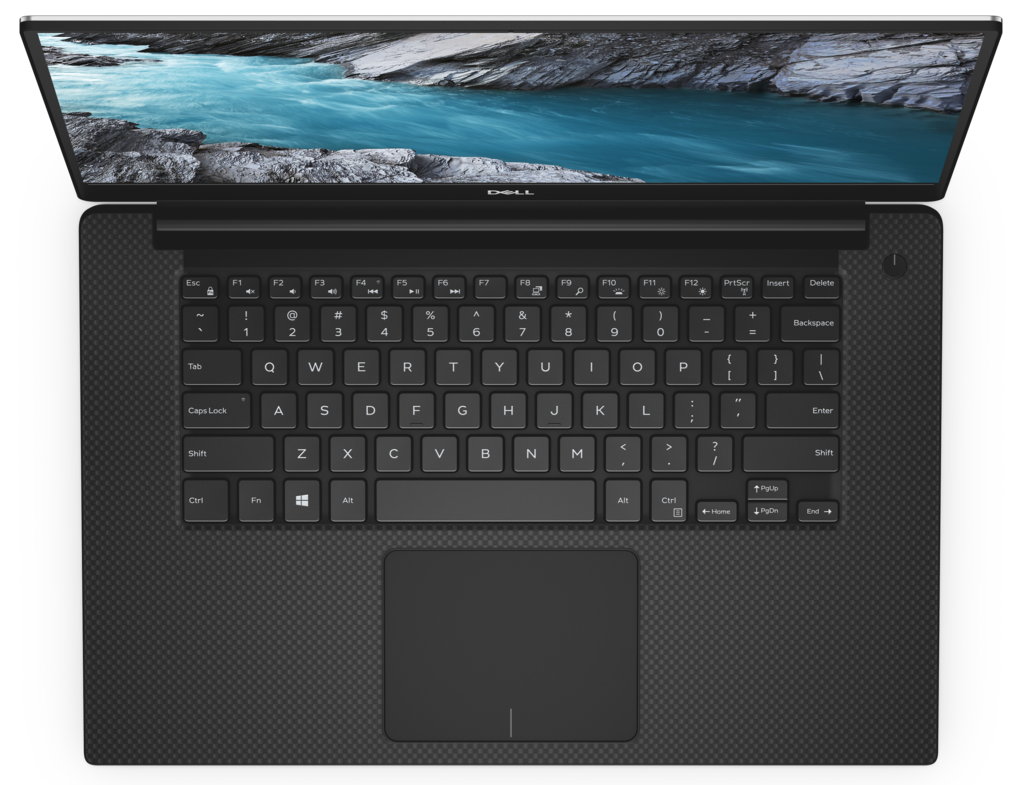

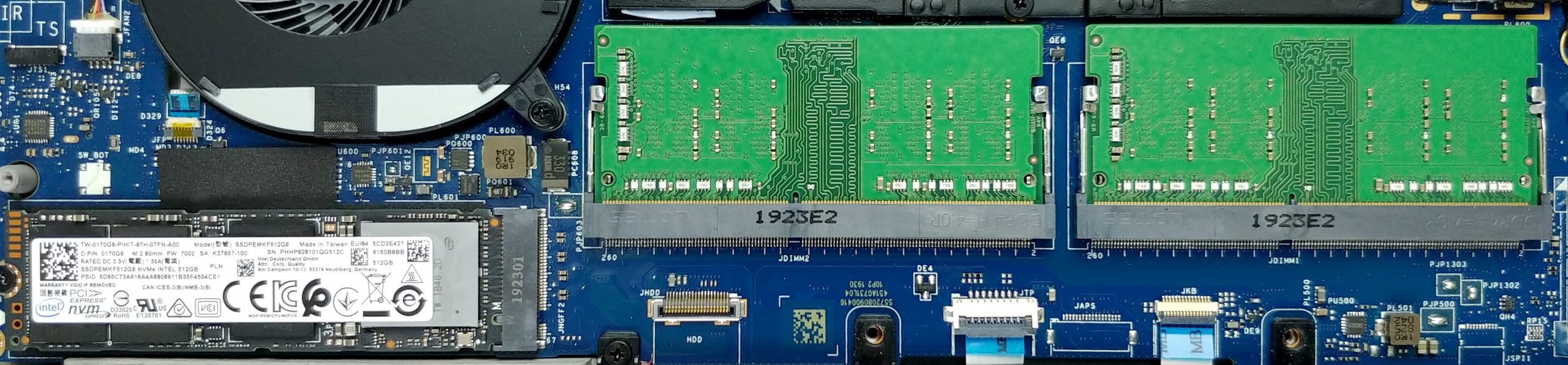
- HDD/SSD
- până la 8000GB SSD
- Slot M.2
- 1x 2280 PCIe NVMe 3.0 x4 Vezi foto
- RAM
- up to 64GB
- SO
- Windows 10 Home, Windows 10 Pro, Windows OS, Windows 11 Home, Windows 10 S
- Baterie
- 97Wh, 6-cell, 56Wh, 4-cell, 96Wh, 6-cell, 97Wh, 52Wh, 4-cell, 56Wh, 6-cell, 56Wh, 3-cell, 56Wh
- Material Carcasă
- Aluminum, Carbon
- Dimensiuni
- 357 x 235 x 11-17 mm (14.06" x 9.25" x 0.43")
- Greutate
- 1.80 kg (4 lbs)
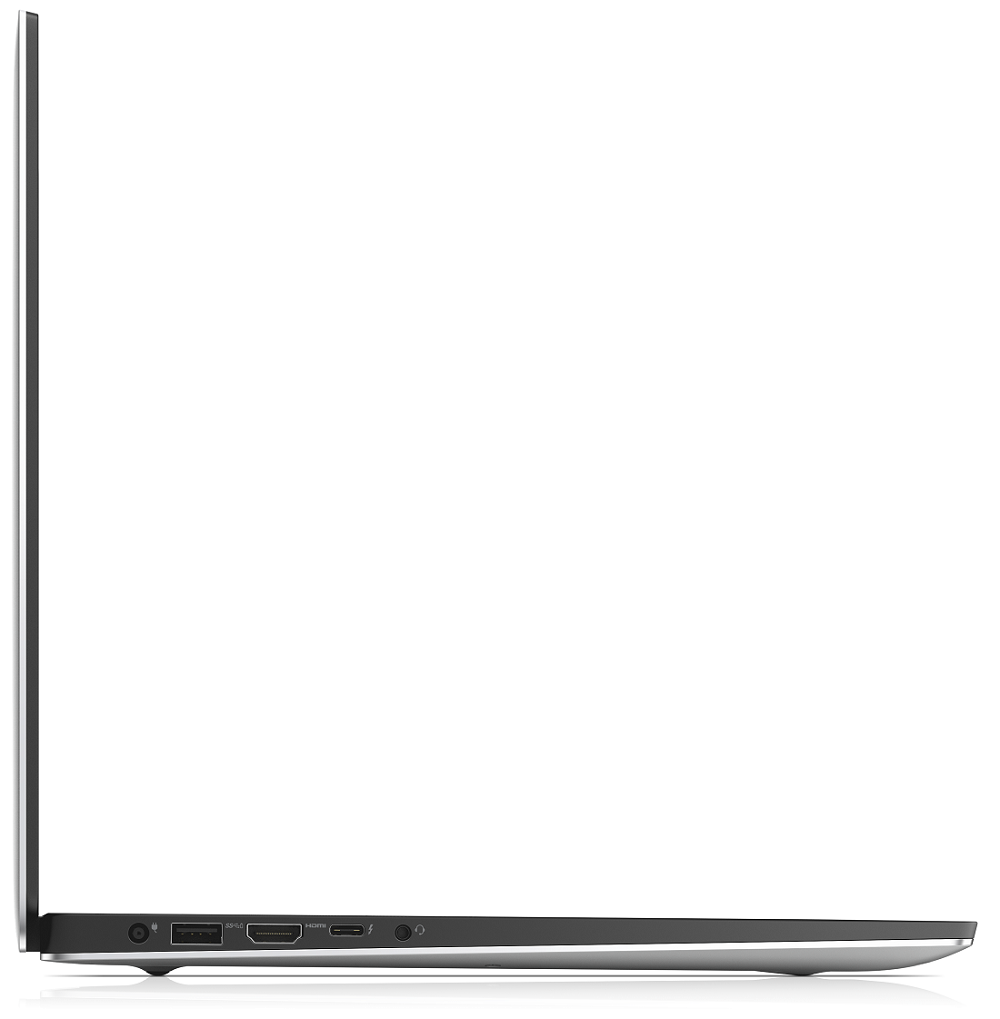
- Porturi și conectivitate
- 1x USB Type-C
- 3.2 Gen 2 (10 Gbps), Power Delivery (PD), DisplayPort
- 2x USB Type-A
- 3.2 Gen 1 (5 Gbps)
- HDMI
- 2.0
- Cititor de carduri
- SD, SDHC, SDXC
- Wi-Fi
- 802.11ax
- Bluetooth
- 5.0
- Mufă audio
- combo audio / microphone jack
- Caracteristici
- Cititor de amprente
- optional
- Cameră web
- Tastatură iluminată
- optional
- Microfon
- Difuzoare
- 2x 2W
- Unitate optică
- optional
- Slot blocare securitate
Toate Dell XPS 15 7590 configurații
Cumpără profilurile noastre pentru SHP14BA (MWP1T-LQ156M1) / 15.6”, Full HD (1920 x 1080), IPS
Pe lângă primirea de profiluri eficiente și prietenoase cu sănătatea, prin cumpărarea produselor LaptopMedia sprijiniți și dezvoltarea laboratoarelor noastre, unde testăm dispozitive pentru a produce cele mai obiective recenzii posibile.

Office Work
Office Work ar trebui folosit în principal de utilizatorii care petrec cea mai mare parte a timpului uitându-se la texte, tabele sau pur și simplu navigând. Acest profil urmărește să ofere o distincție și o claritate mai bună prin menținerea unei curbe gamma plate (2.20), a temperaturii native a culorii și a culorilor perceptiv exacte.

Design and Gaming
Acest profil se adresează designerilor care lucrează profesional cu culorile, precum și pentru jocuri și filme. Design and Gaming duce panourile de afișaj la limitele lor, făcându-le cât mai precise posibil în standardul sRGB IEC61966-2-1 pentru Web și HDTV, la punctul de alb D65.

Health-Guard
Health-Guard elimină modulația dăunătoare a lățimii impulsului (PWM) și reduce lumina albastră negativă care ne afectează ochii și corpul. Deoarece este personalizat pentru fiecare panou, reușește să mențină culorile perceptiv exacte. Health-Guard simulează hârtia, astfel încât presiunea asupra ochilor este redusă considerabil.
Obține toate cele 3 profiluri cu 33% reducere

Performanță CPU
Aici puteți găsi diferența de preț/performanță între toate procesoarele disponibile pentru Dell XPS 15 7590 Serii.
Rezultatele sunt de la testul Cinebench 20 Multi-core (scorul mai mare este mai bun)
Performanță GPU
Aici puteți găsi diferența de preț/performanță între toate plăcile video disponibile pentru Dell XPS 15 7590 Serii.
Rezultatele sunt de la 3DMark Time Spy (Grafică). Un scor mai mare este mai bun.
Dell XPS 15 7590 recenzie detaliată
Okay, guys, we are sorry for being late on this one, but we were just able to take the XPS 15 7590 into our grasps. In the tomorrow of CES 2020, we will take some of your precious time by talking about the last-year XPS 15. Indeed it is a very popular device in the world of content creation. However, there are a lot of new models hitting the shelves in a couple of months, so it is interesting to see how a well-overused design is going to compare with them.First off, this notebook has a lot of iterations. Starting at 1200-1300 bucks for a decent model, equipped with a Core i7-9750H and a G[...]
Avantaje
- Strong body build of carbon fiber and aluminum
- 97Wh battery that delivers more than 16 hours of Web browsing
- 94% sRGB coverage (1080p SHP149A) and with the help of our Gaming and Web design profile you the Average gamma falls to 1.1
- Thin and light
- Boasts up to Core i9-9980HK processor
- Easy upgrade and maintenance
- Wide variety of price options
- Fingerprint reader embedded in the power button
Dezavantaje
- Has a keyboard with a rather small deck
- Uses aggressive PWM to adjust its brightness up to 150 nits (fixed by our Health-Guard profile)
- Its design is getting old
- The cooling struggles under heavy load
Jocuri pe care le poți juca pe laptop-urile din această serie

Resolution: 1920 x 1080 (Full HD) |
NORMAL |
HIGH |
VERY HIGH |
MAX |
|---|---|---|---|---|
 | 173 FPS | 174 FPS | 73 FPS | 46 FPS |
| NVIDIA GeForce GTX 1650 (Laptop) | 171 FPS REDĂ VIDEO | 92 FPS REDĂ VIDEO | 49 FPS REDĂ VIDEO | 29 FPS REDĂ VIDEO |

Resolution: 1920 x 1080 (Full HD) |
VERY LOW |
MED |
MAX |
|---|---|---|---|
| 499 FPS REDĂ VIDEO | 402 FPS REDĂ VIDEO | 362 FPS REDĂ VIDEO |
| NVIDIA GeForce GTX 1660 Ti (Laptop) | 242 FPS REDĂ VIDEO | 251 FPS REDĂ VIDEO | 235 FPS REDĂ VIDEO |

Resolution: 1920 x 1080 (Full HD) |
MIN |
MAX |
|---|---|---|
| 1179 FPS REDĂ VIDEO | 101 FPS REDĂ VIDEO |
| NVIDIA GeForce GTX 1660 Ti (Laptop) | 703 FPS REDĂ VIDEO | 48 FPS REDĂ VIDEO |

Resolution: 1920 x 1080 (Full HD) |
MIN |
MED |
HIGH |
ULTRA |
|---|---|---|---|---|
| 96 FPS REDĂ VIDEO | 62 FPS REDĂ VIDEO | 34 FPS REDĂ VIDEO | - REDĂ VIDEO |
| NVIDIA GeForce GTX 1650 (Laptop) | 64 FPS REDĂ VIDEO | 36 FPS REDĂ VIDEO | 20 FPS REDĂ VIDEO | - REDĂ VIDEO |

Resolution: 1920 x 1080 (Full HD) |
MIN |
MED |
ULTRA |
|---|---|---|---|
| 589 FPS REDĂ VIDEO | 262 FPS REDĂ VIDEO | 137 FPS REDĂ VIDEO |
| NVIDIA GeForce GTX 1650 (Laptop) | 622 FPS REDĂ VIDEO | 160 FPS REDĂ VIDEO | 79 FPS REDĂ VIDEO |

Resolution: 1920 x 1080 (Full HD) |
LOW |
MED |
HIGH |
ULTRA |
|---|---|---|---|---|
| NVIDIA GeForce GTX 1660 Ti (Laptop) | 97 FPS REDĂ VIDEO | 81 FPS REDĂ VIDEO | 67 FPS REDĂ VIDEO | 55 FPS REDĂ VIDEO |

Resolution: 1920 x 1080 (Full HD) |
LOW |
MED |
HIGH |
EPIC |
|---|---|---|---|---|
| 136 FPS REDĂ VIDEO | 66 FPS REDĂ VIDEO | 54 FPS REDĂ VIDEO | 34 FPS REDĂ VIDEO |
| NVIDIA GeForce GTX 1650 (Laptop) | 95 FPS REDĂ VIDEO | 41 FPS REDĂ VIDEO | 33 FPS REDĂ VIDEO | 23 FPS REDĂ VIDEO |

Resolution: 1920 x 1080 (Full HD) |
LOW |
MED |
EPIC |
|---|---|---|---|
| 105 FPS REDĂ VIDEO | 81 FPS REDĂ VIDEO | 73 FPS REDĂ VIDEO |
| NVIDIA GeForce GTX 1650 (Laptop) | - REDĂ VIDEO | - REDĂ VIDEO | - REDĂ VIDEO |

Resolution: 1920 x 1080 (Full HD) |
VERY LOW |
NORMAL |
ULTRA |
|---|---|---|---|
| 109 FPS REDĂ VIDEO | 98 FPS REDĂ VIDEO | 76 FPS REDĂ VIDEO |
| NVIDIA GeForce GTX 1650 (Laptop) | 72 FPS REDĂ VIDEO | 63 FPS REDĂ VIDEO | 47 FPS REDĂ VIDEO |

Resolution: 1920 x 1080 (Full HD) |
LOW |
NORMAL |
HIGH |
MAX |
|---|---|---|---|---|
| 180 FPS REDĂ VIDEO | 160 FPS REDĂ VIDEO | 144 FPS REDĂ VIDEO | 122 FPS REDĂ VIDEO |
| NVIDIA GeForce GTX 1650 (Laptop) | 181 FPS REDĂ VIDEO | 147 FPS REDĂ VIDEO | 127 FPS REDĂ VIDEO | 105 FPS REDĂ VIDEO |


![[Septembrie 2026] Cele mai vândute mărci de laptopuri pe Amazon Global – Apple domină piața cu o cotă de venituri de peste 70%](https://laptopmedia.com/wp-content/uploads/2026/10/GLOBAL-Best-Brands-400x225.jpg)
![[Septembrie 2026] Amazon Global: Top 10 cele mai vândute laptopuri – MacBook Neo de la Apple ocupă locul 1, pe fondul dominanței dispozitivelor din gama economică și a celor premium](https://laptopmedia.com/wp-content/uploads/2026/10/Best-Selling-Laptops-GLOBAL-Top-10-400x225.jpg)
![[Septembrie 2026] Amazon Global: Top 10 cele mai bine vândute laptopuri pentru jocuri – ASUS ROG Strix G16 domină piața cu vânzări record](https://laptopmedia.com/wp-content/uploads/2026/10/Best-Selling-Gaming-Laptops-GLOBAL-Top-10-400x225.jpg)
![[Septembrie 2026] Clasamentul global al celor mai bine vândute plăci grafice pentru laptopuri de pe Amazon – Cipul M5 de la Apple surclasează NVIDIA în segmentul laptopurilor premium, dar RTX 5060 este singura placă grafică dedicată care a reușit să intre în top 10](https://laptopmedia.com/wp-content/uploads/2026/10/Best-Selling-GPUs-GLOBAL-Top-10-400x225.jpg)
![[Septembrie 2026] Clasamentul global al celor mai bine vândute procesoare pentru laptopuri de pe Amazon – M5 de la Apple surclasează Intel, iar piața premium devine o cursă cu un singur concurent](https://laptopmedia.com/wp-content/uploads/2026/10/Best-Selling-CPUs-GLOBAL-Top-10-400x225.jpg)