ASUS Vivobook 16 (X1605) – Top 5 Pros and Cons
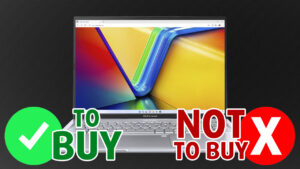 ASUS is quickly entering the 16-inch space not only with high-end machines like the Vivobook Pros and the ZenBooks but with the more affordable Vivobook 16 as well. It’s a very welcome addition to the family, showing that the lineup is ready for the future (as if there was any doubt whatsoever). Today’s Vivobook 16 doesn’t have the OLED panel of other Vivobooks, but the standard IPS version still comes with a 16:10 aspect ratio, which perfectly fits the form factor. As for hardware, you’ve got a wide variety of Alder Lake CPUs to choose from, with both U-series and H-series chips. They are very different and will need adequate cooling, so we’re excited to show you what the Vivobook’s got.
Today we’re giving you a quick overview of the ASUS Vivobook 16 (X1605).
ASUS Vivobook 16 (X1605): Full Specs / In-depth Review
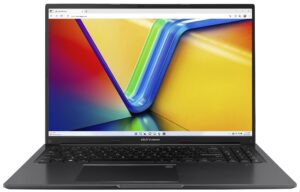
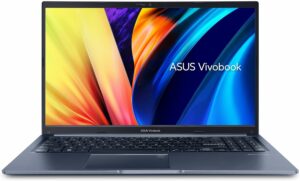
3 reasons to BUY the ASUS Vivobook 16 (X1605)
1. Design and build quality
The chassis of the Vivobook is entirely made from plastic, however, that also keeps it lightweight and portable, as the laptop weighs only 1.88 kg and has a profile of 19.9mm. In terms of durability, things could be better, as there’s some flex from the lid and the base, however, we wouldn’t say that it’s a dealbreaker. The laptop still looks fine, offering a 720p webcam with a privacy shutter. The lid is a bit heavier, so it’s difficult to open with one hand. On the other hand, the base has an Antibacterial, which inhibits the growth of bacteria by more than 99%, which is useful considering what the past three years have taught us.

2. Input devices
The Vivobook 16 manages to house a pretty competent keyboard and touchpad, which provide a pleasant user experience. The keyboard sports long key travel and clicky feedback, so typing is definitely good enough. The touchpad is one of the biggest that we’ve seen, and the surface is smooth and responsive. The clicking surface can be a bit tough to press the higher you go along the pad, but we’re generally happy with it.

3. Upgradeability
The appearance of soldered memory on the device is a bit shocking, but at least you’re also getting one SODIMM slot for further memory expansion. There’s up to 8GB of DDR4 RAM that’s soldered, while the slot can fit up to 32GB more. For storage, there’s only one M.2 slot for both Gen 3 and Gen 4 SSDs.
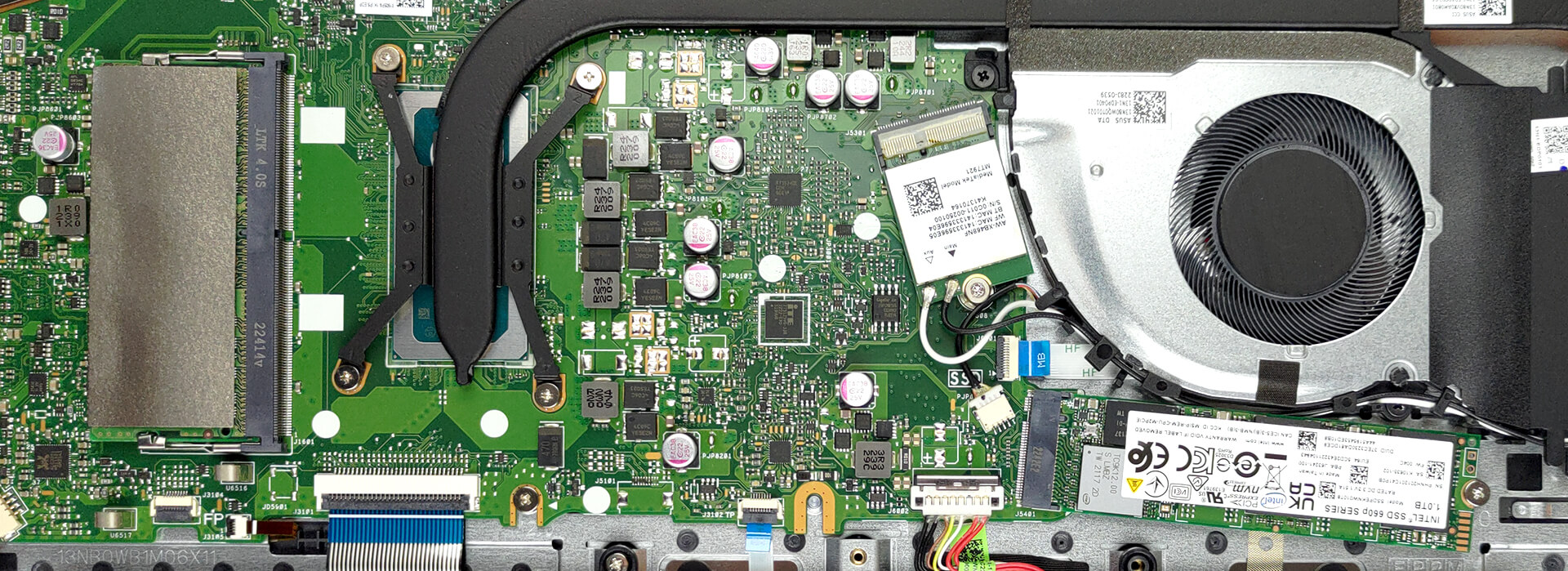
Here’s our teardown video, which shows how to access both the RAM and SSD slots.
2 reasons NOT to buy the ASUS Vivobook 16 (X1605)
1. I/O
The port selection of the laptop includes one USB Type-A 2.0 port, two more USB Type-A 3.2 (Gen. 1) ports, one USB Type-C 3.2 (Gen. 1) port, an HDMI 1.4 port, and a 3.5 mm audio jack.


2. Display quality
The Vivobook 16 comes with a Full HD+ IPS panel with a 16:10 aspect ratio. For regular use, the panel is fine, as it has comfortable viewing angles and a peak brightness of 324 nits. If you want to do anything more like video rendering or design, you’d have to either look elsewhere or splurge for an OLED display. The current IPS version covers half of the sRGB color gamut.

Its accuracy also doesn’t improve much even after applying our Design and Gaming profile. Here are the results of our test with the stock settings (left) and with our profile applied (right).

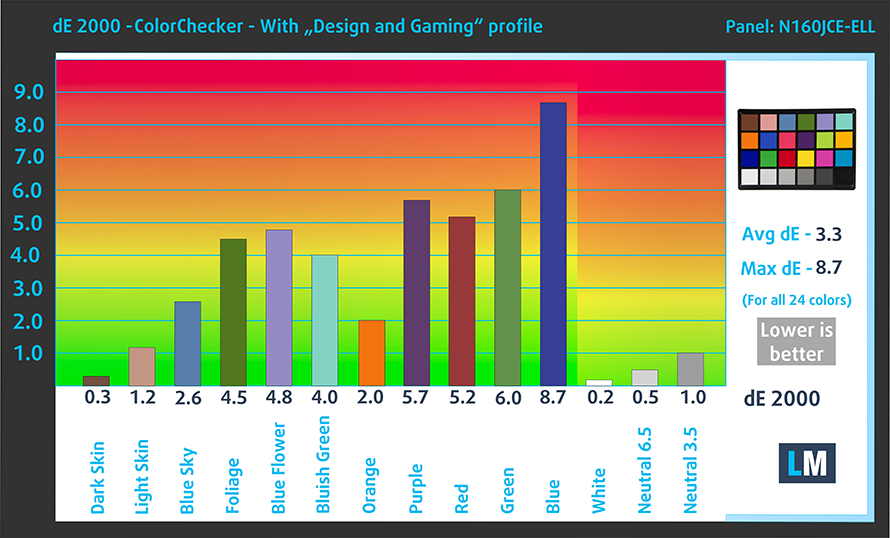
Buy our profiles
Since our profiles are tailored for each individual display model, this article and its respective profile package are meant for ASUS Vivobook 16 (X1605) configurations with 16.0″ Innolux N160JCE-ELL (CMN1618) (1920 x 1200) IPS.
*Should you have problems with downloading the purchased file, try using a different browser to open the link you’ll receive via e-mail. If the download target is a .php file instead of an archive, change the file extension to .zip or contact us at [email protected].
Read more about the profiles HERE.
Förutom att du får effektiva och hälsovänliga profiler, stöder du genom att köpa LaptopMedias produkter även utvecklingen av våra labb, där vi testar enheter för att kunna producera så objektiva recensioner som möjligt.

Kontorsarbete
Office Work bör främst användas av användare som tillbringar större delen av tiden med att titta på text, tabeller eller bara surfar. Denna profil syftar till att ge bättre tydlighet och skärpa genom att bibehålla en platt gammakurva (2.20), native färgtemperatur och perceptuellt korrekta färger.

Design och Spel
Denna profil riktar sig till designers som arbetar professionellt med färger, samt för spel och filmer. Design and Gaming tar skärmpanelerna till sina gränser och gör dem så exakta som möjligt i sRGB IEC61966-2-1-standarden för webb och HDTV, vid vitpunkt D65.

Health-Guard
Health-Guard eliminerar den skadliga pulsbreddsmoduleringen (PWM) och minskar det negativa blå ljuset som påverkar våra ögon och vår kropp. Eftersom den är skräddarsydd för varje panel lyckas den hålla färgerna perceptuellt korrekta. Health-Guard simulerar papper så att trycket på ögonen minskar avsevärt.
Få alla 3 profiler med 33% rabatt

All ASUS Vivobook 16 (X1605) configurations:
 Author: Severin Kolakov

![[Juni 2026] De mest sålda bärbara datormärkena på Amazon Global – Apples oöverträffade dominans i antal enheter och omsättning](https://laptopmedia.com/wp-content/uploads/2026/07/GLOBAL-Best-Brands-400x225.jpg)
![[Juni 2026] Amazon Global: De 10 mest sålda bärbara datorerna – Apples nya MacBook Neo stormar in på första plats och omformar marknaden med sitt överkomliga pris](https://laptopmedia.com/wp-content/uploads/2026/07/Best-Selling-Laptops-GLOBAL-Top-10-400x225.jpg)
![[Juni 2026] Amazon Global: De 10 mest sålda spelbärbara datorerna – Acers Nitro V 16S AI dominerar försäljningen, medan ASUS ligger i topp när det gäller den totala omsättningen](https://laptopmedia.com/wp-content/uploads/2026/07/Best-Selling-Gaming-Laptops-GLOBAL-Top-10-400x225.jpg)
![[Juni 2026] Global ranking över de mest sålda bärbara grafikkorten på Amazon – NVIDIA RTX 5060 är det mest sålda dedikerade grafikkortet](https://laptopmedia.com/wp-content/uploads/2026/07/Best-Selling-GPUs-GLOBAL-Top-10-400x225.jpg)
![[Juni 2026] Global ranking över de mest sålda bärbara datorprocessorerna på Amazon – Apple M5 dominerar, AMD Ryzen 7 260 tar en betydande andel i premiumsegmentet](https://laptopmedia.com/wp-content/uploads/2026/07/Best-Selling-CPUs-GLOBAL-Top-10-400x225.jpg)

Can i Activate iris xe using one 32Gb RAM (8Gb Soldered + 32Gb Card).
I would like to share some thoughts about this computer that might be helpful in your next review. I am a 77 year old woman who considers herself fairly computer literate. And customer service agents have found that to be true of me. I find that I am using my iPad for most things now. But I have two programs I need a computer to run, my Bible translation program which helps me translate from Hebrew to English and my genealogy program which has an enormous database. I purchased the ASUS – Vivobook 16 16″ Laptop – AMD Ryzen 7… Läs mer »