ASUS ZenBook Pro 15 OLED (UM535) – Top 5 Pros and Cons
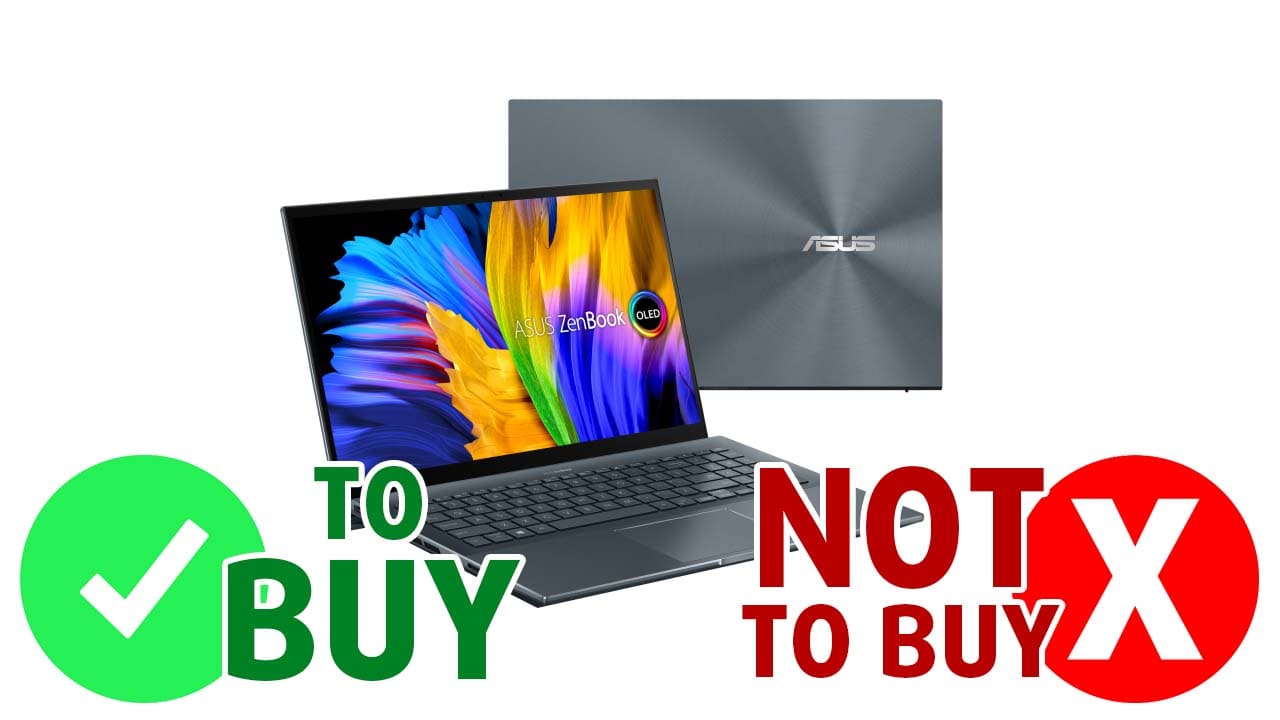 Usually, a designer or an artist early in his journey can do their work and practice with what tech they have available, which is always the best way to figure out if art and design really are up your alley. However, once you figure that out and decide that this is a hobby/profession that you want to pursue further, you have to start thinking about a proper device to handle the needs of a Creator’s workflow.
The ASUS ZenBook Pro 15 OLED (UM535) is a bit overkill and pricey, but we’ll be damned if it wasn’t a beastly machine with an OLED panel, powerful Ryzen processors, and Ampere graphics, which will increase Rendering performance due to its NVENC encoding capabilities.
Today we are presenting you with LaptopMedia’s top 5 picks about the ASUS ZenBook Pro 15 OLED (UM535).
ASUS ZenBook Pro 15 OLED (UM535): Full Specs / In-depth Review
4 reasons to BUY the ASUS ZenBook Pro 15 OLED (UM535)
1. Design and build quality
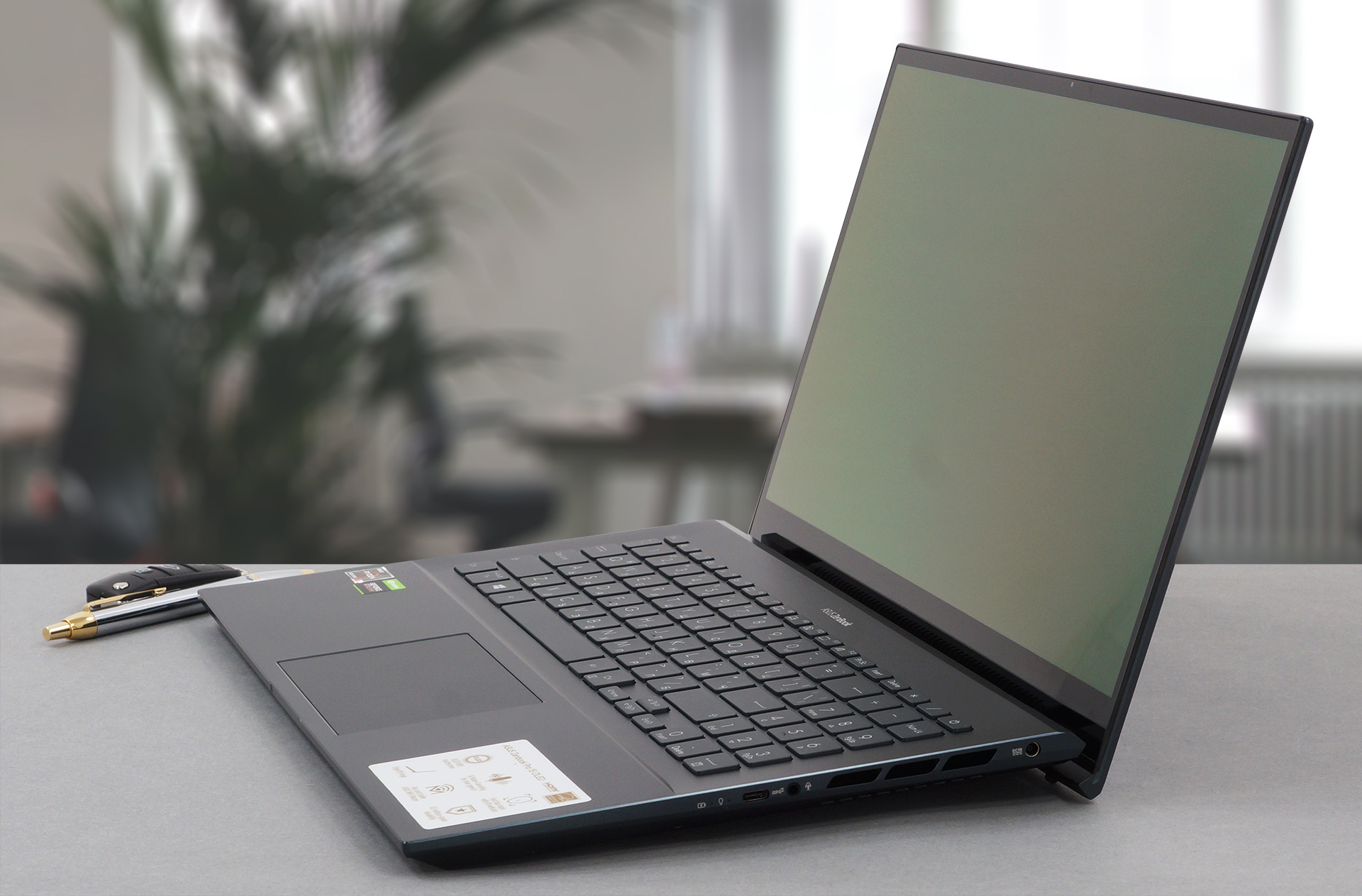
As with all members of the ZenBook Pro OLED family, you have some of the best build quality on the market, with a sharp-looking, aluminum lid, and chassis. The body is durable and can withstand serious twists and flexes thanks to the additional Glass screen cover, which adds a degree of structural support for the lid, along with scratch protection to the display. The lid opens easily with one hand, which also works to lift the back of the base off of the ground, creating some much-needed space for the fans on the bottom. This is not the lightest notebook, packing H-series processors, it manages to weigh 2.00 kg, which is still manageable.
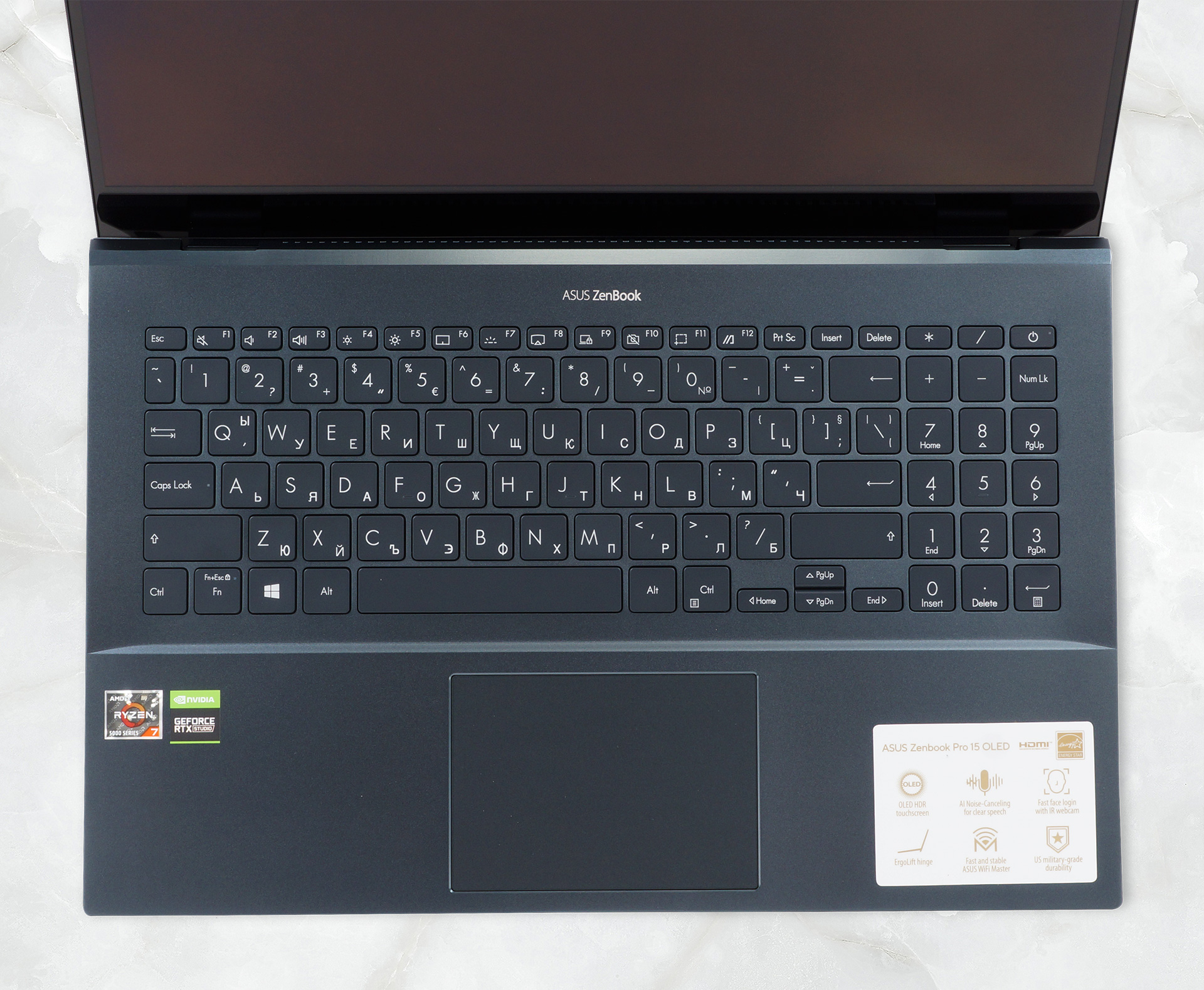
The base has a decently-sized keyboard with a NumPad and tiny arrow keys. In terms of comfort, it is one of the better that we have tested, utilizing as much of the 18 mm profile as possible to deliver long key travel, and clicky feedback. The touchpad is also covered in glass, like the display, ensuring smooth gliding, and has great accuracy.
2. Display quality
You’ll find good use of both the Full HD and the 4K UHD displays, but the latter will increase battery usage, thus lowering the battery life. We tested the Full HD display, which comes with excellent viewing angles, True Black colors, a max brightness of 392 nits, and an infinite contrast ratio, thanks to the nature of OLED panels. In terms of color coverage, the panel covers 100% of the sRGB and DCI-P3 color gamuts.
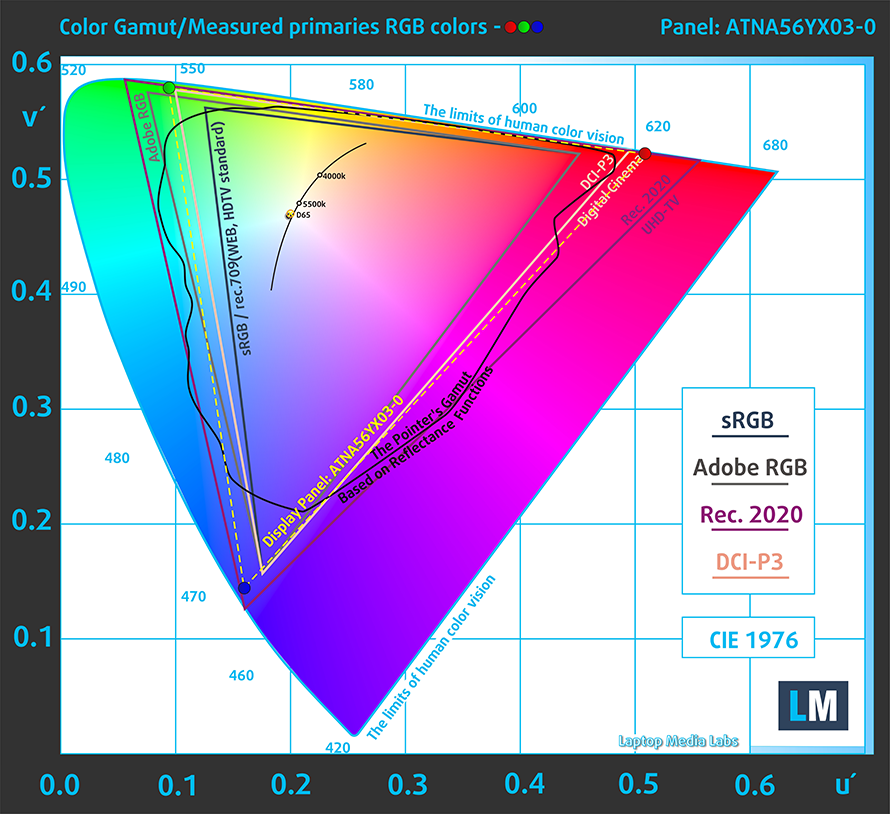
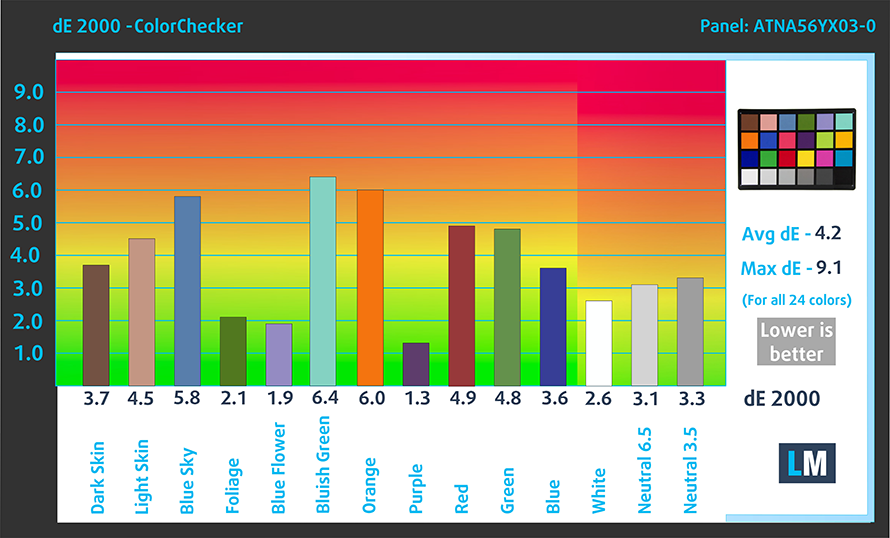
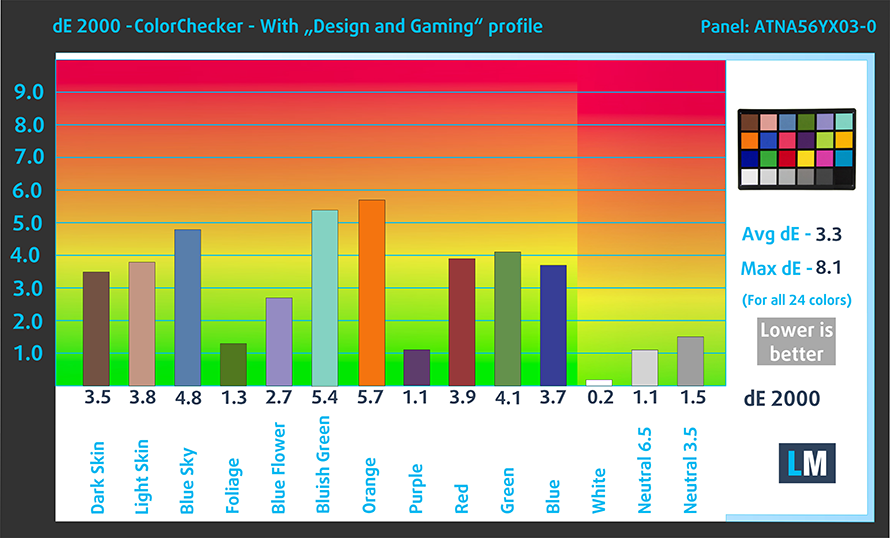
The panel is surprisingly stubborn when it comes to its color accuracy, with the stock settings (left) delivering a dE value of 4.2. With our Design and Gaming profile applied (right), we get a dE value of 3.3, which still isn’t below the widely accepted value of 2.
Buy our profiles
Since our profiles are tailored for each individual display model, this article and its respective profile package are meant for ASUS ZenBook Pro 15 OLED (UM535) configurations with 15.6″ Samsung ATNA56YX03-0 (SDC4161) (1920 x 1080p) AMOLED panel.
*Should you have problems with downloading the purchased file, try using a different browser to open the link you’ll receive via e-mail. If the download target is a .php file instead of an archive, change the file extension to .zip or contact us at [email protected].
Read more about the profiles HERE.
Förutom att du får effektiva och hälsovänliga profiler, stöder du genom att köpa LaptopMedias produkter även utvecklingen av våra labb, där vi testar enheter för att kunna producera så objektiva recensioner som möjligt.

Kontorsarbete
Office Work bör främst användas av användare som tillbringar större delen av tiden med att titta på text, tabeller eller bara surfar. Denna profil syftar till att ge bättre tydlighet och skärpa genom att bibehålla en platt gammakurva (2.20), native färgtemperatur och perceptuellt korrekta färger.

Design och Spel
Denna profil riktar sig till designers som arbetar professionellt med färger, samt för spel och filmer. Design and Gaming tar skärmpanelerna till sina gränser och gör dem så exakta som möjligt i sRGB IEC61966-2-1-standarden för webb och HDTV, vid vitpunkt D65.

Health-Guard
Health-Guard eliminerar den skadliga pulsbreddsmoduleringen (PWM) och minskar det negativa blå ljuset som påverkar våra ögon och vår kropp. Eftersom den är skräddarsydd för varje panel lyckas den hålla färgerna perceptuellt korrekta. Health-Guard simulerar papper så att trycket på ögonen minskar avsevärt.
Få alla 3 profiler med 33% rabatt

3. Battery life
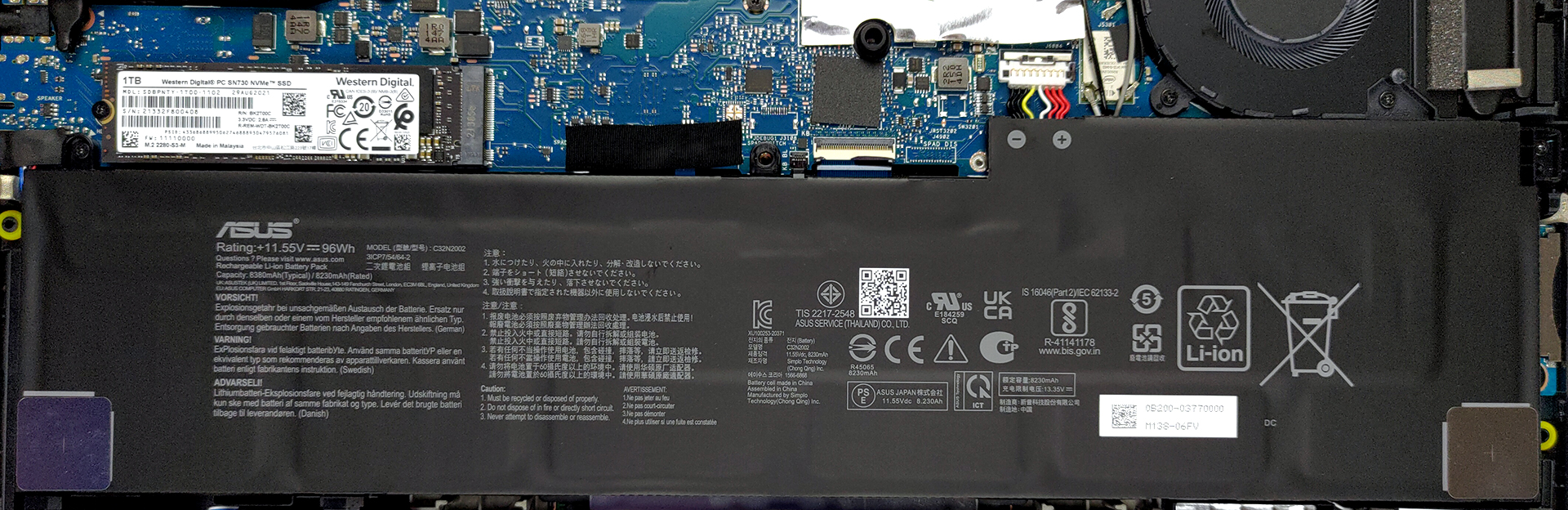
With a beefy 96Wh battery pack, the laptop lasts for 17 hours and 13 minutes of Web browsing, or 16 hours and 26 minutes of video playback, which is among the best that we have seen from powerful laptops with H-series CPUs. Now, we conduct the battery tests with Windows Better performance setting turned on, screen brightness adjusted to 120 nits, and all other programs turned off except for the one we are testing the notebook with.
4. Performance
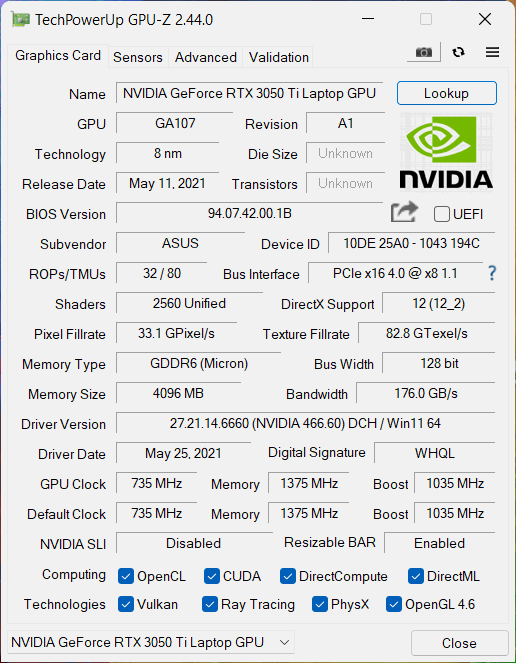
The laptop offers a lot of power from its Ryzen 5000H-series chips and RTX 3050 Ti GPU.
CPU benchmarks
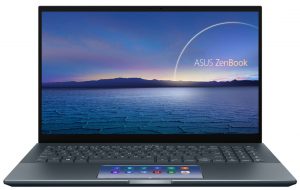
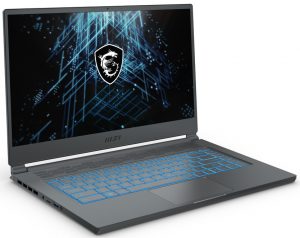
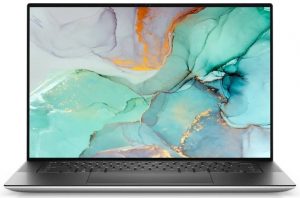
Here you see the Ryzen 7 5800H-powered device outperforming some of its competitors in both 3D and 2D Rendering.
Resultaten är från Cinebench R23 CPU-testet (ju högre poäng, desto bättre)
GPU benchmarks
The RTX 3050 Ti is spot on when it comes to Creator workflow, while also sporting enough gaming performance for the times when you want to relax and play a favorite title of yours.
Resultaten är från 3DMark Time Spy (Graphics). Högre är bättre.
Resultaten är från 3DMark Fire Strike (Graphics) benchmark (högre poäng är bättre)
Resultaten är från 3DMark Wild Life Extreme Unlimited. Högre är bättre.
Resultaten är från Unigine Superposition benchmark (högre poäng är bättre)
Gaming tests

| Metro Exodus | Full HD, Low (Check settings) | Full HD, High (Check settings) | Full HD, Extreme (Check settings) |
|---|---|---|---|
| Average FPS | 93 fps | 44 fps | 21 fps |

| Borderlands 3 | Full HD, Medium (Check settings) | Full HD, High (Check settings) | Full HD, Badass (Check settings) |
|---|---|---|---|
| Average fps | 77 fps | 57 fps | 45 fps |

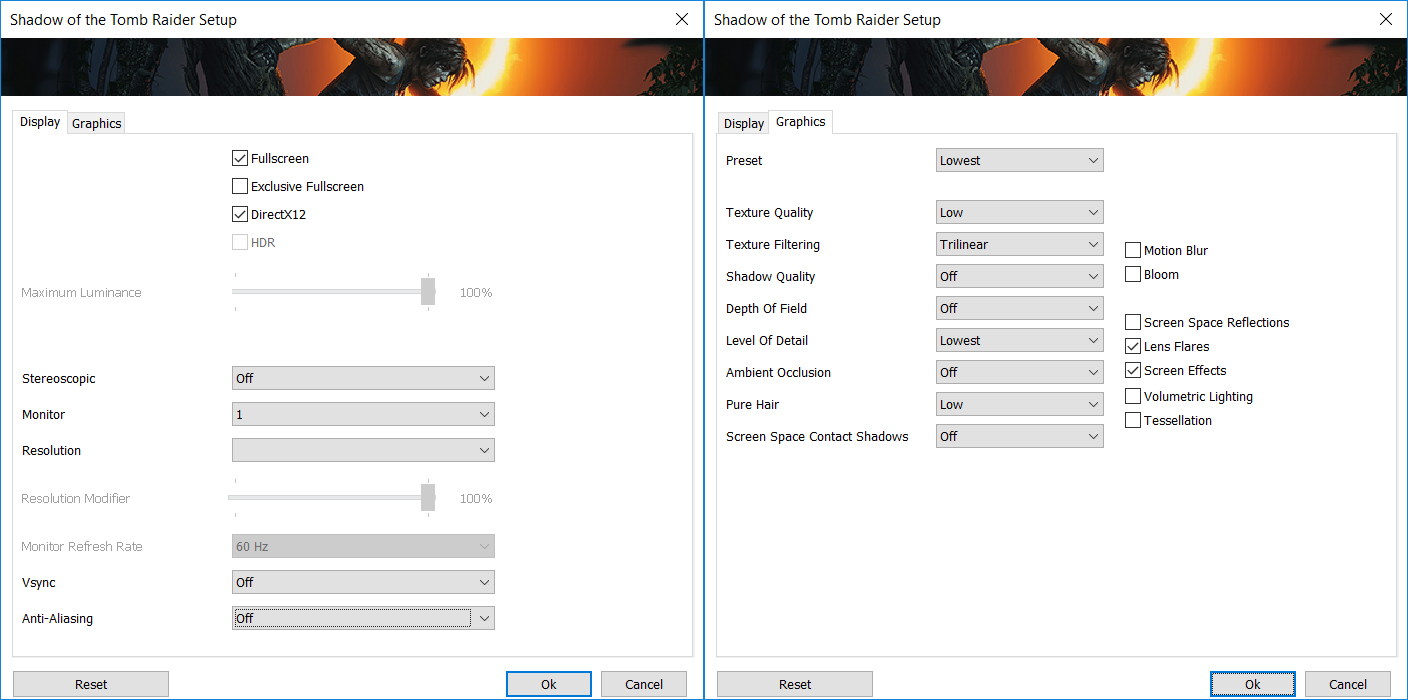
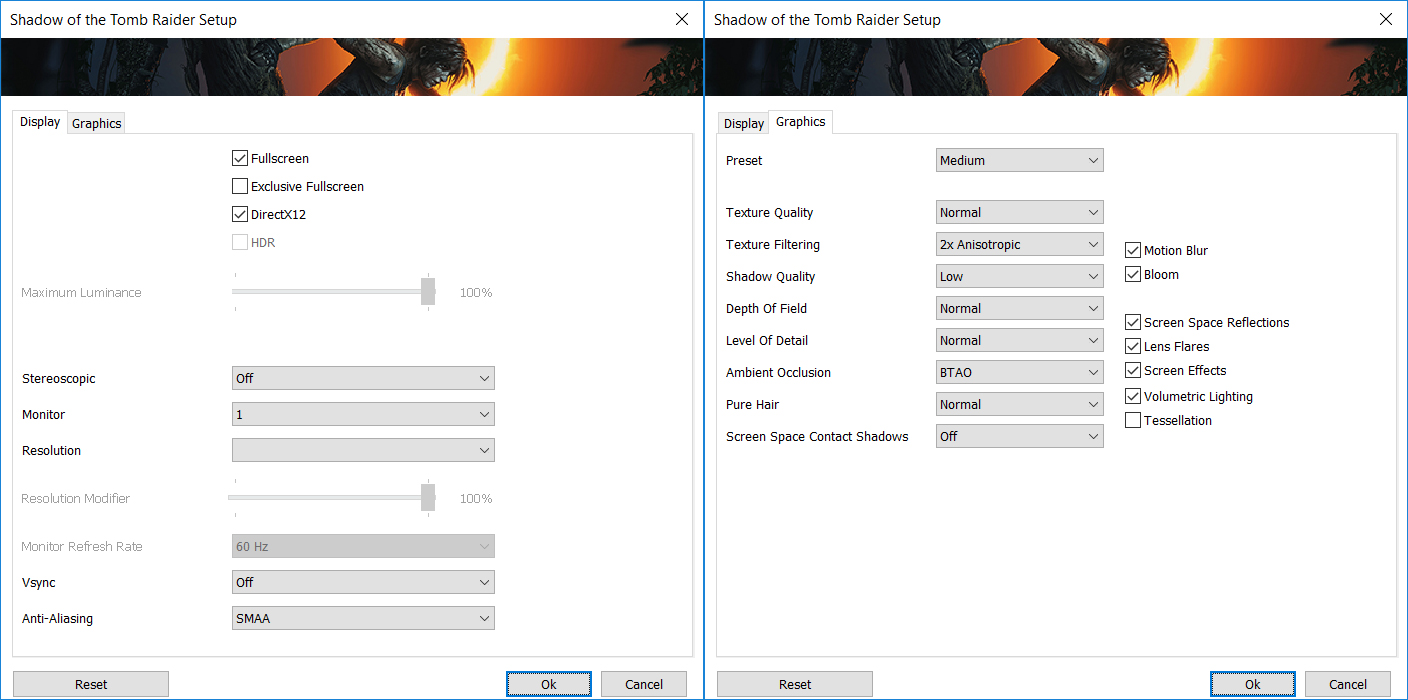
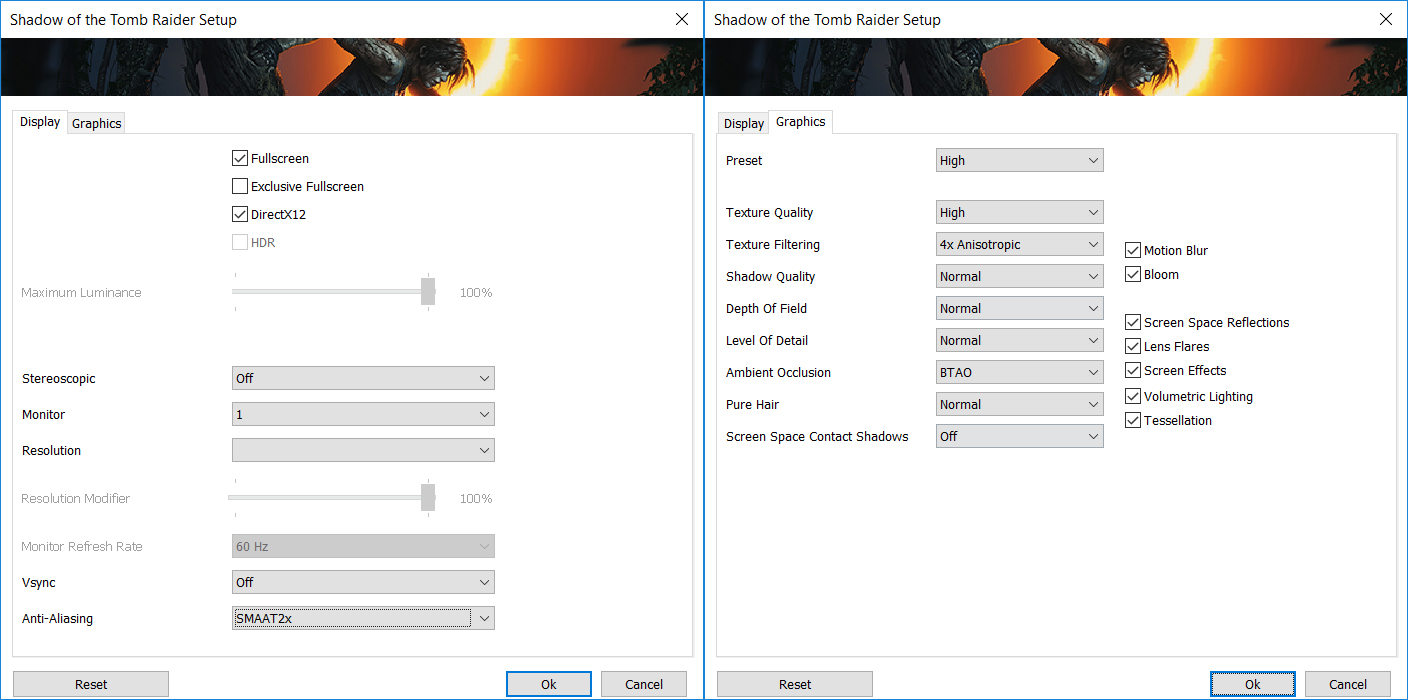
| Shadow of the Tomb Raider (2018) | Full HD, Lowest (Check settings) | Full HD, Medium (Check settings) | Full HD, High (Check settings) |
|---|---|---|---|
| Average | 121 fps | 80 fps | 72 fps |

| Tom Clancy’s Ghost Recon Wildlands | Full HD, Medium (Check settings) | Full HD, High (Check settings) | Full HD, Very High (Check settings) |
|---|---|---|---|
| Average fps | 74 fps | 67 fps | 59 fps |
1 reason NOT to buy the ASUS ZenBook Pro 15 OLED (UM535)
1. Upgradeability
Lastly, while the package is hard to resist, a major turn-off for many people will be the lack of upgradeability. Coming with only soldered RAM, albeit up to 32GB of it, which is the current sweet spot for most workstations, however, you might not be as secure in the future. Storage-wise, there is a single M.2 PCIe x4 slot for SSD expansion, should you deem one necessary.
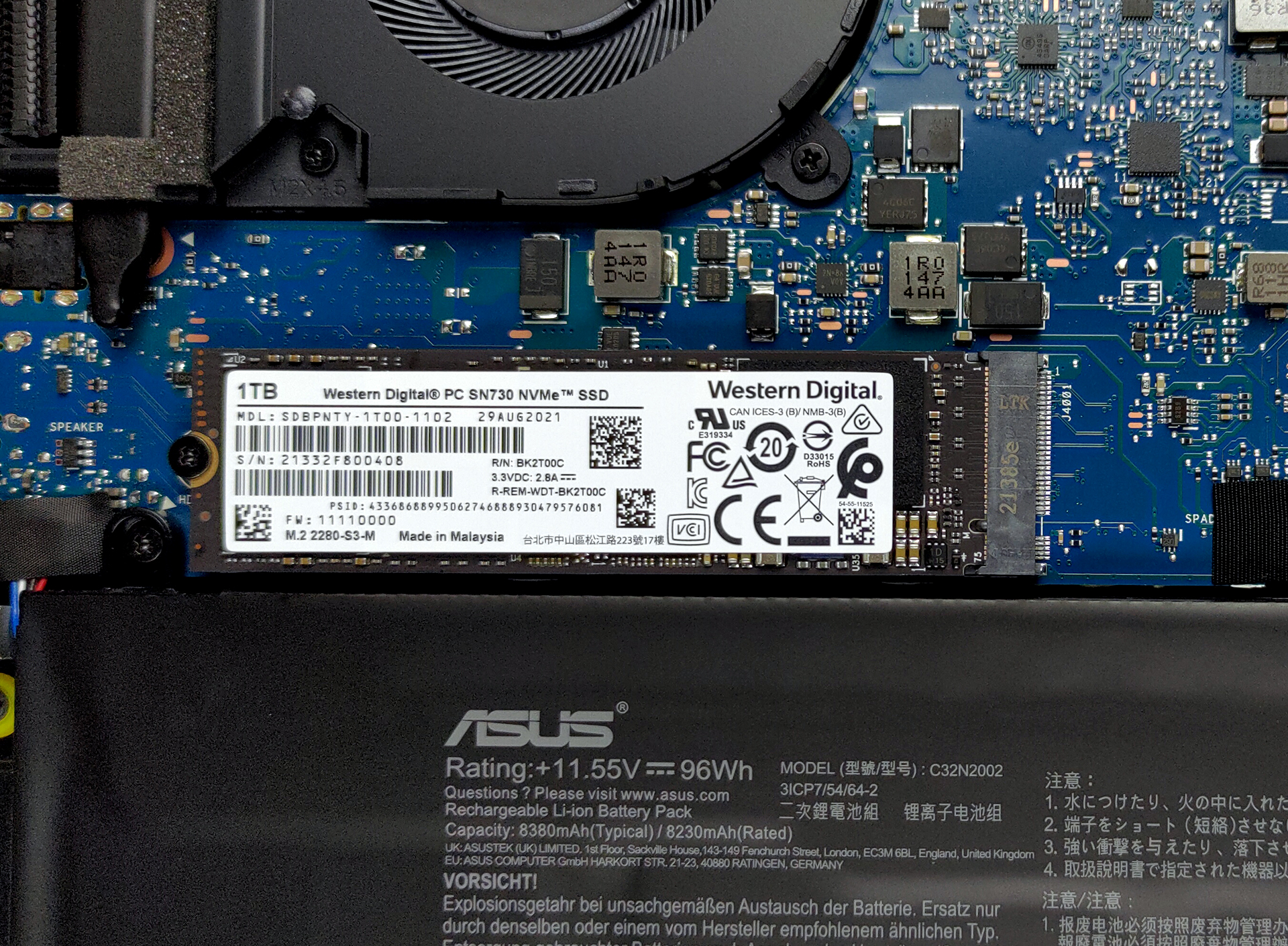
Here is our teardown video, which gives you an inside look at the laptop, while also showing how to access the single SSD slot.
All ASUS ZenBook Pro 15 OLED (UM535) configurations:
 Author: Severin Kolakov

![[Juni 2026] De mest sålda bärbara datormärkena på Amazon Global – Apples oöverträffade dominans i antal enheter och omsättning](https://laptopmedia.com/wp-content/uploads/2026/07/GLOBAL-Best-Brands-400x225.jpg)
![[Juni 2026] Amazon Global: De 10 mest sålda bärbara datorerna – Apples nya MacBook Neo stormar in på första plats och omformar marknaden med sitt överkomliga pris](https://laptopmedia.com/wp-content/uploads/2026/07/Best-Selling-Laptops-GLOBAL-Top-10-400x225.jpg)
![[Juni 2026] Amazon Global: De 10 mest sålda spelbärbara datorerna – Acers Nitro V 16S AI dominerar försäljningen, medan ASUS ligger i topp när det gäller den totala omsättningen](https://laptopmedia.com/wp-content/uploads/2026/07/Best-Selling-Gaming-Laptops-GLOBAL-Top-10-400x225.jpg)
![[Juni 2026] Global ranking över de mest sålda bärbara grafikkorten på Amazon – NVIDIA RTX 5060 är det mest sålda dedikerade grafikkortet](https://laptopmedia.com/wp-content/uploads/2026/07/Best-Selling-GPUs-GLOBAL-Top-10-400x225.jpg)
![[Juni 2026] Global ranking över de mest sålda bärbara datorprocessorerna på Amazon – Apple M5 dominerar, AMD Ryzen 7 260 tar en betydande andel i premiumsegmentet](https://laptopmedia.com/wp-content/uploads/2026/07/Best-Selling-CPUs-GLOBAL-Top-10-400x225.jpg)