How to open Dell Latitude 14 7430 – disassembly and upgrade options
The situation regarding Dell Latitude 14 7430’s memory is a bit boring. You can’t upgrade it post-purchase, but the maximum capacity is 32GB. Interestingly, the memory type is DDR4 for the 15W processors and LPDDR5 for the 28W CPUs.
Check out all Dell Latitude 14 7430 prices and configurations in our Specs System, or read more in our In-Depth review.


1. Remove the bottom plate
To open this device, you need to undo 8 captive Phillips-head screws. Then, pry the bottom panel with a plastic tool, starting from the hinge gaps.
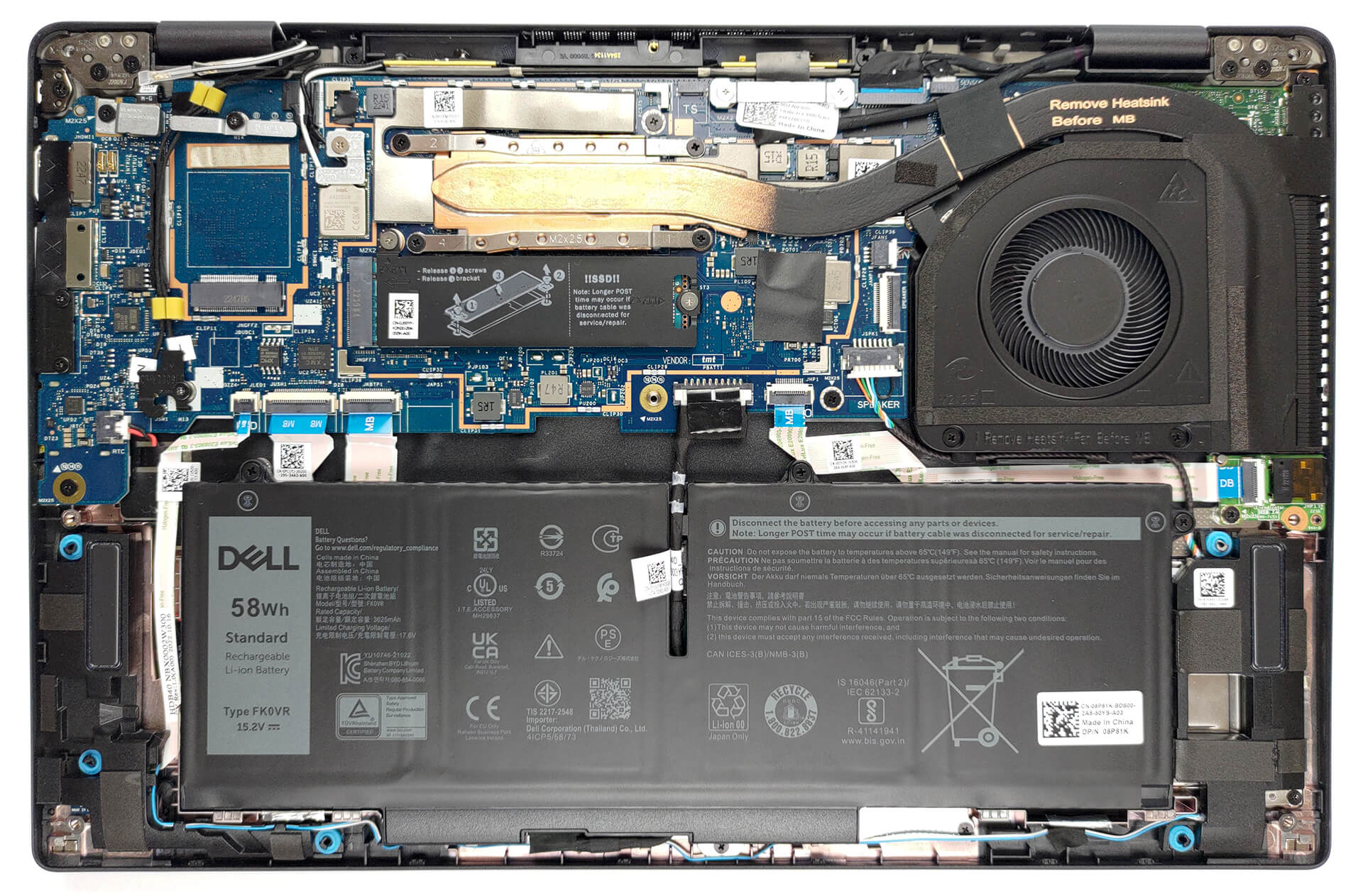
2. Remove the battery
Inside, we get a 58Wh battery pack. To remove it, unplug the battery connector, and undo the three captive Phillips-head screws.
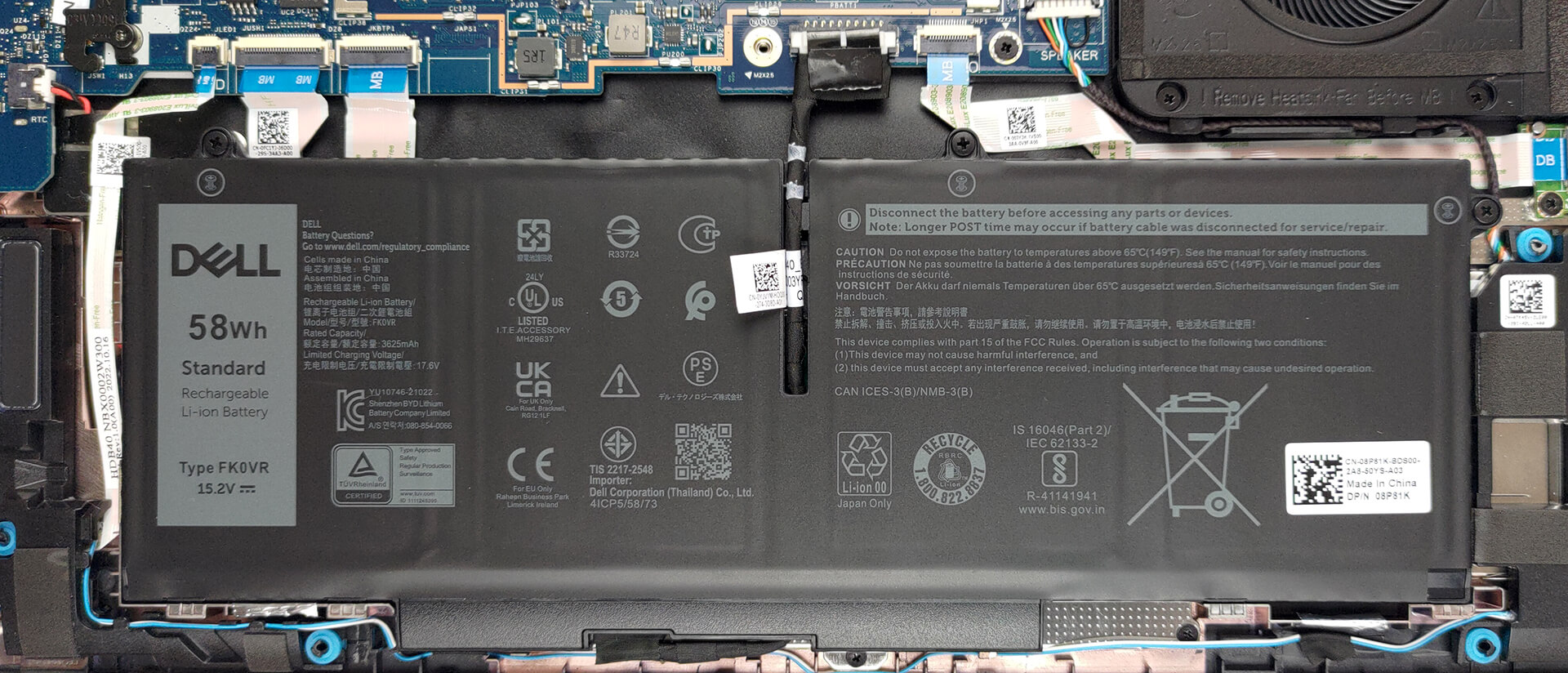
3. Upgrade memory and storage
Here, the memory is soldered to the motherboard. The maximum capacity you can get is 32GB, while the type depends on the processor. The 15W models get DDR4 RAM, while the 28W versions are equipped with LPDDR5 memory. As for storage, there is one M.2 PCIe x4 slot, which supports Gen 4 SSDs.
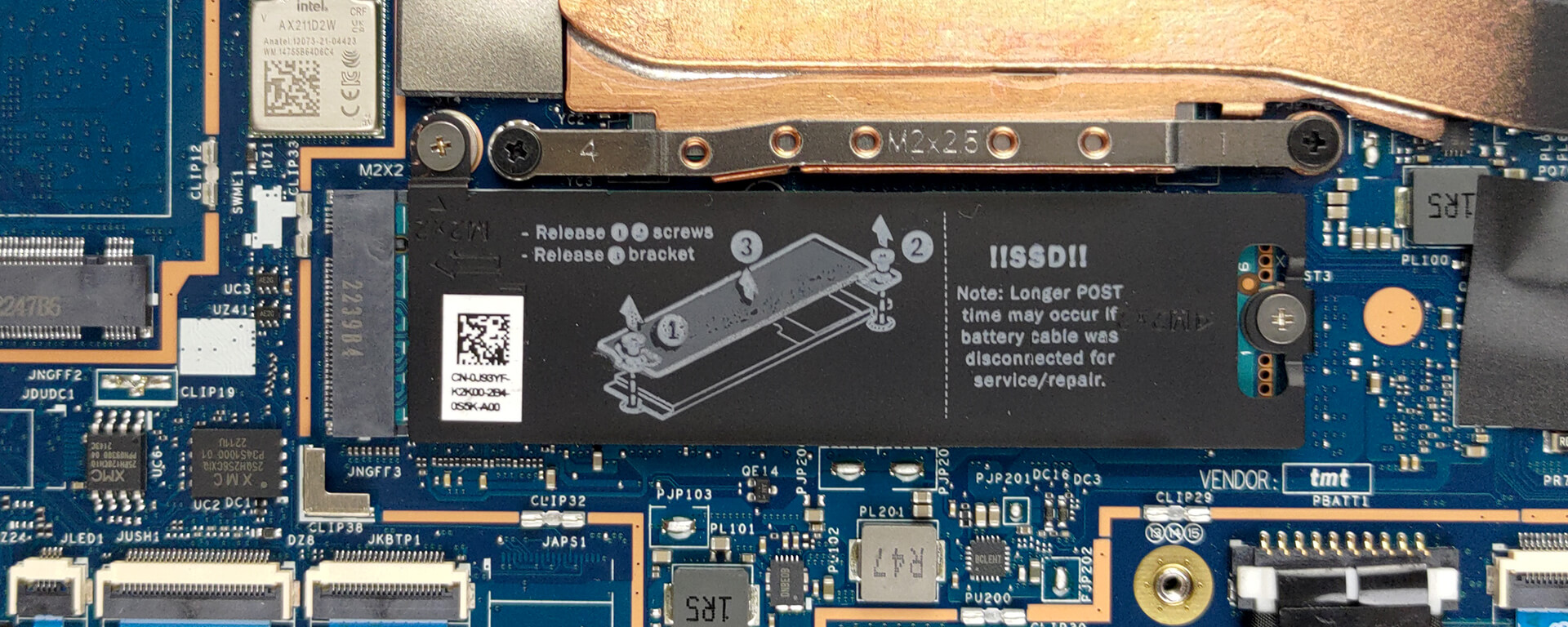
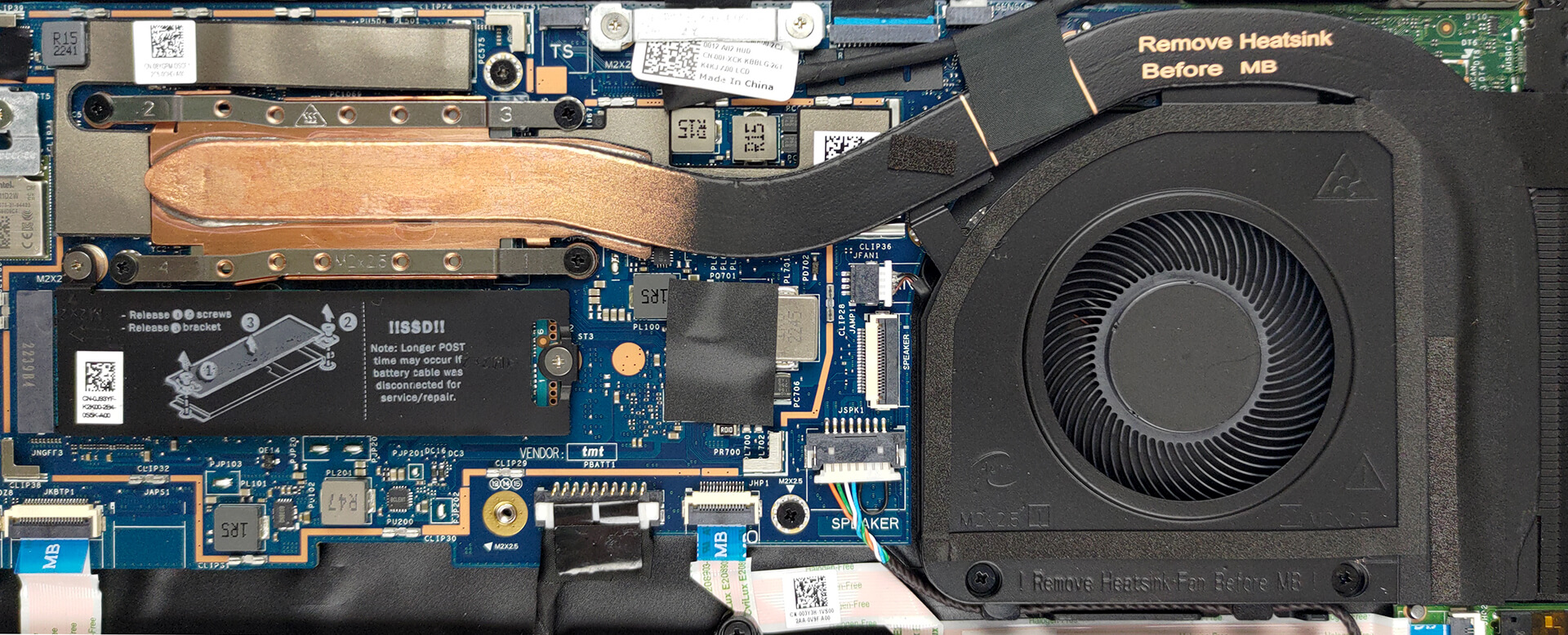
4. Cooling system
This notebook’s cooling comprises one heat pipe, a side-mounted heat sink, and a fan.
Check out all Dell Latitude 14 7430 prices and configurations in our Specs System, or read more in our In-Depth review.
Dell Latitude 14 7430 djupgående recension
Tiden för dominans på företagsmarknaden är sedan länge förbi för de gamla gubbarna Lenovo och Dell. ASUS skapar nu fantastiska enheter, medan några underdogs som Dynabook och Fujitsu producerar några mycket övertygande bärbara datorer.MEN! Idag handlar det om en bärbar dator - Dell Latitude 14 7430. Det är en förstklassig affärsenhet som riktar sig till seriösa människor som vill utföra sitt arbete på det mest effektiva och säkra sättet.När det gäller hårdvaran kan du välja mellan hög prestanda och nästan lika hög prestanda, men med längre batteritid. Vi t[...]

Fördelar
- Massor av säkerhetsprogramvara + en närhetssensor som upptäcker människor
- Ingen PWM (LG 0HXCK-140WFH (LGD068D))
- Stöd för Wi-Fi 6, 5G-anslutning som tillval och smartkortsläsare som tillval
- Val mellan kolfiber och aluminium som byggmaterial
- Bekvämt tangentbord
- Fingeravtrycksläsare och IR-system för ansiktsigenkänning som tillval
- Bred I/O, inklusive två Thunderbolt 4-kontakter
Nackdelar
- Prislapp i premiumsegmentet
- Sämre batteritid än förra året
- Täcker 50% av sRGB-färgerna (LG 0HXCK-140WFH (LGD068D))
- Minnet är fastlödd på moderkortet
 Author: Alex Iliev

![[Augusti 2026] Global ranking över de bästsäljande grafikkorten för bärbara datorer på Amazon – Apple dominerar, medan NVIDIAs RTX 5060 toppar listan över dedikerade grafikkort](https://laptopmedia.com/wp-content/uploads/2026/09/Best-Selling-GPUs-GLOBAL-Top-10-400x225.jpg)
![[Augusti 2026] Global ranking över de mest sålda bärbara datorprocessorerna på Amazon – Apple dominerar både i budget- och premiumsegmentet: A18 Pro och M5 krossar Intel och AMD i augusti 2026](https://laptopmedia.com/wp-content/uploads/2026/09/Best-Selling-CPUs-GLOBAL-Top-10-400x225.jpg)
![[Augusti 2026] Amazon Global: De 10 bästsäljande bärbara datorerna – Apple MacBook Neo toppar listorna medan prisvärda och mellanklassiga Windows-datorer kämpar om försäljningsvolymen](https://laptopmedia.com/wp-content/uploads/2026/09/Best-Selling-Laptops-GLOBAL-Top-10-400x225.jpg)
![[Augusti 2026] De bästsäljande bärbara datormärkena på Amazon Global – Apple dominerar omsättningen medan HP ligger i topp när det gäller modellutbudet](https://laptopmedia.com/wp-content/uploads/2026/09/GLOBAL-Best-Brands-400x225.jpg)
![[Augusti 2026] Amazon Global: De 10 mest sålda spelbärbara datorerna – HP Victus 15 tar förstaplatsen medan prisvärda modeller dominerar listan](https://laptopmedia.com/wp-content/uploads/2026/09/Best-Selling-Gaming-Laptops-GLOBAL-Top-10-400x225.jpg)
