How to open Lenovo ThinkPad X13 Gen 3 – disassembly and upgrade options
You don’t get an opportunity to upgrade the memory down the road, but you can pick from three configuration options pre-purchase.
Check out all Lenovo ThinkPad X13 Gen 3 prices and configurations in our Specs System, or read more in our In-Depth review.
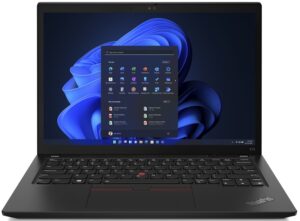

1. Remove the bottom plate
To access this notebook’s internals, you need to undo 7 captive Phillips-head screws. Then, pry the bottom panel with a plastic tool, starting from the back.
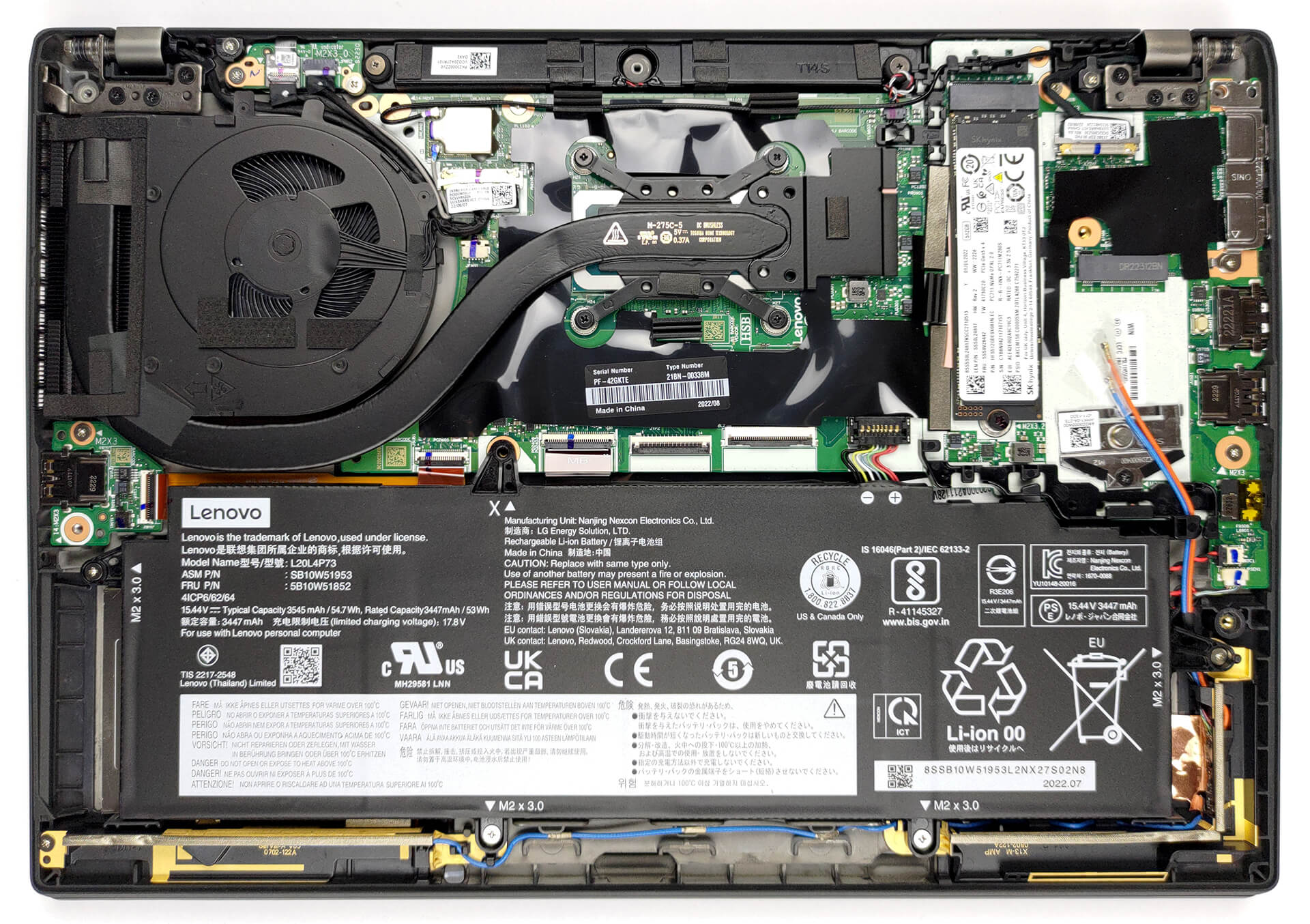
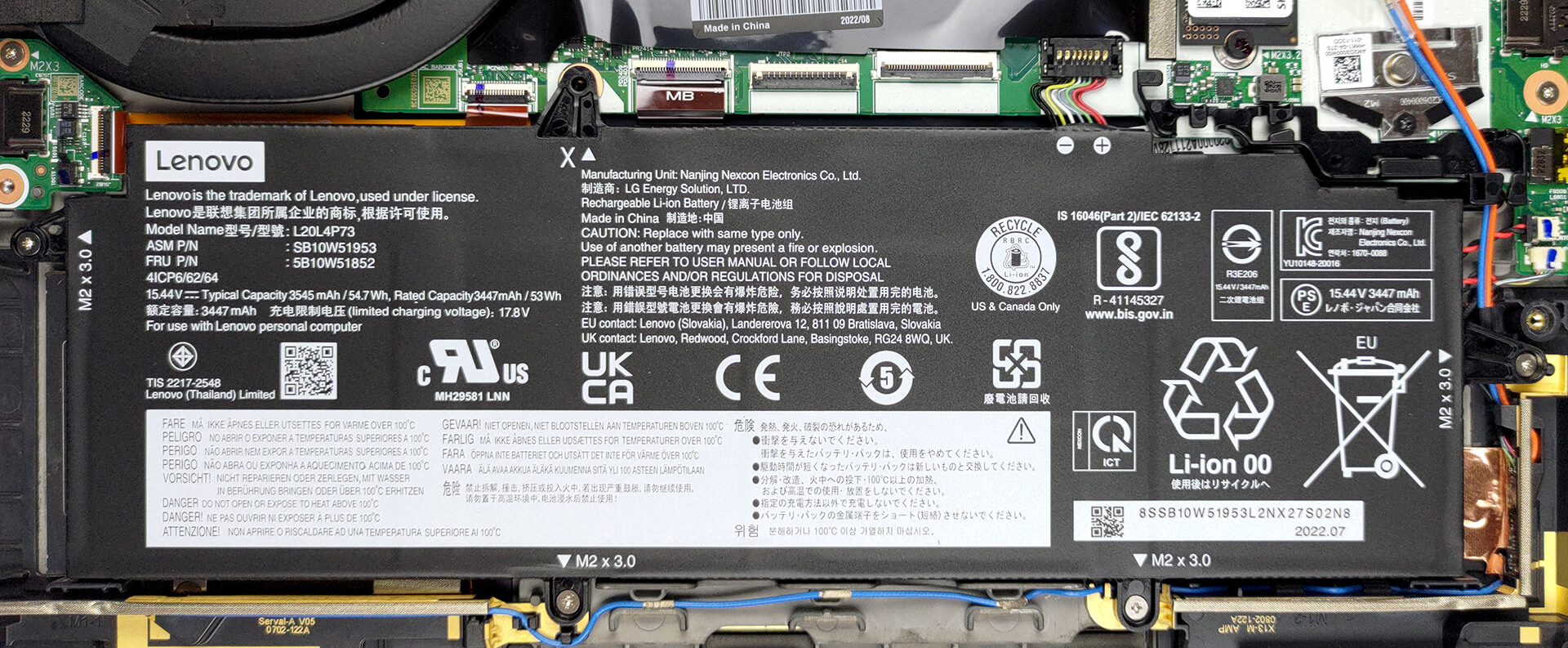
2. Remove the battery
Inside, we got a 54.7Wh battery pack. To take it out, unplug the connector from the motherboard, and undo all four Phillips-head screws that keep the battery attached to the chassis.
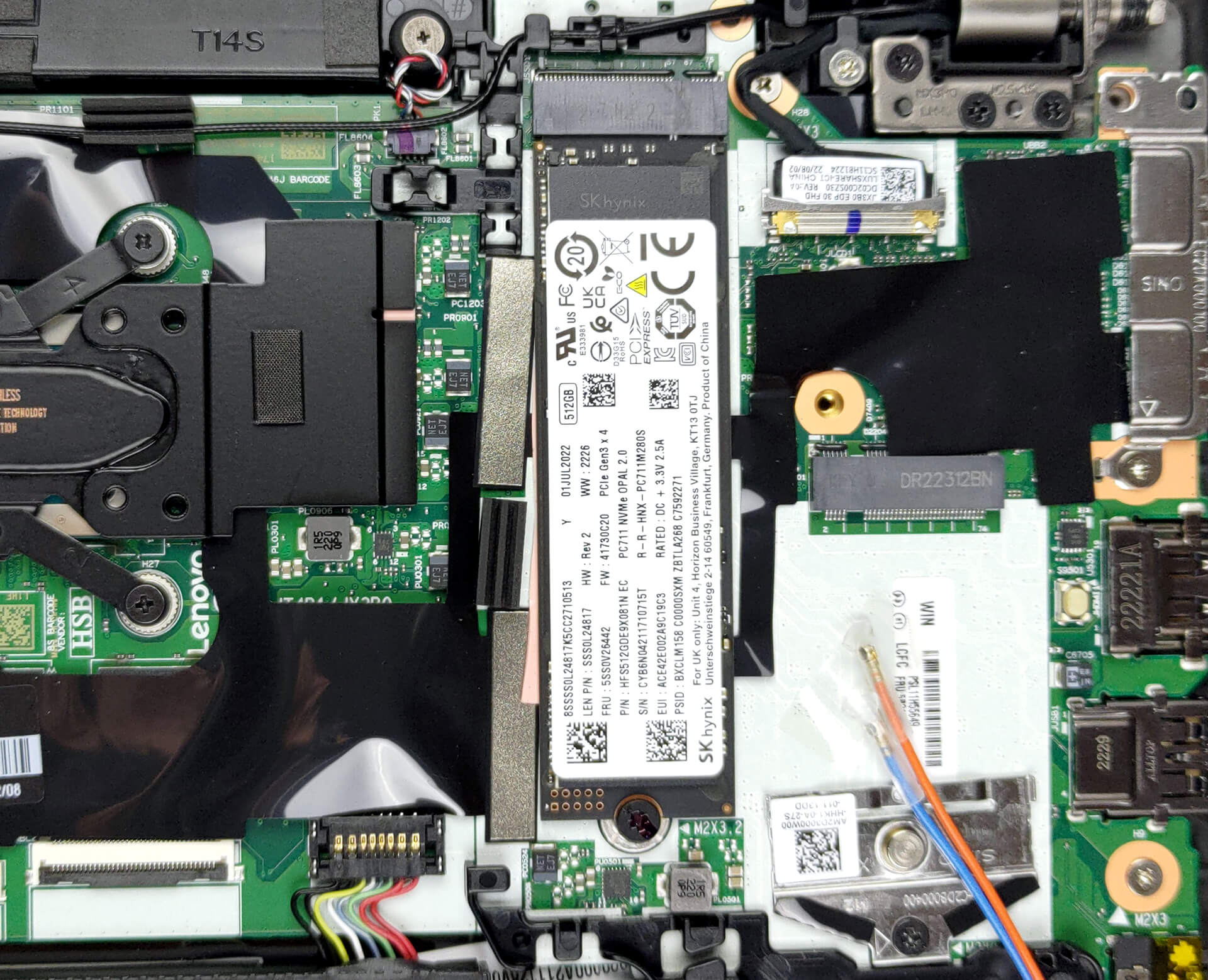
3. Upgrade memory and storage
Here, the memory comes soldered to the motherboard. You can pick between 8, 16, and 32GB of LPDDR5 RAM, working at 4800 MHz. Storage-wise, there is one M.2 PCIe x4 slot, which fits Gen 4 SSDs.
4. Cooling system
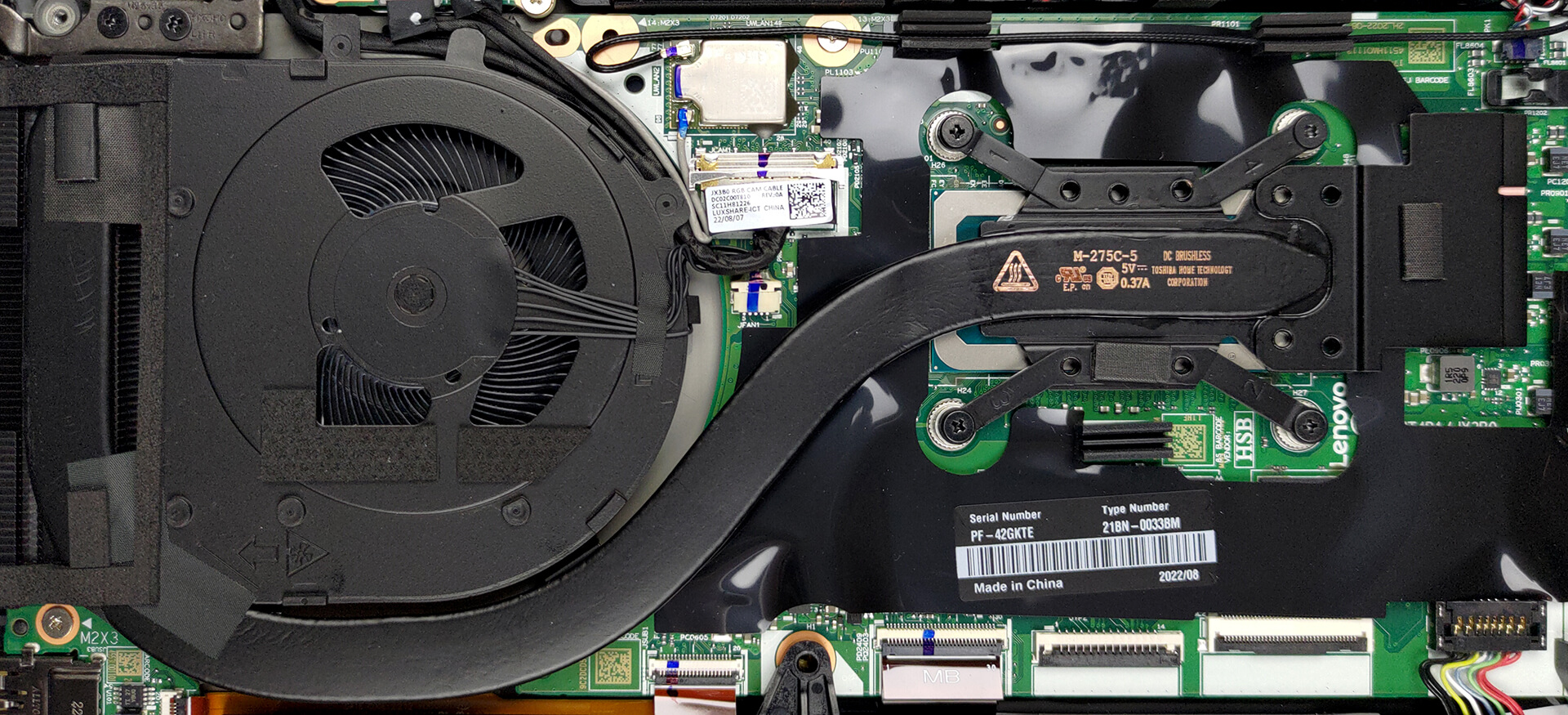
In terms of cooling, there is one heat pipe, a side-mounted heat sink, and a fan that blows the heat away from the chassis.
Check out all Lenovo ThinkPad X13 Gen 3 prices and configurations in our Specs System, or read more in our In-Depth review.
Lenovo ThinkPad X13 Gen 3 (Intel) djupgående recension
ThinkPad-varumärket är fullt av bärbara datorer som passar varje budget och varje storlekspreferens. Idag har vi en för de mer pretentiösa användarna. En bärbar dator som erbjuder bra bärbarhet, förstklassig konstruktion och mer än tillräcklig prestanda.Den bärbara datorn i fråga heter Lenovo Thinkpad X13 Gen 3, och den är precis vad du förväntar dig. Det är dock intressant att se att tillverkaren inte är rädd för att använda kraftfulla processorer i sitt lilla chassi.Vi pratar om Intel-versionen, som erbjuds med upp till Core i7-1280P - en 28W CPU med 6 P-kärnor[...]
Fördelar
- Premium byggkvalitet
- 100% sRGB-täckning och superprecisa färger med vår profil för spel- och webbdesign (BOE NV133WUM-N61 (LEN41A0))
- Ingen PWM (BOE NV133WUM-N61 (LEN41A0))
- Laddar via typ-C
- 2x Thunderbolt 4 + stöd för Gen 4 SSD
- IR ansiktsigenkänning + fingeravtrycksläsare
Nackdelar
- Behöver bättre kylning
- Lödd minne
 Author: Alex Iliev

![[Juni 2026] De mest sålda bärbara datormärkena på Amazon Global – Apples oöverträffade dominans i antal enheter och omsättning](https://laptopmedia.com/wp-content/uploads/2026/07/GLOBAL-Best-Brands-400x225.jpg)
![[Juni 2026] Amazon Global: De 10 mest sålda bärbara datorerna – Apples nya MacBook Neo stormar in på första plats och omformar marknaden med sitt överkomliga pris](https://laptopmedia.com/wp-content/uploads/2026/07/Best-Selling-Laptops-GLOBAL-Top-10-400x225.jpg)
![[Juni 2026] Amazon Global: De 10 mest sålda spelbärbara datorerna – Acers Nitro V 16S AI dominerar försäljningen, medan ASUS ligger i topp när det gäller den totala omsättningen](https://laptopmedia.com/wp-content/uploads/2026/07/Best-Selling-Gaming-Laptops-GLOBAL-Top-10-400x225.jpg)
![[Juni 2026] Global ranking över de mest sålda bärbara grafikkorten på Amazon – NVIDIA RTX 5060 är det mest sålda dedikerade grafikkortet](https://laptopmedia.com/wp-content/uploads/2026/07/Best-Selling-GPUs-GLOBAL-Top-10-400x225.jpg)
![[Juni 2026] Global ranking över de mest sålda bärbara datorprocessorerna på Amazon – Apple M5 dominerar, AMD Ryzen 7 260 tar en betydande andel i premiumsegmentet](https://laptopmedia.com/wp-content/uploads/2026/07/Best-Selling-CPUs-GLOBAL-Top-10-400x225.jpg)
