How to open MSI Stealth 16 Studio (A13V) – disassembly and upgrade options
This is one of the most impressive laptops on the market right now. The upgrade options are part of its great features.
Check out all MSI Stealth 16 Studio (A13V) prices and configurations in our Specs System, or read more in our In-Depth review.
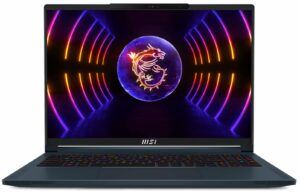

1. Remove the bottom plate
To open this machine, you need to undo 7 Phillips-head screws. After that, pry the bottom panel with a plastic tool, and lift it away from the chassis.
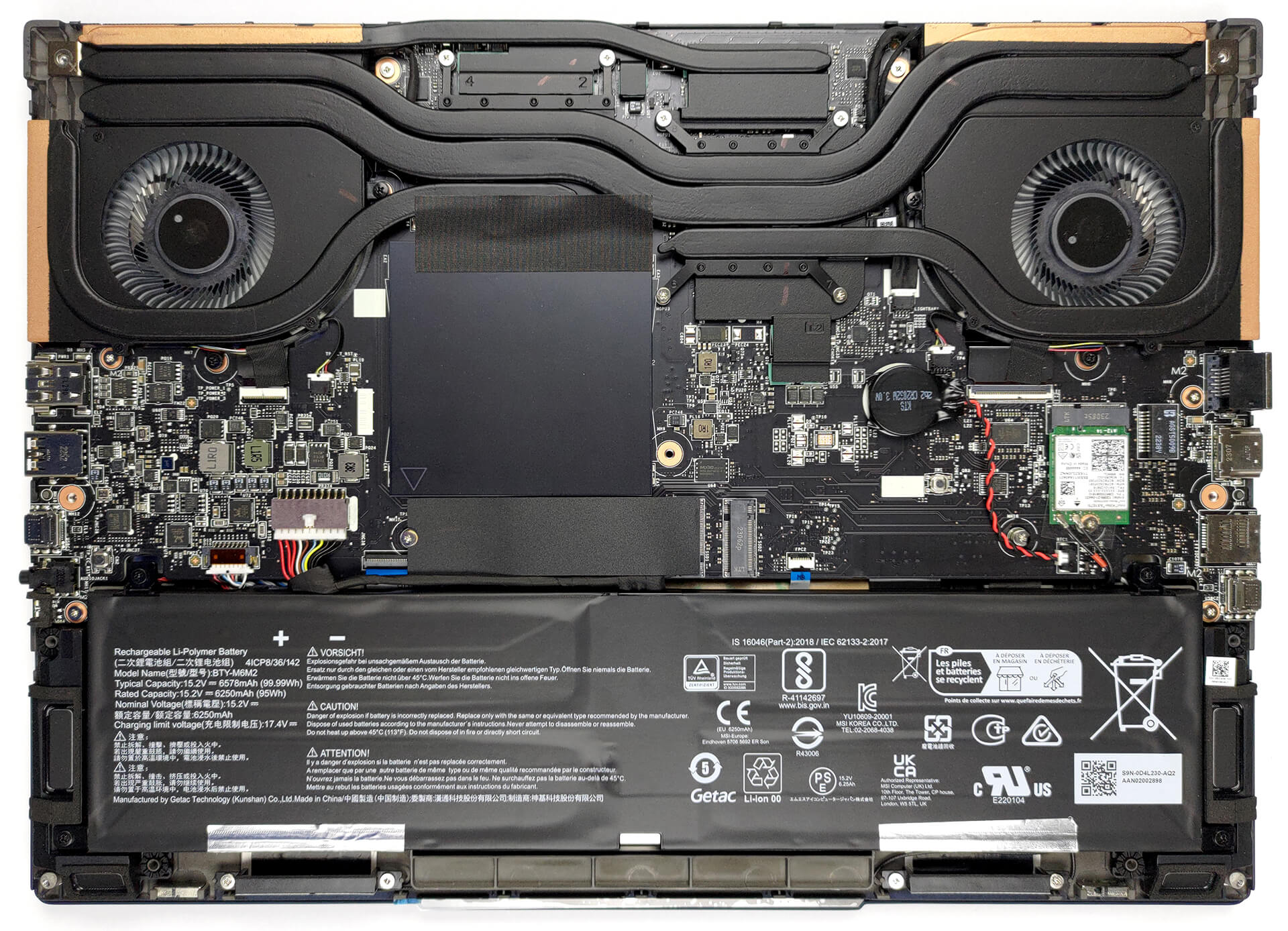
2. Remove the battery
This unit comes with a 99.9Wh battery pack. It lasts for 9 hours of either Web browsing or video playback. To remove it undo 4 Phillips-head screws that hold it to the chassis, and unplug the battery connector from the motherboard.
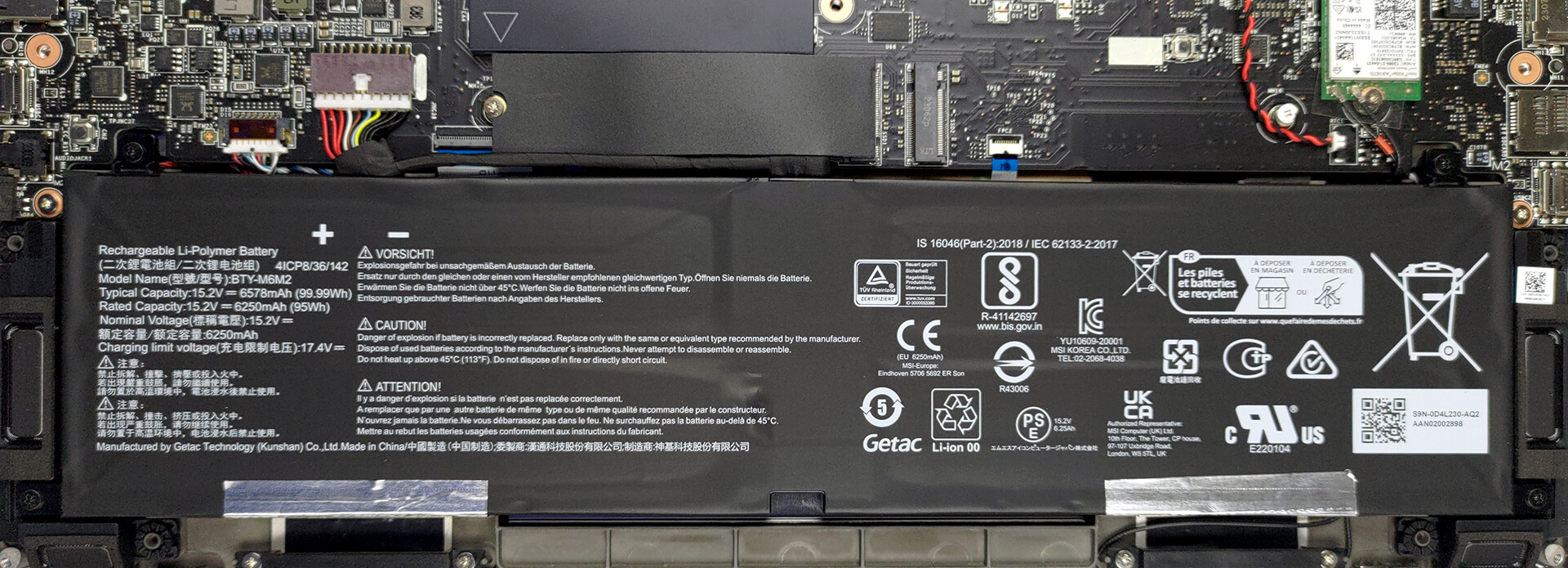
3. Upgrade memory and storage
Here, you see two SODIMM slots, which support up to 64GB of DDR5 RAM in total. As for storage, there are two M.2 PCIe x4 slots, both of which support Gen 4 SSDs.
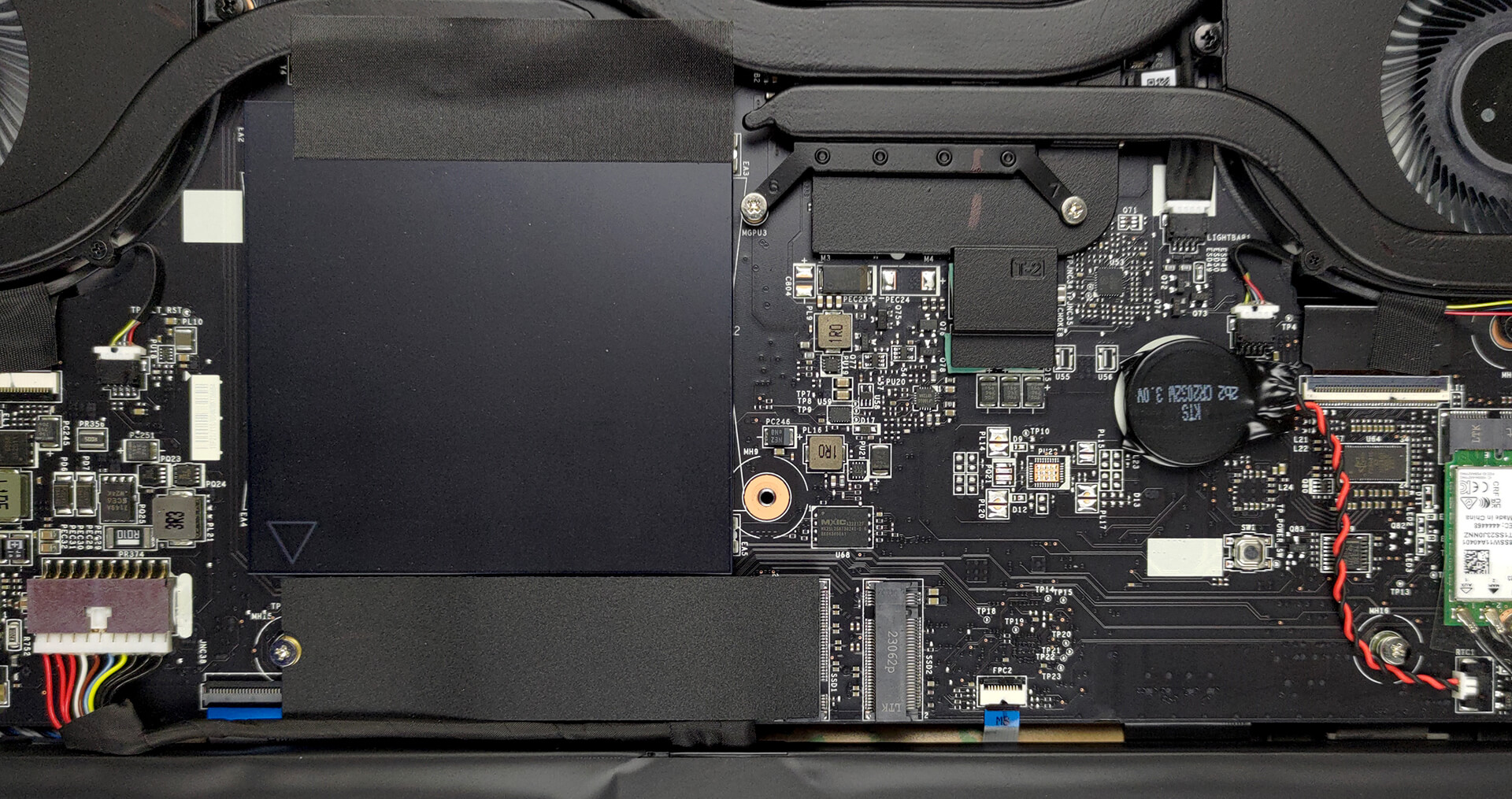
4. Cooling system
Cooling-wise, there are two heat pipes shared between the CPU and the GPU, with one more dedicated to each of them. In addition, there is one more heat pipe dedicated to the VRMs and the graphics memory. Furthermore, there are two fans and four heat sinks.
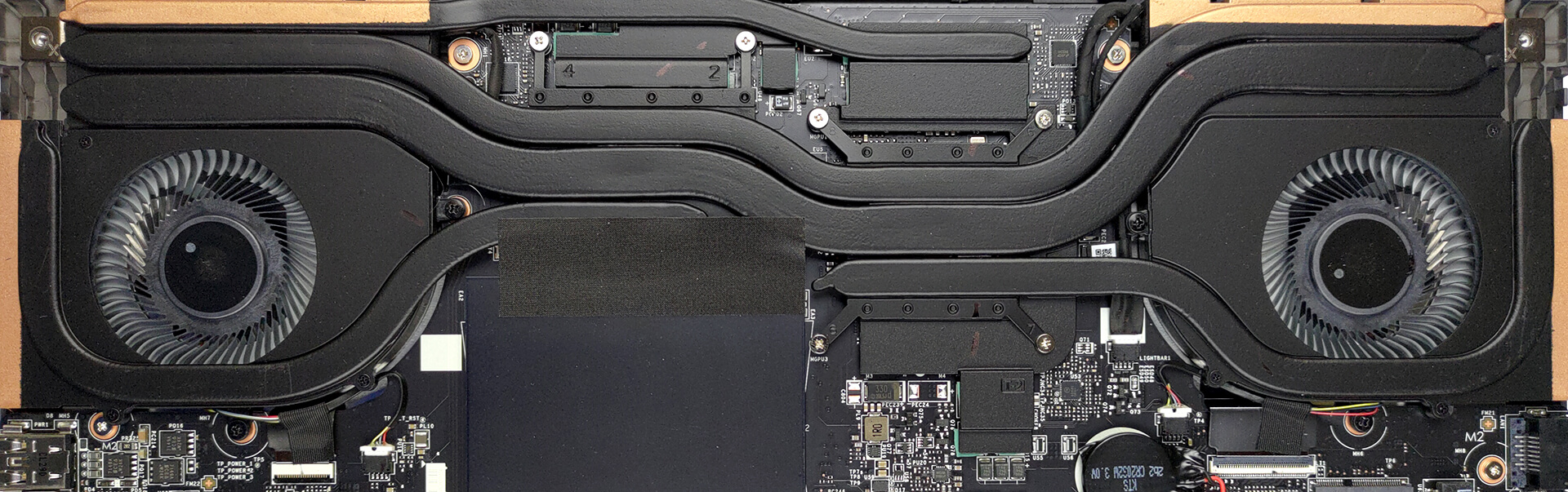
Check out all MSI Stealth 16 Studio (A13V) prices and configurations in our Specs System, or read more in our In-Depth review.
MSI Stealth 16 Studio (A13Vx) djupgående recension
Ah, den tunna gränsen mellan spel- och affärsdatorer. Förr i tiden kunde enheter från båda områdena inte misstas för den andra - bärbara speldatorer var tjocka, tunga och aggressiva, medan bärbara affärsdatorer såg eleganta och allmänt neutrala ut.Nu kommer MSI Stealth 16 Studio (A13V). Det är en enhet som ser ut som om den bryter mot Matrix. Den är tunn, lätt och mycket snygg. Men detta är definitivt dess viktigaste egenskaper.Det som sätter förväntningarna högre är hårdvaran. Den har Intels senaste och bästa - 13:e generationens processorer med 45 W TDP, samt [...]
Fördelar
- Fingeravtrycksläsare och IR-skanner för ansiktsigenkänning
- 2x M.2 PCIe x4 Gen 4-kortplatser, 2x DDR5 RAM SODIMM-kortplatser i dubbelkanal/li>
- Täcker 100 % av DCI-P3-färgskalan och har korrekt färgåtergivning med vår profil för spel- och webbdesign (AUO B160QAN02.3 (AUO26A9))
- Snygg panel med snabba svarstider (AUO B160QAN02.3 (AUO26A9))
- Ingen PWM (AUO B160QAN02.3 (AUO26A9))
- MUX-omkopplare
- Brett urval av portar
- Hyfsad batteritid
- Tangentbordet förblir relativt svalt efter långa spelsessioner
- Bra byggkvalitet
Nackdelar
- Chassit har en del bullrig flex
- Kort nyckelrörelse
 Author: Alex Iliev

![[Juli 2026] Global ranking över de mest sålda bärbara grafikkorten på Amazon – RTX 5060 dominerar premiumsegmentet, Intel är fortfarande ledande i budgetsegmentet](https://laptopmedia.com/wp-content/uploads/2026/08/Best-Selling-GPUs-GLOBAL-Top-10-400x225.jpg)
![[Juli 2026] Global ranking över de bästsäljande bärbara datorprocessorerna på Amazon – Apple dominerar premiumsegmentet, Intel behåller förstaplatsen totalt sett](https://laptopmedia.com/wp-content/uploads/2026/08/Best-Selling-CPUs-GLOBAL-Top-10-400x225.jpg)
![[July 2026] Amazon Canada: Top 10 Best-Selling Laptops – Apple MacBook Neo Dominates the Market to Claim the #1 Spot](https://laptopmedia.com/wp-content/uploads/2026/08/Best-Selling-Laptops-CA-Top-10-2-400x225.jpg)
![[July 2026] Best-Selling Laptop Brands on Amazon Japan – HP and Lenovo Dominate Units and Revenue Amid Fierce Competition](https://laptopmedia.com/wp-content/uploads/2026/08/CO.JP-Best-Brands-2-400x225.jpg)
![[July 2026] Amazon Italy: Top 10 Best-Selling Laptops – Apple MacBook Neo Claims the #1 Spot Amid Budget-Friendly Dominance](https://laptopmedia.com/wp-content/uploads/2026/08/Best-Selling-Laptops-IT-Top-10-400x225.jpg)
