How to open Razer Blade 17 (Early 2022) – disassembly and upgrade options
The Razer Blade 17 (Early 2022) is an expensive notebook. However, you definitely get what you pay for, thanks to the fantastic cooling, and good upgrade options.
Check out all Razer Blade 17 (Early 2022) prices and configurations in our Specs System, or read more in our In-Depth review.
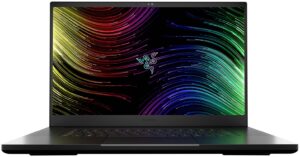
1. Remove the bottom plate
To take this laptop apart, you first need to undo a total of 10 Torx-head screws. Then, pry the bottom panel with a plastic tool, starting from the front or the sides.
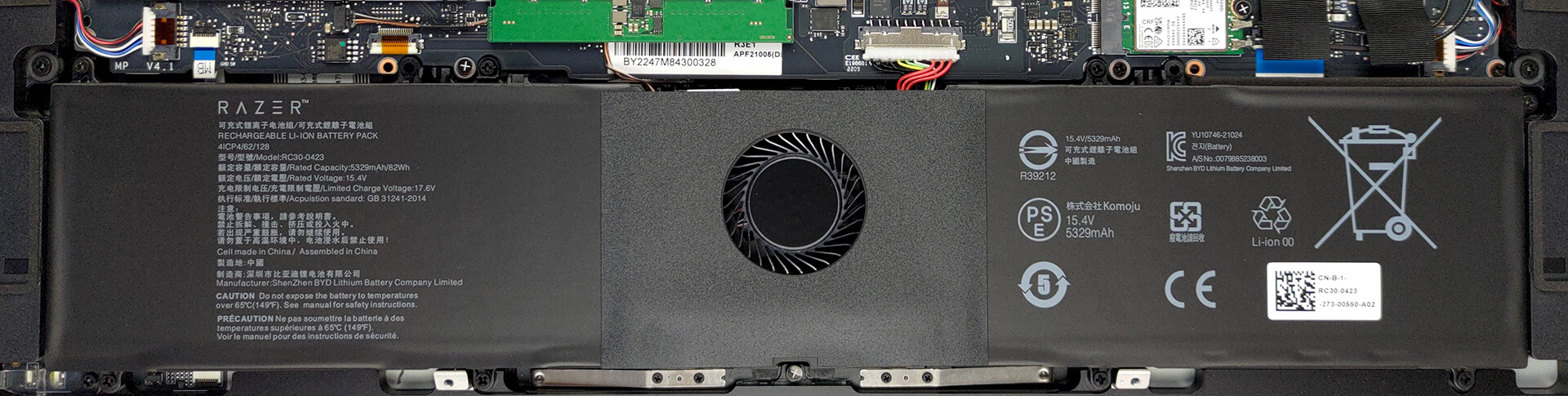
2. Remove the battery
Here, we see an 82Wh battery pack. Interestingly, it is cut in half by a supporting fan. To remove the battery, unplug it from the motherboard, and undo the 8 Phillips-head screws, keeping it in place. Don’t forget to also unplug the fan.
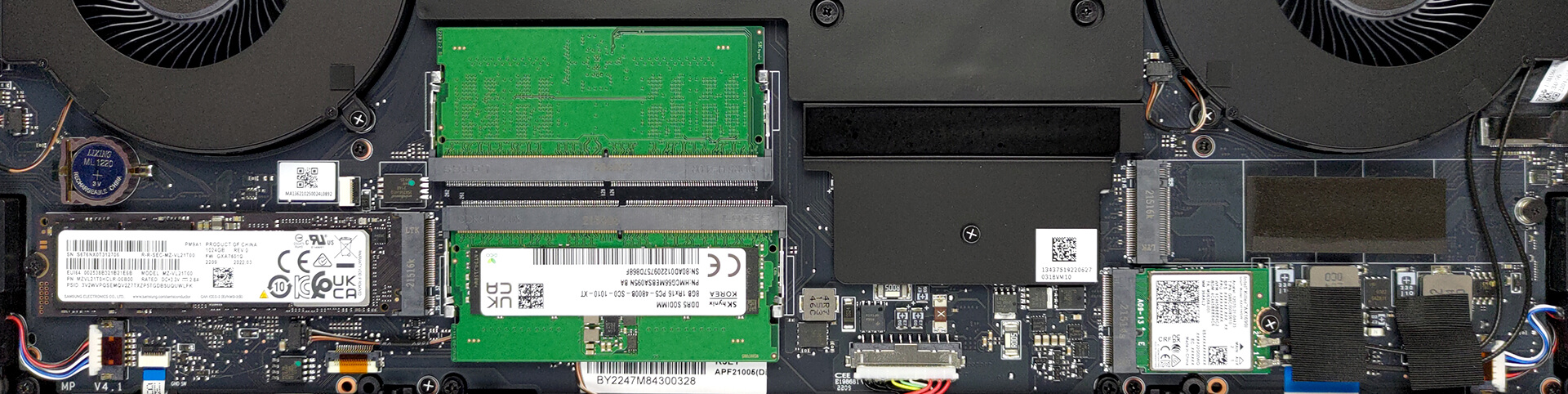
3. Upgrade memory and storage
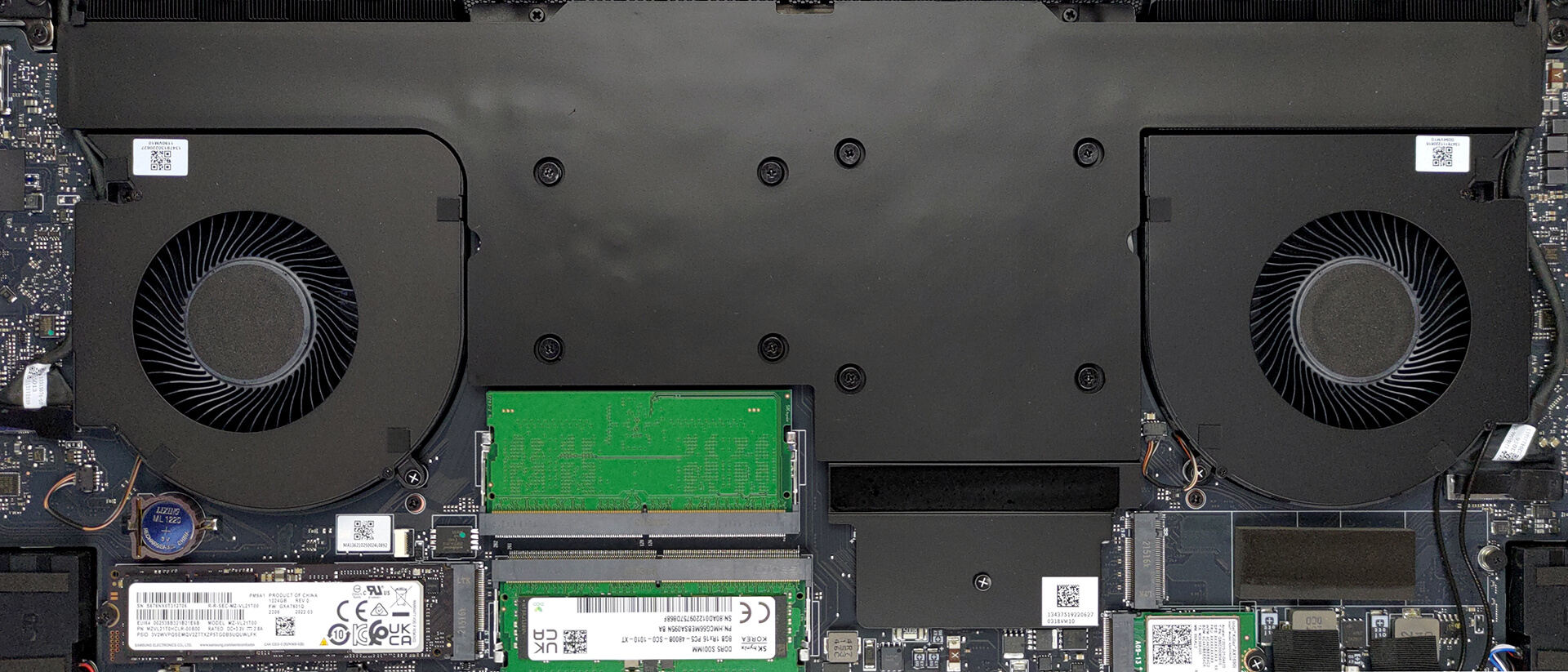
This device features two SODIMM slots, which work with DDR5 RAM. The maximum supported capacity is 64GB. Storage-wise, you get two M.2 PCIe x4 slots, both of which are able to fit Gen 4 SSDs.
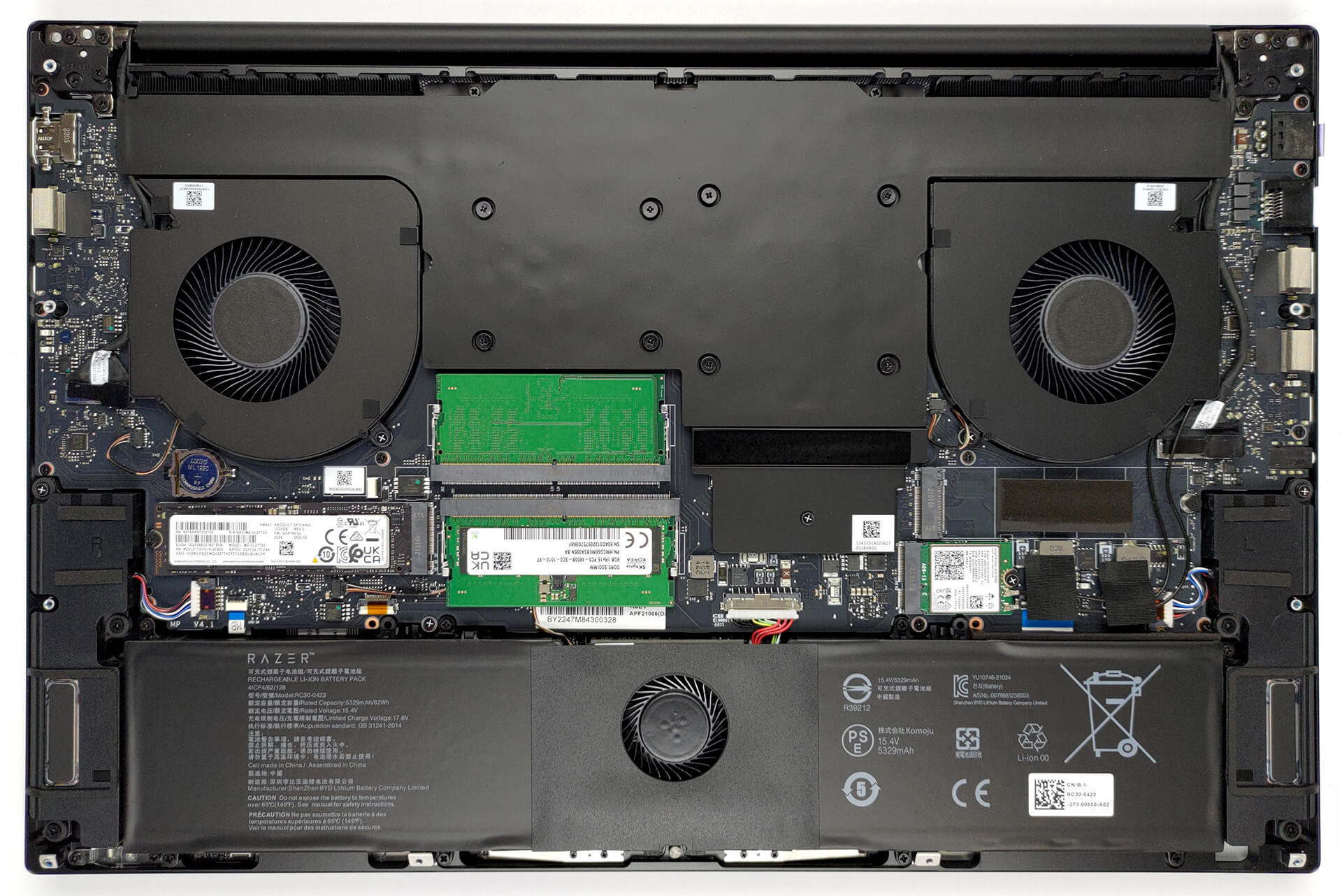
4. Cooling system
Lastly, there is the cooling. It comprises a huge vapor chamber, two heat sinks, two fans, and some additional cooling for the VRMs.
Check out all Razer Blade 17 (Early 2022) prices and configurations in our Specs System, or read more in our In-Depth review.
Razer Blade 17 (Early 2022) djupgående recension
The Blade 17 is Razer's most powerful offering as of the time of writing this review. Nothing unexpected, though, considering the fact that it is the largest device from the family.Things scale pretty well in the Razer portfolio, as each size comes with a progressively higher GPU TGP limit. In the case of Blade 17 (Early 2022), we are talking about the RTX 3060, RTX 3070 Ti, and RTX 3080 Ti. While the first is pretty competitive in both pricing and power limits, the other two are absolute beasts.With a TGP of 150W and 165W, respectively, these two sit at the sharp end of the gaming gr[...]
Fördelar
- 2x M.2 PCIe Gen 4 slots, 2x RAM SODIMM slots in dual-channel
- Covers 99% of the sRGB color gamut and has accurate color representation with our Gaming and Web design profile (360Hz 1080p panel)
- No PWM (360Hz 1080p panel)
- Snappy panels with quick response times
- Vapor chamber cooling system
- 2x Thunderbolt 4 + IR face recognition + SD card reader
- Wi-Fi 6E + 2.5 Gbit LAN port
- Has a MUX switch
Nackdelar
- Its keyboard is not ideal for gaming
 Author: Alex Iliev

![[Augusti 2026] Global ranking över de bästsäljande grafikkorten för bärbara datorer på Amazon – Apple dominerar, medan NVIDIAs RTX 5060 toppar listan över dedikerade grafikkort](https://laptopmedia.com/wp-content/uploads/2026/09/Best-Selling-GPUs-GLOBAL-Top-10-400x225.jpg)
![[Augusti 2026] Global ranking över de mest sålda bärbara datorprocessorerna på Amazon – Apple dominerar både i budget- och premiumsegmentet: A18 Pro och M5 krossar Intel och AMD i augusti 2026](https://laptopmedia.com/wp-content/uploads/2026/09/Best-Selling-CPUs-GLOBAL-Top-10-400x225.jpg)
![[Augusti 2026] Amazon Global: De 10 bästsäljande bärbara datorerna – Apple MacBook Neo toppar listorna medan prisvärda och mellanklassiga Windows-datorer kämpar om försäljningsvolymen](https://laptopmedia.com/wp-content/uploads/2026/09/Best-Selling-Laptops-GLOBAL-Top-10-400x225.jpg)
![[Augusti 2026] De bästsäljande bärbara datormärkena på Amazon Global – Apple dominerar omsättningen medan HP ligger i topp när det gäller modellutbudet](https://laptopmedia.com/wp-content/uploads/2026/09/GLOBAL-Best-Brands-400x225.jpg)
![[Augusti 2026] Amazon Global: De 10 mest sålda spelbärbara datorerna – HP Victus 15 tar förstaplatsen medan prisvärda modeller dominerar listan](https://laptopmedia.com/wp-content/uploads/2026/09/Best-Selling-Gaming-Laptops-GLOBAL-Top-10-400x225.jpg)
