HP ZBook Firefly 14 G8 – Top 5 Pros and Cons
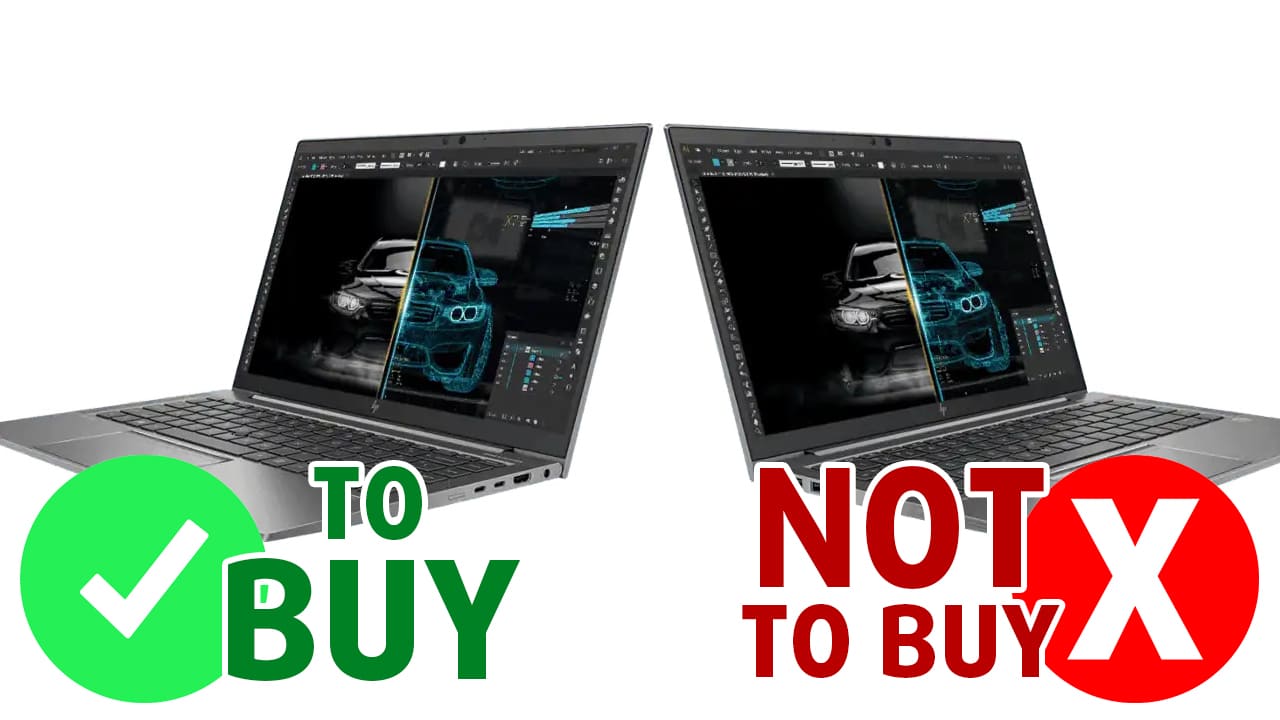 The whole mobile workstation market is relatively new. The thought of having a powerful enough laptop for resource-heavy tasks has been a pipe dream for a while, which we can proudly say is now a reality. Mobile hardware is now powerful enough to be able to handle such processes, so all brands are now capitalizing on it, bringing their own takes on what a mobile workstation should be.
The ZBook family from HP is one of the best in that aspect, providing amazing build quality and managing to utilize its hardware properly, squeezing every last bit of performance. Today we have the HP ZBook Firefly 14 G8, which brings a portable body, Tiger Lake U-series processors, and professional-grade NVIDIA Quadro graphics.
Today we are presenting you with LaptopMedia’s top 5 picks about the HP ZBook Firefly 14 G8.
HP ZBook Firefly 14 G8: Full Specs / In-depth Review
4 reasons to BUY the HP ZBook Firefly 14 G8
1. Design and build quality
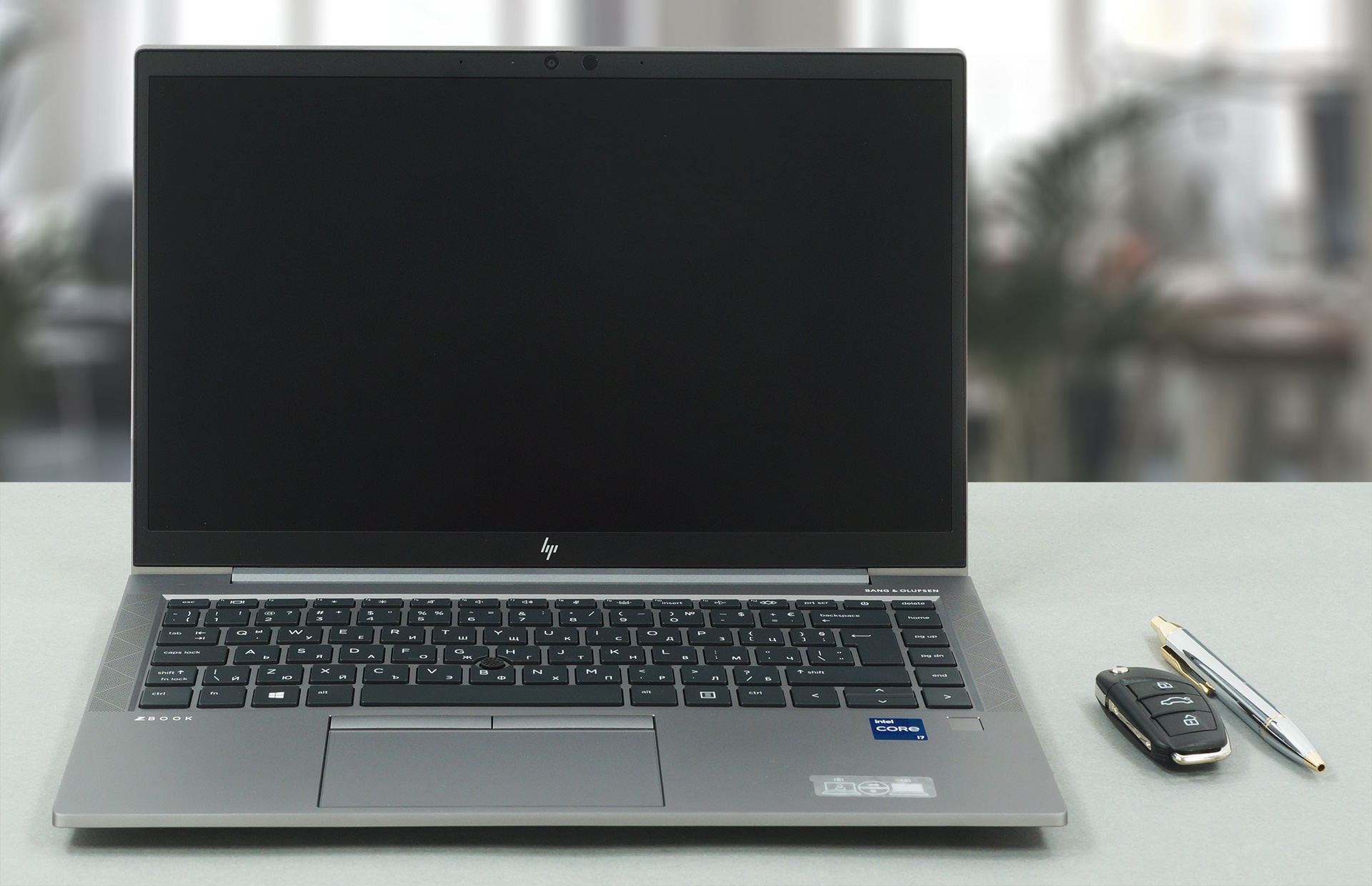
The laptop uses aluminum for its whole body, with the material bringing amazing rigidity and support. The design itself is simple, with sharp edges and corners, along with a Z-logo that is debossed onto the lid, which is quite recognizable and makes the laptop stand out. In terms of weight and height, the laptop stands at 1.35 kg and 18 mm, respectively. Furthermore, the lid opens easily with one hand, with the hinges being very well balanced in terms of smoothness.
2. Input devices
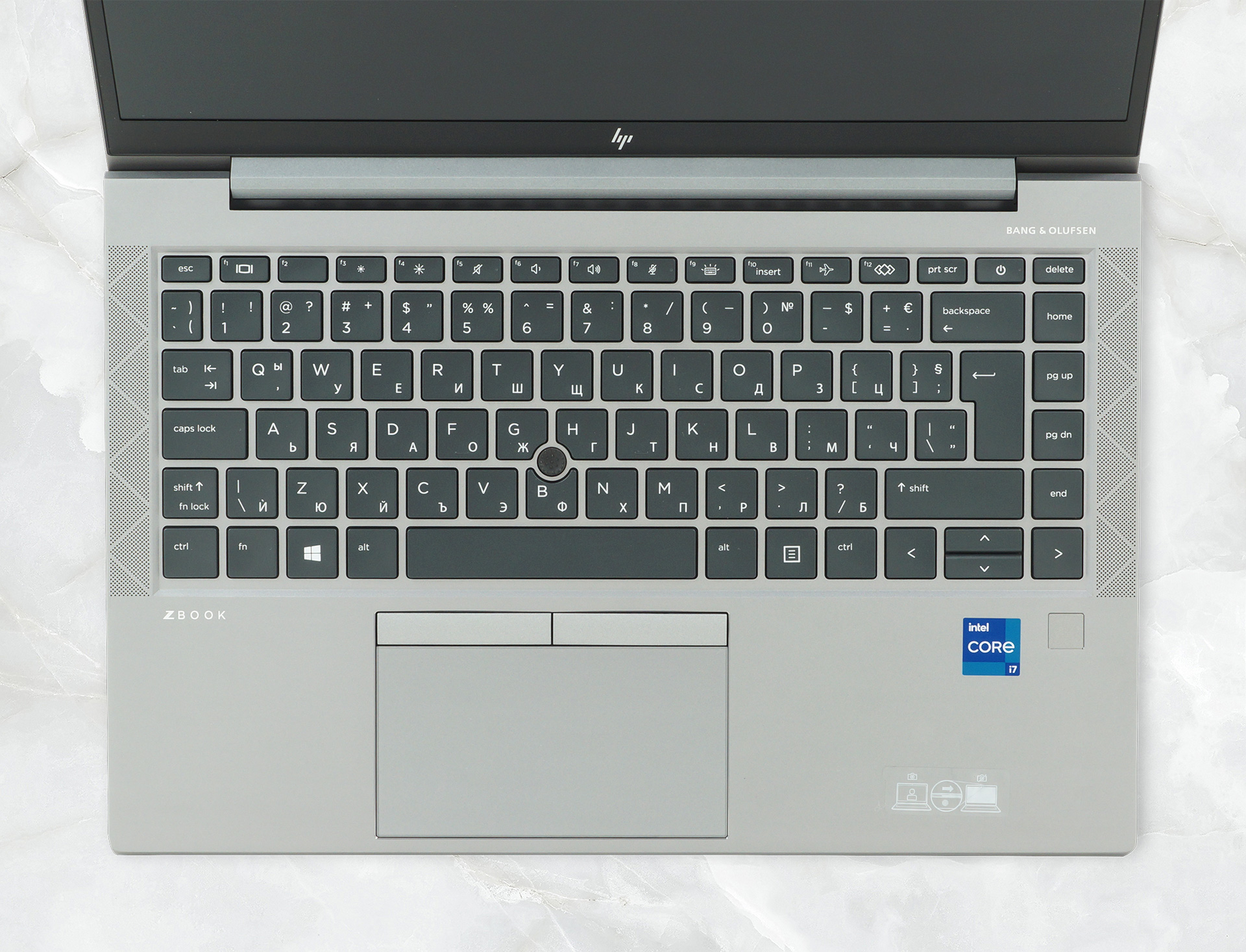
The keyboard here comes with spill-resistance, which is quite important for the clumsier consumers, along with an optional backlight. The unit itself offers a comfortable experience with long key travel and clicky feedback. The touchpad offers the same levels of excellence as well, bringing a glass cover, which ensures smooth and accurate operation.
3. Battery life
The laptop comes with a 53Wh battery unit, which is quite fitting for its dimensions. The unit also lasts for a while, enduring through more than 16 hours of Web browsing, and 14 hours and 17 minutes of video playback. Now, we conduct the battery tests with Windows Better performance setting turned on, screen brightness adjusted to 120 nits, and all other programs turned off except for the one we are testing the notebook with.

4. I/O
The laptop has decent coverage but lacks a MicroSD card reader, which is a tad disappointing. Still, you get a total of two USB Type-A 3.2 (Gen. 1) ports, two Thunderbolt 4 ports, an HDMI 1.4b connector, a 3.5 mm audio jack, and an optional SmartCard reader.


1 reason NOT to buy the HP ZBook Firefly 14 G8
1. Display quality
The 14-inch Full HD IPS panel comes with comfortable viewing angles, a max brightness of 274 nits in the middle of the screen, 264 nits as an average for the whole area, with a maximum deviation of 10%. The contrast ratio is great, however – 1150:1. The panel covers 52% of the sRGB color gamut. Still, the panel doesn’t use PWM at all, which is great to see.
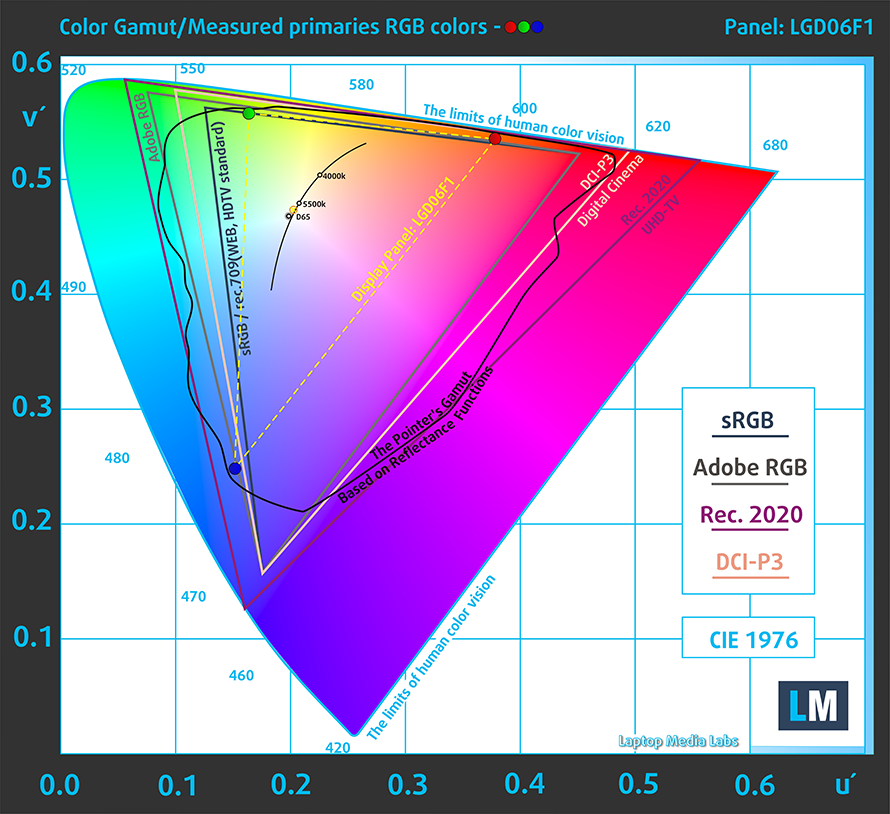
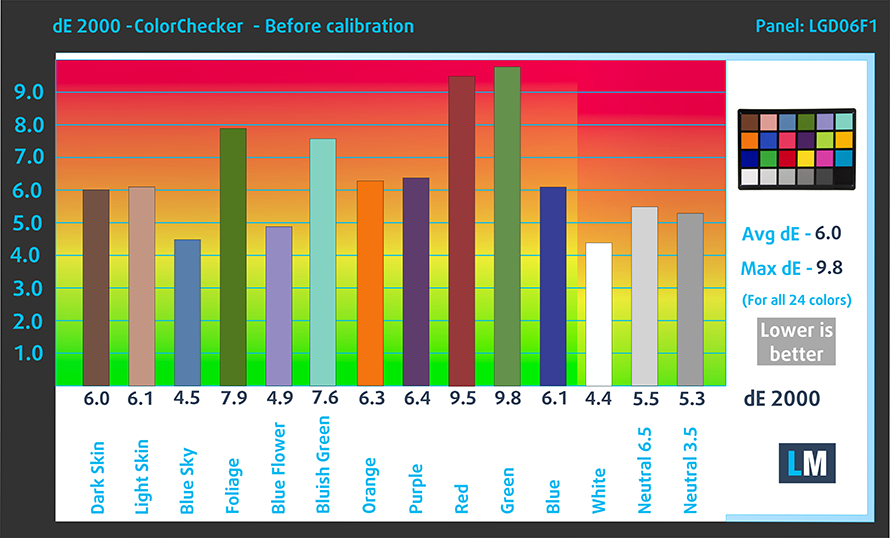
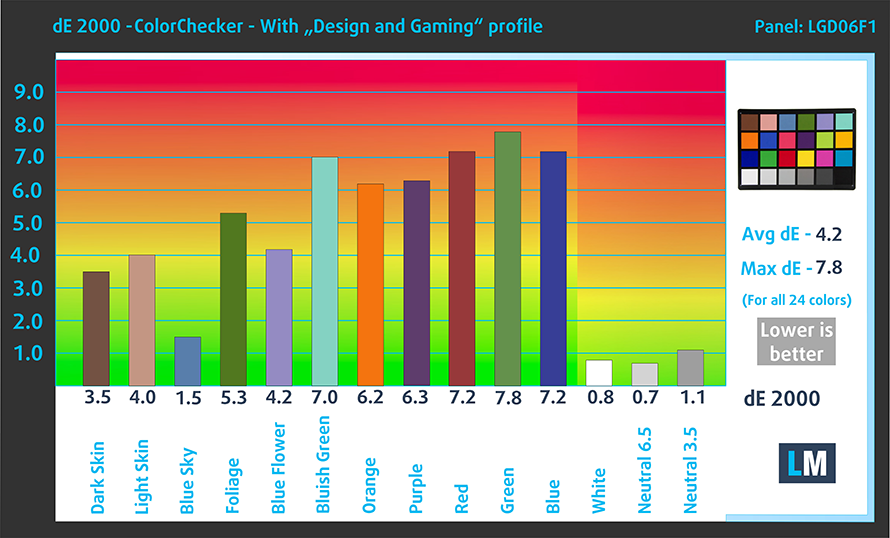
The color coverage is out of line as well, with not even our Design and Gaming profile being able to put it in place. Here are the results of our test with the stock settings (left) and with our profile applied (right).
Buy our profiles
Since our profiles are tailored for each individual display model, this article and its respective profile package are meant for HP ZBook Firefly 14 G8 configurations with 14″ FHD IPS LGD06F1.
*Should you have problems with downloading the purchased file, try using a different browser to open the link you’ll receive via e-mail. If the download target is a .php file instead of an archive, change the file extension to .zip or contact us at [email protected].
Read more about the profiles HERE.
Förutom att du får effektiva och hälsovänliga profiler, stöder du genom att köpa LaptopMedias produkter även utvecklingen av våra labb, där vi testar enheter för att kunna producera så objektiva recensioner som möjligt.

Kontorsarbete
Office Work bör främst användas av användare som tillbringar större delen av tiden med att titta på text, tabeller eller bara surfar. Denna profil syftar till att ge bättre tydlighet och skärpa genom att bibehålla en platt gammakurva (2.20), native färgtemperatur och perceptuellt korrekta färger.

Design och Spel
Denna profil riktar sig till designers som arbetar professionellt med färger, samt för spel och filmer. Design and Gaming tar skärmpanelerna till sina gränser och gör dem så exakta som möjligt i sRGB IEC61966-2-1-standarden för webb och HDTV, vid vitpunkt D65.

Health-Guard
Health-Guard eliminerar den skadliga pulsbreddsmoduleringen (PWM) och minskar det negativa blå ljuset som påverkar våra ögon och vår kropp. Eftersom den är skräddarsydd för varje panel lyckas den hålla färgerna perceptuellt korrekta. Health-Guard simulerar papper så att trycket på ögonen minskar avsevärt.
Få alla 3 profiler med 33% rabatt

All HP ZBook Firefly 14 G8 configurations:
 Author: Severin Kolakov

![[Juli 2026] Global ranking över de mest sålda bärbara grafikkorten på Amazon – RTX 5060 dominerar premiumsegmentet, Intel är fortfarande ledande i budgetsegmentet](https://laptopmedia.com/wp-content/uploads/2026/08/Best-Selling-GPUs-GLOBAL-Top-10-400x225.jpg)
![[Juli 2026] Global ranking över de bästsäljande bärbara datorprocessorerna på Amazon – Apple dominerar premiumsegmentet, Intel behåller förstaplatsen totalt sett](https://laptopmedia.com/wp-content/uploads/2026/08/Best-Selling-CPUs-GLOBAL-Top-10-400x225.jpg)
![[July 2026] Amazon Canada: Top 10 Best-Selling Laptops – Apple MacBook Neo Dominates the Market to Claim the #1 Spot](https://laptopmedia.com/wp-content/uploads/2026/08/Best-Selling-Laptops-CA-Top-10-2-400x225.jpg)
![[July 2026] Best-Selling Laptop Brands on Amazon Japan – HP and Lenovo Dominate Units and Revenue Amid Fierce Competition](https://laptopmedia.com/wp-content/uploads/2026/08/CO.JP-Best-Brands-2-400x225.jpg)
![[July 2026] Amazon Italy: Top 10 Best-Selling Laptops – Apple MacBook Neo Claims the #1 Spot Amid Budget-Friendly Dominance](https://laptopmedia.com/wp-content/uploads/2026/08/Best-Selling-Laptops-IT-Top-10-400x225.jpg)
