HP ZBook Studio G9 – Top 5 Pros and Cons
 The ZBook series presents HP’s premier workstation laptops, including the new thin and light ZBook Studio G9, which keeps the powerful Alder Lake H-series hardware, along with the entire arsenal of RTX A-series of pro-grade graphics. For the more gamer-inclined there are also several RTX 30-series GPUs, with up to an RTX 3080 Ti. All of that is kept in a very portable chassis while managing to fit a 16-inch display.
Today we present you with LaptopMedia’s top 5 picks about the HP ZBook Studio G9.
HP ZBook Studio G9: Full Specs / In-depth Review
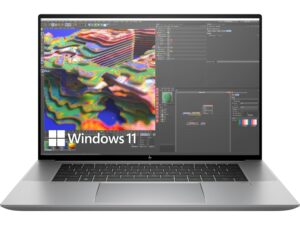
4 reasons to BUY the HP ZBook Studio G9
1. Design and build quality
The ZBook comes with a portable chassis, weighing only 1.78 kg and having a profile of 19 mm. The lid definitely feels like it’s made from aluminum, while the base and bottom panel are soft to the touch, which might be due to a certain coating, or the laptop uses carbon fiber or any other composite material. The design has rounded edges and corners, while the back is angular and sharp, which makes for an elegant and striking appearance. The back of the lid has a Z-logo, which is glossy.
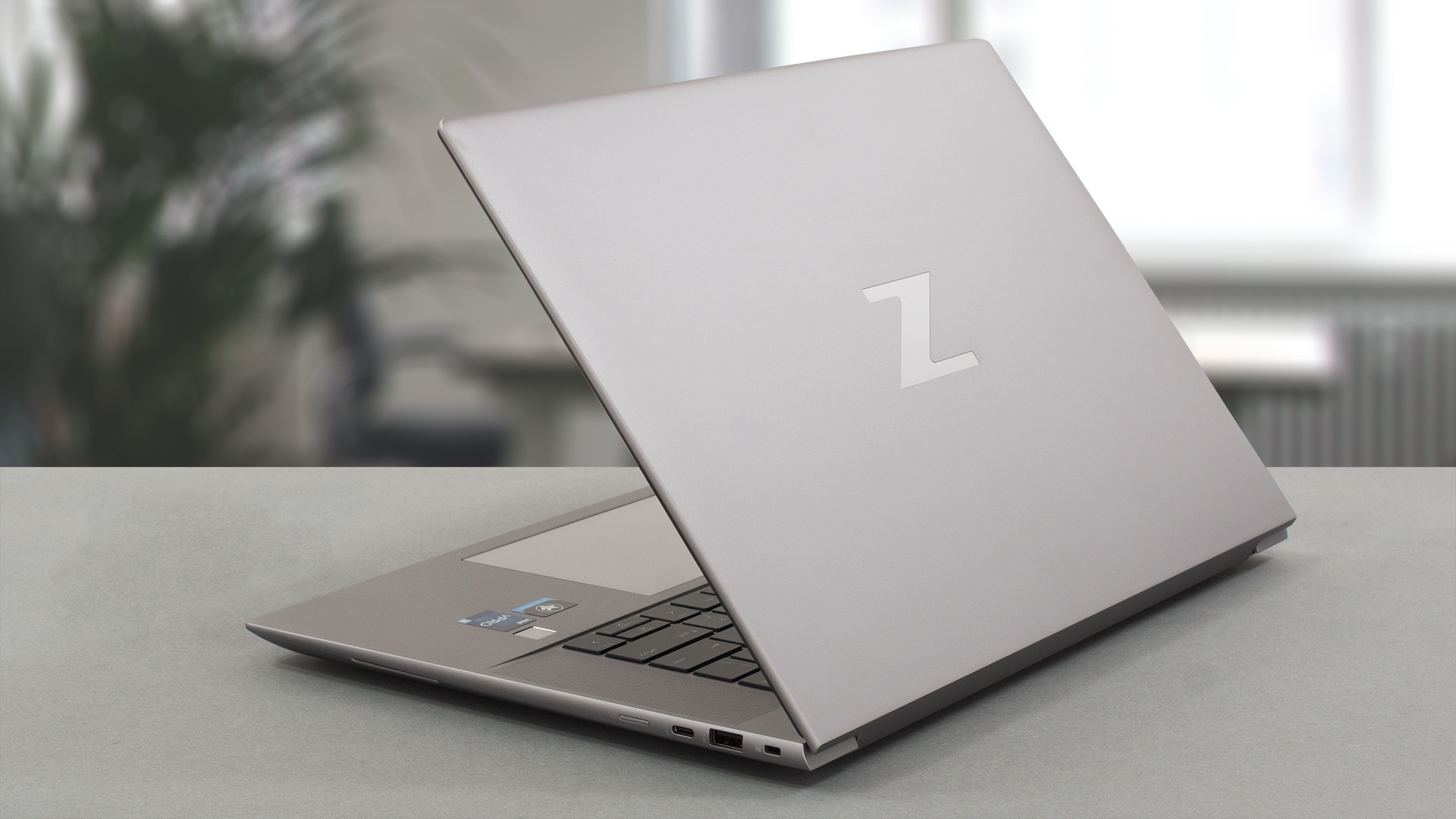
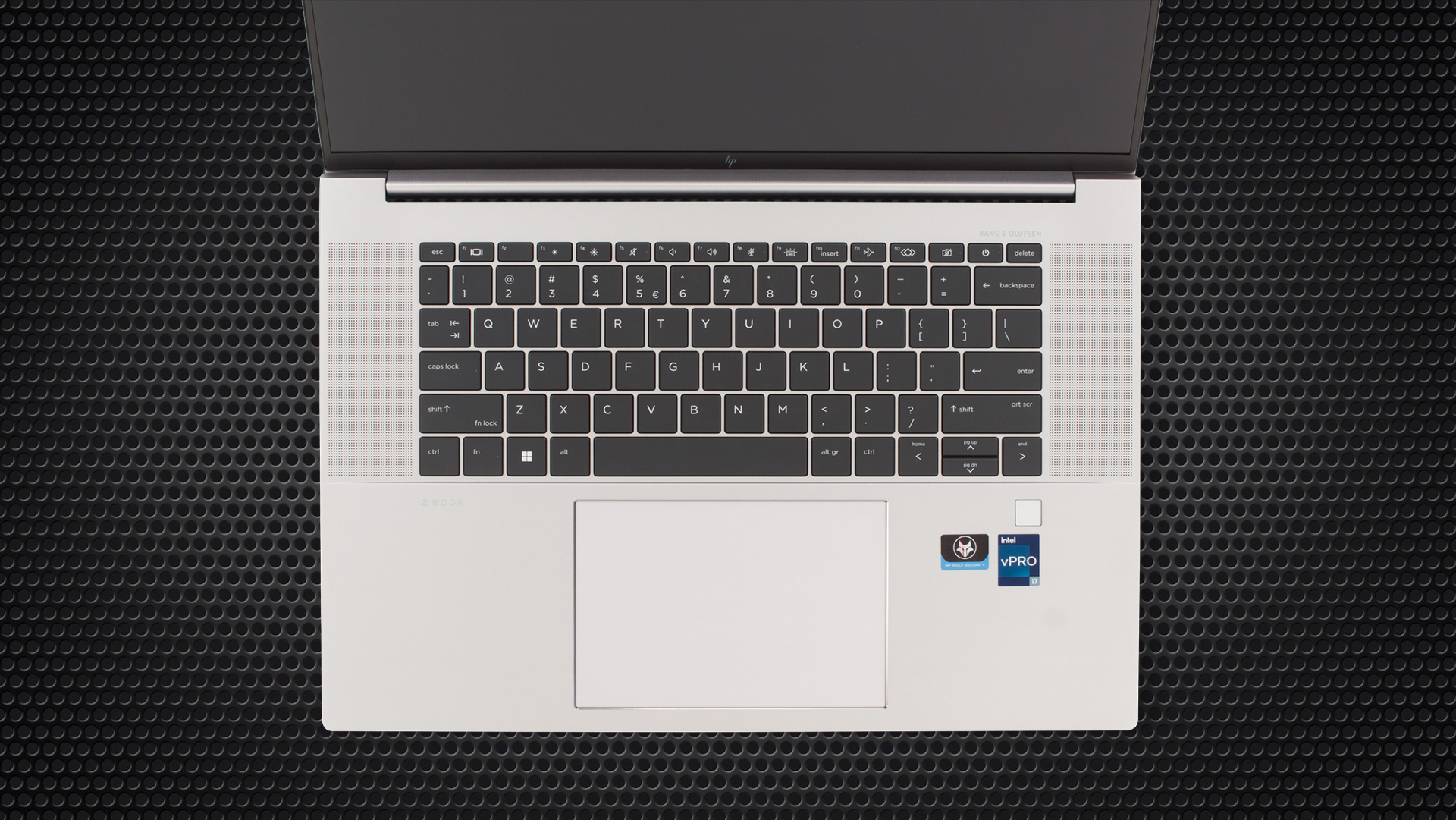
The lid doesn’t open with one hand, due to the round edges, but it still grips the ground and lifts the base, which gives extra air to the fans, along with a more comfortable angle for typing. The keyboard really makes this laptop look like a MacBook, with a different layout that HP dubs “Z Command Keyboard”. You get a per-key RGB backlight, while there is another option for a keyboard whatsoever, which is similar to other HP ZBooks. The touchpad is frighteningly large, with a glass surface, and it’s a treat to use. All in all, we like this aggressive, ruthless HP, which is trying every trick in the book to steal as many customers from other brands as possible.
2. Display quality
There are several display options, but we settled for an FHD+ IPS panel. It comes with excellent viewing angles, thin bezels, and a peak brightness of 438 nits. The contrast ratio isn’t the highest, but at 1380:1 it’s still okay. What’s better is the 99% sRGB coverage, which allows the device to be used for Creator work.

The accuracy is superb as well, but only if you apply our Design and Gaming profile or manage to calibrate the display by yourself, which if you want to do, more power to you. Applying our profile gives you a dE value of 1.4. Here are the test results with the factory settings (left) and with our profile applied (right).


Buy our profiles
Since our profiles are tailored for each individual display model, this article and its respective profile package are meant for HP ZBook Studio G9 configurations with 16.0″ AUOAB9B (WUXGA, 1920 x 1200) IPS.
*Should you have problems with downloading the purchased file, try using a different browser to open the link you’ll receive via e-mail. If the download target is a .php file instead of an archive, change the file extension to .zip or contact us at [email protected].
Read more about the profiles HERE.
Förutom att du får effektiva och hälsovänliga profiler, stöder du genom att köpa LaptopMedias produkter även utvecklingen av våra labb, där vi testar enheter för att kunna producera så objektiva recensioner som möjligt.

Kontorsarbete
Office Work bör främst användas av användare som tillbringar större delen av tiden med att titta på text, tabeller eller bara surfar. Denna profil syftar till att ge bättre tydlighet och skärpa genom att bibehålla en platt gammakurva (2.20), native färgtemperatur och perceptuellt korrekta färger.

Design och Spel
Denna profil riktar sig till designers som arbetar professionellt med färger, samt för spel och filmer. Design and Gaming tar skärmpanelerna till sina gränser och gör dem så exakta som möjligt i sRGB IEC61966-2-1-standarden för webb och HDTV, vid vitpunkt D65.

Health-Guard
Health-Guard eliminerar den skadliga pulsbreddsmoduleringen (PWM) och minskar det negativa blå ljuset som påverkar våra ögon och vår kropp. Eftersom den är skräddarsydd för varje panel lyckas den hålla färgerna perceptuellt korrekta. Health-Guard simulerar papper så att trycket på ögonen minskar avsevärt.
Få alla 3 profiler med 33% rabatt

3. Cooling
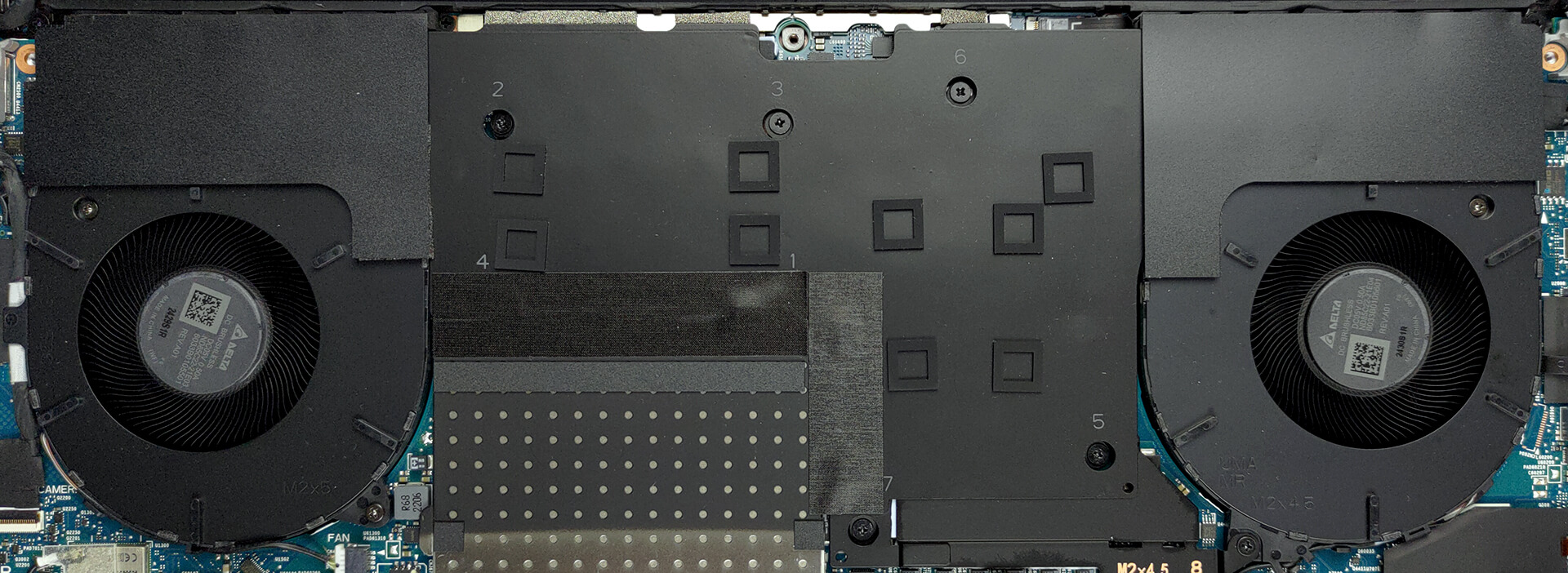
The Cooling setup here includes a massive vapor chamber that covers the Core i7-12800H and the RTX A3000. It uses two fans to drive cool air into the chamber.
Max CPU load
| Intel Core i7-12800H (45W TDP) | 0:02 – 0:10 sec | 0:15 – 0:30 sec | 10:00 – 15:00 min |
|---|---|---|---|
| HP ZBook Studio G9 | 3.15 GHz @ 2.72 GHz @ 83°C @ 88W | 2.93 GHz @ 2.59 GHz @ 85°C @ 76W | 2.69 GHz @ 2.42 GHz @ 78°C @ 62W |
Considering the form factor, the Core i7 inside does well, maintaining relatively high clock speeds and going way above the base 45W TDP.
Real-life Gaming
| NVIDIA RTX A3000 | GPU frequency/ Core temp (after 2 min) | GPU frequency/ Core temp (after 30 min) | GPU frequency/ Core temp (Max Fan) |
|---|---|---|---|
| HP ZBook Studio G9 | 1405 MHz @ 63°C @ 80W | 1404 MHz @ 64°C @ 80W | – |
| ASUS ProArt Studiobook 16 OLED (W7600) | 1578 MHz @ 78°C @ 103W | 1589 MHz @ 79°C @ 105W | – |
The GPU doesn’t do as well as the unit inside the ASUS ProArt Studiobook 16 OLED and looking at the stress test results, we’re sure that the vapor chamber can take a lot more.
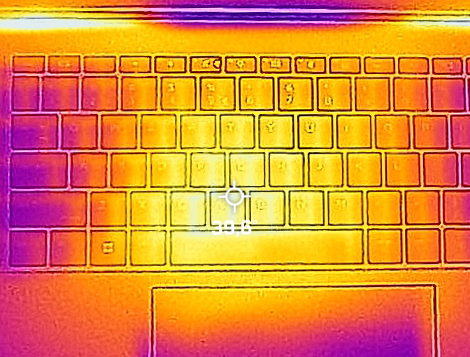
Comfort during full load
During the torture test, the fans did get a bit loud, but the keyboard didn’t heat up significantly, sitting right below 40°C.
4. I/O
Despite its small stature, the laptop carries two Thunderbolt 4 ports, an audio jack, one USB Type-C 3.2 (Gen. 2) port, one Type-A 3.2 (Gen. 1) port, and a MicroSD card slot.


1 reason NOT to buy the HP ZBook Studio G9
1. Operating system
The laptop comes with Windows 10 out of the box, along with a lot of software tweaks and apps from HP themselves. However, Alder Lake does best with Windows 11, which has a special scheduler that can properly allocate performance and efficiency cores between different tasks.
All HP ZBook Studio G9 configurations:
 Author: Severin Kolakov

![[Juni 2026] De mest sålda bärbara datormärkena på Amazon Global – Apples oöverträffade dominans i antal enheter och omsättning](https://laptopmedia.com/wp-content/uploads/2026/07/GLOBAL-Best-Brands-400x225.jpg)
![[Juni 2026] Amazon Global: De 10 mest sålda bärbara datorerna – Apples nya MacBook Neo stormar in på första plats och omformar marknaden med sitt överkomliga pris](https://laptopmedia.com/wp-content/uploads/2026/07/Best-Selling-Laptops-GLOBAL-Top-10-400x225.jpg)
![[Juni 2026] Amazon Global: De 10 mest sålda spelbärbara datorerna – Acers Nitro V 16S AI dominerar försäljningen, medan ASUS ligger i topp när det gäller den totala omsättningen](https://laptopmedia.com/wp-content/uploads/2026/07/Best-Selling-Gaming-Laptops-GLOBAL-Top-10-400x225.jpg)
![[Juni 2026] Global ranking över de mest sålda bärbara grafikkorten på Amazon – NVIDIA RTX 5060 är det mest sålda dedikerade grafikkortet](https://laptopmedia.com/wp-content/uploads/2026/07/Best-Selling-GPUs-GLOBAL-Top-10-400x225.jpg)
![[Juni 2026] Global ranking över de mest sålda bärbara datorprocessorerna på Amazon – Apple M5 dominerar, AMD Ryzen 7 260 tar en betydande andel i premiumsegmentet](https://laptopmedia.com/wp-content/uploads/2026/07/Best-Selling-CPUs-GLOBAL-Top-10-400x225.jpg)
