Inside ASUS ROG G501 – disassembly, internal photos and upgrade options

Maybe you’ve already read our detailed review of the new “Republic of Gamers” series G501, which in our opinion redefines the nature of gaming laptops thanks to its ultra-thin (20.6 mm) design, combined with high-performance components like Intel Core i7-4720HQ and NVIDIA GeForce GTX 960M. But how does it manage to cool these high-consumption components?
To find out, we’re going to tear apart the machine and we’ll show you the process, but before that, take a look at our “inside” video below.
Actually, disassembling G501 is pretty easy and you should start by…
Removing the back panel
To do this, you have to remove 10 Torx and 2 Philips screws. The latter are hidden under the upper rubber bumpers, which are glued to the bottom panel.

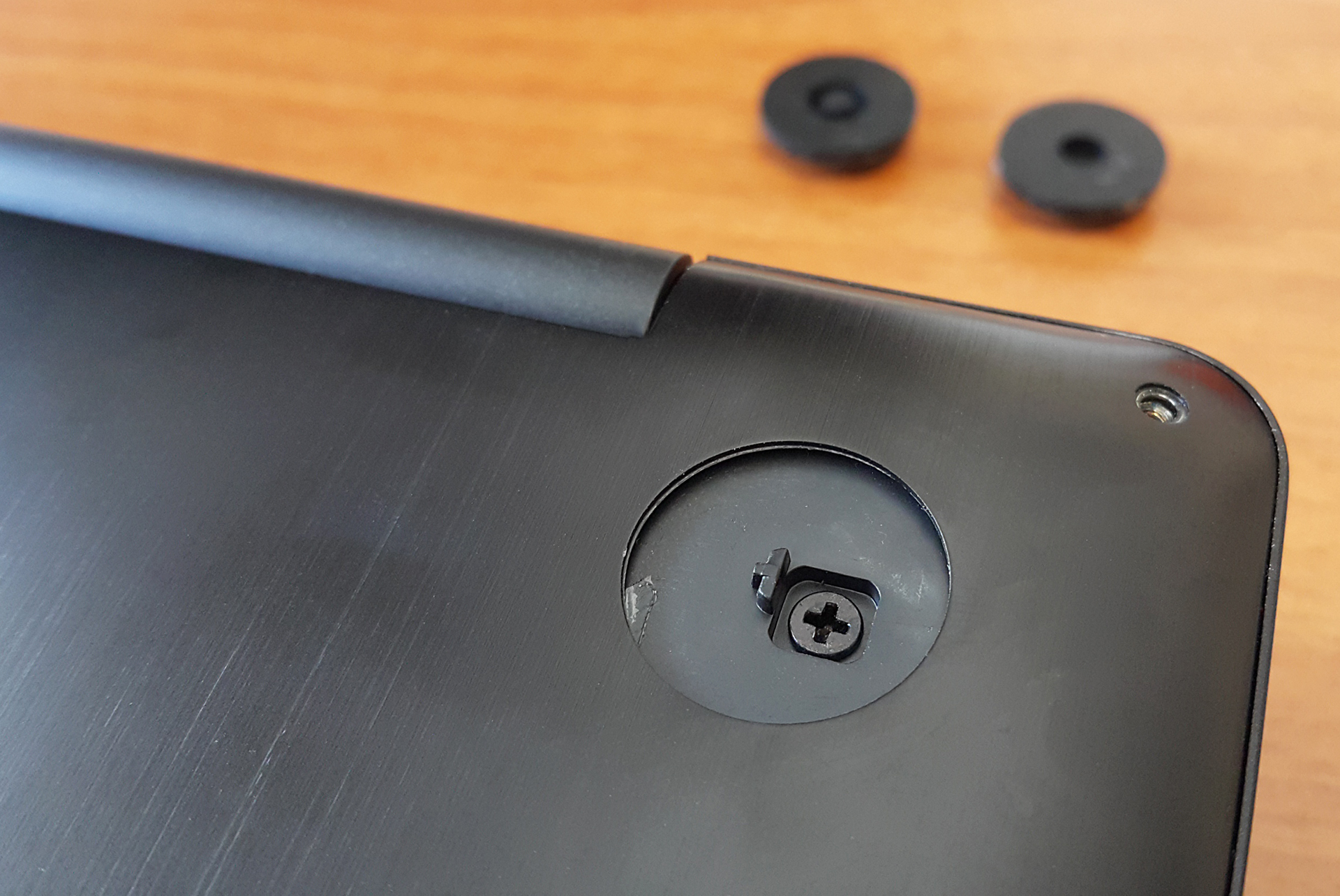
Now you can carefully remove the panel – don’t apply too much force because the aluminum isn’t very thick and if you need to, you can use some kind of pry tool (or credit card, for example).
HDD, M.2 SSD, Battery, Fans
Removing the panel gets you to everything you might need and the servicing is easy – the 2.5-inch SATA III slot, battery, Wi-Fi card, cooling system and even an M.2 slot for additional PCIe SSD.
G501 features a “Hyper Cool” cooling system with two independent fans and copper heat sinks for more efficient thermal management. Here you can read how it manages continuous 100% CPU + 100% GPU load.
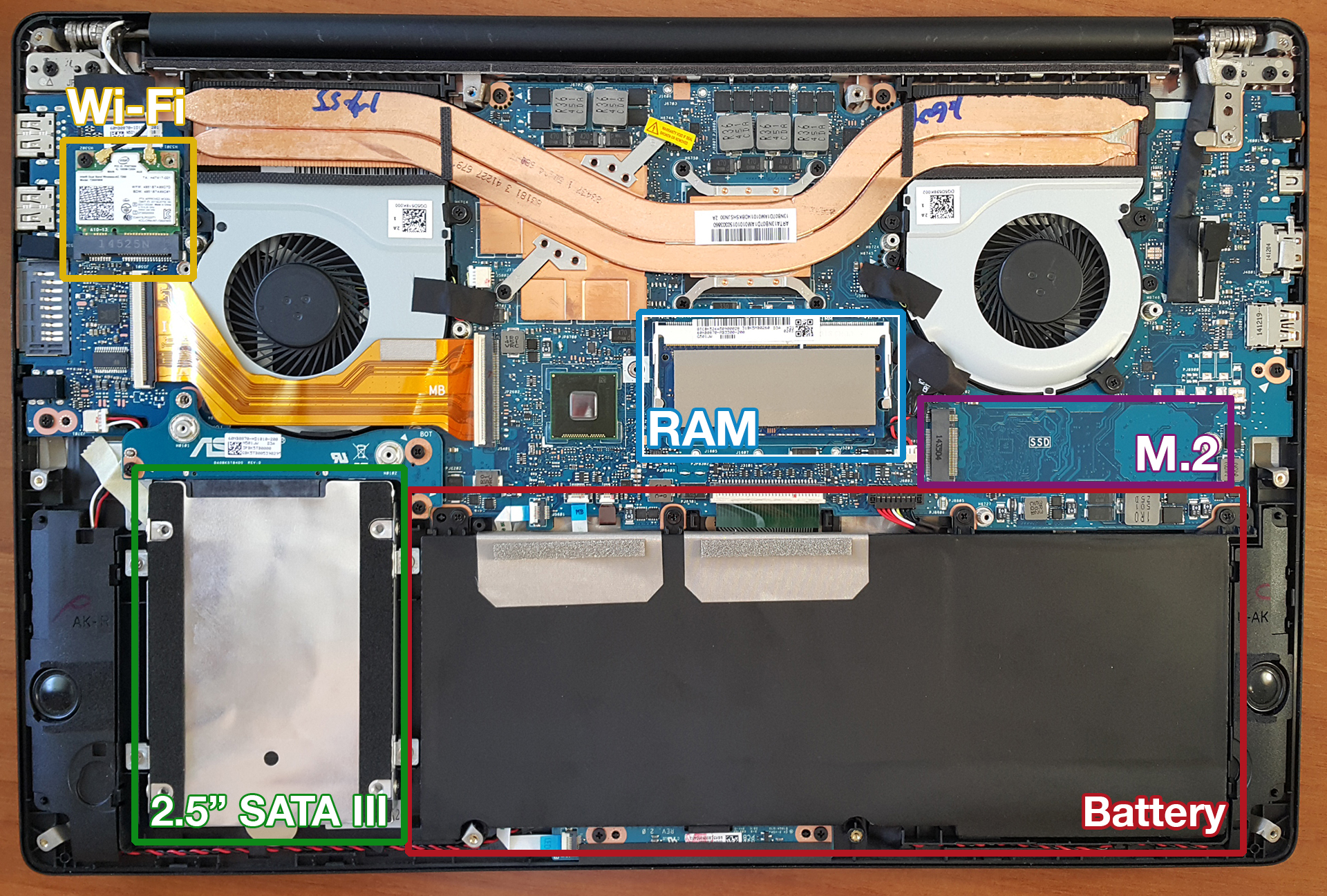
- The battery is C14N1416 (60 Wh / 3800 mAh, 15.2 V)
- The M.2 slot (in our case it’s not populated) is 2280-sized, PCIe 2.0 x4 with B&M key.
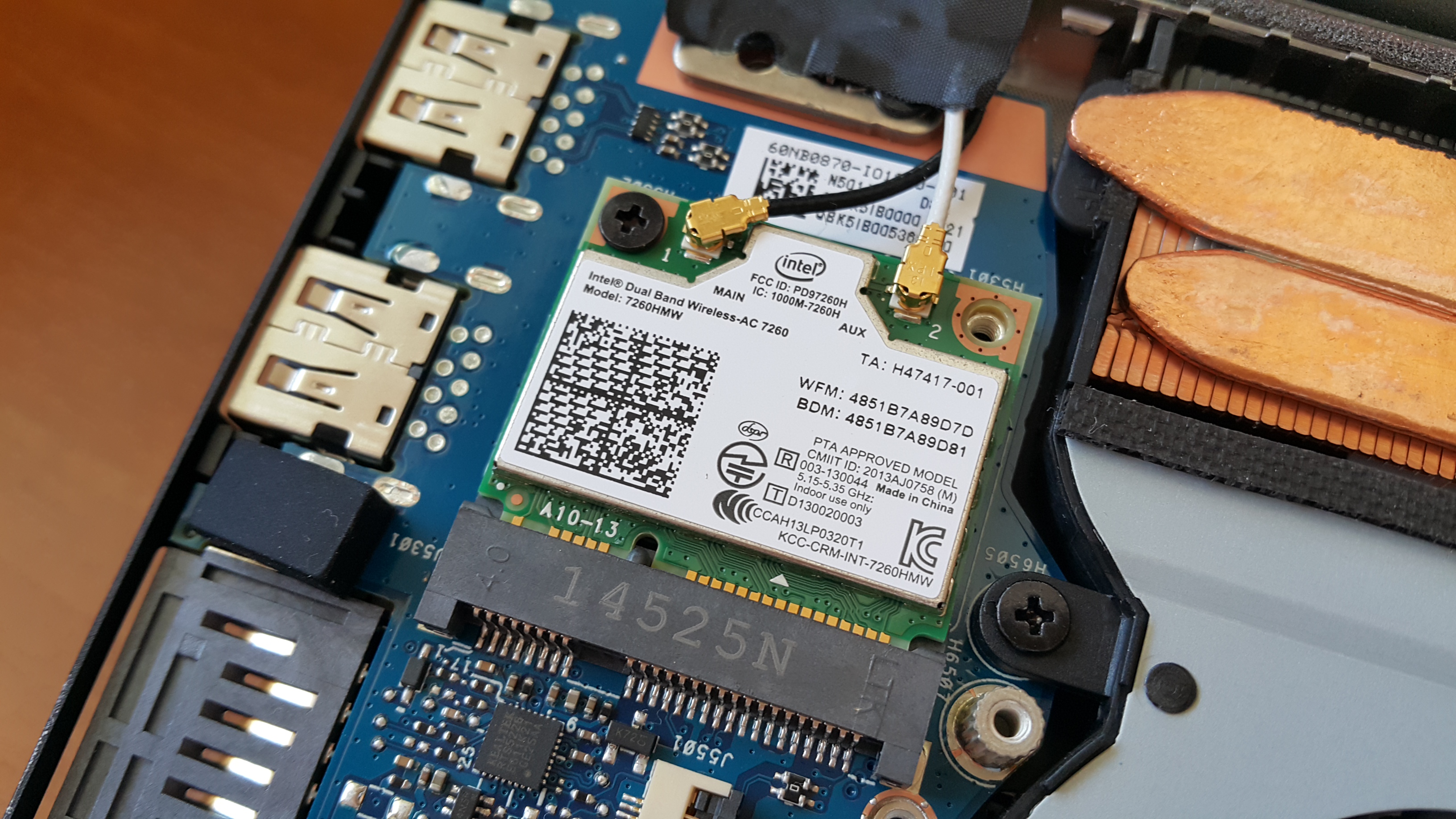
- The Wi-Fi card is Intel Dual-Band Wireless-AC 7260 HMW
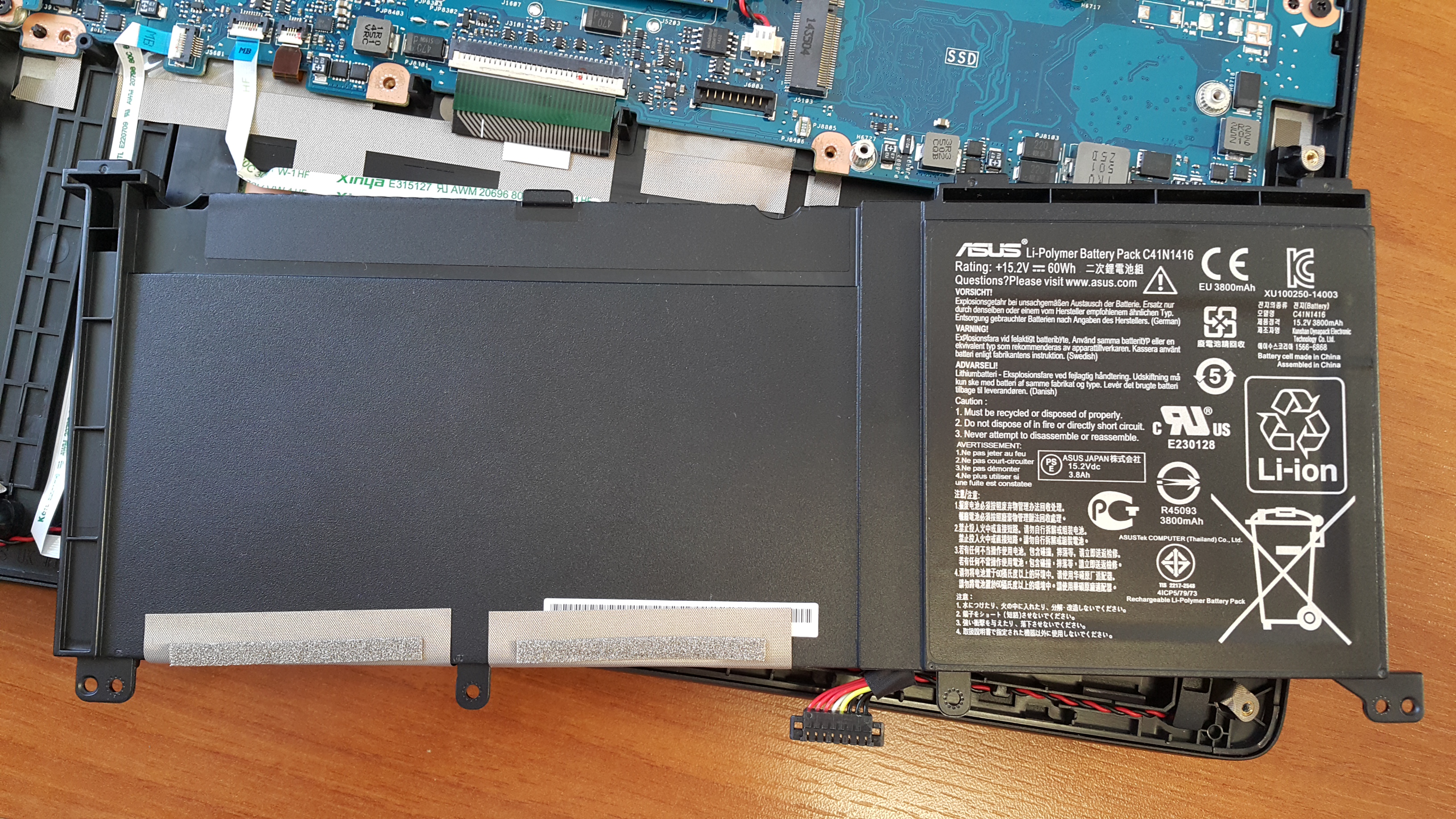
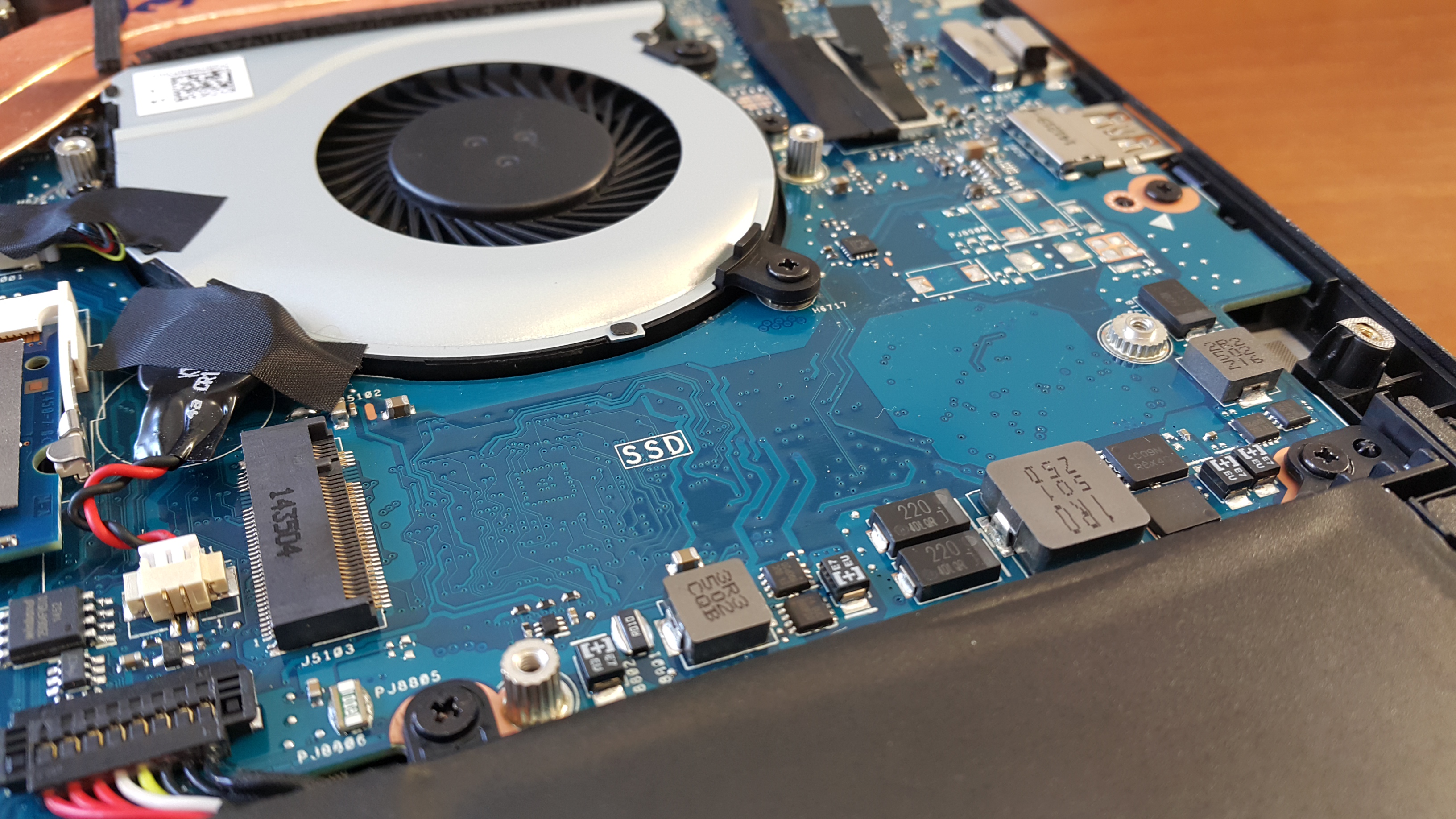
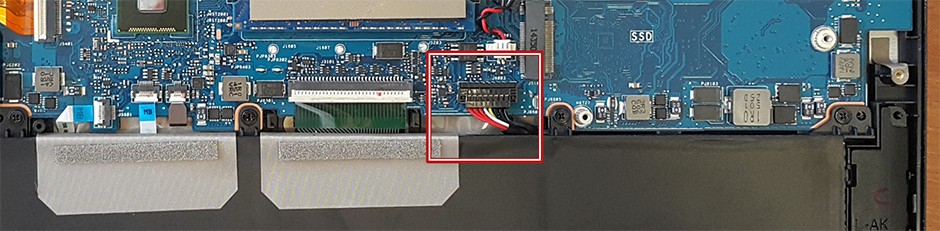
If you’re going to remove the motherboard or do any manipulation, be sure to disconnect the battery so you don’t accidentally turn on the system. It’s not a bad idea to remove the whole battery first (it’s held by 4 Philips screws), because its connector is pretty tight and could make a contact even when it’s unplugged.
Don’t forget to read our in-depth review of ASUS ROG G501:
http://laptopmedia.com/review/asus-rog-g501-review-the-new-standard-for-next-generation-gaming-laptops
 Author: Simeon NikolovEditor-in-Chief at LaptopMedia.com with 20+ years of experience in testing and analyzing laptops and mobile devices.

![[Juni 2026] De mest sålda bärbara datormärkena på Amazon Global – Apples oöverträffade dominans i antal enheter och omsättning](https://laptopmedia.com/wp-content/uploads/2026/07/GLOBAL-Best-Brands-400x225.jpg)
![[Juni 2026] Amazon Global: De 10 mest sålda bärbara datorerna – Apples nya MacBook Neo stormar in på första plats och omformar marknaden med sitt överkomliga pris](https://laptopmedia.com/wp-content/uploads/2026/07/Best-Selling-Laptops-GLOBAL-Top-10-400x225.jpg)
![[Juni 2026] Amazon Global: De 10 mest sålda spelbärbara datorerna – Acers Nitro V 16S AI dominerar försäljningen, medan ASUS ligger i topp när det gäller den totala omsättningen](https://laptopmedia.com/wp-content/uploads/2026/07/Best-Selling-Gaming-Laptops-GLOBAL-Top-10-400x225.jpg)
![[Juni 2026] Global ranking över de mest sålda bärbara grafikkorten på Amazon – NVIDIA RTX 5060 är det mest sålda dedikerade grafikkortet](https://laptopmedia.com/wp-content/uploads/2026/07/Best-Selling-GPUs-GLOBAL-Top-10-400x225.jpg)
![[Juni 2026] Global ranking över de mest sålda bärbara datorprocessorerna på Amazon – Apple M5 dominerar, AMD Ryzen 7 260 tar en betydande andel i premiumsegmentet](https://laptopmedia.com/wp-content/uploads/2026/07/Best-Selling-CPUs-GLOBAL-Top-10-400x225.jpg)

egpu support?
I stripped half of those torx screws. Should i drill them out or start looking for a new laptop.
Does anybody know the details of removing and replacing the keyboard, do i need to remove the whole contents of the laptop from the bottom to get to the keyboard, or can the keyboard be removed/replaced from the top?
I upgraded the 1 TB HDD to a 1 TB Samsung Evo 860 Evo SSD but laptop runs a little warmer now and fans are spinning more often. Speed is amazing though. I’m wondering, should I get a M.2 drive and keep the 1 TB HDD installed (and return the SSD)? Can anyone clarify if this accepts NVMe or only SATA?