Top 5 reasons to BUY or NOT to buy the Lenovo ThinkBook 14 Gen 2
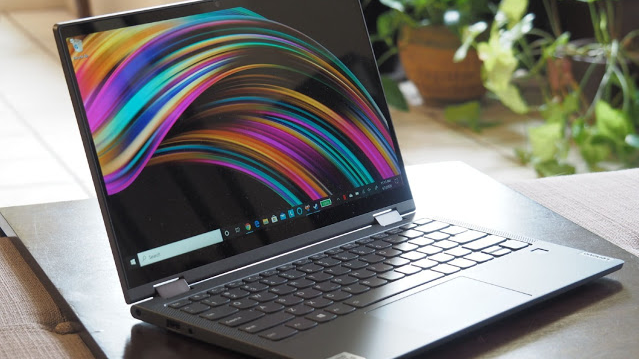 ThinkBook? What? We for sure are mistaken, right? Well, it turns out we are not, because such a name does exist. In fact, it comes from the same company that made a name for themselves with their ThinkPad series of laptops. You will ask yourself, why do we need another batch of business devices, when the ThinkPads were already great?
Well, the ThinkPads are amazing laptops, but their looks aren’t for everybody. That is why Lenovo has come up with the ThinkBook brand, which offers the same features and build quality that you would expect from a laptop with Think in its name while making leaps in the design department. Powered by Tiger Lake and offering a multitude of features, this laptop will be a mainstay in 2021.
Without wasting any more time, here are LaptopMedia’s top 5 picks about the Lenovo ThinkBook 14 Gen 2.
Lenovo ThinkBook 14 Gen 2: Full Specs / In-depth Review
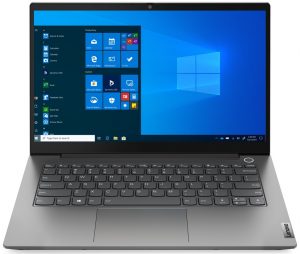
4 reasons to BUY the Lenovo ThinkBook 14 Gen 2
1. Design and build quality
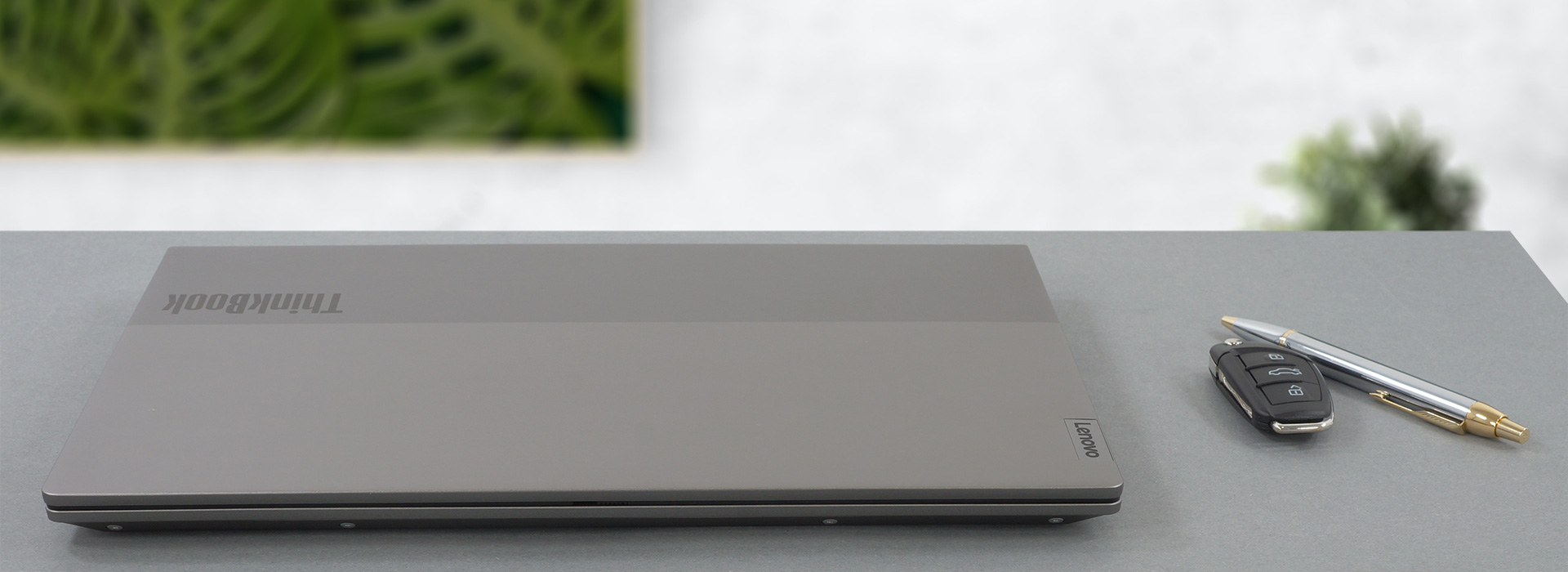
For the body of the laptop, Lenovo has chosen aluminum, which is both light and durable. There were no flexes to be seen when using the device. With a weight of 1.40 kg and a height of around 18mm, it isn’t the most portable device out there, but it isn’t a slouch either. You can comfortably carry it around, without much strain. The design is a big improvement over the ThinkPads, with the metallic finish looking amazing and the subtle Lenovo and ThinkBook branding. Furthermore, the lid, which is difficult to open with a single hand and suffers from some minor flex, has a cool two-tone grey finish, which spices up the looks even further.
2. Upgradeability
The laptop offers a good level of upgradability, with one SODIMM slot for RAM expansion and two M.2 PCIe x4 drives. Yes, half of the RAM is soldered, but we have to get used to it by now because it seems like that trend isn’t going anywhere. The SODIMM slot supports up to 32GB of RAM and one of the M.2 drives supports PCIe 4.0 while the other is “limited” to PCIe 3.0 drives.
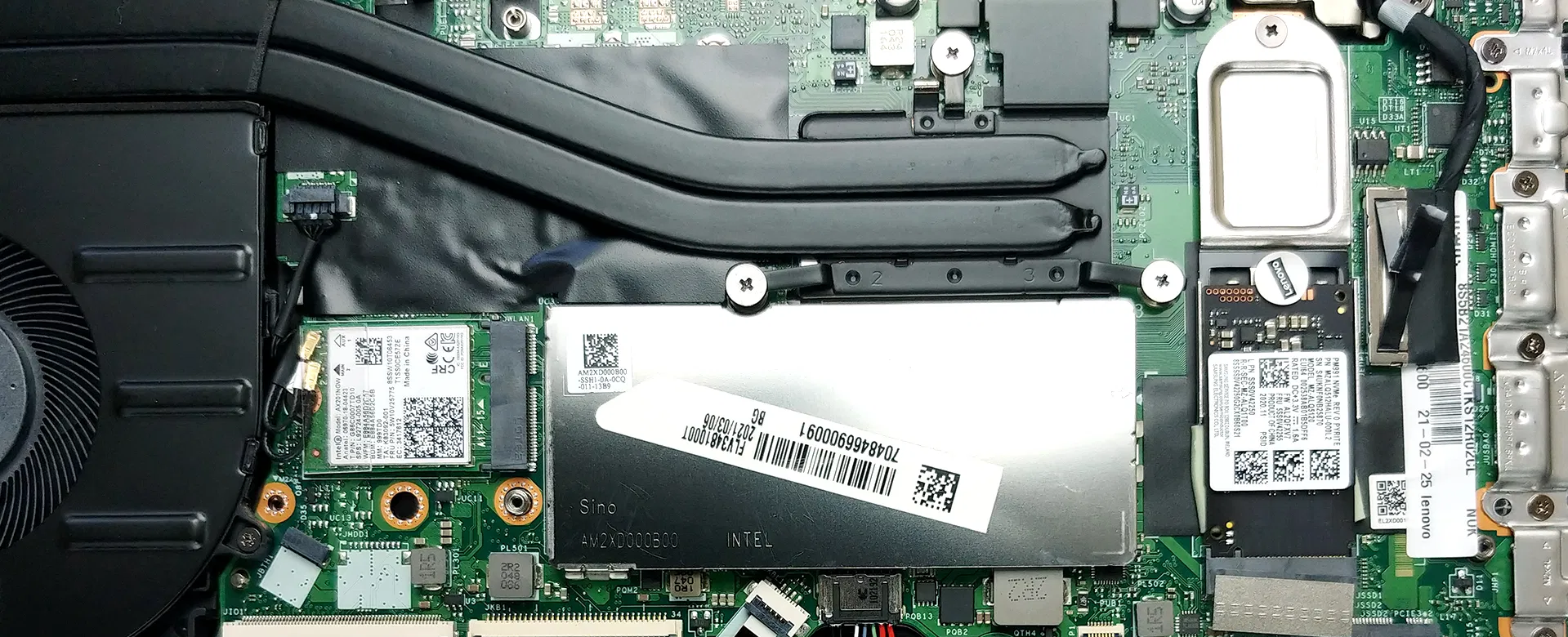
The teardown procedure is pretty straightforward. You remove the 10 Phillips-head screws and pop the bottom panel with a pry tool (we recommend plastic, so you don’t scratch the aluminum). Just in case we will leave our teardown video, which shows you the exact steps.
3. I/O and features
The I/O on the laptop is as stacked as it can get with only the left side having two USB Type-C ports, one of which has Thunderbolt 4 support, in addition to an HDMI connector, a USB Type-A 3.2 Gen.1, and a 3.5mm audio jack. Moving over to the other side, you get an RJ-45 connector, a security lock slot, one more USB Type-A port, and an SD card reader.


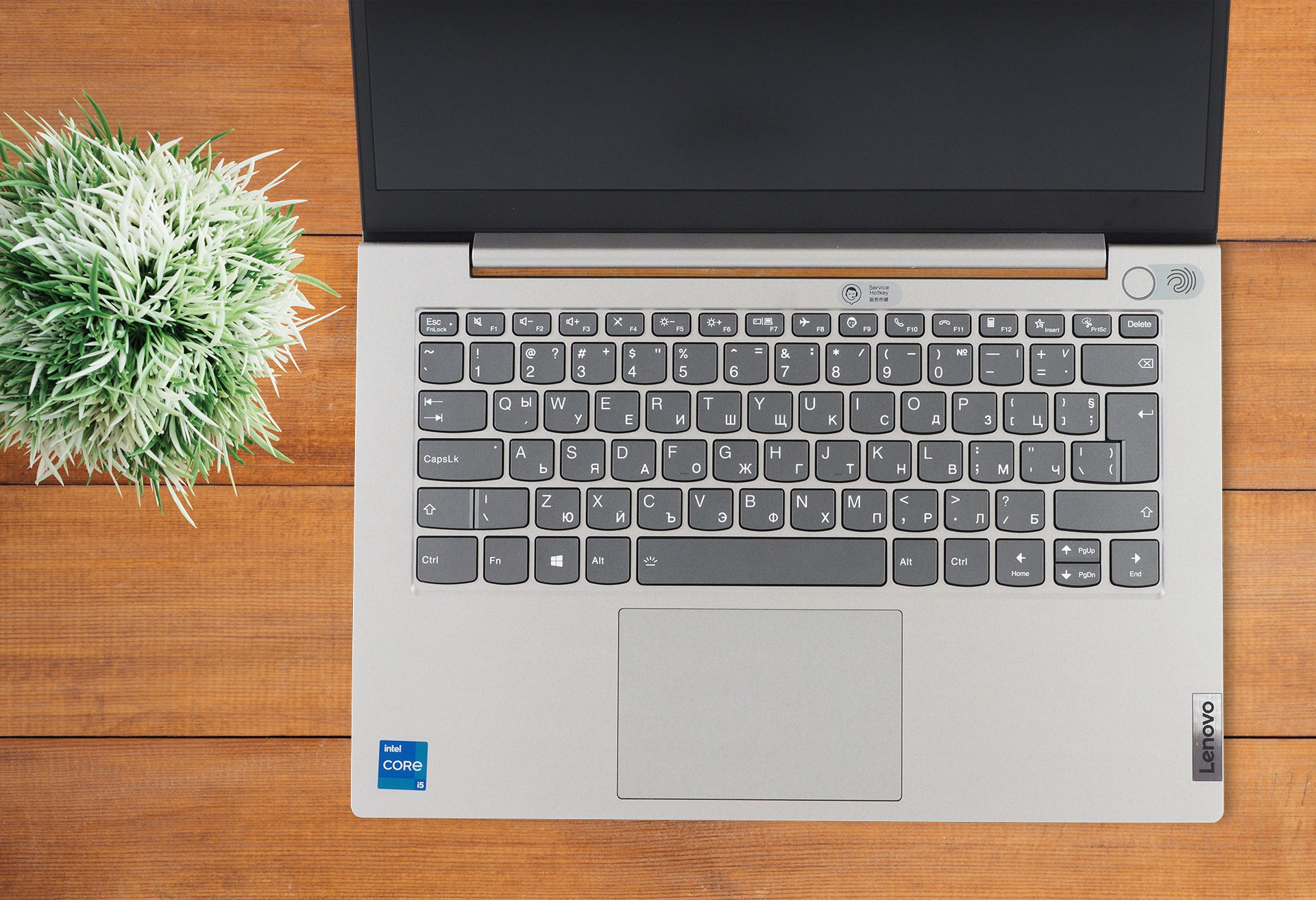
Features-wise, the laptop doesn’t disappoint, as it gets a backlit keyboard, which is also spill-resistant. The keyboard, even without the aforementioned bonuses has clicky feedback and nice long key travel, making for an amazing typing experience. The touchpad is also great, with a glossy cover, which makes gliding and tracking smooth and effortless. Furthermore, the laptop supports Wi-Fi 6 and Bluetooth 5 as well as having a fingerprint reader, embedded into the power button.
4. Display
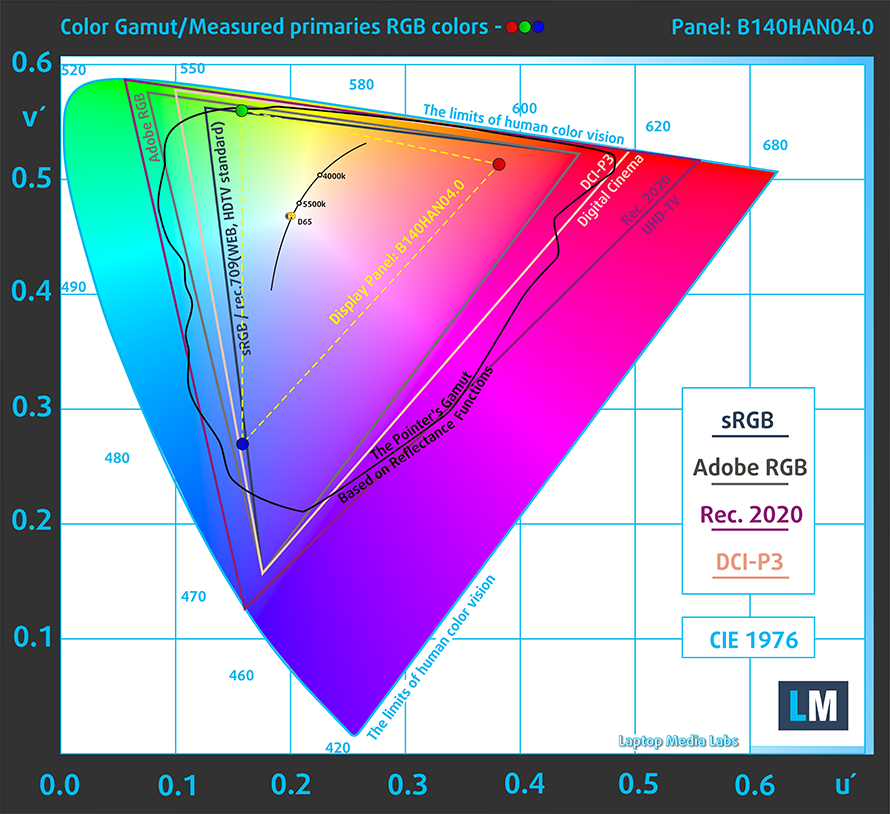
The base display has a TN panel and shouldn’t even be considered, in our opinion. The other panel is an IPS one and has a size of 14-inches and comes in a Full HD resolution. It has comfortable viewing angles, a maximum brightness of 271 nits with a maximum deviation of 9%, and a pretty good contrast ratio of 1230:1. Furthermore, it doesn’t use PWM to adjust its brightness at any level, making it safe for prolonged use. The color coverage sits at 51% of the sRGB color gamut, which isn’t good enough for artists, but for an aspiring amateur, anything will do the job.
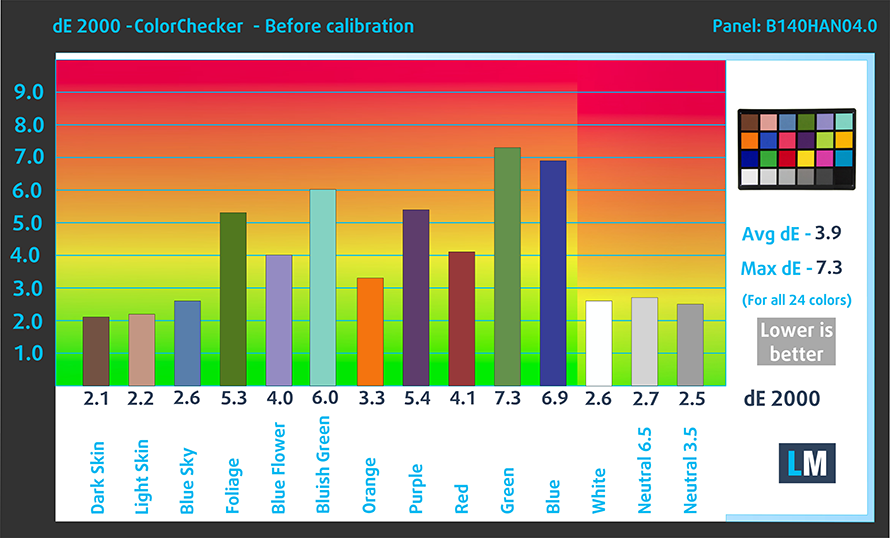
The color accuracy isn’t something to write home about either as even our Design and Gaming profile couldn’t get a dE value that is within the standard. You can see the results of the color accuracy test with both the factory settings (left) and with our Design and Gaming profile applied (right).

Buy our profiles
Since our profiles are tailored for each display model, this article and its respective profile package are meant for Lenovo ThinkBook 14 Gen 2 configurations with 14.0″ AUO B140HAN04.0 (AUO403D) (FHD, 1920 × 1080) IPS panel.
*Should you have problems with downloading the purchased file, try using a different browser to open the link you’ll receive via e-mail. If the download target is a .php file instead of an archive, change the file extension to .zip or contact us at [email protected].
Read more about the profiles HERE.
Förutom att du får effektiva och hälsovänliga profiler, stöder du genom att köpa LaptopMedias produkter även utvecklingen av våra labb, där vi testar enheter för att kunna producera så objektiva recensioner som möjligt.

Kontorsarbete
Office Work bör främst användas av användare som tillbringar större delen av tiden med att titta på text, tabeller eller bara surfar. Denna profil syftar till att ge bättre tydlighet och skärpa genom att bibehålla en platt gammakurva (2.20), native färgtemperatur och perceptuellt korrekta färger.

Design och Spel
Denna profil riktar sig till designers som arbetar professionellt med färger, samt för spel och filmer. Design and Gaming tar skärmpanelerna till sina gränser och gör dem så exakta som möjligt i sRGB IEC61966-2-1-standarden för webb och HDTV, vid vitpunkt D65.

Health-Guard
Health-Guard eliminerar den skadliga pulsbreddsmoduleringen (PWM) och minskar det negativa blå ljuset som påverkar våra ögon och vår kropp. Eftersom den är skräddarsydd för varje panel lyckas den hålla färgerna perceptuellt korrekta. Health-Guard simulerar papper så att trycket på ögonen minskar avsevärt.
Få alla 3 profiler med 33% rabatt

1 reason NOT to buy the Lenovo ThinkBook 14 Gen 2
1. Battery life
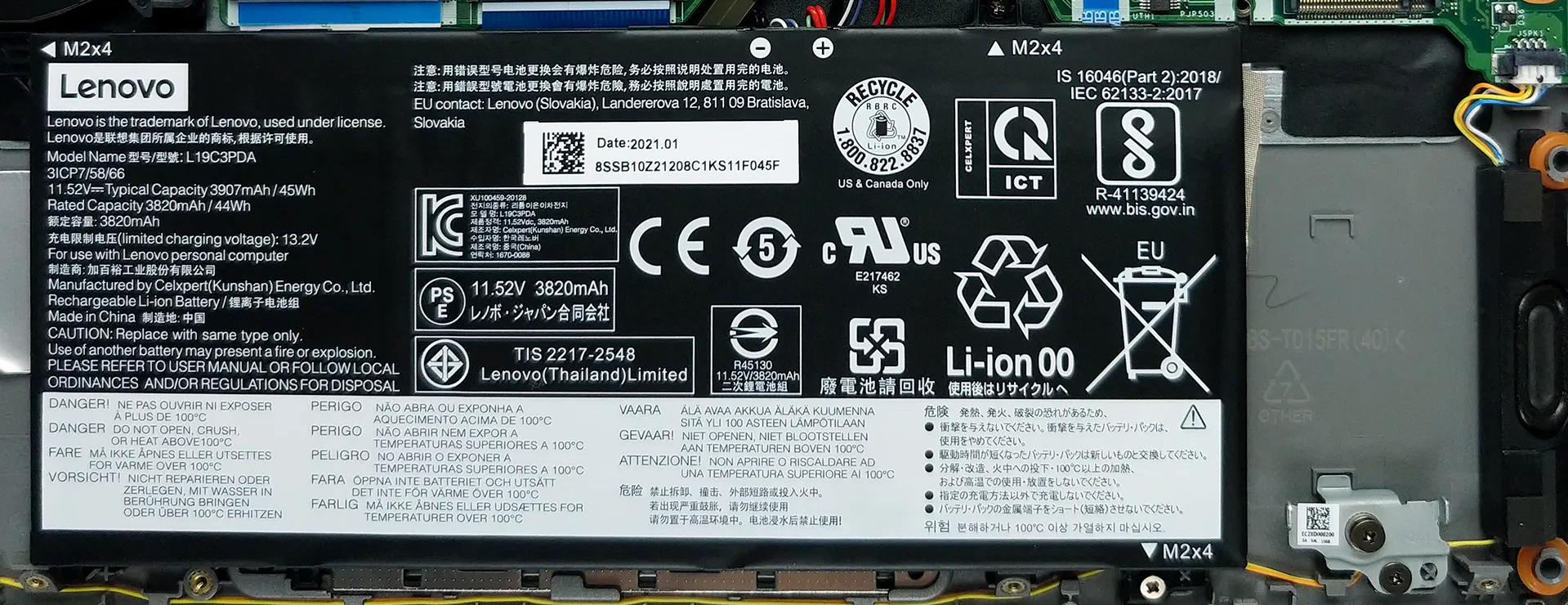
As with all of our battery tests, we turn the Windows Better Performance setting on, adjust the brightness to 120 nits and close all other apps, except for the one that we are testing the notebook with. The laptop’s 45Wh battery unit managed to endure through 7 hours and 26 minutes of Web browsing and 6 hours and 23 minutes of video playback. Now, there is an option for a bigger 60Wh battery which we would recommend. Sadly we haven’t tested that one, but we would expect a much better battery life from it.
All Lenovo ThinkBook 14 Gen 2 configurations:
 Author: Severin Kolakov

![[Juni 2026] De mest sålda bärbara datormärkena på Amazon Global – Apples oöverträffade dominans i antal enheter och omsättning](https://laptopmedia.com/wp-content/uploads/2026/07/GLOBAL-Best-Brands-400x225.jpg)
![[Juni 2026] Amazon Global: De 10 mest sålda bärbara datorerna – Apples nya MacBook Neo stormar in på första plats och omformar marknaden med sitt överkomliga pris](https://laptopmedia.com/wp-content/uploads/2026/07/Best-Selling-Laptops-GLOBAL-Top-10-400x225.jpg)
![[Juni 2026] Amazon Global: De 10 mest sålda spelbärbara datorerna – Acers Nitro V 16S AI dominerar försäljningen, medan ASUS ligger i topp när det gäller den totala omsättningen](https://laptopmedia.com/wp-content/uploads/2026/07/Best-Selling-Gaming-Laptops-GLOBAL-Top-10-400x225.jpg)
![[Juni 2026] Global ranking över de mest sålda bärbara grafikkorten på Amazon – NVIDIA RTX 5060 är det mest sålda dedikerade grafikkortet](https://laptopmedia.com/wp-content/uploads/2026/07/Best-Selling-GPUs-GLOBAL-Top-10-400x225.jpg)
![[Juni 2026] Global ranking över de mest sålda bärbara datorprocessorerna på Amazon – Apple M5 dominerar, AMD Ryzen 7 260 tar en betydande andel i premiumsegmentet](https://laptopmedia.com/wp-content/uploads/2026/07/Best-Selling-CPUs-GLOBAL-Top-10-400x225.jpg)
