Top 5 reasons to BUY or NOT to buy the Lenovo ThinkPad X13 Yoga
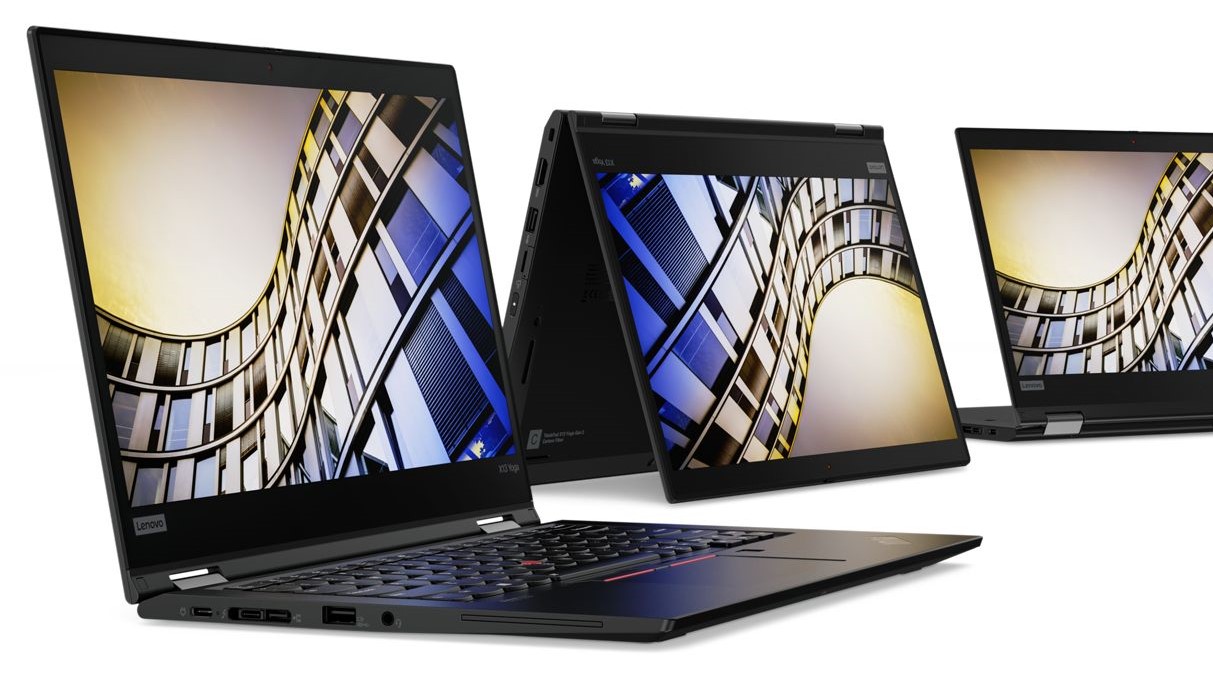 ThinkPad has been one of the most popular business laptop brands in the world, offering supreme build quality that is paired up with great performance.
The Lenovo ThinkPad X13 Yoga, while not being Lenovo’s flagship still has that flagship price tag and brings premium features to the table. The device is also versatile enough to be used for professional work, due to its display.
Today we are presenting you our Top 5 picks about the Lenovo ThinkPad X13 Yoga.
Here you can read our in-depth review of the Lenovo ThinkPad X13 Yoga: https://laptopmedia.com/review/lenovo-thinkpad-x13-yoga-review-a-business-laptop-with-accurate-colors-and-a-lot-of-ports/
Here you can check the current prices and configurations of the Lenovo ThinkPad X13 Yoga: https://laptopmedia.com/series/lenovo-thinkpad-x13-yoga-gen-1/
4 reasons to BUY the Lenovo ThinkPad X13 Yoga
1. The Design and build quality
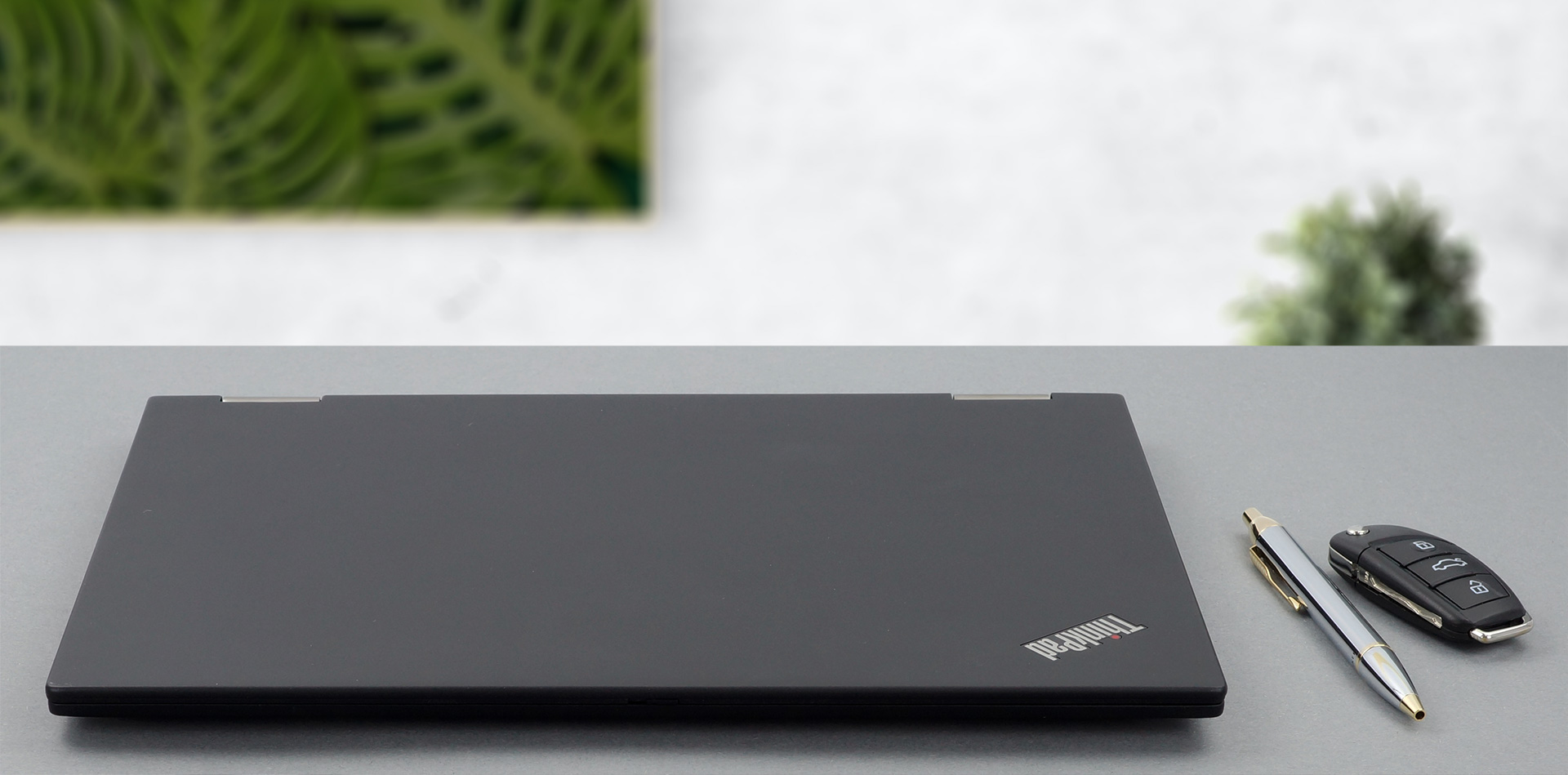
As this laptop is on the more premium side, we expect, and we get premium materials and great build quality. The device has a very slim profile of 15.9mm and weighs only 1.25 kg, due to its complicated build. The chassis is made out of magnesium alloy, making the laptop a lot tougher than its weight would suggest. As for the other parts of the body, such as the lid and the bottom panel, they are built off Carbon fiber hybrid polymer plus 55% glass fiber content.
2. The Display
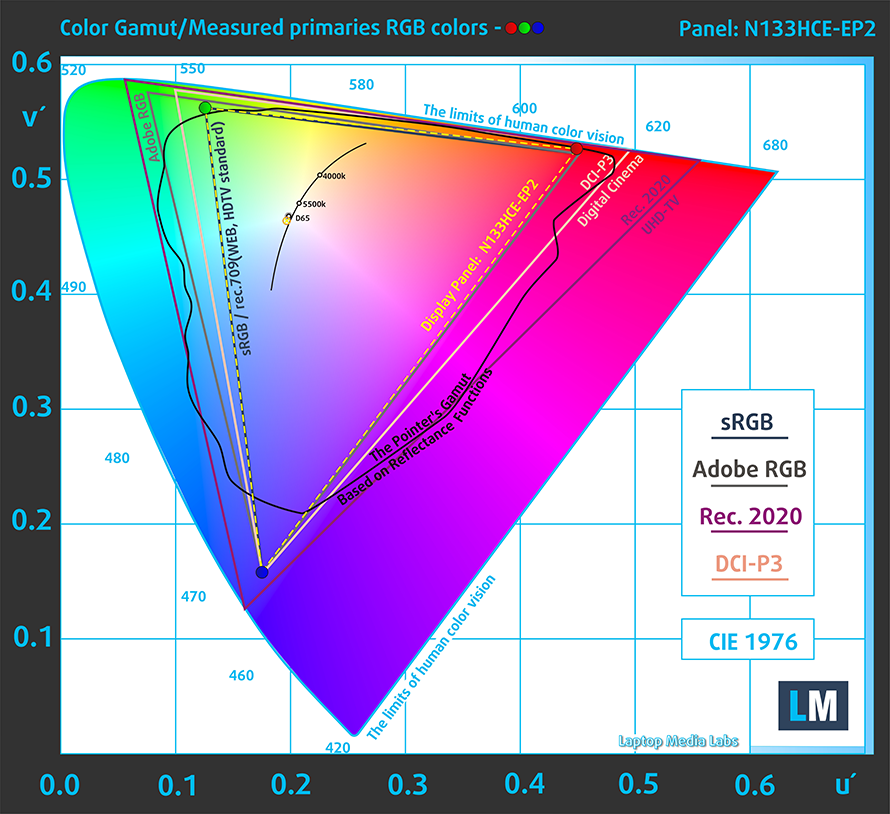
Moving over to the display, the Full HD IPS panel of the Lenovo ThinkPad X13 Yoga has comfortable viewing angles and a good contrast ratio. Moreover, it covers 98% of the sRGB color gamut and its backlight remains flicker-free above 78 nits.
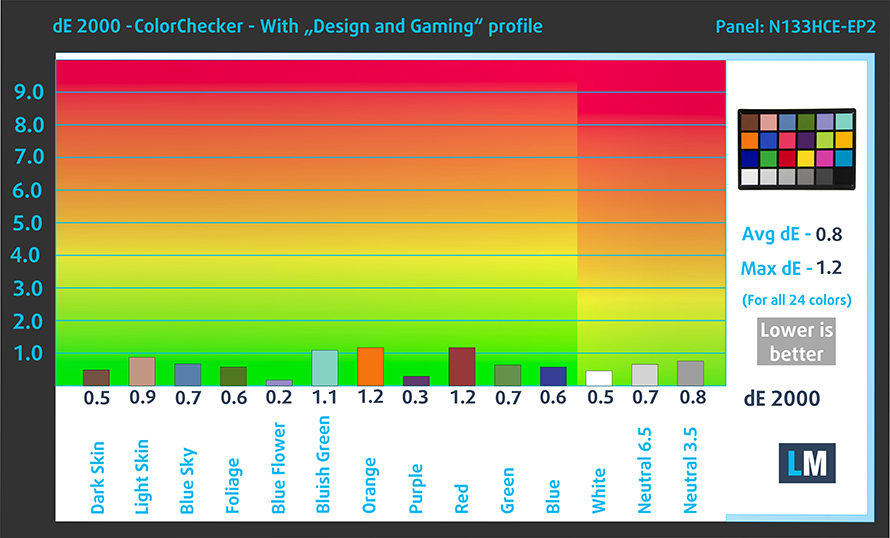
Continuing with the color accuracy of the display, we tested it using the 24 most commonly used colors. We have the results below, both with factory settings (left) and with our Gaming and Web design profile applied (right).
With an average dE value of 0.8, which puts the display within the standard, the laptop can for sure be used for professional and creative work, such as design, video editing, and e-commerce.

Buy our profiles
Since our profiles are tailored for each individual display model, this article and its respective profile package are meant for Lenovo ThinkPad X13 Yoga configurations with 13.3″ Innolux N133HCE-EP2 (FHD, 1920 × 1080) IPS panel.
*Should you have problems with downloading the purchased file, try using a different browser to open the link you’ll receive via e-mail. If the download target is a .php file instead of an archive, change the file extension to .zip or contact us at [email protected].
Read more about the profiles HERE.
Förutom att du får effektiva och hälsovänliga profiler, stöder du genom att köpa LaptopMedias produkter även utvecklingen av våra labb, där vi testar enheter för att kunna producera så objektiva recensioner som möjligt.

Kontorsarbete
Office Work bör främst användas av användare som tillbringar större delen av tiden med att titta på text, tabeller eller bara surfar. Denna profil syftar till att ge bättre tydlighet och skärpa genom att bibehålla en platt gammakurva (2.20), native färgtemperatur och perceptuellt korrekta färger.

Design och Spel
Denna profil riktar sig till designers som arbetar professionellt med färger, samt för spel och filmer. Design and Gaming tar skärmpanelerna till sina gränser och gör dem så exakta som möjligt i sRGB IEC61966-2-1-standarden för webb och HDTV, vid vitpunkt D65.

Health-Guard
Health-Guard eliminerar den skadliga pulsbreddsmoduleringen (PWM) och minskar det negativa blå ljuset som påverkar våra ögon och vår kropp. Eftersom den är skräddarsydd för varje panel lyckas den hålla färgerna perceptuellt korrekta. Health-Guard simulerar papper så att trycket på ögonen minskar avsevärt.
Få alla 3 profiler med 33% rabatt

3. The Battery life
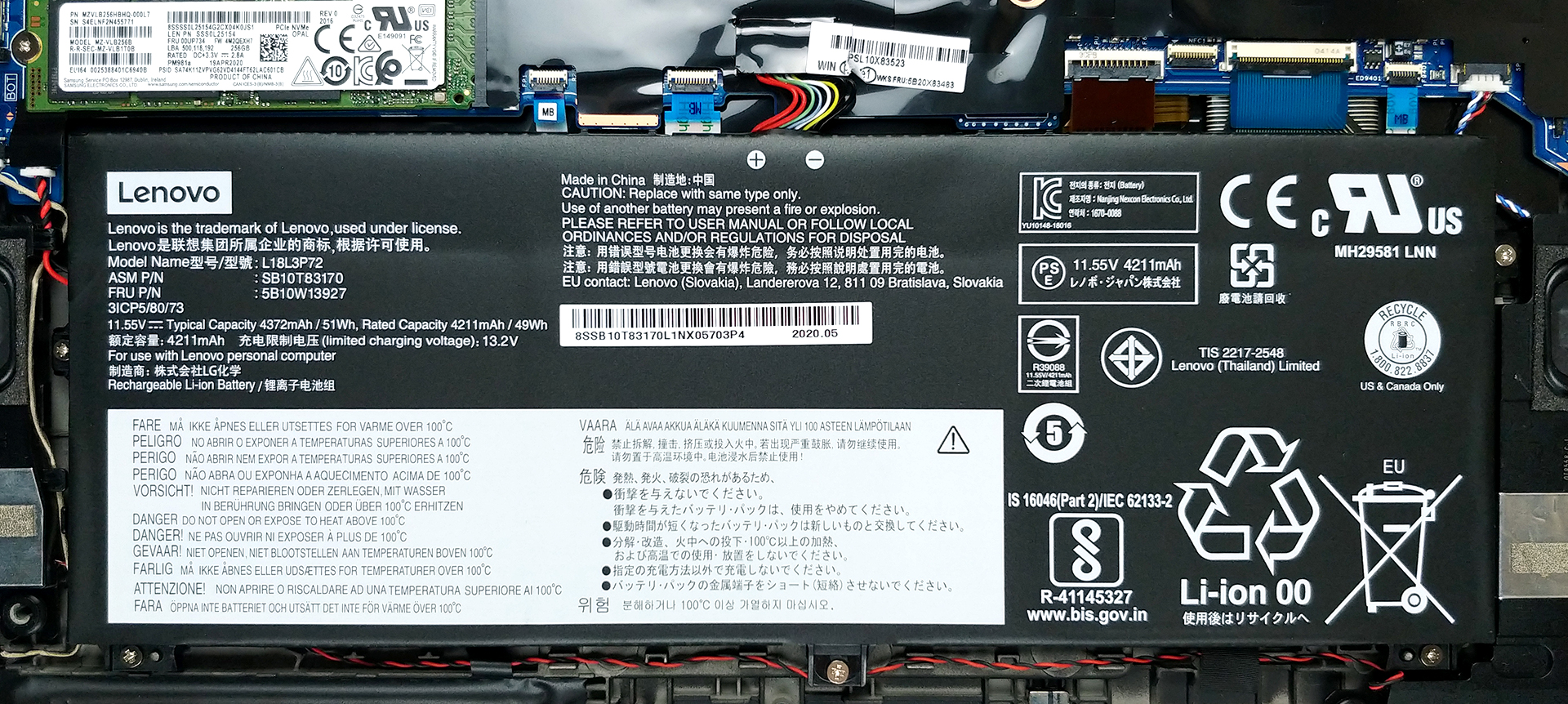
Continuing on with the battery life, the laptop’s relatively small 51Wh unit produced great results. The device lasted through 11 hours and 40 minutes of Web browsing and 11 hours and 29 minutes of video playback in our battery life test. The way we measure the battery life is with the Windows Better performance setting turned on, screen brightness adjusted to 120 nits, and all other programs turned off except for the one we are testing the notebook with. This ensures that the laptop can last you through a whole day of work, without needing a charger.
4. The Features
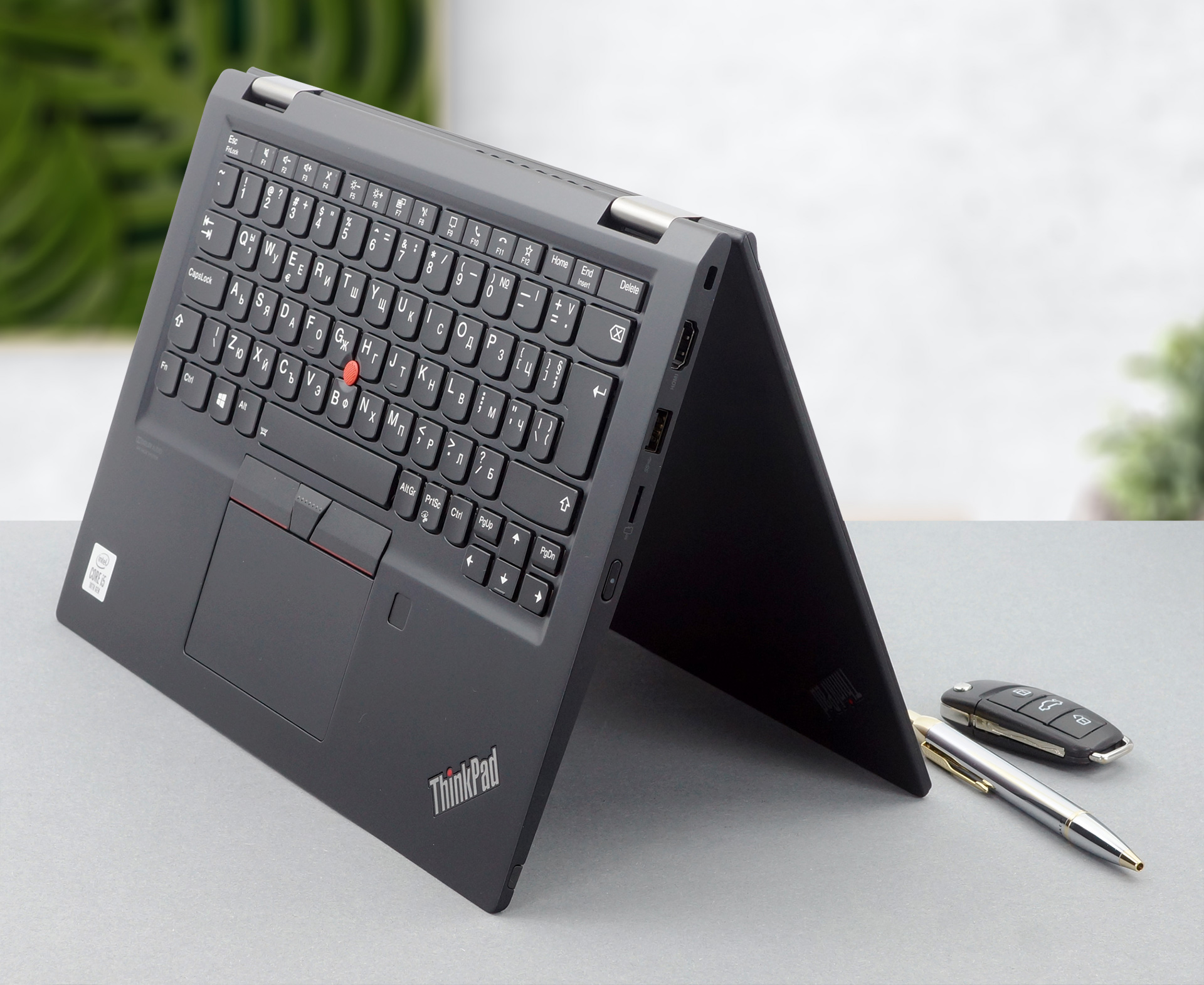
As with any other premium device, this one doesn’t skip out on features. The I/O, which is some of the best that we have seen, includes a Thunderbolt 3 connector and a MicroSD card reader. The device comes with a stylus pen included in the box, which when paired with the 360-degree hinge, makes it a very versatile creative tool. The added dual-biometric authentication, thanks to the fingerprint reader and the IR face recognition sensor, makes the convertible, a very secure one.
1 reason NOT to buy the Lenovo ThinkPad X13 Yoga
1. The Upgradability
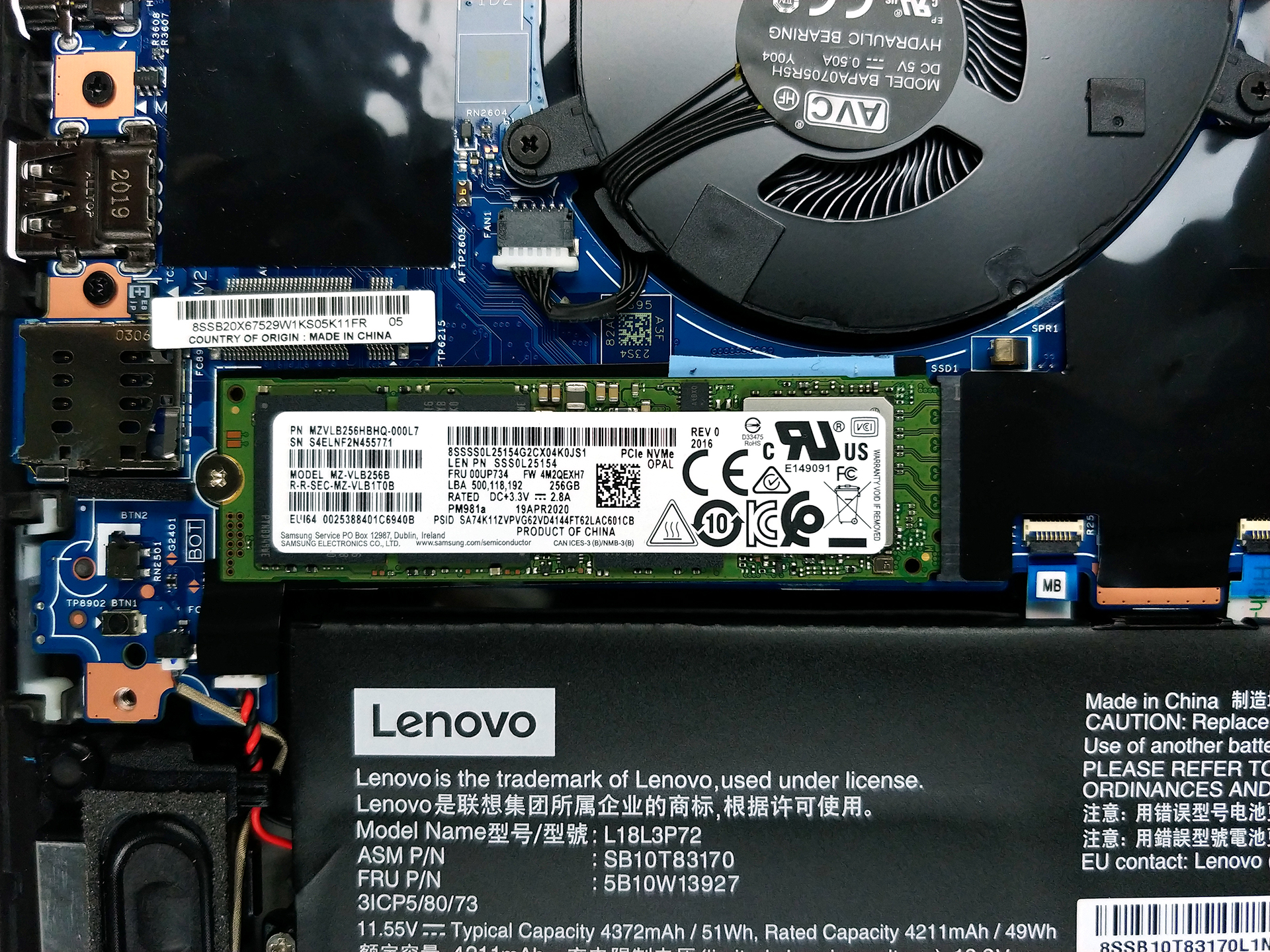
As no device is perfect, we have to tell you what isn’t great about this one either, which is the upgradability. Once you remove the 8 Phillips head screws and pop the bottom panel, you can access the internals, and here you see the soldered RAM, which means that you are stuck with either 8GB or 16GB. Not all is lost though, as there is one M.2 PCIe x4 drive, for future storage expansion.
If you are afraid or it is your first time opening a laptop, we have a detailed teardown video which you can check out below.
 Author: Severin Kolakov

![[Juni 2026] De mest sålda bärbara datormärkena på Amazon Global – Apples oöverträffade dominans i antal enheter och omsättning](https://laptopmedia.com/wp-content/uploads/2026/07/GLOBAL-Best-Brands-400x225.jpg)
![[Juni 2026] Amazon Global: De 10 mest sålda bärbara datorerna – Apples nya MacBook Neo stormar in på första plats och omformar marknaden med sitt överkomliga pris](https://laptopmedia.com/wp-content/uploads/2026/07/Best-Selling-Laptops-GLOBAL-Top-10-400x225.jpg)
![[Juni 2026] Amazon Global: De 10 mest sålda spelbärbara datorerna – Acers Nitro V 16S AI dominerar försäljningen, medan ASUS ligger i topp när det gäller den totala omsättningen](https://laptopmedia.com/wp-content/uploads/2026/07/Best-Selling-Gaming-Laptops-GLOBAL-Top-10-400x225.jpg)
![[Juni 2026] Global ranking över de mest sålda bärbara grafikkorten på Amazon – NVIDIA RTX 5060 är det mest sålda dedikerade grafikkortet](https://laptopmedia.com/wp-content/uploads/2026/07/Best-Selling-GPUs-GLOBAL-Top-10-400x225.jpg)
![[Juni 2026] Global ranking över de mest sålda bärbara datorprocessorerna på Amazon – Apple M5 dominerar, AMD Ryzen 7 260 tar en betydande andel i premiumsegmentet](https://laptopmedia.com/wp-content/uploads/2026/07/Best-Selling-CPUs-GLOBAL-Top-10-400x225.jpg)
