Top 5 reasons to BUY or NOT to buy the MSI Summit E13 Flip Evo
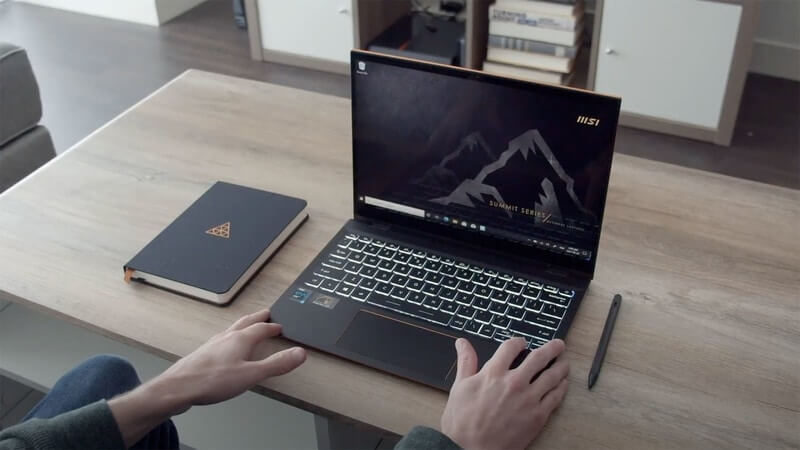 The portable business segment is filled with beautiful laptops that each can make a claim for the best device in this segment. MSI’s most recent offering, the Summit E13 Flip Evo combines an eye-catching design with snappy Evo-certified processors and a bunch of other goodies, which we will talk about below. The laptop faces tough competition, however, mainly from the Dell XPS 13 9310 (2-in-1).
Today we present you with LaptopMedia’s top 5 picks about the MSI Summit E13 Flip Evo.
MSI Summit E13 Flip Evo: Full Specs / In-depth Review
3 reasons to BUY the MSI Summit E13 Flip Evo
1. Design and build quality
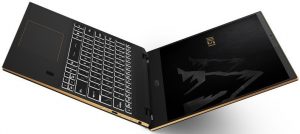
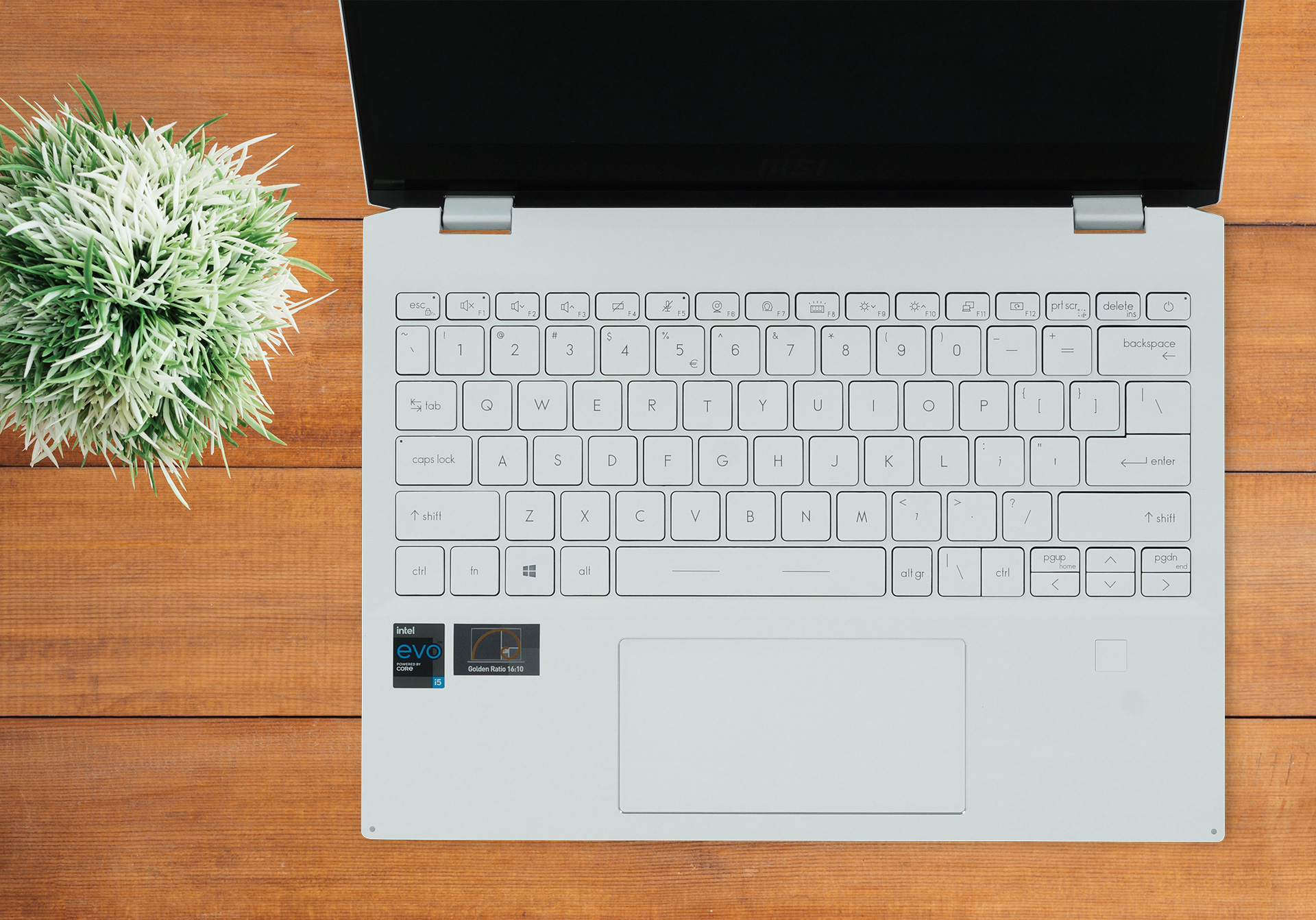
Being a premium 13-inch convertible, the Summit E13 Flip employs premium materials for its entire body, with aluminum surrounding every inch of this device. The laptop has pointy corners and chrome sides, which on the black model are colored in copper, which contrasts nicely. The rigidity is great, with the device resisting our attempts when we tried to flex it. In terms of dimensions, the machine weighs only 1.35 kg and has a profile of 14.9 mm, making it a very compact offering.
Its lid opens with one hand, with the hinges acting as a level, lifting up the backside of the base so that the cooling has more airflow. Opening the lid reveals a glass display cover with thin bezels, except for the bottom one, a decent keyboard unit with somewhat clicky feedback and relatively long key travel, along with a glass protected touchpad which makes the gliding really smooth, while the accuracy of the pad itself is also very good.
2. Display quality
The laptop offers a single IPS display option with a 13.4-inch diagonal, Full HD+ resolution, and a 16:10 aspect ratio. The panel has comfortable viewing angles, a max brightness of 516 nits in the middle of the screen, 497 nits as an average for the entire display area, and a maximum deviation of 9%, making it so far great for professional work. The display also has a high contrast ratio of 1470:1, along with 99% sRGB coverage.
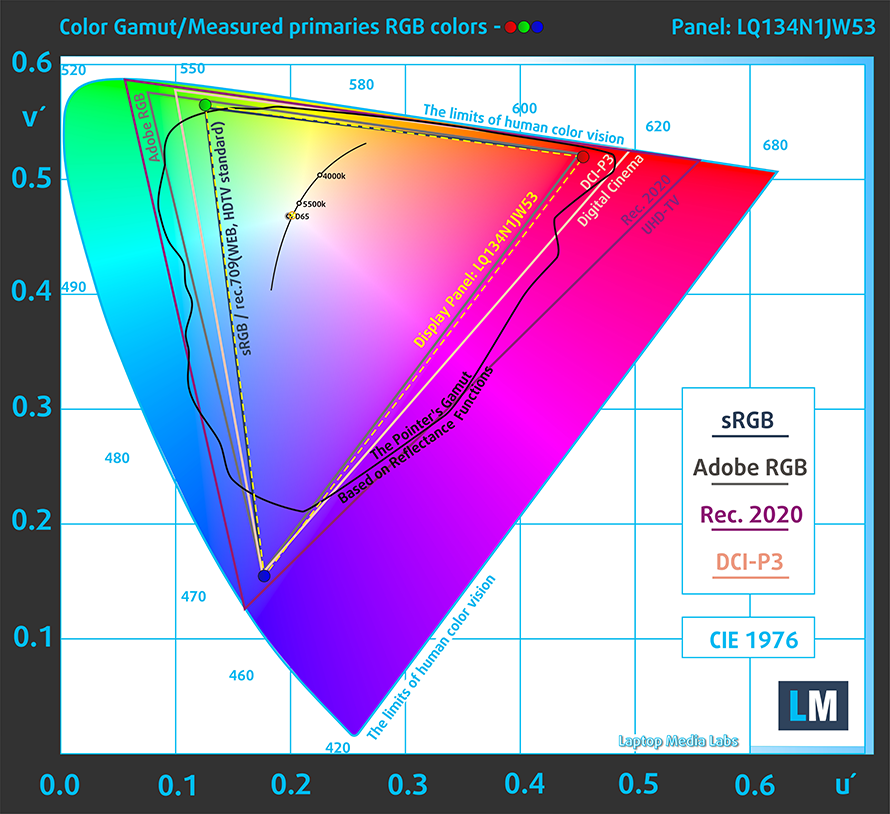
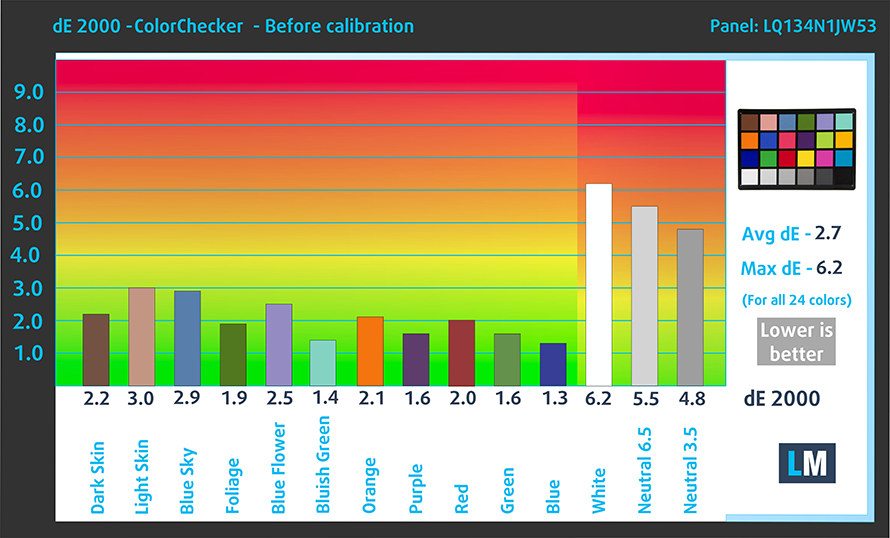
In terms of color accuracy, the panel performed really well, especially when we applied our Design and Gaming profile. Below you can check the results of our color accuracy test with the factory settings (left) and with our profile applied (right).

Buy our profiles
Since our profiles are tailored for each individual display model, this article and its respective profile package are meant for MSI Summit E13 Flip Evo configurations with 13.4″ Sharp LQ134N1JW53 (SHP1512) (FHD+, 1920 × 1200) IPS panel.
*Should you have problems with downloading the purchased file, try using a different browser to open the link you’ll receive via e-mail. If the download target is a .php file instead of an archive, change the file extension to .zip or contact us at [email protected].
Read more about the profiles HERE.
Förutom att du får effektiva och hälsovänliga profiler, stöder du genom att köpa LaptopMedias produkter även utvecklingen av våra labb, där vi testar enheter för att kunna producera så objektiva recensioner som möjligt.

Kontorsarbete
Office Work bör främst användas av användare som tillbringar större delen av tiden med att titta på text, tabeller eller bara surfar. Denna profil syftar till att ge bättre tydlighet och skärpa genom att bibehålla en platt gammakurva (2.20), native färgtemperatur och perceptuellt korrekta färger.

Design och Spel
Denna profil riktar sig till designers som arbetar professionellt med färger, samt för spel och filmer. Design and Gaming tar skärmpanelerna till sina gränser och gör dem så exakta som möjligt i sRGB IEC61966-2-1-standarden för webb och HDTV, vid vitpunkt D65.

Health-Guard
Health-Guard eliminerar den skadliga pulsbreddsmoduleringen (PWM) och minskar det negativa blå ljuset som påverkar våra ögon och vår kropp. Eftersom den är skräddarsydd för varje panel lyckas den hålla färgerna perceptuellt korrekta. Health-Guard simulerar papper så att trycket på ögonen minskar avsevärt.
Få alla 3 profiler med 33% rabatt

3. Battery life
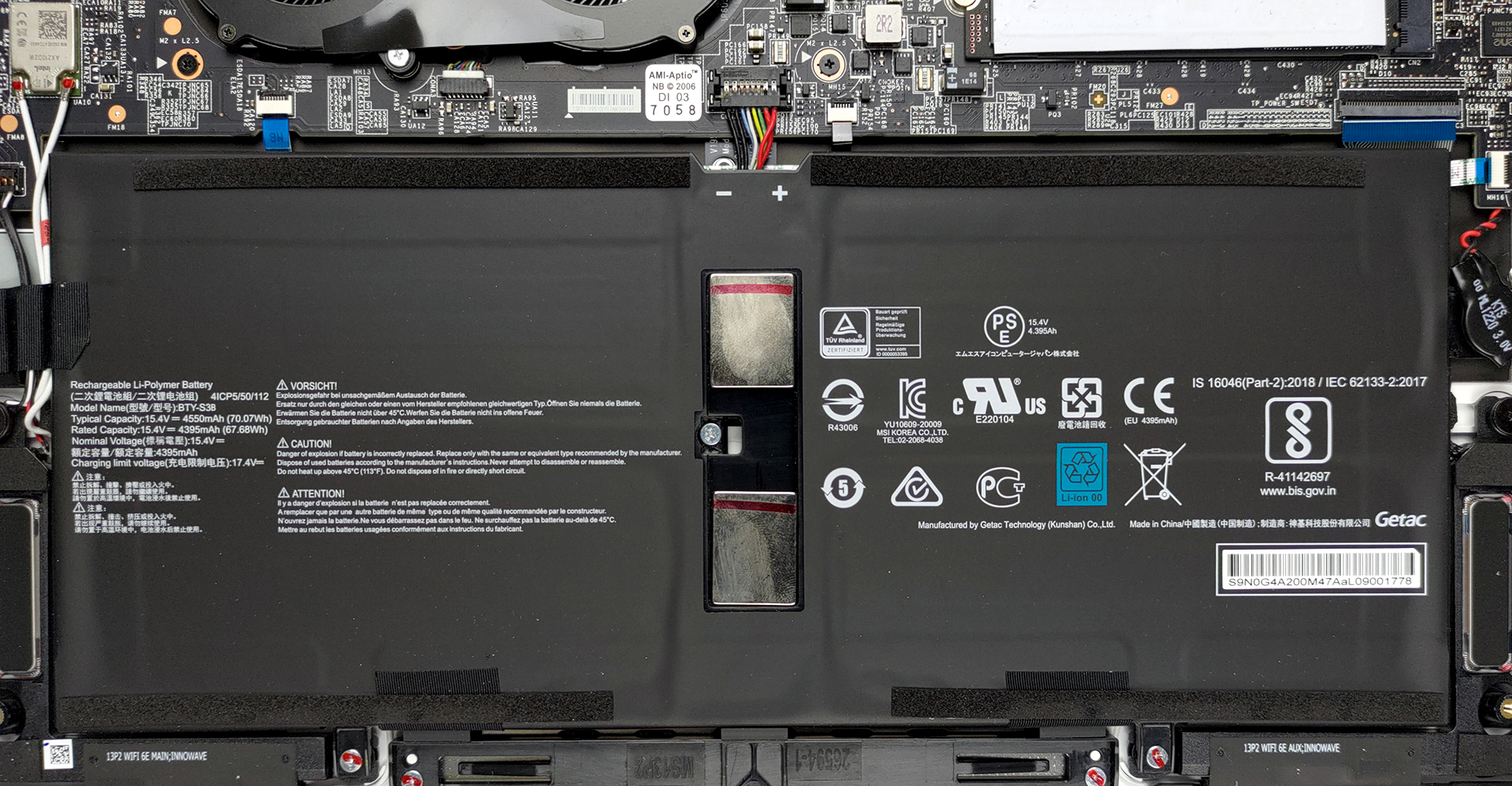
With a large battery size of 70Wh, we expect pretty good results and we got them. The battery lasted for 13 hours and 3 minutes of Web browsing, and 11 hours and 32 minutes of video playback. Now, we conduct the battery tests with Windows Better performance setting turned on, screen brightness adjusted to 120 nits, and all other programs turned off except for the one we are testing the notebook with.
2 reasons NOT to buy the MSI Summit E13 Flip Evo
1. Upgradeability
With devices this compact, upgradeability is often the first thing to be sacrificed. All of the RAM is soldered onto the motherboard. The storage is upgradeable through a single M.2 PCIe x4 drive.
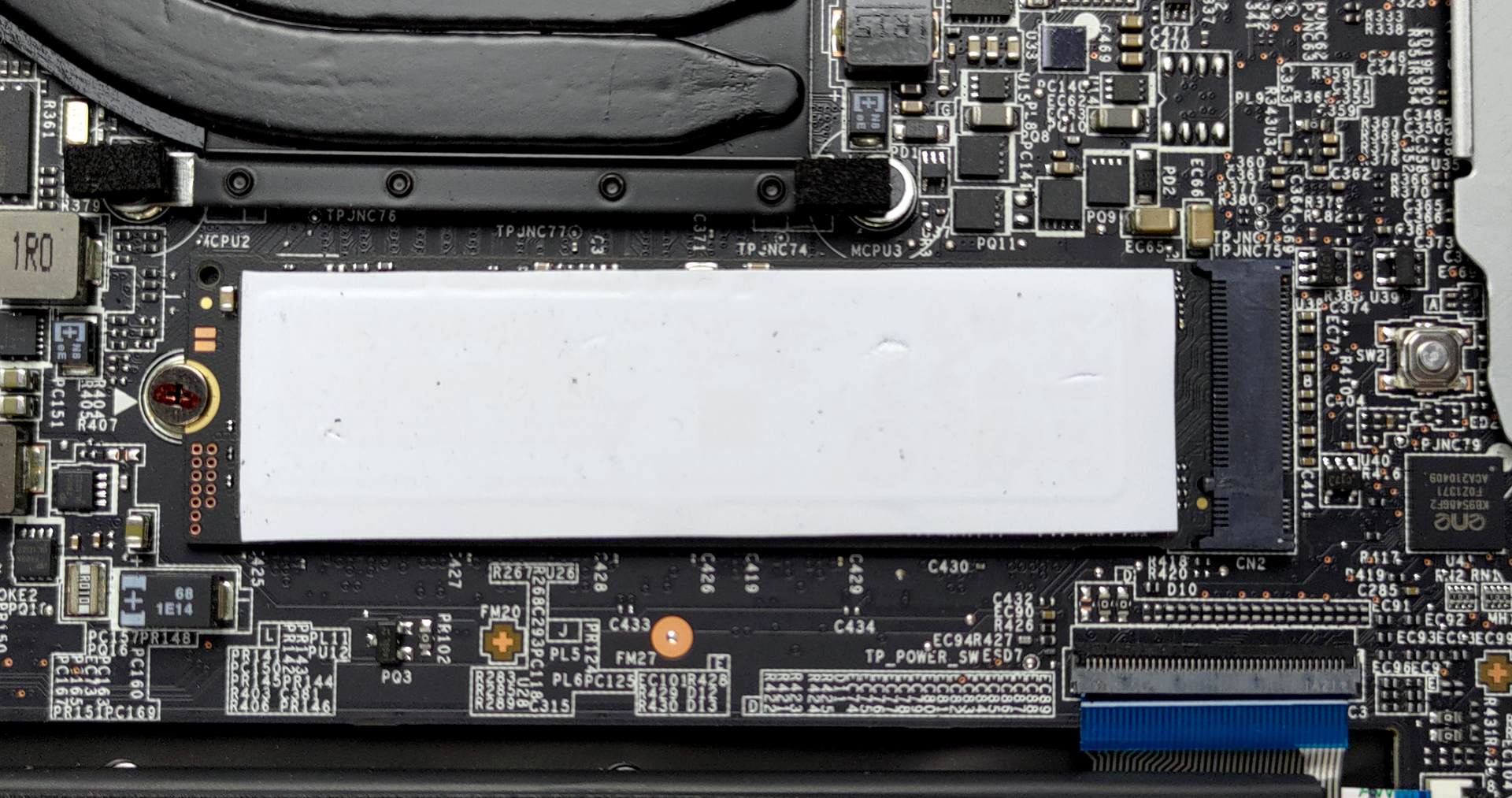
Here is our detailed teardown video, which shows how to access the SSD slot.
2. Cooling
The cooling setup here consists of two thick heat pipes connected to two fans and heat spreaders.

Max CPU load
| Intel Core i5-1135G7 (15W TDP) | 0:02 – 0:10 sec | 0:15 – 0:30 sec | 10:00 – 15:00 min |
|---|---|---|---|
| MSI Summit E13 Flip Evo | 3.65 GHz (B+52%) @ 96°C @ 45W | 3.31 GHz (B+38%) @ 96°C @ 47W | 3.03 GHz (B+25%) @ 96°C @ 29W |
The Core i5-1135G7 maintained a temperature of 96°C while keeping a clock speed of above 3.00GHz even after 15 minutes of testing.
Comfort during full load
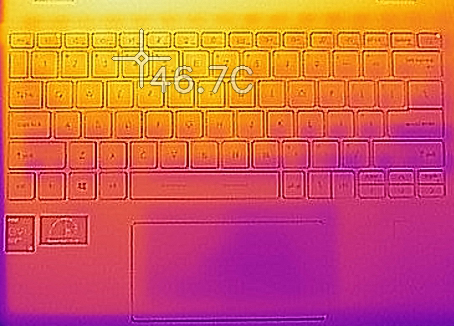
The bottom panel and the area above the keyboard get really hot, with a temperature of above 50°C. The keyboard also got pretty hot, with its hottest spot reaching 46.7°C. In terms of noise, the unit can definitely be heard even without the Cooler Boost setting, but at least the cooling does its job and doesn’t allow the CPU to throttle.
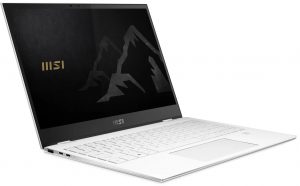
All MSI Summit E13 Flip Evo configurations:
 Author: Severin Kolakov

![[Juni 2026] De mest sålda bärbara datormärkena på Amazon Global – Apples oöverträffade dominans i antal enheter och omsättning](https://laptopmedia.com/wp-content/uploads/2026/07/GLOBAL-Best-Brands-400x225.jpg)
![[Juni 2026] Amazon Global: De 10 mest sålda bärbara datorerna – Apples nya MacBook Neo stormar in på första plats och omformar marknaden med sitt överkomliga pris](https://laptopmedia.com/wp-content/uploads/2026/07/Best-Selling-Laptops-GLOBAL-Top-10-400x225.jpg)
![[Juni 2026] Amazon Global: De 10 mest sålda spelbärbara datorerna – Acers Nitro V 16S AI dominerar försäljningen, medan ASUS ligger i topp när det gäller den totala omsättningen](https://laptopmedia.com/wp-content/uploads/2026/07/Best-Selling-Gaming-Laptops-GLOBAL-Top-10-400x225.jpg)
![[Juni 2026] Global ranking över de mest sålda bärbara grafikkorten på Amazon – NVIDIA RTX 5060 är det mest sålda dedikerade grafikkortet](https://laptopmedia.com/wp-content/uploads/2026/07/Best-Selling-GPUs-GLOBAL-Top-10-400x225.jpg)
![[Juni 2026] Global ranking över de mest sålda bärbara datorprocessorerna på Amazon – Apple M5 dominerar, AMD Ryzen 7 260 tar en betydande andel i premiumsegmentet](https://laptopmedia.com/wp-content/uploads/2026/07/Best-Selling-CPUs-GLOBAL-Top-10-400x225.jpg)