ASUS ROG Zephyrus G14


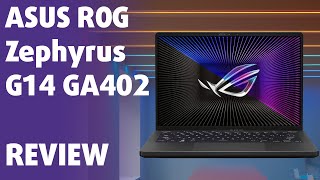


- Publiceringsdatum: 26 Apr 2023
- AMD Ryzen 9 6900HS
- AMD Radeon RX 6700S
- 14.0”, WQXGA (2560 x 1600), 120 Hz, IPS + FreeSync
- 2000GB SSD
- 16GB DDR5
- 1.65 kg (3.6 lbs)
ASUS ROG Zephyrus G14 GA402 djupgående recension
For the past couple of years, ASUS has proven to be the most active player in the innovation field of the mobile market. This year marked another milestone for the brand, as it introduced the tablet for gaming purists - ROG Flow Z13. While it is amazing for what it really is, we can't help but feel [...]
Läs hela recensionen
Review
ASUS ROG Zephyrus G14 djupgående recension
For the past couple of years, ASUS has proven to be the most active player in the innovation field of the mobile market. This year marked another milestone for the brand, as it introduced the tablet for gaming purists - ROG Flow Z13. While it is amazing for what it really is, we can't help but feel that we want a more orthodox gaming experience.And if you are in the market for a small form factor gaming device - the ROG Zephyrus G14 G402 is as good as it gets. You see, the design was so ahead of its time that ASUS decided to retain most of it. You still get the AniMe Matrix external display, which now has more functionality than ever. This means you can get the Virtual Pet OMNI, which offers some mini-games, which unlock more animations.However, this additional display is nothing [...]
Läs hela recensionenFördelar
- Good battery life
- Gen 4 SSD support
- Covers 99% of the DCI-P3 color gamut and has accurate color representation with our Gaming and Web design profile (BOE NE140QDM-NX1 (BOE0A1D))
- Snappy panel with quick response times (BOE NE140QDM-NX1 (BOE0A1D))
- AniMe Matrix
- Great input devices
- Noise cancellation
- The keyboard remains relatively cool after long gaming sessions
- Good build quality
- Decent performance jump from last year
Nackdelar
- No Thunderbolt 4
Demontering, underhåll och uppgraderingsalternativ
Even though it is a slim 14-incher, you are still able to upgrade it thanks to one SODIMM slot for memory, and one M.2 PCIe x4 slot for storage.Check out all ASUS ROG Zephyrus G14 GA402 prices and configurations in our Specs System, or read more in our In-Depth review.1. Remove the bottom plate There is a total of 11 Phillips-head screws you need to undo to get inside this notebook. The one in the bottom right corner is captive, and will gently pop the bottom panel so you can start the prying process from there.2. Battery Inside, you will find a 76Wh battery pack. It last[...]
Läs mer
Skärm: 14.0-inch, 2560 x 1600, IPS + FreeSync
- Namn
- BOE NE140QDM-NX1 (BOE0A1D)
- Diagonal
- 14.0"
- Pixeltäthet
- 215.63 ppi
- Ljusstyrka
- 564 cd/m2
- sRGB
- 100%
- Paneltyp
- IPS
- Upplösning
- 2560 x 1600
- Blir "Retina" från
- 16 inches (41 cm)
- Kontrast
- 1040:1
- dE Color Checker
- 3.7 2.0

Köp våra profiler för BOE NE140QDM-NX1 (BOE0A1D)
Förutom att du får effektiva och hälsovänliga profiler, stöder du genom att köpa LaptopMedias produkter även utvecklingen av våra labb, där vi testar enheter för att kunna producera så objektiva recensioner som möjligt.

Kontorsarbete
Office Work bör främst användas av användare som tillbringar större delen av tiden med att titta på text, tabeller eller bara surfar. Denna profil syftar till att ge bättre tydlighet och skärpa genom att bibehålla en platt gammakurva (2.20), native färgtemperatur och perceptuellt korrekta färger.

Design och Spel
Denna profil riktar sig till designers som arbetar professionellt med färger, samt för spel och filmer. Design and Gaming tar skärmpanelerna till sina gränser och gör dem så exakta som möjligt i sRGB IEC61966-2-1-standarden för webb och HDTV, vid vitpunkt D65.

Health-Guard
Health-Guard eliminerar den skadliga pulsbreddsmoduleringen (PWM) och minskar det negativa blå ljuset som påverkar våra ögon och vår kropp. Eftersom den är skräddarsydd för varje panel lyckas den hålla färgerna perceptuellt korrekta. Health-Guard simulerar papper så att trycket på ögonen minskar avsevärt.





