Lenovo Y50 (GTX 960M) vs ASUS ROG GL552 (GTX 950M) in-depth comparison – is it worth the extra bucks for a more powerful notebook with GTX 960M
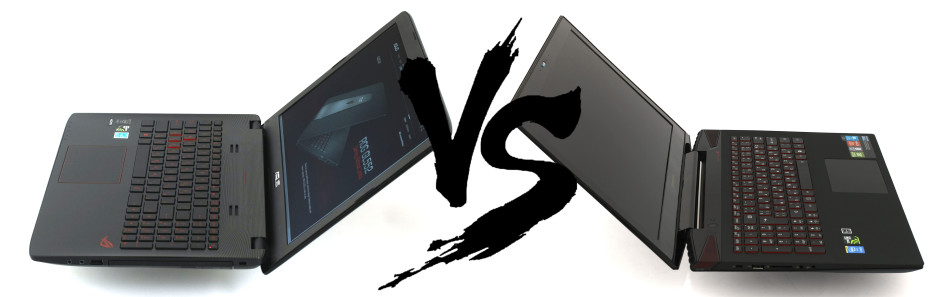
Finding a good gaming notebook is uneasy task especially when you start searching and come across all these models with different configurations and prices ranging from around €700 to more than €2000. However, in this article we will present two of the most popular notebooks nowadays. We see a growing interest in Lenovo’s Y50 as well as the budget ROG notebook from ASUS – GL552.
We can consider the two notebooks being vastly different from each other, but at the same time offer similar specs with the most notable difference being the GPU. The Lenovo Y50 runs with GTX 960M while the GL552 sports GTX 950M and this strongly reflects on the price tag. Not only that but the build quality and design are undertaken with a different approach by the two companies making it even a harder choice between the two notebooks. So which one will suit best to your needs? Find out in the following in-depth comparison.
You can read Lenovo Y50’s review here: http://laptopmedia.com/review/lenovo-y50-gtx-960m-review-the-slimmed-down-powerhouse-got-even-better/
You can read ASUS GL552’s review here: http://laptopmedia.com/review/asus-rog-gl552-review-it-looks-like-a-rog-notebook-but-it-doesnt-feel-like-it/
Contents
Retail package
The clear winner, by a split second, if we can put it like that, is the GL552. As usual, ASUS has provided a generous retail package even for its budget notebook offering a cable tie and a cleaning cloth while the Y50 comes stripped naked only with the usual stuff and an external optical drive since the notebook doesn’t feature one.
Design and construction
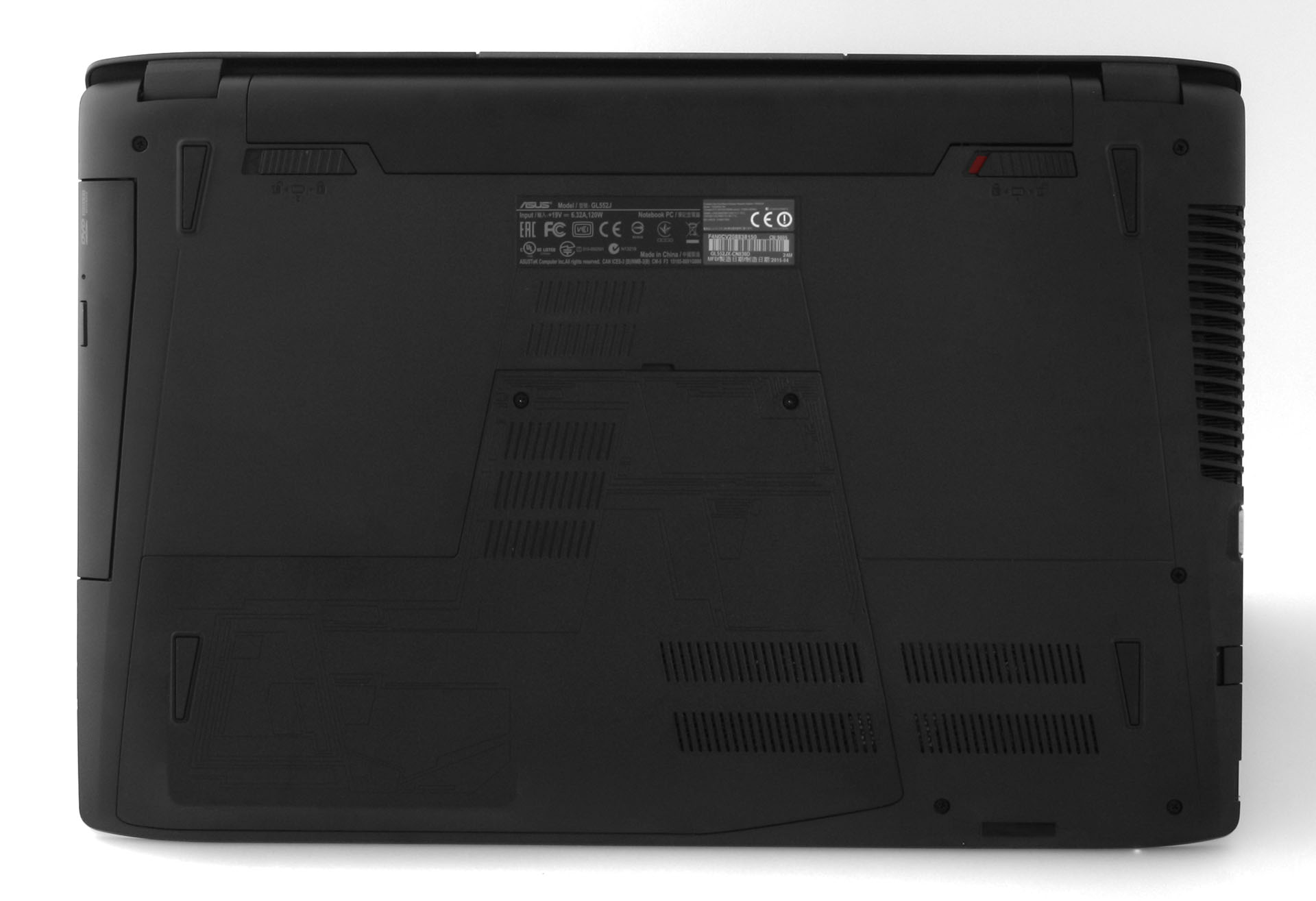
In our full review of the GL552, we talked about how disappointed we are with the build quality of the notebook. Yes, we know it’s a budget gaming notebook but it’s still nowhere near the sleek and sturdy chassis we are used to seeing from an ROG notebook. Its plastic construction bends easily and feels somehow cheap, but then again, we can’t bee to picky considering the price point. The Lenovo Y50, on the other hand, features brushed aluminum chassis with the only plastic part being the interior around the keyboard, but both materials are fingerprint magnets.
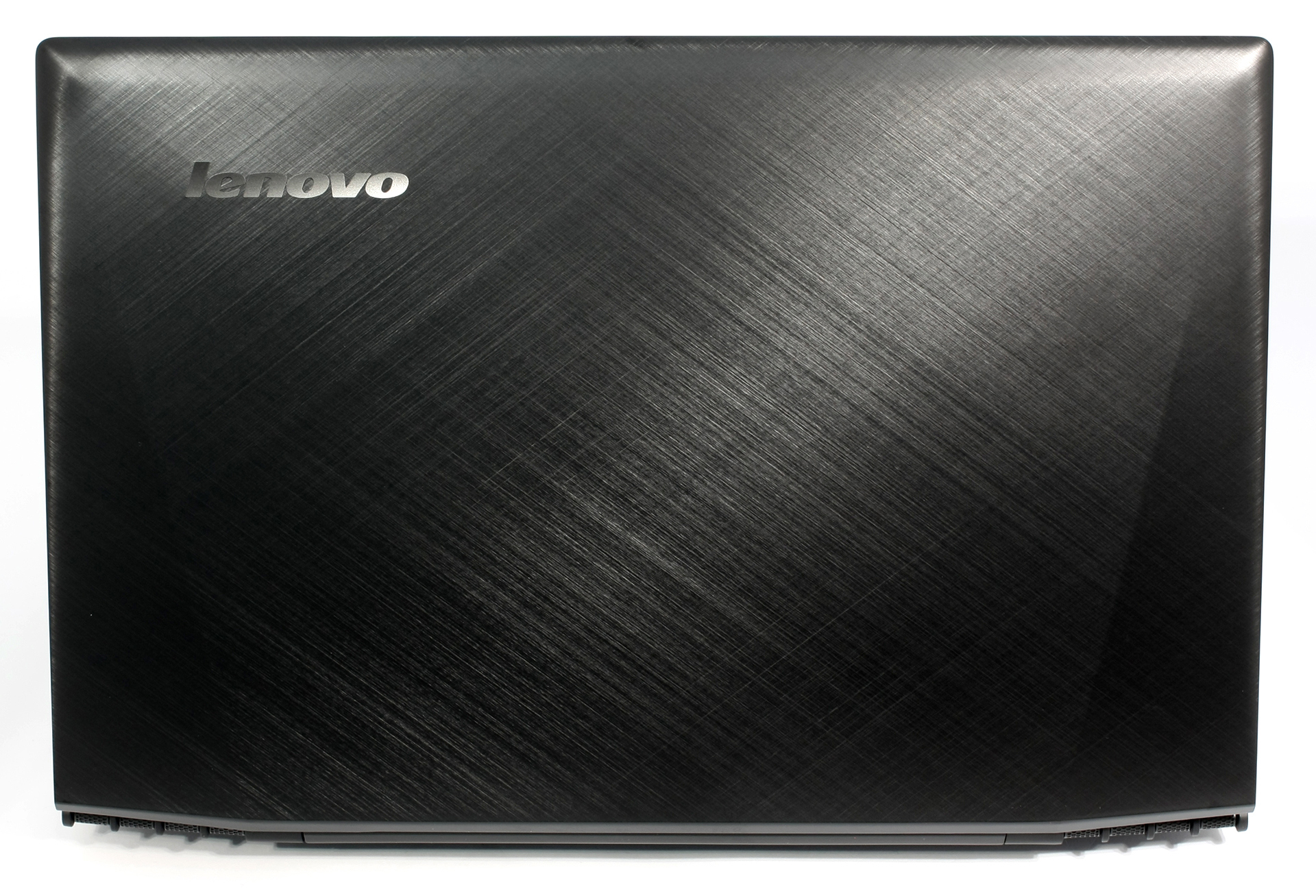
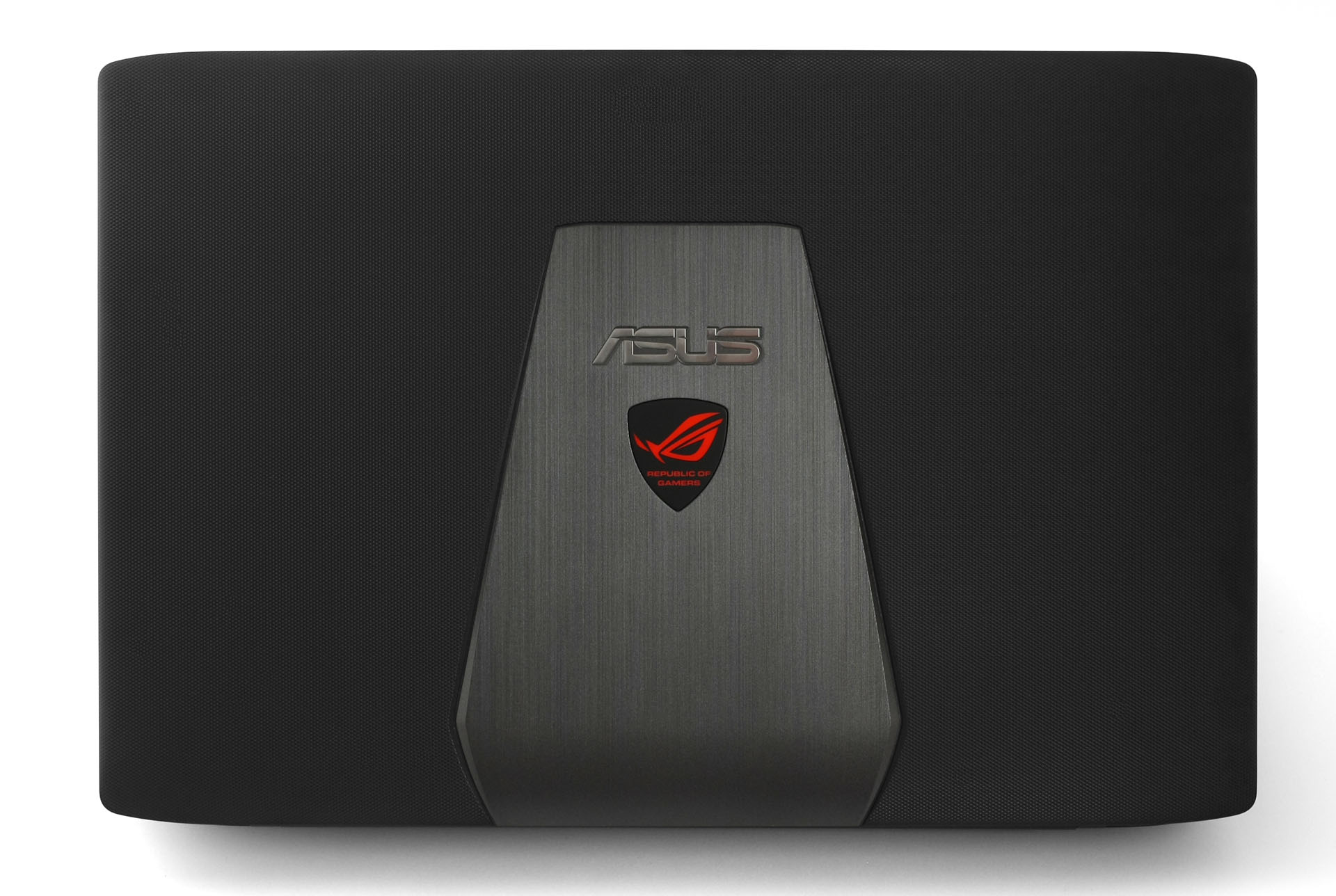
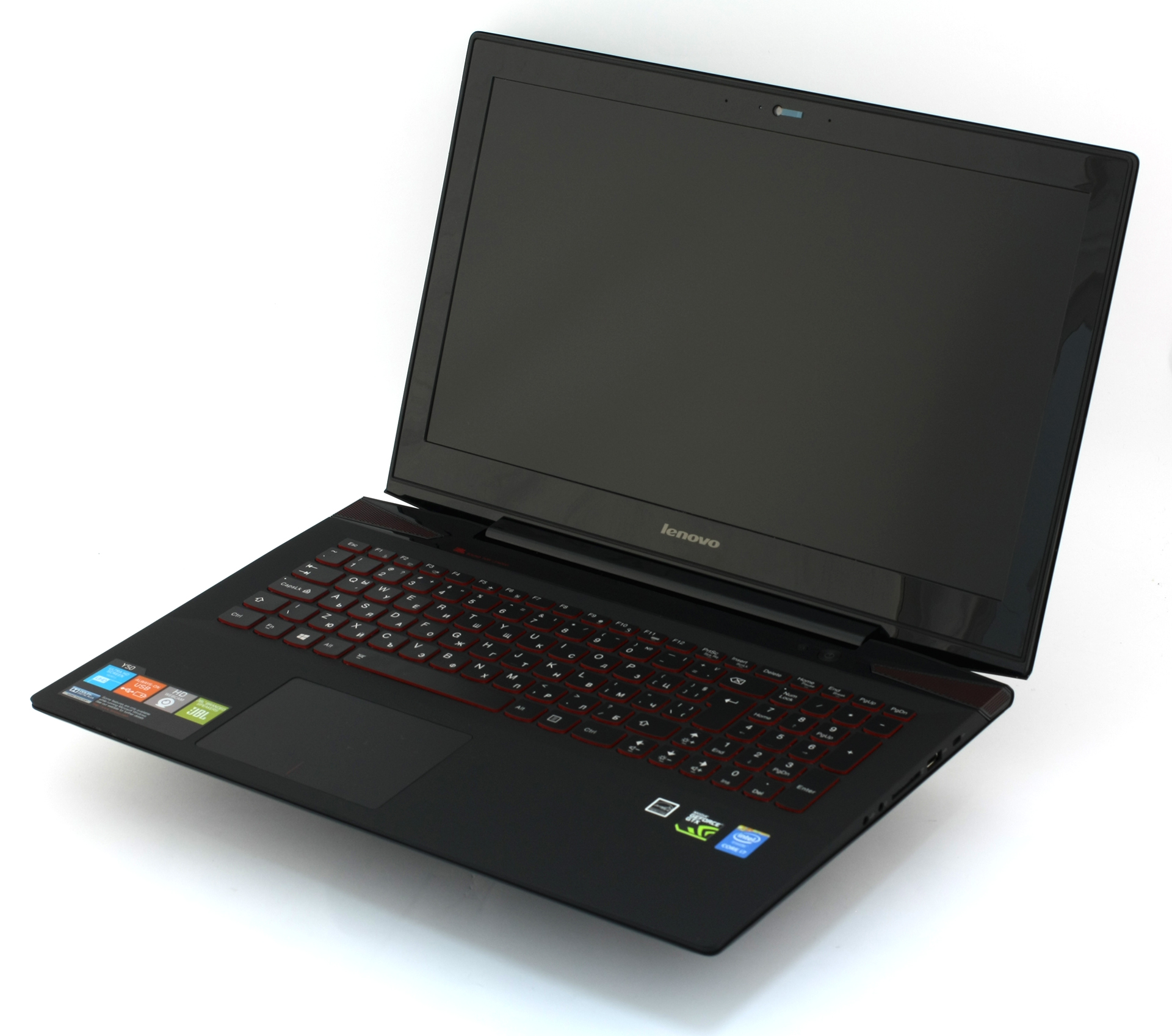
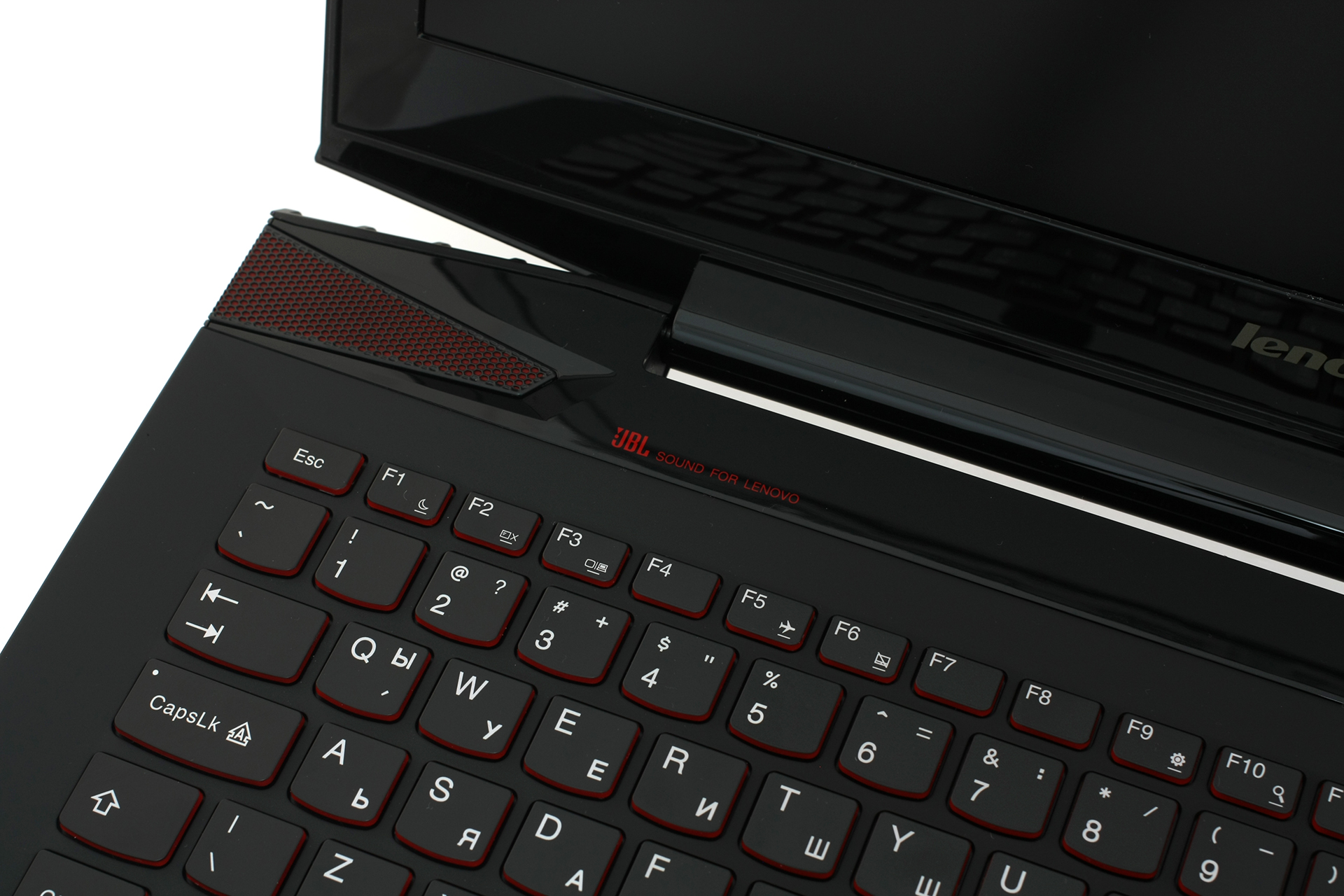
When it comes to input devices, the keyboards of both notebooks are more than okay, but the GL552’s keyboard feels a bit more comfortable for gaming with long key travel, key separation, and easily accessible multimedia buttons. Lenovo’s notebook, on the contrary, has a better LED illumination and lacks the multimedia buttons which is a great drawback for a gaming/multimedia laptop. Another thing they have in common is the touchpad with both being sluggish, unresponsive and wobble a lot. So if this is of great importance to you, both notebooks will not deliver the experience you’d expect.
Lenovo Y50


ASUS ROG GL552

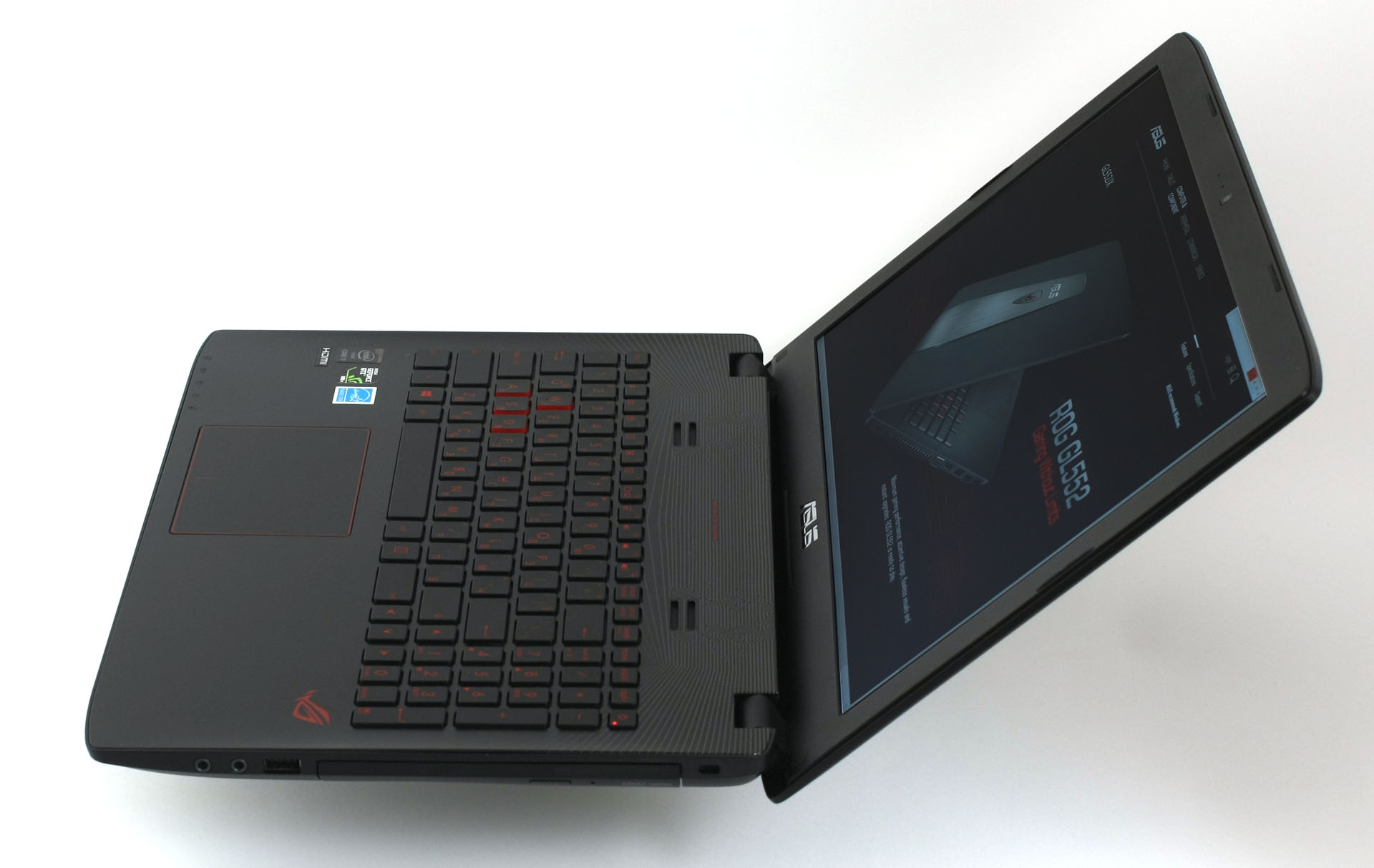
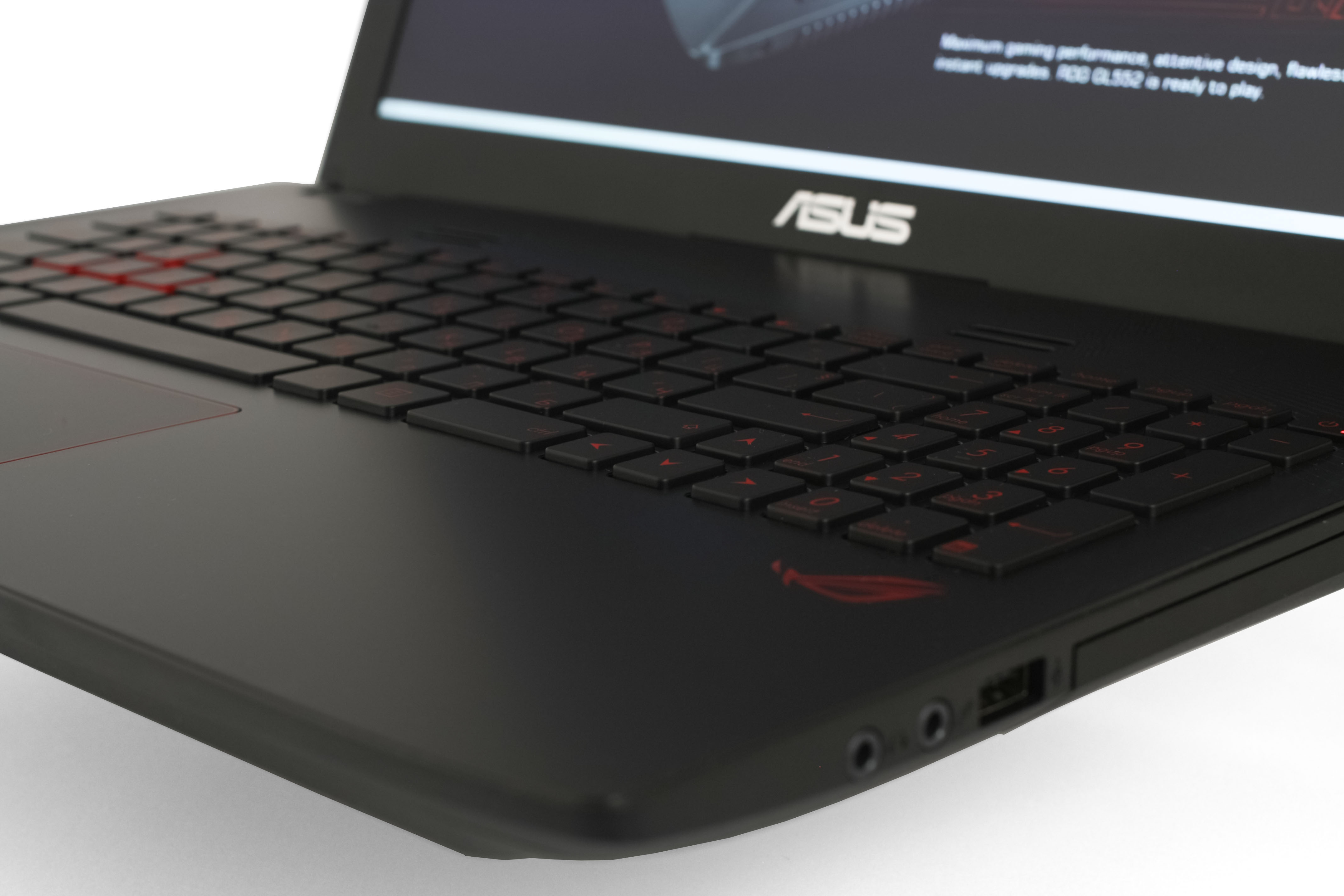
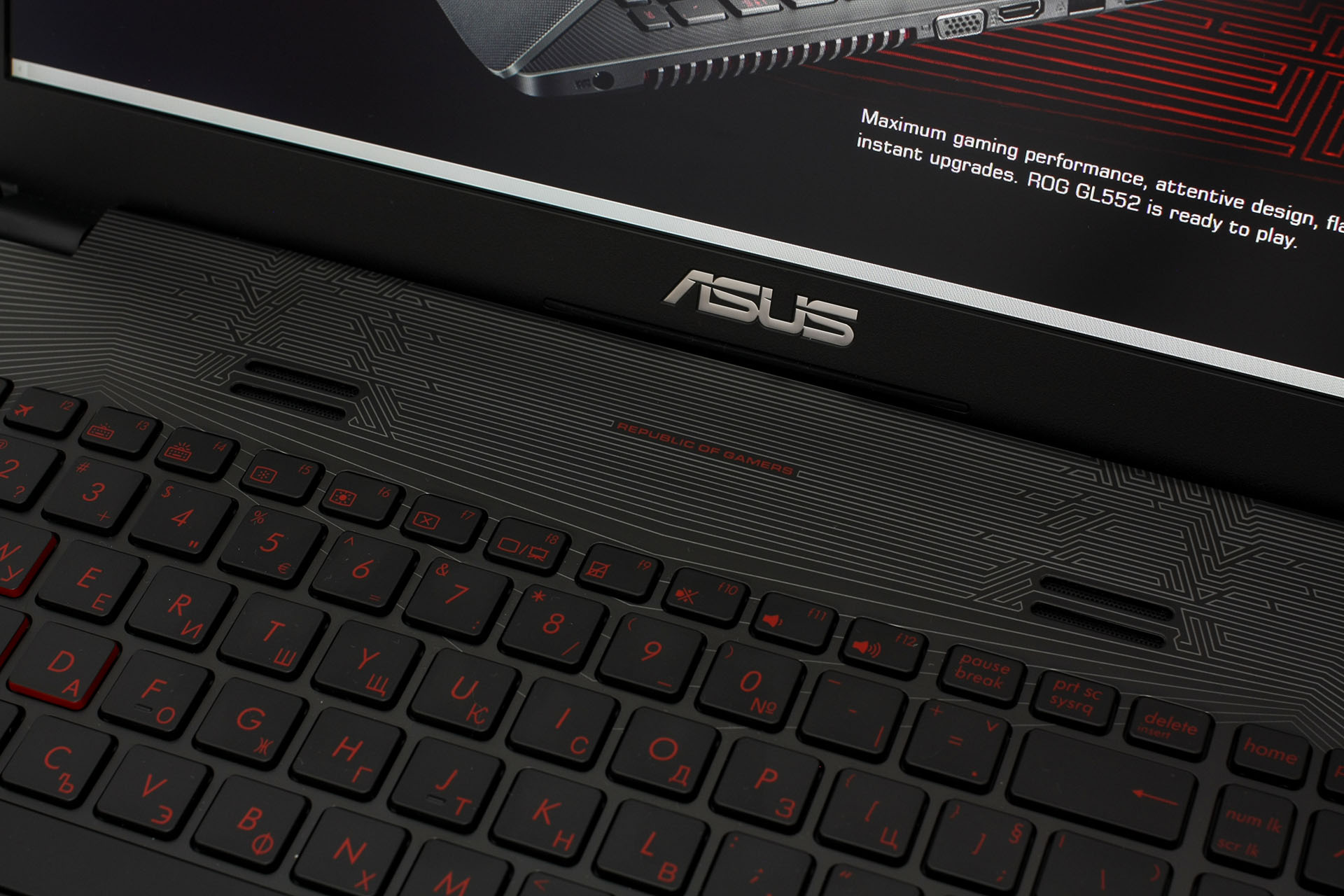
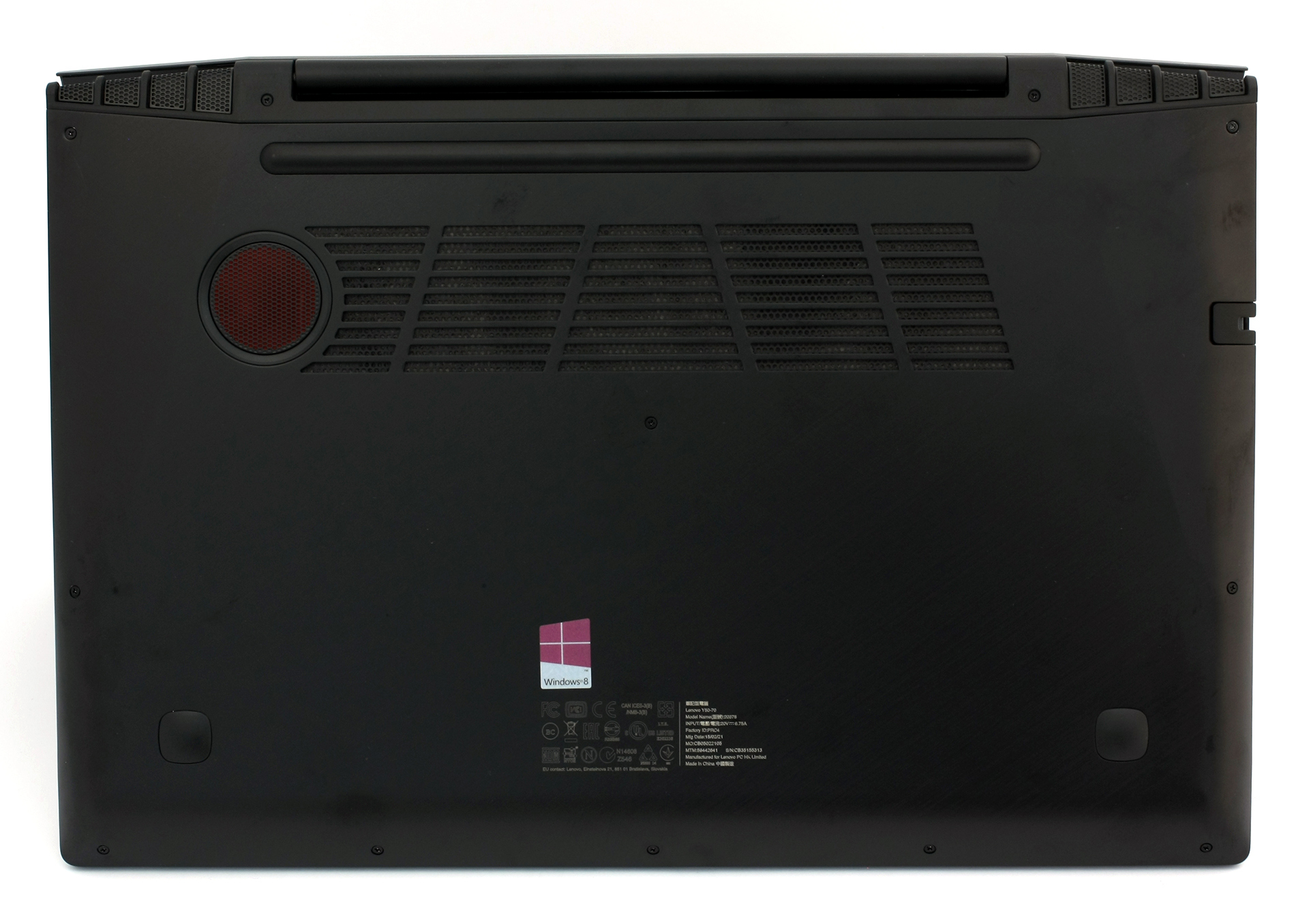
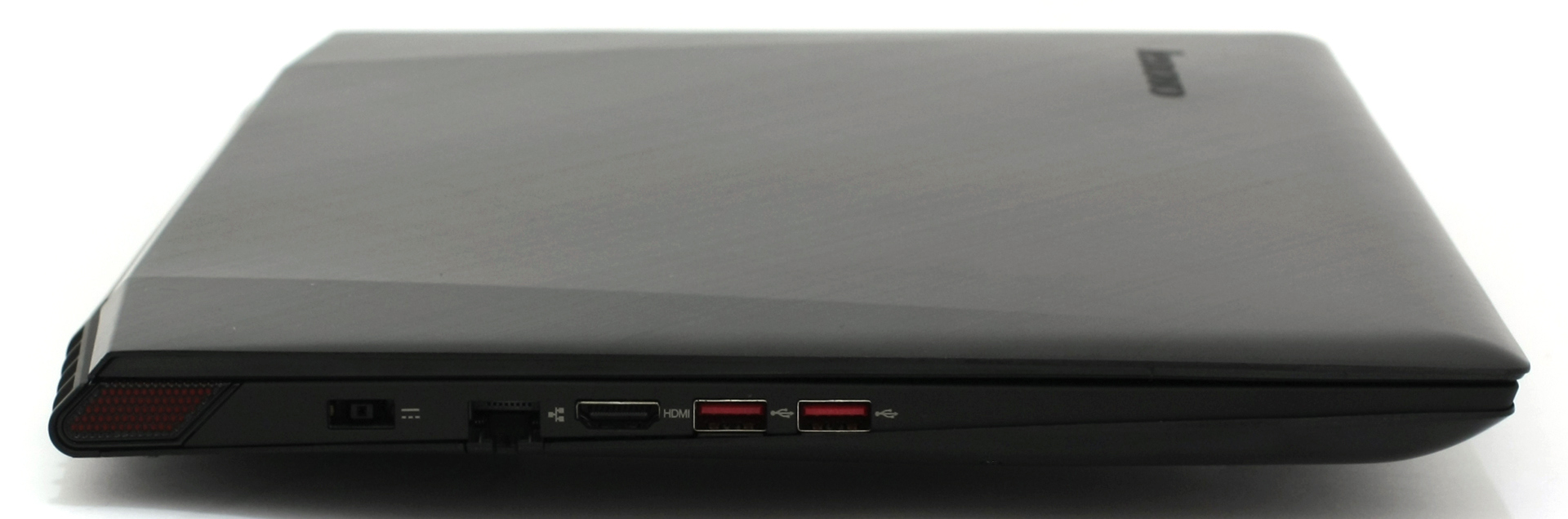
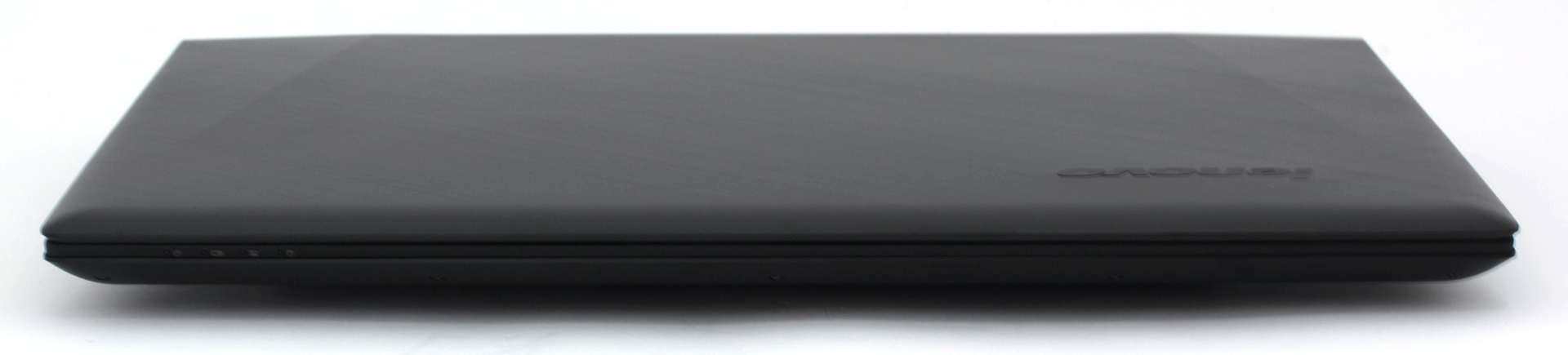
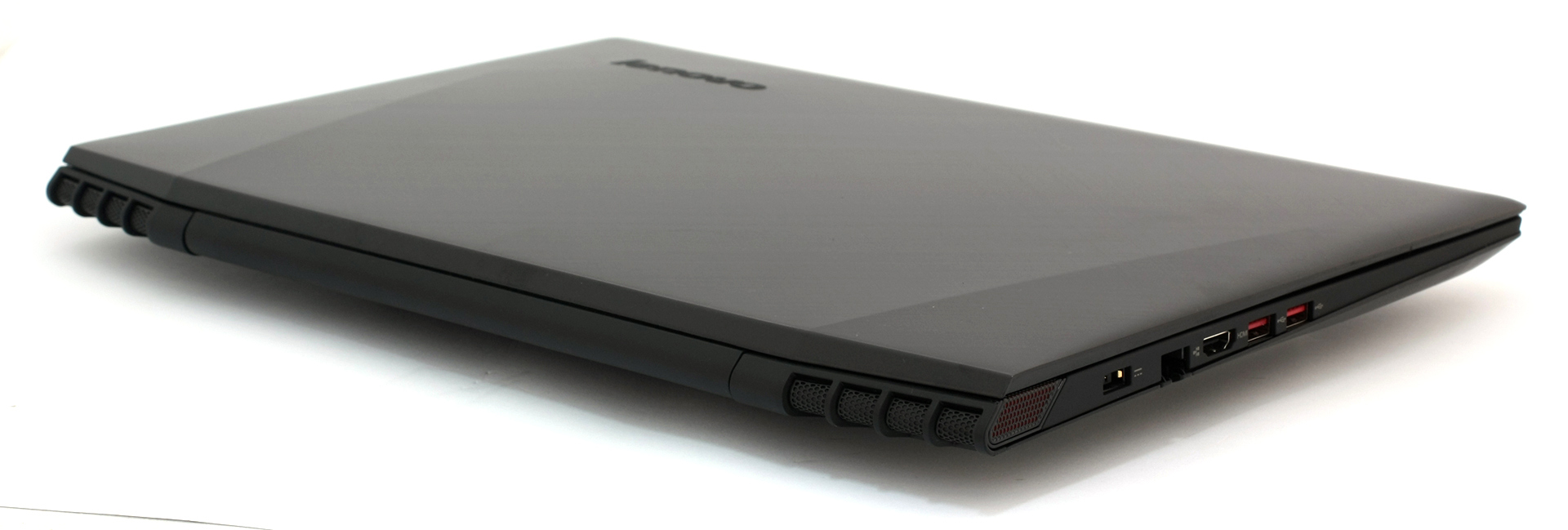
Going around the sides of the Y50 and GL552 you will immediately notice the difference. The Y50 boasts a super-thin profile of only 24.5 mm while the GL552 is oddly thicker measuring 32.4 mm. Nonetheless, this will surely affect the cooling capabilities of the notebooks, but we will look into that in the “Temperature” section. Other than that, both machines feature good port placement and all connection types you’d need.
Lenovo Y50

ASUS ROG GL552
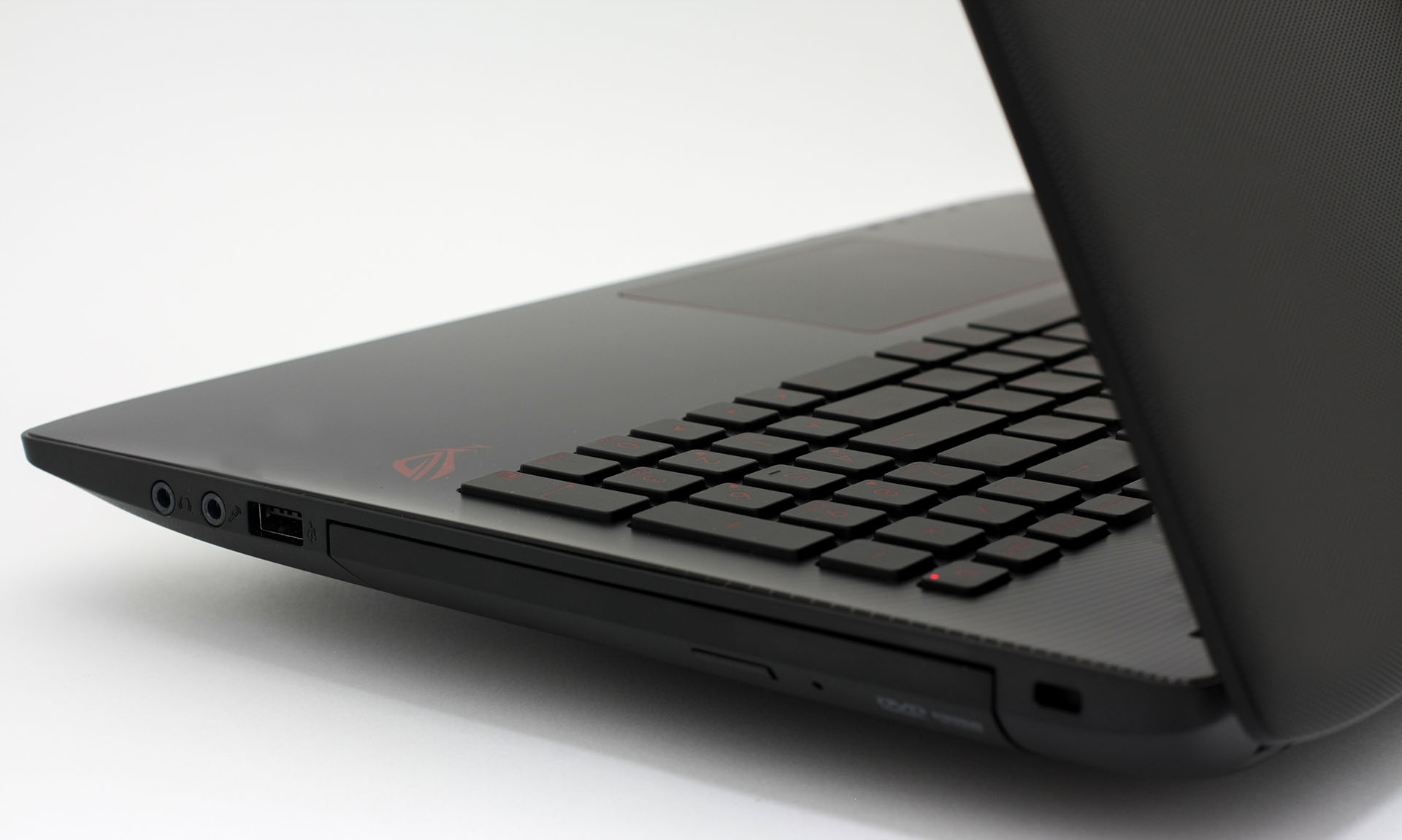
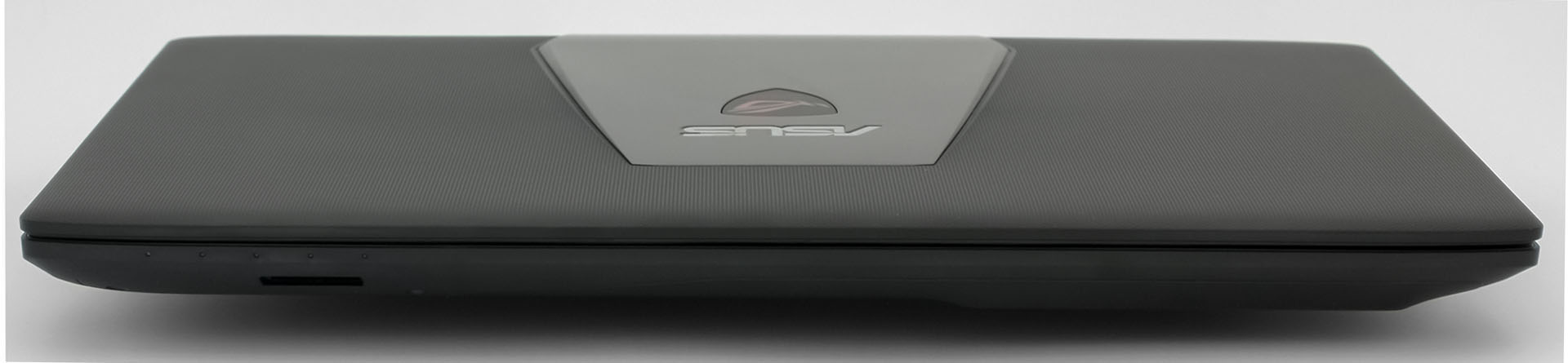
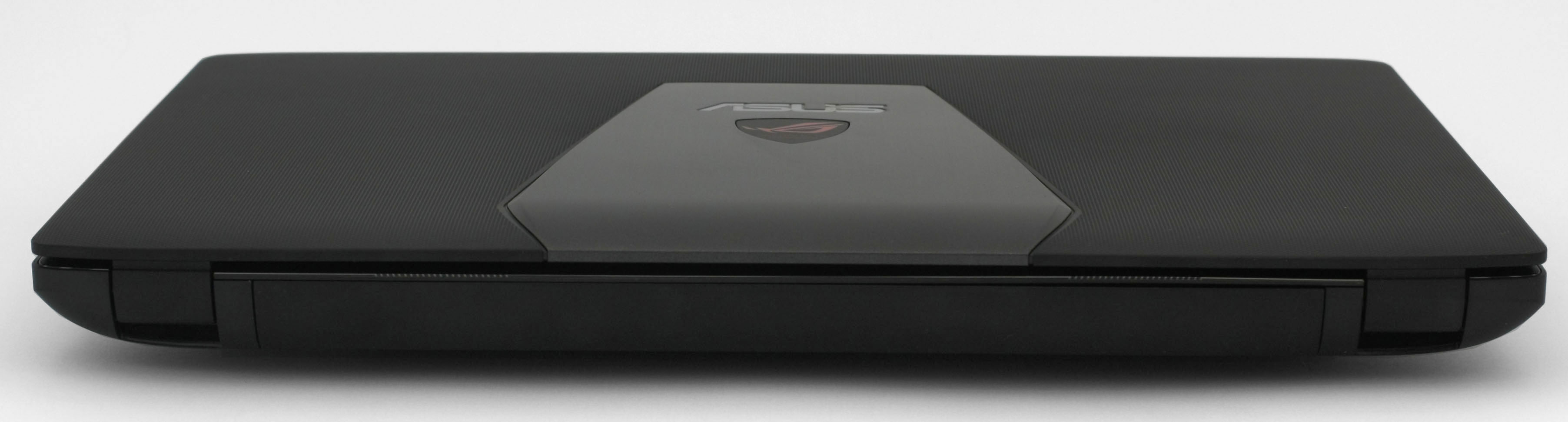
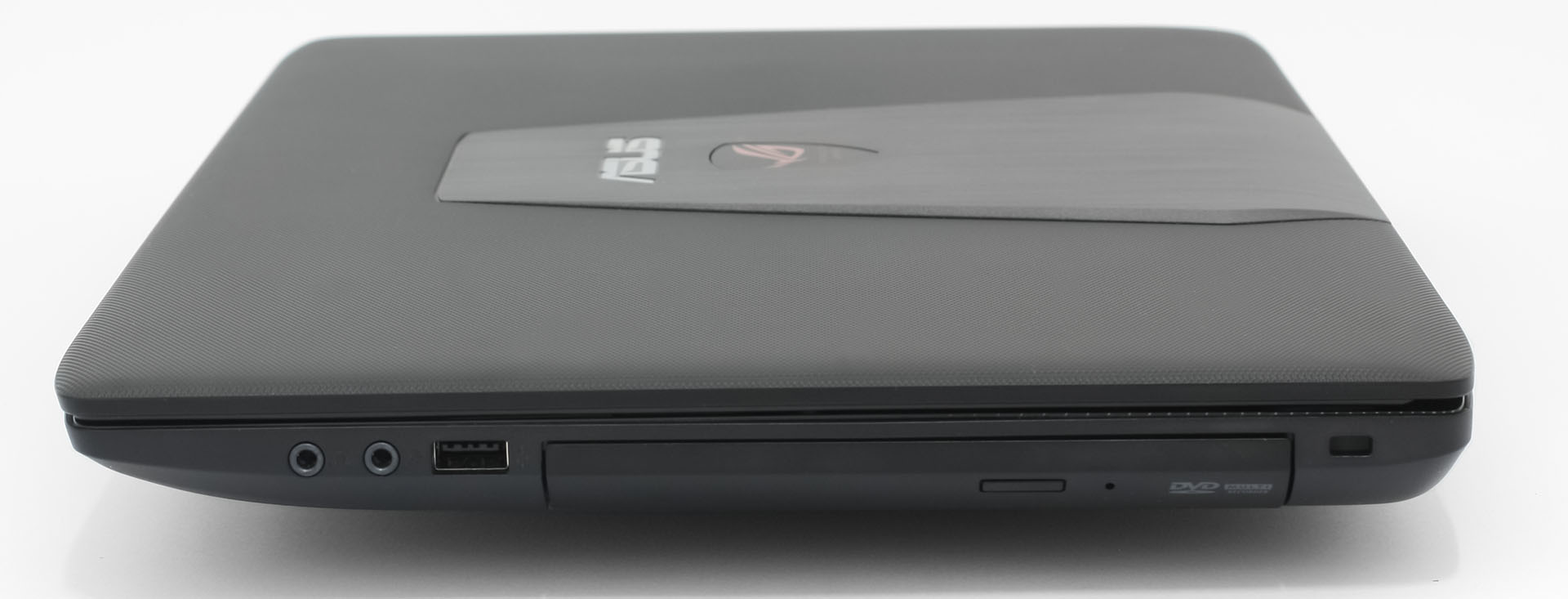
All in all, the Lenovo Y50 is a clear winner with better build quality, design, and reliability. The lid, nor the bottom, bends even under bigger pressure. In addition, Lenovo’s powerhouse boasts thinner noticeably thinner profile and somehow lighter chassis. The GL552 plastic construction actually weighs 160 g more (2.6 kg for the GL552 and 2.44 kg for the Y50).
Disassembly and upgrade options
ASUS’ machine offers a way easier upgrade with just a few screws keeping the service cover in place. Removing it will give you an option of upgrading the 2.5″ HDD, also 2 RAM slots at your disposal and the big surprise here – M.2 SATA SSD slot with 80 mm “M key” type. Not all budget notebooks offer this kind of storage option. The Lenovo Y50, on the other hand, has only one 2.5″ HDD/SSD and the usual RAM chips as upgrade options. Unfortunately, no other storage options and on top of that, the bottom piece is a tad harder to remove.
You can read more about Y50’s upgrade options and disassembly here: http://laptopmedia.com/news/inside-the-new-lenovo-y50-gtx-960m-disassembly-internal-photos-and-upgrade-options/
You can read more about GL552’s upgrade options and disassembly here: http://laptopmedia.com/news/inside-asus-rog-gl552-disassembly-internal-photos-and-upgrade-options/
Display and sound
What’s a good gaming notebook with the quality visual experience? Luckily, Lenovo upgraded their model with an IPS panel rather sticking with the TN one from last year, but despite that, the IPS panel provided here didn’t meet our expectations. But as for the GL552, the panel used here is the same as the one in the G501. Other than that, the Y50 and GL552 include 15.6-inch IPS Full HD (1920×1080) panels. Read on to find out what are the differences between the LG panel on the Y50 and the Samsung panel on the GL552.
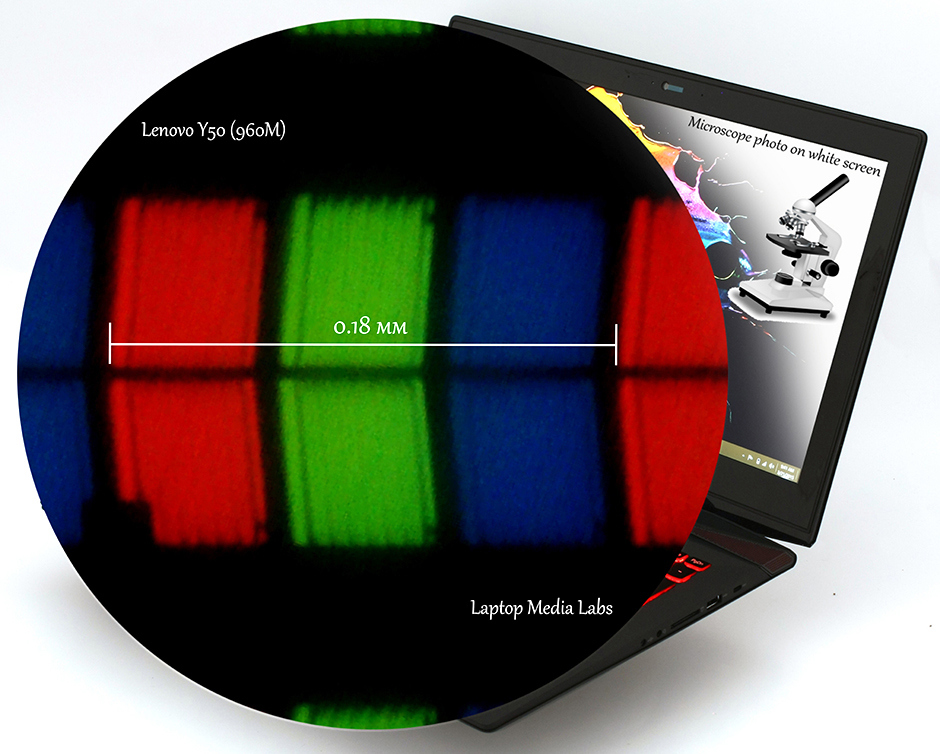

Viewing angles are good on both machines.


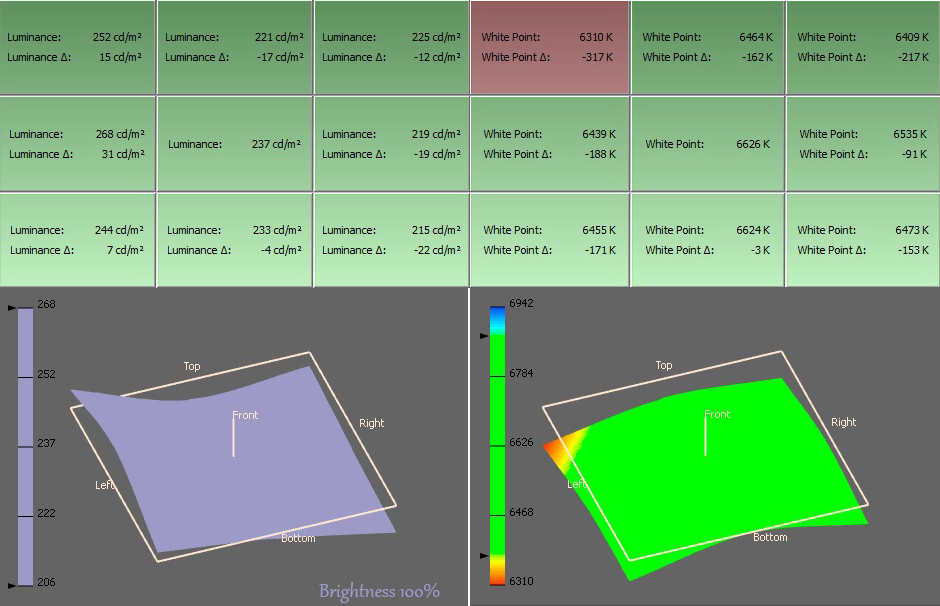
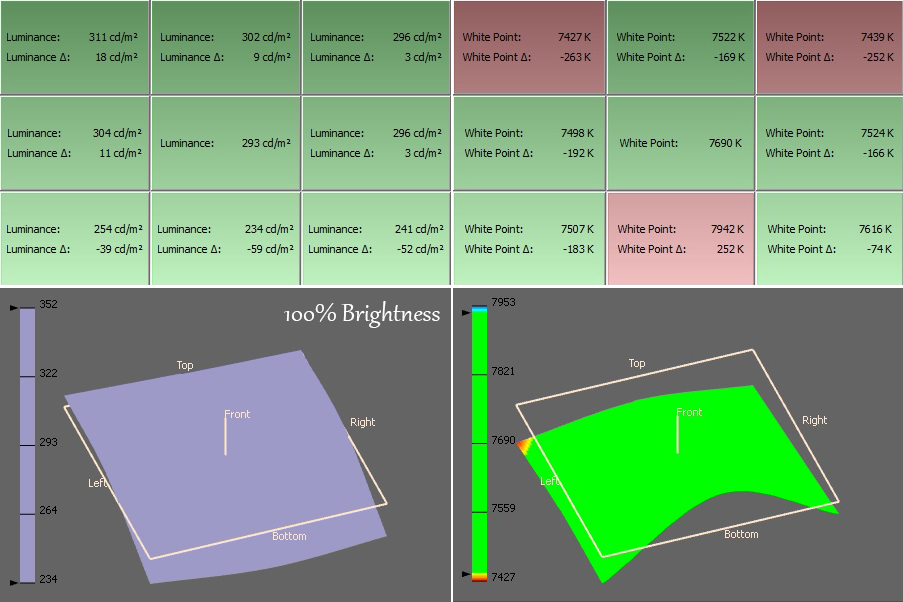
We measured the maximum brightness of both panels and the GL552’s screen is a bit brighter with 281 cd/m2 with a bigger deviation of 20% versus 235 cd/m2 with only 13% deviation. When it comes to color temperature, LG’s panel aligns almost perfectly to the optimal one of 6500K(D65) – 6482K while the GL552’s color temperature is a little off, but barely noticeable – 7474K.
Color gamut coverage (CIE)
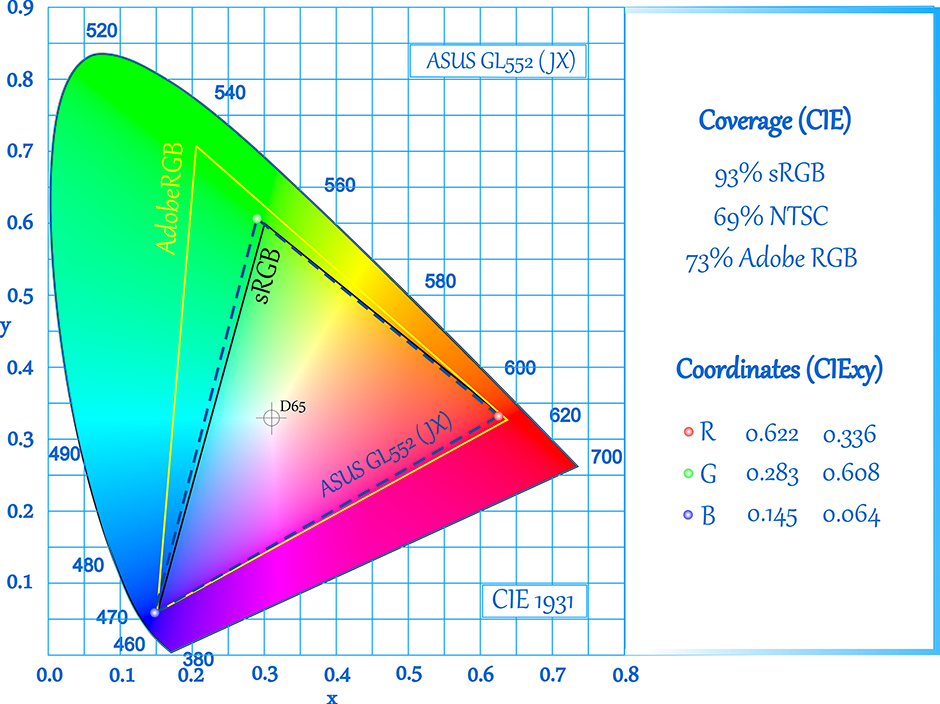
Even though Lenovo used an IPS panel instead of TN, the color gamut coverage didn’t go up as much. Y50’s panel covers only 64% of the sRGB and 48% of the Adobe RGB color gamut while GL552’s display goes up to 93% sRGB and 73% of the Adobe RGB color gamut.

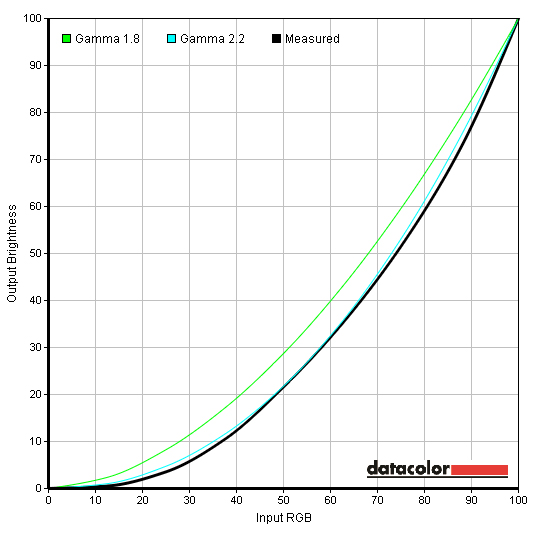
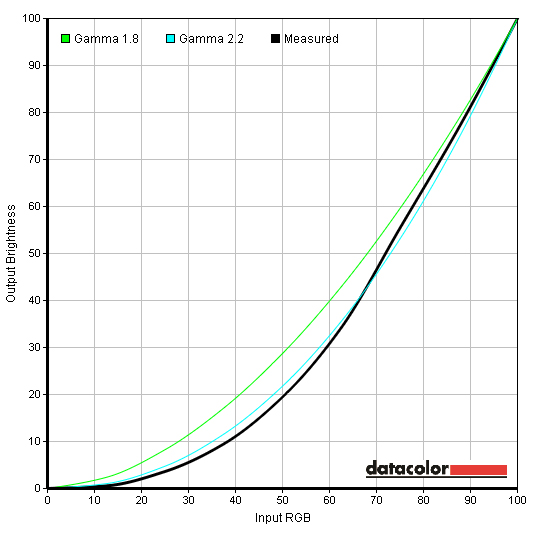
Both gamma curves are almost identical to each other and darker images will appear a bit dim than usual. Nothing too serious, though.
Color reproduction
Both screens were calibrated with target color temperature of 6500K and then we checked the color accuracy of both displays.
Before the actual calibration, Lenovo’s display had better color accuracy.

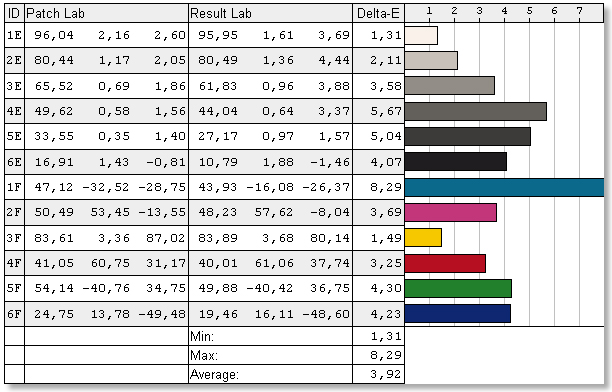
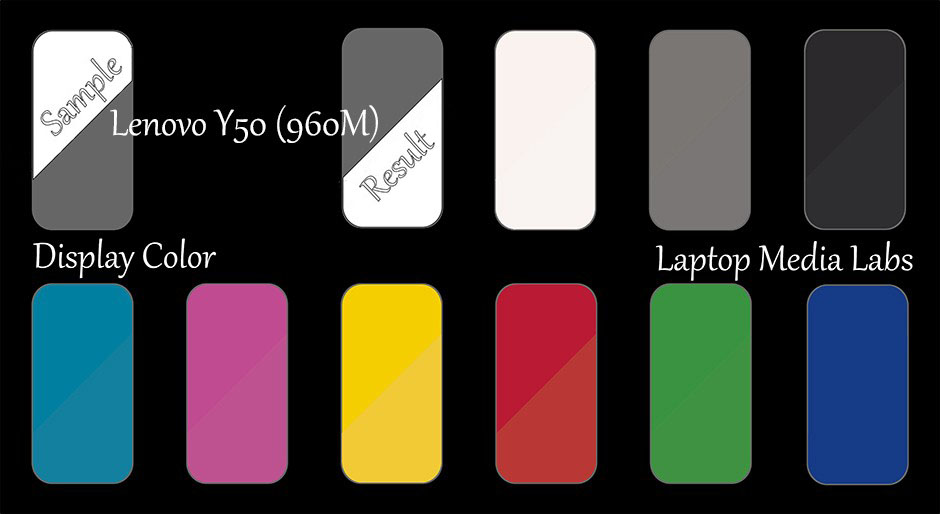
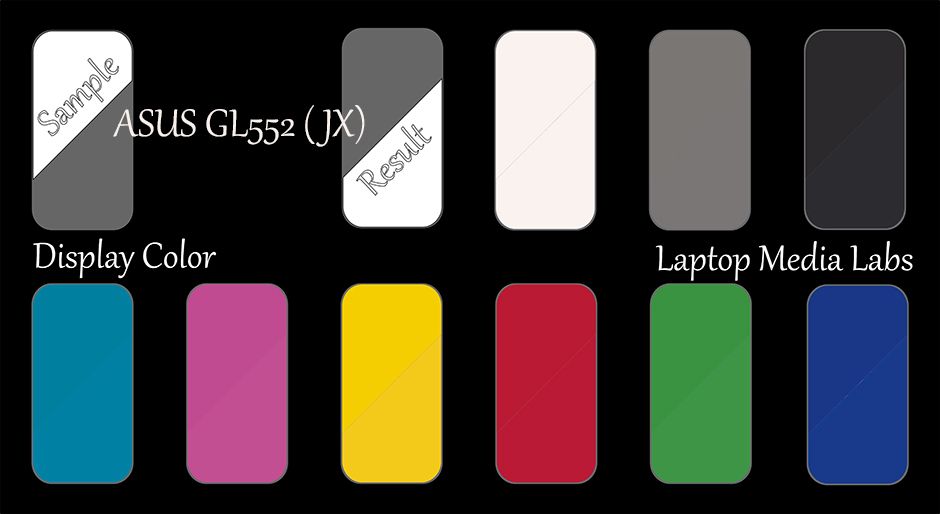
But after we tuned the color temperature things went the opposite direction and this may be due to the lack of colors that Y50’s display can reproduce.
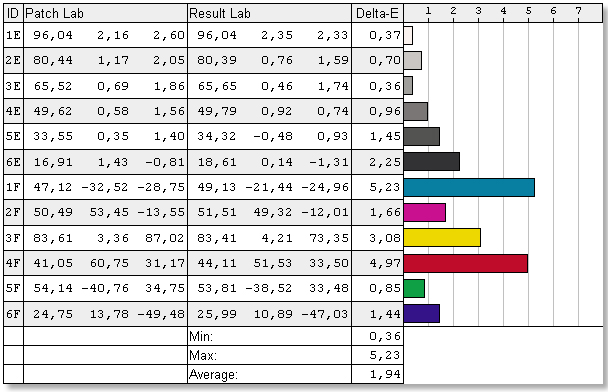
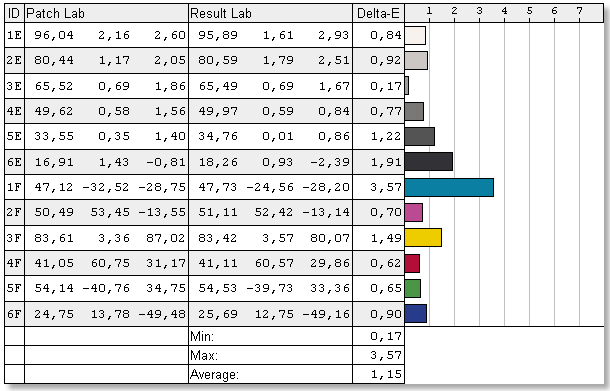
You can see the results on the color maps below.
Pulse-width modulation (Screen flickering, PWM)
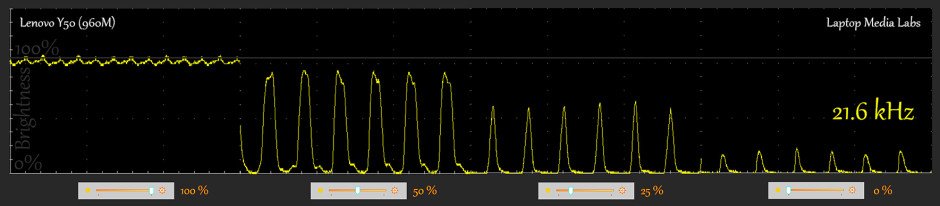
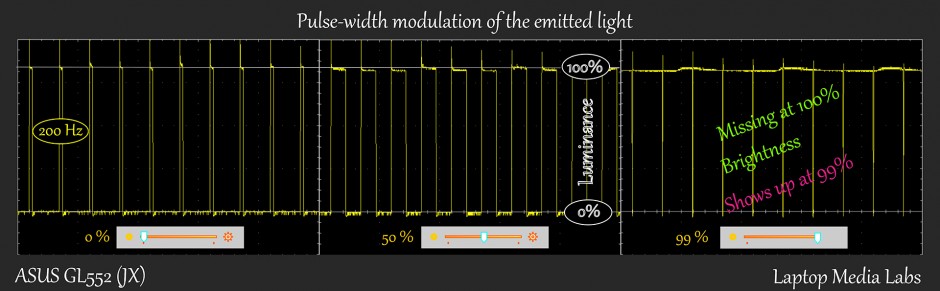
Unfortunately, both displays have the so-called screen flickering effect (PWM), but the Samsung’s panel will eliminate the PWM at 100% brightness. Nevertheless, GL552’s display emits more aggressive light pulsation (200 Hz) than LG’s one (21.6 kHz), so Y50’s display can be considered as less harmful.
Conclusion
Against all odds, GL552’s display delivers better image quality with better color reproduction after calibration, slightly higher maximum brightness, way wider sRGB color gamut coverage, but at the cost of being more harmful to your eyes. Users with more sensitive eyes will feel the effects of the PWM, while the Y50’s screen emits higher light frequency and will assure much better user experience. Eye fatigue is not excluded on both models, though.
Screen comparison
Om vi antar ett avstånd på 58 cm mellan det mänskliga ögat och den bärbara monitorn, skulle en normal syn (20/20) kräva en pixeltäthet på minst 150 pixlar för att en bild ska kunna tolkas som perfekt detaljerad.
| Bärbar dator | Resultat | Resultat skillnad | Pris | Pris skillnad | |
|---|---|---|---|---|---|
| Lenovo Y50 15.6-inch, LG, 1920 x 1080 pixels | 141 | ||||
| ASUS GL552JX 15.6-inch, Samsung 156HL01-102., 1920 x 1080 pixels | 141.21 | +0.15% |
Högre ljusstyrka på panelen är av avgörande betydelse för den visuella komforten när du arbetar utomhus eller i ett starkt upplyst rum.
| Bärbar dator | Resultat | Resultat skillnad | Pris | Pris skillnad | |
|---|---|---|---|---|---|
| Lenovo Y50 15.6-inch, LG, 1920 x 1080 pixels | 235 | ||||
| ASUS GL552JX 15.6-inch, Samsung 156HL01-102., 1920 x 1080 pixels | 280 | +19.15% |
Delta E är en CIE-måttenhet för färgskillnad. Högre värden indikerar att skärmen ger mindre korrekta färger. (lägre resultat är önskvärda).
| Bärbar dator | Resultat | Resultat skillnad | Pris | Pris skillnad | |
|---|---|---|---|---|---|
| Lenovo Y50 15.6-inch, LG, 1920 x 1080 pixels | 1.47 | ||||
| ASUS GL552JX 15.6-inch, Samsung 156HL01-102., 1920 x 1080 pixels | 3.92 | +166.67% |
sRGB-färgskalan, som infördes som en standard för webben, visar hur många procent av de färger som används på webben som kan visas på skärmen på den enhet som testas (högre värden är bättre).
| Bärbar dator | Resultat | Resultat skillnad | Pris | Pris skillnad | |
|---|---|---|---|---|---|
| Lenovo Y50 15.6-inch, LG, 1920 x 1080 pixels | 64 | ||||
| ASUS GL552JX 15.6-inch, Samsung 156HL01-102., 1920 x 1080 pixels | 93 | +45.31% |
Sound
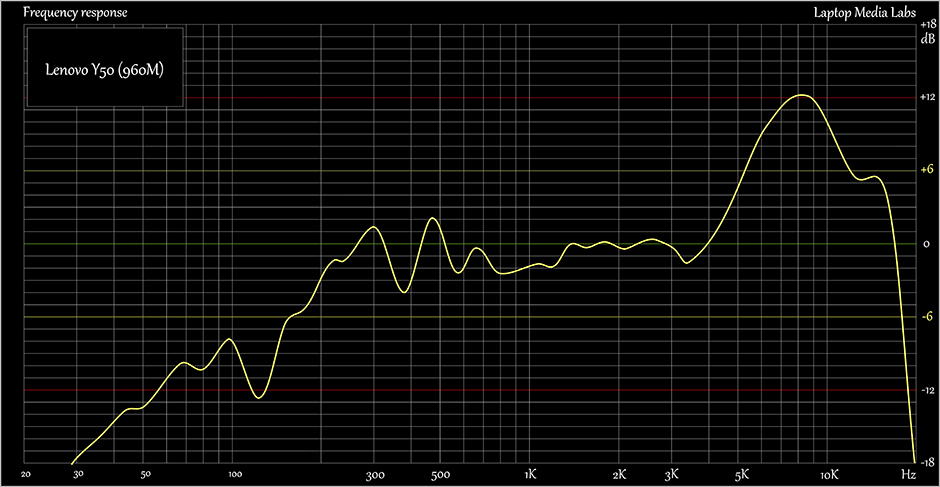
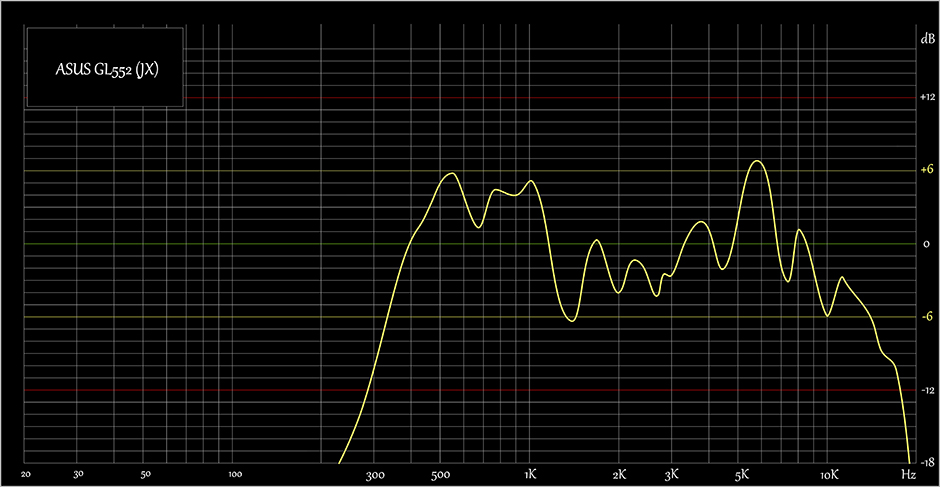
Both notebooks deliver excellent sound quality with the bigger advantage of the Y50 due to the extra subwoofer at the bottom of the machine. Sound feels richer, fuller and clearer.
Specs sheet
The current specs sheet is for these particular models and configurations may differ depending on your region.
| Processor | Intel Core i7-4720HQ (4-core, 2.60 – 3.60 Ghz, 6MB cache) | Intel Core i7-4720HQ (4-core, 2.60 – 3.60 GHz, 6MB cache) |
|---|---|---|
| RAM | 8GB (2x 4096MB) – DDR3, 1600MHz | 8GB (1x 8192MB) – DDR3, 1600MHz |
| Graphics card | NVIDIA GeForce GTX 960M (4GB GDDR5) | NVIDIA GeForce GTX 950M (2GB DDR3) |
| HDD/SSD | 1TB SSHD (8GB SSD + 1TB HDD (5400 rpm) | 1TB HDD (5400rpm) |
| Display | 15.6-inch (39.62 cm) – 1920×1080 (Full HD), IPS, matte | 15.6-inch(39.62 cm) – 1920×1080 (Full HD) IPS, matte |
| Optical drive | – | DVD burner |
| Connectivity | Wi-Fi 802.11ac, Bluetooth 4.02, LAN | LAN 10/100/1000 Mbps, Wi-Fi 802.11a/g/n, Bluetooth 4.0 |
| Other features |
|
|
| Battery | 54Wh, 4-Cell Battery (integrated) | 4-cell 3200 mAh Li-Polymer Battery |
| Thickness | 24.5mm (0.96″) | 32.4 mm (1.28″) |
| Weight | 2.44 kg (5.38 lbs) | 2.6 kg (5.73 lbs) |
Software
We used Windows 8.1 (64-bit) for the writing of both reviews, so if you are willing to perform a clean install of the OS, you can download all the drivers needed from the links below.
Lenovo Y50’s drivers: http://support.lenovo.com/us/en/products/laptops-and-netbooks/lenovo-y-series-laptops/y50-70-notebook-lenovo
ASUS ROG GL552’s drivers: http://www.asus.com/Notebooks_Ultrabooks/GL552JX/HelpDesk_Download/
Battery life
Both machines accommodate similar batteries with Y50’s being 54Wh, 4-cell and GL552’s rated at 3200 mAh, 4-cell. For gaming notebooks we don’t expect good results and given the hardware results are almost identical. Still, Lenovo’s laptop takes the lead with better gaming time. All tests were performed under the same conditions – Wi-Fi turned on, Bluetooth is off, power saver is on and screen brightness is set to 120 cd/m2.
| Model | Lenovo Y50 | ASUS GL552 |
|---|---|---|
| Web browsing | 200 minutes (3 hours and 20 minutes) | 186 minutes (3 hours and 6 minutes) |
| Watching a movie | 181 minutes (3 hours and 1 minute) | 193 minutes (3 hours and 13 minutes) |
| Gaming | 102 minutes (1 hour and 42 minutes) | 56 minutes |
CPU
 Although, the Intel Core i7-4720HQ has been launched in Q1 2015, this CPU is not part of the new Broadwell generation, but it represents the older one – Haswell. It’s a direct successor to the Intel Core i7-4710HQ and aims to replace it in 2015’s gaming notebooks. Basically, the biggest difference between the Core i7-4710HQ and i7-4720HQ is that the newer version has a slightly bigger base and turbo clocks (100MHz). That being said, the Core i7-4720HQ has a base frequency of 2.6GHz and Turbo Boost up to 3.6GHz for one active core, 3.5GHz for two and 3.4GHz for four active cores. The manufacturing process is the same as the whole Haswell family CPUs – 22nm.
This CPU, as every high and mid-range CPU from Intel, supports the so-called HyperThreading technology, that emulates one virtual core for each physical one. So we have 4 cores with maximum of 8 running threads at the same time. It supports dual memory channel of DDR3(L) 1333/1600MHz and up to 32GB. The chip also integrates the Intel HD Graphic 4600 that has a base clock of 400 and Turbo Boost up to 1200MHz with 20 EU (Execution Units). The maximum TDP of the whole chip is 47W which makes it more suitable for 15-inch laptops or bigger, which are mainly for gaming.
You can browse through our top CPUs ranking: http://laptopmedia.com/top-laptop-cpu-ranking/
Here you will find other useful information and every notebook we’ve tested with this processor: http://laptopmedia.com/processor/intel-core-i7-4720hq
Fritz
Fritz is a chess benchmark that tests the computing capabilities of the CPU with various chess moves. Оne of the most powerful PCs, Deep(er) Blue, was able to squeeze out 200 million moves per second. In 1997 Deep(er) Blue even beat the famous Garry Kasparov with 3.5 to 2.5. The Intel Core i7-4720HQ managed to get 10.488 million moves per second on the Y50 and 13.001 million moves per second on the GL552. The reason for the difference in the results, even though both notebooks have the same processor, is the fact that the Lenovo’s CPU throttles and its turbo ran off quickly.
GPU
This is the main difference between the two notebooks, so you might want to read this section carefully.
NVIDIA GeForce GTX 960M (4GB GDDR5)
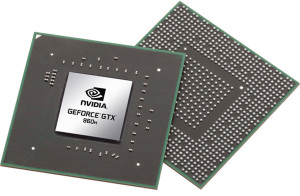 The GeForce GTX 960M (4GB GDDR5) is placed as a high-end graphics card, but used mostly in budget gaming laptops. It is part of the Maxwell family of GPUs. It features 640 CUDA cores or simply – shading units, along with 32 ROPs and 53 texture units. It has 4GB of dedicated VRAM and in this case GDDR5 type. The speed bandwidth of the memory is 80.2 GB/s and 128-bit bus width.
The GTX 960M uses the same GM107 GPU core that we’ve seen in last year’s 860M, but this one is mainly oriented to bump the notebook’s battery life and add some extra performance, but that’s not stressed as much. However, the GM107 is clocked a bit higher than last year’s model – 1097MHz of base clock and boost up to 1176MHz. It also supports 2048×1536 resolution through VGA port and 3840×2160 with DisplayPort and HDMI.
You can browse through our top GPUs ranking: http://laptopmedia.com/top-laptop-graphics-ranking/
Here you will find other useful information and every notebook we’ve tested with this GPU: http://laptopmedia.com/video-card/nvidia-gtx-960m/
NVIDIA GeForce GTX 950M (2GB DDR3)
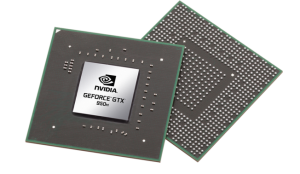 The GeForce GTX 950M is a direct successor to last year’s GTX 850M and it’s placed in the upper-mid range class. It is commonly used as a multimedia GPU and light gaming as its properties can handle some more demanding applications. The GPU core is the GM107, similar to most Maxwell NVIDIA graphics card and it’s clocked at 914MHz and can go up to 1124MHz. It has 2GB DDR3 memory and the effective clock speed of the memory is 2000MHz, while there are other variants of the GPU with GDDR5 memory.
However, the memory width is 128 bit with 16 ROPs, 40 texture units and 640 CUDA cores (or shading units). It als features increased L2 cache size, which is now 2MB. Supports features like Battery Boost, GameStream, ShadowPlay, GPU Boost 2.0, Optimus, PhysX, CUDA, SLI and GeForce Experience.
You can browse through our top GPUs ranking: http://laptopmedia.com/top-laptop-graphics-ranking/
Here you will find other useful information and every notebook we’ve tested with this GPU: http://laptopmedia.com/video-card/nvidia-geforce-gtx-950m-2gb-ddr3/
Gaming performance
You see how the hardware reflects on real-life gaming experience in this short article: http://laptopmedia.com/highlights/benchmarks-and-real-games-performance-comparison/
Gaming tests were performed with the same GPUs listed above.
Gaming tests

| Tomb Raider (1080p, Low) | Tomb Raider (1080p, Medium) | Tomb Raider (1080p, Max) | |
|---|---|---|---|
| NVIDIA GeForce GTX 960M | 154 fps (+40%) | 68 fps (+70%) | 31 fps (+35%) |
| NVIDIA GeForce GTX 950M | 110 fps | 40 fps | 23 fps |

| F1 2014 (1080p, Low) | F1 2014 (1080p, Medium) | F1 2014 (1080p, Max) | |
|---|---|---|---|
| NVIDIA GeForce GTX 960M | 119 fps (+29%) | 107 fps (+26%) | 89 fps (+33%) |
| NVIDIA GeForce GTX 950M | 92 fps | 85 fps | 67 fps |

| Thief (1080p, Low) | Thief (1080p, Medium) | Thief (1080p, Max) | |
|---|---|---|---|
| NVIDIA GeForce GTX 960M | 49 fps (+9%) | 41 fps (+21%) | 28 fps (+40%) |
| NVIDIA GeForce GTX 950M | 45 fps | 34 fps | 20 fps |
Temperatures
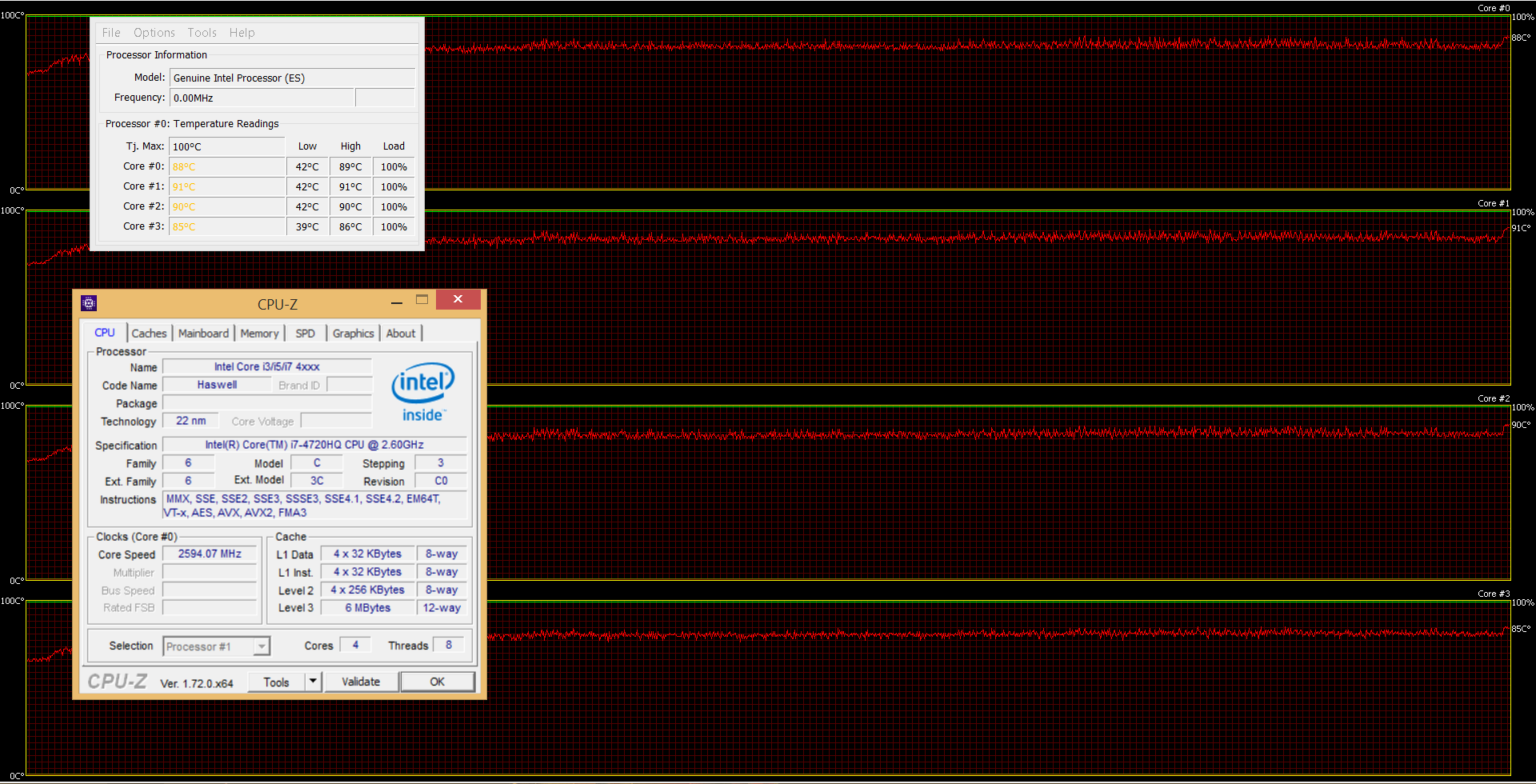
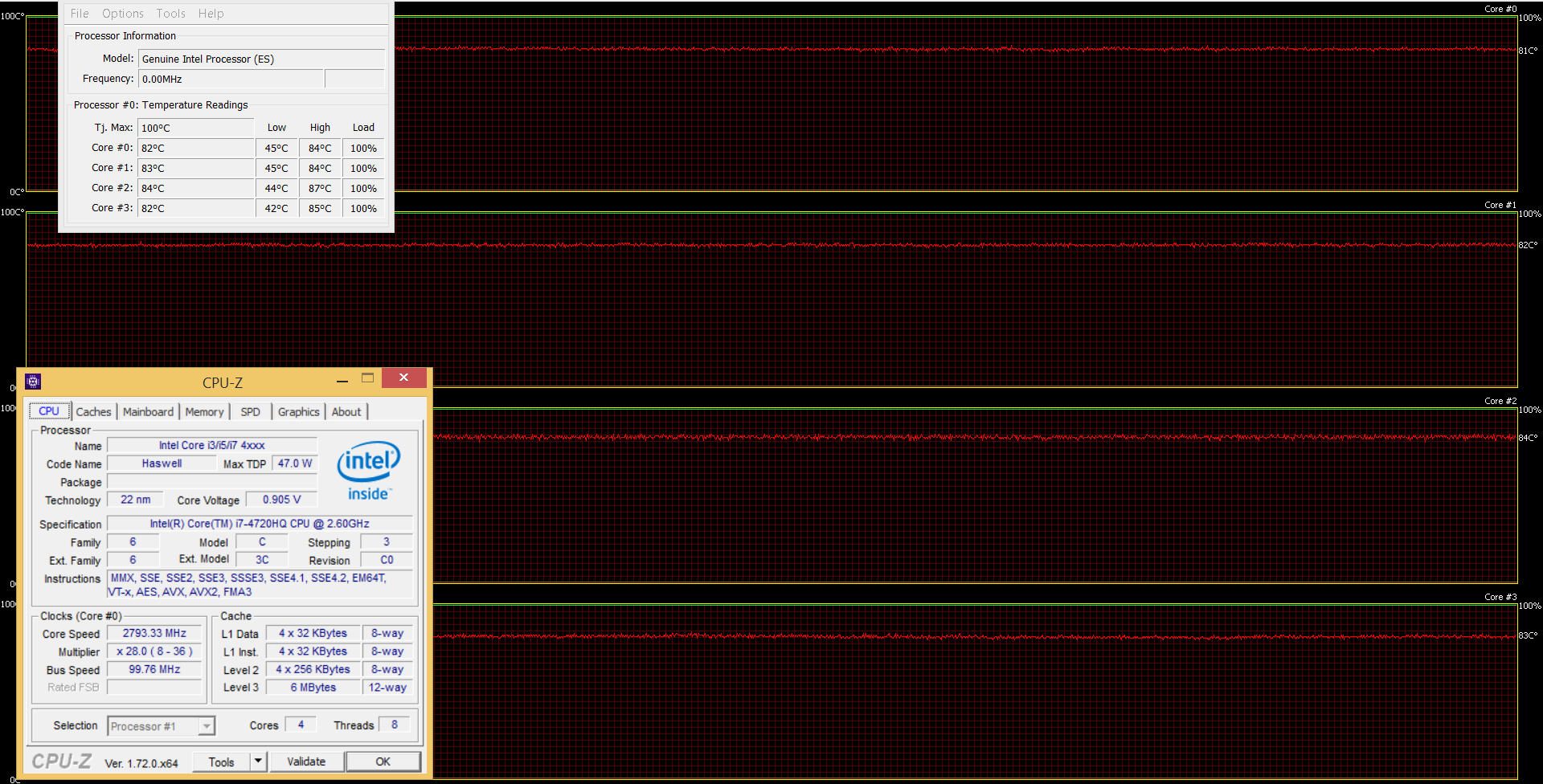
As usual, both notebooks went through our stability test with 100% CPU and GPU load. For the first hour, Lenovo’s gaming laptop showed better temperatures – around 73 °C while ASUS’ machine ran at 81 °C. However, both CPUs were far from the maximum operating temperature of 100 °C. But when it comes to performance, GL552’s CPU maintained frequency around 3.0-3.2 GHz which is slightly below the Turbo Boost frequency of 3.4 GHz, while the Y50 ran at around 2.6 GHz which is exactly the base frequency of the CPU. No throttling on both notebooks whatsoever. More information can be found on the graphs below.
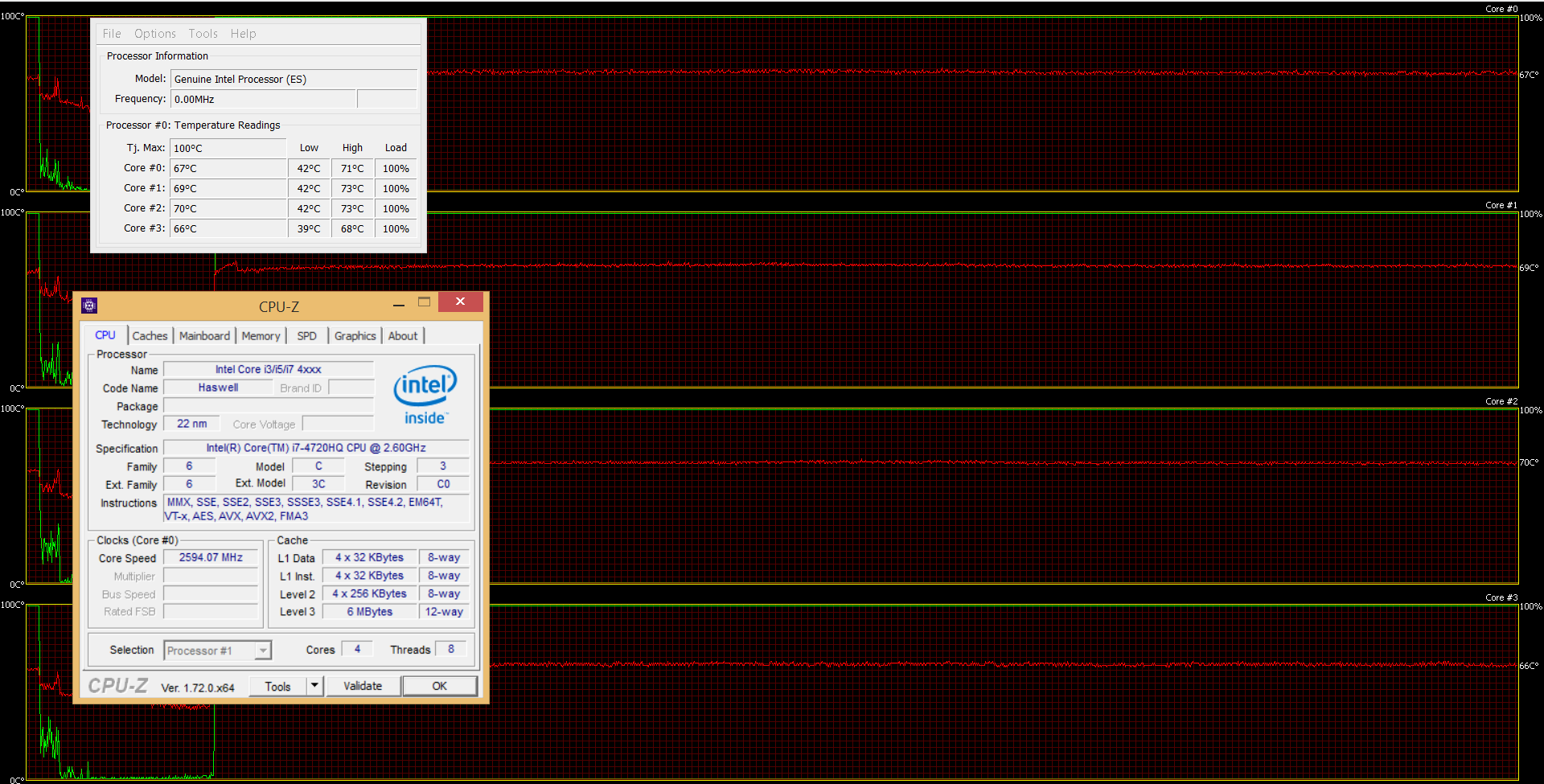

After the first CPU stress test, we ran the GPU torture test alongside the first one, but things didn’t change as much. We were also glad to see that none of the notebooks’ CPUs and GPUs throttled maintaining their base frequencies. Although, Y50’s CPU ran significantly hotter – around 90 °C, but nothing too worrying.
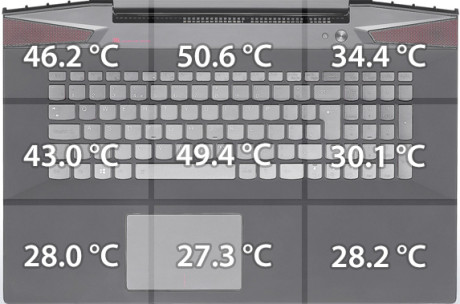
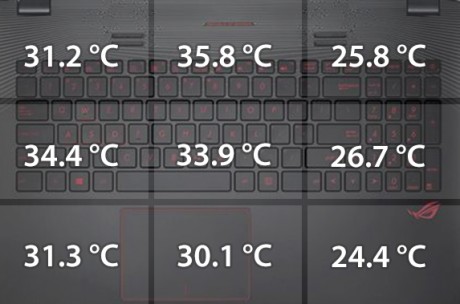
And this is where the GL552’s overtakes the Lenovo Y50. The overall cooler inner temperature didn’t affect too much the outer chassis, while the same cannot be said about Lenovo’s powerhouse. The thinner chassis, impractical cooling system and more powerful GPU of the Y50 heat up the interior a lot and users will feel the heat. At least the area where palms rest remained cool during the testing. More information on the heat maps below.
Verdict
As expected, buying the more expensive notebook here, the Lenovo Y50, will bring you better performance and overall user experience due to the excellent build quality, design and superb sound. On the contrary, the GL552 excels in other important areas like screen quality and cooling system which is a big deal to consider when you add up the price tag. But keep in mind that the screen quality comes at a price as our tests indicate the presence of PWM (screen flickering) across all brightness levels except 100%. The same applies for the Lenovo Y50, but the frequency of the emitted light there is 21.6 kHz and can be considered way less harmful to your eyes. So last, but not least, the GL552 offers better upgrade options than the more expensive Y50, with an additional M.2 SATA SSD slot. It’s a shame that Lenovo didn’t include a at least one more storage option. Other notebooks at this price like ASUS ROG G501, G551 and Acer Aspire V15 Nitro Black Edition boast an additional M.2 SATA slot.
Reasons to consider the Lenovo Y50 over the ASUS ROG GL552
- Better build quality and aluminum design
- More powerful GPU
- Thinner and lighter
- Slightly better battery performance
- Less harmful screen
- Better sound quality
Reasons to consider ASUS ROG GL552 over the Lenovo Y50.
- Lower price
- Multimedia buttons on the keyboard and longer key travel more suitable for gaming
- M.2 SATA SSD slot
- Better viewing experience and image quality
- Runs cooler under heavy load
You can read Lenovo Y50’s review here: http://laptopmedia.com/review/lenovo-y50-gtx-960m-review-the-slimmed-down-powerhouse-got-even-better/
You can read ASUS GL552’s review here: http://laptopmedia.com/review/asus-rog-gl552-review-it-looks-like-a-rog-notebook-but-it-doesnt-feel-like-it/
 Author: Rossen Pandev

![[Augusti 2026] Global ranking över de bästsäljande grafikkorten för bärbara datorer på Amazon – Apple dominerar, medan NVIDIAs RTX 5060 toppar listan över dedikerade grafikkort](https://laptopmedia.com/wp-content/uploads/2026/09/Best-Selling-GPUs-GLOBAL-Top-10-400x225.jpg)
![[Augusti 2026] Global ranking över de mest sålda bärbara datorprocessorerna på Amazon – Apple dominerar både i budget- och premiumsegmentet: A18 Pro och M5 krossar Intel och AMD i augusti 2026](https://laptopmedia.com/wp-content/uploads/2026/09/Best-Selling-CPUs-GLOBAL-Top-10-400x225.jpg)
![[Augusti 2026] Amazon Global: De 10 bästsäljande bärbara datorerna – Apple MacBook Neo toppar listorna medan prisvärda och mellanklassiga Windows-datorer kämpar om försäljningsvolymen](https://laptopmedia.com/wp-content/uploads/2026/09/Best-Selling-Laptops-GLOBAL-Top-10-400x225.jpg)
![[Augusti 2026] De bästsäljande bärbara datormärkena på Amazon Global – Apple dominerar omsättningen medan HP ligger i topp när det gäller modellutbudet](https://laptopmedia.com/wp-content/uploads/2026/09/GLOBAL-Best-Brands-400x225.jpg)
![[Augusti 2026] Amazon Global: De 10 mest sålda spelbärbara datorerna – HP Victus 15 tar förstaplatsen medan prisvärda modeller dominerar listan](https://laptopmedia.com/wp-content/uploads/2026/09/Best-Selling-Gaming-Laptops-GLOBAL-Top-10-400x225.jpg)

Wow, what a good article! Very detailed and thorough. Thank you very much for this comparison. I’m currently about to buy a laptop and this has helped me a lot to choose one.
Really impressive comparison with such detailed description. The benchmarks and gaming tests are really helpful. Thank you guys.
Thank you for the detailed review. But like most things with more answers comes more questions. I have a Lenovo Y50-70, which I bought at the beginning of this year. Since my purchase I have taken it in to be repaired twice. One thing that drives me mad is the trackpad, feels like you have to hit it with a hammer to make it respond, and doing that in a double click is a mission. Is the trackpad on the ROG the same, worse or better? Although they have the same CPU, why such a difference in performance. My situation… Läs mer »
Your article has helped me in making the right choice. Thank you so much. BRILLIANT ARTICLE. Extremely detailed and to the point. Wonderful Job
Great article,Im in the market for a decent gaming laptop and was considering these 2 models,so this is exactly what I was looking for.
One thing I would ad is that now Lenovo has made a successor to the Y50,its the Y700 and it has better cooling and looks,a skylake i7,ddr4 ram and the m.2 slot with a ssd. And where I live its only like 100e more then the Y50,imo its totally worth it. In comparison to that,sadly the ROG GL552 comes out short.
We already did a review a few months back: http://laptopmedia.com/review/lenovo-y700-review-major-overhaul-of-the-popular-gaming-hit-lenovo-y50/
However, the cooling system of the Y700 in real-life isn’t all that better.