Dell Vostro 14 5471 review – a compact business notebook with an affordable price
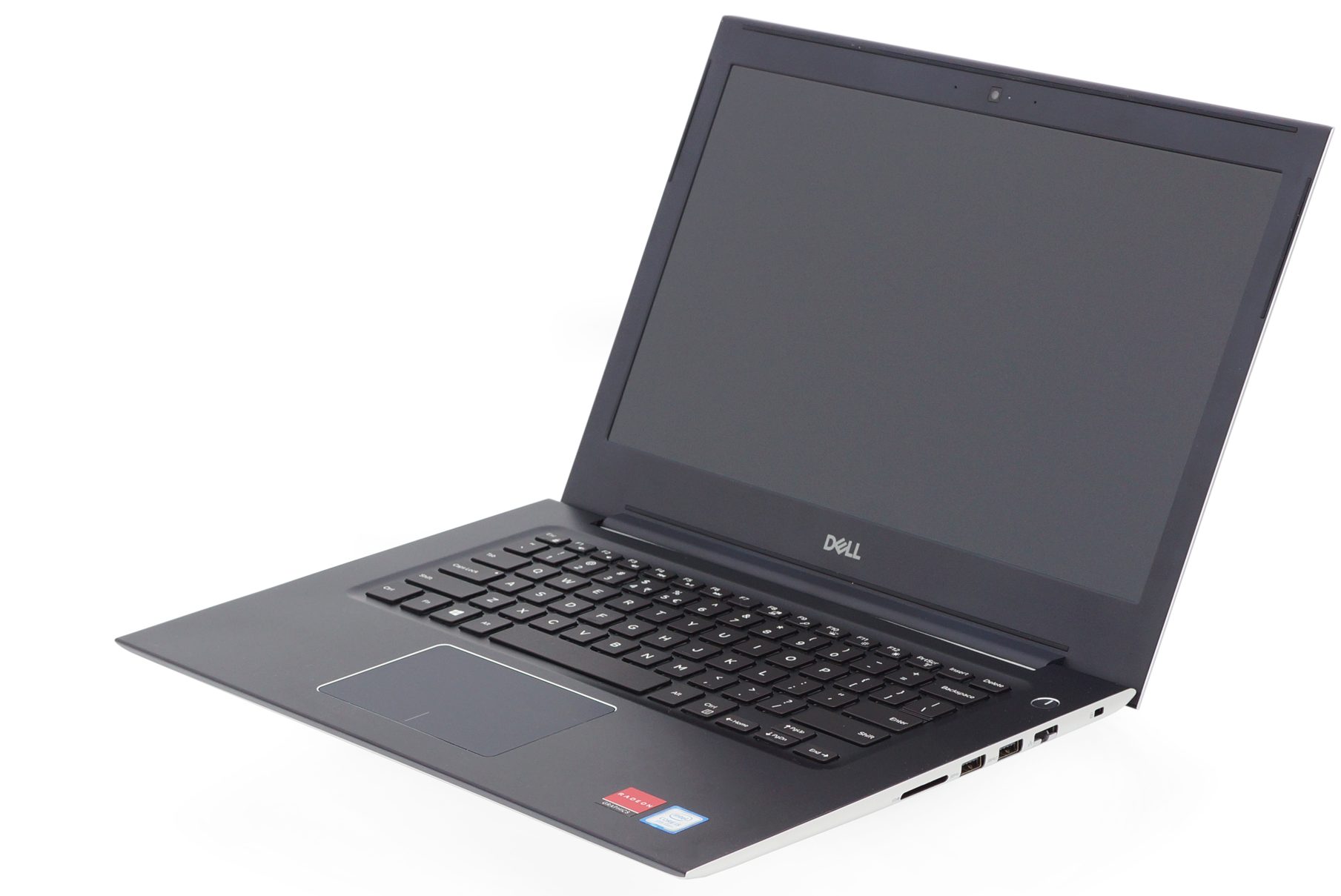 The Dell Vostro 14 5471 is a portable 14-inch business notebook that offers some premium features but doesn’t break your budget. You get a metal chassis, good build quality, and good battery life. Features like the backlit keyboard and NVMe SSD support set it one step ahead of the strictly-budget notebooks.
The Vostro 14 5471 packs all the usual features for a business notebook – a hardware TPM and optional fingerprint sensor for security, a free-fall sensor that locks the hard drive if it detects it falling, an easy to navigate BIOS with lots of information and customization options which are usually hidden on a lot of models.
Equipped with up to a Core i7-8550U, you should have all your basic needs covered while retaining good battery life. An optional dedicated GPU also allows you to enjoy some basic games.
You can check the prices and configurations in our Specs System: https://laptopmedia.com/series/dell-vostro-14-5471/
Contents
Specs Sheet
Dell Vostro 5471 teknik özellikler tablosu
Not available
What’s in the box?
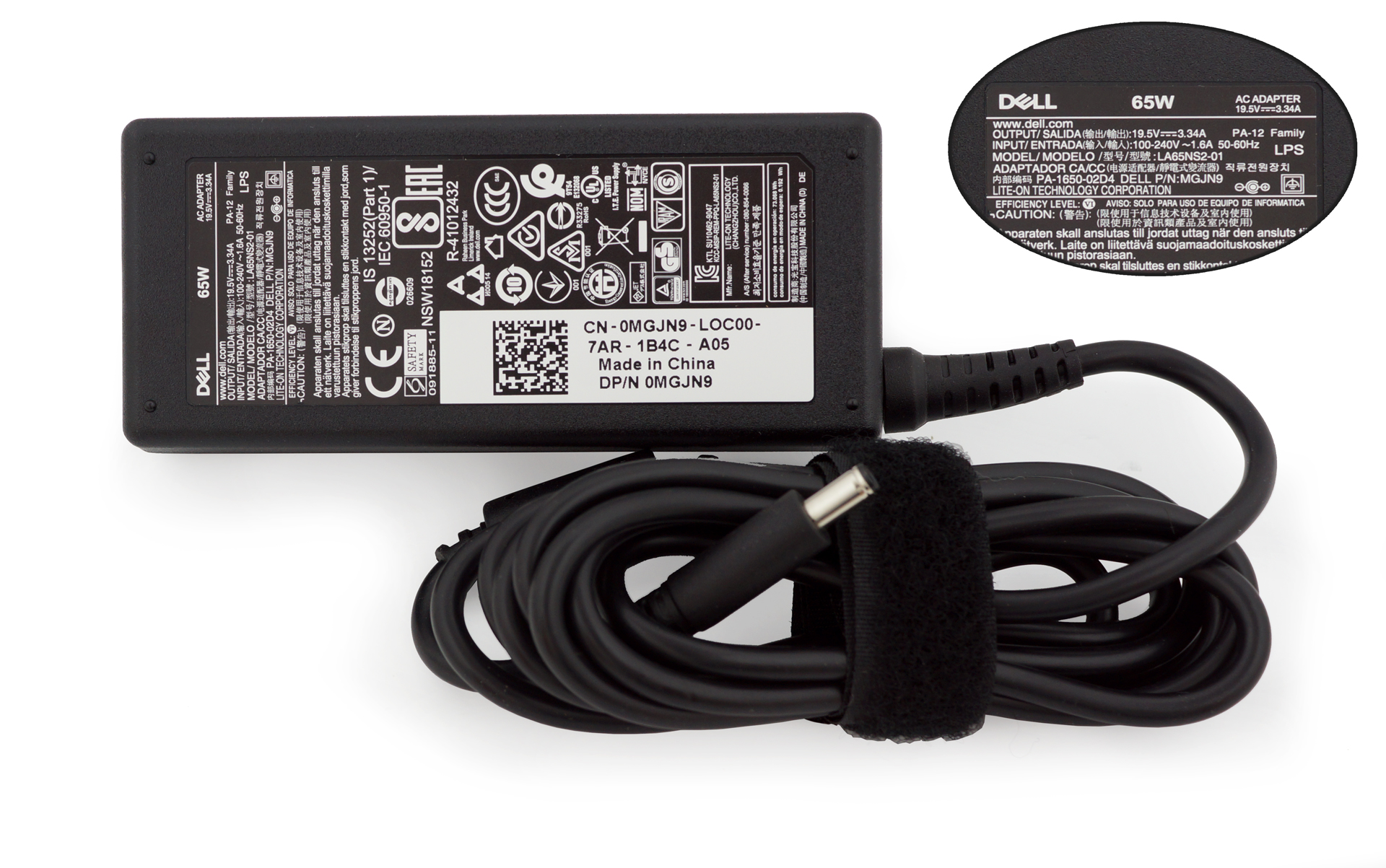
Inside the box, you can find the 65W wall charger and a few booklets including a quick start guide and warranty policy.
Design and construction
The main material used in the notebook’s construction is metal which is always preferred – it makes the laptop feel more premium, more sturdy, and just better. The rounded side corners make the notebook look very thin. This effect is boosted by the steep edges on the front and back side.

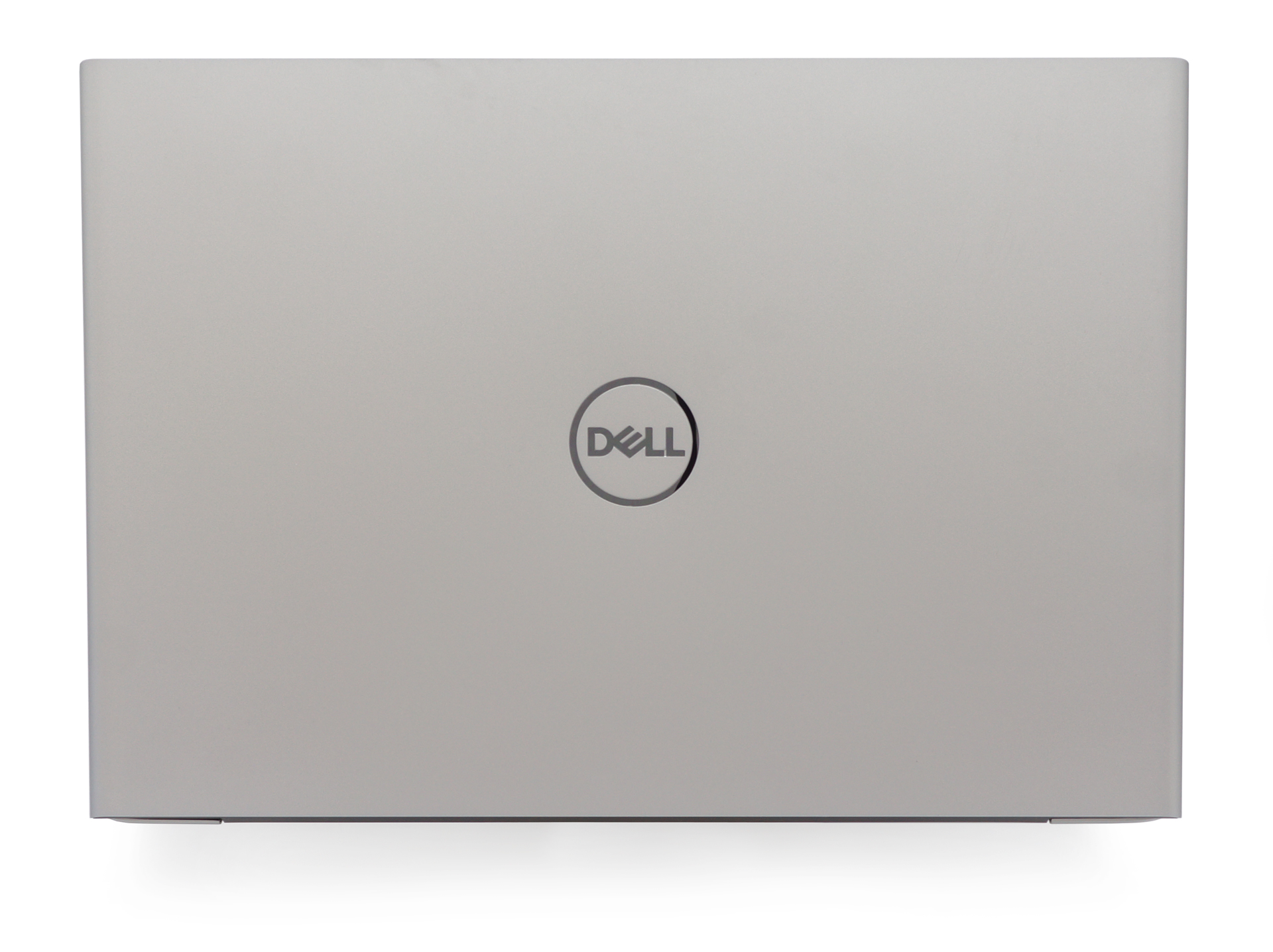
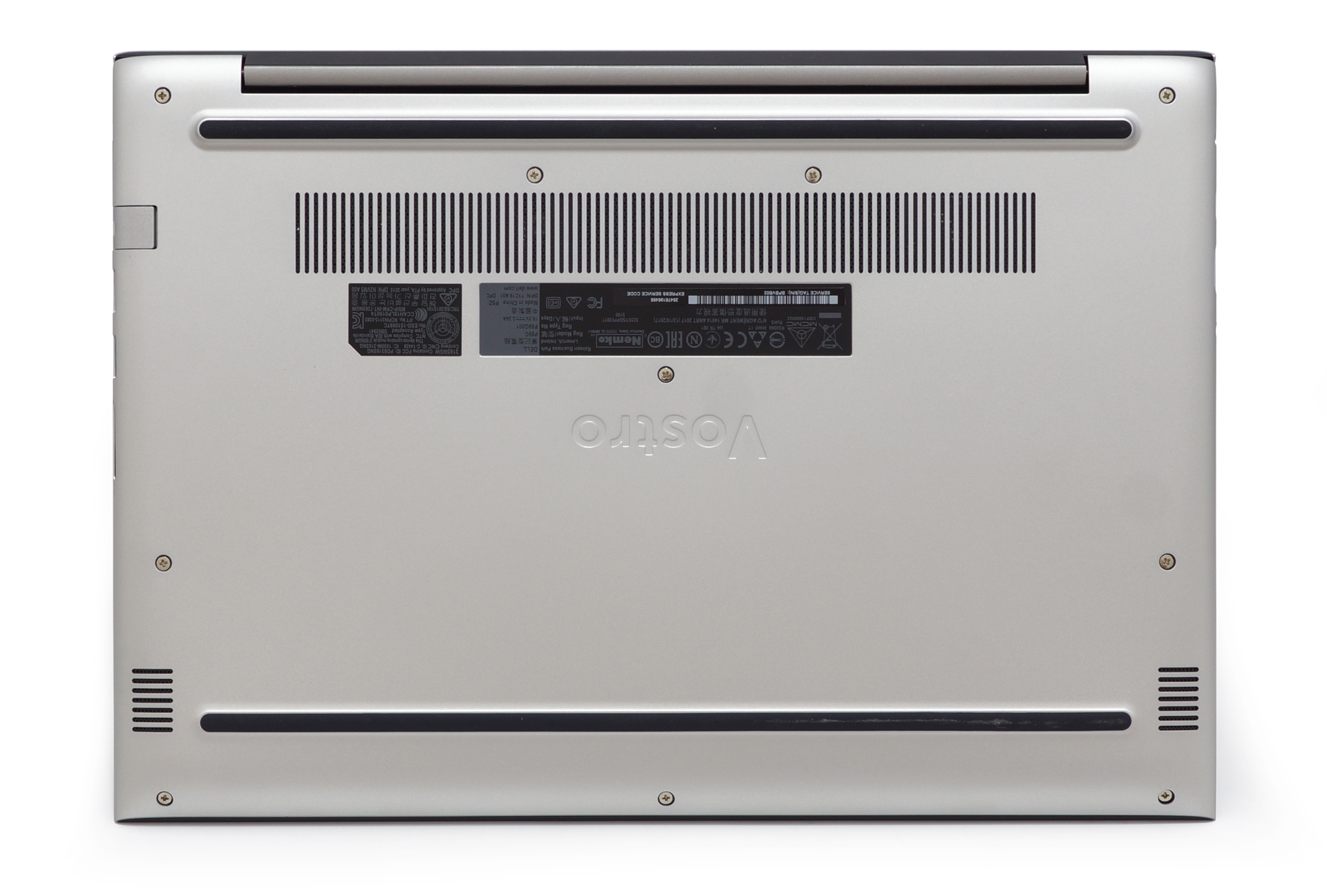
The metal build lives up to the expectations. The lid doesn’t flex a lot – it’s only noticeable in the center and front corners. The backplate is as sturdy as it can get. There are two rubber stripes to hold the notebook in place though they don’t really succeed in doing so as the laptop easily glides along the table. There is one large vent on the back, the other two are located behind the hinge.
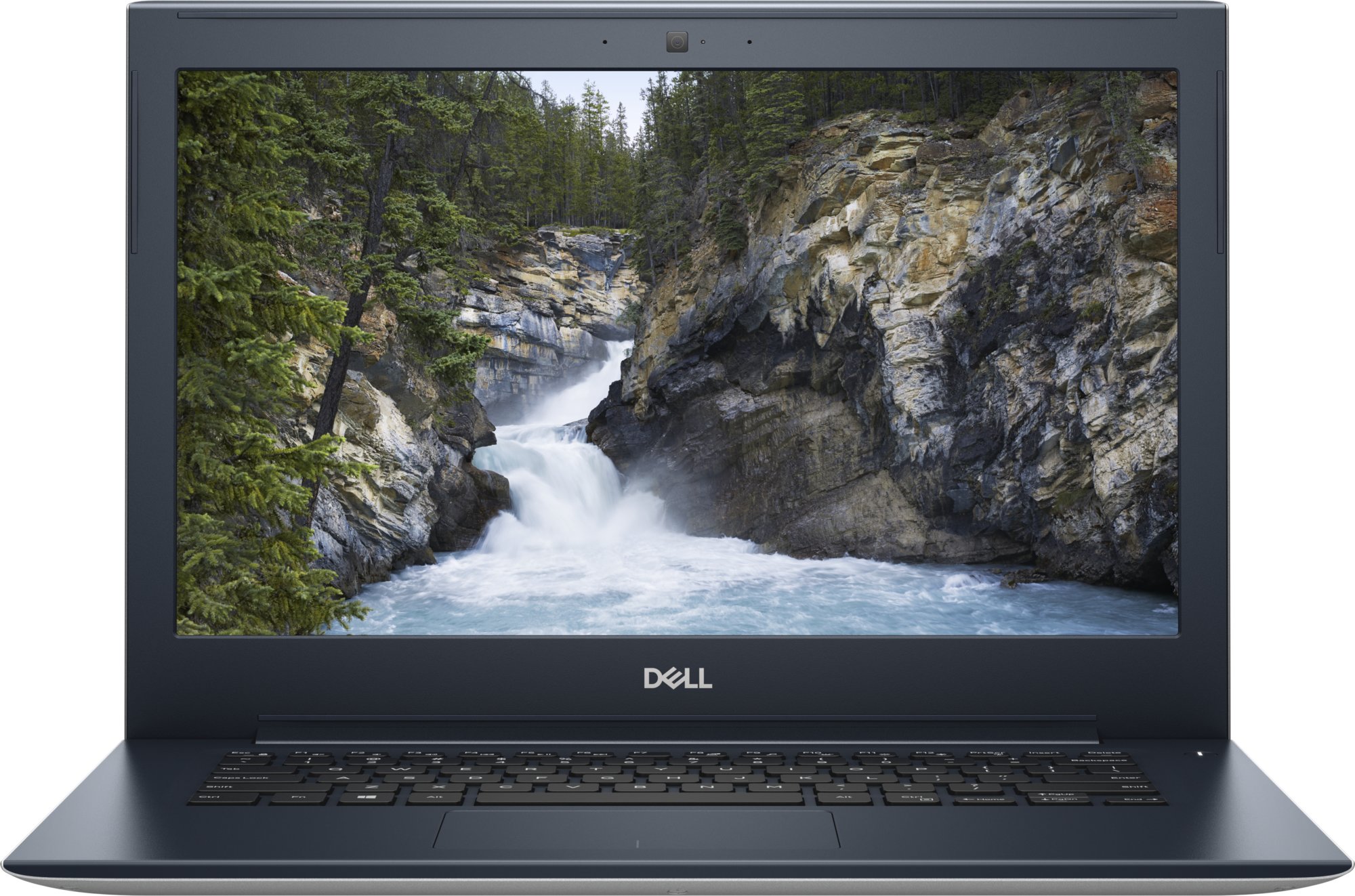
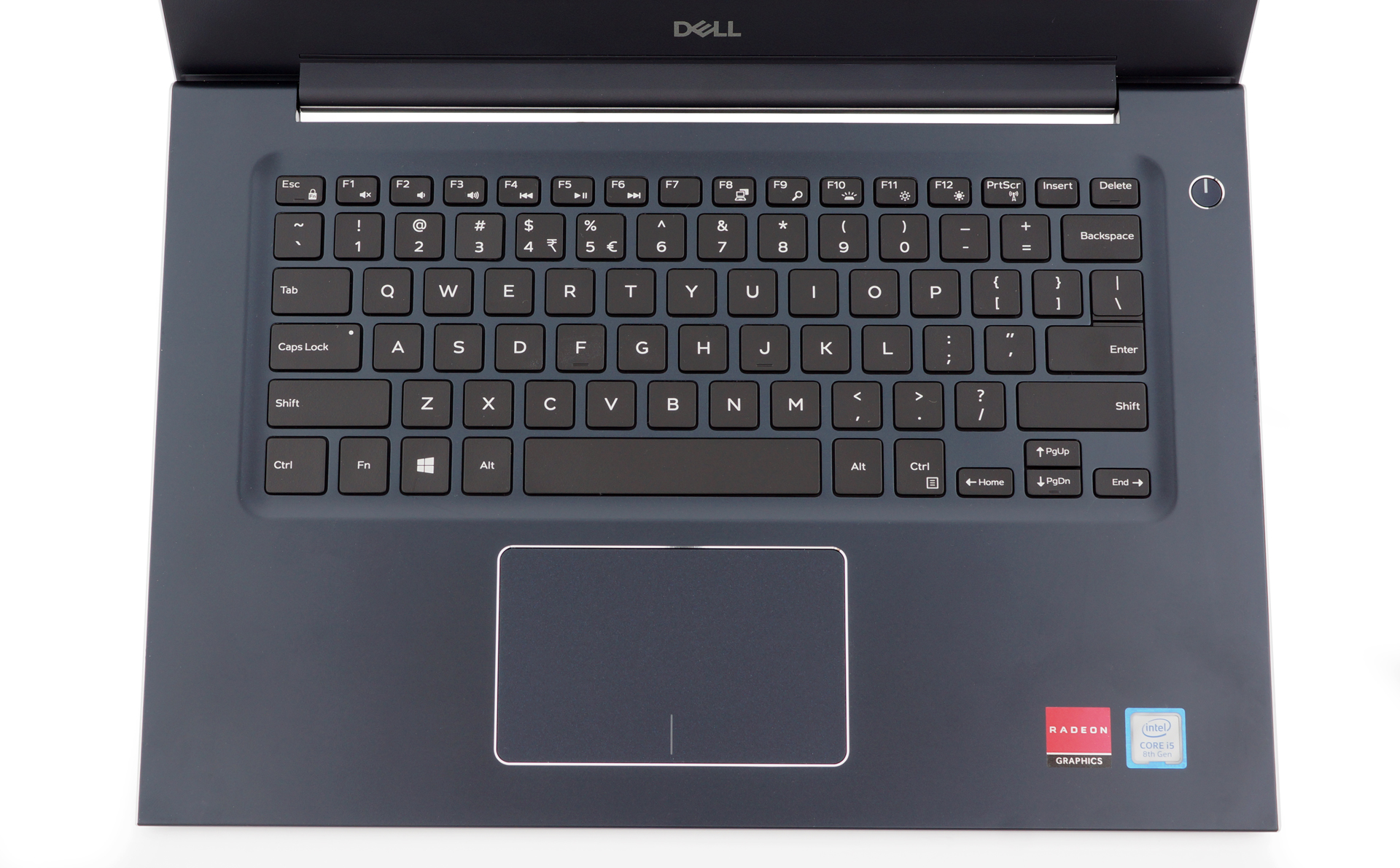
Opening the lid with one hand is absolutely impossible. Once you lift it, you become witness to the fairly large bezels surrounding the 14-inch display. Below is the compact keyboard. Although a bit smaller than a 15.6-inch notebook, typing on the keyboard feels natural. There is a sufficient amount of feedback on each press and typing doesn’t produce a lot of noise. The keys have a matte finish which doesn’t become smudgy. The white illumination has two levels of brightness. There are no extra macro or media keys – overall a pretty classic layout.
The touchpad is very accurate. It has a matte finish which remains free of smudges. The only issue we could bring to consideration is the size – we like larger touchpads.
Ports
The Dell Vostro 14 5471 has a good port selection. The ports are evenly spread on both sides.
The left-hand side offers a 3.5 mm headphone jack, an HDMI, a USB Type-C port, and the power jack. The Type-C port is compatible with DisplayPort and has Dell’s PowerShare technology which allows charging external devices when the notebook is switched off.

The other side is home to a Noble lock slot, an RJ-45 port, two USB 3.1 ports one of which supports PowerShare, and an SD card reader.

Disassembly, upgrade options and maintenance
The Dell Vostro 14 5471 is fairly easy to open. You have to remove 8 Philips screws and loose another two captive screws – one on both sides of the hinge. Once that’s done, you have to pry the back cover which might be a bit hard if you don’t have a lot of experience.
Popping the lid reveals all the notebook’s hardware. You can see the 42Wh battery taking a lot of the space and the single-fan cooling system. You don’t have much room for upgrading.
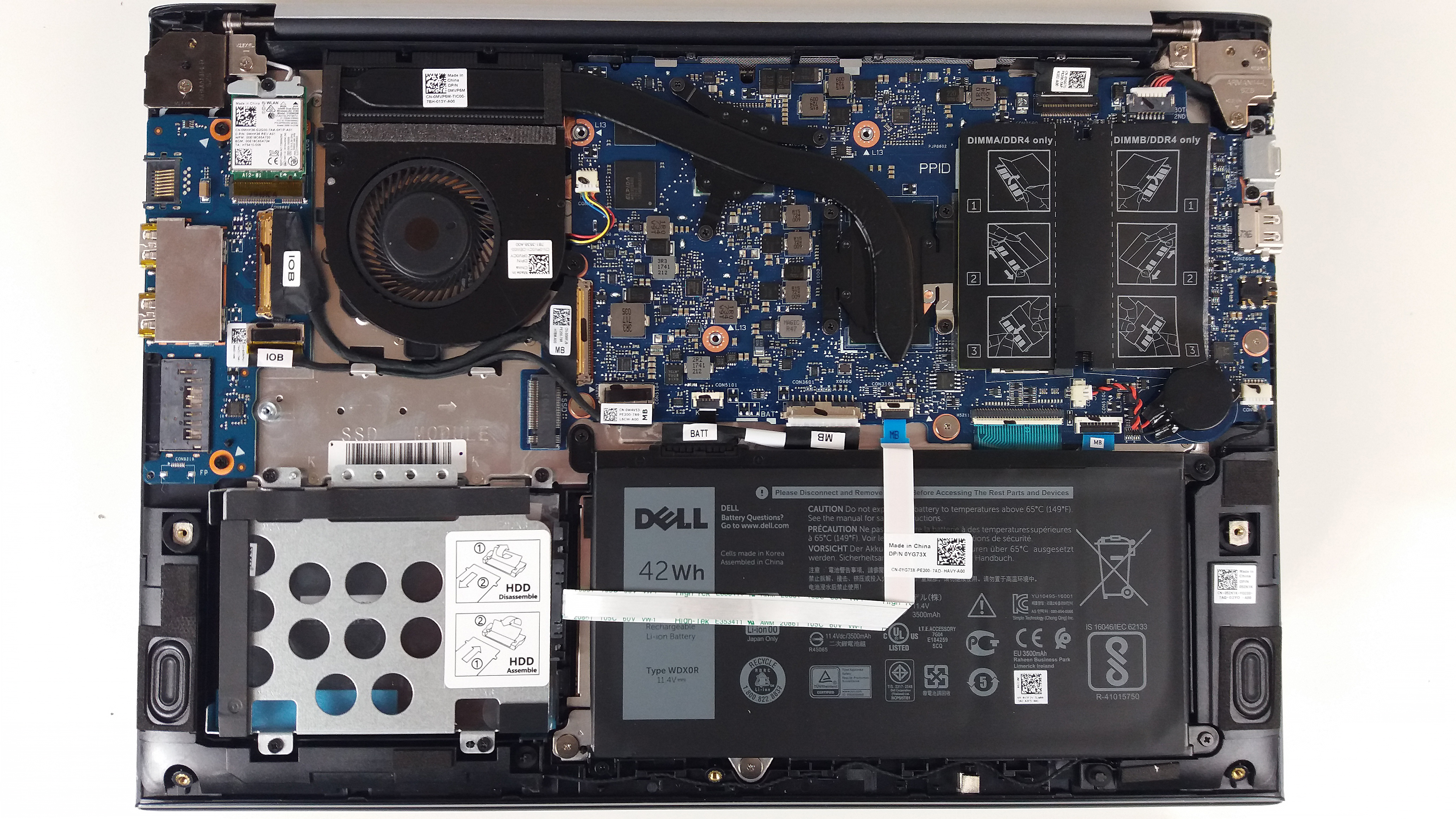
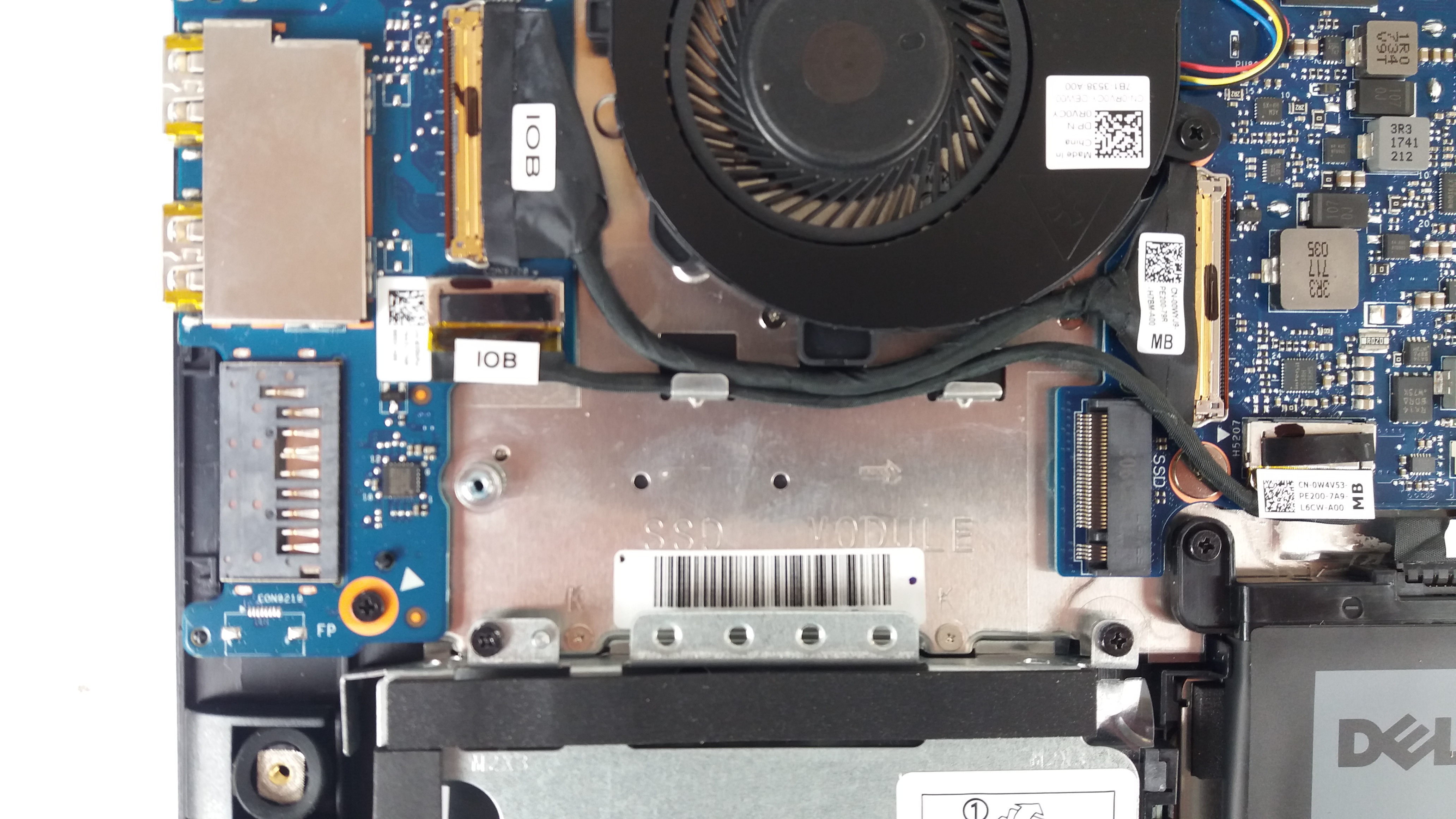
There is a single M.2 2280 slot which supports both SATA and PCIe NVMe drives. Below it there is a 2.5-inch SATA slot with a caddy. You have two RAM slots covered by an isolation tape. You can insert sticks with a capacity of up to 16 GB in each slot for a maximum of 32 GB memory total. The maximum supported frequency is 2400 MHz.
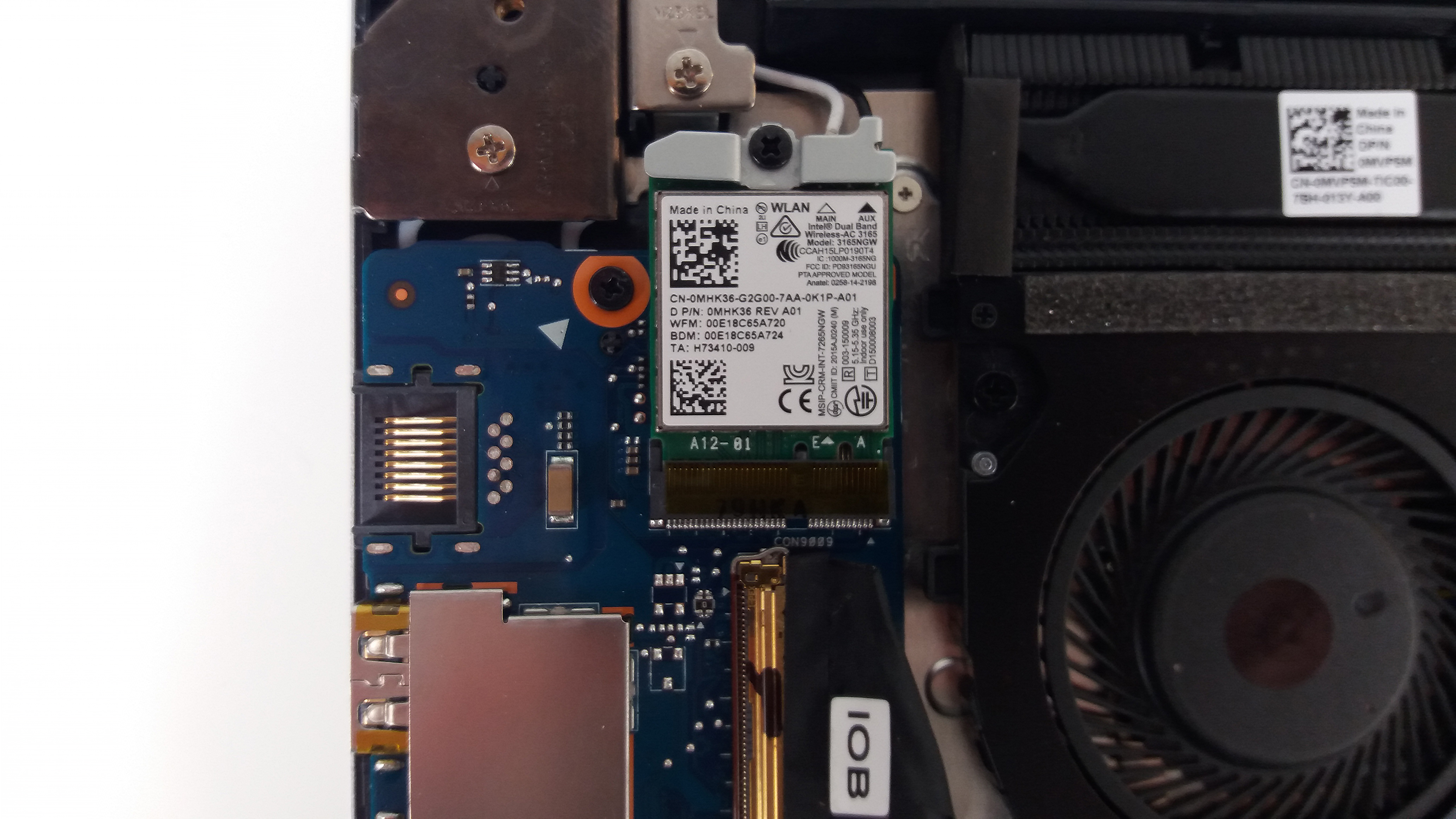
The M.2 Wi-Fi card is in the top left corner. The notebook is sold with a few different models.
Display quality
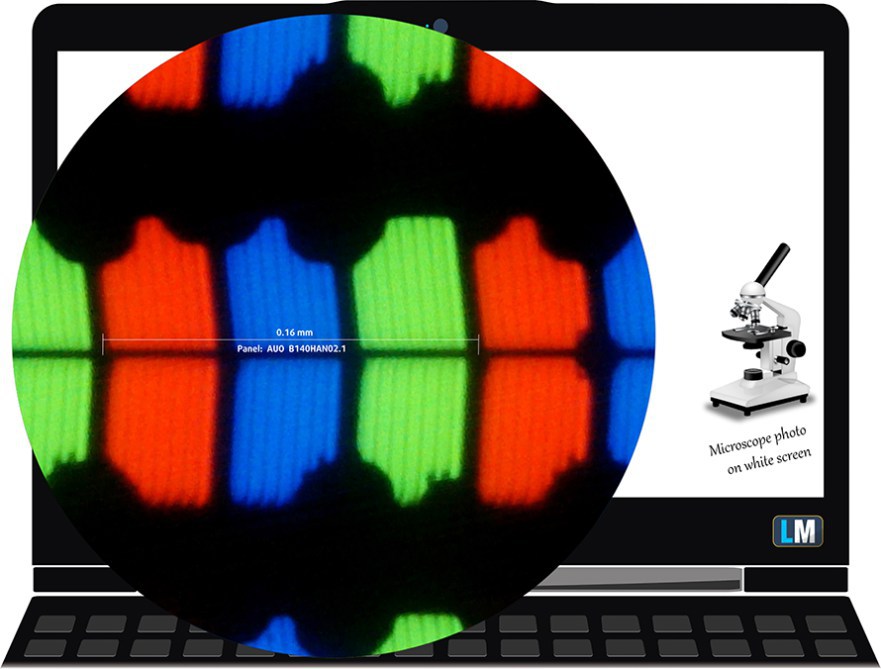
The display of the Dell Vostro 14 5471 has a Full HD IPS panel with a model number AUO B140HAN02.1 (AUO213D). Its size is 14.0 inches and the resolution is 1920 x 1080p. The screen ratio is 16:9, the pixel density – 157 ppi, and the pixel pitch 0.161 х 0.161 mm. The screen can be considered Retina when viewed from at least 55 cm (22 inches) – from this distance, the average human eye can’t see the individual pixels.
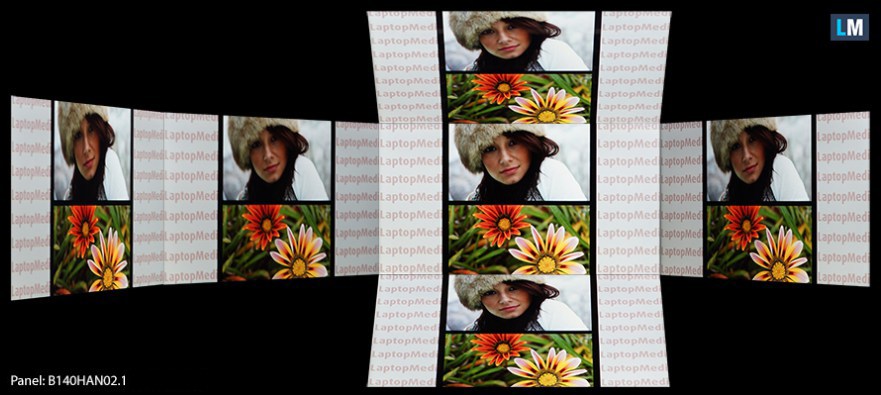
Viewing angles are good. We offer images at 45° to evaluate the quality.
The maximum measured brightness is 211 nits (cd/m2) in the middle of the screen and 205 nits (cd/m2) average across the surface with a maximum deviation of 9%. The Correlated Color Temperature on a white screen and at maximum brightness is 6600K (average) –almost the optimal 6504K temperature for sRGB. The average color temperature through the grey scale before profiling is 6560K.
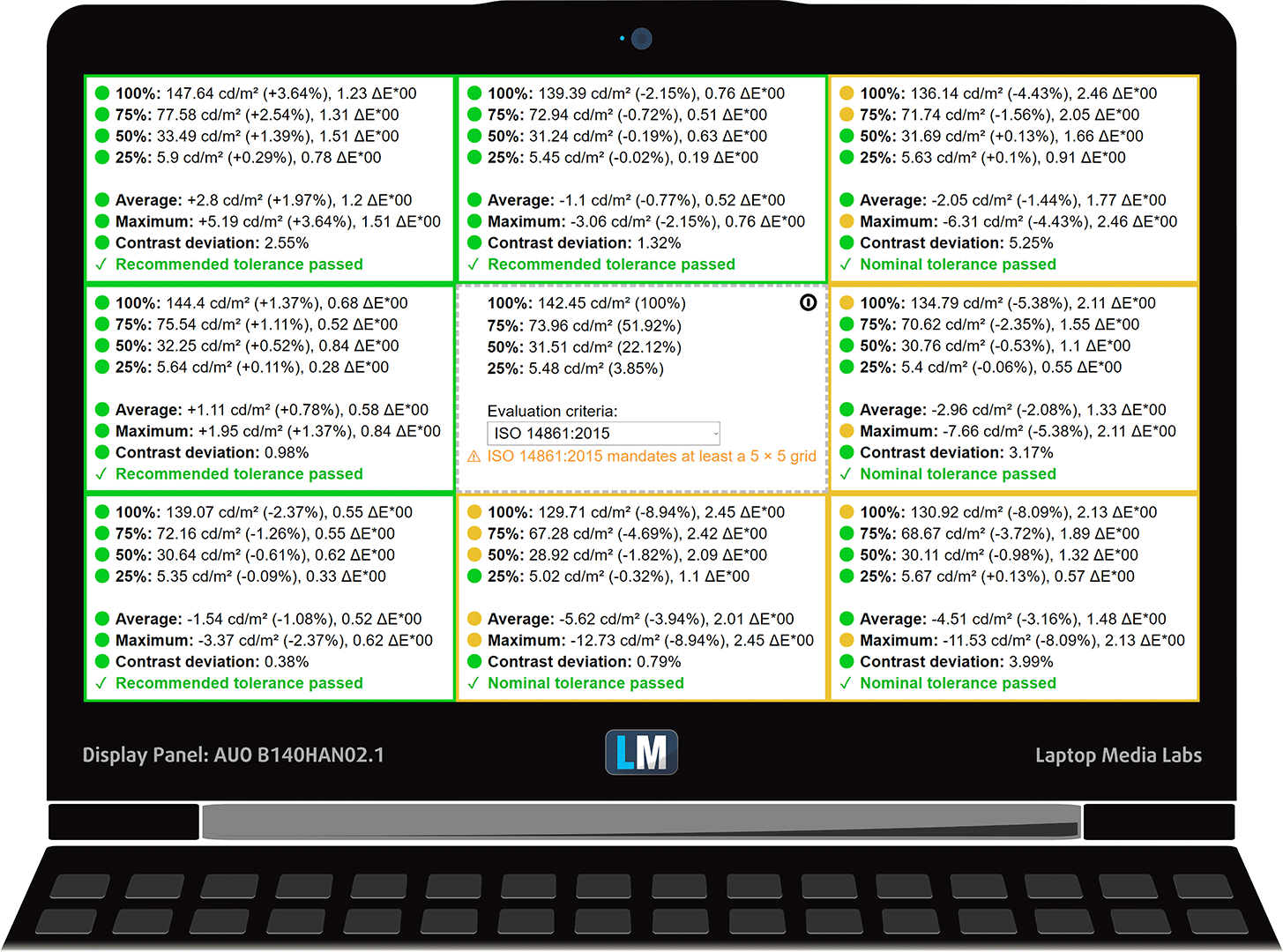
In the illustration below you can see how the display performs from uniformity perspective. In other words the leakage of light from the light source. The illustration below shows how matters are for operational brightness levels (approximately 140 nits) – in this particular case at 65% Brightness (White level = 142 cd/m2, Black level = 0.1 cd/m2).
Values of dE2000 over 4.0 should not occur, and this parameter is one of the first you should check if you intend to use the laptop for color sensitive work (a maximum tolerance of 2.0 ). The contrast ratio is very good – 1370:1 (1220:1 after profiling).
Color reproduction
To make sure we are on the same page, we would like to give you a little introduction of the sRGB color gamut and the Adobe RGB. To start, there’s the CIE 1976 Uniform Chromaticity Diagram that represents the visible specter of colors by the human eye, giving you a better perception of the color gamut coverage and the color accuracy.
Inside the black triangle, you will see the standard color gamut (sRGB) that is being used by millions of people in HDTV and on the web. As for the Adobe RGB, this is used in professional cameras, monitors etc for printing. Basically, colors inside the black triangle are used by everyone and this is the essential part of the color quality and color accuracy of a mainstream notebook.
Still, we’ve included other color spaces like the famous DCI-P3 standard used by movie studios, as well as the digital UHD Rec.2020 standard. Rec.2020, however, is still a thing of the future and it’s difficult for today’s displays to cover that well. We’ve also included the so-called Michael Pointer gamut, or Pointer’s gamut, which represents the colors that naturally occur around us every day.
The yellow dotted line shows Dell Vostro 14 5471’s color gamut coverage.
Its display covers 50% of the sRGB/ITU-R BT.709 (web/HDTV standard) in CIE1976.
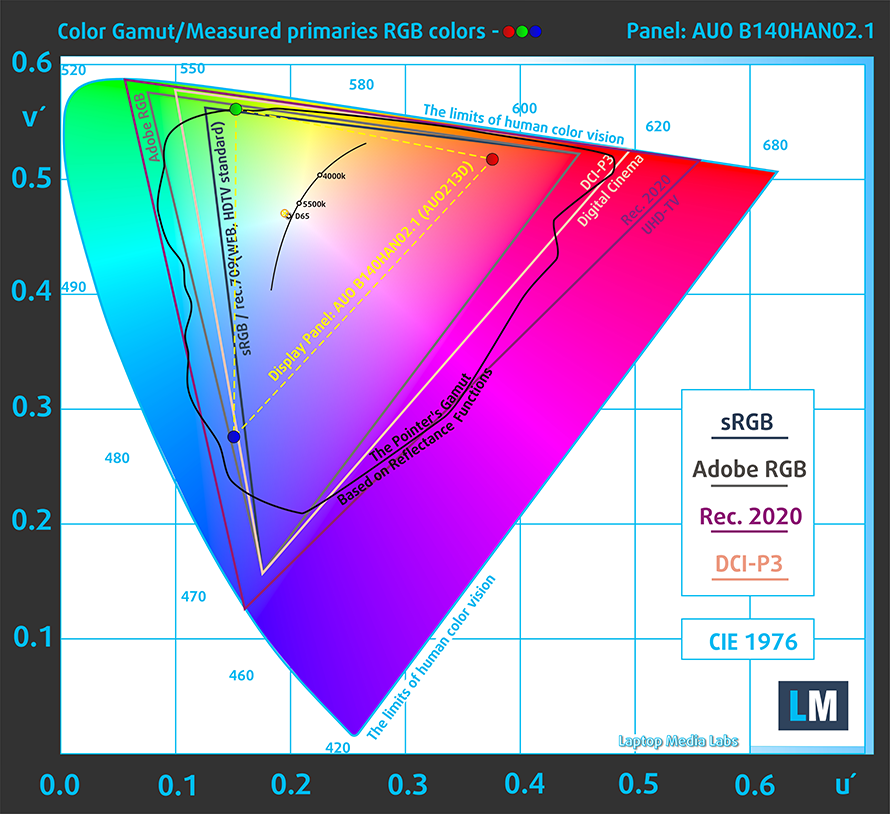
Our “Design and Gaming” profile delivers optimal color temperature (6500K) at 140 cd/m2 luminance and sRGB gamma mode.
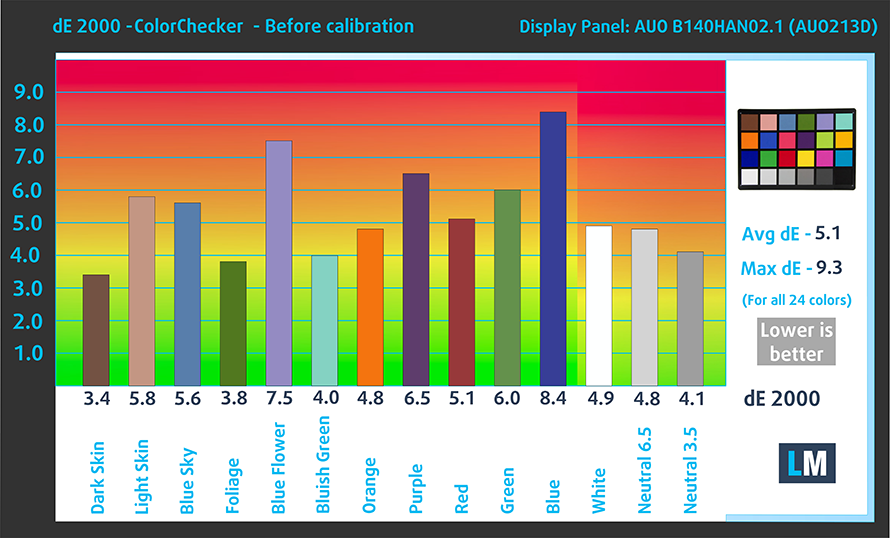
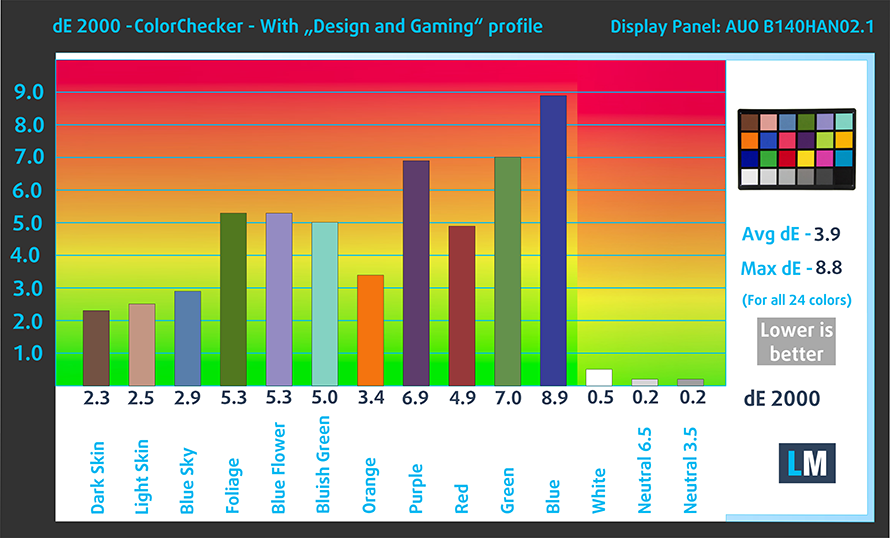
We tested the accuracy of the display with 24 commonly used colors like light and dark human skin, blue sky, green grass, orange etc. You can check out the results at factory condition and also, with the “Design and Gaming” profile.
Below you can compare the scores of Dell Vostro 14 5471 with the default settings (left), and with the “Gaming and Web design” profile (right).
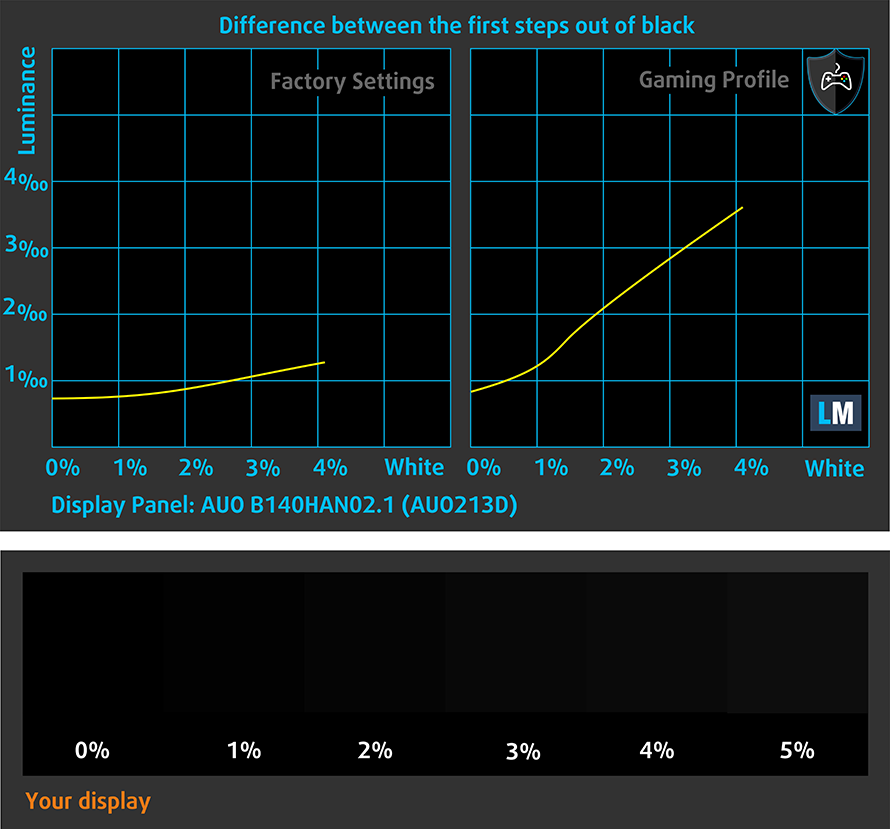
The next figure shows how well the display is able to reproduce really dark parts of an image, which is essential when watching movies or playing games in low ambient light.
The left side of the image represents the display with stock settings, while the right one is with the “Gaming and Web Design” profile activated. On the horizontal axis, you will find the grayscale and on the vertical axis – the luminance of the display. On the two graphs below you can easily check for yourself how your display handles the darkest nuances but keep in mind that this also depends on the settings of your current display, the calibration, the viewing angle and the surrounding light conditions.
Response time (Gaming capabilities)
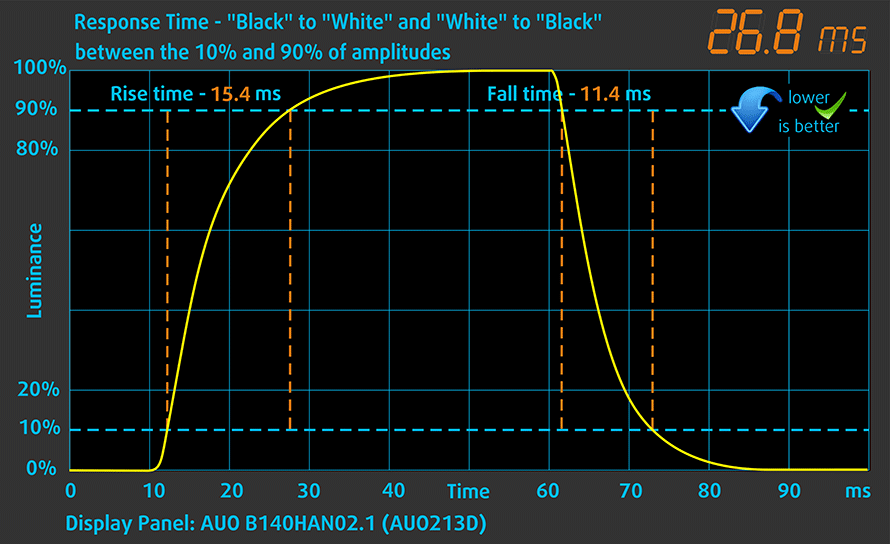
We test the reaction time of the pixels with the usual “black-to-white” and “white-to-black” method from 10% to 90% and vice versa.
We recorded Fall Time + Rise Time = 26 ms.
PWM (Screen flickering)
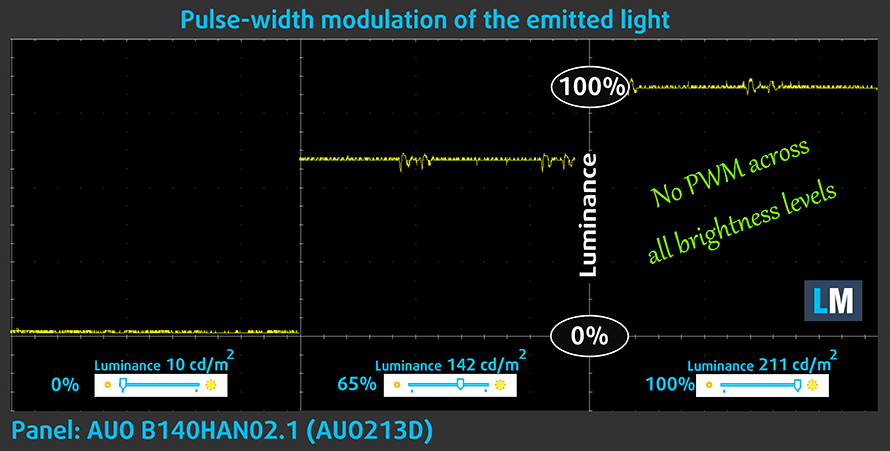
Pulse-width modulation (PWM) is an easy way to control monitor brightness. When you lower the brightness, the light intensity of the backlight is not lowered, but instead turned off and on by the electronics with a frequency indistinguishable to the human eye. In these light impulses, the light/no-light time ratio varies, while brightness remains unchanged, which is harmful to your eyes. You can read more about that in our dedicated article on PWM.
The Dell Vostro 14 6471 doesn’t use PWM to control the screen brightness which makes it suitable for prolonged use without causing unnecessary eye strain or headaches.
Blue light emissions
Installing our Health-Guard profile not only eliminates PWM but also reduces the harmful Blue Light emissions while keeping the colors of the screen perceptually accurate. If you’re not familiar with the Blue light, the TL;DR version is – emissions that negatively affect your eyes, skin and your whole body. You can find more information about that in our dedicated article on Blue Light.
You can see the levels of emitted blue light on the spectral power distribution (SPD) graph.
Conclusion
Overall, a good display with Full HD resolution, comfortable viewing angles, and high contrast. It doesn’t use PWM but has a limited color range and a fairly low maximum brightness.
Buy our profiles
Since our profiles are tailored for each individual display model, this article and its respective profile package are meant for Dell Vostro 14 5471 configurations with 14.0″ AUO B140HAN02.1 (AUO213D) (FHD, 1920 × 1080) IPS.
*Should you have problems with downloading the purchased file, try using a different browser to open the link you’ll receive via e-mail. If the download target is a .php file instead of an archive, change the file extension to .zip or contact us at [email protected].
Read more about the profiles HERE.
Verimli ve sağlık dostu profiller almanın yanı sıra, LaptopMedia'nın ürünlerini satın alarak, mümkün olan en objektif incelemeleri üretmek için cihazları test ettiğimiz laboratuvarlarımızın gelişimini de desteklemiş olursunuz.

Ofis Çalışması
Ofis Çalışması, çoğunlukla metinlere, tablolara bakan veya sadece gezinen kullanıcılar tarafından kullanılmalıdır. Bu profil, düz bir gama eğrisi (2.20), doğal renk sıcaklığı ve algısal olarak doğru renkler tutarak daha iyi ayırt edilebilirlik ve netlik sunmayı amaçlamaktadır.

Tasarım ve Oyun
Bu profil, renklerle profesyonel olarak çalışan tasarımcılara ve aynı zamanda oyunlara ve filmlere yöneliktir. Tasarım ve Oyun, ekran panellerini sınırlarına kadar zorlayarak Web ve HDTV için sRGB IEC61966-2-1 standardında, D65 beyaz noktasında mümkün olduğunca doğru olmalarını sağlar.

Health-Guard
Health-Guard, zararlı Darbe Genişlik Modülasyonunu (PWM) ortadan kaldırır ve gözlerimizi ve vücudumuzu etkileyen negatif Mavi Işığı azaltır. Her panel için özel olarak uyarlandığından, renkleri algısal olarak doğru tutmayı başarır. Health-Guard kağıdı simüle eder, böylece gözlerdeki baskı büyük ölçüde azalır.
3 profili de %33 indirimle alın

Sound
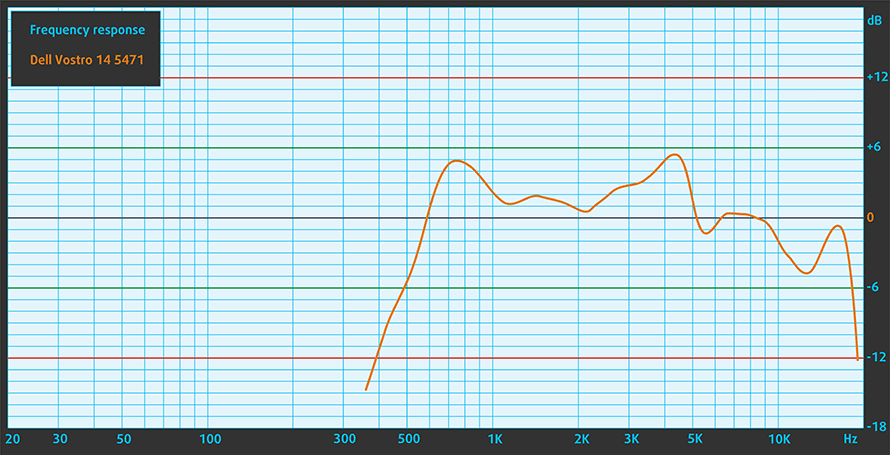
The notebook’s speakers produce fairly good sound. There is a noticeable amount of distortion.
Drivers
You can find all the necessary drivers for Windows 10 on Dell’s support web page: https://www.dell.com/support/search/bg/en/bgbsdt1#q=Vostro%205471&sort=relevancy&f:iuxType=[Drivers%20%26%20Downloads]&f:langFacet=[en]
Battery
The 42Wh 3-cell battery inside the Dell Vostro 14 5471 delivers a pretty good battery life. You can get more than 10 hours of battery life when browsing which is above average but watching videos will decrease this number to about 7 hours. Great results, however, we’ve seen better.
Now, we conduct the battery tests with Windows Better performance setting turned on, screen brightness adjusted to 120 nits and all other programs turned off except for the one we are testing the notebook with.
Parlaklık: 180 nit; Ekran Modu: SDR
Tam Deşarj Süresi: Yüksek Olan Daha İyidir
Gerçek hayat koşullarını simüle etmek için 70'ten fazla web sitesinde otomatik web taraması için kendi komut dosyamızı kullandık.
Gerçek yaşam oyununu simüle etmek için F1 2017'nin yerleşik benchmark testini döngüde kullanıyoruz.
Storage performance
The Dell Vostro 14 5471 has one 2.5-inch SATA slot and one M.2 slot. The notebook supports both SATA and the highly popular in business laptops NVMe drives but our particular configuration comes with a SATA one.
It’s the SK Hynix SC311 with a capacity of 256 GB.
| SSD model (240-256GB variants) | Max.Seq.Read (GB/s) | Max.Seq.Write (GB/s) | IOPS 4K Read | IOPS 4K Write | Latency Read (ms) | Latency Write (ms) |
| SK Hynix SC311 256GB SATA | 0.55 | 0.51 | 7197 | 20476 | 0.063 | 0.043 |
| Intel SSD 760p / PEKKW256G8L (NVMe) | 2.35 | 1.03 | 13340 | 24671 | 0.047 | 0.048 |
| Samsung SM951 (NVMe) | 2.24 | 1.29 | 11320 | 28450 | 0.057 | 0.034 |
| Samsung PM951 MZVLV2560 (NVMe) | 1.58 | 0.31 | 0.121 | 0.035 | ||
| SK Hynix SC300 (NVMe) | 3.19 | 0.91 | 11000 | 26180 | 0.060 | 0.053 |
CrystalDiskMark – Max.Seq.Read/Write; AS SSD – IOPS 4K Read/Write, Latency Read/Write
CPU options
There are only two CPU options for the Dell Vostro 14 5471 – the popular Core i5-8250U and the Core i7-8550U. Our model features the more humble Core i5-8250U.
GPU options
If you don’t want to be stuck with the integrated UHD Graphics 620, you can choose the slightly better option – a dedicated AMD Radeon 530. Our model comes with 2GB of GDDR5 memory.
Gaming tests
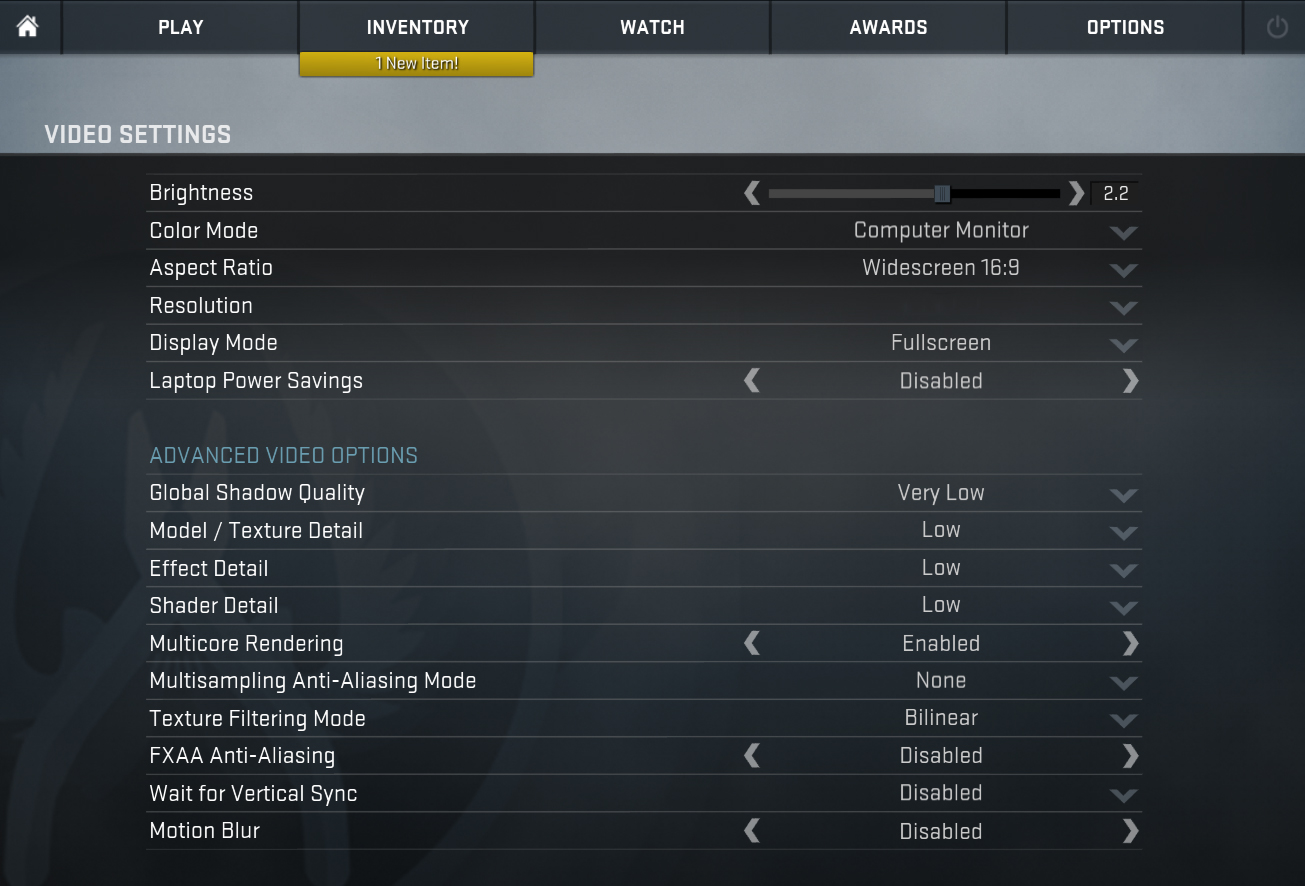
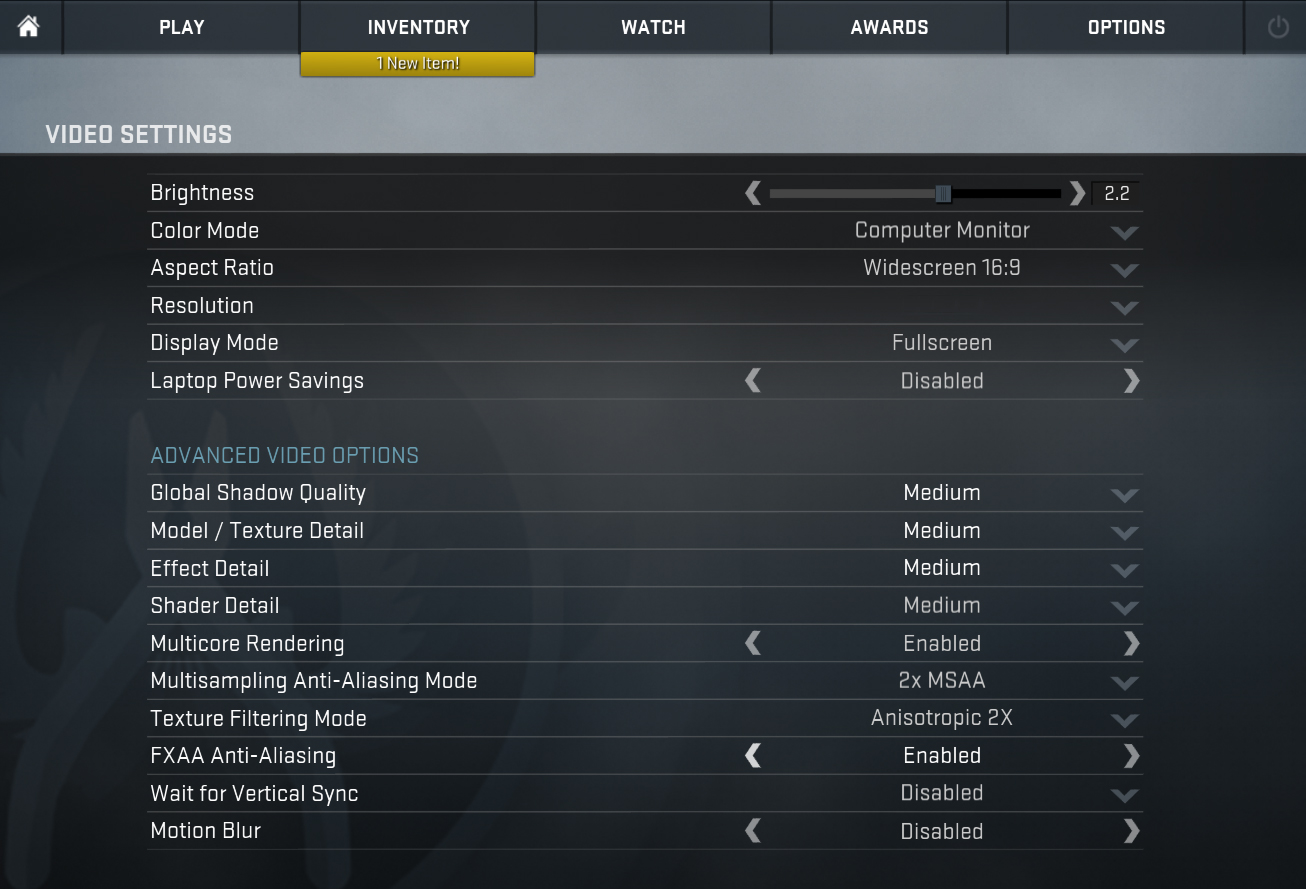
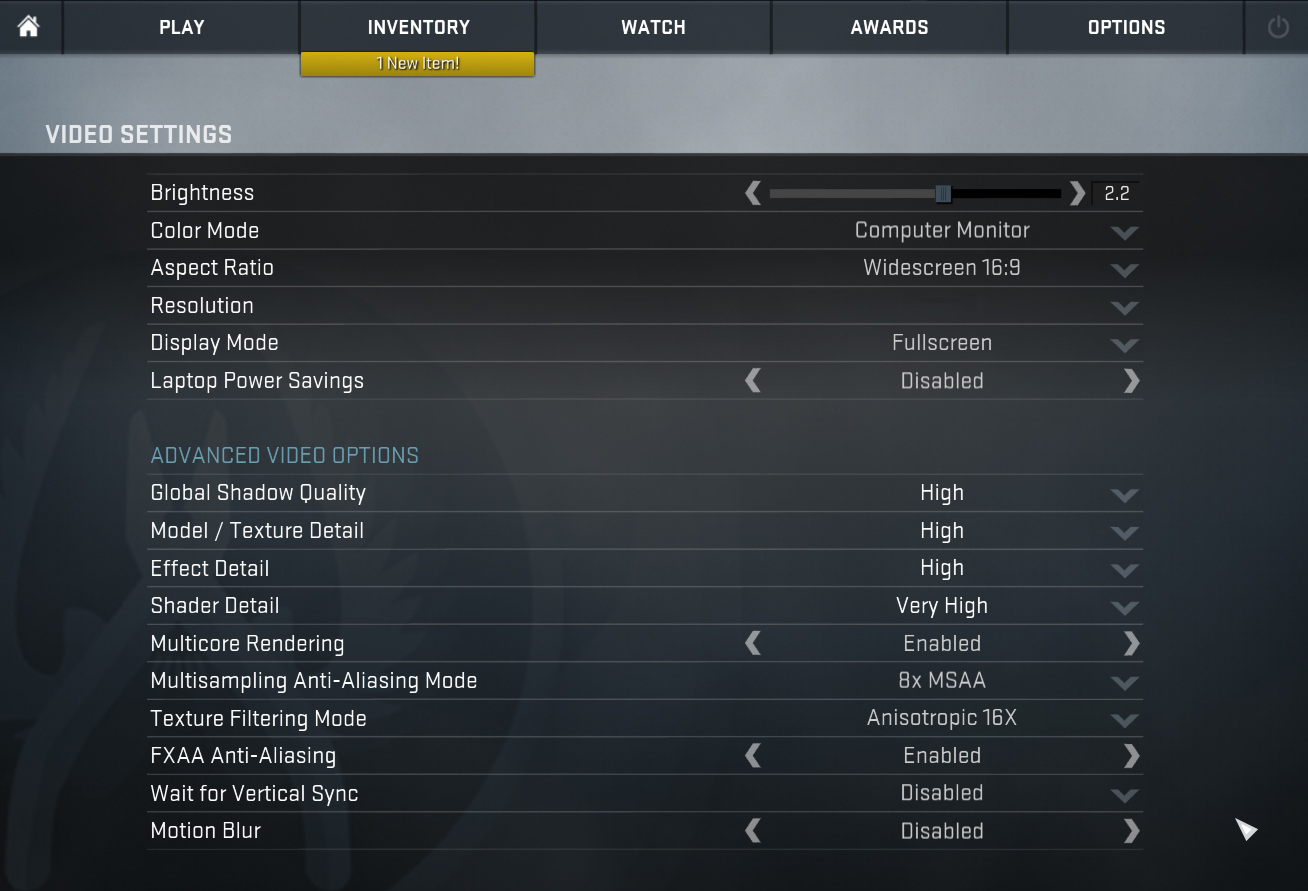
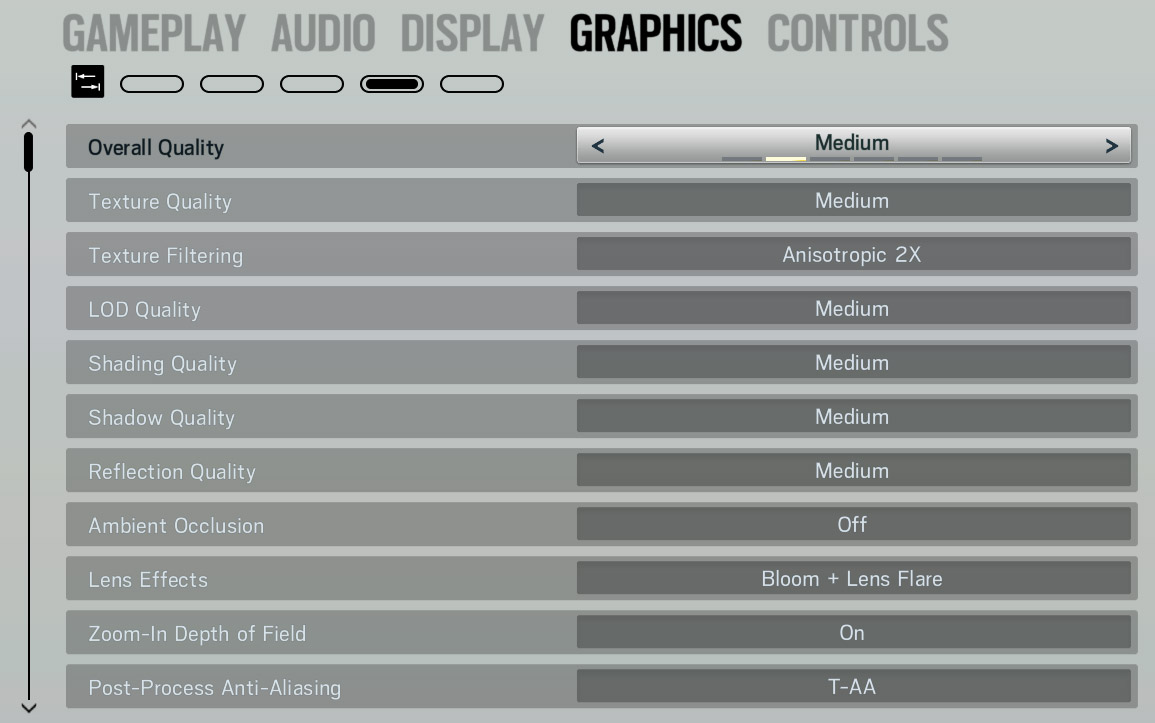
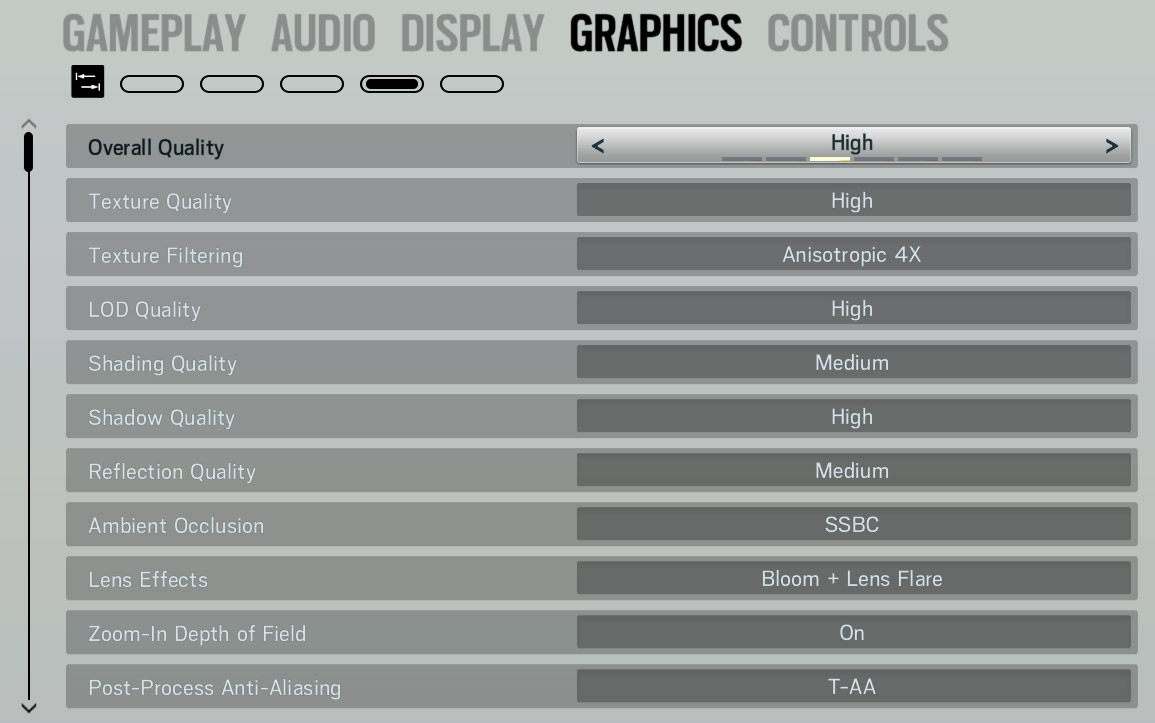
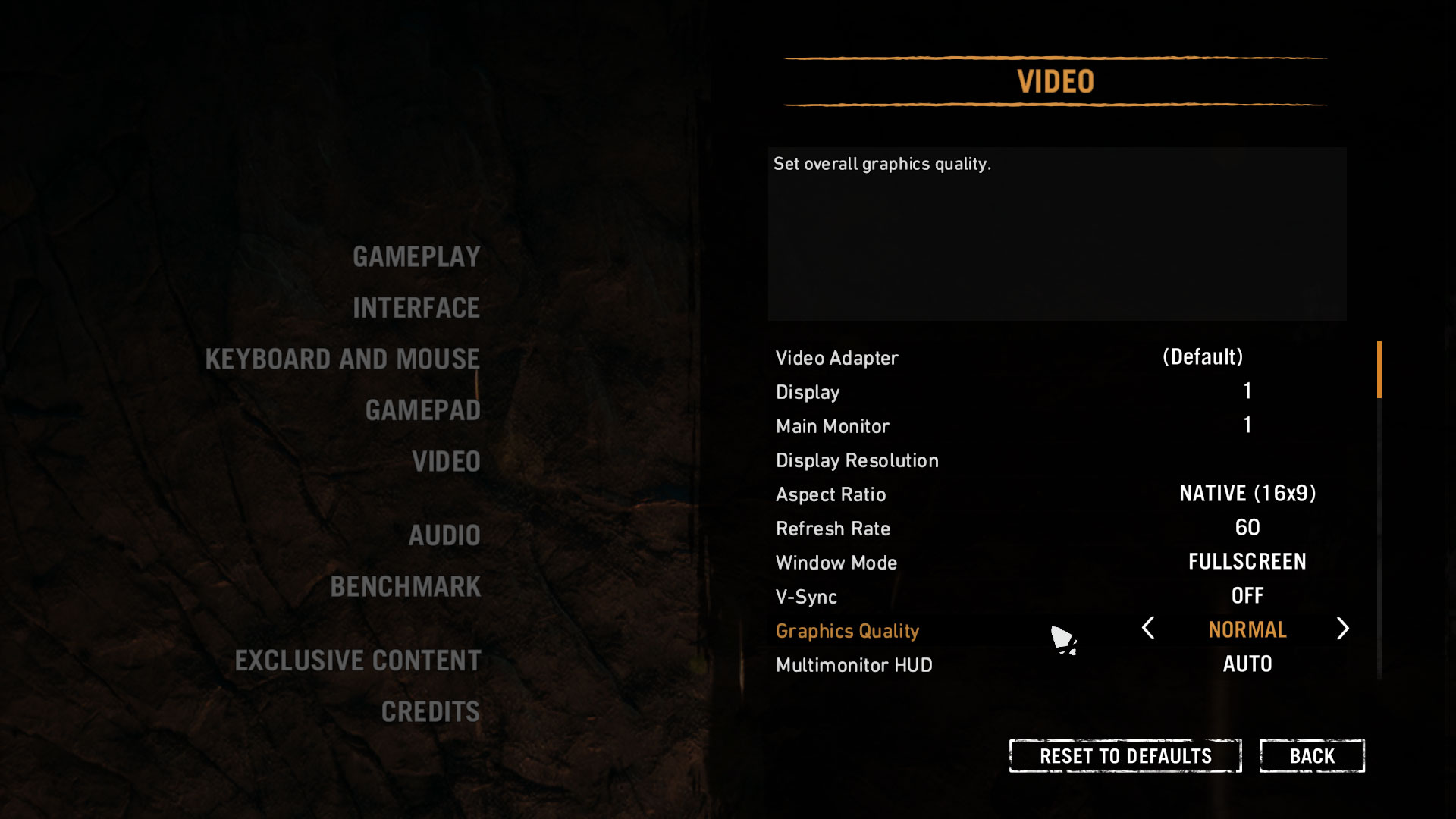
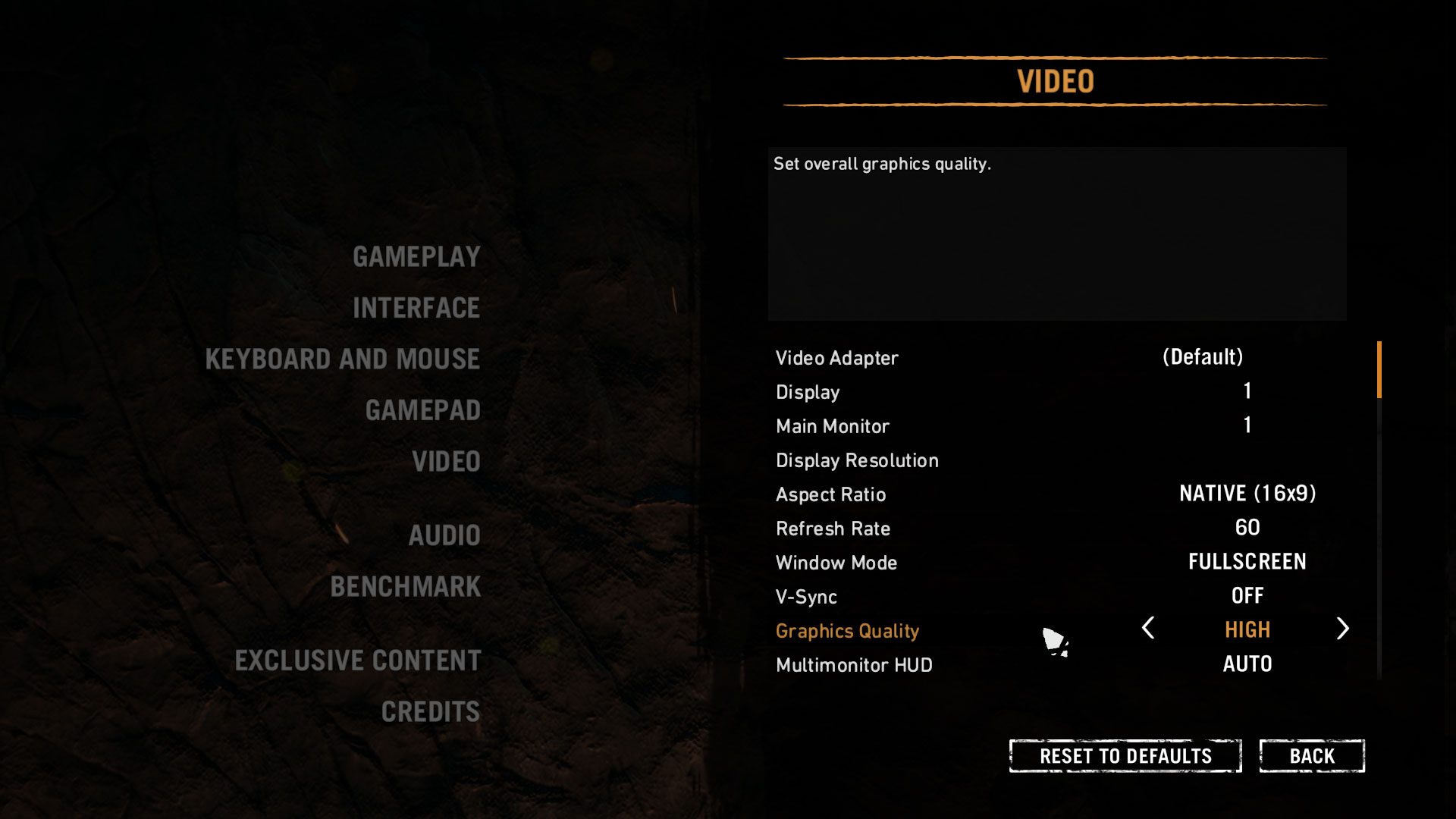
The Vostro 14 5471 is not a gaming laptop but it features an optional dedicated GPU which helps with performance. The biggest advantage of the AMD Radeon 530 is that it won’t use your system RAM thus leaving more for other processes. However, if you really want to, you can play some games on low settings. You can check out the benchmarks below.

| CS:GO | Full HD, Low (Check settings) | Full HD, Medium (Check settings) | Full HD, MAX (Check settings) |
|---|---|---|---|
| Average FPS | 89 fps | 52 fps | 35 fps |

| TC Rainbow Six Siege | Full HD, Medium (Check settings) | Full HD, High (Check settings) | Full HD, Very High (Check settings) |
|---|---|---|---|
| Average FPS | 28 fps | 24 fps | 22 fps |

| Grand Theft Auto V (GTA 5) | Full HD, Normal (Check settings) | Full HD, High (Check settings) | Full HD, Very High (Check settings) |
|---|---|---|---|
| Average FPS | 44 fps | 16 fps | 8 fps |

| Far Cry Primal | Full HD, Normal (Check settings) | Full HD, High (Check settings) | Full HD, Very High (Check settings) |
|---|---|---|---|
| Average FPS | 14 fps | 12 fps | 10 fps |

| Rise of the Tomb Raider (2016) | Full HD, Lowest (Check settings) | Full HD, Medium (Check settings) | Full HD, Very High (Check settings) |
|---|---|---|---|
| Average FPS | 24 fps | 16 fps | 6 fps |
Temperatures and comfort
We have a new way of torturing laptops, and for gaming machines, it comprises of 100% CPU load plus real gameplay test (Rise of the Tomb Raider).
Max CPU load
In this test we use 100% on the CPU cores, monitoring their frequencies and chip temperature. The first column shows a computer’s reaction to a short load (2-10 seconds), the second column simulates a serious task (between 15 and 30 seconds), and the third column is a good indicator of how good the laptop is for long loads such as video rendering.
Average core temperature (base frequency + X); CPU temp.
| Core i5-8250U (15W TDP) | 0:02 – 0:10 sec | 0:15 – 0:30 sec | 10:00 – 15:00 min |
|---|---|---|---|
| Dell Vostro 14 5471 | 3.12 GHz (B+95%)@ 76°C | 2.61 GHz (B+63%)@ 77°C | 2.22 GHz (B+39%)@ 64°C |
The cooling system is capable of allowing the CPU to run at frequencies well above its base clock while keeping temperatures just about average. Like most every other notebook, after continuous load (over 10 minutes) the frequency drops significantly to manage the temperature low.
Real gameplay
| GPU frequency/ Core temp (after 2 min) | GPU frequency/ Core temp (after 30 min) | |
|---|---|---|
| AMD Radeon 530 | 990 MHz @ 68°C | 857 MHz @ 69°C |
The AMD Radeon 530 has a base frequency of 1024 MHz. The table above shows that the GPU can’t reach its top speed when loaded. However, temperatures are about average.
Gaming comfort
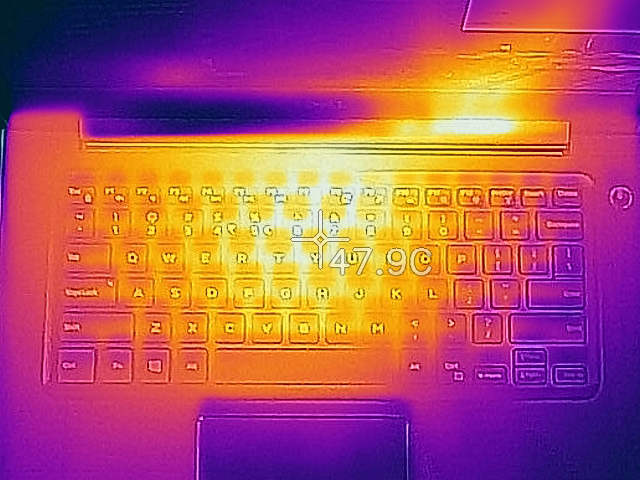
After our 30-minute gaming stress test, the maximum surface temperature does not top 50°C which is fairly good. You would feel that the notebook is warm but it isn’t uncomfortable. The hottest area is in the center of the keyboard (bright-yellow parts) and the coldest – the palm rest (in purple).
Verdict
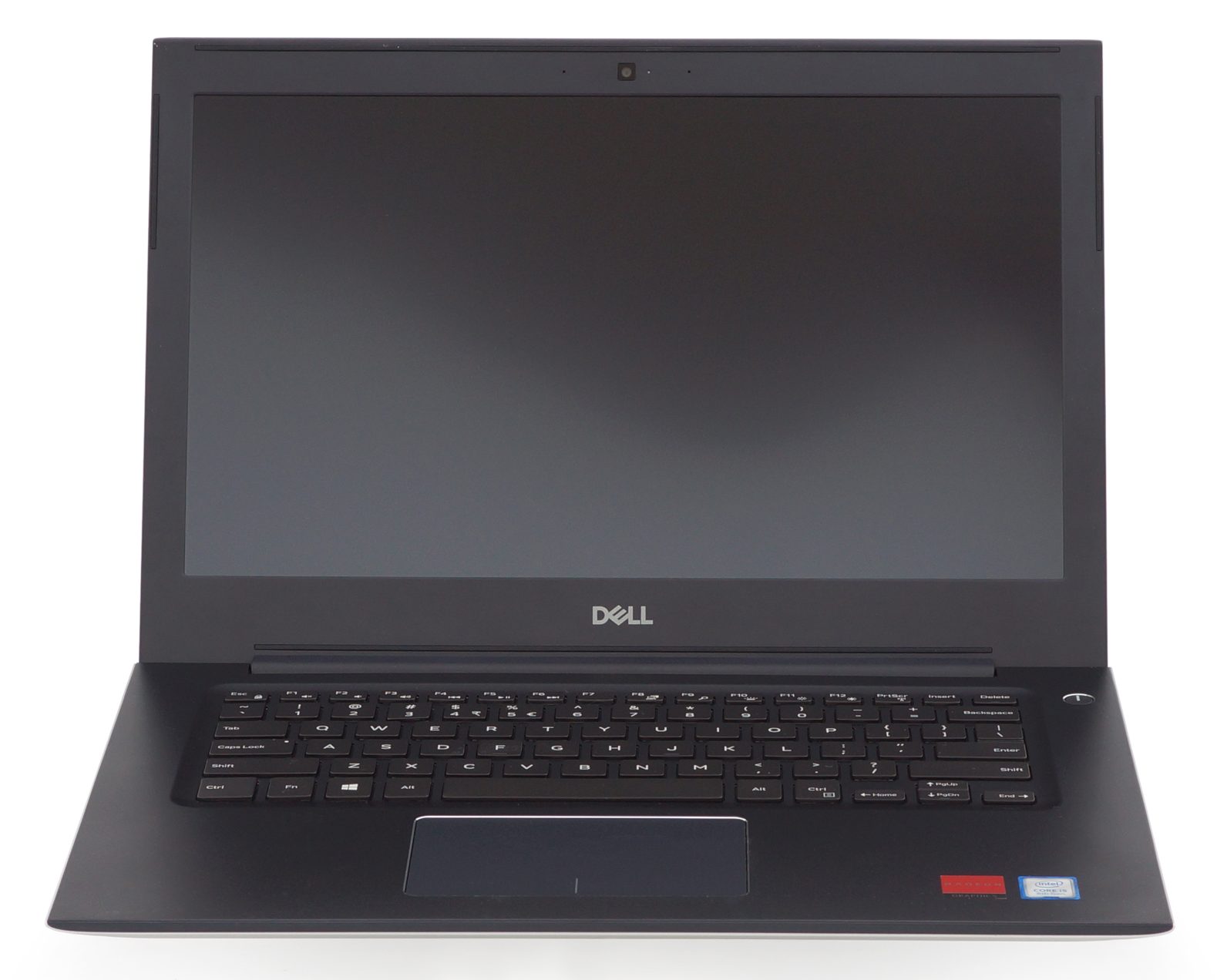 You can get similar or better hardware at a lower price – that’s for sure – but the Dell Vostro 14 5471 might be a good investment thanks to the many features it has. It’s a step up from low-budget notebooks, which is easy to spot. The first thing that catches the eye is the all-metal chassis. Build quality is usually where inexpensive laptops cut cost but the Vostro 14 5471 is not the case.
Although not a mobile workstation, you can get very good performance with up to a Core i7-8550U, a dedicated AMD Radeon 530, and up to 32 GB of RAM which is more than you would probably ever need. The low-powered hardware helps with battery life too. You can easily last a full day without charging if you are a moderate user.
The keyboard is good which is essential for a business notebook. It is paired with an accurate touchpad and optionally a fingerprint sensor. The display, however, is not the notebook’s strong side. You get a limited color range as expected for the price and a low maximum brightness but comes with good factory settings and no PWM. Our custom-tailored profiles further improve the visual quality.
If the Dell Vostro 14 5471 doesn’t seem like the right notebook for you consider the Lenovo ThinkPad E480 or the HP ProBook 440 G5 both of which are good business 14-inch laptops in the same price range.
You can check the prices and configurations in our Specs System: https://laptopmedia.com/series/dell-vostro-14-5471/
Pros
- Good build quality
- Good battery life
- Up to 32GB memory
- No PWM (AUO213D)
- Comfortable keyboard
Cons
- Low maximum screen brightness (AUO213D)
- Limited color range (AUO213D)
- The sound is a little distorted
 Author: Miroslav Bozhkov
 Author: eng. Kroum NikolovHead of Engineering at LaptopMedia.com, inventor and innovator with 40+ years of experience in electronics and high technology.

![[Mayıs 2026] Amazon’da En Çok Satan Dizüstü Bilgisayar GPU’larının Küresel Sıralaması – Apple %45 Payla İlk 3 Sırayı Kaptı; NVIDIA’nın RTX 5060’ı Özel GPU Paketinde Lider](https://laptopmedia.com/wp-content/uploads/2026/06/Best-Selling-GPUs-GLOBAL-Top-10-400x225.jpg)
![[Mayıs 2026] Amazon’da En Çok Satan Dizüstü Bilgisayar CPU’larının Küresel Sıralaması – Apple %45,2 Pazar Payı ile Rekabeti Ezip Geçiyor, M5 Hakim](https://laptopmedia.com/wp-content/uploads/2026/06/Best-Selling-CPUs-GLOBAL-Top-10-400x225.jpg)
![[May 2026] Amazon Germany: Top 7 Best-Selling Gaming Laptops – Lenovo Legion 5i Crowned Champion Amidst Fierce Mid-Range Competition](https://laptopmedia.com/wp-content/uploads/2026/06/Best-Selling-Gaming-Laptops-DE-Top-10-1-400x225.jpg)
![[May 2026] Amazon Italy: Top 10 Best-Selling Laptops – Apple MacBook Neo Reigns Supreme, Premium Models Capture Dominant Revenue Share](https://laptopmedia.com/wp-content/uploads/2026/06/Best-Selling-Laptops-IT-Top-10-400x225.jpg)
![[May 2026] Best-Selling Laptop Brands on Amazon Italy – Apple Dominates Across All Metrics](https://laptopmedia.com/wp-content/uploads/2026/06/IT-Best-Brands-400x225.jpg)






1st and foremost, great reviews and well laid out specs and features listed. The only problem is I can never find 2 of the pieces I always need and no one seems to want to add to their review: 1) What speed NIC? Many offer a ‘hi-speed’ NIC at on 100Mbps and not the faster 1Gb NIC. It would be great to know which one is installed. (IE: Ethernet port: Yes [Gigabit, Intel] or Yes [10/100, Realtech])) 2) Does it have a TPM chip installed? Great to know for encryption purposes. Not sure if the Intel built-in-chip Trusted Platform would… Devamını oku »
Huh? “Not much room for upgrade”, but it has a SATA/nVME port, another SATA port, 2 RAM slots, and WiFi card can be changed. What else could you want in a notebook?
Good article .
I have brought this in 2018 .
Battery life isn’t good it around 3-4 hr in new and for older more than a year it only last 1.5 -1 hr yes i’m using multiple and bit heavy applications. 128 gb edition is less it should be 256 in same cost. Dell should work on both.
Rest is fine.