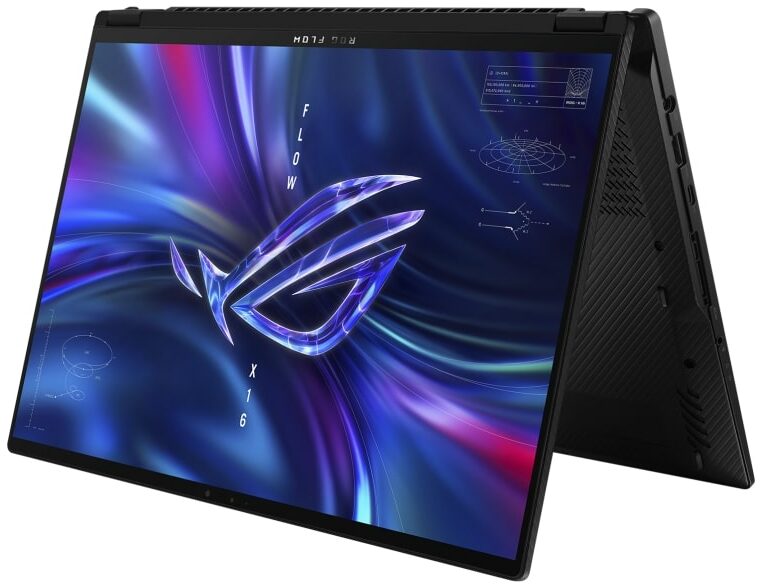
ASUS ROG Flow X16




- Yayınlanma Tarihi: 31 Mar 2025
- Intel Core i9-13900H
- NVIDIA GeForce RTX 4050 (Laptop, 105W)
- 16.0", WQXGA (2560 x 1600), 240 Hz, IPS
- 2000GB SSD
- 64GB RAM
- 2.20 kg (4.9 lbs)
ASUS ROG Flow X16 (GV601, 2023) derinlemesine inceleme
In the last couple of years, ASUS has done the unthinkable. It has brought the heavy-duty gaming industry to the convertible and tablet market. Its ROG Flow series really revolutionized the world and how we think of gaming devices as a whole. Today, we are going to take a look at the ROG Flow X16 [...]
Tüm incelemeyi oku

Özellikler

- HDD/SSD
- 2000GB SSD
- M.2 Yuvası
- 2x 2280 PCIe NVMe 4.0 x4 Fotoğrafı gör
- RAM
- 64GB RAM
- OS
- Windows 11 Home
- Gövde Malzemesi
- Alüminyum, Magnezyum alaşımı
- Boyutlar
- 355 x 243 x 19.4 - 21.9 mm (13.98" x 9.57" x 0.76")
- Ağırlık
- 2.20 kg (4.9 lbs)
- Portlar ve bağlantı
- 2x USB Type-A
- 3.2 Gen 2 (10 Gbps)
- 1x USB Type-C
- 3.2 Gen 2 (10 Gbps), Power Delivery (PD), DisplayPort
- 1x USB Type-C
- Thunderbolt 4, Power Delivery (PD), DisplayPort
- HDMI
- 2.1
- Kart Okuyucu
- MicroSD (UHS-II)
- Wi-Fi
- 802.11ax
- Bluetooth
- 5.2
- Audio jack
- 3.5mm Combo Jack
- ROG XG Mobile Interface
- Özellikler
- Parmak izi okuyucu
- Web kamerası
- FHD IR with support for Windows Hello
- Arkadan aydınlatmalı klavye
- Mikrofon
- 3x Microphone Array with Support for Microsoft Cortana near field/Far field, AI noise-canceling technology
- Hoparlörler
- 4 Speaker System with Smart Amplifier Technology
- Hediyeler
- MS 365 Personal
- Hediyeler
- DKZ USB Port Expander
Taşınabilirlik
İnceleme
ASUS ROG Flow X16 derinlemesine inceleme
In the last couple of years, ASUS has done the unthinkable. It has brought the heavy-duty gaming industry to the convertible and tablet market. Its ROG Flow series really revolutionized the world and how we think of gaming devices as a whole.Today, we are going to take a look at the ROG Flow X16 (GV601, 2023). It is a 16-inch convertible (which sounds strange by itself), which features beastly hardware. Apparently, ASUS is so confident in its cooling solution, that the only processor option here is the Intel Core i9-13900H.To be honest, we can understand where the confidence comes from - after all, there is a liquid metal thermal compound applied to the CPU. But the processor is not what usually makes gaming machines excel in their craft.This is where the GPU comes in handy. Y[...]
Tüm incelemeyi okuArtıları
- The most powerful convertible on the market
- Very good cooling with liquid metal applied to the CPU
- 16:10 aspect ratio is great for work and the 1600p panel has a 240Hz refresh rate (BOE NE160QDM-NM4 (BOE0B74))
- Covers 100% of DCI-P3 (BOE NE160QDM-NM4 (BOE0B74))
- The Armoury Crate can emulate the full sRGB color gamut with accurate colors (BOE NE160QDM-NM4 (BOE0B74))
- 2x SODIMM + 2x M.2 PCIe x4 Gen 4
- Great build quality
- Dedicated stylus inside the package
- Thunderbolt 4 + MicroSD card slot
- Supports an RTX 4090 (150W) via ROG XG Mobile
Eksileri
- A bit expensive
- Uses PWM
Sökme, bakım ve yükseltme seçenekleri
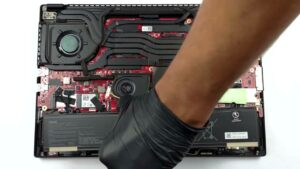
This is probably the best-equipped convertible when it comes to upgrade options.Check out all ASUS ROG Flow X16 (GV601, 2023) prices and configurations in our Specs System, or read more in our In-Depth review.1. Remove the bottom plate To take this notebook apart, you need to undo 13 Phillips-head screws. Then, pry the bottom panel with a plastic tool starting from one of the front two corners.2. Remove the battery Inside, we find a 90Wh battery pack. It is fairly easy to remove it. Just unplug the battery connector from the motherboard, and undo the four Phillips-head sc[...]
Daha fazlasını oku