MSI Summit E14 Flip


- Yayınlanma Tarihi: 03 Feb 2025
- Intel Core i7-1360P
- Intel Iris Xe Graphics G7 (96EU)
- 14.0″, 2.8K (2880 x 1800), 90 Hz, IPS
- 1000GB SSD
- 32GB RAM
- 1.59 kg (3.5 lbs)

Özellikler
- HDD/SSD
- 1000GB SSD
- M.2 Yuvası
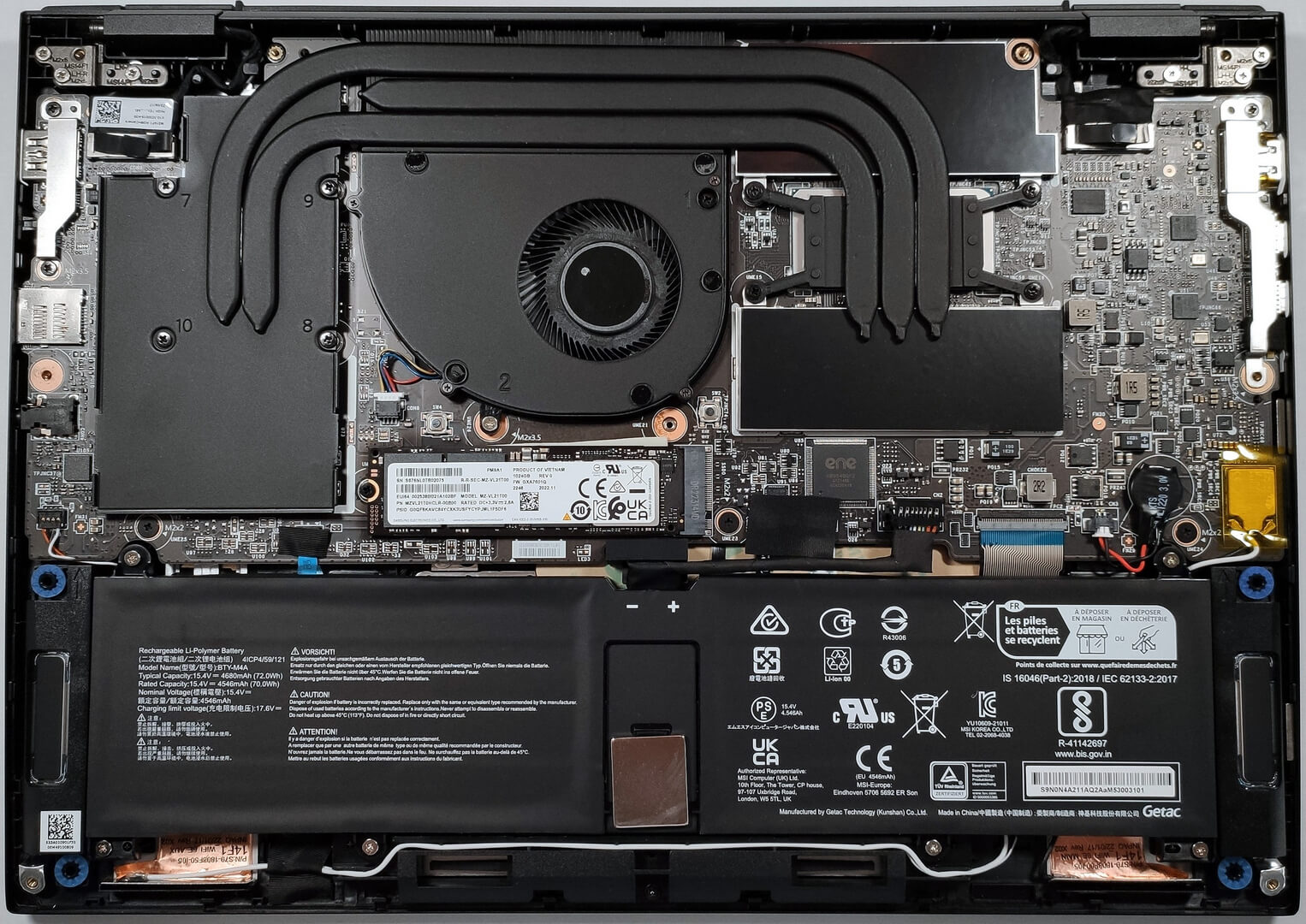
- 1x 2280 M.2 NVMe PCIe 4.0 x4 Fotoğrafı gör
- RAM
- 32GB RAM
- OS
- Windows 11 Pro
- Gövde Malzemesi
- Alüminyum
- Boyutlar
- 314 x 227.5 x 17.9 mm (12.36" x 8.96" x 0.70")
- Ağırlık
- 1.59 kg (3.5 lbs)
- Portlar ve bağlantı
- 1x USB Type-A
- 3.2 Gen 2 (10 Gbps)
- 2x USB Type-C
- Thunderbolt 4, Power Delivery (PD), DisplayPort
- HDMI
- Kart Okuyucu
- microSD
- Ethernet LAN
- Wi-Fi
- 802.11ax
- Bluetooth
- 5.3
- Audio jack
- 3.5mm Combo Jack
- Özellikler
- Parmak izi okuyucu
- Web kamerası
- FHD IR
- Arkadan aydınlatmalı klavye
- Mikrofon
- Hoparlörler
- 2x 2W Stereo Speakers, DTS Audio Processing
- Güvenlik Kilidi yuvası
- Hediyeler
- 32GB USB Drive
Taşınabilirlik
İnceleme
MSI Summit E14 Flip derinlemesine inceleme
The presence of convertible laptops around us is slowly becoming a common thing. You can spot these kinds of machines almost everywhere - people are using them in the park, in the office, at home, on vacation, etc. In the last few years, Lenovo is one of the manufacturers that is offering tons of convertibles under the "Yoga" sub-brand.It looks like MSI is trying to get a piece of the pie as well (ergo, a bigger market share when it comes to 2-in-1 notebooks). The company has released a premium device with transforming capabilities that is called MSI Summit E14 Flip Evo (A13M). This is a 14-incher with a high-resolution touchscreen display (option), a powerful Intel Raptor Lake P processor, and the laptop is based on the Intel Evo platform.This means (or at least on paper) snappy p[...]
Tüm incelemeyi oku
Artıları
- Premium build quality and materials
- 100% of sRGB and 99% DCI-P3 color coverage (AUO B140QAN04.R (AUO7F9A))
- High color accuracy when Gaming and Web design profile is installed (AUO B140QAN04.R (AUO7F9A))
- Great battery life
- Fingerprint reader and optional IR Web Camera with Tobii Aware tech
- Outstanding performance
- 2x Thunderbolt 4, 1x USB Type-A 3.2 (Gen. 2), HDMI 2.1, 1x MicroSD card reader
- Comfortable keyboard and incredibly smooth touchpad
- Very good sound quality
- MSI Pen (optional)
- Fast Samsung NVMe
Eksileri
- Memory is soldered to the motherboard and there is just one M.2 slot
- Pricey
Sökme, bakım ve yükseltme seçenekleri
Step 1: Removing the Bottom Panel of MSI Summit E14 Flip Evo (A13M)Ensure the MSI Summit E14 Flip Evo (A13M) is powered off and placed on a soft, clean surface to prevent scratches or damage. Remove the 9 Phillips-head screws from the bottom of the laptop. Use a plastic pry tool to gently pop up the bottom panel, starting at the slight gap between the top two corners and the base.Hint: Begin prying at the corners where the gap is most noticeable to minimize the risk of damaging the panel or internal clips.Step 2: Battery RemovalDisconnect the battery connector[...]
Daha fazlasını oku