Apple MacBook Air (15″, M3) vs ASUS Vivobook S 15 OLED S5507 – Vivobook for Heavy Work, MacBook Air for Everyday Use
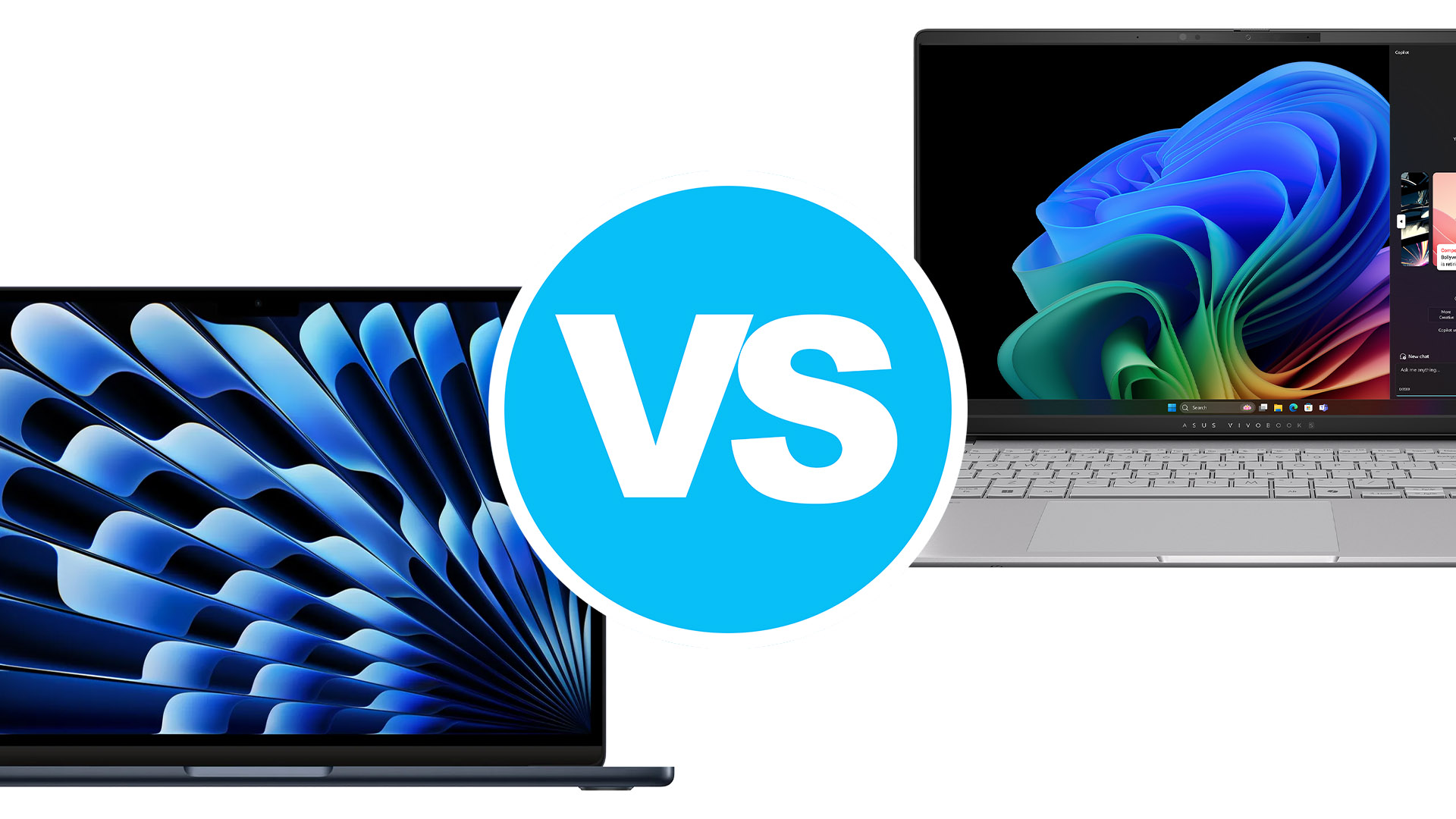 Windows is finally catching up to Apple, or are they? 2024 is the year where we get a massive shakeup in the market, with the new Snapdragon X-series laptops popping up, which deliver ARM-based SoCs to laptops, in order to utilize the low-power performance and efficiency that the technology offers.
Still, though, Apple has been in on the ARM game for a lot longer (the M1 was revealed back in 2020), so we can’t expect the Snapdragon laptops to perform just as well right out of the gate. However, that won’t stop us from comparing two very similar laptops, that are priced rather evenly and can give you a pretty good laptop experience. Today we’re comparing the 15-inch Apple MacBook Air, which is powered by the M3 SoC, to the brand new ASUS Vivobook S 15 OLED, a laptop carrying the much coveted Snapdragon X Elite.
Apple MacBook Air (M3) 15″: Full Specs / In-depth Review
ASUS Vivobook S 15 OLED S5507: Full Specs / In-depth Review
Apple MacBook Air (M3) 15″ configurations:
ASUS Vivobook S 15 OLED S5507 configurations:
Specs table
| Apple MacBook Air (M3, 15″) | ASUS Vivobook S 15 OLED S5507 | |
|---|---|---|
| Operating System | Mac OS X | Windows 11 |
| Processor | Apple M3 (8-core CPU) | Qualcomm Snapdragon X Elite X1E-78-100 Qualcomm Snapdragon X Plus X1P-64-100 |
| GPU | Apple M3 GPU (10-core) | Qualcomm Snapdragon X Elite Adreno GPU |
| Display | 15.3”, (2880 x 1864), IPS | 15.6″, 3K WQHD+ (2880×1620), 120Hz, OLED |
| Memory | up to 24GB Unified Memory | up to 32GB LPDDR5X |
| Storage | up to 2000GB SSD | up to 1000GB SSD |
| Battery | 66Wh | 70Wh |
| Weight | 3.3 lbs (1.51 kg) | 3.1 lbs (1.42 kg) |
| Dimensions | 13.40″ x 9.35″ x 0.45″ (340.4 x 237.6 x 11.5 mm) | 13.88″ x 8.93″ x 0.58″ ~ 0.63″ (352.6 x 226.9 x 14.7 – 15.9 mm) |
| Ports |
|
|
Unboxing
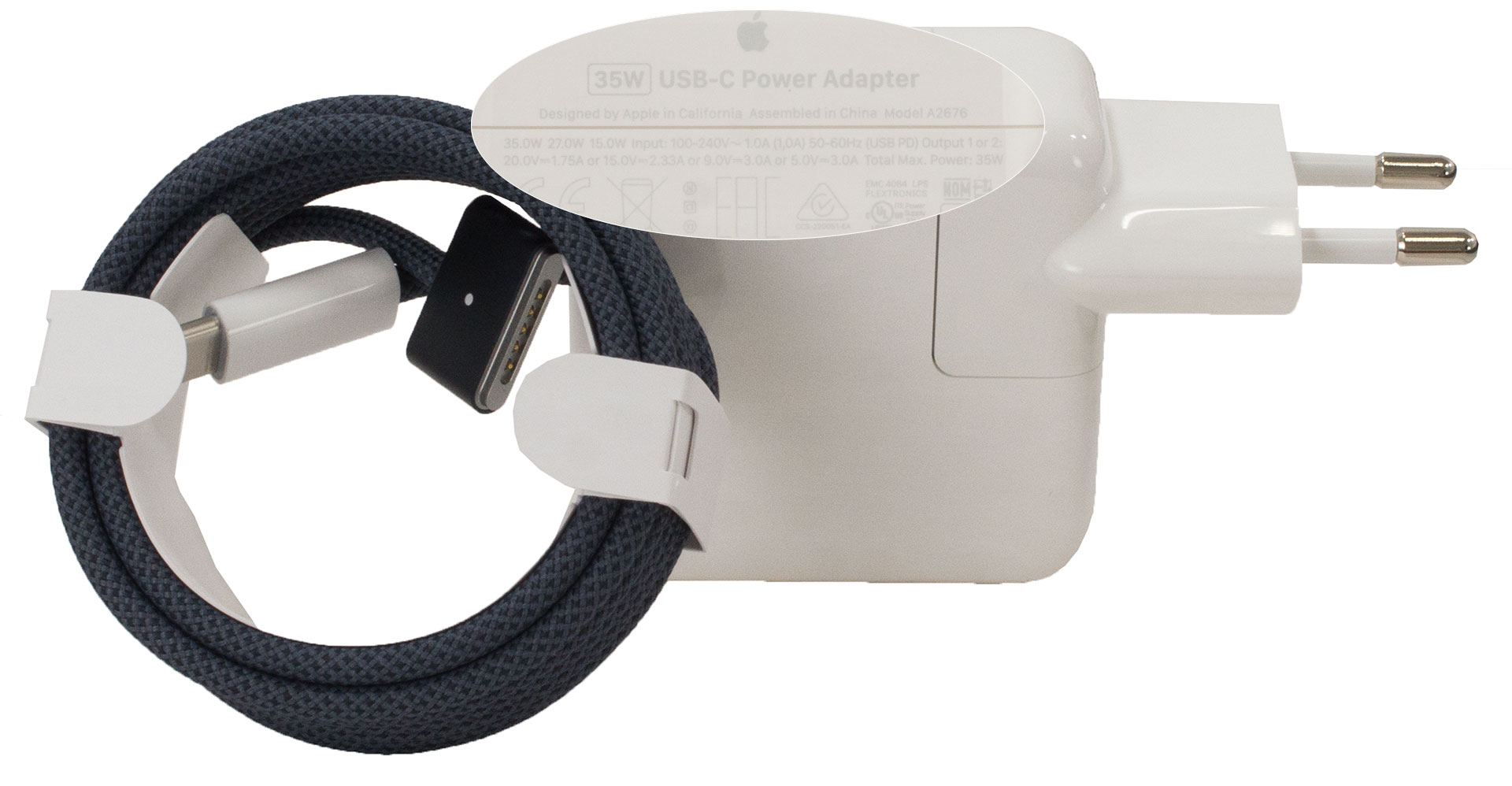
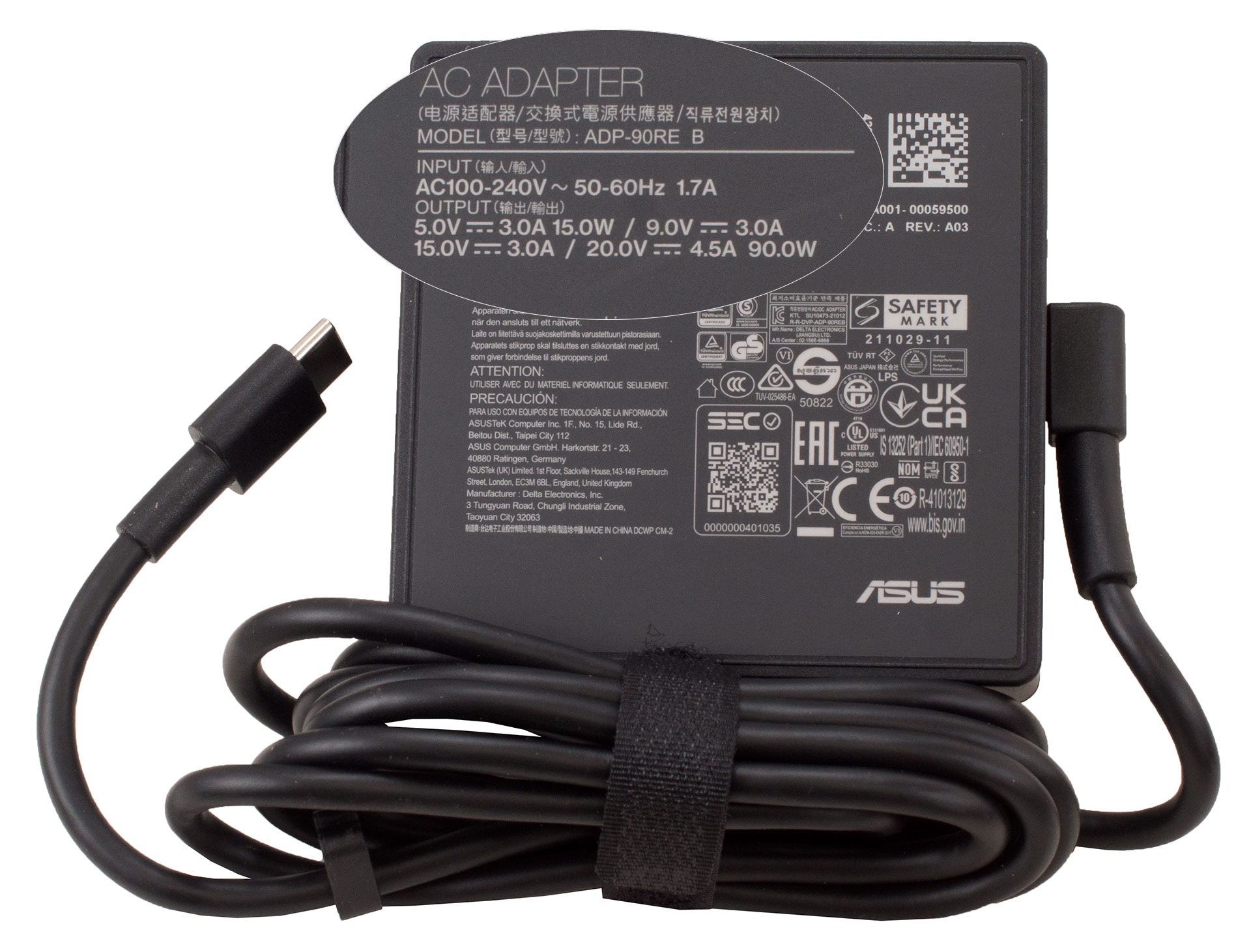
Apple bundles a 35W MagSafe charger, however, you can also buy a 70W adapter, if fast charging matters to you. The Vivobook gets a faster 90W Type-C charger and some regions even get a wired ASUS mouse and a 3-in-1 backpack to carry your Vivobook with you.
| Apple MacBook Air (M3) 15″ | ASUS Vivobook S 15 OLED S5507 | |
|---|---|---|
| Charger power | 35W | 90W |
 Apple MacBook Air (M3) 15″
 ASUS Vivobook S 15 OLED S5507
Design and Construction
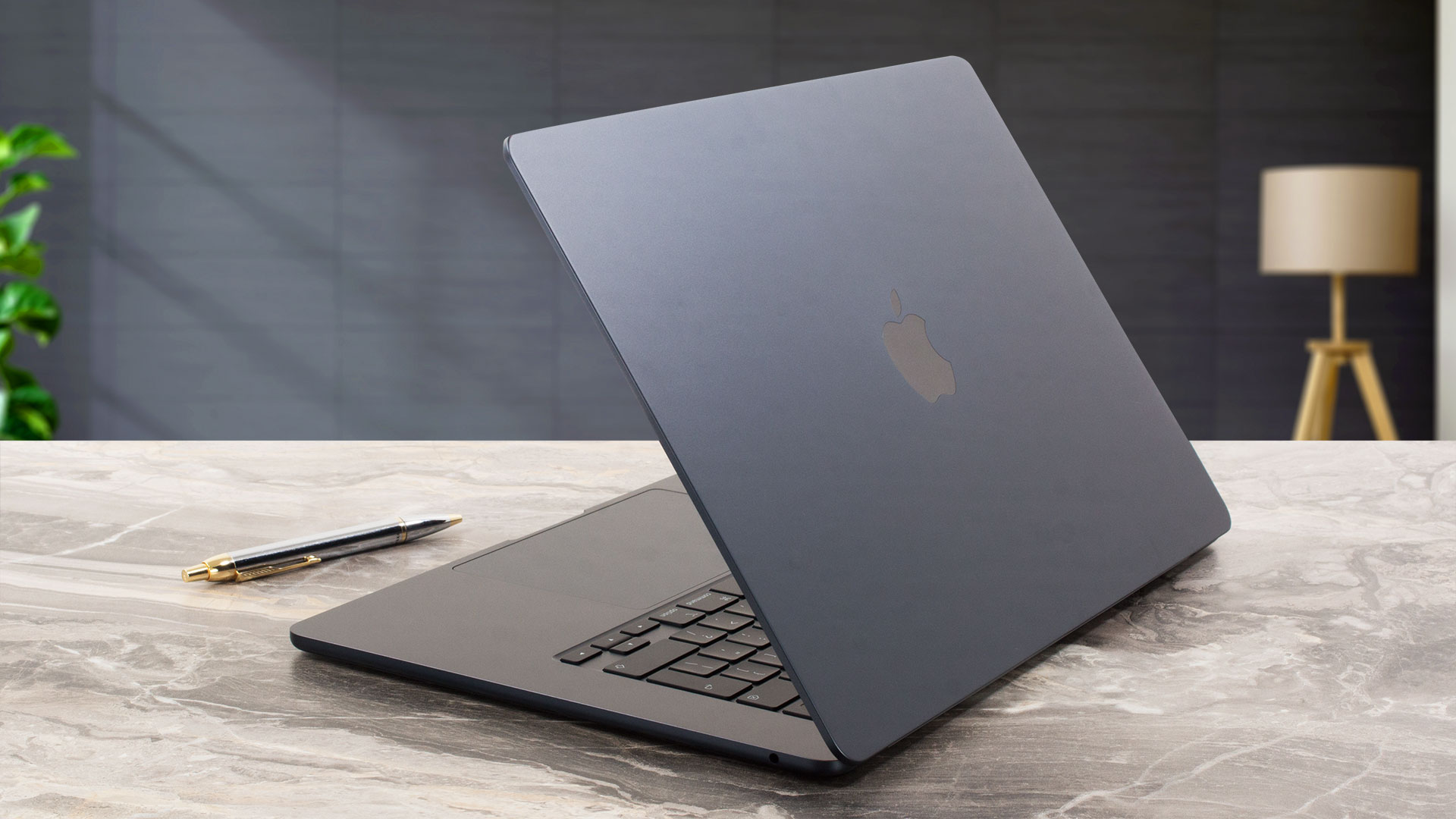
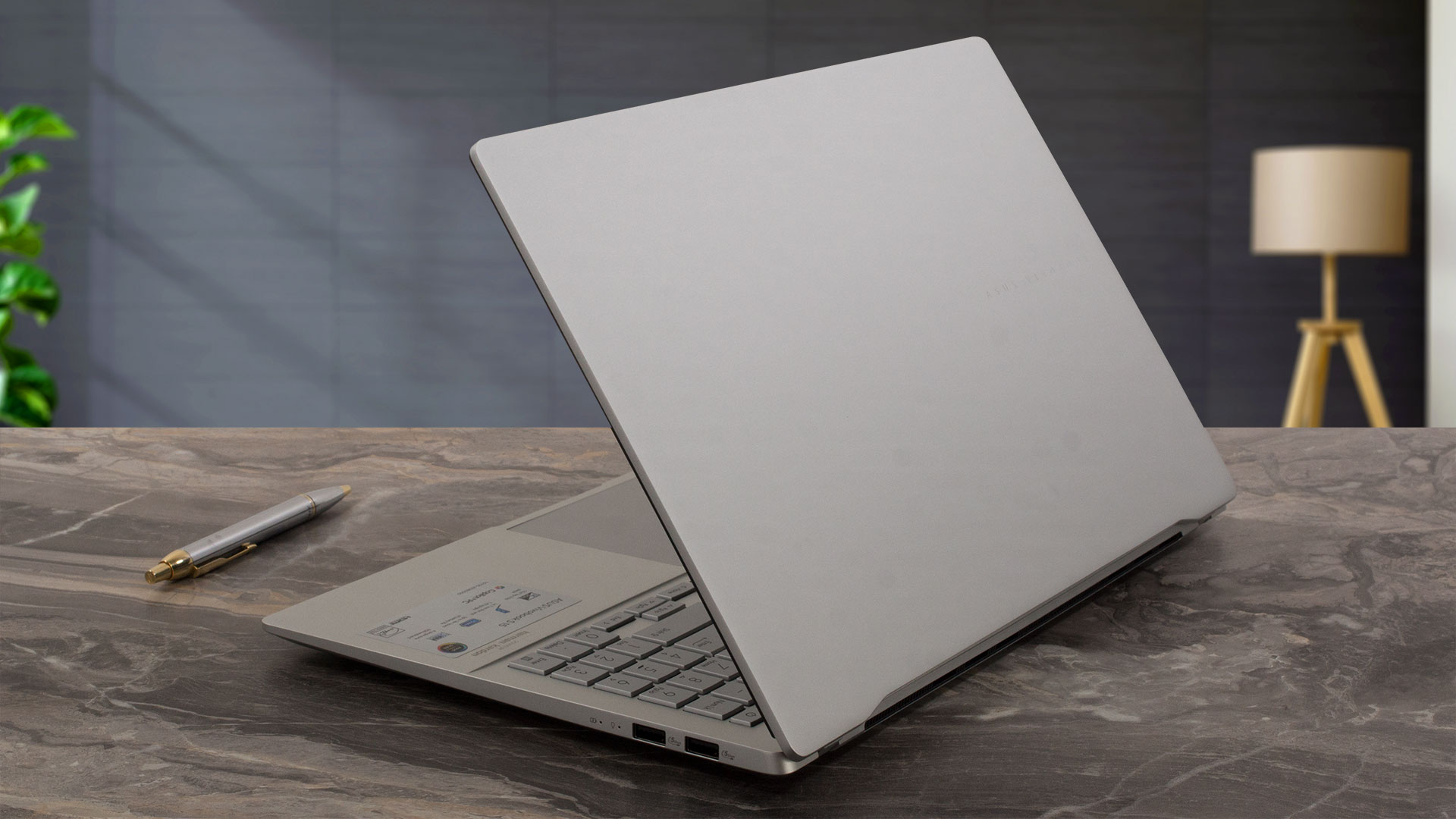
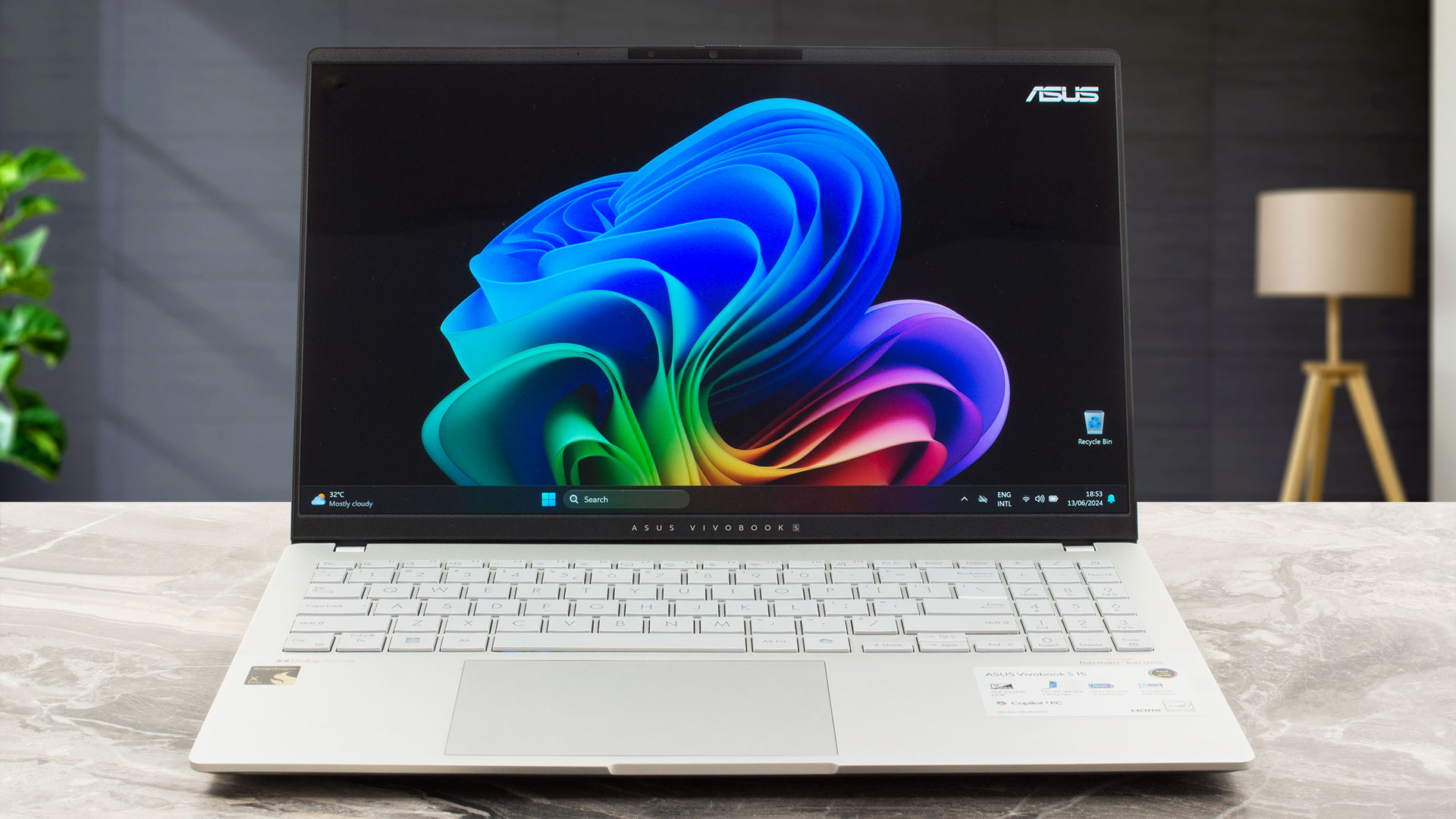
Both laptops are built really well, with metal all around. The Vivobook is around 100 grams lighter, but the MacBook Air is close to 5 mm thinner. Style-wise, MacBooks will always draw attention, especially with the Midnight color that we purchased.
| Apple MacBook Air (M3, 15″) | ASUS Vivobook S 15 OLED S5507 | |
|---|---|---|
| Weight | 3.3 lbs (1.51 kg) | 3.1 lbs (1.42 kg) |
| Dimensions | 13.40″ x 9.35″ x 0.45″ (340.4 x 237.6 x 11.5 mm) | 13.88″ x 8.93″ x 0.58″ ~ 0.63″ (352.6 x 226.9 x 14.7 – 15.9 mm) |
 Apple MacBook Air (M3, 15″)
 ASUS Vivobook S 15 OLED S5507
Keyboard and touchpad
The keyboard on a MacBook has a fingerprint reader in the power button, while the layout is the exact same as the board on the 13-inch version. This leaves a lot of unused space on the base. Despite that, typing on the board is very comfortable. There isn’t much key travel, but the feedback is tactile.
The Vivobook utilizes all the available space, with a full-sized keyboard and a Numpad. Key travel is long, while the feedback is a tad soft but still plenty comfortable. The touchpads are big and smooth, with superb accuracy. Overall, typing and gliding are the last things you need to worry about with these two laptops.
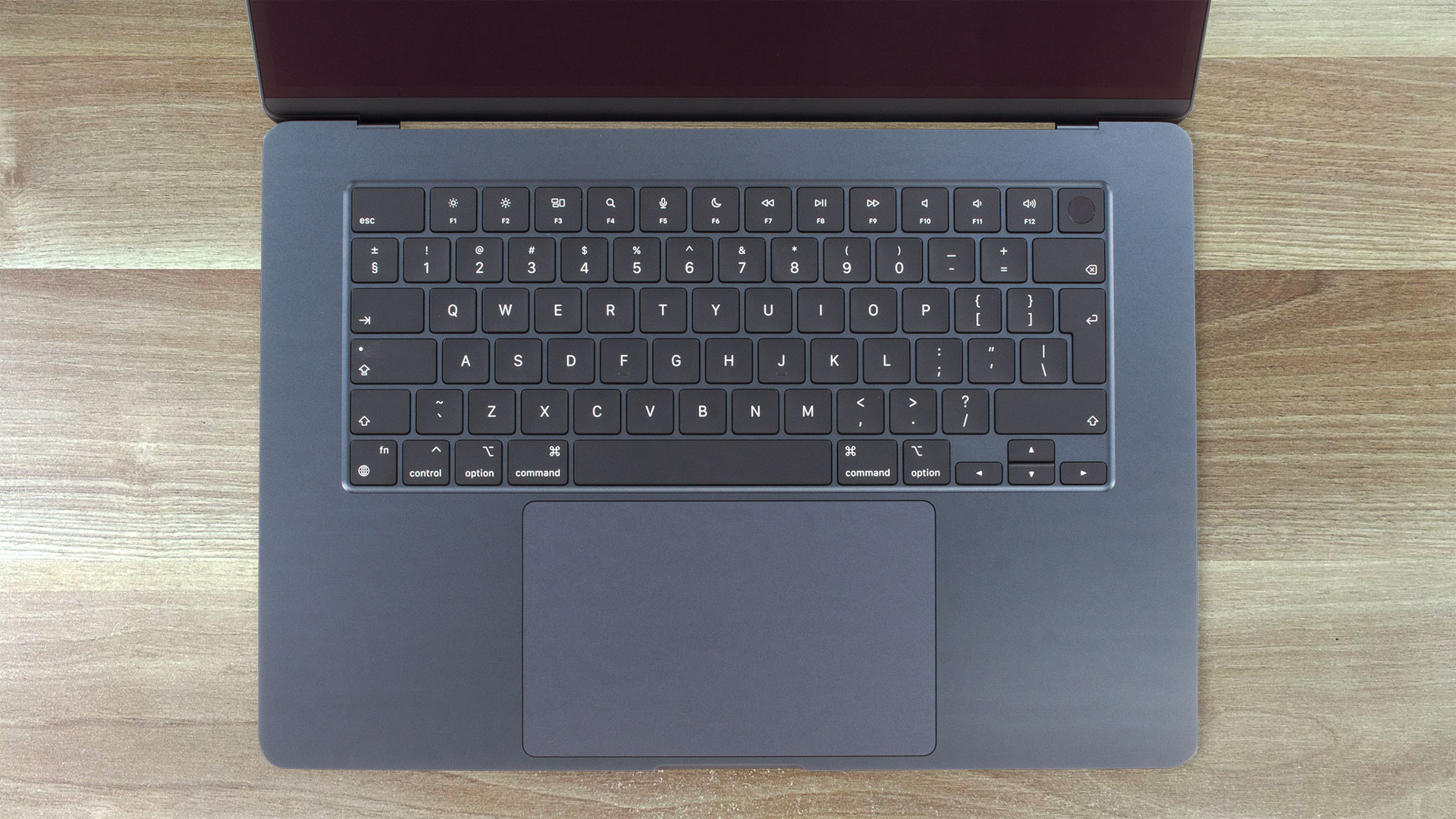 Apple MacBook Air (M3) 15″
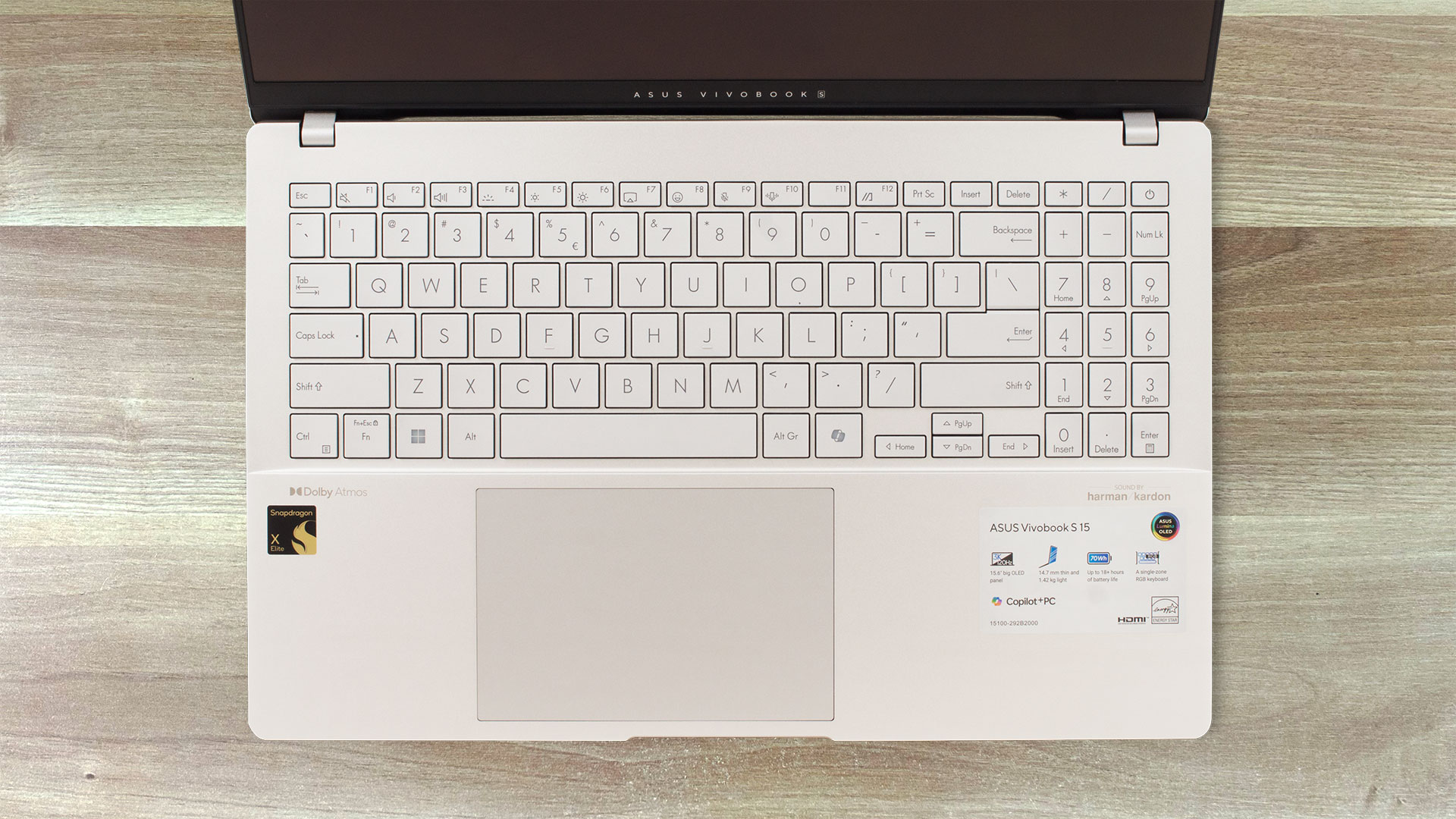 ASUS Vivobook S 15 OLED S5507
Ports
The Vivobook has a much wider port selection, providing you with a MicroSD card reader, an HDMI port, and two Type-A ports, in addition to the two Type-C ports.
| Apple MacBook Air (M3, 15″) | ASUS Vivobook S 15 OLED S5507 | |
|---|---|---|
| Ports |
|
|

 Apple MacBook Air (M3, 15″)
 ASUS Vivobook S 15 OLED S5507
Display and sound quality
Both laptops come with super sharp panels that give you a very detailed image. In terms of the panels themselves, the IPS screen on the MacBook Air has a slightly higher pixel density and is a lot taller. The Vivobook brings an OLED panel, with deeper blacks and overall vibrant and sharper colors that pop.
| Apple MacBook Air (M3, 15″) | ASUS Vivobook S 15 OLED S5507 | |
|---|---|---|
| Resolution | 2880 x 1864 | 2880 x 1620 |
| Aspect ratio | 14:9 | 16:9 |
| Panel technology | Liquid Retina (basically IPS) | OLED |
| Pixel density | 224 PPI | 212 PPI |
| Dot pitch | 0.11 x 0.11 mm | 0.12 x 0.12 mm |
| Retina distance | 15.35″ (39 cm) | 15.74″ (40 cm) |
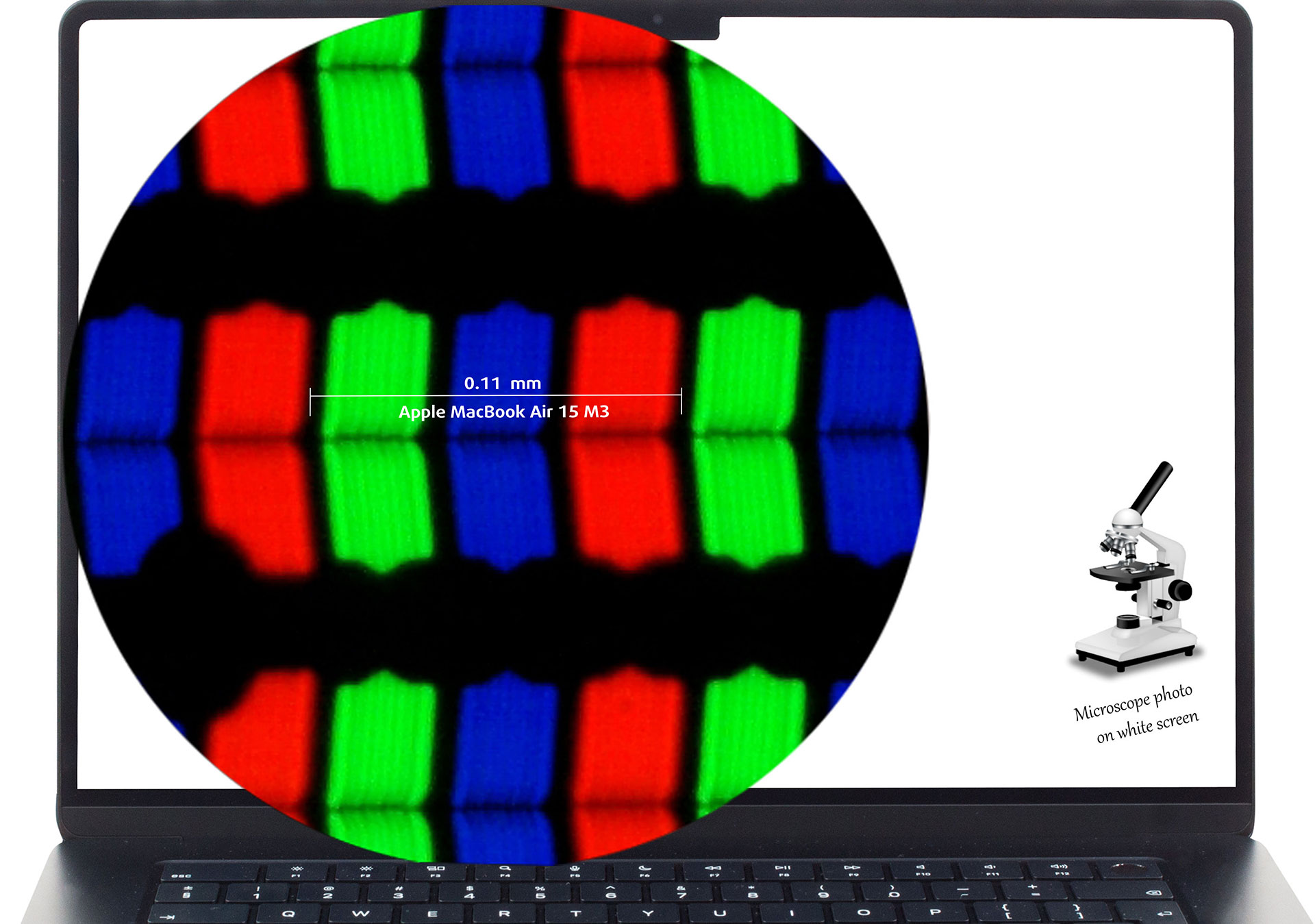 Apple MacBook Air (M3, 15″)
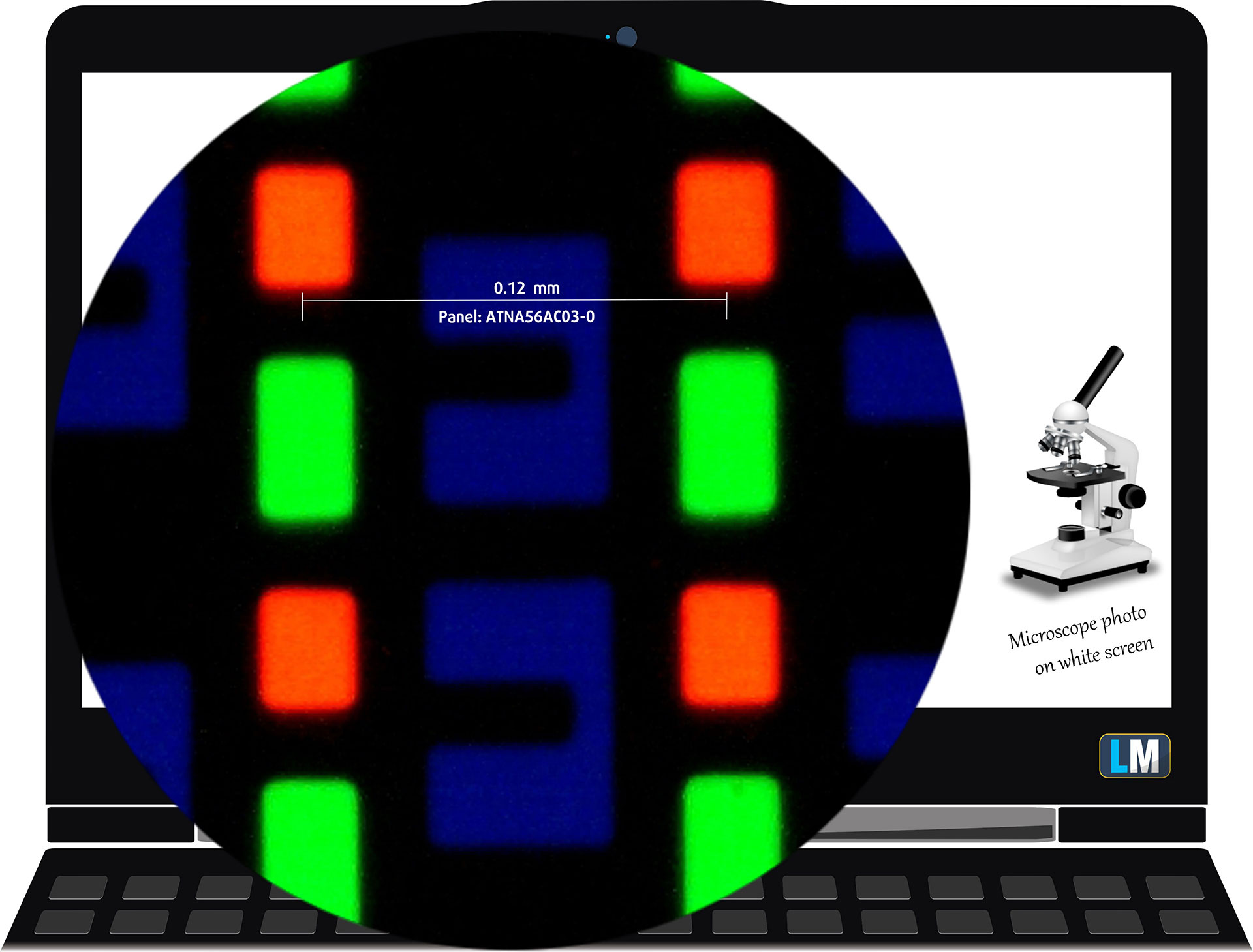 ASUS Vivobook S 15 OLED S5507
Both displays have excellent viewing angles. You can check our video tests down below.
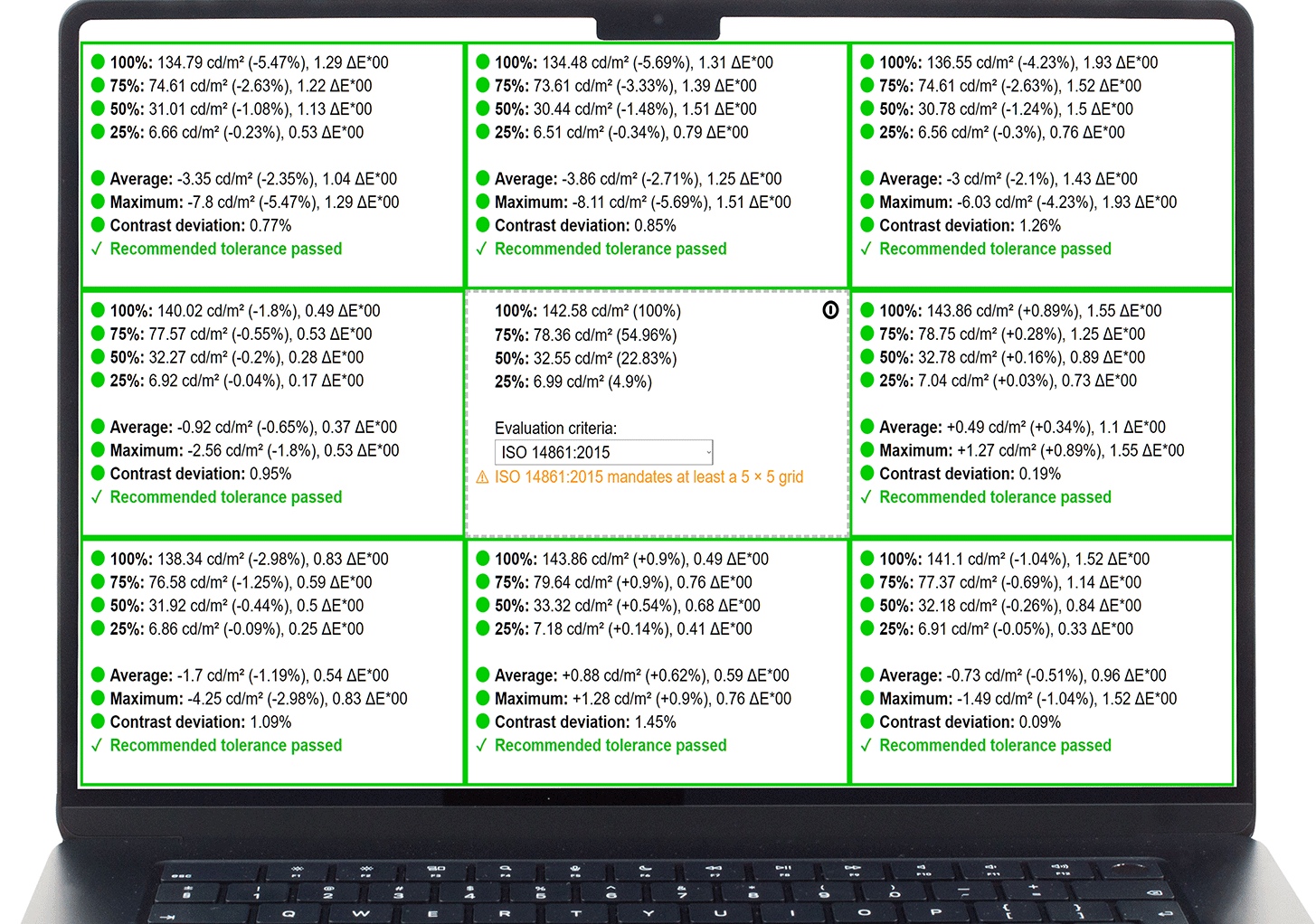
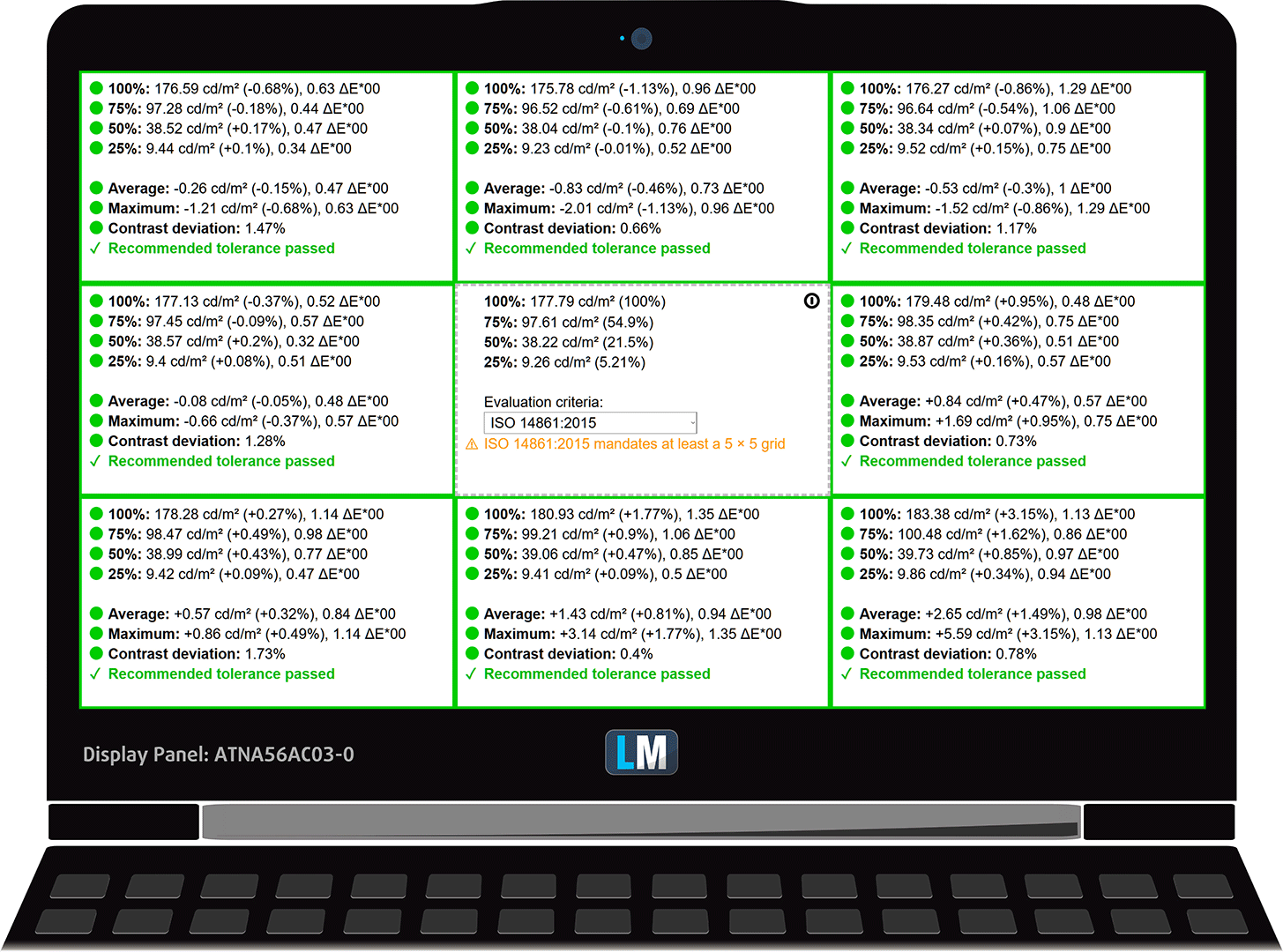
The screen of the MacBook is a lot brighter while staying within the appropriate range of uniformity (6%).
| Apple MacBook Air (M3, 15″) | ASUS Vivobook S 15 OLED S5507 | |
|---|---|---|
| Peak brightness (middle of the screen/average for the entire display area) | 507/498 nits | 390/387 nits |
| Max deviation | 6% | 2% |
| Color temperature (on white screen) | 6680K | 6530K |
| Contrast ratio | 1360:1 | 1 000 000:1 |
 Apple MacBook Air (M3, 15″)
 ASUS Vivobook S 15 OLED S5507
Color coverage
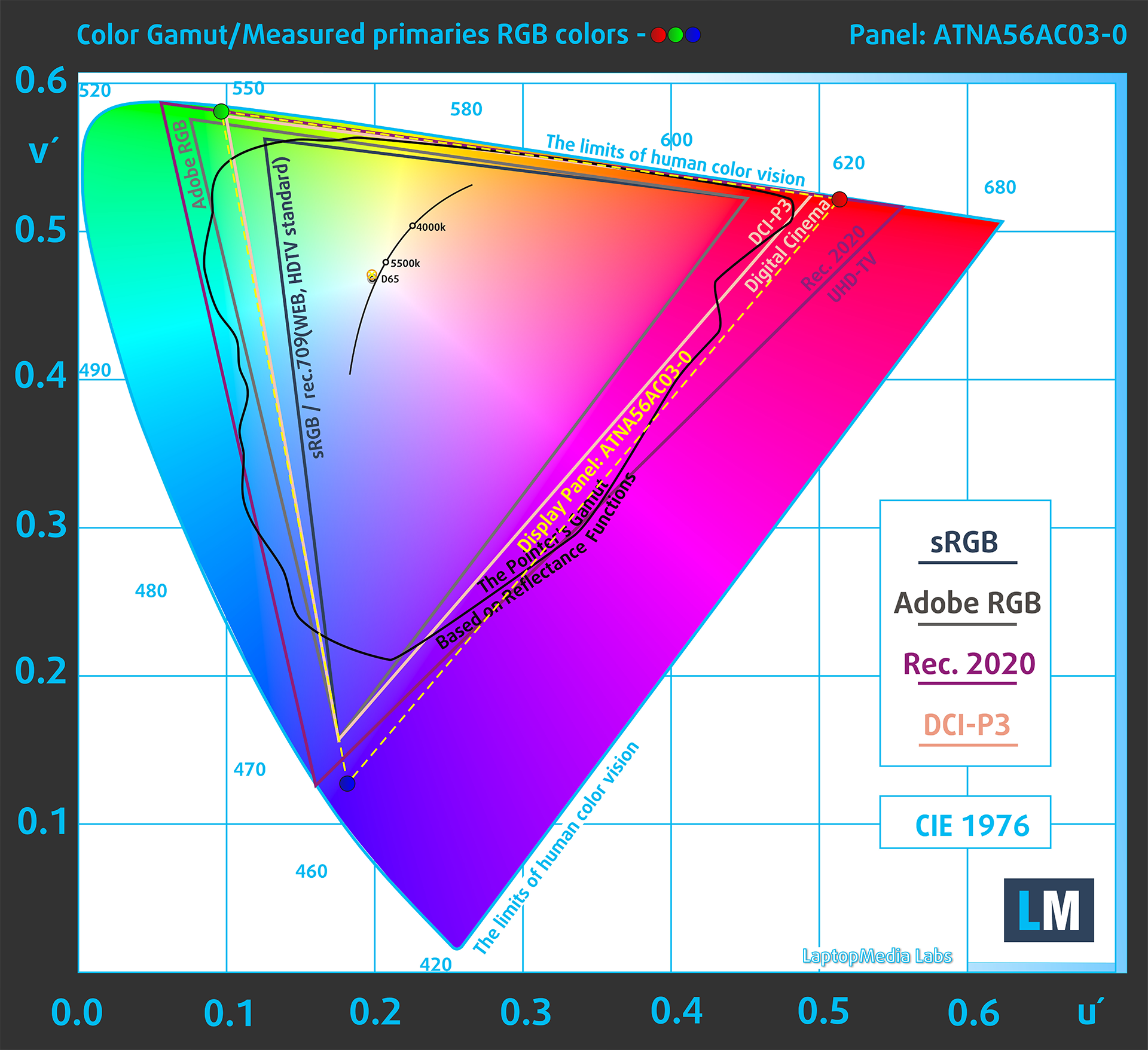
Here are some illustrations (Fig. 1) & (Fig. 2). The whole “sail-shaped” map below consists of all the colors we can see, while the black crooked line shows all the colors from real-world scenes and nature around us.
Then, we’ve drawn some of the most important and interesting color spaces, compared to the colors that the panels of the laptops can display:
Standard/For Web: sRGB – widely used color space for most consumer devices, ideal for Web design and development
For Print: AdobeRGB – used in professional photo editing, graphic design, and print
For Photographers/Video Editors: DCI-P3 – used in high-end film production, post-production, and digital cinema
Premium HDR: Rec.2020 – the widest consumer ITU color standard, covering a massive 75.8% of the visible spectrum, a benchmark for premium HDR content
The yellow dotted line shows the color coverage of the Apple MacBook Air (M3, 15″) and the ASUS Vivobook S 15 OLED S5507, both of which cover the entire sRGB and DCI-P3 gamuts.
| Apple MacBook Air (M3, 15″) | ASUS Vivobook S 15 OLED S5507 | |
|---|---|---|
| sRGB | 100% | 100% |
| DCI-P3 | 100% | 100% |
 Apple MacBook Air (M3, 15″)
 ASUS Vivobook S 15 OLED S5507
Color accuracy
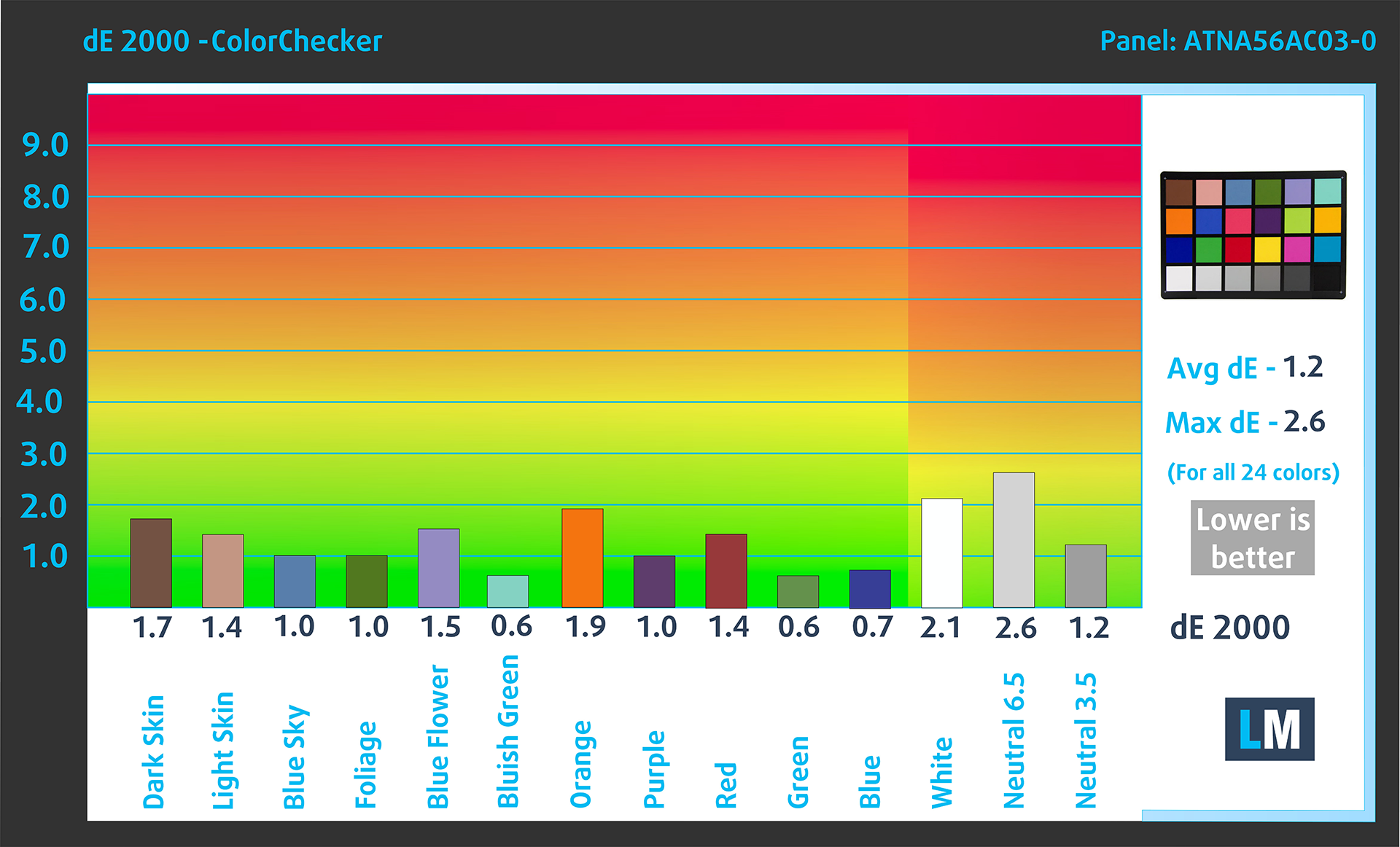
Now let’s see how big the difference is between the real colors and the ones you’ll see on the three laptops. We measure that distance in DeltaE – the bigger the number, the more different they look.
For the next illustration, we’ve chosen 24 common colors like dark and light skin, blue sky, green grass, etc.
Below you can see the results of the two laptops. Unfortunately, you can’t apply display profiles on Apple devices, so the Vivobook is more accurate with a dE value of 1.3. Still, though, the MacBook Air is accurate enough for Creator work.
 Apple MacBook Air (M3, 15″)
 ASUS Vivobook S 15 OLED S5507
ASUS Vivobook S 15 OLED S5507 15.6″ Samsung ATNA56AC03-0 (2880 х 1620) OLED: Buy our profiles
PWM
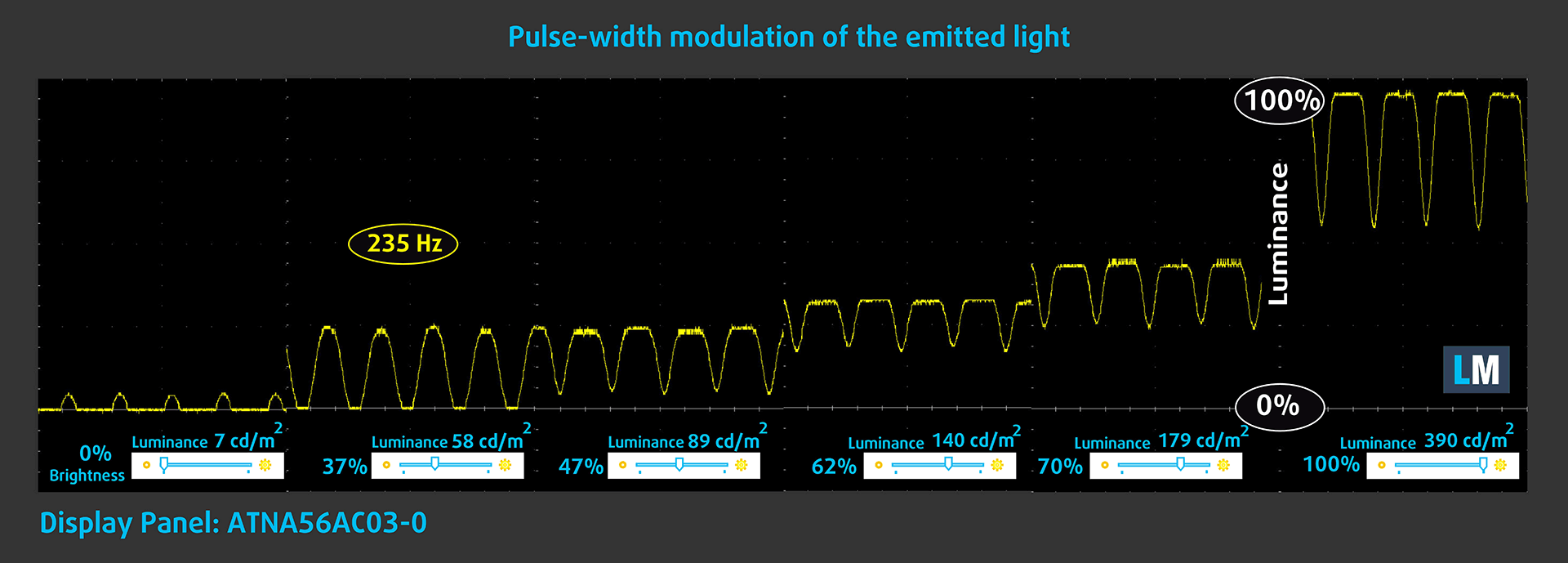
Pulse-width modulation, or PWM for short is when the display flickers fast by constantly shutting on and off, thus appearing more dim. The problem with PWM is that at lower flickering frequencies, your eyes get tired easily. In our tests, the MacBook showed no PWM usage, while the Vivobook uses PWM at all brightness levels. The amplitude of the pulsations is rather small, so the panel is relatively comfortable for prolonged use.
 Apple MacBook Air (M3, 15″)
 ASUS Vivobook S 15 OLED S5507
Sound
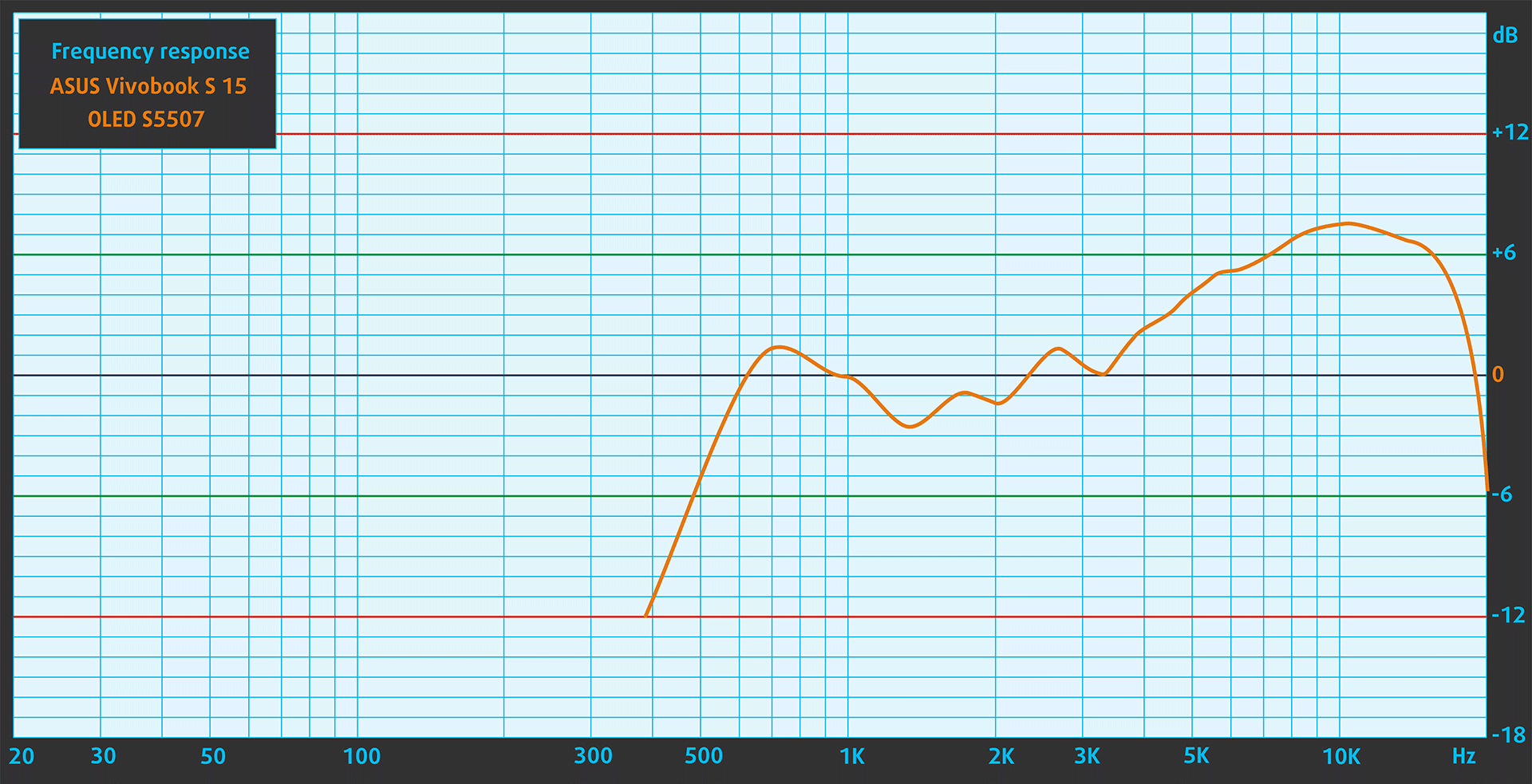
Both laptops deliver quality audio, with no deviations across the entire frequency range. The speakers are mounted on the bottom
 Apple MacBook Air (M3, 15″)
 ASUS Vivobook S 15 OLED S5507
Performance – CPU, GPU, Storage
Below we’ve highlighted the configurations that bought the notebooks with.
| Apple MacBook Air (M3, 15″) | ASUS Vivobook S 15 OLED S5507 | |
|---|---|---|
| Operating System | Mac OS X | Windows 11 |
| Processor | Apple M3 (8-core CPU) | Qualcomm Snapdragon X Elite X1E-78-100 Qualcomm Snapdragon X Plus X1P-64-100 |
| GPU | Apple M3 GPU (10-core) | Qualcomm Snapdragon X Elite Adreno GPU |
CPU tests
The Snapdragon X Elite delivers a 57% higher score in the Cinebench 2024 Multi-core test. However, the MacBook Air is 24% faster in the Single-Core benchmark which is a good indicator for everyday use.
GPU tests
The GPU on the MacBook gets a 28% higher score in the 3DMark Wild Life benchmark.
Battery life
The MacBook has a slightly smaller battery but delivers an extra hour and 46 minutes of video playback.
Upgradeability
The MacBook offers no upgradeability, as both the RAM (Unified Memory) and storage are soldered onto the motherboard. As for the Vivobook, it’s got soldered memory and a single M.2 PCIe slot for Gen 4 SSDs.
Verdict
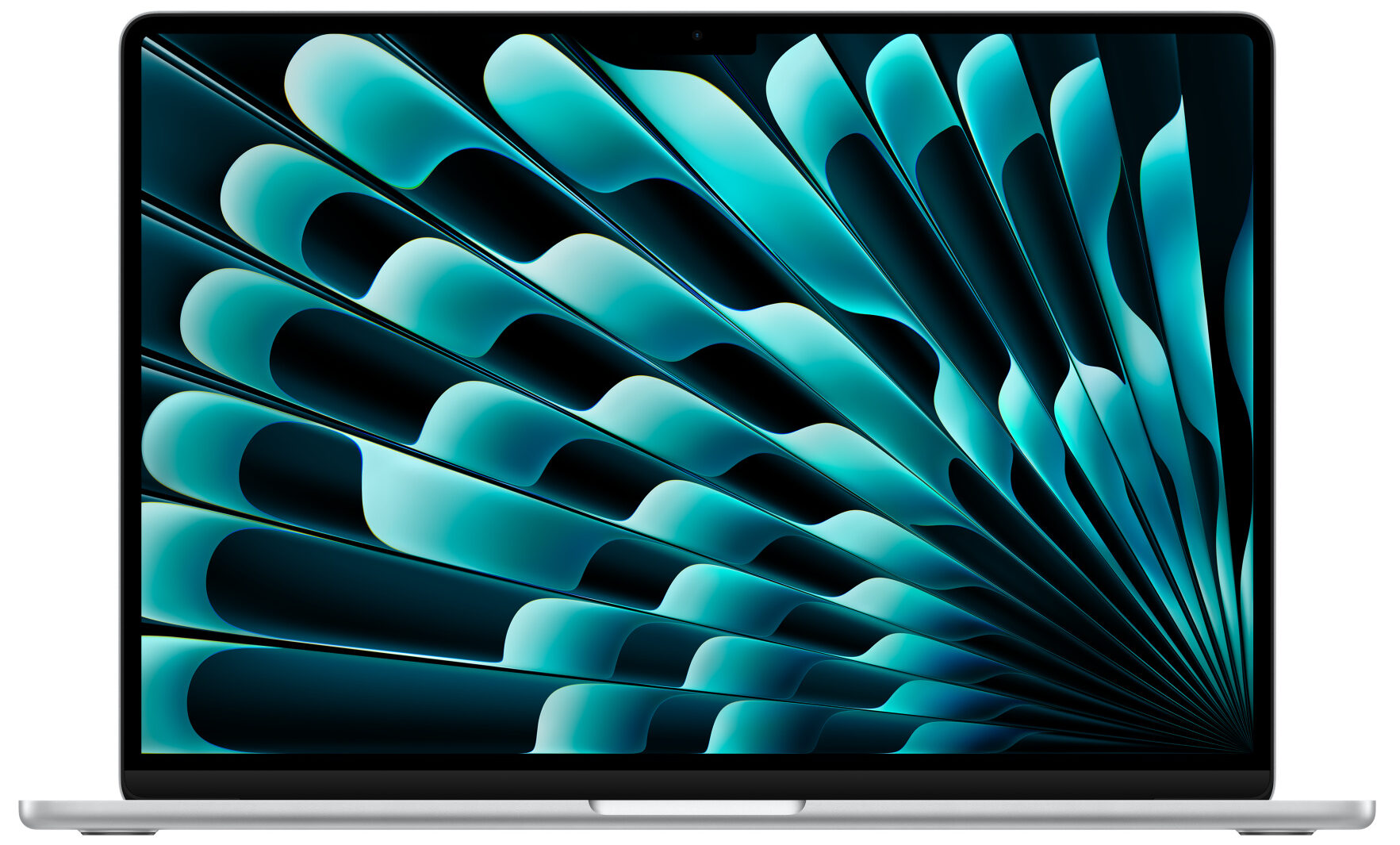
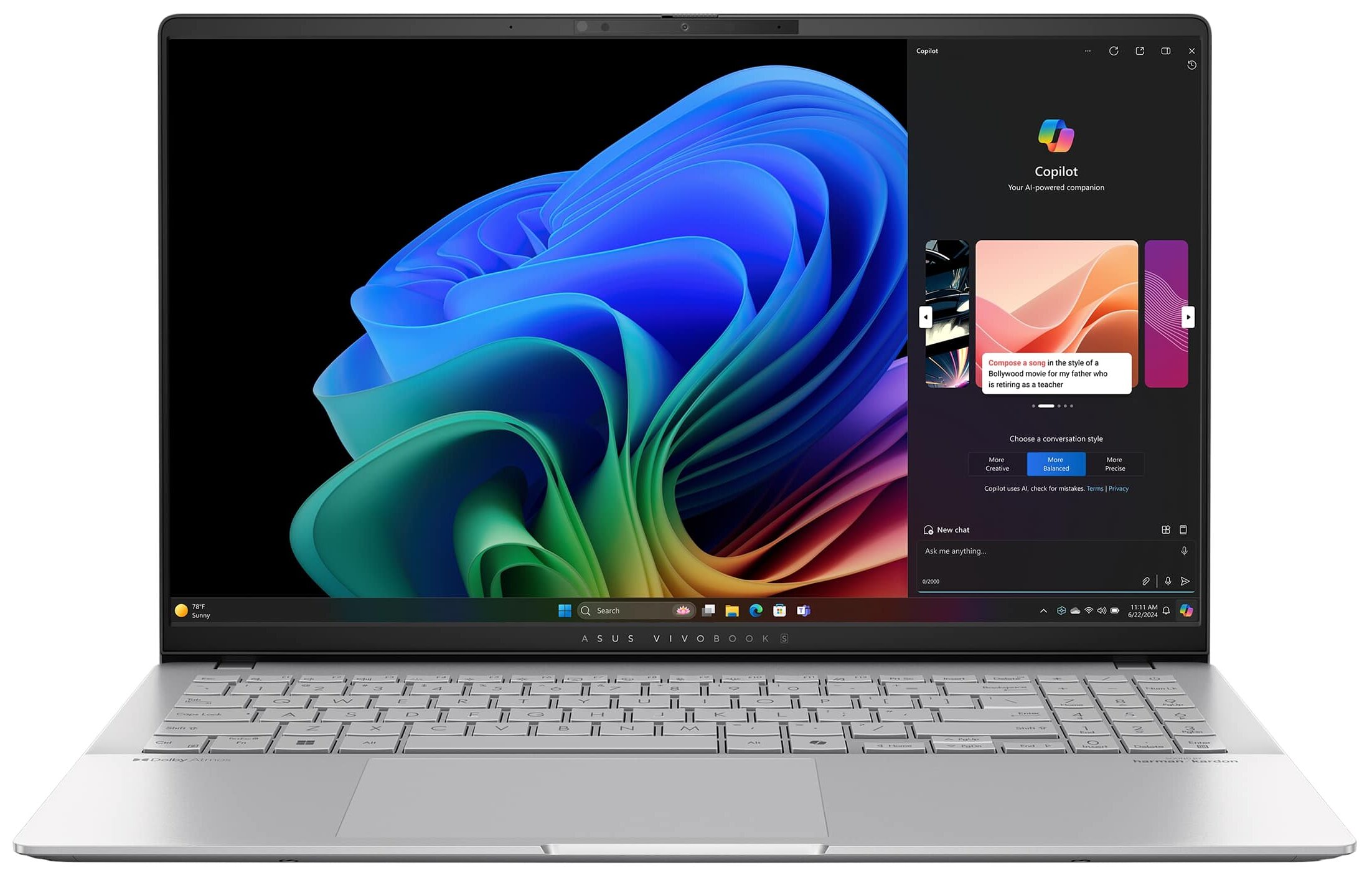 The MacBook Air 15 is a fresh new form factor that takes everything that’s great about the 13-inch model and stretches it out to a much more comfortable size for a creator or a designer.
As for the Vivobook, we’re seeing entirely new “AI-powered” Windows laptops that deliver the efficiency and performance that ARM chips are known for. This gives users a clear alternative to Apple products, albeit, the Snapdragon X Elite platform might need some more work on the software end.
In terms of efficiency and performance, the Snapdragon X Elite outperforms the M3 SoC for heavy work like 3D Rendering, while the MacBook Air is faster for everyday use, thanks to its 24% higher single-core performance. Also, the GPU of the M3 is more powerful than the Adreno unit in the X Elite. As for battery life, both laptops deliver nicely, but the MacBook lasts longer.
The displays here are great too, sporting high resolutions, high brightness, and contrast, as well as covering tons of colors that make them prime options for creators. Overall, if you’re already in the Apple ecosystem (aka have an iPhone), the MacBook is the natural choice. The Apple Silicon platform is also a lot more proven and supports more software.
On the other hand, the Vivobook can only get better with further software support and is upgradeable, so there are definitely some benefits. However, buying it right now might mean having first-hand experience with the troubles of first-gen products, aka new bugs and software compatibility issues. You can check the pricing for both laptops below and make your choice.
Apple MacBook Air (M3) 15″: Full Specs / In-depth Review
ASUS Vivobook S 15 OLED S5507: Full Specs / In-depth Review
Apple MacBook Air (M3) 15″ configurations:
ASUS Vivobook S 15 OLED S5507 configurations:
 Author: Severin Kolakov

![[May 2026] Global Ranking of Best-Selling Laptop GPUs on Amazon – Apple Dominates with 45% Share, Sweeps Top 3 Spots; NVIDIA’s RTX 5060 Leads the Dedicated GPU Pack](https://laptopmedia.com/wp-content/uploads/2026/06/Best-Selling-GPUs-GLOBAL-Top-10-400x225.jpg)
![[May 2026] Global Ranking of Best-Selling Laptop CPUs on Amazon – Apple Crushes Competition with 45.2% Market Share, M5 Dominates](https://laptopmedia.com/wp-content/uploads/2026/06/Best-Selling-CPUs-GLOBAL-Top-10-400x225.jpg)
![[May 2026] Amazon Germany: Top 7 Best-Selling Gaming Laptops – Lenovo Legion 5i Crowned Champion Amidst Fierce Mid-Range Competition](https://laptopmedia.com/wp-content/uploads/2026/06/Best-Selling-Gaming-Laptops-DE-Top-10-1-400x225.jpg)
![[May 2026] Amazon Italy: Top 10 Best-Selling Laptops – Apple MacBook Neo Reigns Supreme, Premium Models Capture Dominant Revenue Share](https://laptopmedia.com/wp-content/uploads/2026/06/Best-Selling-Laptops-IT-Top-10-400x225.jpg)
