Inside Acer Nitro 5 (AN515-54) – disassembly and upgrade options
Nitro 5 (AN515-54) is part of a new generation mobile devices, that is set to feature the latest NVIDIA GeForce GTX 16xx and the 9th Gen. Intel H-series CPUs. Additionally, we saw it perform great with its 144 Hz screen, but what about the upgradability of the device? Let’s find out.
Check out all Acer Nitro 5 (AN515-54) prices and configurations in our Specs System or read more in our In-depth Review.
1. Remove the bottom plate
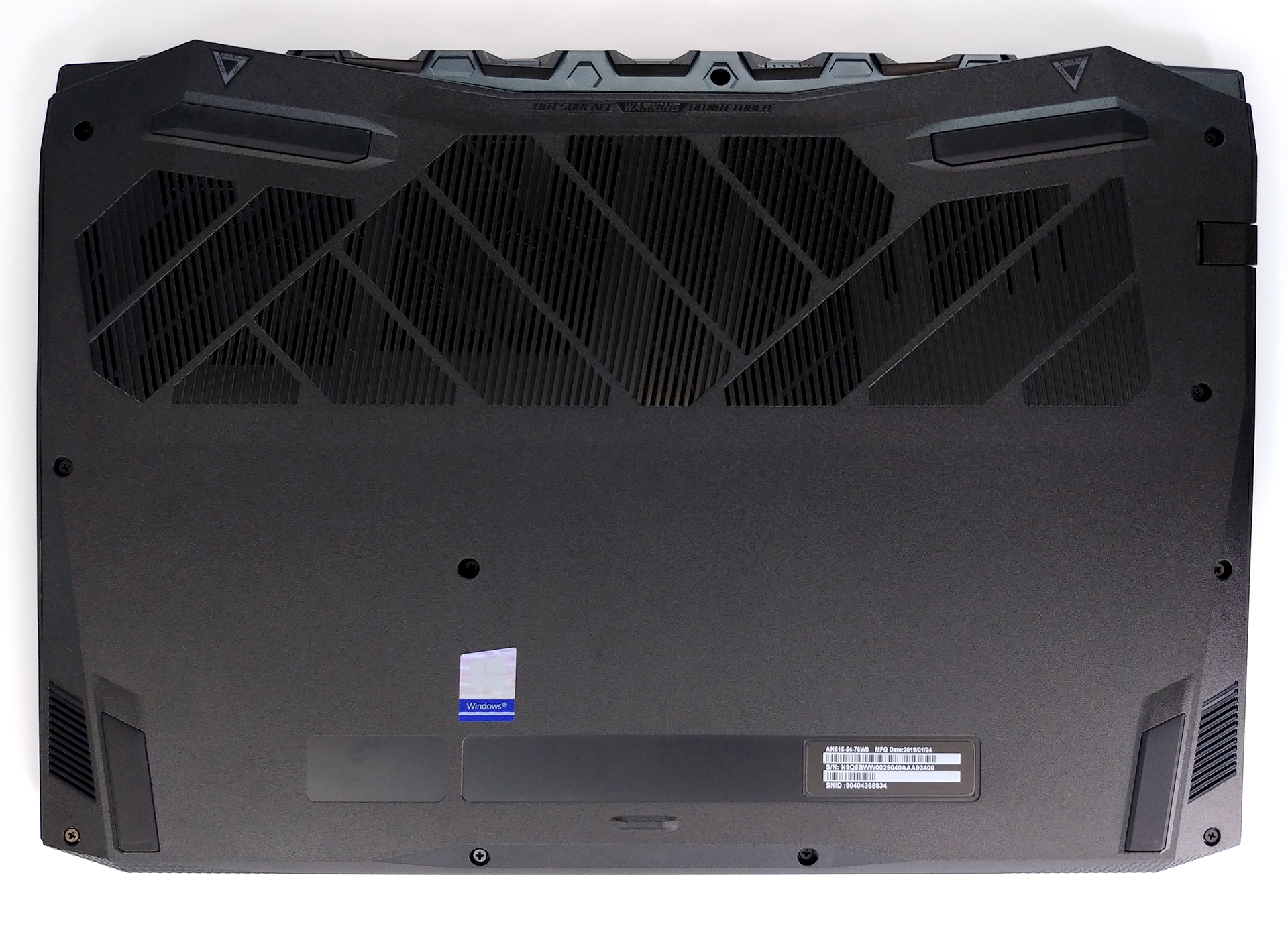
Nothing unexpected here as the disassembly process starts with unscrewing 11 Phillips head screws and prying the bottom plate out of its place. As you can notice, Acer ditched the service lids so you need to remove the whole plate even if you want to upgrade only the memory. However, they have made easier removing the bottom plate itself, so we are keen to believe they have made the right choice.
2. Battery
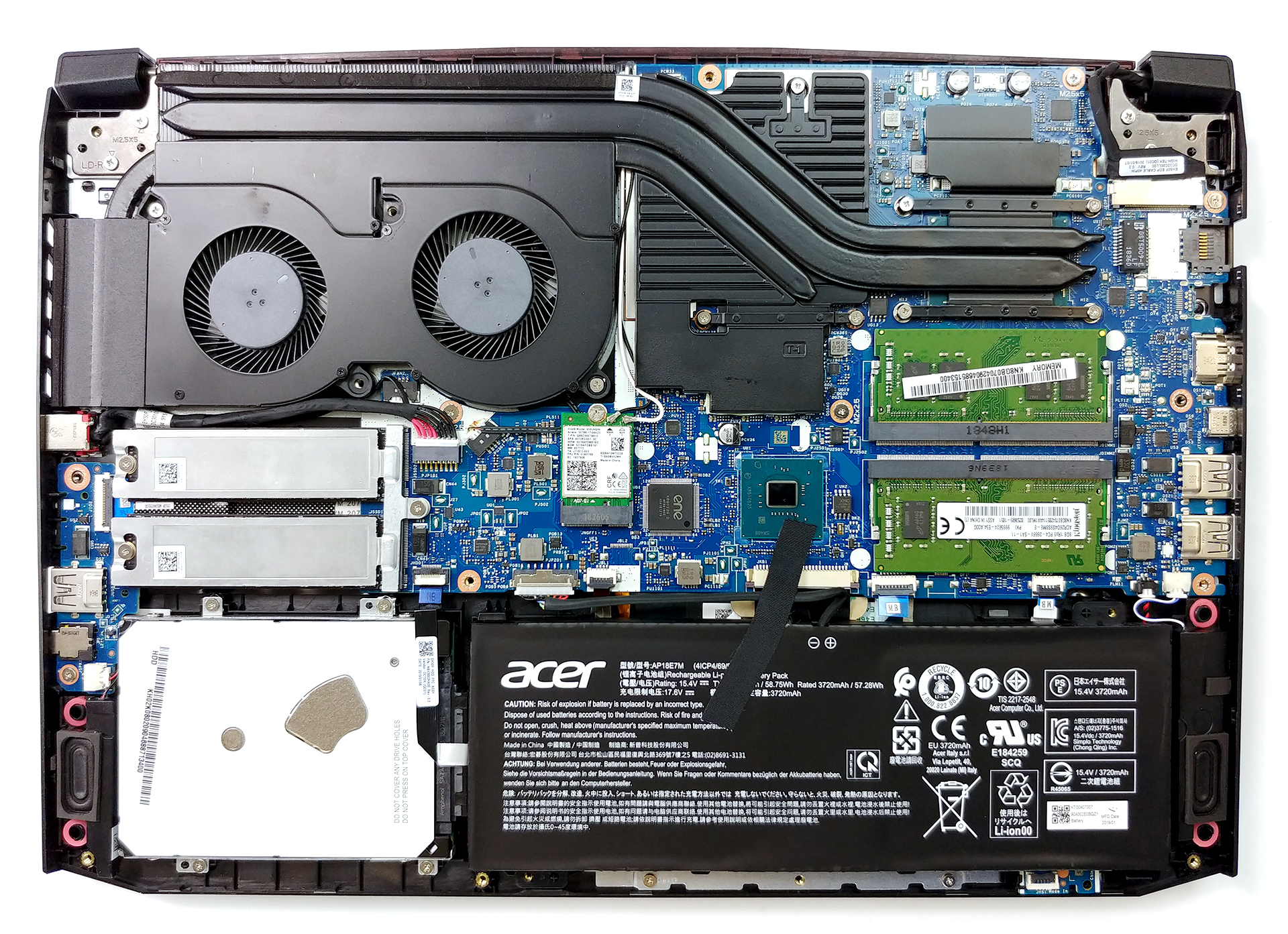
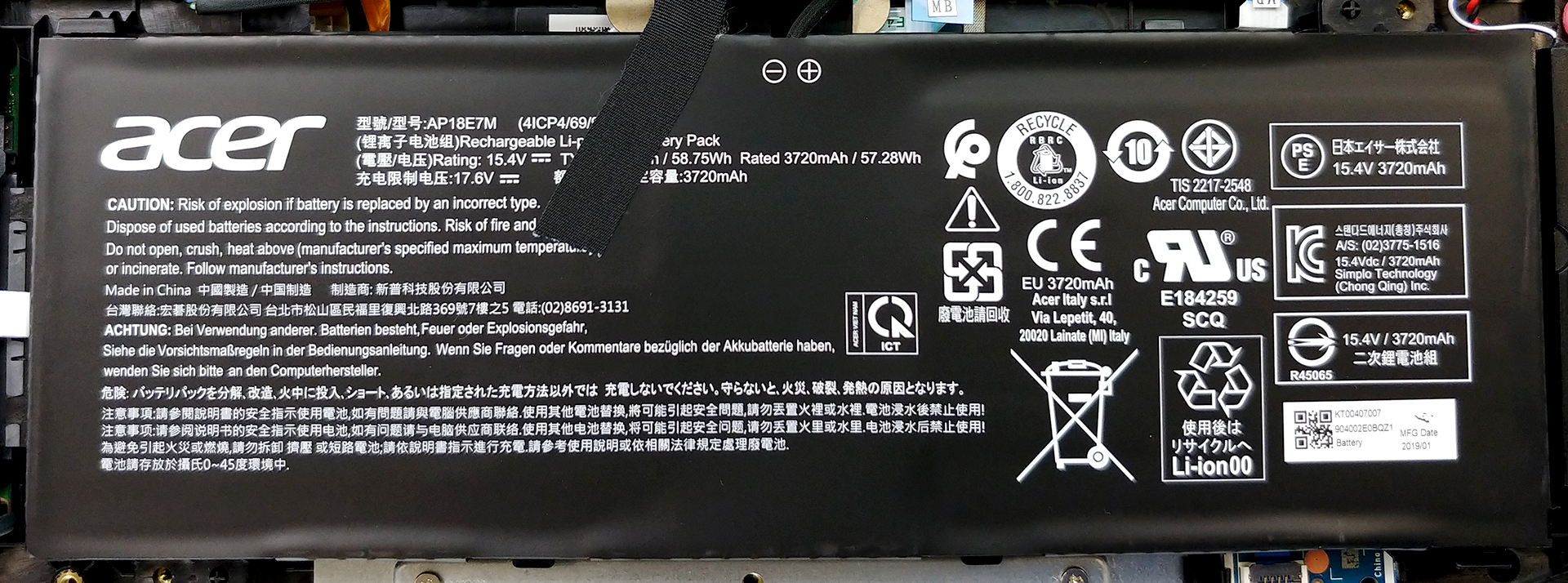
This laptop is equipped with a 58.75Wh battery pack, which is only held in place by some clips – no screws whatsoever. Additionally, the cable that connects the battery to the motherboard is fixed in place with some tape. As far as battery life is concerned, we were able to extract around 8 hours of web browsing and video playback, which is a great result for a gaming laptop!
Brightness: 180 nits; Display Mode: SDR
Time to Full Discharge: Higher is Better
In order to simulate real-life conditions, we used our own script for automatic web browsing through over 70 websites.
3. Memory and storage
In this section, you can see one of the strongest selling points of the Nitro 5 (AN515-54) – the storage upgradability. It features a SATA connector as well as two M.2 NVMe-enabled slots, that support RAID 0 – rarely to be seen in a rather budget gaming hardware. In addition to that, you can equip the notebook with a total of 32GB of DDR4 memory working at 2666 MHz.
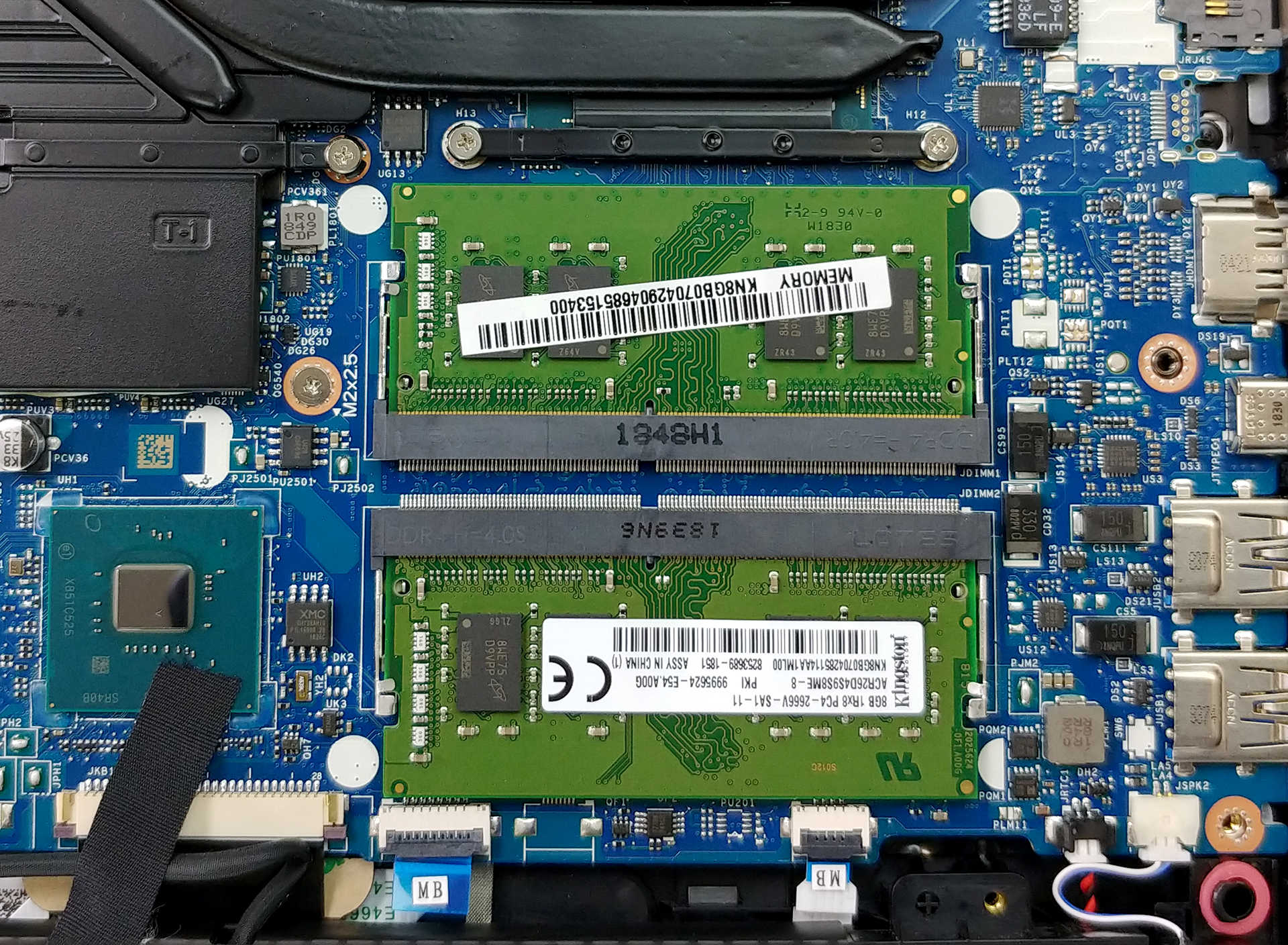
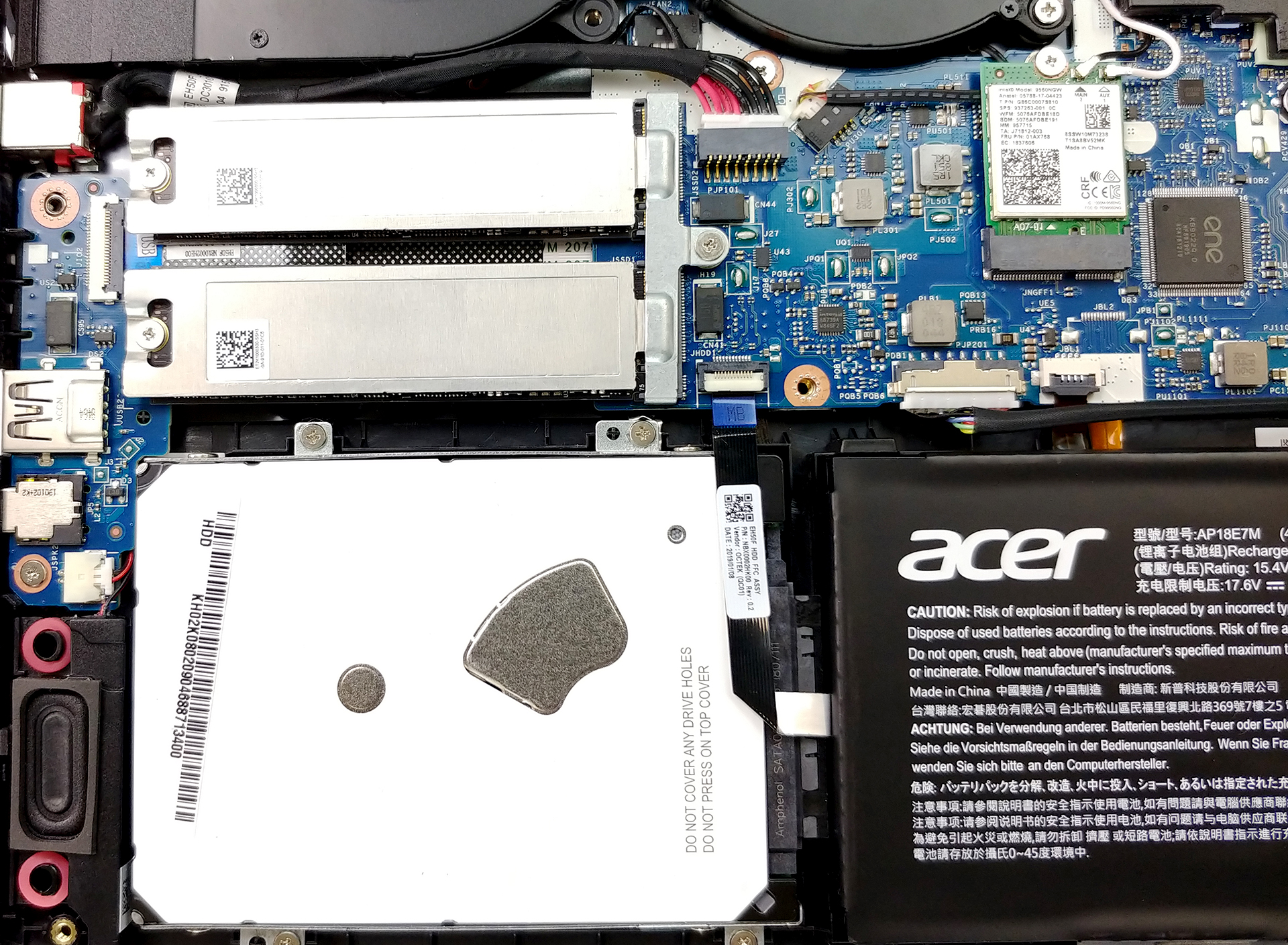
4. Cooling system
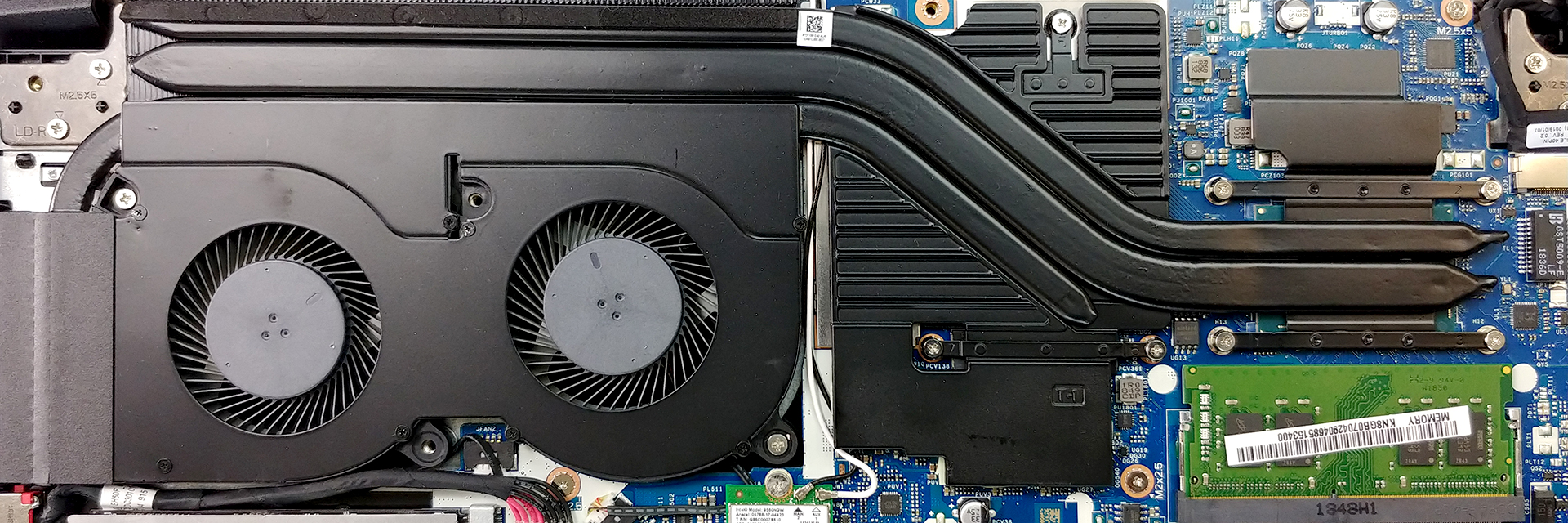
Nitro 5 (AN515-54) is utilizing the same cooling design as its predecessor. A couple of heat pipes shared between the CPU and the GPU, while there is one more only dedicated to the graphics card. Despite the fact that Acer has put a large plate on top of the GPU VRMs and memory, this design is not the most efficient one. Especially, in extended periods of gaming, where the heat from the CPU has nowhere to go, except towards the graphics card.
| Intel Core i7-8750H (45W TDP) | 0:02 – 0:10 sec | 0:15 – 0:30 sec | 10:00 – 15:00 min |
|---|---|---|---|
| Acer Nitro 5 (AN515-54) | 2.69 GHz (B+22%) @ 63°C | 2.82 GHz (B+28%) @ 66°C | 2.56 GHz (B+16%) @ 74°C |
| NVIDIA GeForce GTX 1660 Ti | GPU frequency/ Core temp (after 2 min) | GPU frequency/ Core temp (after 30 min) | |
| Acer Nitro 5 (AN515-54) | 1660 MHz @ 78°C | 1635 MHz @ 84°C | |
Check out all Acer Nitro 5 (AN515-54) prices and configurations in our Specs System or read more in our In-depth Review.
 Author: Alex Iliev

![[May 2026] Global Ranking of Best-Selling Laptop GPUs on Amazon – Apple Dominates with 45% Share, Sweeps Top 3 Spots; NVIDIA’s RTX 5060 Leads the Dedicated GPU Pack](https://laptopmedia.com/wp-content/uploads/2026/06/Best-Selling-GPUs-GLOBAL-Top-10-400x225.jpg)
![[May 2026] Global Ranking of Best-Selling Laptop CPUs on Amazon – Apple Crushes Competition with 45.2% Market Share, M5 Dominates](https://laptopmedia.com/wp-content/uploads/2026/06/Best-Selling-CPUs-GLOBAL-Top-10-400x225.jpg)
![[May 2026] Amazon Germany: Top 7 Best-Selling Gaming Laptops – Lenovo Legion 5i Crowned Champion Amidst Fierce Mid-Range Competition](https://laptopmedia.com/wp-content/uploads/2026/06/Best-Selling-Gaming-Laptops-DE-Top-10-1-400x225.jpg)
![[May 2026] Amazon Italy: Top 10 Best-Selling Laptops – Apple MacBook Neo Reigns Supreme, Premium Models Capture Dominant Revenue Share](https://laptopmedia.com/wp-content/uploads/2026/06/Best-Selling-Laptops-IT-Top-10-400x225.jpg)
![[May 2026] Best-Selling Laptop Brands on Amazon Italy – Apple Dominates Across All Metrics](https://laptopmedia.com/wp-content/uploads/2026/06/IT-Best-Brands-400x225.jpg)

what size of screwdriver did you use for the ssd?
Where do I find the motherboard make and serial number on the board on this model?
How to remove the back cover?? Thx in advance
you ranked for no reason
If I raid 0 my 2 ssd nvme which 1 have windows installed and the other 1 empty , what will happen with the 1 that have windows installed in it ?
Creating a RAID array will always blank the drives that are part of it. Back up or clone your system first. Create the RAID array and then install a fresh copy of Windows or use your cloned drive to restore everything.
i’m trying to create a raid 0 array on an515-54, with two nvme ssds. However, nothing happens when I press ctrl + I. The only possibility is to create the raid through windows? Or is there any other key sequence?
Can you upgrade the GPU?
No, it is soldered into the motherboard
I wonder if dissasemblying and installing a 2,5″ drive voids the warranty
Yes, you need to go to an acer registered shop to do the installing without harming your warranty.
I have nitro an515 54 74jy indian version if thats what you guys call it. It has 2TB HDD and 256gb SSD installed with 8gb of ram all this factory installed. Can i upgrade SSD to another 500GB is there any M.2 slot available? please advise very confuse with acer support & other people saying no.
I tried to change my thermal paste but had no idea they used thermal bulk instead of thermal pads. The bulk dried up too quickly when I opened it so now I’m thinking about switching to thermal pads. Any suggestions or things I should know?
You’re full of shit. At most, all i get is 2 hours out of this thing.
Yeah. No way this thing gets 8 hours. 2 hours maybe 3 hours tops!
Please what is the model of SSD i nedd. I’m asking for the pin form
Do these ship with Intel® Optane™ memory built right in the notebook? Same model number. Model Name: AN515-54 16GB
Also listed on the site is Model: NH.Q96AA.004 from WallyWorld
Where is the Graphics card and CPU Processor Located?
very handy no lie! ., ive owned my acer nitro 5 for 3 years now and i just ordered 32gb Crucial Ram too up grade, and a 1tb nvme m2 pcie ssd. my warranty is up so i might as well crack er open and upgrade it. no Computer repair shops in my area so im up too the task. if i clean the Fans inside do i have too remove and replace the thermal paste or what ever. i imagine its a wee bit dusty inside of it over the span of 3 years and would like it nice… Read more »