How to open ASUS ROG Zephyrus M16 (GU604, 2023) – disassembly and upgrade options
This laptop’s insides are mesmerizing. They comprise a labyrinth of heat pipes and are infused with a couple of SODIMM slots, and M.2 PCIe x4 storage slots.
Check out all ASUS ROG Zephyrus M16 (GU604, 2023) prices and configurations in our Specs System, or read more in our In-Depth review.
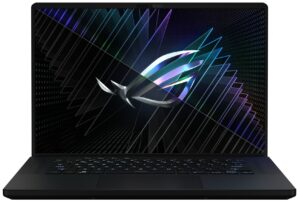
1. Remove the bottom plate
To get inside this device, you first need to remove a total of 7 rubber caps. Then, undo all 15 Phillips-head screws, and pry the bottom panel with a plastic tool. Start from the gap opened by the screw in the bottom left corner.
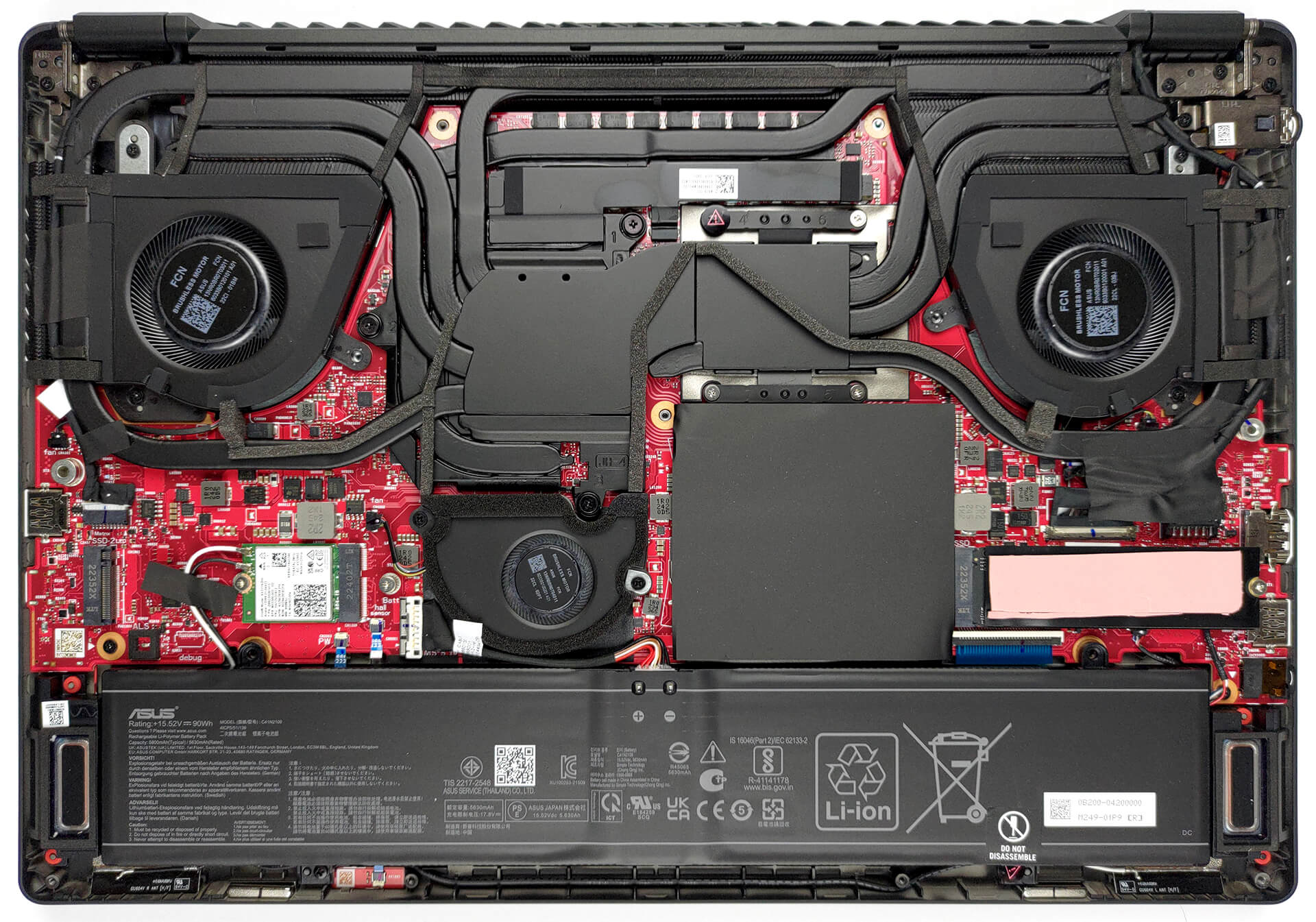
2. Remove the battery
Here, we find a 90Wh battery. To remove it, unplug the battery connector from the motherboard, and undo the two Phillips-head screws, which mount the battery to the chassis.
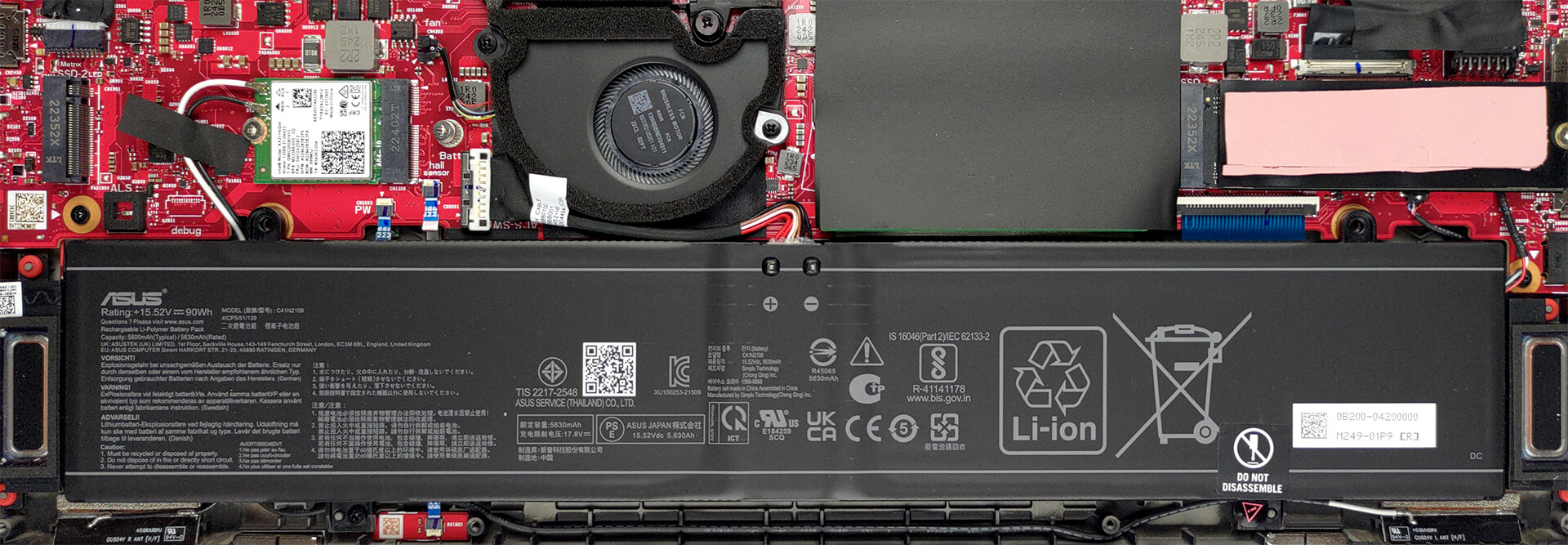
3. Upgrade memory and storage
Underneath black insulation, you will find the two SODIMM slots. They work with DDR5 RAM and support a maximum total of 64GB. Then, there are the two M.2 PCIe x4 slots. They both support Gen 4 SSDs.

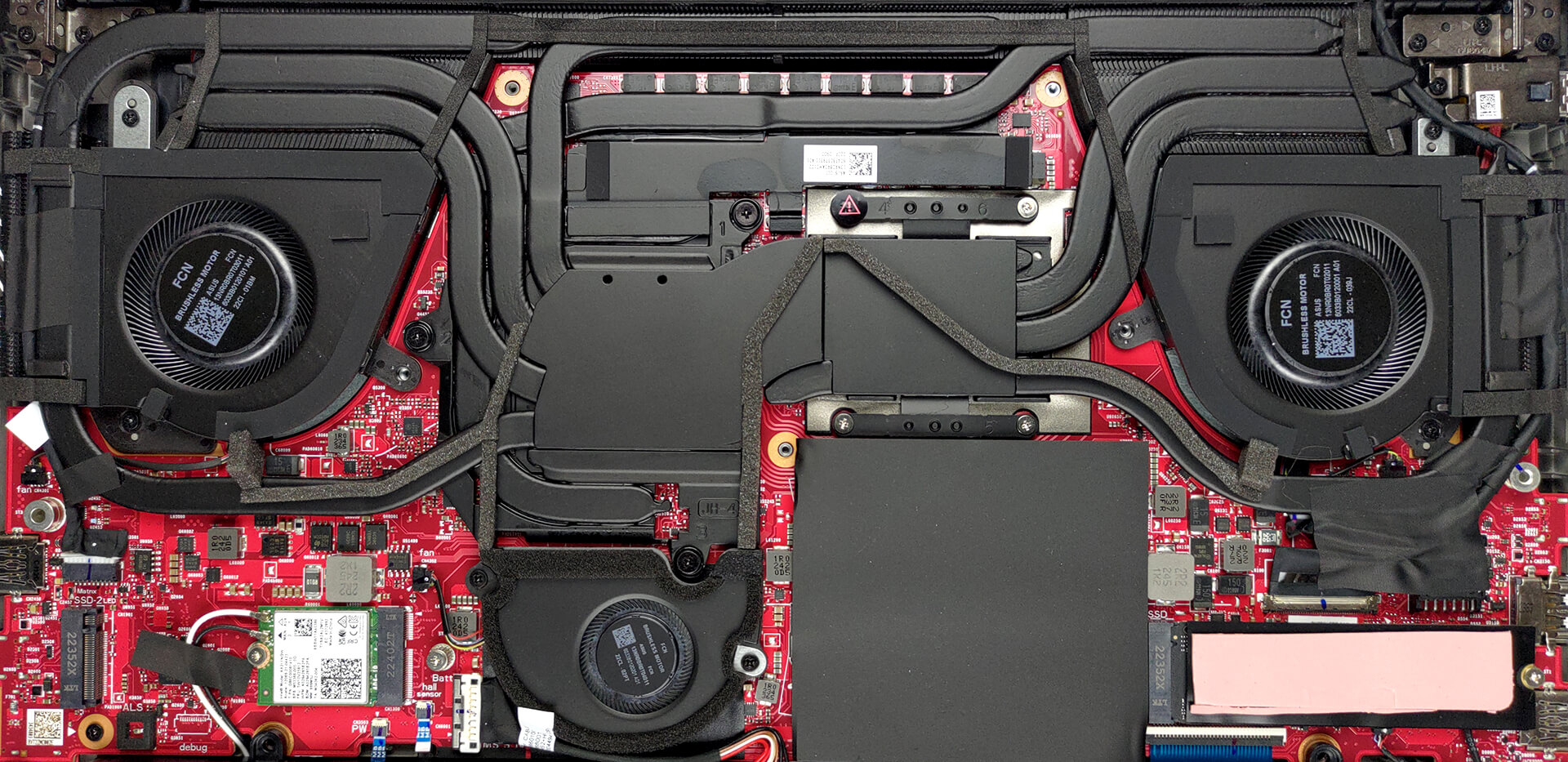
4. Cooling system
Cooling-wise, there are three heat pipes, shared between the CPU and the GPU. You get one more for each of them, which leads to a heat sink of its own. A sixth heat pipe deals with the VRMs and the graphics memory, while two fans blow through the four heat sinks. A system fan, located right above the battery runs some cool air through the final heat sink.
Check out all ASUS ROG Zephyrus M16 (GU604, 2023) prices and configurations in our Specs System, or read more in our In-Depth review.
ASUS ROG Zephyrus M16 GU604 uitgebreide review
Het ASUS ROG Zephyrus submerk heeft altijd in het teken gestaan van het combineren van stijl met supersnelle hardware. Dit is makkelijker gezegd dan gedaan, aangezien de CPU's en GPU's voor mobiele apparaten erg hongerig zijn geworden.Die honger vertaalt zich in veel warmte. En om goed thermisch beheer te krijgen, heeft je laptop ofwel veel warmtebuizen of een omvangrijke dampkamer nodig. Wat de fabrikant ook kiest, alleen al het volume aan koper zal het gewicht van het apparaat aanzienlijk verhogen.Daarom is het bouwen van de ROG Zephyrus M16 (GU604, 2023) onvermijdelijk een enorme u[...]
Pros
- Heldere RGB
- Goede koeling + vloeibaar metaal op CPU
- 98% DCI-P3 dekking (BOE NE160QDM-NM4 (BOE0B74))
- 240Hz-paneel heeft zeer snelle pixelreactietijden (BOE NE160QDM-NM4 (BOE0B74))
- HDR, G-Sync en MUX-schakelaar aan boord
- Wi-Fi 6E en 2,5Gbit Ethernet ondersteuning
- Geweldig toetsenbord en touchpad
- 2x DDR5 SODIMM + 2x M.2 PCIe x4-sleuven
- Uitgebreide poort selectie
Minpunten
- Luid tijdens het gamen
- Toetsenbord wordt behoorlijk warm tijdens het gamen
 Author: Alex Iliev

![[augustus 2026] Wereldwijde ranglijst van bestverkochte laptop-GPU’s op Amazon – Apple is onbetwist nummer één, NVIDIA’s RTX 5060 staat bovenaan de ranglijst voor dedicated GPU’s](https://laptopmedia.com/wp-content/uploads/2026/09/Best-Selling-GPUs-GLOBAL-Top-10-400x225.jpg)
![[augustus 2026] Wereldwijde ranglijst van bestverkochte laptop-CPU’s op Amazon – Apple domineert zowel het budget- als het premiumsegment: A18 Pro en M5 verslaan Intel en AMD in augustus 2026](https://laptopmedia.com/wp-content/uploads/2026/09/Best-Selling-CPUs-GLOBAL-Top-10-400x225.jpg)
![[augustus 2026] Amazon Global: Top 10 van best verkochte laptops – De Apple MacBook Neo domineert de hitlijsten, terwijl goedkope en middenklasse Windows-laptops strijden om het verkoopvolume](https://laptopmedia.com/wp-content/uploads/2026/09/Best-Selling-Laptops-GLOBAL-Top-10-400x225.jpg)
![[augustus 2026] Bestverkochte laptopmerken op Amazon Global – Apple domineert qua omzet, terwijl HP koploper is qua modelvariëteit](https://laptopmedia.com/wp-content/uploads/2026/09/GLOBAL-Best-Brands-400x225.jpg)
![[augustus 2026] Amazon Global: Top 10 bestverkochte gaminglaptops – HP Victus 15 pakt de eerste plaats terwijl budgetvriendelijke modellen de hitlijsten domineren](https://laptopmedia.com/wp-content/uploads/2026/09/Best-Selling-Gaming-Laptops-GLOBAL-Top-10-400x225.jpg)
