Inside Acer Nitro 5 (AN515-58) – disassembly and upgrade options
As the Nitro 5 readies itself to become one of the best midrangers on the market, we take its cover off to see what you can and cannot upgrade.
Check out all Acer Nitro 5 (AN515-58) prices and configurations in our Specs System or read more in our In-Depth review.
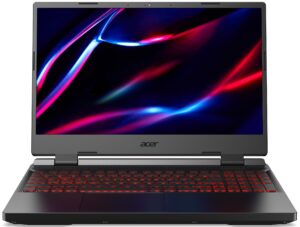

1. Remove the bottom plate
This laptop is pretty easy to disassemble. Undo all 11 Phillips-head screws holding its bottom panel to the motherboard. Then, pry the panel with a plastic tool and remove it from the chassis.
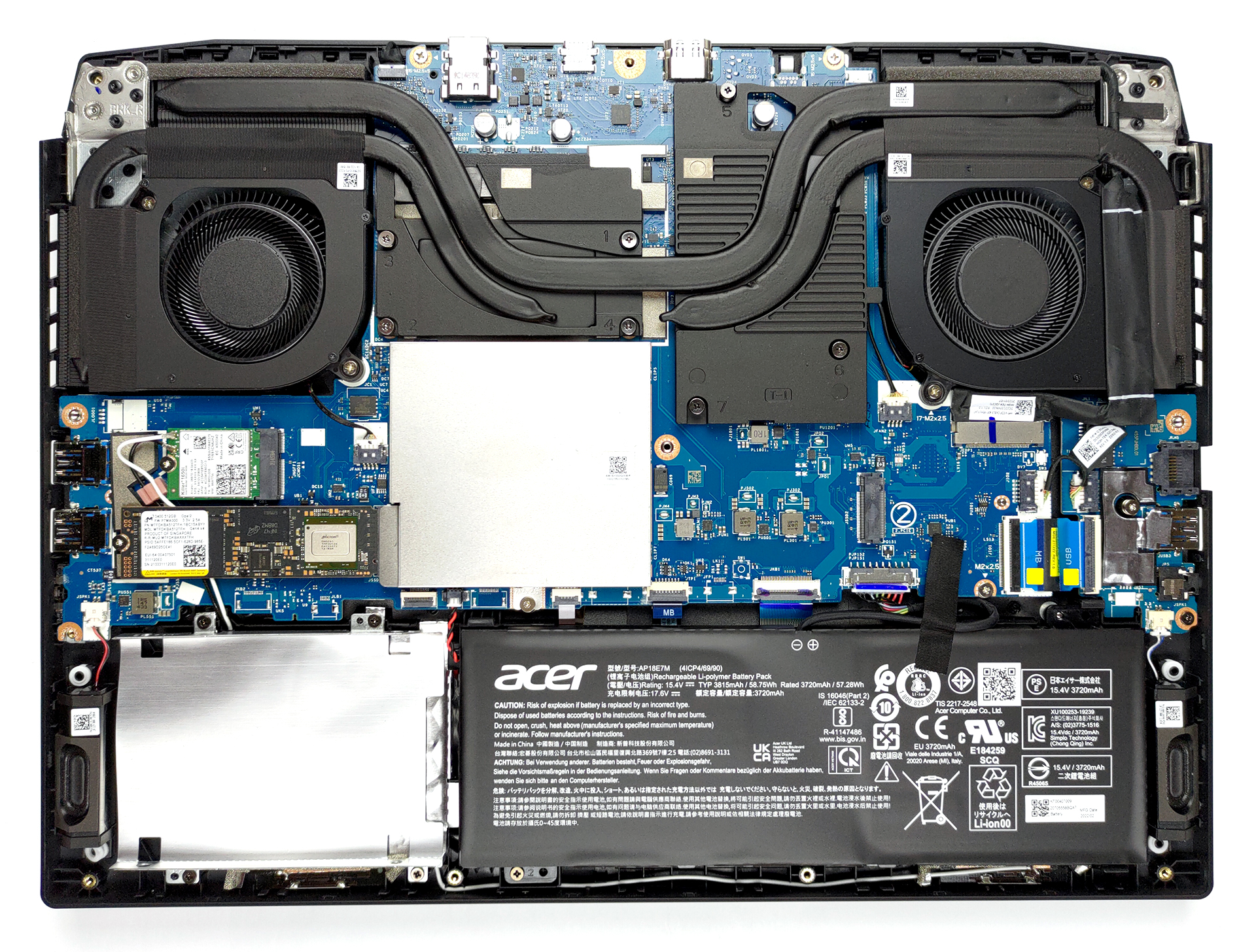
2. Battery
The device comes with a 59Wh battery pack. Interestingly, the battery is secured in place by only one Phillips-head screw. To take it away, just undo the screw, and unplug the connector from the motherboard.

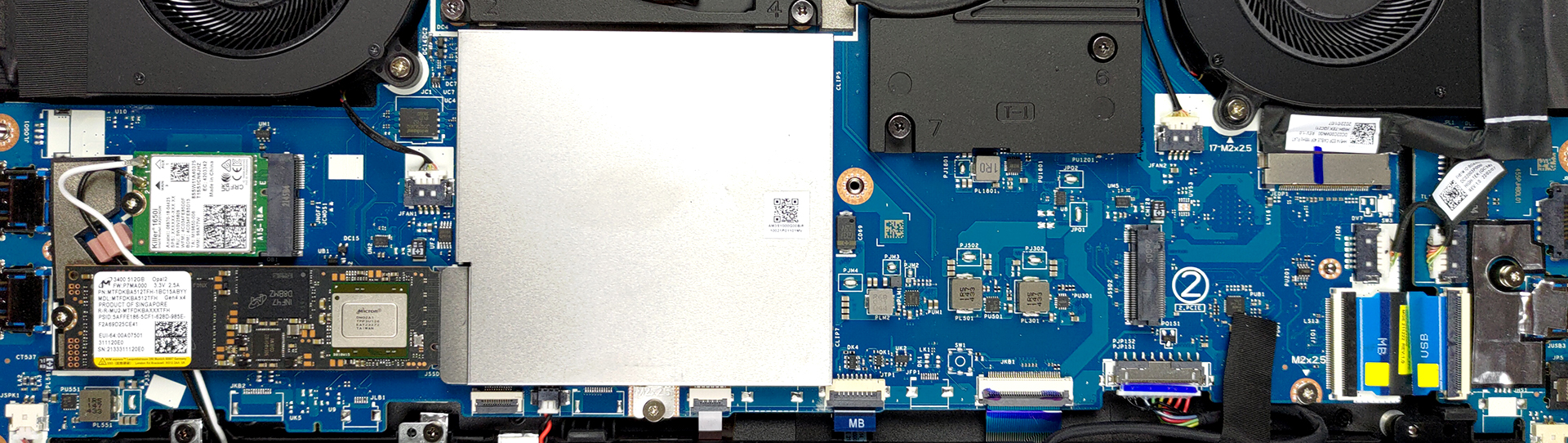
3. Memory and storage
As you can see, the memory is protected by a metal bracket. Undo the single screw, and pop it open. This will reveal the two DDR4 SODIMM slots. As for the storage, there are two M.2 PCIe x4 slots, both of which fit Gen 4 drives and support RAID 0. In addition to that, you get a 2.5-inch SATA drive bay. The mounting accessories are located inside the box.
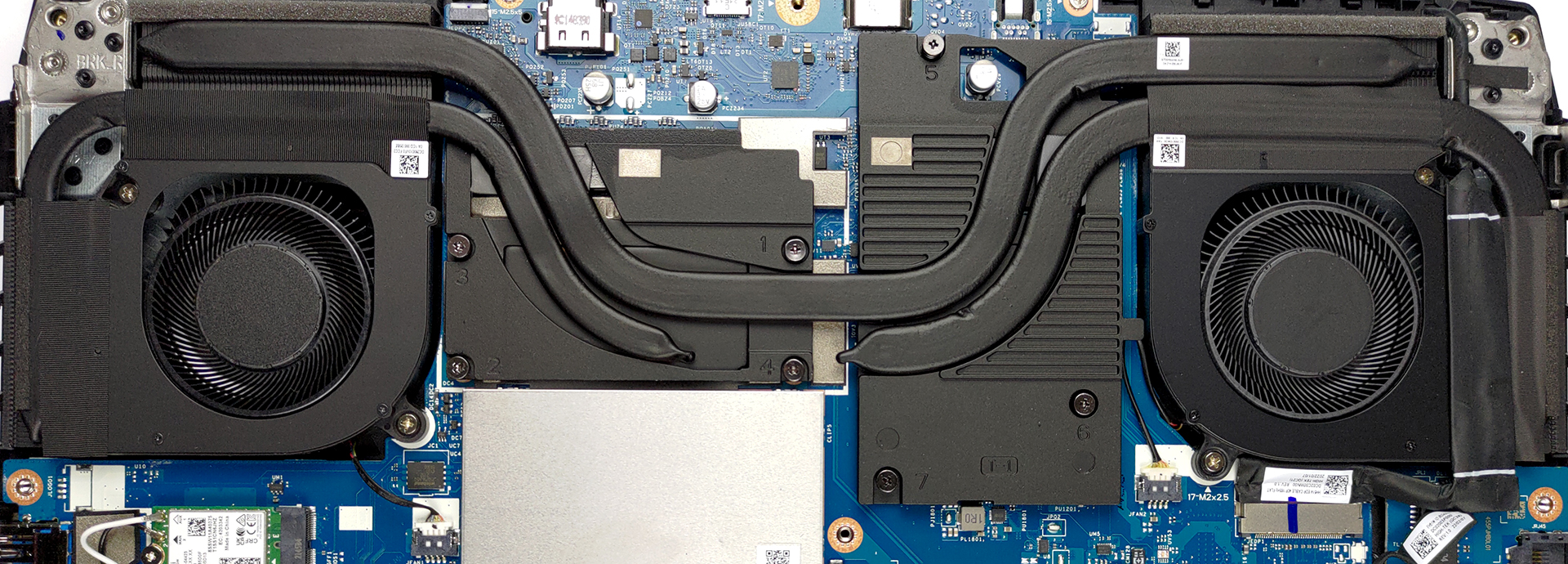
4. Cooling system
Cooling-wise, you get a total of three heat pipes, four heat sinks, and two fans. The graphics memory and the VRMs are also being cooled down. It’s worth noting that we have the RTX 30 50 version.
Check out all Acer Nitro 5 (AN515-58) prices and configurations in our Specs System or read more in our In-Depth review.
Acer Nitro 5 (AN515-58) uitgebreide review
Acer is ready to conquer the budget gaming market once again. This time, the Nitro 5 brings changes on the outside, as well as the mandatory update in the hardware department. Instead of making it more appealing to the thin and light purists, Acer has decided to go all-in and battle the TUFs and IdeaPad Gamings of the world.We are pretty confident that the Nitro 5 will at least be close to winning. In fact, the AN515-58 version now comes with the beastly 12th Gen series from Intel. It puts back AMD where it belongs (at least from Intel's point of view) - at a distant second place.The [...]
Pros
- Optional MUX switch
- 2x SODIMM + 2x M.2 PCIe Gen 4 x4 + 2.5-inch SATA
- Fast display options
- No PWM (Panda LM156LF-2F01 (NCP004D))
- HDMI 2.1 (G-Sync)
- 12th Gen CPUs
- Thunderbolt 4 connector
Minpunten
- No SD card reader
- Covers only 53% of sRGB (Panda LM156LF-2F01 (NCP004D))
 Author: Alex Iliev

![[juni 2026] Bestverkochte laptopmerken op Amazon Global – Apple’s ongeëvenaarde dominantie in aantal verkochte exemplaren en omzet](https://laptopmedia.com/wp-content/uploads/2026/07/GLOBAL-Best-Brands-400x225.jpg)
![[juni 2026] Amazon Global: Top 10 bestverkochte laptops – De nieuwe MacBook Neo van Apple stormt naar de eerste plaats en zet de markt op zijn kop dankzij zijn betaalbaarheid](https://laptopmedia.com/wp-content/uploads/2026/07/Best-Selling-Laptops-GLOBAL-Top-10-400x225.jpg)
![[juni 2026] Amazon Global: Top 10 van best verkochte gaminglaptops – De Nitro V 16S AI van Acer domineert de verkoopcijfers, terwijl ASUS qua totale omzet aan kop gaat](https://laptopmedia.com/wp-content/uploads/2026/07/Best-Selling-Gaming-Laptops-GLOBAL-Top-10-400x225.jpg)
![[juni 2026] Wereldwijde ranglijst van bestverkochte laptop-GPU’s op Amazon – De NVIDIA RTX 5060 is de bestverkochte speciale GPU](https://laptopmedia.com/wp-content/uploads/2026/07/Best-Selling-GPUs-GLOBAL-Top-10-400x225.jpg)
![[juni 2026] Wereldwijde ranglijst van bestverkochte laptop-CPU’s op Amazon – Apple M5 domineert, AMD Ryzen 7 260 verovert een stevig aandeel in het premiumsegment](https://laptopmedia.com/wp-content/uploads/2026/07/Best-Selling-CPUs-GLOBAL-Top-10-400x225.jpg)

Should I disconnect battery cable and remove battery if I only want to upgrad RAM in this case? Because this Acer model have a screwed metal cover on RAMs memories….
I want to be able to have 1 or 2 tb or space for a lot of stuff, i dont wanna risk getting something wrong, anyone got anything?
Thanks for the tips. I was able to upgrade my RAM!
I re[lace the two fans because one of them stopped working and now I can’t get either to work. I put the old ones back in and neither of those work either. I cannot seem to download NitroSense now either but even before I uninstalled to reinstall that couldn’t turn the fan on or off. Help