Inside Dell Precision 15 3571 – disassembly and upgrade options
Dell has created a workstation that has immense performance potential and very good upgrade options. Have look!
Check out all Dell Precision 15 3571 prices and configurations in our Specs System or read more in our In-Depth review.

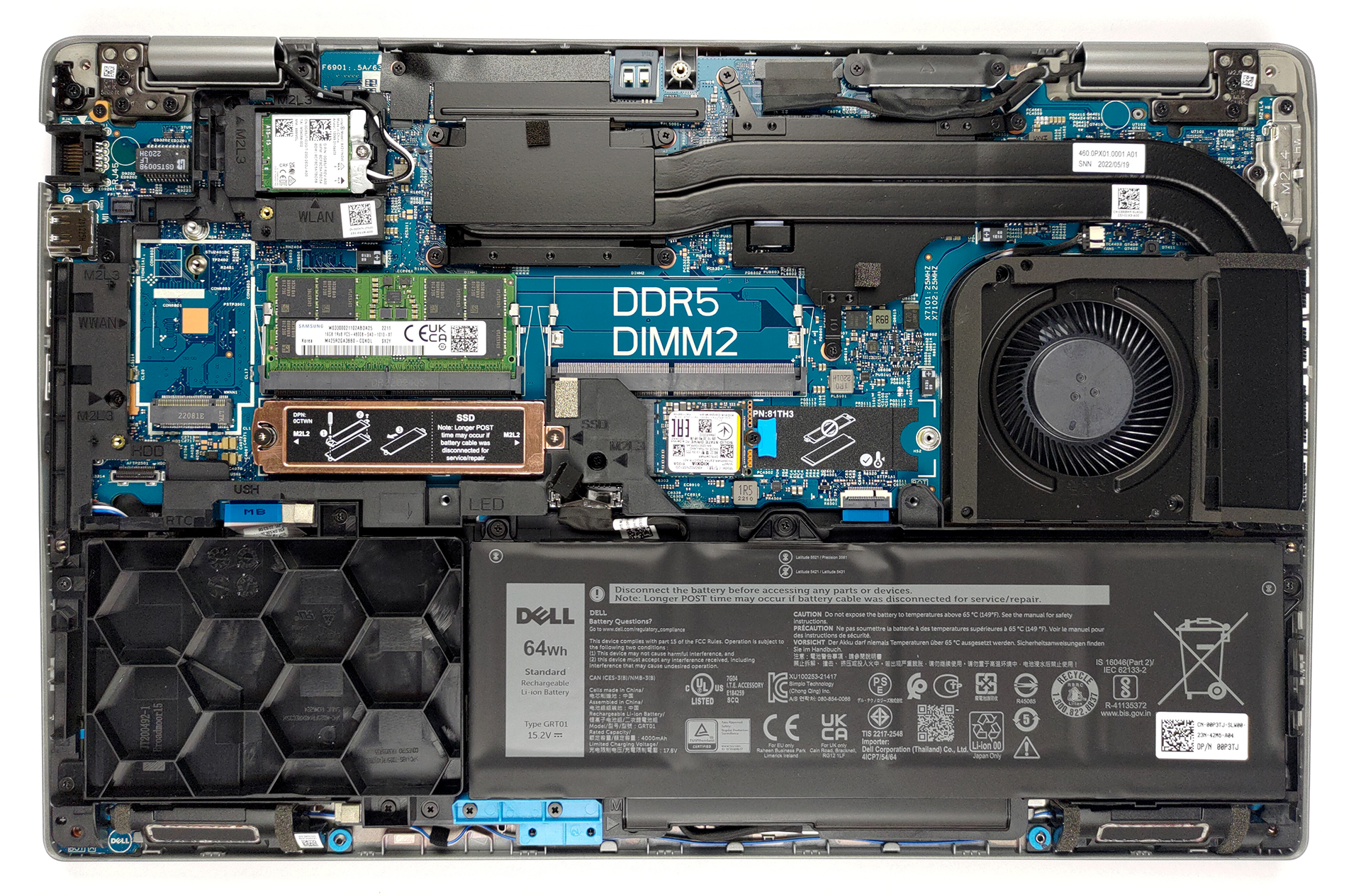
1. Remove the bottom plate
To remove this notebook’s bottom panel, you will need to undo all 9 captive Phillips-head screws. After that, pry the panel with a plastic tool, and lift it away from the chassis.
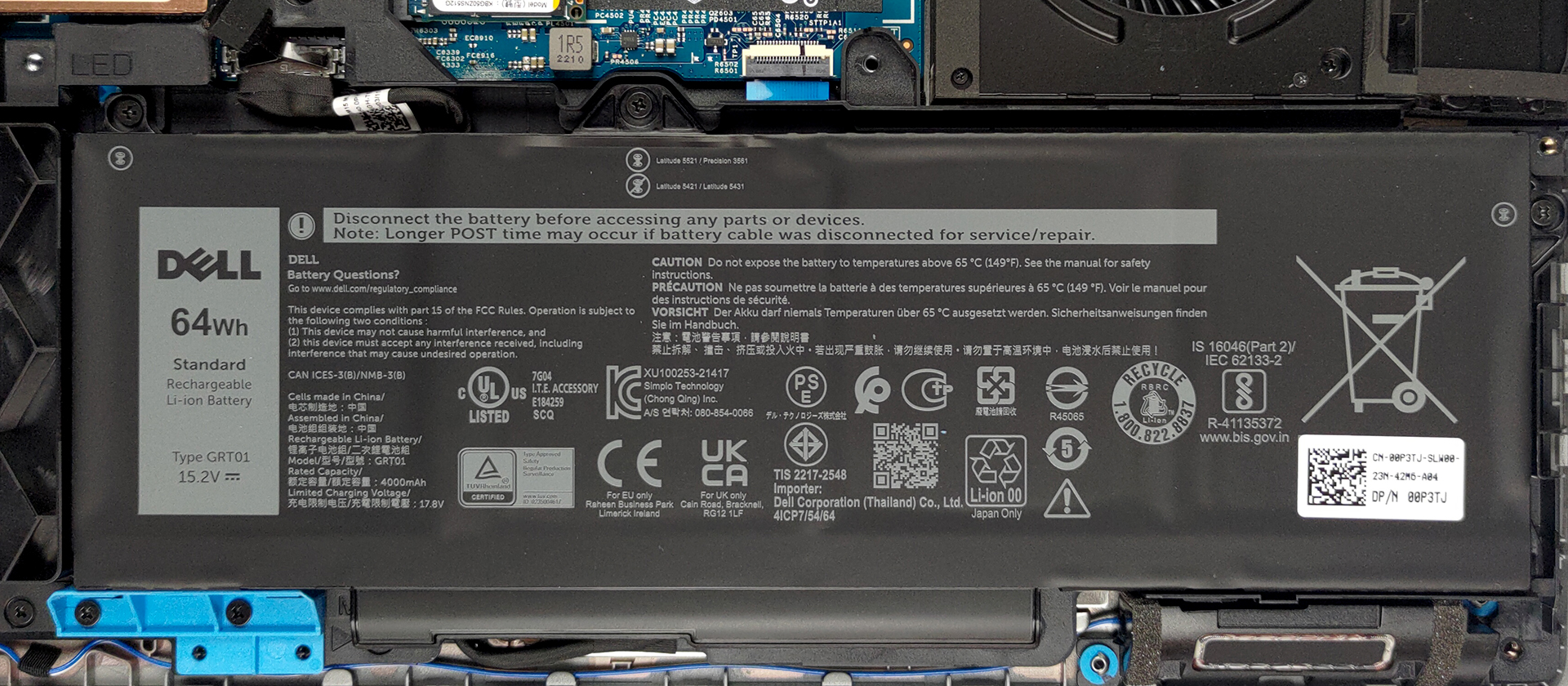
2. Battery
Our unit was equipped with a 64Wh battery pack. Albeit the smaller of two options, it delivered nearly 13 hours of Web browsing or more than 9 hours of video playback on a single charge. To take it out, unplug the battery connector from the motherboard and undo all three Phillips-head screws.
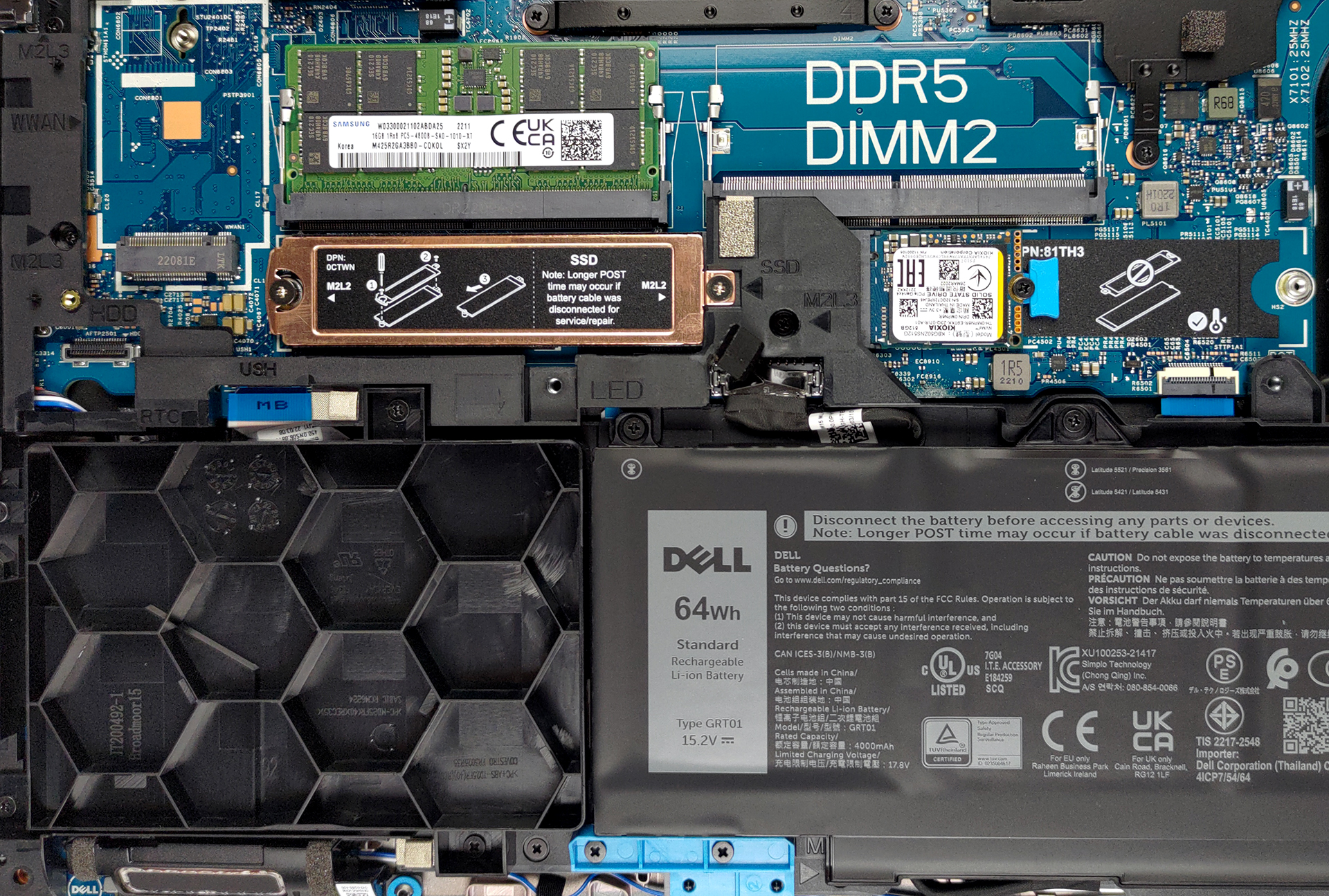
3. Memory and storage
In terms of memory, you get two SODIMM slots for up to 64GB of DDR5 RAM in total. Storage-wise, there are two M.2 PCIe x4 slots with Gen 4 and RAID supports. Furthermore, you get a 2.5-inch SATA drive bay, but we didn’t find any mounting accessories needed for it.
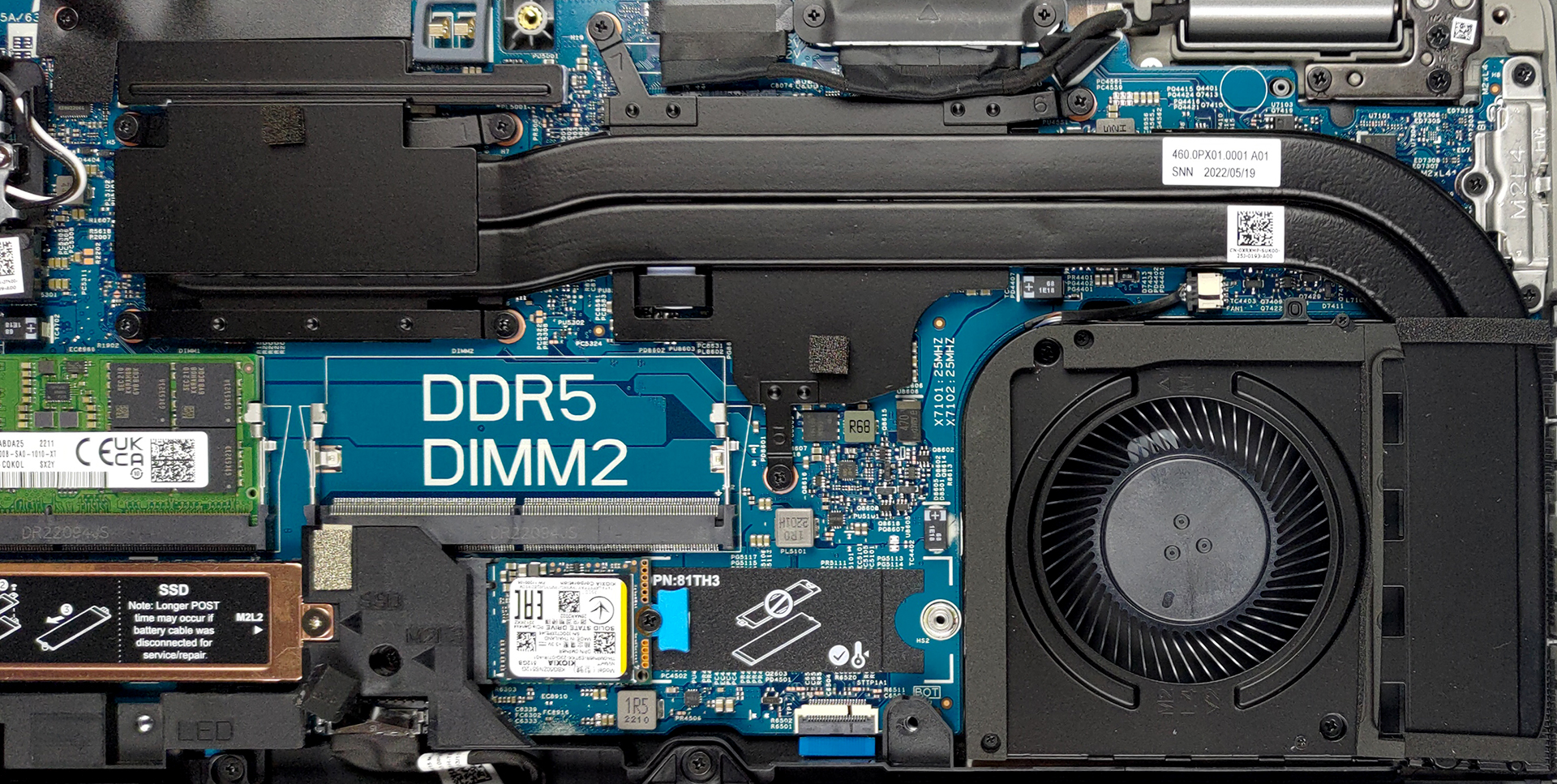
4. Cooling system
Lastly, there is the cooling. It comprises two heat pipes, shared between the CPU and the GPU, which connect to a medium-sized heat sink. The use of a single fan is a bit questionable, given the high potential of the hardware inside.
Check out all Dell Precision 15 3571 prices and configurations in our Specs System or read more in our In-Depth review.
Dell Precision 15 3571 in-depth review
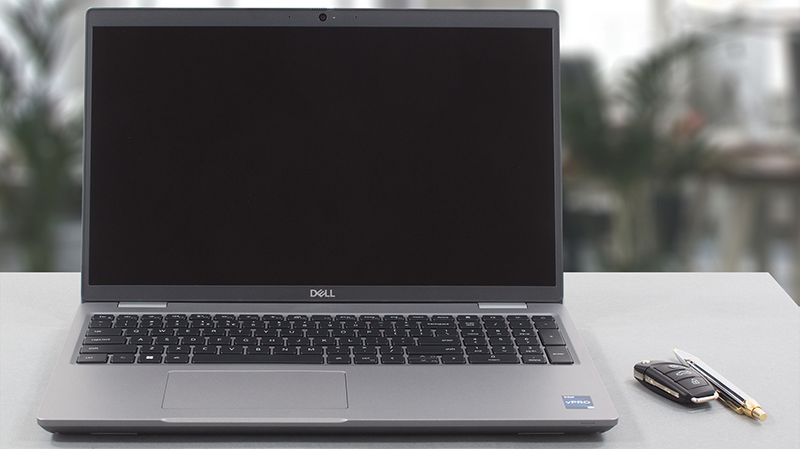
Sometimes only a single-digit can make a huge difference. In the case of Dell, it is the "naughty 1". If you see a laptop bearing the number 1 at the end of its model number, then it is most probably sporting pretty powerful hardware - at least a better one, compared to the one that ends with a zero.This leads us to the laptop we're reviewing today - the Dell Precision 15 3571. Ultimately, the Precision brand represents the workstation-like approach of the company. Most of the time, it shares the base of other notebooks. In this case - the Latitude 15 5531. Soon, we will show you the Prec[...]
Pros
- Wide I/O, which includes a MicroSD card reader
- Two M.2 storage slots, with Gen 4 support + 2x DDR5 SODIMM slots
- Fingerprint reader embedded in the power button + optional IR face recognition
- Wi-Fi 6E, 2x Thunderbolt 4
- No PWM (LG PXGVC-156WFC (LGD0709))
- Comfortable keyboard with a backlight
- Good battery life
Cons
- Covers only 53% of sRGB (LG PXGVC-156WFC (LGD0709))
- Impotent cooling solution
- There is still an archaic 768p TN display option
 Author: Alex Iliev

![[October 2026] Best-Selling Laptop Brands on Amazon Global – Apple Dominates Revenue Despite HP Leading in Model Variety](https://laptopmedia.com/wp-content/uploads/2026/11/GLOBAL-Best-Brands-400x225.jpg)
![[October 2026] Amazon Global: Top 10 Best-Selling Laptops – Apple Dominates the Global Market as the M5-Powered MacBook Air 13 Claims the #1 Spot](https://laptopmedia.com/wp-content/uploads/2026/11/Best-Selling-Laptops-GLOBAL-Top-10-400x225.jpg)
![[October 2026] Amazon Global: Top 10 Best-Selling Gaming Laptops – HP Victus 15 Claims the Crown as Budget-Friendly Configurations Dominate Global Sales](https://laptopmedia.com/wp-content/uploads/2026/11/Best-Selling-Gaming-Laptops-GLOBAL-Top-10-400x225.jpg)
![[October 2026] Global Ranking of Best-Selling Laptop GPUs on Amazon – Apple M5 Dominates as NVIDIA’s RTX 5060 Leads Dedicated GPUs in October 2026](https://laptopmedia.com/wp-content/uploads/2026/11/Best-Selling-GPUs-GLOBAL-Top-10-400x225.jpg)
![[October 2026] Global Ranking of Best-Selling Laptop CPUs on Amazon – Apple’s M5 Dominates as Intel and AMD Battle for Scraps](https://laptopmedia.com/wp-content/uploads/2026/11/Best-Selling-CPUs-GLOBAL-Top-10-400x225.jpg)

Great write up!! So Two 2280 NVMe slots at 4.0 x 4 speeds and an option for a regular SSD. This should be more mainstream on 15.6″ laptops in the $800 new range. At least to have the option, Cheaper ones could have 2280 PCIe 3.0 x 2 speeds and I think people would understand. But honestly all these motherboard changes is so baffeling when you would think they’d just have like 4-8 (different USB / SD Slot / HDMI) or so for a 15.6″ and it would just come down to the __Quality__ of the capacitors and motherboard matereral… Read more »