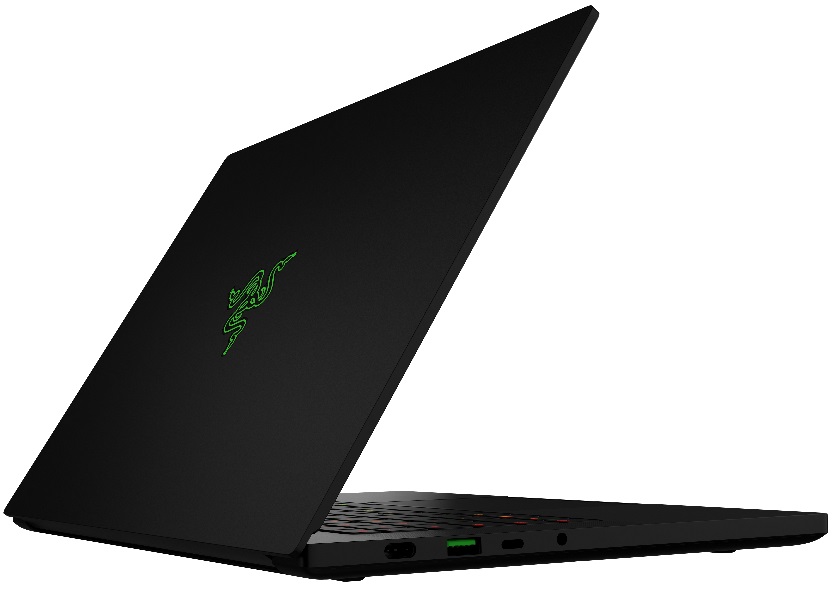
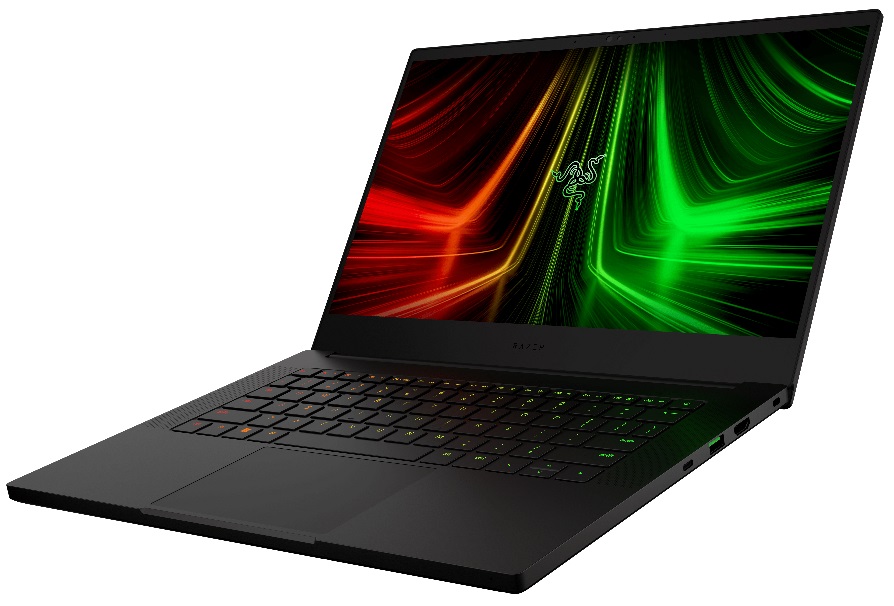
Razer Blade 14 (Early 2022)
Razer Blade 14 (Early 2022) - Specs





- HDD/SSD
- tot 1000GB SSD
- M.2 Sleuf
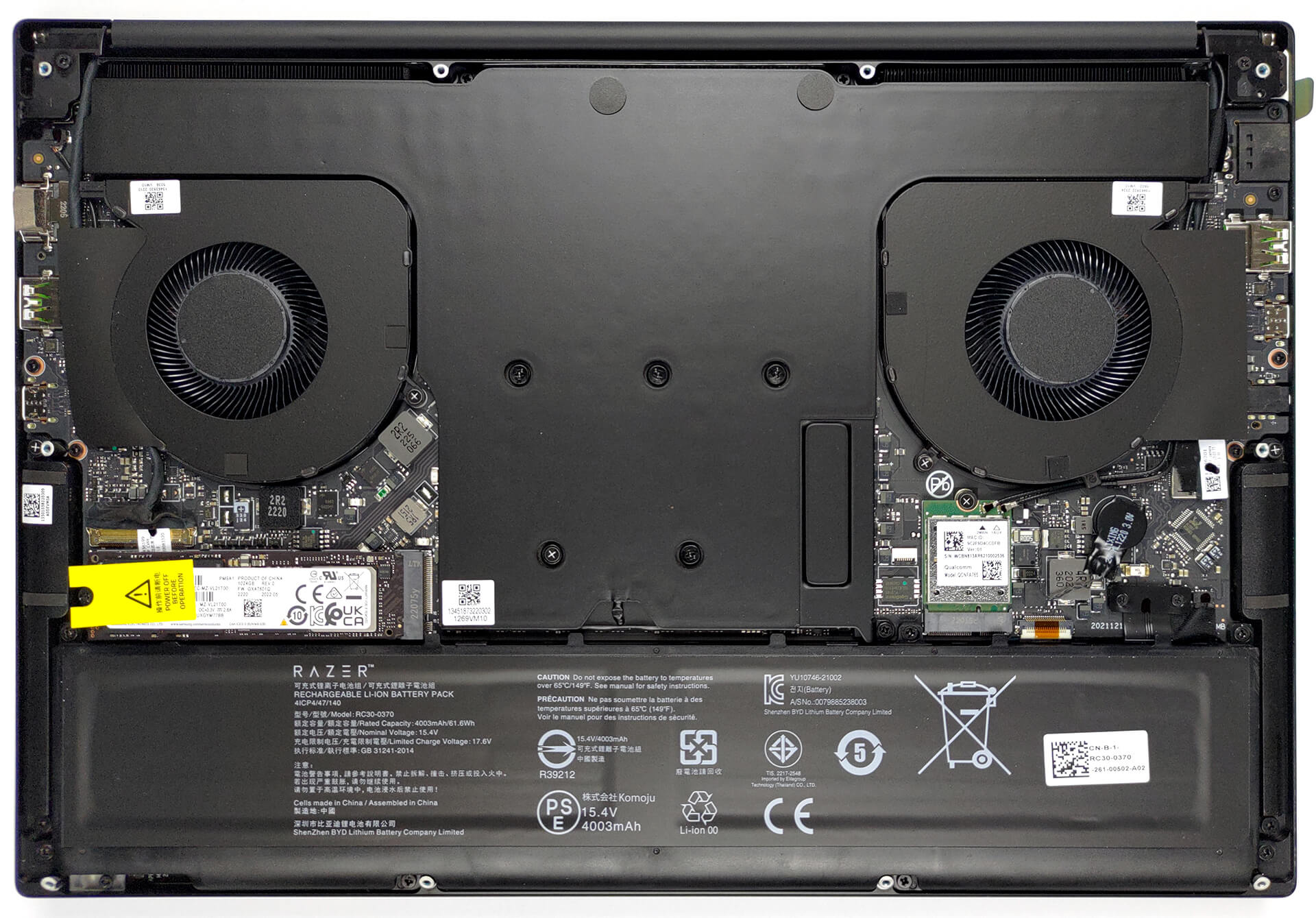
- 1x 2280 PCIe NVMe 4.0 x4 Zie foto
- RAM
- up to 16GB
- OS
- Windows 11 Home
- Accu
- 61.6Wh
- Materiaal behuizing
- Aluminum
- Afmetingen
- 319.7 x 220 x 16.8 mm (12.59" x 8.66" x 0.66")
- Gewicht
- 1.78 kg (3.9 lbs)
- Poorten en connectiviteit
- 2x USB Type-A
- 3.2 Gen 2 (10 Gbps)
- 2x USB Type-C
- 3.2 Gen 2 (10 Gbps), Power Delivery (PD), DisplayPort
- HDMI
- 2.1
- Kaartlezer
- Ethernet LAN
- Wi-Fi
- 802.11ax
- Bluetooth
- 5.2
- Audio-aansluiting
- 3.5mm Combo Jack
- Functies
- Vingerafdruklezer
- Verlicht toetsenbord
- optional
- Microfoon
- Array Microphone
- Luidsprekers
- Stereo Speakers, THX Spartial Audio
- Optische drive
- Sleuf voor veiligheidsslot
- Kensington Lock
Alle Razer Blade 14 (Early 2022) configuraties
Koop onze profielen voor TL140BDXP02-0 (TMX1400) / 14.0”, QHD (2560 x 1440), 165 Hz, IPS
Naast het ontvangen van efficiënte en gezondheidsvriendelijke profielen, ondersteunt u door het kopen van LaptopMedia's producten ook de ontwikkeling van onze labs, waar we apparaten testen om zo objectief mogelijke reviews te produceren.

Office Work
Office Work is voornamelijk bedoeld voor gebruikers die de meeste tijd besteden aan het bekijken van teksten, tabellen of gewoon surfen. Dit profiel streeft naar een betere onderscheidbaarheid en helderheid door een vlakke gammacurve (2.20), native kleurtemperatuur en perceptueel accurate kleuren te behouden.

Design and Gaming
Dit profiel is bedoeld voor ontwerpers die professioneel met kleuren werken, maar ook voor games en films. Design and Gaming haalt het uiterste uit beeldschermen, waardoor ze zo nauwkeurig mogelijk zijn in de sRGB IEC61966-2-1 norm voor Web en HDTV, met witpunt D65.

Health-Guard
Health-Guard elimineert de schadelijke Pulsbreedtemodulatie (PWM) en vermindert het negatieve Blauwe Licht dat onze ogen en lichaam beïnvloedt. Omdat het op maat gemaakt is voor elk paneel, slaagt het erin de kleuren perceptueel accuraat te houden. Health-Guard simuleert papier zodat de druk op de ogen sterk wordt verminderd.
Krijg alle 3 profielen met 33% korting

GPU Prestaties
Hier vindt u het prijs/prestatieverschil tussen alle GPU's die in de Razer Blade 14 (Early 2022) Series.
De resultaten zijn van 3DMark Time Spy (Graphics). Hoger is beter.
Razer Blade 14 (Early 2022) uitgebreide review
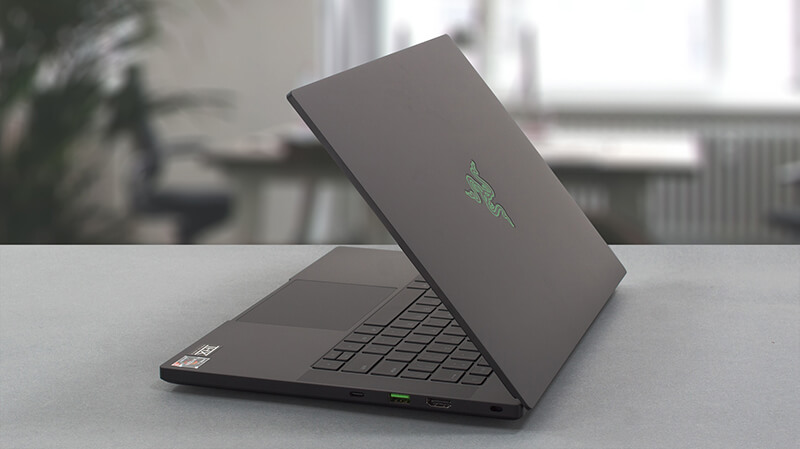
Together with Alienware, Razer pioneered the 14-inch gaming form factor. Inevitably, we have to ask the question, are small gaming laptops worth it? Isn't it uncomfortable to stare at the tiny screen, looking at details, which are undoubtedly better seen with a larger display?Nevertheless, the beauty of the small and portable chassis is unquestionable. But what is significantly more impressive in our view, is the fact that you can find this 14-incher with an RTX 3080 Ti. Like, what the hell?! Some behemoths barely manage to maintain the temperature on an RTX 3050 Ti, so what could possibl[...]
Pros
- 100% sRGB and 98% DCI-P3 color coverage and has accurate color representation with our Gaming and Web design profile (165Hz 1440p panel)
- Snappy panels with quick response times
- Vapor chamber cooling system
- IR face recognition
- Wi-Fi 6E
- Has a MUX switch
Minpunten
- Subpar battery life
- Its keyboard is not ideal for gaming
- Soldered memory
How to open Razer Blade 14 (Early 2022) - disassembly and upgrade options
Spelletjes die je op deze laptop serie kunt spelen

Resolution: 1920 x 1080 (Full HD) |
NORMAL |
HIGH |
VERY HIGH |
MAX |
|---|---|---|---|---|
| NVIDIA GeForce RTX 3060 (Laptop, 100W) | 181 FPS VIDEO AFSPELEN | 151 FPS VIDEO AFSPELEN | 93 FPS VIDEO AFSPELEN | 65 FPS VIDEO AFSPELEN |

Resolution: 1920 x 1080 (Full HD) |
MIN |
MAX |
|---|---|---|
| NVIDIA GeForce RTX 3060 (Laptop, 100W) | 1687 FPS VIDEO AFSPELEN | 83 FPS VIDEO AFSPELEN |

Resolution: 1920 x 1080 (Full HD) |
LOW |
MED |
HIGH |
ULTRA |
|---|---|---|---|---|
| NVIDIA GeForce RTX 3060 (Laptop, 100W) | 120 FPS VIDEO AFSPELEN | 99 FPS VIDEO AFSPELEN | 78 FPS VIDEO AFSPELEN | 64 FPS VIDEO AFSPELEN |

Resolution: 1920 x 1080 (Full HD) |
VERY LOW |
MED |
MAX |
|---|---|---|---|
| NVIDIA GeForce RTX 3060 (Laptop, 100W) | 455 FPS VIDEO AFSPELEN | 361 FPS VIDEO AFSPELEN | 325 FPS VIDEO AFSPELEN |

Resolution: 1920 x 1080 (Full HD) |
MIN |
MED |
HIGH |
ULTRA |
|---|---|---|---|---|
| NVIDIA GeForce RTX 3060 (Laptop, 100W) | 122 FPS VIDEO AFSPELEN | 86 FPS VIDEO AFSPELEN | 50 FPS VIDEO AFSPELEN | 25 FPS VIDEO AFSPELEN |

Resolution: 1920 x 1080 (Full HD) |
VERY LOW |
NORMAL |
ULTRA |
|---|---|---|---|
| NVIDIA GeForce RTX 3060 (Laptop, 100W) | 150 FPS VIDEO AFSPELEN | 143 FPS VIDEO AFSPELEN | 103 FPS VIDEO AFSPELEN |

Resolution: 1920 x 1080 (Full HD) |
LOW |
NORMAL |
HIGH |
MAX |
|---|---|---|---|---|
| NVIDIA GeForce RTX 3060 (Laptop, 100W) | 211 FPS VIDEO AFSPELEN | 178 FPS VIDEO AFSPELEN | 179 FPS VIDEO AFSPELEN | 153 FPS VIDEO AFSPELEN |

Resolution: 1920 x 1080 (Full HD) |
LOW |
MED |
MAX |
|---|---|---|---|
| NVIDIA GeForce RTX 3060 (Laptop, 100W) | 462 FPS VIDEO AFSPELEN | 433 FPS VIDEO AFSPELEN | 364 FPS VIDEO AFSPELEN |

Resolution: 1920 x 1080 (Full HD) |
LOW |
MED |
HIGH |
EPIC |
|---|---|---|---|---|
| NVIDIA GeForce RTX 3060 (Laptop, 100W) | 172 FPS VIDEO AFSPELEN | 110 FPS VIDEO AFSPELEN | 88 FPS VIDEO AFSPELEN | 53 FPS VIDEO AFSPELEN |

Resolution: 1920 x 1080 (Full HD) |
MIN |
MED |
ULTRA |
|---|---|---|---|
| NVIDIA GeForce RTX 3060 (Laptop, 100W) | 684 FPS VIDEO AFSPELEN | 335 FPS VIDEO AFSPELEN | 187 FPS VIDEO AFSPELEN |