Dell Pro 16 (PC16250) Review – The Business Laptop You MIGHT Regret Buying
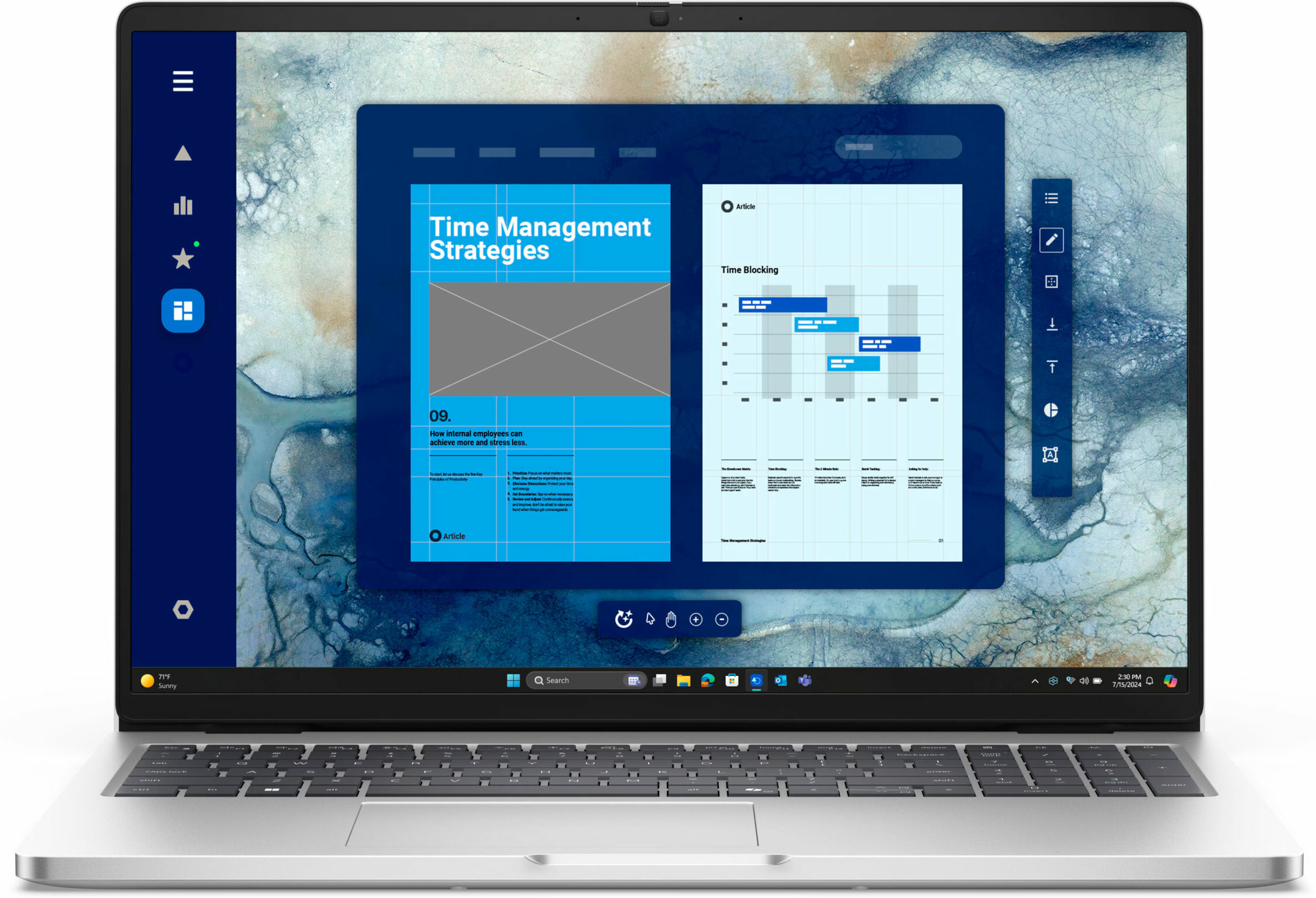
The Dell Pro 16 (PC16250) isn’t trying to win any beauty contests. It’s a classic, no-nonsense business machine, built from the ground up for practicality and productivity. Its spec sheet is a dream for any IT manager, boasting good upgradeability (for a compact machine) and a full suite of business-ready ports. However, this focus on function comes with some truly baffling compromises, especially on the base model we purchased. The result is a laptop that could be a perfect long-term investment or a source of daily frustration, depending entirely on the configuration you choose and what you value most.
You can check the prices and configurations in our Specs System: https://laptopmedia.com/series/dell-pro-16-pc16250/
Contents
Specs, Drivers, What’s in the box
Dell Pro 16 (PC16250) - Specs

- CPU
- Intel Core i3-1315U #196 in Top CPUs Intel Core Ultra 7 265U #166 in Top CPUs Intel Core Ultra 7 165U #152 in Top CPUs Intel Core Ultra 5 225U #130 in Top CPUs Intel Core 7 150U #179 in Top CPUs Intel Core 5 120U #187 in Top CPUsIntel Processor U300e Intel Core Ultra 7 255U Intel Core Ultra 5 235U Intel Core 7 250U Intel Core 5 220U Intel Core 3 100U
- Display
- 16.0”, WUXGA (1920 x 1200), IPS

- HDD/SSD
- up to 2000GB SSD
- M.2 Slot
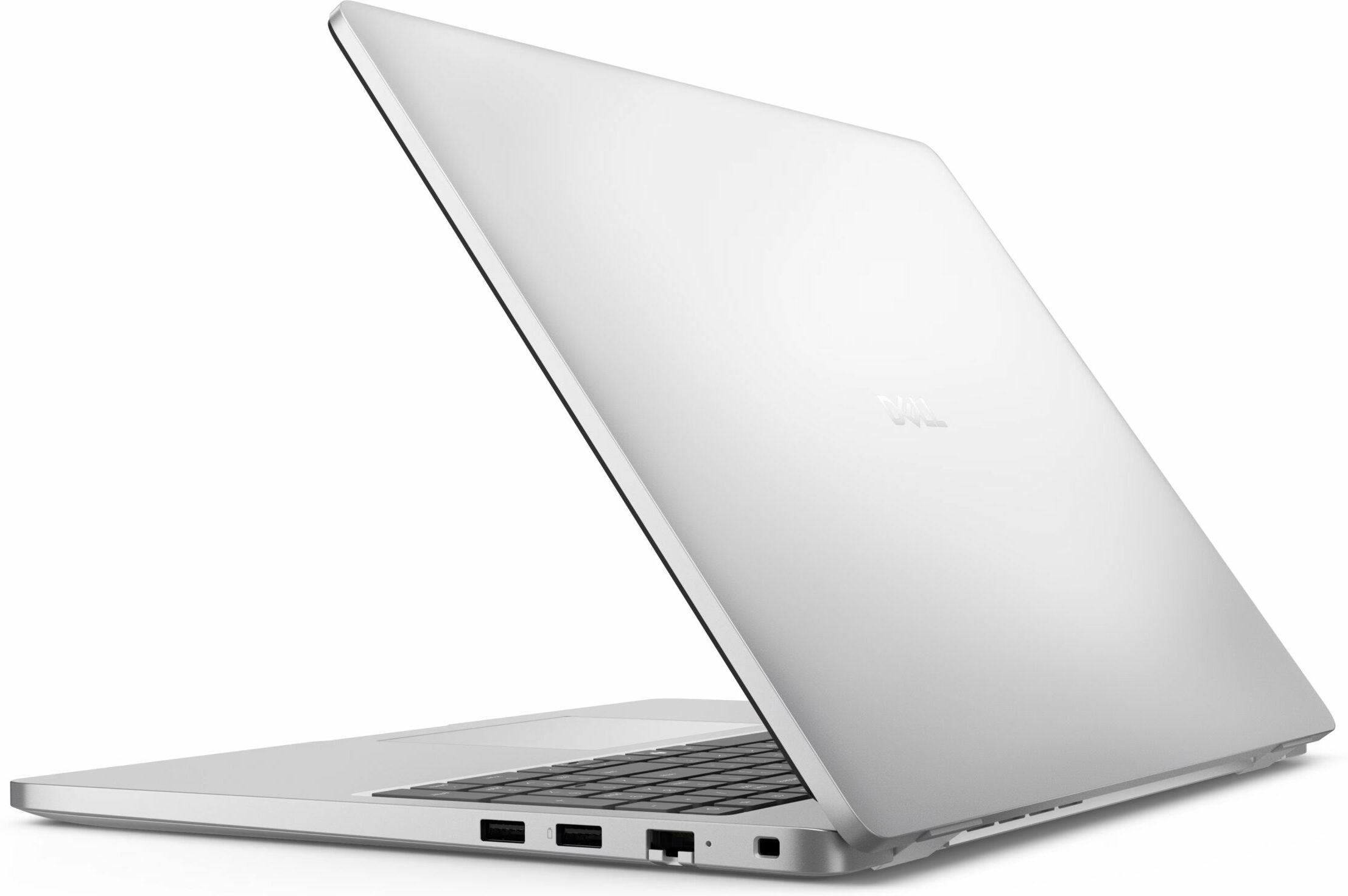
- 1x 2230 M.2 NVMe PCIe 4.0 x4 See photo
- RAM
- up to 64GB
- OS
- Windows 11 Pro, Windows 10 Pro, Windows 11 Home, No OS
- Battery
- 55Wh
- Dimensions
- 358 x 251.82 x 18.89 - 20.85 mm (14.09" x 9.91" x 0.74")
- Weight
- 1.92 kg (4.2 lbs)
- Ports and connectivity
- 1x USB Type-A
- 3.2 Gen 1 (5 Gbps)
- 1x USB Type-A
- 3.2 Gen 1 (5 Gbps), Sleep and Charge
- 1x USB Type-C
- 3.2 Gen 2 (10 Gbps), Power Delivery (PD), DisplayPort
- 1x USB Type-C
- 4.0, Thunderbolt 4, Power Delivery (PD), DisplayPort
- HDMI
- 2.1
- Card reader
- Ethernet LAN
- 10, 100, 1000 Mbit/s
- Wi-Fi
- Wi-Fi 6E / Wi-Fi 7
- Bluetooth
- 5.3 / 5.4
- Audio jack
- 3.5mm Combo Jack
- Features
- Fingerprint reader
- optional
- Web camera
- HD RGB / FHD RGB / FHD RGB + IR
- Backlit keyboard
- optional
- Microphone
- Dual Array Microphone
- Speakers
- 2x 2.5W Stereo Speakers
- Security Lock slot
- Wedge Lock
All Dell Pro 16 (PC16250) configurations
Drivers
All drivers and utilities for this notebook can be found here: https://www.dell.com/support/product-details/en-us/product/dell-pro-pc16250-laptop/drivers
What’s in the box?
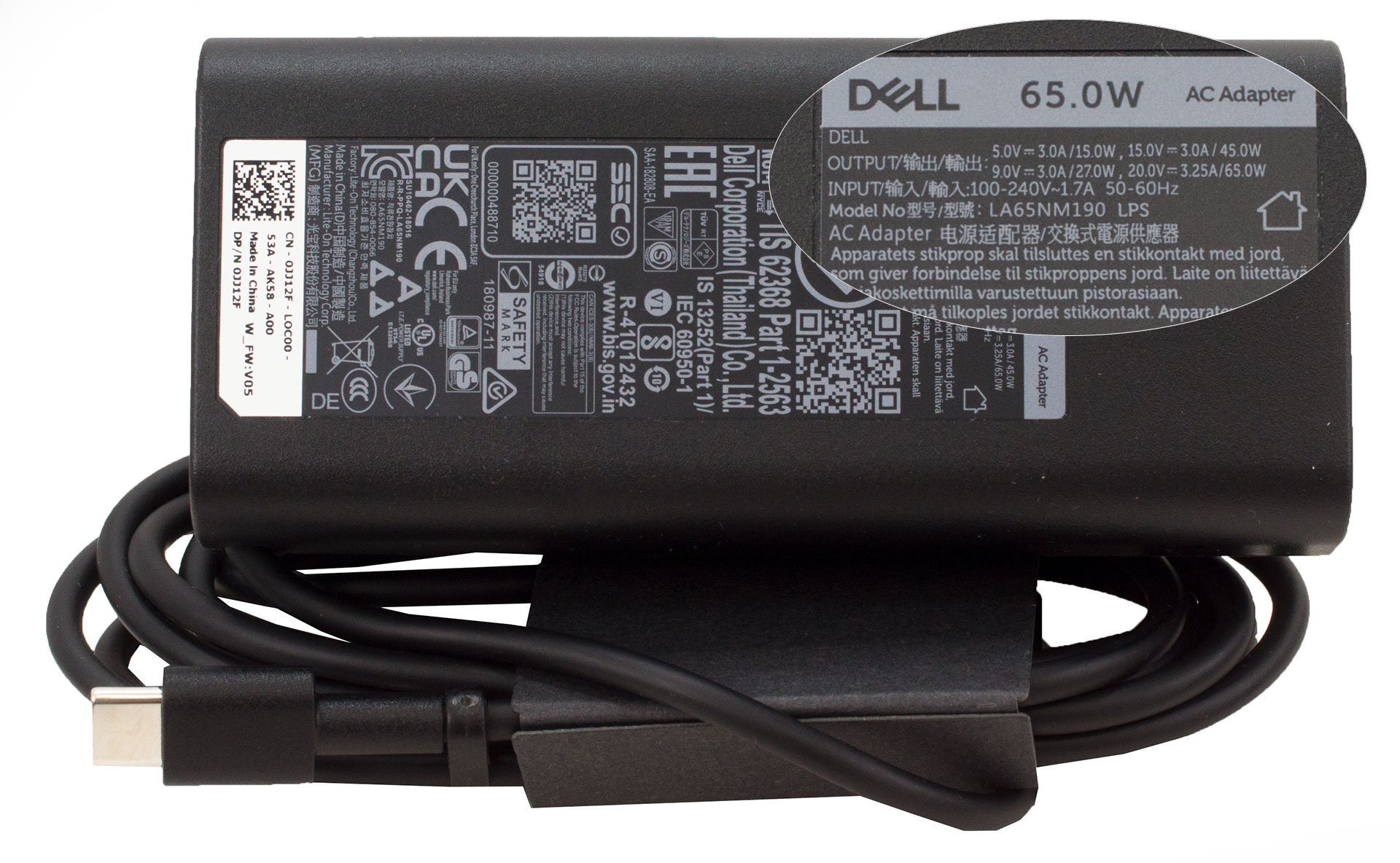
The unboxing for the Dell Pro 16 is as straightforward as it gets, with the laptop housed in a simple bag alongside a small box containing its 65W power adapter.
Interestingly, the charger itself presents a bit of a regional lottery: some units come with a traditional barrel plug, while our European version arrived with a USB-C connector. We honestly would have preferred the barrel plug, as its dedicated port is tucked away at the back, whereas using the mid-body USB-C port for charging feels a bit less tidy, though thankfully it’s on the left side, keeping clear of a right-handed mouse setup.
Design and construction
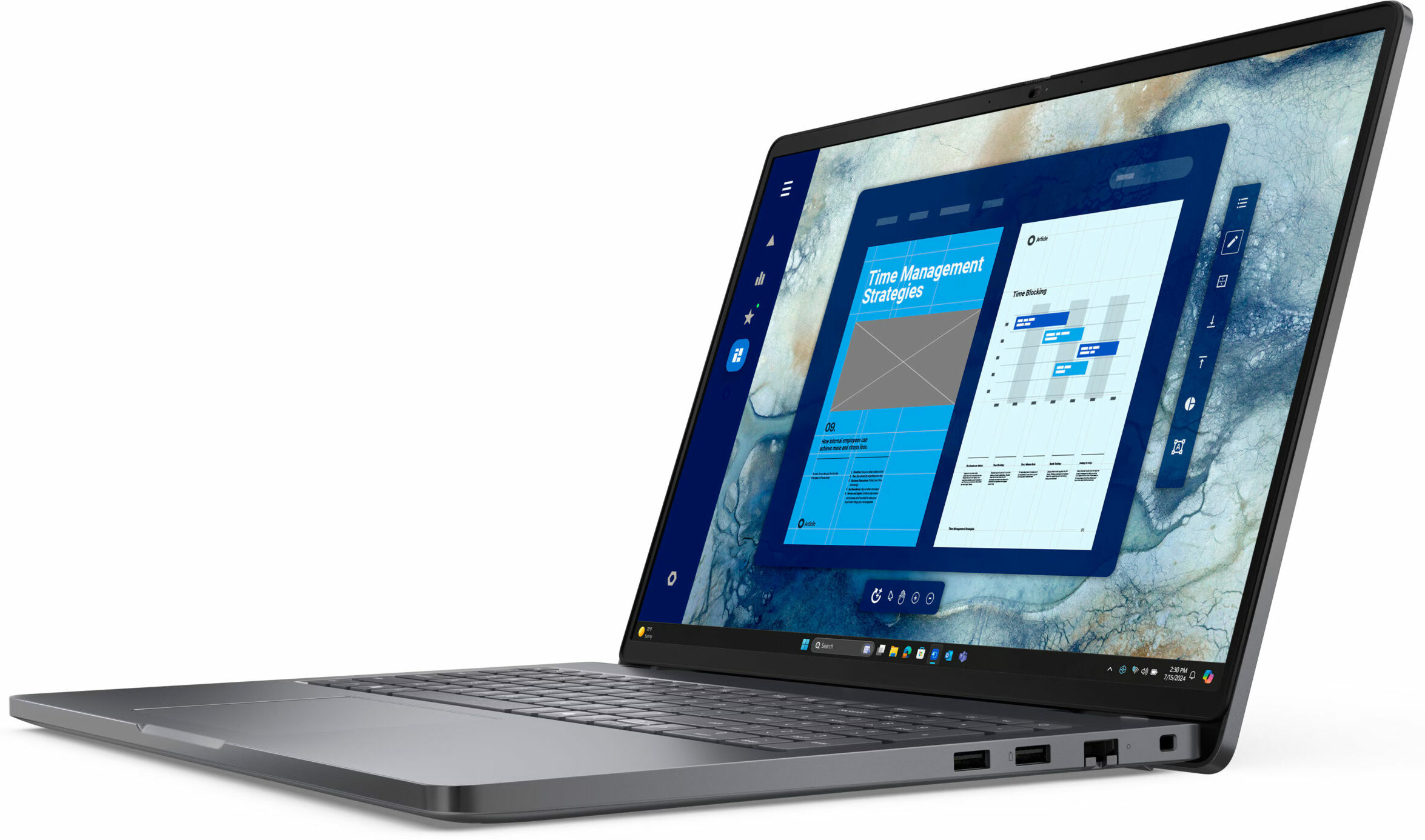
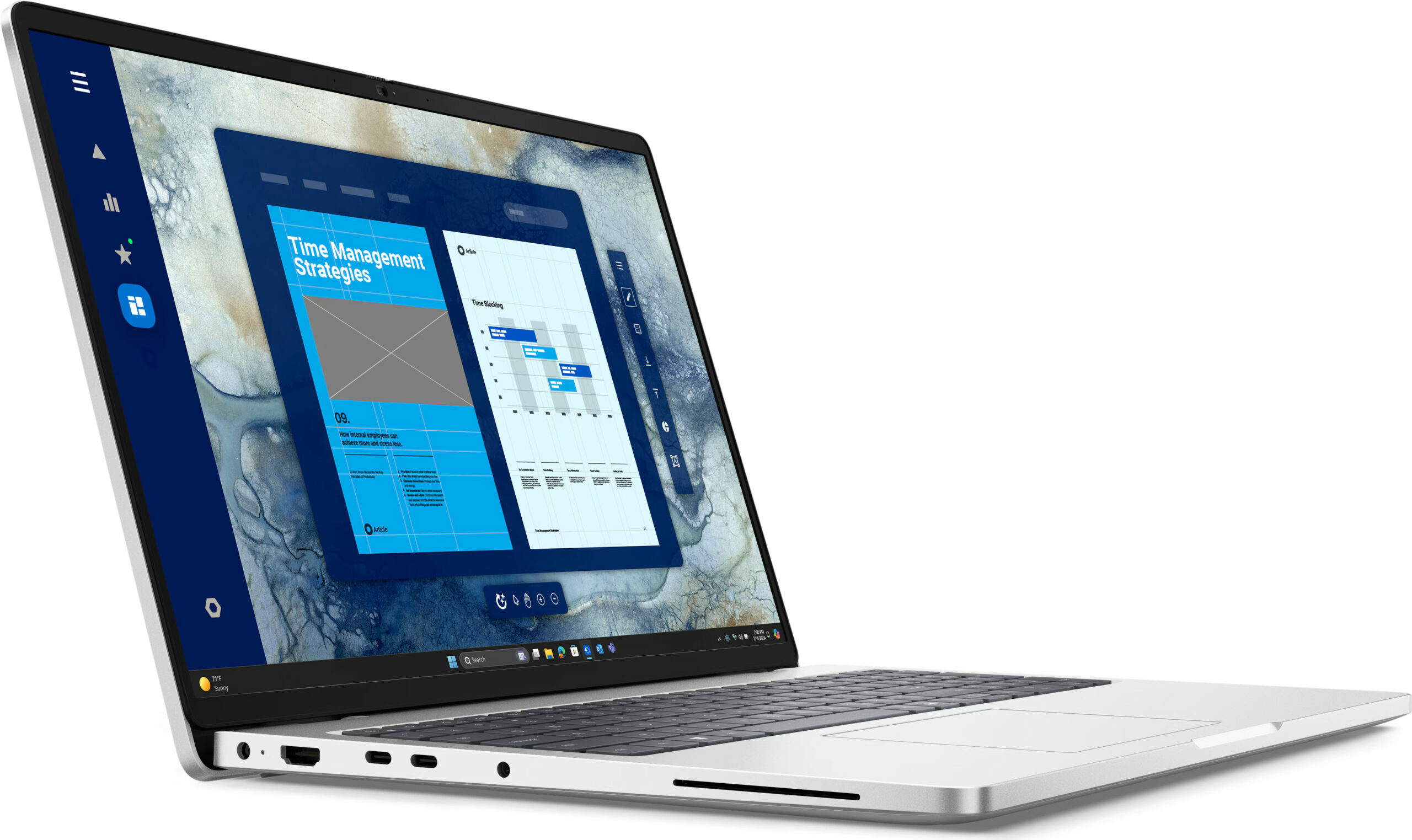
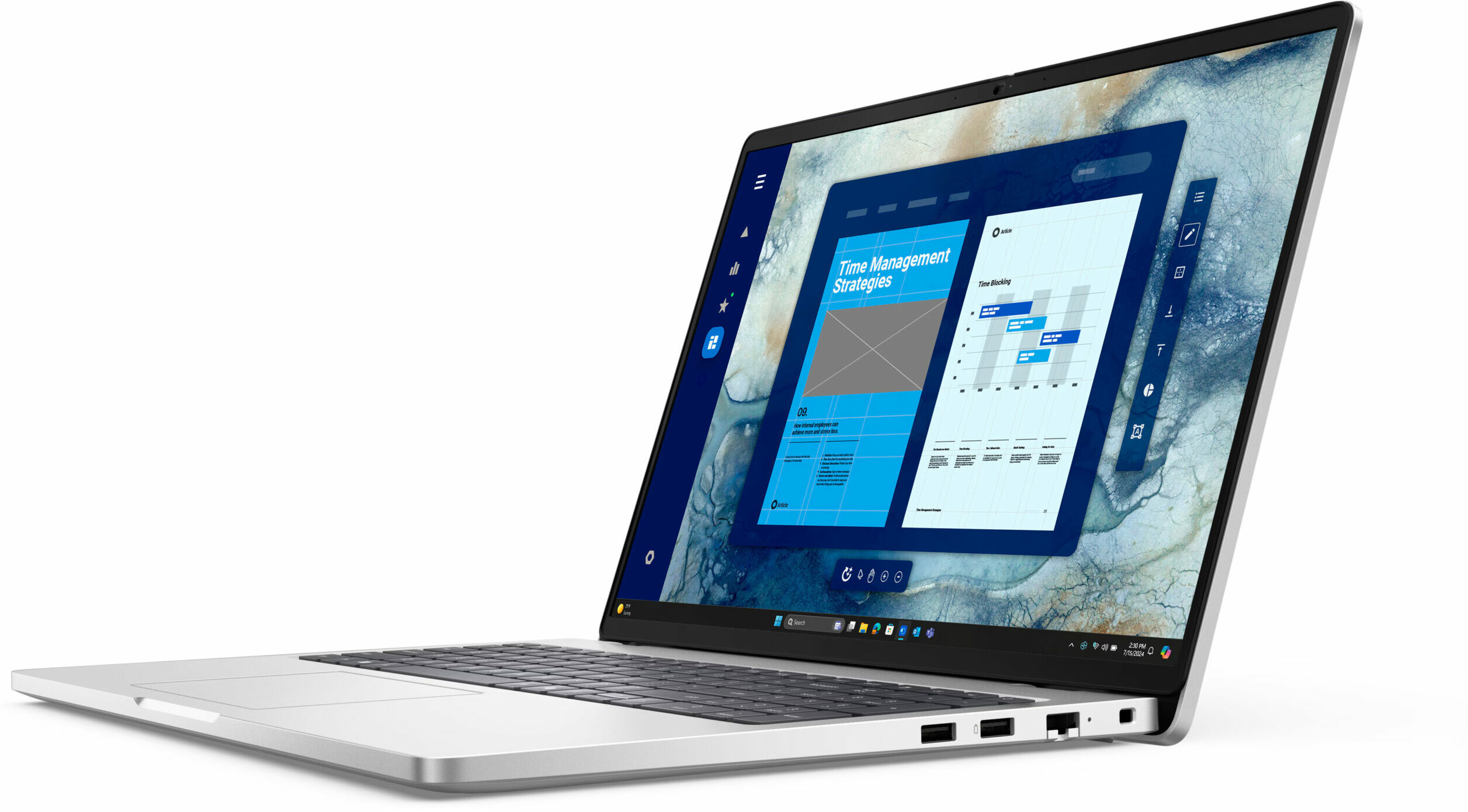
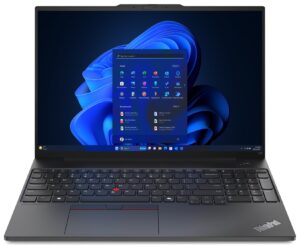
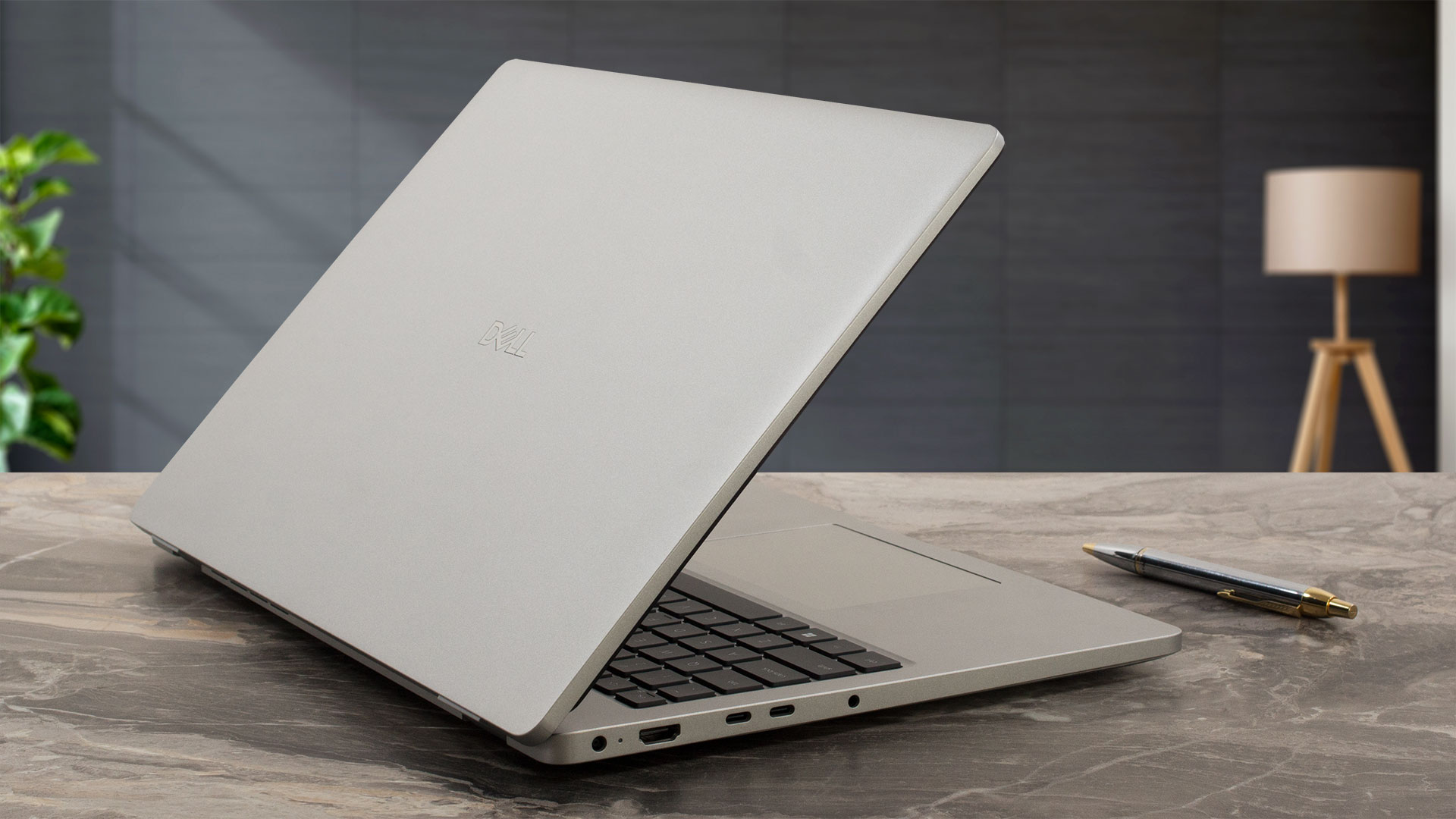
The Dell Pro 16 (PC16250) presents itself as an elegant and quintessential business machine. Its design is clean, professional, and entirely focused on productivity.
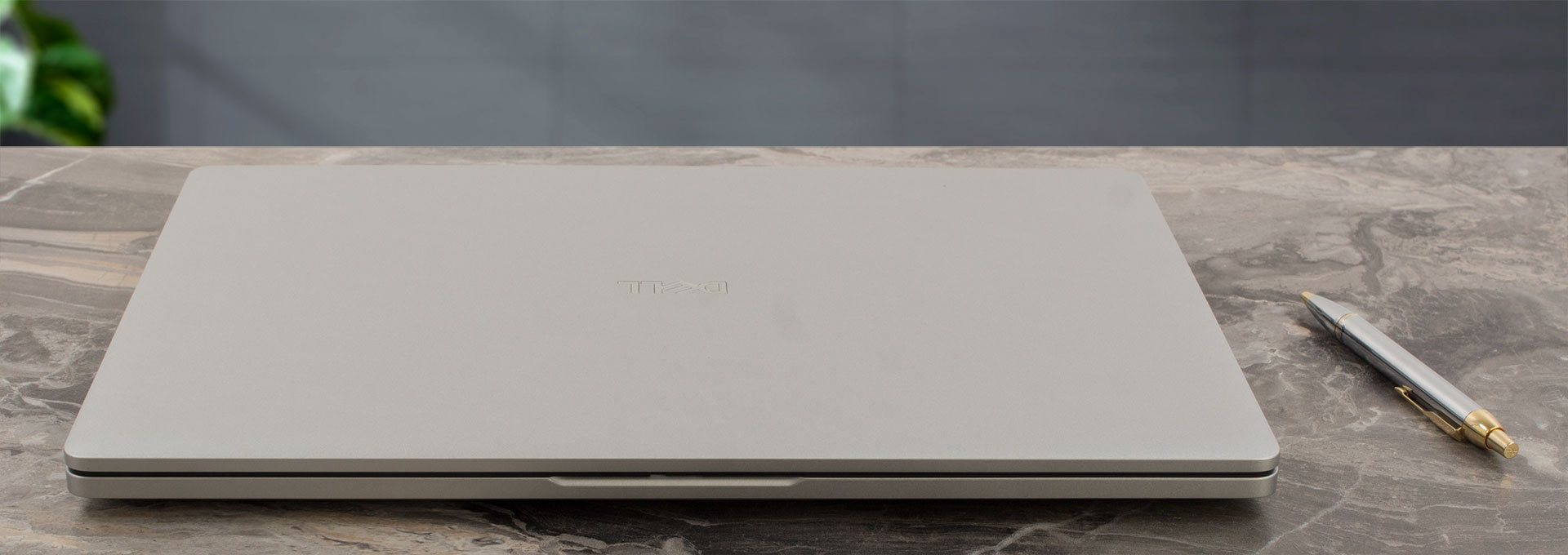
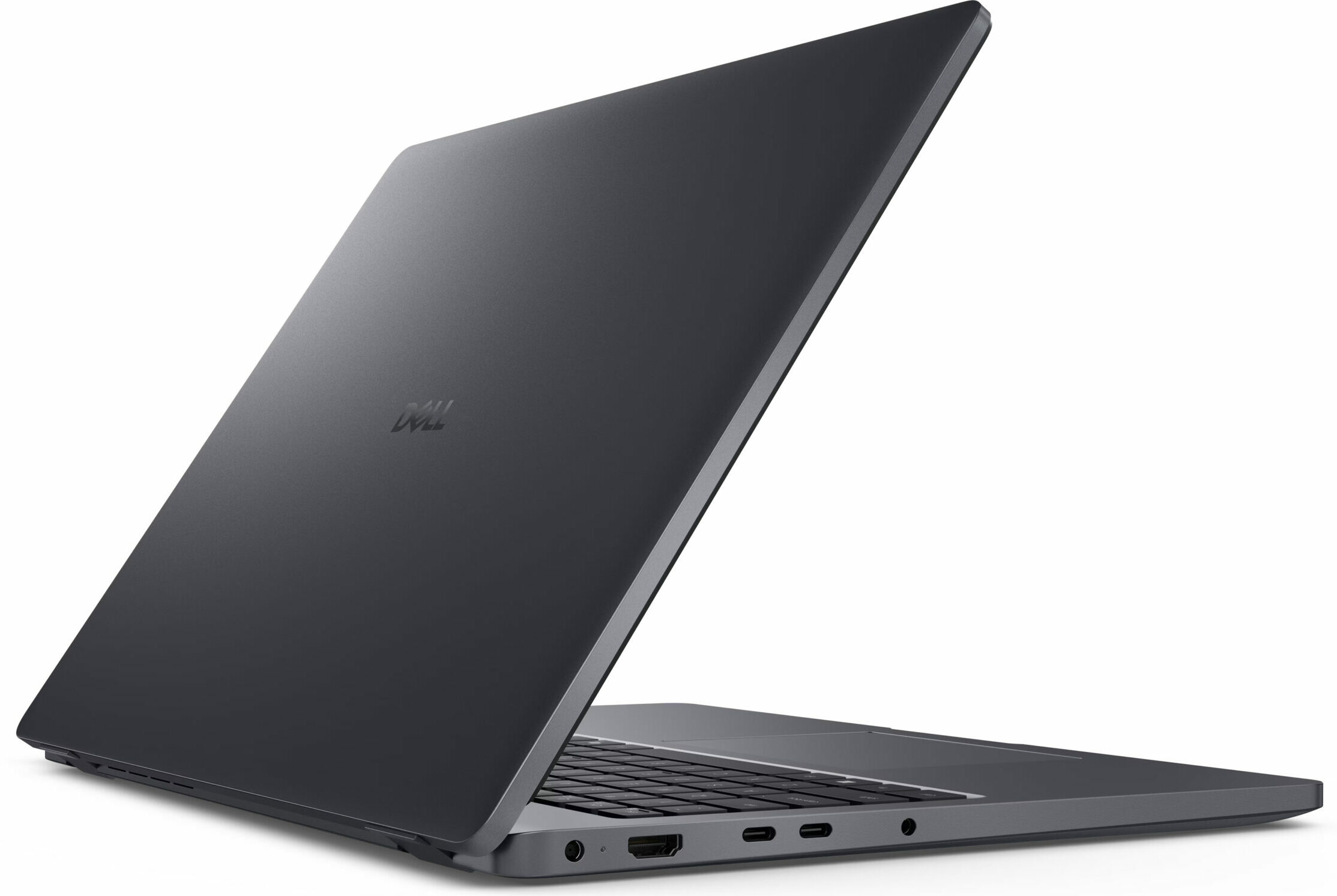
You have a choice between two colors: “Magnetite” and “Platinum Silver,” which are Dell’s equivalents to the familiar Space Gray and Silver finishes by Apple. While the darker Magnetite might have a slight edge in visual appeal for us, our experience with the Platinum Silver model revealed a significant practical advantage: it’s far more resistant to smudges. Even after several weeks of intentional non-wiping during our testing, the Platinum Silver unit looked practically new, whereas the Magnetite finish tended to show light smudges (though they were easily cleaned). The chassis is constructed from PC+ABS plastic, which does exhibit some typical flex when pressure is applied to the center of the panels, but it’s not excessive and the machine feels sturdy enough for daily business use.
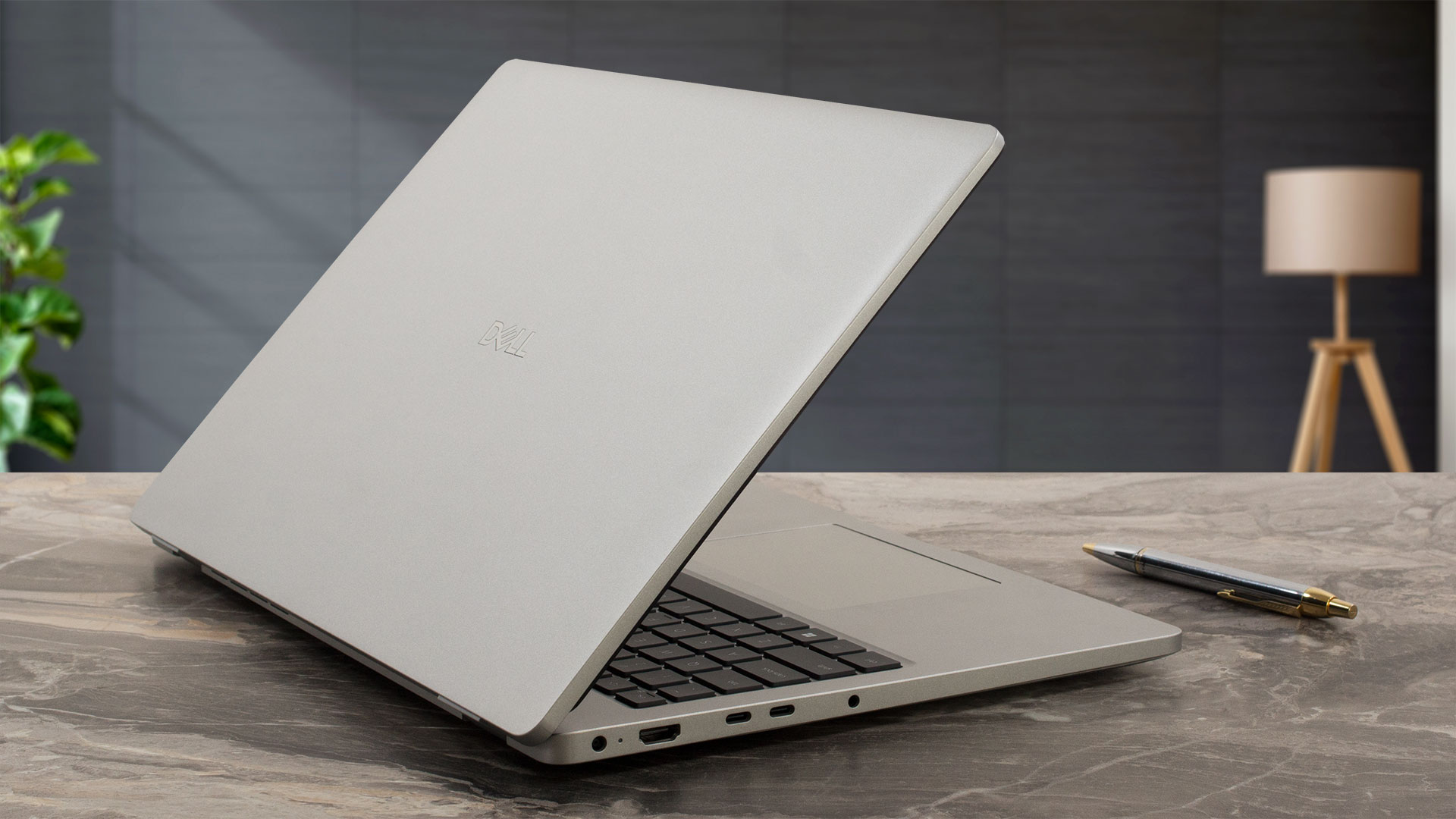
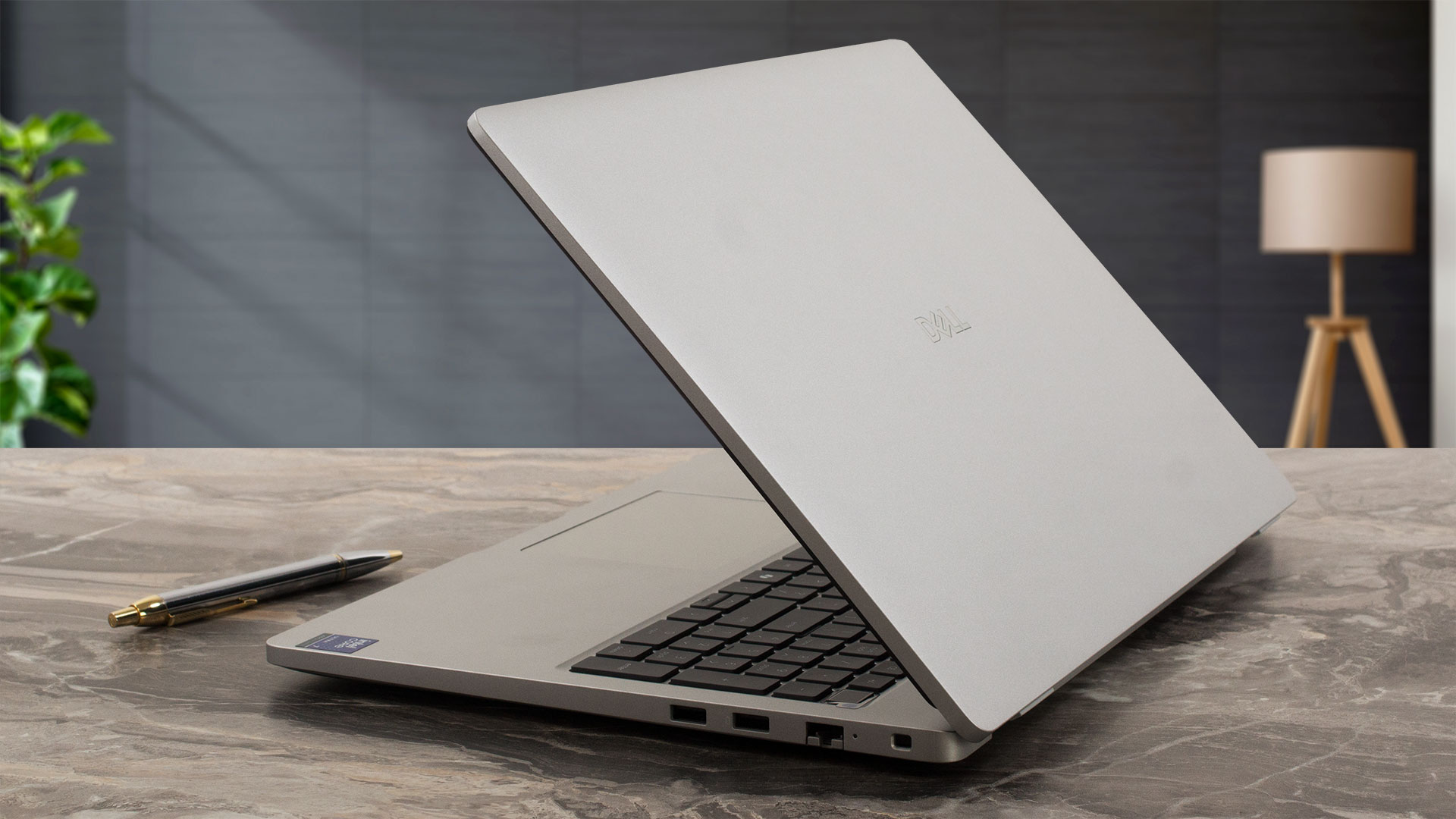
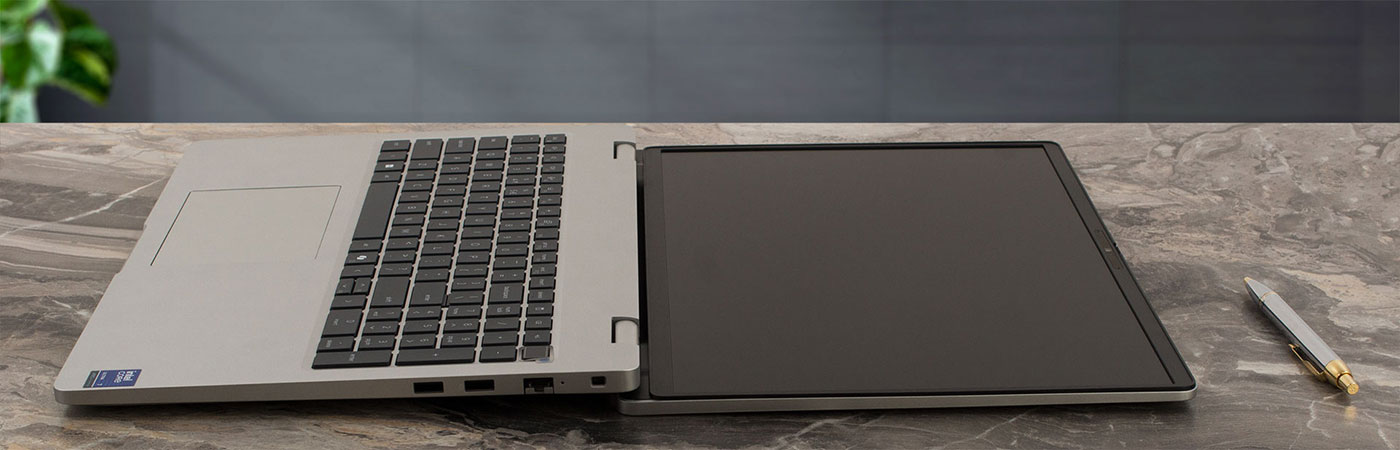
For a 16-inch laptop, the Dell Pro 16 is reasonably portable, with a starting weight of 1.92 kg (4.23 lbs) and a tapered profile that measures from 18.89 mm (0.74 inches) at the front to 20.85 mm (0.82 inches) at the rear. The hinges are quite firm, similar to its 14-inch sibling, but the heavier base of the 16-inch model provides just enough counterweight to allow for a one-handed open. As you open the screen past 100 degrees, the base cleverly lifts to improve airflow and create a more ergonomic typing angle.
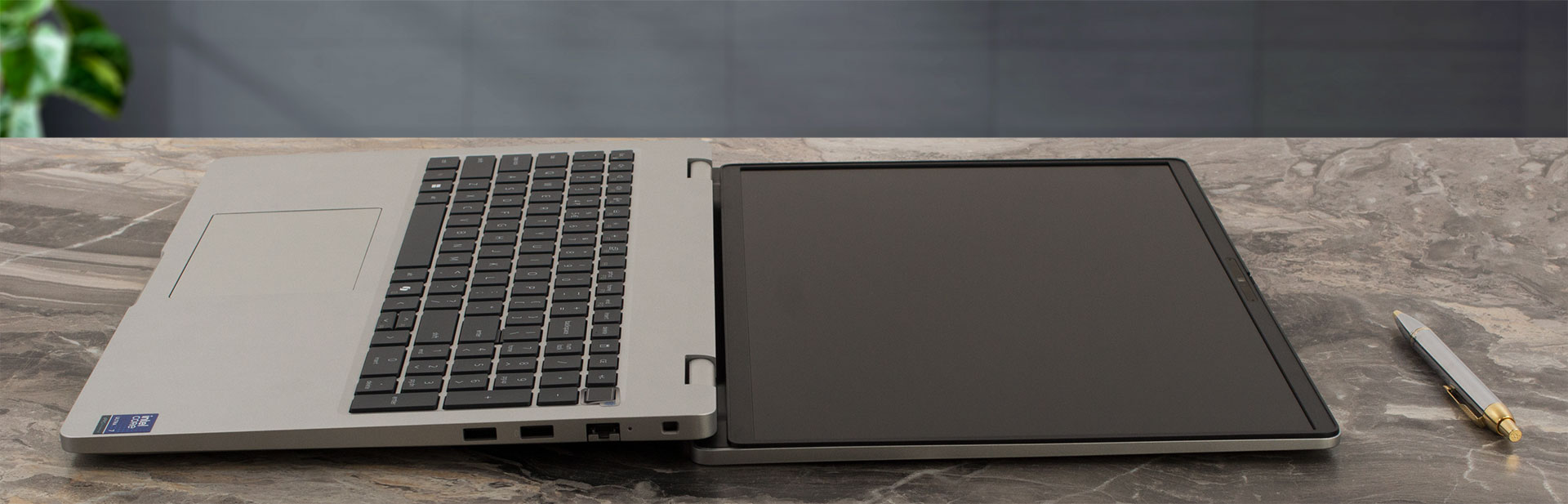
The screen can also open a full 180 degrees to lay completely flat, a useful feature, especially since a touchscreen version is available.
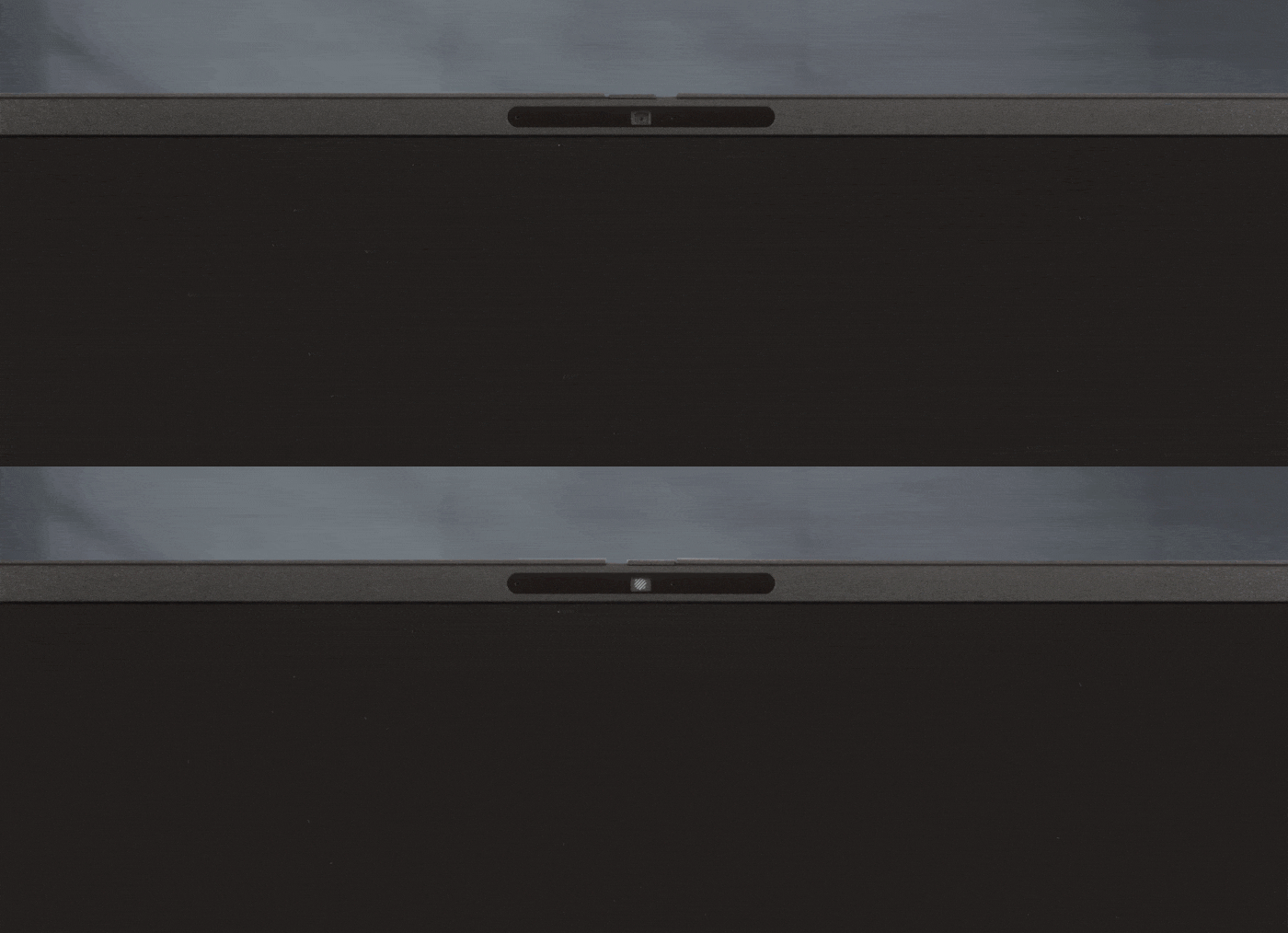
The display boasts an impressive 89.2% screen-to-body ratio, thanks to its thin bezels. The side bezels measure around 6 mm (approximately 0.24 inches), and the top bezel is about 11 mm (approximately 0.43 inches). Interestingly, because the overall screen area is so much larger than on the 14-inch model, these bezels appear even slimmer in context. That top bezel is packed with technology, including dual noise-canceling microphones with Intelligo audio processing, a lid-close sensor, and one of three camera options (HD, FHD HDR, or FHD + IR HDR). It’s worth noting that opting for a Core Ultra processor configuration narrows the choice to the two higher-end FHD cameras. Best of all, Dell has included a physical privacy shutter – a simple, effective, and always appreciated feature for security.
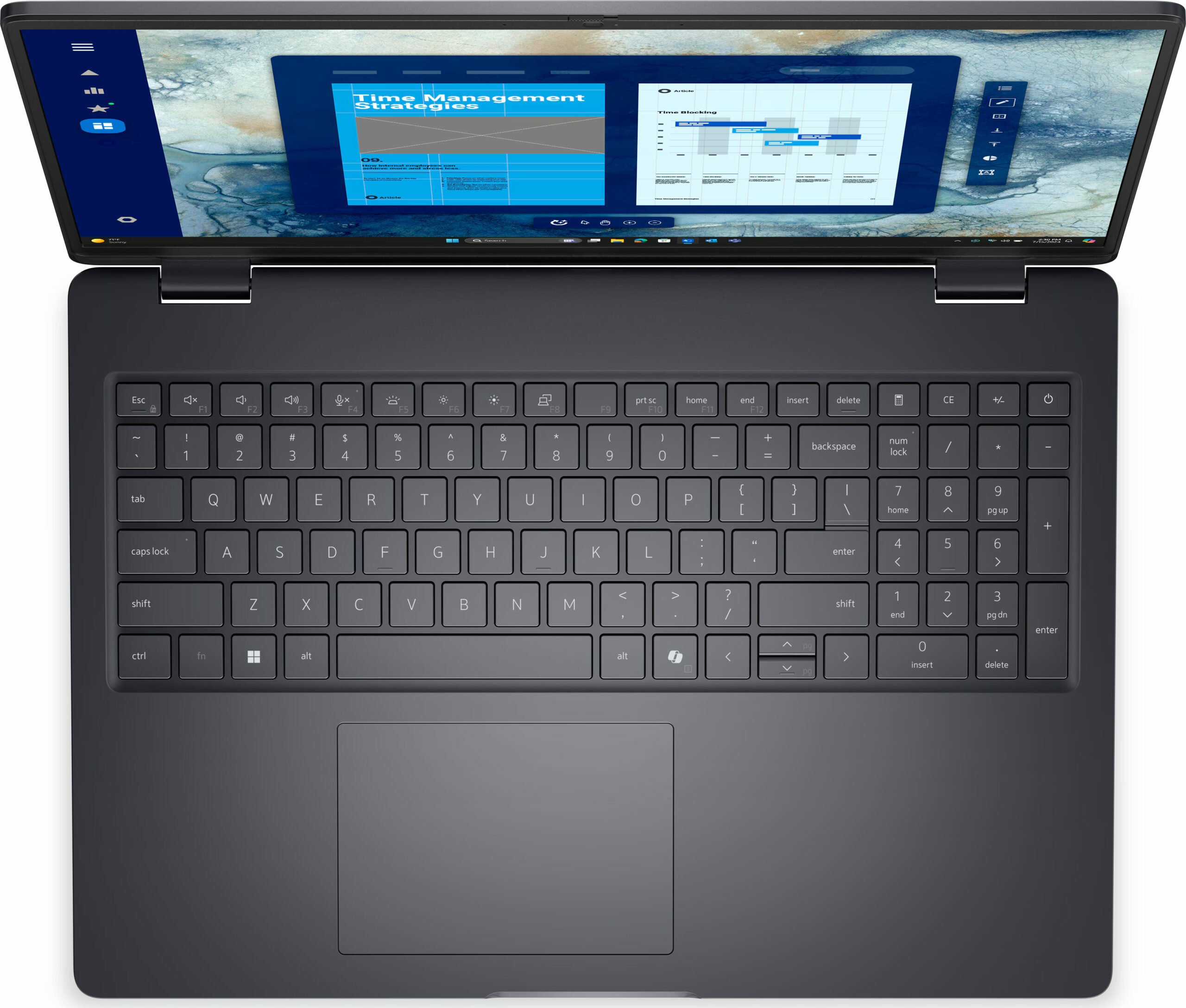
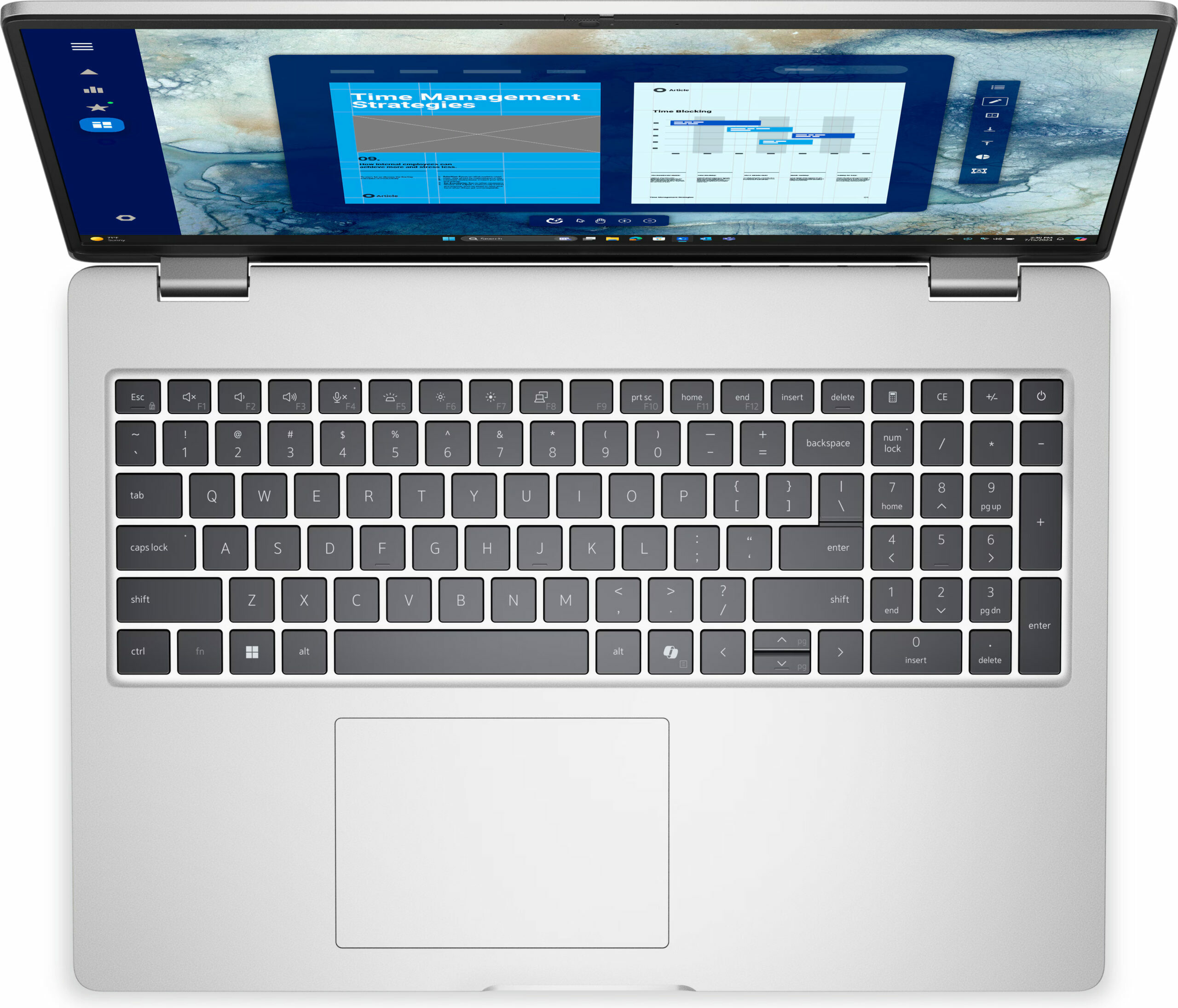
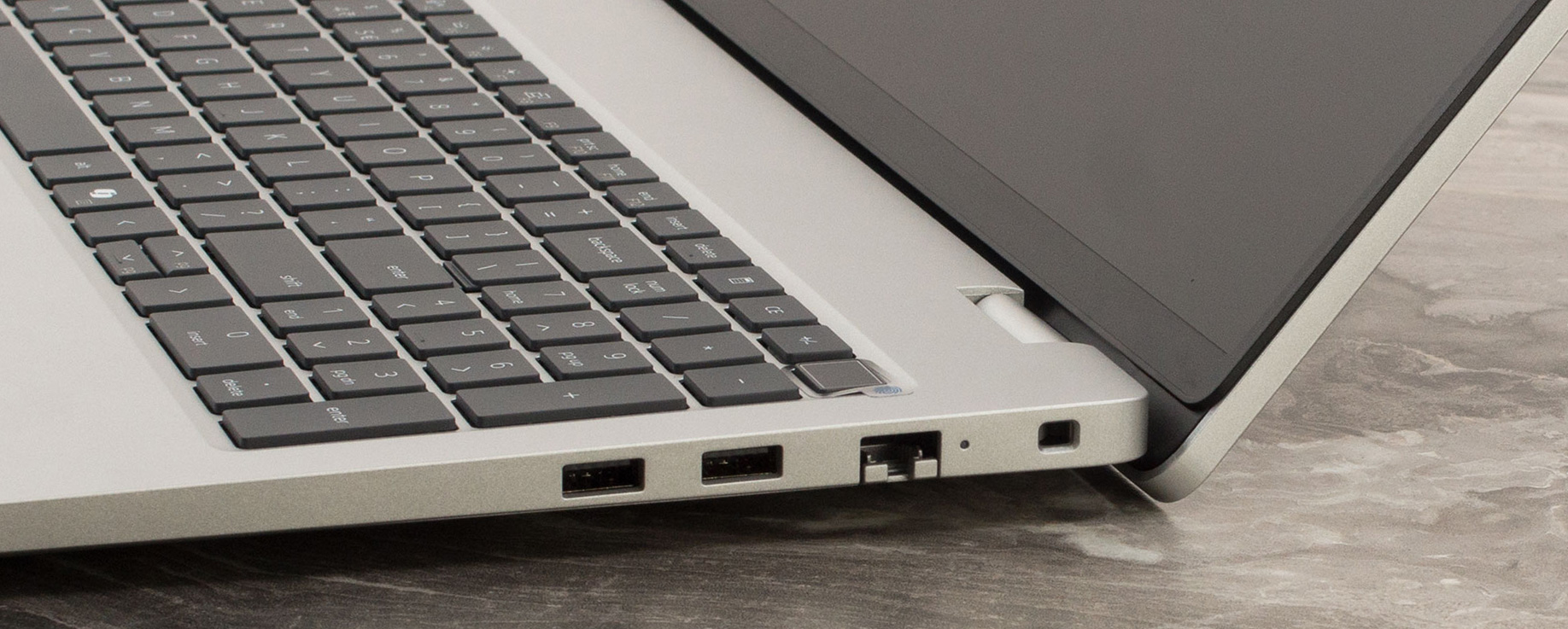
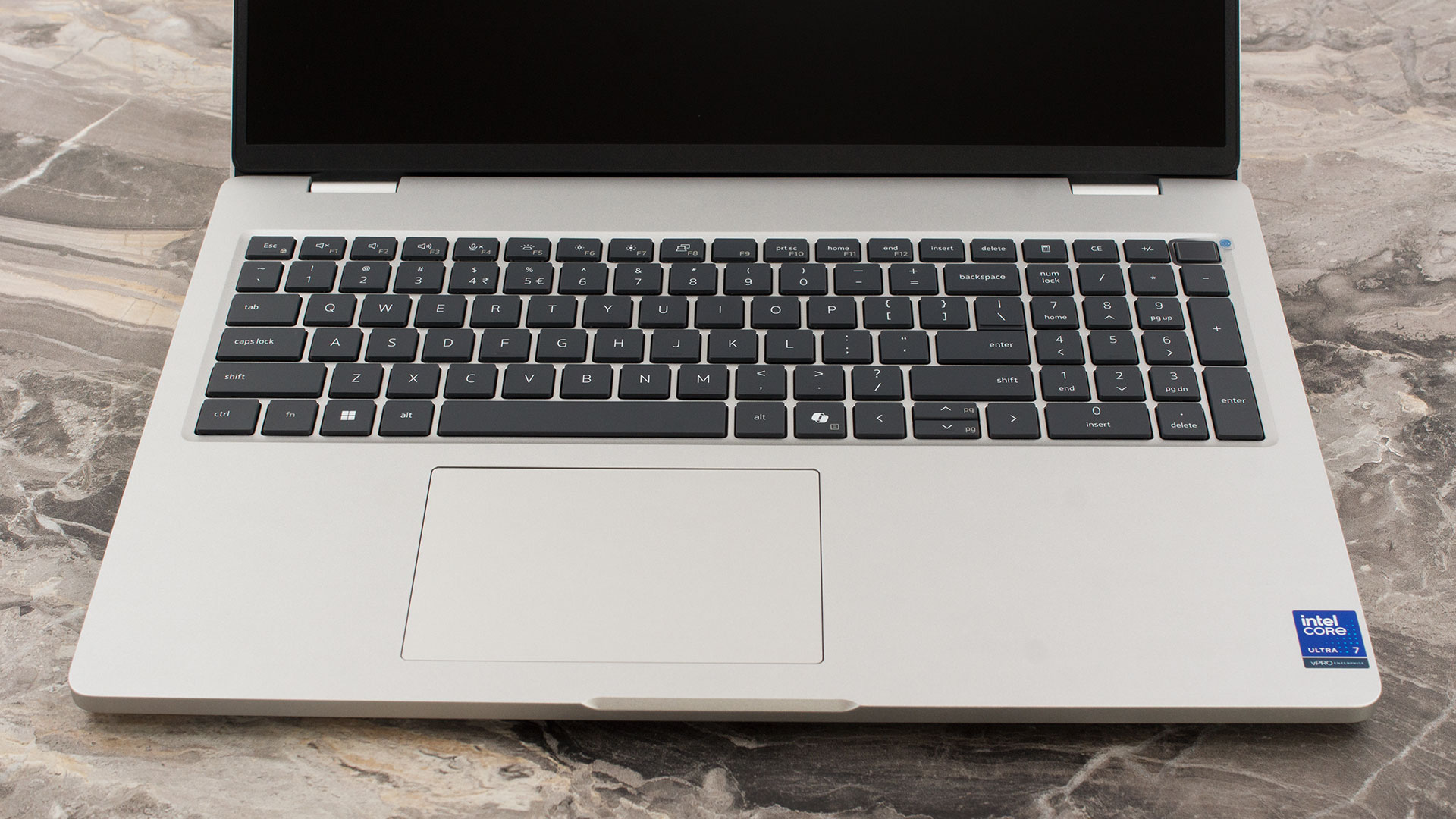
The spacious 16-inch chassis allows for a keyboard deck that includes a full NumPad – a significant advantage over its smaller 14-inch counterpart. The keyboard itself is very comfortable for extended typing sessions. While a backlight is available, it is an optional feature, so be sure to check the specifications of the model you’re buying. The Up and Down arrow keys are half-height, a design choice we’ve come to expect as the standard on nearly all non-gaming laptops.
For biometric login, a fingerprint reader is discreetly integrated into the power button. The trackpad measures 115 x 80 mm (4.53 x 3.15 inches). While it shares the same width as the one on the Pro 14, the extra 13mm of depth here makes a noticeable difference, adding to its overall comfort and ease of use. We have no complaints about its size or performance.
Ports and Connectivity
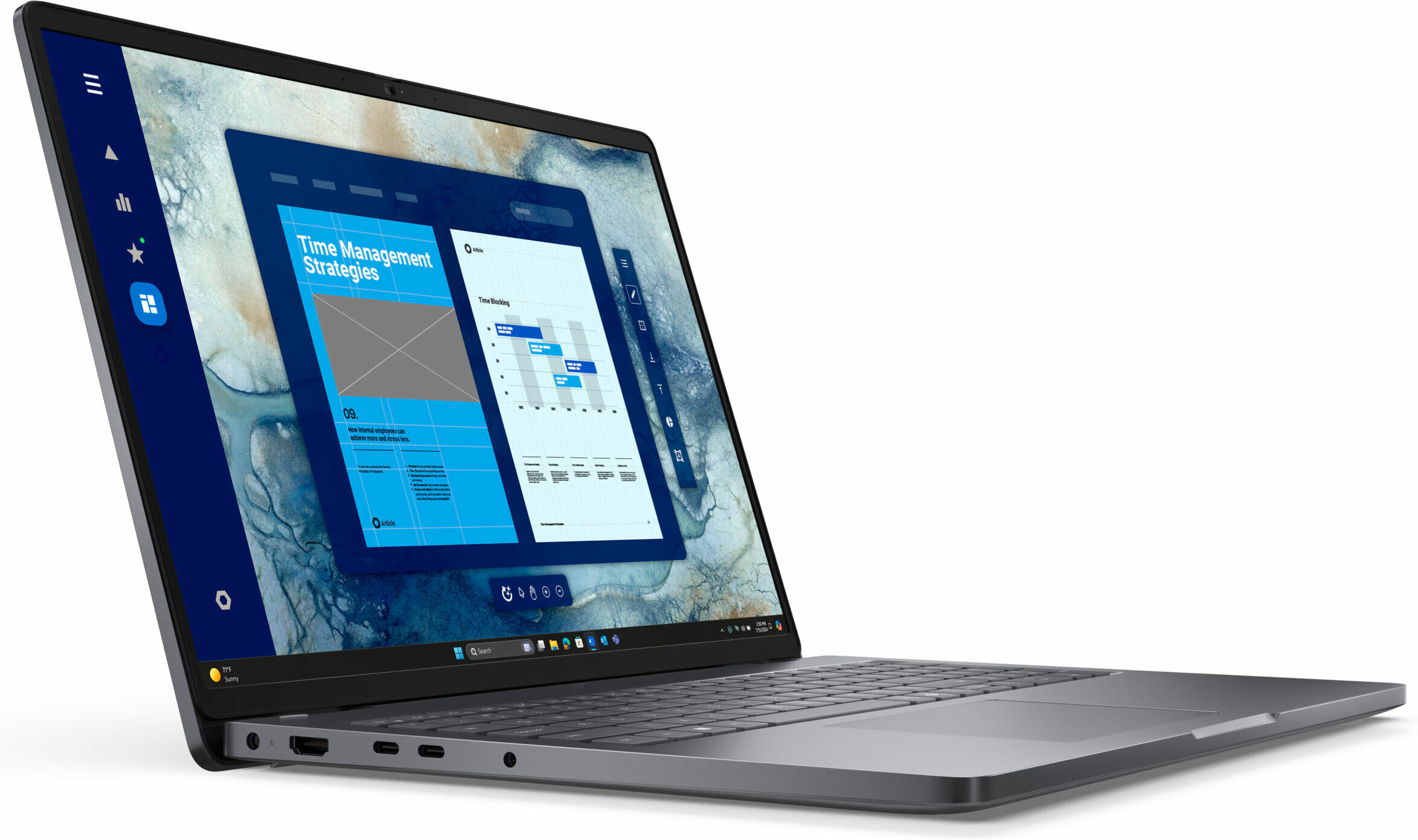
The Dell Pro 16 (PC16250) offers a robust and versatile selection of ports, catering well to professional workflows. On the left side, primary power is delivered through a traditional 4.5mm barrel connector. For video output, there’s a modern HDMI 2.1 port. The highlight here is the pair of powerful USB-C ports. One is a full-featured Thunderbolt 4 port, offering high-speed data transfer (up to 40Gbps), the enhanced Power Delivery 3.1 standard, and DisplayPort 2.1 for cutting-edge external monitors. The second USB-C port is also highly capable, supporting Power Delivery 3.1 and DisplayPort 2.0. A universal 3.5mm audio jack for headphones or headsets completes the left-side array.

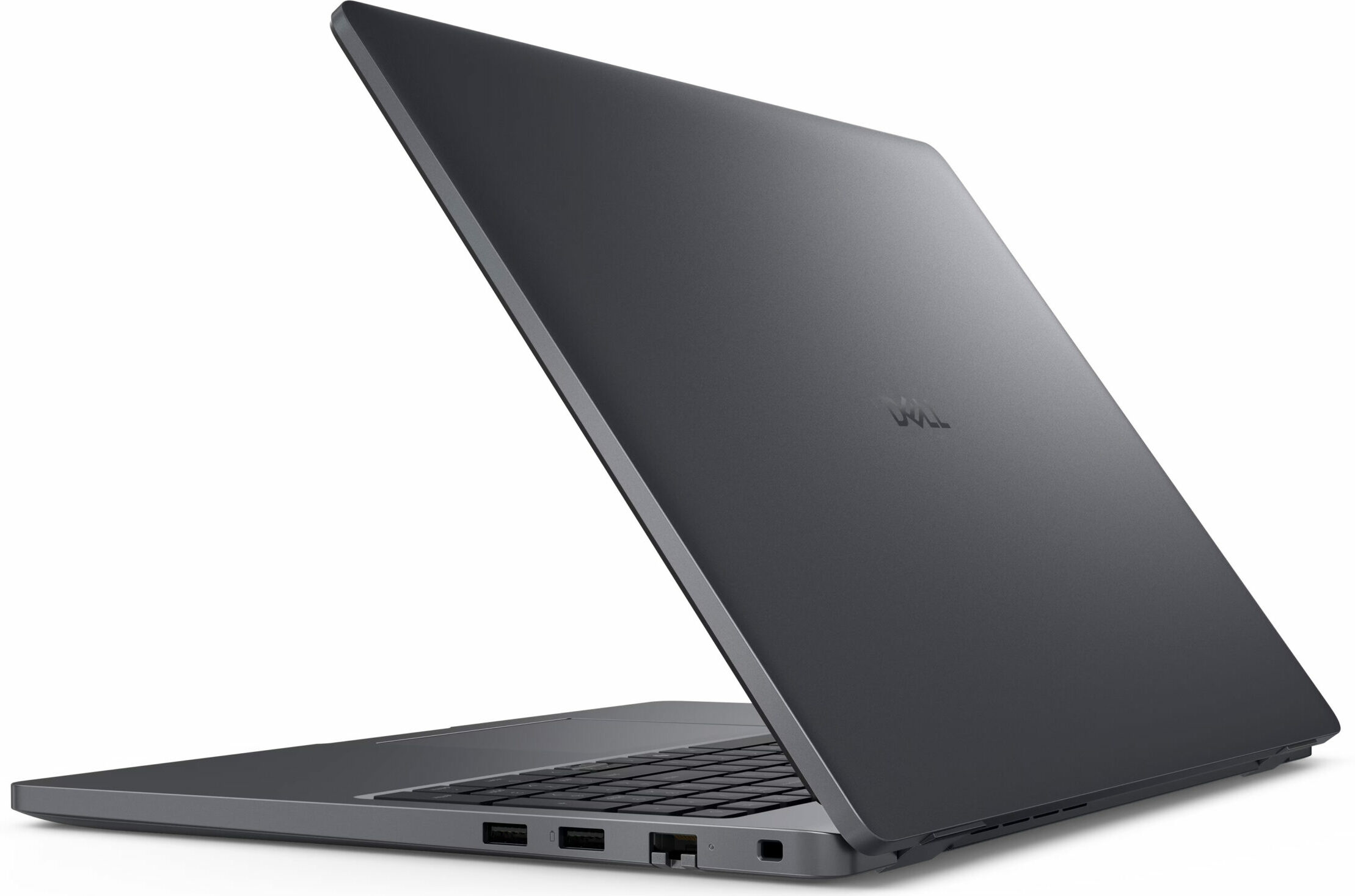
On the right side, the Pro 16 provides essential business-oriented connections. A wedge-shaped lock slot is available for physical security. A key feature for many office environments is the inclusion of an RJ-45 port for wired networking, operating at standard 1GbE speeds. You’ll also find two USB 3.2 Gen 1 Type-A ports, with one of them including Dell’s PowerShare feature, allowing it to charge peripherals even when the laptop is off. Depending on the configuration, an optional Smart Card Reader can also be included for enhanced security in corporate settings.

Wireless connectivity on the Dell Pro 16 is where things get a bit complicated, so potential buyers should pay close attention. The laptop can be configured with one of several wireless cards: a MediaTek Wi-Fi 6 card, an Intel AX211 card for Wi-Fi 6E, or the latest Intel BE202 card for Wi-Fi 7. The top-tier Wi-Fi 7 option is advertised as being available for models with Intel Core Ultra processors. However, we feel it’s crucial to share our own experience. We bought a unit equipped with a top-of-the-line Core Ultra 7 265U processor but it arrived with the Intel AX211 (Wi-Fi 6E) card, not the expected Wi-Fi 7 card. Therefore, if having the latest Wi-Fi 7 connection is a priority for you, we strongly advise double-checking the detailed specifications sheet of your specific configuration before purchasing to ensure you get the hardware you expect. These cards are paired with either Bluetooth 5.3 or 5.4, depending on the specific Wi-Fi module. Check out the differences between Wi-Fi 7 and Wi-Fi 6E.

Display and Sound Quality, Display Profiles
We ordered the budget display option with low color coverage and non-touch panel.
| Dell Pro 16 (PC16250) | FHD+ (1920 × 1200), 60 Hz, IPS, Non‑Touch, Anti‑Glare, 300 nit, 45 % NTSC, 6‑bit + FRC | FHD+ (1920 × 1200), 60 Hz, IPS, Touch (No cover glass), Anti‑Glare, 300 nit, 100 % sRGB, 6‑bit + FRC | FHD+ (1920 × 1200), 60 Hz, IPS, Non‑Touch, Anti‑Glare, 400 nit, 100 % sRGB, 8‑bit, ComfortView Plus (Low Blue Light), Low Power |
| Diagonal | 16.0 inches (40.6 cm) | 16.0 inches (40.6 cm) | 16.0 inches (40.6 cm) |
| Panel Type | IPS | IPS | IPS |
| Resolution | 1920 × 1200 pixels | 1920 × 1200 pixels | 1920 × 1200 pixels |
| Max Refresh Rate | 60 Hz | 60 Hz | 60 Hz |
| Aspect Ratio | 16:10 | 16:10 | 16:10 |
| Pixel Density | 142 PPI | 142 PPI | 142 PPI |
| ‘Retina’ Distance | Greater than or equal to 62 cm | Greater than or equal to 62 cm | Greater than or equal to 62 cm |
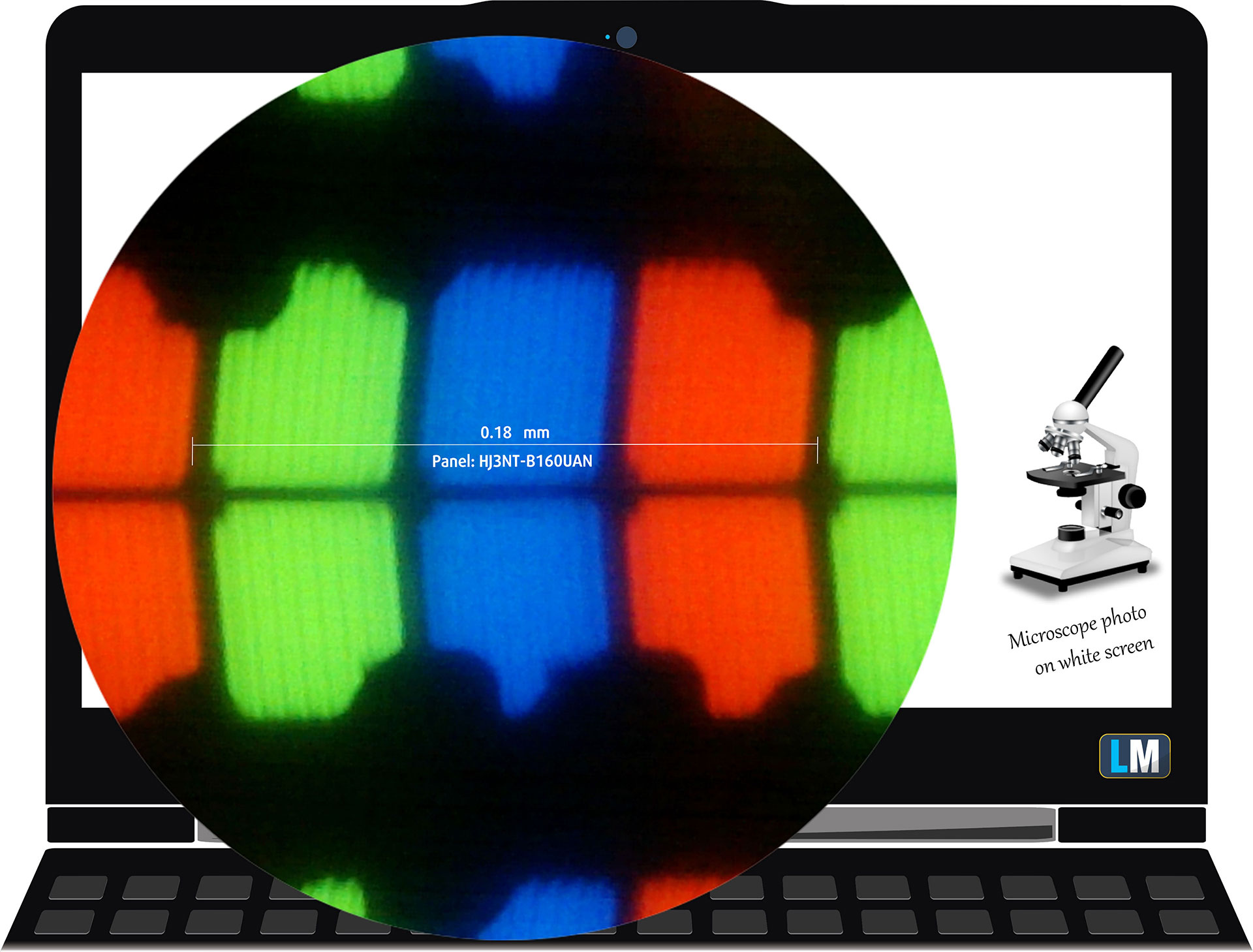
The FHD+ (1920 × 1200), 60 Hz, IPS, Non‑Touch under our microscope
Viewing Angles
Viewing angles are good. We take photos from different angles to evaluate the quality.
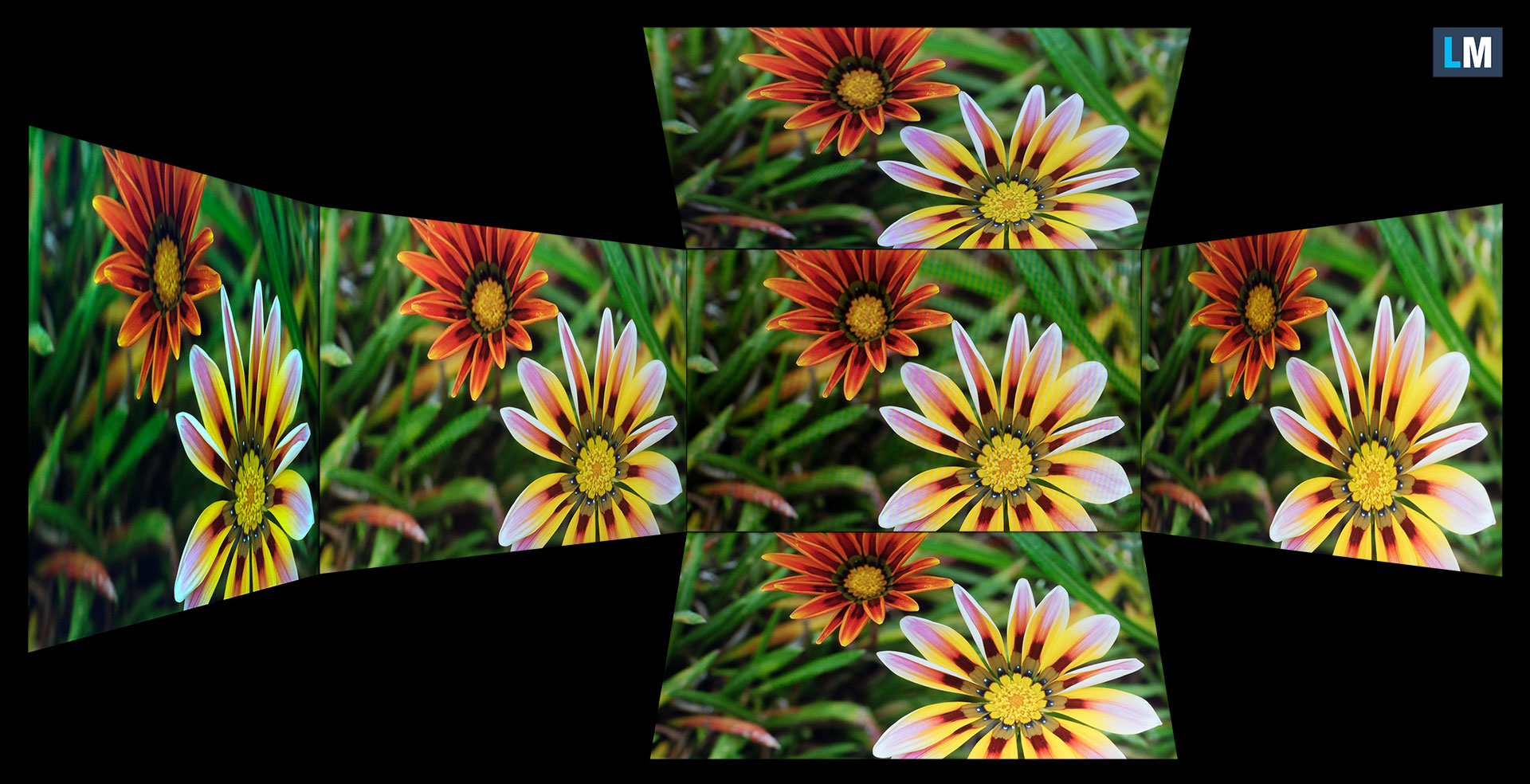
Also, a video with locked focus and exposure.
Color Coverage
The whole “sail-shaped” map below (Fig. 1) consists of all the colors we can see, while the black crooked line shows all the colors from real-world scenes and nature around us.
Then, we’ve drawn some of the most important and interesting color spaces, compared to the colors the panel of Dell Pro 16 (PC16250) can show:
Standard/For Web: sRGB – widely used color space for most consumer devices, ideal for Web design and development
For Print: AdobeRGB – used in professional photo editing, graphic design, and print
For Photographers/Video Editors: DCI-P3 – used in high-end film production, post-production, and digital cinema
Premium HDR: Rec.2020 – the widest consumer ITU color standard, covering a massive 75.8% of the visible spectrum, a benchmark for premium HDR content.
Dell Pro 16 (PC16250): the yellow dashed triangle (– – – – – –) represents the range of colors this monitor can show.
In our tests, we calculated the total color coverage of the display at 52% of the sRGB color gamut and 42% of the DCI-P3 color gamut.
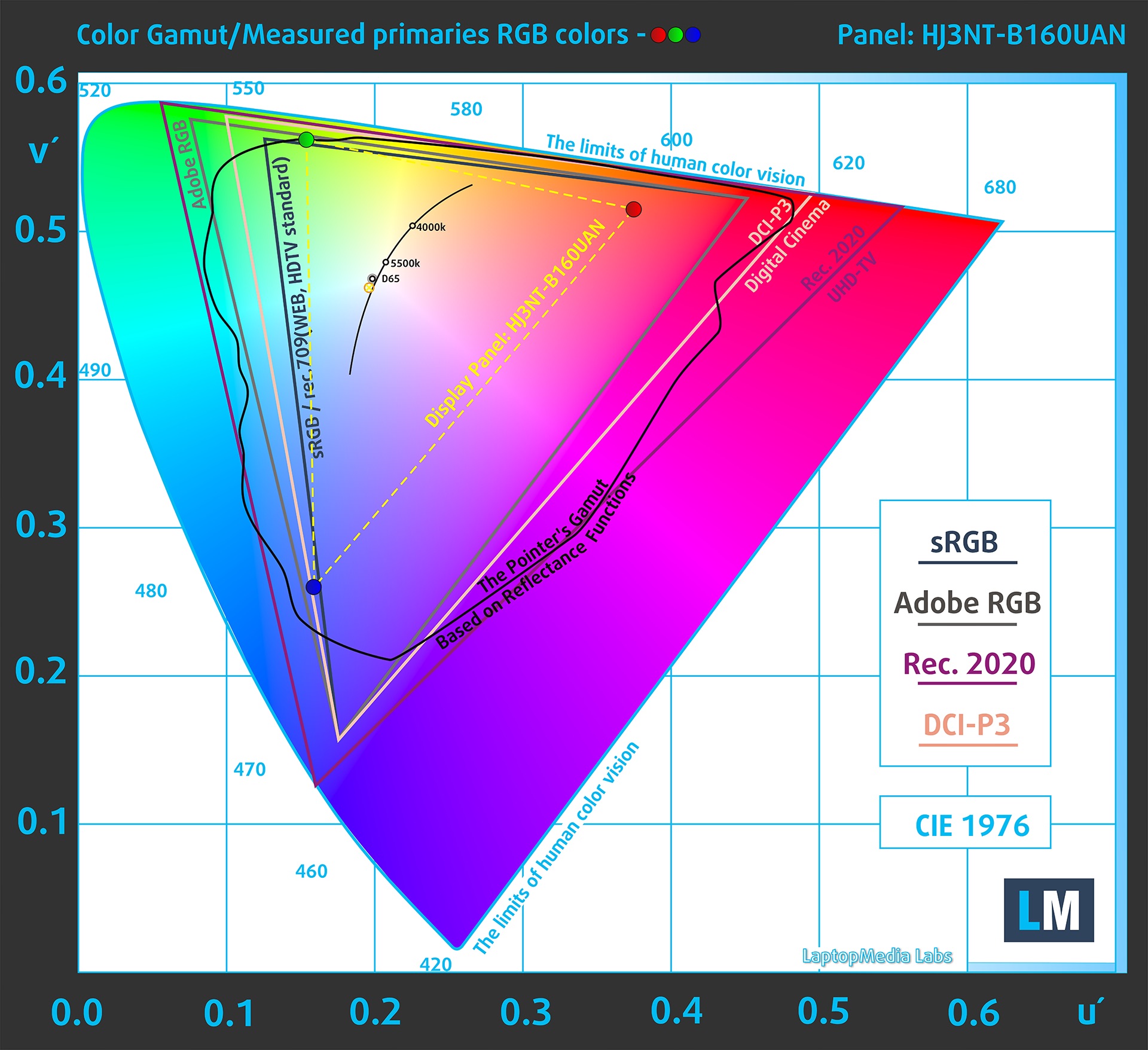
(Fig.1) Dell Pro 16 (PC16250) covers 52% of the sRGB gamut
Brightness and Contrast
The maximum brightness in SDR mode is 316 cd/m² in the center of the screen and 317 cd/m² averaged across the surface with a maximum deviation of 6%.
The Correlated Color Temperature (CCT) on a white screen at maximum brightness is 7050K.
The contrast ratio is 1310:1.
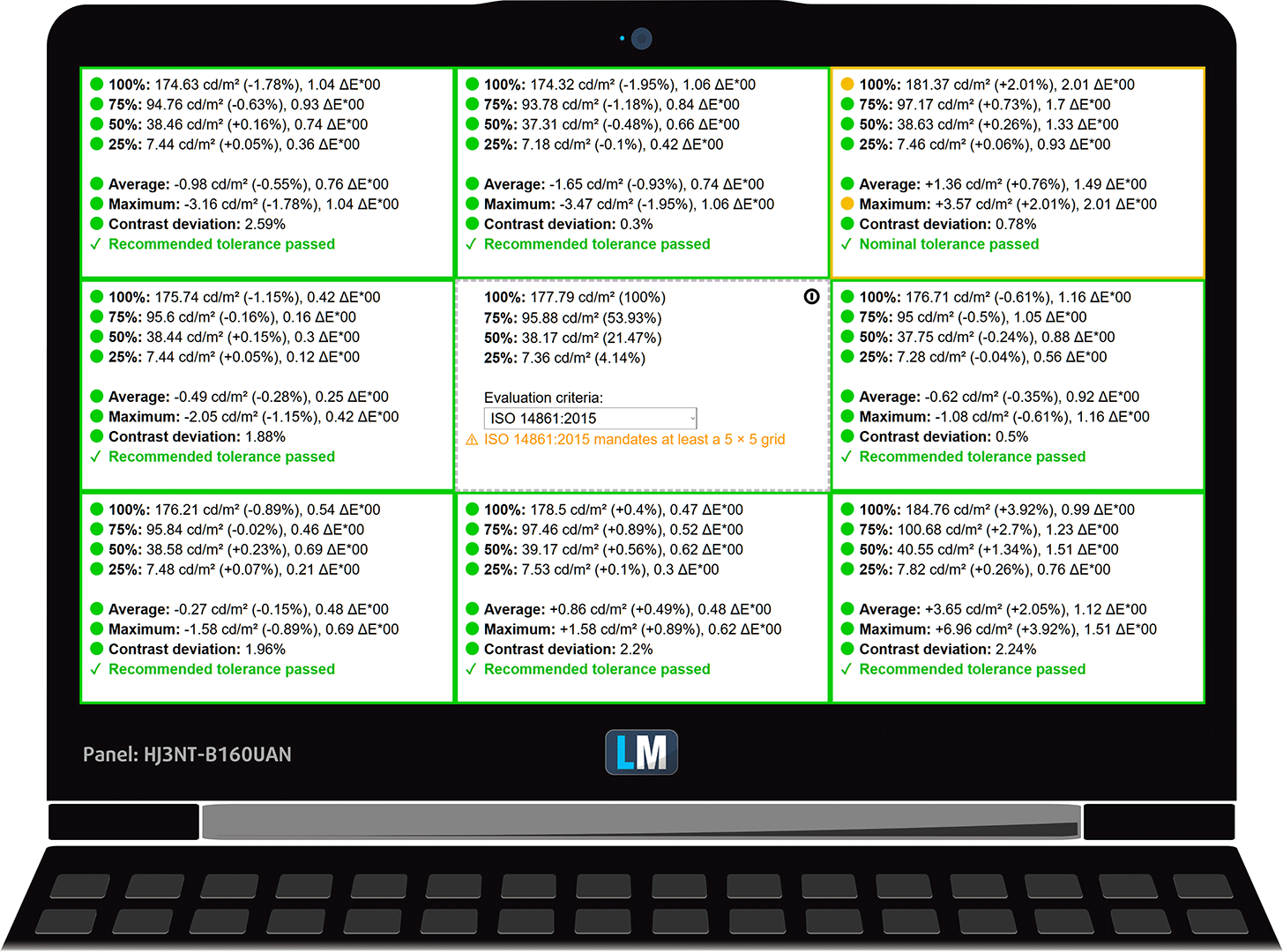
Uniformity: Luminance, Contrast, and Color Deviation
The figure below shows the results from our uniformity test across different sections of the screen. It’s measured at 178 nits (Windows slider = 55%) — a brightness level we consider typical for standard working conditions.
DeltaE values below 4.0 are acceptable for regular users. For those working with colors, screens with DeltaE values no higher than 2.0 are recommended.
Color Accuracy
Let’s check the difference between real colors and those you’ll see on the Dell Pro 16 (PC16250). We measure that distance in DeltaE – the higher the number, the more different they look.
Values below 4.0 are acceptable for regular users, while values below 2.0 are suitable for color-sensitive work. A value below 1.0 means the difference is indistinguishable to the naked eye.
For the next graph, we’ve selected 24 common colors, including dark/light skin, blue sky, green grass, etc.
Before our calibration of the Dell Pro 16 (PC16250), the Average color accuracy was 4.5 dE (Fig. 2), and with our Design and Gaming profile, it lowered to 3.9 dE (Fig. 3). This is 15% improvement in color accuracy – it lets the display into the “acceptable” category (dE<4) but still not accurate enough for professional work.
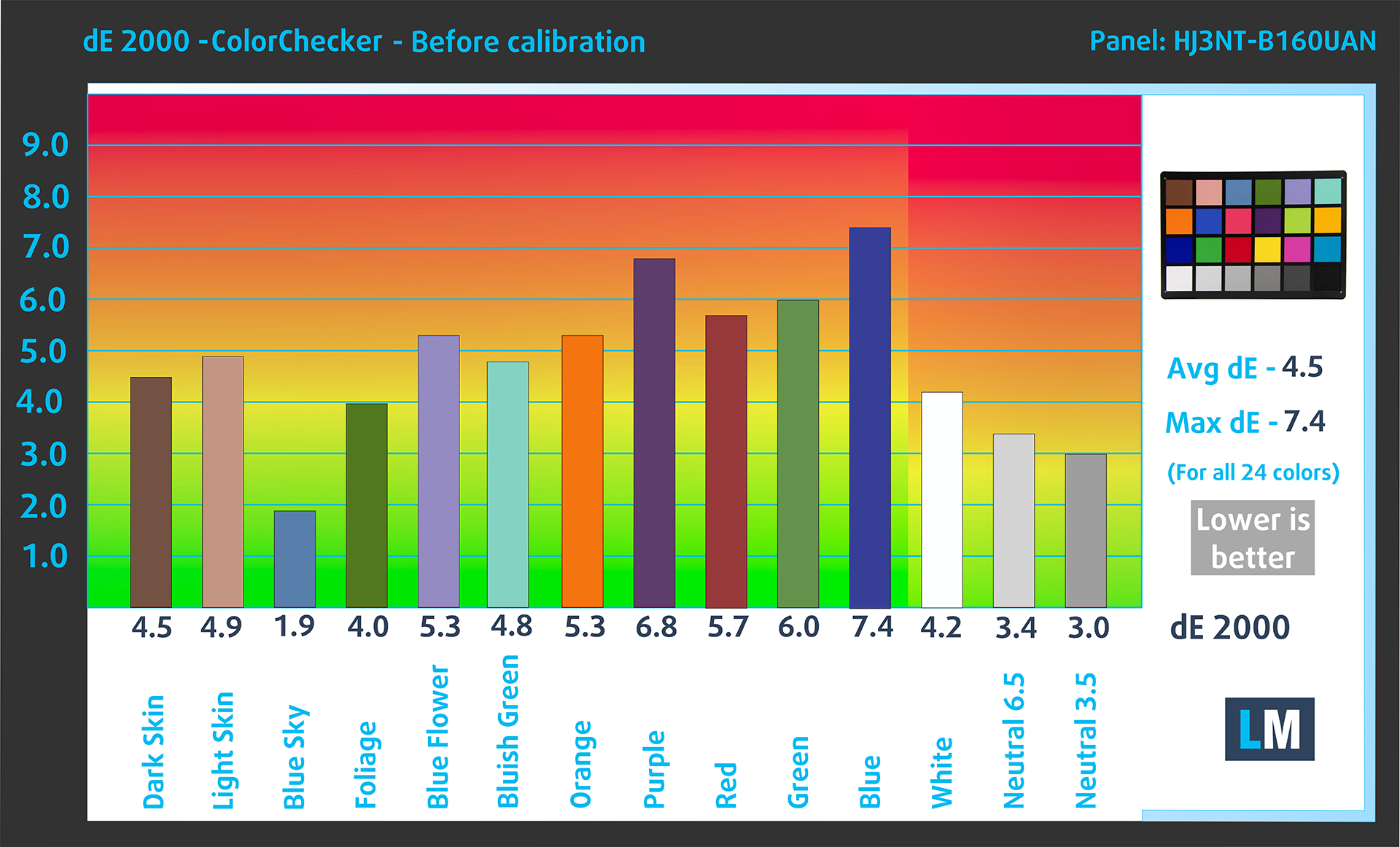
(Fig. 2) Dell Pro 16 (PC16250) in its factory condition
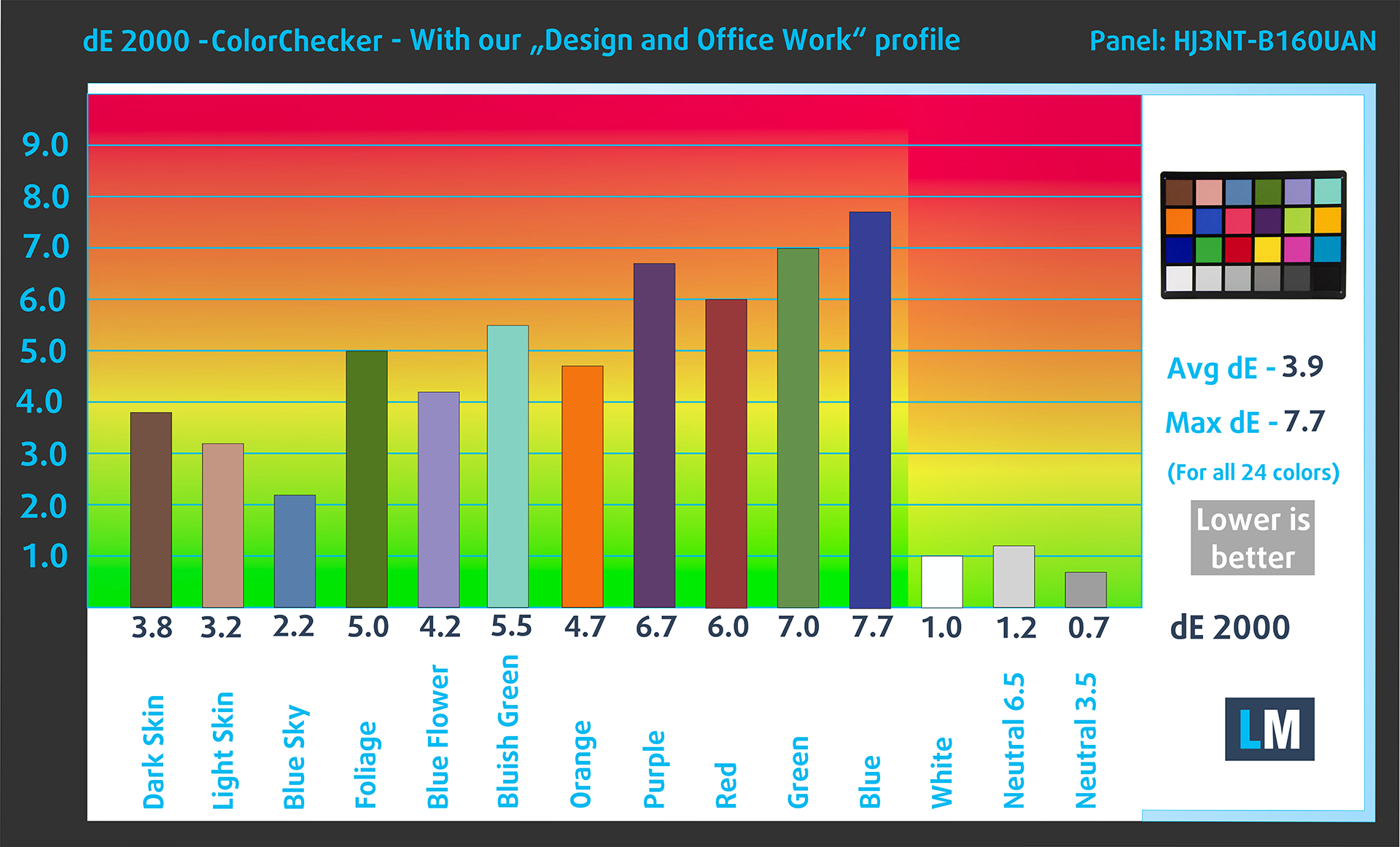
(Fig. 3) Dell Pro 16 (PC16250) with our display profile
Comparison in the sRGB color space.
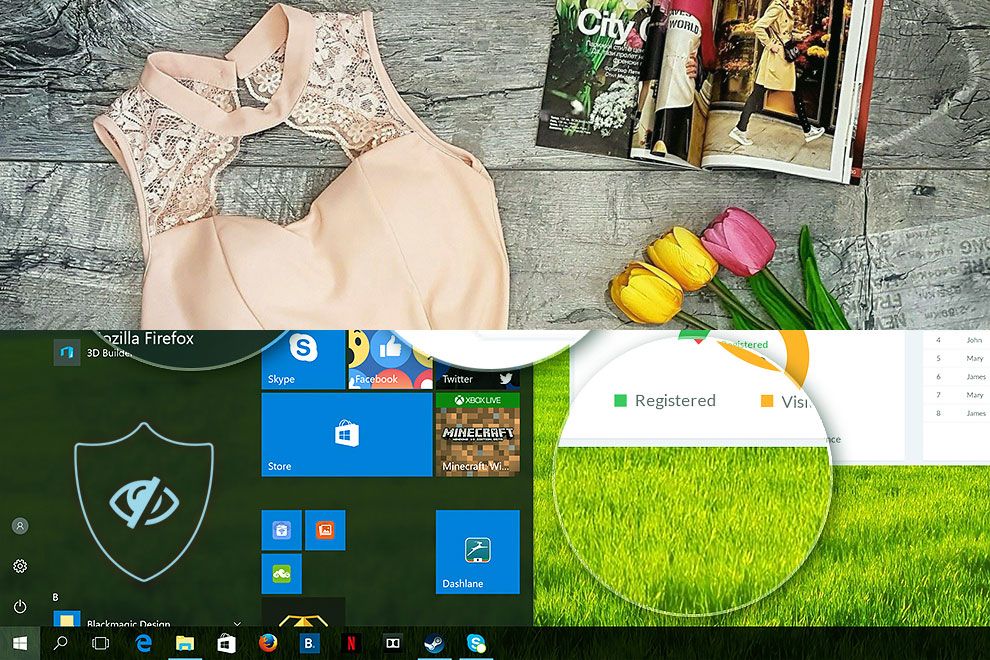
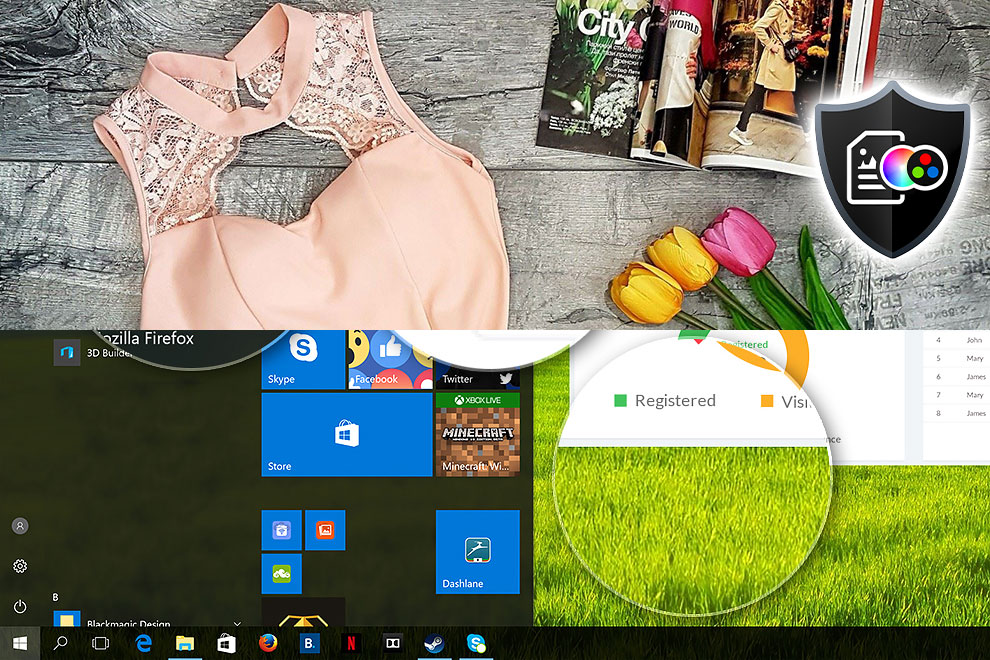
Here’s an illustration of what the Design and Office profile aims to deliver:
Left: No Profile | Drag the slider to see the difference | Right: Design & Office Profile
Visibility in dark scenes
Have you ever watched a movie with dark scenes where you could barely see anything? This often happens because many display panels struggle to differentiate the darkest nuances, making them appear the same.
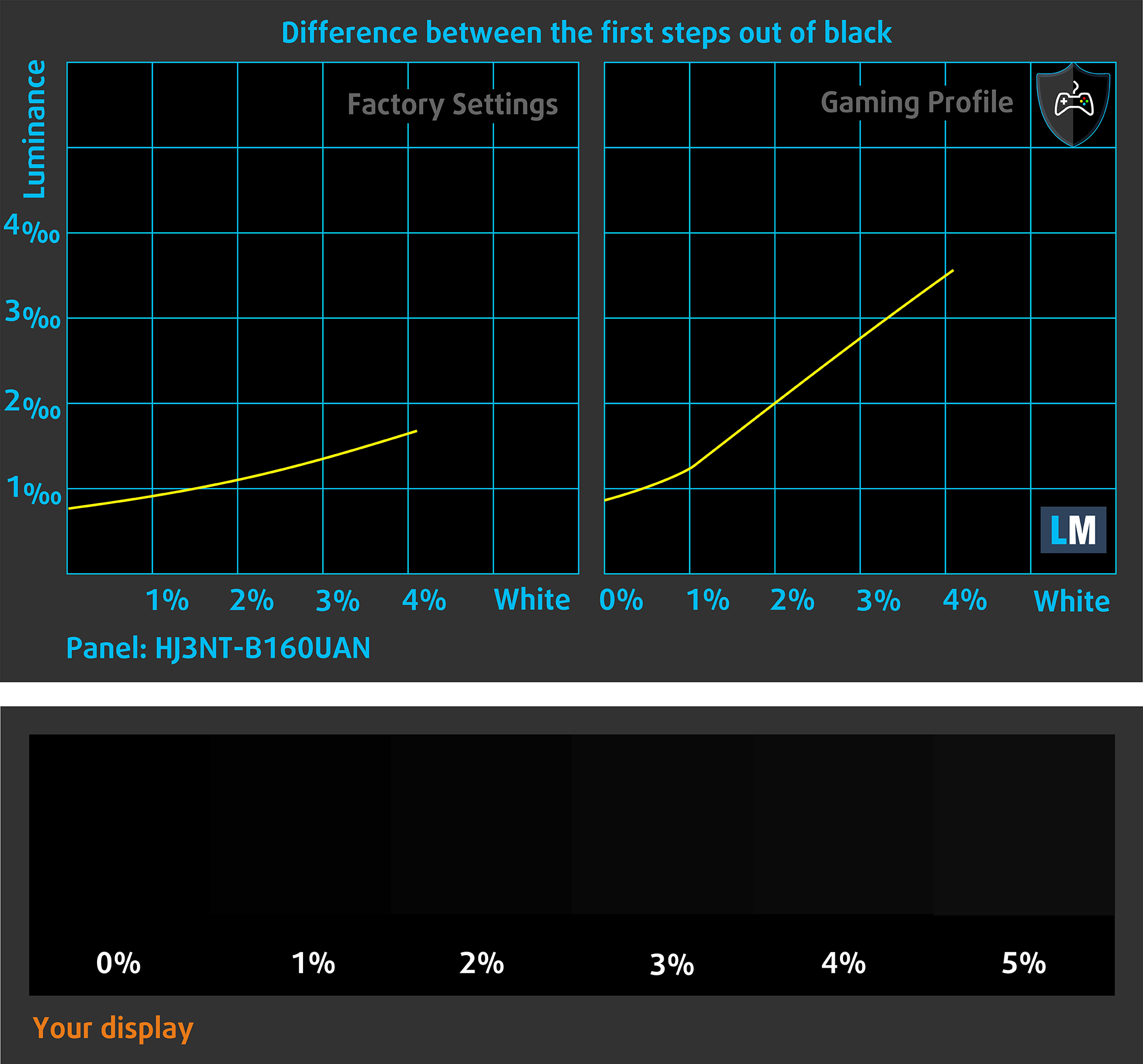
The next figure illustrates how well the display reproduces these dark nuances. The left side of the image shows the display with stock settings, and the right side shows it with our Gaming and movies profile activated.
On the horizontal axis are the grayscale levels, and on the vertical axis – the corresponding display brightness.
You can also check how your display handles the darkest nuances but keep in mind that this also depends on the settings of your current display and the surrounding light conditions.
Response time (Gaming capabilities)
We test the reaction time of the pixels with the usual “black-to-white” and “white-to-black” method from 10% to 90% and vice versa.
We recorded Fall Time + Rise Time = 17.0 ms. Short pixel response time is a prerequisite for a smooth picture in dynamic scenes.
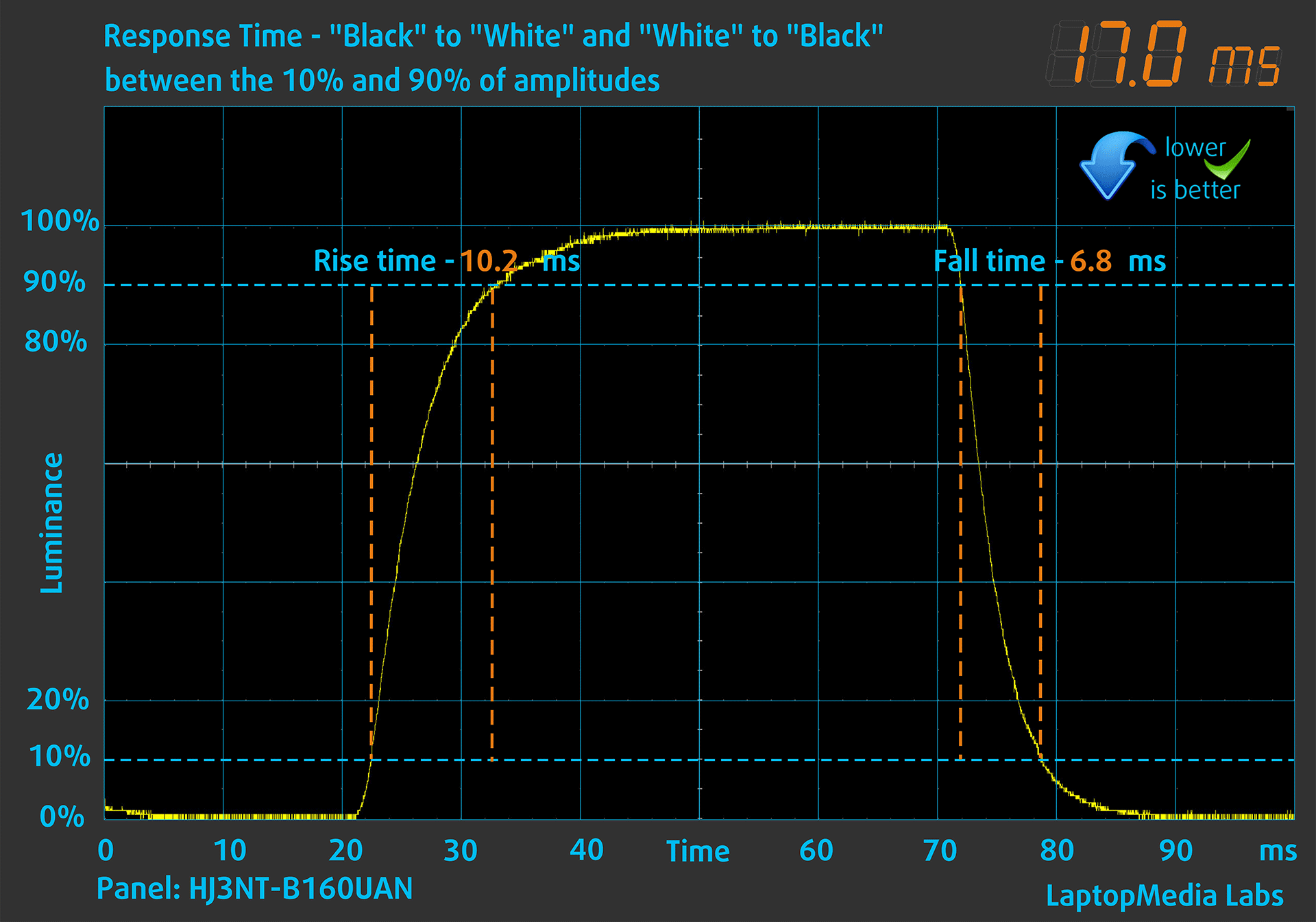
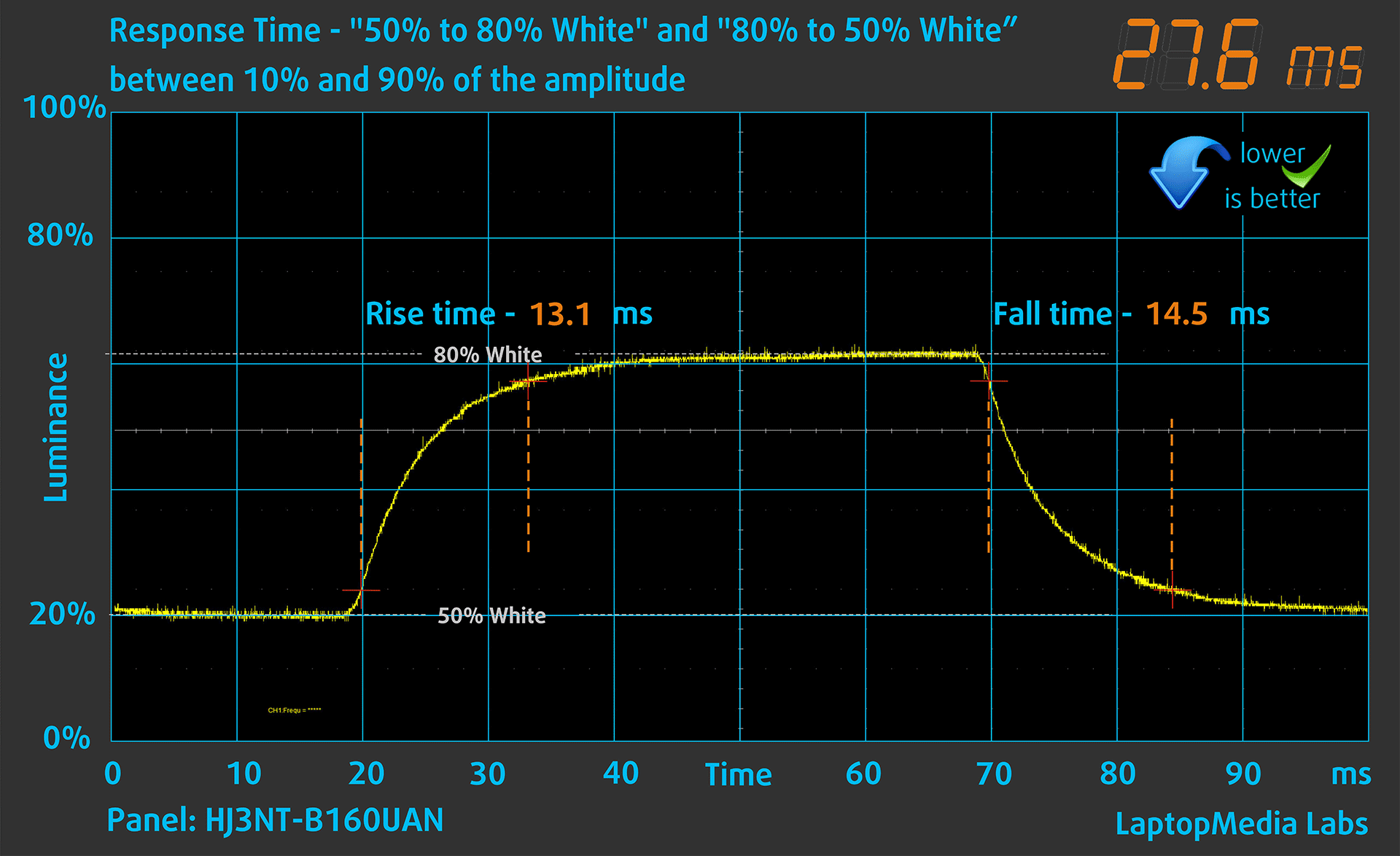
After that, we test the reaction time of the pixels with the usual “Gray-to-Gray” method from 50% White to 80% White and vice versa between 10% and 90% of the amplitude.
Health Impact: PWM (Screen flickering)
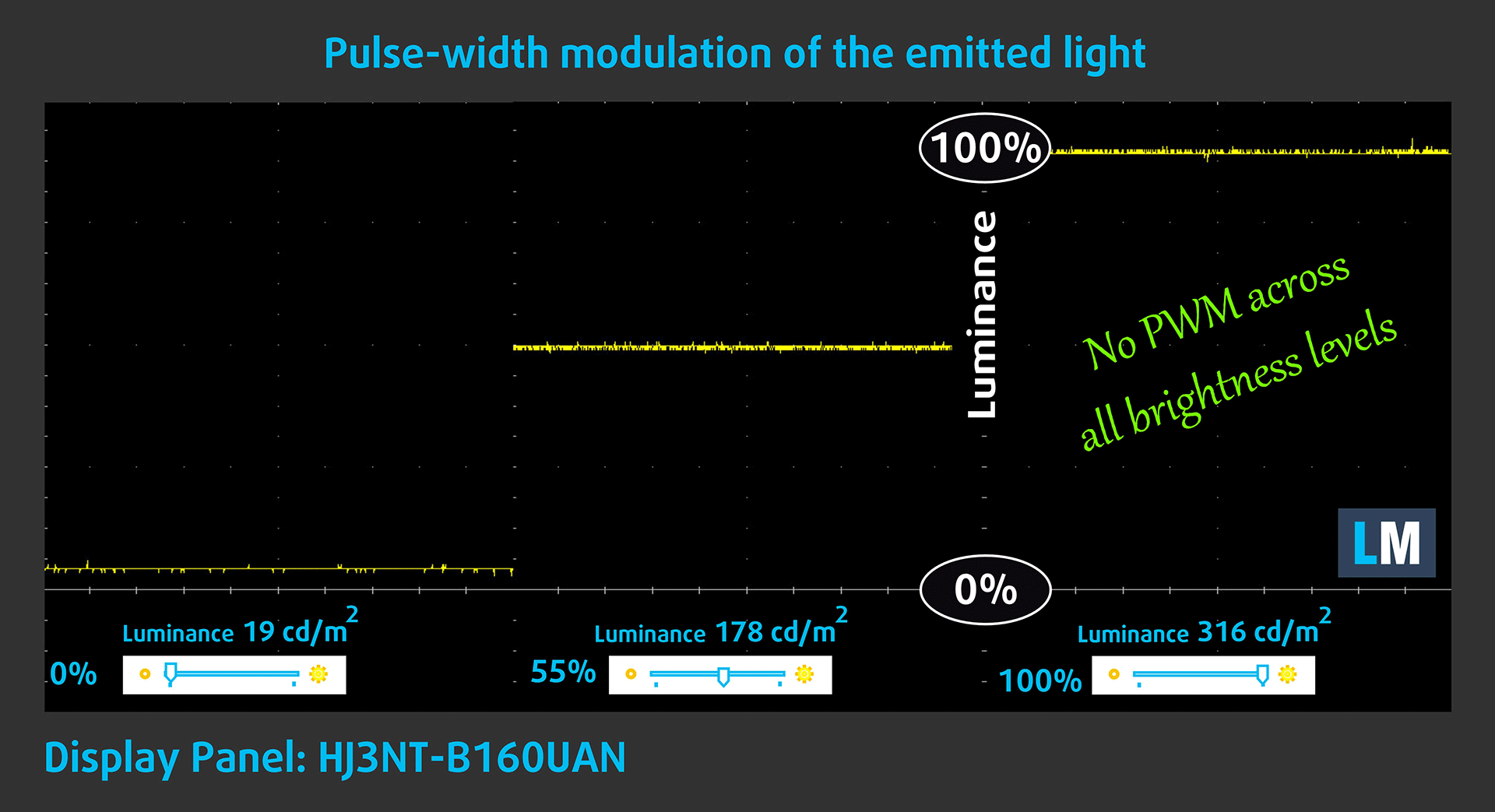
Some use PWM to regulate their brightness, which means that instead of reducing the light intensity, they pulse or flicker. Our brain merges the image, so it appears darker, but this strains both it and our vision, especially when the frequency of the pulses is low. You can read more about that in our dedicated article on PWM.
In the graph below, you see the intensity of light at different brightness levels—on the vertical axis is the brightness of the emitted light, and on the horizontal axis—time.
The light from the backlight of the Dell Pro 16 (PC16250) display is not pulse-width modulated, providing visual comfort in the discussed aspect.
Health Impact: Blue light emissions
Installing our Health-Guard profile reduces harmful Blue Light emissions while keeping the colors of the screen perceptually accurate.
If you’re not familiar with the Blue light, the TL;DR version is – emissions that negatively affect your eyes, skin, and your whole body. You can find more information about that in our dedicated article on Blue Light.
Health Impact: Screen Reflectance
Glossy-coated displays can cause eye fatigue in high ambient light conditions due to reflections. We measure the level of screen reflection with the display turned off, at a 60° angle.
The reflectance of the Dell Pro 16 (PC16250)’s screen is 49.9 GU. This is a very good result!
High Gloss: >70 GU
Medium Gloss: 30 – 70 GU
Low Gloss: <30 GU
Get our profiles
Since our profiles are tailored for each individual display model, this article and its respective profile package are meant for Dell Pro 16 (PC16250) configurations with HJ3NT-B160UAN (AUOFDB1), 1920 x 1200, IPS panel.
*Should you have problems with downloading the purchased file, try using a different browser to open the link you’ll receive via e-mail. If the download target is a .php file instead of an archive, change the file extension to .zip or contact us at [email protected].
Read more about the profiles HERE.
In addition to receiving efficient and health-friendly profiles, by buying LaptopMedia's products you also support the development of our labs, where we test devices in order to produce the most objective reviews possible.

Design and Office
The Design and Office profile makes display colors as close to real as possible.Ideal not only for professionals but also for everyday users, it meets sRGB standards (D65 white point, sRGB gamma) with minimal DeltaE for precise color reproduction on your panel.

Gaming and Movies
Have you ever watched a movie where, during dark scenes, you can barely see anything? Many displays fail to distinguish dark tones properly. Our Gaming and Movies profile enhances low-light performance, like HDR tech, using a gamma curve tailored to human perception — ideal for gamers seeking faster reactions and clearer visuals.

Health-Guard
Our Health-Guard profile protects your eyes by eliminating PWM flickering, reducing strain and fatigue, and minimizing harmful Blue light exposure that can disrupt sleep and health. It uses software dimming and a gamma curve tailored to human perception for comfort and safety during screen use.
Get All The Profiles With 33% Discount!

Sound
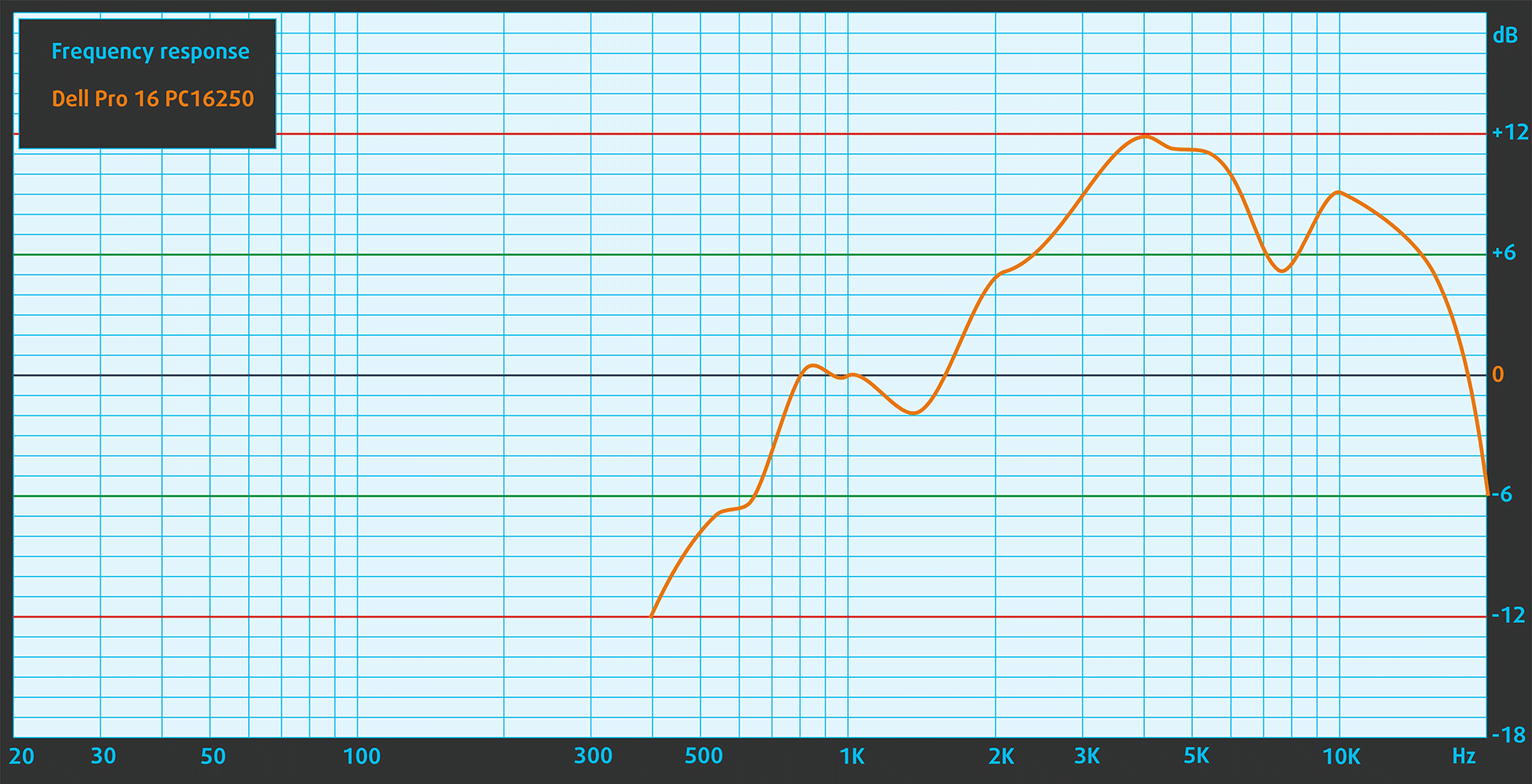
When we subjectively listen to a sound file through the built-in speakers, the sound quality offered by the Dell Pro 16 (PC16250) is very good.
Work Performance: CPU, Storage, AI
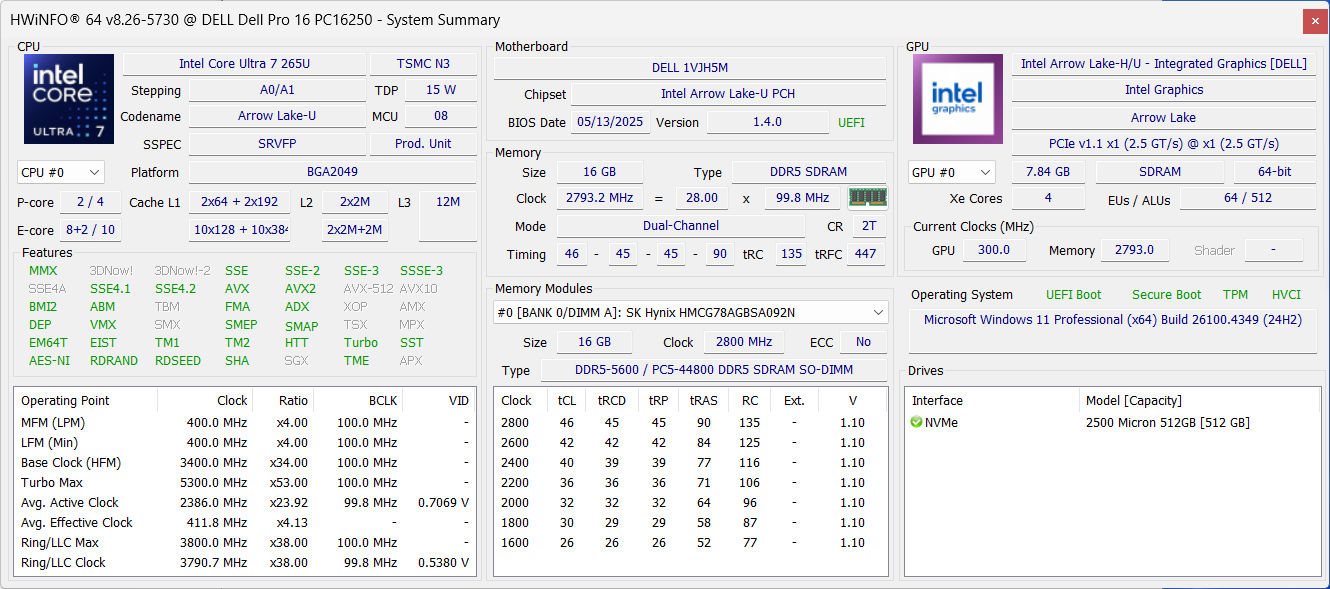
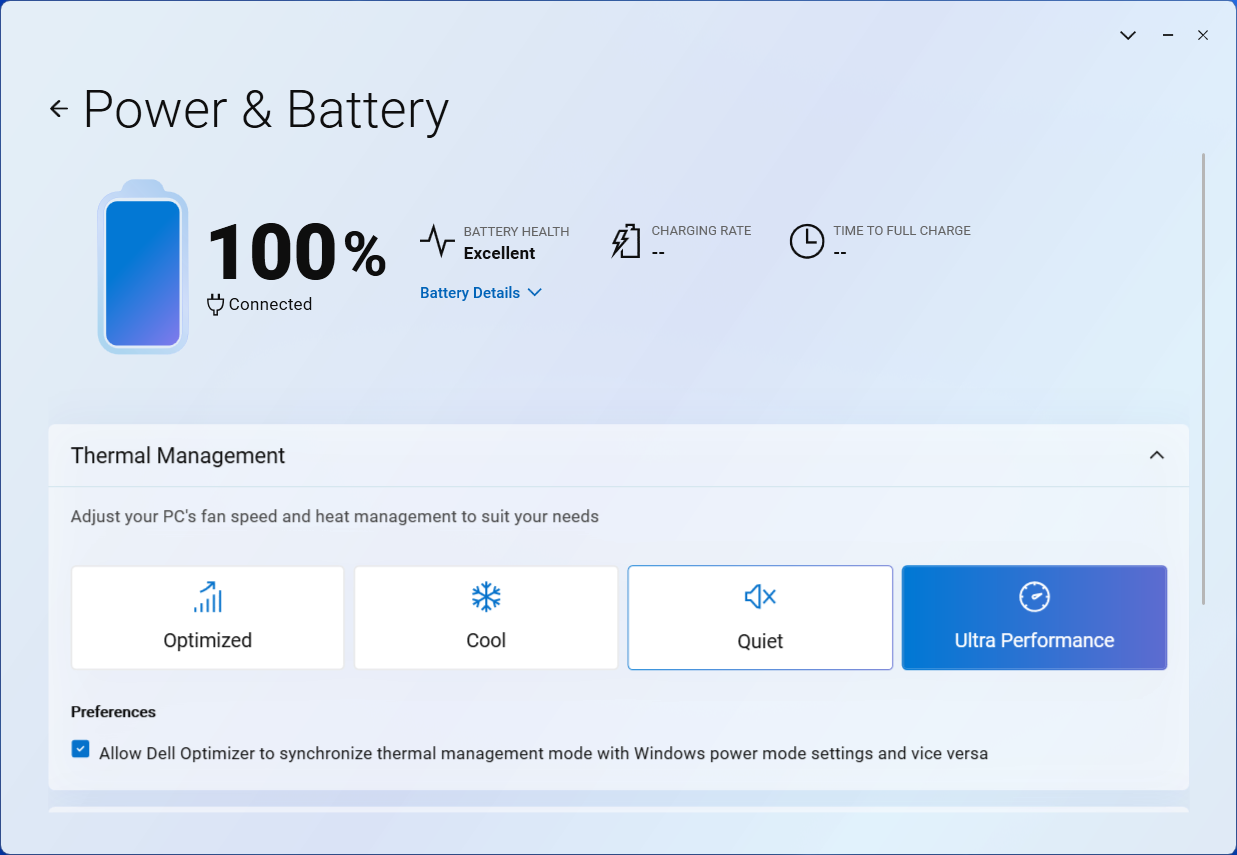
All performance and temperature tests are conducted with “Ultra Performance” mode activated in Dell Optimizer:
CPU and Work Performance
The Dell Pro 16 (PC16250) series is available with a wide range of processors, covering entry-level to upper mid-range options. It includes older models like the Core i3-1315U and Core 5 120U, as well as newer Core Ultra processors such as the Core Ultra 5 225U and Core Ultra 7 265U. There’s also the Intel Processor U300e for more basic tasks. This variety allows users to balance performance and budget according to their needs. For a clearer idea of how each processor ranks in terms of performance, take a look at our Top Laptop CPU Ranking.
As you see on the chart, the 265U in Dell Pro 16 is as fast as the Qualcomm Snapdragon X (X1-26-100) in single-core tasks, while the Snapdragon X is faster in the multi-core tests (but has compatibility issues). The Acer Swift 16 AI (SF16-51) with Core Ultra 9 is in the same price category but shows much better performance. Don’t ignore the Meteor Lake-H models as they’re great as well.
Single-core performance ensures smooth operation and responsiveness in operating systems, providing a better user experience.
Results are from the Geekbench 6 Single-Core test (higher is better)

Multi-core performance is essential for handling complex and demanding tasks, such as Video editing, CAD, and Scientific simulations.
Results are from the Geekbench 6 Multi-Core test (higher is better)
Here, we evaluate the CPU's performance using a real-world 3D rendering task, assessing its ability to handle complex computations and rendering workloads efficiently.
Results are from the Cinebench 2024 Multi-Core test (higher is better)
Storage Performance
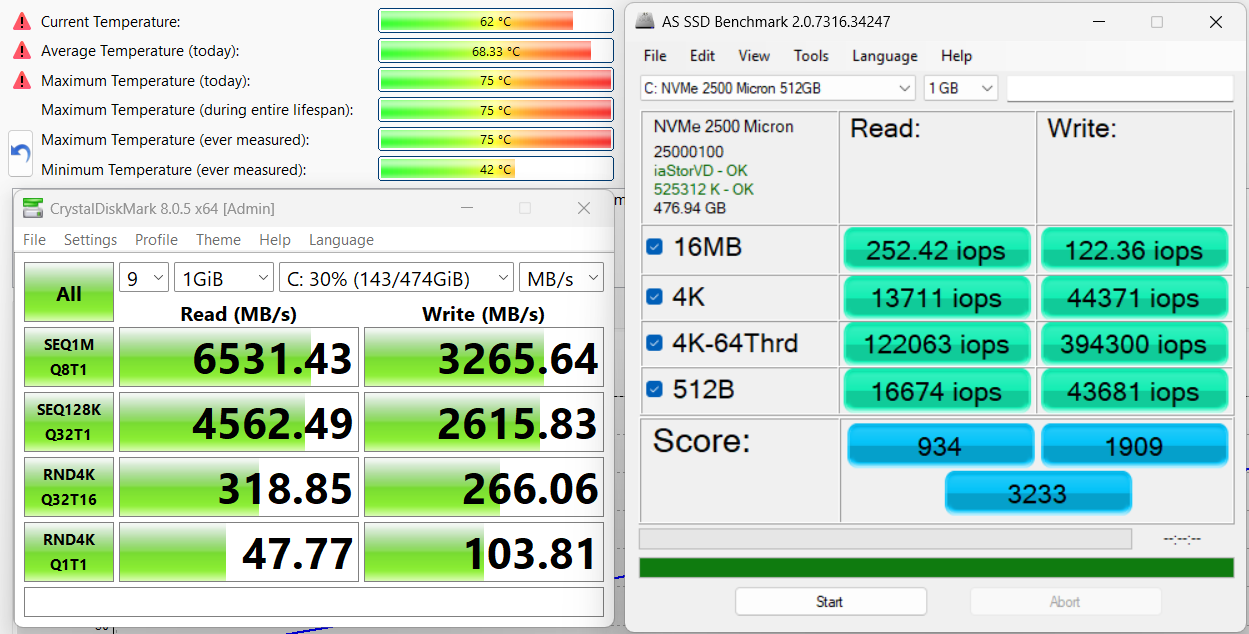
Attention! If you decide to buy the most budget-friendly version of the PC16250 with 128GB of storage, keep in mind that it will use UFS instead of NVMe, so we expect significantly lower speeds. We ordered the 512GB version, and it came with a Micron 2500. It’s a rather good SSD, reaching 6.5GB/sec in sequential read speed and 3.3GB/sec in sequential write speed.
AI Performance
Here you can see the position of the GPUs and CPUs (NPUs) found within the Dell Pro 16 in our AI Hardware Performance Rankings based on their AI processing power, measured in TOPS (Tera Operations Per Second) - a critical metric indicating the computational throughput, particularly for AI tasks.
The first column shows peak performance for INT8/FP8 precision, which is the most widespread metric for evaluating AI inference capabilities. We exclude Sparsity to provide a more accurate reflection of AI performance in dense computation scenarios where sparsity optimizations may not be applicable. The second and third columns show the performance with Sparsity, and FP4 TFLOPS, when supported.
For SoCs, the results reflect the peak performance of the integrated NPU. Additionally, it’s important to note that, according to Microsoft, a NPU must have at least 40 TOPS of AI computing power for the PC to be considered “AI-capable.”
GPU and Gaming Performance
Graphics options for the Dell Pro 16 rely on integrated Intel GPUs. Configurations include Intel UHD Graphics Xe G4 (48 execution units), UHD Graphics from Alder Lake with 64 EUs, and Iris Xe Graphics with either 80 or 96 EUs. These integrated solutions are suitable for everyday tasks and light graphics workloads, but may not meet the demands of intensive GPU applications.
The integrated Intel Graphics (4-Cores) in Intel Core Ultra 7 265U is one of the slowest GPUs on the market. If you need high GPU performance, look elsewhere.
To see how these integrated GPUs compare to other options, visit our Top Laptop Graphics Ranking.
The results are from 3DMark Time Spy (Graphics). Higher is better.
The results are from 3DMark Wild Life Extreme Unlimited. Higher is better.
Dell Pro 16 (PC16250) GPU variants
Here you can see an approximate comparison between the GPUs that can be found in the Dell Pro 16 (PC16250) models on the market. This way you can decide for yourself which Dell Pro 16 (PC16250) model is the best bang for your buck.
Note: The chart shows the cheapest different GPU configurations so you should check what the other specifications of these laptops are by clicking on the laptop’s name / GPU.
The results are from 3DMark Time Spy (Graphics). Higher is better.
Results are from the 3DMark: Fire Strike (Graphics) benchmark (higher the score, the better)
Results are from the 3DMark: Wild Life (Graphics) benchmark (higher the score, the better)
Results are from the Unigine Superposition benchmark (higher the score, the better)
Gaming tests

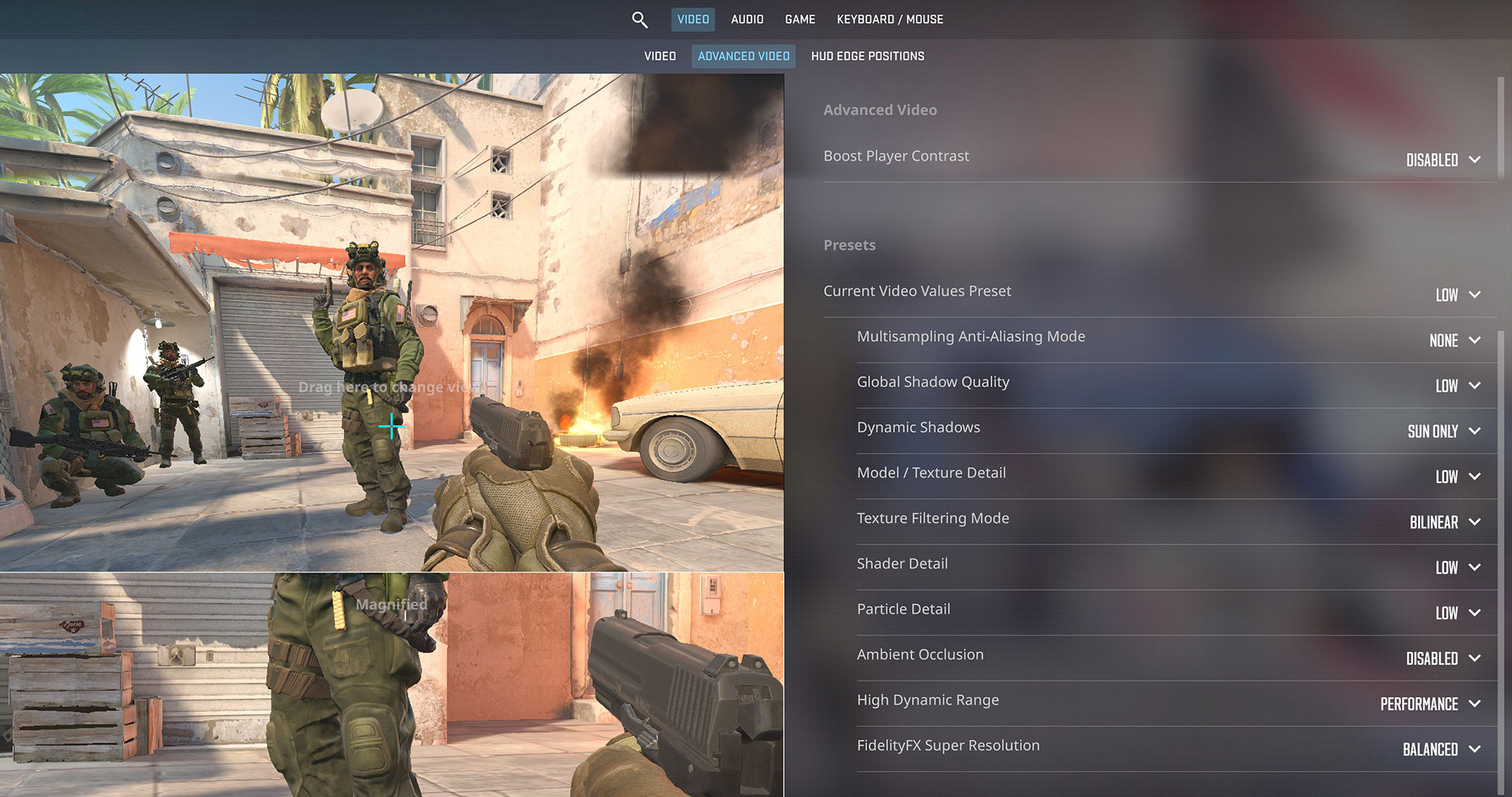
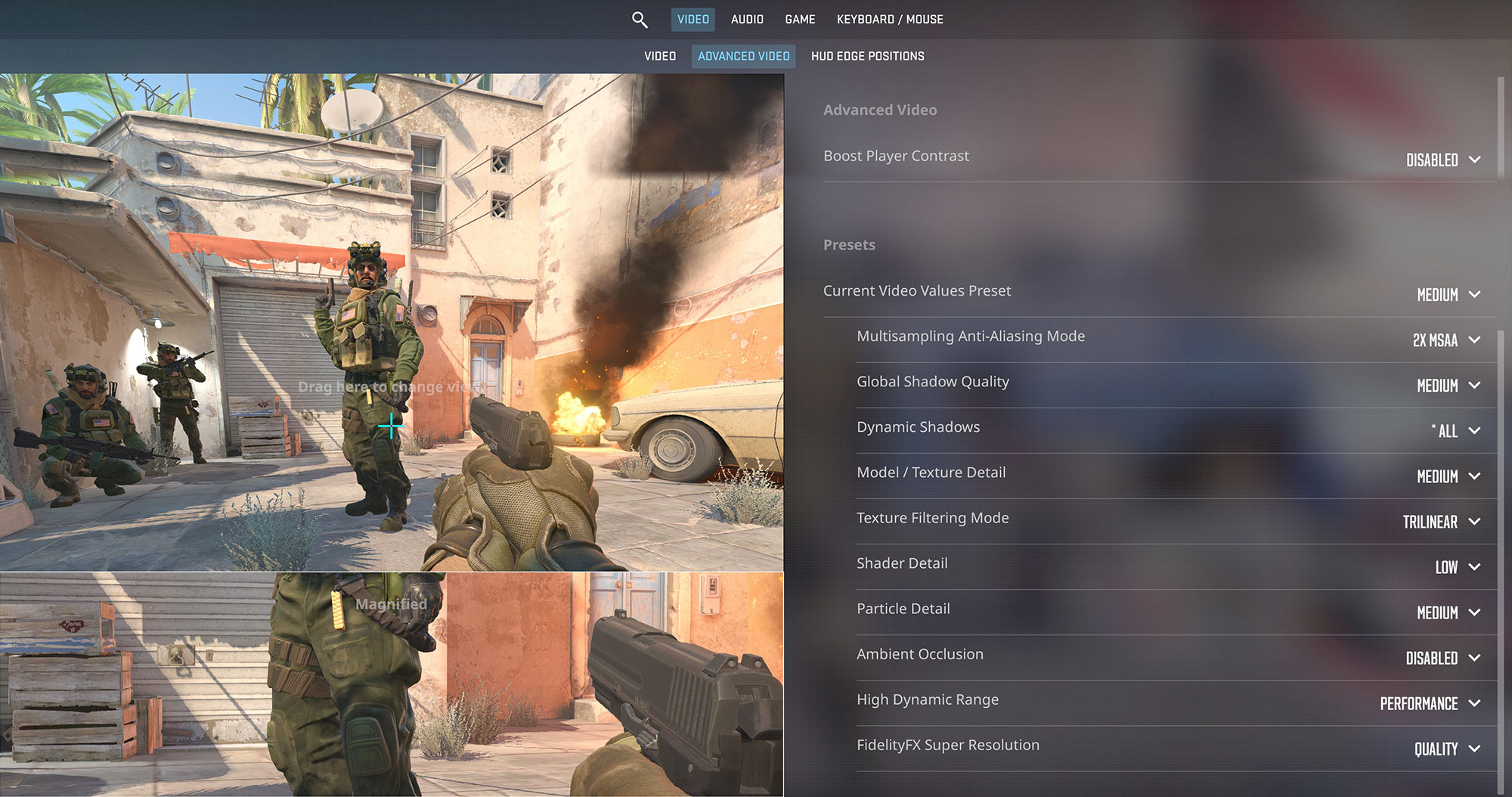
While not a dedicated gaming machine, and having a rather slow iGPU, the Dell Pro 16 can handle some light gaming. In Counter-Strike 2, it achieves a playable 83 FPS on Low settings at 1200p, which is decent for casual play. On Medium settings, the frame rate drops to 51 FPS.
| Counter Strike 2 | 1200p, Low (Check settings) | 1200p, Medium (Check settings) |
| Average FPS | 83 FPS | 51 FPS |

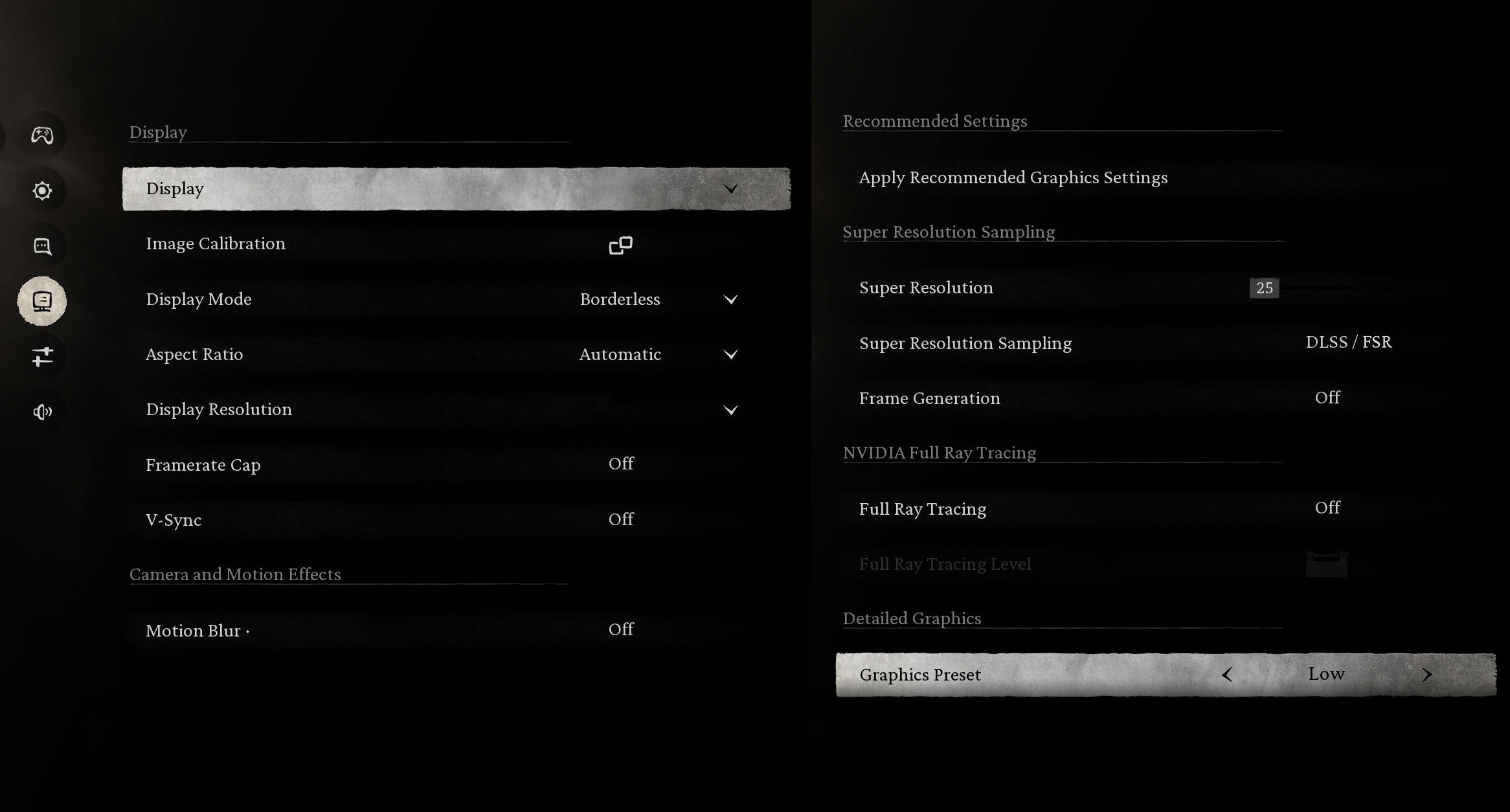
Modern, graphically-intensive titles like Black Myth: Wukong are a struggle for the integrated Intel Graphics. At 1200p on the Low preset, the game runs at 28 FPS, which is below the threshold for a smooth experience.
| Black Myth: Wukong | 1200p, Low (Check settings) |
| Average FPS | 28 FPS |

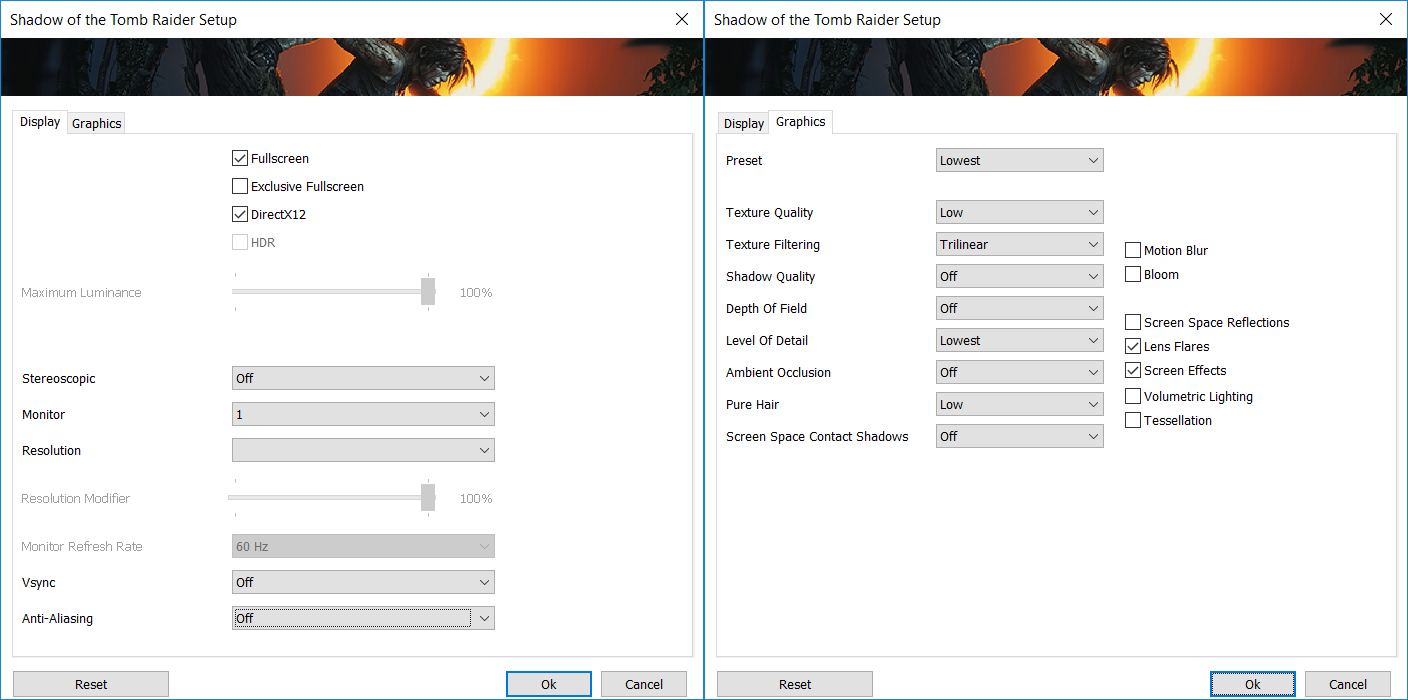
In older but still popular titles like Shadow of the Tomb Raider, the Dell Pro 16 manages to hit the 30 FPS mark on the Lowest settings at 1200p. This is on the borderline of playable for a single-player adventure game.
| Shadow of the Tomb Raider | 1200p, Lowest (Check settings) |
| Average FPS | 30 FPS |
Temperatures and Comfort, Noise, Stability
At idle, the CPU package of the Core Ultra 7 265U maintains a temperature of 47ºC, and the notebook remains almost completely silent.
Office Work, Web Development, Design
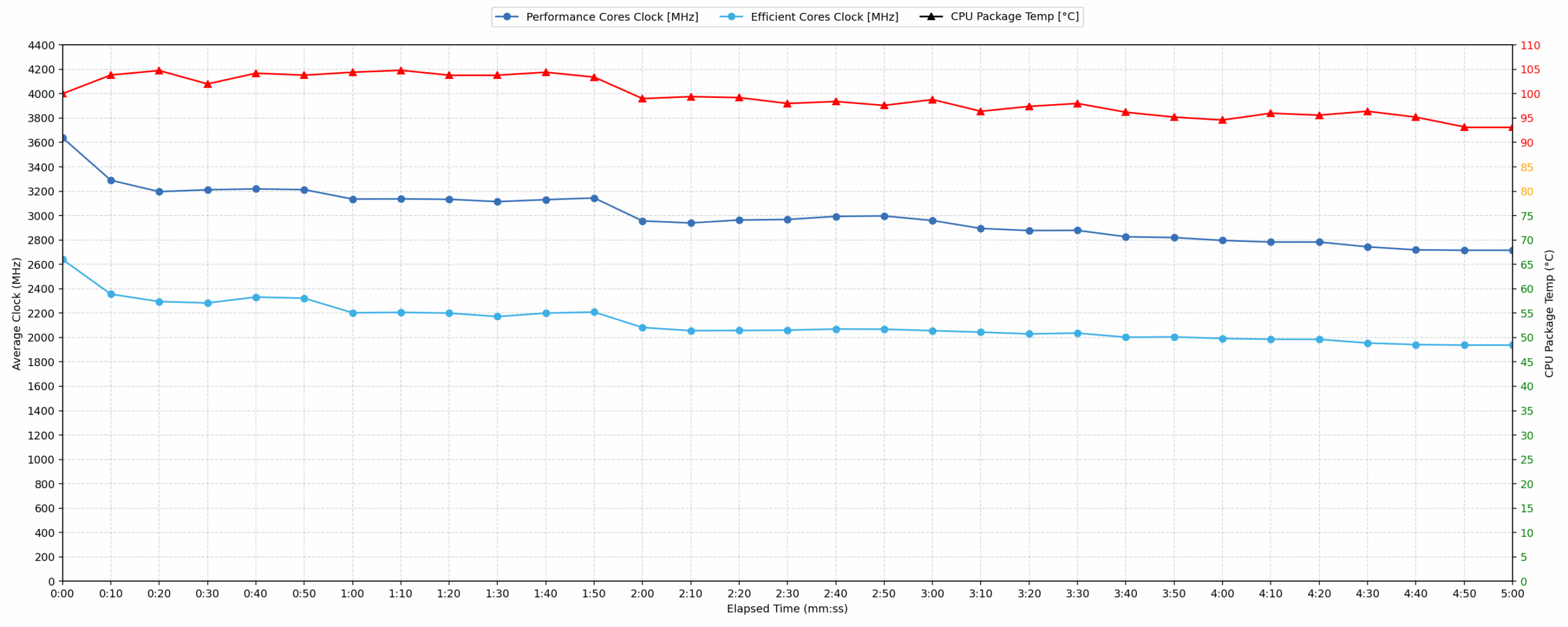
Short periods (0:00 – 0:10 s) of 100 % CPU load
This test shows the CPU behavior during short periods of serious load. It’s important for users who are looking for laptops suitable for tasks like Web Design and Programming.
| Intel Core Ultra 7 265U | Avg. P-Core Clock | Avg. CPU Temp. | Avg. CPU Power |
| Dell Pro 16 (PC16250) | 3639 MHz | 100 °C | 42 W |
| Dell Pro 14 (PC14250) | 3338 MHz | 104 °C | 34 W |
The Dell Pro 16 (PC16250) demonstrates strong burst performance, achieving a peak clock of 3911 MHz and an average of 3639 MHz during short loads, drawing 42 W. However, the CPU temperature averages 100 °C, peaking at 105 °C, indicating high thermal output. Compared to the Dell Pro 14, the PC16250 delivers a higher average clock speed (3639 MHz vs 3338 MHz) and higher power, yet manages a slightly lower average temperature (100 °C vs 104 °C) for similar short workloads.
Video editing, Scientific computing, Software compilation, 3D rendering
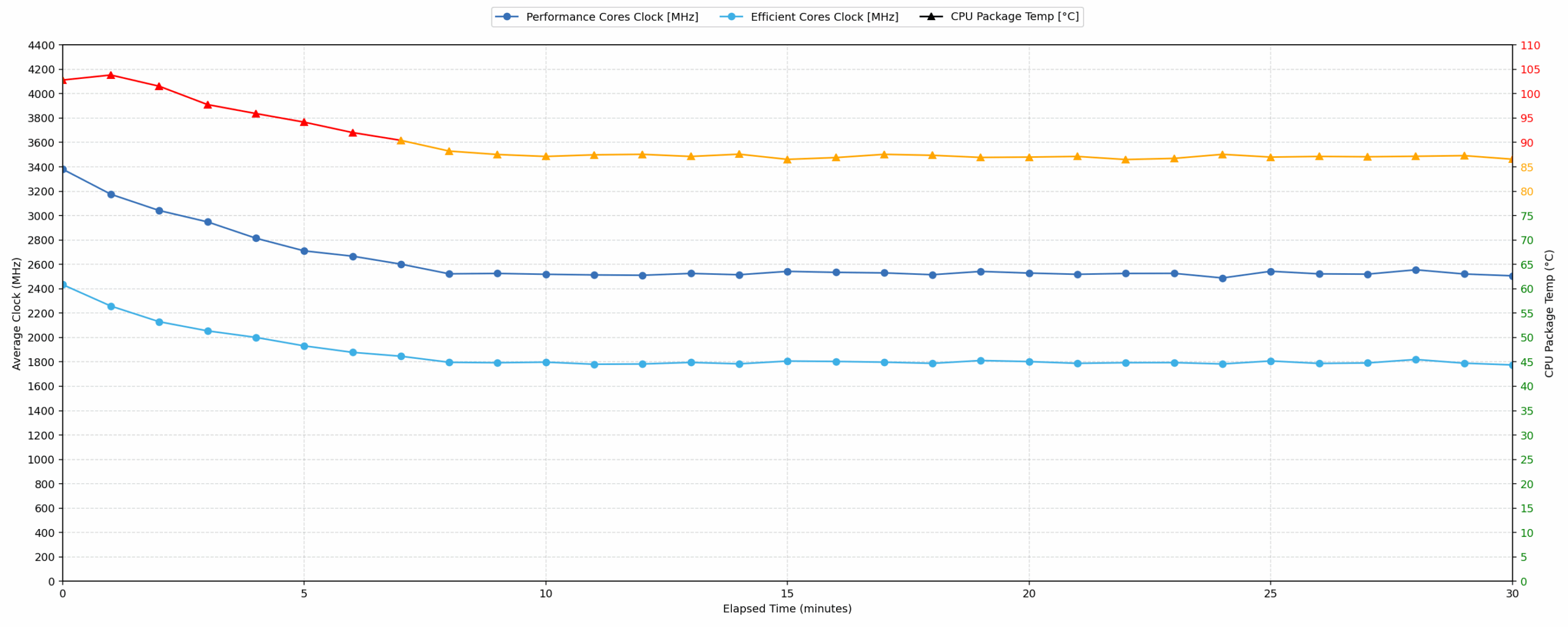
Long periods (0:00 – 30:00 min) of 100 % CPU load
This test shows the CPU behavior during long periods of serious load. It’s important for users who are looking for laptops suitable for tasks like Video Editing and 3D Rendering.
| Intel Core Ultra 7 265U | Avg. P-Core Clock | Avg. CPU Temp. | Avg. CPU Power |
| Dell Pro 16 (PC16250) | 2614 MHz | 89 °C | 19 W |
| Dell Pro 14 (PC14250) | 2614 MHz | 88 °C | 18 W |
Under sustained 30-minute CPU load, the Dell Pro 16 maintains a consistent average clock speed of 2614 MHz with an average power draw of 19 W. The average CPU temperature remains acceptable at 89 °C, showing stable thermal management for prolonged tasks. Both the Dell Pro 16 and Dell Pro 14, equipped with the same Intel Core Ultra 7 265U CPU, perform identically in terms of average clock speed (2614 MHz). The Dell Pro 16 operates at 89 °C, slightly warmer than the Dell Pro 14 at 88 °C, despite the bigger chassis.
Battery Life
Dell Pro 16 (PC16250) has a 55Wh battery unit.
We’re testing it with the “Quiet” mode activated in “Dell Optimizer” – this is the most energy-efficient mode you can choose.
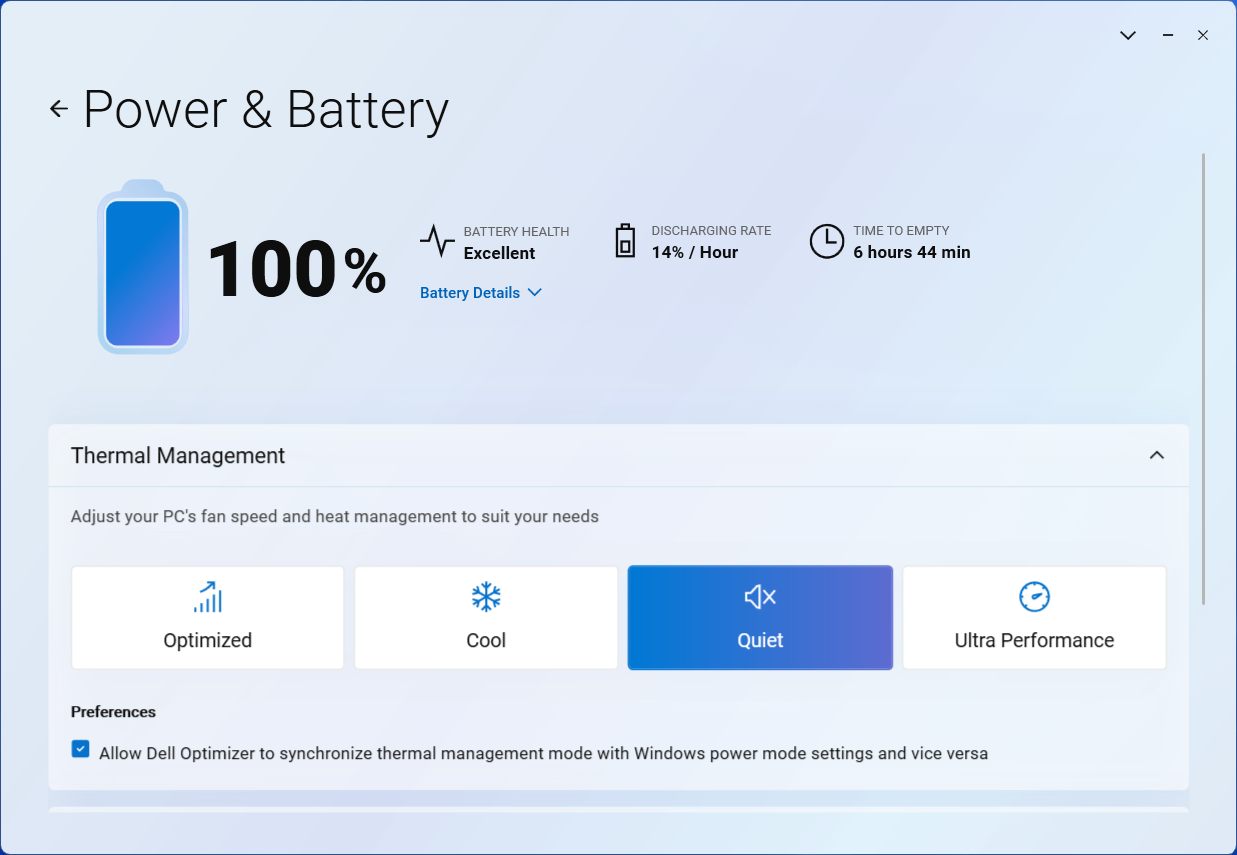
More than 10 hours on a single charge is a good result. However, it’s almost twice lower than the super energy efficient ASUS Vivobook 16 X1607. Acer Swift 16 AI (SF16-51), with its bigger battery also lasts 50% longer.
The 14-inch Dell Pro runs for a bit longer on a single charge, due to the smaller screen.
Brightness: 180 nits; Display Mode: SDR
Time to Full Discharge: Higher is Better
Disassembly, Upgrade options, and Maintenance
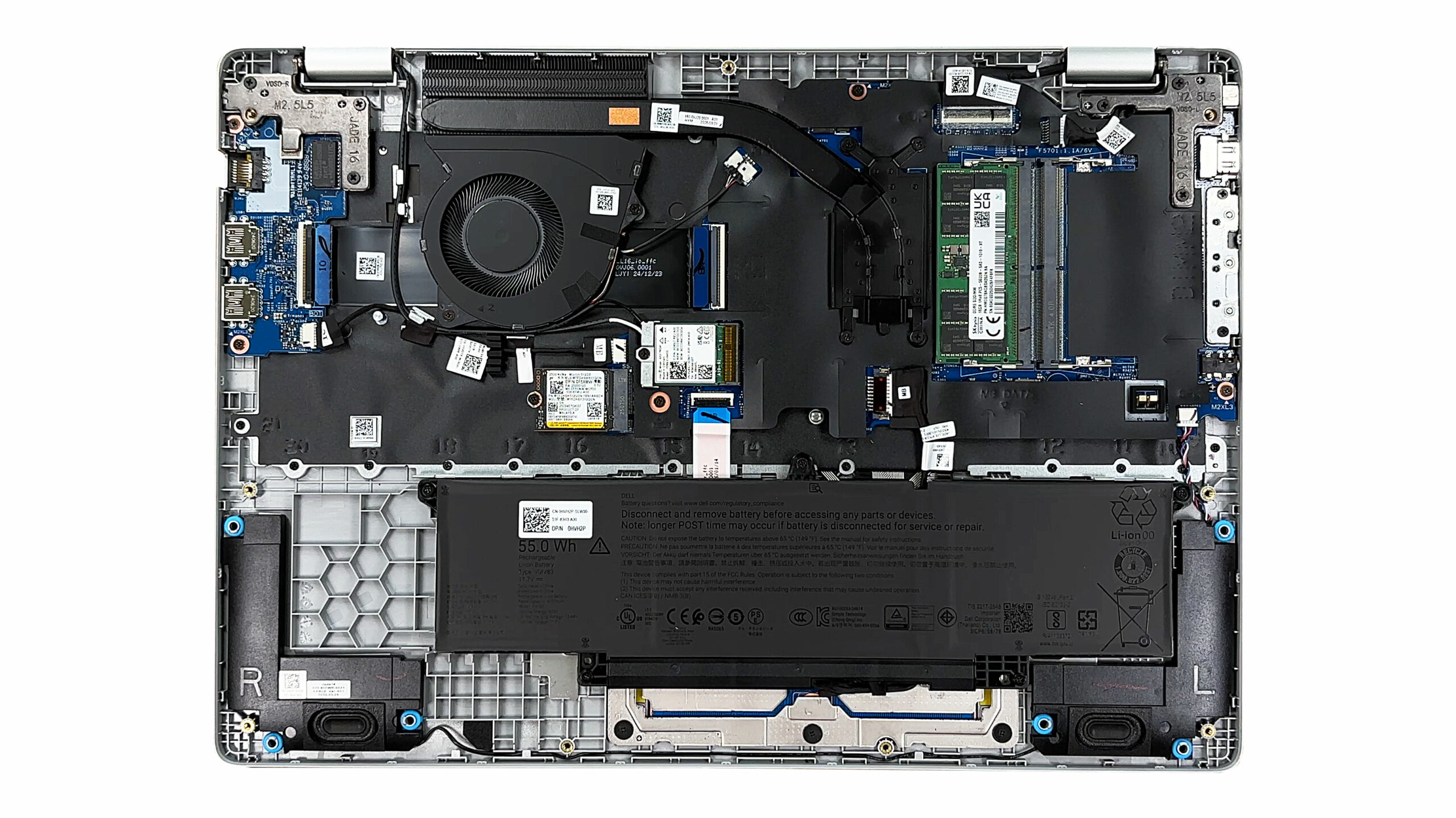
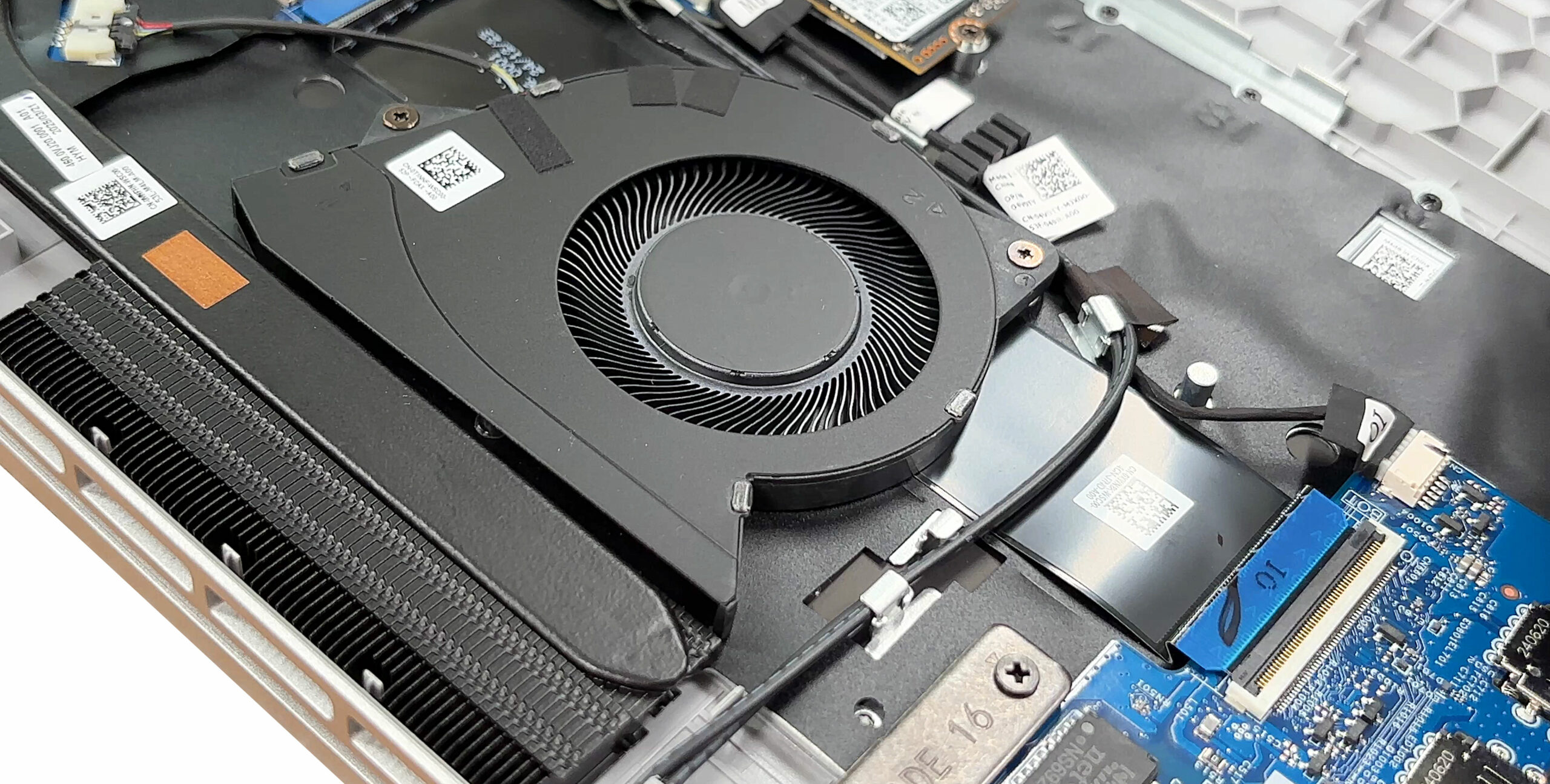
Dell’s Pro 16 opens with nine captive Phillips‑head screws and a gentle pry, revealing a tidy interior dominated by a single blower fan that feeds a wide fin stack along the rear edge.
The cooling solution consists of one heat pipe shared between the processor and the voltage‑regulation zone, so thermals will depend heavily on fan tuning rather than sheer metal mass.
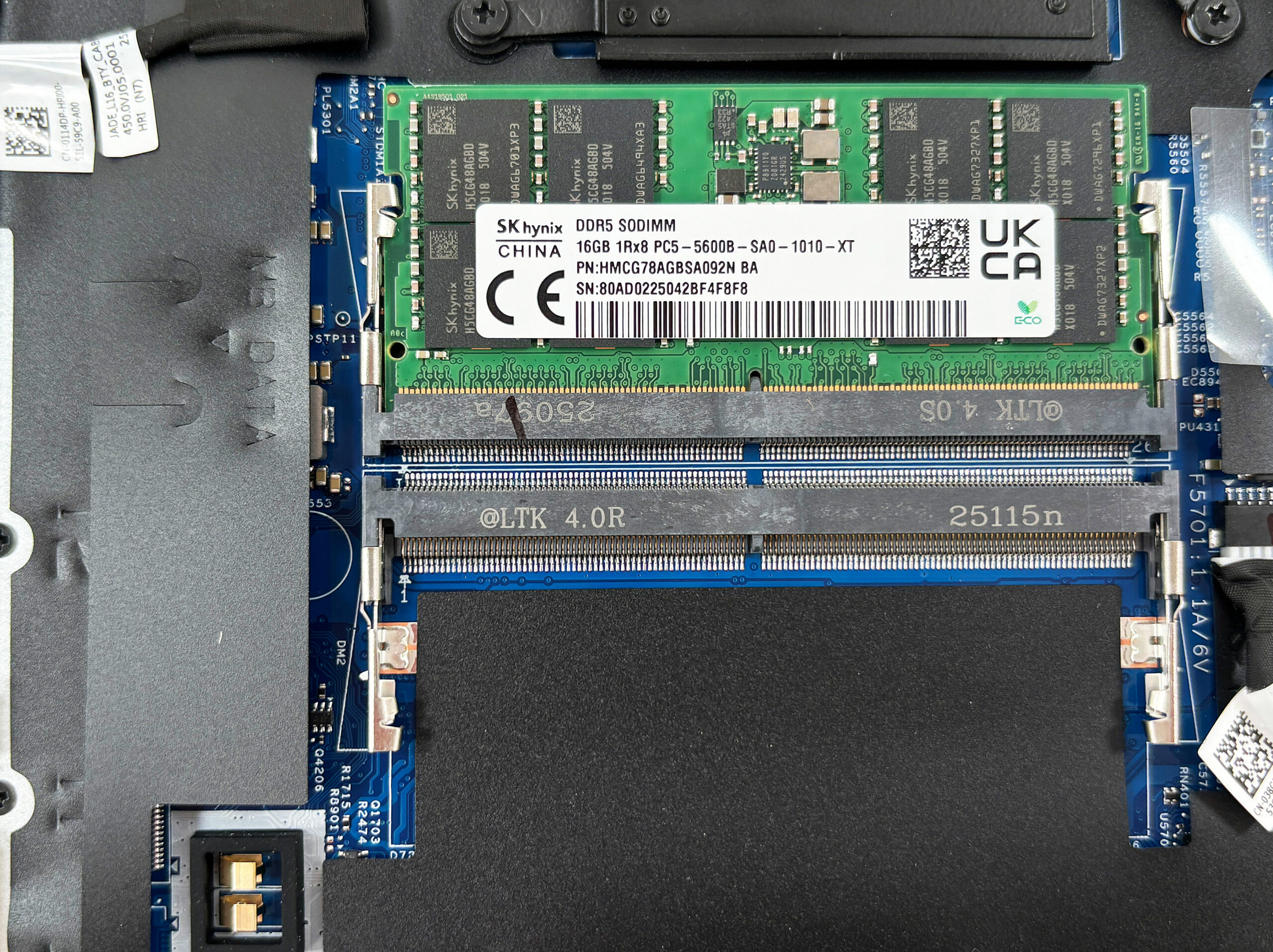
Memory upgrades are straightforward thanks to two DDR5 SO‑DIMM slots on the right side of the motherboard. Our unit arrives with a single 16 GB SK Hynix module rated at 5600 MT/s, leaving the second slot vacant for dual‑channel operation.
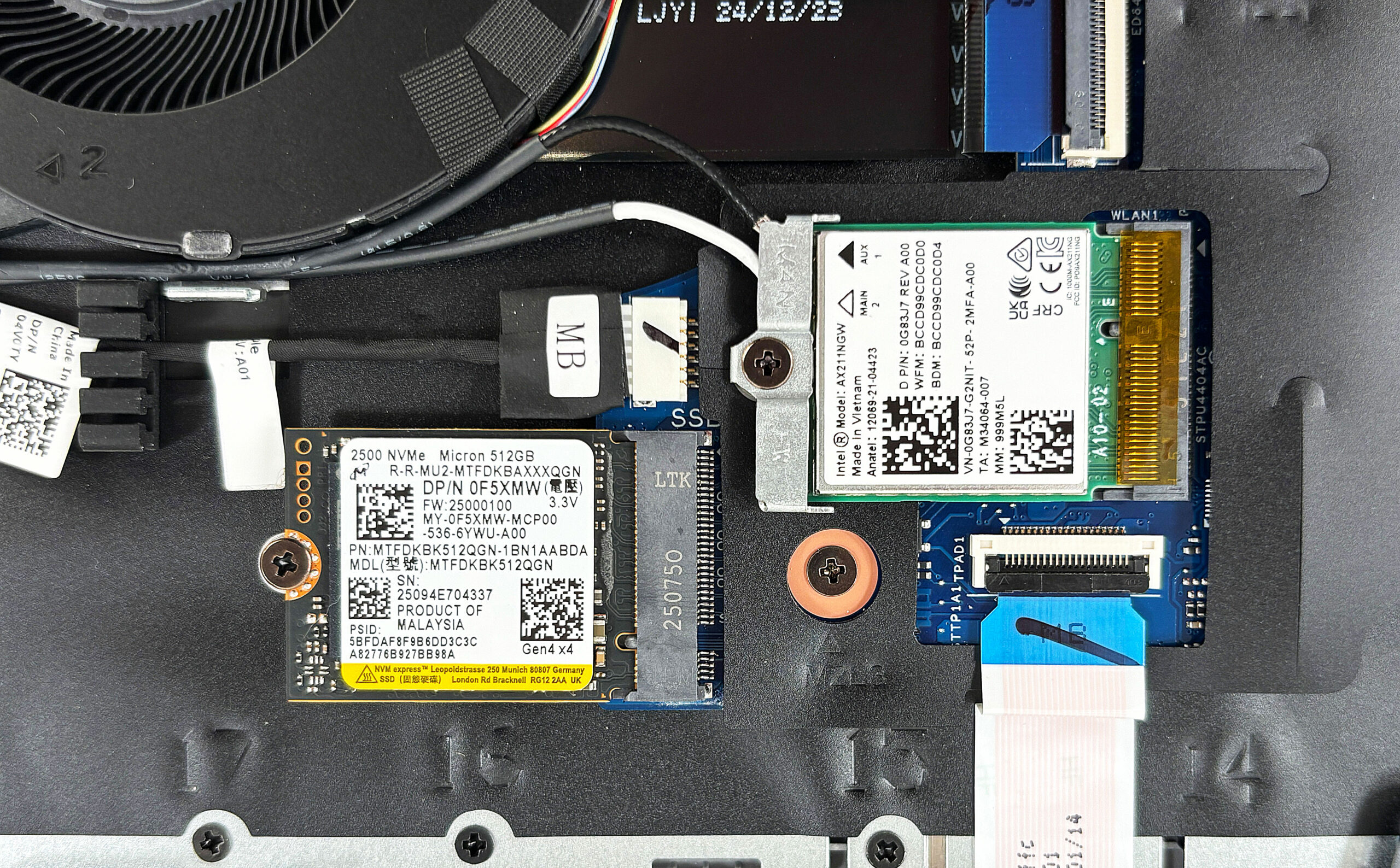
Storage is more limited: a lone M.2 2230 PCI Express 4.0 connector sits next to the fan, here occupied by a Micron 2500‑series 512 GB drive. Larger 2280 sticks will not fit so plan your capacity needs accordingly.
Wireless connectivity is handled by a separate Intel AX211 Wi‑Fi 6 E card, meaning you can swap in a Wi‑Fi 7 module like the Intel B E 200 down the line.
The 55 Wh battery is secured by five screws—one removable, four captive—and lifts out once its cable is detached, making future replacements painless.
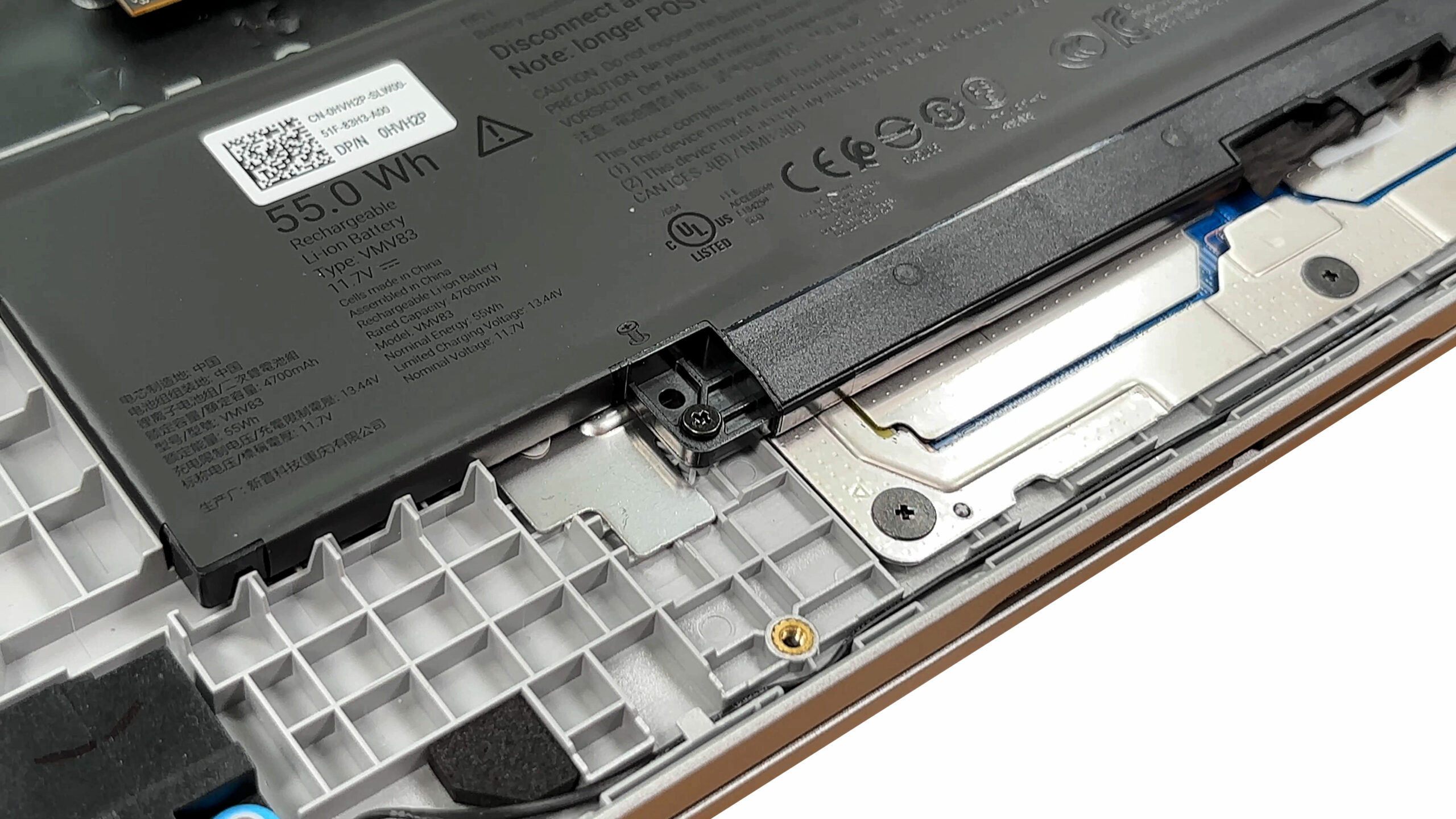
Speakers, fan, and the entire bottom‑firing woofer housings are held in with standard screws, so routine maintenance and part swaps are well within reach.
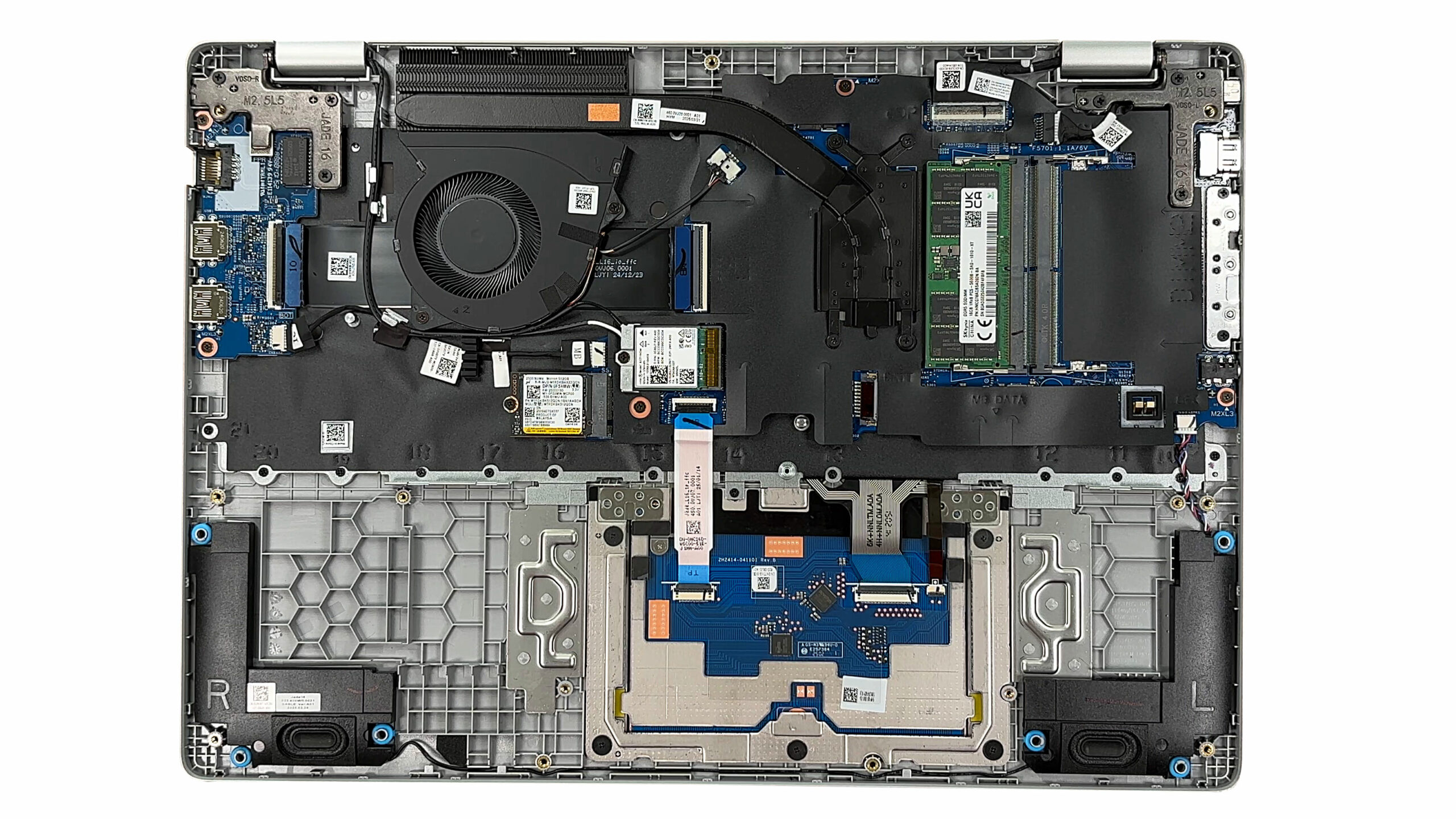
Overall, the Pro 16 offers a friendly layout with full access to RAM, Wi‑Fi, battery, and the single SSD, keeping maintenance easy despite the compact storage bay.
Verdict
The Dell Pro 16 (PC16250) is the quintessential business workhorse, a machine designed with pure function and practicality at its core. It forgoes flashy design and premium materials in favor of a robust feature set geared towards productivity and, most importantly, user serviceability. It’s a laptop built for the IT department or the practical professional who values upgradeability and a full keyboard over aesthetic flair.
While it offers a fantastic suite of business-centric features, these strengths are paired with some notable compromises, especially on the base model, which potential buyers need to be acutely aware of.
✅ The Good
 First, the inclusion of two user-accessible SODIMM slots for RAM, in a thin and light laptop, is a massive win for long-term value and flexibility, allowing users to easily and affordably expand their memory down the line.
The Dell Pro 16 is also packed with practical features for a professional environment. The port selection is excellent, offering both a modern Thunderbolt 4 port and a legacy RJ-45 Ethernet port. The keyboard is comfortable for long typing sessions and includes a full NumPad, and the battery life is good for a 16-inch machine.
Finally, even the disappointing base model display has a critical saving grace: it is completely PWM-free, which is a huge benefit for eye comfort during long workdays. The inclusion of a physical privacy shutter for the webcam further reinforces its business-first credentials.
❌ The Bad
The most significant compromise on our test unit is the entry-level display. With extremely poor color coverage at just 52% sRGB, it is only suitable for basic office tasks and is visually underwhelming. We strongly advise opting for one of the 100% sRGB panel options if your budget allows.
The thermal management is another major point of concern. The CPU runs very hot under load, frequently hitting 100°C and throttling performance. A baffling design choice is the use of a single, small M.2 2230 slot for storage. This severely limits storage upgrade options to smaller, often more expensive drives compared to the standard 2280 format.
Lastly, potential buyers should be wary of the advertised Wi-Fi 7 capabilities. Our top-tier CPU model arrived with a Wi-Fi 6E card, so it is crucial to check the specific configuration sheet before purchasing.
🆚 The Competitors
 When compared to its more premium sibling, the Dell 16 Plus DB16250 (detailed review), the Pro 16’s value proposition becomes clear. The 16 Plus has a far superior screen and a more elegant design, but its RAM is soldered. The Dell Pro 16 is the more practical, albeit less glamorous, choice for users who prioritize long-term serviceability over a premium finish.
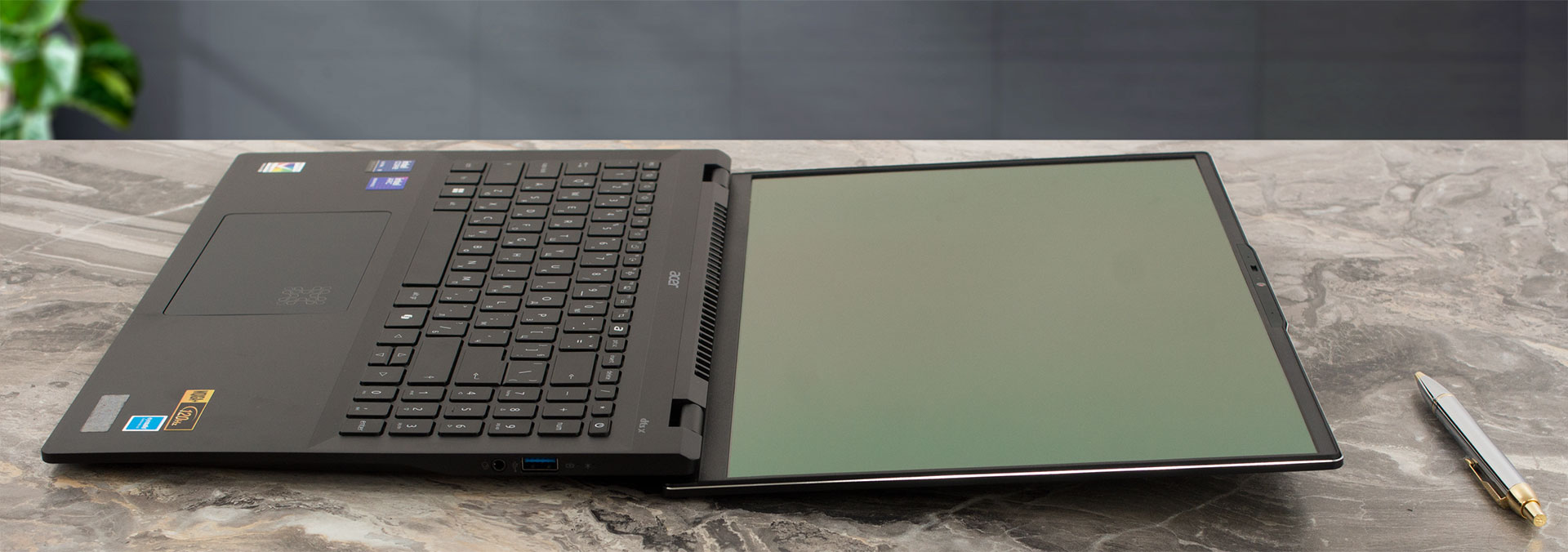
Against an external rival like the Acer Swift 16 AI SF16-51 (detailed review), the Pro 16 struggles on raw performance, as the Swift offers a much more powerful processor. However, the Dell Pro 16’s trump card remains its user-upgradeable RAM and robust business-oriented port selection, making it a more flexible tool for a corporate environment.
You can check the prices and configurations in our Specs System: https://laptopmedia.com/series/dell-pro-16-pc16250/
Pros
- RAM upgradeability with two SODIMM slots
- Great port selection for business, including Thunderbolt 4 and Ethernet
- PWM-free display is comfortable for the eyes
- Good battery life for a 16-inch machine
- Comfortable keyboard with a full NumPad
- Physical privacy shutter for the webcam
Cons
- Base model display has very poor color coverage (52% sRGB)
- CPU runs very hot and throttles under load
- Storage is limited to a single, small M.2 2230 slot
- Underwhelming performance for the price
 Author: Simeon NikolovEditor-in-Chief at LaptopMedia.com with 20+ years of experience in testing and analyzing laptops and mobile devices.
 Author: eng. Kroum NikolovHead of Engineering at LaptopMedia.com, inventor and innovator with 40+ years of experience in electronics and high technology.

![[July 2026] Global Ranking of Best-Selling Laptop GPUs on Amazon – RTX 5060 Dominate Premium, Intel Still Rules Budget](https://laptopmedia.com/wp-content/uploads/2026/08/Best-Selling-GPUs-GLOBAL-Top-10-400x225.jpg)
![[July 2026] Global Ranking of Best-Selling Laptop CPUs on Amazon – Apple Dominates Premium, Intel Holds Overall Crown](https://laptopmedia.com/wp-content/uploads/2026/08/Best-Selling-CPUs-GLOBAL-Top-10-400x225.jpg)
![[July 2026] Amazon Canada: Top 10 Best-Selling Laptops – Apple MacBook Neo Dominates the Market to Claim the #1 Spot](https://laptopmedia.com/wp-content/uploads/2026/08/Best-Selling-Laptops-CA-Top-10-2-400x225.jpg)
![[July 2026] Best-Selling Laptop Brands on Amazon Japan – HP and Lenovo Dominate Units and Revenue Amid Fierce Competition](https://laptopmedia.com/wp-content/uploads/2026/08/CO.JP-Best-Brands-2-400x225.jpg)
![[July 2026] Amazon Italy: Top 10 Best-Selling Laptops – Apple MacBook Neo Claims the #1 Spot Amid Budget-Friendly Dominance](https://laptopmedia.com/wp-content/uploads/2026/08/Best-Selling-Laptops-IT-Top-10-400x225.jpg)