LaptopMedia 的显示器配置文件 3.0 – 设计与办公、游戏与电影以及健康卫士
在这里,您可以找到由 LaptopMedia 制作的第三代显示器配置文件的相关信息。
在 LaptopMedia,我们建立了一个计算机研究中心,在过去的15 年中,我们测试了市场上发布的几乎所有新机型。如今,它已成为世界上最先进的计算机测试实验室之一。
我们面临的挑战之一,就是通过为每种屏幕型号量身定制特殊配置文件,最大限度地发挥显示屏的潜力,增强色彩,使图像更清晰,并保护用户的健康。
设计和办公室
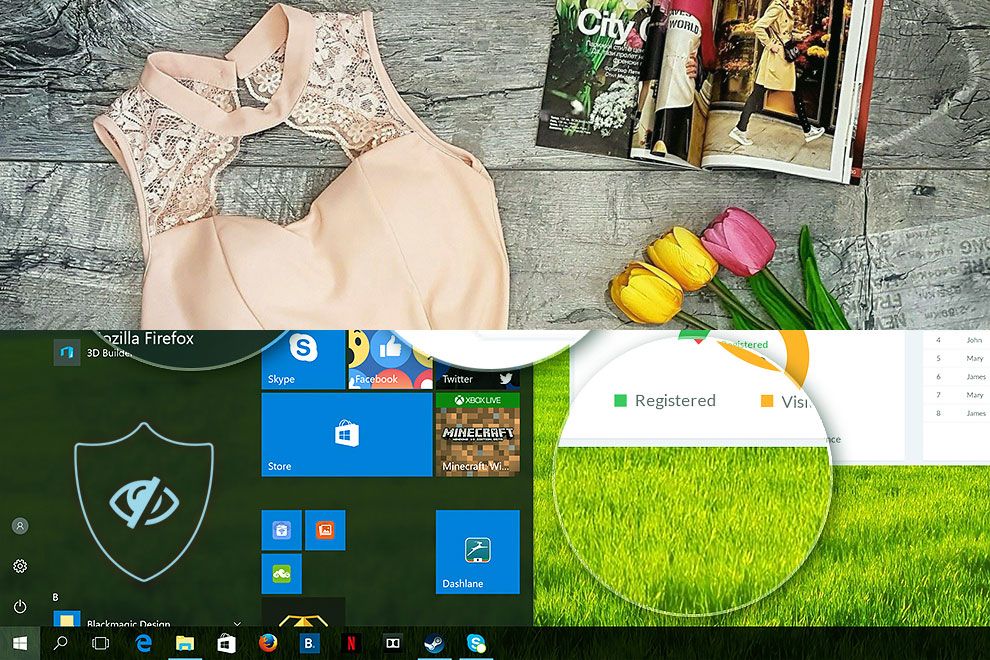
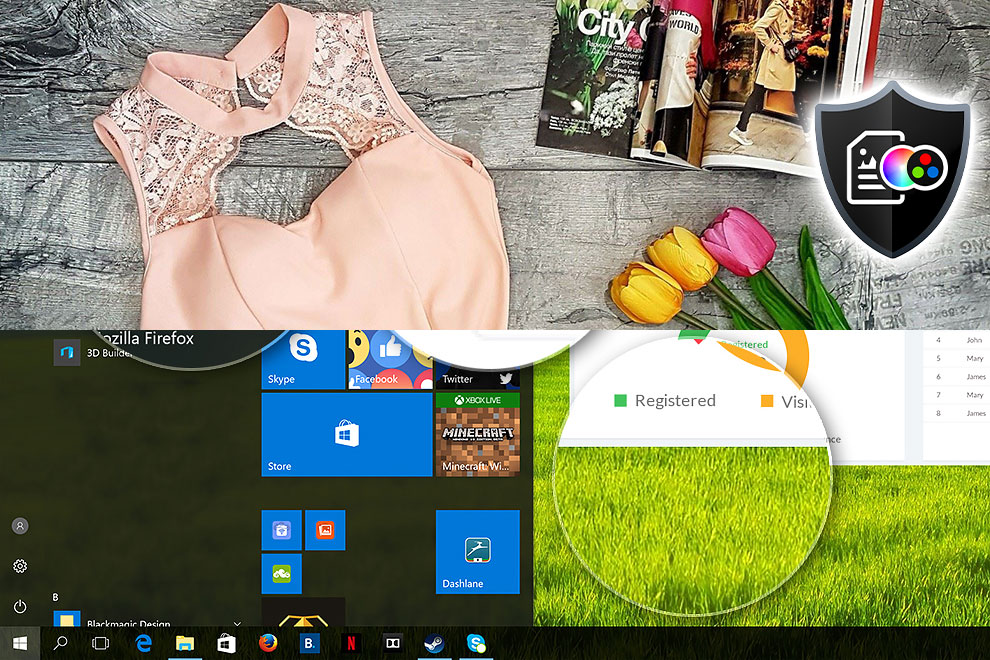
 设计与办公专用配置文件使显示器的色彩尽可能接近真实色彩。
对于专业人士来说,该配置文件是必不可少的,但对于日常用户来说,它也有极大的好处。你是否曾经在网上购买过一件米色的衣服,但在送货时却发现它看起来是棕色的?原因在于大多数屏幕与真实色彩的偏差(dE)很大,而我们的设计和办公配置文件可以解决这个问题,它是专为您的屏幕面板型号而创建的。
📌适用于专业人士:
设计和办公配置文件以 sRGB IEC 61966-2-1 标准为目标–D65 白点和 sRGB 伽玛曲线–将 DeltaE (2000) 降低到最低水平,确保您能充分利用面板的潜力。
左:无配置文件|拖动滑块查看差异|右:设计与办公配置文件 设计和办公室配置文件
游戏与电影
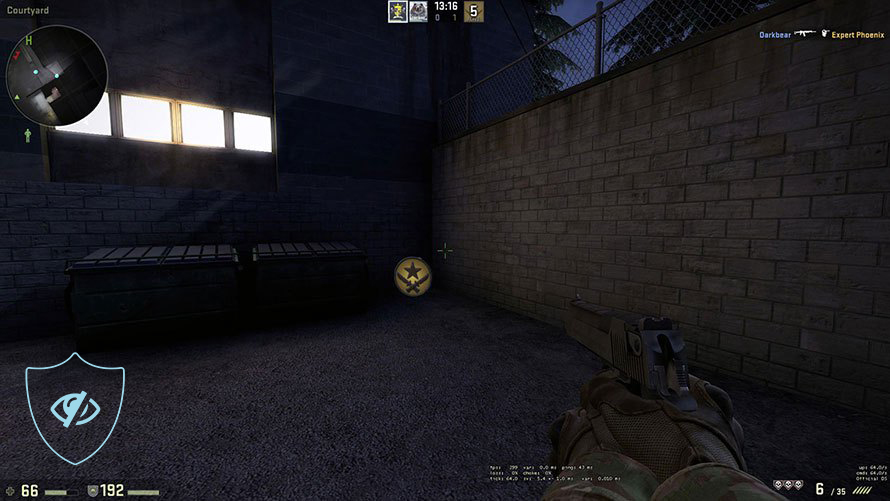
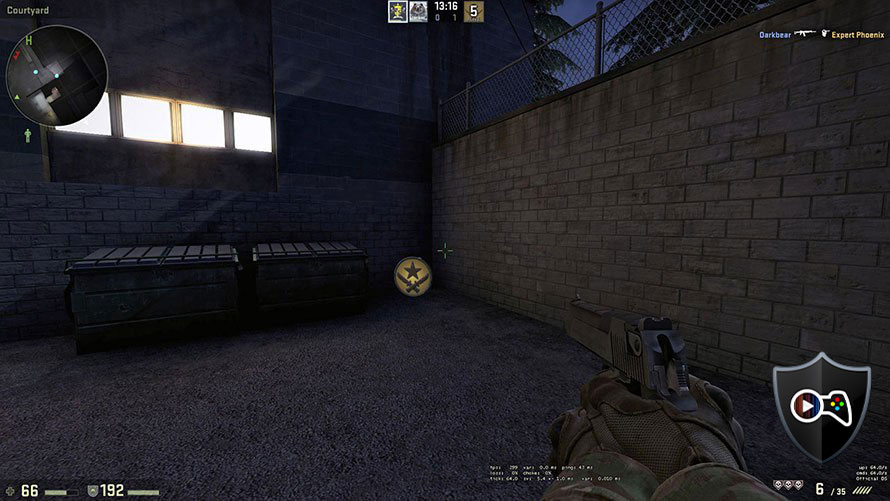
 您是否看过这样的电影:在黑暗的场景中,您几乎什么都看不见?原因是屏幕无法正确再现画面中最暗的部分,导致它们混在一起。
通过游戏和电影配置文件,我们通过调整显示面板来改善其在低光区域的性能,类似于 HDR 技术,从而解决了这一问题。
游戏和电影配置文件对游戏玩家也大有裨益,因为它采用了最符合人体光感的伽玛曲线。这将使您的反应更快 ,并 确保每个场景的最大清晰度!
左:无配置文件|拖动滑块查看差异|右:游戏和电影配置文件
健康卫士
 Health-Guard 简介是我们实验室进行的数百项研究的结果,旨在保护您免受对视力和身体产生负面影响的主要因素的影响。
长时间使用屏幕后,您的眼睛是否会感到干涩?许多显示器使用PWM(脉宽调制)来调节亮度–它们不是调暗画面,而是以每秒 200 到 20,000 次不等的频率闪烁。当您的大脑合并图像,使其看起来流畅时,您的眼睛会感到疲劳,从而导致疲劳甚至头痛。
另一个问题是所谓的 “蓝光“。屏幕发出的人造光会抑制褪黑激素的合成,因为它在 443 纳米的光谱范围内强烈输出。其结果不仅仅是眼睛疲劳和难以入睡,还可能导致癌症、糖尿病、心脏病和肥胖等更严重的健康问题,这一点已被大量科学研究所证实(1,2)。
我们的 Health-Guard 配置文件解决了这两个问题–它通过软件调光屏幕来消除 PWM,而不是使用硬件背光调制,并减少了蓝光光谱。此外,它还使用了最适合人类感知的伽玛曲线。
左:无配置文件|拖动滑块查看差异|右:Health-Guard 配置文件


如何购买?
对于每一台到访我们实验室的笔记本电脑,我们都会创建显示配置文件,您可以在我们的详细评测中找到。我们还有一个 “LaptopMedia 配置文件支持的笔记本电脑列表 “页面,您可以在其中找到多年来我们为其创建配置文件的所有机器。
您也可以在这里下订单,但不要忘了通过电子邮件告知我们您的准确面板型号。请向下滚动查看。
除了获得高效且有益健康的配置文件外,购买 LaptopMedia 的产品也是对我们实验室发展的支持,我们在实验室中测试设备,以提供最客观的评测。

设计和办公
Design and Office 配置文件使显示颜色尽可能接近真实。它不仅是专业人士的理想选择,也适合日常用户,它符合 sRGB 标准(D65 白点,sRGB 伽马),具有最小的 DeltaE,可在您的面板上实现精确的色彩再现。

游戏和电影
您是否曾看过电影,在黑暗场景中几乎什么都看不见?许多显示器无法正确区分暗色调。我们的 Gaming and Movies 配置文件可增强低光性能,类似 HDR 技术,使用专为人类感知量身定制的伽马曲线——非常适合追求更快反应和更清晰视觉效果的游戏玩家。

以 33% 的折扣获取所有配置文件!

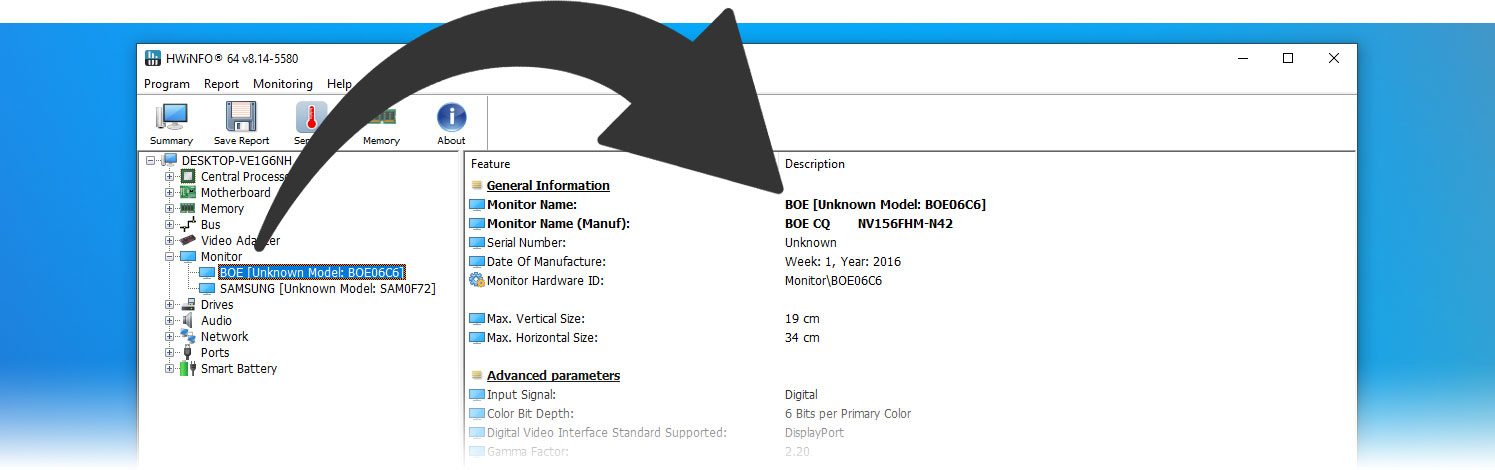
在哪里可以找到我的准确面板型号?
最好的方法之一就是使用HWINFO这样的应用程序,它是免费的,而且便携版无需安装:
安装和使用
为了方便使用和在配置文件之间切换,我们开发了LM Profiles 3.0 应用程序。只需下载它,然后将配置文件拖放到应用程序中即可。就是这样!
现在,您可以毫不费力地在不同模式间切换,并在激活 “Health-Guard(健康守护)”预案时利用无 PWM 亮度滑块(为确保消除 PWM,请确保将 Windows 亮度滑块设置为最大值)。
有问题?
 Author: Simeon NikolovEditor-in-Chief at LaptopMedia.com with 20+ years of experience in testing and analyzing laptops and mobile devices.

![[2026年8月] 亚马逊全球:销量前十的笔记本电脑——苹果MacBook Neo独占鳌头,而平价和中端Windows笔记本则在销量上展开激烈角逐](https://laptopmedia.com/wp-content/uploads/2026/09/Best-Selling-Laptops-GLOBAL-Top-10-400x225.jpg)
![[2026年8月] 亚马逊全球畅销笔记本电脑品牌——苹果在营收方面占据主导地位,而惠普在机型种类方面领跑](https://laptopmedia.com/wp-content/uploads/2026/09/GLOBAL-Best-Brands-400x225.jpg)
![[2026年8月] 亚马逊全球:畅销游戏本前十名——惠普Victus 15荣登榜首,高性价比机型占据榜单主导地位](https://laptopmedia.com/wp-content/uploads/2026/09/Best-Selling-Gaming-Laptops-GLOBAL-Top-10-400x225.jpg)
![[August 2026] Best-Selling Laptop Brands on Amazon Japan – Apple Dominates Market Share and Revenue Led by Strong Unit Sales](https://laptopmedia.com/wp-content/uploads/2026/09/CO.JP-Best-Brands-1-400x225.jpg)
![[August 2026] Best-Selling Laptop Brands on Amazon USA – Apple Dominates Market Revenue and Volume Despite Lower Model Diversity](https://laptopmedia.com/wp-content/uploads/2026/09/COM-Best-Brands-1-400x225.jpg)

I recently purchased the three profile bundle. The ordering and fulfilment process was smooth, and installation on my laptop was quite straightforward
Of the three profiles, I am using the Health-Guard profile the most. When correctly configured and PC brightness at 100%, I am finding long sessions on the laptop much easier on the eyes.
Also, I had a couple of newbie enquiries and found the customer service to be prompt and helpful.
Thank you very much!
I bought the full LaptopMedia Display Profiles 3.0 package and was especially impressed with the Health-Guard profile. It completely eliminates PWM flickering, even when adjusting brightness, no more eye strain during long work sessions. Colors look warm and natural too. I also tried the Design & Office and Gaming & Movies profiles, and both improved the image clarity and color tone in noticeable ways, especially when editing documents or watching Netflix.
Highly recommended for anyone sensitive to flicker or spending long hours on a laptop!
Thanks a lot, Pete!
I recently bought the office work profile for my laptop, after installing LM 2 somewhere on the webpage and dropping the .ICC file, the app automatically deleted the file but office profile remains greyed out. What is actually wrong? Please Help
Hello, Rahardian, sorry for the late answer!
You probably has restricted access to your C:/ drive which may happen if your account is not an administrator account. That’s an easy fix for that if you still can access the drive, you just have to install the profiles manually, here’s how:
1. Rename them to:
monitor_1_gaming
monitor_1_health
monitor_1_office
2. And copy/paste them here:
C:\Users\Your Username\AppData\Local
I recently purchased the color profile for my laptop, and have been very impressed with the result. The colors now look much more natural and consistent, which is especially helpful for my design work.
I also want to note how helpful the support was – Simeon from the team personally assisted with my questions, which made the whole experience even better. It’s clear this team cares about their users.
Highly recommend these profiles to anyone looking to improve their laptop’s display accuracy!
Thank you very much, Morisa!