Inside Lenovo Legion Y530 – disassembly, internal photos, and upgrade options
We were very interested in opening the Y530 so that we could see how they’ve managed to pack so much performance in an incredibly lighter, thinner, and at the same time faster laptop.
Check out all Lenovo Legion Y530 prices and configurations in our Specs System or read more in our In-depth Review.
1. Remove the bottom plate
Getting into the insides is very easy, just like it was with the Y520. All you need to do is to remove the 11 screws along the bottom and use something like a credit card to pry it open.

2. Memory
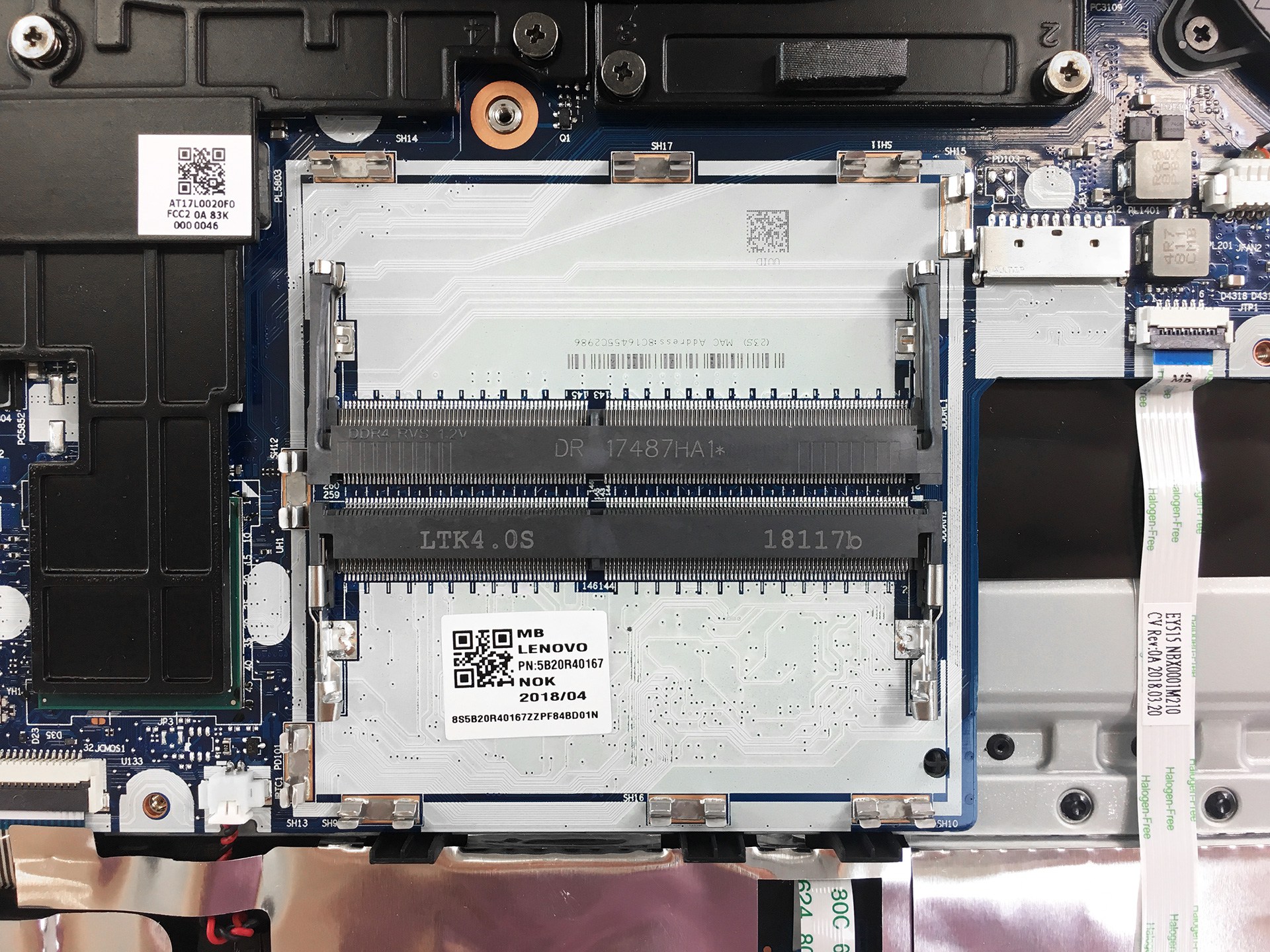
The Y530 features two DDR4 RAM slots with a supported frequency of up to 2666MHz. To get to the slots you need to remove the metal plate with the help of a credit card or something like that.

3. Battery and Storage
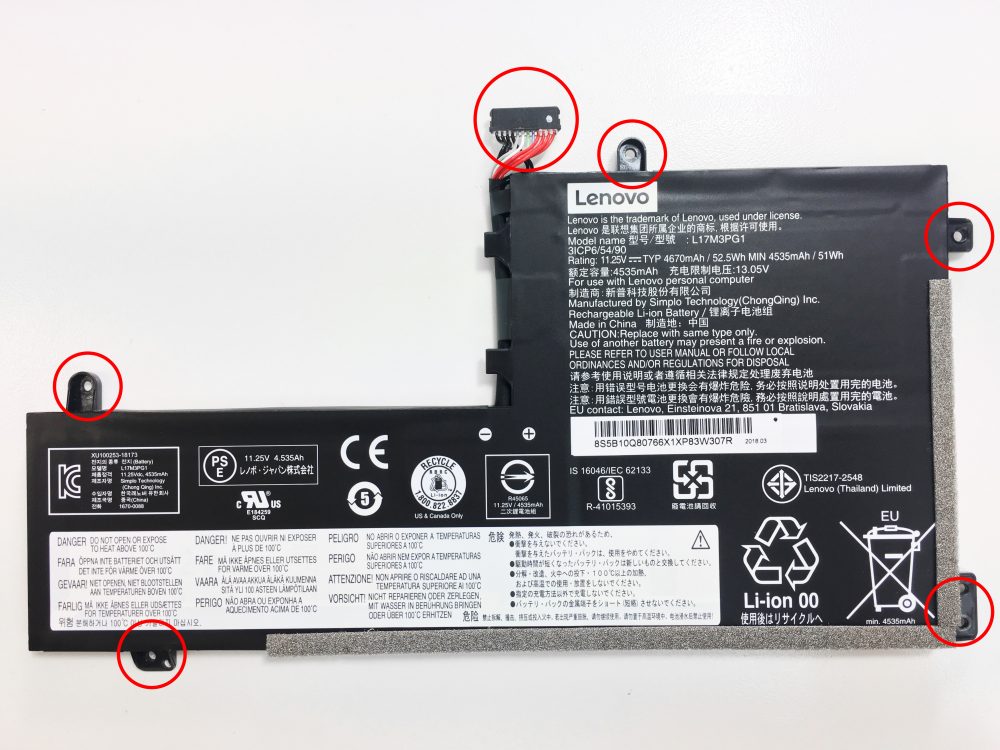
Right below the RAM slots is the battery, a very modest one – 52.5Wh. In order to remove it, you have to unscrew the five screws and unplug the black connector.
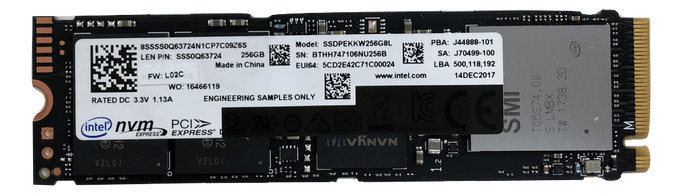
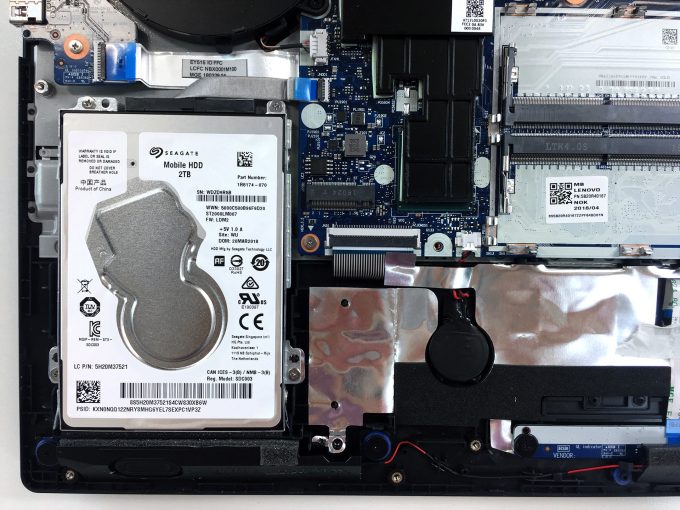
Right next to the battery is the SSD slot. It is a 2280 M.2 one for PCIe 3.0 x4 NVMe (M key) drives and next to it is the HDD/SSD slot. Our model featured a two-terabyte Seagate HDD, as you can see in our detailed review of the Lenovo Legion Y530.
4. Cooling system
Lenovo has done a great job with their cooling system (you can read more about this in our review). The CPU and GPU share a big heat pipe, each having a fan of their own. In case you want to change the thermal paste you will need to remove the following screws, but be careful because this will remove the fans as well. We would advise you to do it the numbered order, as this will relieve the tension appropriately and the chance of damaging the CPU/GPU will be minimal.

Check out all Lenovo Legion Y530 prices and configurations in our Specs System or read more in our In-depth Review.
 Author: Kostadin Tonchekliev

![[2026年6月] 亚马逊全球畅销笔记本电脑品牌——苹果在销量和营收方面均占据无可匹敌的统治地位](https://laptopmedia.com/wp-content/uploads/2026/07/GLOBAL-Best-Brands-400x225.jpg)
![[2026年6月] 亚马逊全球:笔记本电脑销量前十名——苹果新款MacBook Neo强势登顶,以亲民价格重塑市场格局](https://laptopmedia.com/wp-content/uploads/2026/07/Best-Selling-Laptops-GLOBAL-Top-10-400x225.jpg)
![[2026年6月] 亚马逊全球:十大畅销游戏笔记本电脑——宏碁Nitro V 16S AI销量领跑,华硕总营收居首](https://laptopmedia.com/wp-content/uploads/2026/07/Best-Selling-Gaming-Laptops-GLOBAL-Top-10-400x225.jpg)
![[2026年6月] 亚马逊全球畅销笔记本电脑显卡排行榜——NVIDIA RTX 5060 位居专用显卡销量榜首](https://laptopmedia.com/wp-content/uploads/2026/07/Best-Selling-GPUs-GLOBAL-Top-10-400x225.jpg)
![[2026年6月] 亚马逊全球畅销笔记本电脑CPU排行榜——苹果M5占据主导地位,AMD锐龙7 260在高端市场占据稳固份额](https://laptopmedia.com/wp-content/uploads/2026/07/Best-Selling-CPUs-GLOBAL-Top-10-400x225.jpg)

Do we have to remove the 7th and 8th screws to remove the heatsink assembly because I don’t see them connected to the heatsink.
no, they are for fans