华硕 Vivobook Pro 15 OLED (N6506) 评测–杀手级显示屏、持久电池、小妥协
判决
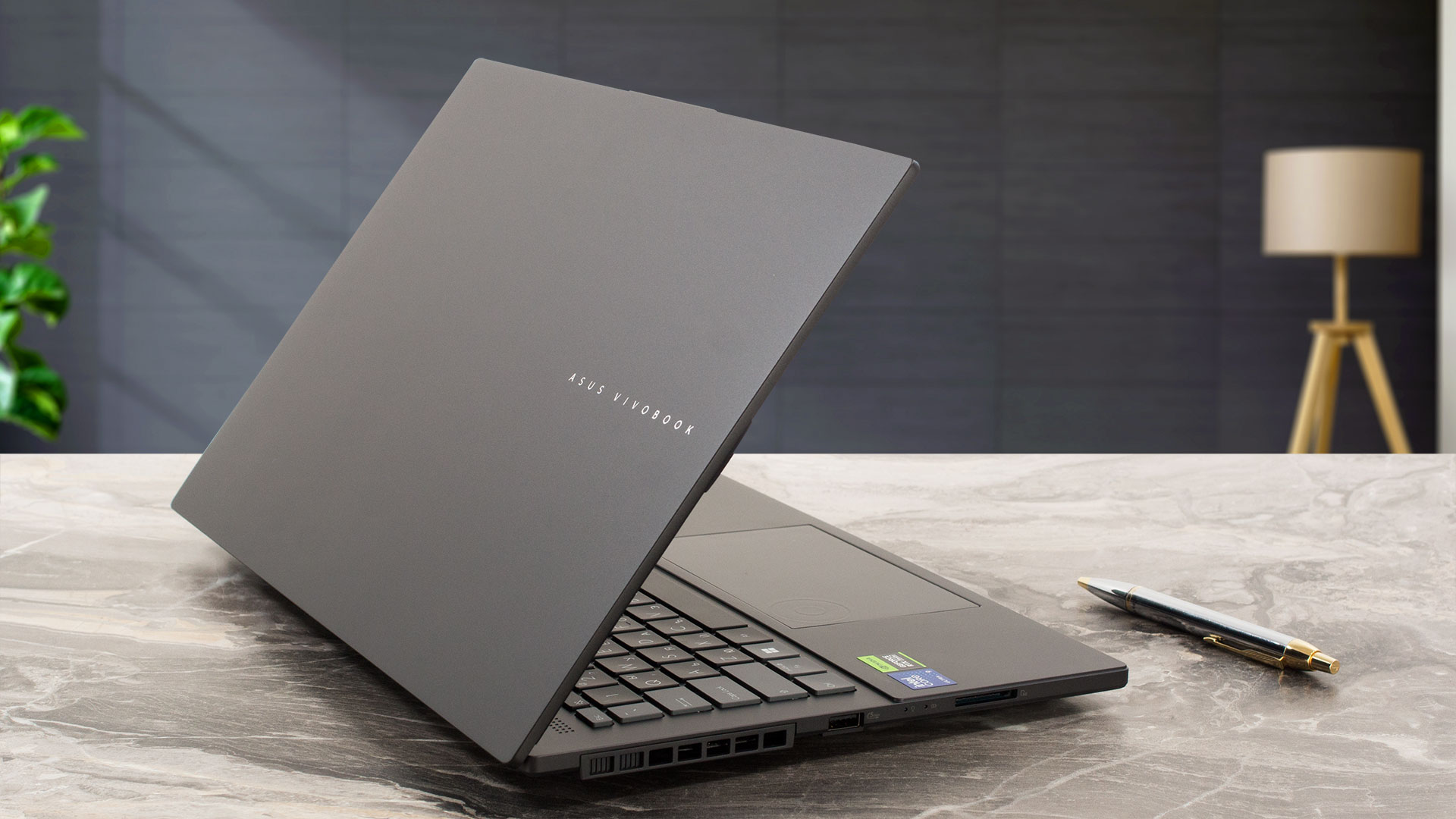 华硕 Vivobook Pro 15 OLED (N6506) 是同类产品中的一个惊喜。它是一款多用途设备,因为它拥有强大的硬件和出色的 OLED 显示屏(三星 ATNA56AC02-1 (SDC4180))。后者具有 3K 分辨率、120Hz 刷新率和无限对比度,这对所有用户来说都是好消息。该面板色彩非常准确,100% 覆盖 sRGB 和 DCI-P3 色域。该屏幕唯一的缺点是使用 PWM,但 MyASUS 应用程序中有一个 “OLED 无闪烁调光 “滑块。对于需要长时间工作或在昏暗环境中观看电影的用户来说,这个选项是一个救星。
所谓的 IceCool Pro 冷却系统功能强大。强大的 Core Ultra 9 185H 和 GeForce RTX 4060 无论负载如何,都能保持较高的时钟频率。如果需要设备的最大功率,则必须选择 “全速 “风扇配置文件。在 “性能模式 “下,机器的整体运行速度几乎相同,但噪音较低。
制造质量似乎不错。盖子在打开状态下可以更加稳固,但底座很结实。此外,输入设备也很舒适,我们喜欢键盘在打字时的静音效果。端口选择方面,两个 Type-C 端口和一个 SD 读卡器都很不错。在未来升级方面,有两个用于 4 代固态硬盘的 M.2 插槽和一个 DDR5 SODIMM 插槽,最多可容纳 24GB 双通道内存。电池续航时间超乎想象–一次充电可浏览 25 小时网页!
华硕 Vivobook Pro 15 OLED (N6506) 拥有出色的 OLED 显示屏、强大的散热能力、丰富的端口选择和超长的电池续航时间,是内容创作者和游戏玩家的最佳选择。
您可以在我们的规格系统中查看价格和配置: https://laptopmedia.com/series/asus-vivobook-pro-15-oled-n6506/
Pros
- 卓越的 OLED 显示屏,完全覆盖 sRGB 和 DCI-P3 色域(三星 ATNA56AC02-1 (SDC4180)
- 无限对比度(三星 ATNA56AC02-1 (SDC4180)
- 具有 MUX 开关
- MyASUS 软件中的 “OLED 无闪烁调光 “功能
- 配备华硕 DialPad 的平滑触摸板
- 安静舒适的键盘
- 500 万像素红外网络摄像头,带隐私快门
- 内容创建和游戏性能良好
- 耳语 “模式下的静音风扇
- 超长电池寿命
- 在任何负载条件下都能保持 CPU 和 GPU 的高频率
- 现代化的端口选择
- 提供 SD 读卡器
- 坚固的底座
- 2x M.2 Gen 4 插槽 + 1x 用于双通道模式的 SODIMM
Cons
- 8GB 焊接内存
- 基准测试期间 NVMe 温度较高
- 使用 PWM 时没有 “无闪烁调光 “模式(三星 ATNA56AC02-1 (SDC4180)
- 上盖刚性不佳
 Author: Nikolay Palaozov
 Author: eng. Kroum NikolovHead of Engineering at LaptopMedia.com, inventor and innovator with 40+ years of experience in electronics and high technology.

![[2026年7月] 亚马逊全球畅销笔记本显卡排行榜——RTX 5060主导高端市场,英特尔仍主导入门级市场](https://laptopmedia.com/wp-content/uploads/2026/08/Best-Selling-GPUs-GLOBAL-Top-10-400x225.jpg)
![[2026年7月] 亚马逊全球畅销笔记本电脑CPU排行榜——苹果主导高端市场,英特尔稳居总榜榜首](https://laptopmedia.com/wp-content/uploads/2026/08/Best-Selling-CPUs-GLOBAL-Top-10-400x225.jpg)
![[July 2026] Amazon Canada: Top 10 Best-Selling Laptops – Apple MacBook Neo Dominates the Market to Claim the #1 Spot](https://laptopmedia.com/wp-content/uploads/2026/08/Best-Selling-Laptops-CA-Top-10-2-400x225.jpg)
![[July 2026] Best-Selling Laptop Brands on Amazon Japan – HP and Lenovo Dominate Units and Revenue Amid Fierce Competition](https://laptopmedia.com/wp-content/uploads/2026/08/CO.JP-Best-Brands-2-400x225.jpg)
![[July 2026] Amazon Italy: Top 10 Best-Selling Laptops – Apple MacBook Neo Claims the #1 Spot Amid Budget-Friendly Dominance](https://laptopmedia.com/wp-content/uploads/2026/08/Best-Selling-Laptops-IT-Top-10-400x225.jpg)

Does the laptop support the installing of a 32GB stick of memory in the sodimm slot or intalling it results in the system not booting up, not recognize the memory or behave strangely? On the zephyrus g14 2022 Asus claims a maximum memory of 32GB but I knew of people reaching 48GB with no problem changing the 16GB stick with a 32GB one.
Thank you in advance.
According to ASUS, the maximum amount of RAM supported is 24GB. However, since the CPU can support up to 96GB, the Vivobook Pro 15 OLED likely wouldn’t have issues running with up to 56GB of DDR5-5600MHz RAM (8GB soldered + 48GB in the SODIMM slot).
Yes. But 32GB is a 2 rank memory, so the frequency will be lowered to 4800 and the total speed will be around 40GB/s.
Thank you for such a comprehensive review. I would really appreciate if you could incorporate the fan noise for a normal workload – web browsing, movies, etc. This is often left out in favor of fan noise at full load, which is seldom relevant.
How would you categorize the fan noise under normal office work, please?
It’s basically silent, occasionally there is some fan noise but it’s very quiet. Does get very loud sometimes during intensive workloads, but silent mode should do the trick in most cases.
Is the GPU eco mode disabled when the laptop is connected via the power brick? 🙁
With my current asus laptop I usually always have eco mode on even when connected to power to keep my laptop cool (often have it my lap or chest)
For the display what is the max brightness in HDR (small window and full screen)? Also what is the colour accuracy like in HDR?
Measuring color accuracy in HDR mode is more complex and influenced by various external and internal factors, which is why our current measurements are limited to SDR mode. Additionally, manufacturers typically prioritize more attractive picture over color accuracy in HDR. If you aim for the most realistic colors, working in SDR mode is the better option.
Regarding the size of the white window when measuring screen brightness, we’ve conducted tests with both 10% fill and fullscreen fill. In both cases, the max brightness was similar, just below 400 nits.
Did you really get 25 hours of browser time or is that a mistake?
I have this laptop at idle on minimum brightness consumes about 9 watts, that is about 8 hours of idle time with no applications running.
Any activity increases the consumption and the actual browser time is about 6 hours.
But I have a second module 32 GB, maybe the reason is this, or the drivers are not installed correctly. Installed different Windows builds several times, different drivers – nothing helps.
Hi,
I have this laptop, and with browsing on chrome, I only get 2-3 hours. Could you tell me what settings you are using?
Even though they said 25 hours, 6 hours is still better than the 3 hours that I’m getting.
I’m on silent mode, and it’s fairly new. I usually just use google docs and some other websites like amazon, makerworld, but nothing super power intensive.
Thank you!!
Just use Optimal Operation mode to disconnect Nvidia from the battery (this is crucial) and Standard or Quiet cooler mode.
If only 2-3 hours in this case as well,
1. Look in Task Manager to see which applications are loading the CPU and/or graphics card
2. Install drivers for your laptop from the official Asus website, because other, even newer drivers not from Asus may not work correctly.
Thank you so much for your helpful response! I looked in the Task Manager and found that a few background apps like steam were using a lot of resources, so I just closed out of them, and with a few chrome tabs, I also let MyASUS auto install some drivers, and I’m getting much better battery life! (Nvidia was already disconnected and quiet mode was on before.)
Thanks for your help! I’m getting around an estimate of around 5 hours, seeing that I lost around 50 percent after 3 hours.
Hi,
Please tell me how you got it to 25 hours of battery life!!! I can’t even get 3 hours on this thing and I’m just doing basic web browsing with google docs!
Anything helps!!
Thank you so much!