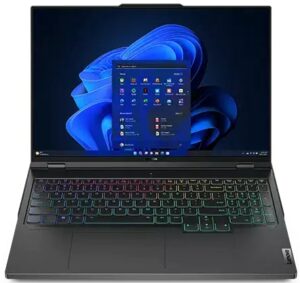
联想Legion Pro 5 (16″, 2023)评测–尽管他们努力尝试,但无法妥协
温度和舒适度,电池寿命
CPU最大负荷
在这个测试中,我们在CPU核心上使用100%,监测其频率和芯片温度。第一栏显示计算机对短时负载(2-10秒)的反应,第二栏模拟一个严肃的任务(15至30秒之间),第三栏是一个很好的指标,表明笔记本电脑对长时负载的能力,如视频渲染。
平均P核频率;平均E核频率;CPU温度;封装功率
| 英特尔酷睿i5-13500HX (55W TDP) | 0:02 – 0:10 秒 | 0:15 – 0:30秒 | 10:00 – 15:00 分钟 |
|---|---|---|---|
| 联想Legion Pro 5 (16″, 2023) | 3.90 GHz @ 3.15 GHz @ 78°C @ 157W | 3.65 GHz @ 2.92 GHz @ 80°C @ 129W | 3.39 GHz @ 2.70 GHz @ 76°C @ 110W |
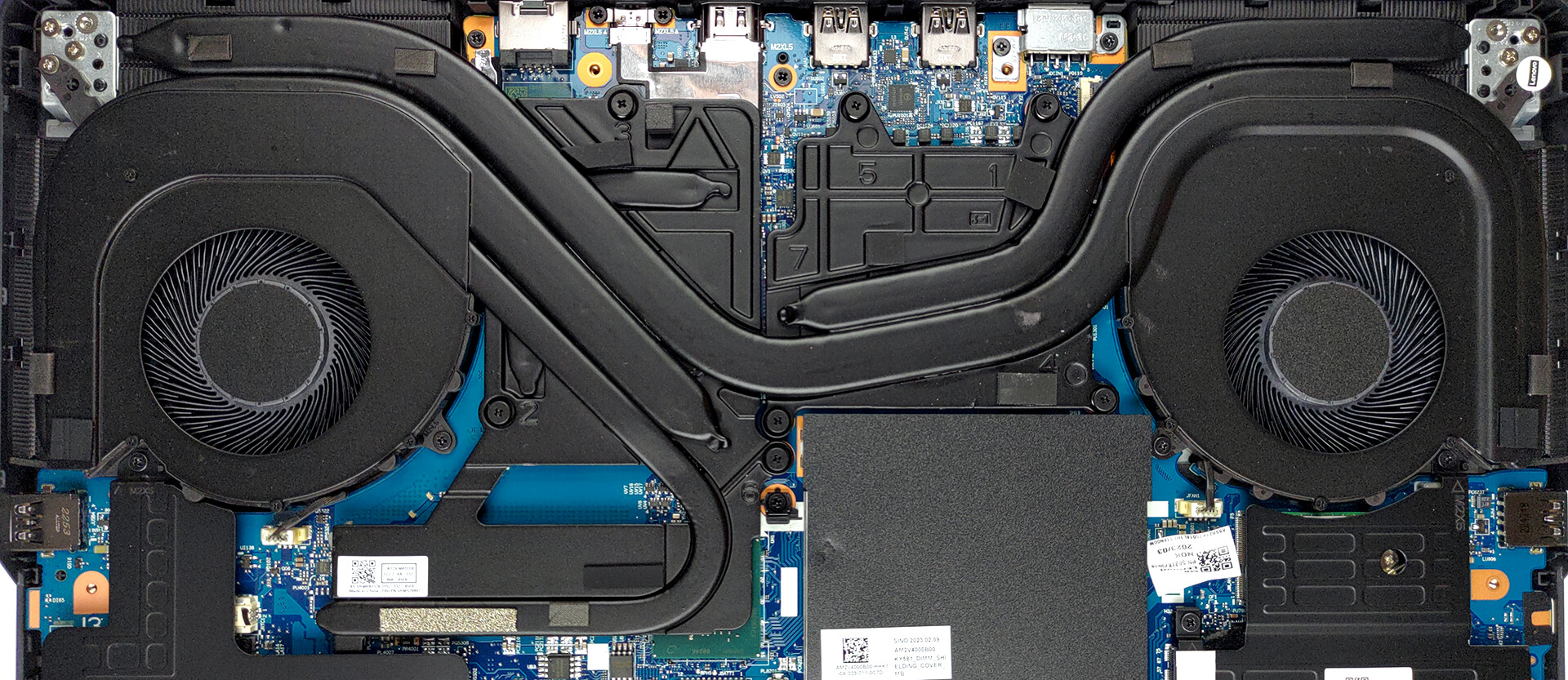
哇。尽管这 “只是 “一个酷睿i5,这个特殊的处理器是非常强大的。正如你所看到的,冷却系统可以毫不费力地维持110W的功率目标,温度为76℃。有趣的是,其中一个核心的温度相当高,超过了90°C,这可能有几个原因–固件设置,使其中一个核心的压力比什么都大,或者是冷却问题(散热膏应用不良,或设计问题)。不管这听起来有多可怕,这不是一个重要的问题,因为CPU仍然可以作为一个顶级的狗来执行。
现实生活中的游戏
| NVIDIA GeForce RTX 4060 | GPU频率/核心温度(2分钟后) | GPU频率/核心温度(30分钟后) |
|---|---|---|
| 联想Legion Pro 5 (16″, 2023) | 2625 MHz @ 70°C @ 100W | 2625 MHz @ 74°C @ 99W |
尽管据称TGP为140W(由驱动程序证实),但该笔记本电脑 “只能 “以100W的功率运行其RTX 4060。尽管如此,时钟速度确实很高,这意味着我们从显卡中得到了足够的行为。
满负荷时的舒适度
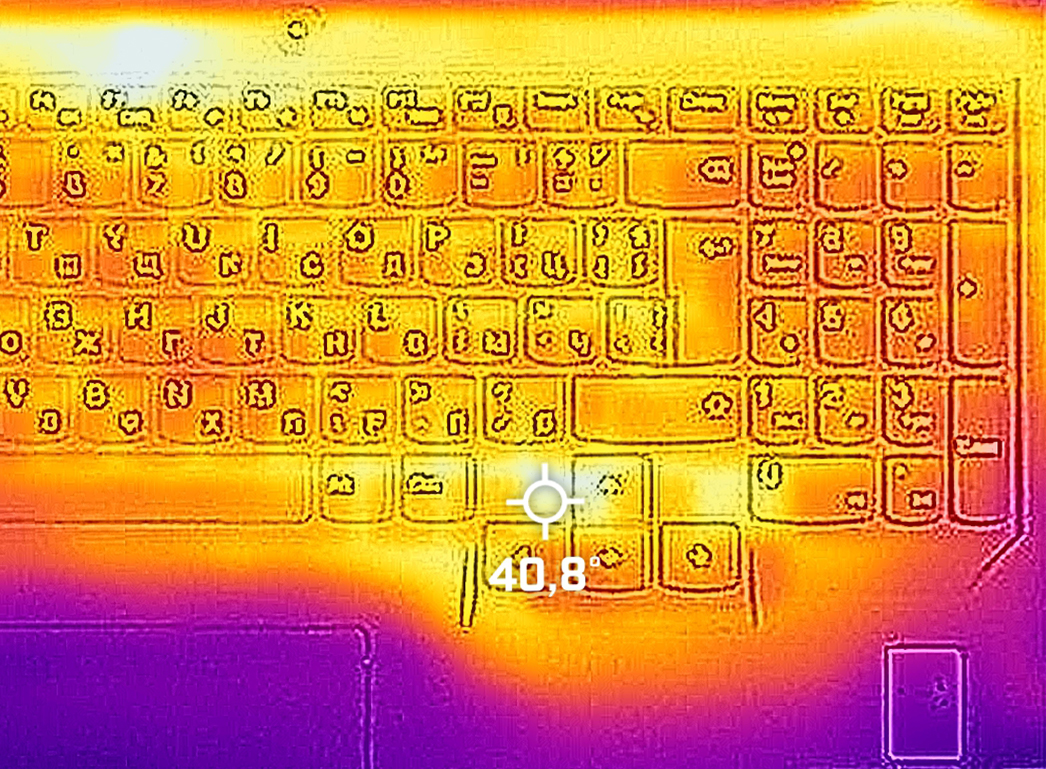
嗯,这台笔记本电脑可能会变得有点吵。特别是当它处于 “极限性能 “模式时。然而,键盘上的最高温度约为40°C,就在方向键周围。
电池
现在,我们在打开Windows更佳性能设置的情况下进行电池测试,屏幕亮度调整到120尼特,除了我们正在测试的笔记本外,其他所有程序都关闭。
 Author: Alex Iliev
 Author: eng. Kroum NikolovHead of Engineering at LaptopMedia.com, inventor and innovator with 40+ years of experience in electronics and high technology.

![[2026年8月] 亚马逊全球畅销笔记本电脑显卡排行榜——苹果独占鳌头,英伟达RTX 5060领跑独立显卡榜单](https://laptopmedia.com/wp-content/uploads/2026/09/Best-Selling-GPUs-GLOBAL-Top-10-400x225.jpg)
![[2026年8月] 亚马逊全球畅销笔记本电脑处理器排行榜——苹果同时称霸平价和高端市场:2026年8月,A18 Pro和M5大获全胜,碾压英特尔和AMD](https://laptopmedia.com/wp-content/uploads/2026/09/Best-Selling-CPUs-GLOBAL-Top-10-400x225.jpg)
![[2026年8月] 亚马逊全球:销量前十的笔记本电脑——苹果MacBook Neo独占鳌头,而平价和中端Windows笔记本则在销量上展开激烈角逐](https://laptopmedia.com/wp-content/uploads/2026/09/Best-Selling-Laptops-GLOBAL-Top-10-400x225.jpg)
![[2026年8月] 亚马逊全球畅销笔记本电脑品牌——苹果在营收方面占据主导地位,而惠普在机型种类方面领跑](https://laptopmedia.com/wp-content/uploads/2026/09/GLOBAL-Best-Brands-400x225.jpg)
![[2026年8月] 亚马逊全球:畅销游戏本前十名——惠普Victus 15荣登榜首,高性价比机型占据榜单主导地位](https://laptopmedia.com/wp-content/uploads/2026/09/Best-Selling-Gaming-Laptops-GLOBAL-Top-10-400x225.jpg)

Some of the Asus laptops with HX Ryzen 7000 and it’s 15W 610M iGPU, only support external monitor when dedicated Nvidia GPU is enabled. This is major flaw when you are on the go and run laptop on battery as HX CPU can’t even go below 8W. I assume running dedicated GPU for external monitor is gonna be 1.5 hour battery life and you can’t use it to give presentation in meeting or conference.
I’ve done hundreds of presentations and never needed or used a gaming laptop. Nor have I been in a situation where there was not a power outlet nearby.
You should really edit this review and change all “Pro 5” with “Pro 5i” since what you reviewed was the Intel version…
Anyway, thanks for the review and I’ll wait for the comparison between the Pro 5i (Gen 8, Intel) and the Pro 5 (Gen 8 AMD), in the regards of the CPU.
The USB-C in the back can be used to charge the laptop? I mean, not for heavy 3D workload, but when used as standard laptop to work with mail and internet?
i think yes , as it supports 140ws charger in the back……its meant so u can use it somewhere where you cant carry a 300w charger