微星Vector GP77 13V评测–安静而强大
性能:CPU、GPU、游戏测试
CPU选项
至少现在,CPU选项是英特尔酷睿i9-13900H和酷睿i7-13700H。
结果来自Cinebench R23 CPU测试(分数越高越好)。
GPU选项
可供配置的GPU选项是RTX 4070(140W),和RTX 4060(140)。
结果来自 3DMark Time Spy (Graphics)。分数越高越好。
结果来自 3DMark Fire Strike (Graphics) 基准测试(分数越高越好)
结果来自 Unigine Superposition 基准测试(分数越高越好)
游戏测试(外部显示器)

好消息是,在许多新游戏中,GeForce RTX 4070(140W)与GeForce RTX 3080 Ti(130W)相比,或多或少都快一些。请看下面一些关于这两款GPU之间的比较。我们有一个播放列表,其中有40多个关于GeForce RTX 4070 (140W)的基准游戏视频,可以在这里找到。

| 地铁出埃及记 | 全高清,低(检查设置) | 全高清,高(检查设置) | 全高清,极限(检查设置) |
|---|---|---|---|
| GeForce RTX 4070 (140W) | 183 fps(+16%) | 103 fps(+8%) | 48 fps(+2%) |
| GeForce RTX 3080 Ti (130W) | 172 fps | 95 fps | 47 fps |

| 边境地区3 | 全高清,中等(检查设置) | 全高清,高(检查设置) | 全高清,坏蛋(检查设置) |
|---|---|---|---|
| GeForce RTX 4070 (140W) | 177 fps(+9%) | 135 fps(+11%) | 106 fps(+16%) |
| GeForce RTX 3080 Ti (130W) | 163 fps | 122 fps | 100帧 |

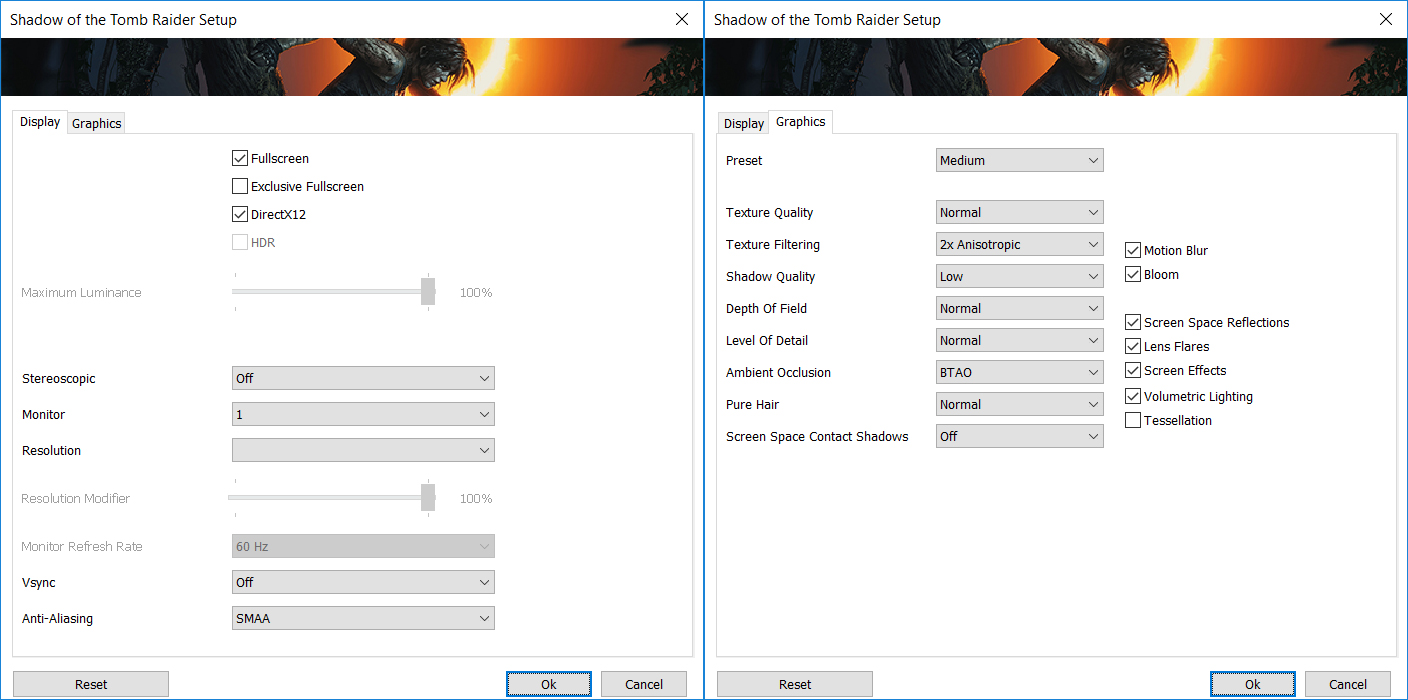
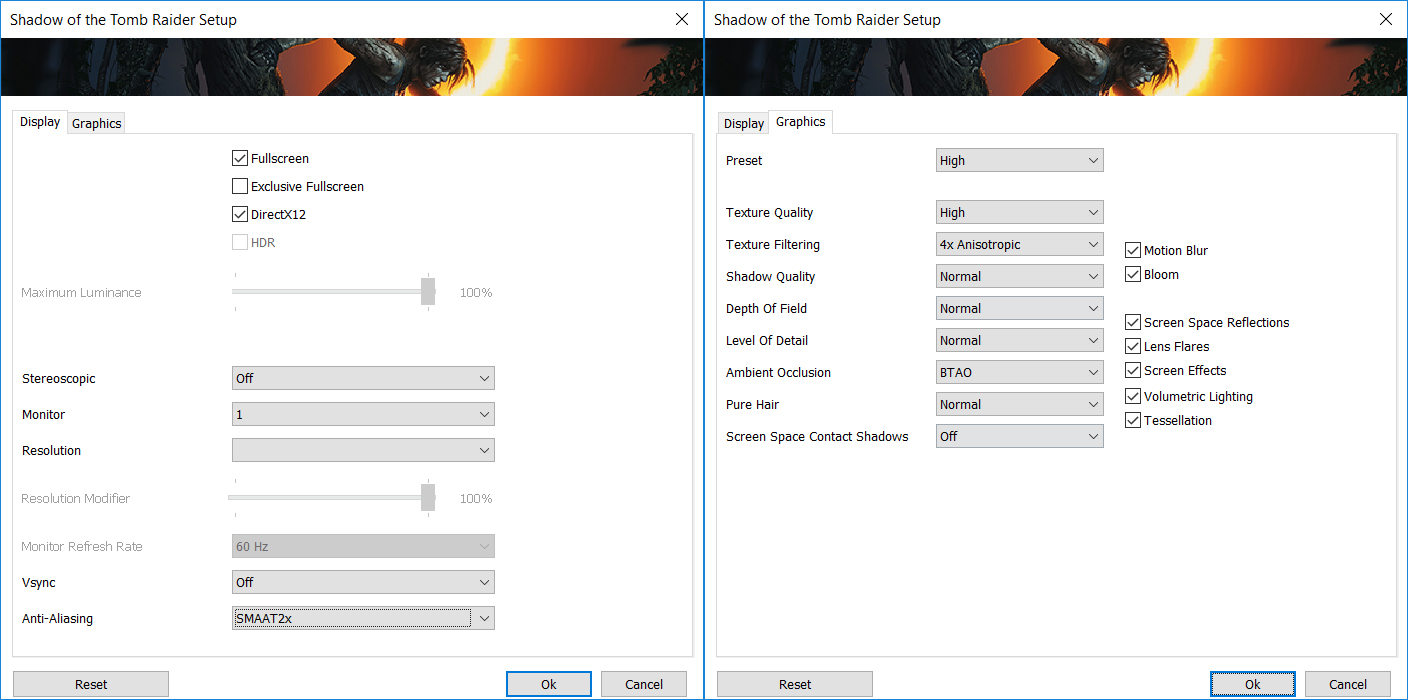
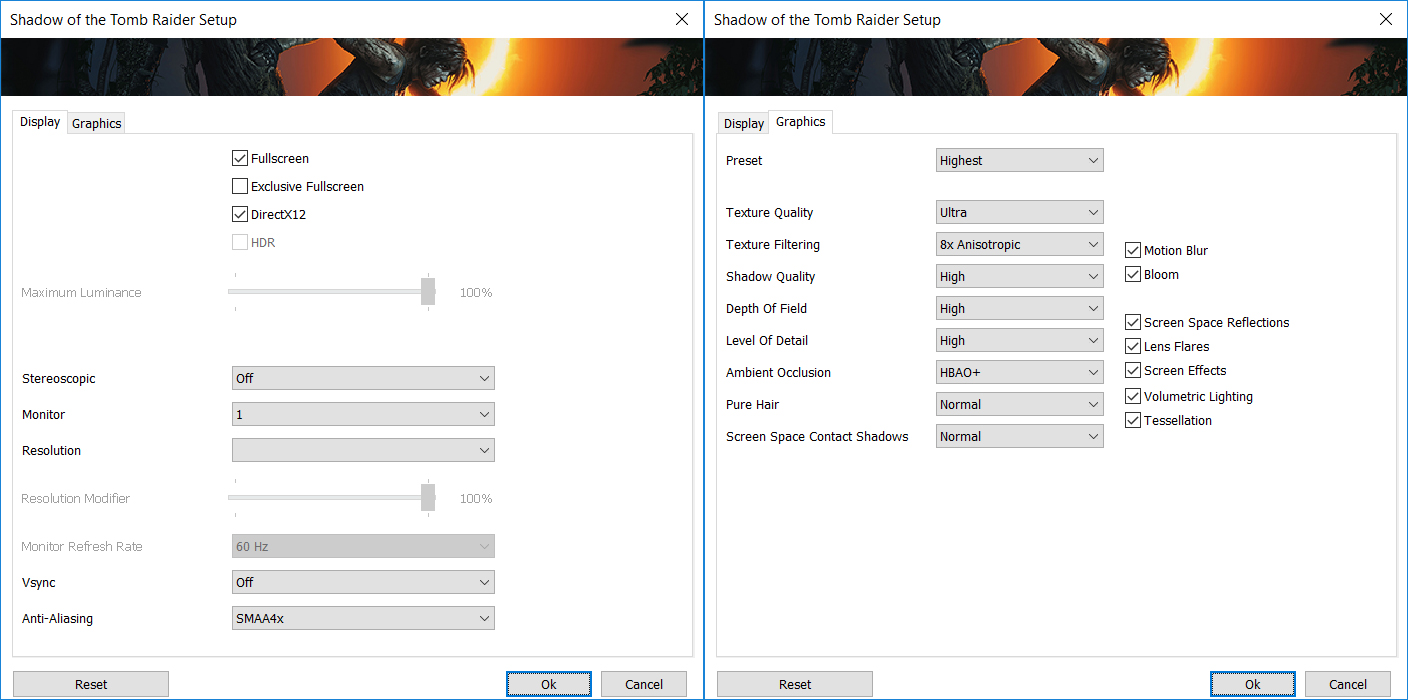
| 古墓丽影》(2018)的影子 | 全高清,中(检查设置) | 全高清,高(检查设置) | 全高清,最高(检查设置) |
|---|---|---|---|
| GeForce RTX 4070 (140W) | 159 fps(+7%) | 154 fps(+10%) | 114 fps(+5%) |
| GeForce RTX 3080 Ti (130W) | 148 fps | 145 fps | 109 fps |

| 使命召唤现代战争II | 全高清,最低限度(检查设置) | 全高清,基本(检查设置) | 全高清,平衡(检查设置) | 全高清,超高清(检查设置) |
|---|---|---|---|---|
| GeForce RTX 4070 (140W) | 240 fps(+4%) | 186 fps(+8%) | 149 fps(+5%) | 109 fps(+3%) |
| GeForce RTX 3080 Ti (130W) | 230帧 | 173 fps | 142 fps | 106 fps |

| 使命召唤现代战争II | 全高清,最低限度(检查设置) | 全高清,基本(检查设置) | 全高清,平衡(检查设置) | 全高清,超高清(检查设置) |
|---|---|---|---|---|
| GeForce RTX 4070 (140W) | 166 fps(+4%) | 162 fps(+7%) | 103 fps(+5%) | 65 fps(+2%) |
| GeForce RTX 3080 Ti (130W) | 159帧 | 151 fps | 98 fps | 64 fps |

Resolution: 1920 x 1080 (Full HD) |
NORMAL |
HIGH |
VERY HIGH |
MAX |
|---|---|---|---|---|
| NVIDIA GeForce RTX 4070 (Laptop, 140W) | 186 FPS 播放视频 | 186 FPS 播放视频 | 127 FPS 播放视频 | 73 FPS 播放视频 |

Resolution: 1920 x 1080 (Full HD) |
MIN |
MAX |
|---|---|---|
| NVIDIA GeForce RTX 4070 (Laptop, 140W) | 3304 FPS 播放视频 | 205 FPS 播放视频 |

Resolution: 1920 x 1080 (Full HD) |
VERY LOW |
MED |
MAX |
|---|---|---|---|
| NVIDIA GeForce RTX 4070 (Laptop, 140W) | 757 FPS 播放视频 | 692 FPS 播放视频 | 608 FPS 播放视频 |

Resolution: 1920 x 1080 (Full HD) |
MIN |
MED |
HIGH |
ULTRA |
|---|---|---|---|---|
| NVIDIA GeForce RTX 4070 (Laptop, 140W) | 161 FPS 播放视频 | 112 FPS 播放视频 | 63 FPS 播放视频 | 33 FPS 播放视频 |

Resolution: 1920 x 1080 (Full HD) |
LOW |
MED |
HIGH |
ULTRA |
|---|---|---|---|---|
| NVIDIA GeForce RTX 4070 (Laptop, 140W) | 193 FPS 播放视频 | 157 FPS 播放视频 | 119 FPS 播放视频 | 99 FPS 播放视频 |

Resolution: 1920 x 1080 (Full HD) |
LOW |
MED |
HIGH |
EPIC |
|---|---|---|---|---|
| NVIDIA GeForce RTX 4070 (Laptop, 140W) | 258 FPS 播放视频 | 168 FPS 播放视频 | 131 FPS 播放视频 | 80 FPS 播放视频 |

Resolution: 1920 x 1080 (Full HD) |
MIN |
MED |
ULTRA |
|---|---|---|---|
| NVIDIA GeForce RTX 4070 (Laptop, 140W) | 389 FPS 播放视频 | 515 FPS 播放视频 | 265 FPS 播放视频 |

Resolution: 1920 x 1080 (Full HD) |
MIN |
MED |
MAX |
|---|---|---|---|
| NVIDIA GeForce RTX 4070 (Laptop, 140W) | 299 FPS 播放视频 | 298 FPS 播放视频 | 206 FPS 播放视频 |

Resolution: 1920 x 1080 (Full HD) |
LOW |
MED |
U.NIGHT |
|---|---|---|---|
| NVIDIA GeForce RTX 4070 (Laptop, 140W) | 377 FPS 播放视频 | 327 FPS 播放视频 | 255 FPS 播放视频 |

Resolution: 1920 x 1080 (Full HD) |
LOW |
NORMAL |
HIGH |
MAX |
|---|---|---|---|---|
| NVIDIA GeForce RTX 4070 (Laptop, 140W) | 213 FPS 播放视频 | 182 FPS 播放视频 | 178 FPS 播放视频 | 167 FPS 播放视频 |
 Author: Nikolay Palaozov

![[2026年8月] 亚马逊全球畅销笔记本电脑显卡排行榜——苹果独占鳌头,英伟达RTX 5060领跑独立显卡榜单](https://laptopmedia.com/wp-content/uploads/2026/09/Best-Selling-GPUs-GLOBAL-Top-10-400x225.jpg)
![[2026年8月] 亚马逊全球畅销笔记本电脑处理器排行榜——苹果同时称霸平价和高端市场:2026年8月,A18 Pro和M5大获全胜,碾压英特尔和AMD](https://laptopmedia.com/wp-content/uploads/2026/09/Best-Selling-CPUs-GLOBAL-Top-10-400x225.jpg)
![[2026年8月] 亚马逊全球:销量前十的笔记本电脑——苹果MacBook Neo独占鳌头,而平价和中端Windows笔记本则在销量上展开激烈角逐](https://laptopmedia.com/wp-content/uploads/2026/09/Best-Selling-Laptops-GLOBAL-Top-10-400x225.jpg)
![[2026年8月] 亚马逊全球畅销笔记本电脑品牌——苹果在营收方面占据主导地位,而惠普在机型种类方面领跑](https://laptopmedia.com/wp-content/uploads/2026/09/GLOBAL-Best-Brands-400x225.jpg)
![[2026年8月] 亚马逊全球:畅销游戏本前十名——惠普Victus 15荣登榜首,高性价比机型占据榜单主导地位](https://laptopmedia.com/wp-content/uploads/2026/09/Best-Selling-Gaming-Laptops-GLOBAL-Top-10-400x225.jpg)

was curious if you know the length of the cable from the power brick to the computer?
5 feet
MSI could have done a better job with the Fan Speed panel UI design if they had labeled everything in Chinese. At least then we could use a translator. All of the fan speed sliders are in percent%, there is no use of actual temp C or F, yet each slider has a specific temp range that it operates within. So to help with that, MSI gave us a blue to red color bar (see pics above). One can also tell that they put absolutely no effort into this panel because there is no “Apply” button. You must press “Save”… 阅读更多 »
…basically just use the Fan Speed panel to set all sliders to 150%. This will keep fans pinned to max regardless of CPU/GPU temps. Use that for gaming. When you use “Cooler Boost” the fans speed will still be tied to temp ranges.