Top 5 reasons so BUY or NOT to buy the HP Spectre x360 13 (13-aw2000)
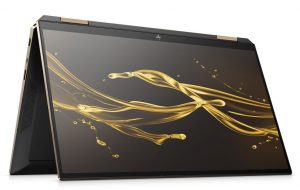
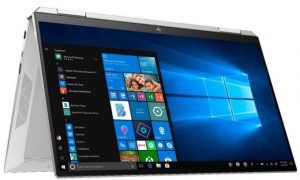
 The Spectre x360 is an interesting convertible, which brings some upgrades in the hardware front while coming with a jaw-dropping design that even HP haters would appreciate. The previous device was probably the best convertible that your money can buy, so let’s see if they can repeat the same success in 2021.
The new 13-aw2000 is packing the goodies that Intel brings with its new Tiger Lake architecture, as well as its SureView technology, which is just ingenious and has probably stopped a lot of corporate secrets from being seen by people that shouldn’t.
Today, we present you with LaptopMedia’s top 5 picks about the HP Spectre x360 13 (13-aw2000).
HP Spectre x360 13 (13-aw2000): Full Specs / In-depth Review
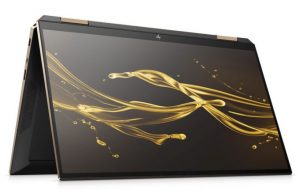


4 reasons to BUY the HP Spectre x360 13 (13-aw2000)
1. Design and build quality
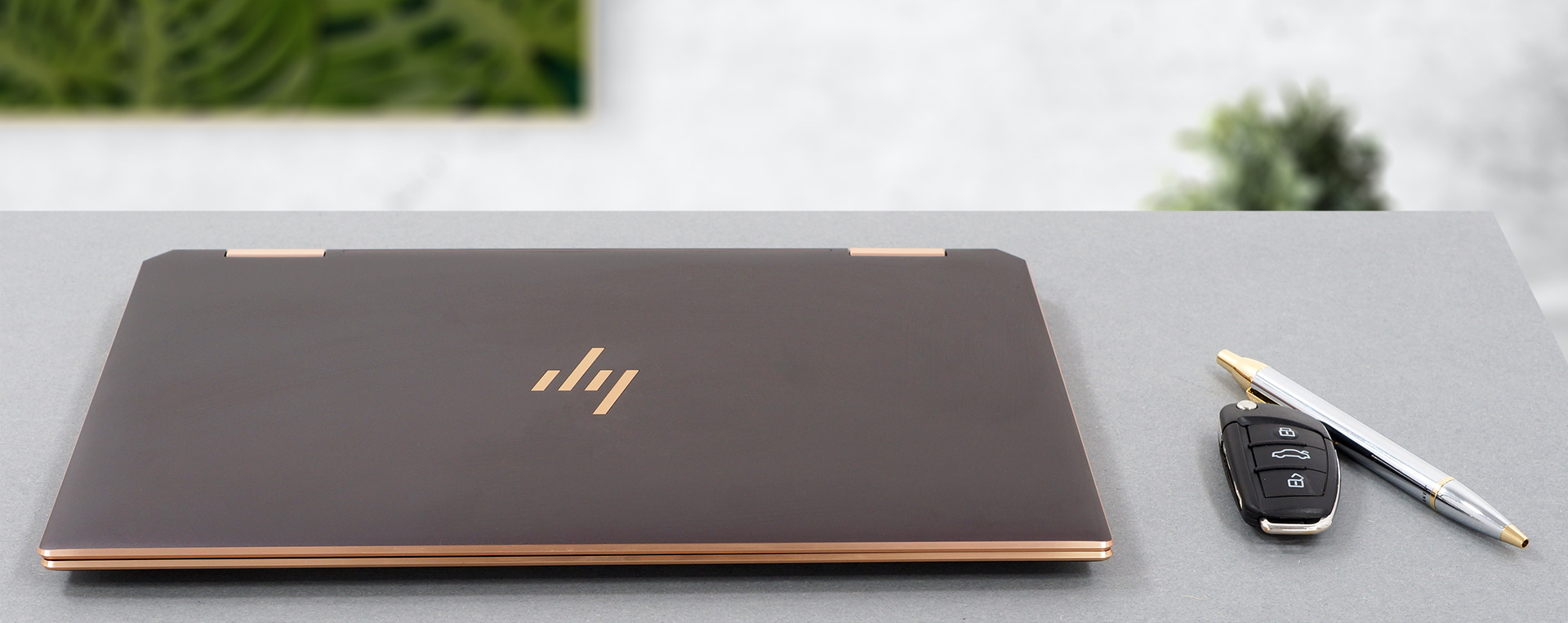
The laptop is entirely made out of aluminum, giving it the necessary sturdiness and rigidity. However, the base is prone to some twisting. The display has a glass cover, which gives the lid even more support. The aluminum body gives the laptop a cool-to-the-touch feeling and an anodized finish. The body also has chamfered edges and what looks like a copper finish, giving it an even more stylish look. The HP logo is greatly placed on the lid and has the same copper finish. Other than that, you get an HP logo on the bottom bezel and a Spectre wordmark on the 360-degree hinges, which on this device are quite stiff and don’t allow the lid to be opened with a single hand.
2. Input devices
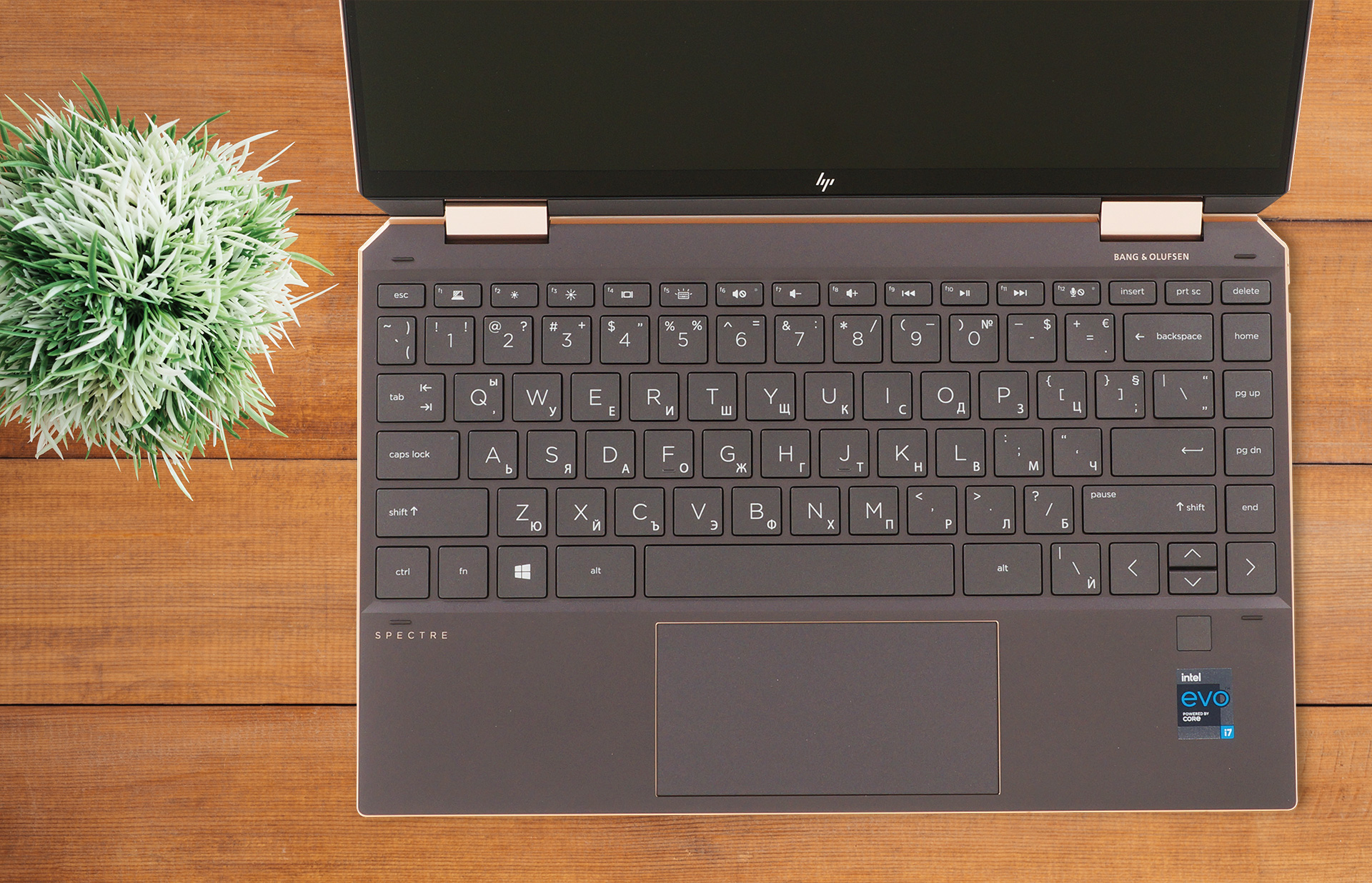
The keyboard and touchpad combo is on a great level here. The keyboard has big keys, which are easily pressed. The key travel is long enough, considering the 13-inch form factor, and the feedback is clicky and quiet at the same time, so you get the best of both worlds. Below the keyboard, you can see a huge touchpad with a glass surface, which allows for very smooth gliding and accurate tracking. Near the keyboard, there is also a fingerprint reader.
3. Battery life
The laptop has the same sized battery as the previous Spectre x360 13 of 60 Wh. In our battery tests, it lasts for 19 hours and 5 minutes of Web browsing, and 12 hours and 2 minutes of video playback, which is considerably more than what last year’s device put out. You can compare the results of the two laptops here.
In case you don’t know, we perform all of our tests with the Windows Better performance setting turned on, screen brightness adjusted to 120 nits, and all other programs turned off except for the one we are testing the notebook with.
Helligkeit: 180 Nits; Anzeigemodus: SDR
Zeit bis zur vollständigen Entladung: Höher ist besser
Um reale Bedingungen zu simulieren, haben wir unser eigenes Skript für das automatische Surfen auf über 70 Websites verwendet.
4. Display
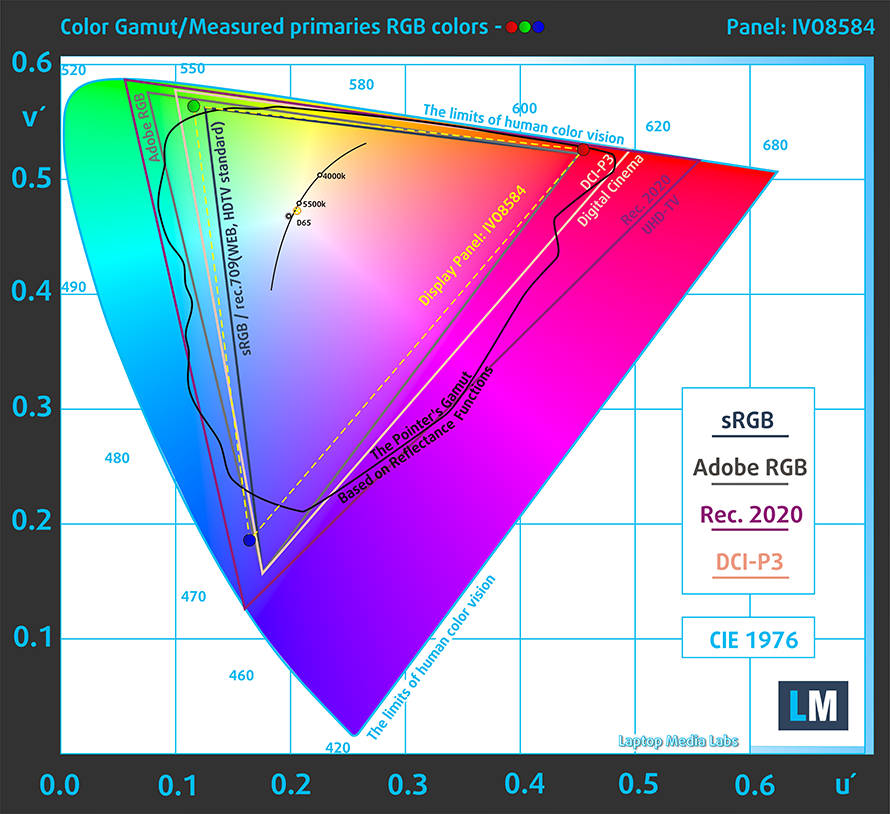
Our laptop had a 13.3-inch Full HD IPS panel. There are two other screens of the same size, one of which also has a Full HD resolution, while using an OLED panel. However, the best display that you can get is the one with a 4K resolution and an OLED panel. Now, to go back to the display that we tested, it had comfortable viewing angles, a maximum brightness of 857 nits, which is one of the highest that we have seen, a contrast ratio of 2100:1, and a 92% sRGB coverage. However, the panel uses aggressive PWM at all brightness levels, so prolonged exposure isn’t ideal for your eyes. Thankfully, our Health-Guard profile eliminates this issue.
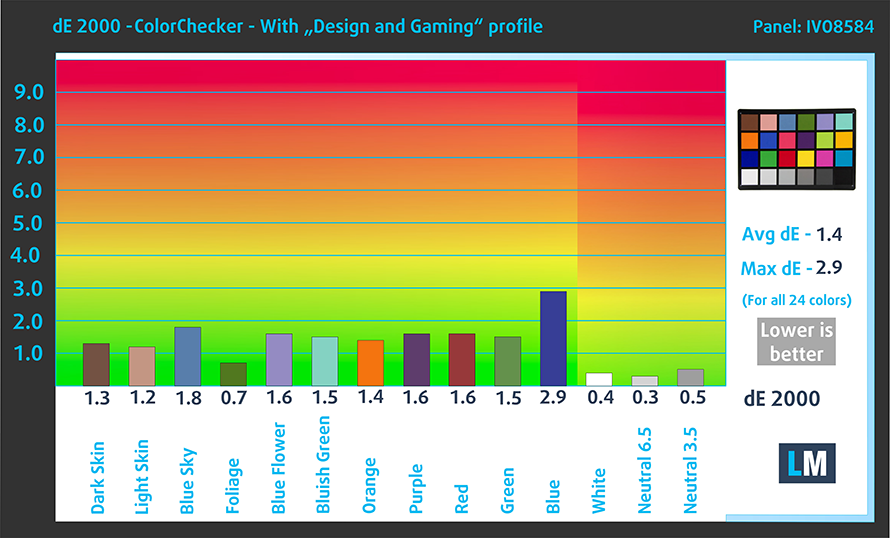
As for the color accuracy, we tested it both with the factory settings (left) and with our Design and Gaming profile (right). Our profile brought the dE value down to 1.4, which is close to the standard, meaning that you can use it for professional color-sensitive work.

Buy our profiles
Since our profiles are tailored for each display model, this article and its respective profile package are meant for HP Spectre x360 13 (13-aw2000) configurations with 13.3″ IVO M133NVFD R2 (IVO8584) (FHD, 1920 × 1080) IPS panel.
*Should you have problems with downloading the purchased file, try using a different browser to open the link you’ll receive via e-mail. If the download target is a .php file instead of an archive, change the file extension to .zip or contact us at [email protected].
Read more about the profiles HERE.
Zusätzlich zum Erhalt effizienter und gesundheitsfreundlicher Profile unterstützen Sie durch den Kauf von LaptopMedia-Produkten auch die Entwicklung unserer Labore, in denen wir Geräte testen, um möglichst objektive Bewertungen zu erstellen.

Office Work
Office Work sollte hauptsächlich von Benutzern verwendet werden, die die meiste Zeit mit Texten, Tabellen oder dem Surfen im Internet verbringen. Dieses Profil zielt darauf ab, eine bessere Deutlichkeit und Klarheit zu liefern, indem es eine flache Gammakurve (2.20), eine native Farbtemperatur und wahrnehmungsgetreue Farben beibehält.

Design und Gaming
Dieses Profil richtet sich an Designer, die professionell mit Farben arbeiten, sowie für Spiele und Filme. Design und Gaming bringt Displays an ihre Grenzen und macht sie im sRGB IEC61966-2-1 Standard für Web und HDTV am Weißpunkt D65 so genau wie möglich.

Health-Guard
Health-Guard eliminiert die schädliche Pulsweitenmodulation (PWM) und reduziert das negative blaue Licht, das sich auf unsere Augen und unseren Körper auswirkt. Da es für jedes Panel maßgeschneidert ist, gelingt es, die Farben wahrnehmungsgetreu zu halten. Health-Guard simuliert Papier, so dass die Belastung für die Augen stark reduziert wird.
Holen Sie sich alle 3 Profile mit 33 % Rabatt

1 reason NOT to buy the HP Spectre X360 13 (13-aw2000)
1. Upgradeability
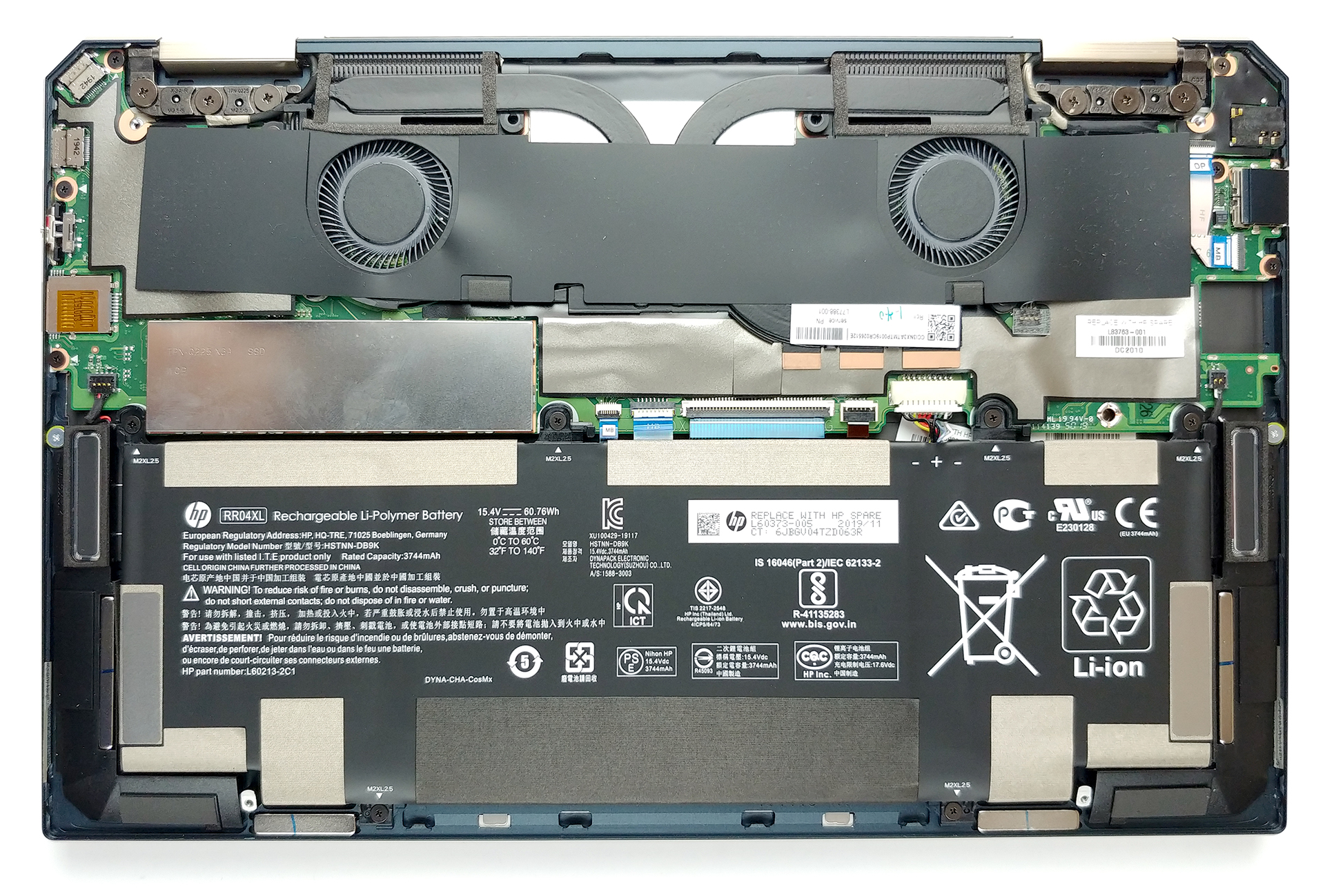
The laptop lacks any RAM slots, so you’re stuck with whatever configuration you purchase it in the first place. There is one PCIe x4 drive slot, so at least the storage is upgradeable.
All HP Spectre X360 13 (13-aw2000) configurations:
 Author: Severin Kolakov

![[Juni 2026] Die meistverkauften Laptop-Marken bei Amazon Global – Apples unangefochtene Dominanz bei Absatzzahlen und Umsatz](https://laptopmedia.com/wp-content/uploads/2026/07/GLOBAL-Best-Brands-400x225.jpg)
![[Juni 2026] Amazon Global: Die 10 meistverkauften Laptops – Apples neues MacBook Neo stürmt auf Platz 1 und verändert den Markt durch seinen günstigen Preis](https://laptopmedia.com/wp-content/uploads/2026/07/Best-Selling-Laptops-GLOBAL-Top-10-400x225.jpg)
![[Juni 2026] Amazon Global: Die 10 meistverkauften Gaming-Laptops – Acers Nitro V 16S AI dominiert die Verkaufszahlen, während ASUS beim Gesamtumsatz die Nase vorn hat](https://laptopmedia.com/wp-content/uploads/2026/07/Best-Selling-Gaming-Laptops-GLOBAL-Top-10-400x225.jpg)
![[Juni 2026] Weltweite Rangliste der meistverkauften Laptop-Grafikkarten bei Amazon – Die NVIDIA RTX 5060 ist die meistverkaufte dedizierte Grafikkarte](https://laptopmedia.com/wp-content/uploads/2026/07/Best-Selling-GPUs-GLOBAL-Top-10-400x225.jpg)
![[Juni 2026] Weltweite Rangliste der meistverkauften Laptop-CPUs bei Amazon – Apple M5 dominiert, AMD Ryzen 7 260 erobert soliden Marktanteil im Premium-Segment](https://laptopmedia.com/wp-content/uploads/2026/07/Best-Selling-CPUs-GLOBAL-Top-10-400x225.jpg)
