Top 5 reasons to BUY or NOT to buy the Microsoft Surface Laptop Go
 Microsoft is one of the tech giants of the world. In recent years, they have tried competing with both Google and Apple in terms of producing hardware with their own vision of what Windows devices should be. Their machines have become synonymous with quality and innovation and could be looked at as competitors to Apple’s Mac devices and Google’s Pixel brand of Chromebooks and tablets.
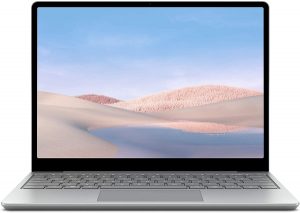
Their entry-level device is called the Microsoft Surface Laptop Go and it offers quality and a premium design, that is perfect for students and people who want something small that could be used on the go.
Here is our in-depth review of the Microsoft Surface Laptop Go.
You can check the prices and configurations in our Specs System: https://laptopmedia.com/series/microsoft-surface-laptop-go/
3 reasons to BUY the Microsoft Surface Laptop Go
1. The design and build quality
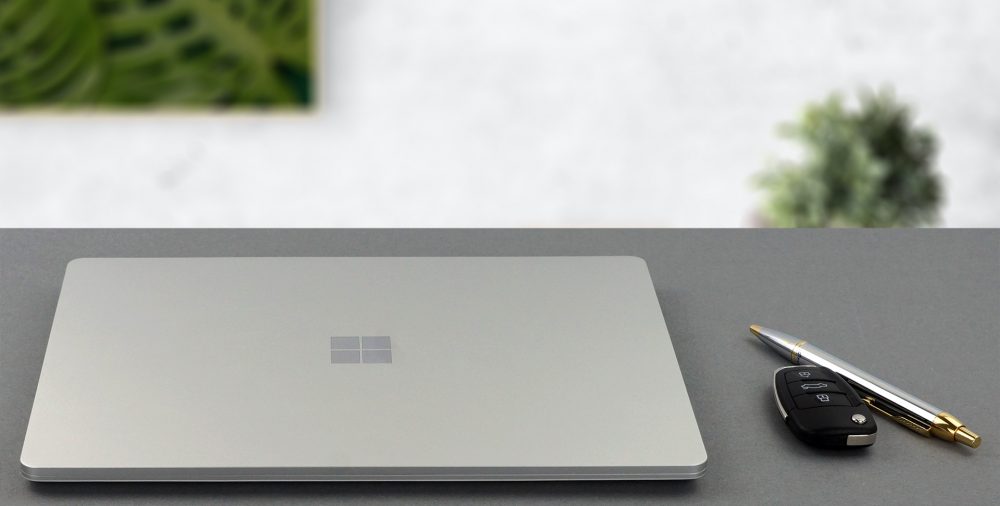
With the device being a Surface one, it comes as no surprise that it features premium materials as the lid is made out of aluminum and the base is a combination of plastic infused with glass fibers. This makes the device very solid with no flex at all since the smaller footprint contributes to better structural stability. The device has a profile of 15.7mm and weighs just 1.11 kg, which is practically nothing.
2. The Battery life
The battery life of the device is another one of its strong suits. While we have no information on the size of the battery, considering the dimensions of the laptop it should be relatively small. As for our battery tests, the Surface Laptop Go managed to last 9 hours and 42 minutes of Web browsing and 8 hours and 55 minutes of video playback. Below is a comparison of the battery life between the Surface Laptop Go and its bigger sibling the Surface Laptop 3.
Helligkeit: 180 Nits; Anzeigemodus: SDR
Zeit bis zur vollständigen Entladung: Höher ist besser
Um reale Bedingungen zu simulieren, haben wir unser eigenes Skript für das automatische Surfen auf über 70 Websites verwendet.
3. The Display
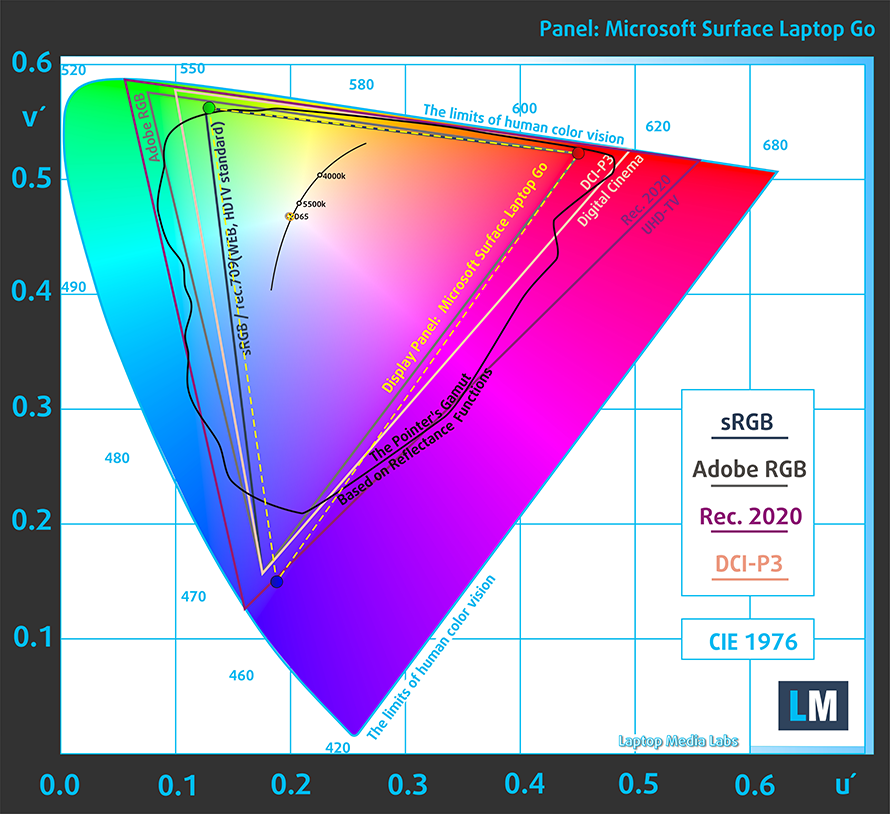
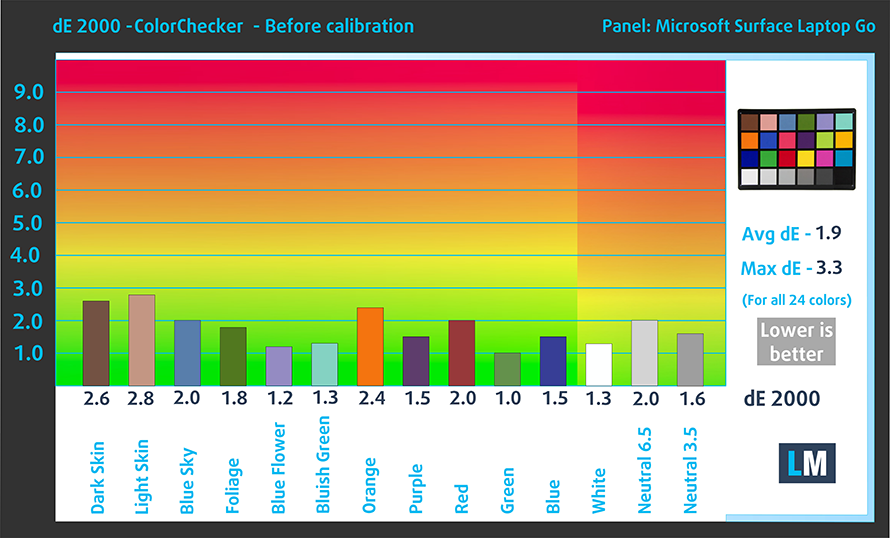
When it comes to the display, the Surface Laptop Go features a 12.4-inch touchscreen IPS panel with a resolution of 1536 x 1024p and a 3:2 aspect ratio. Additionally, the screen possesses great viewing angles and a great contrast ratio. It has 96% coverage of the sRGB color gamut and thankfully has good color accuracy out of the box. What is even better is that the screen doesn’t use PWM at all to adjust its brightness.
Below is a color accuracy test using the 24 most commonly used colors.
2 reasons NOT to buy the Microsoft Surface Laptop Go
1. The I / O
With a device so small sacrifices have been made in the I / O department. The device only has two USB ports (one Type-C and one Type-A) and an audio jack. The embedded fingerprint reader inside the power button is a nice touch though.


2. The Performance
The laptop has only one choice for CPU and it is the Intel Core i5-1035G1, which is based on the Ice Lake architecture, uses the 10m die, and has 4 cores and 8 threads. While the notebook isn’t the fastest one out there, it more than fulfills its purpose of being a device that is oriented at students.
Die Ergebnisse stammen aus dem Cinebench 20 CPU-Test (ein höherer Wert ist besser).
As for the GPU, you get an Intel UHD Graphics G1, which is okay at satisfying the needs of a student or person who does work on the move.
Die Ergebnisse stammen vom 3DMark Time Spy (Grafik). Ein höherer Wert ist besser.
Die Ergebnisse stammen vom 3DMark Fire Strike (Grafik) Benchmark (ein höherer Wert ist besser).
Die Ergebnisse stammen vom Unigine Superposition Benchmark (ein höherer Wert ist besser).
 Author: Severin Kolakov

![[Juni 2026] Die meistverkauften Laptop-Marken bei Amazon Global – Apples unangefochtene Dominanz bei Absatzzahlen und Umsatz](https://laptopmedia.com/wp-content/uploads/2026/07/GLOBAL-Best-Brands-400x225.jpg)
![[Juni 2026] Amazon Global: Die 10 meistverkauften Laptops – Apples neues MacBook Neo stürmt auf Platz 1 und verändert den Markt durch seinen günstigen Preis](https://laptopmedia.com/wp-content/uploads/2026/07/Best-Selling-Laptops-GLOBAL-Top-10-400x225.jpg)
![[Juni 2026] Amazon Global: Die 10 meistverkauften Gaming-Laptops – Acers Nitro V 16S AI dominiert die Verkaufszahlen, während ASUS beim Gesamtumsatz die Nase vorn hat](https://laptopmedia.com/wp-content/uploads/2026/07/Best-Selling-Gaming-Laptops-GLOBAL-Top-10-400x225.jpg)
![[Juni 2026] Weltweite Rangliste der meistverkauften Laptop-Grafikkarten bei Amazon – Die NVIDIA RTX 5060 ist die meistverkaufte dedizierte Grafikkarte](https://laptopmedia.com/wp-content/uploads/2026/07/Best-Selling-GPUs-GLOBAL-Top-10-400x225.jpg)
![[Juni 2026] Weltweite Rangliste der meistverkauften Laptop-CPUs bei Amazon – Apple M5 dominiert, AMD Ryzen 7 260 erobert soliden Marktanteil im Premium-Segment](https://laptopmedia.com/wp-content/uploads/2026/07/Best-Selling-CPUs-GLOBAL-Top-10-400x225.jpg)
