HP Omen 17 (2023, 17-ck2000) Test – es ist ziemlich gut, kann aber nicht mit seinen direkten Konkurrenten mithalten
Temperaturen und Komfort, Akkulaufzeit
Maximale CPU-Last
In diesem Test lasten wir die CPU-Kerne zu 100 % aus und überwachen ihre Frequenzen und die Chiptemperatur. Die erste Spalte zeigt die Reaktion des Computers auf eine kurze Belastung (2-10 Sekunden), die zweite Spalte simuliert eine ernsthafte Aufgabe (zwischen 15 und 30 Sekunden), und die dritte Spalte ist ein guter Indikator dafür, wie gut das Notebook für lange Belastungen wie Video-Rendering geeignet ist.
Durchschnittliche P-Kern-Frequenz; Durchschnittliche E-Kern-Frequenz; CPU-Temperatur; Paketleistung
| Intel Core i7-13700HX (55W TDP) | 0:02 – 0:10 Sek. | 0:15 – 0:30 Sek. | 10:00 – 15:00 min |
|---|---|---|---|
| HP Omen 17 (2023, 17-ck2000) | 3,49 GHz @ 2,86 GHz @ 66°C @ 130W | 3,48 GHz @ 2,80 GHz @ 74°C @ 130W | 3,10 GHz @ 2,44 GHz @ 76°C @ 100W |
Dieses Gerät lässt seinen Core i7-13700HX bei einer wirklich niedrigen Temperatur laufen. Das ist ziemlich gut, bereitet uns aber nicht auf das vor, was als nächstes kommt.
Spiele unter realen Bedingungen
| NVIDIA GeForce RTX 4080 | GPU-Frequenz/Kerntemperatur (nach 2 Minuten) | GPU-Frequenz/Kerntemperatur (nach 30 Minuten) |
|---|---|---|
| HP Omen 17 (2023, 17-ck2000) | 2340 MHz @ 80°C @ 174W | 2304 MHz @ 85°C @ 174W |
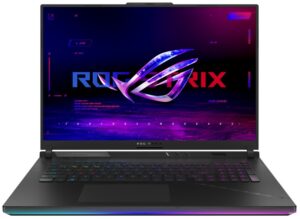
| Lenovo Legion Pro 7 (16″, 2023) | 2452 MHz @ 77°C @ 174W | 2455 MHz @ 77°C @ 174W |
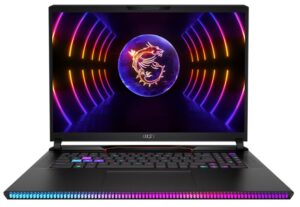
| MSI Raider GE78 HX (13VX) | 2418 MHz @ 74°C @ 173W | 2415 MHz @ 76°C @ 173W |
Wie Sie sehen können, ist das Omen 17 das leistungsschwächste Notebook, das wir derzeit mit der RTX 4080 getestet haben. Die Tatsache, dass es dennoch in der Lage ist, das 175-W-TGP-Limit zu erreichen, ist lobenswert. Allerdings tut es das mit einer um 150 MHz niedrigeren Frequenz und einer um 8 °C höheren Temperatur als das Legion Pro 7.
Spielkomfort
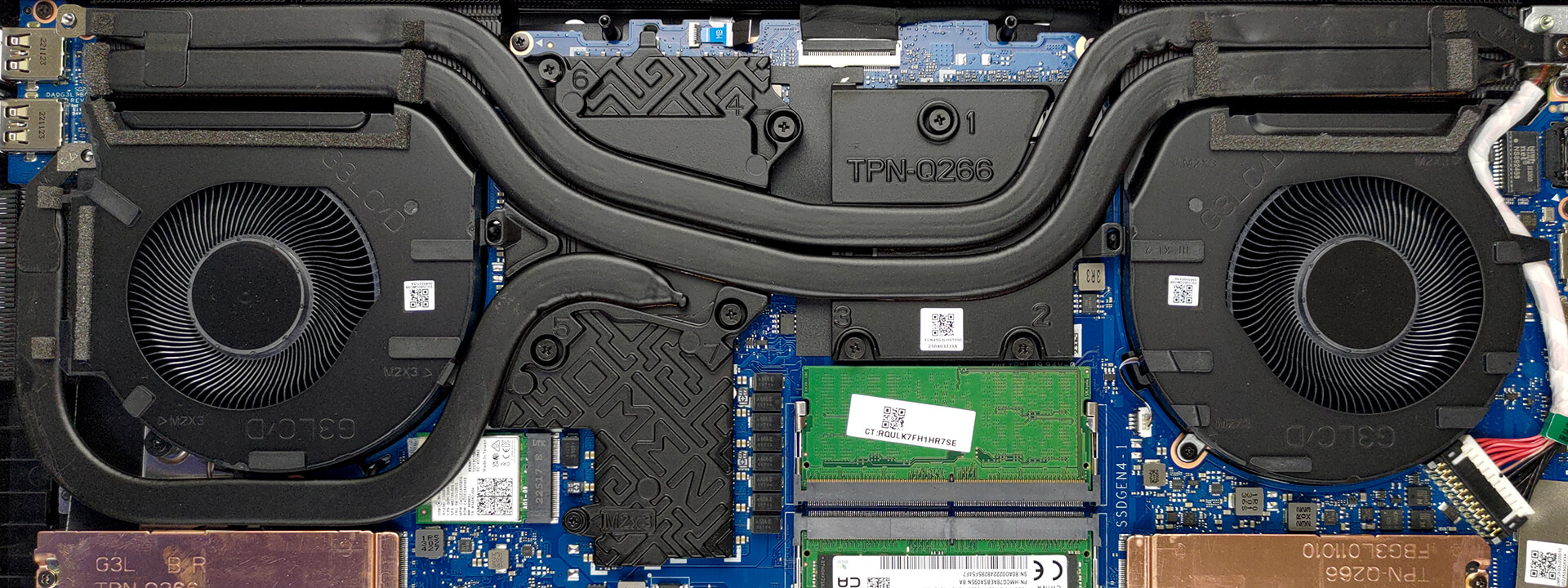
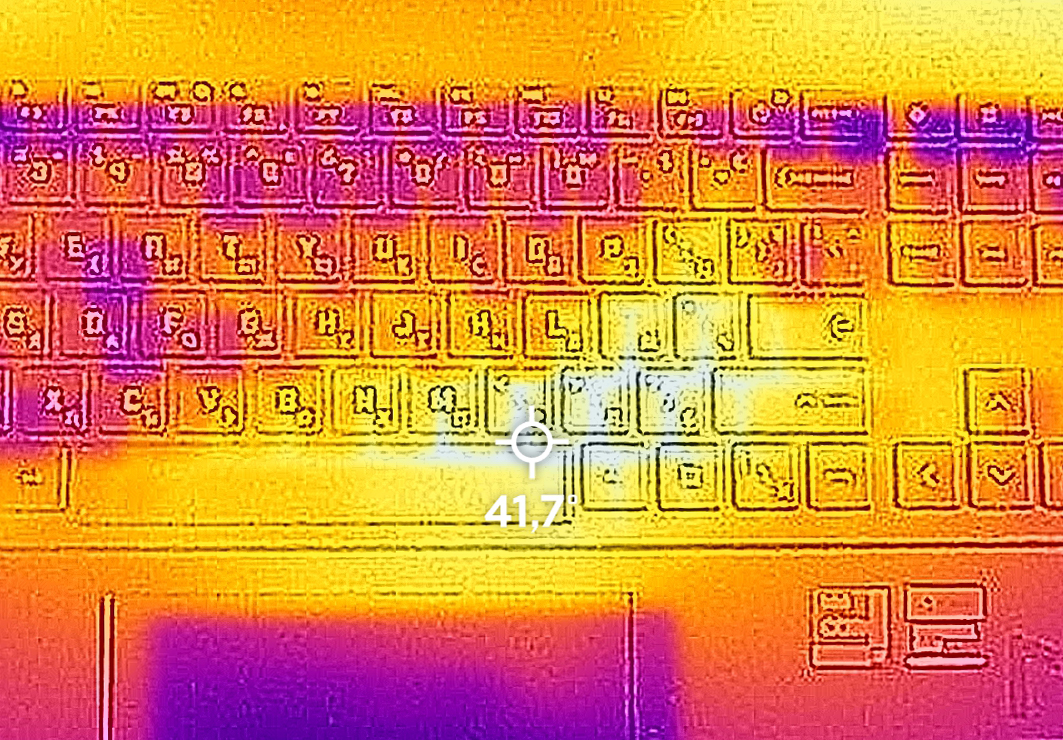
Was die Geräuschentwicklung angeht, so ist das Notebook nicht sehr komfortabel. Seine Lüfter sind während des Spielens sehr laut. Auf der anderen Seite wird die Tastatur nicht wärmer als 42°C.
Akku
Nun führen wir die Akkutests mit der Einstellung “Windows Better Performance ” durch, wobei die Bildschirmhelligkeit auf 120 nits eingestellt ist und alle anderen Programme außer dem, mit dem wir das Notebook testen, ausgeschaltet sind. Der 83-Wh-Akku des Geräts reicht für 4 Stunden und 45 Minuten Webbrowsing oder 5 Stunden und 15 Minuten Videowiedergabe.
Helligkeit: 180 Nits; Anzeigemodus: SDR
Zeit bis zur vollständigen Entladung: Höher ist besser
Um reale Bedingungen zu simulieren, haben wir unser eigenes Skript für das automatische Surfen auf über 70 Websites verwendet.
 Author: Alex Iliev
 Author: eng. Kroum NikolovHead of Engineering at LaptopMedia.com, inventor and innovator with 40+ years of experience in electronics and high technology.

![[August 2026] Weltweite Rangliste der meistverkauften Laptop-Grafikkarten bei Amazon – Apple dominiert, NVIDIAs RTX 5060 führt die Rangliste der dedizierten Grafikkarten an](https://laptopmedia.com/wp-content/uploads/2026/09/Best-Selling-GPUs-GLOBAL-Top-10-400x225.jpg)
![[August 2026] Weltweite Rangliste der meistverkauften Laptop-CPUs bei Amazon – Apple dominiert sowohl im Einsteiger- als auch im Premium-Segment: A18 Pro und M5 lassen Intel und AMD im August 2026 weit hinter sich](https://laptopmedia.com/wp-content/uploads/2026/09/Best-Selling-CPUs-GLOBAL-Top-10-400x225.jpg)
![[August 2026] Amazon Global: Die 10 meistverkauften Laptops – Das Apple MacBook Neo führt die Charts an, während preisgünstige und Mittelklasse-Windows-Laptops um Absatzzahlen kämpfen](https://laptopmedia.com/wp-content/uploads/2026/09/Best-Selling-Laptops-GLOBAL-Top-10-400x225.jpg)
![[August 2026] Die meistverkauften Laptop-Marken bei Amazon Global – Apple dominiert den Umsatz, während HP bei der Modellvielfalt führend ist](https://laptopmedia.com/wp-content/uploads/2026/09/GLOBAL-Best-Brands-400x225.jpg)
![[August 2026] Amazon Global: Die 10 meistverkauften Gaming-Laptops – Der HP Victus 15 erobert den ersten Platz, während preisgünstige Modelle die Rangliste dominieren](https://laptopmedia.com/wp-content/uploads/2026/09/Best-Selling-Gaming-Laptops-GLOBAL-Top-10-400x225.jpg)

I bought this laptop and I’m disappointed for the price I paid. I instantly upgraded the ram, but my research said gen 13 i7 only supports up to 4800 ram. I9 will do 5200 and maybe higher. But what I’m most disappointed at is the bios has almost no features. I’m not talking about overclocking. At boot, if you hit ESC and wait for the bios text, then his win+A, you can get into advanced bios, which is just the ability to view ram timing. You can under clock the ram. That’s their idea of boosting performance. All I want… Read more »
But how was the general performance itself? The frames, etc. And the heating too, how are thermals
Cant get into advanced bios, any suggestion?
Yeah, the BIOS on most laptops are a joke, but this one takes it to a whole new level. The most barebones I have ever seen. They have this laptop locked down hard.
It has TWO BIOS screens, the very basic testing one & the advanced one, two totally different ways to get into them. The OMEN software is needed to tweek setting for power saving & performance, however, HP Omen softwar is SPYWARE & illegally ‘phones home’ all your private & gaming data, scans your games and the tries to shep their game sales on you. You can block OMEN spying to HP by altering the HOSTS File & blocking HP from your LANs at the router firewall level. OMEN software is the obscene case of digital tresspassing I’ve seen since Windows… Read more »
ok, is there anything factual to say that this laptop is well below the competition ? Overheating and noisy in what condition ?
Boken in under 3 months. Won’t power up. HP Trash, I picked them over Asus & never again.HP, I’m out $2k
Have it a mux-sitch to use G-Sync comp?