Dell Vostro 14 5402
Dell Vostro 14 5402 - Spezifikationen

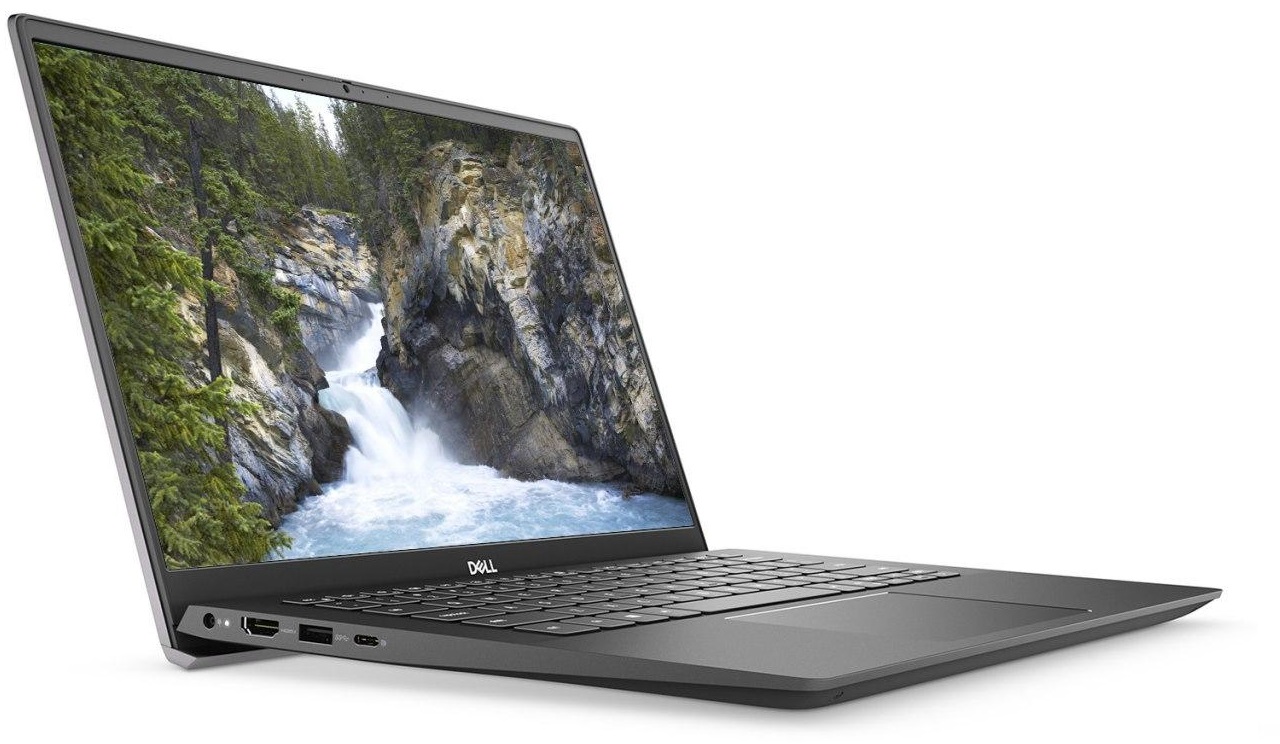
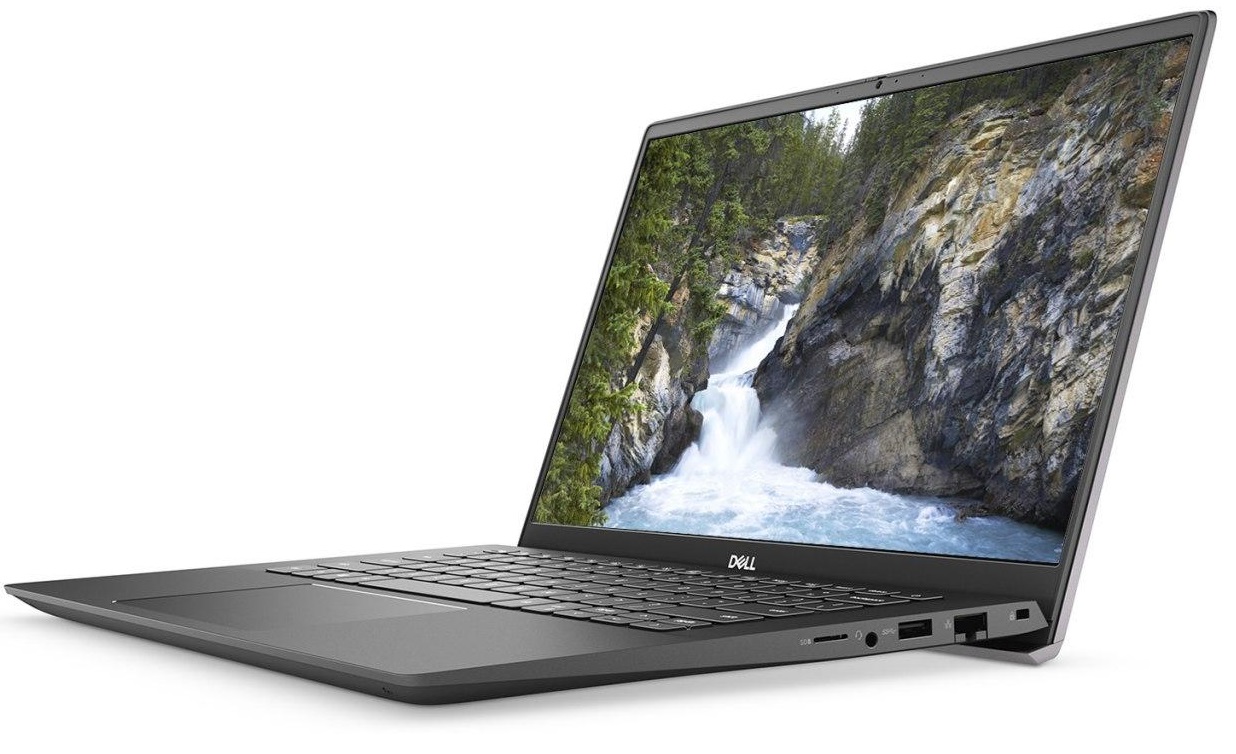
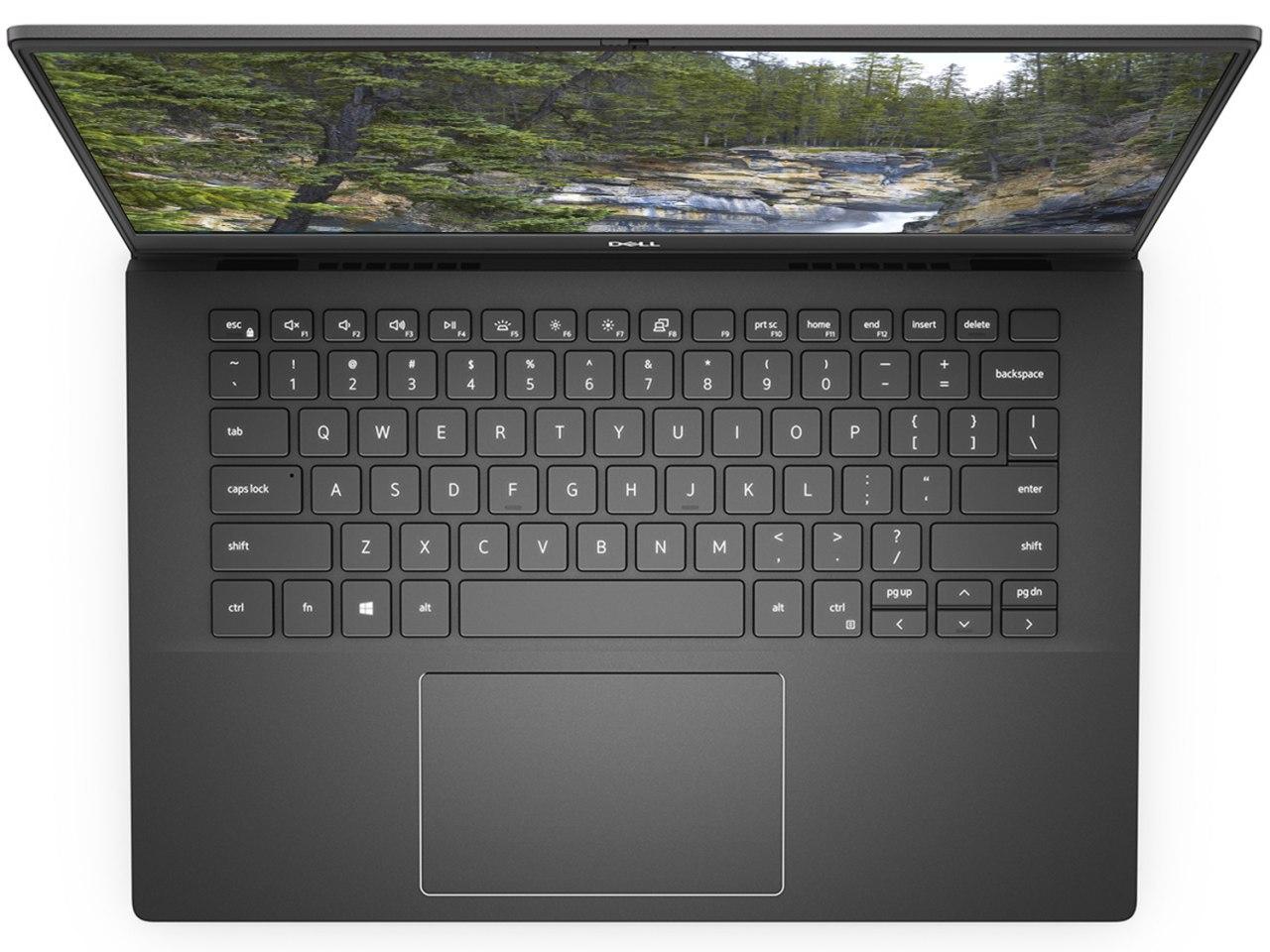

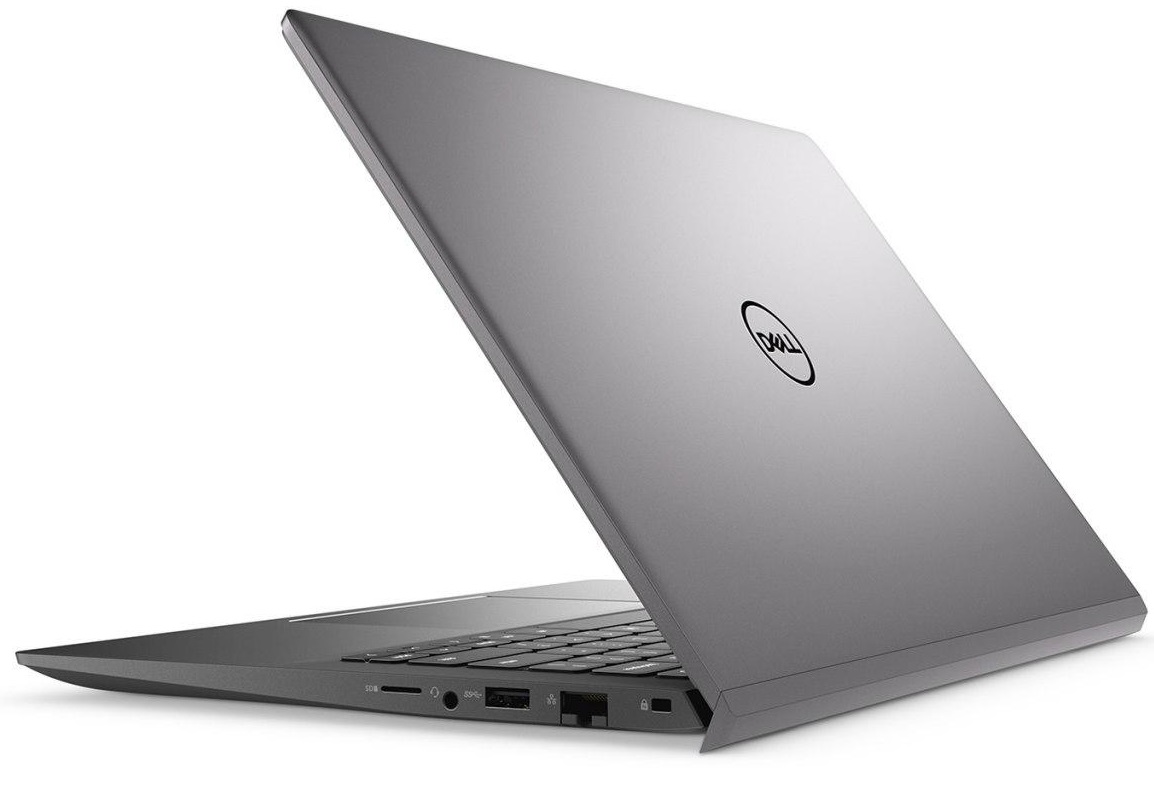

- HDD/SSD
- bis zu 2000GB SSD + bis zu 1000GB HDD
- M.2 Steckplatz
- 2x M.2 PCIe 3.0 x4 Siehe Foto
- RAM
- up to 32GB
- Betriebssystem
- Windows 11 Home, Windows 10 Pro, No OS, Windows 10 Home
- Akku
- 40Wh, 3-cell, 53Wh, 4-cell
- Gehäusematerial
- Plastic / Polycarbonate, Aluminum
- Abmessungen
- 321.3 x 216.2 x 16.7 ~ 17.9 mm (12.65" x 8.51" x 0.66")
- Gewicht
- 1.41 kg (3.1 lbs)
- Anschlüsse und Konnektivität
- 2x USB Type-A
- 3.2 Gen 1 (5 Gbps)
- 1x USB Type-C
- 3.2 Gen 2 (10 Gbps), Power Delivery (PD), DisplayPort
- HDMI
- 1.4b
- Kartenleser
- MicroSD
- Ethernet LAN
- 10, 100, 1000 Mbit/s
- Wi-Fi
- 802.11a/b/g/n/ac/ax
- Bluetooth
- 5.0/5.1
- Audioanschluss
- 3.5mm Combo Jack
- Merkmale
- Fingerabdruckleser
- Web Kamera
- HD
- Tastatur mit Hintergrundbeleuchtung
- Mikrofon
- Dual Array Microphones
- Lautsprecher
- 2x 2W, Stereo Speakers
- Optisches Laufwerk
- Sicherheits Schloss Steckplatz
- Wedge Lock Slot
Alle Dell Vostro 14 5402 Konfigurationen
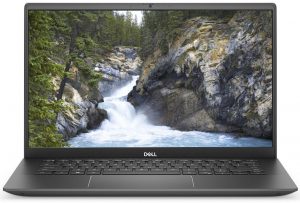
Kaufen Sie unsere Profile für AUO B140HAN-N4HYV (AUO453D) / 14.0”, Full HD (1920 x 1080), IPS
Zusätzlich zum Erhalt effizienter und gesundheitsfreundlicher Profile unterstützen Sie durch den Kauf von LaptopMedia-Produkten auch die Entwicklung unserer Labore, in denen wir Geräte testen, um möglichst objektive Bewertungen zu erstellen.

Office Work
Office Work sollte hauptsächlich von Benutzern verwendet werden, die die meiste Zeit mit Texten, Tabellen oder dem Surfen im Internet verbringen. Dieses Profil zielt darauf ab, eine bessere Deutlichkeit und Klarheit zu liefern, indem es eine flache Gammakurve (2.20), eine native Farbtemperatur und wahrnehmungsgetreue Farben beibehält.

Design und Gaming
Dieses Profil richtet sich an Designer, die professionell mit Farben arbeiten, sowie für Spiele und Filme. Design und Gaming bringt Displays an ihre Grenzen und macht sie im sRGB IEC61966-2-1 Standard für Web und HDTV am Weißpunkt D65 so genau wie möglich.

Health-Guard
Health-Guard eliminiert die schädliche Pulsweitenmodulation (PWM) und reduziert das negative blaue Licht, das sich auf unsere Augen und unseren Körper auswirkt. Da es für jedes Panel maßgeschneidert ist, gelingt es, die Farben wahrnehmungsgetreu zu halten. Health-Guard simuliert Papier, so dass die Belastung für die Augen stark reduziert wird.
Holen Sie sich alle 3 Profile mit 33 % Rabatt

CPU-Leistung
Hier finden Sie den Preis-/Leistungsunterschied zwischen allen CPUs, die im Dell Vostro 14 5402 Serie.
Die Ergebnisse stammen aus dem Cinebench R23 CPU-Test (je höher die Punktzahl, desto besser)
GPU Leistung
Hier finden Sie den Preis-/Leistungsunterschied zwischen allen GPUs, die im Dell Vostro 14 5402 Serie.
Die Ergebnisse stammen vom 3DMark Time Spy (Grafik). Ein höherer Wert ist besser.
Dell Vostro 14 5402 ausführliche Bewertung
If you are in the looks for an office or business laptop, but Dell's Latitude series are a bit hardcore for you. And the Inspiron ones are not secure enough, then you should be looking at the middle-ground Vostro lineup. Actually, the Vostro is an Inspiron on security steroids, if we can put it this way.Today, we have the 14-inch Dell Vostro 14 5402, and since it is pretty much the same as the Vostro 14 5401, we will be occasionally comparing it with the Vostro 14 5490 model.So what should you expect from this device? Well, it comes equipped with Intel's Tiger Lake processors and can [...]
Profis
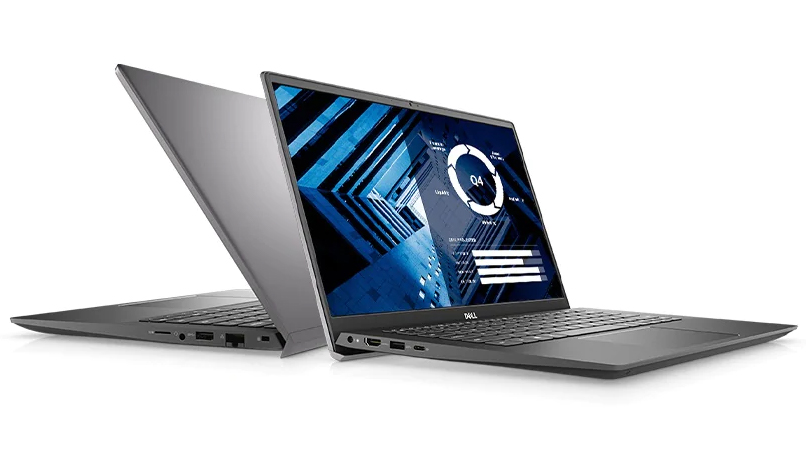
- Wi-Fi 6 connection, MicroSD card slot, and a well-populated I/O
- Two RAM SODIMM slots, and PCIe x4 support for storage
- Thin and light body
- PWM-free display (AUO B156HAN02.1)
Nachteile
- A ton of confusion around its second M.2 slot
- Covers only 51% of the sRGB color gamut (AUO B156HAN02.1)
- The model with a 40Wh battery doesn't shine with great screen-on times
Spiele, die Sie auf dieser Laptop-Serie spielen können

Resolution: 1920 x 1080 (Full HD) |
NORMAL |
HIGH |
VERY HIGH |
MAX |
|---|---|---|---|---|
 | 110 FPS VIDEO ABLAUFEN | 45 FPS VIDEO ABLAUFEN | 23 FPS VIDEO ABLAUFEN | 12 FPS VIDEO ABLAUFEN |
| NVIDIA GeForce MX330 (2GB GDDR5, 25W) | 101 FPS | 36 FPS | 19 FPS | 6 FPS |
| Intel Iris Xe Graphics G7 (96EU) | 48 FPS VIDEO ABLAUFEN | 19 FPS VIDEO ABLAUFEN | - VIDEO ABLAUFEN | - VIDEO ABLAUFEN |

Resolution: 1920 x 1080 (Full HD) |
VERY LOW |
MED |
MAX |
|---|---|---|---|
| 243 FPS | 202 FPS | 191 FPS |
| NVIDIA GeForce MX350 (25W) | 219 FPS VIDEO ABLAUFEN | 195 FPS VIDEO ABLAUFEN | 176 FPS VIDEO ABLAUFEN |
| Intel Iris Xe Graphics G7 (96EU) | 231 FPS VIDEO ABLAUFEN | 183 FPS VIDEO ABLAUFEN | 142 FPS VIDEO ABLAUFEN |

Resolution: 1920 x 1080 (Full HD) |
MIN |
MAX |
|---|---|---|
| 537 FPS VIDEO ABLAUFEN | 50 FPS VIDEO ABLAUFEN |
| NVIDIA GeForce MX350 (25W) | 527 FPS VIDEO ABLAUFEN | 43 FPS VIDEO ABLAUFEN |
| NVIDIA GeForce MX330 (2GB GDDR5, 25W) | 228 FPS | 51 FPS |



Resolution: 1920 x 1080 (Full HD) |
PERF. |
ORIG. |
ENCH. |
|---|---|---|---|
| 96 FPS VIDEO ABLAUFEN | 86 FPS VIDEO ABLAUFEN | 76 FPS VIDEO ABLAUFEN |
| NVIDIA GeForce MX330 (2GB GDDR5, 25W) | 72 FPS | 67 FPS | 63 FPS |
| Intel Iris Xe Graphics G7 (96EU) | 53 FPS VIDEO ABLAUFEN | 47 FPS VIDEO ABLAUFEN | 41 FPS VIDEO ABLAUFEN |



Resolution: 1920 x 1080 (Full HD) |
HIGH PERF |
HIGH QLT |
|---|---|---|
| 226 FPS VIDEO ABLAUFEN | 90 FPS VIDEO ABLAUFEN |
| NVIDIA GeForce MX330 (2GB GDDR5, 25W) | 193 FPS | 73 FPS |
| Intel Iris Xe Graphics G7 (96EU) | 97 FPS VIDEO ABLAUFEN | 43 FPS VIDEO ABLAUFEN |

Resolution: 1920 x 1080 (Full HD) |
VERY LOW |
MED |
HIGH |
ULTRA |
|---|---|---|---|---|
| 51 FPS VIDEO ABLAUFEN | 38 FPS VIDEO ABLAUFEN | 36 FPS VIDEO ABLAUFEN | 27 FPS VIDEO ABLAUFEN |
| Intel Iris Xe Graphics G7 (96EU) | 30 FPS VIDEO ABLAUFEN | 23 FPS VIDEO ABLAUFEN | - VIDEO ABLAUFEN | - VIDEO ABLAUFEN |


![[September 2026] Die meistverkauften Laptop-Marken bei Amazon Global – Apple dominiert den Markt mit einem Umsatzanteil von über 70 %](https://laptopmedia.com/wp-content/uploads/2026/10/GLOBAL-Best-Brands-400x225.jpg)
![[September 2026] Amazon Global: Die 10 meistverkauften Laptops – Apples MacBook Neo erobert Platz 1, während preisgünstige und Premium-Geräte den Markt dominieren](https://laptopmedia.com/wp-content/uploads/2026/10/Best-Selling-Laptops-GLOBAL-Top-10-400x225.jpg)
![[September 2026] Amazon Global: Die 10 meistverkauften Gaming-Laptops – Der ASUS ROG Strix G16 dominiert den Markt mit rekordverdächtigen Verkaufszahlen](https://laptopmedia.com/wp-content/uploads/2026/10/Best-Selling-Gaming-Laptops-GLOBAL-Top-10-400x225.jpg)
![[September 2026] Weltweite Rangliste der meistverkauften Laptop-Grafikkarten bei Amazon – Apples M5-Chip lässt NVIDIA bei Premium-Laptops weit hinter sich, doch die RTX 5060 ist die einzige dedizierte Grafikkarte, die es in die Top 10 geschafft hat](https://laptopmedia.com/wp-content/uploads/2026/10/Best-Selling-GPUs-GLOBAL-Top-10-400x225.jpg)
![[September 2026] Weltweite Rangliste der meistverkauften Laptop-CPUs bei Amazon – Apples M5 lässt Intel weit hinter sich, während sich der Premium-Markt zu einem Zweikampf entwickelt](https://laptopmedia.com/wp-content/uploads/2026/10/Best-Selling-CPUs-GLOBAL-Top-10-400x225.jpg)

