Inside Lenovo Legion Y740 – disassembly, internal photos, and upgrade options
As Lenovo Legion Y740 is one of the best gaming devices of early 2019, we were particularly impatient to get inside of it. If you are interested why we consider it as one of the best gaming laptops on the market, you should check our In-depth Review.
You can also check all Lenovo Legion Y740 prices and configurations in our Specs system.
1. Remove the bottom plate
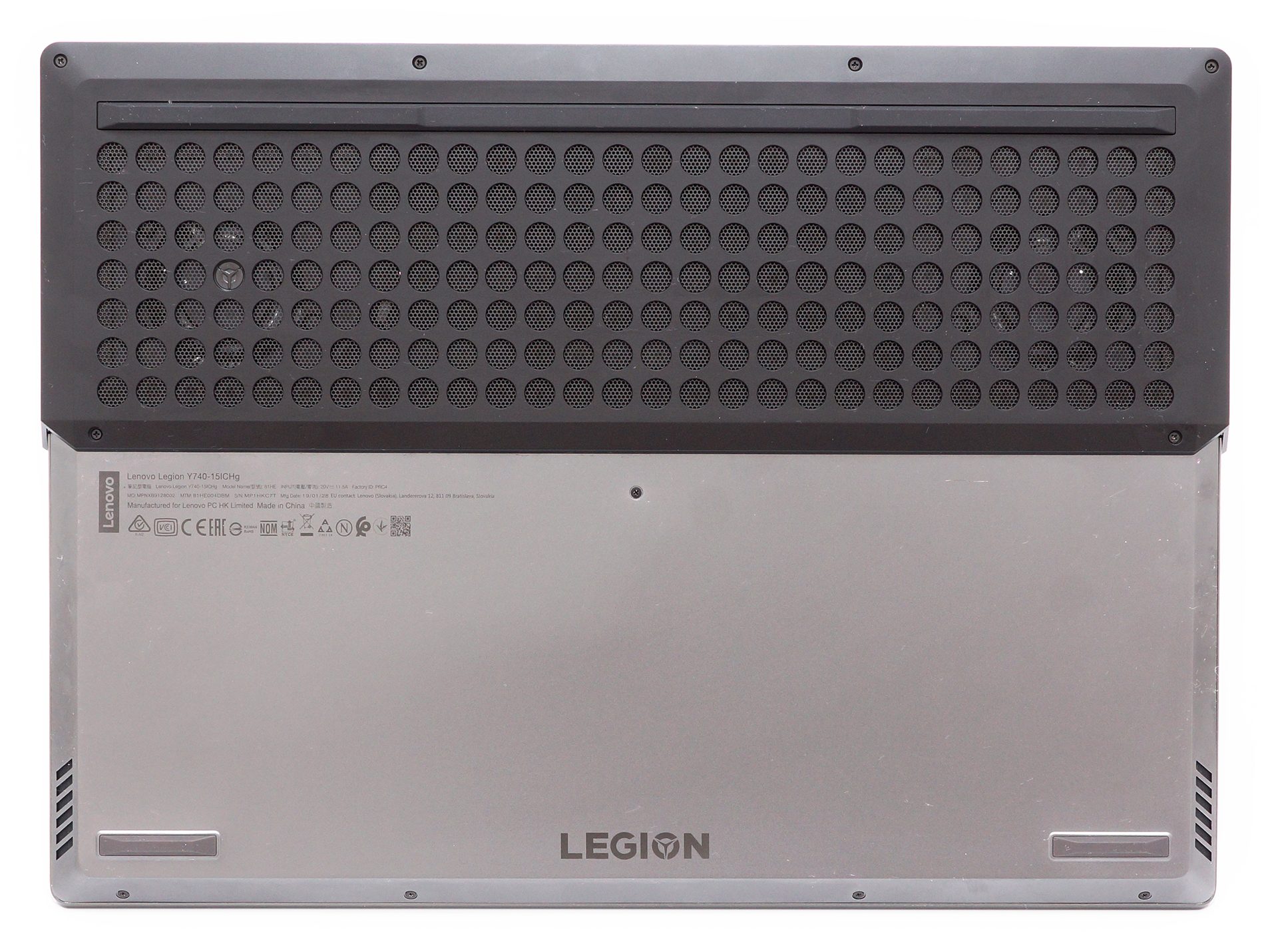
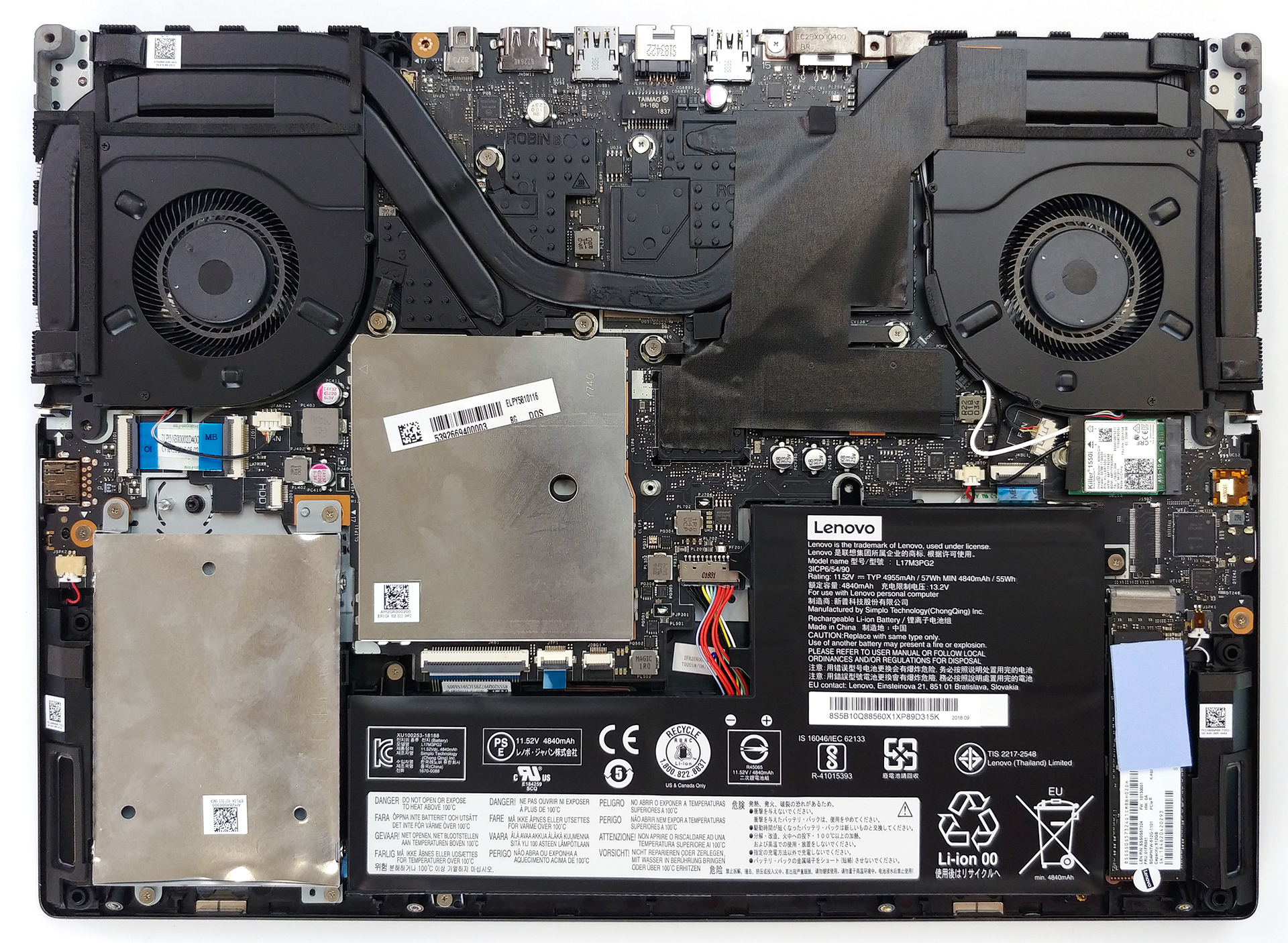
Expectedly, you start the disassembly by removing the bottom plate. It is held in place by 11 Phillips-head screws. After that, you need to pry the panel up – be careful to use a plastic tool in order not to scratch the surface.
2. Memory
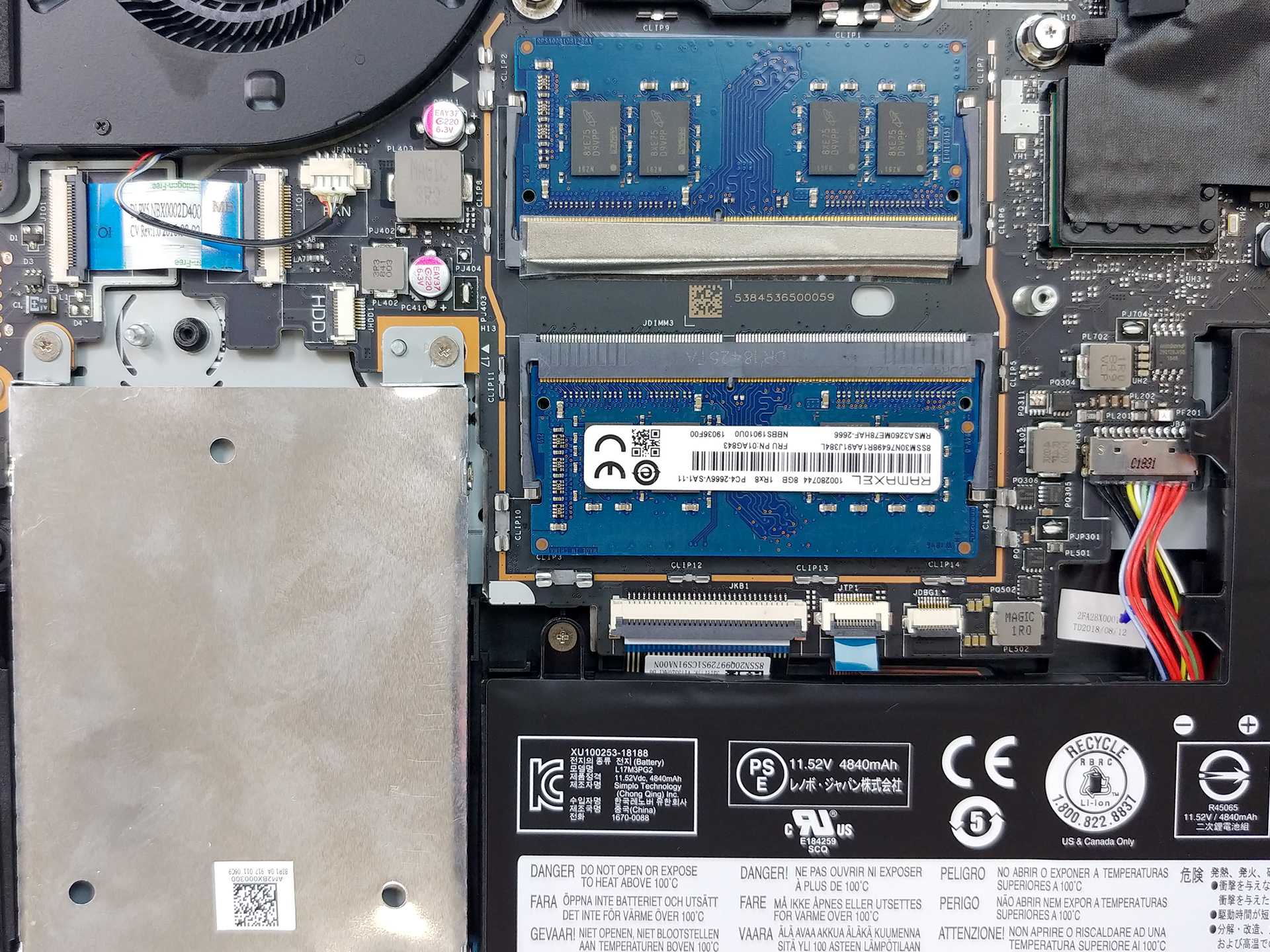
Similarly to the Legion Y730, this device has two RAM DIMMs, which support up to 32GB of memory, working at 2667 MHz at most. In order to get access to the RAM slots, first, you have to remove the metal protective bracket, sitting on top of them. After that, the procedure of changing the sticks is pretty simple – undo the metal clips and remove the RAM from its slots.
3. Battery and storage
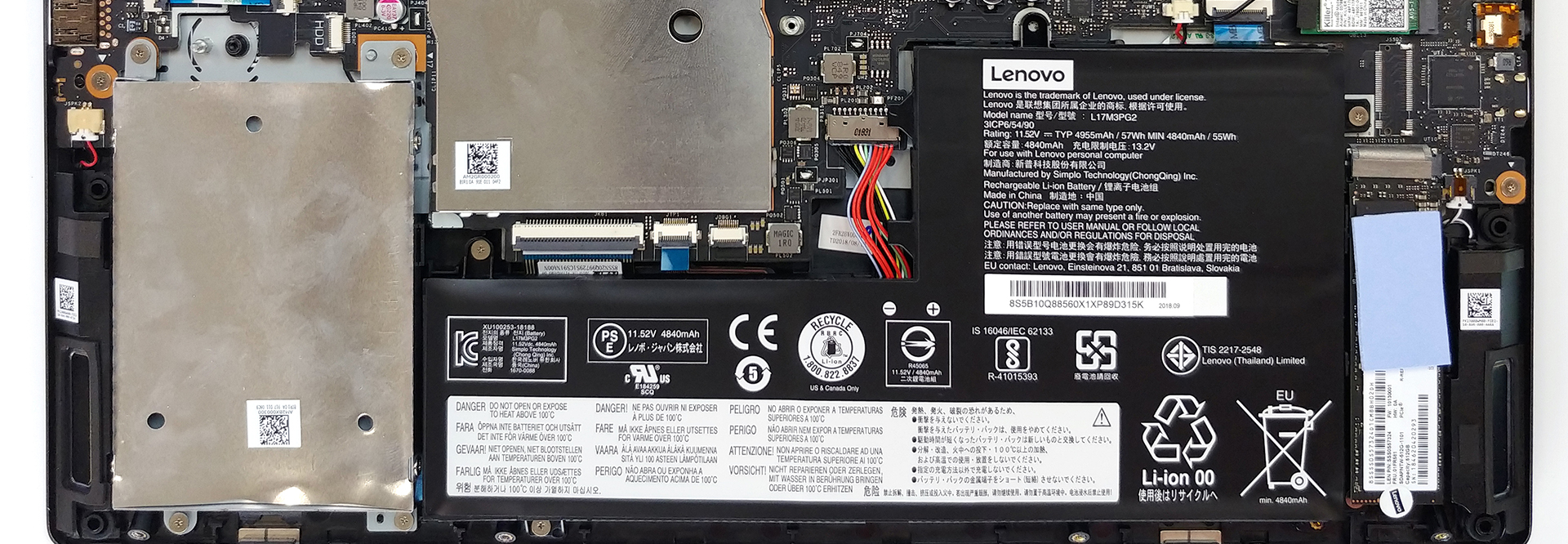
Sadly, the battery life of this device wasn’t particularly impressive. Apparently, its 57Wh battery pack isn’t enough to power a 144Hz screen with G-sync. Either way, it is held in place by four Phillips head screws. However, one of them is hidden beneath the M.2 SSD (if there is one present), so technically you need to unscrew a total of five screws. On the other side of the battery, not obtrusing, the battery is located the SATA device slot. It is also held in place by four Phillips head screws and is connected to the motherboard via a little, fragile ribbon cable.
4. Cooling system
Here is the real deal of this article – the cooling solution. Despite the modest use of just three heat pipes, the Legion Y740 is enviably better than some of the copper tycoons of MSI. What we think is the most assisting segment of the cooling itself, are the big black plates surrounding both chips and covering the VRAM as well as the VRMs. As you can see from the images below, Lenovo has even put a name for this cooling. Additionally, if you want to change the thermal past yourself, remember to use the cross – unscrewing technique (remove the screws diagonally located to each other) in order to reduce the tension to the dies.
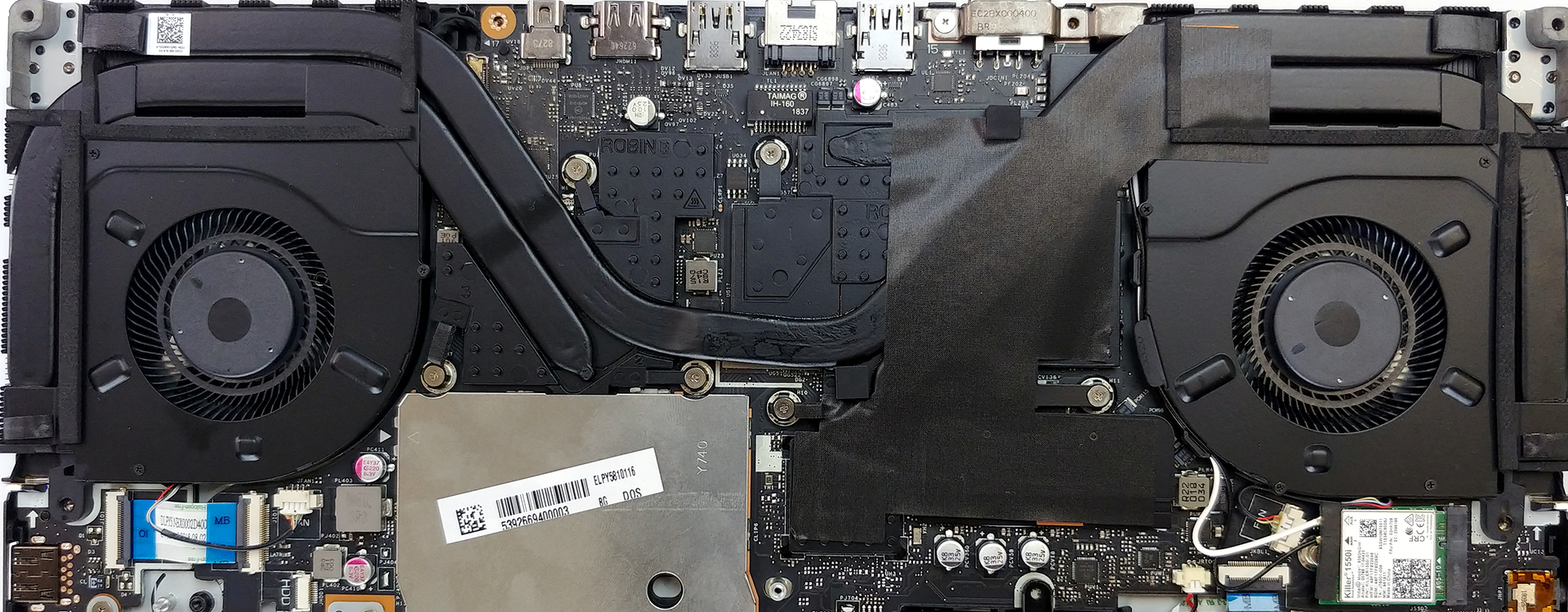
Check out all Lenovo Legion Y740 prices and configurations in our Specs System or read more in our In-depth Review.
 Author: Alex Iliev

![[Agosto de 2026] Clasificación mundial de las GPU para portátiles más vendidas en Amazon: Apple se impone con autoridad, mientras que la RTX 5060 de NVIDIA encabeza la lista de tarjetas dedicadas](https://laptopmedia.com/wp-content/uploads/2026/09/Best-Selling-GPUs-GLOBAL-Top-10-400x225.jpg)
![[Agosto de 2026] Clasificación mundial de las CPU para portátiles más vendidas en Amazon: Apple domina tanto el segmento económico como el de gama alta; la A18 Pro y la M5 arrasan frente a Intel y AMD en agosto de 2026](https://laptopmedia.com/wp-content/uploads/2026/09/Best-Selling-CPUs-GLOBAL-Top-10-400x225.jpg)
![[Agosto de 2026] Amazon Global: las 10 portátiles más vendidas — La Apple MacBook Neo domina las listas, mientras que los portátiles con Windows de gama baja y media compiten por el volumen de ventas](https://laptopmedia.com/wp-content/uploads/2026/09/Best-Selling-Laptops-GLOBAL-Top-10-400x225.jpg)
![[Agosto de 2026] Las marcas de portátiles más vendidas en Amazon Global: Apple domina los ingresos, mientras que HP lidera la variedad de modelos](https://laptopmedia.com/wp-content/uploads/2026/09/GLOBAL-Best-Brands-400x225.jpg)
![[Agosto de 2026] Amazon Global: Las 10 portátiles para videojuegos más vendidas – La HP Victus 15 se lleva la corona mientras los modelos económicos dominan las listas de ventas](https://laptopmedia.com/wp-content/uploads/2026/09/Best-Selling-Gaming-Laptops-GLOBAL-Top-10-400x225.jpg)

tHIS NOT A COMPLETE DISASSEMBLE. WHY DID NOT TAKE OUT HEAT SINK, FNAS AND MOTEHRBOARD?