Acer Predator Helios 300 (PH315-53) review – the epitome of a gaming laptop
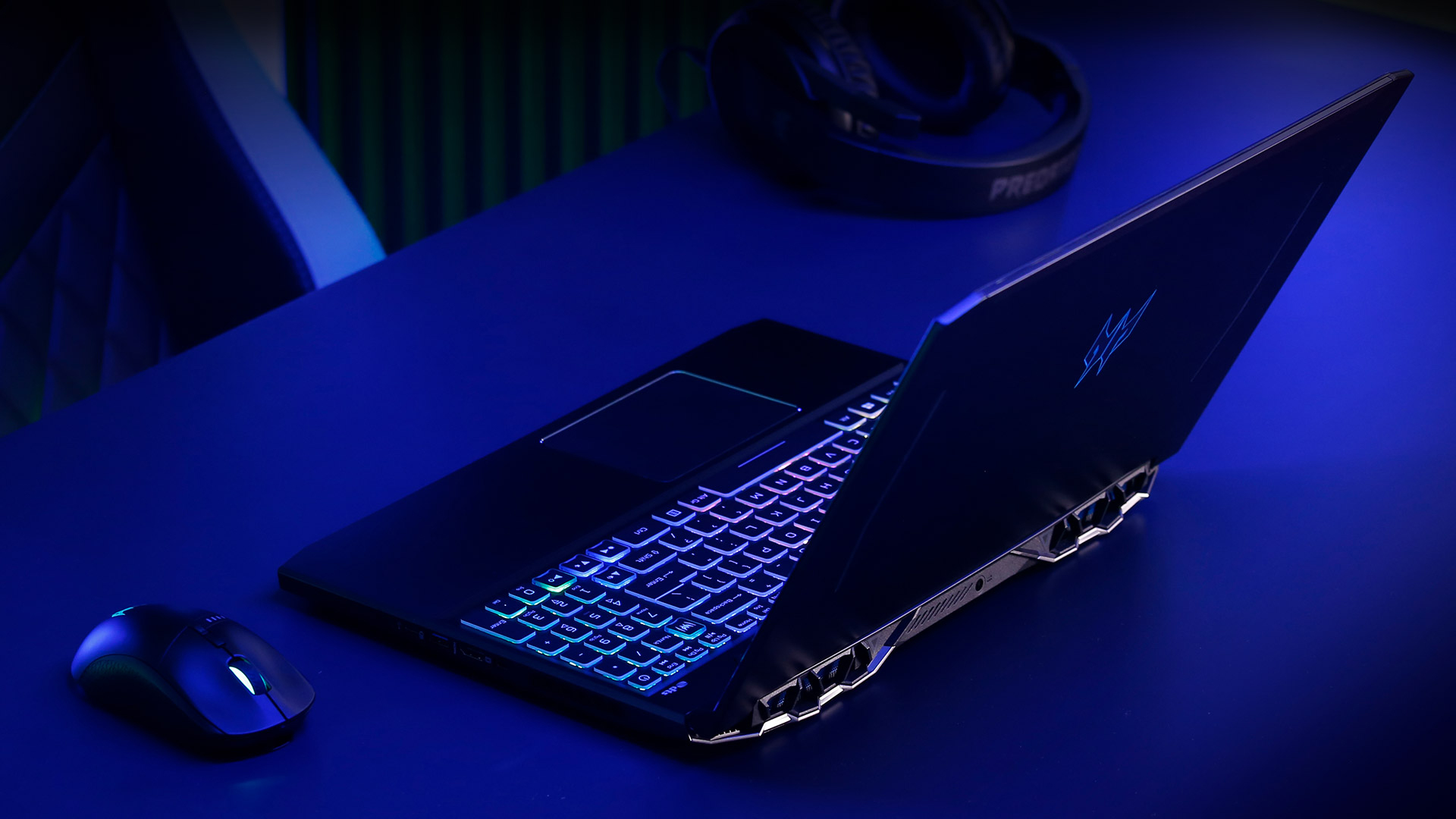 For the past couple of years, the Predator Helios 300 laptop series of Acer is one of its best sellers on the gaming stage. And quite honestly, it provided probably the best bang for the buck of almost any gaming laptop out there, regardless of the manufacturer.
With the PH315-53, Acer is introducing the 10th Generation Comet Lake-H processors and offers it with the familiar GeForce graphics cards. By the way, last year’s device was able to win our Editor’s choice award with its great performance, quality of build, and cooling capability. However, we still had something to say against it, especially since it lacked an SD card reader and Thunderbolt 3 support.
Apart from the obvious hardware, this notebook comes with Ethernet and Wireless adapters from Killer, providing its users with the latest Wi-Fi 6 standards and low latency.
You can check the prices and configurations in our Specs System: https://laptopmedia.com/series/acer-predator-helios-300-ph315-53/
Contents
Specs Sheet
Acer Predator Helios 300 (PH315-53) - Especificaciones

- GPU
- NVIDIA GeForce RTX 3080 (Laptop, 100W) #47 en Top GPUs NVIDIA GeForce RTX 3070 (Laptop, 100W) #101 en Top GPUs NVIDIA GeForce RTX 3060 (Laptop, 100W) #114 en Top GPUs NVIDIA GeForce RTX 2070 Max-Q #139 en Top GPUs NVIDIA GeForce RTX 2060 (Laptop, 90W) #150 en Top GPUs NVIDIA GeForce GTX 1660 Ti (Laptop) #164 en Top GPUs NVIDIA GeForce GTX 1650 Ti (Laptop, 50W, 128-bit) #209 en Top GPUs

- HDD/SSD
- hasta 8000GB SSD + hasta 2000GB HDD
- Ranura M.2
- 2x 2280 M.2 NVMe slots
- RAM
- up to 64GB
- SO
- Windows 10 Home, Linux, DOS, Windows 11 Home, Windows 10 Pro, No OS
- Batería
- 58.7Wh, 4-cell, 58.7Wh, 4-cel
- Material del cuerpo
- Plastic / Polycarbonate, Aluminum
- Dimensiones
- 363.4 x 255 x 22.9 mm (14.31" x 10.04" x 0.90")
- Peso
- 2.50 kg (5.5 lbs)
- Puertos y conectividad
- 2x USB Type-A
- 3.2 Gen 1 (5 Gbps)
- 1x USB Type-A
- 3.2 Gen 1 (5 Gbps), Sleep and Charge
- 2x USB Type-C
- 3.2 Gen 1 (5 Gbps)
- 1x USB Type-C
- 3.2 Gen 2 (10 Gbps)
- HDMI
- Displayport mini
- LAN Ethernet
- 10, 100, 1000 Mbit/s
- Wi-Fi
- 802.11ax
- Bluetooth
- 5.0
- Toma de audio
- 3.5 Combo Jack
- Características
- Lector de huellas dactilares
- optional
- Cámara web
- HD
- Teclado retroiluminado
- Micrófono
- Altavoces
- 2 Speakers, DTS Audio
- Unidad óptica
- optional
Todos Acer Predator Helios 300 (PH315-53) configuraciones
What’s in the box?
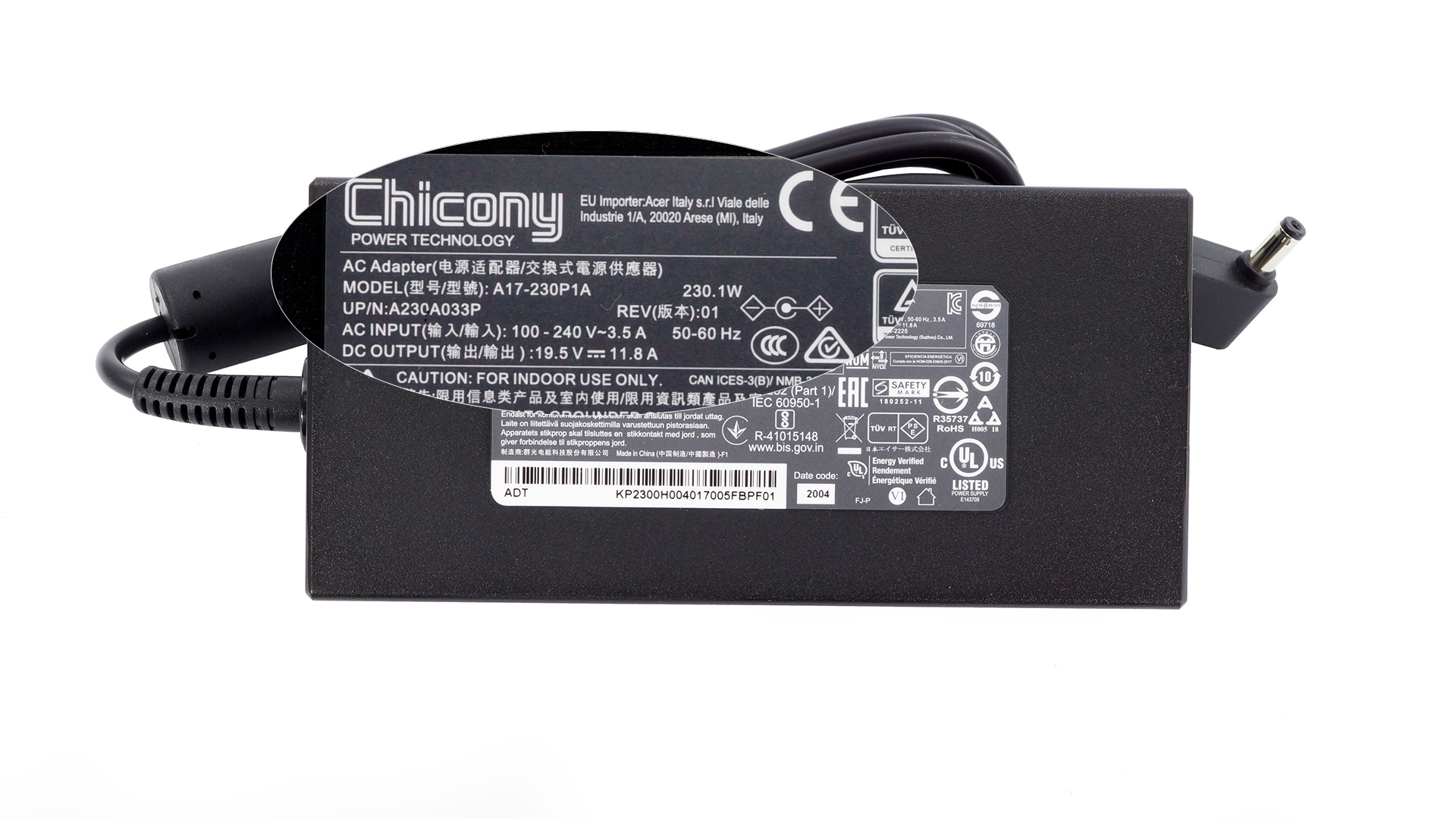
Inside the package, we found some paper manuals, a 230W power brick, as well as some stickers, promoting the Planet9 platform launched by Acer.
Design and construction
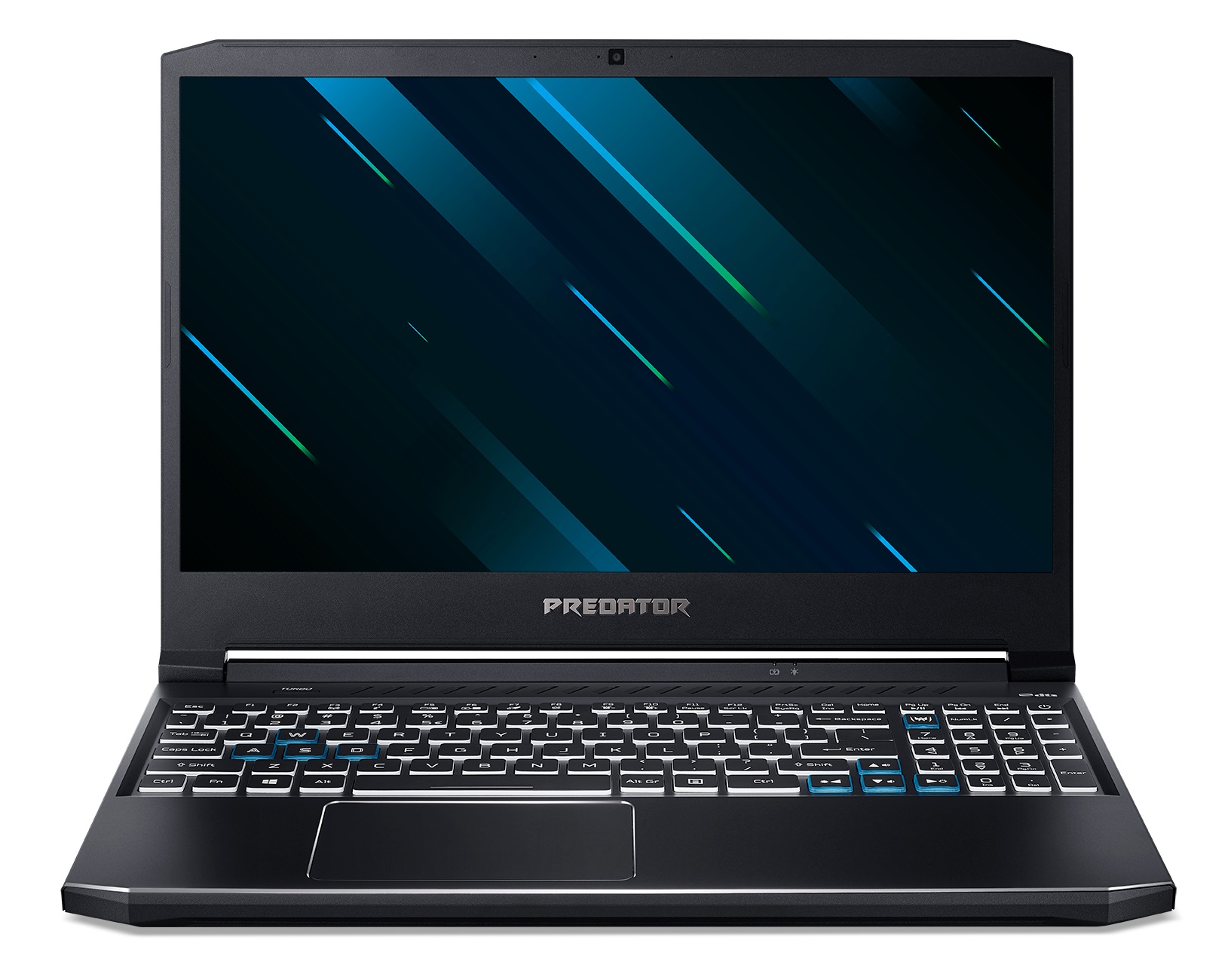
As we saw on last year’s model, the Predator Helios 300 (PH315-53) features aluminum on its lid and on the base, while all of the other panels are made out of plastic. This makes the body extremely strong and resistant to flex. However, despite its metal cover, the lid bends like a warm slice of cheese. Interestingly, the new model weighs 2.50 kg, which is a 200-gram increase, compared to its predecessor, while the thickness remains the same – 22.9mm.
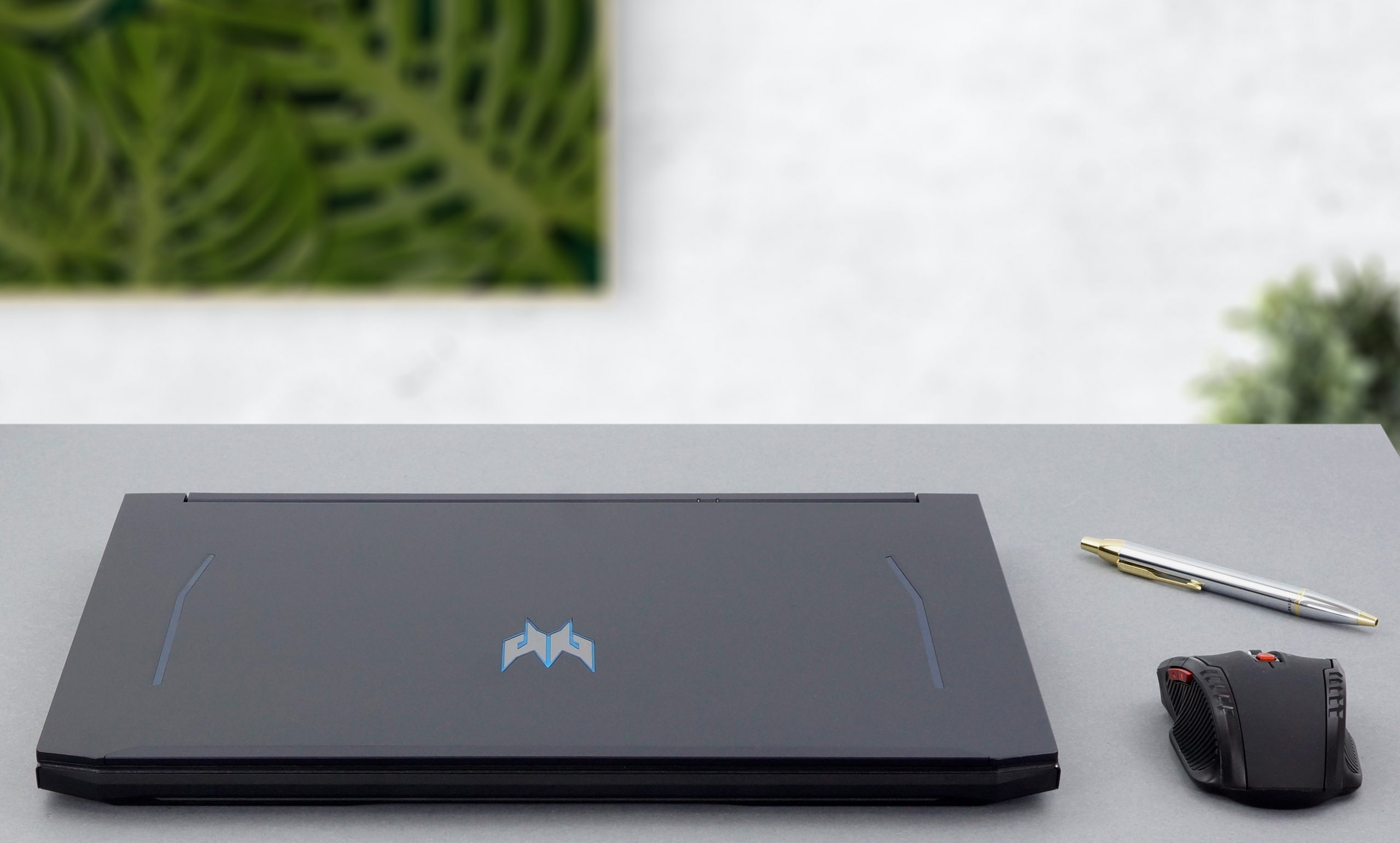
In terms of usability, the lid opens easily with a single hand, and you can see thin bezels on the sides and on the top – the norm for 2020. Above the display, there is an HD Web camera, a feature that was weirdly ditched by the ASUS ROG Strix series. Also, on its back, the lid has the Predator logo, which shines in blue, as soon as you turn on the notebook.

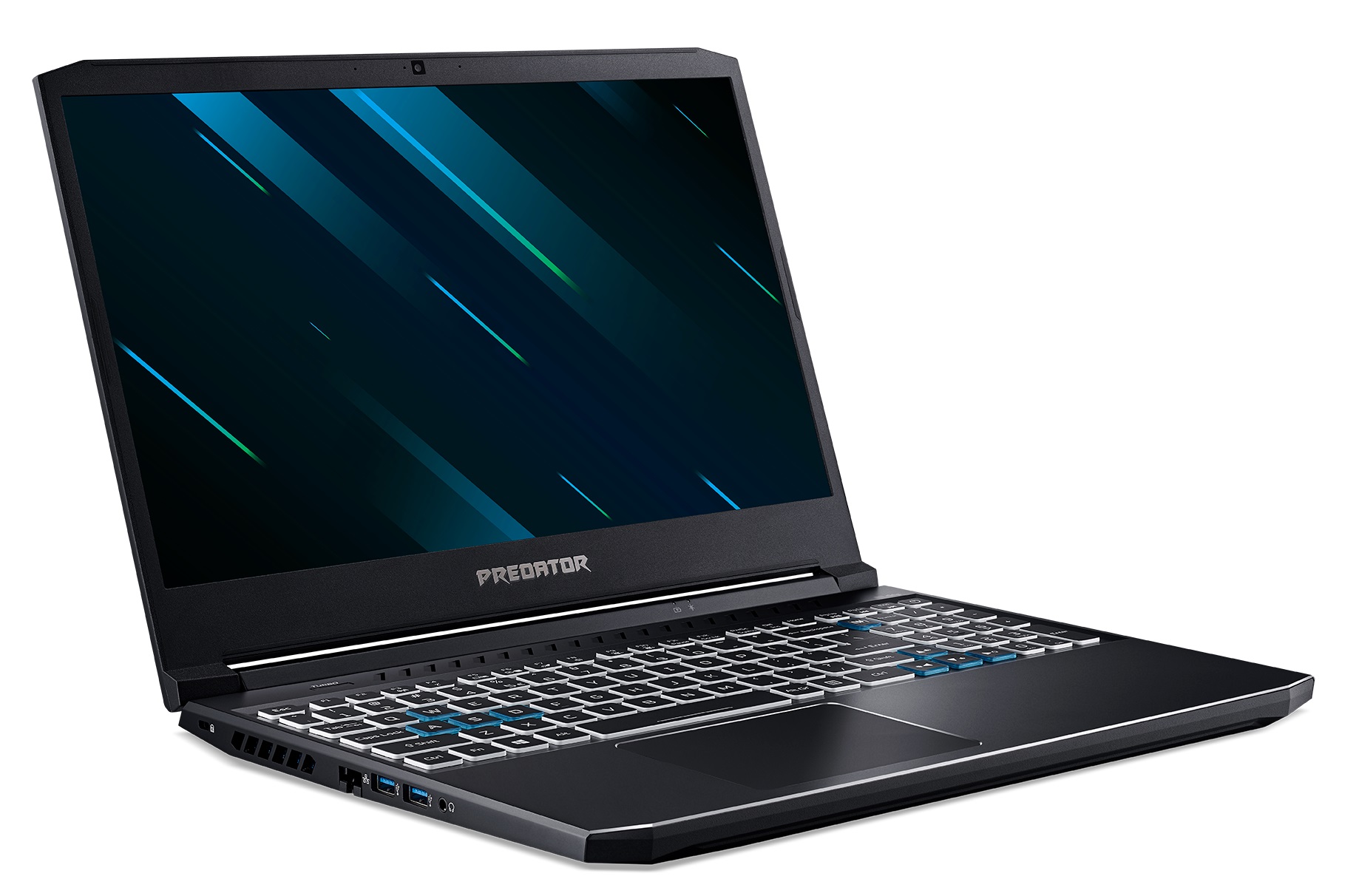
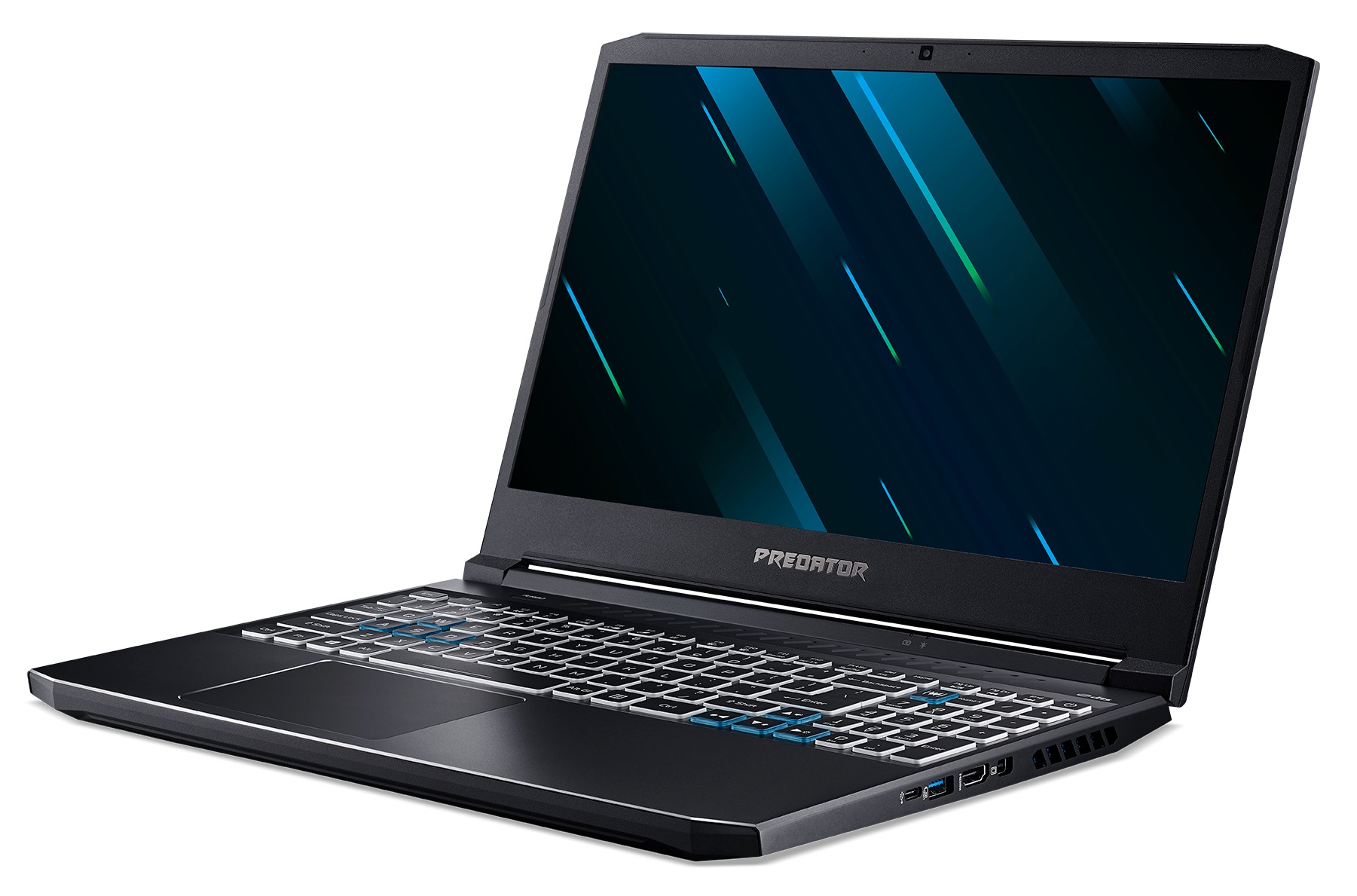
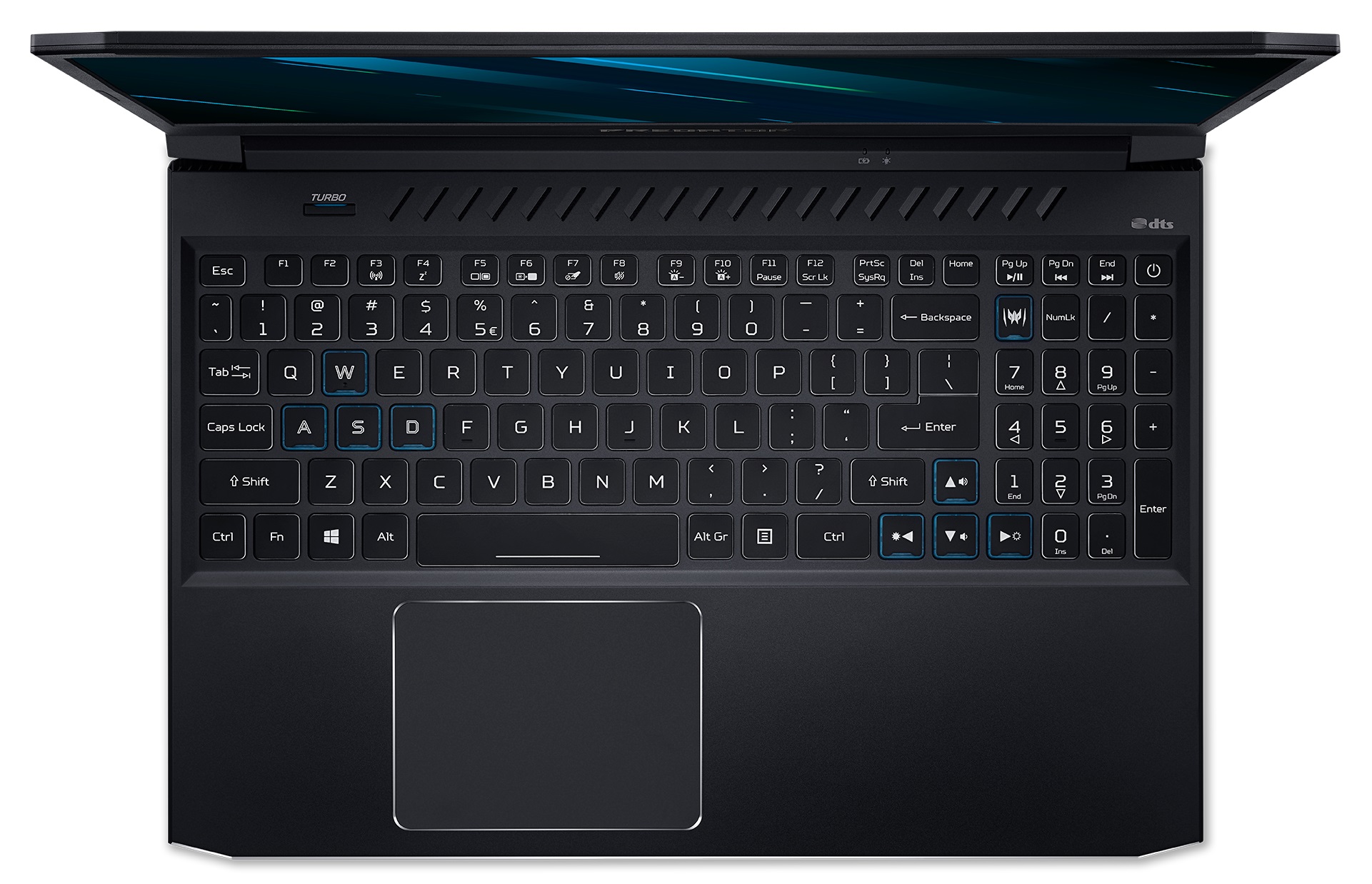
How about the base, though? Well, here, we see the other difference (apart from the weight) with several ventilation cutouts being introduced to the top-most part of the material. Further down below, there is the keyboard that has a decent travel, clicky feedback, and a NumberPad portion. Once again, we see an optional RGB backlight. Its Arrow keys are big, but they are crammed into the rest of the keys, which makes them less comfortable to use. Additionally, there is a dedicated Predator Sense button, which opens the respective app, as well as a Turbo button, which turns the laptop into a vacuum cleaner.

Despite the aluminum used for the base, we see some keyboard flex, but it is not that bad. What we really don’t like, though, is the sharp edge dropping from the base, down to the side, facing the user. And we are not messing around, guys, it is really sharp and you can comfortably slice a potato there, resulting in significant discomfort to your wrists. On the bright side, we feel that the issue can be solved easily by flushing the bottom panel and the base during the production phase.

In addition to the comfortable keyboard, the touchpad is pretty good with its decent gliding and accurate tracking. It is especially pleasant to use when it is paired with the fast-paced displays.
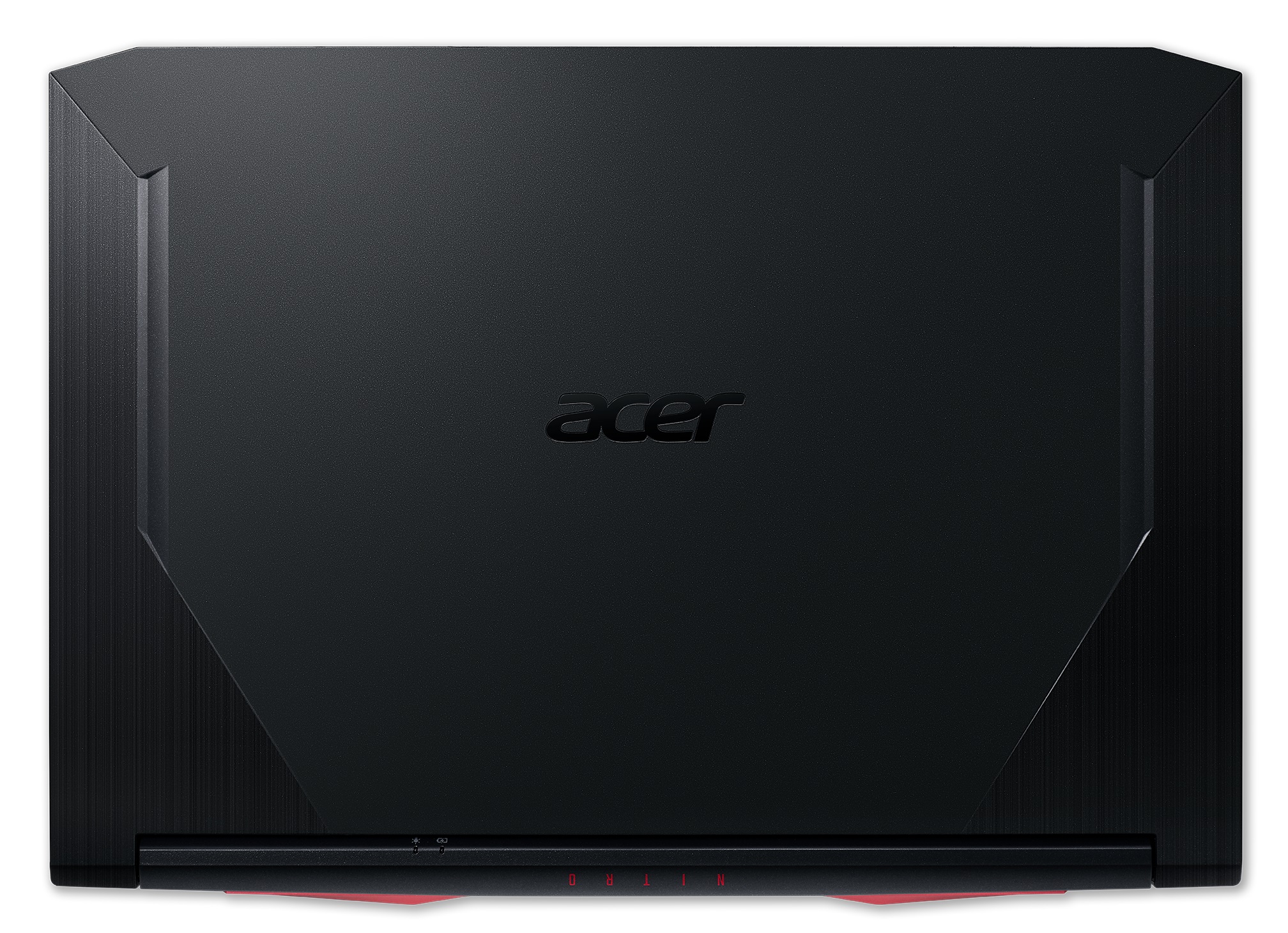
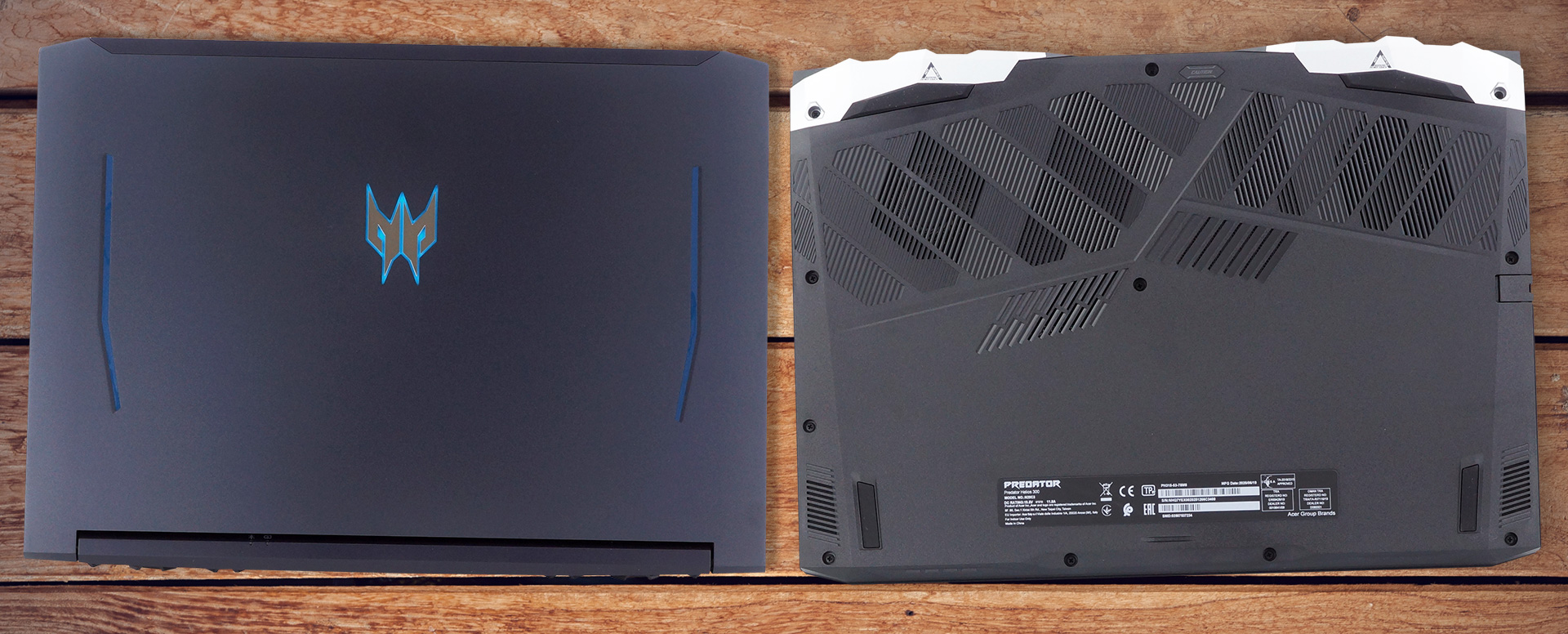
Lastly, looking at the bottom panel we see the typical ventilation grills, but in contrast to the Helios 300 (PH315-52), some of them are partially closed, perhaps due to the addition of on-base ventilation. Nevertheless, below you will also find the speaker cutouts, while the hot air is exhausted from the back and both the left and the right side of the chassis. By the way, instead of entirely black, the vents on the back now have grey edging.
Ports
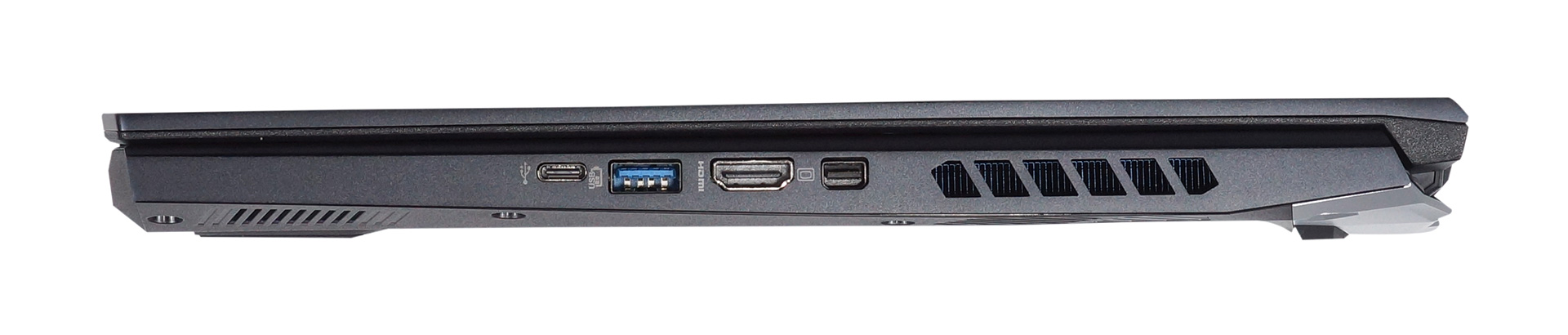
Here, the power plug is placed on the back of the laptop. All of the other I/O are scattered on the sides. That, located on the left, includes an RJ-45 connector, two USB Type-A 3.1 (Gen. 1) ports, and an audio jack. Then, on the right, you will find a Mini DisplayPort, an HDMI connector, as well as a USB Type-A 3.1 (Gen. 1) port with the Sleep and Charge function, and a USB Type-C 3.1 (Gen. 2) port.

Display quality
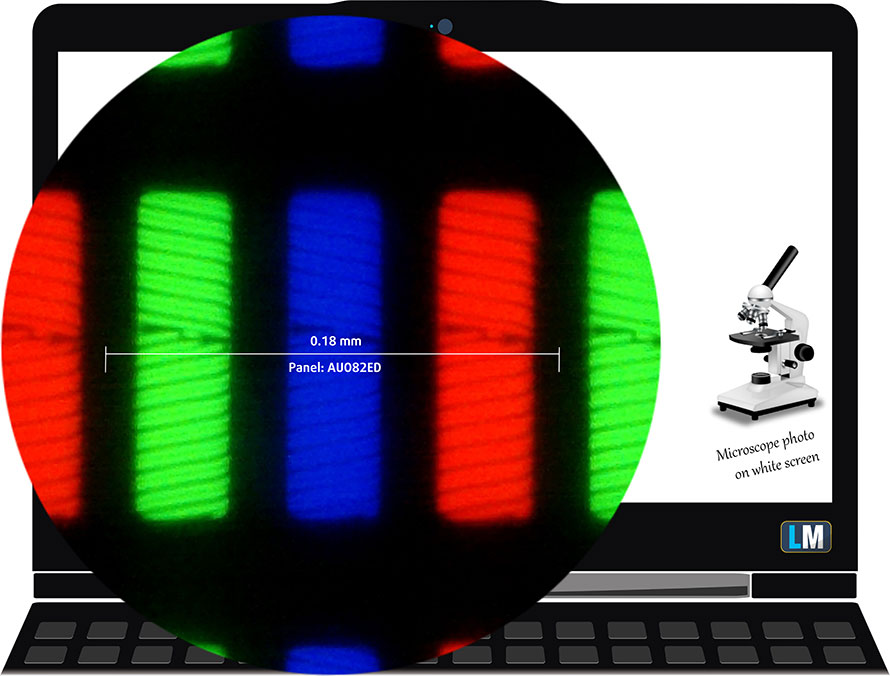
Acer Predator Helios 300 (PH315-53) has an IPS panel, model number AUO B156HAN08.2 (AUO82ED). Its diagonal is 15.6″ (39.62 cm), and the resolution 1920 х 1080 pixels. The screen ratio is 16:9, and we are looking at a pixel density of – 142 ppi, and a pitch of 0.18 х 0.18 mm. The screen turns into Retina when viewed at distance equal to or greater than 60cm (24″) (from this distance one’s eye stops differentiating the separate pixels, and it is normal for looking at a laptop).
It has comfortable viewing angles. We offer images at 45° to evaluate image quality.

The measured maximum brightness of 307 nits in the middle of the screen and 300 nits as an average for the whole area, with a maximum deviation of 10%. The Correlated Color Temperature on a white screen is 8300K – colder than the optimal for the sRGB standard of 6500K.
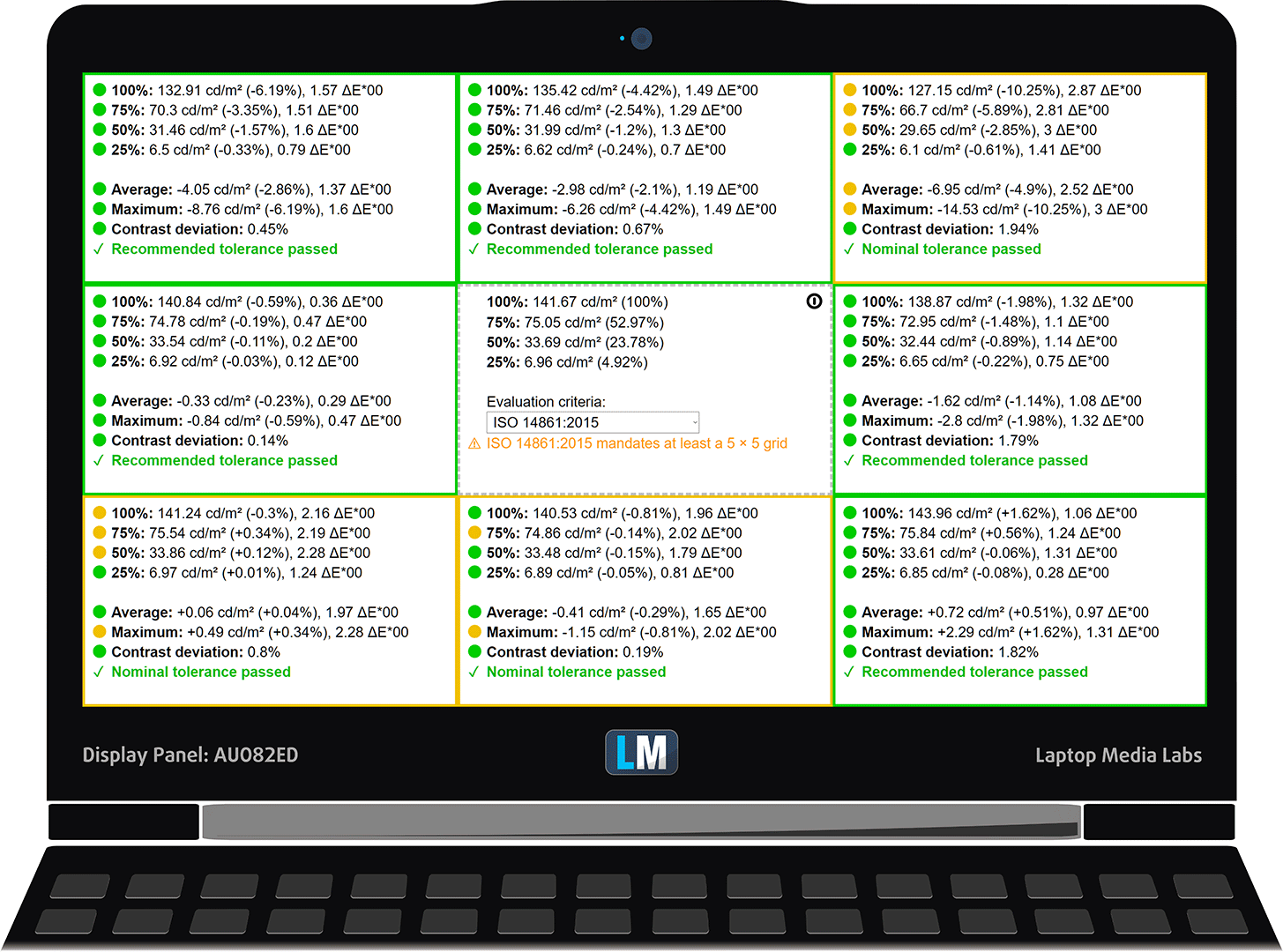
In the illustration below you can see how the display performs from a uniformity perspective. In other words, the leakage of light from the light source.
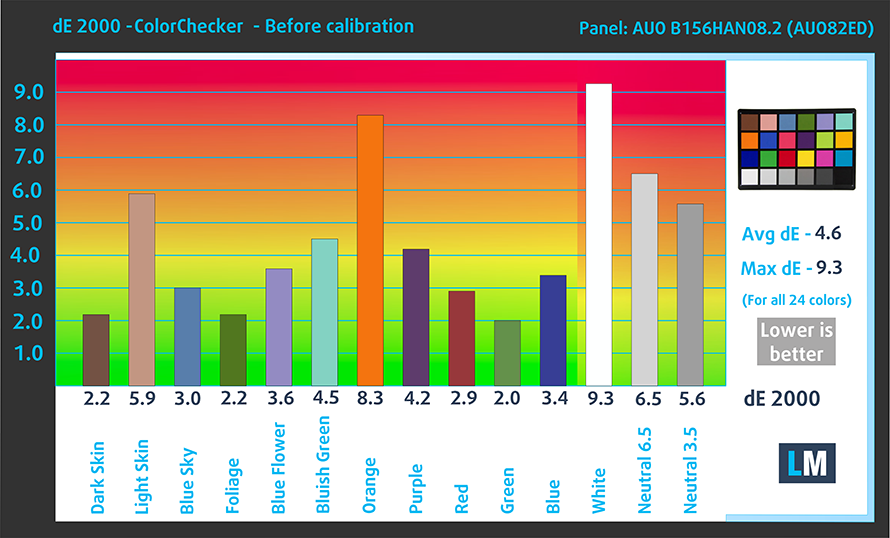
Values of dE2000 over 4.0 should not occur, and this parameter is one of the first you should check if you intend to use the laptop for color-sensitive work. The contrast ratio is good – 1220:1 (1040:1 after profiling).
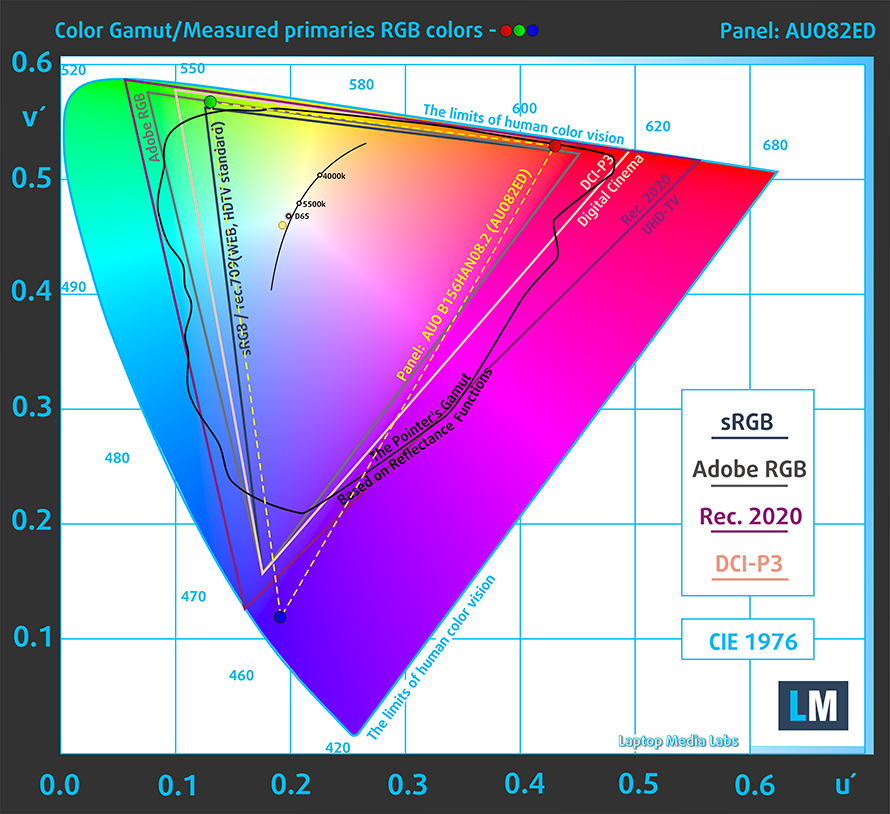
To make sure we are on the same page, we would like to give you a little introduction to the sRGB color gamut and the Adobe RGB. To start, there’s the CIE 1976 Uniform Chromaticity Diagram that represents the visible specter of colors by the human eye, giving you a better perception of the color gamut coverage and the color accuracy.
Inside the black triangle, you will see the standard color gamut (sRGB) that is being used by millions of people in HDTV and on the web. As for the Adobe RGB, this is used in professional cameras, monitors, etc for printing. Basically, colors inside the black triangle are used by everyone and this is the essential part of the color quality and color accuracy of a mainstream notebook.
Still, we’ve included other color spaces like the famous DCI-P3 standard used by movie studios, as well as the digital UHD Rec.2020 standard. Rec.2020, however, is still a thing of the future and it’s difficult for today’s displays to cover that well. We’ve also included the so-called Michael Pointer gamut, or Pointer’s gamut, which represents the colors that naturally occur around us every day.
The yellow dotted line shows Acer Predator Helios 300 (PH315-53)’s color gamut coverage.
Its display covers 90% of the sRGB/ITU-R BT.709 (web/HDTV standard) in CIE1976.
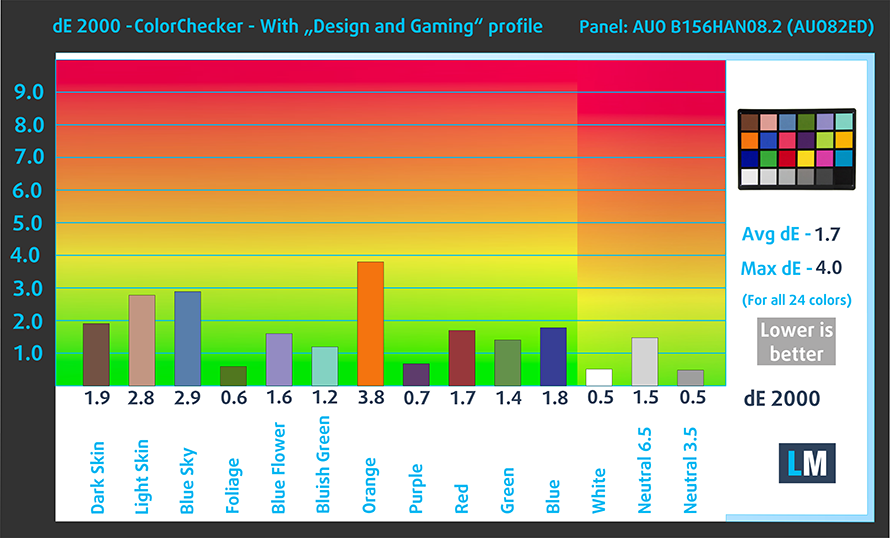
Our “Design and Gaming” profile delivers optimal color temperature (6500K) at 140 cd/m2 luminance and sRGB gamma mode.
We tested the accuracy of the display with 24 commonly used colors like light and dark human skin, blue sky, green grass, orange, etc. You can check out the results at factory condition and also, with the “Design and Gaming” profile.
Below you can compare the scores of Acer Predator Helios 300 (PH315-53) with the default settings (left), and with the “Gaming and Web design” profile (right).
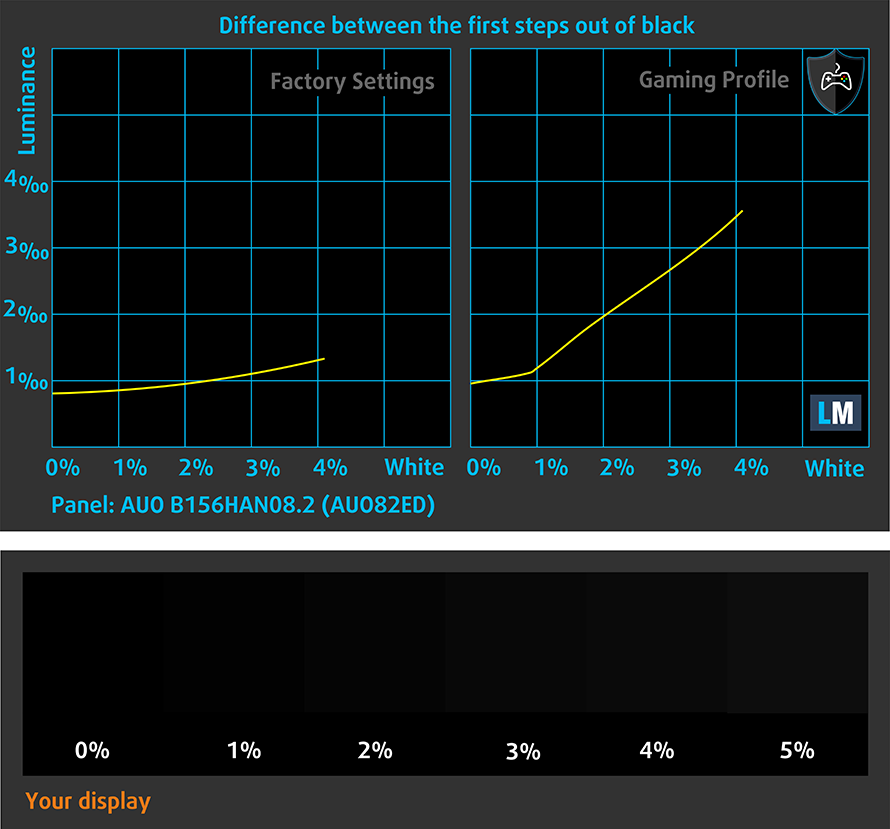
The next figure shows how well the display is able to reproduce really dark parts of an image, which is essential when watching movies or playing games in low ambient light.
The left side of the image represents the display with stock settings, while the right one is with the “Gaming and Web Design” profile activated. On the horizontal axis, you will find the grayscale and on the vertical axis – the luminance of the display. On the two graphs below you can easily check for yourself how your display handles the darkest nuances but keep in mind that this also depends on the settings of your current display, the calibration, the viewing angle, and the surrounding light conditions.
Response time (Gaming capabilities)
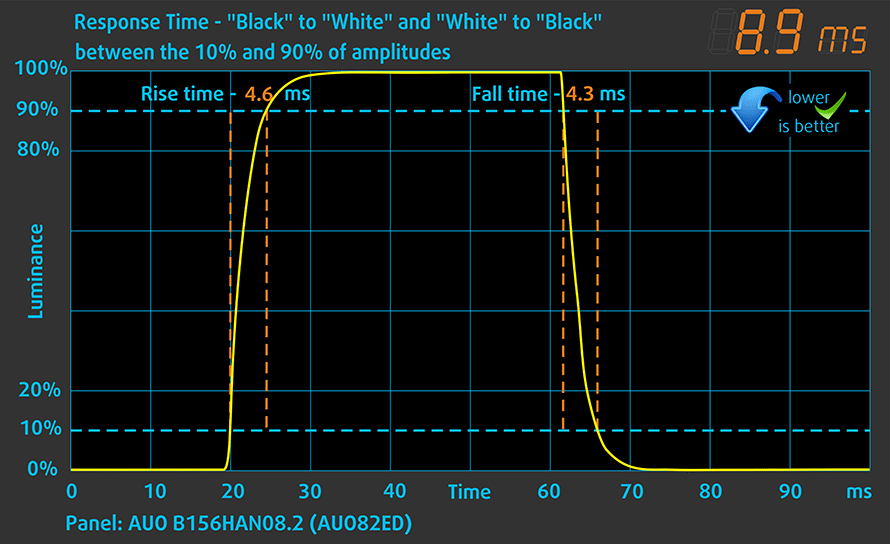
We test the reaction time of the pixels with the usual “black-to-white” and “white-to-black” method from 10% to 90% and vice versa.
We recorded Fall Time + Rise Time = 9 ms.
PWM (Screen flickering)
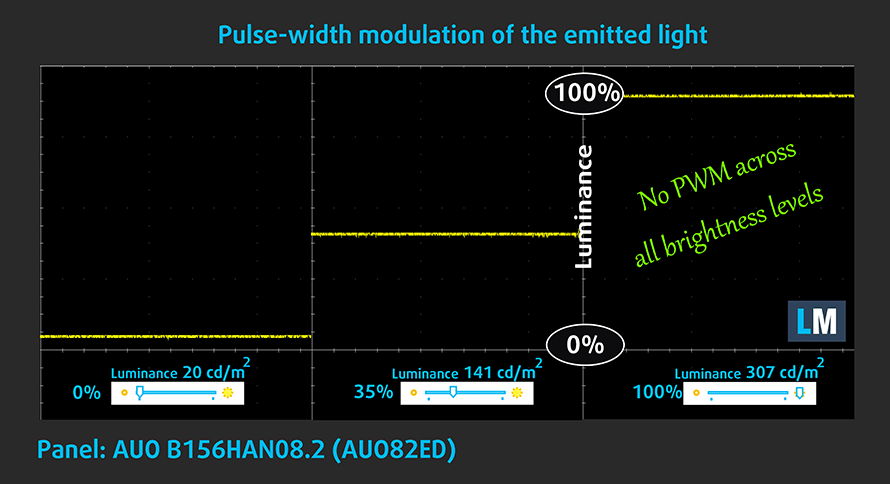
Pulse-width modulation (PWM) is an easy way to control monitor brightness. When you lower the brightness, the light intensity of the backlight is not lowered, but instead turned off and on by the electronics with a frequency indistinguishable to the human eye. In these light impulses, the light/no-light time ratio varies, while brightness remains unchanged, which is harmful to your eyes. You can read more about that in our dedicated article on PWM.
The light coming from Acer Predator Helios 300 (PH315-53)’s screen doesn’t flicker at any brightness level. Thankfully, this enables you to play for extended periods of time, without risk of further damaging your eyes and brain.
Blue light emissions
Installing our Health-Guard profile not only eliminates PWM but also reduces the harmful Blue Light emissions while keeping the colors of the screen perceptually accurate. If you’re not familiar with the Blue light, the TL;DR version is – emissions that negatively affect your eyes, skin, and your whole body. You can find more information about that in our dedicated article on Blue Light.
Conclusion
Acer Predator Helios 300 (PH315-53)’s display has an IPS panel with a Full HD resolution, comfortable viewing angles, decent maximum brightness, and good contrast ratio. It covers 90% of sRGB and its backlight doesn’t flicker at any level. In terms of the color accuracy, the display doesn’t really do a formidable job by default, but our Gaming and Web design profile helps it fall into the standard. And gamers will be thrilled to see that the 144Hz refresh rate is paired with fast response times.
Buy our profiles
Since our profiles are tailored for each individual display model, this article and its respective profile package are meant for Acer Predator Helios 300 (PH315-53) configurations with 15.6″ FHD IPS AUO B156HAN08.2 (AUO82ED).
*Should you have problems with downloading the purchased file, try using a different browser to open the link you’ll receive via e-mail. If the download target is a .php file instead of an archive, change the file extension to .zip or contact us at [email protected].
Read more about the profiles HERE.
Además de recibir perfiles eficientes y saludables, al comprar los productos de LaptopMedia también apoyas el desarrollo de nuestros laboratorios, donde probamos los dispositivos para producir las reseñas más objetivas posibles.

Trabajo de Oficina
Office Work debe ser utilizado principalmente por usuarios que pasan la mayor parte del tiempo mirando textos, tablas o simplemente navegando. Este perfil tiene como objetivo ofrecer una mejor distinción y claridad manteniendo una curva gamma plana (2.20), una temperatura de color nativa y colores perceptualmente precisos.

Diseño y Juegos
Este perfil está dirigido a diseñadores que trabajan con colores profesionalmente, así como para juegos y películas. Design and Gaming lleva los paneles de visualización a sus límites, haciéndolos tan precisos como sea posible en el estándar sRGB IEC61966-2-1 para Web y HDTV, en el punto blanco D65.

Health-Guard
Health-Guard elimina la dañina Modulación por Ancho de Pulsos (PWM) y reduce la Luz Azul negativa que afecta a nuestros ojos y cuerpo. Al estar hecho a medida para cada panel, consigue mantener los colores perceptualmente precisos. Health-Guard simula el papel, por lo que la presión sobre los ojos se reduce considerablemente.
Consigue los 3 perfiles con un 33% de descuento

Sound
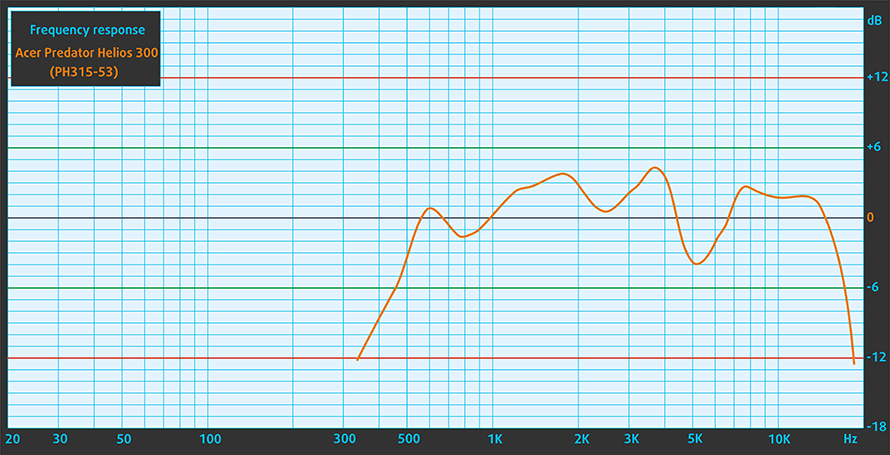
Acer Predator Helios 300 (PH315-53)’s speakers produce a decent sound. It has above-average maximum volume and the quality is not bad. Sadly, the entire frequency range has some deviations from clarity.
Drivers
All of the drivers and utilities for this notebook can be found here: https://www.acer.com/ac/en/US/content/support-product/8376?b=1
Battery
Now, we conduct the battery tests with Windows Better performance setting turned on, screen brightness adjusted to 120 nits, and all other programs turned off except for the one we are testing the notebook with. The battery performance here is nothing extraordinary, with 5 hours and 43 minutes of Web browsing, and 6 hours and 25 minutes of video playback.
Brillo: 180 nits; Modo de pantalla: SDR
Tiempo hasta descarga completa: Cuanto más alto, mejor

Para simular condiciones reales, utilizamos nuestro propio script para la navegación web automática a través de más de 70 sitios web.
CPU options
Currently, this notebook can be purchased with the quad-core Core i5-10300H or the hexa-core Core i7-10750H.
Los resultados son de la prueba de CPU Cinebench 20 (cuanto más alta sea la puntuación, mejor)

GPU options
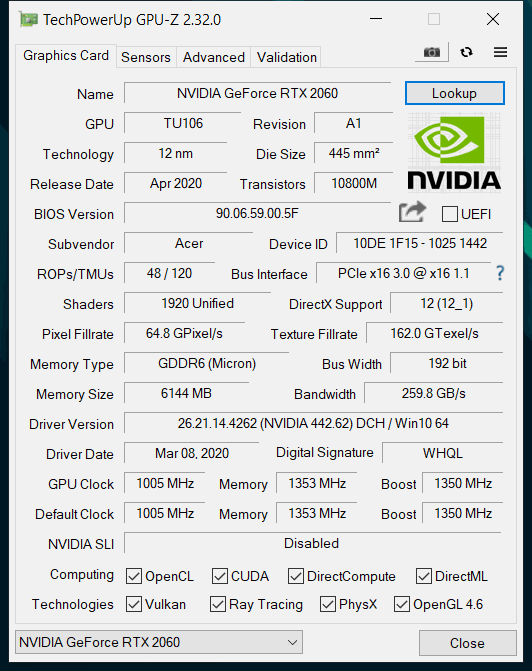
In terms of GPUs, there are four options – the GeForce GTX 1650 Ti, GTX 1660 Ti, RTX 2060, and the RTX 2070 Max-Q.
Los resultados son de 3DMark Time Spy (Graphics). Cuanto más alto, mejor.
Los resultados son de la prueba 3DMark Fire Strike (Graphics) (cuanto más alta la puntuación, mejor).
Los resultados son de la prueba Unigine Superposition (cuanto más alta la puntuación, mejor)
Acer Predator Helios 300 (PH315-53) Variantes de GPU
Aquí puedes ver una comparación aproximada entre las GPUs que se pueden encontrar en los modelos Acer Predator Helios 300 (PH315-53) del mercado. De esta forma podrás decidir por ti mismo qué modelo de [serie] es el que mejor se adapta a tus necesidades.
Nota: La tabla muestra las diferentes configuraciones de GPU más baratas, por lo que deberías comprobar cuáles son las demás especificaciones de estos portátiles haciendo clic en el nombre del portátil / GPU.
Los resultados son de 3DMark Time Spy (Graphics). Cuanto más alto, mejor.
Los resultados son de la prueba 3DMark: Fire Strike (Graphics) (cuanto más alta la puntuación, mejor)
Los resultados son de la prueba Unigine Superposition (cuanto más alta la puntuación, mejor)
Gaming tests

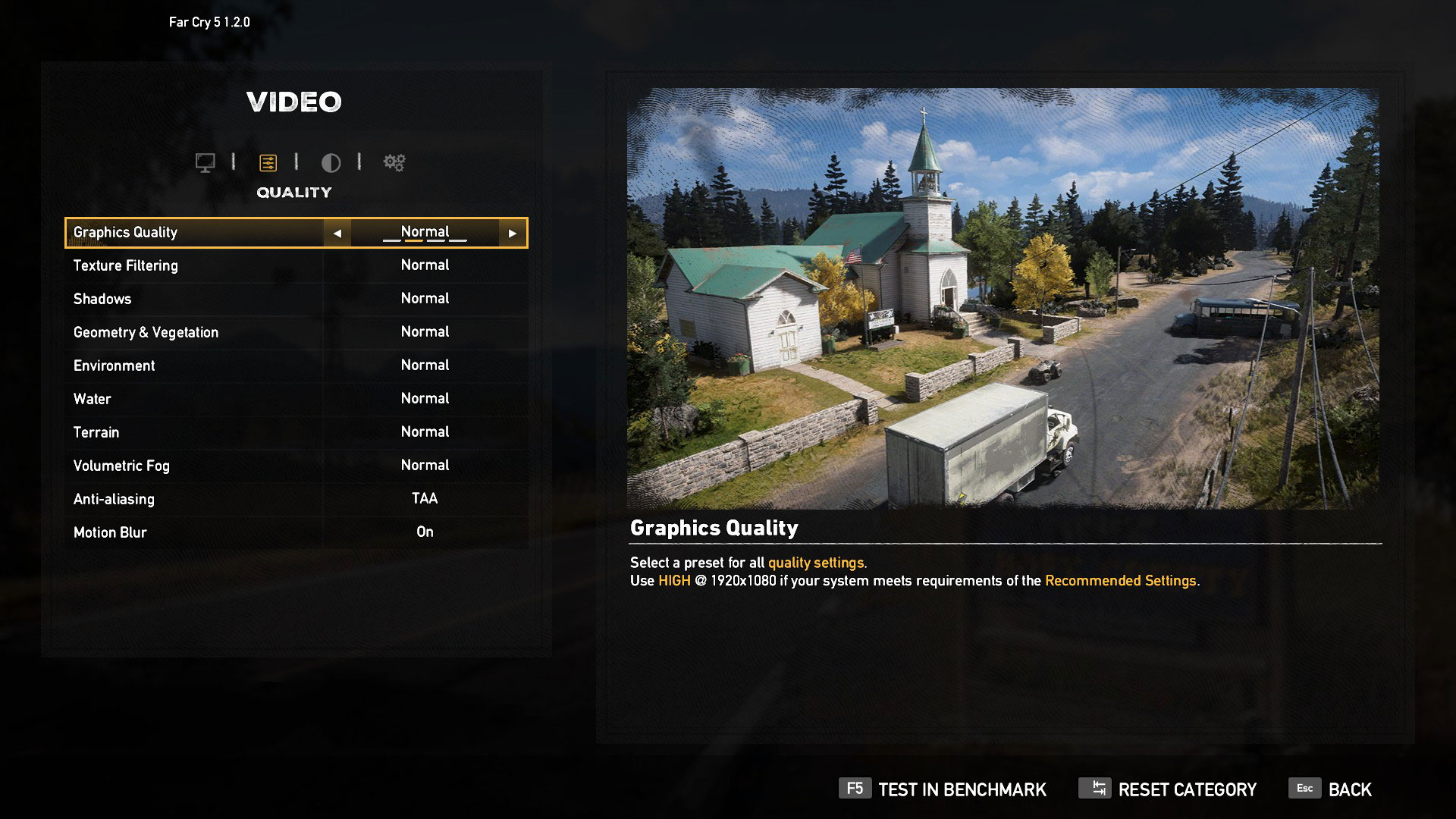
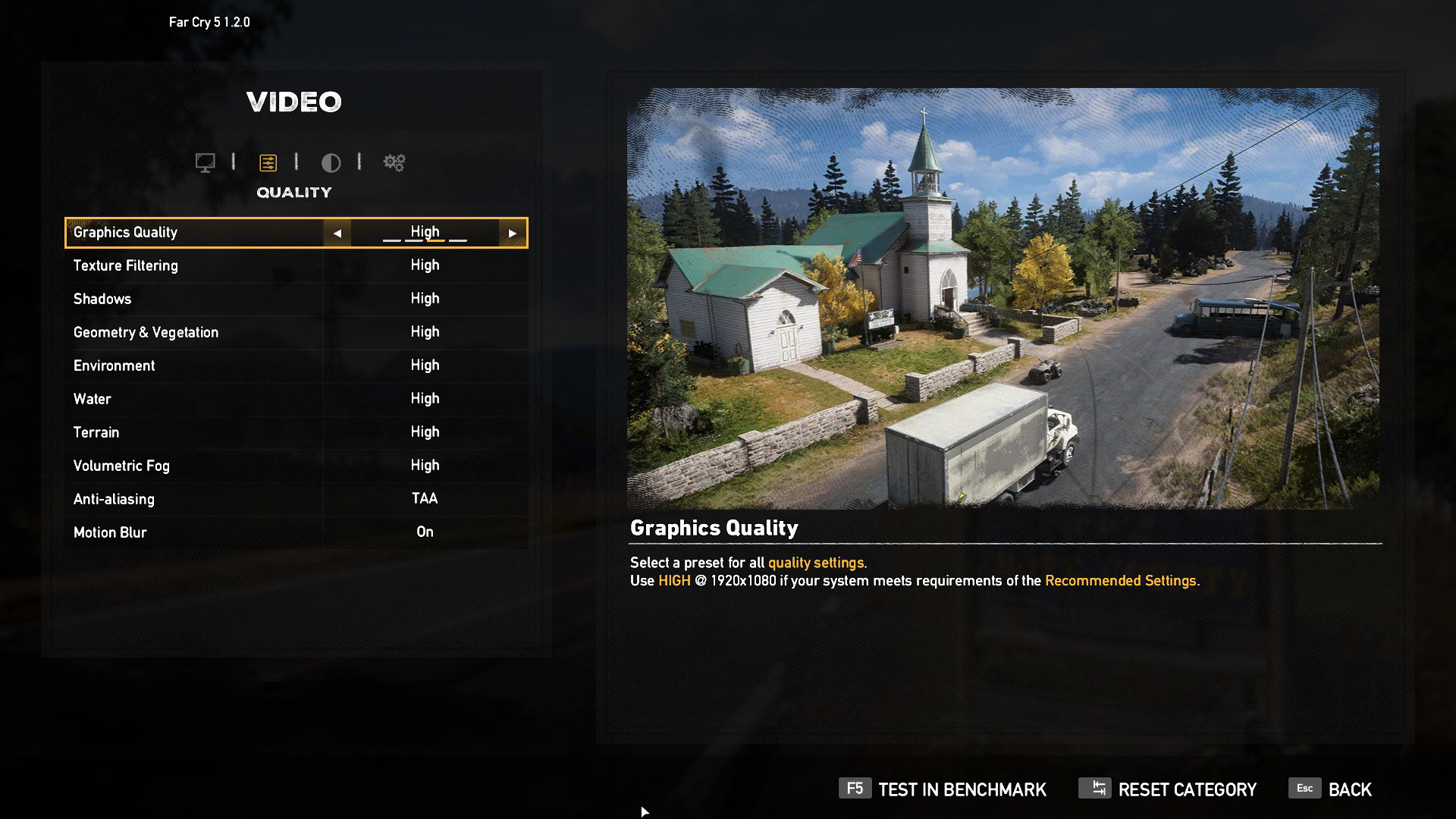
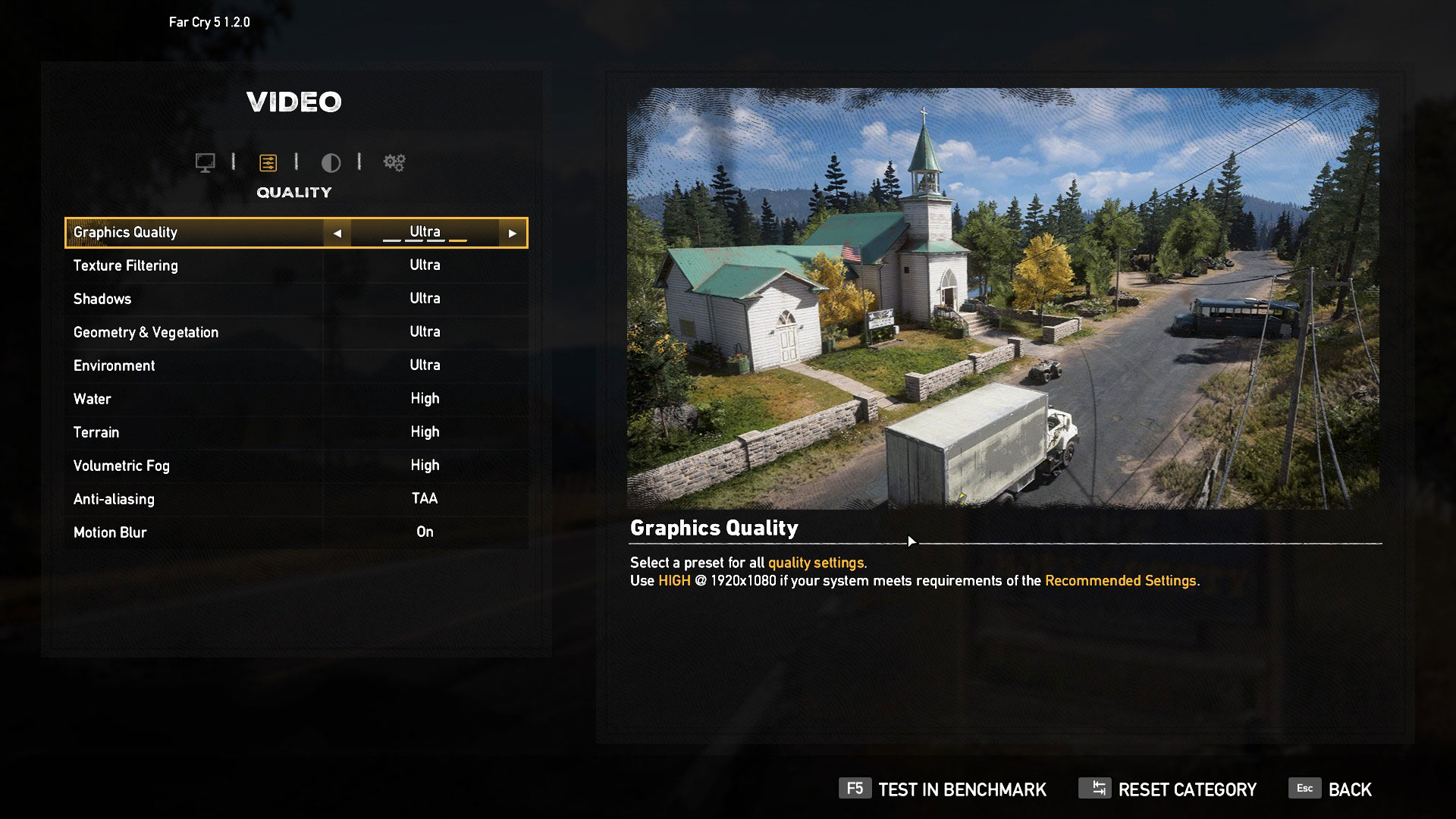
| Far Cry 5 | Full HD, Normal (Check settings) | Full HD, High (Check settings) | Full HD, Ultra (Check settings) |
|---|---|---|---|
| NVIDIA GeForce RTX 2060 | 84 fps | 81 fps | 77 fps |

| Rise of the Tomb Raider (2016) | Full HD, Medium (Check settings) | Full HD, Very High (Check settings) | Full HD, MAX (Check settings) |
|---|---|---|---|
| NVIDIA GeForce RTX 2060 | 106 fps | 66 fps | 45 fps |

| Tom Clancy’s Ghost Recon Wildlands | Full HD, High (Check settings) | Full HD, Very High (Check settings) | Full HD, Ultra (Check settings) |
|---|---|---|---|
| NVIDIA GeForce RTX 2060 | 68 fps | 63 fps | 45 fps |

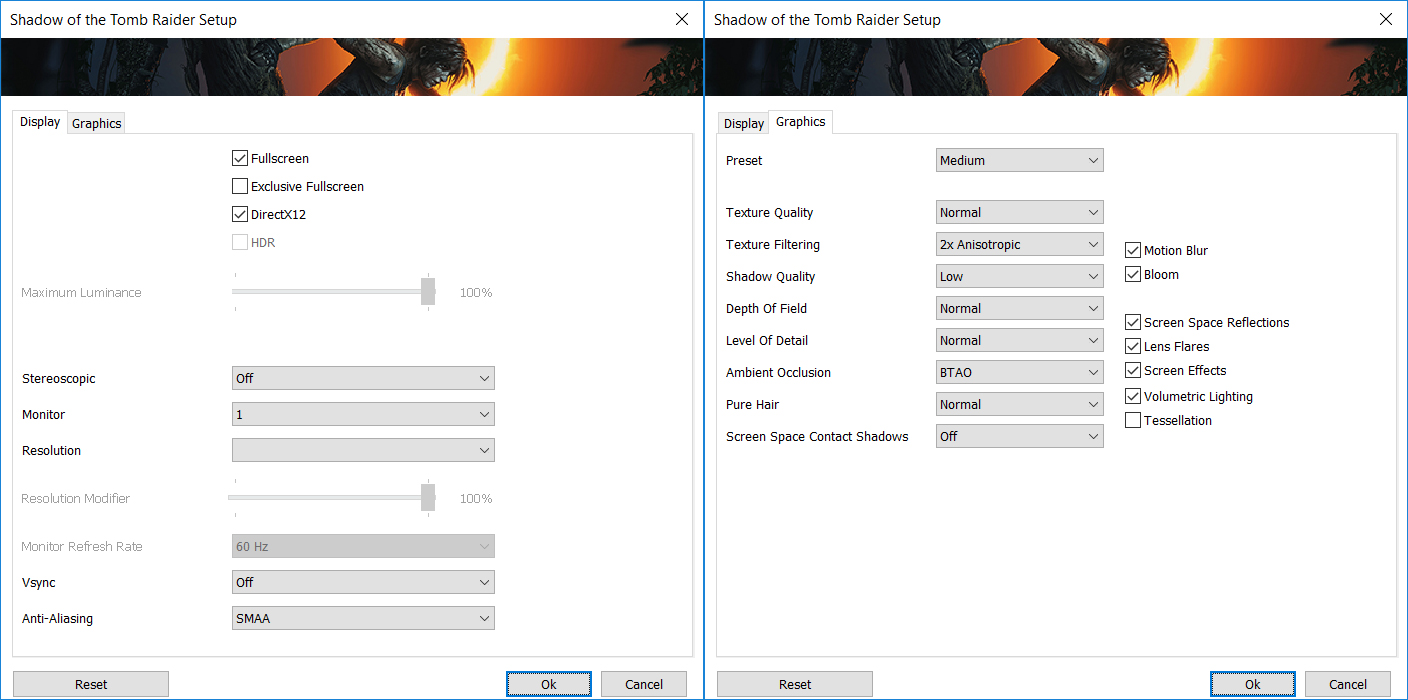
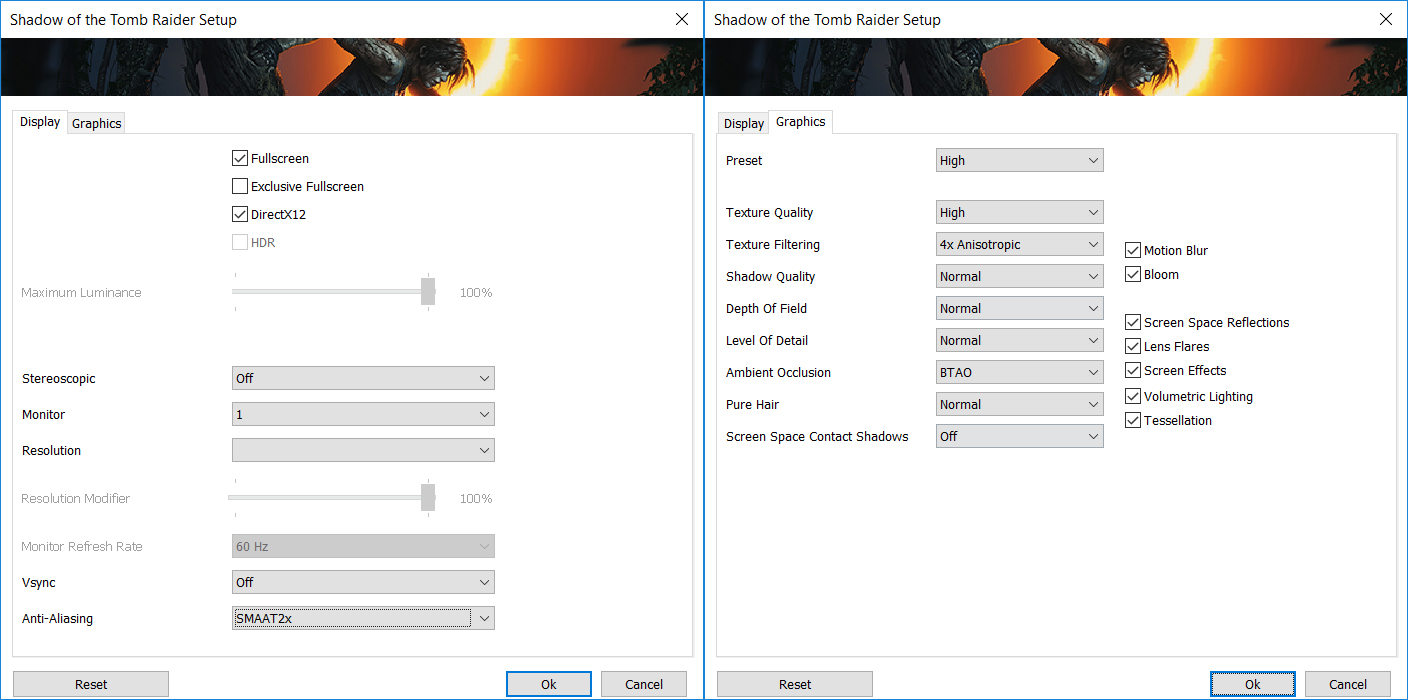
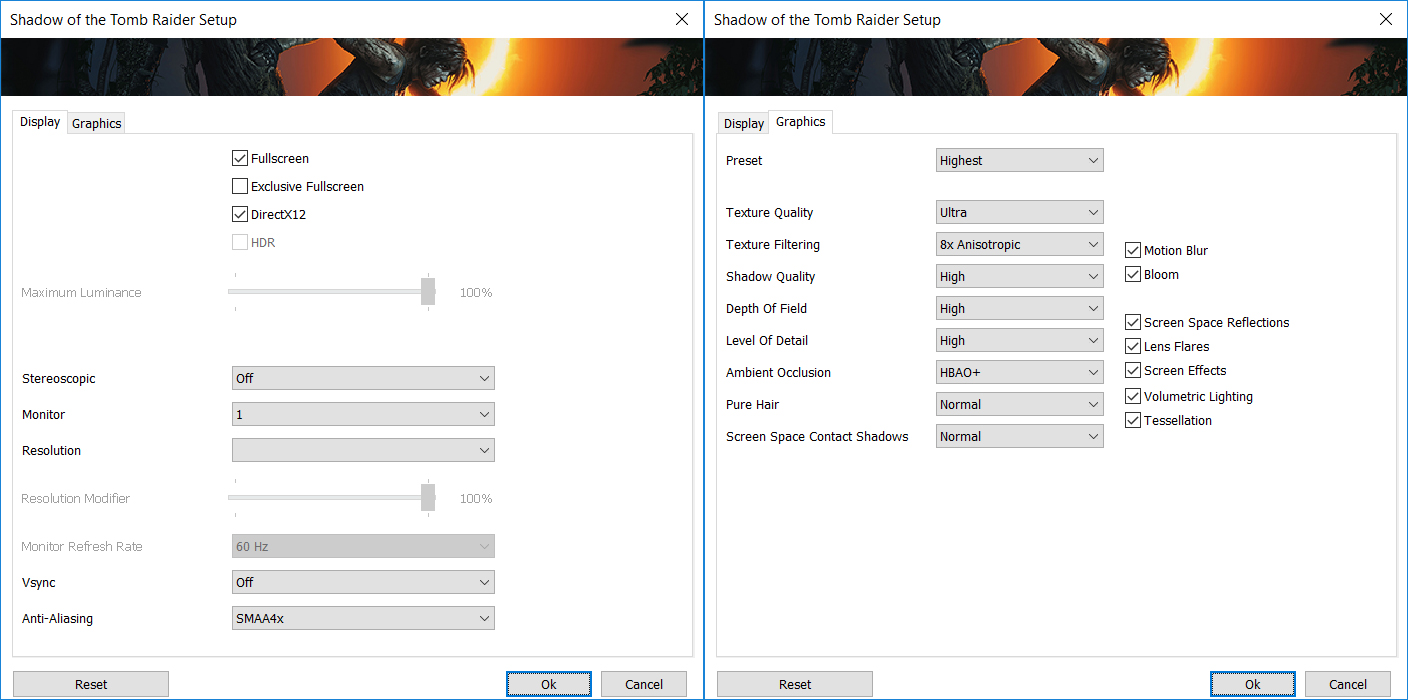
| Shadow of the Tomb Raider (2018) | Full HD, Medium (Check settings) | Full HD, High (Check settings) | Full HD, Highest (Check settings) |
|---|---|---|---|
| NVIDIA GeForce RTX 2060 | 75 fps | 73 fps | 51 fps |
Temperatures and comfort
Max CPU load
In this test we use 100% on the CPU cores, monitoring their frequencies and chip temperature. The first column shows a computer’s reaction to a short load (2-10 seconds), the second column simulates a serious task (between 15 and 30 seconds), and the third column is a good indicator of how good the laptop is for long loads such as video rendering.
Average core frequency (base frequency + X); CPU temp.
| Intel Core i7-10750H (45W TDP) | 0:02 – 0:10 sec | 0:15 – 0:30 sec | 10:00 – 15:00 min |
|---|---|---|---|
| Acer Predator Helios 300 (PH315-53) | 3.56 GHz (B+37%) @ 76°C | 3.52 GHz (B+35%) @ 85°C | 2.98 GHz (B+15%) @ 75°C |
| Dell G5 15 5500 | 3.82 GHz (B+47%) @ 75°C | 3.63 GHz (B+40%) @ 99°C | 3.01 GHz (B+16%) @ 81°C |
| ASUS ROG Strix G17 G712 | 3.88 GHz (B+49%) @ 77°C | 3.83 GHz (B+47%) @ 84°C | 3.51 GHz (B+35%) @ 79°C |
| Acer Predator Triton 500 (PT515-52) | 3.72 GHz (B+43%) @ 90°C | 3.53 GHz (B+36%) @ 90°C | 3.26 GHz (B+25%) @ 85°C |
| ASUS ROG Strix G15 G512 | 4.16 GHz (B+60%) @ 81°C | 3.99 GHz (B+53%) @ 95°C | 3.52 GHz (B+35%) @ 87°C |
| Acer Nitro 5 (AN517-52) | 3.05 GHz (B+17%) @ 68°C | 3.05 GHz (B+17%) @ 75°C | 2.90 GHz (B+12%) @ 79°C |
| Acer Nitro 5 (AN515-55) | 3.02 GHz (B+16%) @ 82°C | 3.04 GHz (B+17%) @ 92°C | 2.67 GHz (B+3%) @ 92°C |
| Lenovo Legion 7 (15) | 3.78 GHz (B+45%) @ 80°C | 3.69 GHz (B+42%) @ 83°C | 3.51 GHz (B+35%) @ 83°C |
| MSI GP65 Leopard 10Sx | 3.65 GHz (B+40%) @ 95°C | 3.41 GHz (B+31%) @ 95°C | 3.30 GHz (B+27%) @ 95°C |
According to the results we got, it is clear that Acer is trying to give Predator Helios 300 (PH315-53)’s cooling a bit of headroom, so it can handle the graphcis card.
Real-life gaming
| NVIDIA GeForce RTX 2060 | GPU frequency/ Core temp (after 2 min) | GPU frequency/ Core temp (after 30 min) | GPU frequency/ Core temp (after 30 min + fan boost) |
|---|---|---|---|
| Acer Predator Helios 300 (PH315-53) | 1506 MHz @ 77°C | 1457 MHz @ 82°C | 1671 MHz @ 76°C |
| MSI GL65 9SE | 1590 MHz @ 71°C | 1588 MHz @ 73°C | 1590 MHz @ 68°C |
| ASUS ROG Zephyrus M GU502 | 1454 MHz @ 76°C | 1394 MHz @ 85°C | – |
| MSI GS65 Stealth 8SE | 1305 MHz @ 77°C | 1267 MHz @ 80°C | – |
| Dell G5 15 5590 | 1400 MHz @ 72°C | 1438 MHz @ 70°C | – |
| Lenovo Legion Y740 | 1526 MHz @ 70°C | 1499 MHz @ 74°C | – |
So, if we have to be honest, this laptop’s default settings are making the GPU run slightly warmer than we’d like to. However, the caveat here is, that the fan noise is manageable, in contrast to the MSI GL65. Plus, you have the option to “overclock” the GPU by around 150-200 MHz with the “Turbo” button, which also lowers the temperature by 6C. What this does is it increases the TGP of the RTX 2060 (in this case) from 80W to 90W and hence, can produce a lot higher clock speed at the expense of fan noise.
Gaming comfort
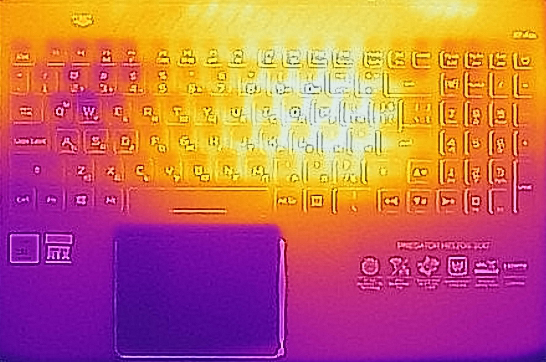
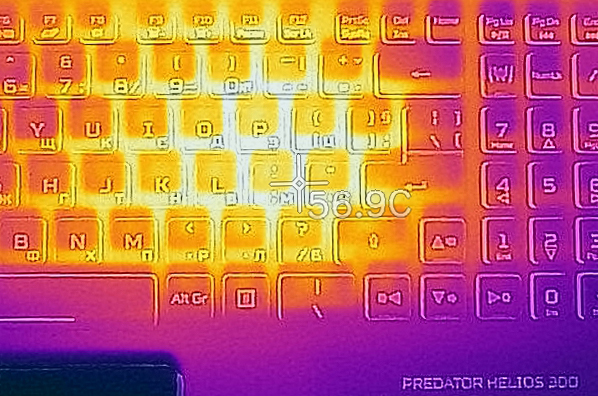
A bit on the downside, the keyboard here warms up quite drastically and exceeds 56C in its middle.
Verdict
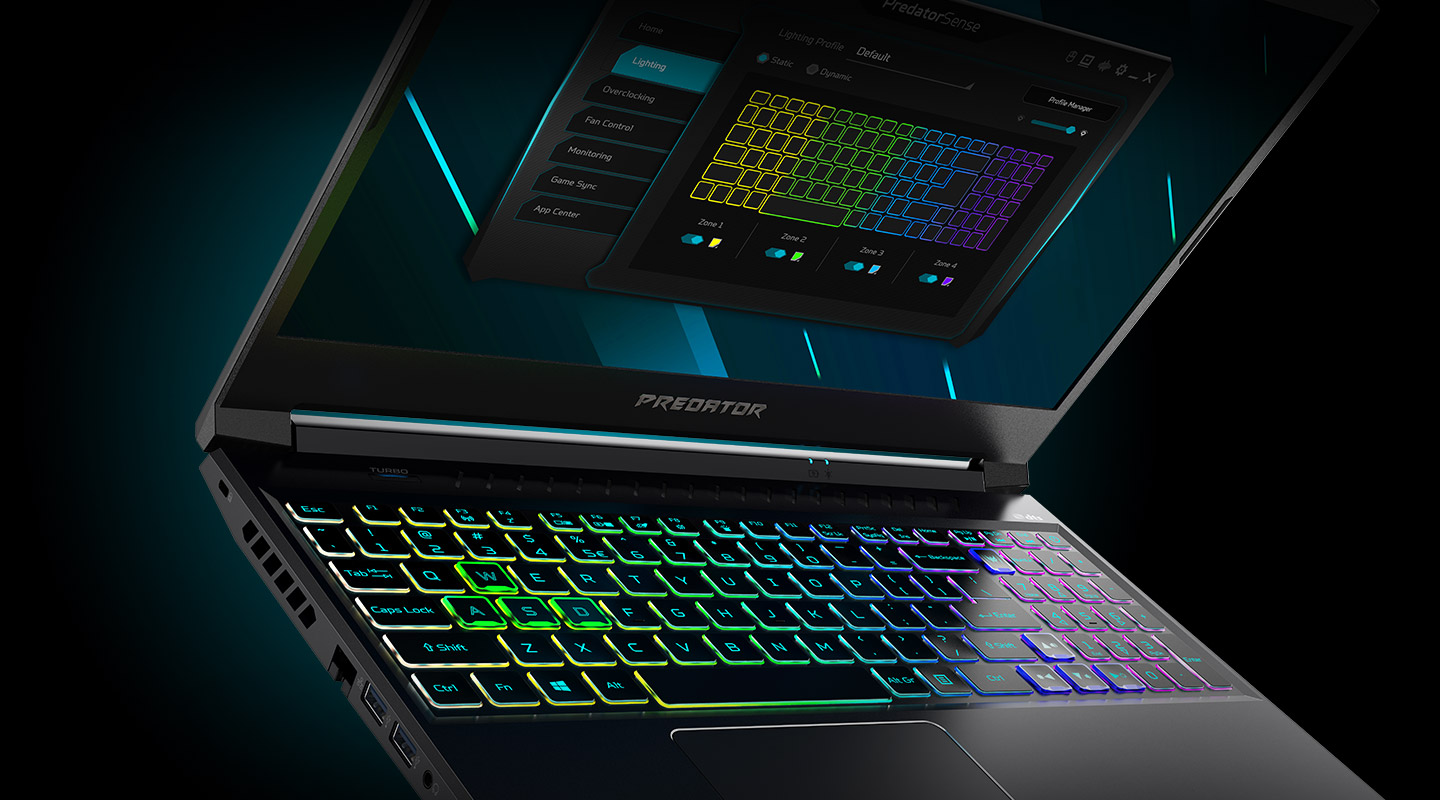 Ultimately, the Predator Helios 300 (PH315-53) is something you would want to play on. It is just comfortable. Well… if you don’t mind being cut (literally) by the Acer team design choices. Yep, we are talking about the same sharp edge that is supposed to make direct contact with your wrists.
Apart from that, you get decent performance and unlike the MSI GL65 – low fan noise. While the fans are clearly audible, we have to say that the noise is hardly louder than a mechanical keyboard. And more importantly, Acer has provided its users with the full potential of this notebook, just by clicking the “Turbo” button. This enables the GPU to run at higher TGP, hence higher clock speeds. Also, the fans speed up to the maximum possible setting. If we have to be honest, this will make a very little difference in your gaming experience but hey, if you want all the fps you can take – you can do it.
And despite the dual M.2 support, all of the fancy connectors around, and the Wi-Fi 6 support, it is petty that this notebook lacks an SD card reader and Thunderbolt 3 certification. The photographers out there won’t be very happy with that.
Speaking of people that create images, how does this device perform in displaying the image? Acer Predator Helios 300 (PH315-53)’s screen has an IPS panel with a Full HD resolution, comfortable viewing angles, decent maximum brightness, and good contrast ratio. It covers 90% of sRGB and its backlight doesn’t flicker at any level. In terms of the color accuracy, the display doesn’t really do a formidable job by default, but our Gaming and Web design profile helps it fall into the standard. And gamers will be thrilled to see that the 144Hz refresh rate is paired with fast response times.
At the end of the day, this is one of the most valuable gaming notebooks on the market, and if Acer polish (literally) its build quality and introduces some essential I/O, we feel that it can become the perfect gaming laptop.
Pros
- Thin and light chassis
- Two M.2 NVMe slots
- 90% sRGB coverage and accurate color reproduction with our Gaming and Web design profile (AUO B156HAN08.2)
- Comfortable input devices
- A good performer with an “overclocking” option
- Customizable RGB lighting
- Lack of PWM-adjusted brightness (AUO B156HAN08.2)
Cons
- Lacks an SD card slot and Thunderbolt 3 support
- Sharp edge, cutting through the user’s wrists
You can check the prices and configurations in our Specs System: https://laptopmedia.com/series/acer-predator-helios-300-ph315-53/
 Author: Alex Iliev
 Author: eng. Kroum NikolovHead of Engineering at LaptopMedia.com, inventor and innovator with 40+ years of experience in electronics and high technology.

![[Agosto de 2026] Amazon Global: las 10 portátiles más vendidas — La Apple MacBook Neo domina las listas, mientras que los portátiles con Windows de gama baja y media compiten por el volumen de ventas](https://laptopmedia.com/wp-content/uploads/2026/09/Best-Selling-Laptops-GLOBAL-Top-10-400x225.jpg)
![[Agosto de 2026] Las marcas de portátiles más vendidas en Amazon Global: Apple domina los ingresos, mientras que HP lidera la variedad de modelos](https://laptopmedia.com/wp-content/uploads/2026/09/GLOBAL-Best-Brands-400x225.jpg)
![[Agosto de 2026] Amazon Global: Las 10 portátiles para videojuegos más vendidas – La HP Victus 15 se lleva la corona mientras los modelos económicos dominan las listas de ventas](https://laptopmedia.com/wp-content/uploads/2026/09/Best-Selling-Gaming-Laptops-GLOBAL-Top-10-400x225.jpg)
![[August 2026] Best-Selling Laptop Brands on Amazon Japan – Apple Dominates Market Share and Revenue Led by Strong Unit Sales](https://laptopmedia.com/wp-content/uploads/2026/09/CO.JP-Best-Brands-1-400x225.jpg)
![[August 2026] Best-Selling Laptop Brands on Amazon USA – Apple Dominates Market Revenue and Volume Despite Lower Model Diversity](https://laptopmedia.com/wp-content/uploads/2026/09/COM-Best-Brands-1-400x225.jpg)



is graphic card auto switching or not?? im check using gpu z default is intel UHD grapic how to settig for RTX on default??