Top 5 reasons to BUY or NOT to buy the Acer Swift 1 (SF114-34)
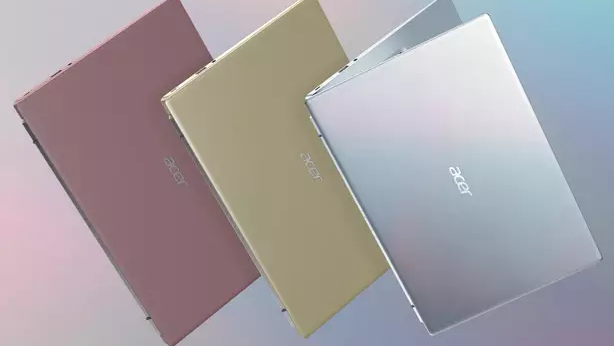 The Swift 1 (SF114-34) offers a decent package for the price. A low TDP Celeron or a Pentium chip with high power efficiency offers long battery life, even if the laptop itself doesn’t have a large unit. The laptop is also passively cooled so it is essentially silent. Despite that, you still get a 1080p IPS display, which compliments the package nicely. This a great starter laptop for checking emails, and media consumption.
Today we present you with LaptopMedia’s top 5 picks about the Acer Swift 1 (SF114-34).
Acer Swift 1 (SF114-34): Full Specs / In-depth Review
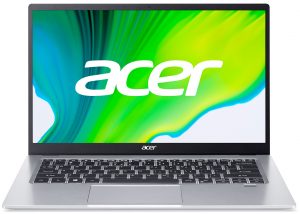
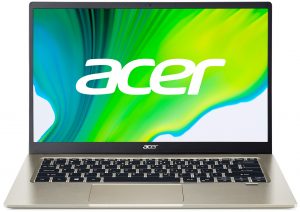
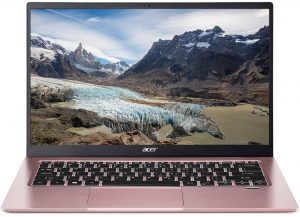
4 reasons to BUY the Acer Swift 1 (SF114-34)
1. Input devices
The quality and comfortability of the keyboard were a nice surprise. The backlight, long key travel, and clicky consistent feedback make for a comfortable and nice typing experience. Despite being an affordable laptop, the keyboard doesn’t flex a lot when typing on it. The touchpad is really good as well. It is large enough and has precise tracking and smooth gliding. Overall, these are some of the most comfortable input devices that we have found on a laptop of this budget.

2. Battery life
With a 6W CPU and a relatively large 48Wh battery unit, the laptop lasted for 12 hours and 51 minutes of Web browsing, and 11 hours and 15 minutes of video playback. Now, we conduct the battery tests with Windows Better performance setting turned on, screen brightness adjusted to 120 nits, and all other programs turned off except for the one we are testing the notebook with.
Luminosité : 180 nits ; Mode d'affichage : SDR
Temps de décharge complète : plus c'est long, mieux c'est

Afin de simuler des conditions réelles, nous avons utilisé notre propre script pour une navigation web automatique sur plus de 70 sites.
3. Display quality
The laptop is offered with a single display option. The unit has a 14-inch diagonal, Full HD resolution, and uses an IPS panel. Furthermore, it gives you comfortable viewing angles, a max brightness of 277 nits in the middle of the screen, 260 nits as an average for the entire display area, and a maximum deviation of 12%. Also, the contrast ratio is surprisingly high, at 1350:1. Sadly, the panel covers only 52% of the sRGB gamut, but with such hardware, you really won’t be needing high color coverage or accuracy. The display is fine for general use, especially because it doesn’t use PWM at all, making it safe for prolonged use.
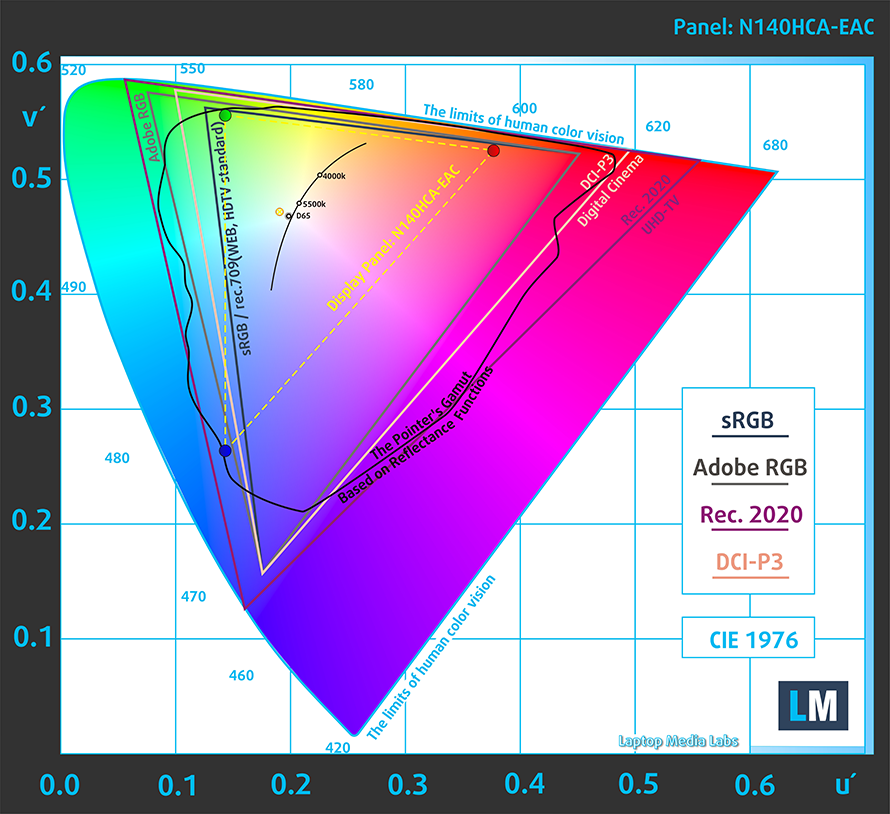
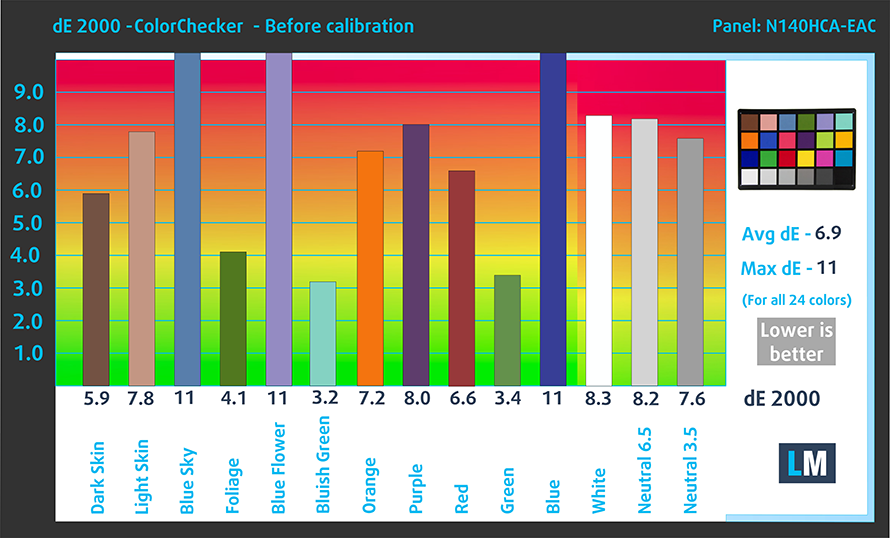
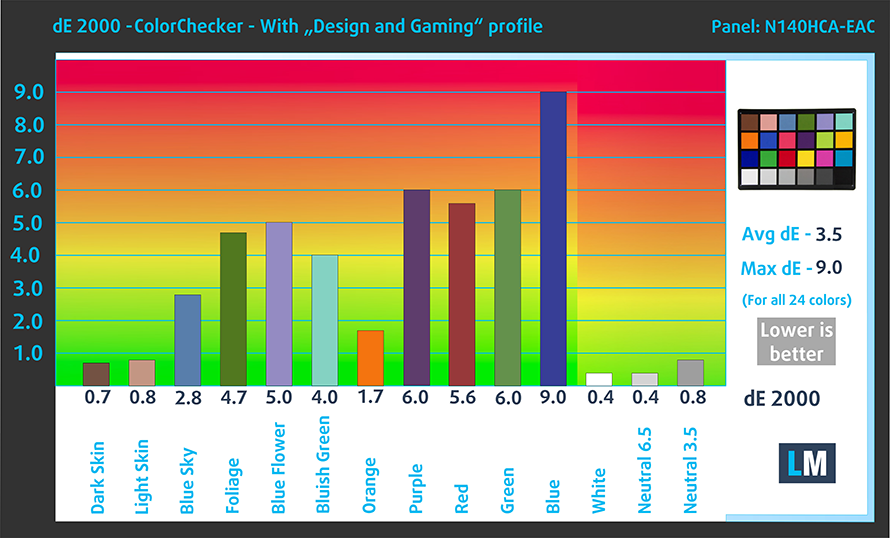
Whether you apply our Desing and Gaming profile or not, the dE value didn’t match the standard. Here are the results of our test with both the factory settings (left) and with our Design and Gaming profile applied (right).
Buy our profiles
Since our profiles are tailored for each display model, this article and its respective profile package are meant for Acer Swift 1 (SF114-34) configurations with 14.0″ Chi Mei N140HCA-EAC (CMN14D4) (FHD, 1920 × 1080) IPS panel.
*Should you have problems with downloading the purchased file, try using a different browser to open the link you’ll receive via e-mail. If the download target is a .php file instead of an archive, change the file extension to .zip or contact us at [email protected].
Read more about the profiles HERE.
En plus de recevoir des profils efficaces et respectueux de la santé, en achetant les produits de LaptopMedia, vous soutenez également le développement de nos laboratoires, où nous testons des appareils afin de produire les critiques les plus objectives possibles.

Travail de bureau
Office Work devrait être utilisé principalement par les utilisateurs qui passent la plupart de leur temps à regarder des textes, des tableaux ou simplement à naviguer. Ce profil vise à offrir une meilleure distinction et clarté en maintenant une courbe gamma plate (2.20), une température de couleur native et des couleurs fidèles à la perception.

Design et Gaming
Ce profil s'adresse aux designers qui travaillent avec les couleurs de manière professionnelle, ainsi qu'aux jeux et aux films. Design and Gaming pousse les dalles d'affichage à leurs limites, les rendant aussi précises que possible dans la norme sRGB IEC61966-2-1 pour le Web et la TVHD, au point blanc D65.

Health-Guard
Health-Guard élimine la Modulation de Largeur d'Impulsion (PWM) nocive et réduit la lumière bleue négative qui affecte nos yeux et notre corps. Comme il est adapté à chaque dalle, il parvient à conserver des couleurs fidèles à la perception. Health-Guard simule le papier, ce qui réduit considérablement la pression sur les yeux.
Obtenez les 3 profils avec 33% de réduction

1 reason NOT to buy the Acer Swift 1 (SF114-34)
1. Upgradeability
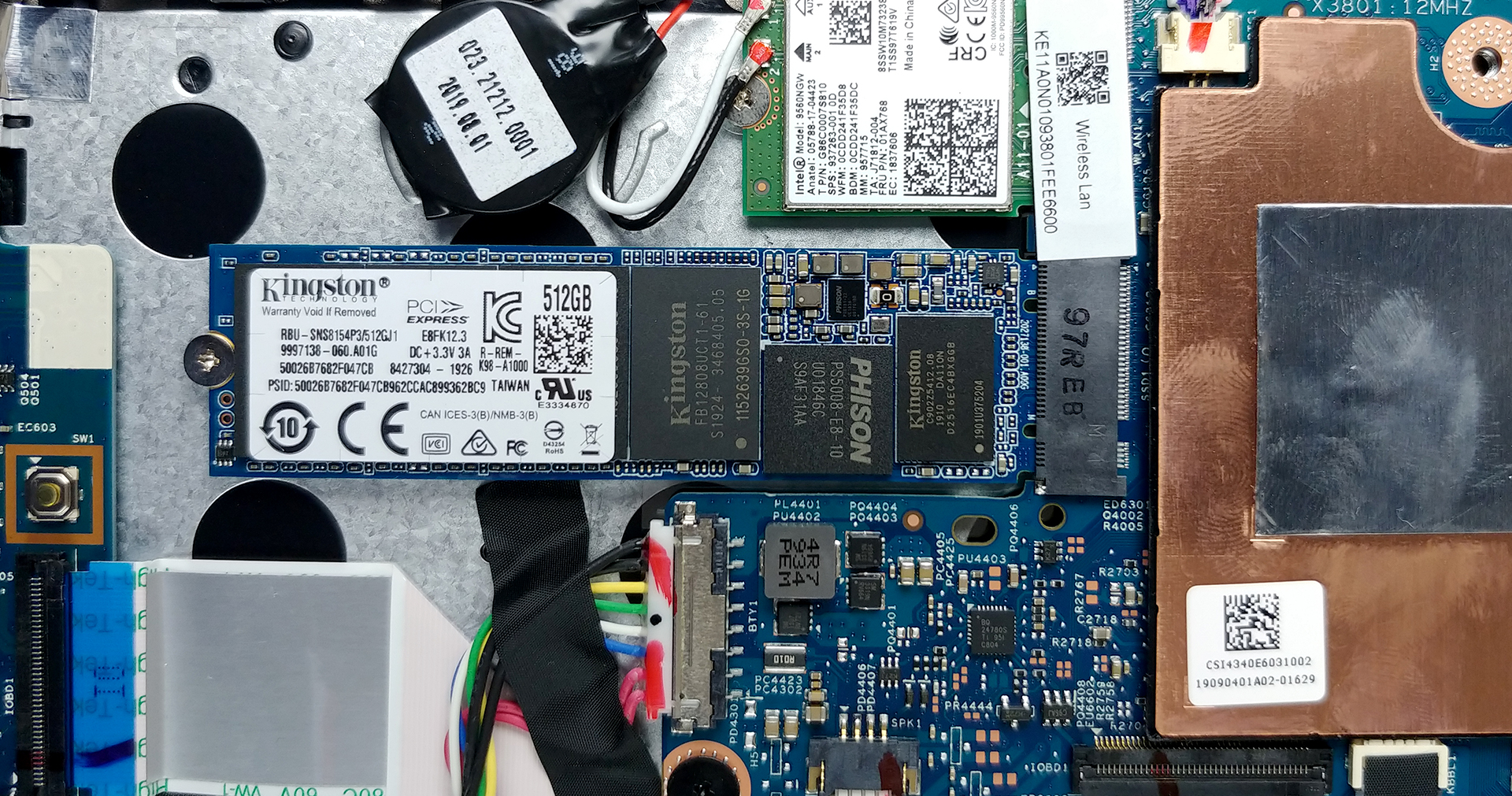
Being an inexpensive laptop, soldered memory is a part of the mix. The laptop is offered with up to 8GB of LPDDR4x RAM, which will allow for several Chrome tabs and nothing more. The storage is expandable through a single M.2 slot.
2. Performance
The laptop is offered with multiple Celeron and Pentium chips, most of which are fit for web browsing and nothing more. In our opinion, you should aim for the Pentium N6000 at least, which will allow you to touch up photos or do some light gaming.
CPU benchmarks
Our laptop came equipped with the Celeron N5100.
Les résultats proviennent du test CPU Cinebench R23 (plus le score est élevé, mieux c'est).
GPU benchmarks
Our laptop came equipped with the Intel UHD Graphics integrated GPU.
Les résultats proviennent de 3DMark Time Spy (Graphics). Un score plus élevé est meilleur.
Les résultats proviennent du benchmark 3DMark Fire Strike (Graphics) (un score plus élevé est meilleur)
All Acer Swift 1 (SF114-34) configurations:
 Author: Severin Kolakov

![[Juin 2026] Les marques d’ordinateurs portables les plus vendues sur Amazon Global – La domination sans égale d’Apple en termes de volume de ventes et de chiffre d’affaires](https://laptopmedia.com/wp-content/uploads/2026/07/GLOBAL-Best-Brands-400x225.jpg)
![[Juin 2026] Amazon Global : le top 10 des ordinateurs portables les plus vendus – Le nouveau MacBook Neo d’Apple s’empare de la première place et redéfinit le marché grâce à son prix abordable](https://laptopmedia.com/wp-content/uploads/2026/07/Best-Selling-Laptops-GLOBAL-Top-10-400x225.jpg)
![[Juin 2026] Amazon Global : le top 10 des ordinateurs portables de jeu les plus vendus – Le Nitro V 16S AI d’Acer domine les ventes, tandis qu’ASUS arrive en tête en termes de chiffre d’affaires global](https://laptopmedia.com/wp-content/uploads/2026/07/Best-Selling-Gaming-Laptops-GLOBAL-Top-10-400x225.jpg)
![[Juin 2026] Classement mondial des cartes graphiques pour ordinateurs portables les plus vendues sur Amazon – La NVIDIA RTX 5060 est la carte graphique dédiée la plus vendue](https://laptopmedia.com/wp-content/uploads/2026/07/Best-Selling-GPUs-GLOBAL-Top-10-400x225.jpg)
![[Juin 2026] Classement mondial des processeurs d’ordinateurs portables les plus vendus sur Amazon : l’Apple M5 domine, tandis que l’AMD Ryzen 7 260 s’impose dans le segment haut de gamme](https://laptopmedia.com/wp-content/uploads/2026/07/Best-Selling-CPUs-GLOBAL-Top-10-400x225.jpg)

The Acer Swift 1 is a GREAT Laptop, except a little slow when it has little Wi-Fi, but other than that everything is PERFECT!♥♥💕