Top 5 reasons to BUY or NOT to buy the MSI GP66 Leopard
 With MSI’s MSIology event, we got a bunch of new laptops announced, many of which we are slowly starting to receive. For today we have the MSI GP66 Leopard, which is the smaller brother of the GP76 Leopard. With that, you may think that you get lesser specs, but that is far from the truth.
What you do get, however, is a much more portable package, both when dimensions and weight are considered. The CPU choices remain the same from last year, but in the GPU department, you get the newest RTX 3000-series Ampere graphics cards from NVIDIA. Pair that with a great display, with very good color coverage and excellent color accuracy and you get a versatile machine that can suit a variety of purposes.
Today we are presenting you with LaptopMedia’s Top 5 picks about the MSI GP66 Leopard.
MSI GP66 Leopard: Full Specs / In-depth Review
4 reasons to BUY the MSI GP66 Leopard
1. The Design and Build quality
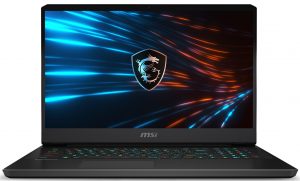
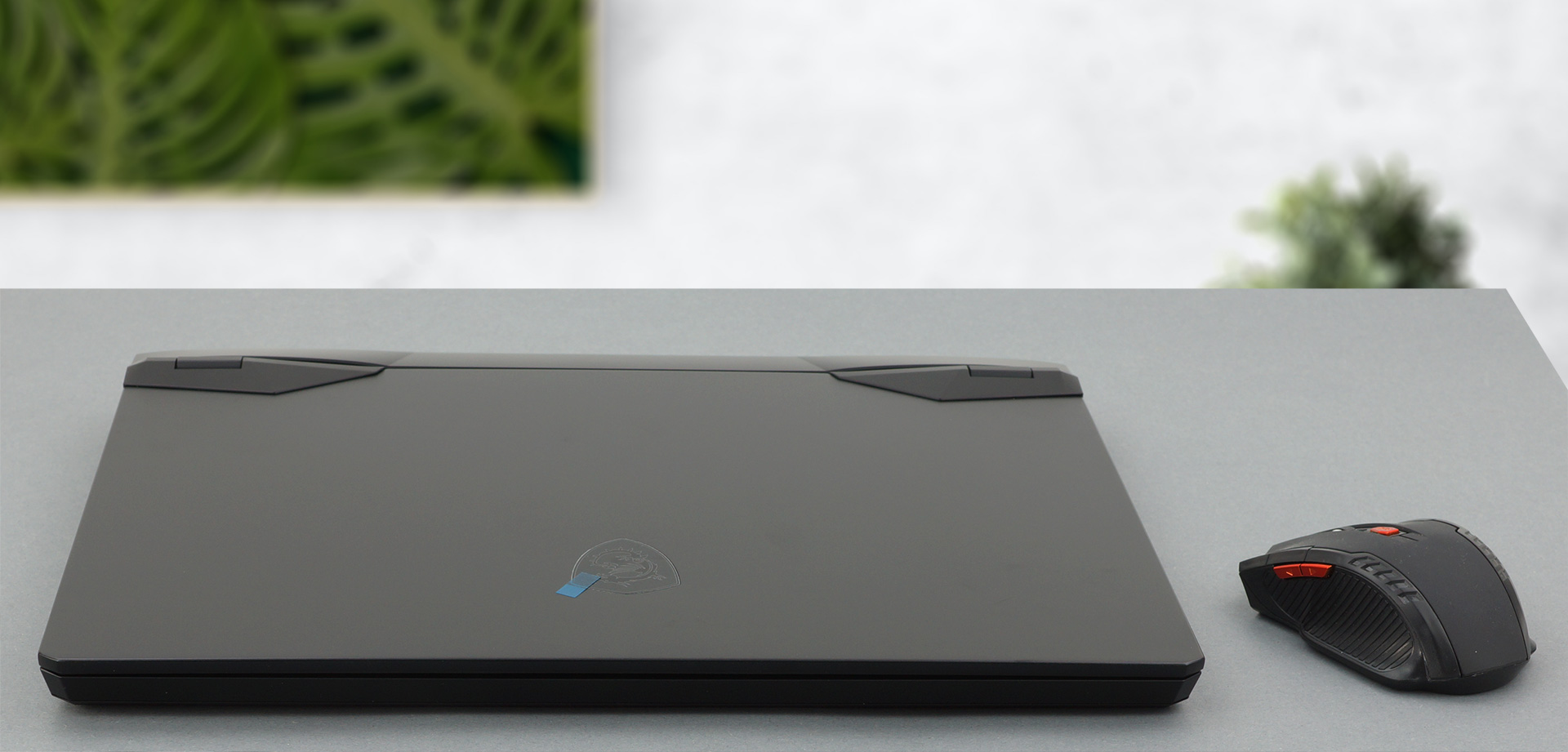
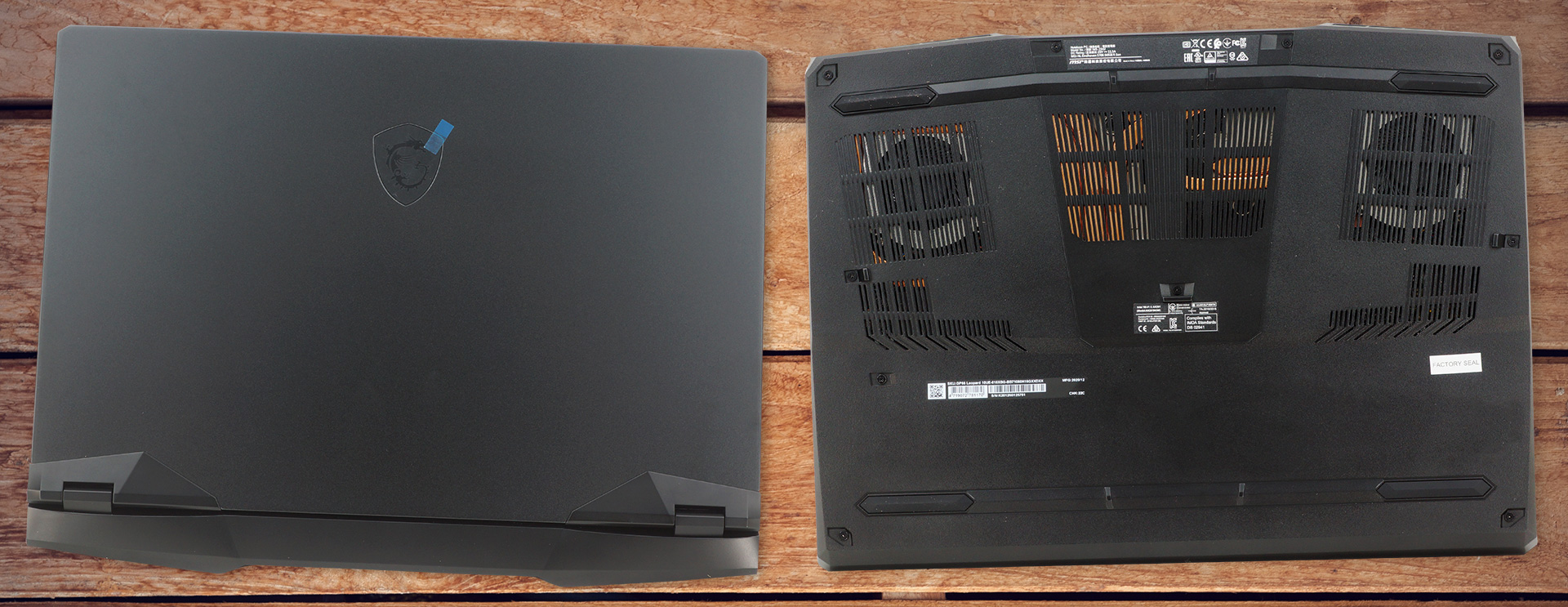
Starting off with the exterior, the MSI GP66 Leopard has a very low-key, industrial look, that doesn’t draw too much attention to itself. The minimal MSI branding on the lid is ideal and it lets the body lines of the laptop speak for themselves. Build-wise the laptop mainly uses plastic for its base and bottom panel, while the lid looks like it’s made from metal, going off a more premium vibe.
2. The Cooling
The very capable hardware inside reaches quite high temperatures when we put the laptop through our stress test. The CPU test uses 100% of the cores and we measure both the frequencies and the temperatures. In the test, we stimulate a short (2-10 seconds), medium (15-30 seconds), and prolonged (10-15 minutes) heavy load. The Core i7-10870H retains a relatively high frequency even after a prolonged load. However, the temperatures get quite high right from the get-go but don’t reach critical mass.
| Intel Core i7-10870H (45W TDP) | 0:02 – 0:10 sec | 0:15 – 0:30 sec | 10:00 – 15:00 min |
|---|---|---|---|
| MSI GP66 Leopard (High Performance) | 3.49 GHz (B+59%) @ 95°C @ 85W | 3.34 GHz (B+52%) @ 95°C @ 76W | 3.24 GHz (B+47%) @ 93°C @ 70W |
| MSI GP76 Leopard (High Performance) | 3.67 GHz (B+67%) @ 95°C @ 103W | 3.53 GHz (B+60%) @ 95°C @ 94W | 3.33 GHz (B+51%) @ 90°C @ 80W |
GPU-wise, the RTX 3060’s temperatures were within the reasonable and the GPU frequency was about the same even after 30 minutes of testing.
| NVIDIA GeForce RTX 3060 | GPU frequency/ Core temp (after 2 min) | GPU frequency/ Core temp (after 30 min) | GPU frequency/ Core temp (Max Fan) |
|---|---|---|---|
| MSI GP66 Leopard | 1863 MHz @ 72°C @ 124W | 1852 MHz @ 75°C @ 125W | 1849 MHz @ 69°C @ 127W |
| MSI GP76 Leopard | 1860 MHz @ 71°C @ 129W | 1857 MHz @ 73°C @ 128W | 1869 MHz @ 67°C @ 128W |
3. The Display
The panel of the GP66 Leopard remains the same as the one on last year’s device. You get a Full HD IPS panel with a size of 15.6 inches and a 144Hz refresh rate.
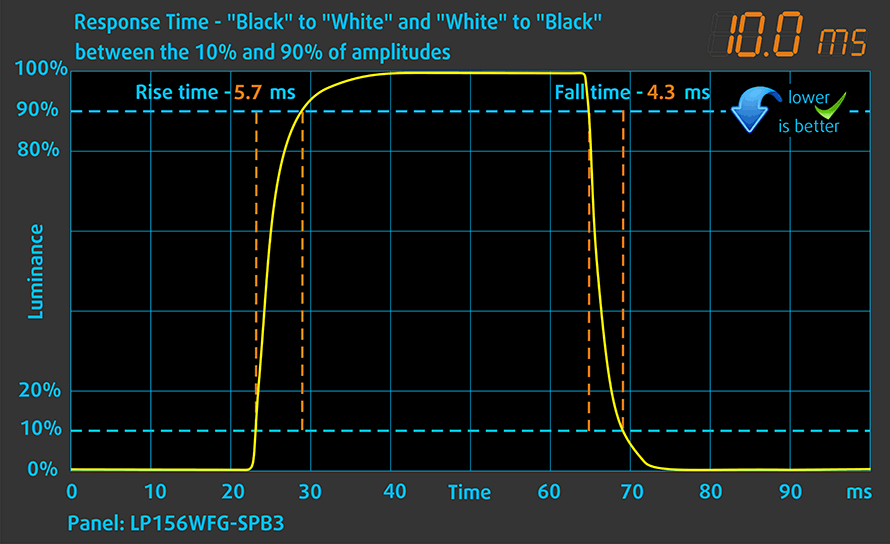
We test the reaction time of the pixels with the usual “black-to-white” and “white-to-black” method from 10% to 90% and vice versa.
We recorded Fall Time + Rise Time = 10 ms.
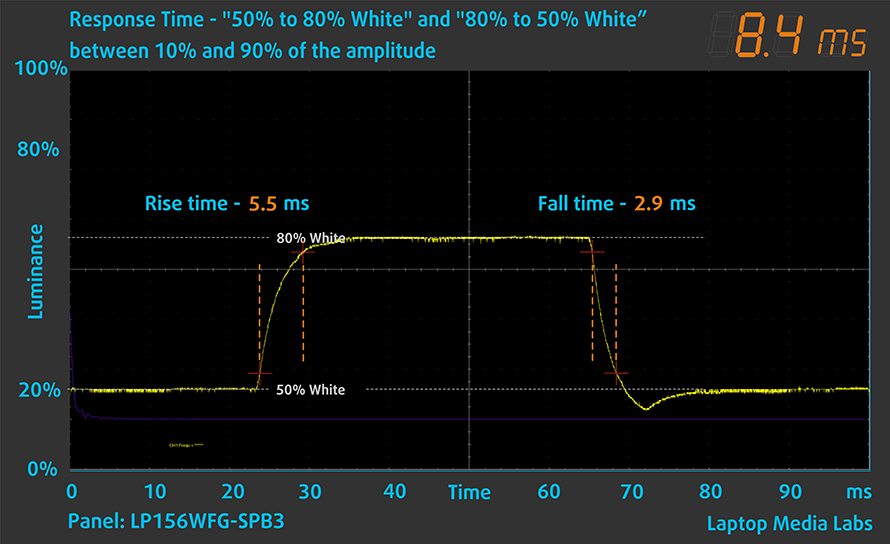
After that, we test the reaction time of the pixels with the usual “Gray-to-Gray” method from 50% White to 80% White and vice versa between 10% and 90% of the amplitude, and here, we also saw exceptional results.
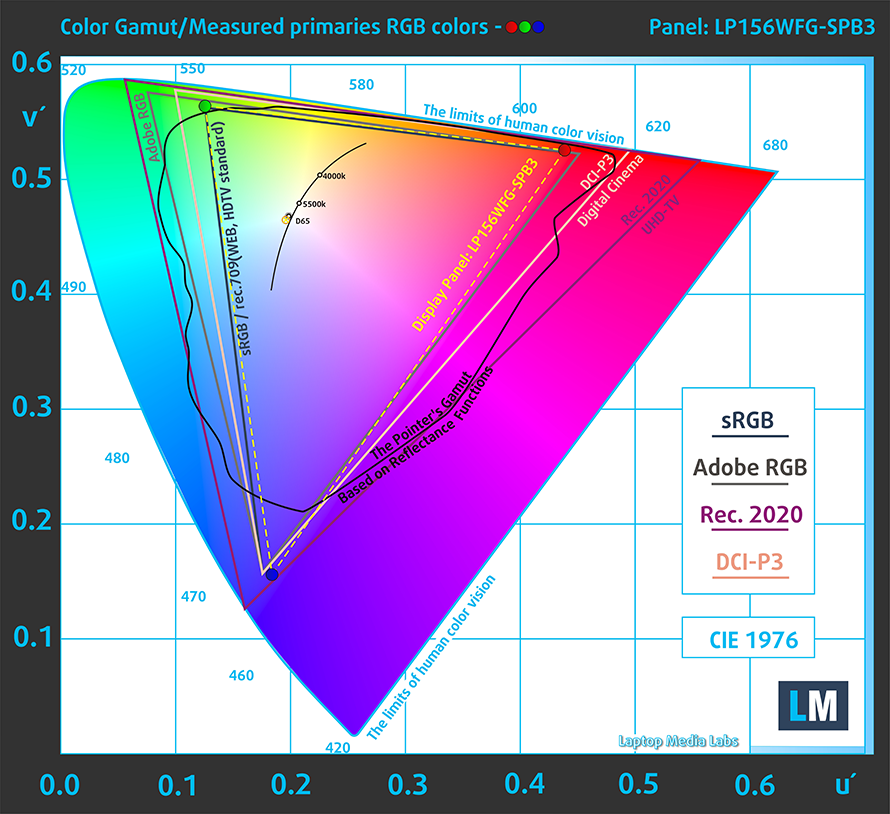
The display has comfortable viewing angles and a very high maximum brightness. It would appeal to designers and content creators as well, with 94% coverage of the sRGB color gamut. The backlight is flicker-free at all brightness levels, making it safe to use for extended periods of time.
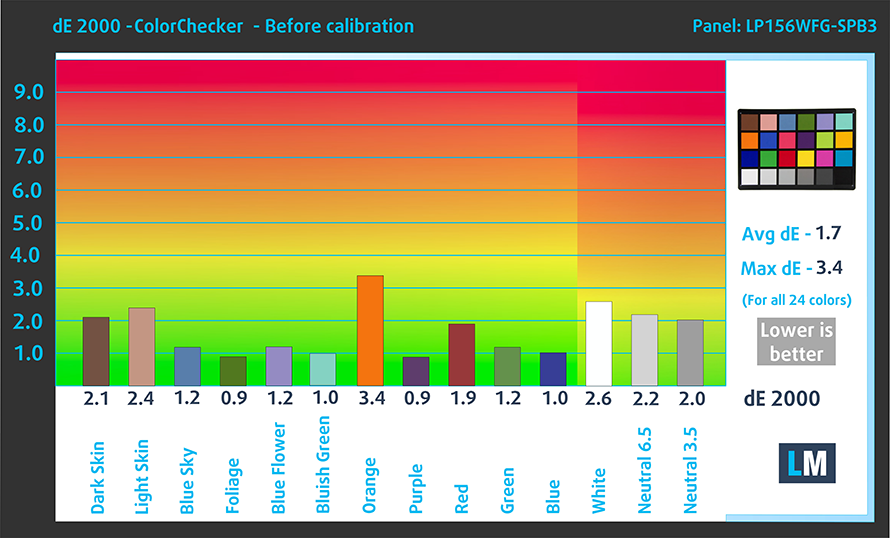
The color accuracy is some of the best that we have seen, especially with our “Gaming and web design” profile. Below you can see the results with the factory settings (left) and with our profile applied (right).

Buy our profiles
Since our profiles are tailored for each individual display model, this article and its respective profile package are meant for MSI GP66 Leopard configurations with 15.6″ FHD IPS LG LP156WFG-SPB3 (LGD0625).
*Should you have problems with downloading the purchased file, try using a different browser to open the link you’ll receive via e-mail. If the download target is a .php file instead of an archive, change the file extension to .zip or contact us at [email protected].
Read more about the profiles HERE.
En plus de recevoir des profils efficaces et respectueux de la santé, en achetant les produits de LaptopMedia, vous soutenez également le développement de nos laboratoires, où nous testons des appareils afin de produire les critiques les plus objectives possibles.

Travail de bureau
Office Work devrait être utilisé principalement par les utilisateurs qui passent la plupart de leur temps à regarder des textes, des tableaux ou simplement à naviguer. Ce profil vise à offrir une meilleure distinction et clarté en maintenant une courbe gamma plate (2.20), une température de couleur native et des couleurs fidèles à la perception.

Design et Gaming
Ce profil s'adresse aux designers qui travaillent avec les couleurs de manière professionnelle, ainsi qu'aux jeux et aux films. Design and Gaming pousse les dalles d'affichage à leurs limites, les rendant aussi précises que possible dans la norme sRGB IEC61966-2-1 pour le Web et la TVHD, au point blanc D65.

Health-Guard
Health-Guard élimine la Modulation de Largeur d'Impulsion (PWM) nocive et réduit la lumière bleue négative qui affecte nos yeux et notre corps. Comme il est adapté à chaque dalle, il parvient à conserver des couleurs fidèles à la perception. Health-Guard simule le papier, ce qui réduit considérablement la pression sur les yeux.
Obtenez les 3 profils avec 33% de réduction

4. The Upgradeability
The memory and storage are both upgradeable, as with most gaming devices. You can access the slots by removing the bottom panel. You get two SODIMM slots that support up to 64GB of DDR4 memory and two M.2 PCIe x4 drives for future SSD expansion. There is a factory sticker, though, that if damaged may void your warranty, so be careful.
1 reason NOT to buy the MSI GP66 Leopard
1. The Battery life
Using our battery life tests, in which we turn the Windows Better Performance option on, set the brightness to 120 nits and close all apps except the one with which we test the notebook. The battery unit here has a size of 65Wh and lasts for 4 hours and 23 minutes of Web browsing and 4 hours and 54 minutes of video playback. Compared to last year’s model, the battery life is much more balanced.
All MSI GP66 Leopard configurations:
 Author: Severin Kolakov

![[Juin 2026] Les marques d’ordinateurs portables les plus vendues sur Amazon Global – La domination sans égale d’Apple en termes de volume de ventes et de chiffre d’affaires](https://laptopmedia.com/wp-content/uploads/2026/07/GLOBAL-Best-Brands-400x225.jpg)
![[Juin 2026] Amazon Global : le top 10 des ordinateurs portables les plus vendus – Le nouveau MacBook Neo d’Apple s’empare de la première place et redéfinit le marché grâce à son prix abordable](https://laptopmedia.com/wp-content/uploads/2026/07/Best-Selling-Laptops-GLOBAL-Top-10-400x225.jpg)
![[Juin 2026] Amazon Global : le top 10 des ordinateurs portables de jeu les plus vendus – Le Nitro V 16S AI d’Acer domine les ventes, tandis qu’ASUS arrive en tête en termes de chiffre d’affaires global](https://laptopmedia.com/wp-content/uploads/2026/07/Best-Selling-Gaming-Laptops-GLOBAL-Top-10-400x225.jpg)
![[Juin 2026] Classement mondial des cartes graphiques pour ordinateurs portables les plus vendues sur Amazon – La NVIDIA RTX 5060 est la carte graphique dédiée la plus vendue](https://laptopmedia.com/wp-content/uploads/2026/07/Best-Selling-GPUs-GLOBAL-Top-10-400x225.jpg)
![[Juin 2026] Classement mondial des processeurs d’ordinateurs portables les plus vendus sur Amazon : l’Apple M5 domine, tandis que l’AMD Ryzen 7 260 s’impose dans le segment haut de gamme](https://laptopmedia.com/wp-content/uploads/2026/07/Best-Selling-CPUs-GLOBAL-Top-10-400x225.jpg)