Lenovo IdeaPad Pro 5 14″ Gen 10 (14AKP10) review – The Best Value OLED Laptop?
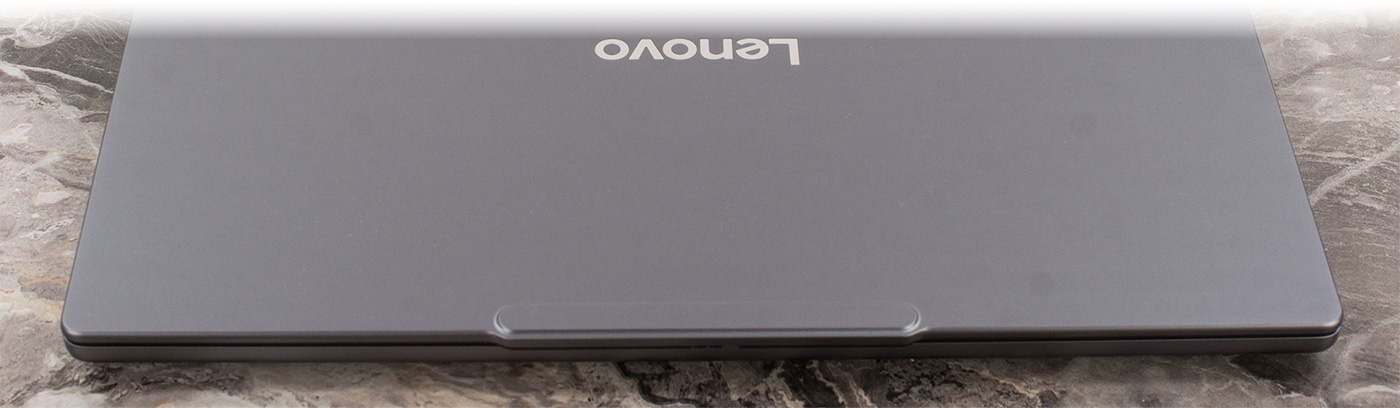
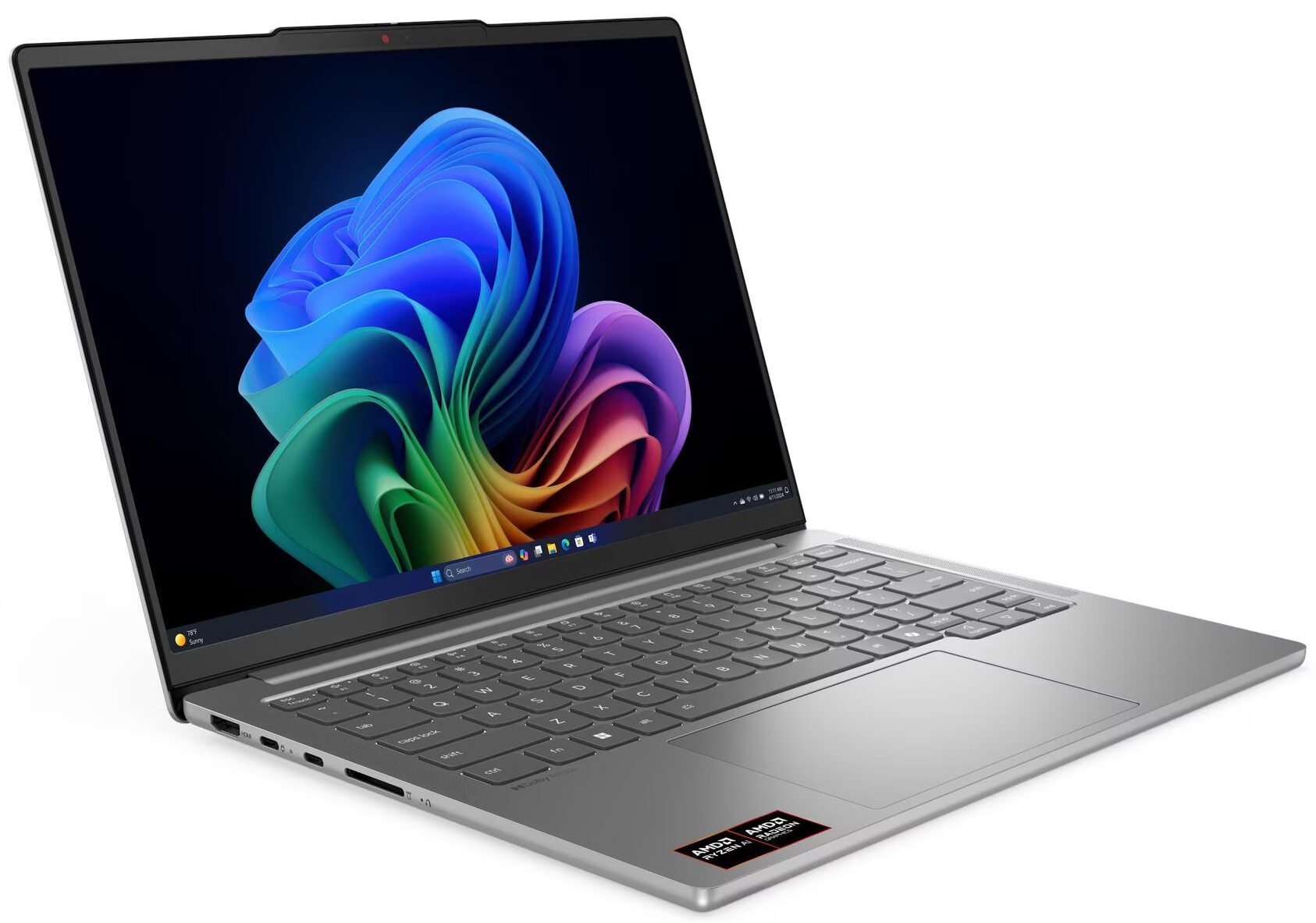
The Lenovo IdeaPad Pro 5 (14″, Gen 10) arrives with a mission: to democratize the premium laptop experience. It packs features usually reserved for flagship devices – like a stunning 120Hz OLED display, an all-metal chassis, and powerful Ryzen AI processors—into a machine that remains surprisingly affordable. It’s a laptop that tries to do it all, balancing creative power, portability, and endurance in a sleek 14-inch package. But does this ambitious mix of high-end specs and mid-range pricing result in a perfect all-rounder, or are there hidden compromises lurking beneath its polished surface? We put it through its paces to find out.
You can check the prices and configurations in our Specs System: https://laptopmedia.com/series/lenovo-ideapad-pro-5-14-gen-10/
Contents
Specs, Drivers, What’s in the box
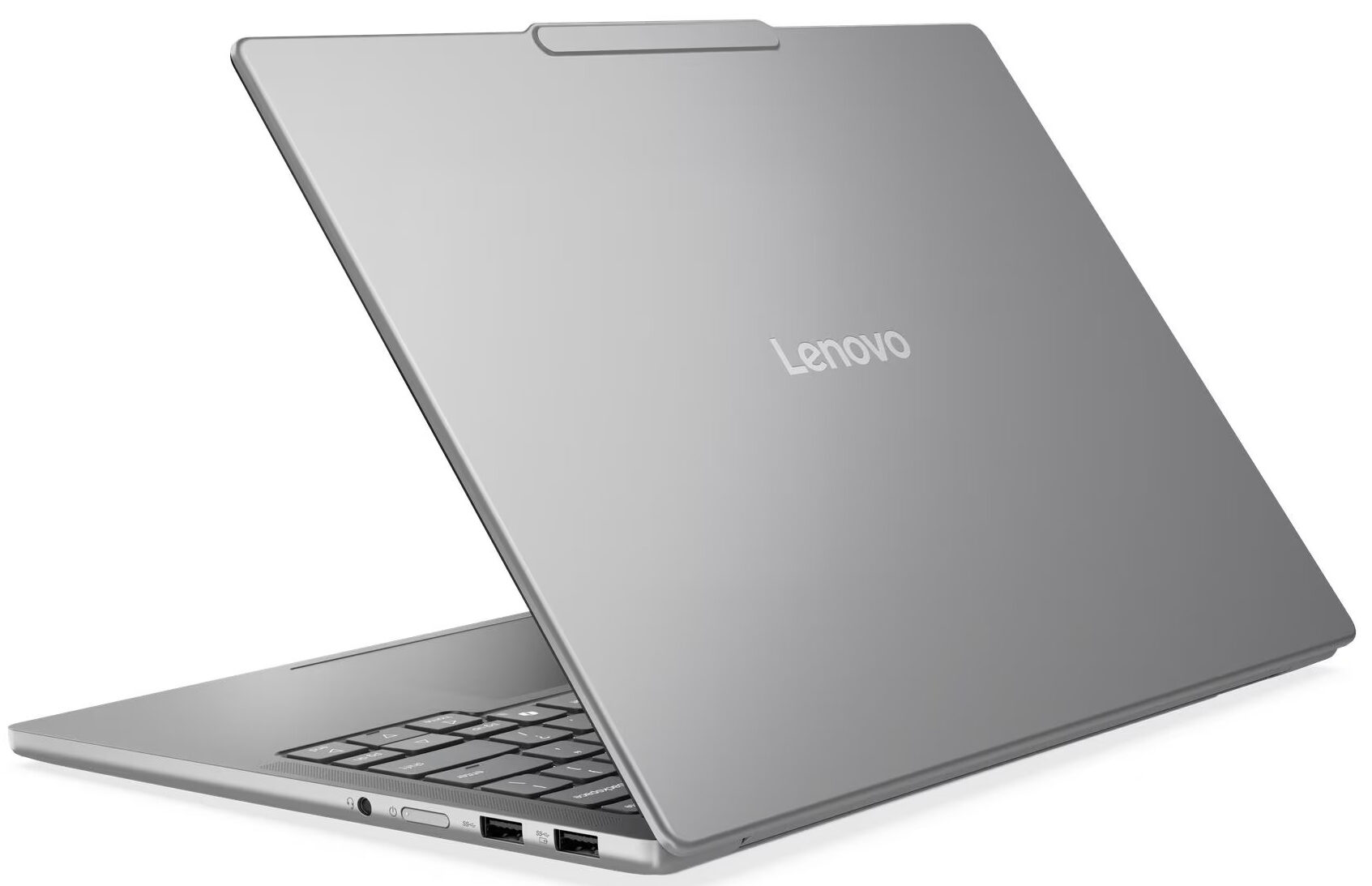
Lenovo IdeaPad Pro 5 (14", Gen 10) - Specs

- HDD/SSD
- up to 1000GB SSD
- M.2 Slot
- 1x 2242 M.2 NVMe PCIe 4.0 x4 + 1x 2280 M.2 NVMe PCIe 4.0 x4 See photo
- RAM
- up to 32GB
- OS
- No OS, Windows 11 Home
- Battery
- 84Wh
- Body material
- Aluminum
- Dimensions
- 312 x 221 x 15.5 mm (12.28" x 8.70" x 0.61")
- Weight
- 1.39 kg (3.1 lbs)
- Ports and connectivity
- 1x USB Type-A
- 3.2 Gen 1 (5 Gbps)
- 1x USB Type-A
- 3.2 Gen 1 (5 Gbps), Sleep and Charge
- 2x USB Type-C
- 4.0, Power Delivery (PD), DisplayPort
- HDMI
- 2.1 (8K@60Hz)
- Card reader
- SD (SD, SDHC, SDXC)
- Ethernet LAN
- Wi-Fi
- Wi-Fi 6E / Wi-Fi 7
- Bluetooth
- 5.3 / 5.4
- Audio jack
- 3.5mm Combo Jack
- Features
- Fingerprint reader
- Web camera
- FHD 1080p + IR, with privacy shutter, fixed focus, with ToF sensor
- Backlit keyboard
- Microphone
- Dual-microphone array
- Speakers
- Stereo speakers, 2W x2, optimized with Dolby Atmos®
- Security Lock slot
All Lenovo IdeaPad Pro 5 (14″, Gen 10) configurations
Drivers
All drivers and utilities for this notebook can be found here: https://pcsupport.lenovo.com/us/en/products/laptops-and-netbooks/5-series/ideapad-pro-5-14akp10/downloads
What’s in the box?
Lenovo keeps the unboxing for the IdeaPad Pro 5 14″ Gen 10 a straightforward and modest affair. Inside, you’ll find the laptop itself and its 100W power adapter, covering the absolute essentials to get you started.
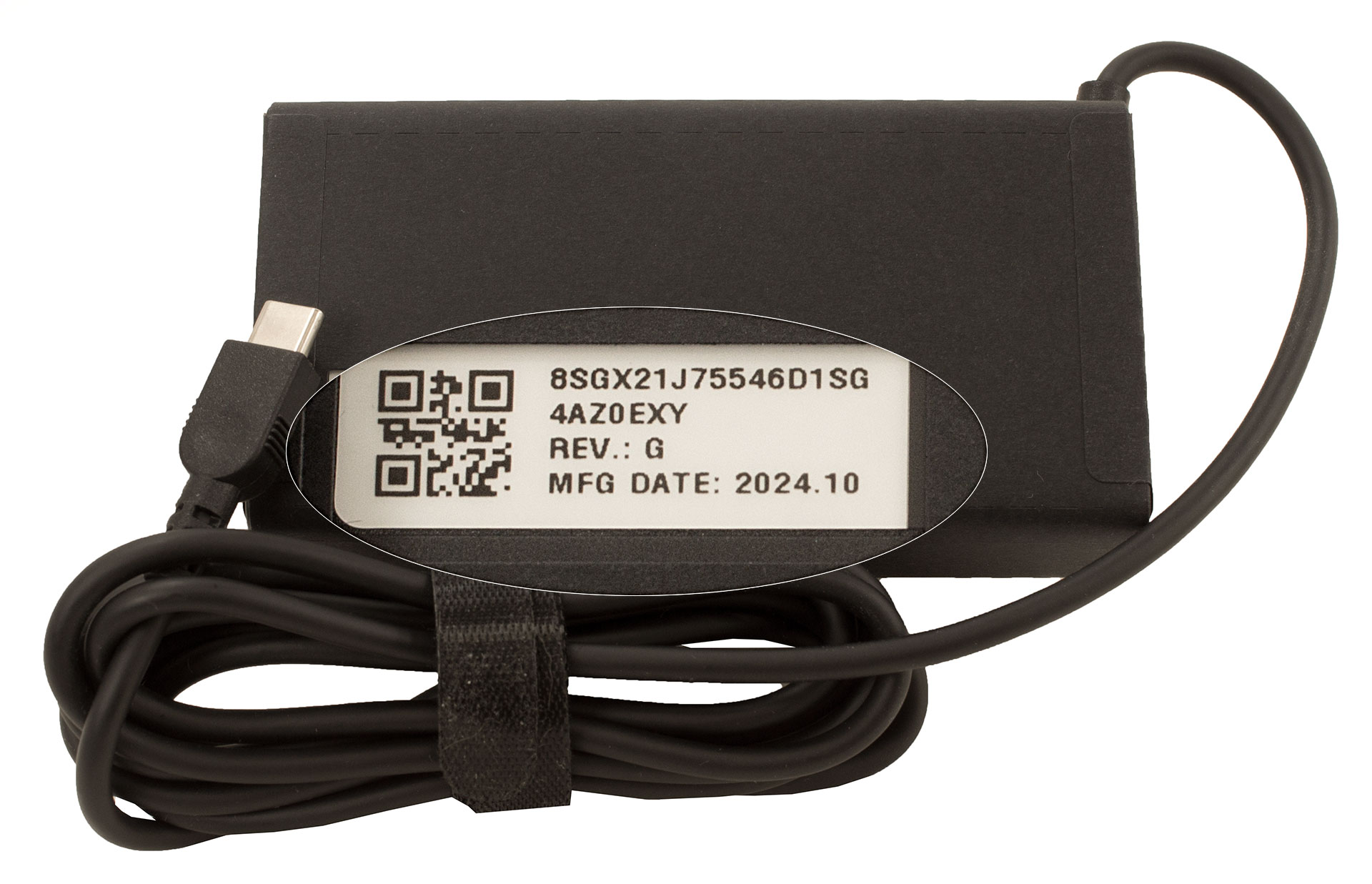
It’s worth noting that some regions might also include a Lenovo WL310 Bluetooth Silent Mouse, but our European unit came with just the basics.
Design and construction
The Lenovo IdeaPad Pro 5 14″ Gen 10 (14AKP10) presents itself as a compact and classy machine, showcasing a design that has become a successful and welcome classic for the IdeaPad Pro line.
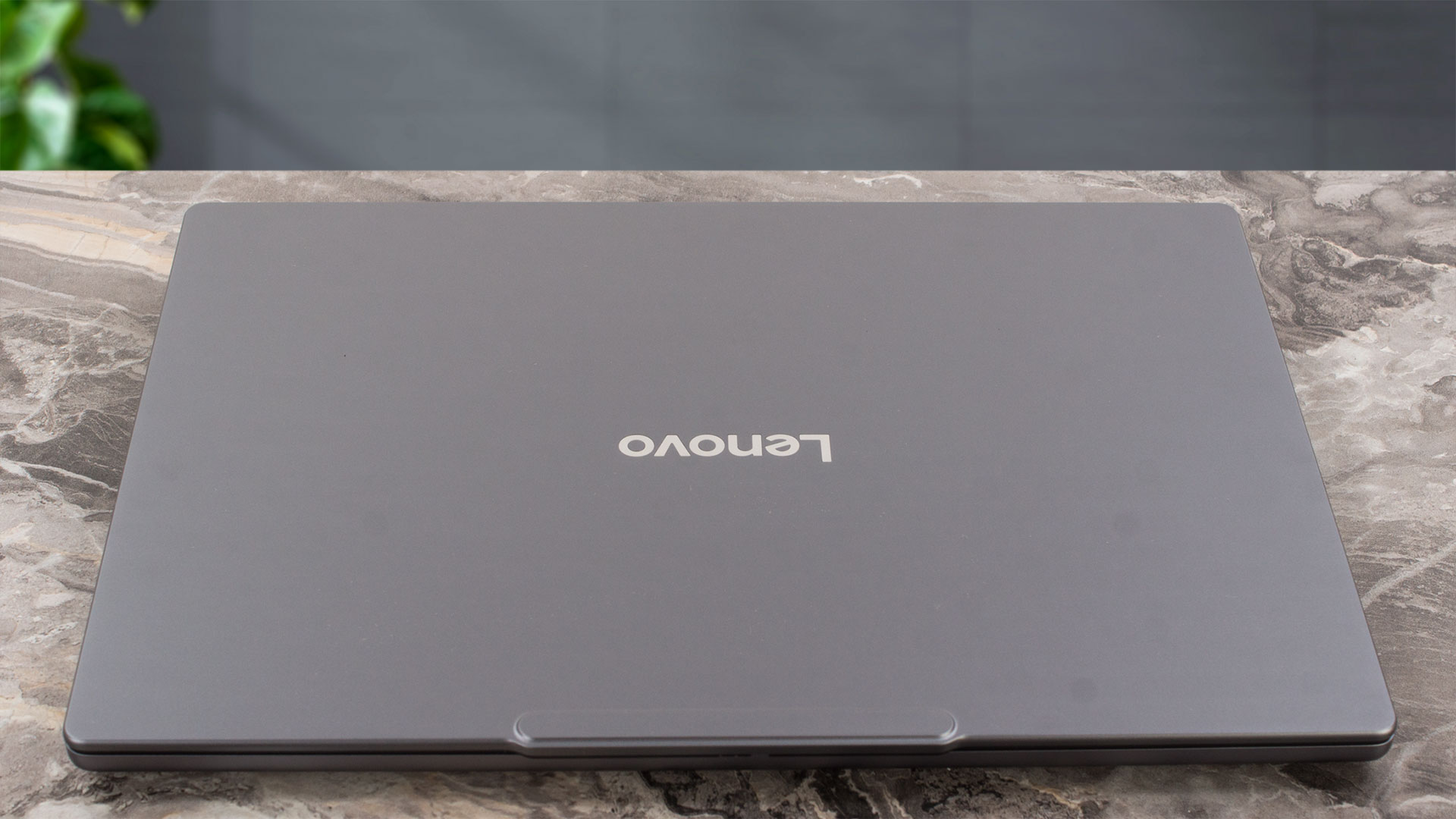
It’s a look we’ve seen before, and we’re happy to see it return, as it exudes a quiet confidence and premium feel without being flashy. The laptop is available in a single, sophisticated colour: “Luna Grey.” A major highlight is its all-aluminium construction, which not only looks and feels great but is also treated with an anodized sandblasting finish. This surface is fantastic at resisting fingerprints; even after a couple of weeks of deliberate, non-wiped testing, the chassis remained remarkably clean.
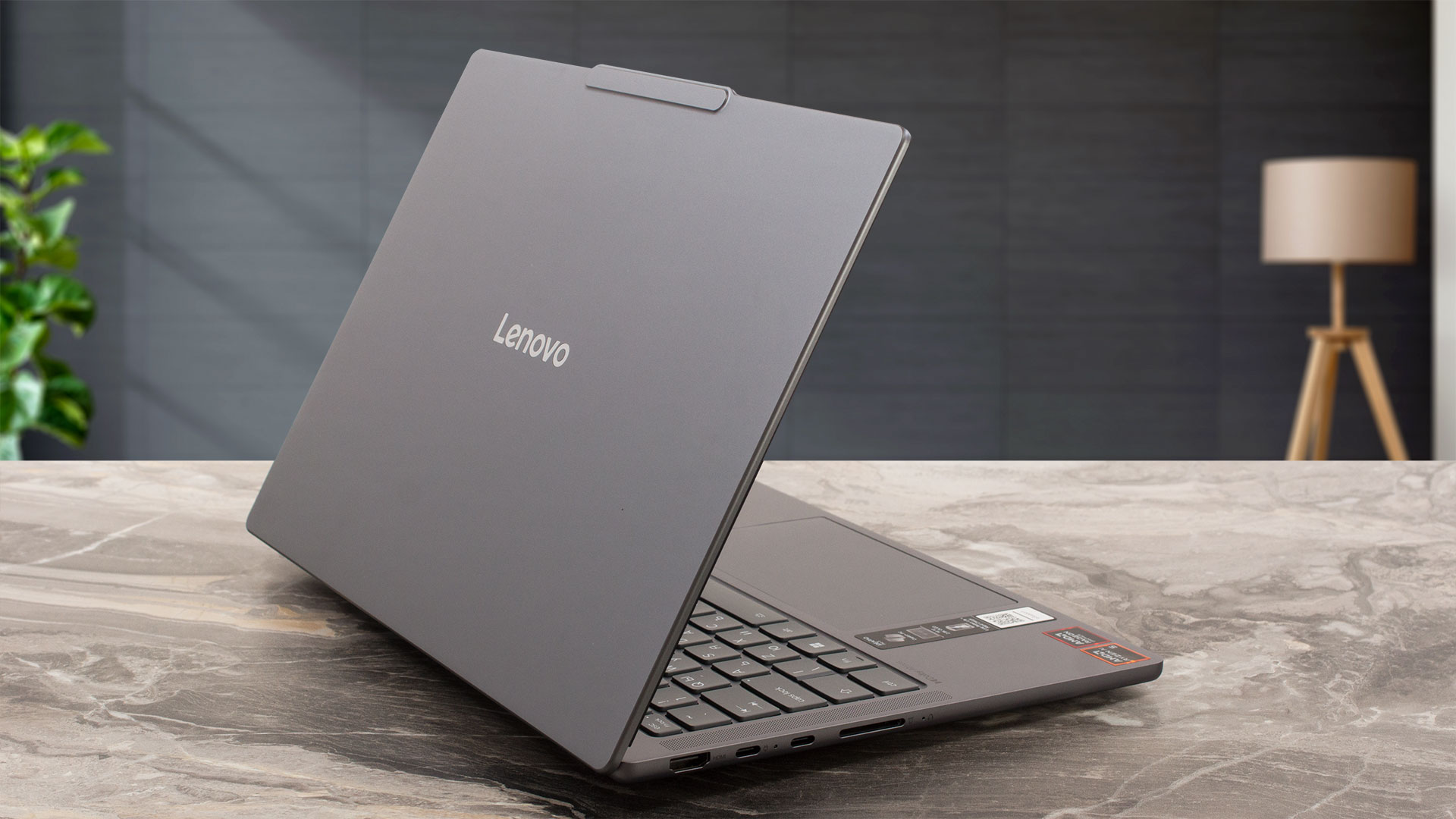
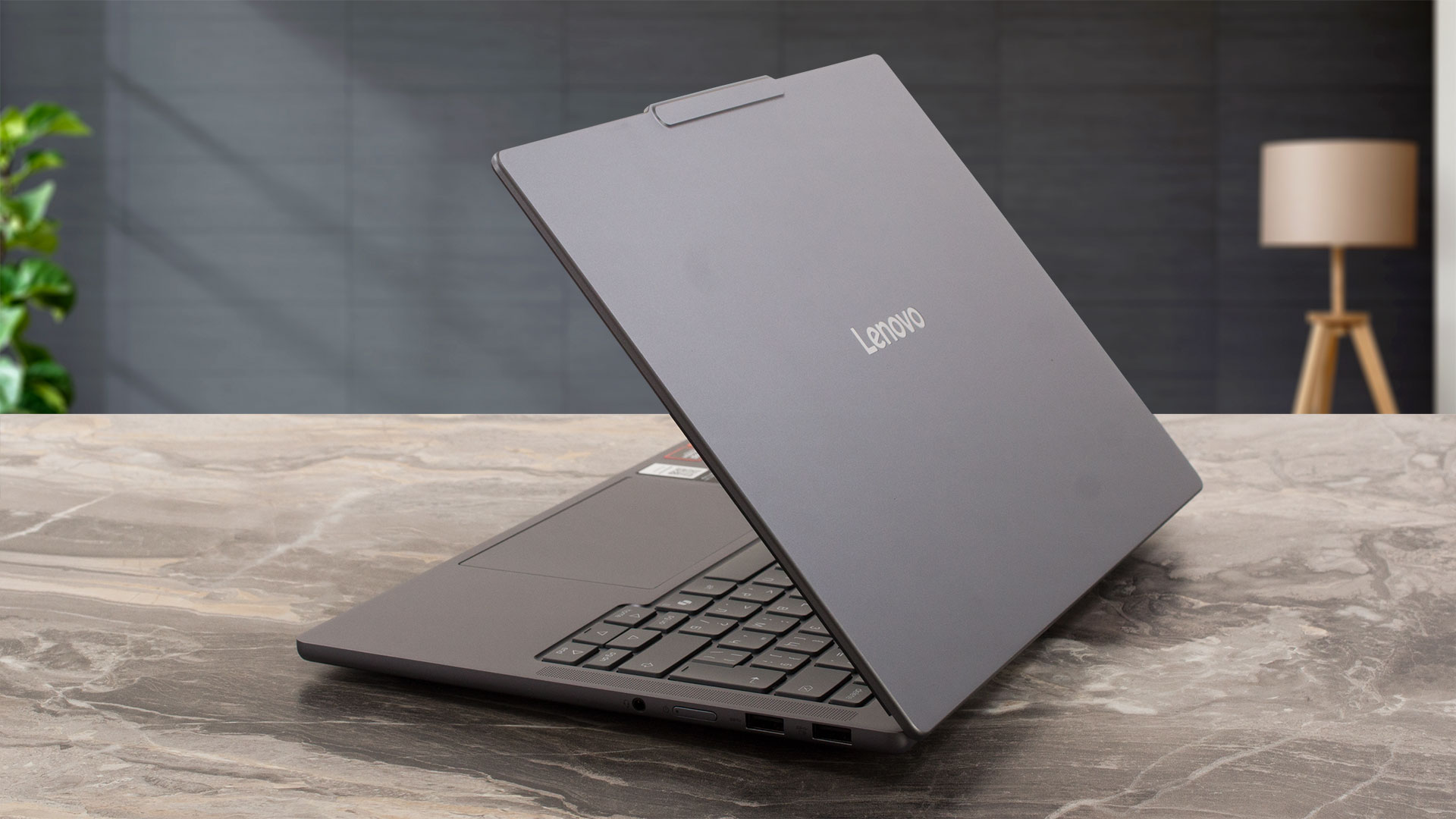
Despite its robust build, the IdeaPad Pro 5 is impressively thin and light. It measures a mere 312 x 221 x 15.5 mm (12.28 x 8.7 x 0.61 inches) and has a starting weight of just 1.39 kg (3.06 lbs). This slim profile immediately raises questions about its cooling capabilities, something we’ll be keen to investigate later.
The build quality itself is excellent. The all-aluminium body feels very sturdy and stable, with no creaks or worrying flex. This tangible rigidity backs up its MIL-STD-810H military certification (covering 21 test items), which in this case, feels genuinely earned. The craftsmanship is typical of a high-end laptop, a feeling reinforced by the smooth, one-handed opening of the lid.

Once open, the display is framed by pleasingly thin bezels – 5 mm (0.20 inches) on the sides and 9 mm (0.35 inches) at the top. The top bezel has a small “bump” extending to 11 mm (approximately 0.43 inches) to house the FHD 1080p + IR camera, which also features a ToF sensor and, crucially, a physical privacy shutter for peace of mind. The screen hinge allows the display to recline to about 170 degrees. Be careful here – this near-flat angle might tempt you to push it all the way to 180 degrees, but it’s not designed to do so, and forcing it is not a good idea.
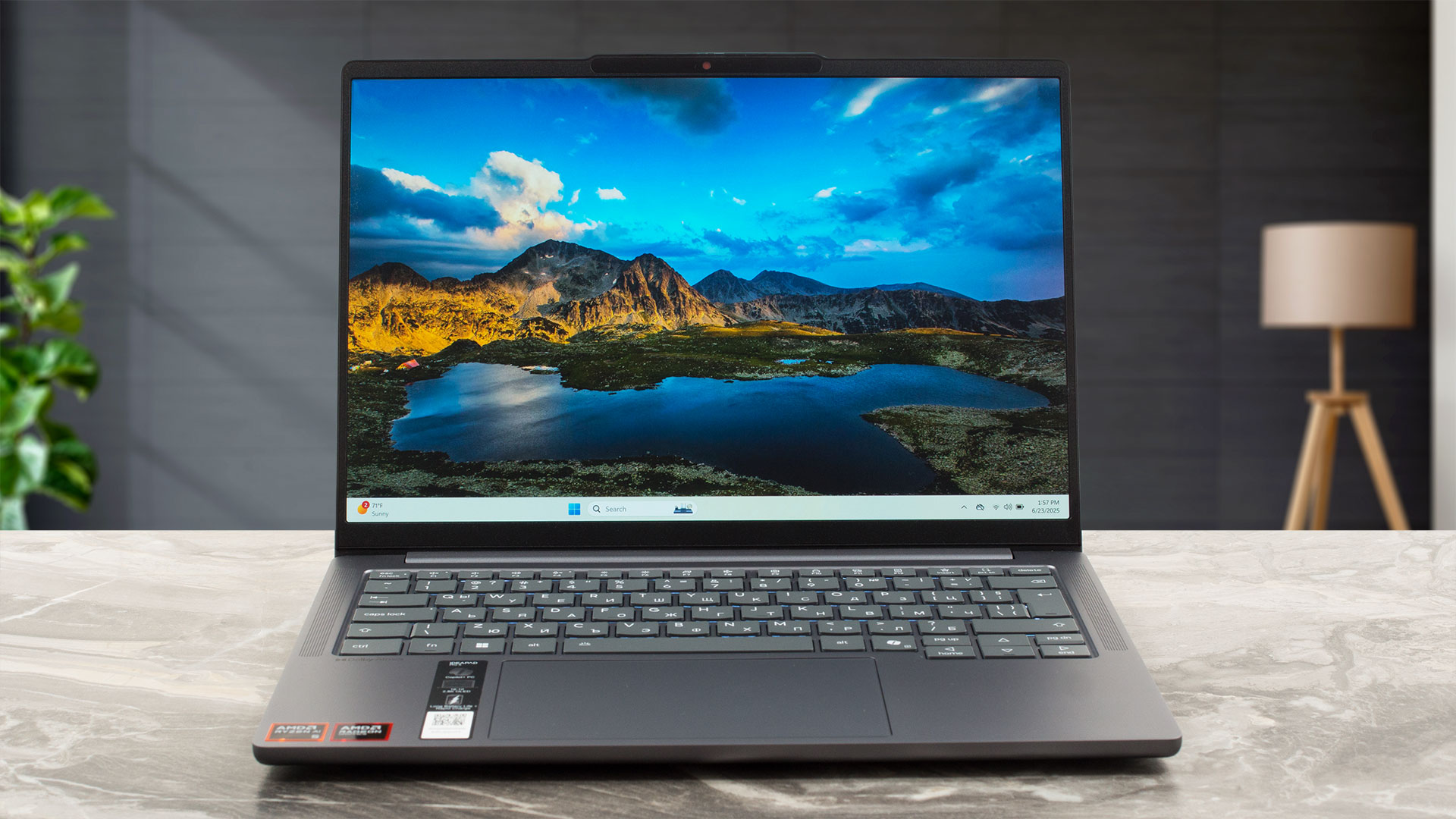
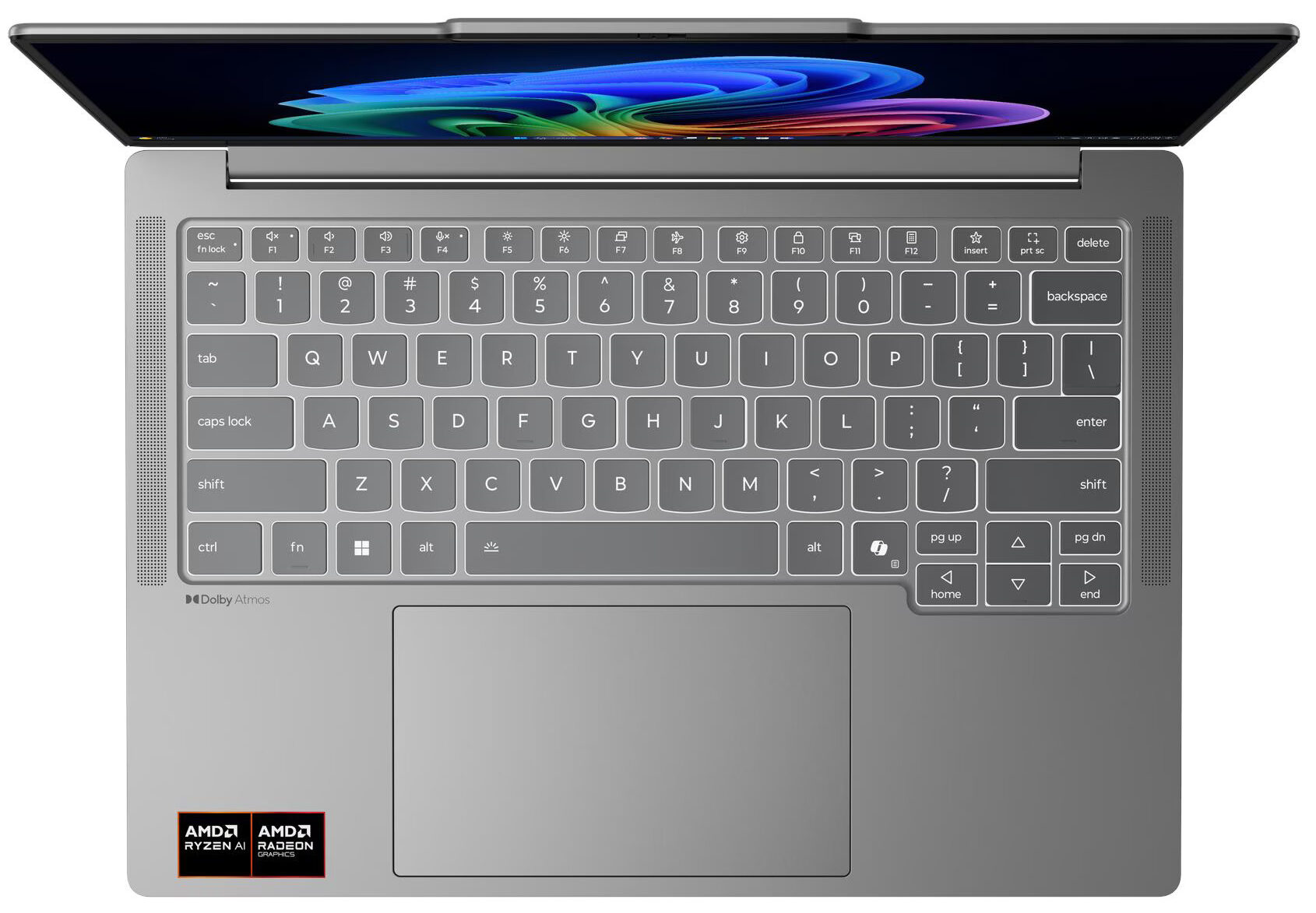
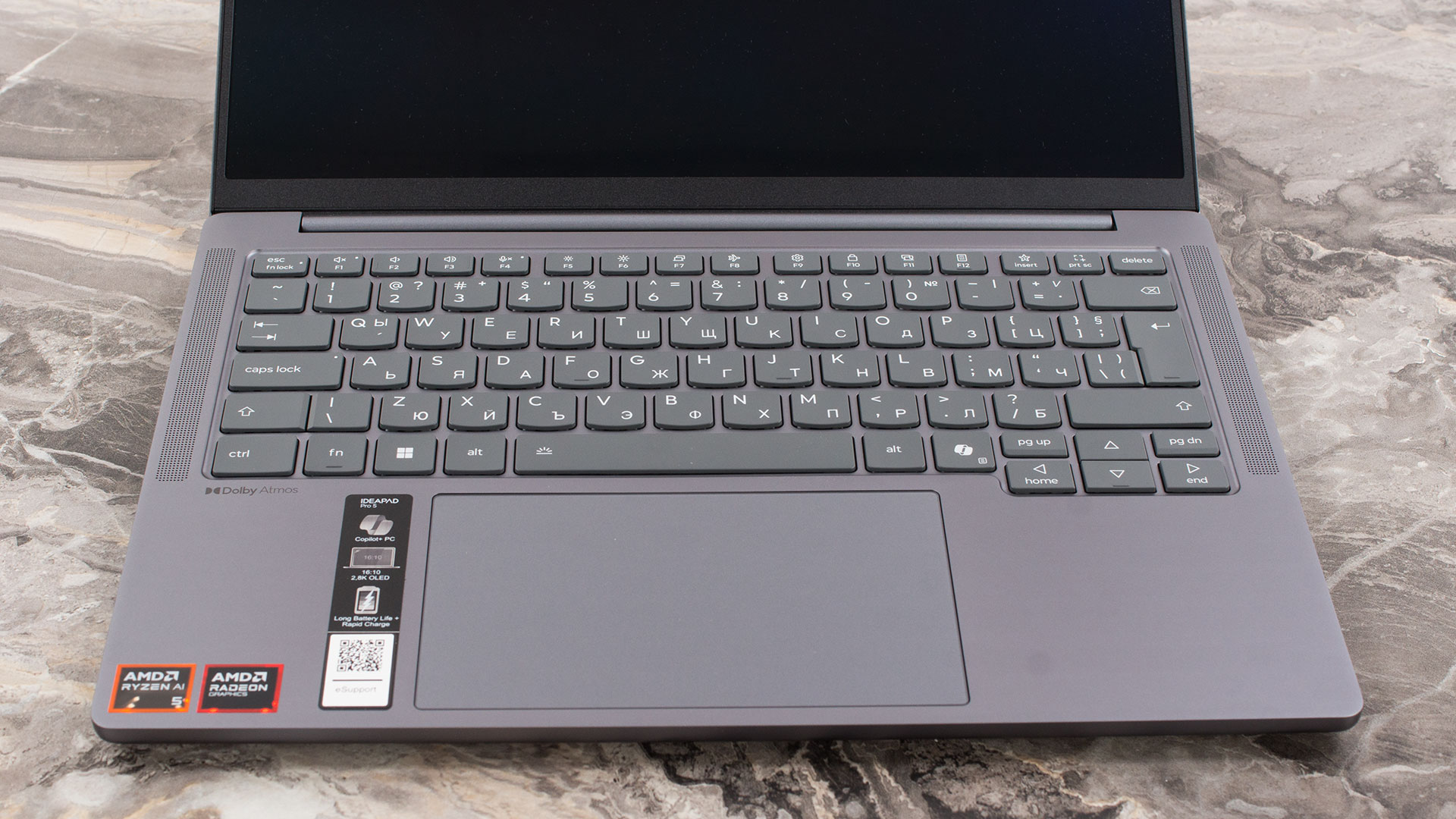
The keyboard deck is spacious and comfortable for a 14-inch chassis, though there is no room for a dedicated NumPad. The keyboard features a clean, two-level white backlight and provides an excellent typing experience. In a pleasant departure from the norm for ultraportables, the arrow keys are not the typical tiny half-height keys. While not full-sized, they are definitely larger and more comfortable to use than those on 90% of the non-gaming laptops on the market today. There is no fingerprint reader for biometric login, but the IR camera enables swift and secure access via Windows Hello. Below the keyboard sits a generously sized, buttonless glass surface trackpad. Measuring 80 x 135 mm (3.15 x 5.31 inches), its large area and smooth, precise tracking make for a very comfortable navigation experience.
Ports and Connectivity
The Lenovo IdeaPad Pro 5 14″ Gen 10 (14AKP10) is impressively equipped with a modern and high-performance selection of ports. On the left side, you’ll find an HDMI 2.1 port, specified to support resolutions up to 8K at 60Hz, which is excellent for connecting to high-end external displays. This is accompanied by two highly capable USB-C ports, both featuring the USB4 40Gbps standard. These versatile ports support Power Delivery 3.0 for charging the laptop or other devices, and the advanced DisplayPort 2.1 standard for video output, also capable of driving monitors up to 8K at 60Hz. A significant bonus for content creators and photographers is the inclusion of a full-size SD card reader on this side, a feature that is becoming increasingly rare.

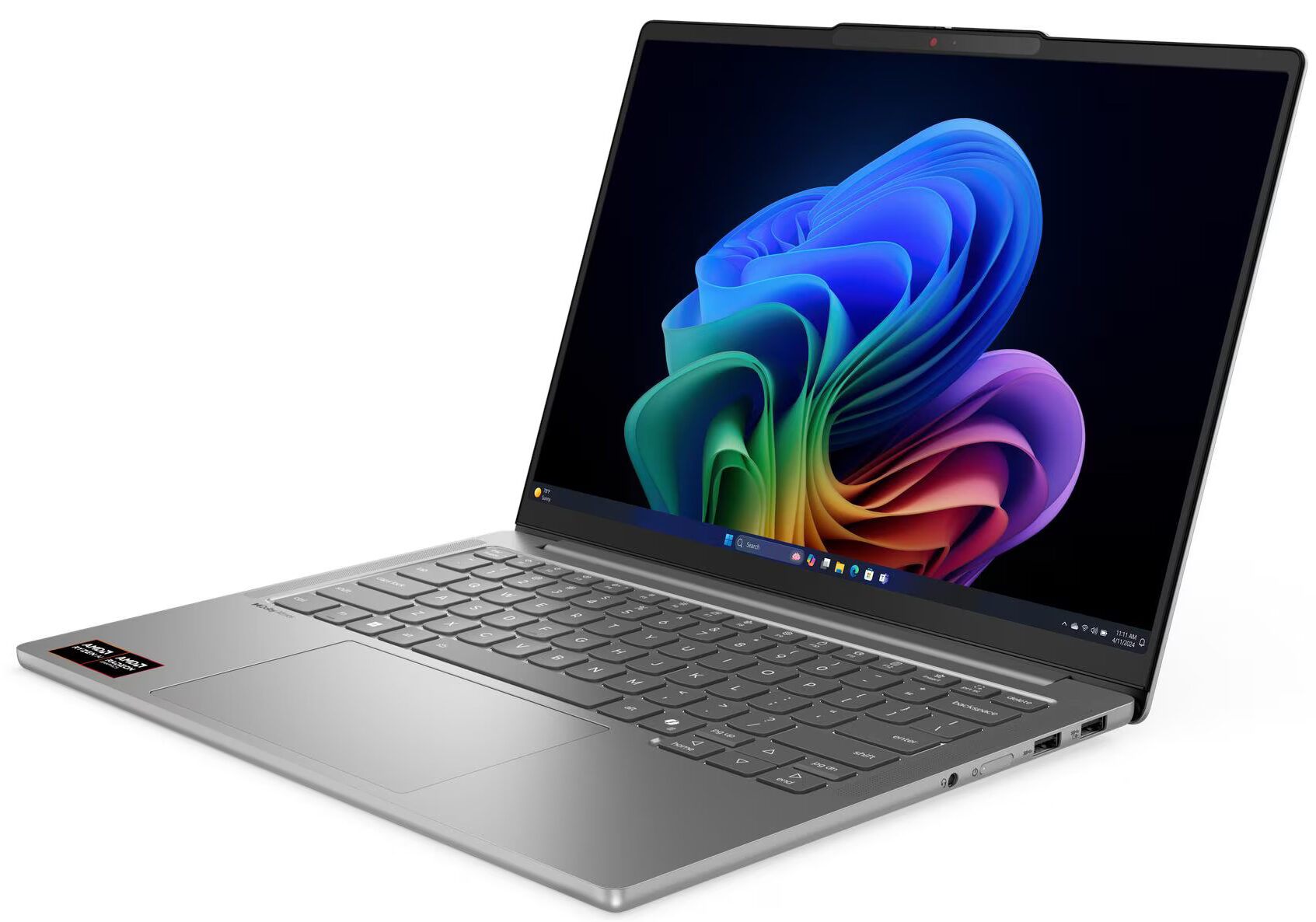
The right side of the laptop houses two standard USB-A ports, both operating at 5Gbps (USB 3.2 Gen 1) speeds. The rear-most of these two ports features an ‘Always On’ capability, allowing it to charge peripherals even when the laptop is off or sleeping. Also on this side are the power button and a standard 3.5mm headphone/microphone combo jack. It’s worth noting that despite its Pro moniker, the laptop does not have a built-in Ethernet port, so wired network connections would require a USB adapter. The device can support up to three external displays simultaneously in addition to its native screen, utilizing the HDMI and USB-C ports.

Wireless connectivity varies by configuration, offering up-to-date options. The IdeaPad Pro 5 can be equipped with either a Wi-Fi 6 (802.11ax) 2×2 card paired with Bluetooth 5.3, or the latest Wi-Fi 7 (802.11be) 2×2 card which includes Bluetooth 5.4. Both provide strong wireless performance, with the Wi-Fi 7 option offering the best future-proofing and speed potential on compatible networks.
Display and Sound Quality, Display Profiles
There are no other display options but a 1800p OLED panel with 120 Hz refresh rate. Fortunately, it’s an excellent one with the only drawback being it not that eye-friendly due to its highly reflective surface.
| Lenovo IdeaPad Pro 5 14″ Gen 10 (14AKP10) | LEN140WQ+ (LEN8AC3) |
| Diagonal | 14.0 inches (35.6 cm) |
| Panel Type | OLED |
| Resolution | 2880 x 1800 pixels |
| Max Refresh Rate | 120 Hz |
| Aspect Ratio | 16:10 |
| Pixel Density | 242 PPI |
| ‘Retina’ Distance | Greater than or equal to 36 cm |
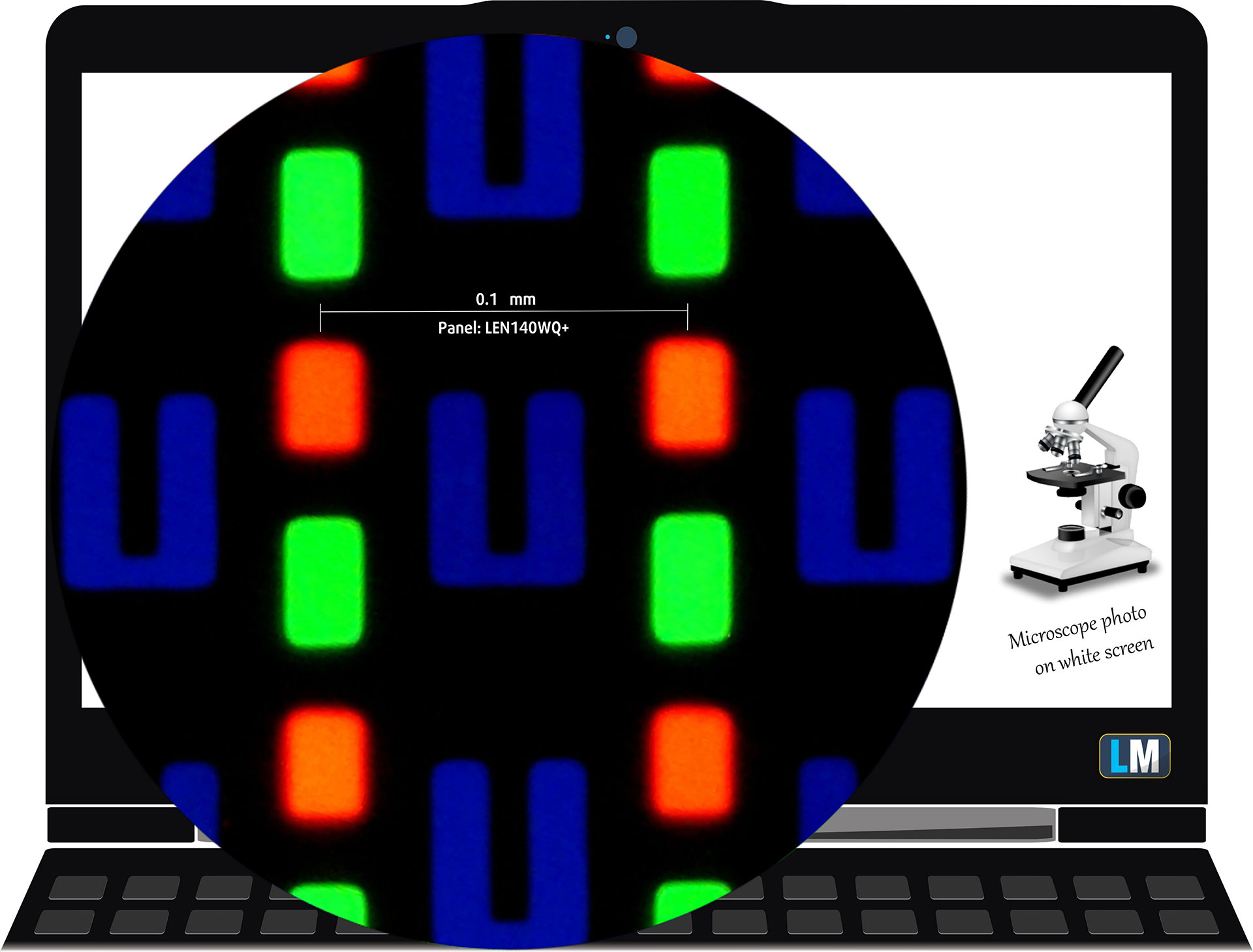
The 1800p LEN140WQ+ (LEN8AC3) panel under our microscope
Viewing Angles
Viewing angles are good. We take photos from different angles to evaluate the quality.

Also, a video with locked focus and exposure.
Color Coverage
The whole “sail-shaped” map below (Fig. 1) consists of all the colors we can see, while the black crooked line shows all the colors from real-world scenes and nature around us.
Then, we’ve drawn some of the most important and interesting color spaces, compared to the colors the panel of Lenovo IdeaPad Pro 5 14″ Gen 10 (14AKP10) can show:
Standard/For Web: sRGB – widely used color space for most consumer devices, ideal for Web design and development
For Print: AdobeRGB – used in professional photo editing, graphic design, and print
For Photographers/Video Editors: DCI-P3 – used in high-end film production, post-production, and digital cinema
Premium HDR: Rec.2020 – the widest consumer ITU color standard, covering a massive 75.8% of the visible spectrum, a benchmark for premium HDR content
Lenovo IdeaPad Pro 5 14″ Gen 10 (14AKP10): the yellow dashed triangle (– – – – – –) represents the range of colors this monitor can show.
In our tests, we calculated the total color coverage of the display at 100% of the sRGB color gamut and 100% of the DCI-P3 color gamut.
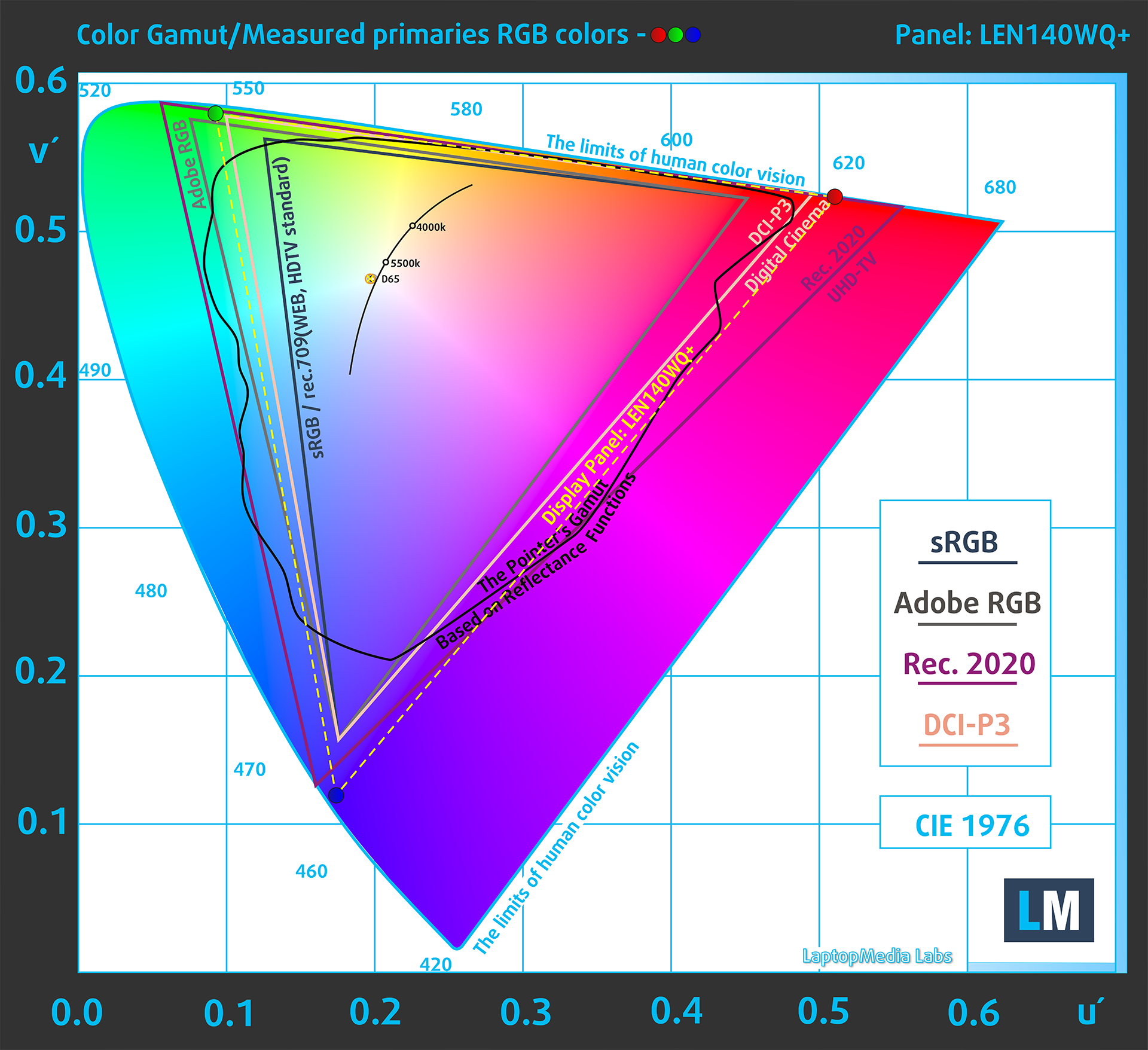
(Fig.1) Lenovo IdeaPad Pro 5 14″ Gen 10 (14AKP10) covers 100% of the DCI-P3 gamut
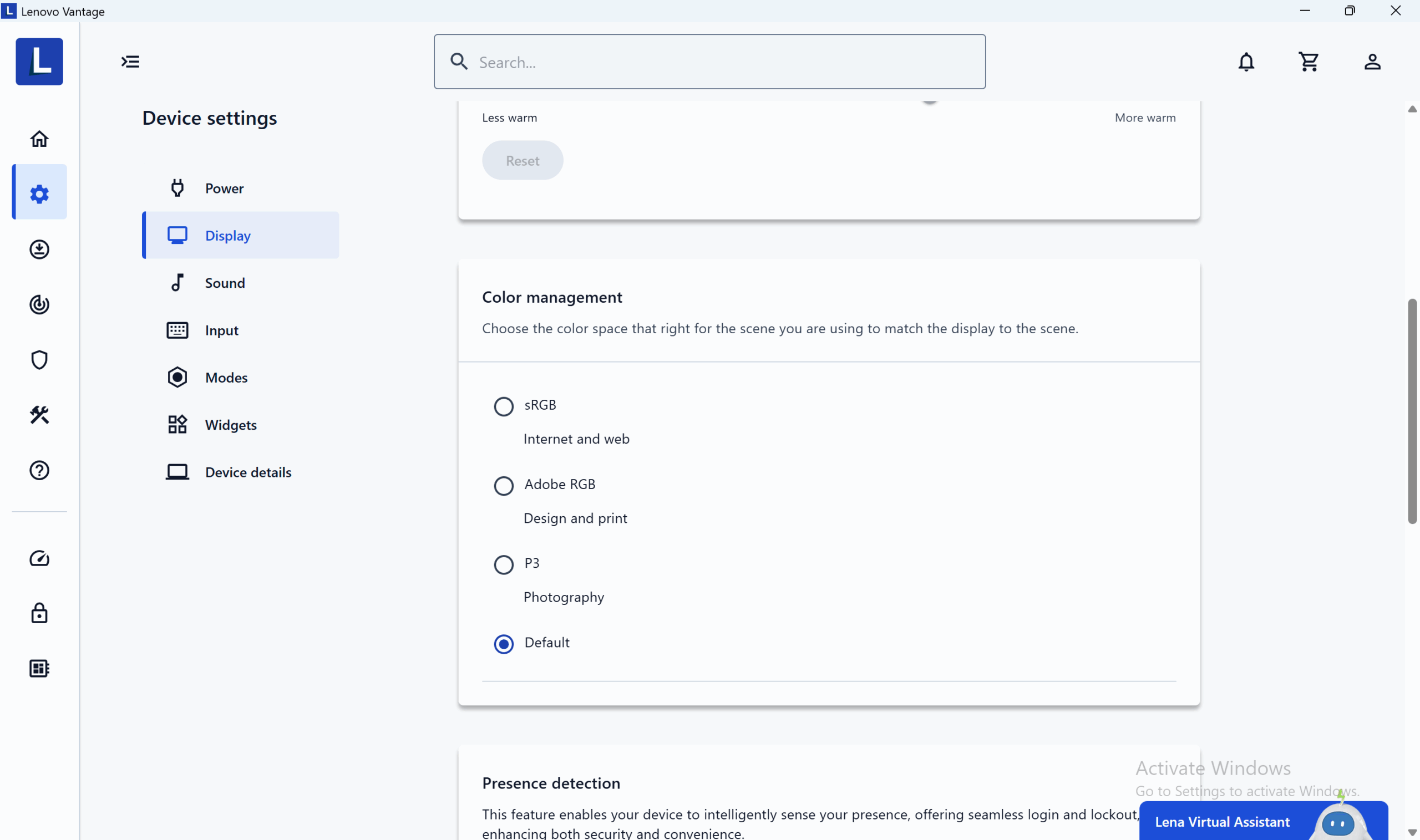
The Lenovo IdeaPad Pro 5 14″ Gen 10 (14AKP10) emulates Display P3 and sRGB color spaces.
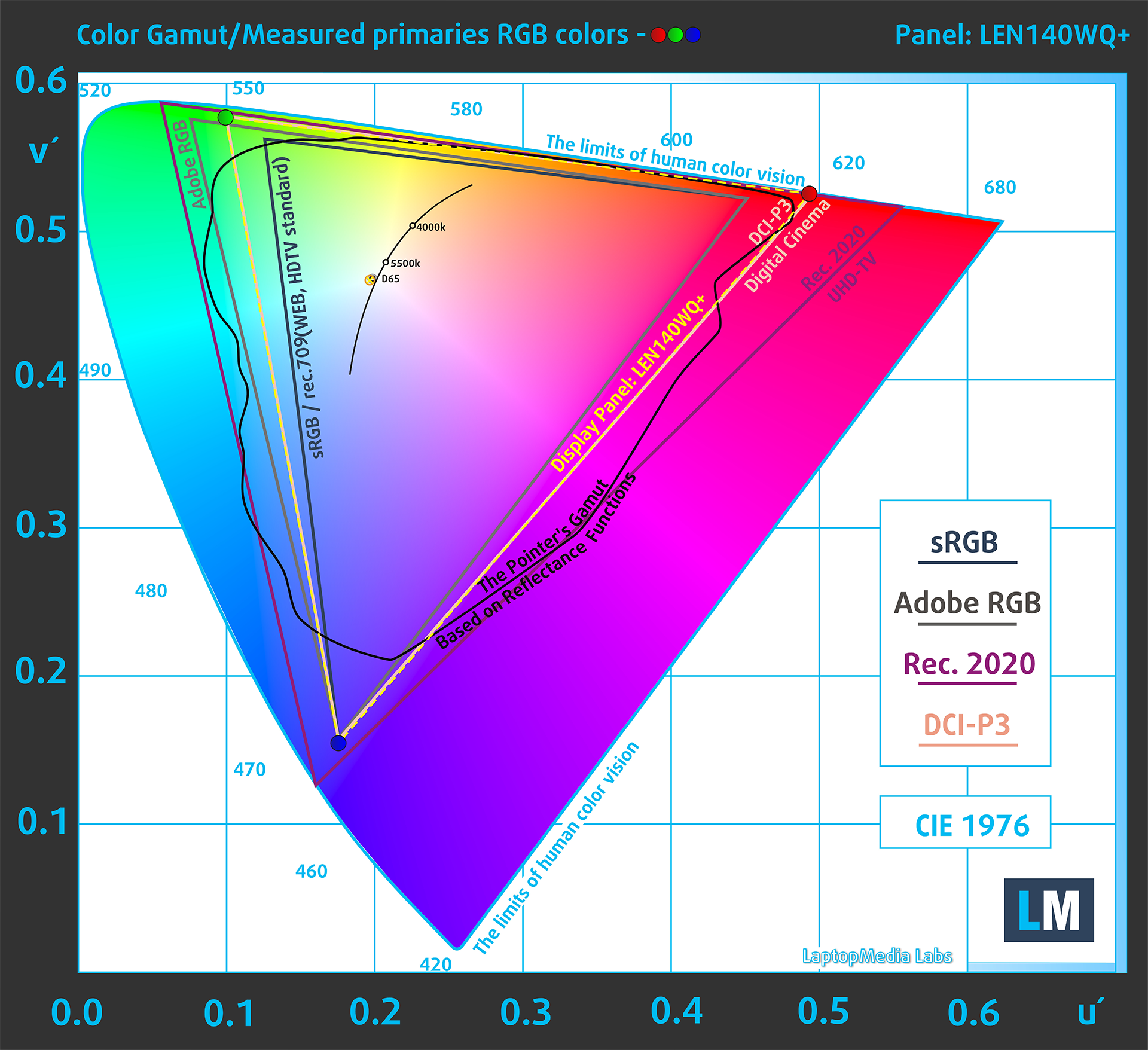
(Fig.2) Display P3
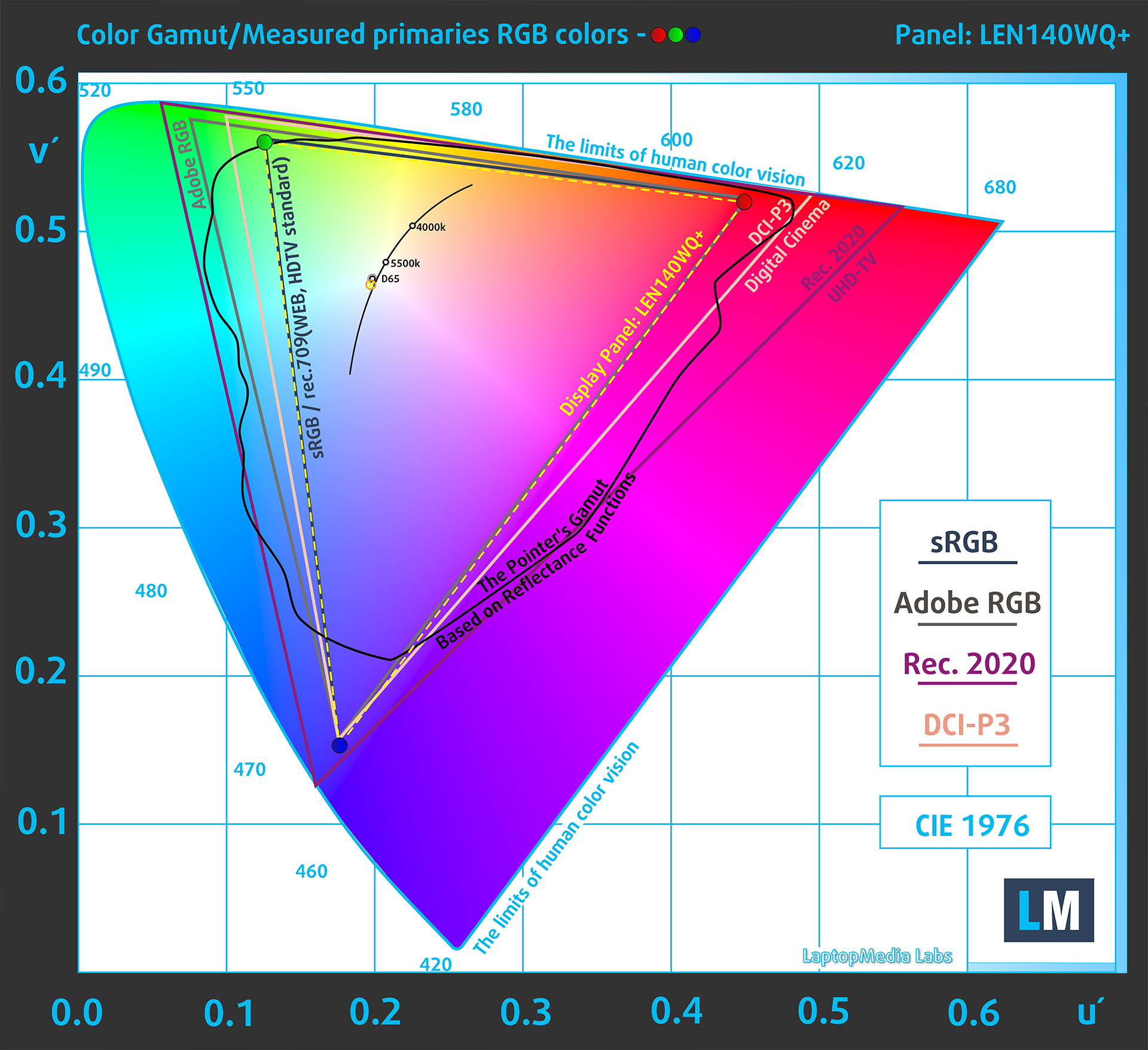
(Fig.3) sRGB
Brightness and Contrast
The maximum brightness in HDR mode is 1070 cd/m² at 8% white fill and 689 cd/m² on a full white screen.
The maximum brightness in SDR mode is 507 cd/m² in the center of the screen and 507 cd/m² averaged across the surface with a maximum deviation of 2%.
The Correlated Color Temperature (CCT) on a white screen at maximum brightness is 6390K (“Lenovo Default” profile).
The contrast ratio of OLED panels is excellent because the pixels turn off completely when displaying black.

Uniformity: Luminance, Contrast, and Color Deviation
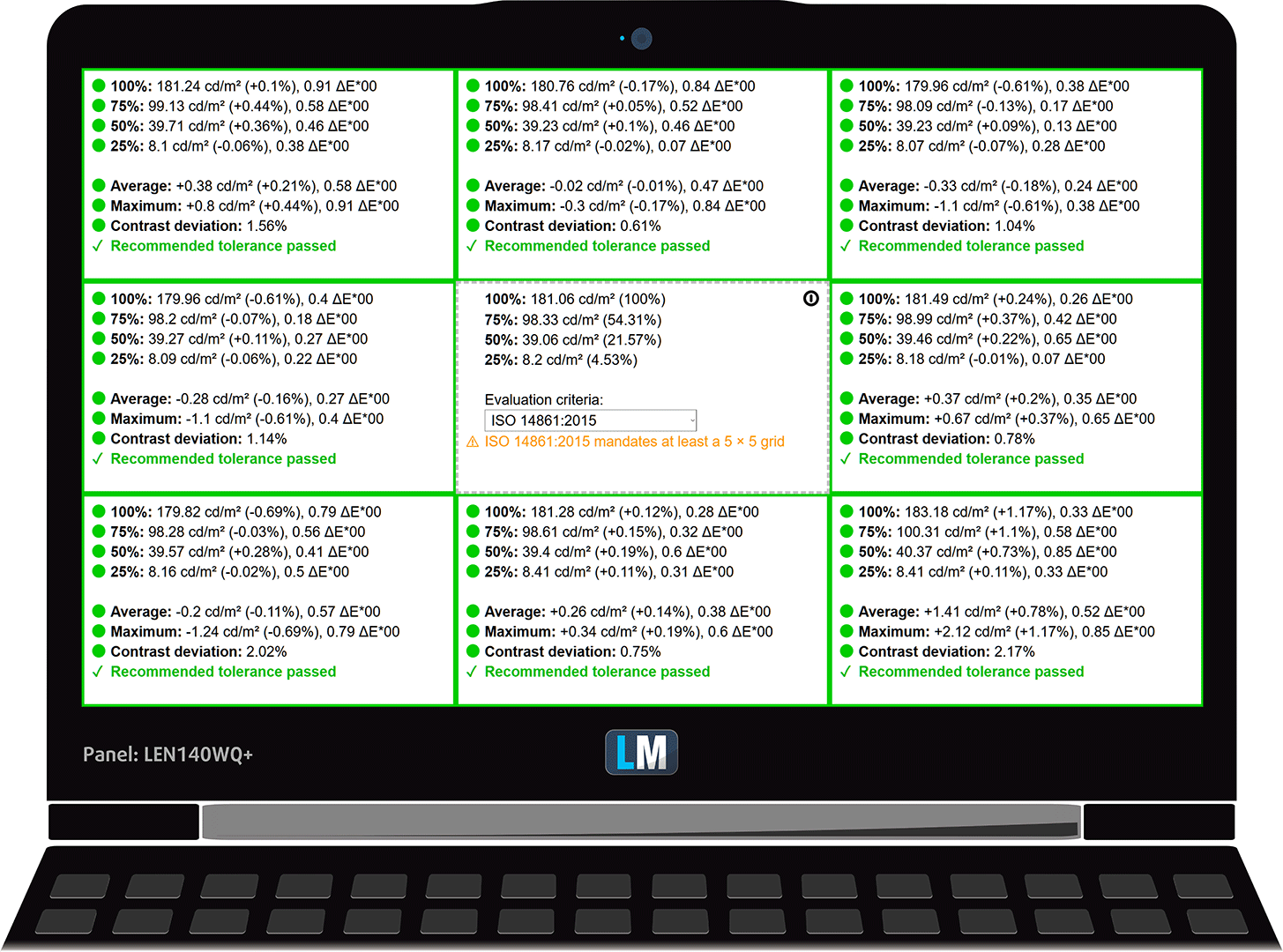
The figure below shows the results from our uniformity test across different sections of the screen. It’s measured at 181 nits (Windows slider = 64%) — a brightness level we consider typical for standard working conditions.
DeltaE values below 4.0 are acceptable for regular users. For those working with colors, screens with DeltaE values no higher than 2.0 are recommended.
Color Accuracy
Let’s check the difference between real colors and those you’ll see on the Lenovo IdeaPad Pro 5 14″ Gen 10 (14AKP10). We measure that distance in DeltaE – the higher the number, the more different they look.
Values below 4.0 are acceptable for regular users, while values below 2.0 are suitable for color-sensitive work. A value below 1.0 means the difference is indistinguishable to the naked eye.
For the next graph, we’ve selected 24 common colors, including dark/light skin, blue sky, green grass, etc.
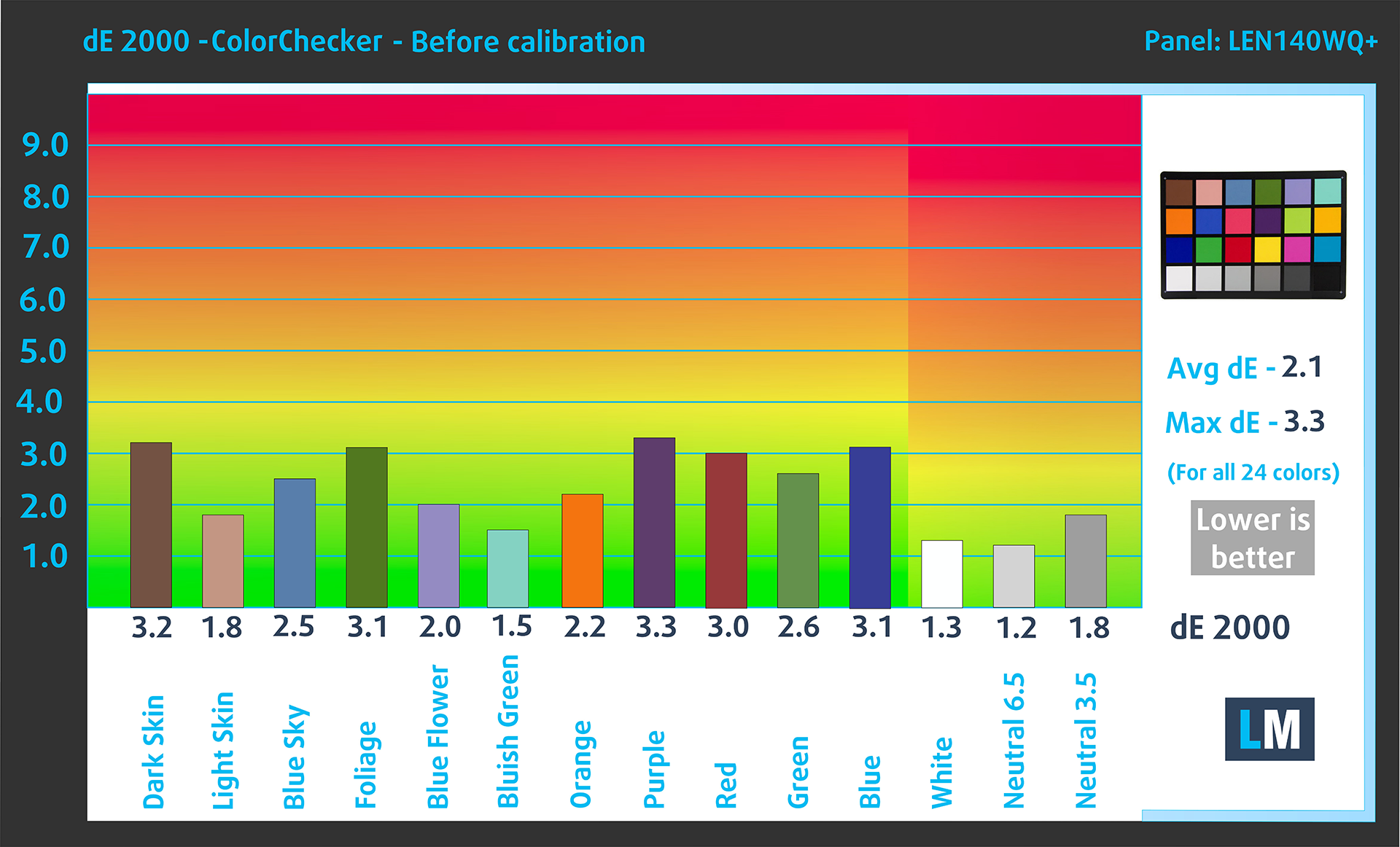
Results of the Lenovo IdeaPad Pro 5 14″ Gen 10 (14AKP10) in its factory condition (HDR off) are compared to Display P3 and sRGB color spaces. In this case, we compare the factory “Lenovo Vantage P3” profile with Display P3 color space and “Lenovo Vantage sRGB” with sRGB color space.
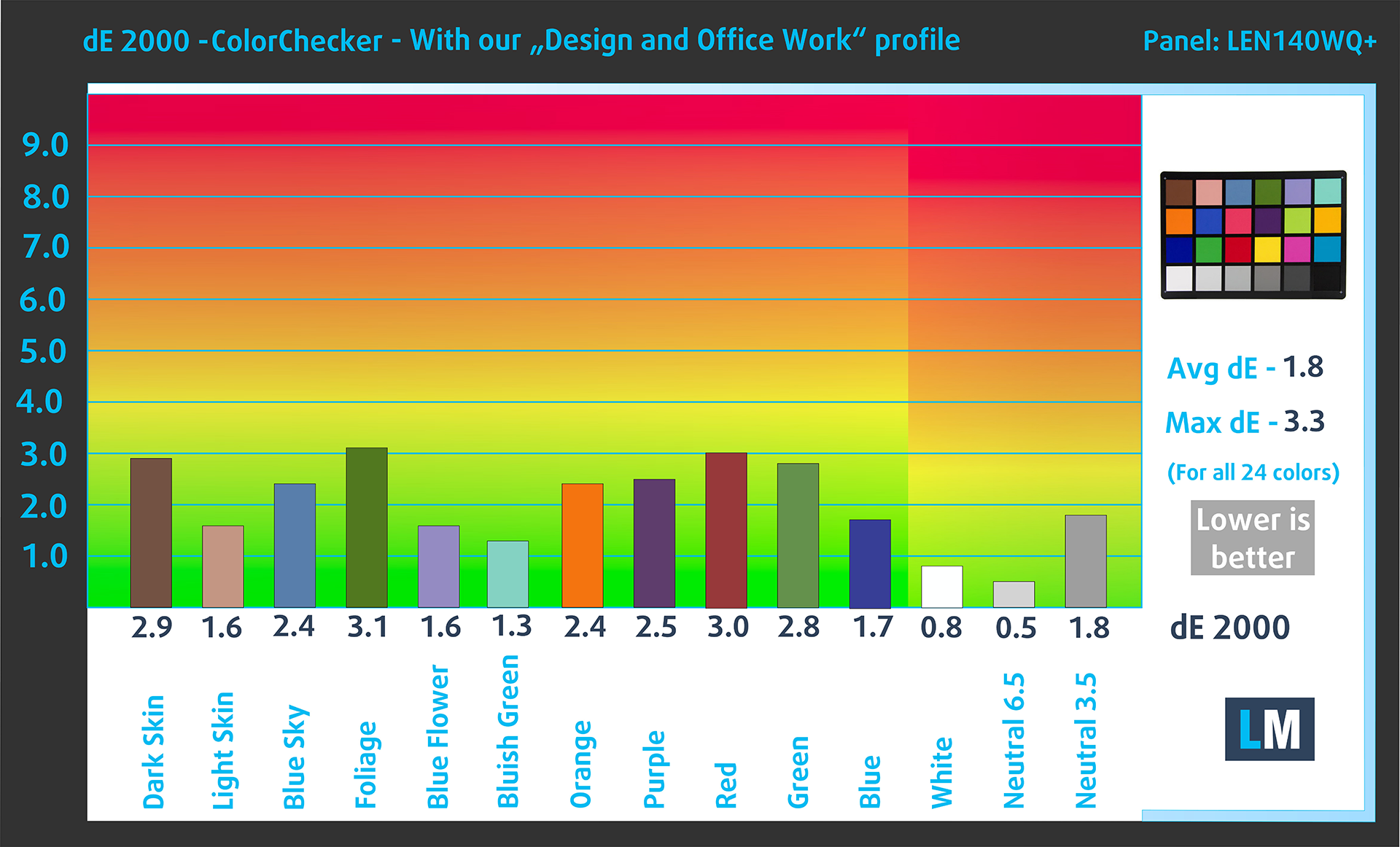
Before our calibration of the Lenovo IdeaPad Pro 5 14″ Gen 10 (14AKP10), the Average color accuracy was 2.1 dE (Fig. 2) (“Display P3” mode in “Lenovo Vantage” app), and with our Design and Gaming profile, it lowered to 1.8 dE (Fig. 3). More than 15% improvement in color accuracy!
Lenovo IdeaPad Pro 5 14″ Gen 10 (14AKP10) in its factory condition
Lenovo IdeaPad Pro 5 14″ Gen 10 (14AKP10) with our display profile
Comparison in the Display P3 color space.
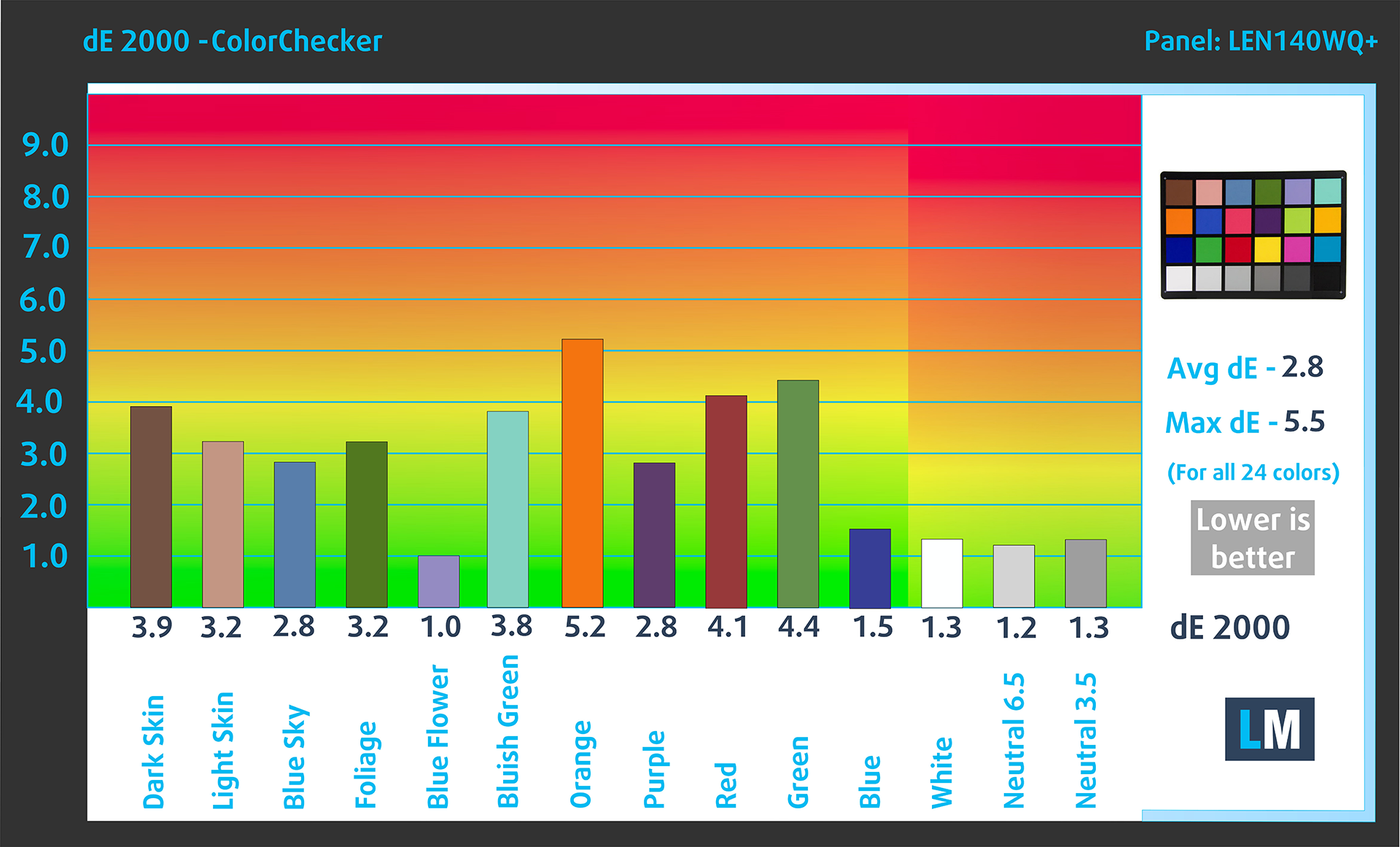
Below are the results of the Lenovo IdeaPad Pro 5 14″ Gen 10 (14AKP10) in its factory condition (“sRGB” mode in “Lenovo Vantage” app) compared to sRGB color space.
Visibility in dark scenes
Have you ever watched a movie with dark scenes where you could barely see anything? This often happens because many display panels struggle to differentiate the darkest nuances, making them appear the same.
The next figure illustrates how well the display reproduces these dark nuances. The left side of the image shows the display with stock settings, and the right side shows it with our Design and Gaming profile activated.
On the horizontal axis are the grayscale levels, and on the vertical axis – the corresponding display brightness. In this aspect, the factory settings are excellent.
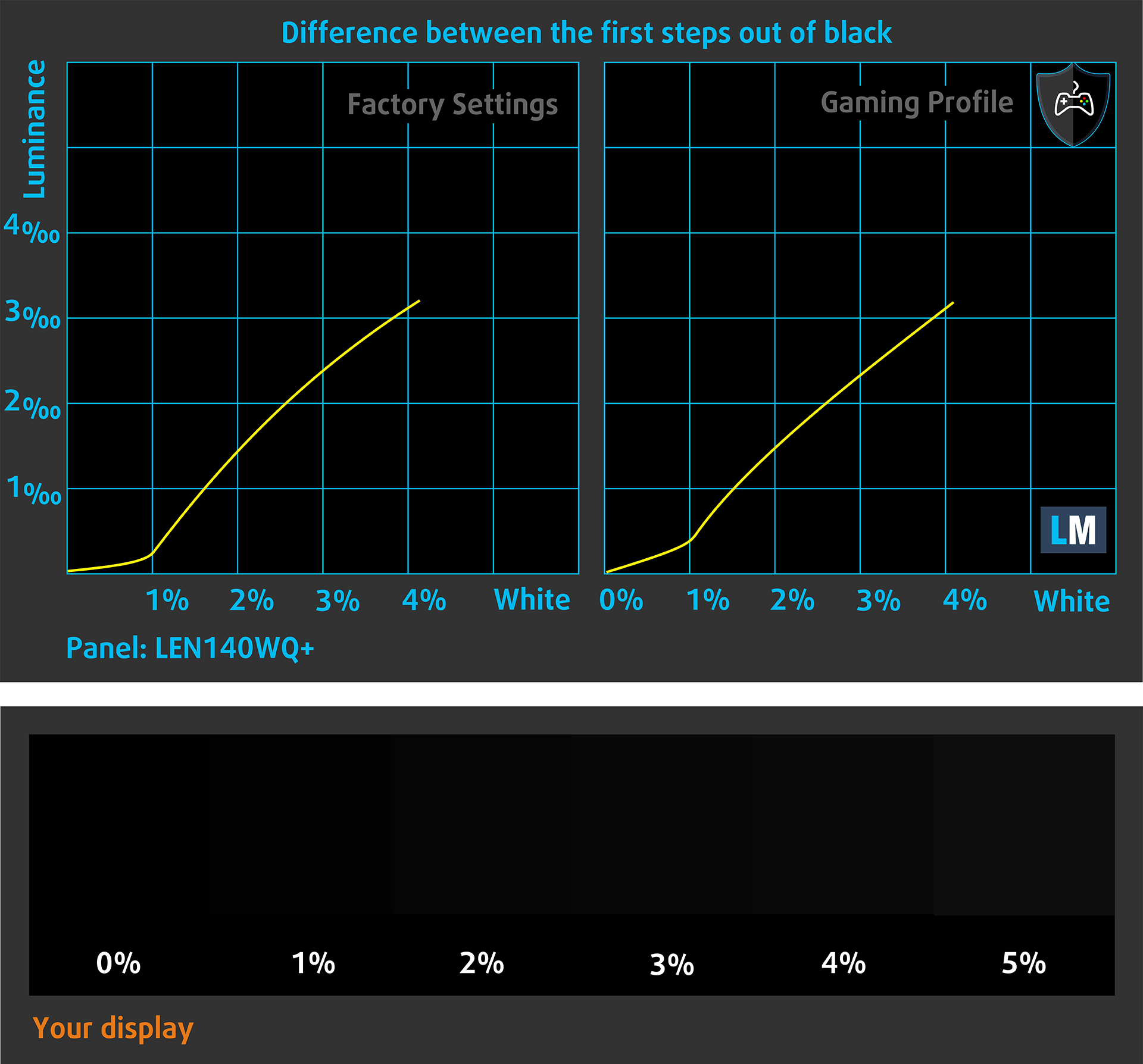
You can also check how your display handles the darkest nuances but keep in mind that this also depends on the settings of your current display and the surrounding light conditions.
Health Impact: PWM (Screen flickering)
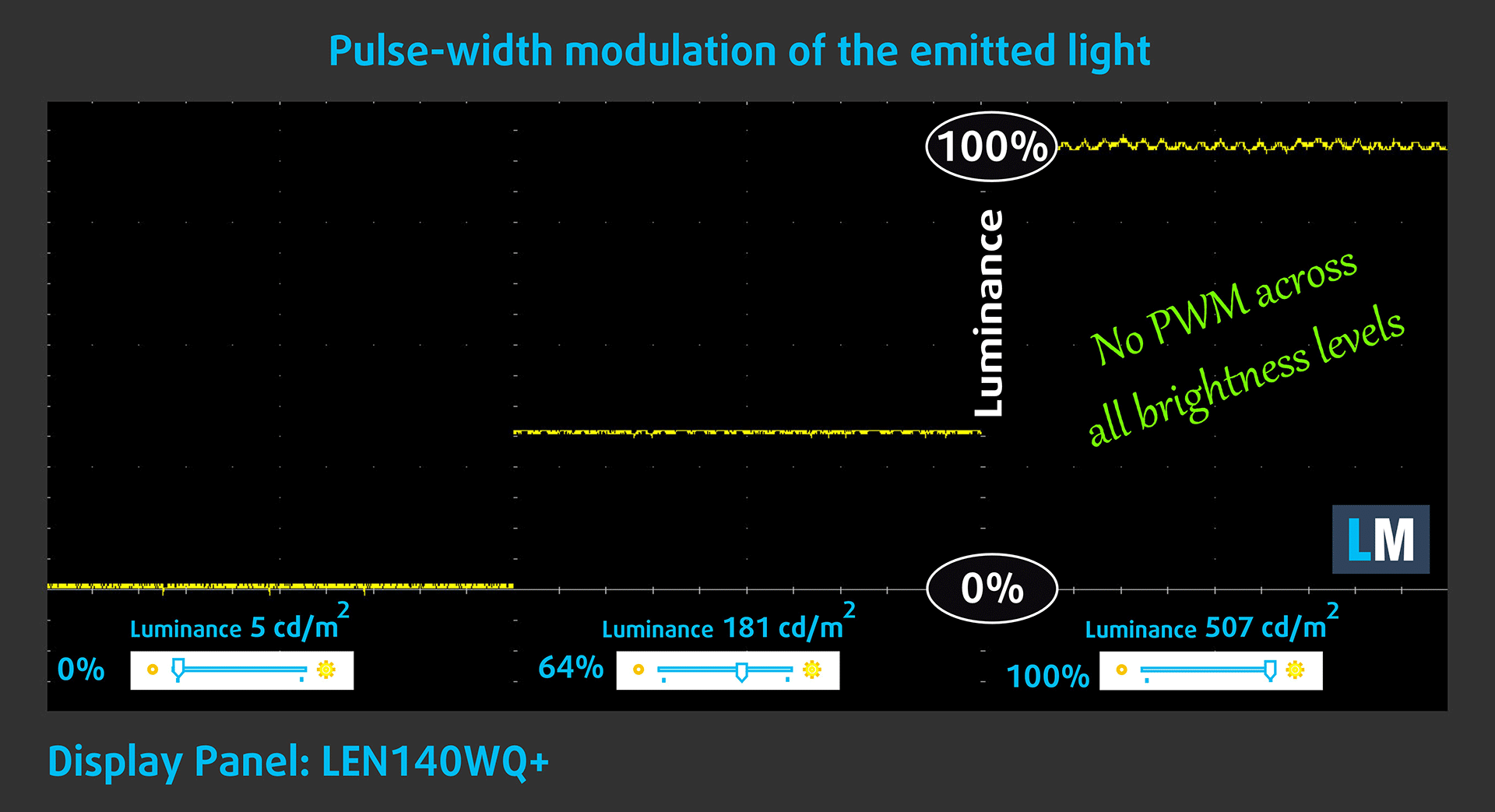
Some use PWM to regulate their brightness, which means that instead of reducing the light intensity, they pulse or flicker. Our brain merges the image, so it appears darker, but this strains both it and our vision, especially when the frequency of the pulses is low. You can read more about that in our dedicated article on PWM.
In the graph below, you see the intensity of light at different brightness levels—on the vertical axis is the brightness of the emitted light, and on the horizontal axis—time.
The light of the Lenovo IdeaPad Pro 5 14″ Gen 10 (14AKP10) display is not pulse-width modulated, providing visual comfort in the discussed aspect. We only observe ripples with limited amplitude. A possible cause for their presence is sometimes electromagnetic interference, for example from the power supply, which we have definitely found in some laptops, but this is not PWM.
Health Impact: Blue light emissions
Installing our Health-Guard profile reduces harmful Blue Light emissions while keeping the colors of the screen perceptually accurate.
If you’re not familiar with the Blue light, the TL;DR version is – emissions that negatively affect your eyes, skin, and your whole body. You can find more information about that in our dedicated article on Blue Light.
Health Impact: Screen Reflectance
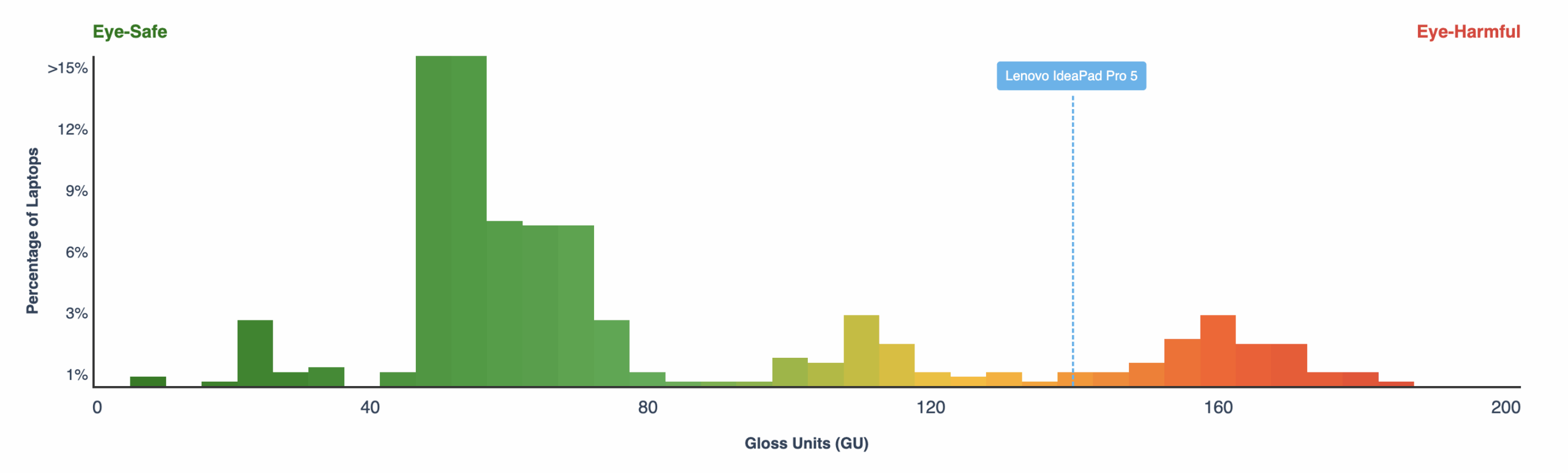
Glossy-coated displays can cause eye fatigue in high ambient light conditions due to reflections. We measure the level of screen reflection with the display turned off, at a 60° angle.
The reflectance of the Lenovo IdeaPad Pro 5 14″ Gen 10’s screen is 137 GU. This is not a good result, while most of the OLED panels out there are even worse in that aspect.
High Gloss: >70 GU
Medium Gloss: 30 – 70 GU
Low Gloss: <30 GU
Get our profiles
Since our profiles are tailored for each individual display model, this article and its respective profile package are meant for Lenovo IdeaPad Pro 5 14″ Gen 10 (14AKP10) configurations with LEN140WQ+ (LEN8AC3), 2880 х 1800, OLED panel.
*Should you have problems with downloading the purchased file, try using a different browser to open the link you’ll receive via e-mail. If the download target is a .php file instead of an archive, change the file extension to .zip or contact us at [email protected].
Read more about the profiles HERE.
In addition to receiving efficient and health-friendly profiles, by buying LaptopMedia's products you also support the development of our labs, where we test devices in order to produce the most objective reviews possible.

Design and Office
The Design and Office profile makes display colors as close to real as possible.Ideal not only for professionals but also for everyday users, it meets sRGB standards (D65 white point, sRGB gamma) with minimal DeltaE for precise color reproduction on your panel.

Gaming and Movies
Have you ever watched a movie where, during dark scenes, you can barely see anything? Many displays fail to distinguish dark tones properly. Our Gaming and Movies profile enhances low-light performance, like HDR tech, using a gamma curve tailored to human perception — ideal for gamers seeking faster reactions and clearer visuals.

Health-Guard
Our Health-Guard profile protects your eyes by eliminating PWM flickering, reducing strain and fatigue, and minimizing harmful Blue light exposure that can disrupt sleep and health. It uses software dimming and a gamma curve tailored to human perception for comfort and safety during screen use.
Get All The Profiles With 33% Discount!

Sound
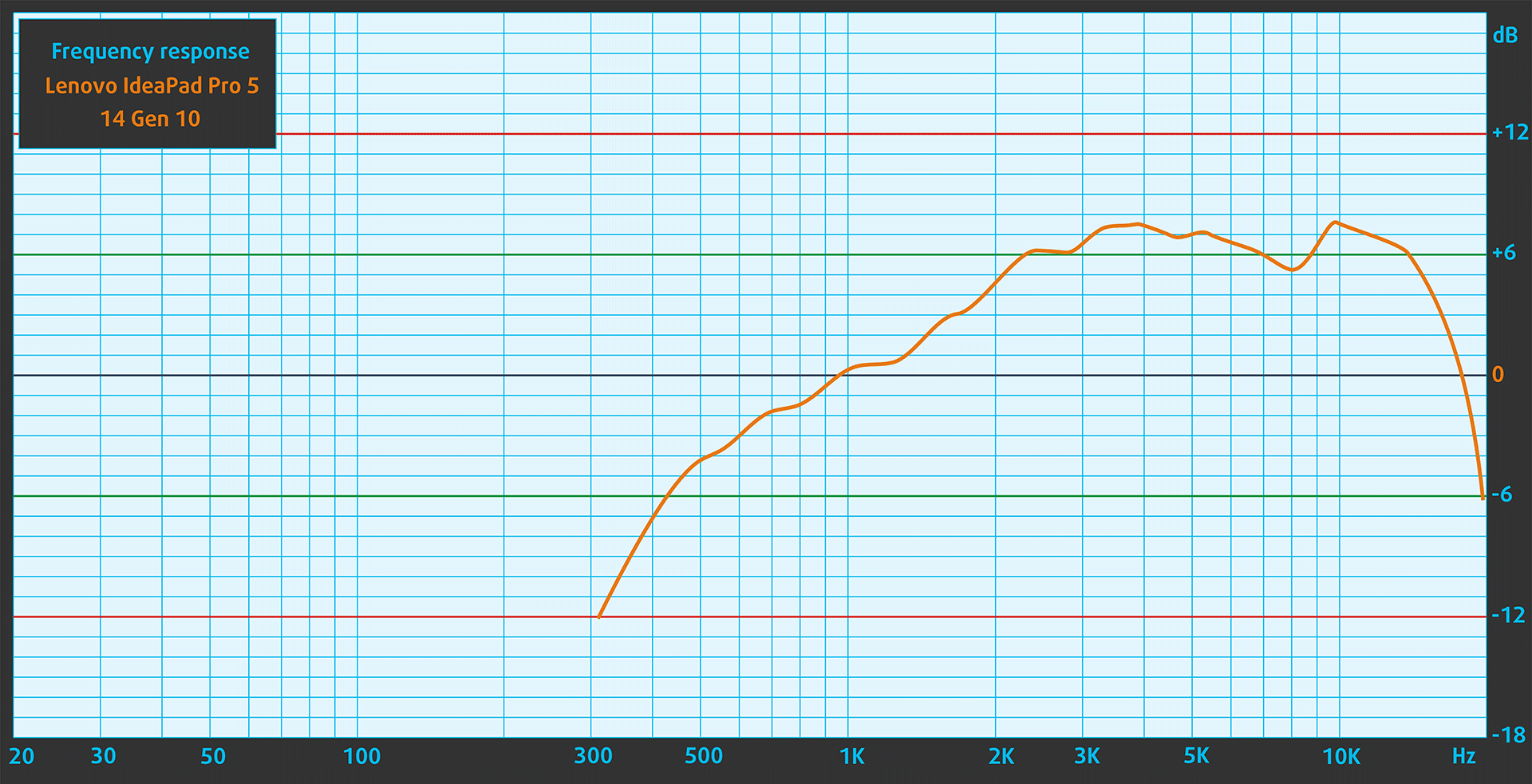
The Lenovo IdeaPad Pro 5 14″ Gen 10 (14AKP10)’s sound is of very good quality (2 stereo speakers × 2 W). The low, mid, and high frequencies are clear.
Work Performance: CPU, Storage, AI
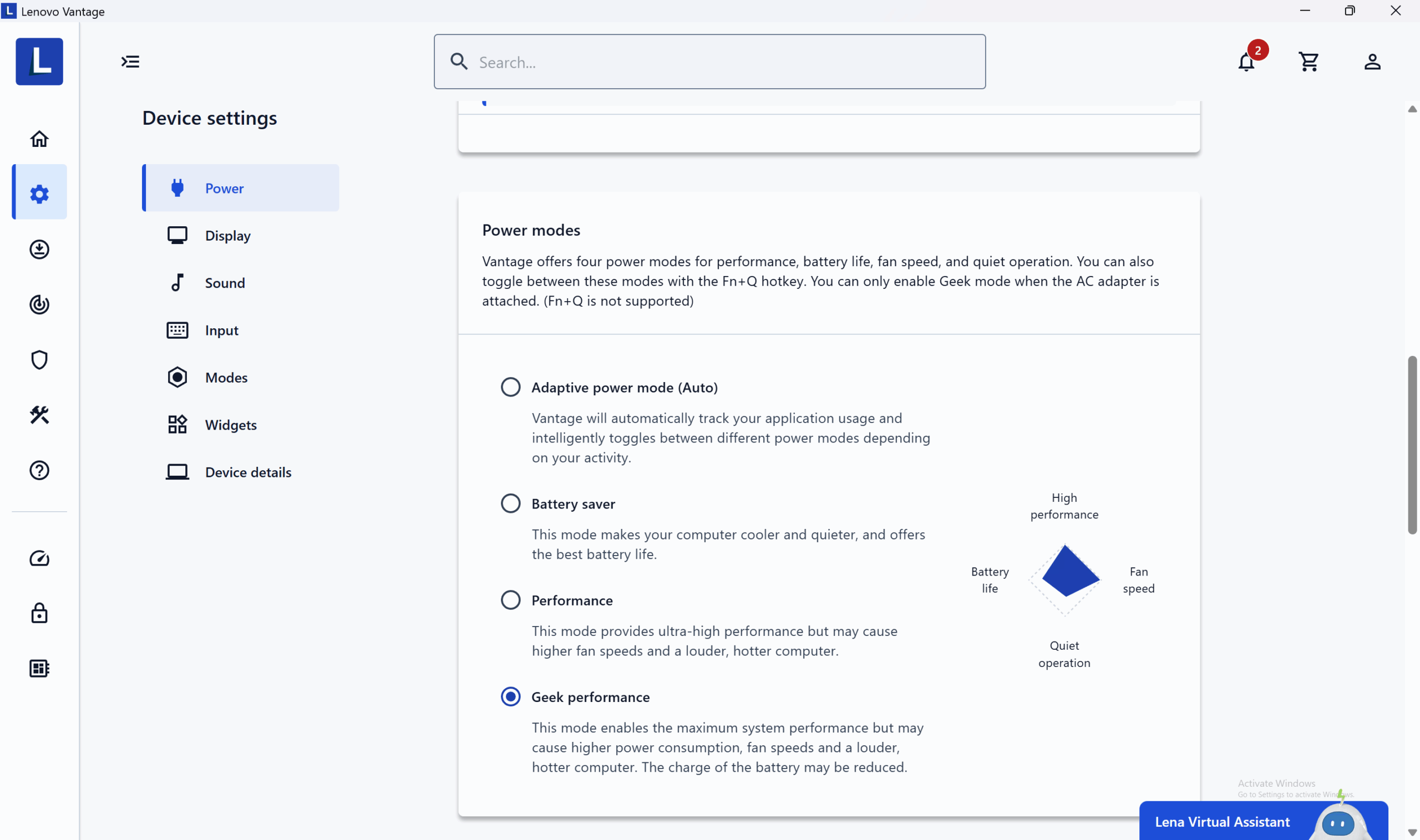
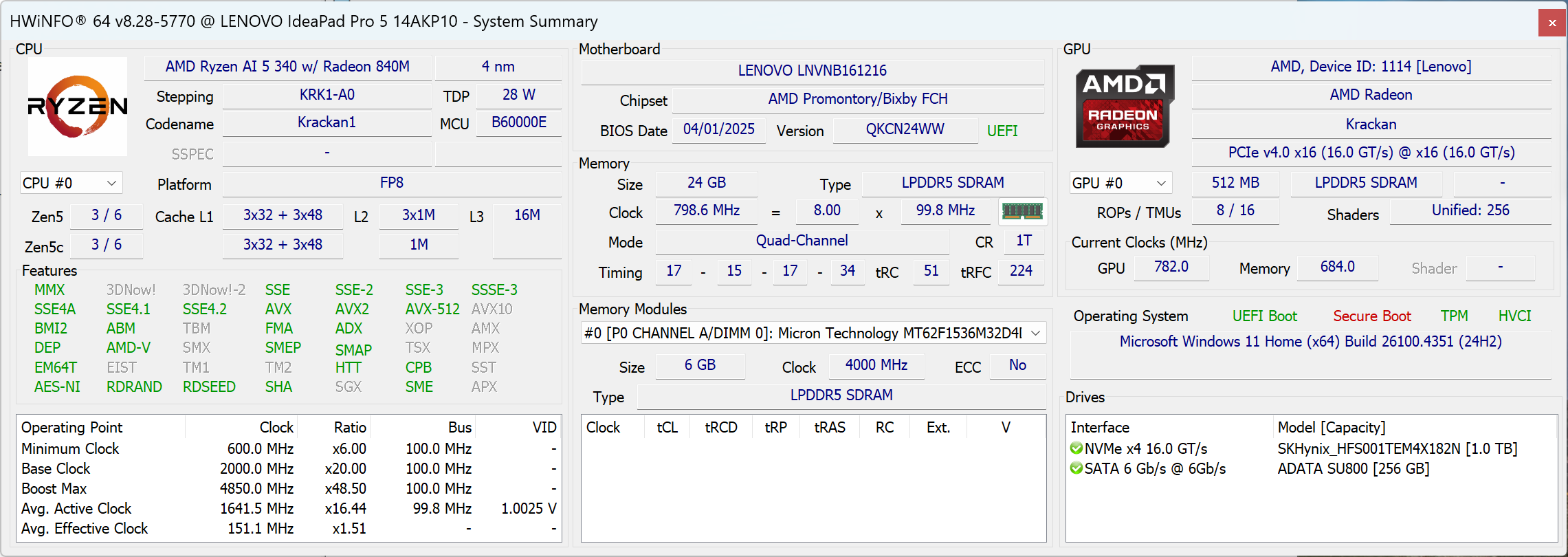 All performance and temperature tests are conducted with Geek performance mode activated in Lenovo Vantage:
CPU and Work Performance
The Lenovo IdeaPad Pro 5 14″ Gen 10 (14AKP10) is powered by AMD’s latest Ryzen AI 300 series of processors, including the Ryzen AI 5 340, Ryzen AI 7 350, and Ryzen AI 9 365. These chips are designed to deliver a balance of performance and efficiency in thin and light form factors, while also integrating dedicated AI acceleration for next-generation applications.
To see how these processors stack up against the competition, head over to our Top Laptop CPU Ranking.
AMD Ryzen AI 5 340 in Lenovo IdeaPad Pro 5 14 is one of the best performers in its price range, both in single-core and multi-core tasks. It’s a bit faster than Intel Core Ultra 7 258V and Qualcomm Snapdragon X Plus X1P-42-100, so being class “5” could mislead you, it’s more of a high-end CPU, than a mid-range one!
Single-core performance ensures smooth operation and responsiveness in operating systems, providing a better user experience.
Results are from the Geekbench 6 Single-Core test (higher is better)


Multi-core performance is essential for handling complex and demanding tasks, such as Video editing, CAD, and Scientific simulations.
Results are from the Geekbench 6 Multi-Core test (higher is better)
Here, we evaluate the CPU's performance using a real-world 3D rendering task, assessing its ability to handle complex computations and rendering workloads efficiently.
Results are from the Cinebench 2024 Multi-Core test (higher is better)
Storage Performance
The Lenovo IdeaPad Pro 5 14″ Gen 10 (14AKP10) has 1x 2242 M.2 NVMe PCIe 4.0 x4 + 1x 2280 M.2 NVMe PCIe 4.0 x4 storage slots.
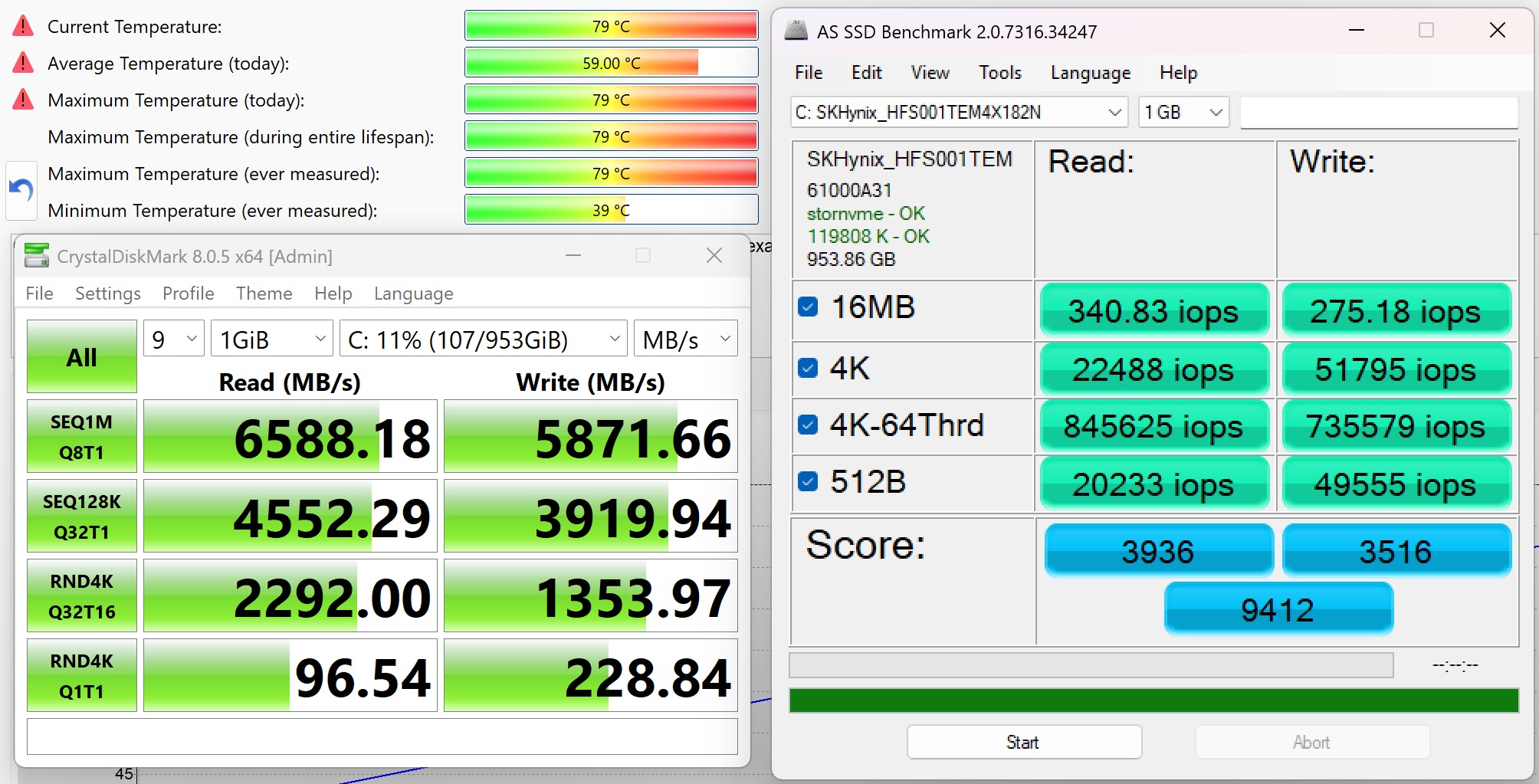
We ordered a 1TB configuration and it arrived with the SK Hynix PVC10 SSD. We’ve also seen it in the latest Lenovo Yoga 7i models. The sequential read speed is 6.6GB/sec, while the sequential writing is 5.9GB/sec. These are very good results but we noticed that the SSD also reaches high temperatures under heavy load – 79ºC.
AI Performance
Here you can see the position of the GPUs and CPUs (NPUs) found within the Lenovo IdeaPad Pro 5 (14", Gen 10) in our AI Hardware Performance Rankings based on their AI processing power, measured in TOPS (Tera Operations Per Second) - a critical metric indicating the computational throughput, particularly for AI tasks.
The first column shows peak performance for INT8/FP8 precision, which is the most widespread metric for evaluating AI inference capabilities. We exclude Sparsity to provide a more accurate reflection of AI performance in dense computation scenarios where sparsity optimizations may not be applicable. The second and third columns show the performance with Sparsity, and FP4 TFLOPS, when supported.
For SoCs, the results reflect the peak performance of the integrated NPU. Additionally, it’s important to note that, according to Microsoft, a NPU must have at least 40 TOPS of AI computing power for the PC to be considered “AI-capable.”
| # | GPU / CPU (NPU) | TOPS INT8/FP8 No Sparsity | TOPS INT8/FP8 Sparsity | TFLOPS FP4 Sparsity |
|---|---|---|---|---|
| 1557. | AMD Ryzen AI 9 365 | 50 | — | — |
| 1568. | AMD Ryzen AI 5 340 | 50 | — | — |
| 1573. | AMD Ryzen AI 7 350 | 50 | — | — |
GPU and Gaming Performance
Graphics are handled by integrated AMD Radeon GPUs, with options like the Radeon 840M, 860M, and 880M. While these GPUs won’t match the performance of discrete graphics cards, they are sufficient for general multimedia use, light gaming, and hardware-accelerated productivity tasks.
You can compare their performance in more detail in our Top Laptop Graphics Ranking.
The integrated graphics card, AMD Radeon 840M, is not as impressive as the CPU itself, but you won’t notice that for 99% of the office tasks. Intel Arc Graphics 130V and 140V are about 2X more powerful.
The results are from 3DMark Time Spy (Graphics). Higher is better.
The results are from 3DMark Wild Life Extreme Unlimited. Higher is better.
Gaming tests

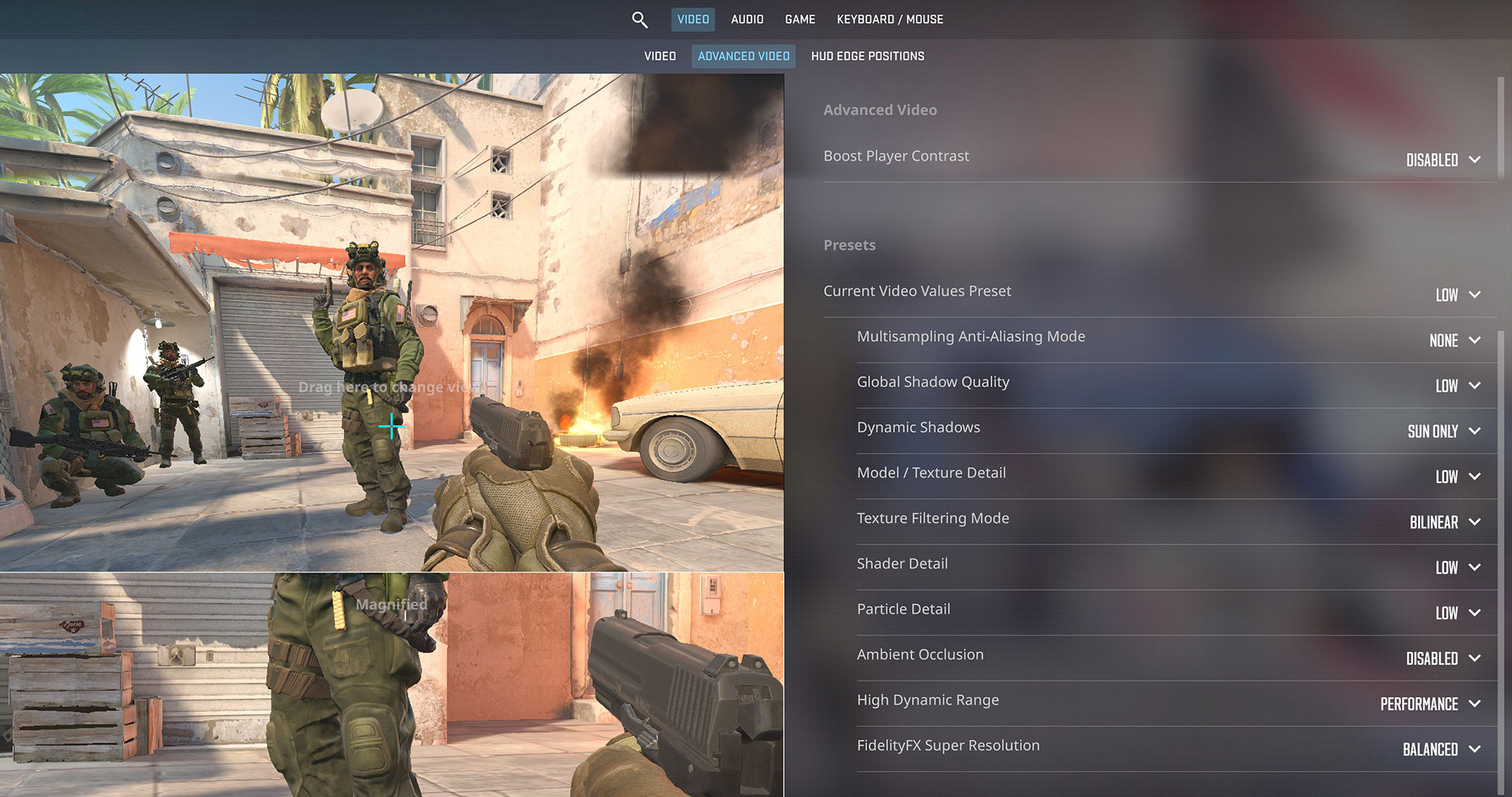
The integrated AMD Radeon 840M graphics in the Lenovo IdeaPad Pro 5 can handle some light gaming. In Counter-Strike 2, it achieves a very playable 71 FPS at the native 1800p resolution on Low settings, which is great for a thin-and-light machine.
| Counter Strike 2 | 1800p, Low (Check settings) |
| Average FPS | 71 FPS |

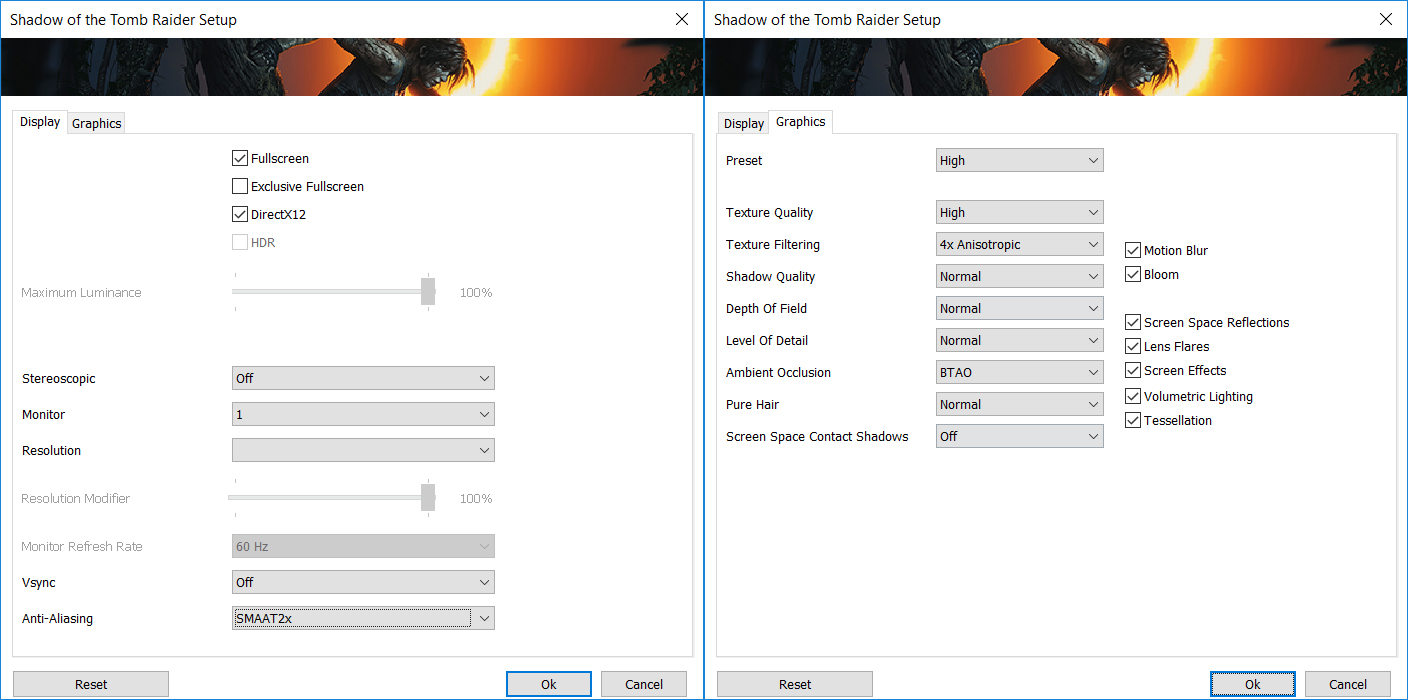
More demanding titles like Shadow of the Tomb Raider prove to be a challenge for the integrated GPU. At 1800p on Low settings, the laptop struggles to maintain a playable frame rate, averaging 22 FPS, which is below the ideal for a smooth experience. You can still play the game if you lower the resolution to 1200p.
| Shadow of the Tomb Raider | 1800p, Low (Check settings) |
| Average FPS | 22 FPS |
Temperatures and Comfort, Stability
At idle, the CPU package of the Lenovo IdeaPad Pro 5 (14″, Gen 10) maintains a very low temperature of 36ºC.
Office Work, Web Development, Design
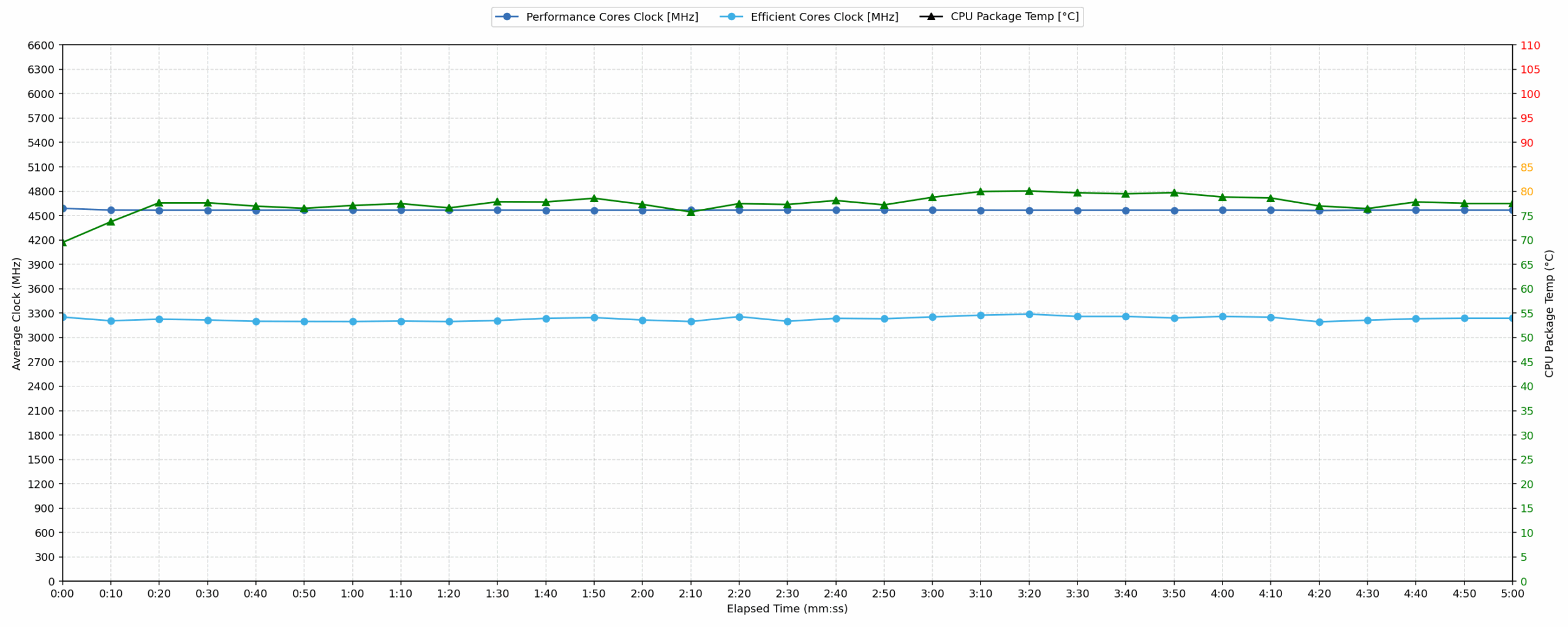
Short periods (0:00 – 0:10 s) of 100 % CPU load
This test shows the CPU behavior during short periods of serious load. It’s important for users who are looking for laptops suitable for tasks like Web Design and Programming.
| AMD Ryzen AI 5 340 | Avg. P-Core Clock | Avg. CPU Temp. | Avg. CPU Power |
| Lenovo IdeaPad Pro 5 14″ Gen 10 (14AKP10) | 4589 MHz | 69 °C | 44 W |
The Lenovo IdeaPad Pro 5 14″ Gen 10 demonstrates strong performance in short bursts. The CPU reaches a peak clock of 4635 MHz within the first 5 seconds, maintaining a healthy average of 4589 MHz over 10 seconds. The average CPU temperature during this period is a good 69 °C, with a peak of 82 °C, which is well within acceptable limits. Power consumption is efficient, peaking at 49 W and averaging 44 W. This indicates the laptop can handle demanding, quick tasks like web development and design effectively, offering robust performance without significant thermal concerns for brief loads.
Video editing, Scientific computing, Software compilation, 3D rendering
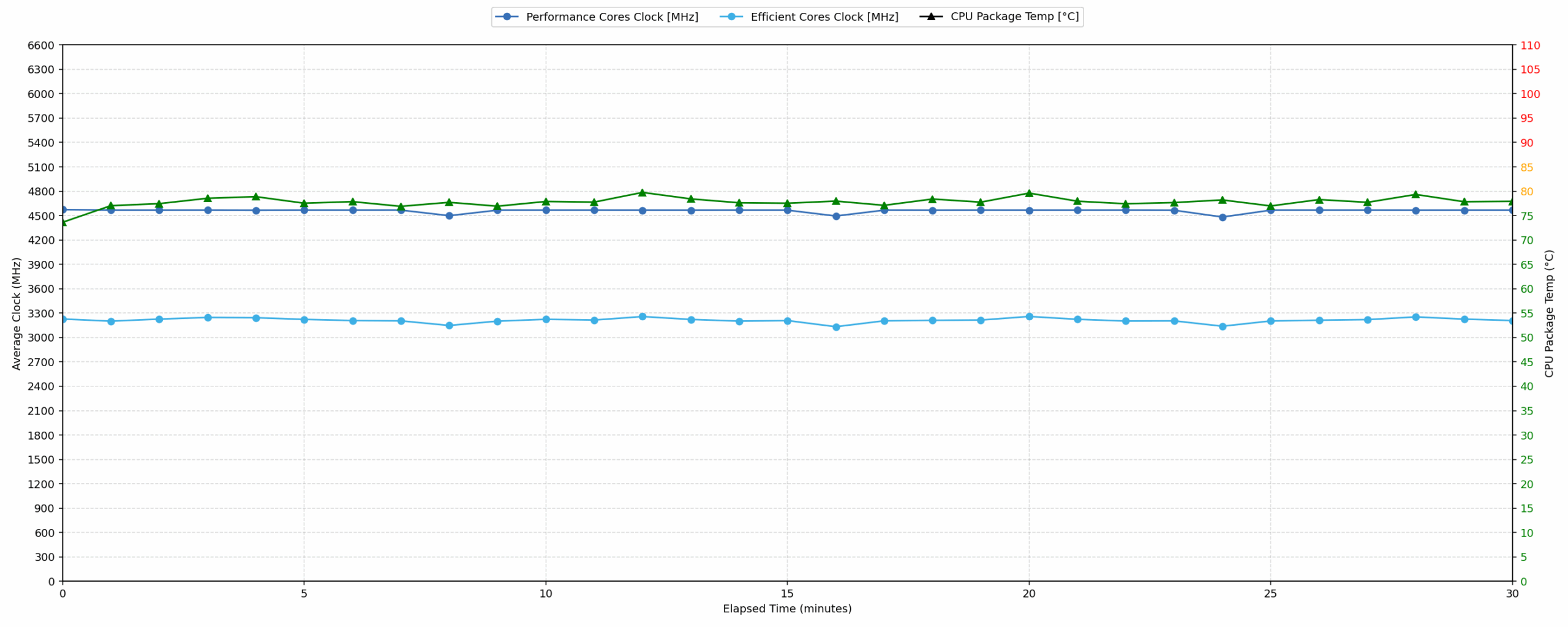
Long periods (0:00 – 30:00 min) of 100 % CPU load
This test shows the CPU behavior during long periods of serious load. It’s important for users who are looking for laptops suitable for tasks like Video Editing and 3D Rendering.
| AMD Ryzen AI 5 340 | Avg. P-Core Clock | Avg. CPU Temp. | Avg. CPU Power |
| Lenovo IdeaPad Pro 5 14″ Gen 10 (14AKP10) | 4559 MHz | 77 °C | 45 W |
For extended heavy workloads, the Lenovo IdeaPad Pro 5 maintains impressive stability. The CPU sustains an average clock speed of 4559 MHz over 30 minutes, with only a minor drop of 78 MHz from its initial peak, indicating excellent sustained performance. The average CPU temperature remains a good 77 °C during this prolonged period. Even with a peak temperature of 82 °C, thermal management is effective, keeping temperatures within acceptable ranges for continuous operation. The average power consumption stabilizes at 45 W, demonstrating efficient power delivery for tasks like video editing and 3D rendering.
Battery Life
Lenovo IdeaPad Pro 5 14″ Gen 10 (14AKP10) has a very big 84 Wh battery unit.
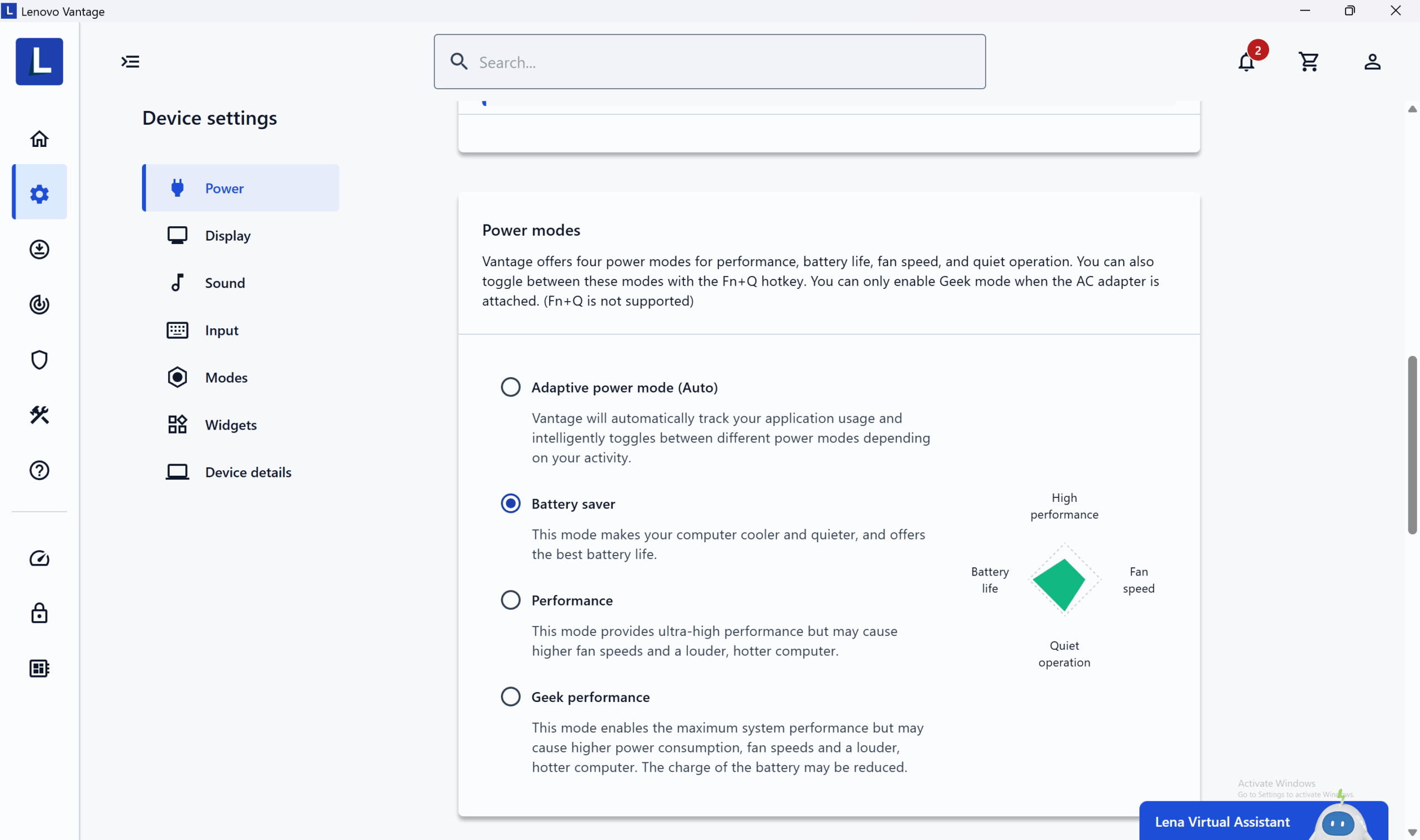
The battery life test is conducted with the Battery saver mode activated in Lenovo Vantage.
It lasts for almost 14 hours on a single charge which is a great result! Still, if you want the best battery life possible, check out the Lenovo Yoga 9i 2-in-1 Aura Edition (detailed review) and Dell Latitude 14 5455 (detailed review) which are absolute records breakers with up to 22 hours on a single charge!
Brightness: 180 nits; Display Mode: SDR
Time to Full Discharge: Higher is Better
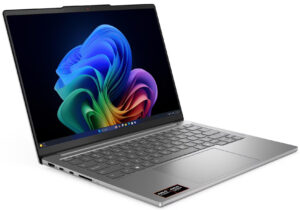
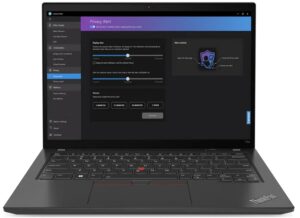

Disassembly, Upgrade options, and Maintenance
Removing nine Torx T5 screws and popping a few stubborn clips frees the aluminium bottom panel, exposing a densely packed but well‑organized interior.
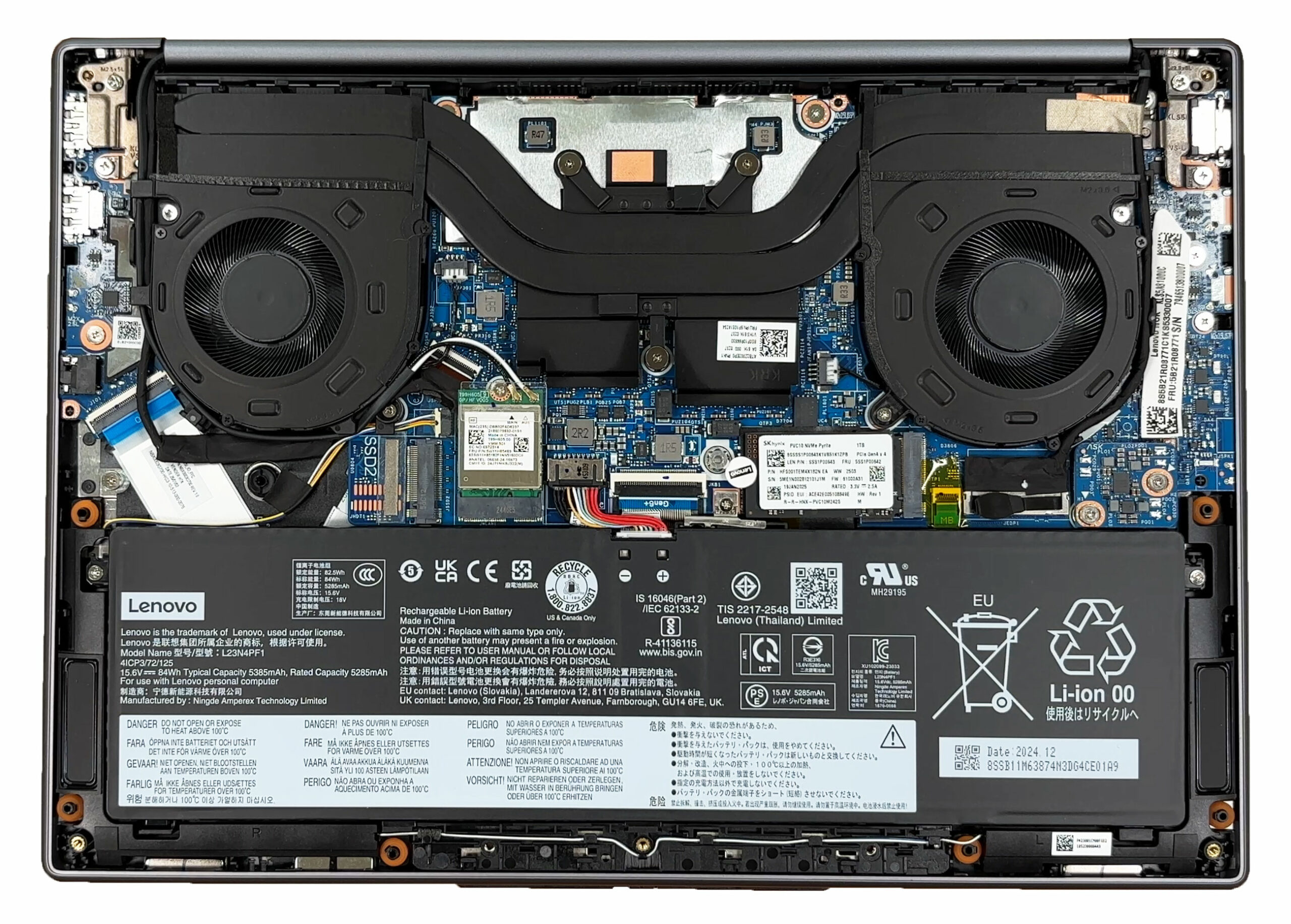
Cooling duties are handled by two rather slim fans linked by a pair of heatpipes that run directly over the CPU and iGPU. A third short pipe bridges the fans, while generous thermal pads draw heat from the VRMs and memory chips. It is the familiar Lenovo “X‑shaped” layout we have seen on recent IdeaPad Pro and Yoga models.
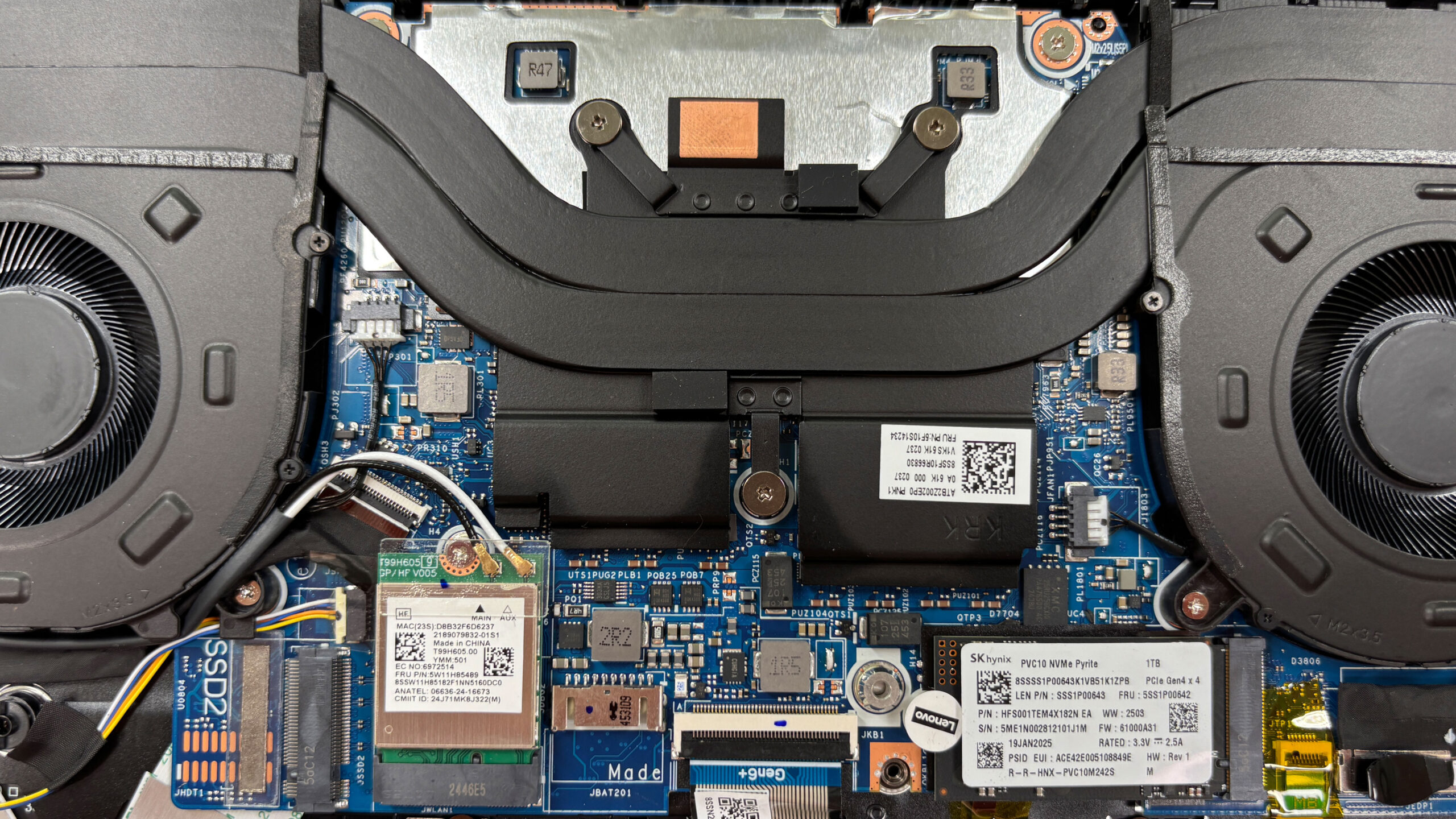
No SO‑DIMM slots are available, the LPDDR5X‑8000 memory is soldered. Lenovo offers 16 GB, 24 GB, or 32 GB configurations in dual‑channel, so what you buy is what you keep.
Storage, on the other hand, is generous: one M.2 2242 slot and one full‑length M.2 2280 slot, both wired for PCIe 4.0 x4 NVMe drives. Our unit arrived with a 1 TB SK hynix P41 in the 2280 bay, leaving the short slot free for expansion.
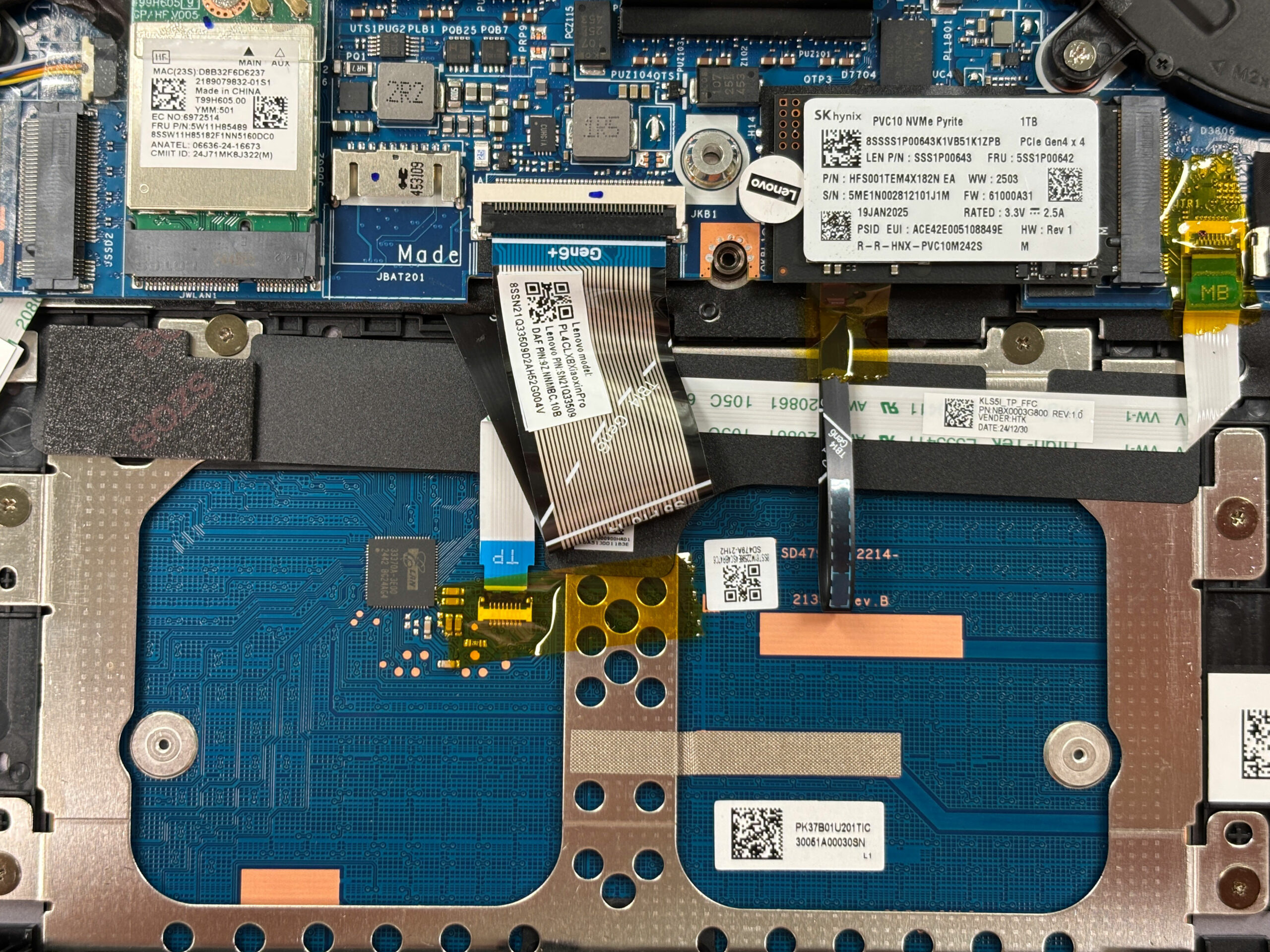
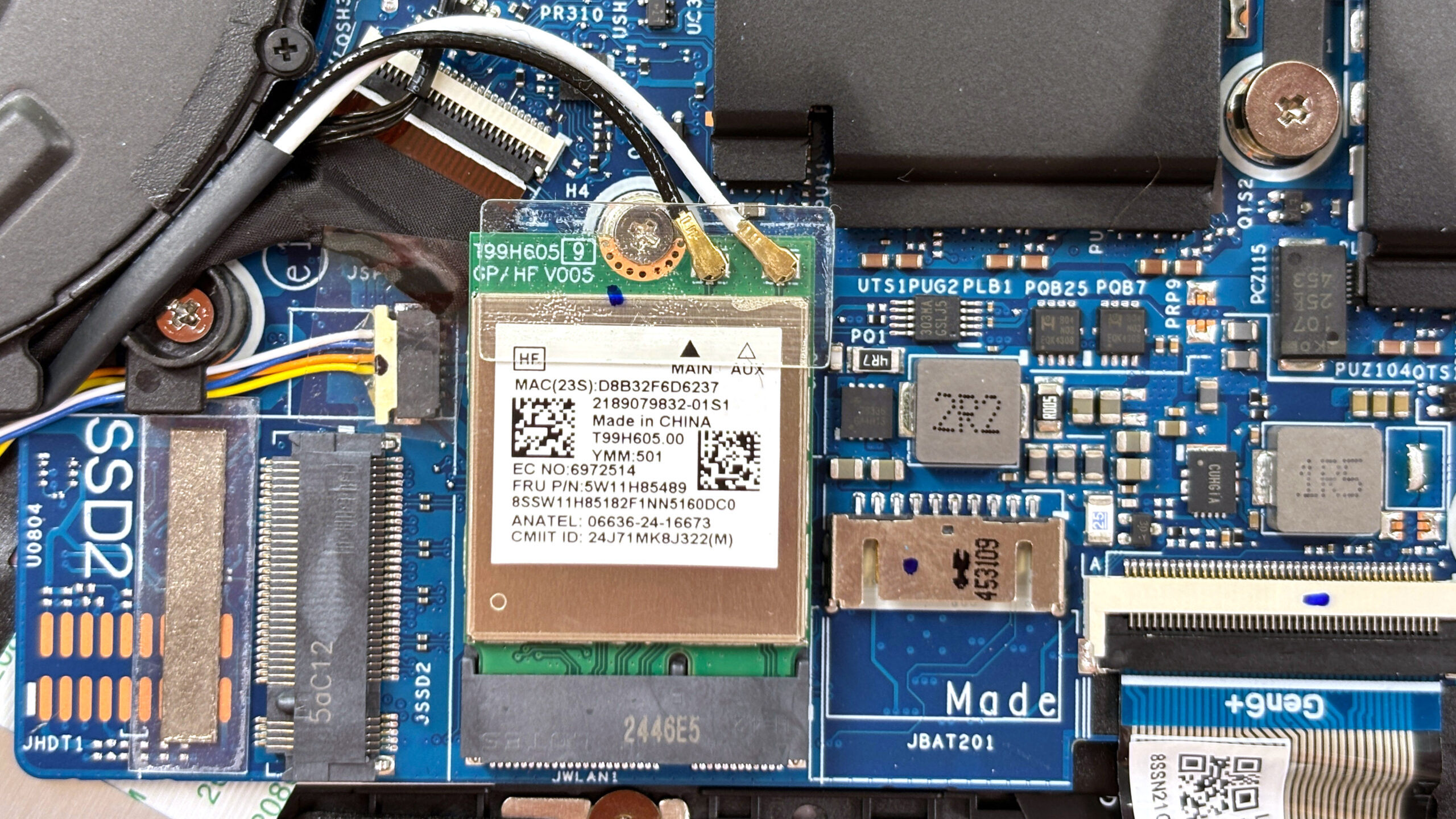
The wireless card is also replaceable. Lenovo uses an M.2 2230 module – either Wi-Fi 7, or a Wi-Fi 6 card. In our case, it’s a Wi-Fi 6 MediaTek module, and it is secured by a single Phillips screw for quick swaps.
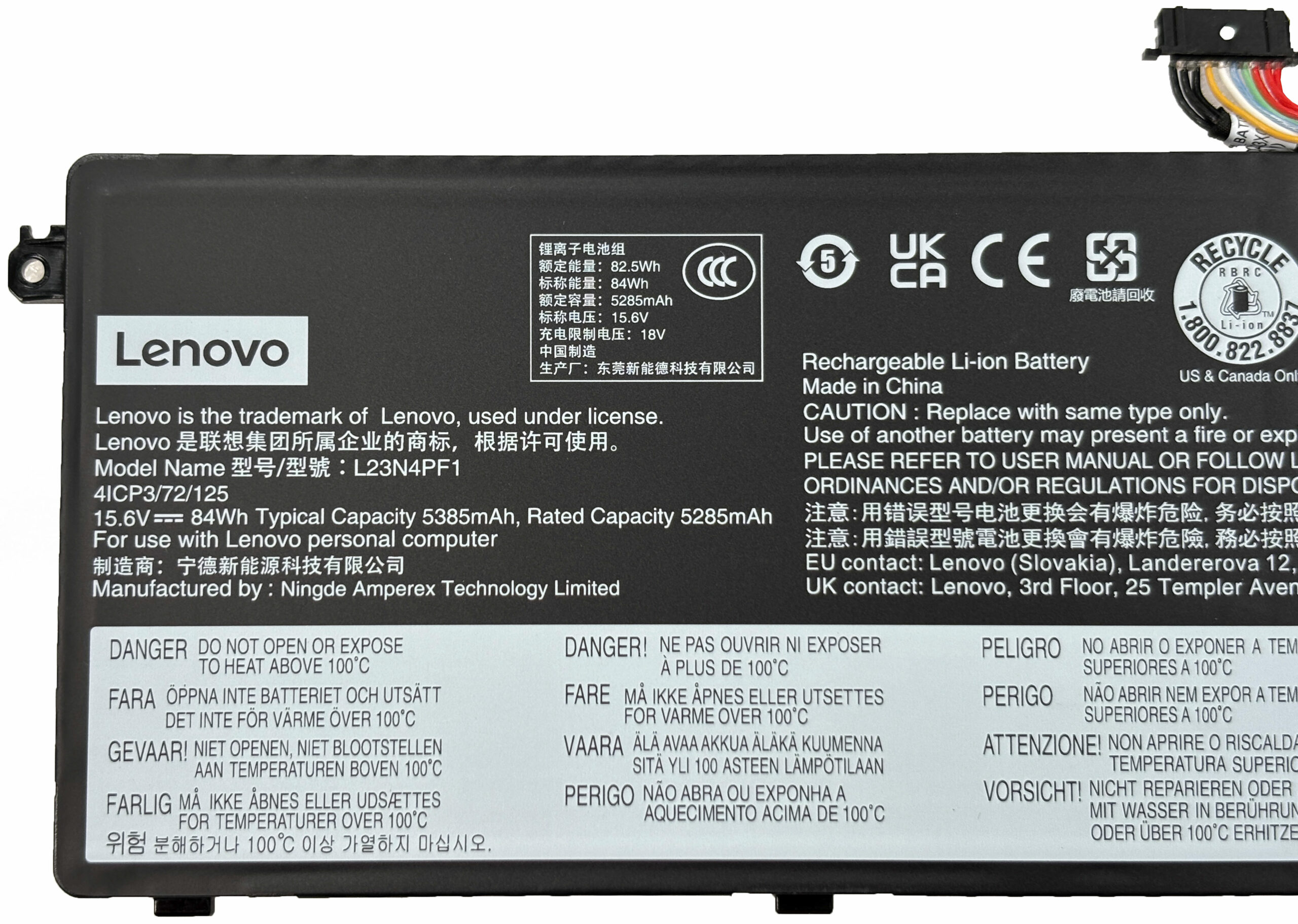
A large 84 Wh Li‑ion pack dominates the lower half of the chassis. It is held by three screws and connects with a standard pull‑tab connector, making replacement straightforward and enabling Lenovo’s Rapid Charge Express feature.
Most other components, including the speakers, the touch‑pad ribbon, and the hinge‑mounted ports, are modular and can be changed individually if needed. The only true limitation is the soldered memory, so plan your RAM capacity at the point of sale. Overall, the IdeaPad Pro 5 scores high for maintenance: storage and wireless upgrades are easy, the battery is service‑friendly, and the cooling system can be cleaned without drama.
Verdict
 The Lenovo IdeaPad Pro 5 (14″, Gen 10) is a textbook example of how to make a premium-feeling laptop without an astronomical price tag. It combines a sleek, all-aluminium chassis with a fantastic OLED display and surprisingly robust performance, creating a package that punches well above its weight class. It’s a versatile machine that feels equally at home in a boardroom, a coffee shop, or a creative studio.
While it makes a few concessions to hit its price point, particularly with its glossy screen and soldered RAM, the core experience is so strong and well-rounded that these flaws are easy to overlook. It’s one of the most compelling all-rounders in the 14-inch market.
You can check the prices and configurations in our Specs System: https://laptopmedia.com/series/lenovo-ideapad-pro-5-14-gen-10/
✅ The Good
The star of the show is undoubtedly the stunning 2.8K 120Hz OLED display. With perfect contrast, 100% DCI-P3 coverage, and excellent color accuracy after calibration, it provides a visual experience that is simply best-in-class for media and creative work. Crucially, it is also completely PWM-free, ensuring eye comfort during long sessions.
This is backed by impressive performance. The AMD Ryzen AI processor delivers excellent, sustained speed for both short bursts and long workloads, all while running surprisingly cool. The battery life is another huge win, offering nearly 14 hours of use, which is fantastic for a laptop with such a high-res OLED screen. We also love the inclusion of two M.2 SSD slots, a rarity in 14-inch laptops that adds great storage flexibility.
The build quality is solid and premium, the keyboard is comfortable, and the port selection is robust, featuring USB4, HDMI 2.1, and a full-size SD card reader – a boon for creators.
❌ The Bad
 The most significant drawback is the soldered RAM. This means you are stuck with the memory configuration you buy, limiting long-term future-proofing. We strongly recommend opting for the 32GB model if your budget allows. The beautiful OLED screen also has a downside: it is highly reflective, which can be distracting in bright environments or outdoors.
While the build is great, the SSD in our unit ran quite hot under load, reaching 79°C, which is something to monitor. Additionally, despite the “Pro” name, there is no built-in Ethernet port, meaning a dongle is required for wired networking.
🆚 The Competitors
When compared to a premium rival like the Dell Pro 14 Plus PB14250 (detailed review), the IdeaPad Pro 5 holds its own remarkably well. While the Dell offers slightly better battery life, the Lenovo counters with a superior 120Hz refresh rate on its OLED panel (vs 60Hz on the Dell) and the flexibility of a second SSD slot, often at a more competitive price point.
Against a 2-in-1 convertible like the HP OmniBook Ultra Flip (detailed review), the trade-off is clear. The HP offers touch and tablet versatility but suffers from significant performance throttling. The IdeaPad Pro 5 is the better choice for users who prioritize sustained performance and a better typing experience over the flexibility of a 360-degree hinge.
Pros
- Stunning 2.8K 120Hz OLED display with 100% DCI-P3 coverage
- Excellent sustained performance and thermal management
- Fantastic battery life (nearly 14 hours)
- Two M.2 SSD slots for storage expansion
- Premium all-aluminium build quality
- Comprehensive port selection including USB4 and SD card reader
Cons
- Soldered RAM limits future upgrades
- Highly reflective glossy screen
- SSD can run hot under heavy load
- No built-in Ethernet port
 Author: Simeon NikolovEditor-in-Chief at LaptopMedia.com with 20+ years of experience in testing and analyzing laptops and mobile devices.
 Author: eng. Kroum NikolovHead of Engineering at LaptopMedia.com, inventor and innovator with 40+ years of experience in electronics and high technology.

![[June 2026] Best-Selling Laptop Brands on Amazon Global – Apple’s Unrivaled Dominance in Units and Revenue](https://laptopmedia.com/wp-content/uploads/2026/07/GLOBAL-Best-Brands-400x225.jpg)
![[June 2026] Amazon Global: Top 10 Best-Selling Laptops – Apple’s New MacBook Neo Storms to #1, Reshaping the Market with Affordability](https://laptopmedia.com/wp-content/uploads/2026/07/Best-Selling-Laptops-GLOBAL-Top-10-400x225.jpg)
![[June 2026] Amazon Global: Top 10 Best-Selling Gaming Laptops – Acer’s Nitro V 16S AI Dominates Sales, While ASUS Leads Overall Revenue](https://laptopmedia.com/wp-content/uploads/2026/07/Best-Selling-Gaming-Laptops-GLOBAL-Top-10-400x225.jpg)
![[June 2026] Global Ranking of Best-Selling Laptop GPUs on Amazon – NVIDIA RTX 5060 is the Top-Selling Dedicated GPU](https://laptopmedia.com/wp-content/uploads/2026/07/Best-Selling-GPUs-GLOBAL-Top-10-400x225.jpg)
![[June 2026] Global Ranking of Best-Selling Laptop CPUs on Amazon – Apple M5 Dominates, AMD Ryzen 7 260 Gets Solid Premium Share](https://laptopmedia.com/wp-content/uploads/2026/07/Best-Selling-CPUs-GLOBAL-Top-10-400x225.jpg)

Very detailed and helpful, thank you.