How to open MSI Summit E14 Flip Evo (A13M) – disassembly and upgrade options
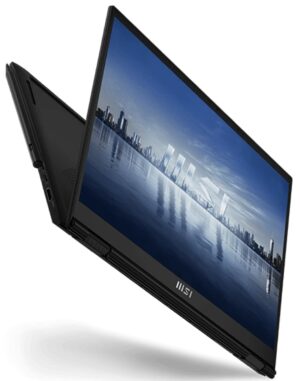
Step 1: Removing the Bottom Panel of MSI Summit E14 Flip Evo (A13M)
- Ensure the MSI Summit E14 Flip Evo (A13M) is powered off and placed on a soft, clean surface to prevent scratches or damage.
- Remove the 9 Phillips-head screws from the bottom of the laptop.
- Use a plastic pry tool to gently pop up the bottom panel, starting at the slight gap between the top two corners and the base.
Hint: Begin prying at the corners where the gap is most noticeable to minimize the risk of damaging the panel or internal clips.
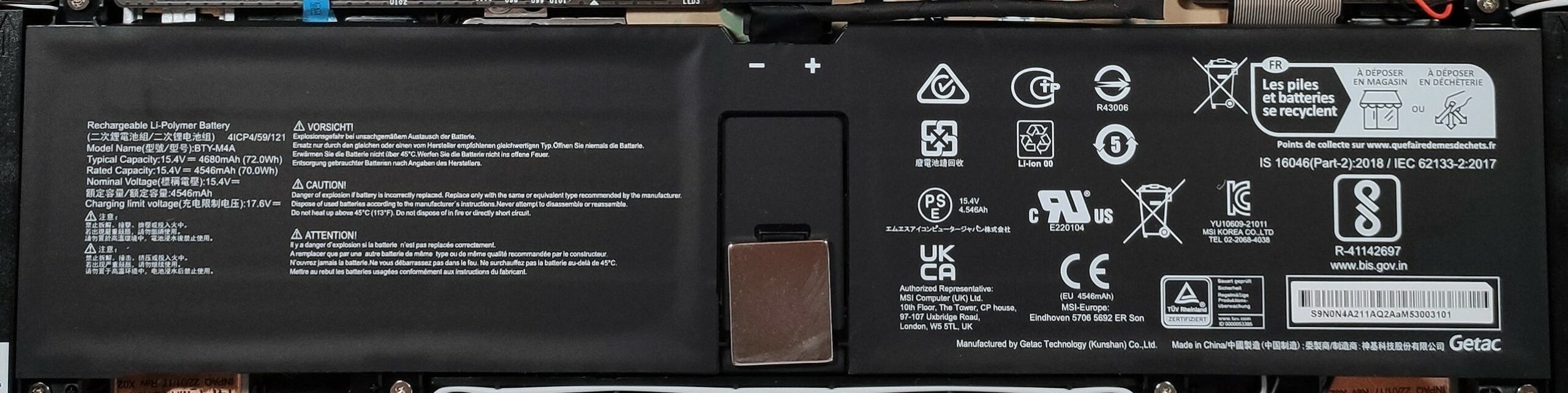
Step 2: Battery Removal
- Disconnect the battery connector from the motherboard to ensure safety during the removal process.
- Remove the 6 Phillips-head screws holding the 72Wh battery, then carefully lift it away from the chassis.
More info: The 72Wh battery provides up to 14 hours and 17 minutes of web browsing or 10 hours of video playback, offering impressive battery life for productivity on the go.
Memory Overview
The MSI Summit E14 Flip Evo (A13M) comes with soldered 32GB of LPDDR5-4800MHz memory, ensuring ample bandwidth for multitasking and high-performance tasks.
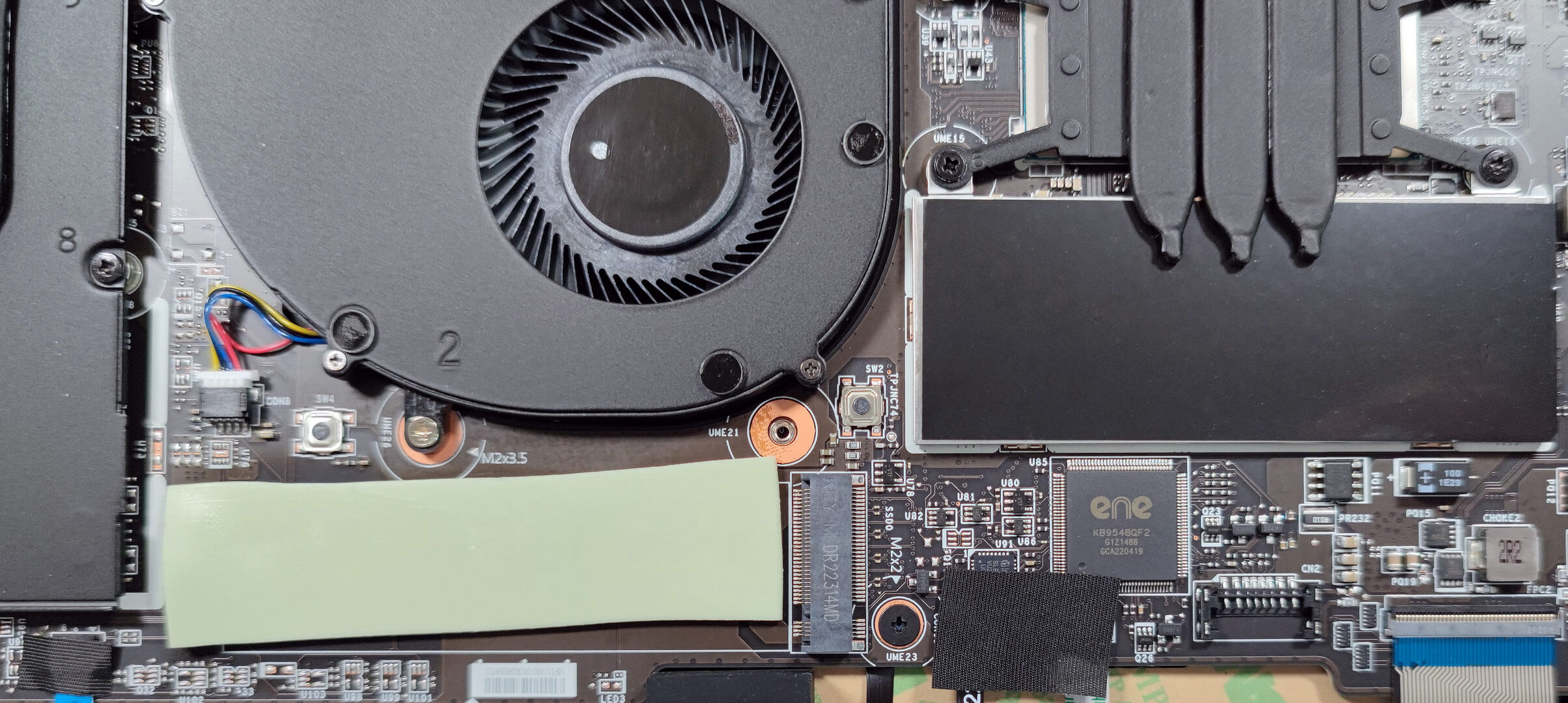
Storage Upgrade
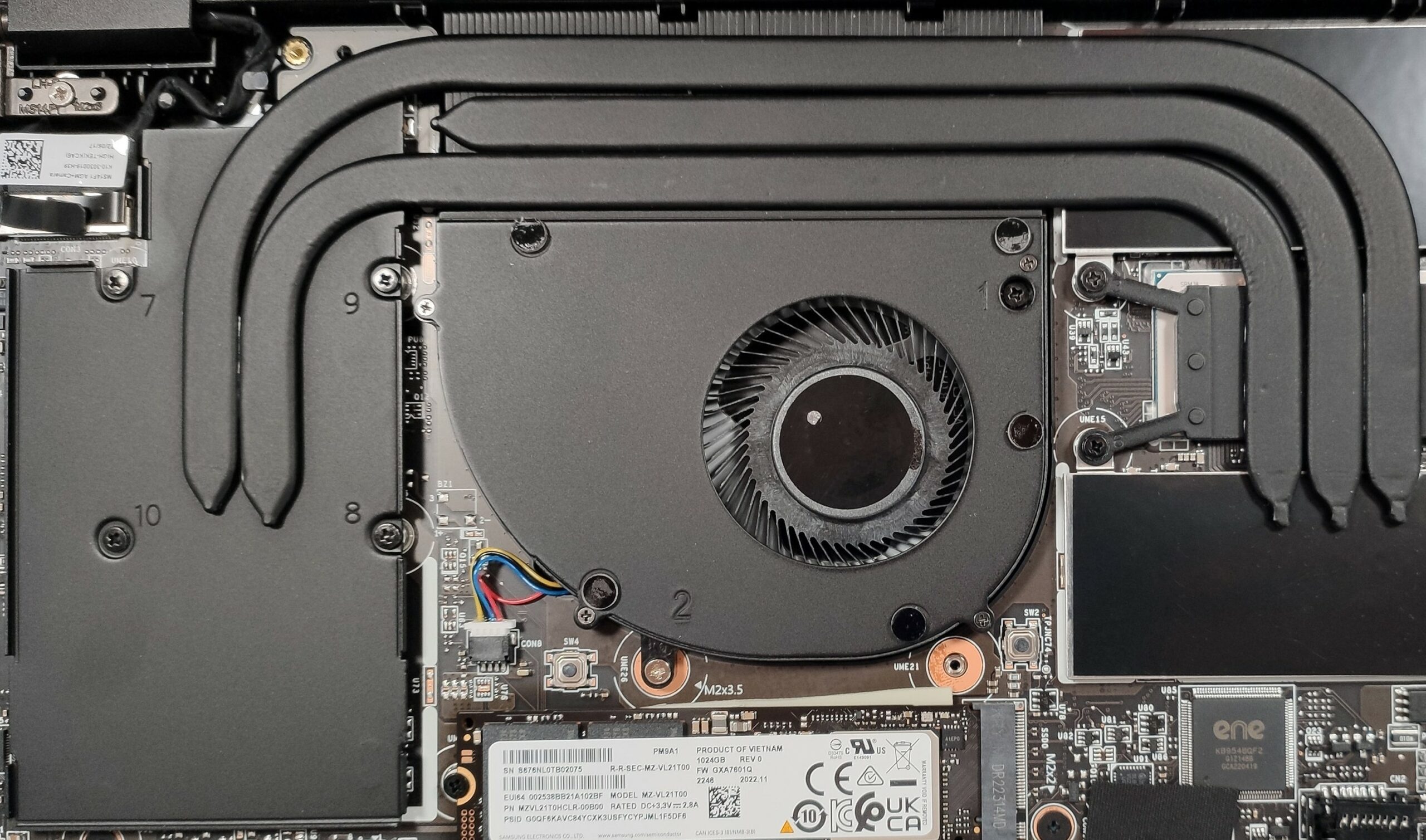
- Locate the PCIe 4.0 x4 slot for SSD upgrades. Note the large thermal pad placed below the SSD for enhanced cooling performance.
- Expanding or upgrading the SSD can significantly improve storage capacity and speed, enhancing overall system responsiveness and load times.
Hint: Don’t forget to check out our Top M.2 SSDs Performance Rankings for insights on the best storage options available.
You can buy PCIe 4.0 x4 SSD modules here: Αγοράστε από το Amazon.com (#CommissionsEarned)

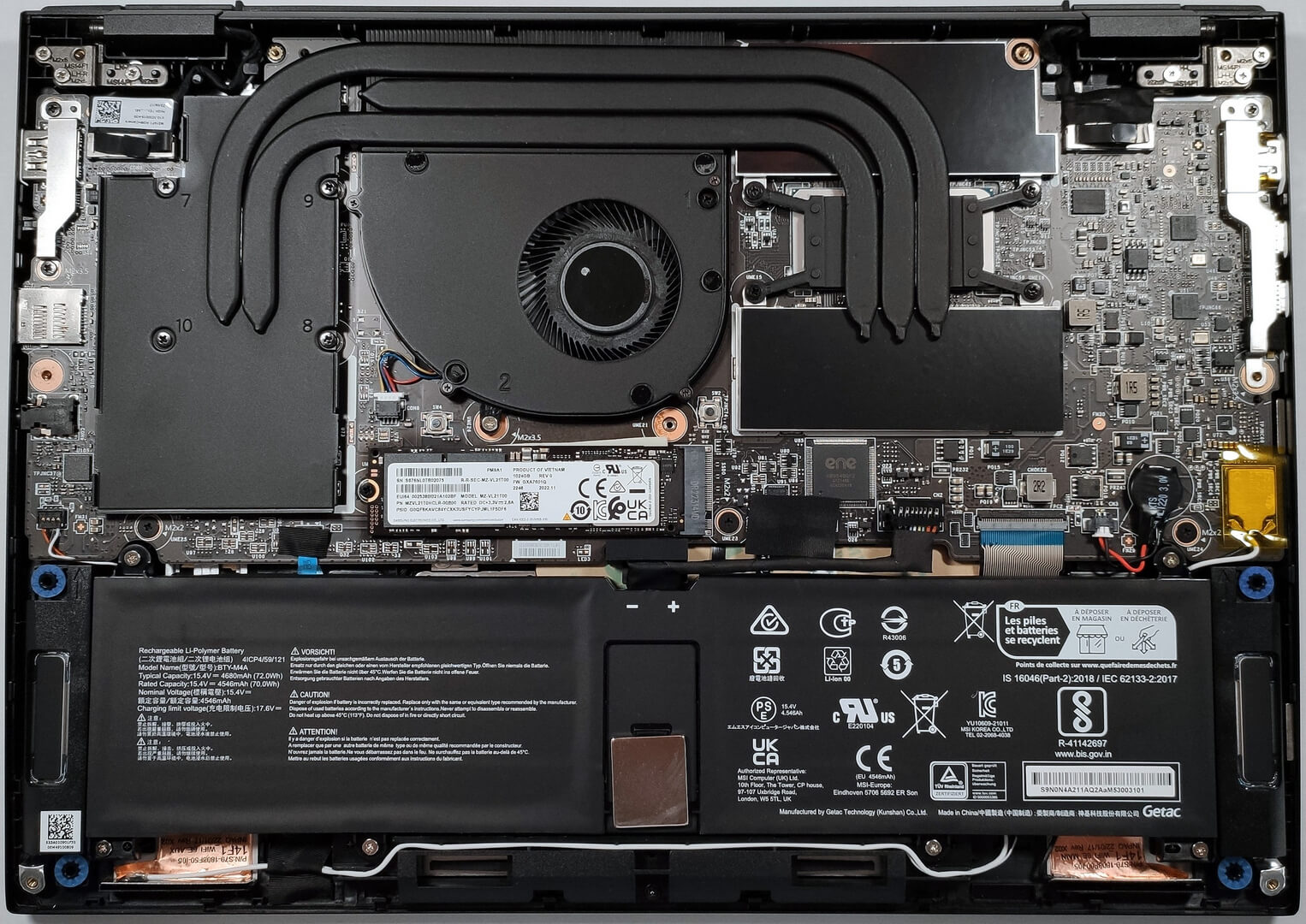
Cooling System Overview
Examine the cooling solution, which includes one fan and three heat pipes, designed to efficiently manage heat and maintain optimal performance under load.
 Author: Nikolay Palaozov

![[Ιούνιος 2026] Οι μάρκες φορητών υπολογιστών με τις μεγαλύτερες πωλήσεις στο Amazon Global – Η ασύγκριτη κυριαρχία της Apple σε αριθμό μονάδων και έσοδα](https://laptopmedia.com/wp-content/uploads/2026/07/GLOBAL-Best-Brands-400x225.jpg)
![[Ιούνιος 2026] Amazon Global: Οι 10 πιο δημοφιλείς φορητοί υπολογιστές – Το νέο MacBook Neo της Apple κατακτά την πρώτη θέση, αναδιαμορφώνοντας την αγορά χάρη στην προσιτή τιμή του](https://laptopmedia.com/wp-content/uploads/2026/07/Best-Selling-Laptops-GLOBAL-Top-10-400x225.jpg)
![[Ιούνιος 2026] Amazon Global: Οι 10 πιο δημοφιλείς φορητοί υπολογιστές για παιχνίδια – Το Nitro V 16S AI της Acer κυριαρχεί στις πωλήσεις, ενώ η ASUS προηγείται σε συνολικά έσοδα](https://laptopmedia.com/wp-content/uploads/2026/07/Best-Selling-Gaming-Laptops-GLOBAL-Top-10-400x225.jpg)
![[Ιούνιος 2026] Παγκόσμια κατάταξη των πιο δημοφιλών GPU για φορητούς υπολογιστές στο Amazon – Η NVIDIA RTX 5060 είναι η πιο δημοφιλής ειδική GPU](https://laptopmedia.com/wp-content/uploads/2026/07/Best-Selling-GPUs-GLOBAL-Top-10-400x225.jpg)
![[Ιούνιος 2026] Παγκόσμια κατάταξη των πιο δημοφιλών επεξεργαστών για φορητούς υπολογιστές στο Amazon – Ο Apple M5 κυριαρχεί, ενώ ο AMD Ryzen 7 260 καταλαμβάνει σημαντικό μερίδιο στην κατηγορία premium](https://laptopmedia.com/wp-content/uploads/2026/07/Best-Selling-CPUs-GLOBAL-Top-10-400x225.jpg)
