Inside ASUS Vivobook Pro 15 OLED (K3500) – disassembly and upgrade options
The Vivobook Pro 15 OLED (K3500) has a lot of good features. Well, upgradability just doesn’t happen to be one of them.
Check out all ASUS Vivobook Pro 15 OLED (K3500) prices and configurations in our Specs System or read more in our In-Depth review.
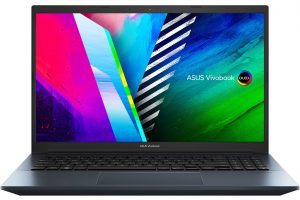

1. Remove the bottom plate
To get inside this device, you need to undo 10 Torx-head screws, three of which are captive. Then, pry the bottom panel with a plastic tool and remove it from the chassis.

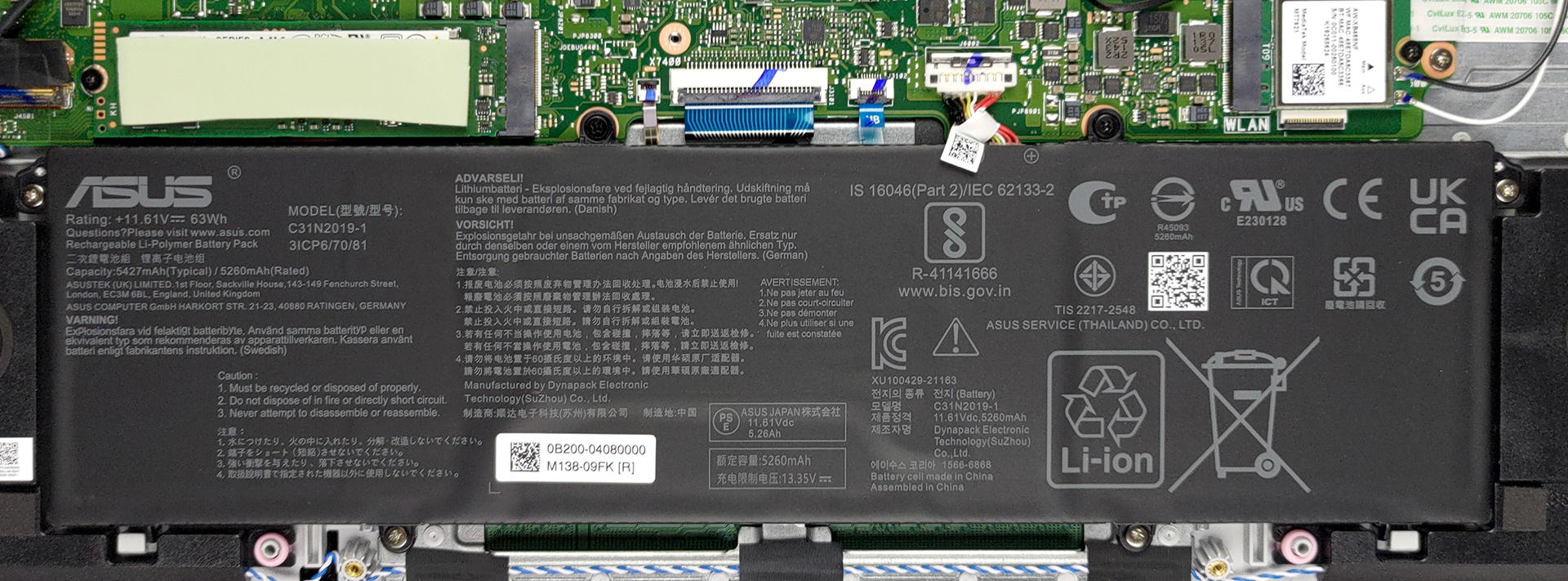
2. Battery
Here, we see a 63Wh battery pack. To continue the disassembly, unplug the battery connector. Then, undo all 6 Phillips-head screws, holding it to the laptop. After that, you will be able to lift it away.
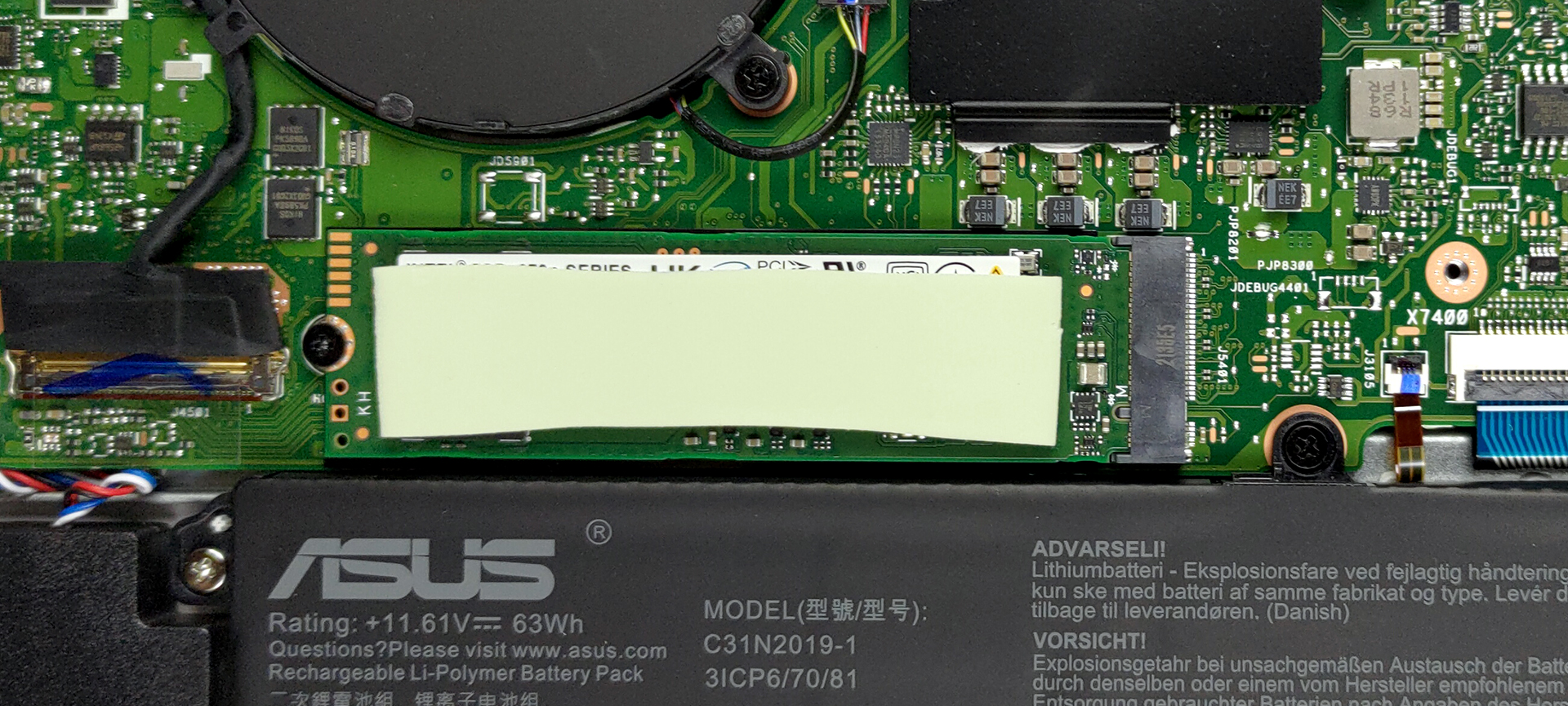
3. Memory and storage
Right above the CPU, you will find the memory chips. Yes, this means the RAM is soldered and is not upgradable. On the bright side, you can configure the laptop with up to 16GB. Additionally, there is a single M.2 PCIe x4 slot for storage upgrades.
4. Cooling system
In terms of cooling, there are two heat pipes, shared between the processor and the graphics card. Moreover, two fans blow the heat away from the device.

Check out all ASUS Vivobook Pro 15 OLED (K3500) prices and configurations in our Specs System or read more in our In-Depth review.
ASUS VivoBook Pro 15 OLED (K3500) részletes értékelés
ASUS' Vivobook family is expanding like the universe. You can pick from devices meant for every occasion. Either for casual Web browsing or for more content-creating-related stuff. In this case, the Vivobook Pro 15 OLED (K3500) is a mix of both. It is inexpensive, yet offers 35W Tiger Lake processors, and an optional RTX 3050 graphics card.As you can imagine, a key selling point of this laptop is its OLED display. In theory, this should allow the laptop to greatly outperform most of its competition. Of course, we take nothing for granted, and you will find our test results further in the [...]
Előnyök
- Adequate pricing
- Decent performance
- 100% sRGB and DCI-P3 coverage (Samsung ATNA56YX03-0 (SDC4161))
- HDR 600 support and infinite contrast ratio (Samsung ATNA56YX03-0 (SDC4161))
- MicroSD card slot + Thunderbolt 4
- Optional Wi-Fi 6 and fingerprint reader
- Extracts the best out of the hardware
Hátrányok
- PWM usage (Samsung ATNA56YX03-0 (SDC4161))
- Soldered memory
- Two of its three USB Type-A ports are of 2.0 speeds
 Author: Alex Iliev

![[2026. augusztus] Az Amazonon legkelendőbb laptop-grafikus kártyák globális ranglistája – az Apple uralkodik, az NVIDIA RTX 5060 vezeti a dedikált kártyák ranglistáját](https://laptopmedia.com/wp-content/uploads/2026/09/Best-Selling-GPUs-GLOBAL-Top-10-400x225.jpg)
![[2026. augusztus] Az Amazonon legkelendőbb laptop-processzorok globális ranglistája – Az Apple mind az olcsóbb, mind a prémium kategóriában dominál: az A18 Pro és az M5 2026 augusztusában elsöprő fölénnyel győzött az Intel és az AMD felett](https://laptopmedia.com/wp-content/uploads/2026/09/Best-Selling-CPUs-GLOBAL-Top-10-400x225.jpg)
![[2026. augusztus] Amazon Global: A 10 legkelendőbb laptop – az Apple MacBook Neo vezeti a ranglistát, miközben az olcsóbb és középkategóriás Windows-alapú hordozható számítógépek az eladási mennyiségért küzdenek](https://laptopmedia.com/wp-content/uploads/2026/09/Best-Selling-Laptops-GLOBAL-Top-10-400x225.jpg)
![[2026. augusztus] Az Amazon Global legkelendőbb laptopmárkái – Az Apple vezeti a bevételi rangsort, míg a HP a modellválaszték terén áll az élen](https://laptopmedia.com/wp-content/uploads/2026/09/GLOBAL-Best-Brands-400x225.jpg)
![[2026. augusztus] Amazon Global: A 10 legkelendőbb játékos laptop – Az HP Victus 15 szerezte meg az első helyet, miközben a kedvező árú modellek uralják a ranglistát](https://laptopmedia.com/wp-content/uploads/2026/09/Best-Selling-Gaming-Laptops-GLOBAL-Top-10-400x225.jpg)

Does it have a CMOS battery and where it is located