Inside Dell Vostro 14 5410 – disassembly and upgrade options
Despite its competitive price tag, the Vostro 14 5410 offers a good amount of upgrade options.
Check out all Dell Vostro 14 5410 prices and configurations in our Specs System or read more in our In-Depth review.
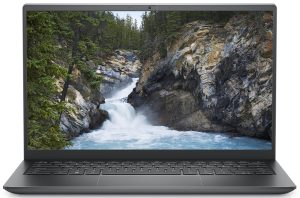
1. Remove the bottom plate
To take this laptop apart, you need to undo 7 Phillips-head screws. Two of them are captive, and help you with the prying process. After you are done, lift the bottom panel from the chassis.
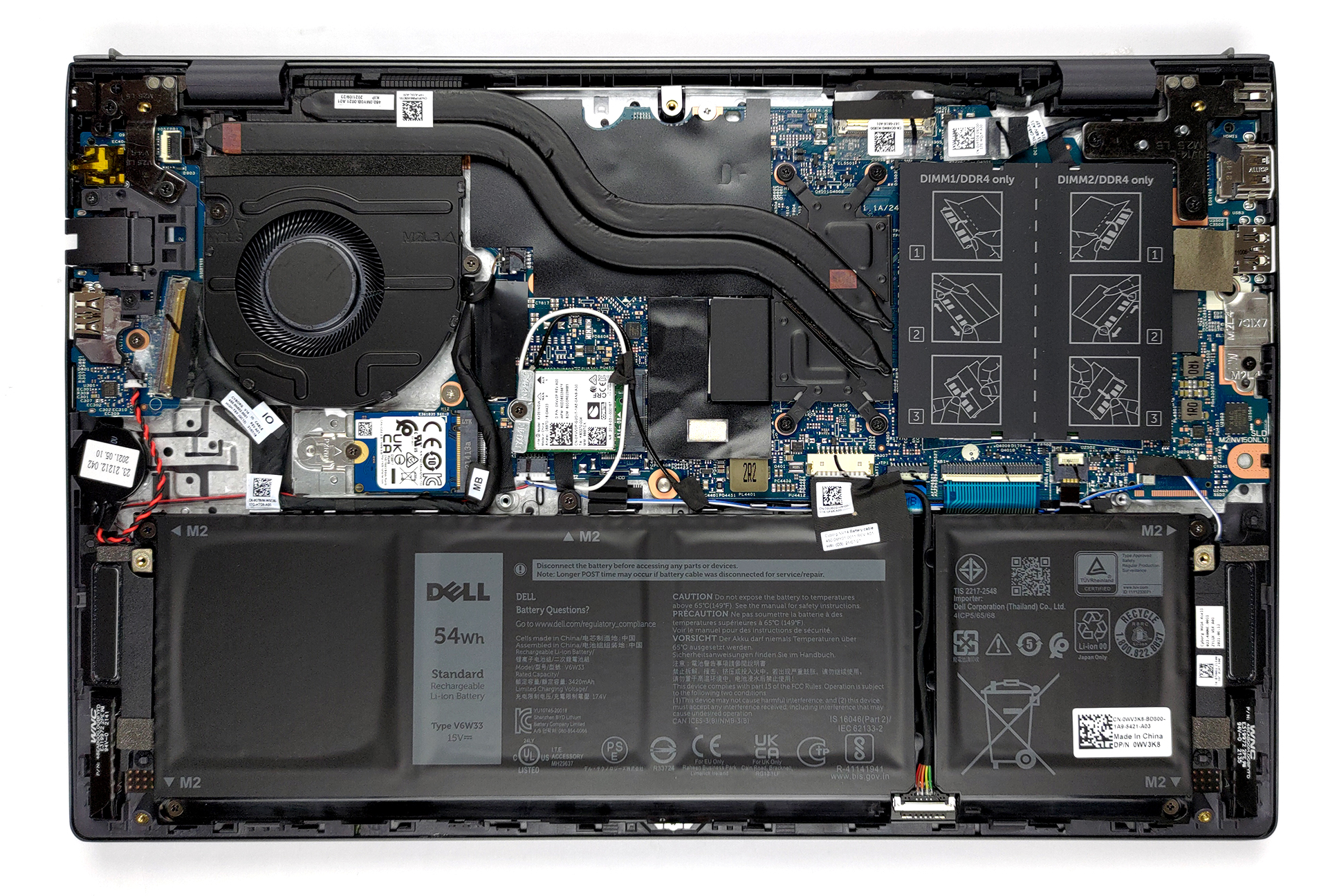
2. Battery
Inside, we see a 54Wh battery pack. Dell also sells the notebook with a 41Wh unit. Nevertheless, our device managed more than 12 hours of Web browsing or nearly 11 hours of video playback. To take the battery out of the device, you first need to unplug the battery connector. Then, undo all 5 Phillips-head screws, holding it in place.
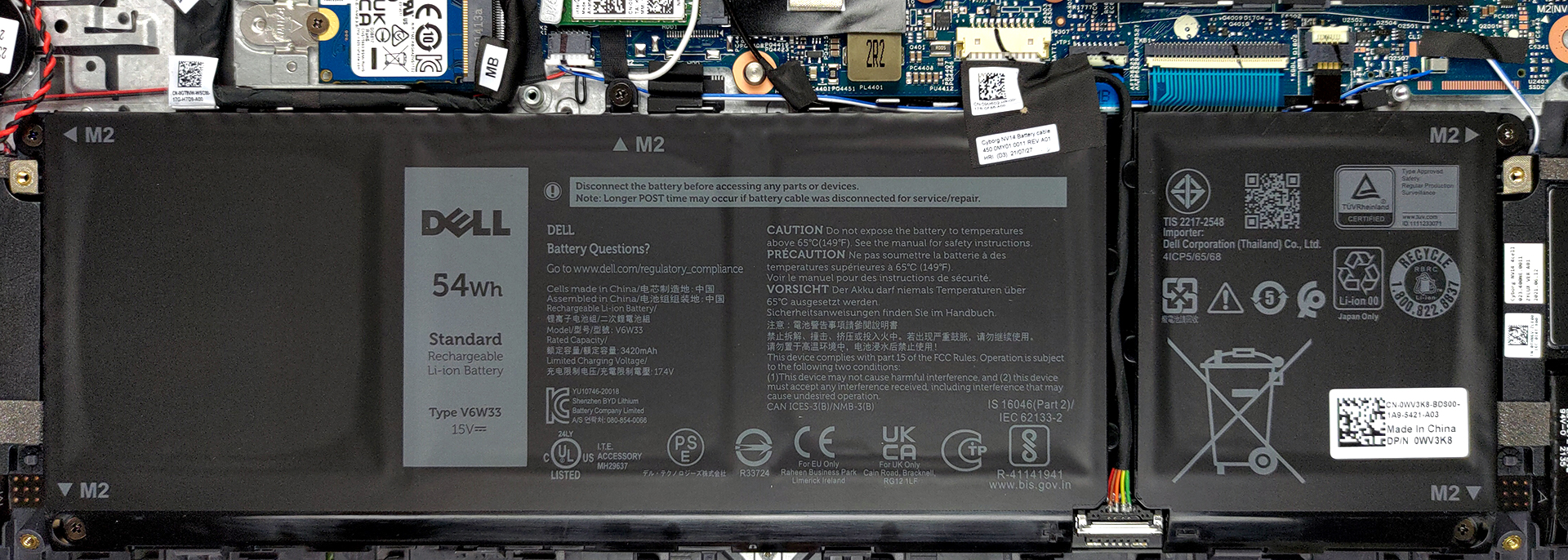
3. Memory and storage
Here, we see two SODIMM slots, which work in dual-channel mode. According to Dell, the maximum supported memory is 32GB in total. As for the storage, there is one M.2 PCIe x4 slot.

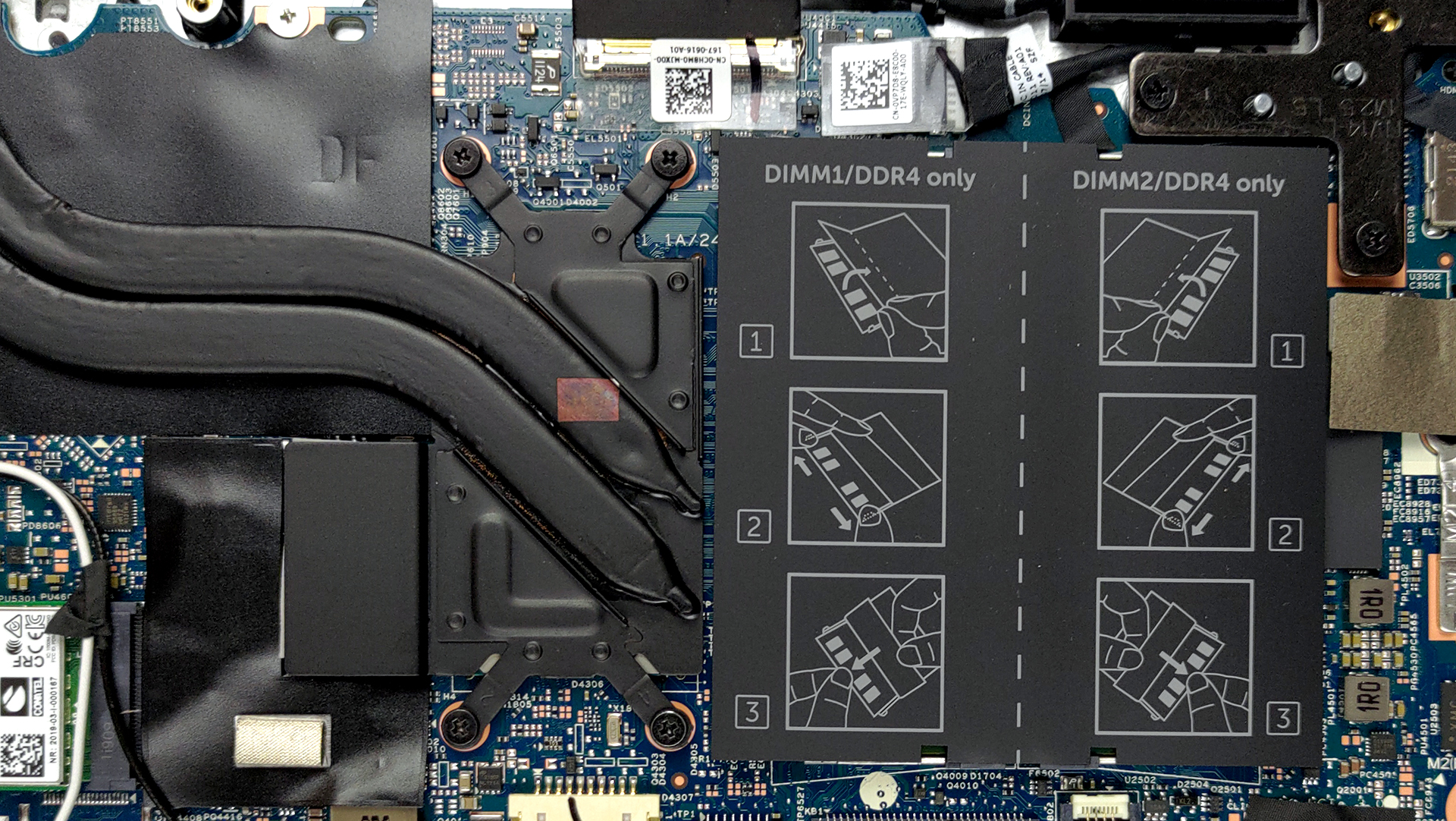
4. Cooling system
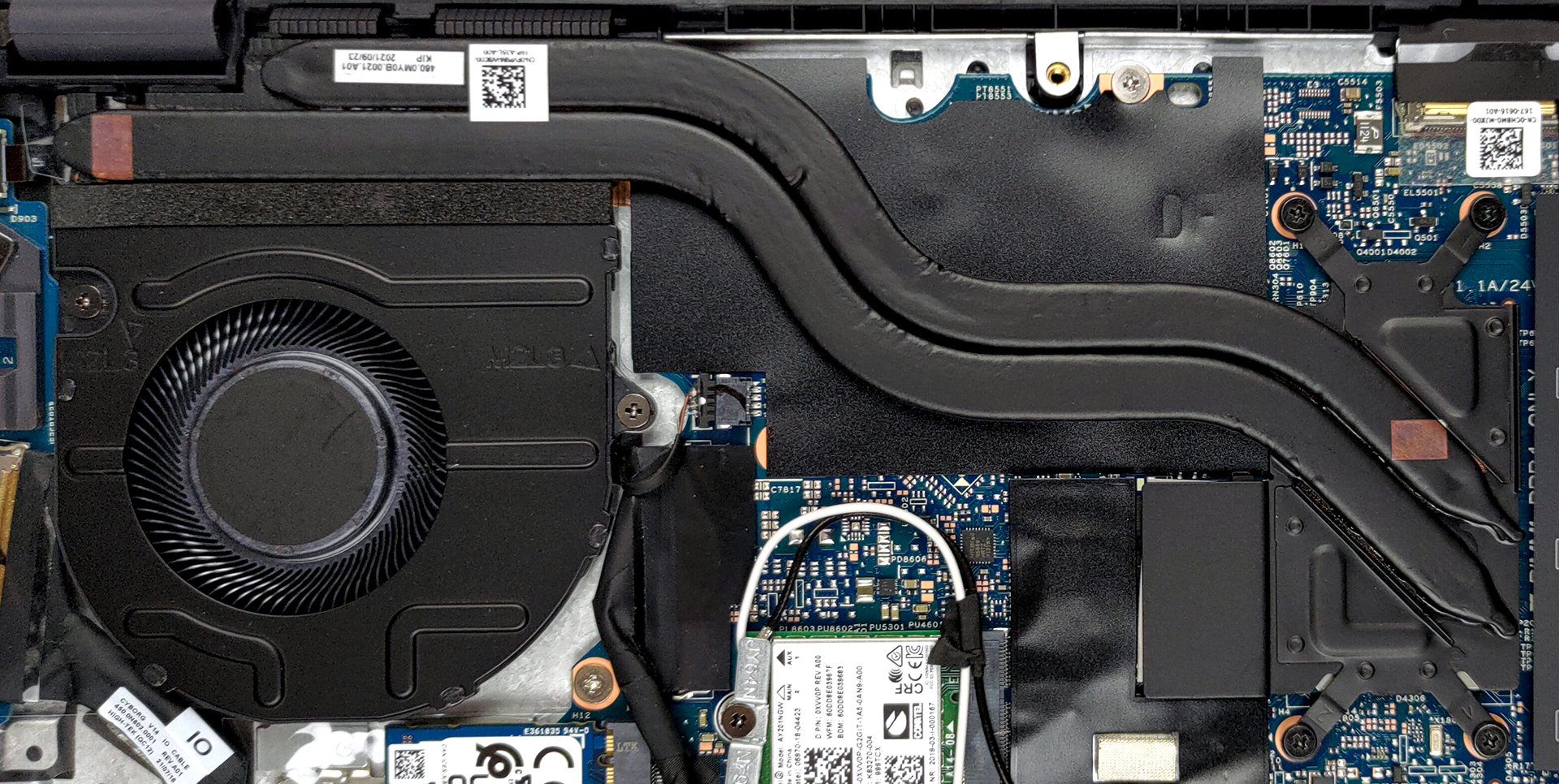
Cooling-wise, there are two heat pipes, connected to a medium-sized heat sink. The fan here is also of medium size.
Check out all Dell Vostro 14 5410 prices and configurations in our Specs System or read more in our In-Depth review.
Dell Vostro 14 5410 (i7) részletes értékelés
It is good that manufacturers figured out they can use more powerful hardware for their office devices. With that said, the Vostro 14 5410 is a bit more than an office laptop. It has the looks, the build, and the power to take you a long way.For instance, Dell has chosen to use Tiger Lake-H35 CPUs instead of the Tiger Lake-U series. This provides a higher short-term boost and sustained frequencies. Of course, this all depends on the cooling system of the laptop, which we are going to be evaluating later in the review.To be honest, the Vostro series gave us one of the more impressive n[...]
Előnyök
- Thunderbolt 4 (on Core i7 models), MicroSD card slot, and a well-populated I/O
- Two RAM SODIMM slots, and PCIe x4 support for storage
- Thin and light body
- PWM-free display (BOE BOE0948)
- Covers 97% of sRGB (BOE BOE0948)
- Good battery life
Hátrányok
- Performance not matching the expectations
- Color accuracy is off (BOE BOE0948)
- Not the best cooling
 Author: Alex Iliev

![[2026. augusztus] Az Amazonon legkelendőbb laptop-grafikus kártyák globális ranglistája – az Apple uralkodik, az NVIDIA RTX 5060 vezeti a dedikált kártyák ranglistáját](https://laptopmedia.com/wp-content/uploads/2026/09/Best-Selling-GPUs-GLOBAL-Top-10-400x225.jpg)
![[2026. augusztus] Az Amazonon legkelendőbb laptop-processzorok globális ranglistája – Az Apple mind az olcsóbb, mind a prémium kategóriában dominál: az A18 Pro és az M5 2026 augusztusában elsöprő fölénnyel győzött az Intel és az AMD felett](https://laptopmedia.com/wp-content/uploads/2026/09/Best-Selling-CPUs-GLOBAL-Top-10-400x225.jpg)
![[2026. augusztus] Amazon Global: A 10 legkelendőbb laptop – az Apple MacBook Neo vezeti a ranglistát, miközben az olcsóbb és középkategóriás Windows-alapú hordozható számítógépek az eladási mennyiségért küzdenek](https://laptopmedia.com/wp-content/uploads/2026/09/Best-Selling-Laptops-GLOBAL-Top-10-400x225.jpg)
![[2026. augusztus] Az Amazon Global legkelendőbb laptopmárkái – Az Apple vezeti a bevételi rangsort, míg a HP a modellválaszték terén áll az élen](https://laptopmedia.com/wp-content/uploads/2026/09/GLOBAL-Best-Brands-400x225.jpg)
![[2026. augusztus] Amazon Global: A 10 legkelendőbb játékos laptop – Az HP Victus 15 szerezte meg az első helyet, miközben a kedvező árú modellek uralják a ranglistát](https://laptopmedia.com/wp-content/uploads/2026/09/Best-Selling-Gaming-Laptops-GLOBAL-Top-10-400x225.jpg)
