Acer Aspire 3 (A315-510P) review – Budget Hero for Everyday Tasks
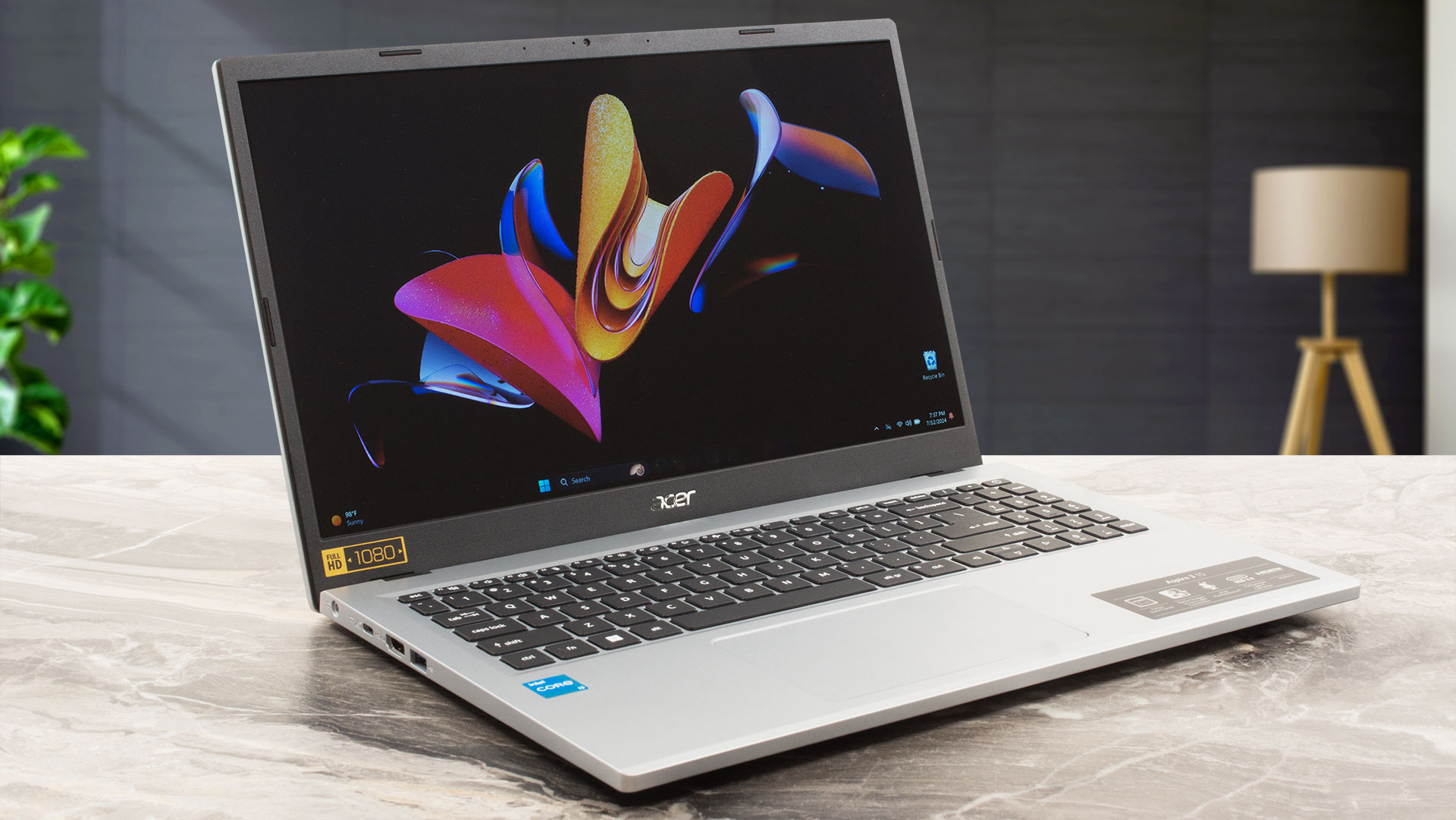 In terms of specs, the Aspire 3 (A315-510P) is almost similar to the bigger Aspire 3 (A317-55P) that we also have reviewed. This means that Alder Lake-N series processors power the 15-incher. We think the 6W 4-core Intel Processor N100 and N200 are too weak even for normal usage. That’s why we picked a machine with the 15W Core i3-N305 which has eight E cores. Still not a beast but this chip’s performance is snappy enough for daily tasks and even for light gaming. Yes, Dota 2 runs at 71 FPS on average on Low details which isn’t a bad result at all given the soldered single-channel RAM.
This laptop is offered with three display variants. At least for us, the optional 1080p IPS screen is the only model that is worth it if money isn’t a problem. Unfortunately, we didn’t find a device with this panel and that’s why our machine has a Full HD TN screen. Curiously, the base panel is a 768p TN unit which means low-res picture quality and bad viewing angles.
However, if you get a notebook with the top display model for this Acer series alongside 16GB of memory, an NVMe drive (not with the base eMMC storage), and a backlit keyboard, this sounds like a decent configuration even for office tasks.
You can check the prices and configurations in our Specs System: https://laptopmedia.com/series/acer-aspire-3-a315-510p/
Contents
Specs, Drivers, What’s in the box
Acer Aspire 3 (A315-510P) - Specifikációk


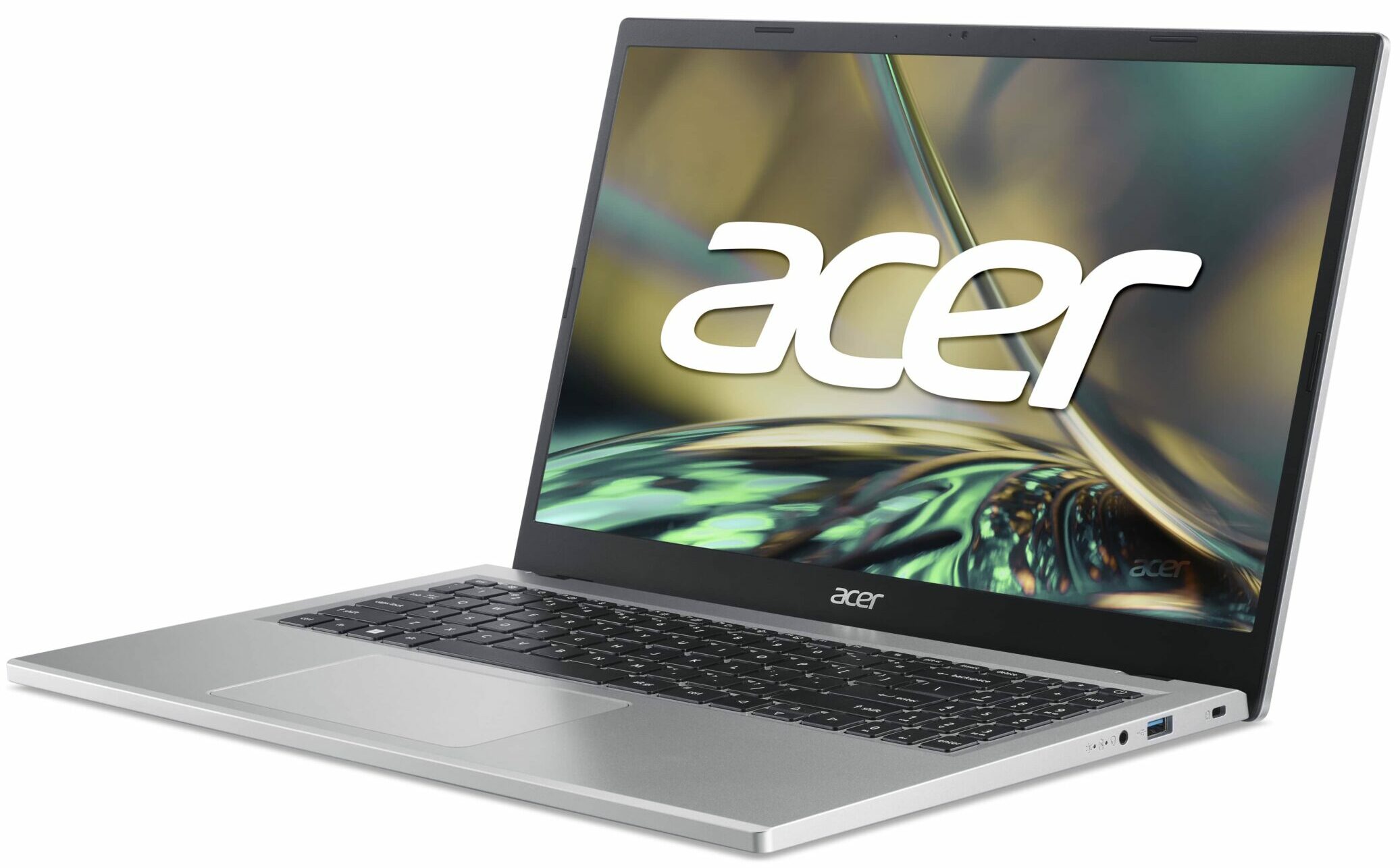


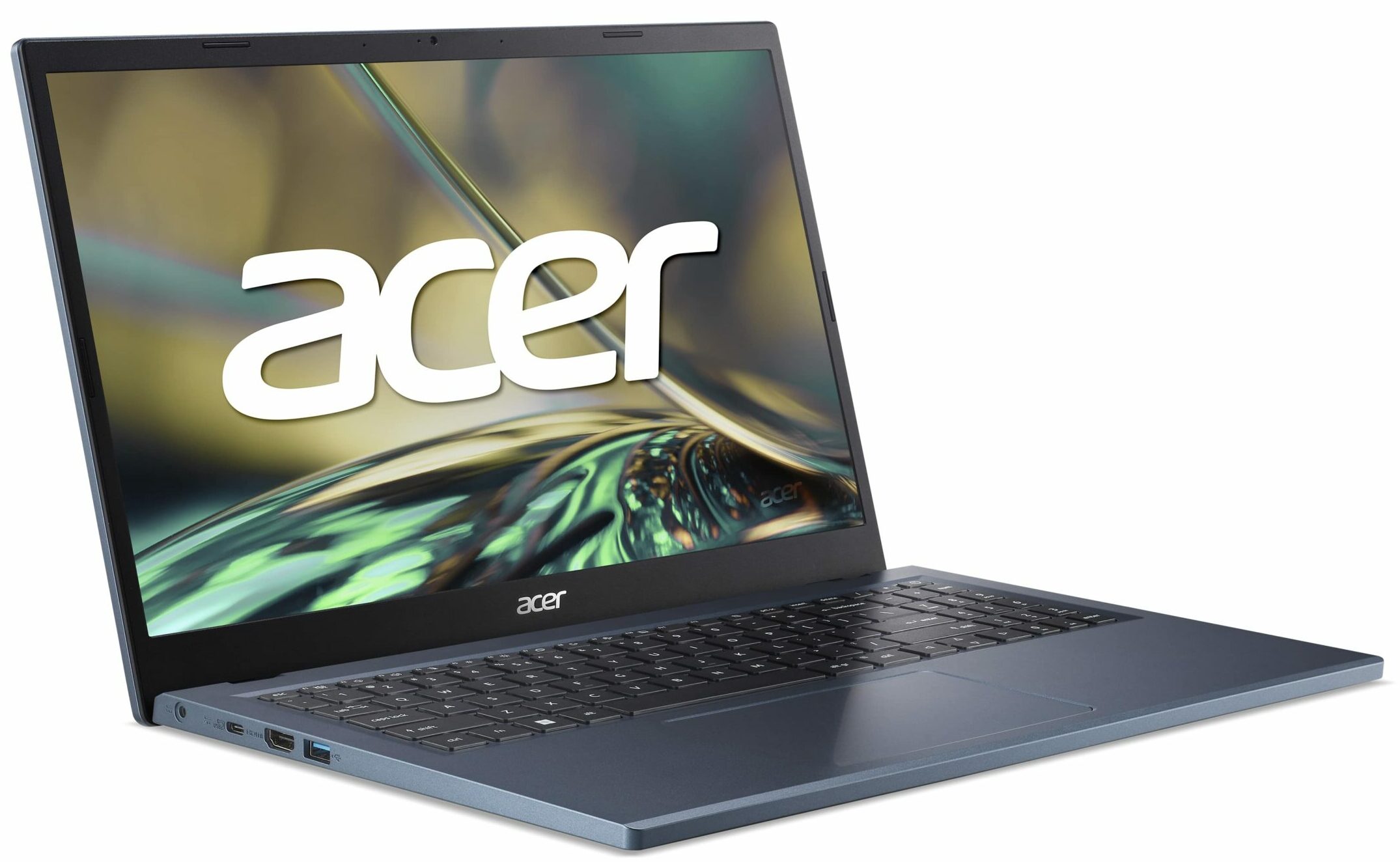
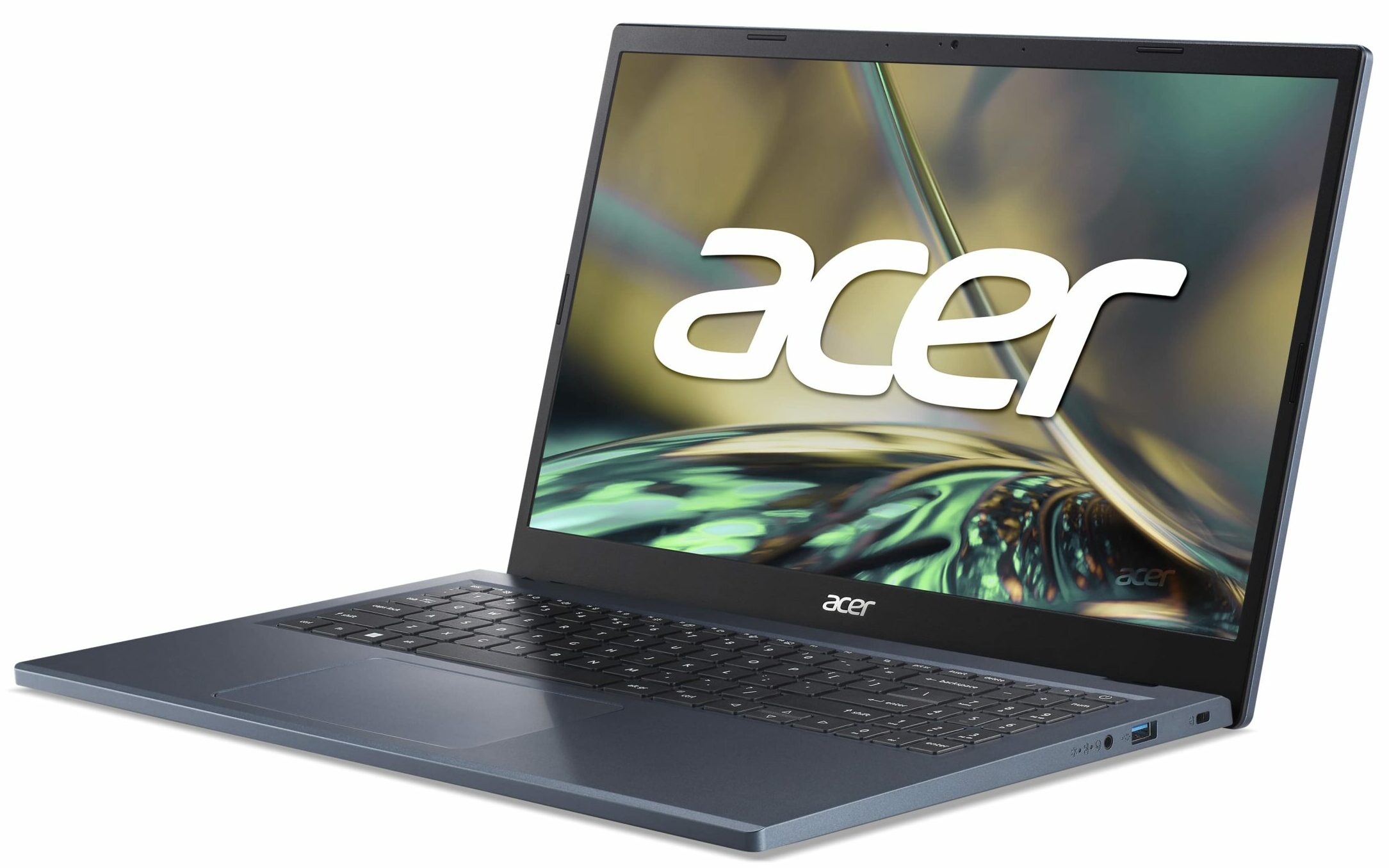



- HDD/SSD
- akár 1000GB SSD
- M.2 Slot
- 1x 2280 M.2 NVMe PCIe 4.0 x4 or eMMC Kép megtekintése
- RAM
- up to 16GB
- OS
- Windows 11 Home, No OS, Linux
- Akkumulátor
- 50Wh, 40Wh, 3-cell
- Ház anyaga
- Plastic / Polycarbonate
- Méretek
- 362.9 x 237.5 x 18.9 mm (14.29" x 9.35" x 0.74")
- Súly
- 1.70 kg (3.7 lbs)
- Portok és csatlakozás
- 1x USB Type-A
- 3.2 Gen 1 (5 Gbps)
- 1x USB Type-A
- 3.2 Gen 2 (10 Gbps)
- 1x USB Type-C
- 3.2 Gen 2 (10 Gbps)
- HDMI
- Kártyaolvasó
- Ethernet LAN
- Wi-Fi
- 802.11ax
- Bluetooth
- 5.2
- Audio csatlakozó
- 3.5mm Combo Jack
- Jellemzők
- Ujjlenyomat-olvasó
- Webkamera
- HD with Temporal Noise Reduction
- Háttérvilágítású billentyűzet
- optional
- Mikrofon
- 2x Microphones with Acer Purified Voice
- Hangszórók
- 2x Stereo Speakers
- Optikai meghajtó
- Biztonsági zár helye
- Kensington Lock
Összes Acer Aspire 3 (A315-510P) konfigurációk

Drivers
All drivers and utilities for this notebook can be found here: https://www.acer.com/us-en/support/product-support/Aspire_A315-510P/downloads?suggest=A315-510P;1
What’s in the box?
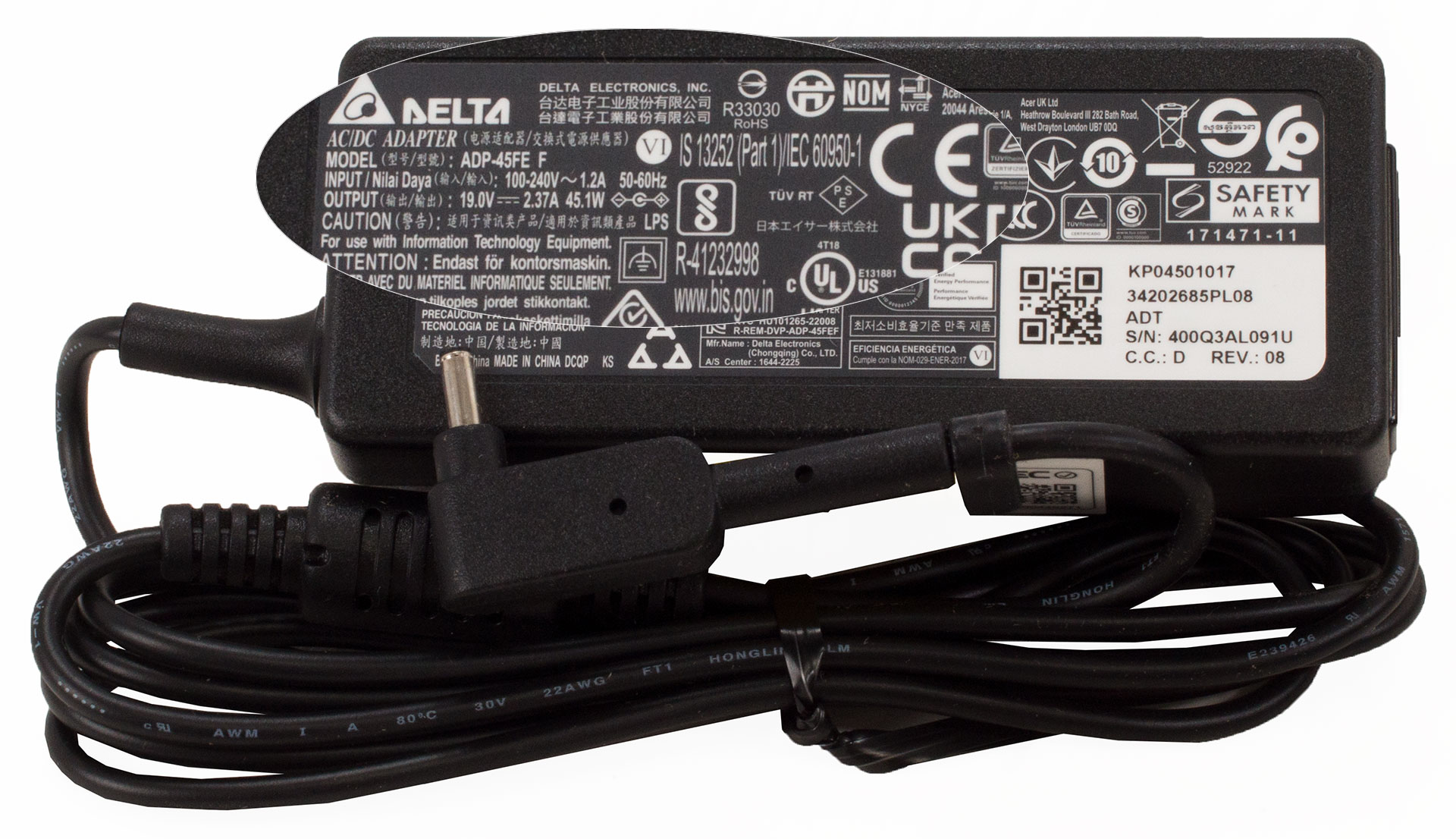
We found a bit of paperwork and a 45W barrel plug charger inside the box.
Design and construction
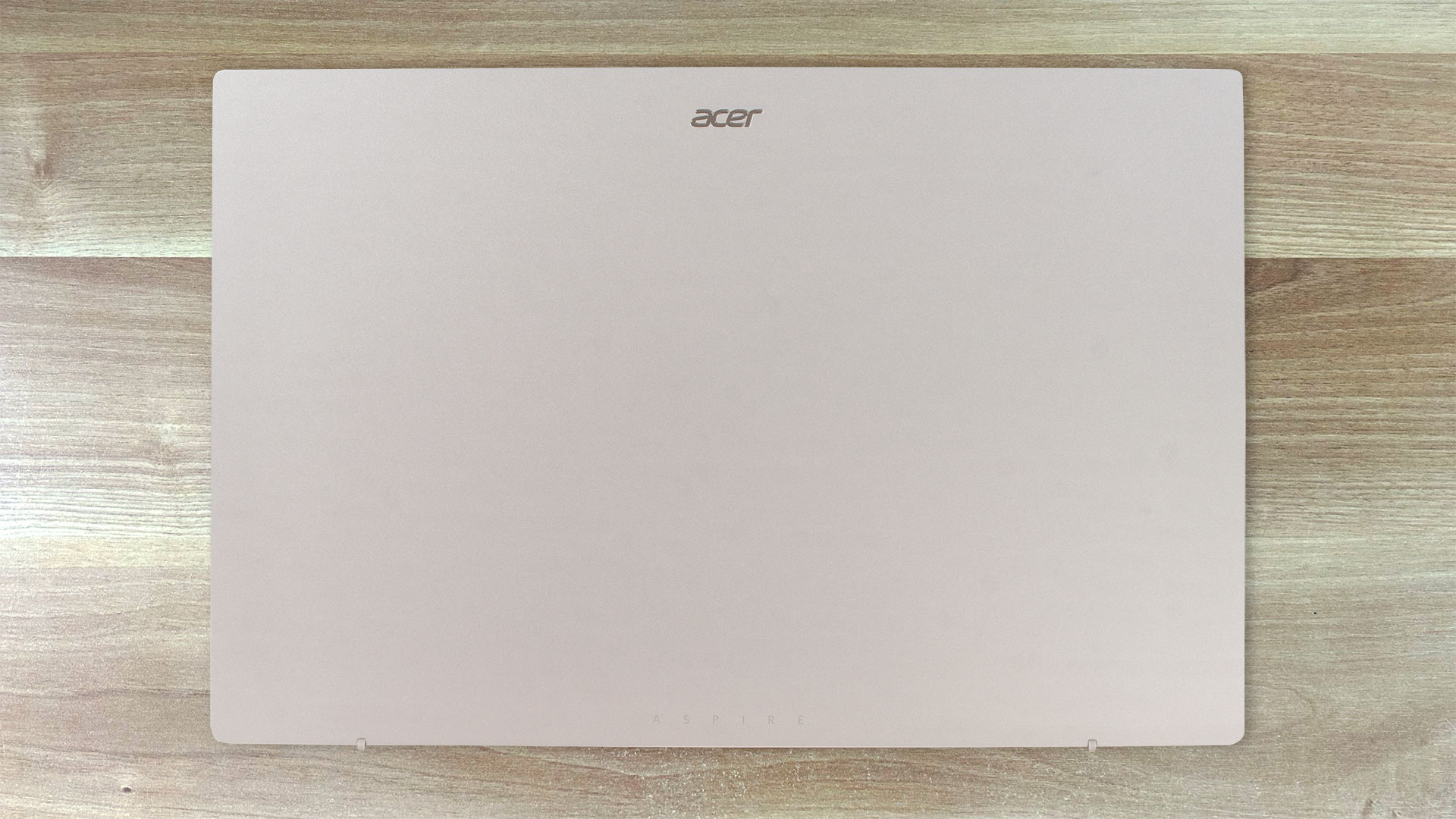
The Aspire 3 (A315-510P) looks almost like a smaller twin of the Aspire 3 (A317-55P). Still, the plastic chassis of the 15-inch version is a bit more rigid than the bigger sibling which applies to both lid and base. The dimensions of the A315-510P seem good for this form factor – 1.7 kg weight and 18.9 mm profile.
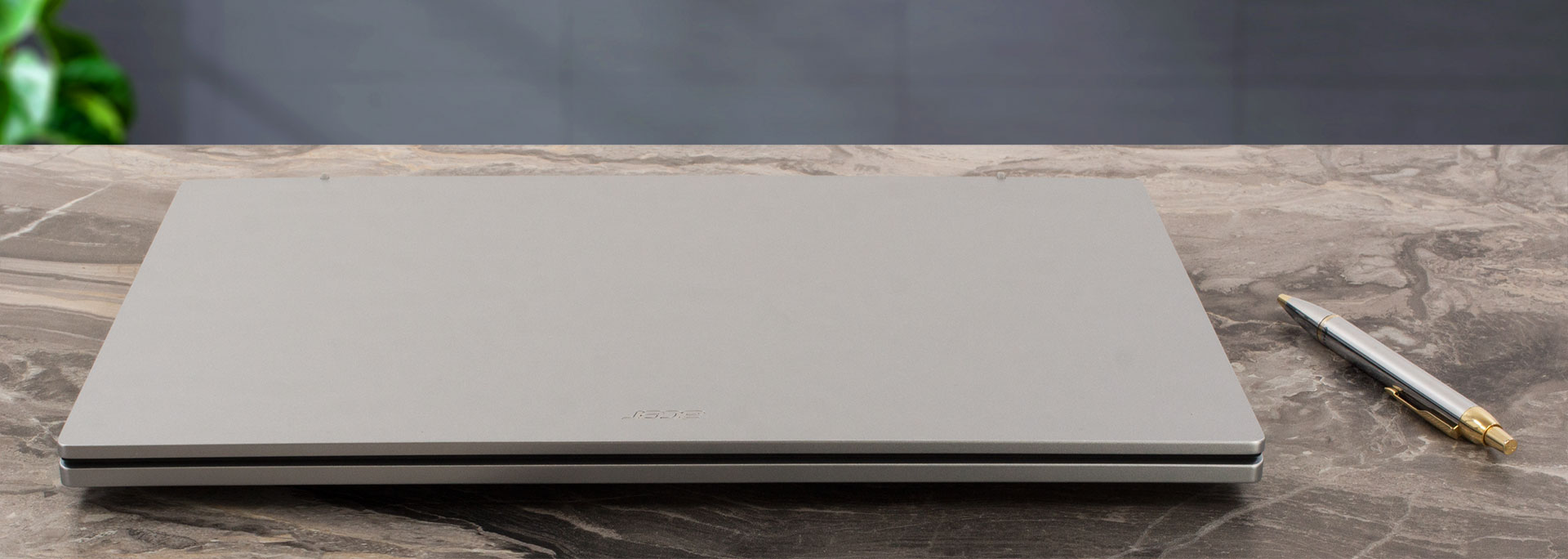
You can’t open the lid with one hand because the hinges are super stiff.
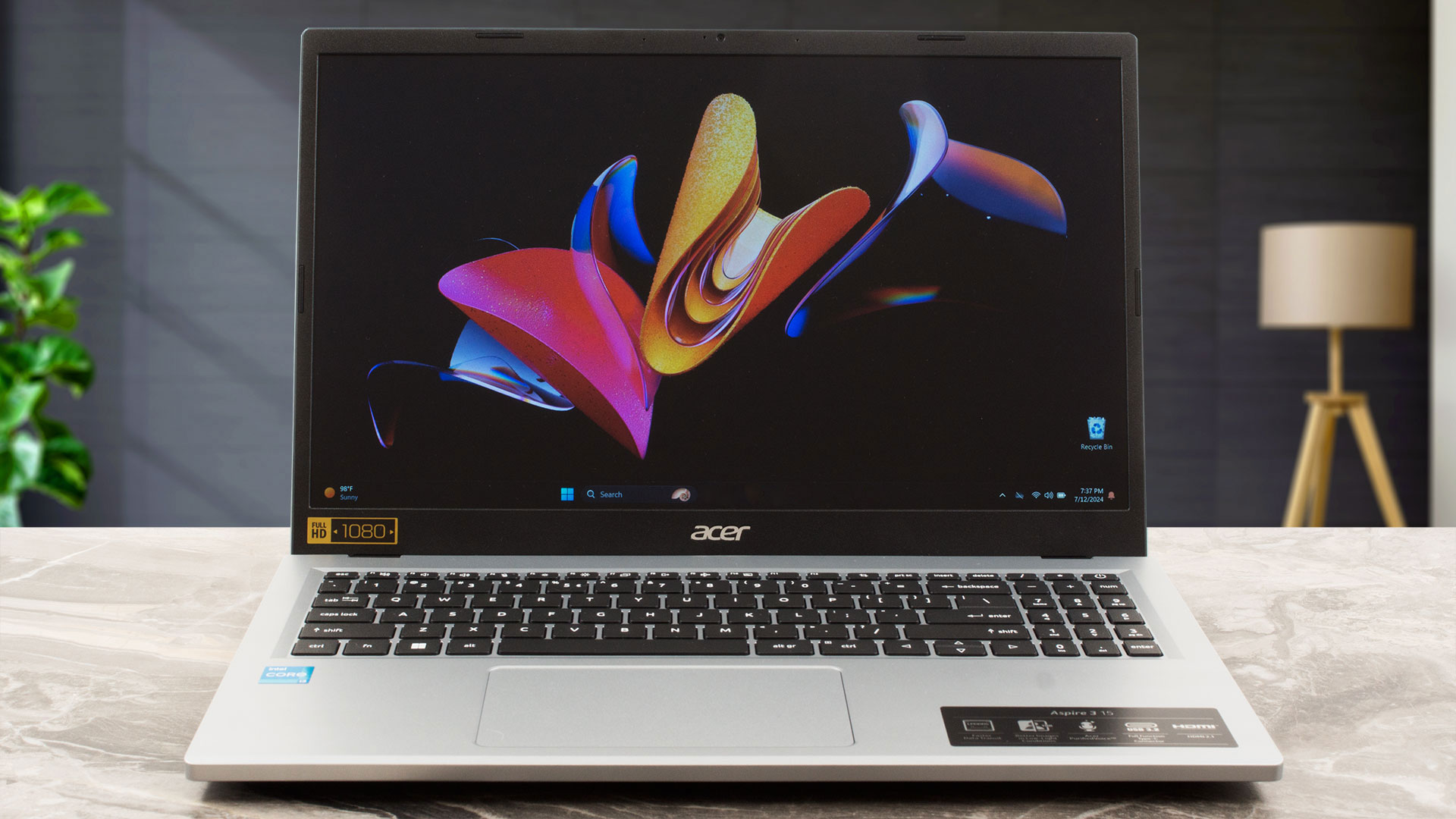
The thickness of the bezels that surround the display is okay for such an inexpensive machine. The top bezel houses a dual-mic 720p@30FPS Web camera that supports Temporal Noise Reduction. The unit lacks a privacy shutter.
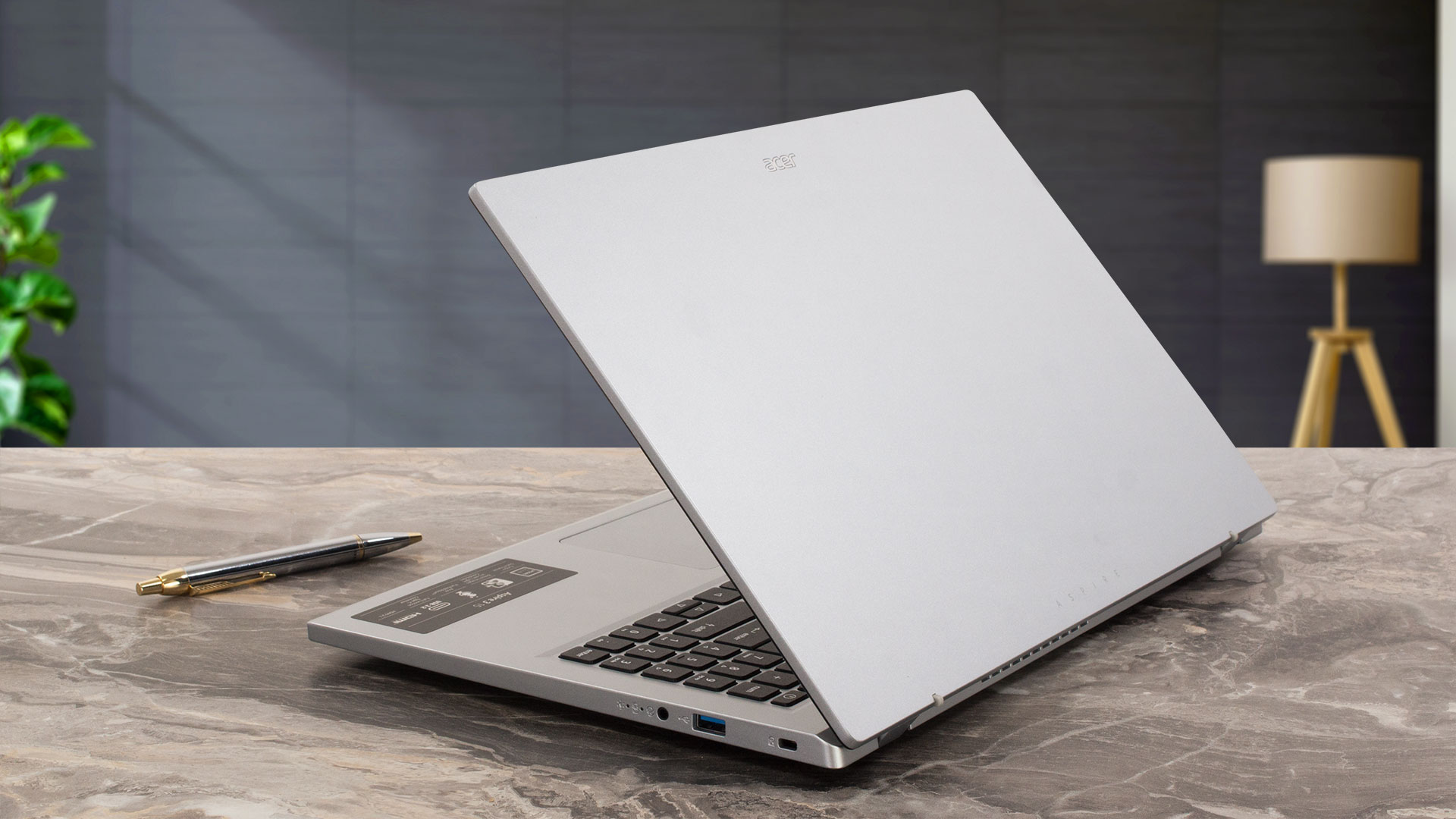
When the lid is opened beyond the 90-degree mark, it lifts the back of the main body allowing more air to make its way to the internals. This enhances the cooling capabilities of the laptop as well as the ergonomics which is great for people who type a lot.
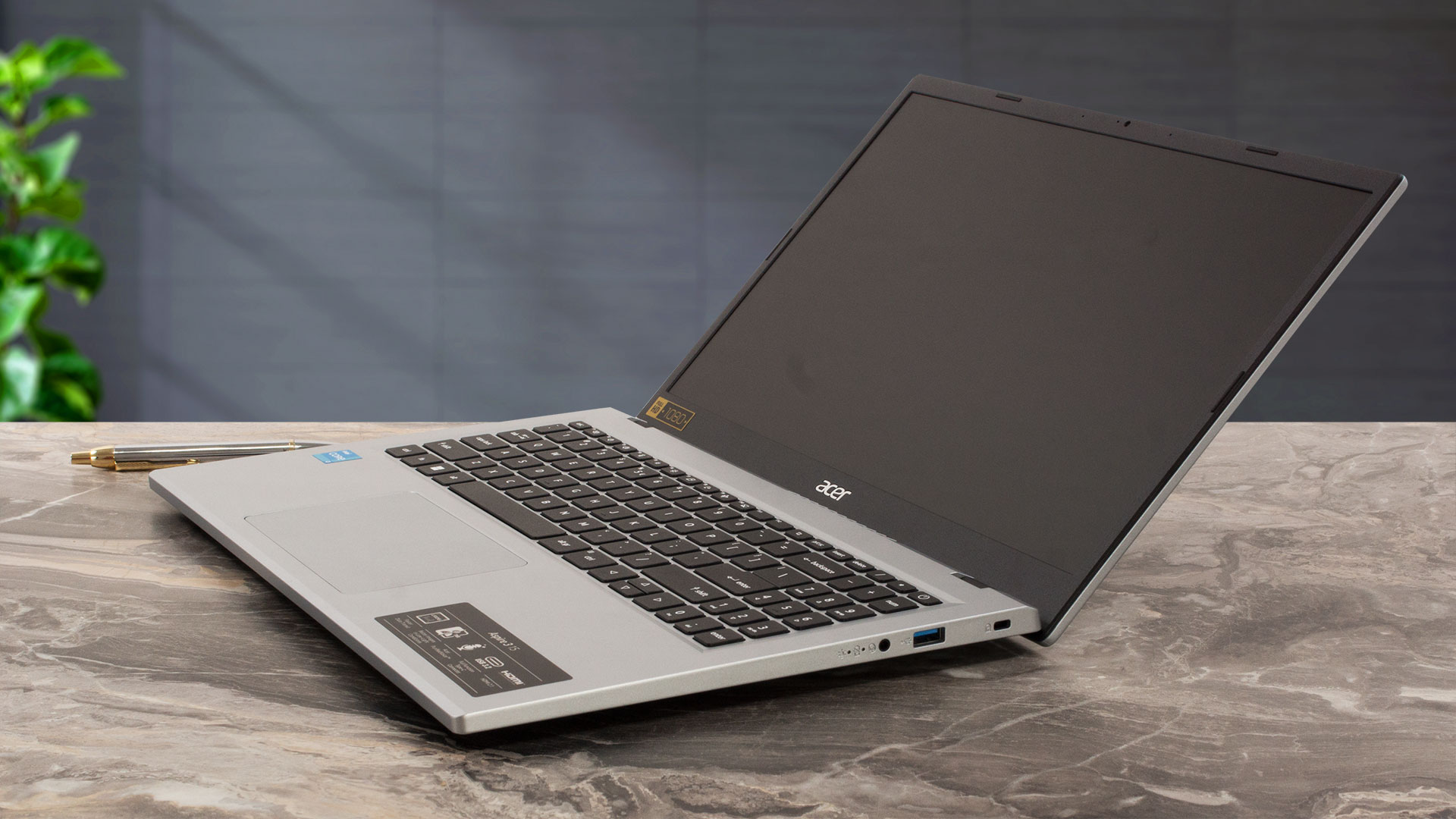
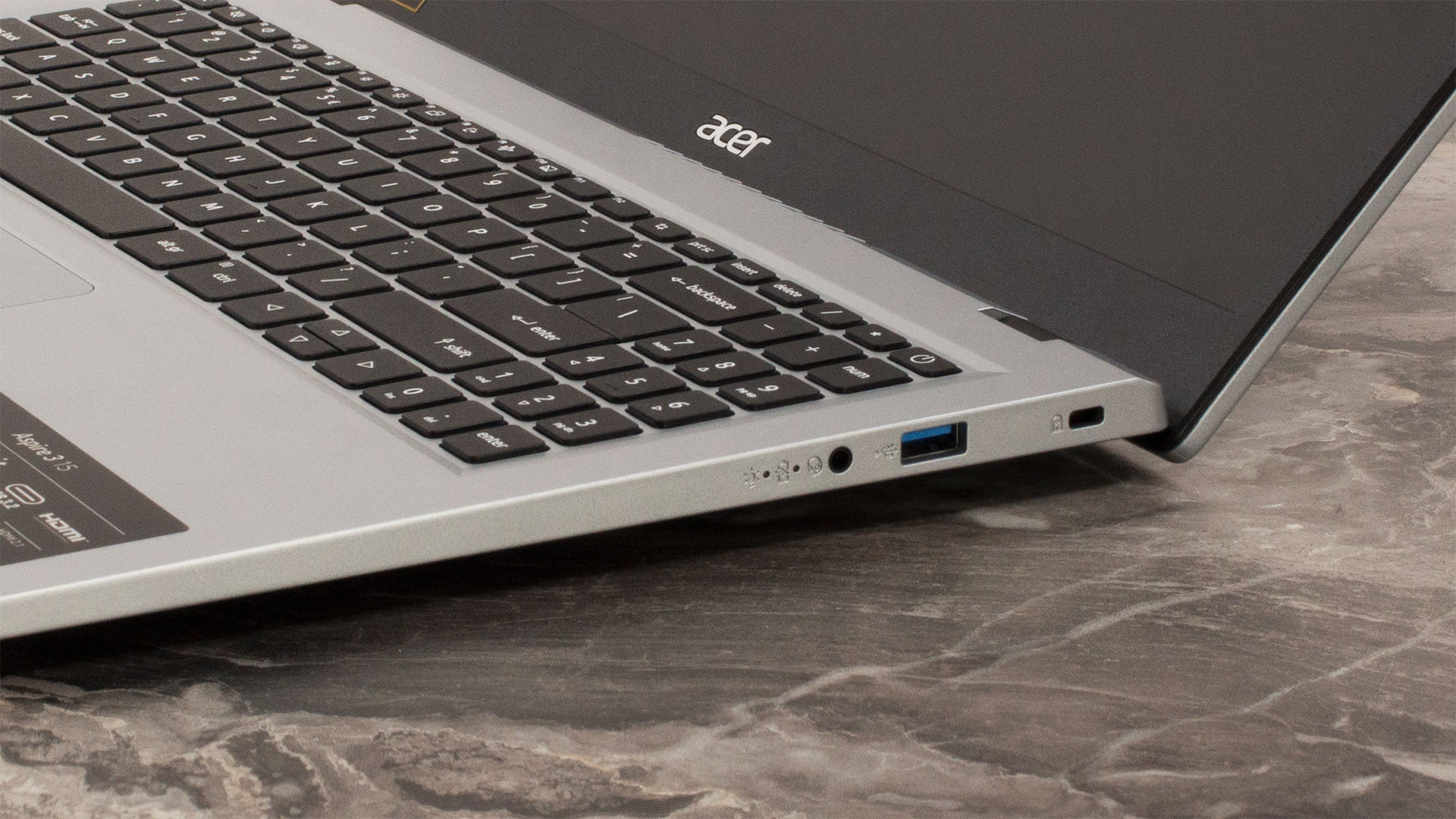
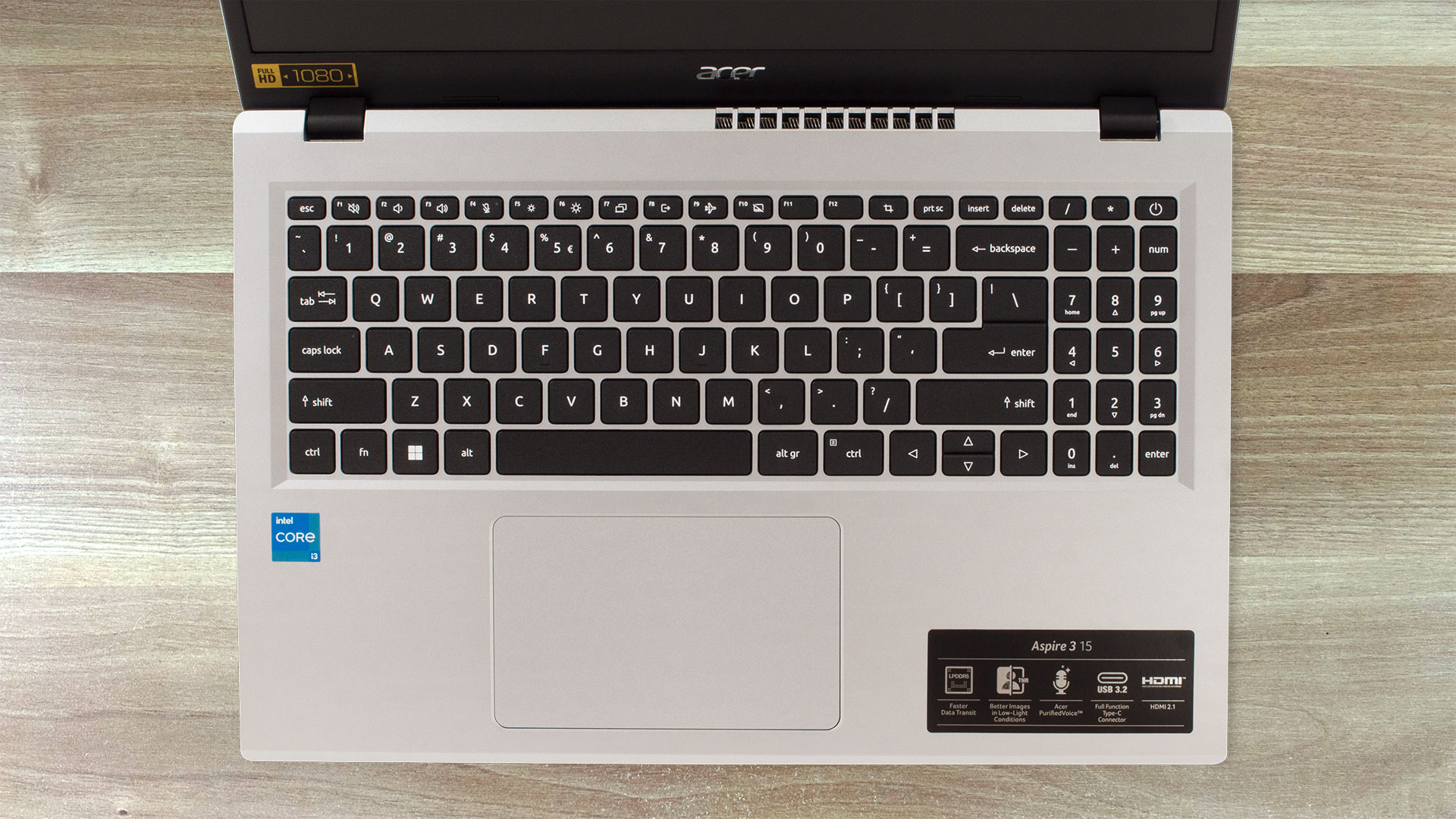
The keyboard has a NumPad, uncomfortable for work tiny “Up” and “Down” Arrow keys, and an optional backlight. The key travel and the feedback aren’t impressive but are still good enough for standard usage.
The same can be said for the moisture-resistant touchpad which is an average at best unit in terms of smoothness and tracking.
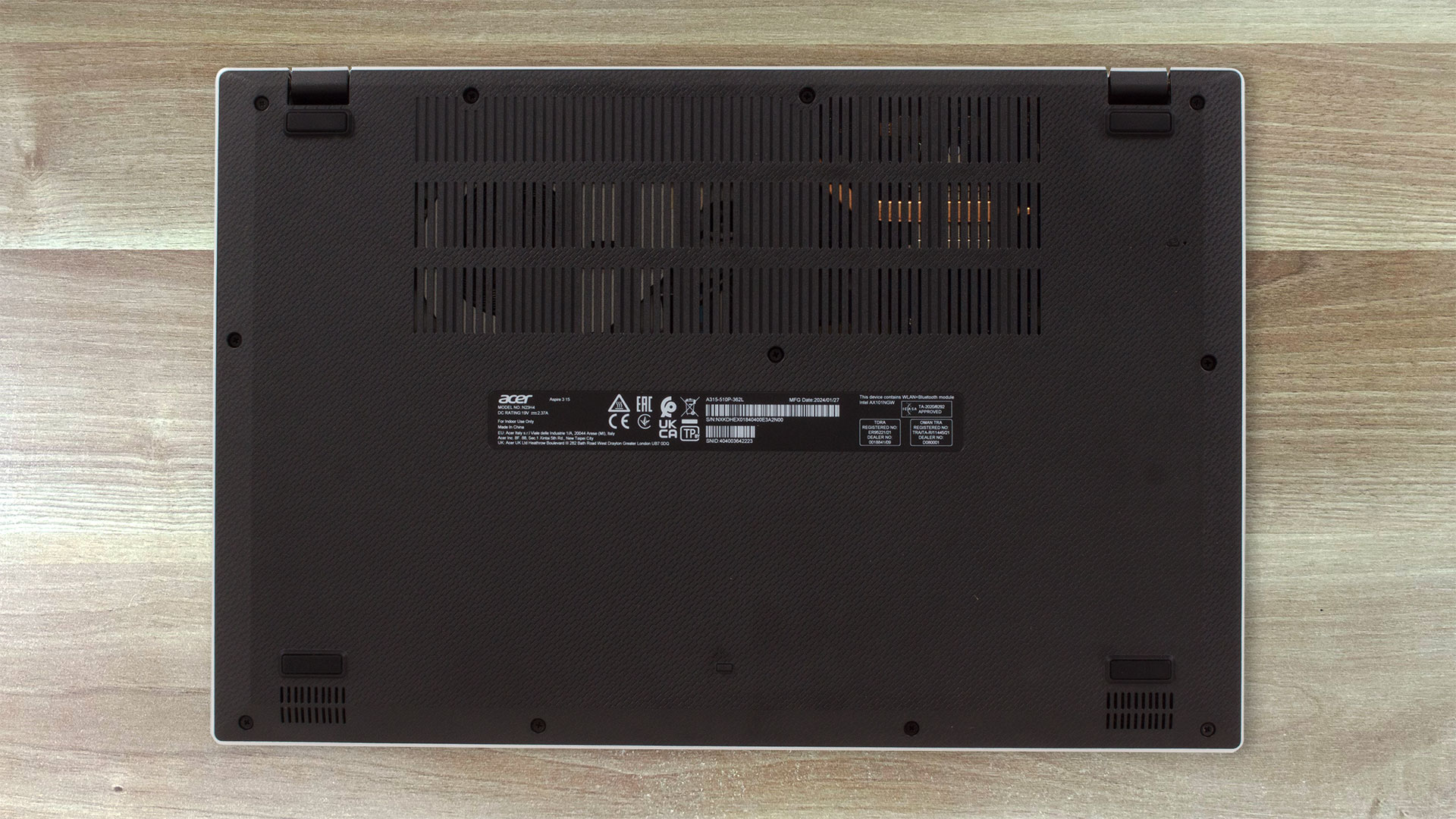
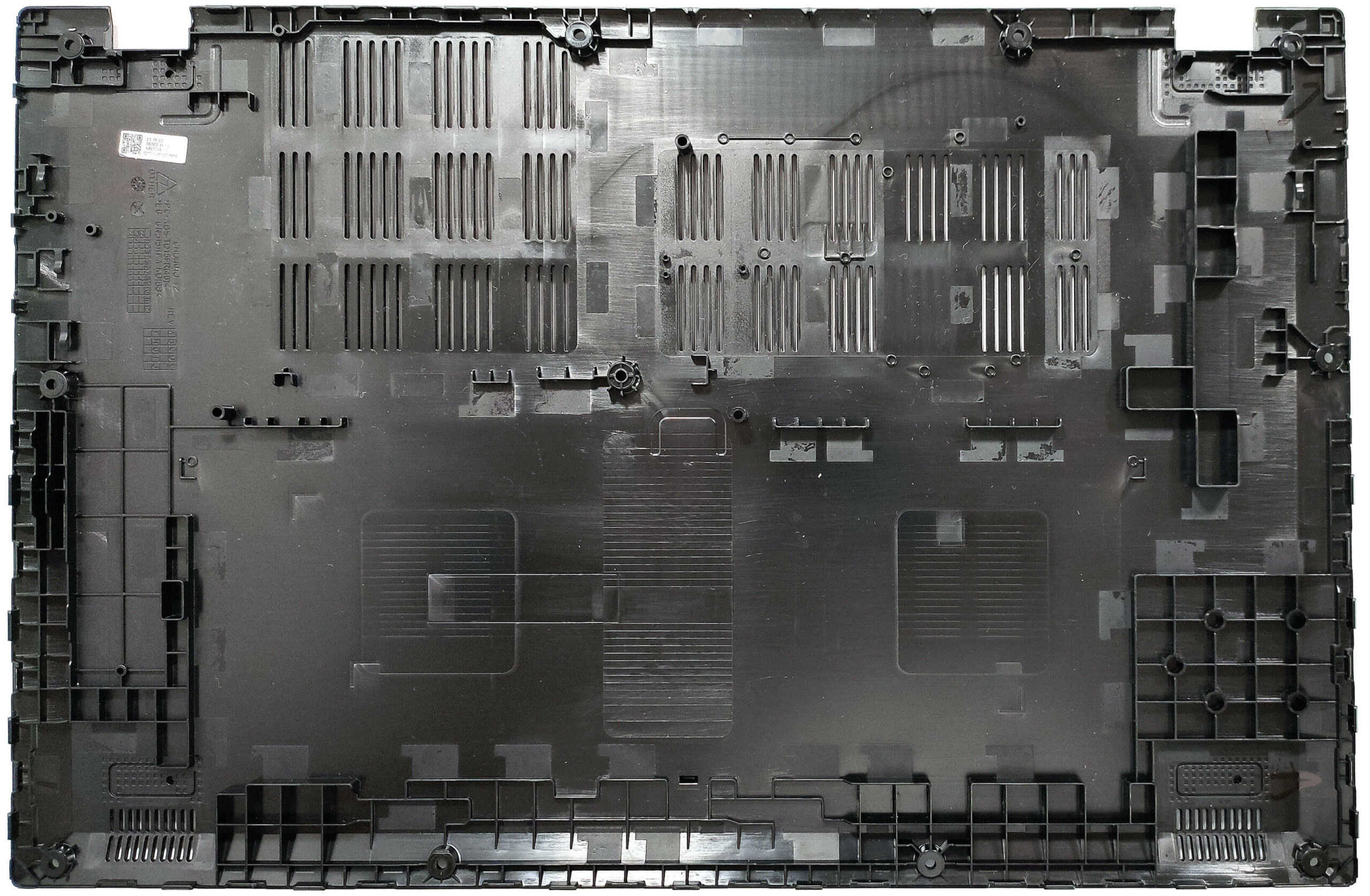
You can have a sneak peek at the thermal system through the big ventilation grill on the bottom plate. The panel also houses four rubber feet, two speaker cutouts, and a battery reset pinhole. The heat is being exhausted via a vent on the rear that points at the lower bezel of the display. Some amount of hot air reaches the panel when the CPU is heavily stressed.
Ports
On the left, we can spot a power connector, a 10 Gbps USB Type-C 3.2 (Gen. 2) port with DisplayPort and charging functionalities (45W DC-in), an HDMI 2.1, and a 5 Gbps USB Type-A 3.2 (Gen. 1) port. On the right, you get a Kensington lock slot, one more 5 Gbps USB Type-A 3.2 (Gen. 1) port, and an Audio combo jack.


Display and Sound Quality, Get our Profiles
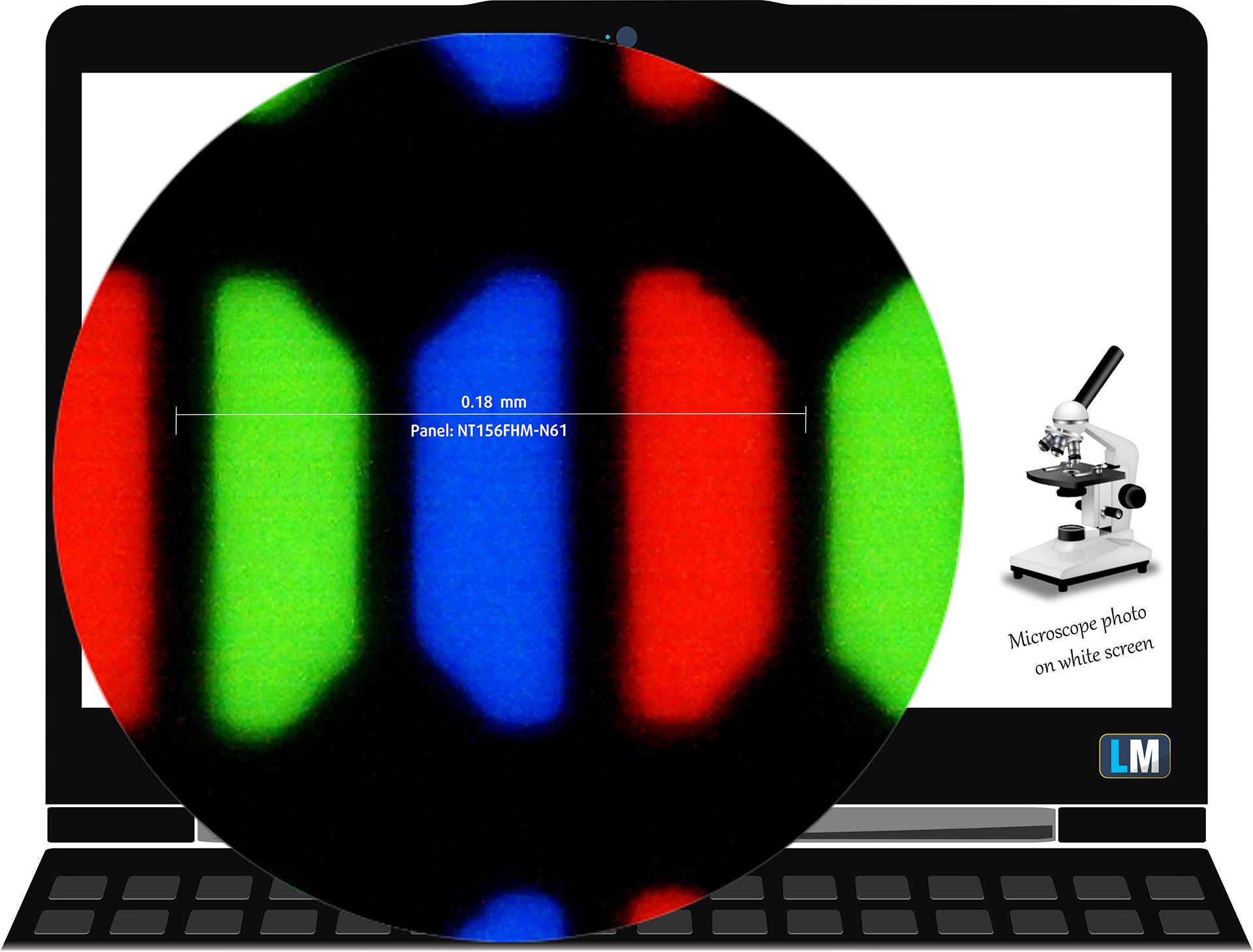
Acer Aspire 3 (A315-510P) is equipped with a Full HD TN panel, model number BOE NT156FHM-N61 (BOE07CB). It comes with a 60Hz refresh rate. Its diagonal is 15.6″ (39.62 cm), and the resolution – 1920 x 1080p. Additionally, the screen ratio is 16:9, the pixel density – 142 ppi, and their pitch – 0.18 x 0.18 mm. The screen can be considered Retina when viewed from at least 60 cm (this is based on the pixel density and the typical viewing distance at which individual pixels cannot be distinguished by the human eye).
Viewing angles are uncomfortable. We offer images at different angles to evaluate the quality.

Also, a video with locked focus and exposure.
The maximum measured brightness is 250 nits (cd/m2) in the middle of the screen and 239 nits (cd/m2) average across the surface with a maximum deviation of 7%. The Correlated Color Temperature on a white screen and at maximum brightness is 7080K.
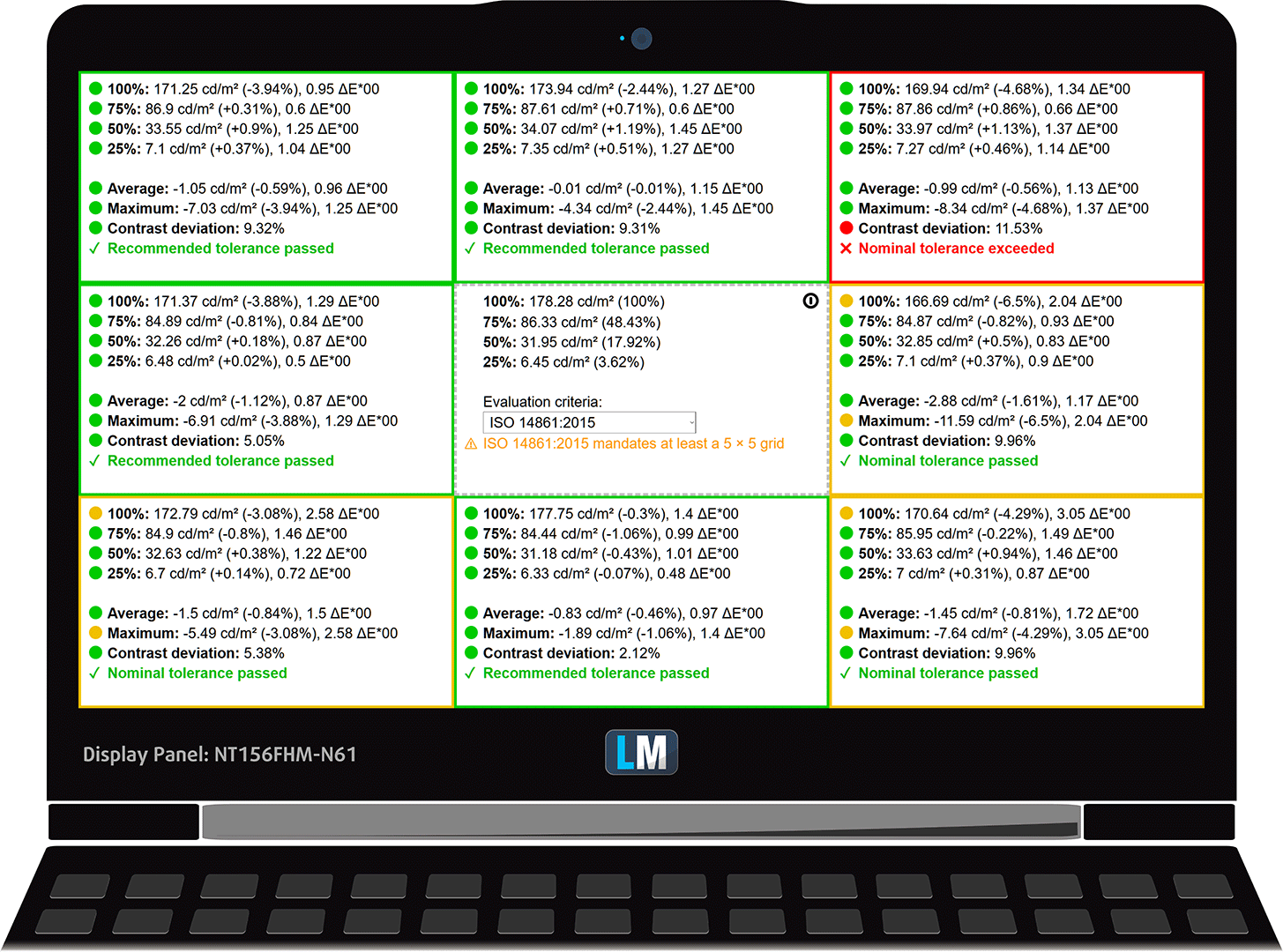
In the illustration below you can see how the display performs from a uniformity perspective. The illustration below shows how matters are for operational brightness levels (approximately 180 nits) – in this particular case at 67% Brightness (White level = 178 cd/m2, Black level = 0.68 cd/m2).
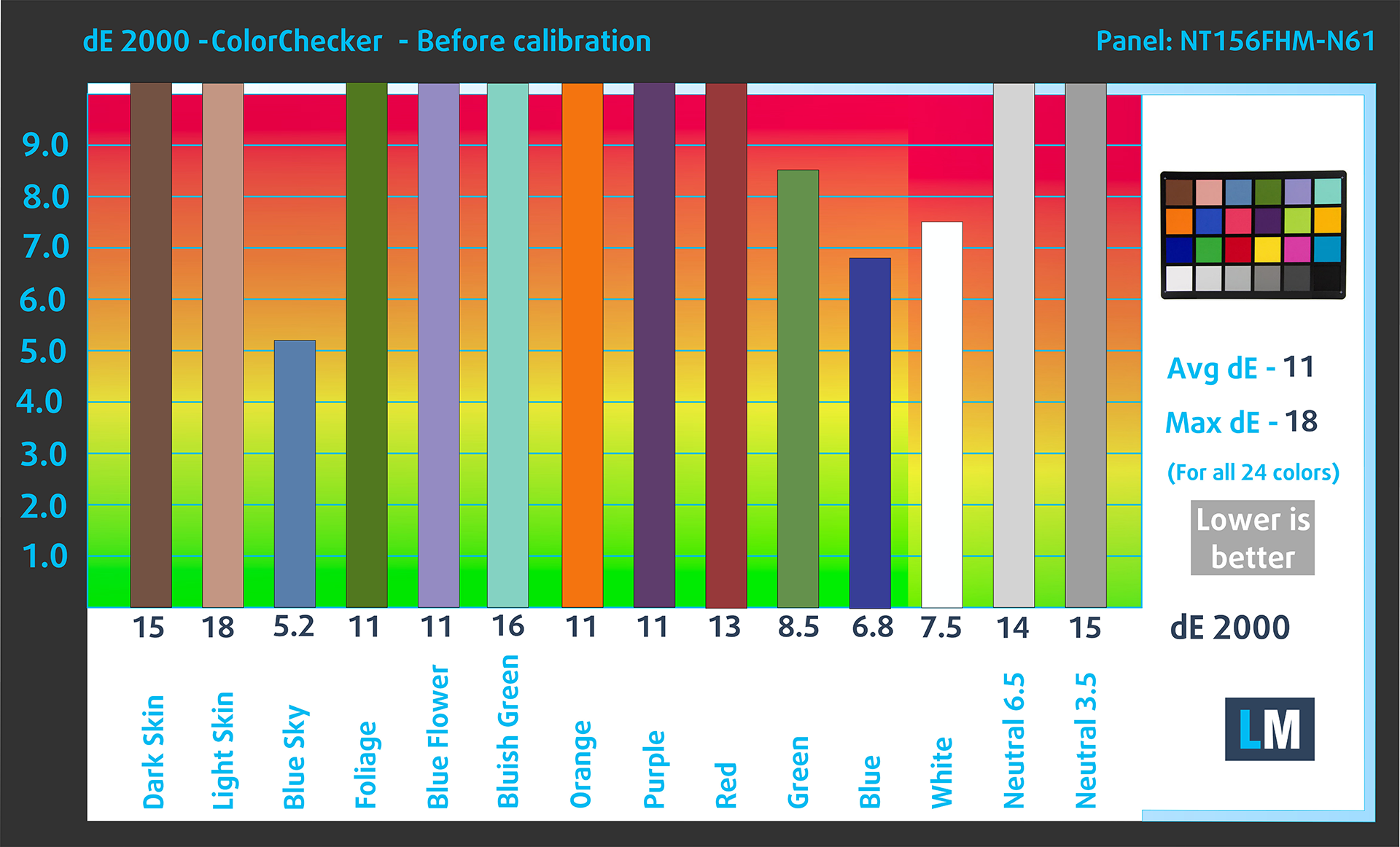
Values of dE2000 over 4.0 should not occur, and this parameter is one of the first you should check if you intend to use the laptop for color-sensitive work (a maximum tolerance of 2.0 ). The contrast ratio is mediocre – 260:1.
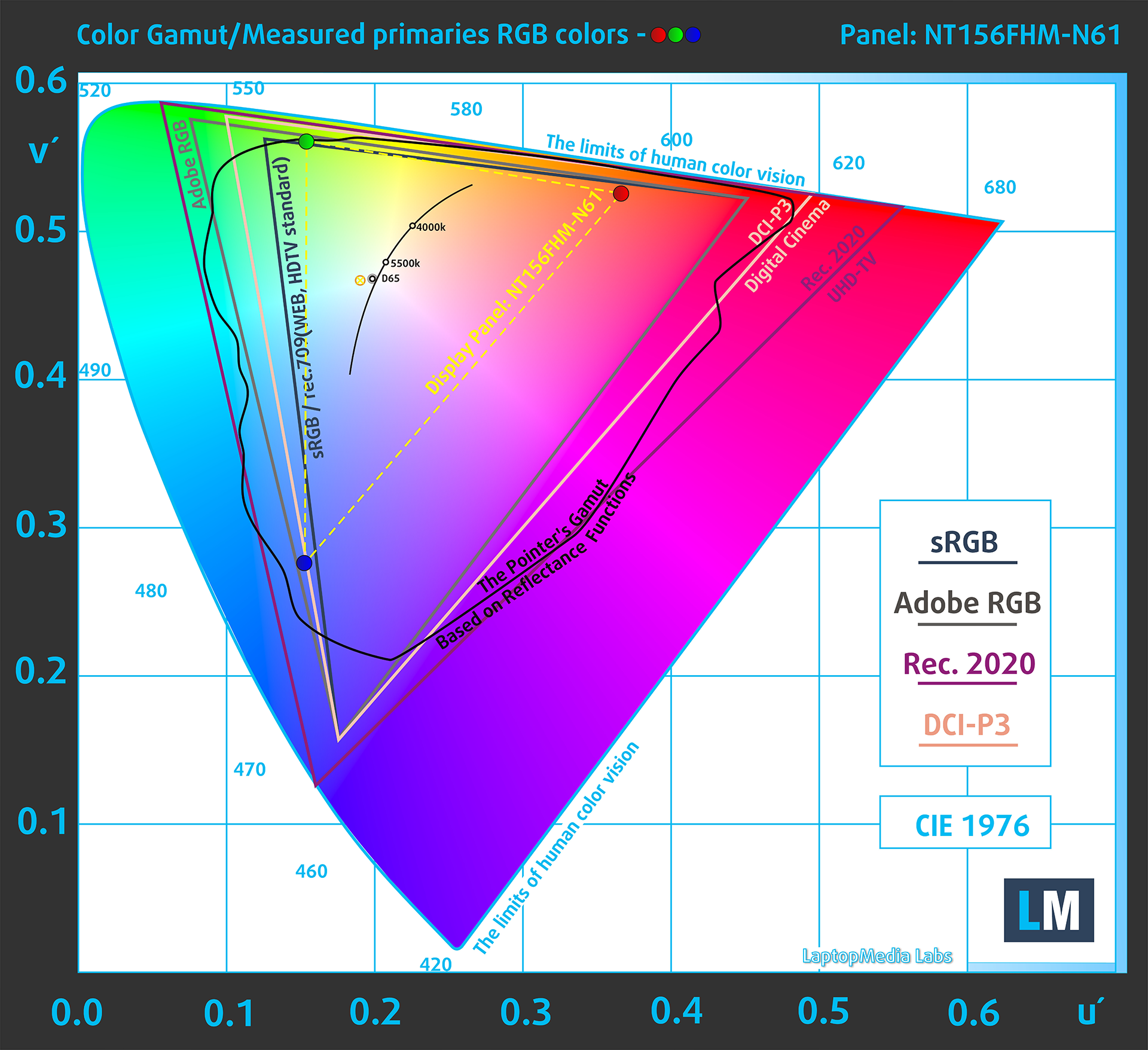
To make sure we are on the same page, we would like to give you a little introduction to the sRGB color gamut and the Adobe RGB. To start, there’s the CIE 1976 Uniform Chromaticity Diagram that represents the visible specter of colors by the human eye, giving you a better perception of the color gamut coverage and the color accuracy.
Inside the black triangle, you will see the standard color gamut (sRGB) that is being used by millions of people on HDTV and on the web. As for the Adobe RGB, this is used in professional cameras, monitors, etc for printing. Basically, colors inside the black triangle are used by everyone and this is the essential part of the color quality and color accuracy of a mainstream notebook.
Still, we’ve included other color spaces like the famous DCI-P3 standard used by movie studios, as well as the digital UHD Rec.2020 standard. Rec.2020, however, is still a thing of the future and it’s difficult for today’s displays to cover that well. We’ve also included the so-called Michael Pointer gamut, or Pointer’s gamut, which represents the colors that naturally occur around us every day.
The yellow dotted line shows Acer Aspire 3 (A315-510P)’s color gamut coverage.
Its display covers 49% of the sRGB/ITU-R BT.709 (web/HDTV standard) in CIE1976 and 37% of DCI-P3.
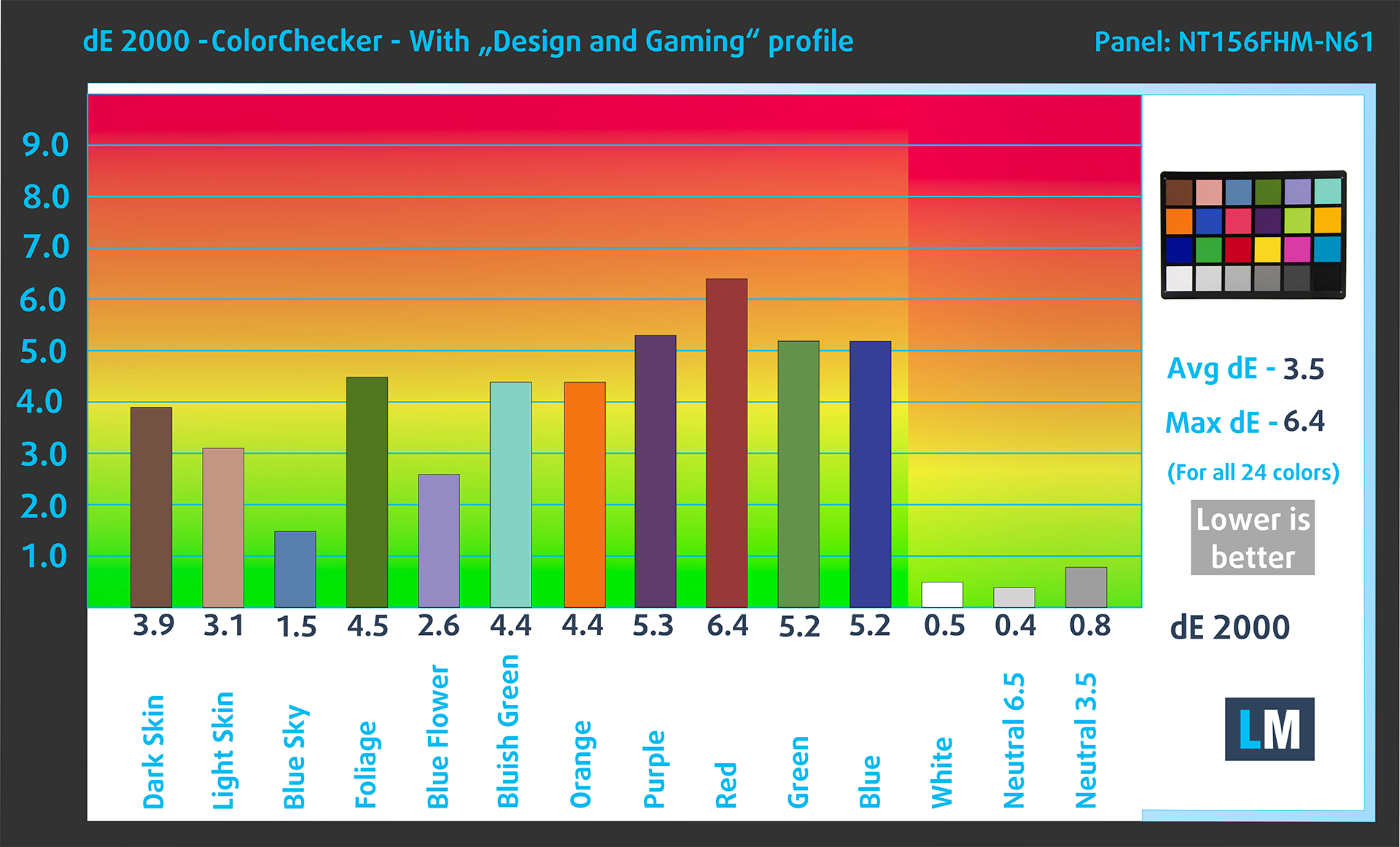
Our “Design and Gaming” profile delivers optimal color temperature at 180 cd/m2 luminance (Illuminant white point – D65), sRGB encoding curve.
We tested the accuracy of the display with 24 commonly used colors like light and dark human skin, blue sky, green grass, orange, etc. You can check out the results at factory condition and also, with the “Design and Gaming” profile.
Below you can compare the scores of the Acer Aspire 3 (A315-510P) with the default settings (left), and with the “Gaming and Web design” profile (right).
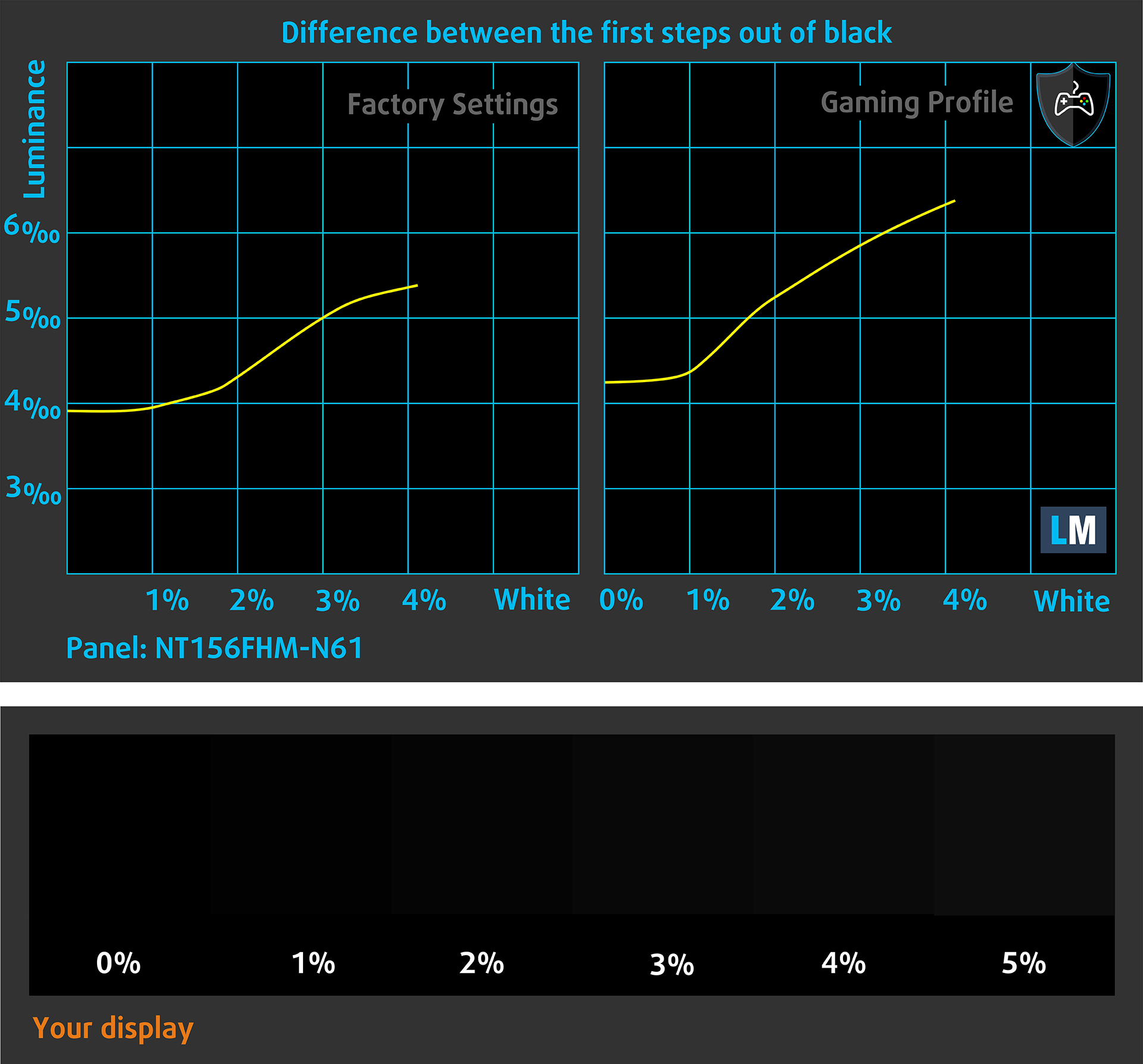
The next figure shows how well the display is able to reproduce really dark parts of an image, which is essential when watching movies or playing games in low ambient light.
The left side of the image represents the display with stock settings, while the right one is enhanced with the “Gaming and Web Design” profile activated. On the horizontal axis, you will find the grayscale, and on the vertical axis – the luminance of the display. On the two graphs below you can easily check for yourself how your display handles the darkest nuances but keep in mind that this also depends on the settings of your current display, the calibration, the viewing angle, and the surrounding light conditions.
Response time (Gaming capabilities)
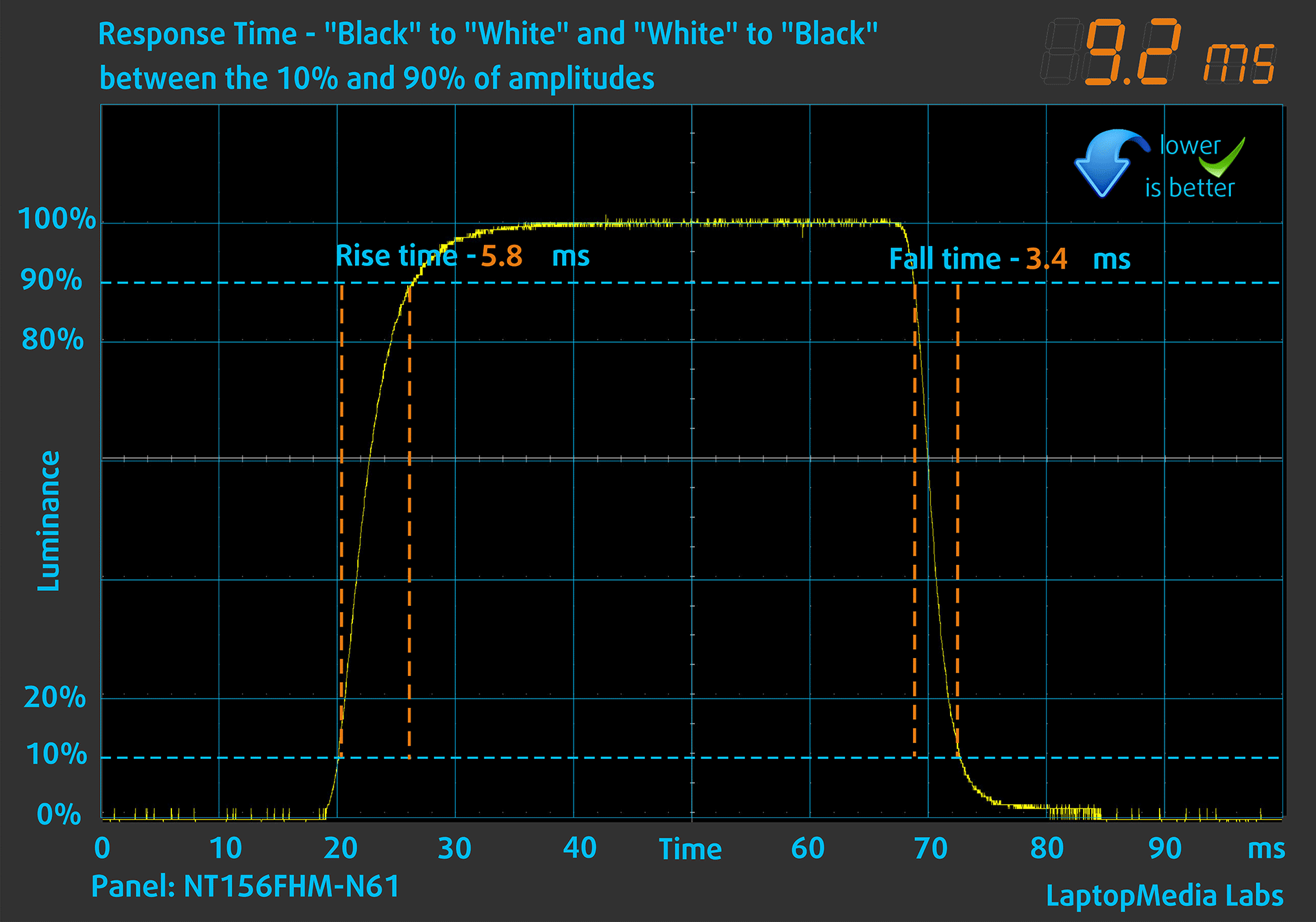
We test the reaction time of the pixels with the usual “black-to-white” and “white-to-black” method from 10% to 90% and vice versa (these terms refer to the time it takes for pixels to change from one color to another (black to white and back to black in this case), a shorter time reduces picture blur with fast moving images).
We recorded Fall Time + Rise Time = 9 ms. Short pixel response time is a prerequisite for a smooth picture in dynamic scenes. Gamers should be happy.
Health Impact: PWM (Screen flickering)
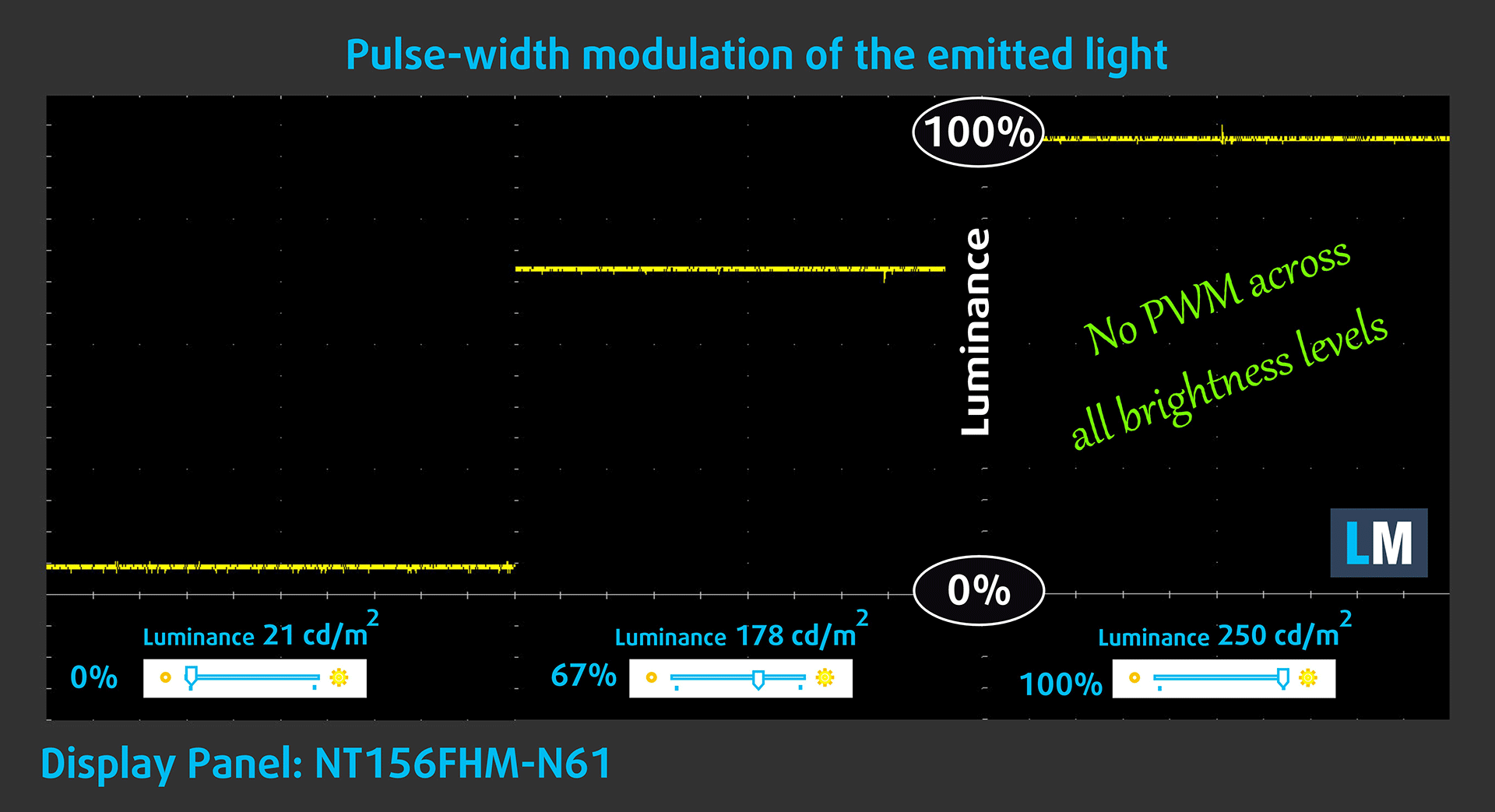
Pulse-width modulation (PWM) is an easy way to control monitor brightness. When you lower the brightness, the light intensity of the backlight is not lowered, but instead turned off and on by the electronics with a frequency indistinguishable to the human eye. In these light impulses, the light/no-light time ratio varies, while brightness remains unchanged, which is harmful to your eyes. You can read more about that in our dedicated article on PWM.
Acer Aspire 3 (A315-510P)’s display doesn’t flicker at any brightness level. This makes the screen pretty comfortable for long periods of use.
Health Impact: Blue light emissions
Installing our Health-Guard profile reduces harmful Blue Light emissions while keeping the colors of the screen perceptually accurate. If you’re not familiar with the Blue light, the TL;DR version is – emissions that negatively affect your eyes, skin, and your whole body. You can find more information about that in our dedicated article on Blue Light.
Health Impact: Screen Reflectance
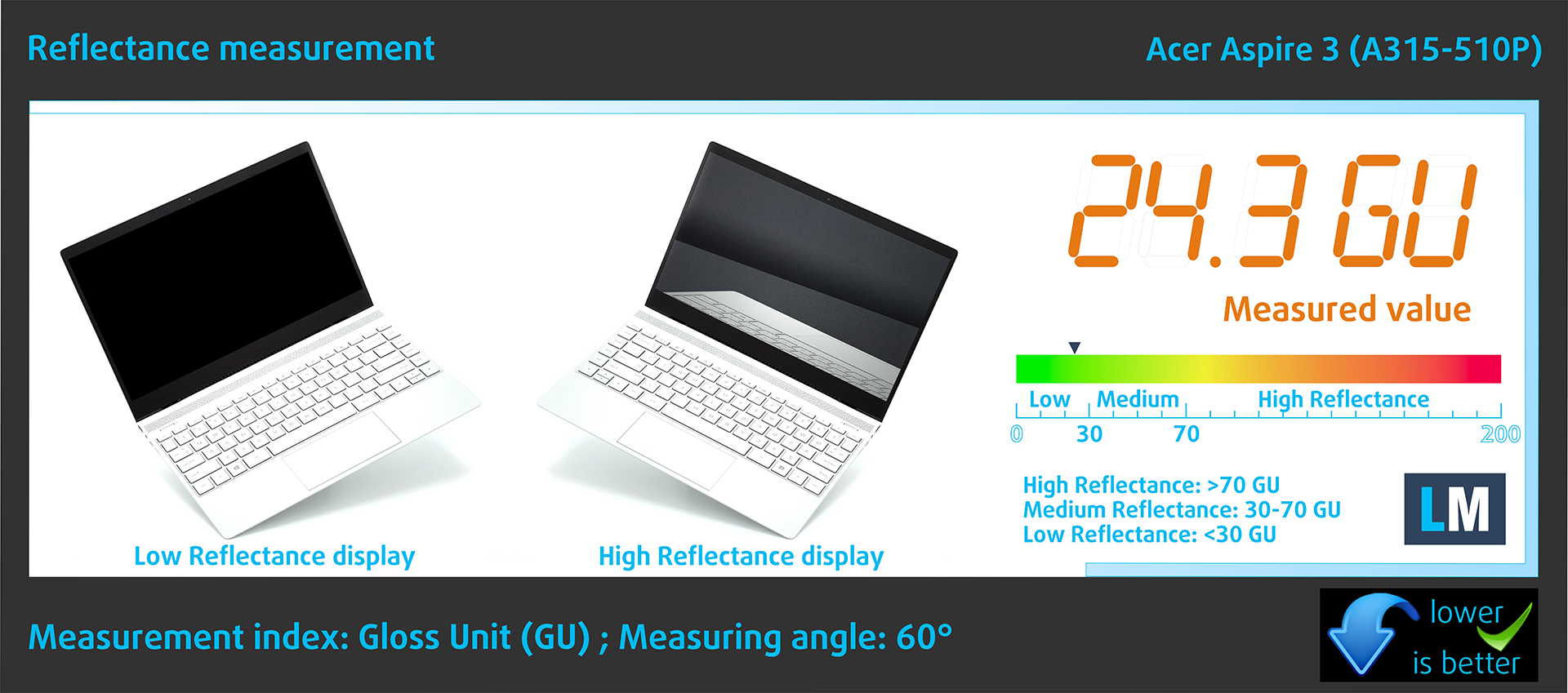
Glossy-coated displays can be inconvenient in high ambient light conditions due to reflections. We measure the screen reflection level for each laptop when the display is turned off and the measurement angle is set at 60°.
The reflectance of the Aspire’s screen is 24.3 GU.
High Gloss: >70 GU
Medium Gloss: 30 – 70 GU
Low Gloss: <30 GU
Sound
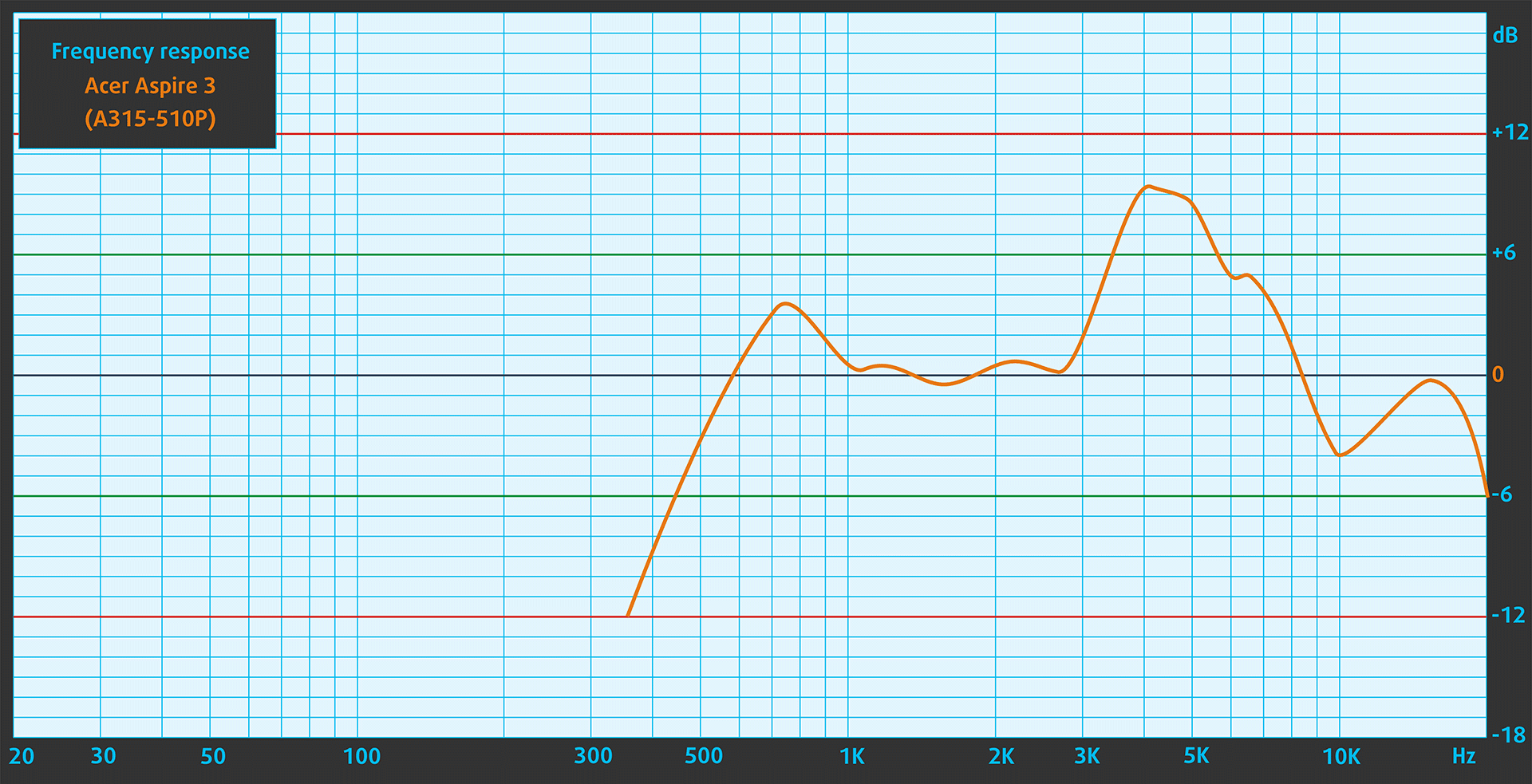
Acer Aspire 3 (A315-510P)’s speakers produce a sound of relatively good quality. However, the low, mid, and high tones all have some slight deviations from clarity.
Buy our profiles
Since our profiles are tailored for each individual display model, this article and its respective profile package are meant for Acer Aspire 3 (A315-510P) configurations with 15.6″ BOE NT156FHM-N61 (BOE07CB) (1920 x 1080) TN.
*Should you have problems with downloading the purchased file, try using a different browser to open the link you’ll receive via e-mail. If the download target is a .php file instead of an archive, change the file extension to .zip or contact us at [email protected].
Read more about the profiles HERE.
A hatékony és egészségbarát profilok mellett a LaptopMedia termékeinek megvásárlásával laboratóriumaink fejlesztését is támogatja, ahol eszközöket tesztelünk a lehető legobjektívebb értékelések elkészítése érdekében.

Irodai Munka
Az Irodai Munka profilt elsősorban azoknak a felhasználóknak ajánljuk, akik idejük nagy részét szövegek, táblázatok nézegetésével vagy böngészéssel töltik. Ez a profil jobb megkülönböztethetőséget és tisztaságot biztosít egyenletes gamma-görbe (2.20), natív színhőmérséklet és érzékelhetően pontos színek mellett.

Dizájn és Játék
Ez a profil a színekkel hivatásszerűen dolgozó tervezőknek, valamint játékokhoz és filmekhez készült. A Dizájn és Játék a kijelzőpaneleket a határaikra juttatja, a lehető legpontosabbá téve őket az sRGB IEC61966-2-1 szabvány szerint a webre és a HDTV-re, D65 fehérpont mellett.

Health-Guard
A Health-Guard kiküszöböli a káros impulzusszélesség-modulációt (PWM) és csökkenti a negatív kék fényt, amely hatással van a szemünkre és a testünkre. Mivel minden panelhez egyedileg van szabva, a színeket érzékelhetően pontosan tartja. A Health-Guard a papírt szimulálja, így a szemre nehezedő nyomás jelentősen csökken.
Szerezze meg mind a 3 profilt 33% kedvezménnyel

Performance: CPU, GPU, Storage
All benchmarks and tests were conducted with the “Best performance” preset applied in the Windows “Power & Battery” menu.

CPU options
This device is offered with Intel Processor N100, Intel Processor N200, or Core i3-N305.
Our notebook has an N305 CPU.
Az egymagos teljesítmény biztosítja a zökkenőmentes működést és a reszponzivitást az operációs rendszerekben, jobb felhasználói élményt nyújtva.
Az eredmények a Geekbench 6 Single-Core tesztből származnak (a magasabb érték a jobb).

A többmagos teljesítmény elengedhetetlen az összetett és erőforrás-igényes feladatokhoz, mint a videószerkesztés, CAD és tudományos szimulációk.
Az eredmények a Geekbench 6 Multi-Core tesztből származnak (a magasabb érték a jobb).
Itt a CPU teljesítményét értékeljük egy valós 3D renderelési feladattal, felmérve, hogy képes-e hatékonyan kezelni az összetett számítási és renderelési terheléseket.
Az eredmények a Cinebench 2024 Multi-Core tesztből származnak (a magasabb érték a jobb).
GPU options
There are no dGPU options for this Acer series.
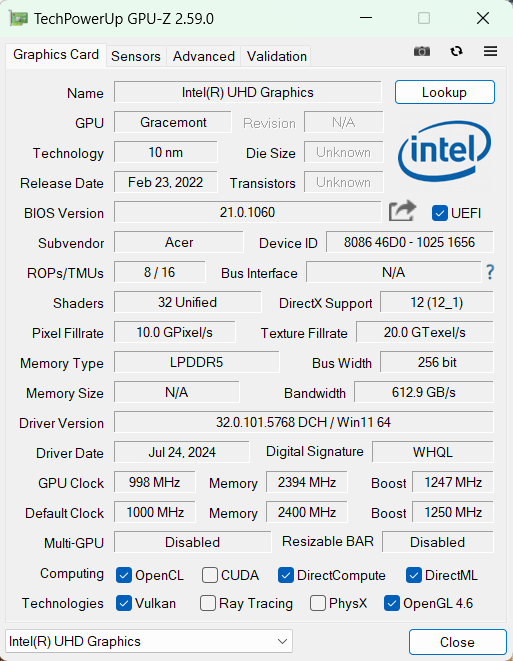
The machine that we bought relies on an Intel UHD Graphics Xe 750 (32EU) for graphics tasks.
Az eredmények a 3DMark Time Spy (Graphics) tesztből származnak. A magasabb érték a jobb.
Az eredmények a 3DMark Wild Life Extreme Unlimited tesztből származnak. A magasabb érték a jobb.
Gaming tests

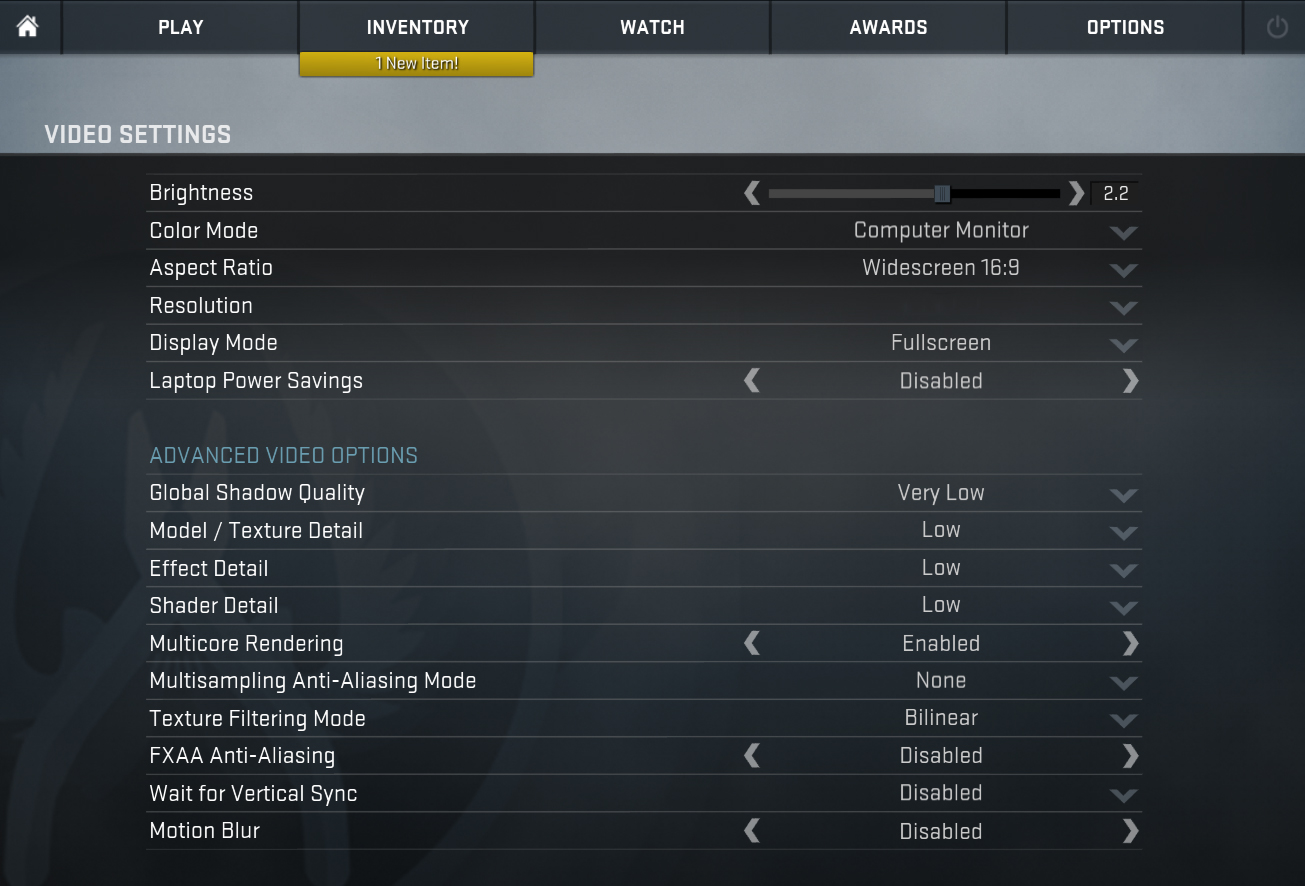
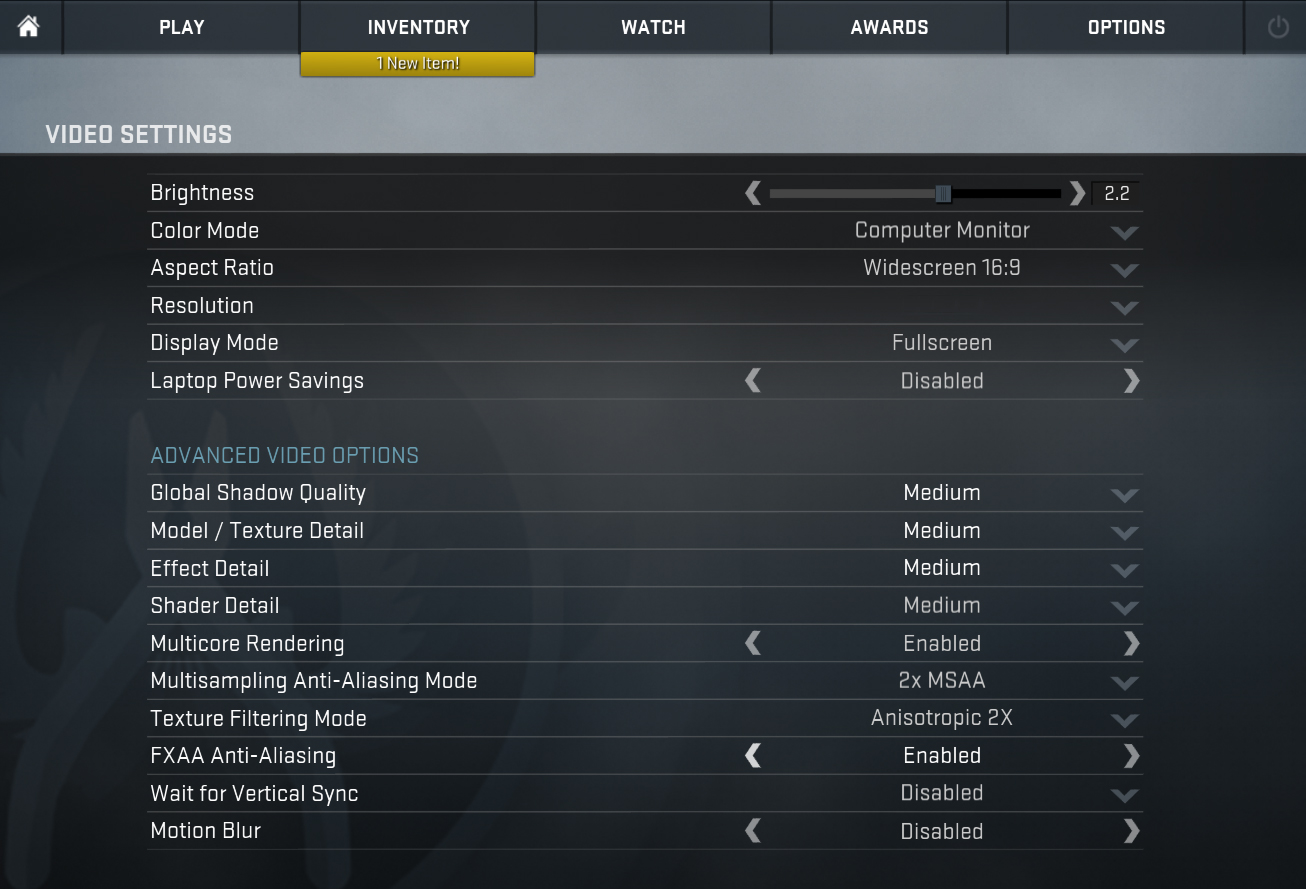
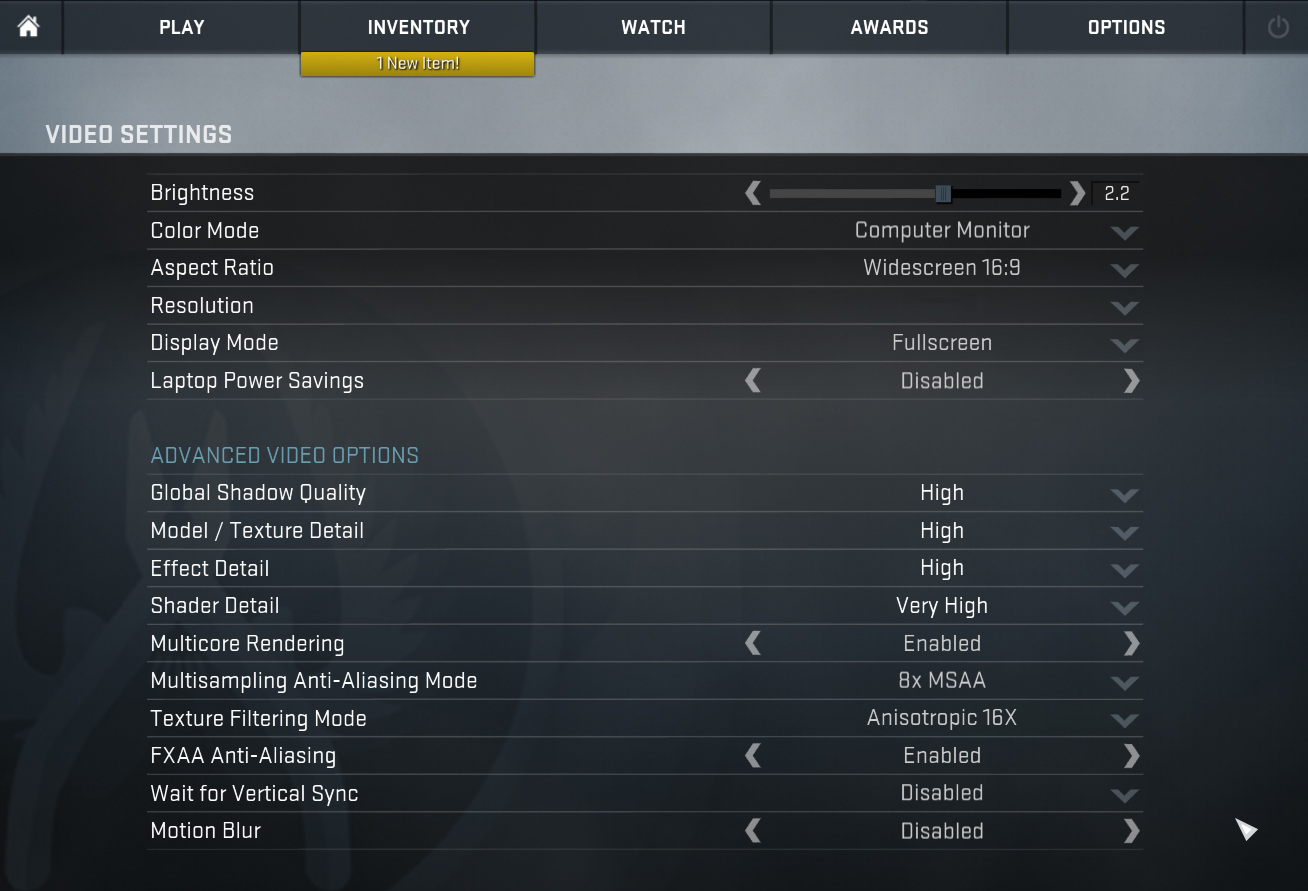
| CS:GO | HD 1080p, Low (Check settings) | HD 1080p, Medium (Check settings) | HD 1080p, MAX (Check settings) |
|---|---|---|---|
| Average FPS | 104 fps | 59 fps | 34 fps |

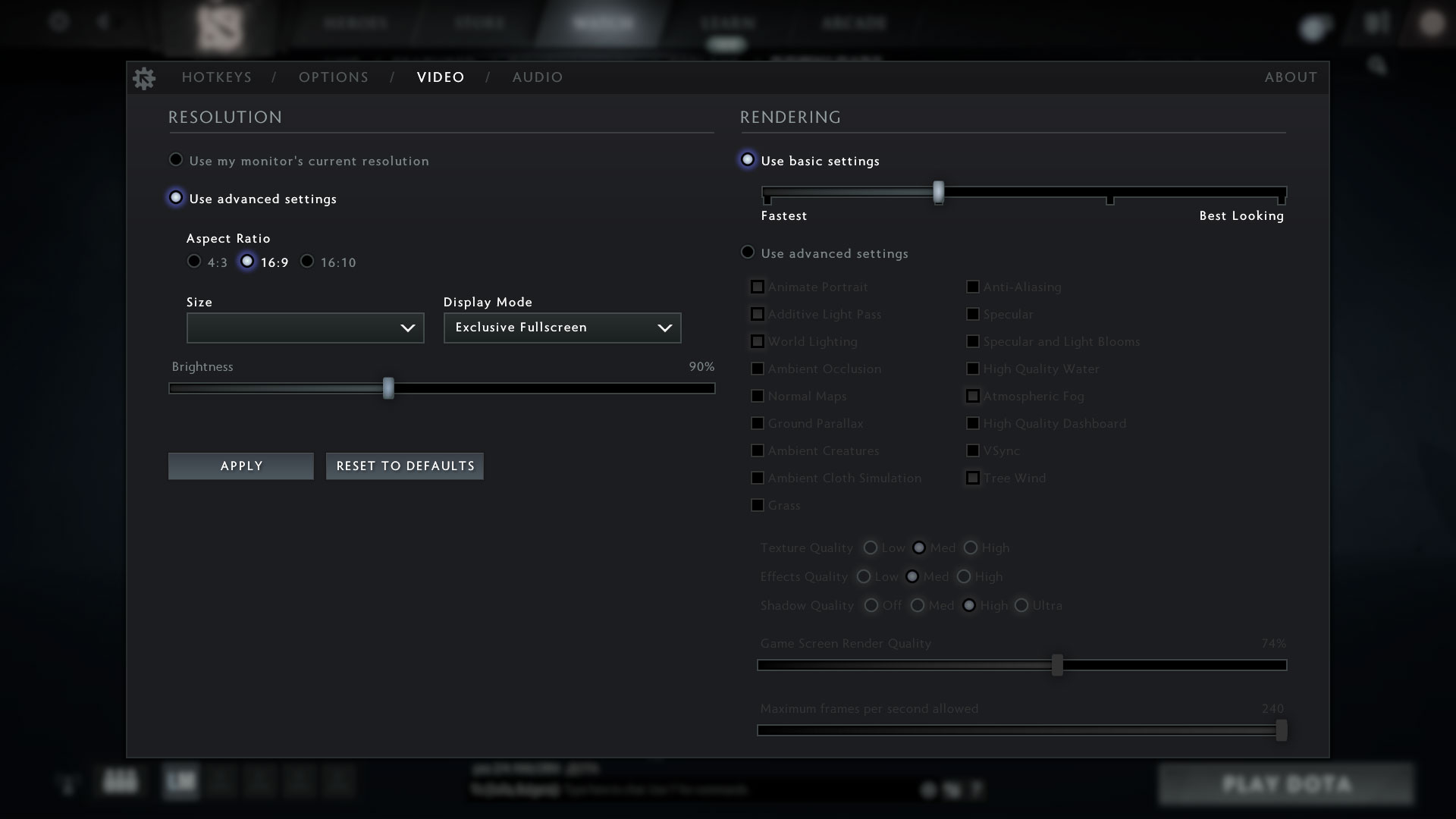
| DOTA 2 | HD 1080p, Low (Check settings) | HD 1080p, Normal (Check settings) | HD 1080p, High (Check settings) |
|---|---|---|---|
| Average FPS | 71 fps | 43 fps | 30 fps |
Storage performance
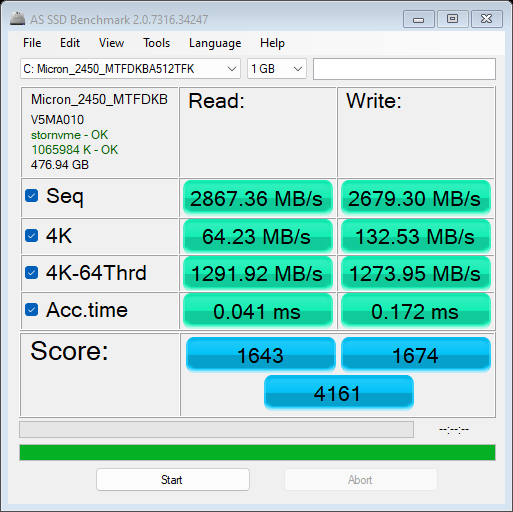
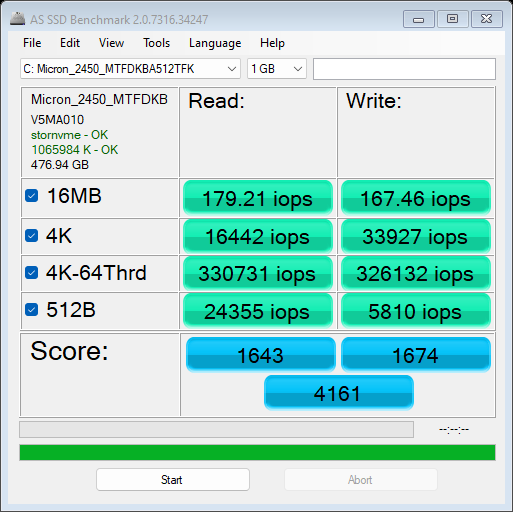
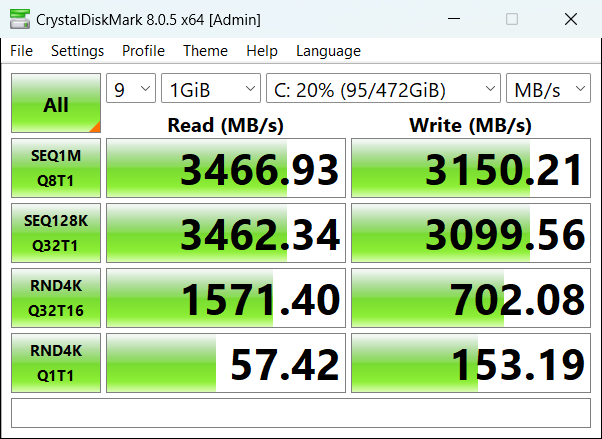
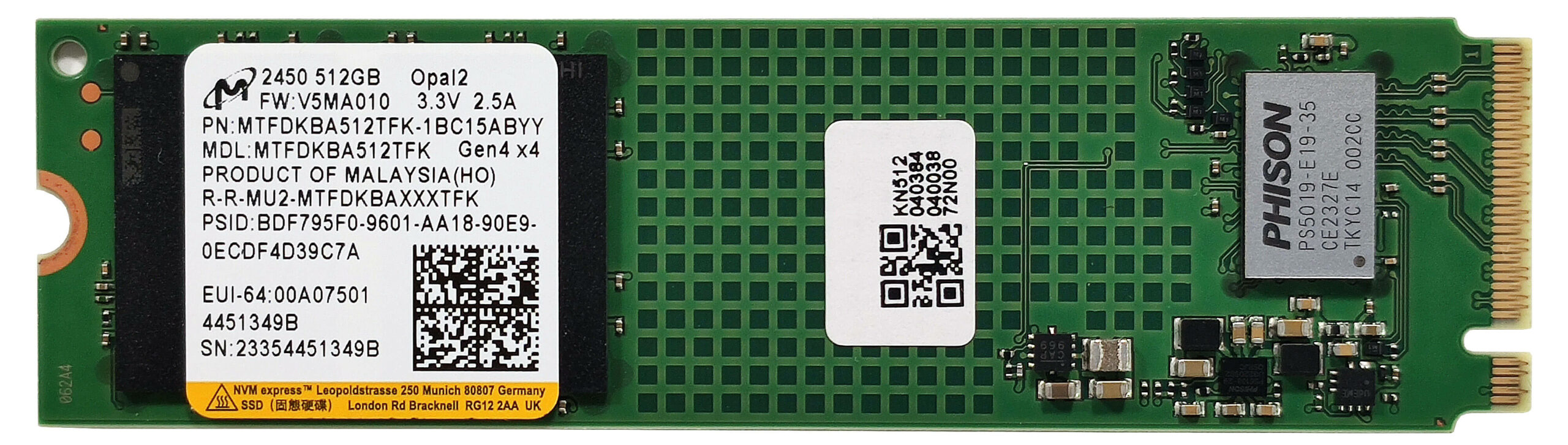
Our notebook has a 512GB Micron 2450 MTFDKBA512TFK.
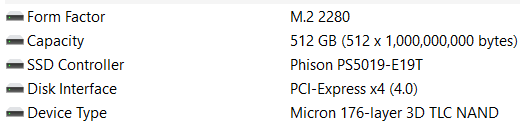
The speeds of this NVMe with TLC memory are okay for the class. The SSD also doesn’t get too toasty during benchmarking and it reaches 68°C.

[eBook Guide + Tools] How to MAX OUT Your Laptop
You can make your laptop Faster. LaptopMedia has tested thousands of models in the last 15 years, and we have yet to see a notebook that couldn't be made more powerful through modifications.
That's why we decided to bundle everything we know about how to achieve this in an Easy-to-Follow, Step-by-Step, and Laboratory-Tested, all in one project.
Read more about it here:
[eBook Guide + Tools] How to MAX OUT Your Laptop

🛠️ GPU Modifications: vBIOS, Overclocking, Undervolting
⚙️ Building Fast/Reliable RAID configuration
💻 Hardware upgrade tips for best results
🖼 Display enhancing
💾 OS Optimization for best performance
Temperatures and comfort, Battery Life
Max CPU load
In this test we use 100% on the CPU cores, monitoring their frequencies and chip temperature. The first column shows a computer’s reaction to a short load (2-10 seconds), the second column simulates a serious task (between 15 and 30 seconds), and the third column is a good indicator of how good the laptop is for long loads such as video rendering.
Average E-core frequency; CPU temp.; Package Power
| Intel Core i3-N305 (15W TDP) | 0:02 – 0:10 sec | 0:15 – 0:30 sec | 10:00 – 15:00 min |
|---|---|---|---|
| Acer Aspire 3 (A315-510P) | 2.98 GHz @ 63°C @ 28W | 2.14 GHz @ 57°C @ 15W | 2.11 GHz @ 54°C @ 15W |
| Acer Aspire 3 (A317-55P) | 2.97 GHz @ 70°C @ 32W | 1.95 GHz @ 62°C @ 15W | 1.92 GHz @ 51°C @ 15W |
Interestingly, despite its smaller chassis and the same cooling, the Core i3-N305 inside the Acer Aspire 3 (A315-510P) can sustain ~200 MHz higher clocks in medium and long loads compared to the A317-55P sibling with the same CPU. That’s why the 3D rendering benchmark results of 15-incher are slightly higher than the bigger iteration.
Gaming comfort
When the CPU is loaded at max in “Best performance”, the noise is average and slightly higher compared to the similar Aspire 3 (A317-55P).
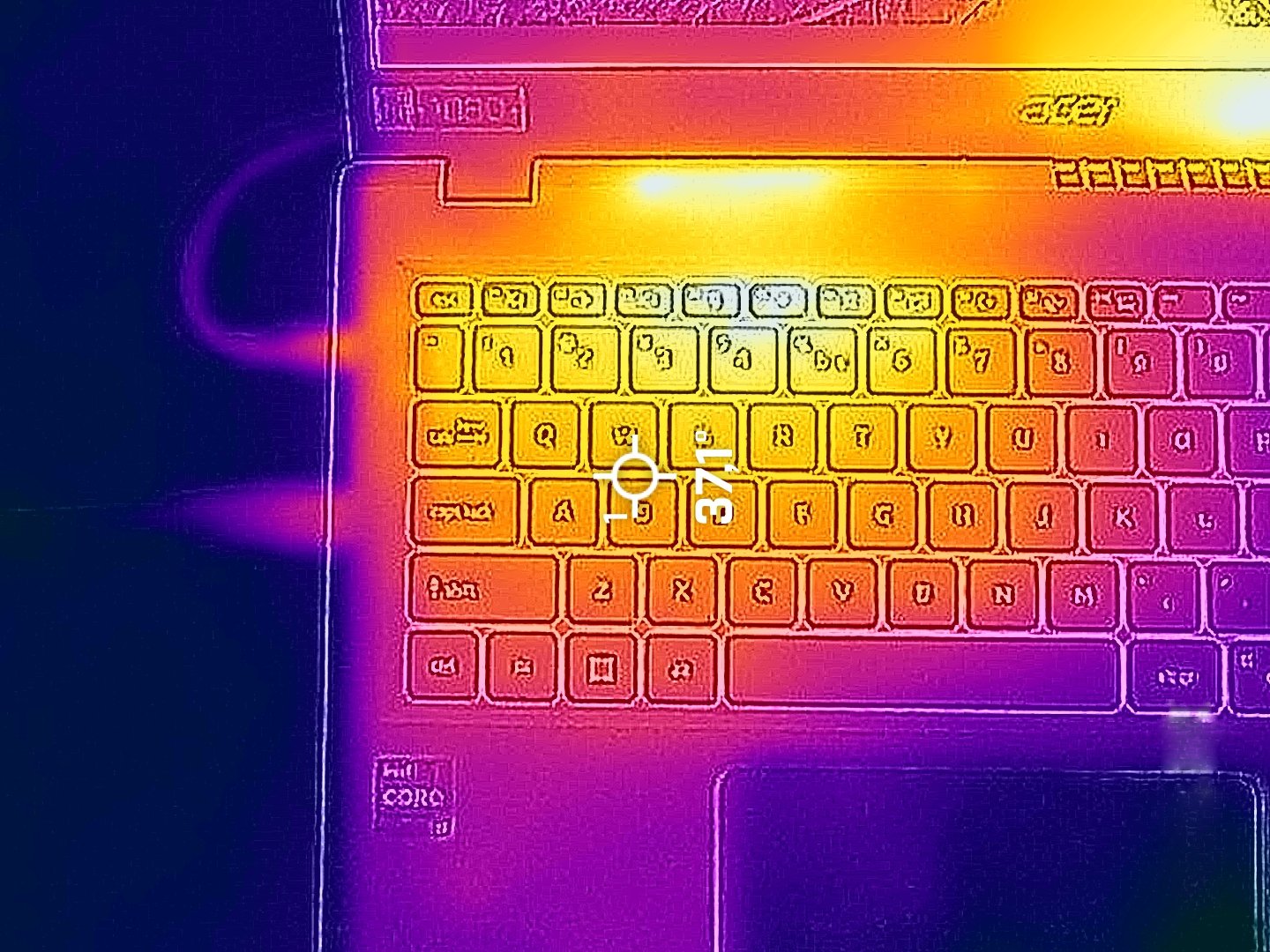
In this scenario, the temperatures of the WASD section and the hotspot on the keyboard are below 40°C and that’s great for comfort.
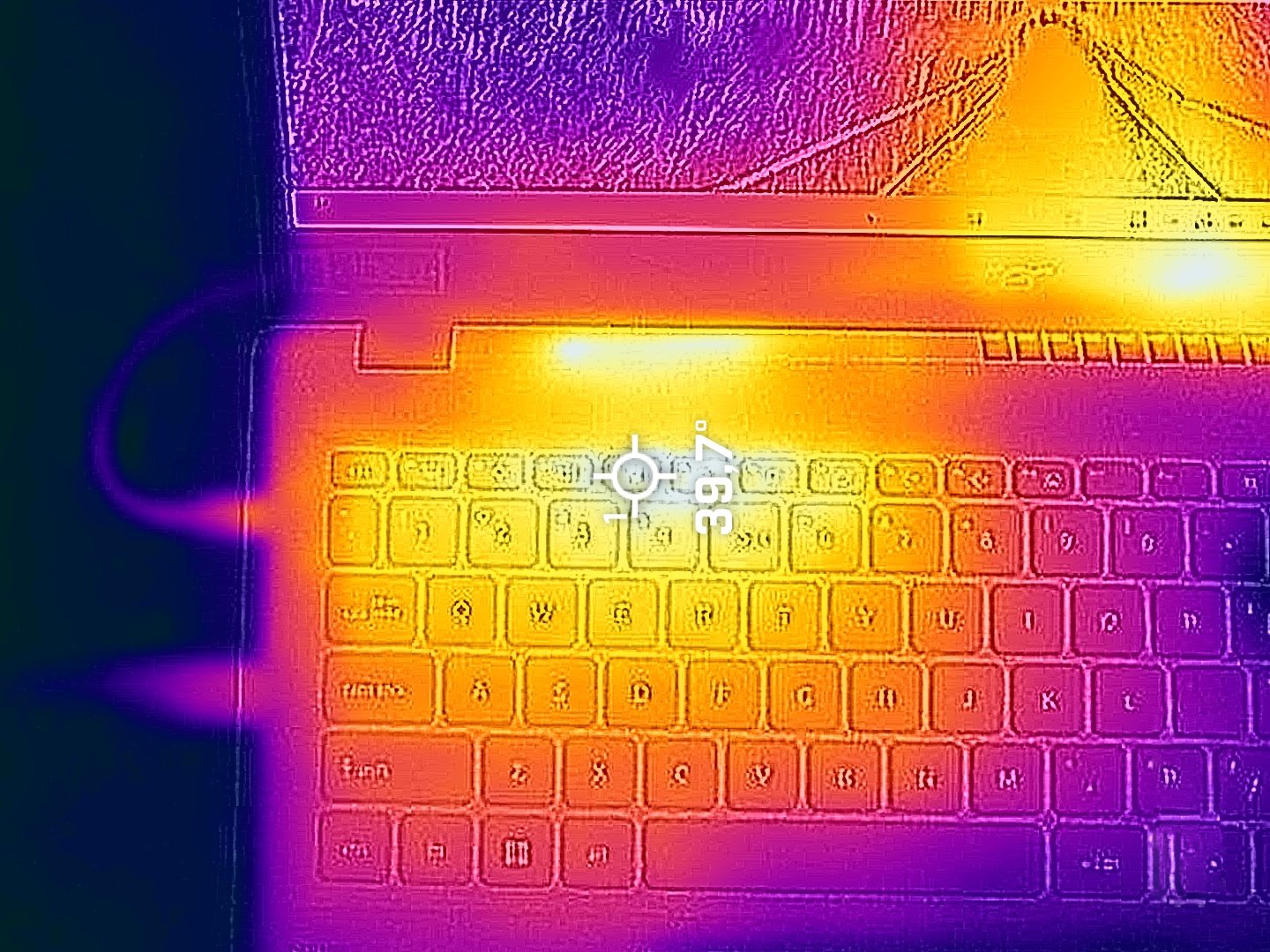
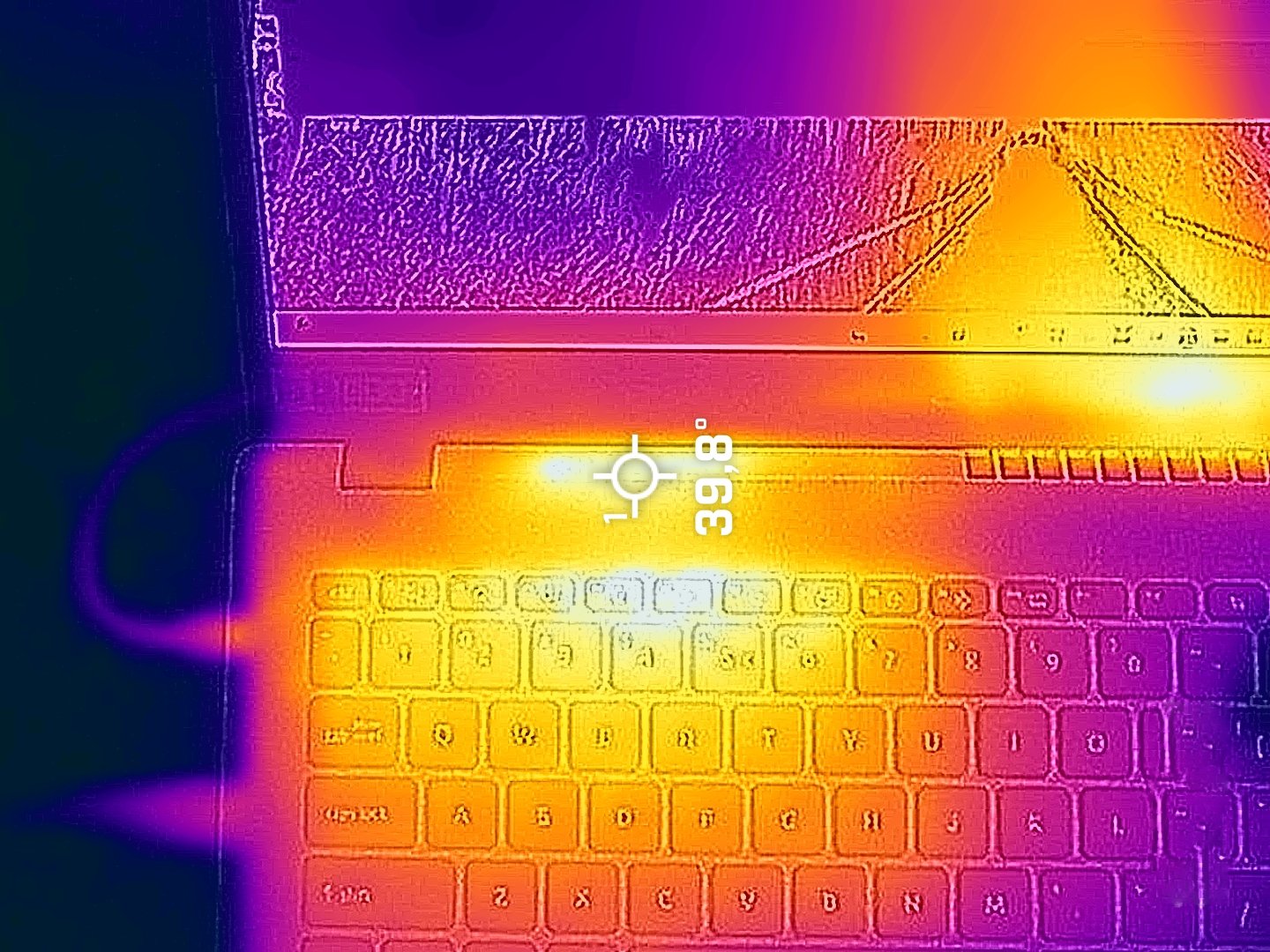
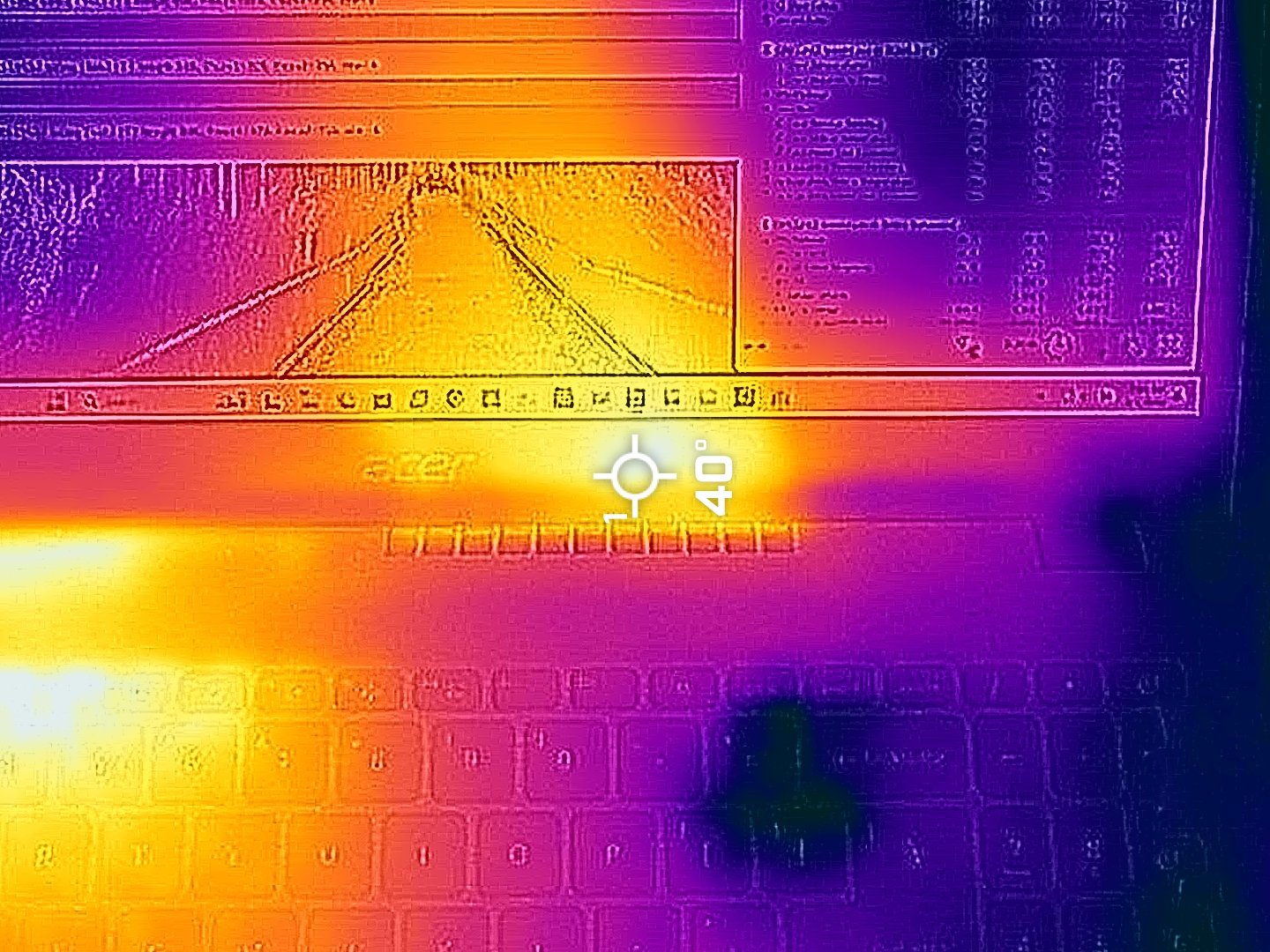
Battery
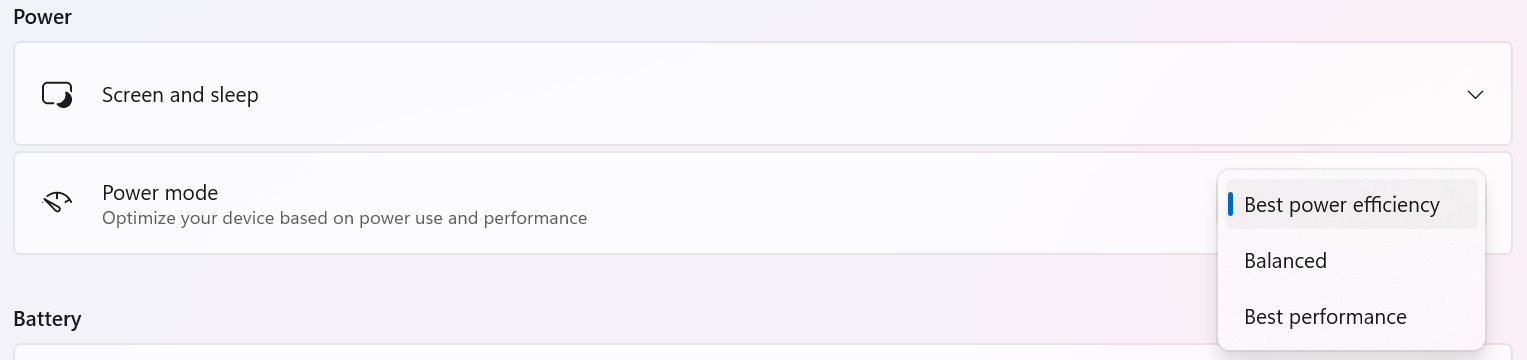
Now, we conduct the battery tests with the Windows Best Power Efficiency setting turned on, screen brightness adjusted to 180 nits and all other programs turned off except for the one we are testing the notebook with. This laptop’s 50Wh battery lasts for around 8 hours of video playback. To achieve that, you have to apply the “Best Power Efficiency” preset in the Windows “Power & Battery” menu.
Fényerő: 180 nit; Megjelenítési mód: SDR
Teljes lemerülési idő: A magasabb érték a jobb

Disassembly, Upgrade options, and Maintenance
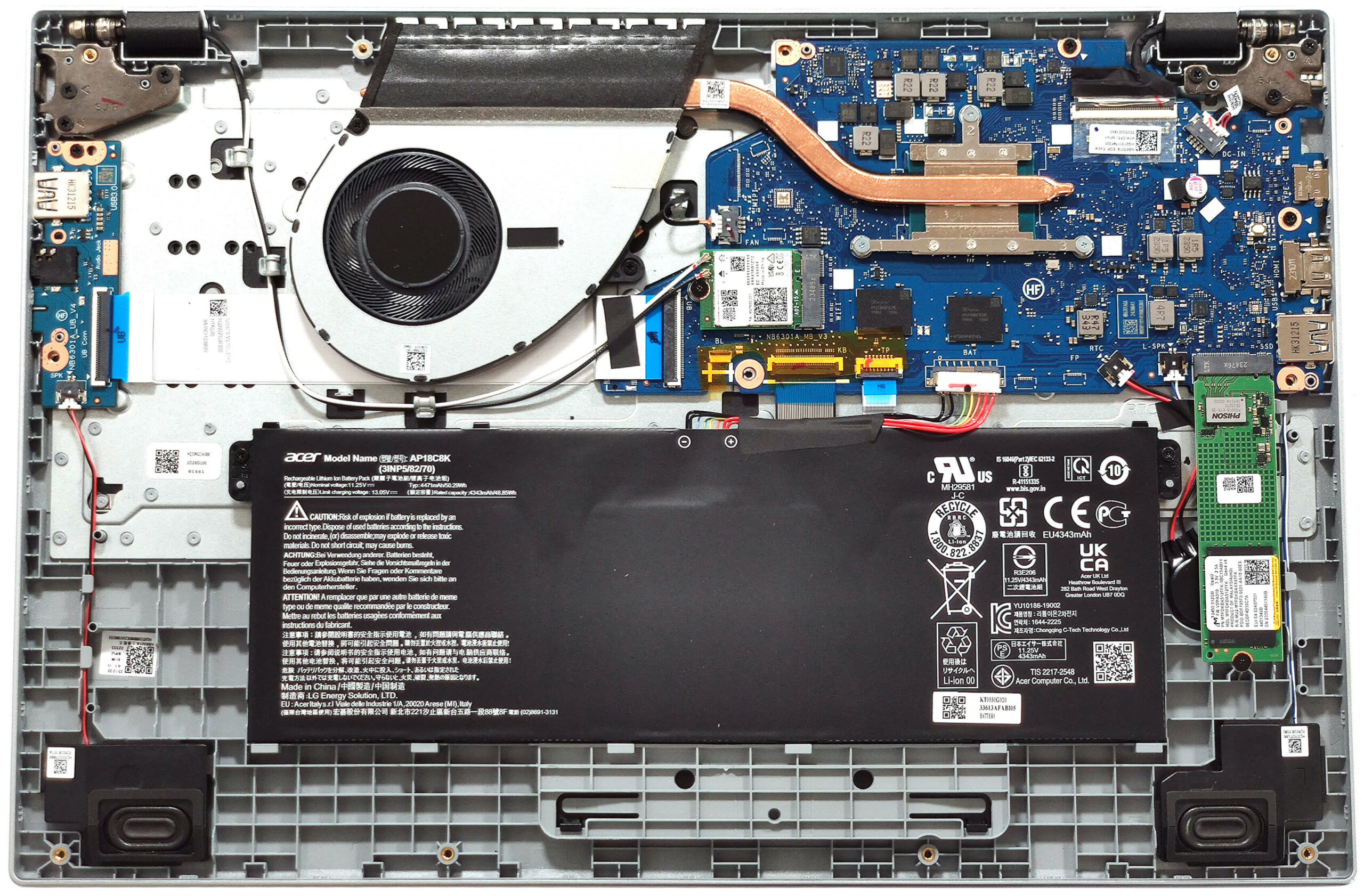
To see the internals, you have to undo 11 Philips-head screws. Lift the top two edges with a thin plastic tool. After that, pop the back, the sides, and the front.
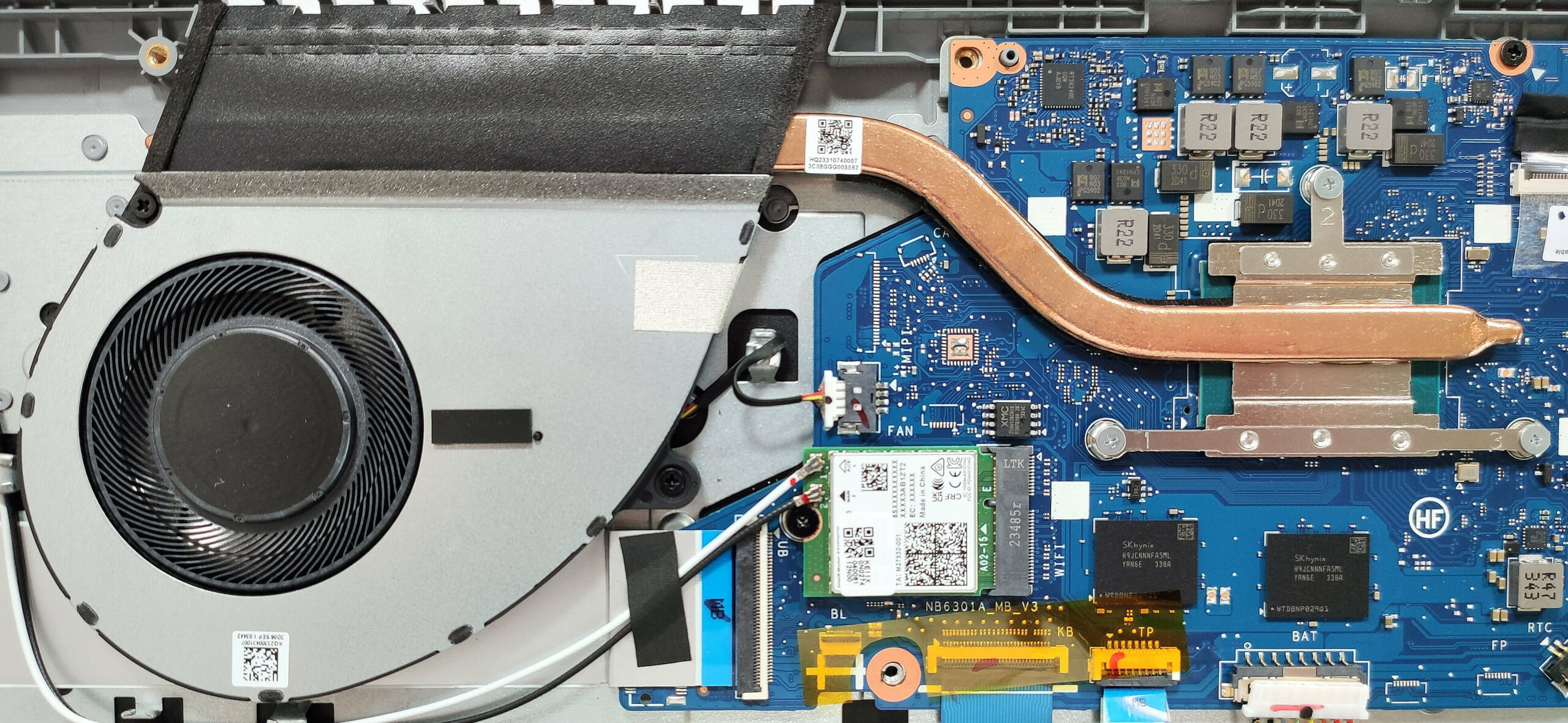
Here’s how the bottom panel looks on the inside.
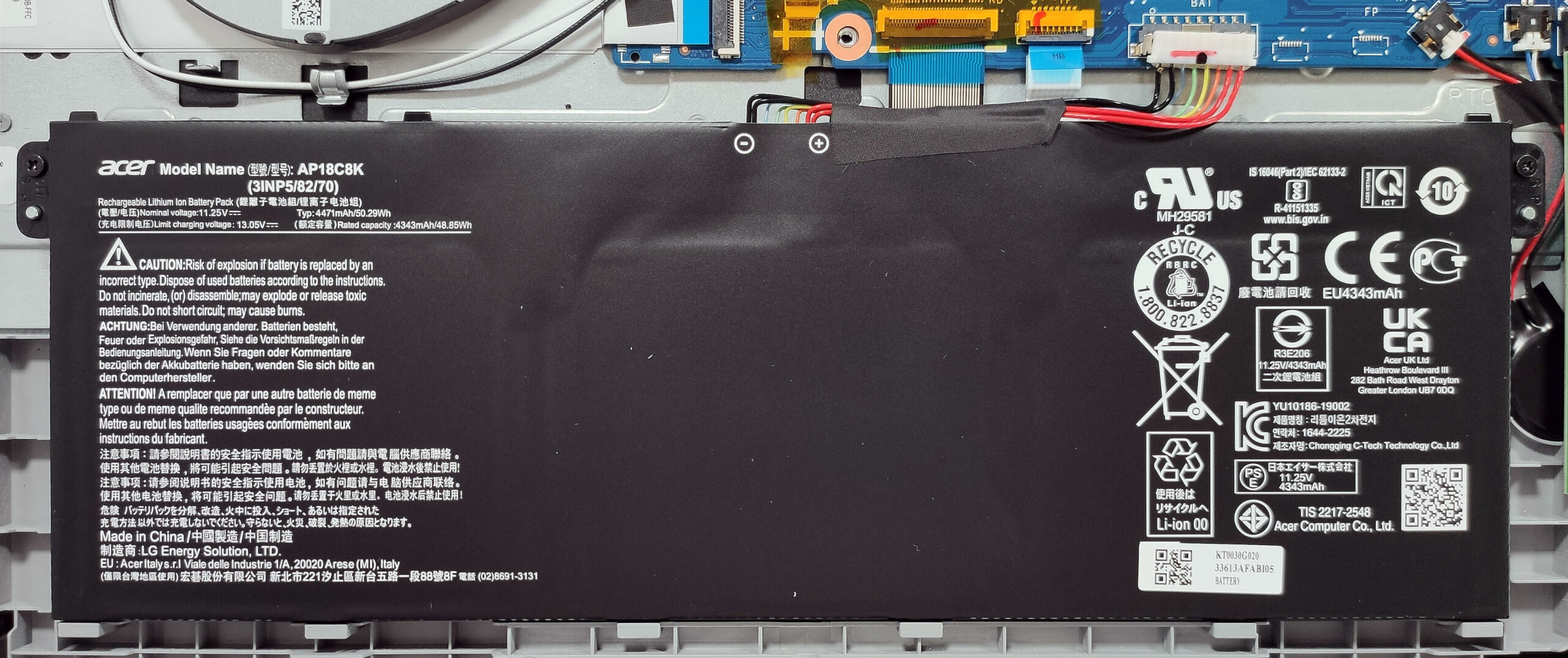
This device is equipped with an optional 50Wh battery. The default model has a capacity of 40Wh. To remove it, detach the connector from the mainboard and undo the two Philips-head screws that fix the unit to the base. The battery has enough juice for around 8 hours of video playback.
You get 4GB, 8GB, or 16GB of soldered LPDDR5-4800MHz RAM in single-channel mode. The Wi-Fi card is placed next to the memory chips.
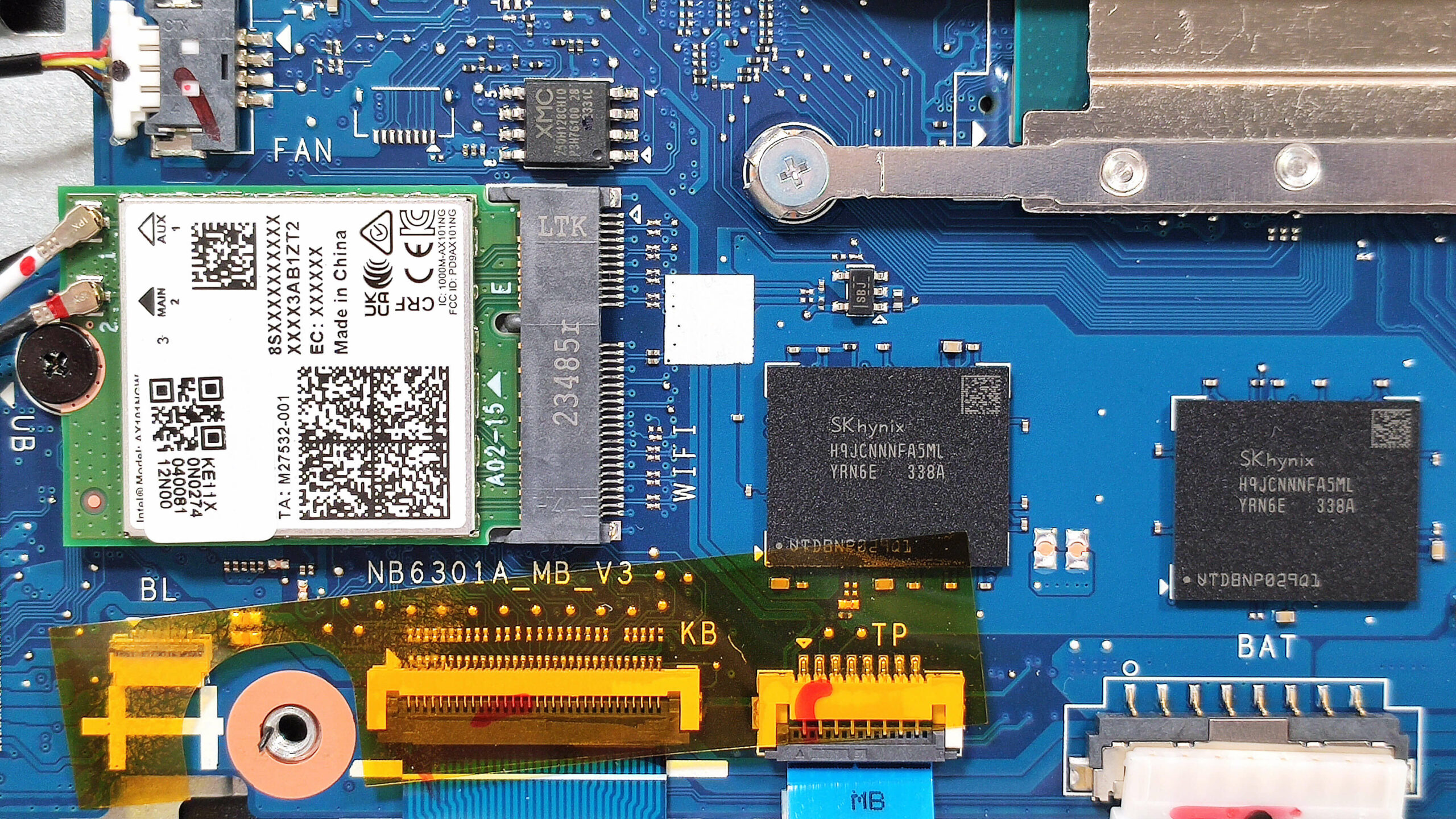
The single M.2 slot is compatible with 2280 Gen 3 SSDs. Be aware that certain devices come with 64GB or 128GB of eMMC storage, which seems too slow for a modern laptop.
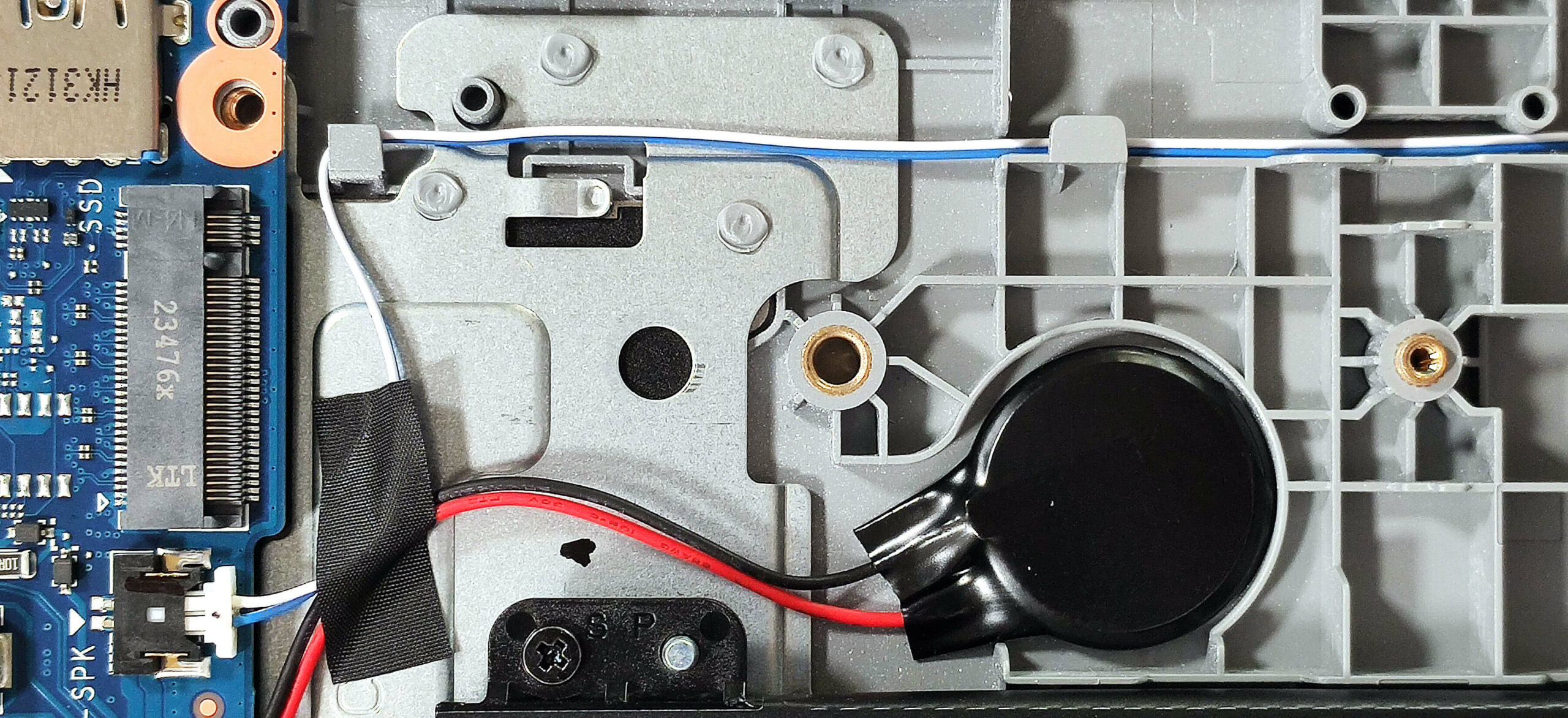
The simple cooling comprises one fan, a heat pipe, one top-mounted heat sink, and a heat spreader.
Verdict
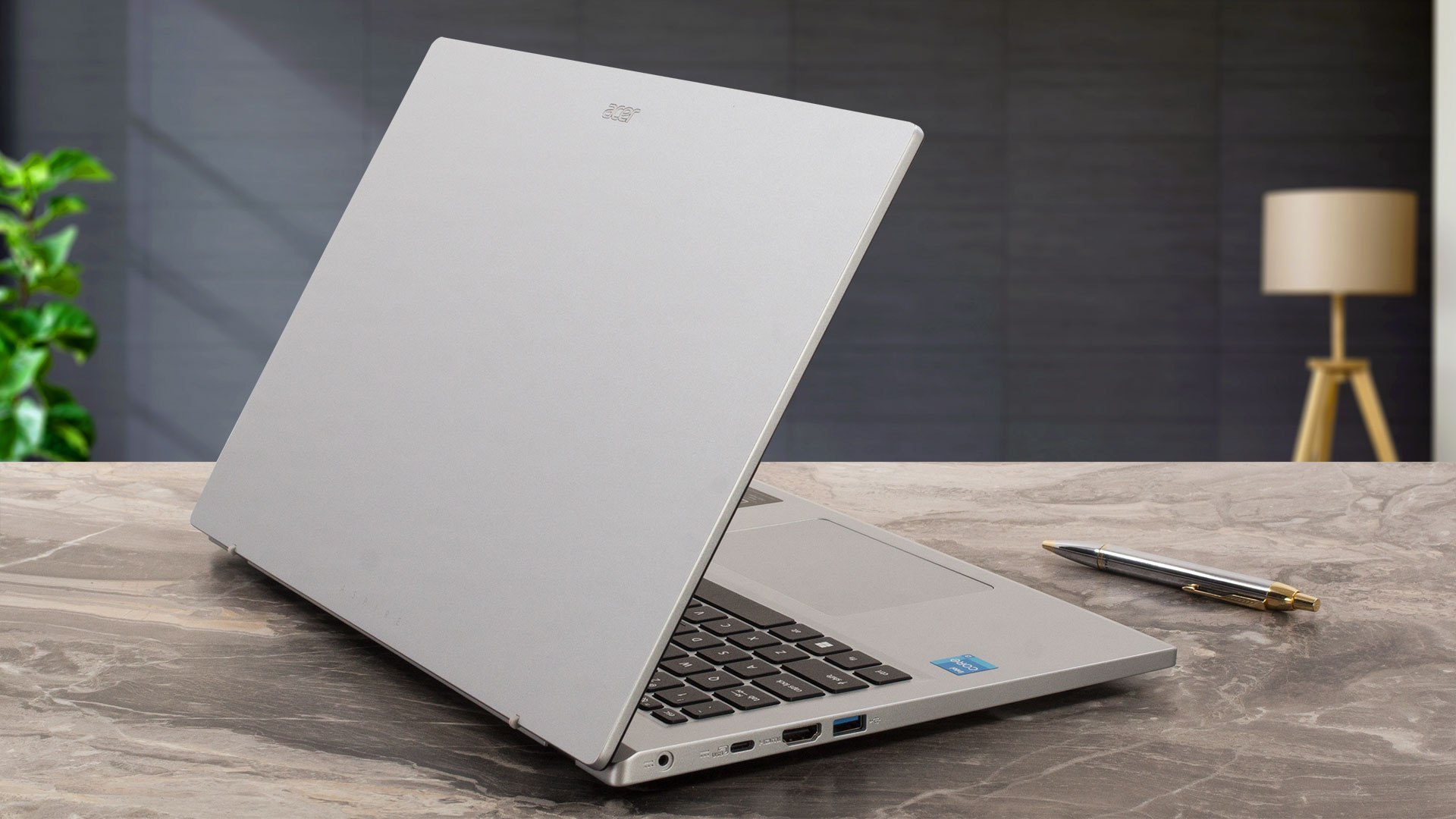 If you need an inexpensive laptop for Web browsing, checking your emails, watching videos, or playing light games on Low details, the Acer Aspire 3 (A315-510P) will do the job. If you don’t want to experience slowdowns during work, you should pick this notebook with the 8-core Core i3-N305, 16GB of RAM, and an SSD. Also, avoid the TN panels since their viewing angles are awful.
Sadly, our laptop has a 1080p TN display (BOE NT156FHM-N61 (BOE07CB)). At least this one is PWM-free which is actually really important, especially for people who are sensitive to screen flickering. The pixel response times of 9 ms are also good. The rest isn’t which applies to the sRGB coverage and the contrast ratio. The default color accuracy is tremendously bad (average dE 11). In this case, our “Design and Gaming” profile enhances the screen capabilities more than three times to a score of 3.5 which is notably better.
The N305 CPU offers decent performance for unpretentious usage. In short loads, the frequency is ~ 3.0 GHz and 2.1 GHz in long stress. The Micron 2450 MTFDKBA512TFK speeds aren’t going to top any charts but they are acceptable which is fine for this price tag.
The Aspire 3 (A315-510P) is a good non-expensive machine that offers acceptable battery life, adequate performance for normal work, and nice comfort under full CPU stress.
You can check the prices and configurations in our Specs System: https://laptopmedia.com/series/acer-aspire-3-a315-510p/
Pros
- Long battery life considering the small 50Wh battery ~ 8 hours of videos
- Decent keyboard and touchpad
- Fair price
- The build is decently solid
- Lid with a lever design
- Good dimensions for a 15-incher (1.7 kg / 18.9 mm)
- PWM-free (BOE07CB)
- Snappy pixel response times of 9 ms (BOE07CB)
- Decent I/O for the price
- Wi-Fi 6 + Bluetooth 5.1
- The fan isn’t noisy during full loads
- The Core i3-N305 can maintain ~3.00 GHz clock in short CPU stress
- SSD with TLC memory (Micron 2450 MTFDKBA512TFK)
Cons
- Some devices are configured with 4-core CPUs and eMMC storage
- Plastic build
- Low sRGB coverage and contrast ratio (BOE07CB)
- Bad viewing angles (BOE07CB)
- Soldered memory that works in a single-channel mode + just one M.2 slot
 Author: Nikolay Palaozov
 Author: eng. Kroum NikolovHead of Engineering at LaptopMedia.com, inventor and innovator with 40+ years of experience in electronics and high technology.
TOP 100 GAMER LAPTOPOK



Top Laptop Értékelések
Kiemelések több megtekintése
![[2026. július] Az Amazonon legkelendőbb laptop-grafikus kártyák globális ranglistája – Az RTX 5060 uralja a prémium szegmenst, az Intel továbbra is vezet a kedvező árú kategóriában](https://laptopmedia.com/wp-content/uploads/2026/08/Best-Selling-GPUs-GLOBAL-Top-10-400x225.jpg)
[2026. július] Az Amazonon legkelendőbb laptop-grafikus kártyák globális ranglistája – Az RTX 5060 uralja a prémium szegmenst, az Intel továbbra is vezet a kedvező árú kategóriában
Aug 23, 2026![[2026. július] Az Amazonon legkelendőbb laptop-processzorok globális ranglistája – az Apple uralja a prémium szegmenst, az Intel pedig az összesített ranglistát](https://laptopmedia.com/wp-content/uploads/2026/08/Best-Selling-CPUs-GLOBAL-Top-10-400x225.jpg)
[2026. július] Az Amazonon legkelendőbb laptop-processzorok globális ranglistája – az Apple uralja a prémium szegmenst, az Intel pedig az összesített ranglistát
Aug 23, 2026![[July 2026] Amazon Canada: Top 10 Best-Selling Laptops – Apple MacBook Neo Dominates the Market to Claim the #1 Spot](https://laptopmedia.com/wp-content/uploads/2026/08/Best-Selling-Laptops-CA-Top-10-2-400x225.jpg)
[July 2026] Amazon Canada: Top 10 Best-Selling Laptops – Apple MacBook Neo Dominates the Market to Claim the #1 Spot
Aug 19, 2026![[July 2026] Best-Selling Laptop Brands on Amazon Japan – HP and Lenovo Dominate Units and Revenue Amid Fierce Competition](https://laptopmedia.com/wp-content/uploads/2026/08/CO.JP-Best-Brands-2-400x225.jpg)
[July 2026] Best-Selling Laptop Brands on Amazon Japan – HP and Lenovo Dominate Units and Revenue Amid Fierce Competition
Aug 19, 2026![[July 2026] Amazon Italy: Top 10 Best-Selling Laptops – Apple MacBook Neo Claims the #1 Spot Amid Budget-Friendly Dominance](https://laptopmedia.com/wp-content/uploads/2026/08/Best-Selling-Laptops-IT-Top-10-400x225.jpg)
[July 2026] Amazon Italy: Top 10 Best-Selling Laptops – Apple MacBook Neo Claims the #1 Spot Amid Budget-Friendly Dominance
Aug 19, 2026
Értékelések több megtekintése

Acer Nitro V 15 (ANV15-A31) teszt – Egy praktikus, megfizethető gamer laptop, egy jelentős hátránnyal
Aug 13, 2026Lenovo IdeaPad Slim 5a (16″, 11. generáció) teszt – 2,8K OLED, Ryzen AI 7 450 és ritka bővíthetőség
Aug 09, 2026HP OmniBook 5 16 (16-bc1000) teszt – Nagy képernyő, megbízható processzor, korlátozott bővíthetőség
Aug 06, 2026Lenovo ThinkPad X1 Carbon 14. generáció Aura Edition teszt – A legjobb üzleti laptop moduláris kialakítást kapott
Aug 03, 2026ASUS ExpertBook Ultra (B9406) teszt – Core Ultra X7 és Tandem OLED tesztelve
Júl 28, 2026