Acer Aspire 3 (A315-59) review – affordable but slightly impractical
Temperatures and comfort, Battery Life
Max CPU load
In this test we use 100% on the CPU cores, monitoring their frequencies and chip temperature. The first column shows a computer’s reaction to a short load (2-10 seconds), the second column simulates a serious task (between 15 and 30 seconds), and the third column is a good indicator of how good the laptop is for long loads such as video rendering.
Average P-core frequency; Average E-core frequency; CPU temp.; Package Power
| Intel Core i5-1235U (15W TDP) | 0:02 – 0:10 sec | 0:15 – 0:30 sec | 10:00 – 15:00 min |
|---|---|---|---|
| Acer Aspire 3 (A315-59) | 3.07 GHz @ 2.76 GHz @ 64°C @ 45W | 2.84 GHz @ 2.61 GHz @ 73°C @ 40W | 2.37 GHz @ 2.29 GHz @ 70°C @ 28W |
| ASUS Vivobook 17 (X1702) | 3.21 GHz @ 2.68 GHz @ 68°C @ 39W | 2.86 GHz @ 2.53 GHz @ 72°C @ 33W | 2.15 GHz @ 2.22 GHz @ 61°C @ 24W |
| Lenovo ThinkPad L15 Gen 3 | 3.25 GHz @ 2.69 GHz @ 88°C @ 44W | 3.05 GHz @ 2.64 GHz @ 95°C @ 41W | 1.98 GHz @ 1.92 GHz @ 70°C @ 20W |
| Fujitsu LifeBook U7512 | 3.00 GHz @ 2.54 GHz @ 88°C @ 40W | 2.40 GHz @ 2.14 GHz @ 85°C @ 28W | 2.31 GHz @ 2.07 GHz @ 83°C @ 26W |
| HP ProBook 450 G9 | 3.44 GHz @ 2.82 GHz @ 80°C @ 47W | 2.45 GHz @ 2.14 GHz @ 74°C @ 26W | 2.33 GHz @ 2.09 GHz @ 73°C @ 24W |
| HP ProBook 440 G9 | 3.25 GHz @ 2.74 GHz @ 79°C @ 46W | 2.49 GHz @ 2.23 GHz @ 87°C @ 30W | 2.20 GHz @ 2.08 GHz @ 73°C @ 24W |
| Lenovo ThinkBook 14s Yoga Gen 2 | 2.55 GHz @ 2.39 GHz @ 70°C @ 32W | 2.49 GHz @ 2.38 GHz @ 75°C @ 32W | 2.20 GHz @ 2.10 GHz @ 71°C @ 24W |
| Microsoft Surface Pro 9 | 3.32 GHz @ 2.78 GHz @ 75°C @ 46W | 3.06 GHz @ 2.54 GHz @ 82°C @ 42W | 1.91 GHz @ 1.79 GHz @ 64°C @ 19W |
| Microsoft Surface Laptop 5 (13.5″) | 3.35 GHz @ 2.84 GHz @ 69°C @ 44W | 3.27 GHz @ 2.78 GHz @ 80°C @ 42W | 2.24 GHz @ 2.17 GHz @ 71°C @ 22W |
| ASUS Vivobook 15 (X1502) | 2.91 GHz @ 2.49 GHz @ 78°C @ 39W | 2.62 GHz @ 2.37 GHz @ 81°C @ 33W | 2.30 GHz @ 2.19 GHz @ 68°C @ 27W |
| Acer TravelMate P2 (TMP215-54) | 3.67 GHz @ 3.09 GHz @ 90°C @ 55W | 2.83 GHz @ 2.55 GHz @ 85°C @ 33W | 2.59 GHz @ 2.44 GHz @ 84°C @ 28W |
| HP EliteBook 650 G9 | 3.26 GHz @ 2.80 GHz @ 89°C @ 45W | 2.63 GHz @ 2.39 GHz @ 91°C @ 32W | 2.25 GHz @ 2.15 GHz @ 79°C @ 24W |
| HP EliteBook 640 G9 | 3.27 GHz @ 2.77 GHz @ 90°C @ 45W | 2.53 GHz @ 2.32 GHz @ 90°C @ 30W | 2.32 GHz @ 2.17 GHz @ 74°C @ 24W |
| HP EliteBook 840 G9 | 3.09 GHz @ 2.75 GHz @ 83°C @ 46W | 2.73 GHz @ 2.46 GHz @ 89°C @ 37W | 1.58 GHz @ 1.67 GHz @ 61°C @ 17W |
| Lenovo ThinkPad E14 Gen 4 | 3.28 GHz @ 2.77 GHz @ 84°C @ 44W | 3.18 GHz @ 2.77 GHz @ 90°C @ 44W | 2.49 GHz @ 2.28 GHz @ 77°C @ 28W |
| HP Pavilion Plus 14 (14-eh0000) | 2.85 GHz @ 2.43 GHz @ 77°C @ 39W | 2.34 GHz @ 2.10 GHz @ 75°C @ 29W | 1.84 GHz @ 1.79 GHz @ 65°C @ 20W |
| Lenovo IdeaPad 5 (15″, 2022) | 3.60 GHz @ 3.08 GHz @ 73°C @ 55W | 3.44 GHz @ 2.95 GHz @ 88°C @ 51W | 2.80 GHz @ 2.49 GHz @ 69°C @ 35W |
| Lenovo ThinkPad L14 Gen 3 | 3.20 GHz @ 2.77 GHz @ 83°C @ 44W | 3.10 GHz @ 2.71 GHz @ 94°C @ 43W | 1.89 GHz @ 1.95 GHz @ 72°C @ 20W |
| Acer Aspire Vero (AV14-51) | 3.63 GHz @ 2.87 GHz @ 84°C @ 55W | 2.73 GHz @ 2.36 GHz @ 81°C @ 33W | 2.49 GHz @ 2.23 GHz @ 79°C @ 28W |
| MSI Modern 14 (C12M) | 3.17 GHz @ 2.69 GHz @ 77°C @ 45W | 3.10 GHz @ 2.61 GHz @ 81°C @ 45W | 2.69 GHz @ 2.45 GHz @ 78°C @ 35W |
| Dell Latitude 15 5530 | 3.57 GHz @ 3.02 GHz @ 94°C @ 52W | 2.03 GHz @ 2.09 GHz @ 76°C @ 21W | 2.24 GHz @ 2.19 GHz @ 64°C @ 23W |
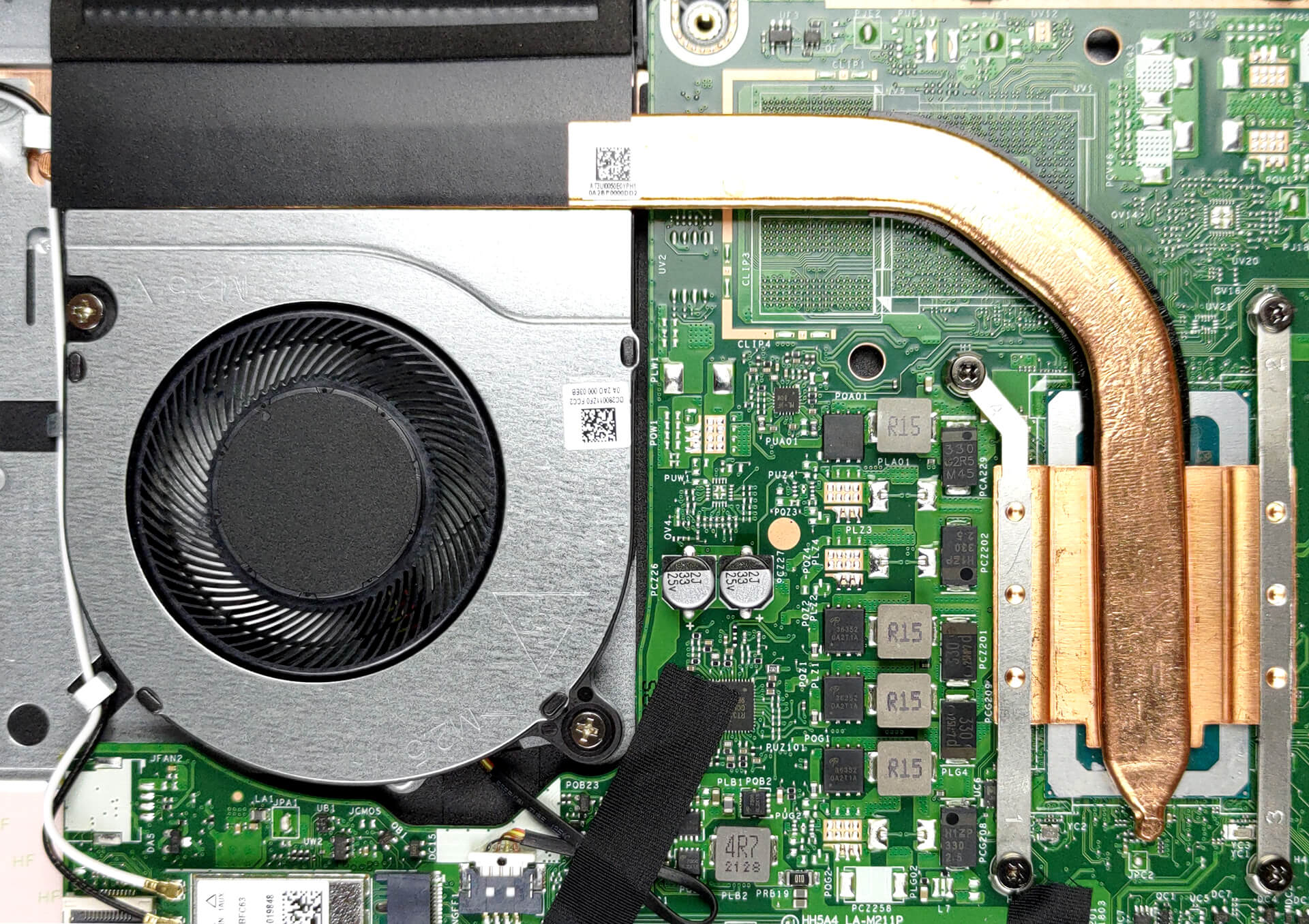
Despite the 45W power adapter rating, the laptop has no issue supplying its Intel Core i5-1235U with enough power. Not only does it hit the 45W mark for the first seconds of extreme workload, but it also maintains a 28W power target for long runs.
Comfort during full load
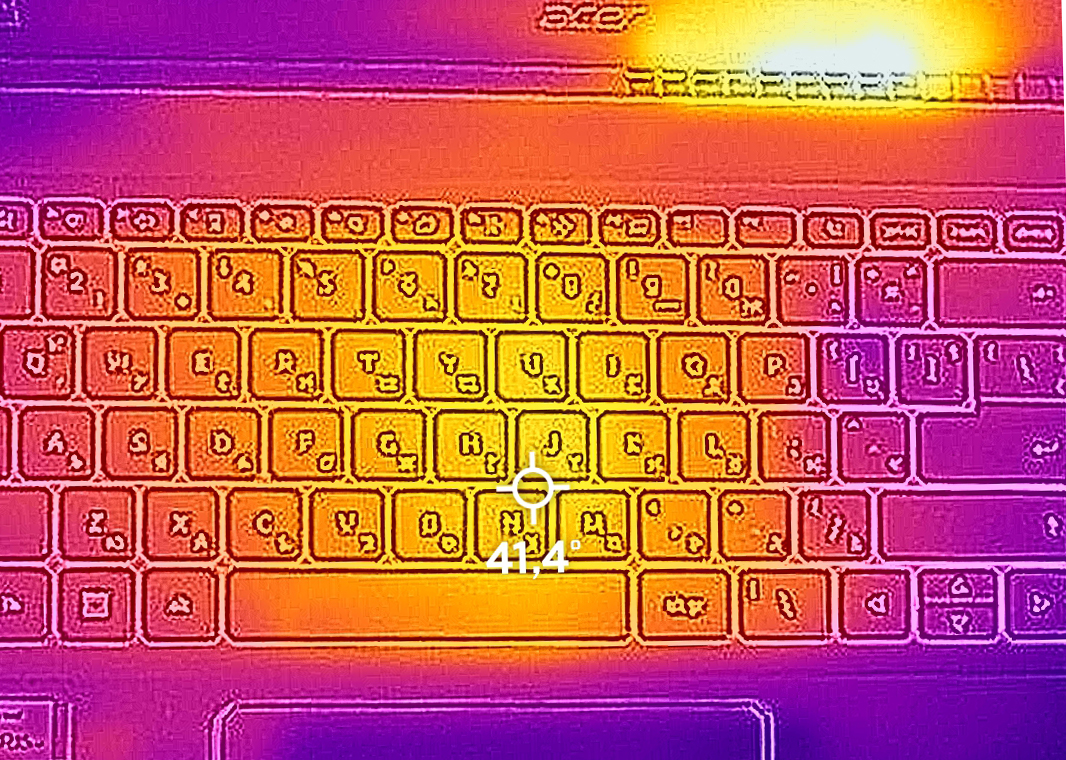
As you can see from the IR image below, the maximum temperature in the middle of the keyboard is pretty reasonable. However, the hottest spot of the entire outer shell of the device is the area around the exhaust grill. This concentrates heat in the bottom part of the display, but we doubt it’s going to be an issue down the line.
Battery
Now, we conduct the battery tests with the Windows Better performance setting turned on, screen brightness adjusted to 120 nits and all other programs turned off except for the one we are testing the notebook with. Here, you are met with a relatively small 43Wh battery pack. It lasts for 7 hours and 24 minutes of Web browsing, or 5 hours and 47 minutes of video playback.
Fényerő: 180 nit; Megjelenítési mód: SDR
Teljes lemerülési idő: A magasabb érték a jobb


A valós körülmények szimulálása érdekében saját szkriptünket használtuk több mint 70 webhely automatikus böngészéséhez.
 Author: Alex Iliev
 Author: eng. Kroum NikolovHead of Engineering at LaptopMedia.com, inventor and innovator with 40+ years of experience in electronics and high technology.

![[2026. augusztus] Az Amazonon legkelendőbb laptop-grafikus kártyák globális ranglistája – az Apple uralkodik, az NVIDIA RTX 5060 vezeti a dedikált kártyák ranglistáját](https://laptopmedia.com/wp-content/uploads/2026/09/Best-Selling-GPUs-GLOBAL-Top-10-400x225.jpg)
![[2026. augusztus] Az Amazonon legkelendőbb laptop-processzorok globális ranglistája – Az Apple mind az olcsóbb, mind a prémium kategóriában dominál: az A18 Pro és az M5 2026 augusztusában elsöprő fölénnyel győzött az Intel és az AMD felett](https://laptopmedia.com/wp-content/uploads/2026/09/Best-Selling-CPUs-GLOBAL-Top-10-400x225.jpg)
![[2026. augusztus] Amazon Global: A 10 legkelendőbb laptop – az Apple MacBook Neo vezeti a ranglistát, miközben az olcsóbb és középkategóriás Windows-alapú hordozható számítógépek az eladási mennyiségért küzdenek](https://laptopmedia.com/wp-content/uploads/2026/09/Best-Selling-Laptops-GLOBAL-Top-10-400x225.jpg)
![[2026. augusztus] Az Amazon Global legkelendőbb laptopmárkái – Az Apple vezeti a bevételi rangsort, míg a HP a modellválaszték terén áll az élen](https://laptopmedia.com/wp-content/uploads/2026/09/GLOBAL-Best-Brands-400x225.jpg)
![[2026. augusztus] Amazon Global: A 10 legkelendőbb játékos laptop – Az HP Victus 15 szerezte meg az első helyet, miközben a kedvező árú modellek uralják a ranglistát](https://laptopmedia.com/wp-content/uploads/2026/09/Best-Selling-Gaming-Laptops-GLOBAL-Top-10-400x225.jpg)

Buenos dias, tardes o noche. Tengo una duda, se puede colocar HDD en el espacio libre? Con un adaptador o esta bloqueada la opcion devido al doble m.2, y tambien si version con la nvidea mx 550 (a315 – 59 514E )usa la misma placa madre.