Lenovo IdeaPad Slim 5 Gen 9 (14″ AMD) review – Long Battery Life, Quiet Performance
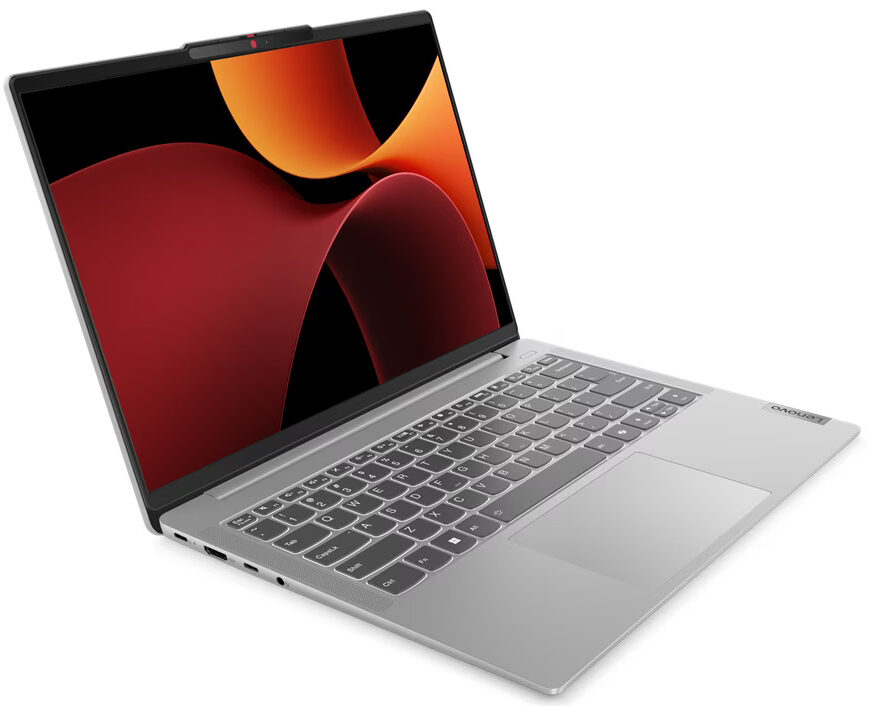
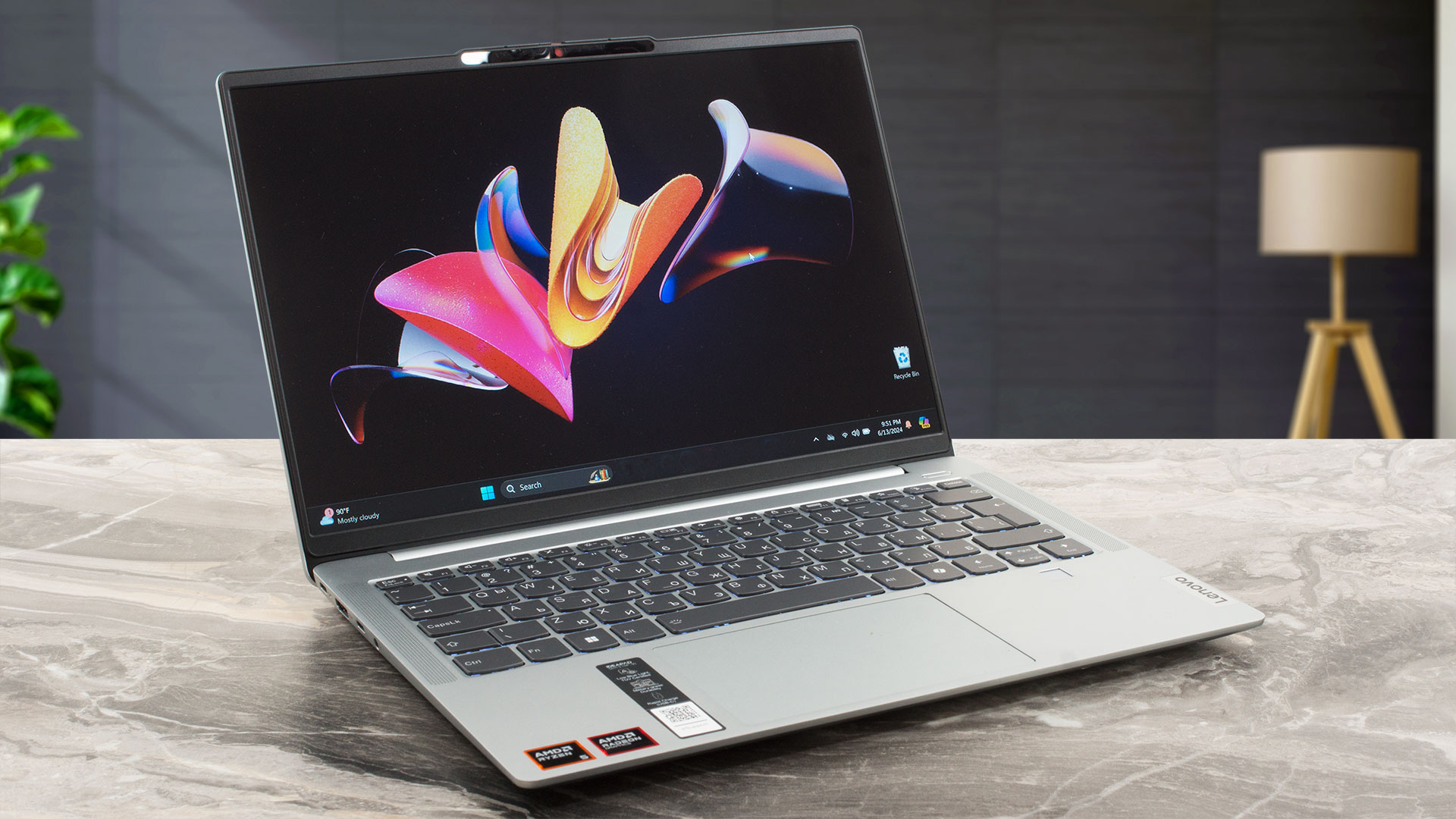 The Lenovo IdeaPad Slim 5 Gen 9 (14″ AMD) is a compact multipurpose machine. Its Gen 8 predecessor is powered by 15W Zen 3 Barcelo-U Refresh chips while the new kid on the block relies on the more thirsty and powerful 45W AMD Zen 4 Hawk Point-HS processors. These chips also require significant cooling. On the bright side, the thermal system of this laptop doesn’t look weak so you can expect adequate overall performance.
This is a thin 14-incher and that’s why the absence of dGPU options isn’t something unexpected. Since the CPUs have a hefty power limit this also has a positive impact on the iGPU performance and yes, we can confirm you can play light games such as Dota 2 even on High details with respectable FPS values.
The upgradability isn’t great. If you want, you can change the SSD and the Wi-Fi card. Still, at first sight, the port selection looks great with its four USB connectors – not bad for a compact laptop! The security features seem fine – an optional fingerprint reader and IR camera, a self-healing BIOS, Microsoft Pluton TPM 2.0, and a privacy shutter.
Interestingly, the three available display models have the same resolution and refresh rate – 1200p@60Hz. The top dog is an HDR OLED screen while the other two variants are normal IPS units. We are happy to see two 2W speakers optimized with Dolby Audio that aren’t placed on the bottom of the machine. The connectivity isn’t top-notch but it’ll do the job for normal usage – Wi-Fi 6/E + Bluetooth 5.2.
You can check the prices and configurations in our Specs System: https://laptopmedia.com/series/lenovo-ideapad-slim-5-14aph9/
Contents
Specs, Drivers, What’s in the box
Lenovo IdeaPad Slim 5 (14APH9) - स्पेक्स

- HDD/SSD
- तक 1000GB SSD
- M.2 स्लॉट
- 1x 2242 M.2 NVMe PCIe 4.0 x4 फोटो देखें
- RAM
- up to 32GB
- OS
- Windows 11 Home, No OS, Windows 11 Pro
- बैटरी
- 57Wh
- बॉडी मटीरियल
- Plastic / Polycarbonate, Aluminum
- आयाम
- 312 x 221 x 16.9 - 17.9 mm (12.28" x 8.70" x 0.67")
- वजन
- 1.44 kg (3.2 lbs)
- पोर्ट और कनेक्टिविटी
- 1x USB Type-A
- 3.2 Gen 1 (5 Gbps)
- 1x USB Type-A
- 3.2 Gen 1 (5 Gbps), Sleep and Charge
- 2x USB Type-C
- 3.2 Gen 1 (5 Gbps), Power Delivery (PD), DisplayPort
- HDMI
- 1.4b
- कार्ड रीडर
- microSD (microSD, microSDHC, microSDXC)
- ईथरनेट लैन
- वाई-फाई
- 802.11ax
- ब्लूटूथ
- 5.3
- ऑडियो जैक
- 3.5mm Combo Jack
- विशेषताएँ
- फिंगरप्रिंट रीडर
- optional
- वेब कैमरा
- FHD IR with privacy shutter, fixed focus, with ToF sensor
- बैकलिट कीबोर्ड
- optional
- माइक्रोफोन
- Dual Microphone Array
- स्पीकर
- 2x 2W Stereo Speakers, Dolby Audio
- ऑप्टिकल ड्राइव
- सुरक्षा लॉक स्लॉट
सभी Lenovo IdeaPad Slim 5 (14APH9) कॉन्फ़िगरेशन
Drivers
All drivers and utilities for this notebook can be found here: https://pcsupport.lenovo.com/us/en/products/laptops-and-netbooks/ideapad-s-series-netbooks/ideapad-slim-5-14ahp9/downloads
What’s in the box?
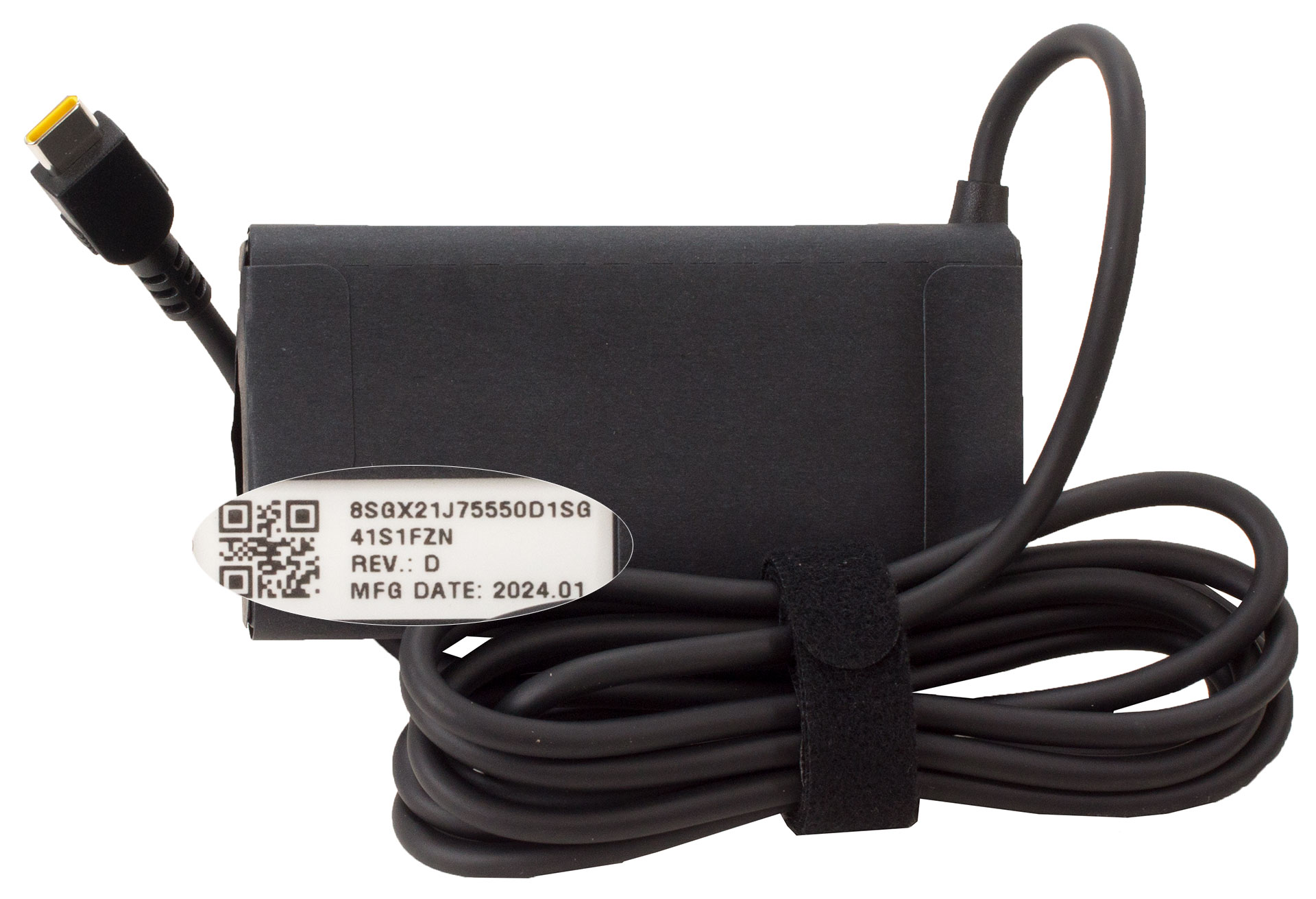
Inside the box, we found the laptop itself, the mandatory paperwork, and a 65W USB Type-C charger.
Design and construction
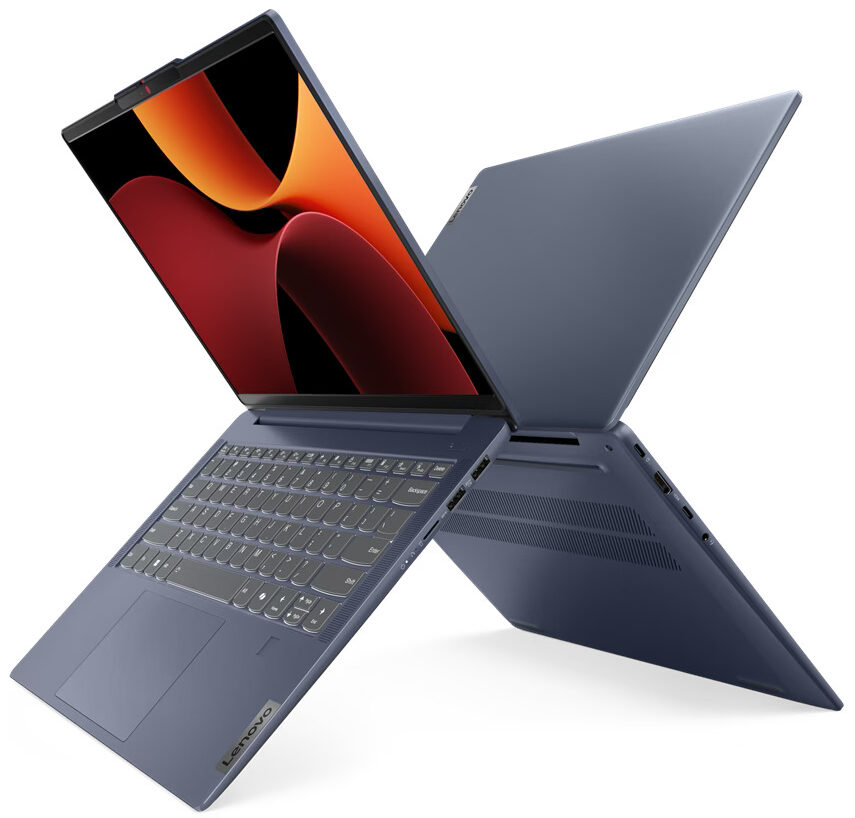
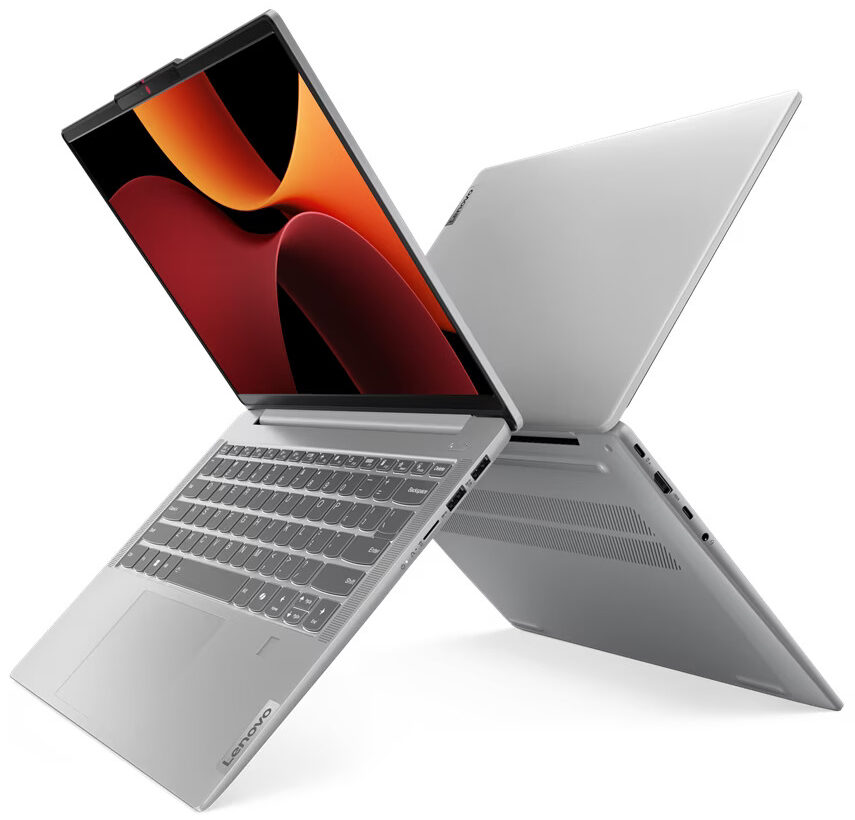
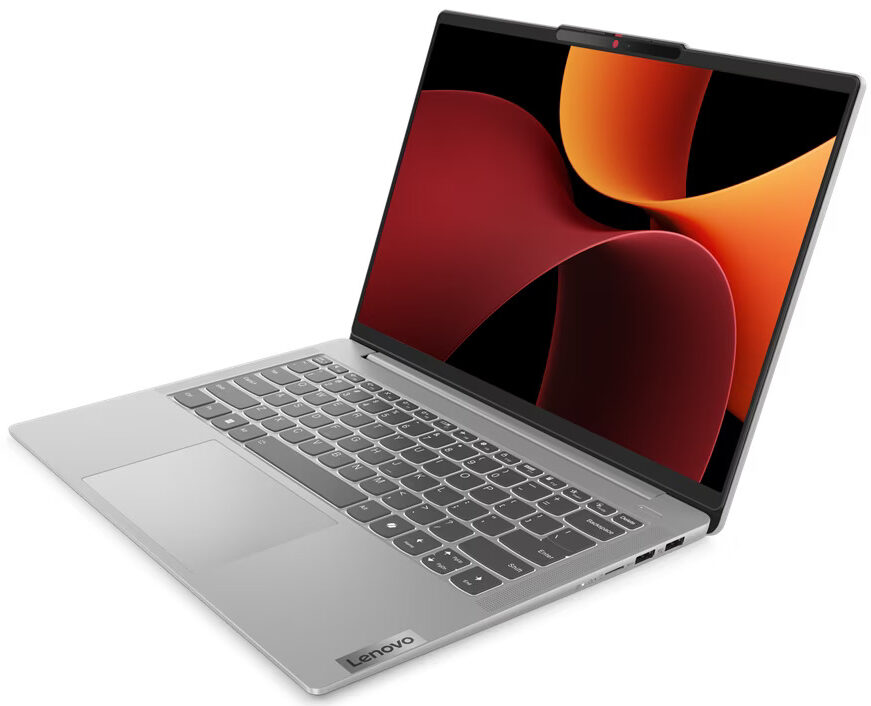
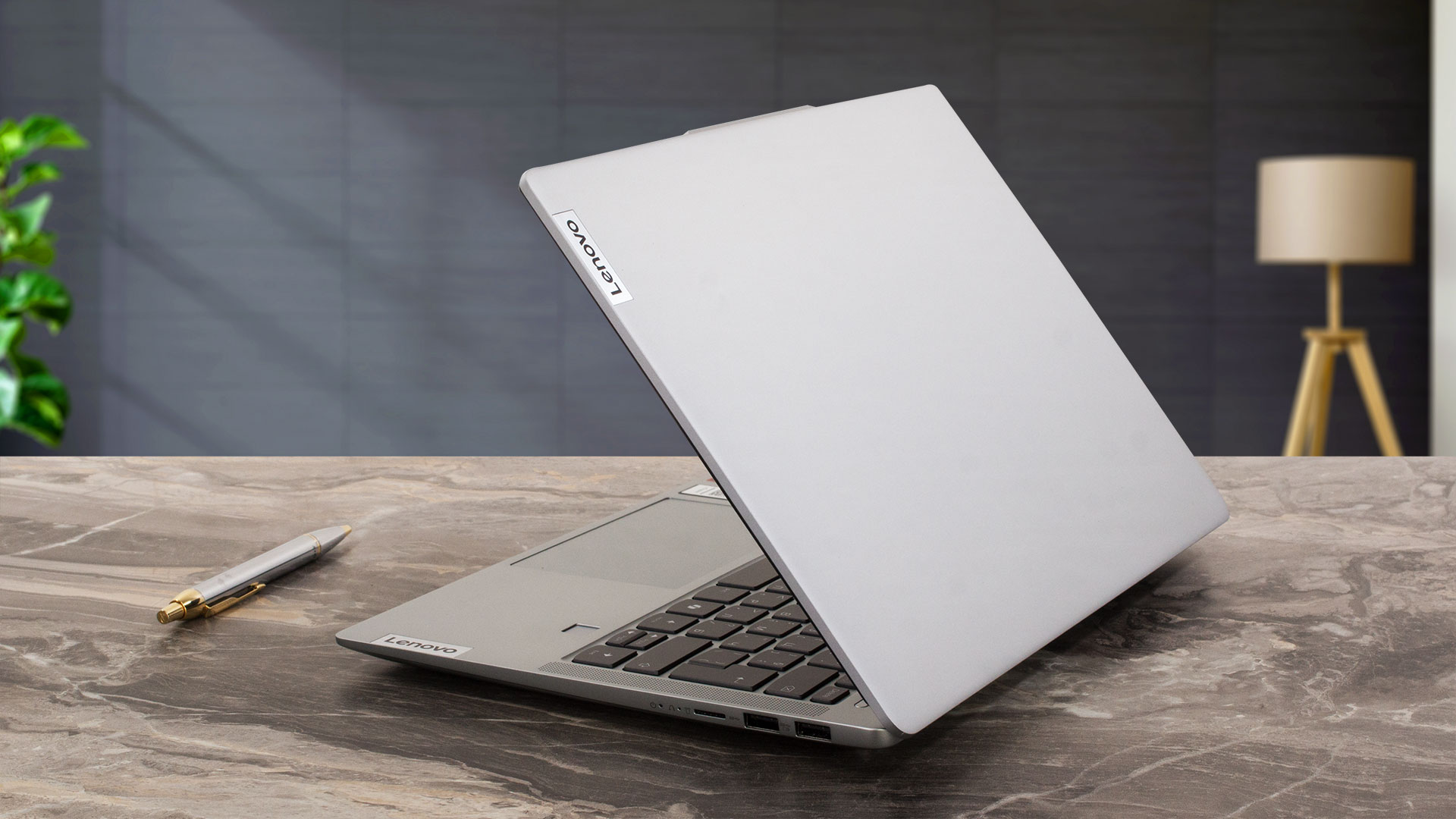
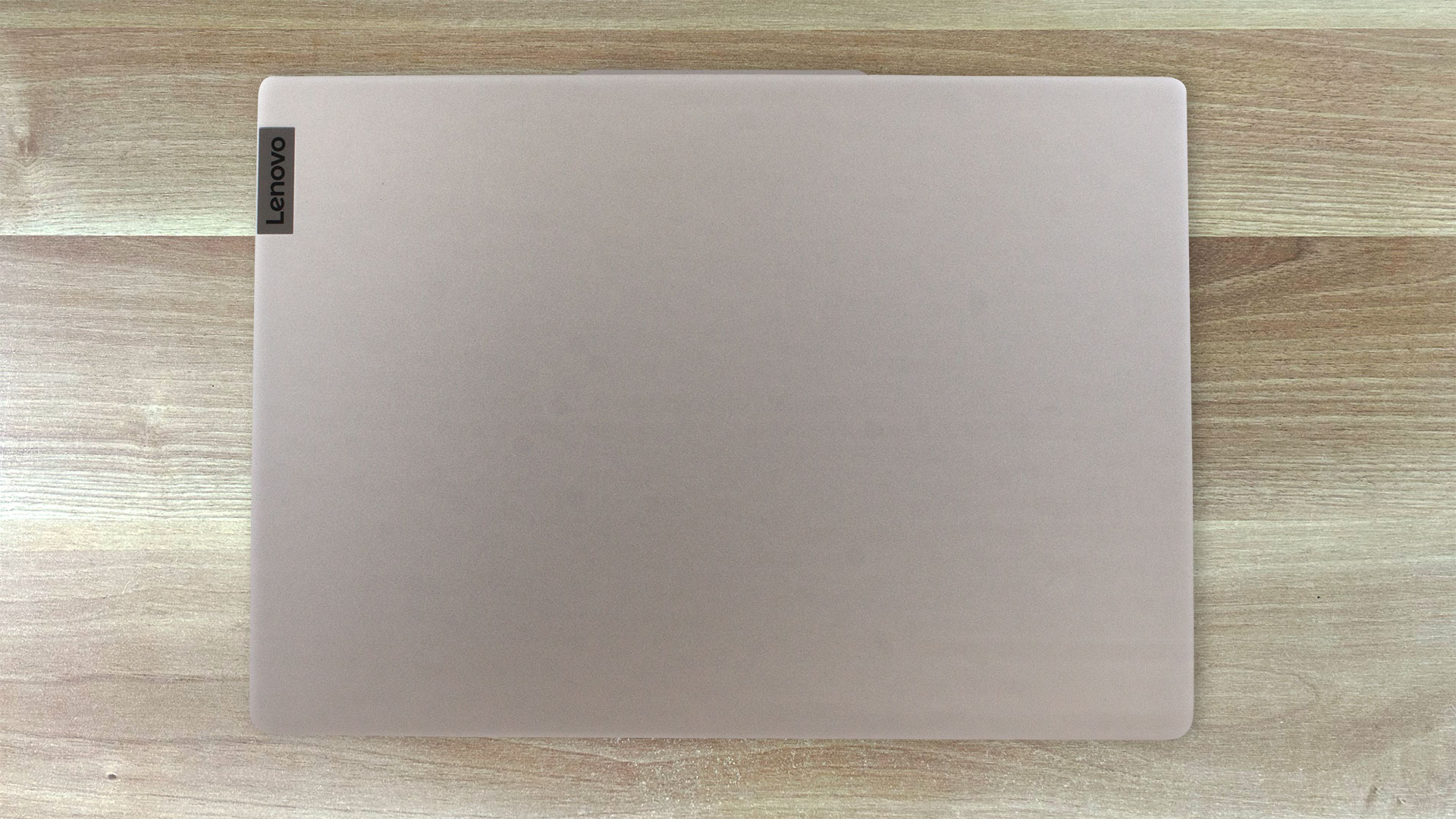
The design of the IdeaPad Slim 5 Gen 9 (14″ AMD) is almost unchanged compared to the predecessor. Again, the device is offered in two different chassis versions – with an all-aluminum build or with a metal lid and plastic base. The Abyss blue and Cloud grey are the color options. The metal machines are a bit thinner and slightly heavier (16.9 mm and 1.48 kg) compared to the iterations with a plastic main body (17.9 mm and 1.44 kg).
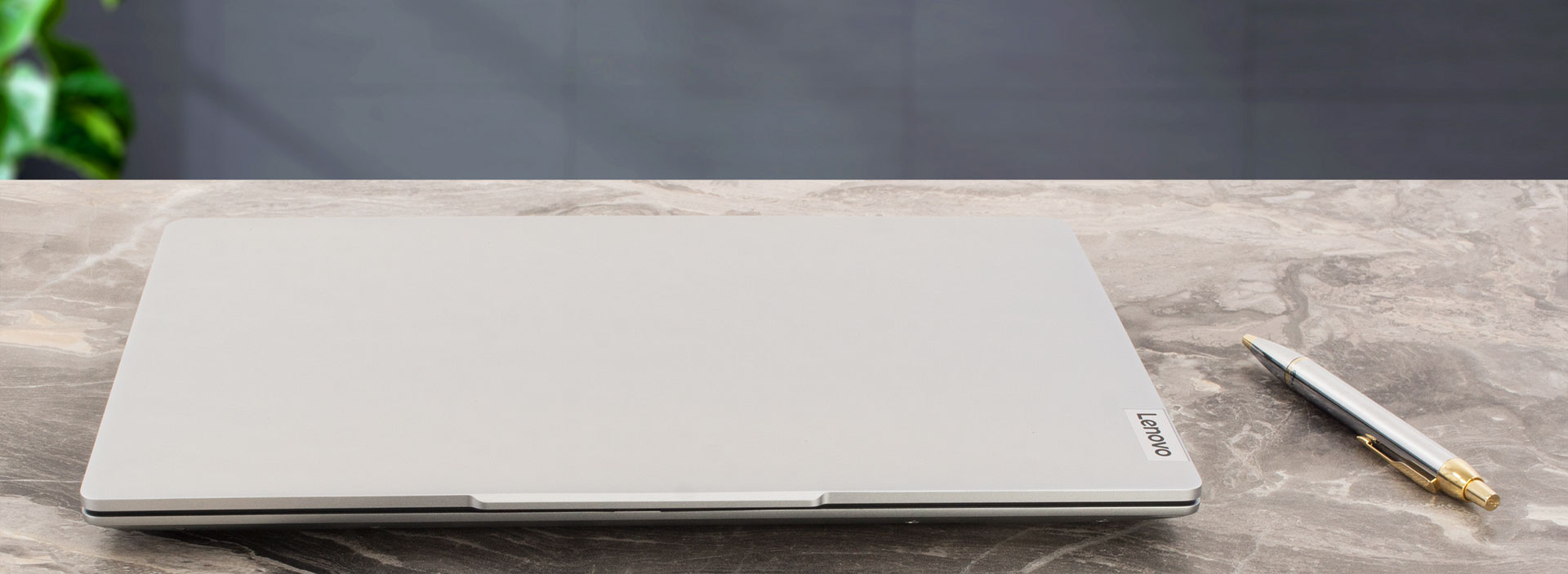
The Lenovo IdeaPad Slim 5 (14APH9) is another name for this laptop. The lid opens smoothly with a single hand. The aluminum unit can be flexed but only just. Our notebook has a metal base that feels solid. Sure, you can press down the zone between the Space key and the touchpad, but that’s completely fine and valid for many other devices in this class.
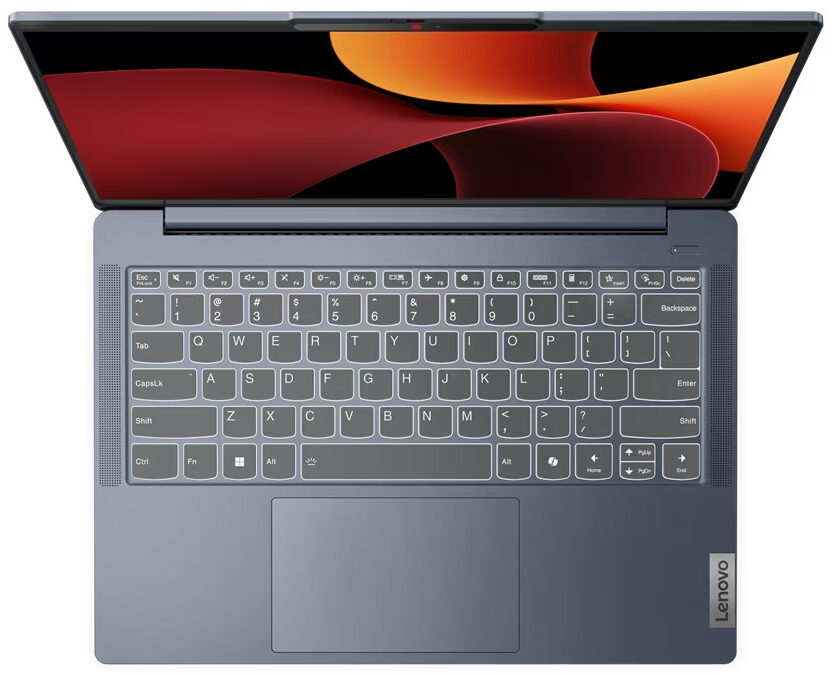
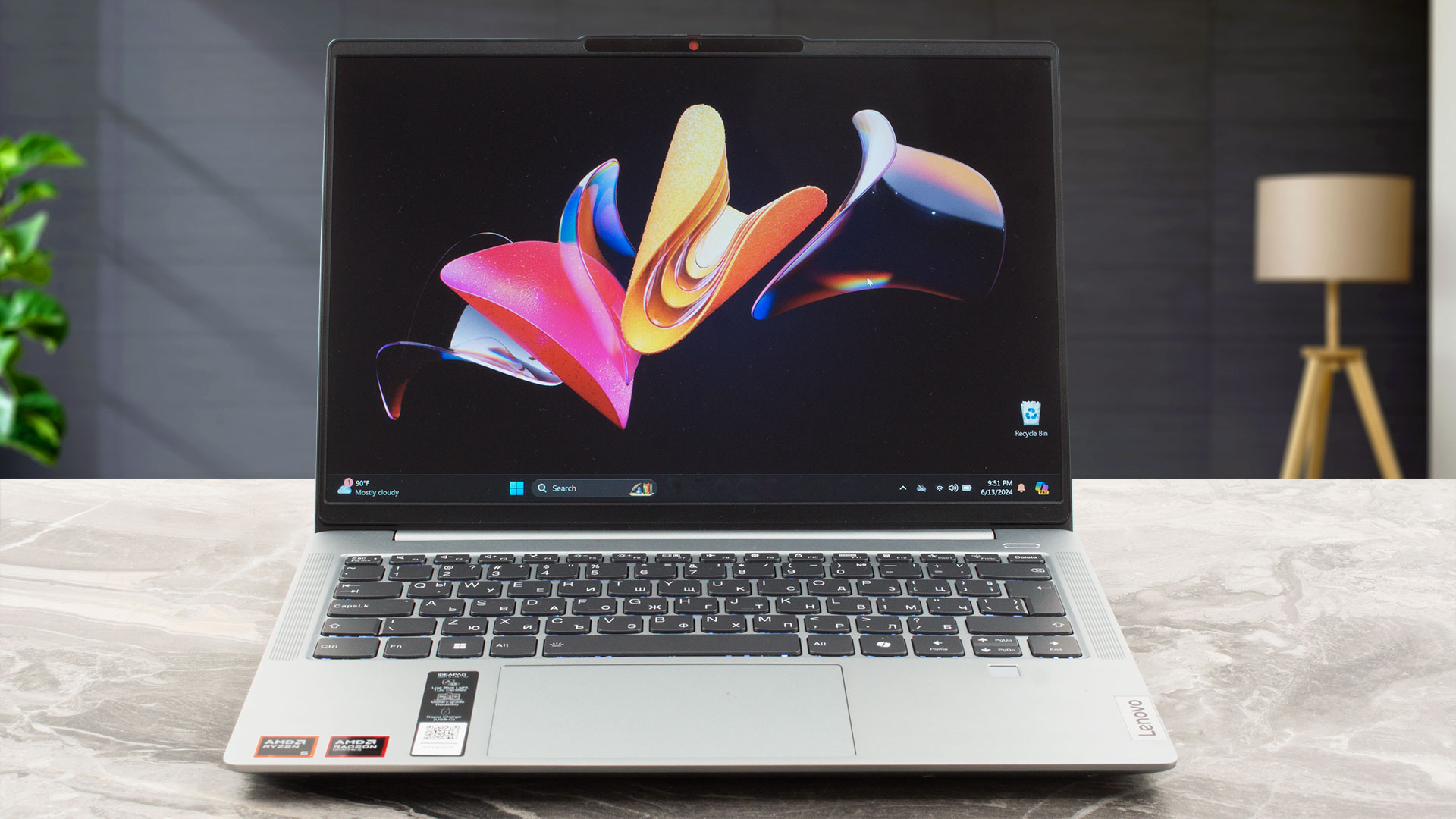
The 1200p display is surrounded by thin bezels.
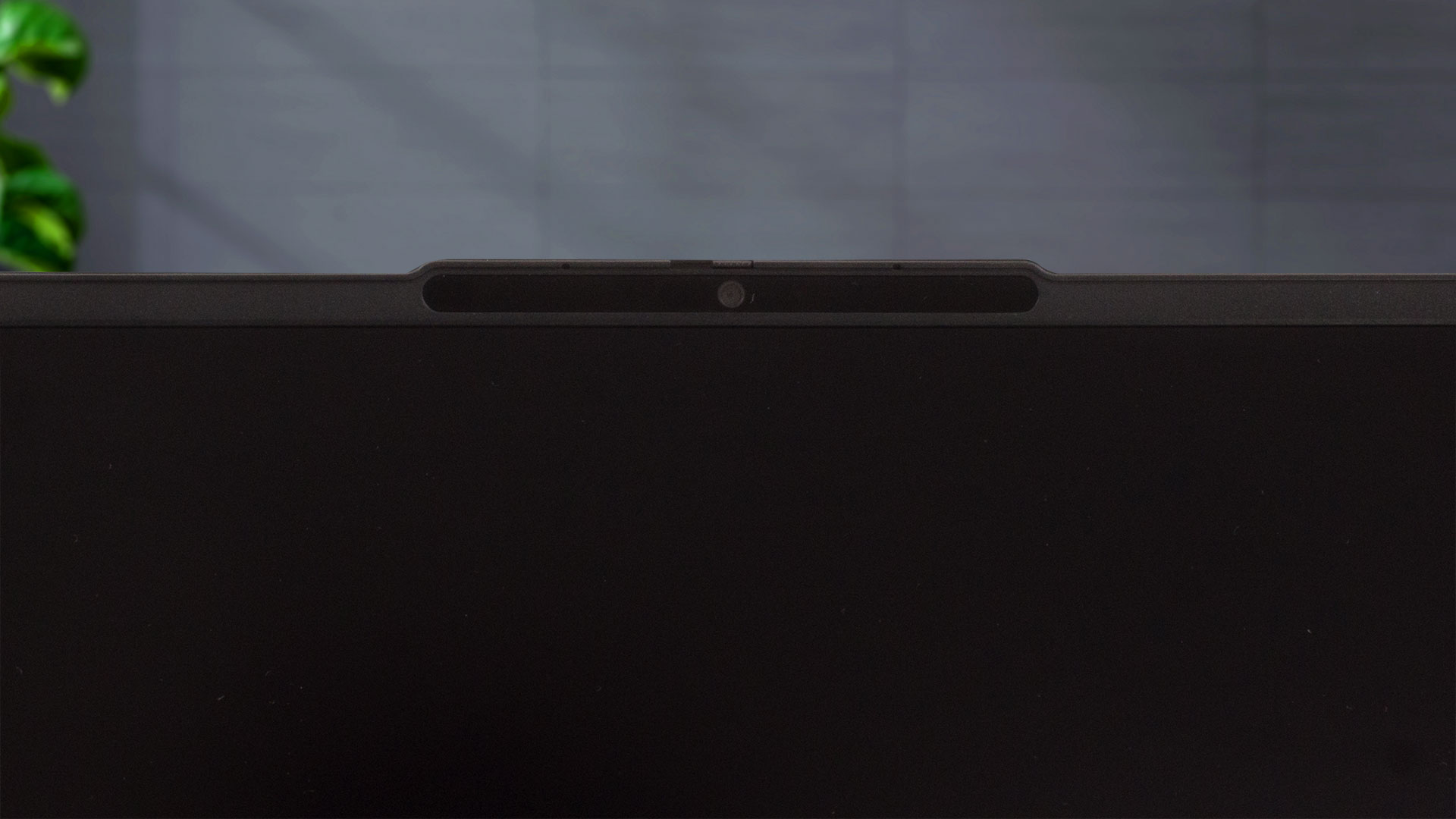
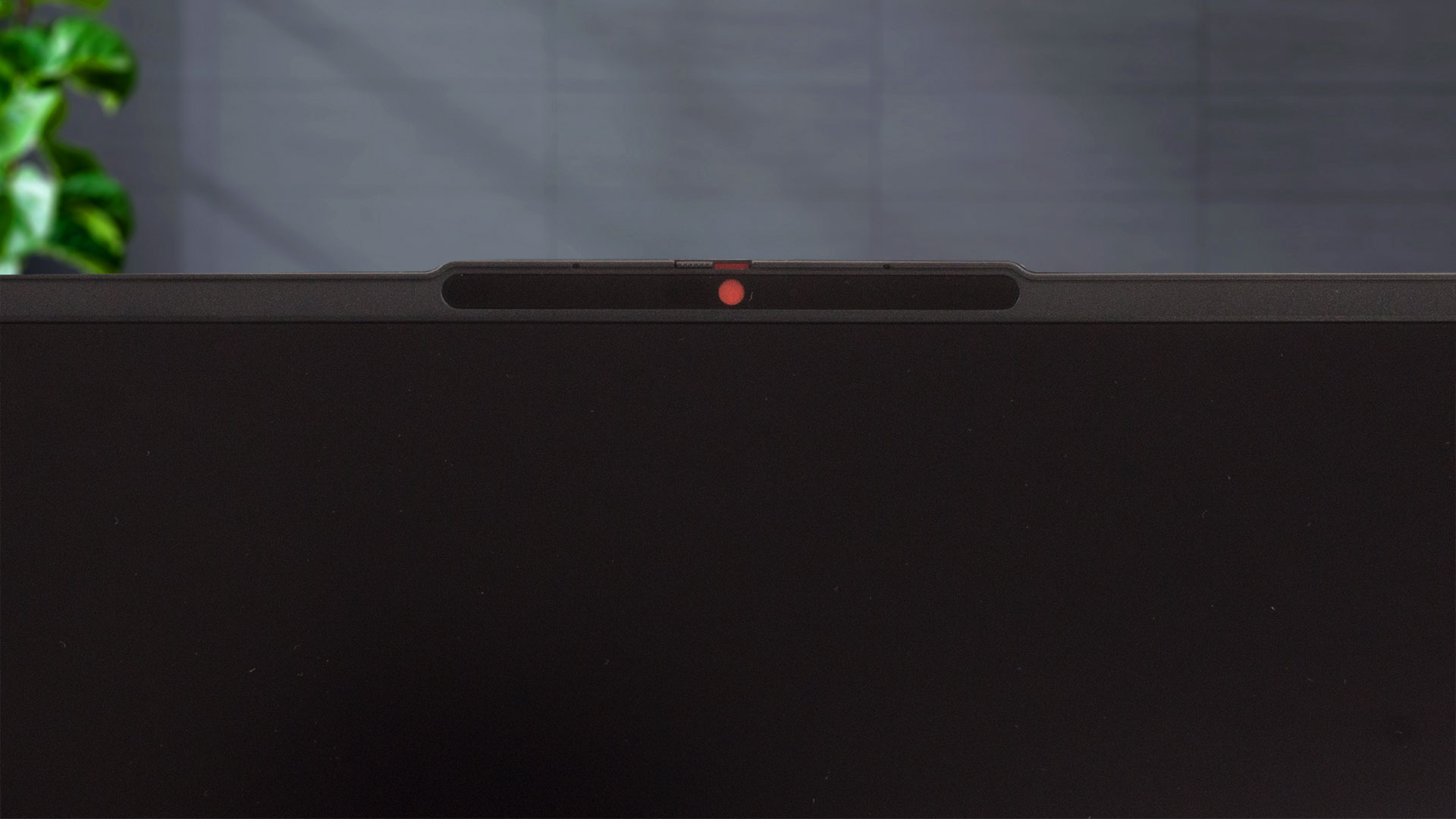
The protrusion on the top of the lid is for easier opening but it also houses a 1080p or an optional Full HD IR Web camera. Both models have privacy shutters.
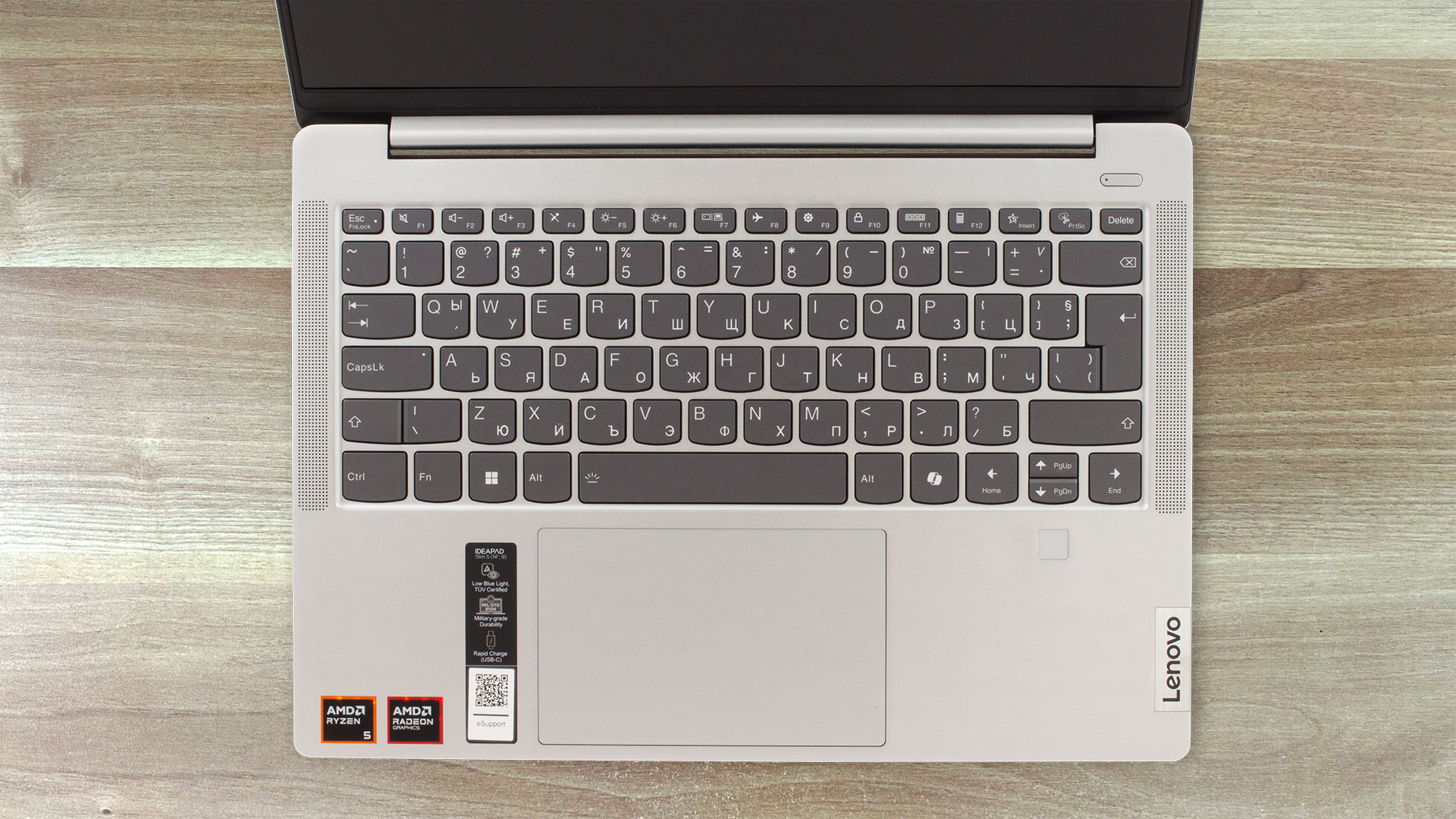
The front-firing speakers are placed on the side of the keyboard with an optional backlight. The board has good travel and clicky feedback which makes it comfortable for work. The optional fingerprint reader is placed right below the hard-to-press “Up” and “Down” Arrow keys. The touchpad is decently big (75×120 mm) given the form factor of the laptop. The smoothness of the Mylar surface is above average and the accuracy is fine.
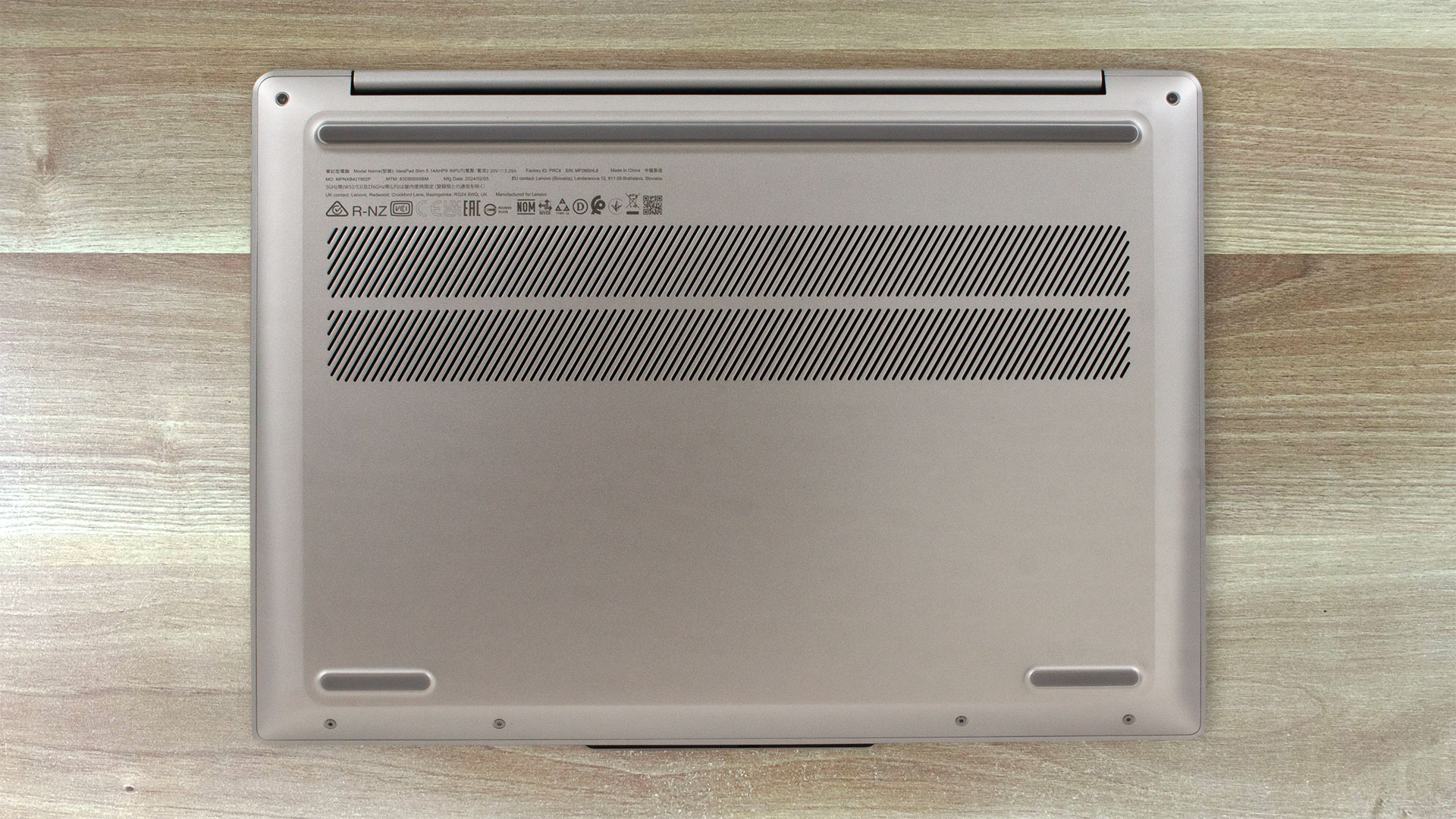
On the bottom panel, there are three rubber feet and a big two-row ventilation grill. The heat is pushed via a vent on the back and that’s why some amount of hot air reaches the display when the CPU is under max stress.
Ports
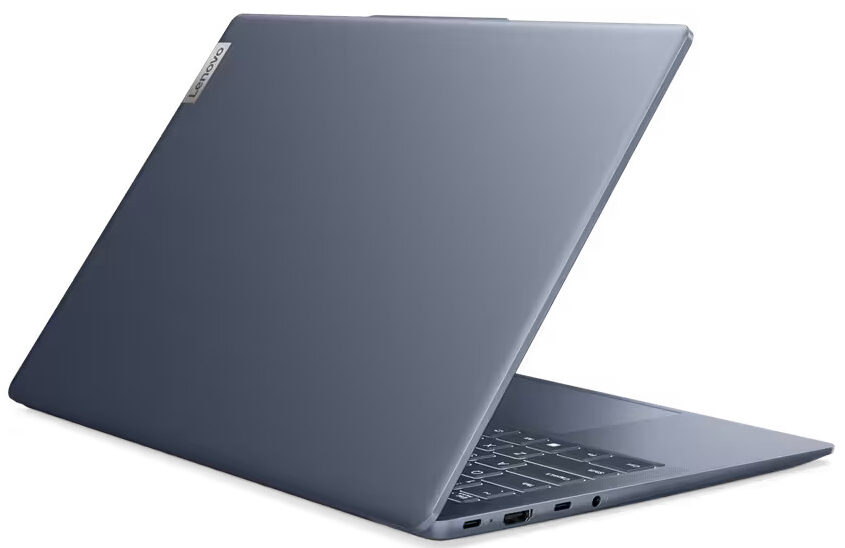
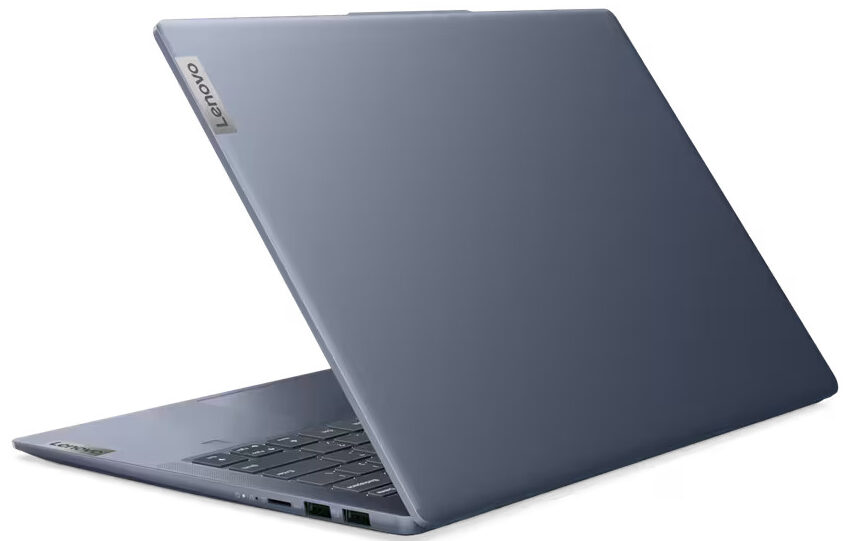
On the left side, you can see a 5 Gbps USB Type-C 3.2 (Gen. 1) port, an HDMI 1.4b connector (that can handle 1080p 60Hz external displays), followed by another 5 Gbps USB Type-C 3.2 (Gen. 1) port, and an Audio combo jack. Both USB Type-C ports support Power Delivery 3.0, and DisplayPort 1.4 output (for up to 4K 60Hz external displays). On the right side, you can spot two USB Type-A 3.2 (Gen. 1) ports (the former has an Always On function) and a MicroSD card slot.


Display and Sound Quality, Get our Profiles
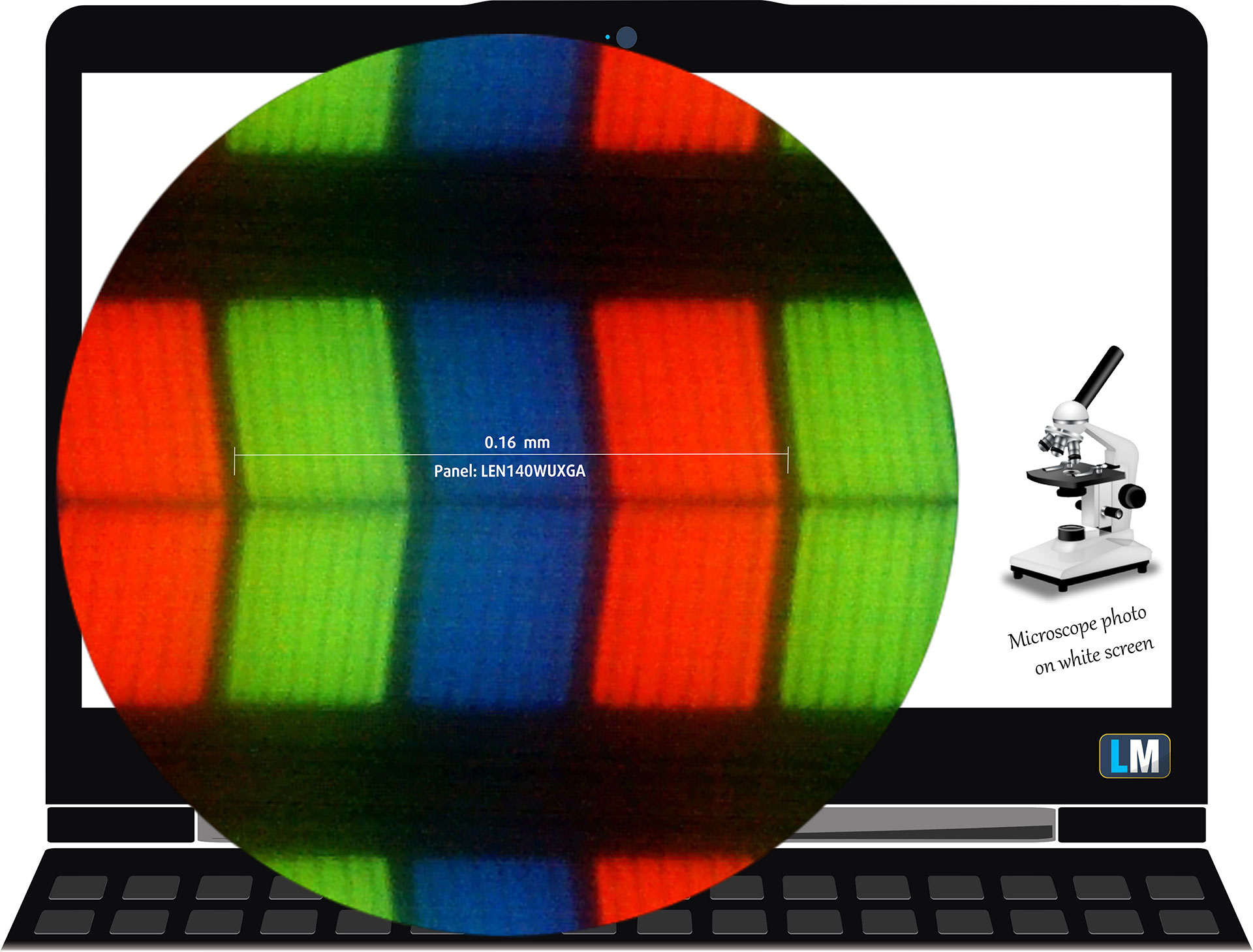
Lenovo IdeaPad Slim 5 Gen 9 (14″ AMD) is equipped with a WUXGA (Widescreen Ultra Extended Graphics Array) IPS panel, model number LEN140WUXGA (LEN9125). It comes with a 60Hz refresh rate. Its diagonal is 14″ (35.5 cm), and the resolution – 1920 x 1200p. Additionally, the screen ratio is 16:10, the pixel density – 162 ppi, and their pitch – 0.16 x 0.16 mm. The screen can be considered Retina when viewed from at least 54 cm (this is based on the pixel density and the typical viewing distance at which individual pixels cannot be distinguished by the human eye).
Viewing angles are good. We offer images at different angles to evaluate the quality.
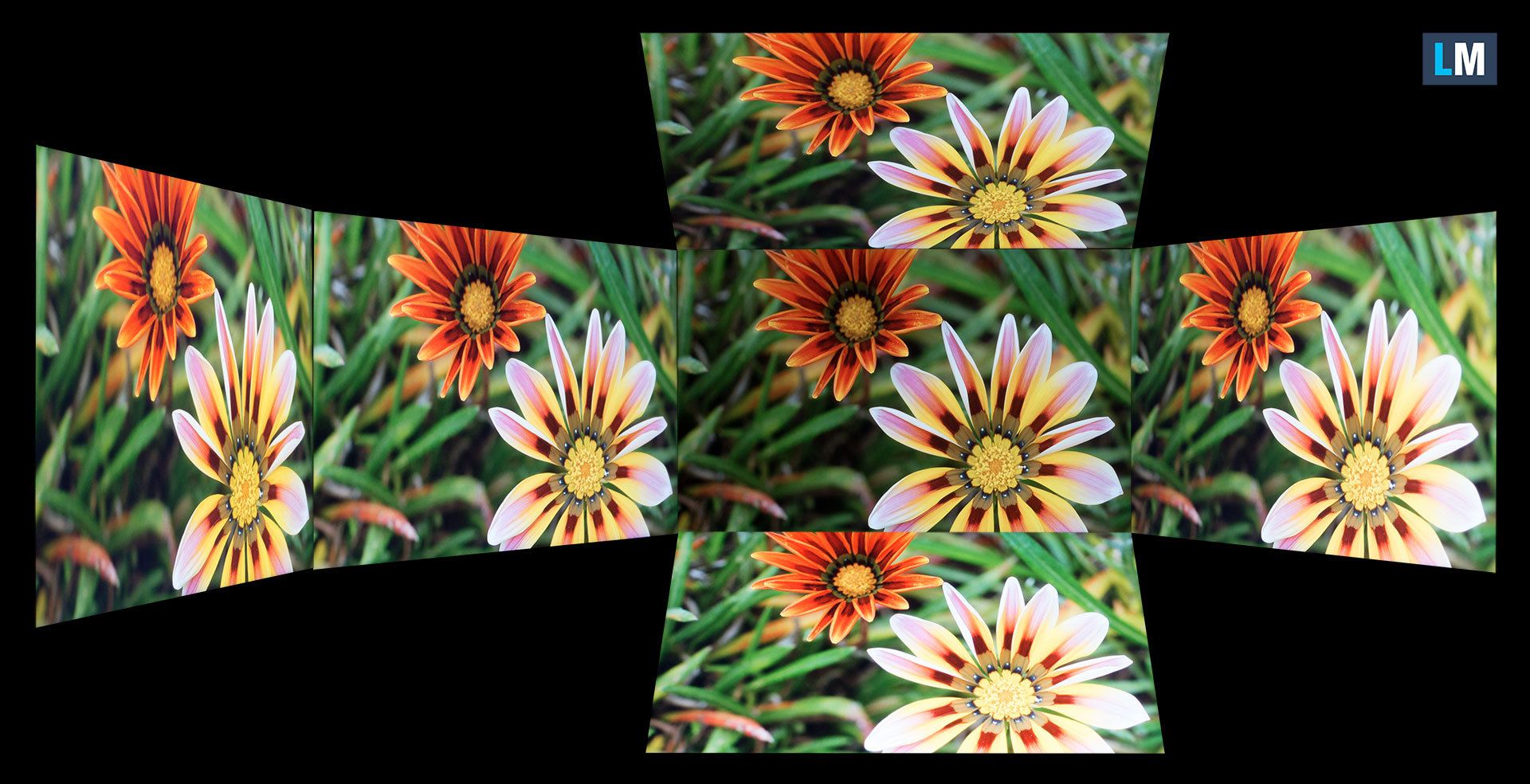
Also, a video with locked focus and exposure.
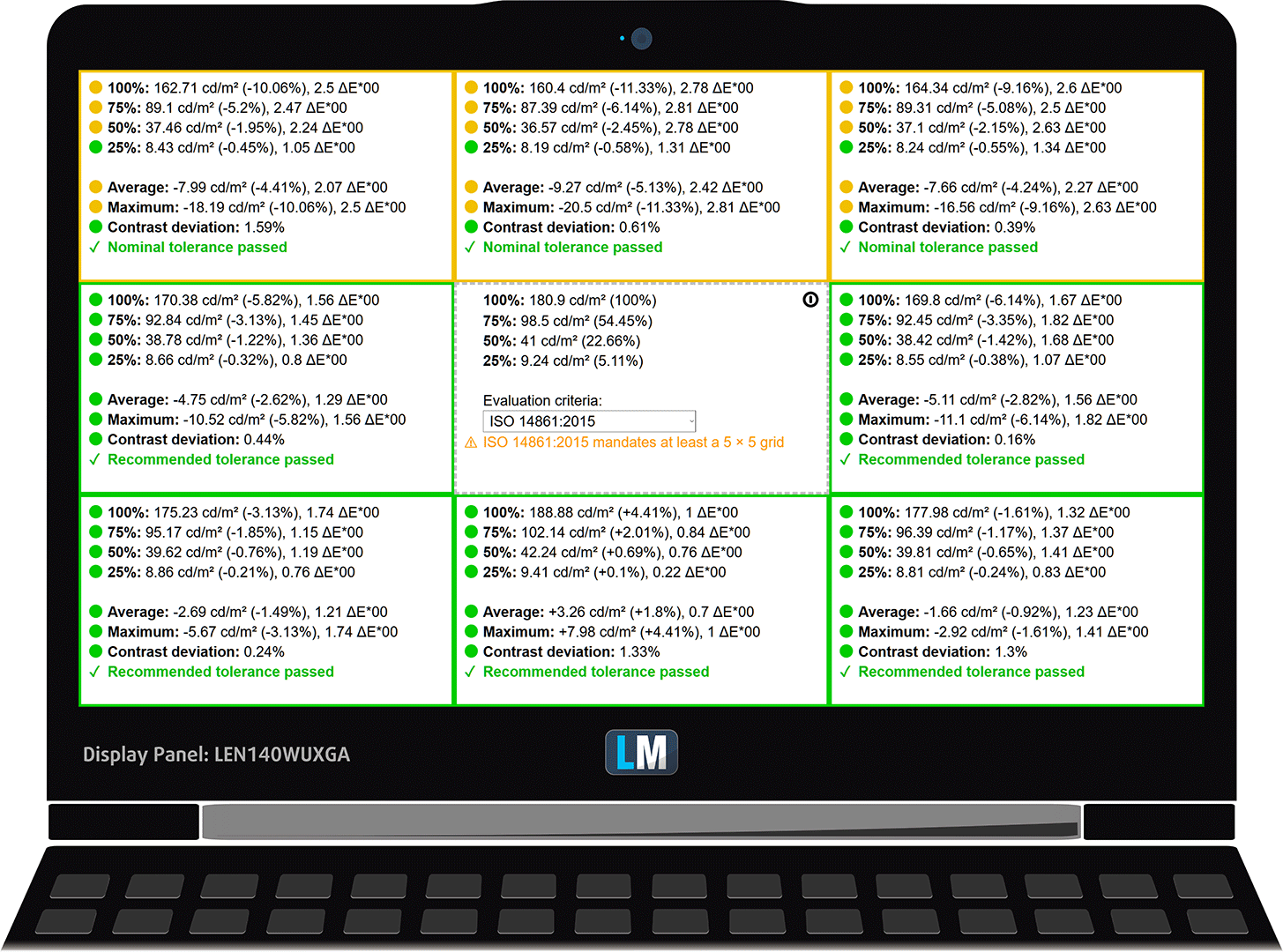
The maximum measured brightness is 302 nits (cd/m2) in the middle of the screen and 289 nits (cd/m2) average across the surface with a maximum deviation of 9%. The Correlated Color Temperature on a white screen and at maximum brightness is 6880K (average).
In the illustration below you can see how the display performs from a uniformity perspective. The illustration below shows how matters are for operational brightness levels (approximately 180 nits) – in this particular case at 78% Brightness (White level = 181 cd/m2, Black level = 0.13 cd/m2).
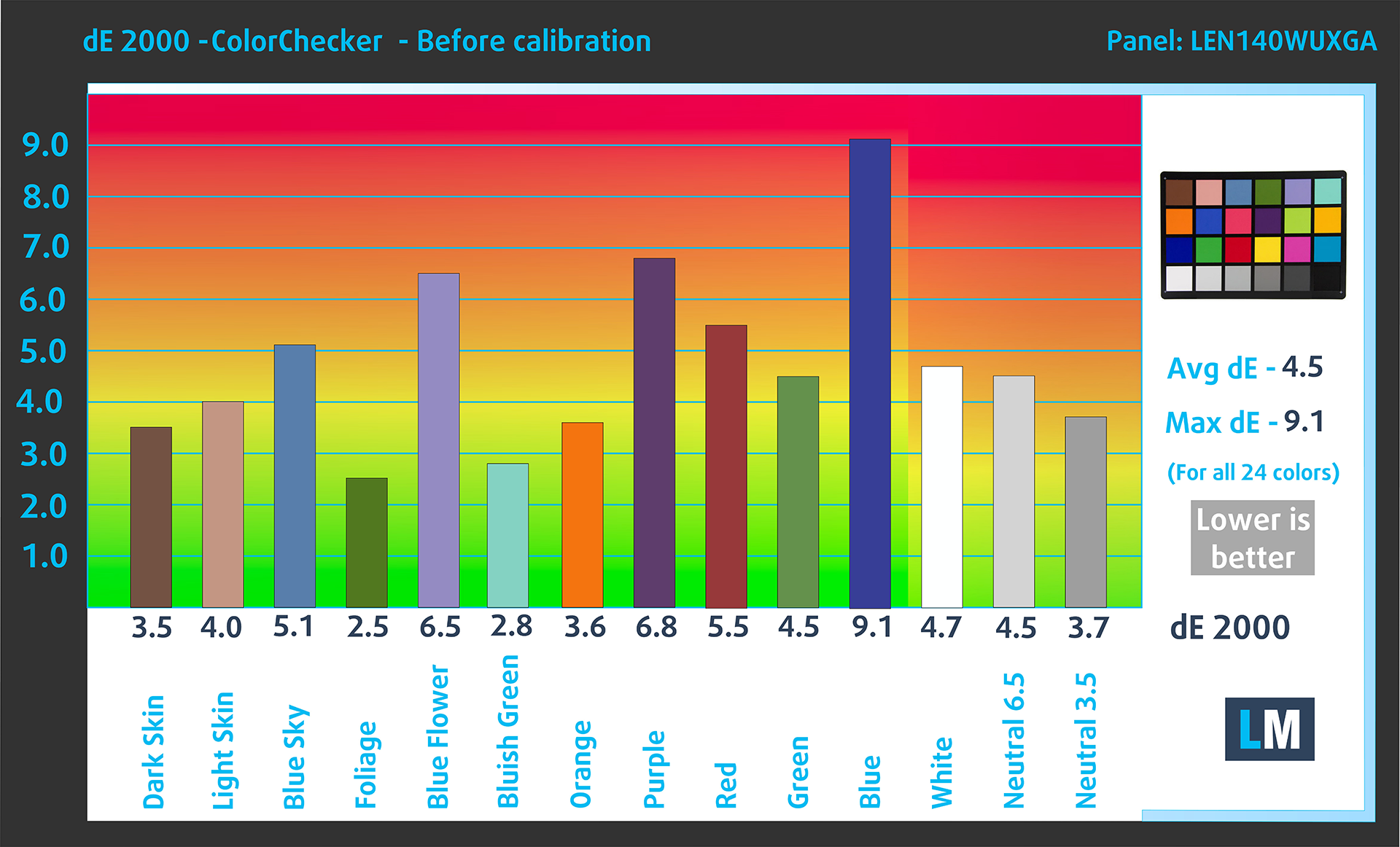
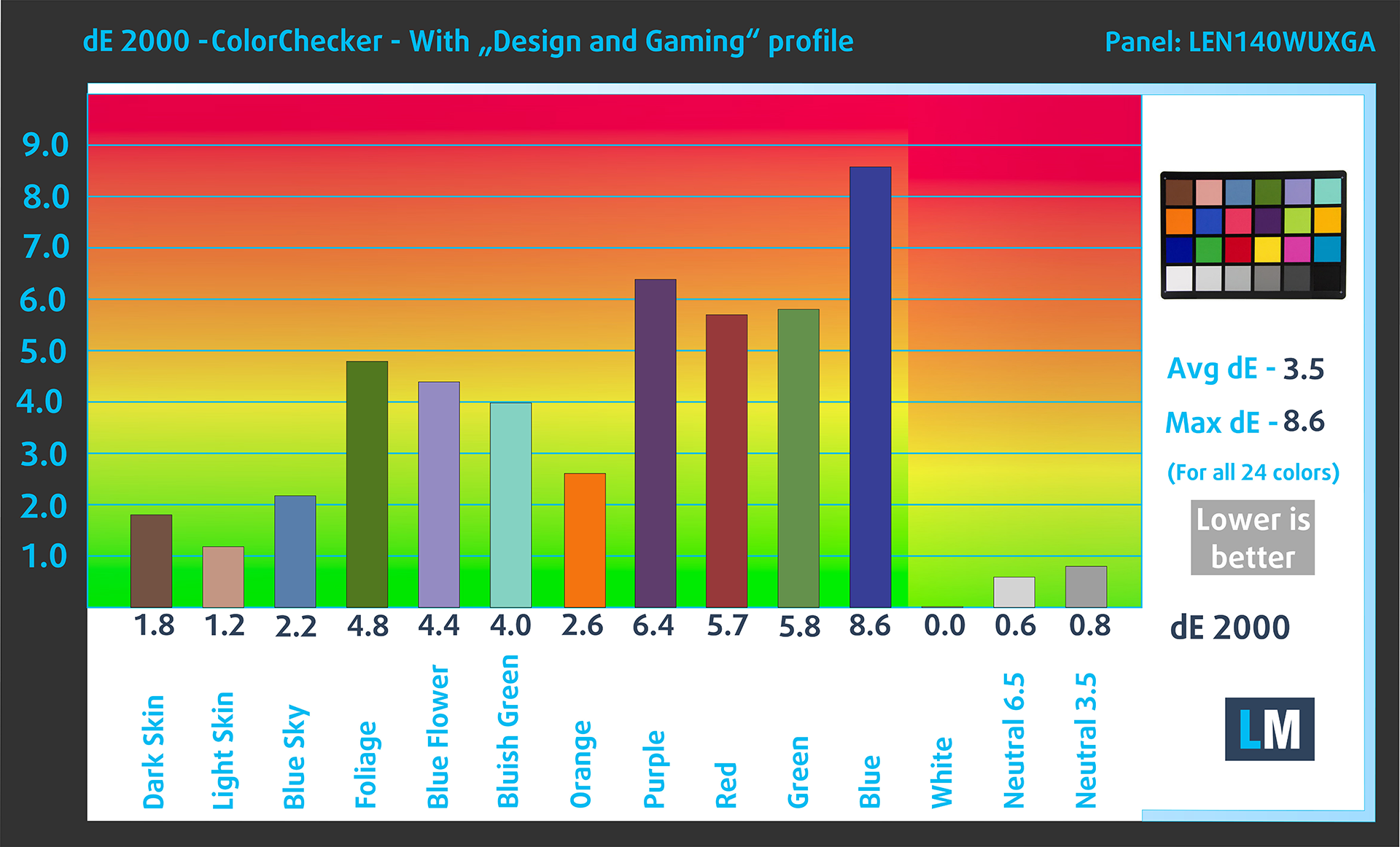
Values of dE2000 over 4.0 should not occur, and this parameter is one of the first you should check if you intend to use the laptop for color-sensitive work (a maximum tolerance of 2.0 ). The contrast ratio is good – 1400:1.
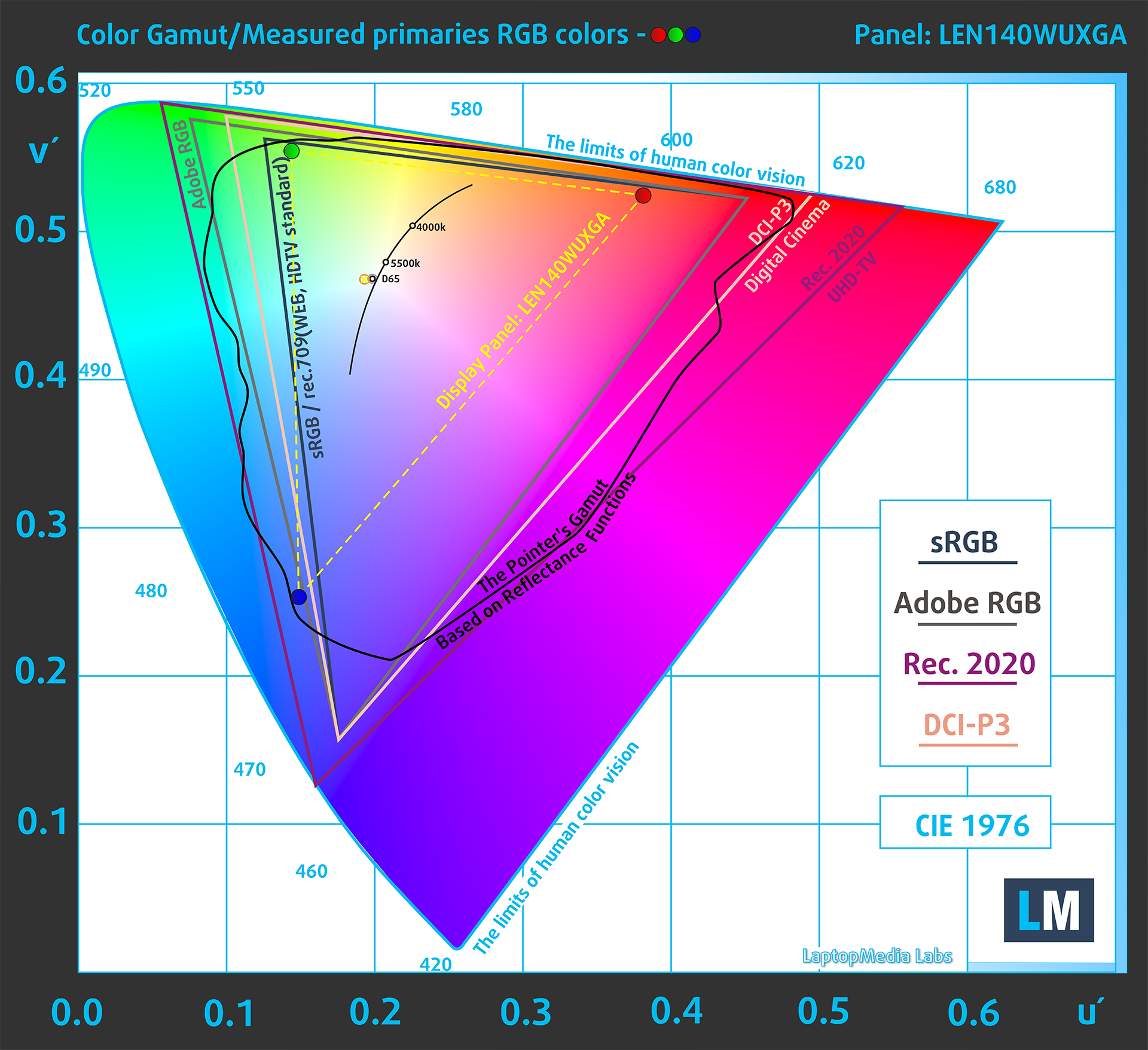
To make sure we are on the same page, we would like to give you a little introduction to the sRGB color gamut and the Adobe RGB. To start, there’s the CIE 1976 Uniform Chromaticity Diagram that represents the visible specter of colors by the human eye, giving you a better perception of the color gamut coverage and the color accuracy.
Inside the black triangle, you will see the standard color gamut (sRGB) that is being used by millions of people on HDTV and on the web. As for the Adobe RGB, this is used in professional cameras, monitors, etc for printing. Basically, colors inside the black triangle are used by everyone and this is the essential part of the color quality and color accuracy of a mainstream notebook.
Still, we’ve included other color spaces like the famous DCI-P3 standard used by movie studios, as well as the digital UHD Rec.2020 standard. Rec.2020, however, is still a thing of the future and it’s difficult for today’s displays to cover that well. We’ve also included the so-called Michael Pointer gamut, or Pointer’s gamut, which represents the colors that naturally occur around us every day.
The yellow dotted line shows Lenovo IdeaPad Slim 5 Gen 9 (14″ AMD)’s color gamut coverage.
Its display covers 54% of the sRGB/ITU-R BT.709 (web/HDTV standard) in CIE1976 and 43% of DCI-P3.
Our “Design and Gaming” profile delivers optimal color temperature at 180 cd/m2 luminance (Illuminant white point – D65), sRGB encoding curve.
We tested the accuracy of the display with 24 commonly used colors like light and dark human skin, blue sky, green grass, orange, etc. You can check out the results at factory condition and also, with the “Design and Gaming” profile.
Below you can compare the scores of the Lenovo IdeaPad Slim 5 Gen 9 (14″ AMD) with the default settings (left), and with the “Gaming and Web design” profile (right).
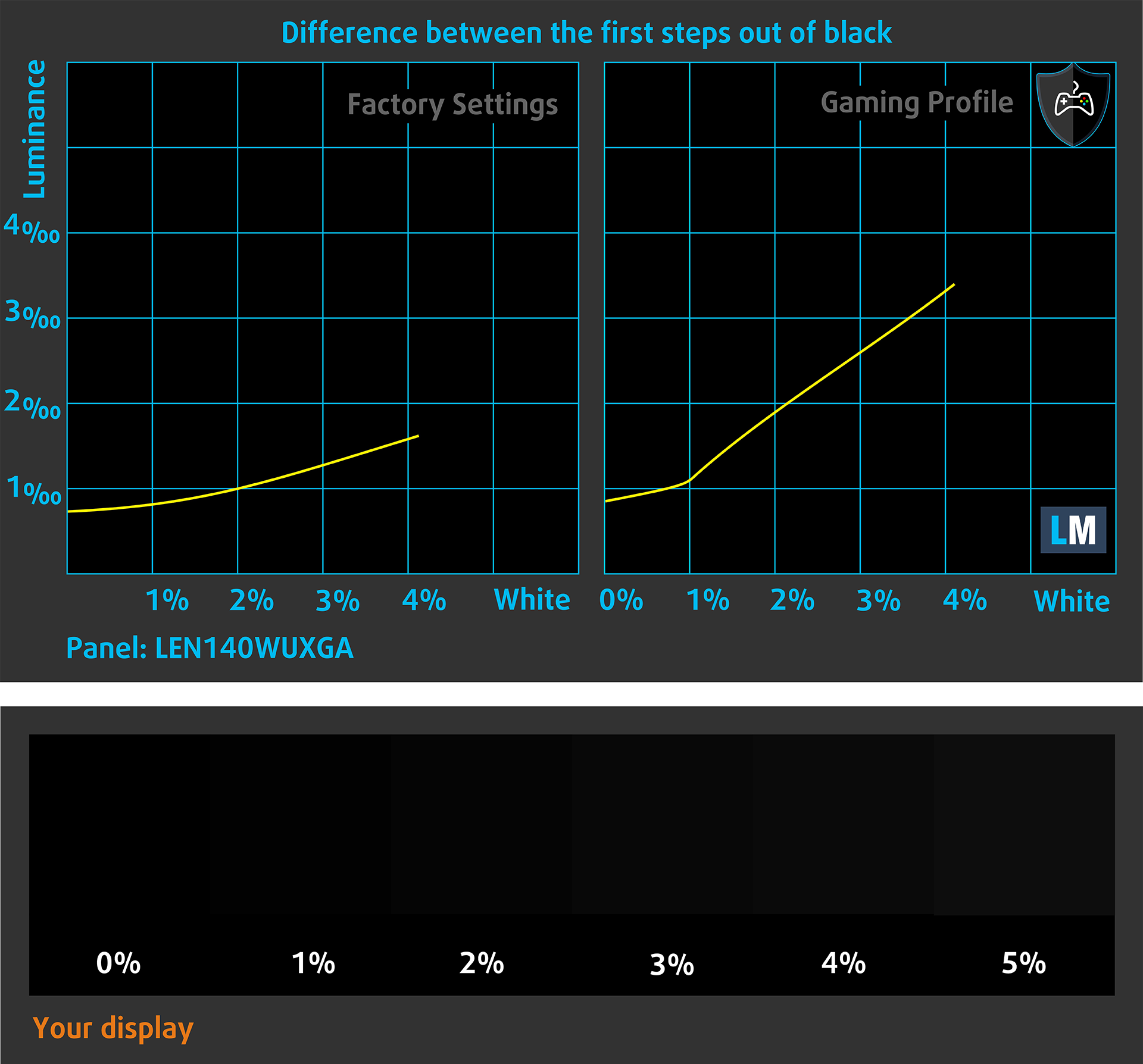
The next figure shows how well the display is able to reproduce really dark parts of an image, which is essential when watching movies or playing games in low ambient light.
The left side of the image represents the display with stock settings, while the right one is enhanced with the “Gaming and Web Design” profile activated. On the horizontal axis, you will find the grayscale, and on the vertical axis – the luminance of the display. On the two graphs below you can easily check for yourself how your display handles the darkest nuances but keep in mind that this also depends on the settings of your current display, the calibration, the viewing angle, and the surrounding light conditions.
Response time (Gaming capabilities)
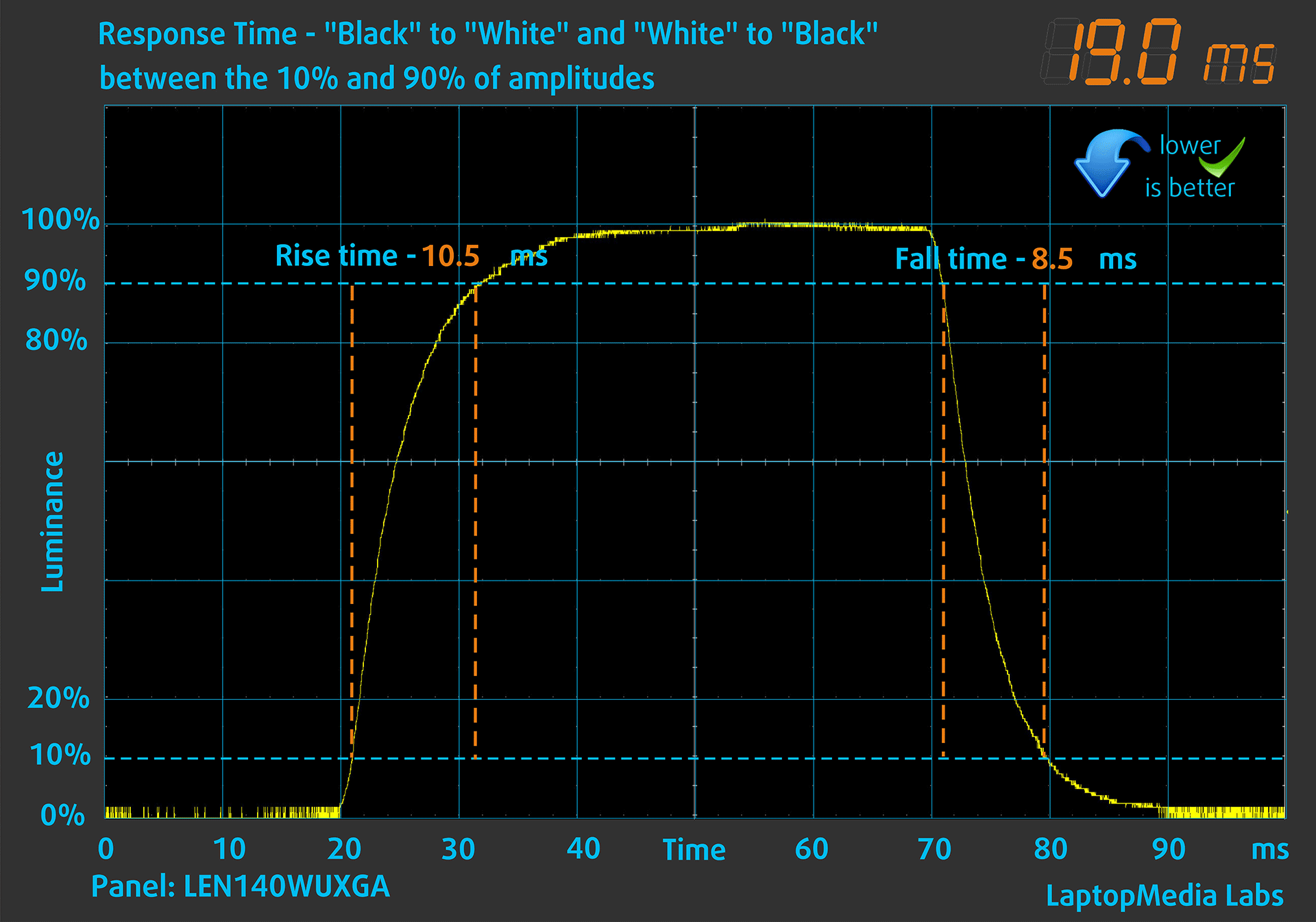
We test the reaction time of the pixels with the usual “black-to-white” and “white-to-black” method from 10% to 90% and vice versa.
We recorded Fall Time + Rise Time = 19 ms.
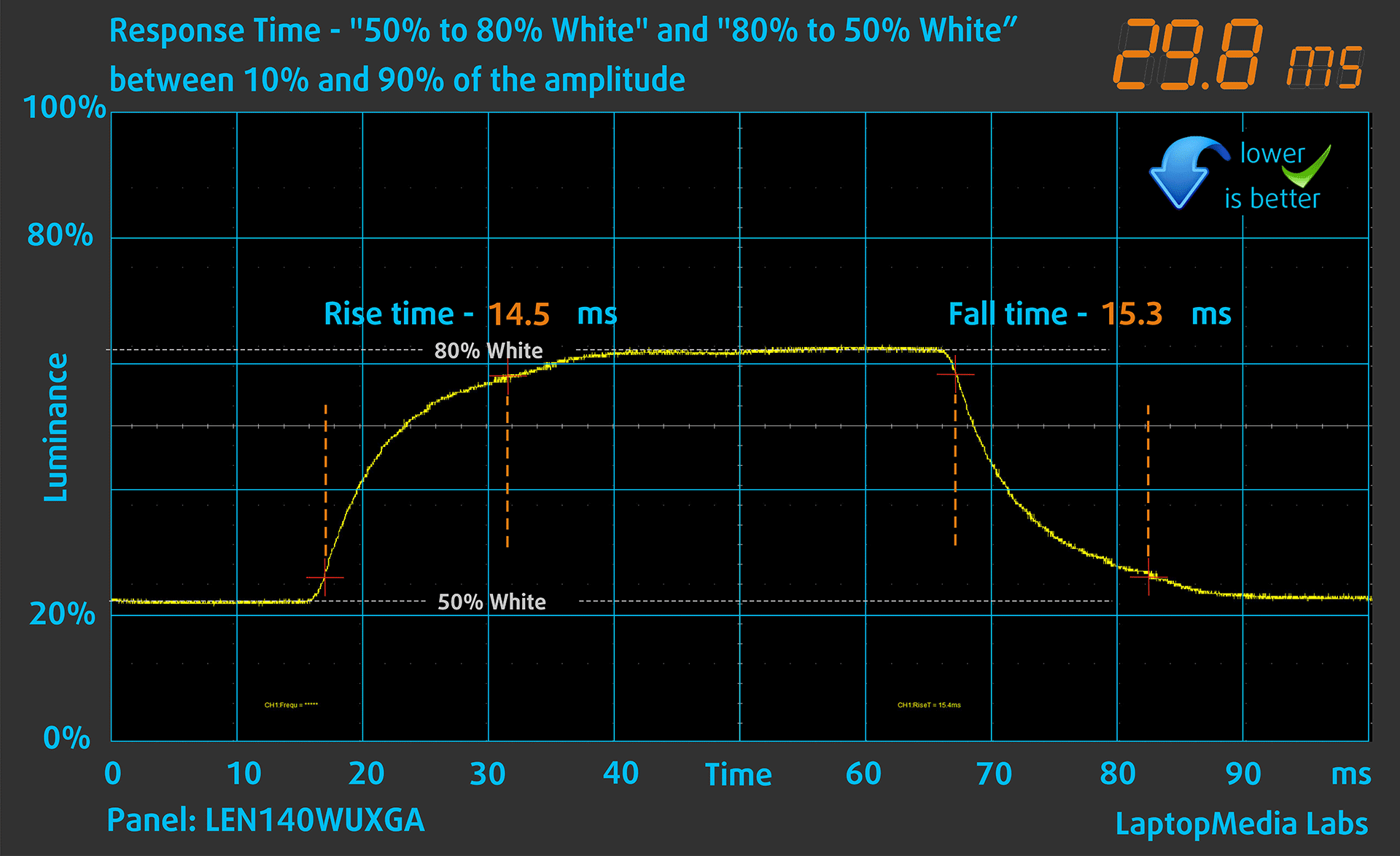
After that, we test the reaction time of the pixels with the usual “Gray-to-Gray” method from 50% White to 80% White and vice versa between 10% and 90% of the amplitude.
Health Impact: PWM (Screen flickering)
Pulse-width modulation (PWM) is an easy way to control monitor brightness. When you lower the brightness, the light intensity of the backlight is not lowered, but instead turned off and on by the electronics with a frequency indistinguishable to the human eye. In these light impulses, the light/no-light time ratio varies, while brightness remains unchanged, which is harmful to your eyes. You can read more about that in our dedicated article on PWM.
Lenovo IdeaPad Slim 5 Gen 9 (14″ AMD)’s display doesn’t flicker at any brightness level. This makes the screen comfortable for long periods of use.

Health Impact: Blue light emissions
Installing our Health-Guard profile not only eliminates PWM but also reduces the harmful Blue Light emissions while keeping the colors of the screen perceptually accurate. If you’re not familiar with the Blue light, the TL;DR version is – emissions that negatively affect your eyes, skin, and your whole body. You can find more information about that in our dedicated article on Blue Light.
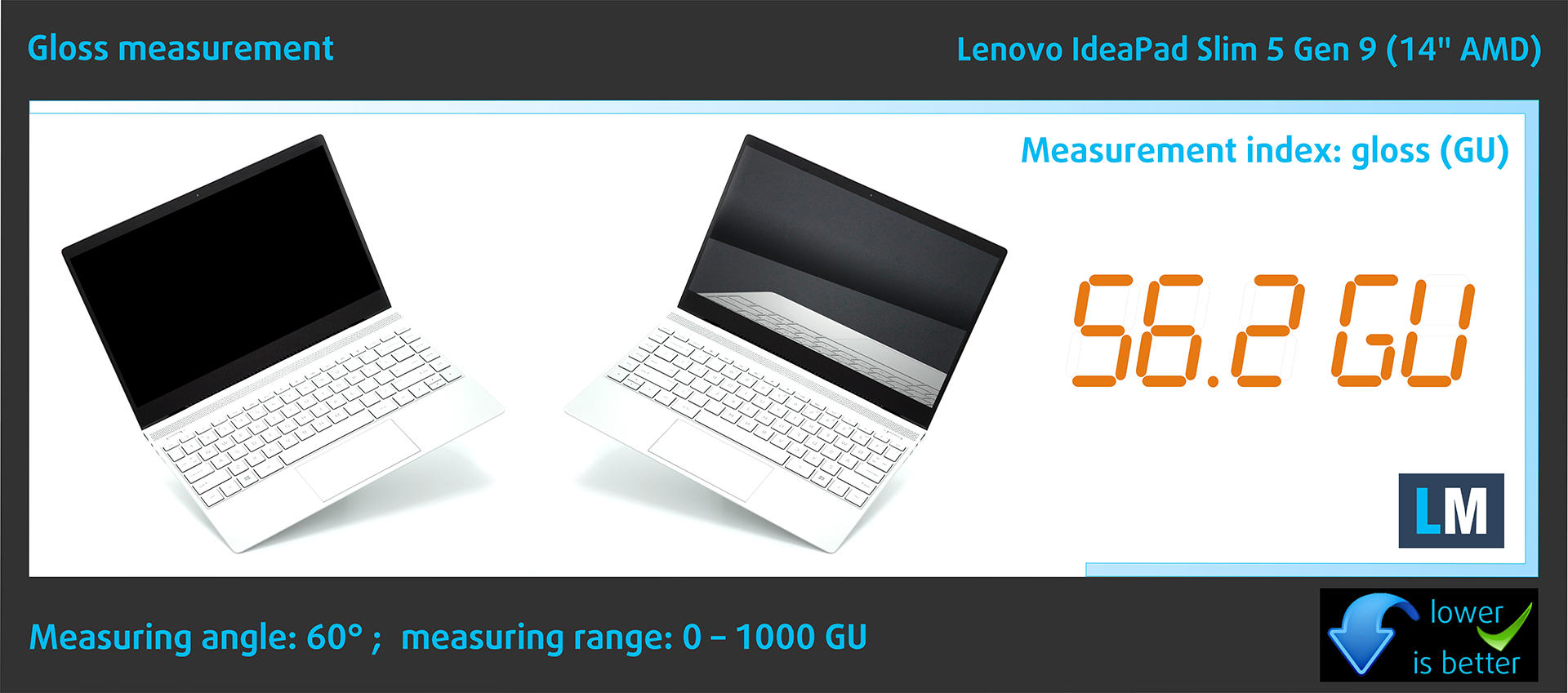
Health Impact: Gloss-level measurement
Glossy-coated displays are sometimes inconvenient in high ambient light conditions. We show the level of reflection on the screen for the respective laptop when the display is turned off and the measurement angle is 60° (in this case, the result is 56.2 GU).
High Gloss: >70 GU
Medium Gloss: 30 – 70 GU
Low Gloss: <30 GU
Sound
Lenovo IdeaPad Slim 5 Gen 9 (14″ AMD)’s Dolby Audio speakers produce a sound of very good quality. Its low, mid, and high tones have no deviations from clarity.

Buy our profiles
Since our profiles are tailored for each individual display model, this article and its respective profile package are meant for Lenovo IdeaPad Slim 5 Gen 9 (14″ AMD) configurations with 14″ LEN140WUXGA (LEN9125) (WUXGA, 1920 x 1200) IPS.
*Should you have problems with downloading the purchased file, try using a different browser to open the link you’ll receive via e-mail. If the download target is a .php file instead of an archive, change the file extension to .zip or contact us at [email protected].
Read more about the profiles HERE.
कुशल और स्वास्थ्य के अनुकूल प्रोफाइल प्राप्त करने के अलावा, LaptopMedia के उत्पादों को खरीदकर आप हमारी प्रयोगशालाओं के विकास का भी समर्थन करते हैं, जहाँ हम सबसे वस्तुनिष्ठ समीक्षाएँ प्रस्तुत करने के लिए उपकरणों का परीक्षण करते हैं।

Office Work
Office Work का उपयोग ज्यादातर उन उपयोगकर्ताओं द्वारा किया जाना चाहिए जो अपना अधिकांश समय टेक्स्ट के टुकड़ों, तालिकाओं को देखने या सिर्फ सर्फिंग में बिताते हैं। इस प्रोफ़ाइल का उद्देश्य एक फ्लैट गामा वक्र (2.20), मूल रंग तापमान और अवधारणात्मक रूप से सटीक रंगों को रखकर बेहतर विशिष्टता और स्पष्टता प्रदान करना है।

Design and Gaming
यह प्रोफ़ाइल उन डिजाइनरों के लिए है जो पेशेवर रूप से रंगों के साथ काम करते हैं, और गेम और फिल्मों के लिए भी। Design and Gaming डिस्प्ले पैनल को उनकी सीमा तक ले जाता है, जिससे वे वेब और HDTV के लिए sRGB IEC61966-2-1 मानक में, व्हाइट पॉइंट D65 पर यथासंभव सटीक हो जाते हैं।

Health-Guard
Health-Guard हानिकारक पल्स-विड्थ मॉड्यूलेशन (PWM) को समाप्त करता है और नकारात्मक नीली रोशनी को कम करता है जो हमारी आँखों और शरीर को प्रभावित करती है। चूंकि यह प्रत्येक पैनल के लिए कस्टम अनुरूप है, यह रंगों को अवधारणात्मक रूप से सटीक रखने का प्रबंधन करता है। Health-Guard कागज का अनुकरण करता है जिससे आँखों पर दबाव बहुत कम हो जाता है।
33% छूट के साथ सभी 3 प्रोफाइल प्राप्त करें

Performance: CPU, GPU, Storage
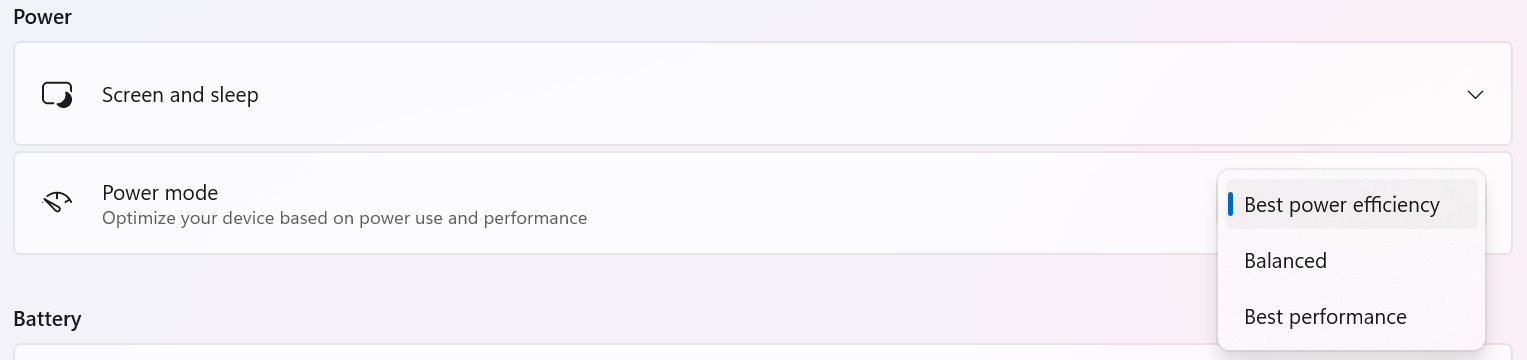
All benchmarks and tests were conducted with the “Best performance” preset applied in the Windows “Power & Battery” menu. Also, the “Performance” preset is selected in the Lenovo Vantage app and the “UMA Frame Buffer Size” is set to 2GB in the BIOS.



CPU options
This laptop can be configured with AMD Ryzen 5 8645HS or Ryzen 7 8845HS.
Our device has a Ryzen 5 chip.
Single-core प्रदर्शन ऑपरेटिंग सिस्टम में सुचारू संचालन और प्रतिक्रिया सुनिश्चित करता है, जिससे एक बेहतर उपयोगकर्ता अनुभव मिलता है।
परिणाम Geekbench 6 Single-Core टेस्ट से हैं (उच्चतर बेहतर है)
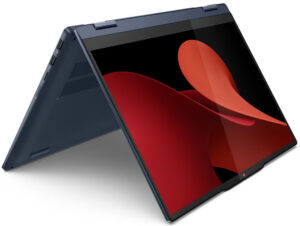
Multi-core प्रदर्शन जटिल और मांग वाले कार्यों, जैसे वीडियो संपादन, CAD, और वैज्ञानिक सिमुलेशन को संभालने के लिए आवश्यक है।
परिणाम Geekbench 6 Multi-Core टेस्ट से हैं (उच्चतर बेहतर है)
यहां, हम एक वास्तविक-विश्व 3D रेंडरिंग कार्य का उपयोग करके CPU के प्रदर्शन का मूल्यांकन करते हैं, जटिल संगणनाओं और रेंडरिंग वर्कलोड को कुशलतापूर्वक संभालने की इसकी क्षमता का आकलन करते हैं।
परिणाम Cinebench 2024 Multi-Core टेस्ट से हैं (उच्चतर बेहतर है)
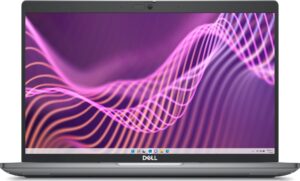
GPU options
Depending on the CPU model you get an AMD Radeon 760M or Radeon 780M iGPU.
The 760M model is fitted inside the processor of our machine.
परिणाम 3DMark Time Spy (Graphics) से हैं। उच्चतर बेहतर है।
Gaming tests

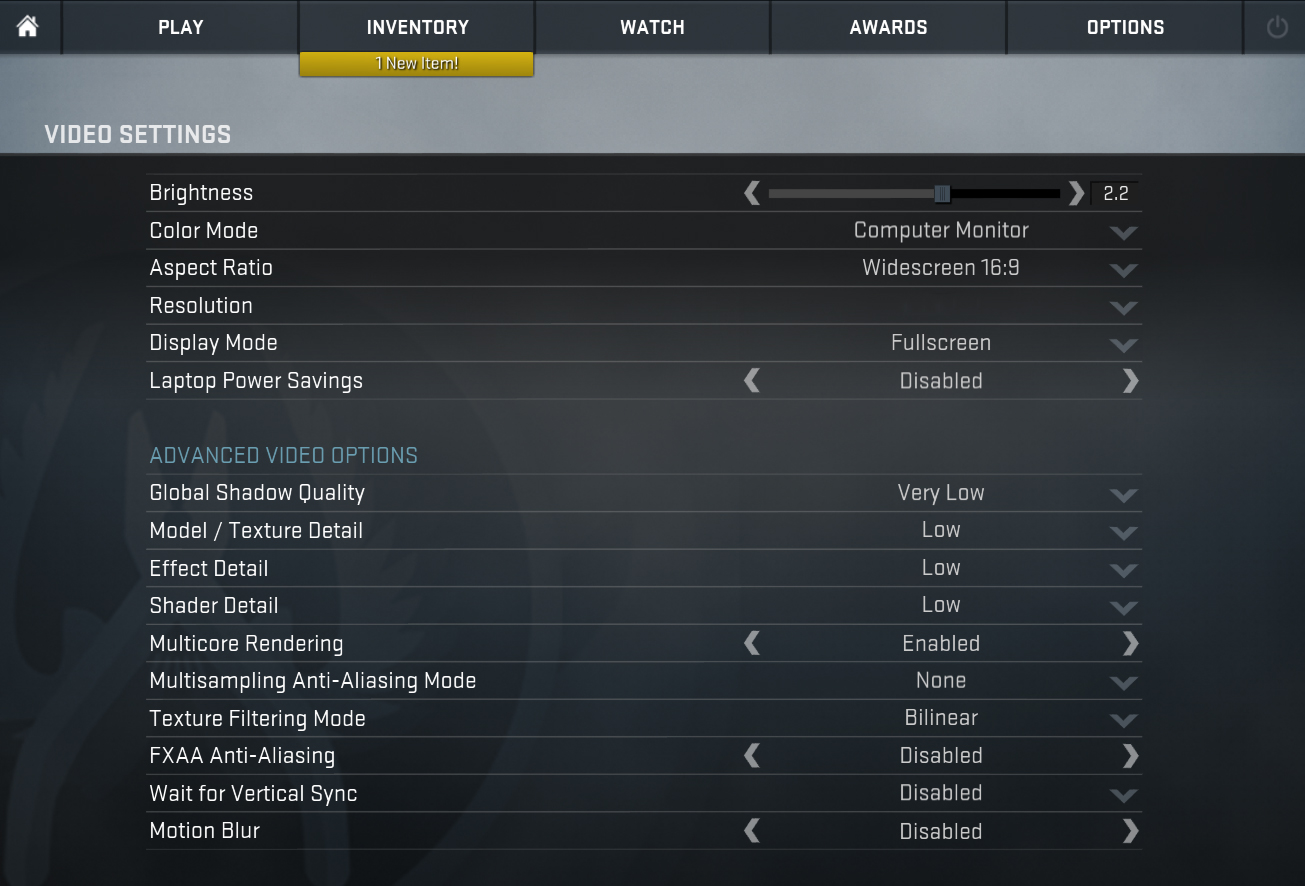
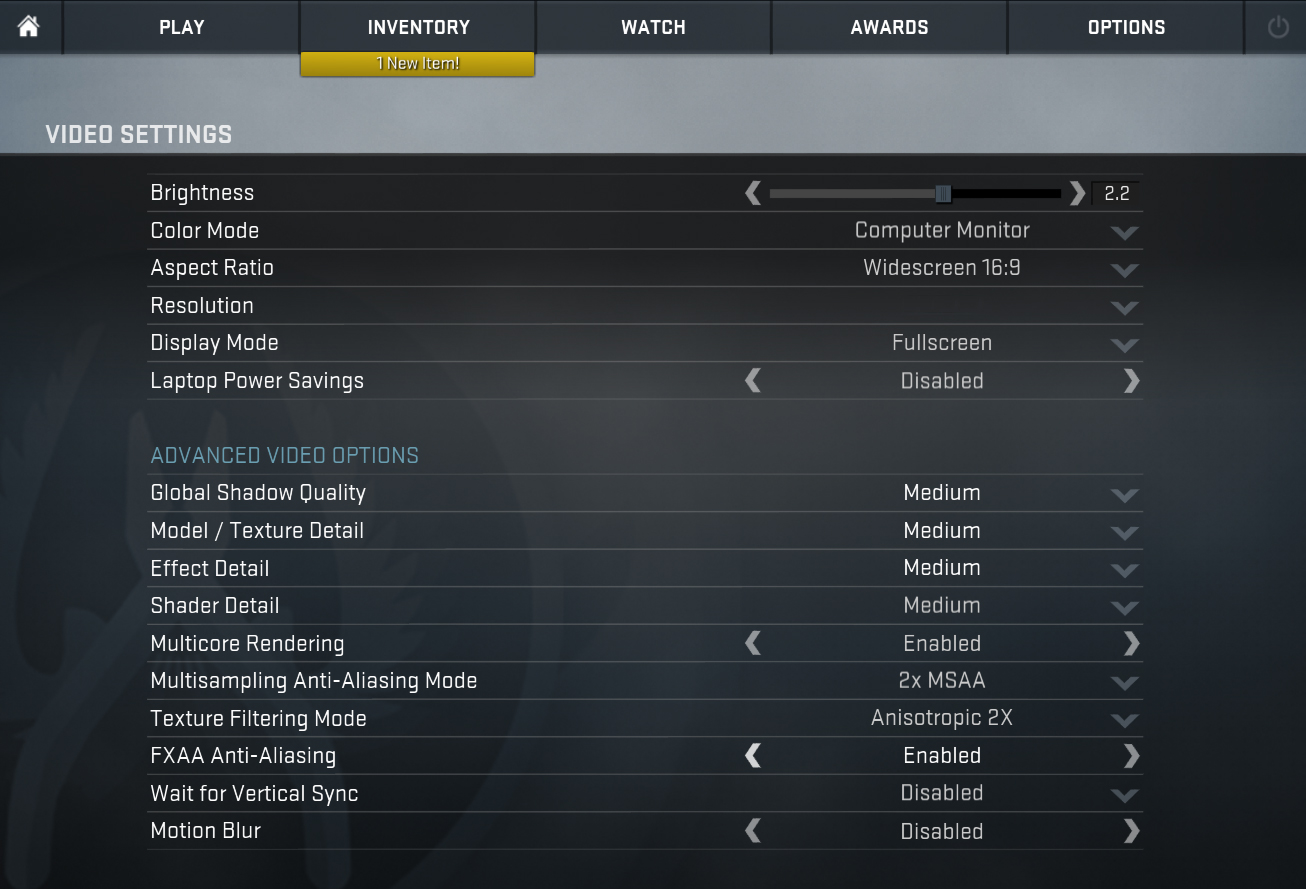
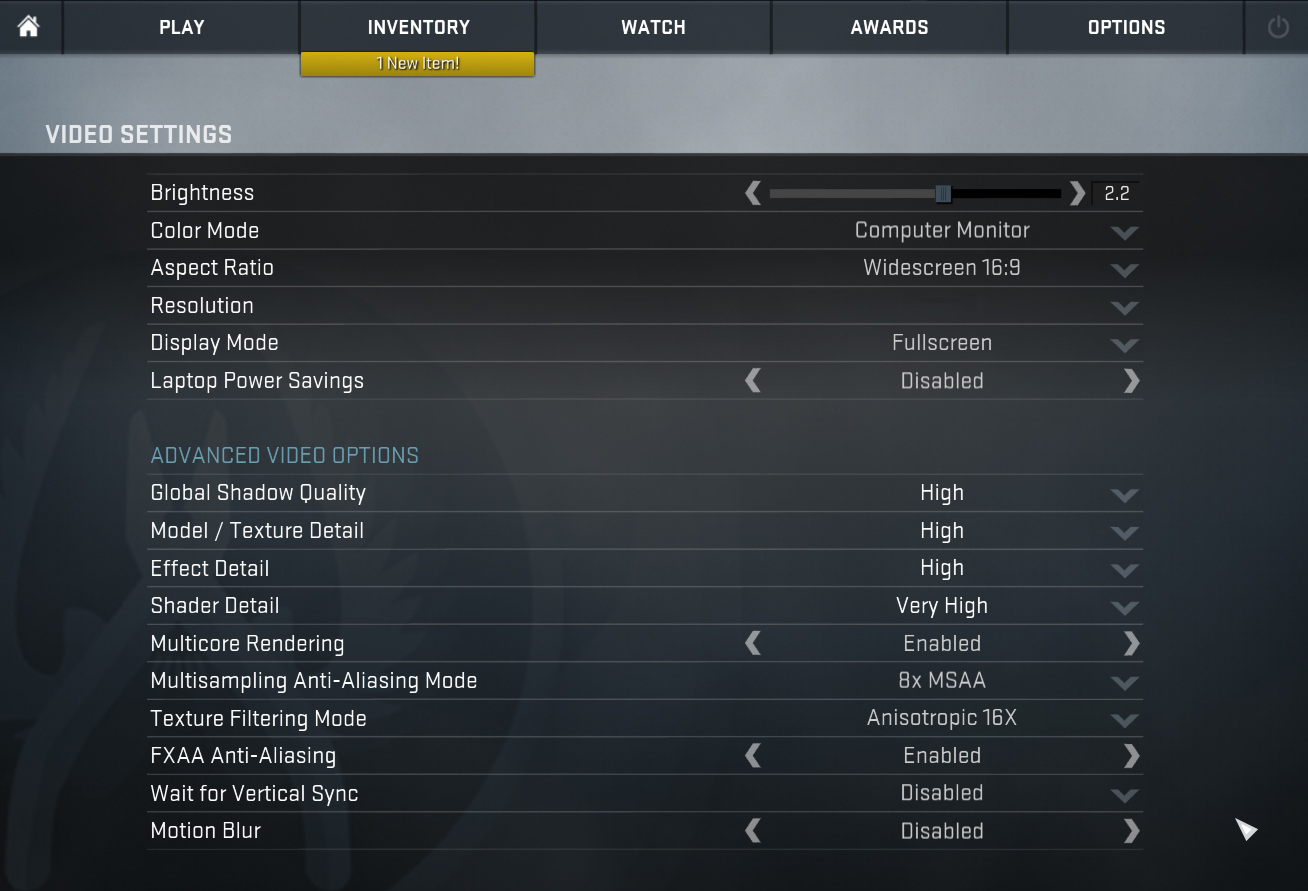
| CS:GO | HD 1080p, Low (Check settings) | HD 1080p, Medium (Check settings) | HD 1080p, MAX (Check settings) |
|---|---|---|---|
| Average FPS | 213 fps | 186 fps | 95 fps |

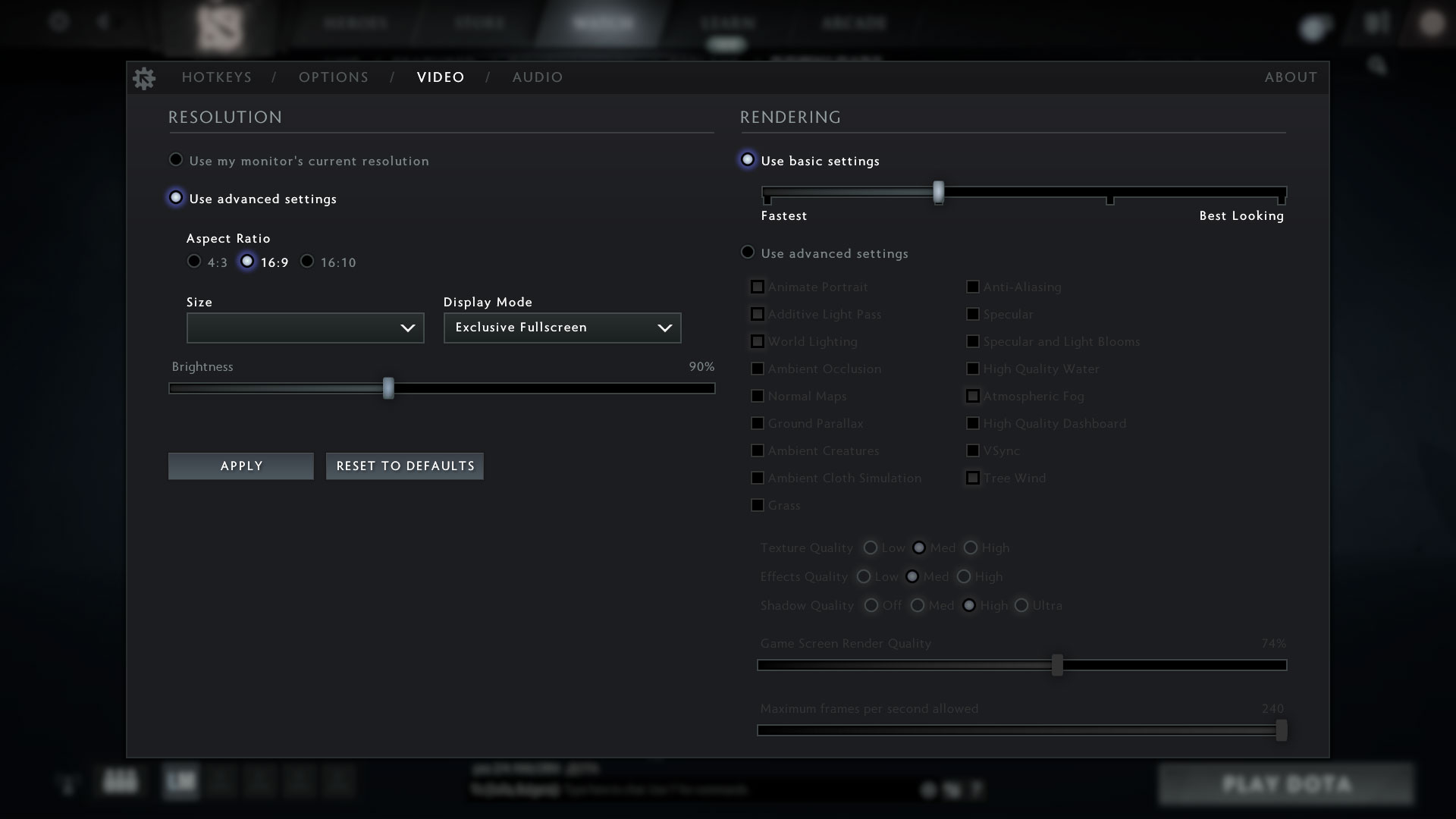
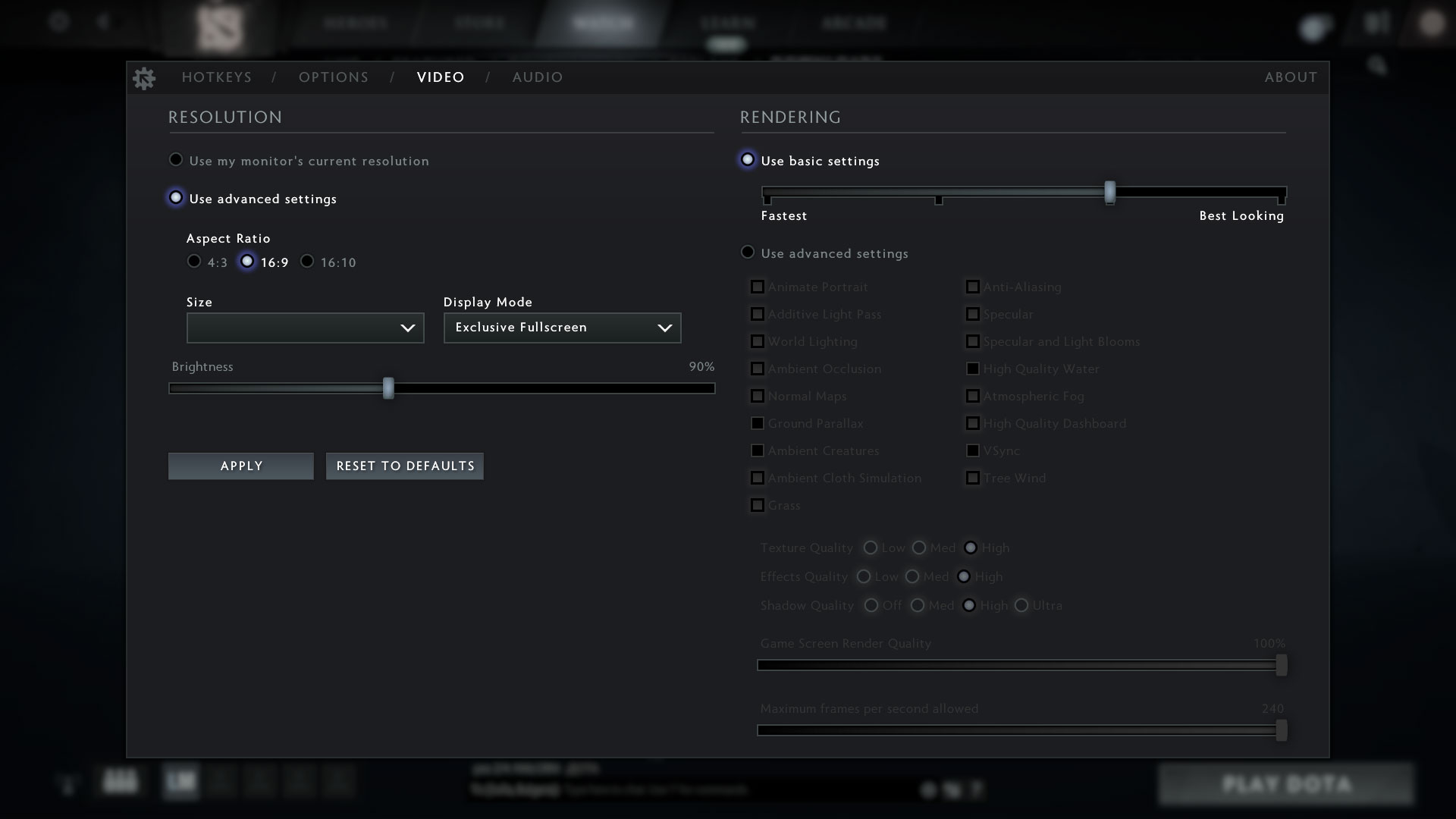
| DOTA 2 | HD 1080p, Low (Check settings) | HD 1080p, Normal (Check settings) | HD 1080p, High (Check settings) |
|---|---|---|---|
| Average FPS | 80 fps | 66 fps | 57 fps |
Storage performance
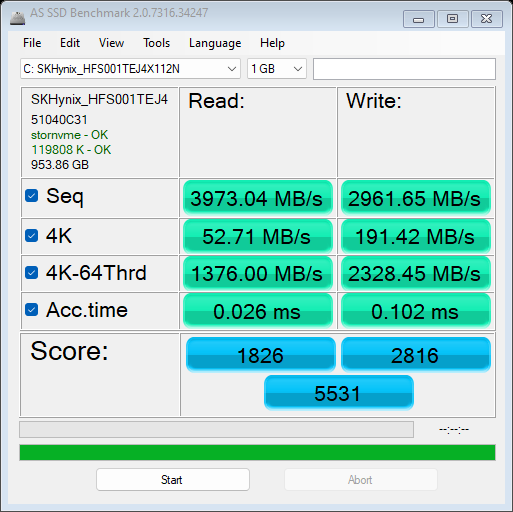
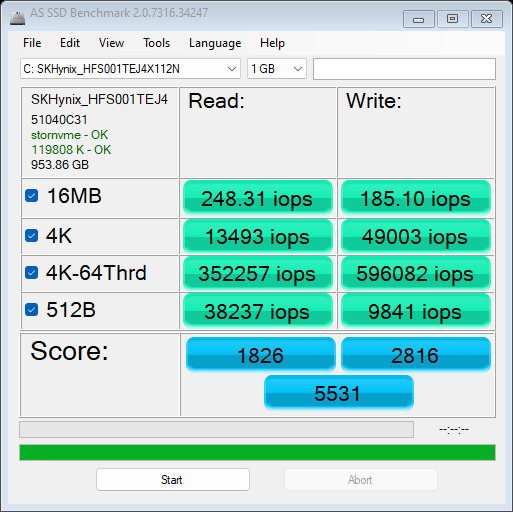
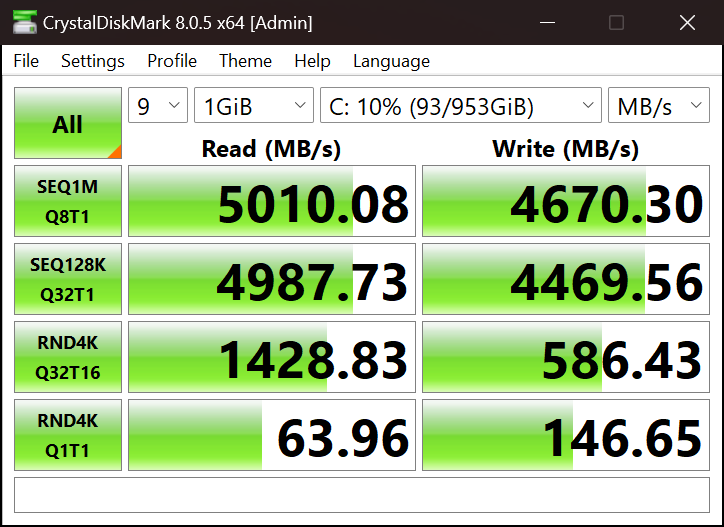
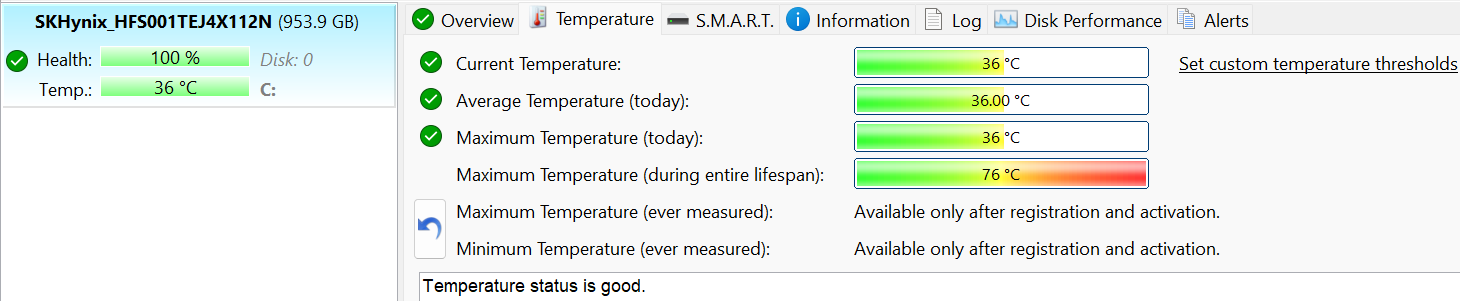
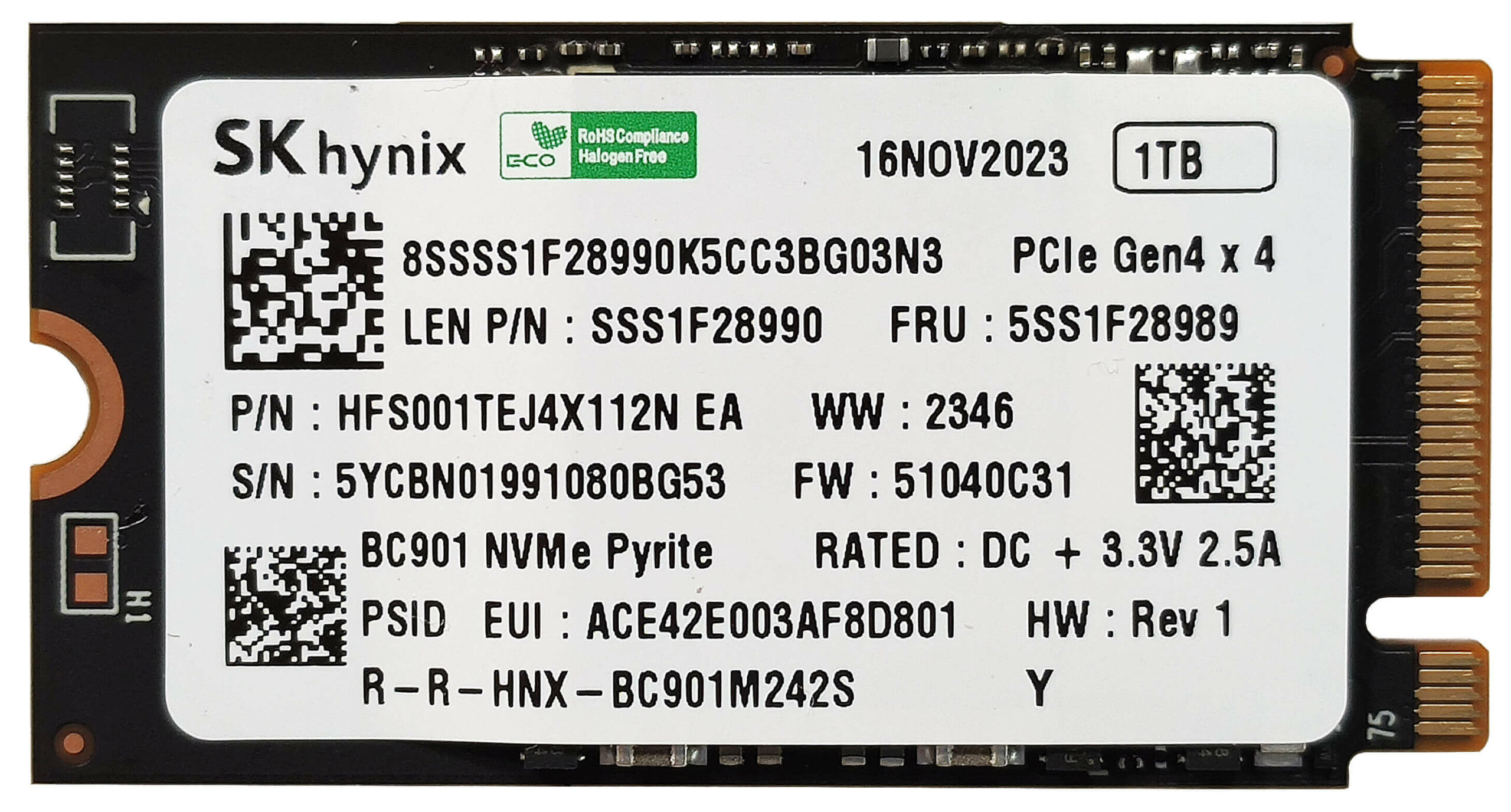
The NVMe of our laptop is the 1TB version of the SK Hynix_HFS001TEJ4X112N. Below you can see some benchmarks of this SSD. This small SSD is fast for a 2242 unit but gets toasty during benchmarking despite being additionally cooled by a thermal pad.
[eBook Guide + Tools] How to MAX OUT Your Laptop
You can make your laptop Faster. LaptopMedia has tested thousands of models in the last 15 years, and we have yet to see a notebook that couldn't be made more powerful through modifications.
That's why we decided to bundle everything we know about how to achieve this in an Easy-to-Follow, Step-by-Step, and Laboratory-Tested, all in one project.
Read more about it here:
[eBook Guide + Tools] How to MAX OUT Your Laptop
🛠️ GPU Modifications: vBIOS, Overclocking, Undervolting
⚙️ Building Fast/Reliable RAID configuration
💻 Hardware upgrade tips for best results
🖼 Display enhancing
💾 OS Optimization for best performance
Temperatures and comfort, Battery Life
Max CPU load
In this test we use 100% on the CPU cores, monitoring their frequencies and chip temperature. The first column shows a computer’s reaction to a short load (2-10 seconds), the second column simulates a serious task (between 15 and 30 seconds), and the third column is a good indicator of how good the laptop is for long loads such as video rendering.
Average core frequency (base frequency + X); CPU temp.
| AMD Ryzen 5 8645HS (45W TDP) | 0:02 – 0:10 sec | 0:15 – 0:30 sec | 10:00 – 15:00 min |
|---|---|---|---|
| Lenovo IdeaPad Slim 5 Gen 9 (14″ AMD) | 4.26 GHz @ 86°C @ 55W | 4.03 GHz @ 89°C @ 45W | 3.83 GHz @ 89°C @ 38W |
| Lenovo IdeaPad 5 2-in-1 (14″) | 4.20 GHz @ 90°C @ 54W | 3.93 GHz @ 98°C @ 45W | 3.44 GHz @ 94°C @ 32W |
The 45W Ryzen 5 8645HS is a serious challenge for any cooling system when this CPU is fitted in a 14-inch chassis. In this case, the IdeaPad Slim 5 Gen 9 can maintain a bit higher clocks and lower temperatures than the IdeaPad 5 2-in-1 with the same chip. Still, the Slim 5 sibling is having a hard time reaching the official AMD base clock even in short loads.
Comfort during full load
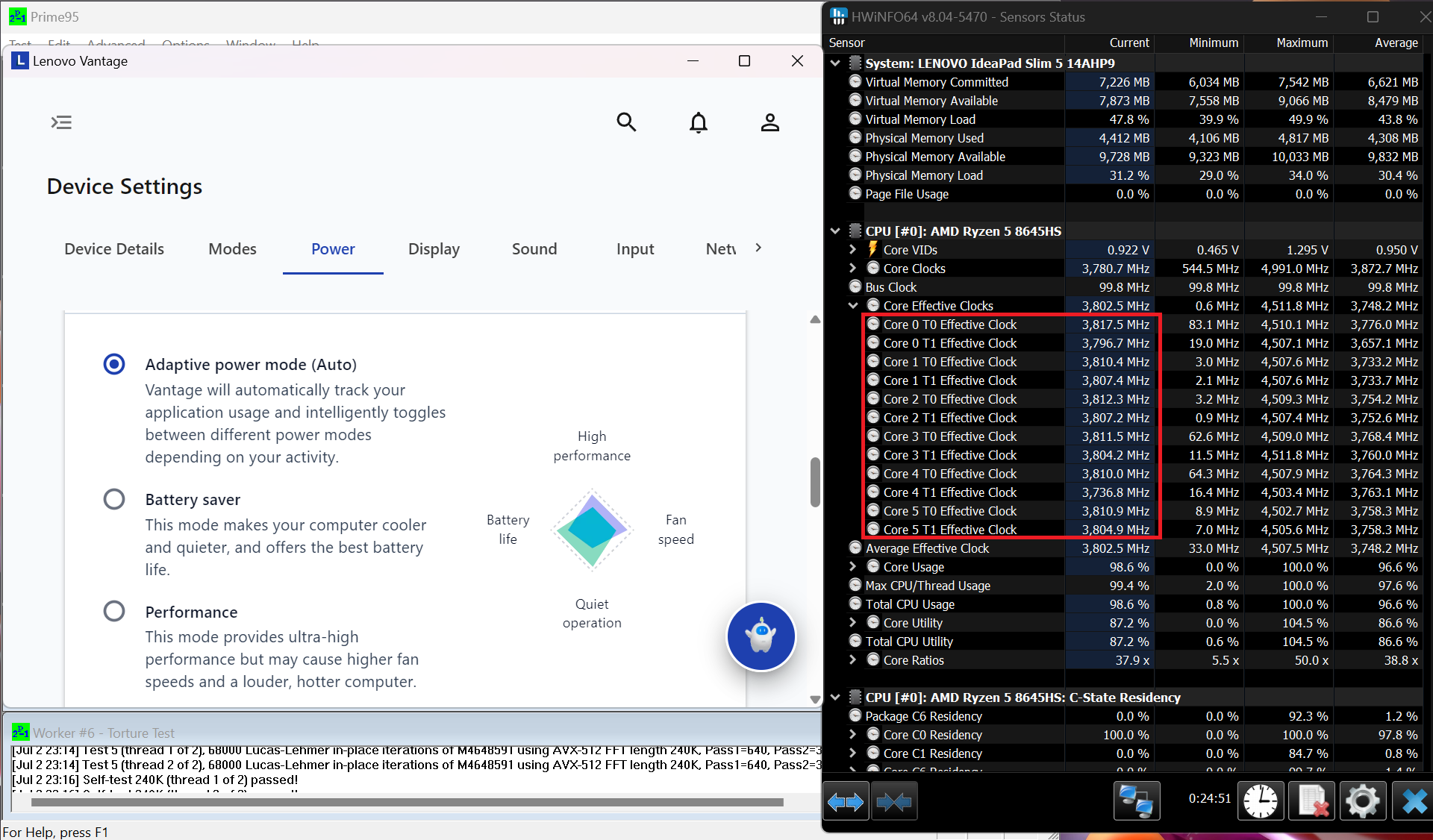
The sizable cooling fan remains almost quiet even when the thirsty CPU is pushed to its limits in “Performance” mode. In this scenario, the keyboard only feels a bit warm which leads to a very good comfort during usage.
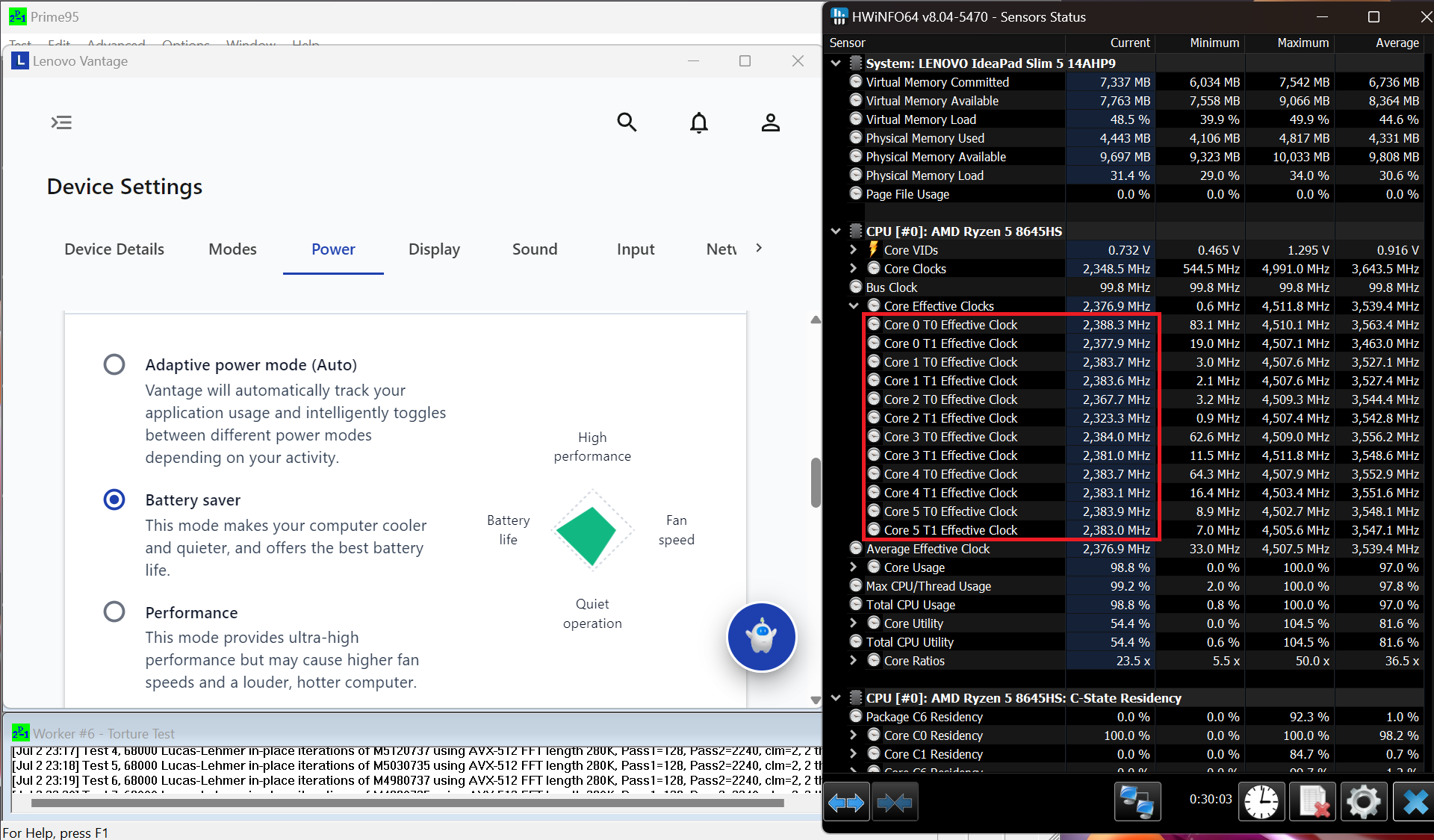
The CPU can sustain almost the same frequencies in “Performance” and “Adaptive Power” modes (around 3.80 GHz) and the noise levels are practically the same. Curiously, the system is decently snappy even when the “Battery Saver” preset is applied because of the ~2.40 GHz clock.
 Performance mode
 Adaptive Power mode
 Battery Saver mode
Battery
Now, we conduct the battery tests with the Windows Best Power Efficiency setting turned on, screen brightness adjusted to 180 nits and all other programs turned off except for the one we are testing the notebook with. The 57Wh battery pack lasts for around 11 hours of video playback. To achieve that, you have to apply the “Best Power Efficiency” preset in the Windows “Power & Battery” menu and select the “Adaptive Power mode” in the Lenovo Vantage app

चमक: 180 nits; डिस्प्ले मोड: SDR
पूर्ण डिस्चार्ज का समय: उच्चतर बेहतर है

Disassembly, Upgrade options, and Maintenance
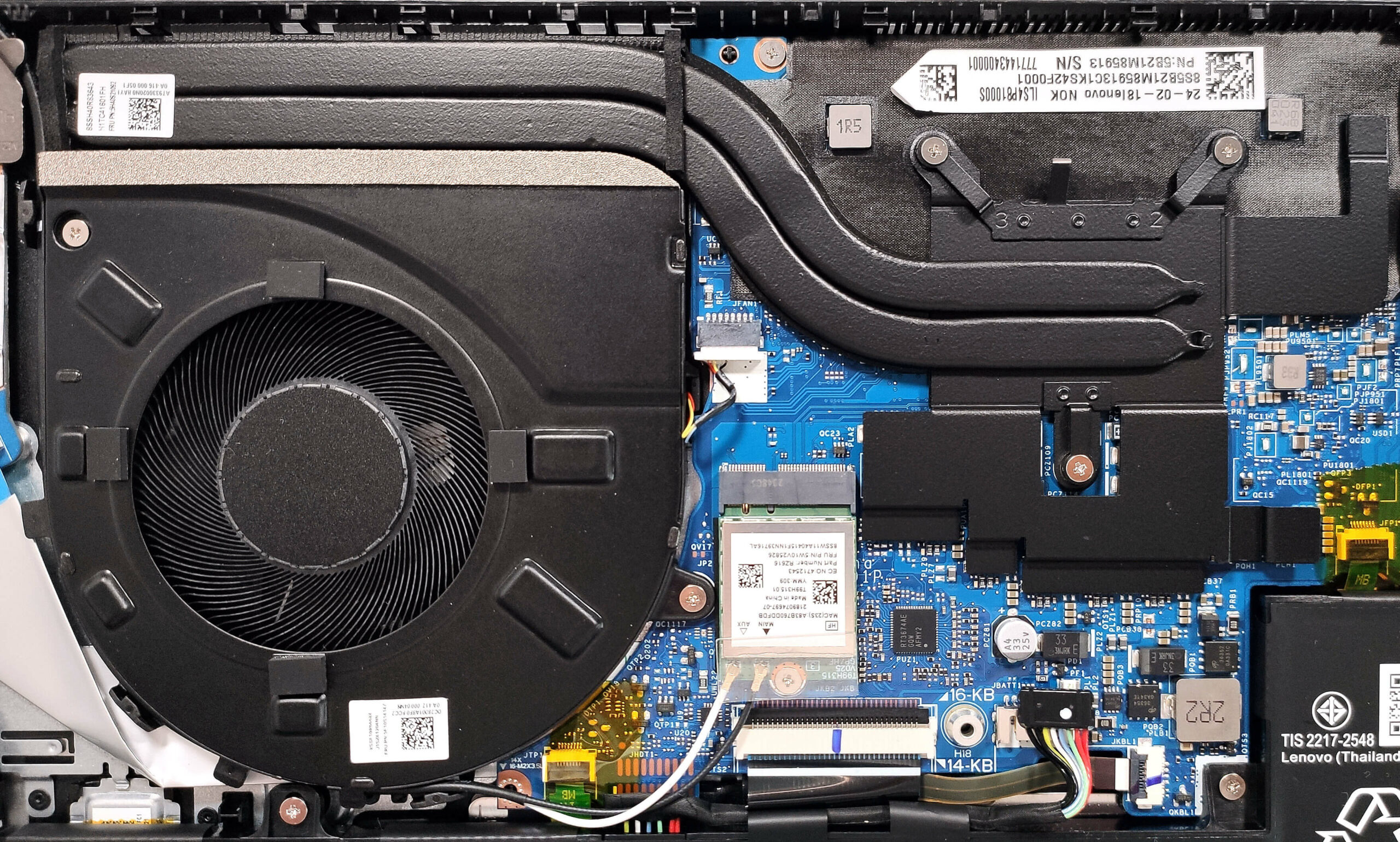
To open this compact device, you have to undo six Torx-head screws. Behind the hinge cover, raise the two sections that are close to the top two corners. Use a thin plastic tool to pop the sides and the front. Then, fully pry the back.
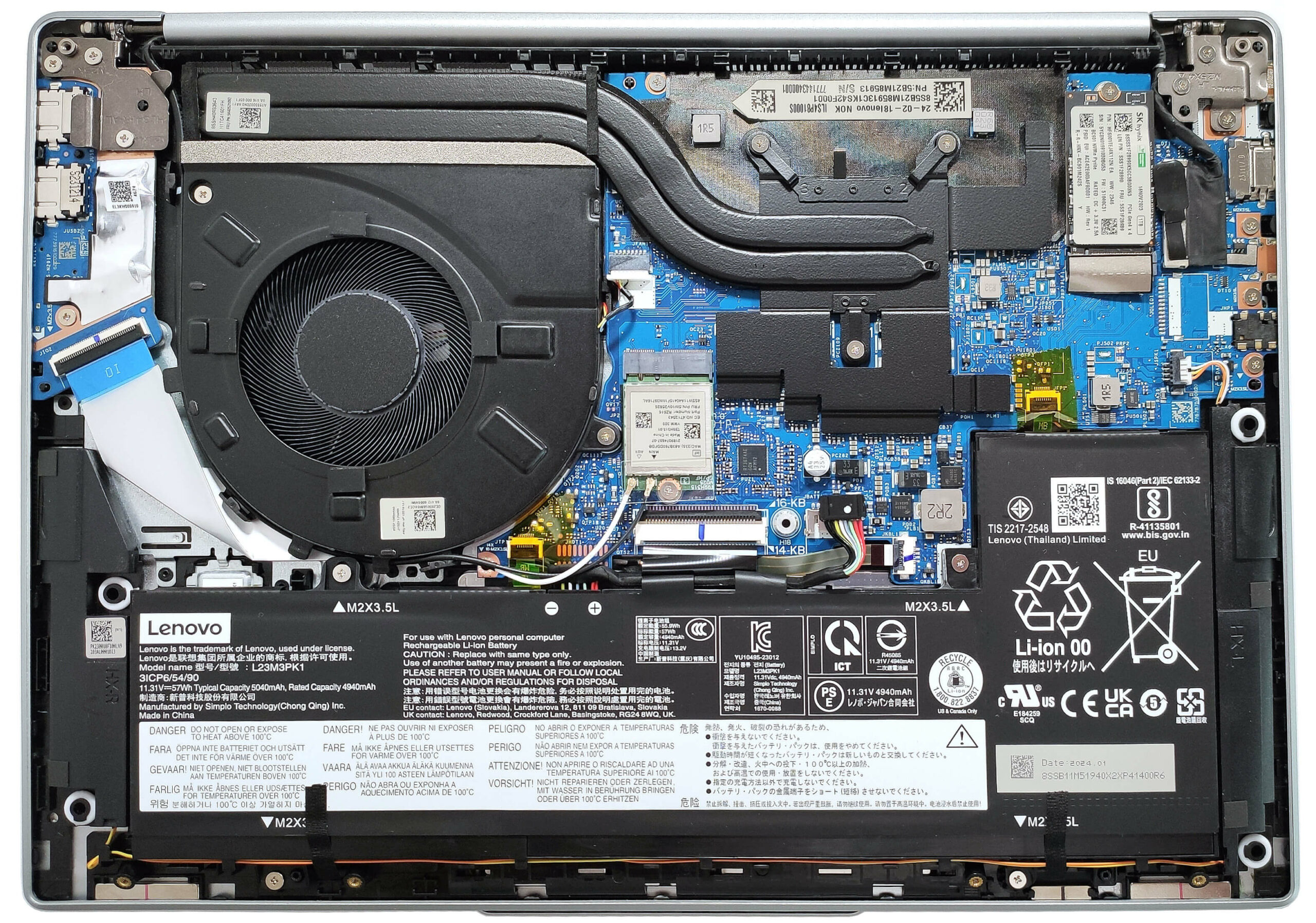
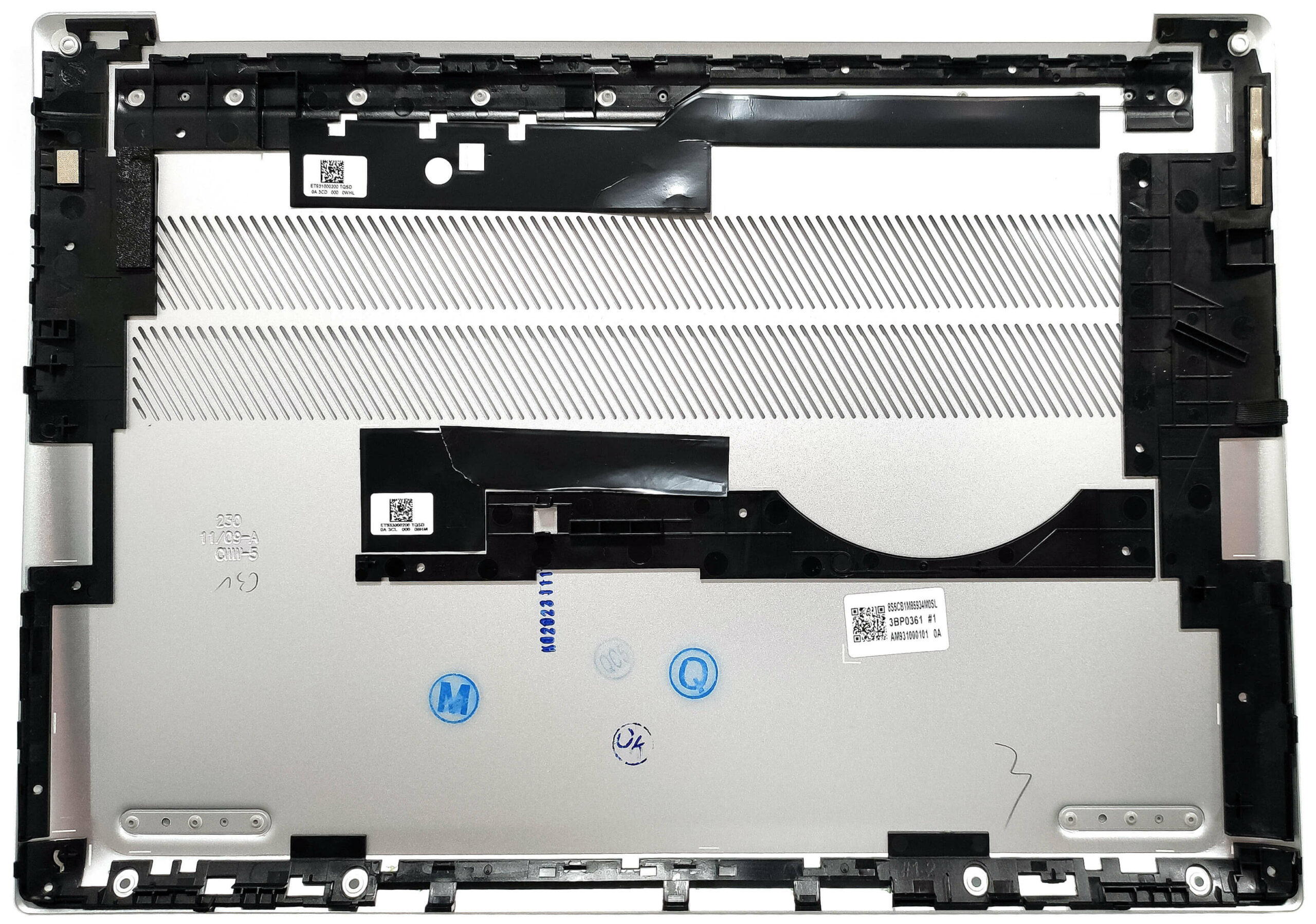
Here’s how the bottom panel looks on the inside.
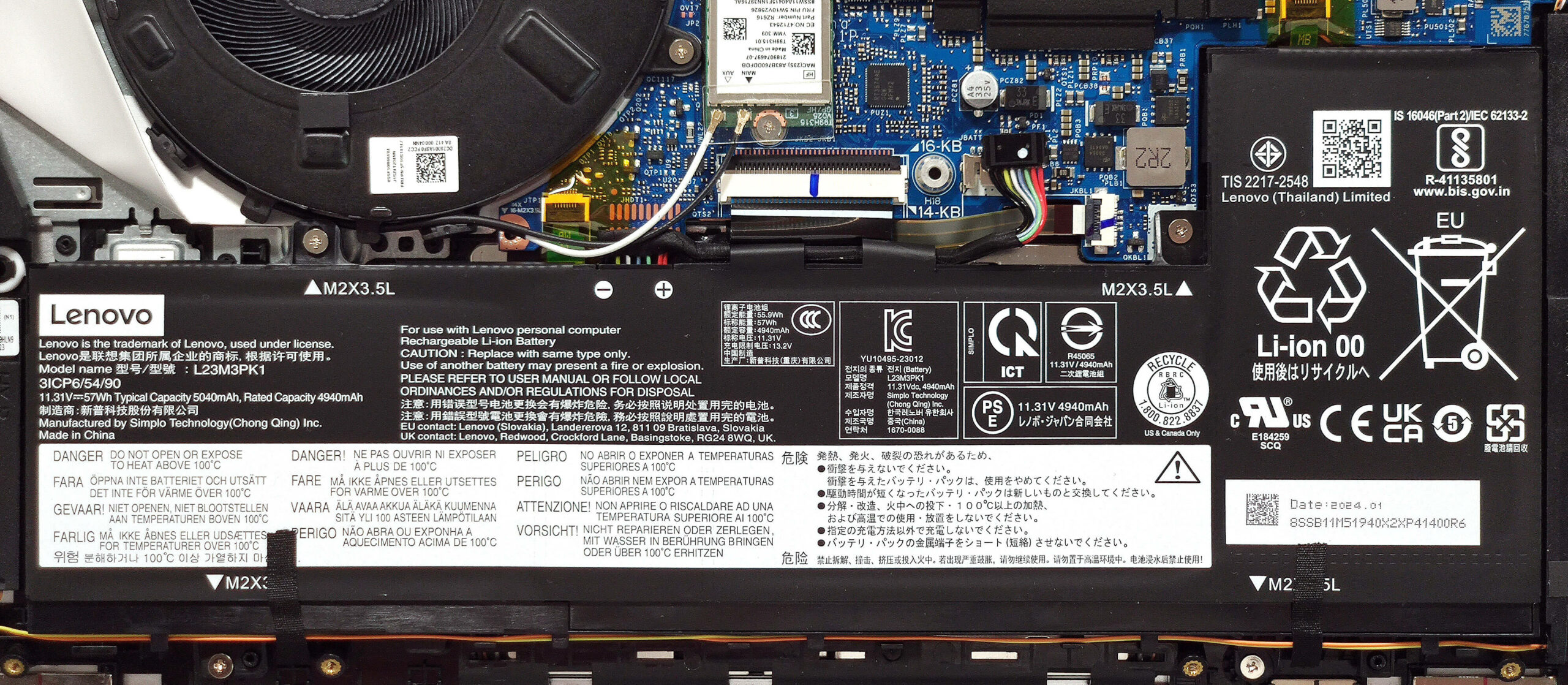
This laptop has the optional 57Wh battery. The default version is a 47Wh model. To remove it, unplug the connector from the mainboard and undo the 4 Phillips-head screws that fix the unit to the chassis. Also, untangle the speaker cable around the battery housing. The capacity is enough for around 11 hours of video playback.
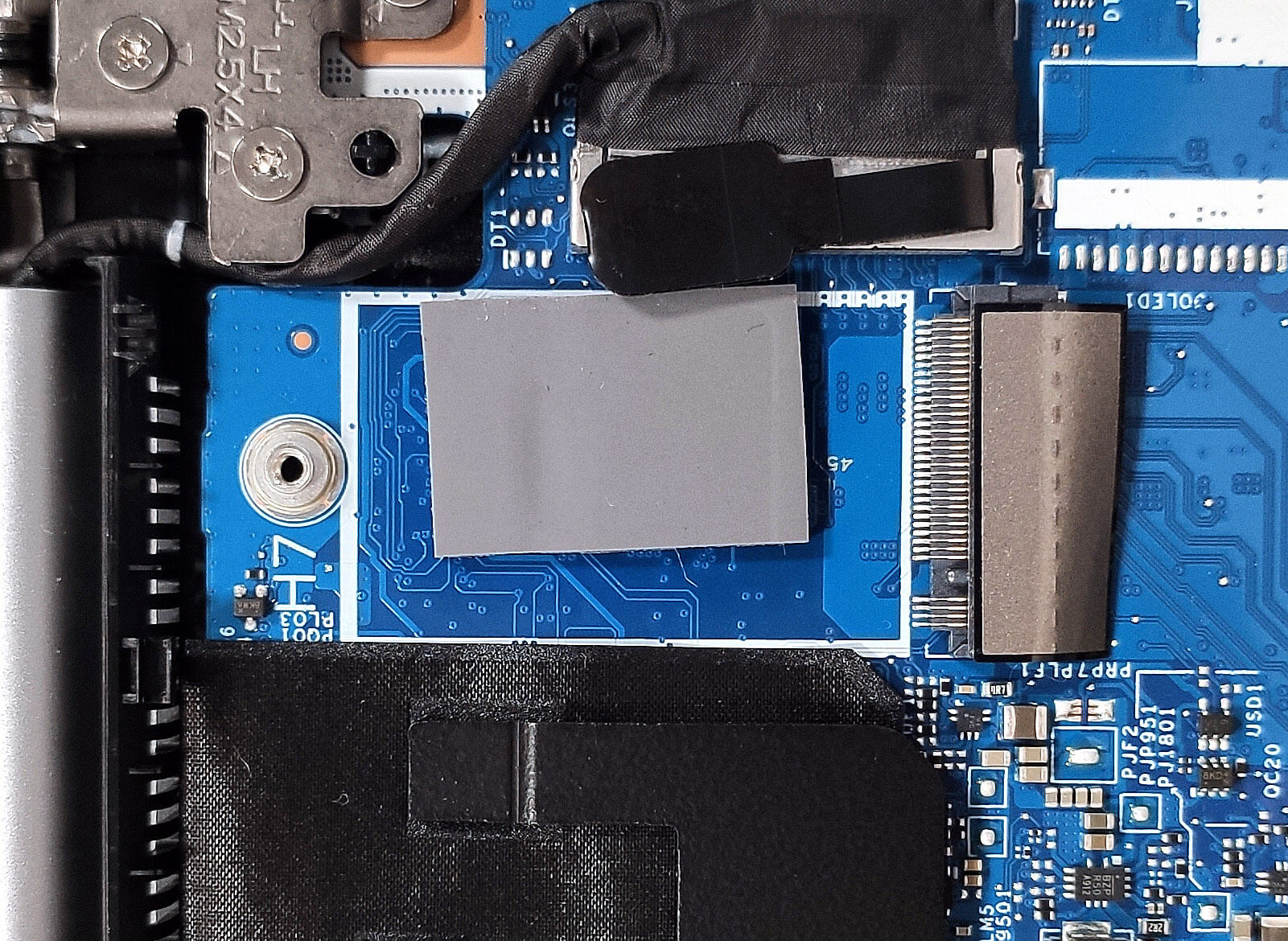
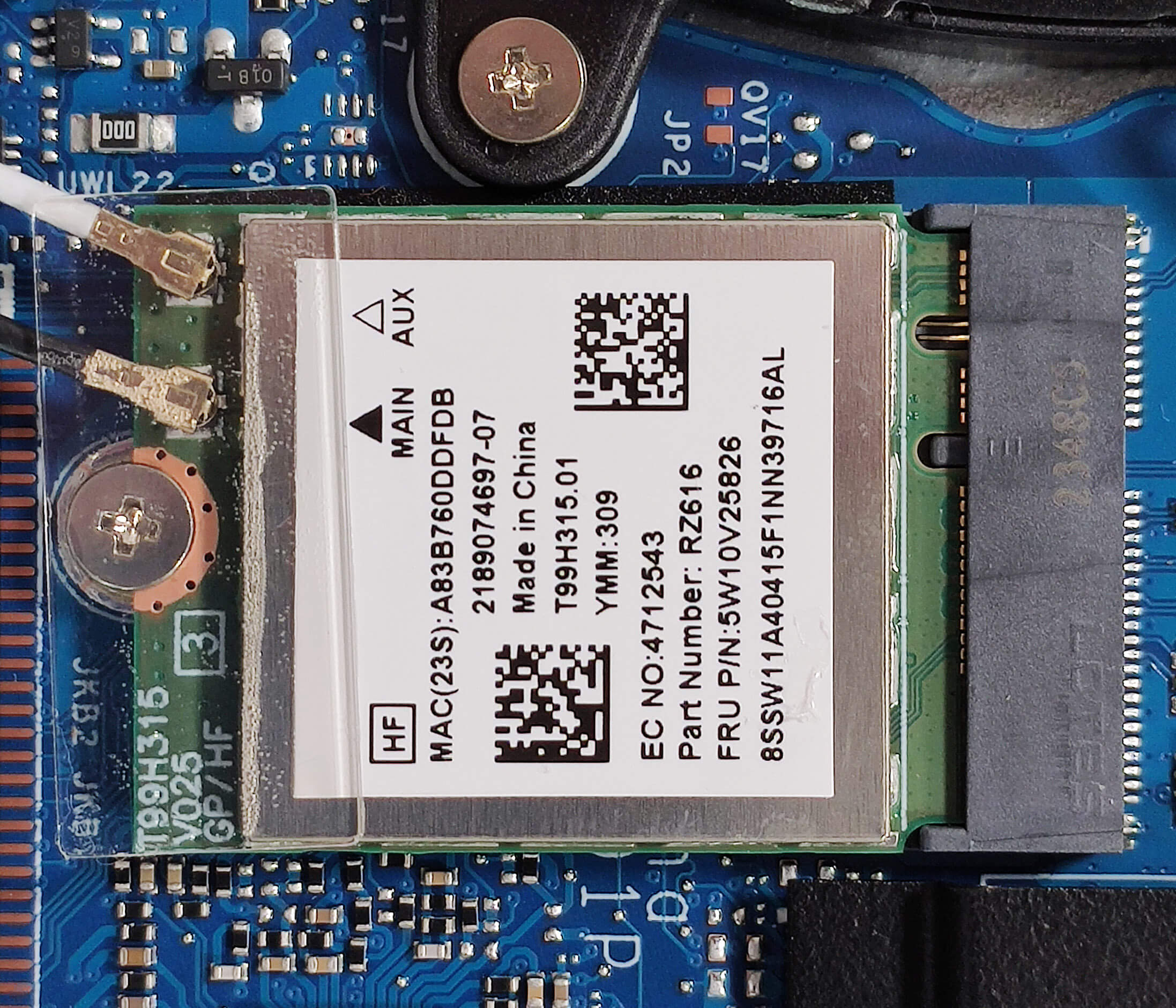
The RAM is soldered. On the bright side, you get up to 32GB of LPDDR5x-6400MHz RAM that works in dual-channel mode. This RAM amount should be enough for most people. There is just one M.2 slot compatible with 2242 Gen 4 SSDs. We found a thermal pad below the NVMe. The Wi-Fi card is on the right of the fan.
The thermal system seems good for an iGPU-only laptop. It has a large fan, a pair of heat pipes, one top-mounted heat sink, and a big heat spreader.
Verdict
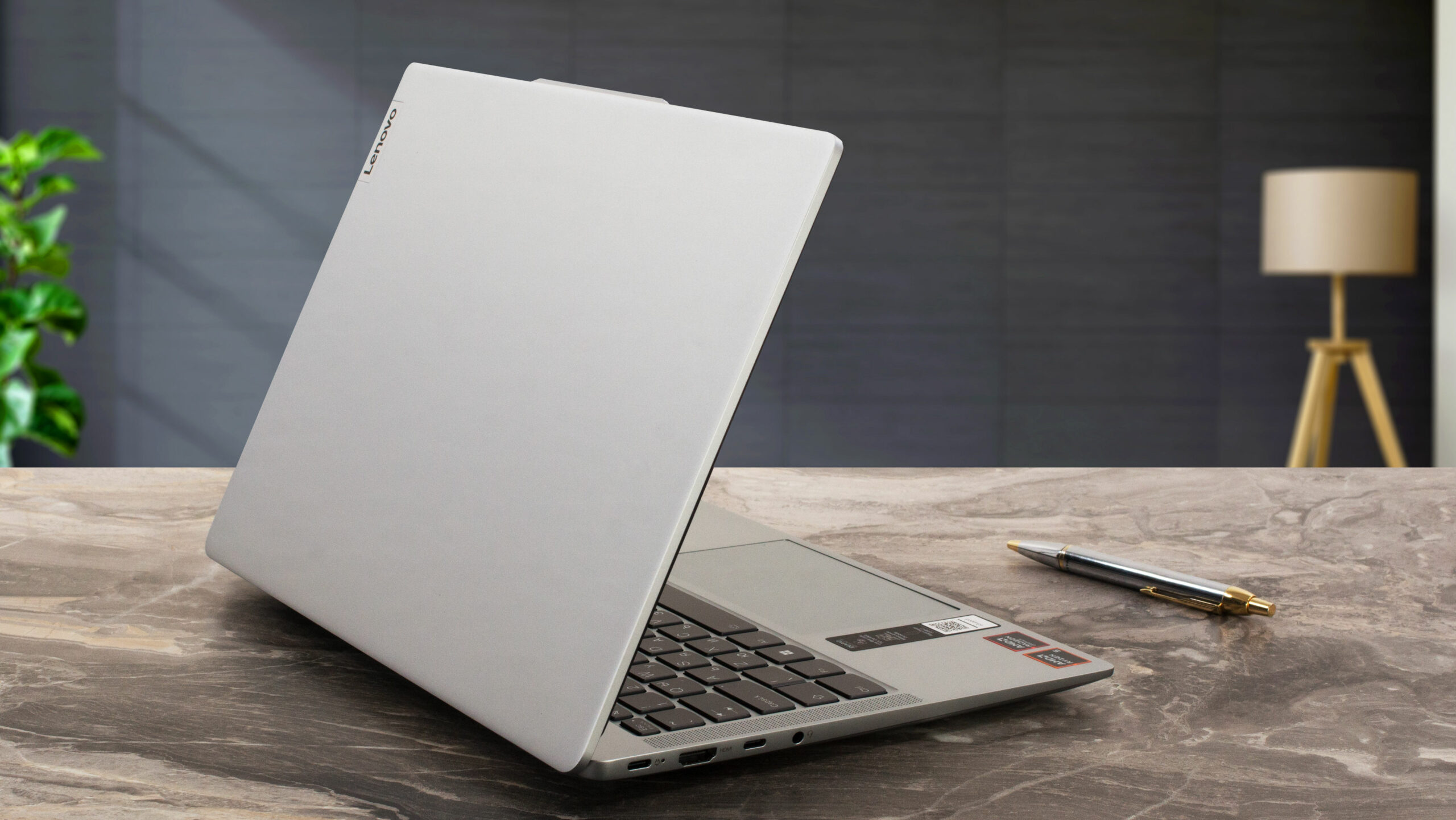 At the end of the day, the Lenovo IdeaPad Slim 5 Gen 9 (14″ AMD) is a powerful yet compact laptop that is suitable for office tasks or work on the go. Even though the CPU can’t reach its official base clock under max loads, the overall performance is very good. The device feels snappy and responsive which is also due to the fast SSD that unfortunately gets hot during benchmarking. When the processor is loaded at max, the fan remains relatively quiet and the keyboard feels slightly warm. This means the comfort during long stress is very good.
The 1200p IPS display (LEN140WUXGA (LEN9125)) is all you need for office usage. The unit is PWM-free, has wide viewing angles, and offers a good contrast ratio of 1400:1. The sRGB coverage is low. If you plan to use the device for photo and video editing, the optional OLED panel seems like a good idea, if money isn’t a problem.
For a 14-incher, the port selection looks great – four USBs and a MicroSD card slot. Sadly, even the Type-C connectors are rated at 5 Gbps. The Lenovo IdeaPad Slim 5 (14APH9) is a small and light laptop with a solid build quality, long battery life, and adequate comfort under load.
You can check the prices and configurations in our Specs System: https://laptopmedia.com/series/lenovo-ideapad-slim-5-14aph9/
Pros
- Optional fingerprint reader and IR Web camera
- Thin, light, and rigid aluminum body
- No PWM (LEN9125)
- Wide viewing angles + 302 nits max brightness (LEN9125)
- MicroSD card slot and 4x USB ports
- Good performance for a 14-incher
- Long battery life
- The fan remains quiet during long full CPU loads
- Comfortable input devices
- Quality speakers
- Snappy iGPU
- 45W Zen 4 CPU options
Cons
- Soldered memory and just one M.2 slot
- Low sRGB coverage (LEN9125)
- All ports are rated at 5 Gbps
 Author: Nikolay Palaozov
 Author: eng. Kroum NikolovHead of Engineering at LaptopMedia.com, inventor and innovator with 40+ years of experience in electronics and high technology.
शीर्ष 100 गेमिंग लैपटॉप



शीर्ष लैपटॉप रेटिंग
मुख्य बातें और देखें
![[May 2026] Global Ranking of Best-Selling Laptop GPUs on Amazon – Apple Dominates with 45% Share, Sweeps Top 3 Spots; NVIDIA’s RTX 5060 Leads the Dedicated GPU Pack](https://laptopmedia.com/wp-content/uploads/2026/06/Best-Selling-GPUs-GLOBAL-Top-10-400x225.jpg)
[May 2026] Global Ranking of Best-Selling Laptop GPUs on Amazon – Apple Dominates with 45% Share, Sweeps Top 3 Spots; NVIDIA’s RTX 5060 Leads the Dedicated GPU Pack
जून 04, 2026![[May 2026] Global Ranking of Best-Selling Laptop CPUs on Amazon – Apple Crushes Competition with 45.2% Market Share, M5 Dominates](https://laptopmedia.com/wp-content/uploads/2026/06/Best-Selling-CPUs-GLOBAL-Top-10-400x225.jpg)
[May 2026] Global Ranking of Best-Selling Laptop CPUs on Amazon – Apple Crushes Competition with 45.2% Market Share, M5 Dominates
जून 04, 2026![[May 2026] Amazon Germany: Top 7 Best-Selling Gaming Laptops – Lenovo Legion 5i Crowned Champion Amidst Fierce Mid-Range Competition](https://laptopmedia.com/wp-content/uploads/2026/06/Best-Selling-Gaming-Laptops-DE-Top-10-1-400x225.jpg)
[May 2026] Amazon Germany: Top 7 Best-Selling Gaming Laptops – Lenovo Legion 5i Crowned Champion Amidst Fierce Mid-Range Competition
जून 03, 2026![[May 2026] Amazon Italy: Top 10 Best-Selling Laptops – Apple MacBook Neo Reigns Supreme, Premium Models Capture Dominant Revenue Share](https://laptopmedia.com/wp-content/uploads/2026/06/Best-Selling-Laptops-IT-Top-10-400x225.jpg)
[May 2026] Amazon Italy: Top 10 Best-Selling Laptops – Apple MacBook Neo Reigns Supreme, Premium Models Capture Dominant Revenue Share
जून 03, 2026![[May 2026] Best-Selling Laptop Brands on Amazon Italy – Apple Dominates Across All Metrics](https://laptopmedia.com/wp-content/uploads/2026/06/IT-Best-Brands-400x225.jpg)
[May 2026] Best-Selling Laptop Brands on Amazon Italy – Apple Dominates Across All Metrics
जून 03, 2026
समीक्षाएं और देखें

MSI Cyborg 17 B13W review – Big Screen, Low RTX Power
जून 02, 2026Apple MacBook Air 15.3″ (M5) – The Best 15-Inch Laptop for Everyday Use?
मई 30, 2026ASUS ROG Zephyrus G14 (GA403, Ryzen AI 300) review – RTX 5070 Ti, OLED, and True Portability
मई 27, 2026ASUS Vivobook 18 (M1807) review – Huge Screen, Big Battery, Real Compromises
मई 23, 2026Apple MacBook Neo review – The $599 MacBook That Changed the Entry-Level Game
मई 21, 2026
Please also test single core performance in CB23 and also show webcam quality and microphone voice quality.
Can you clarify if the 16Gb of ram model also works in dual channel mode?
Thanks