How to open Acer Nitro 14 (AN14-41) – disassembly and upgrade options
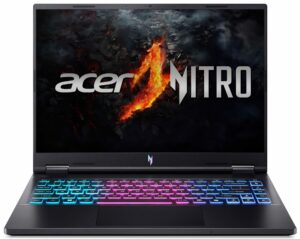
Opening the Device
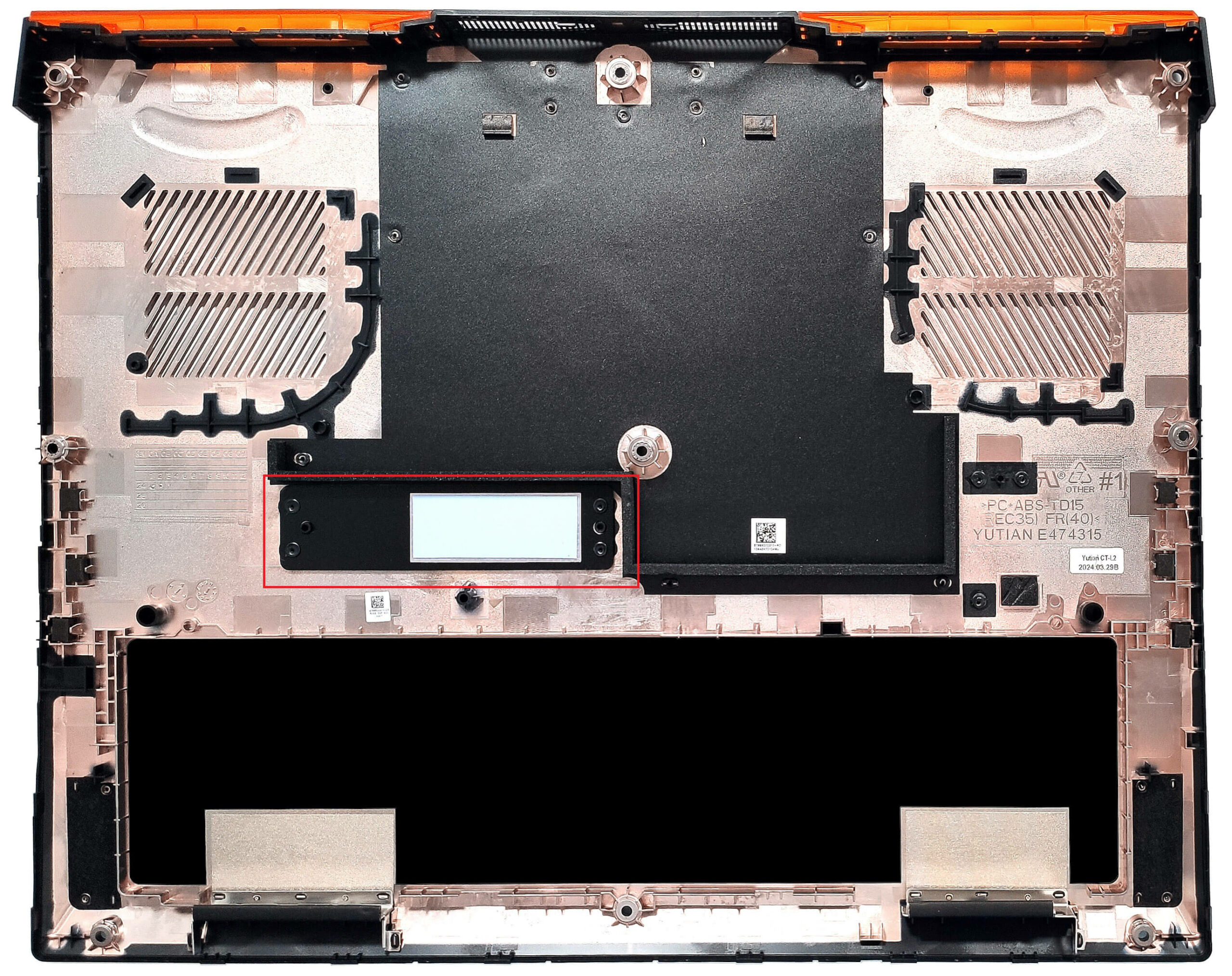
- Undo the 9 Phillips-head screws securing the bottom panel.
- Carefully lift the bottom plate while holding firmly the two plastic exhausts on the back.
- Fully pry the sides and the front to remove the bottom panel.
More info: On the inside of the bottom panel, there is a metal plate with a thermal pad for the SSD.

Battery Removal
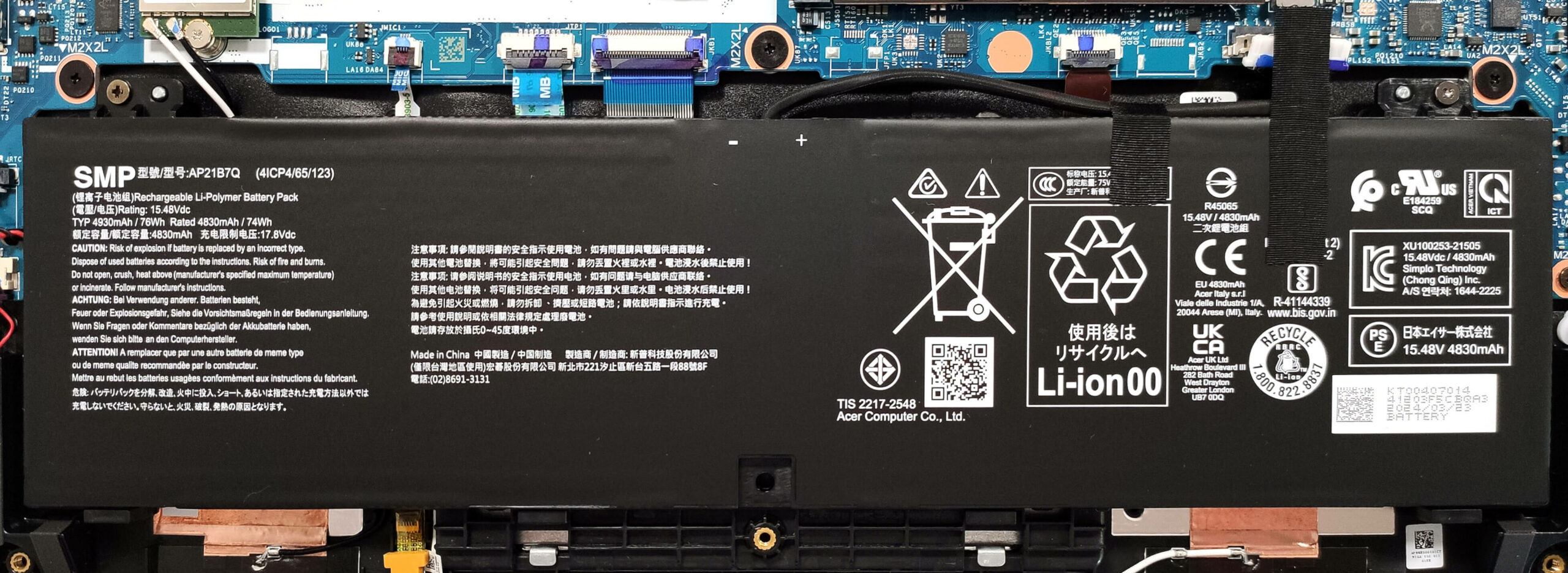
- Unplug the battery connector from the mainboard.
- Undo the two Phillips-head screws securing the battery.
- Lift the battery to remove it from the device.
Note: The device uses a 76Wh battery, providing approximately 12 hours of video playback.
Memory Information
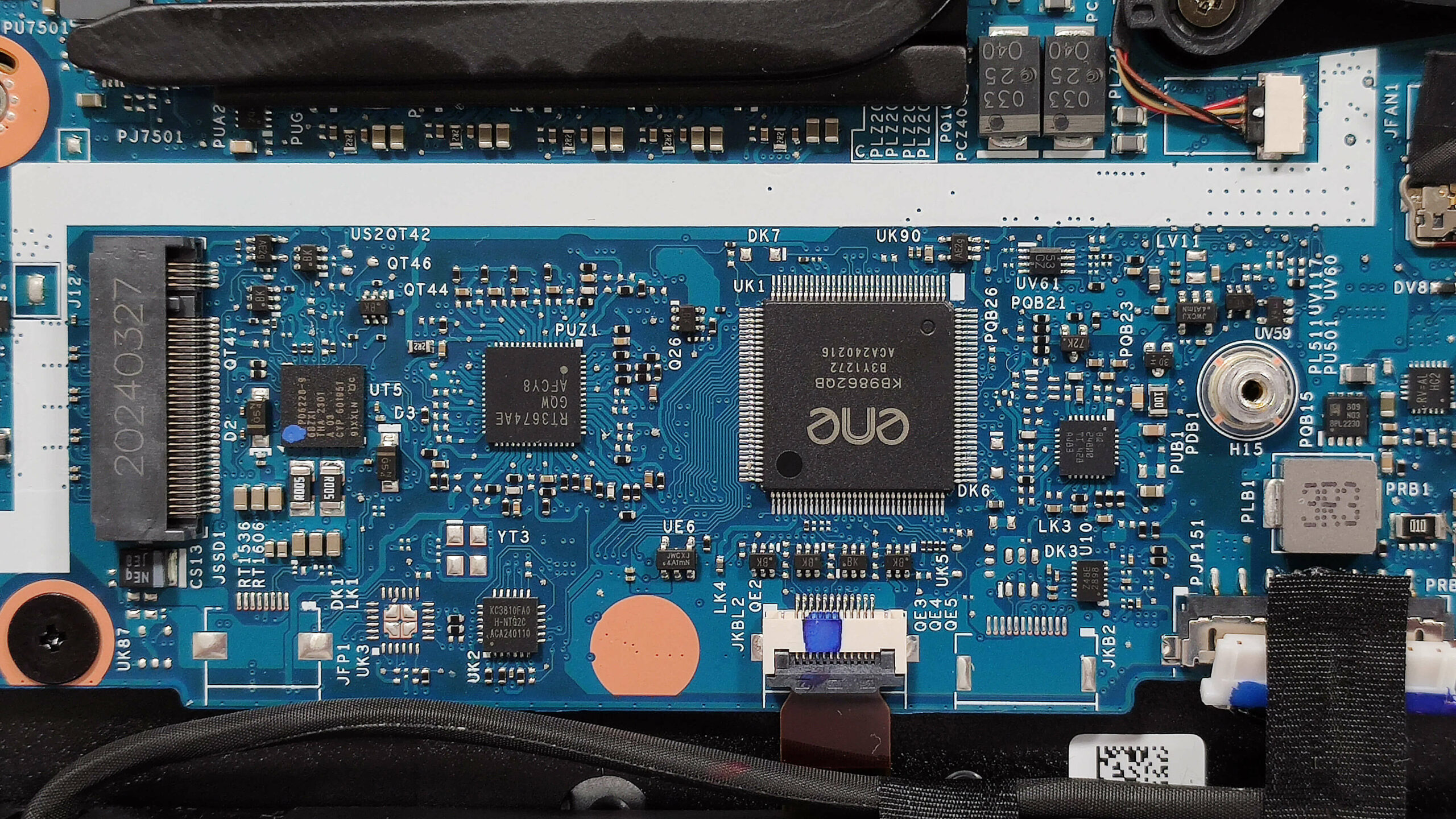
Note: The RAM is soldered. The device can be configured with 16 or 32GB of LPDDR5x-6400MHz memory in dual-channel mode.
Storage Upgrade
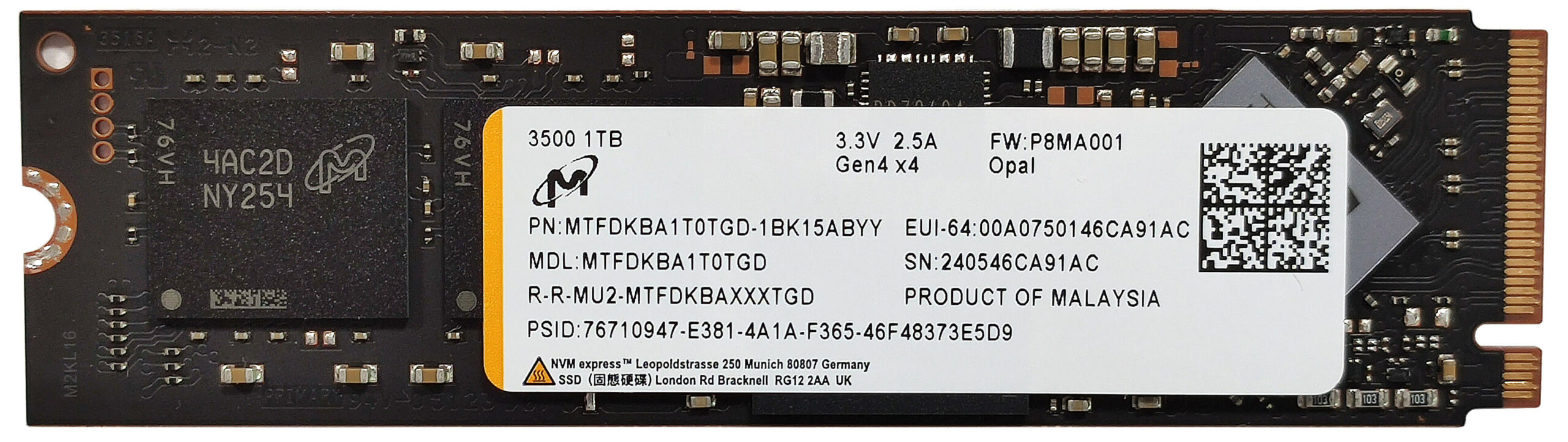
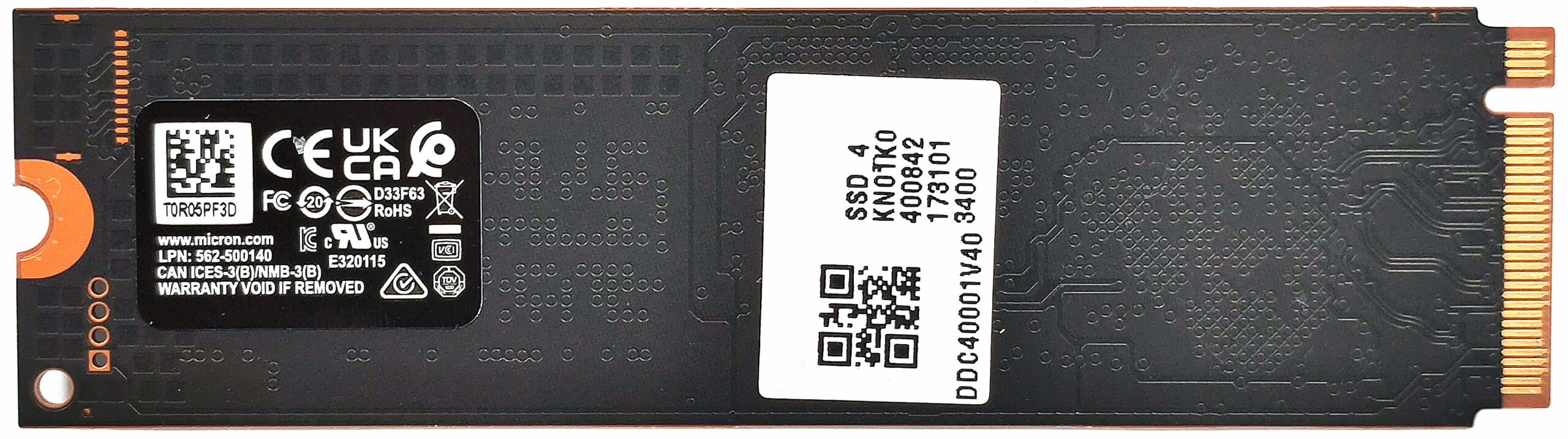
- Locate the single M.2 slot compatible with 2280 Gen 4 SSDs.
- Remove the preinstalled SSD and the thermal pad beneath it, if present.
- Install the new SSD in the slot.
Hint: Don’t forget to check out our Top M.2 SSDs Performance Rankings for insights on the best storage options available.
You can buy compatible SSDs here: Buy from Flipkart.com
Wi-Fi Card
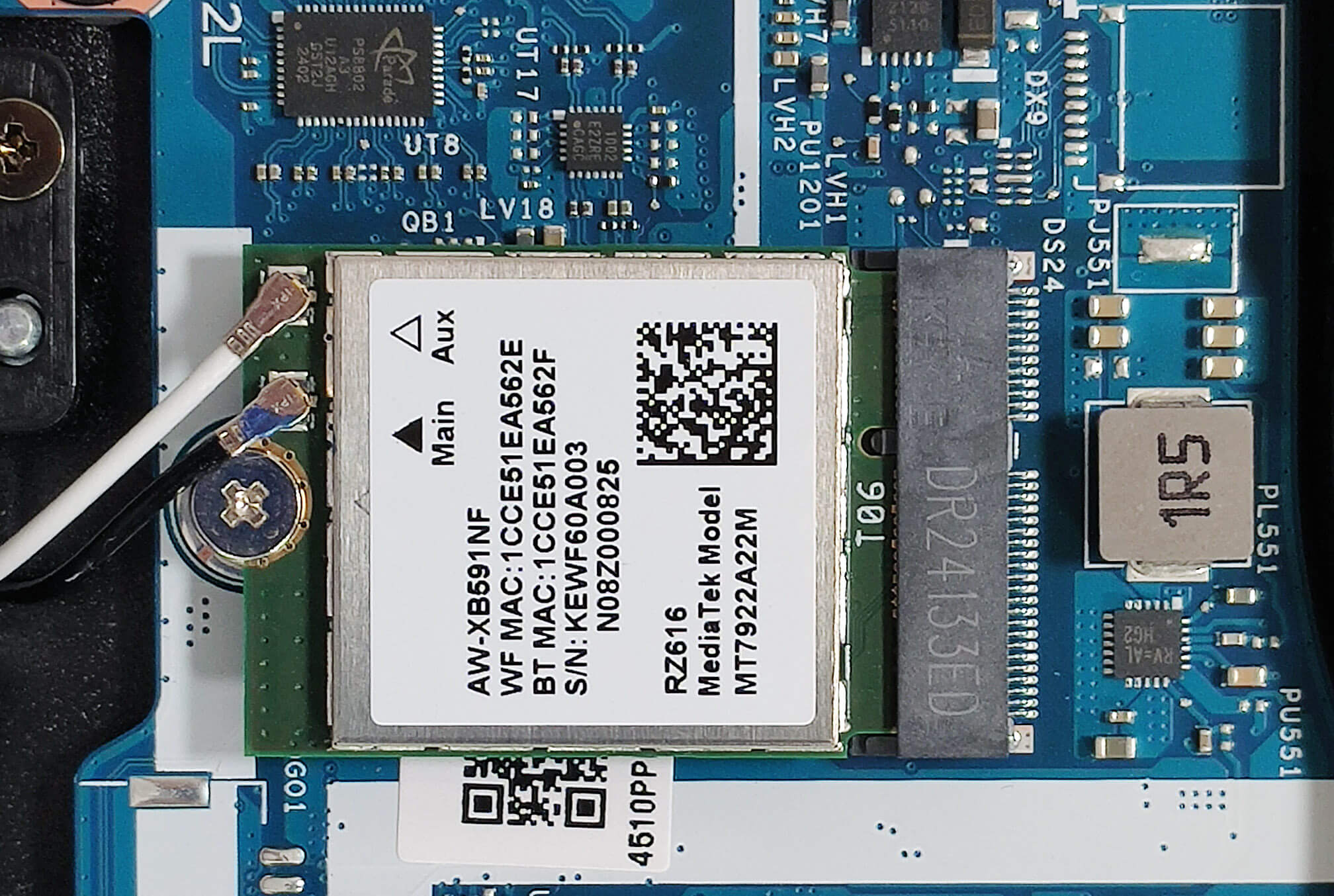
- The Wi-Fi card is located under the left fan.
Cooling System Overview
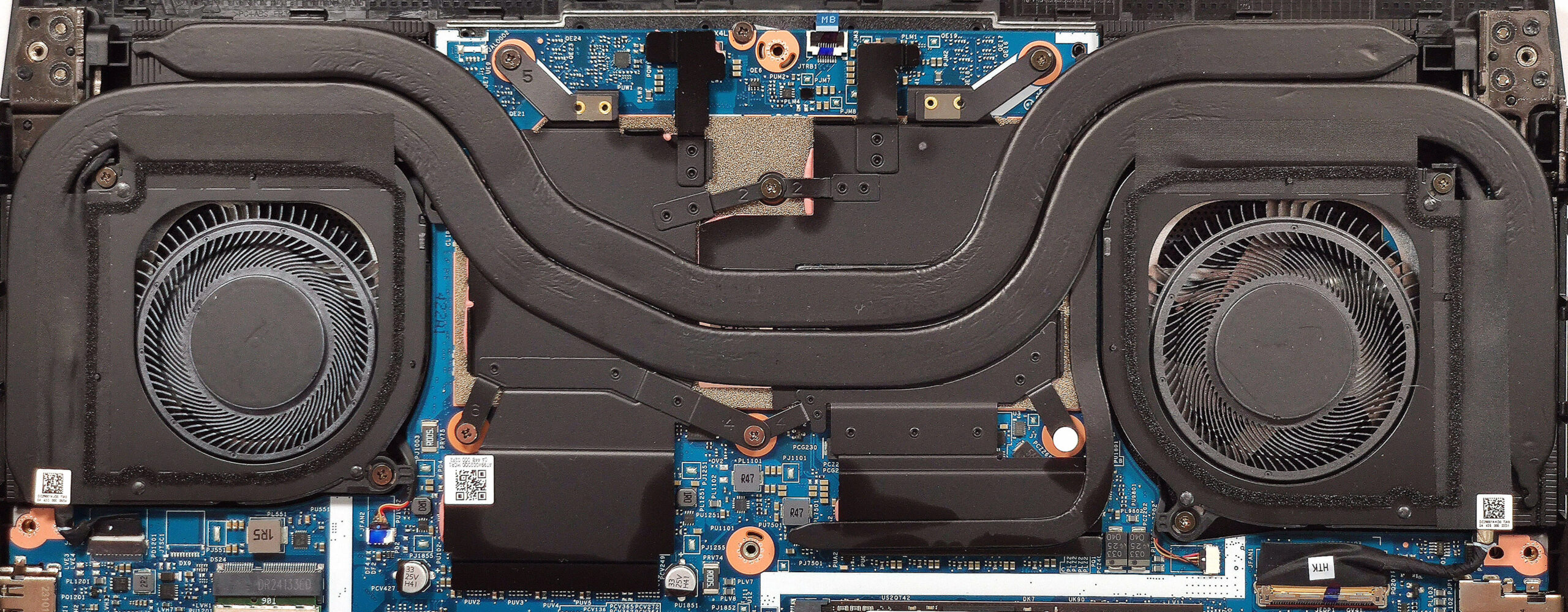
- The cooling system includes two long thick heat pipes shared between the CPU and GPU.
- There is one smaller heat pipe dedicated solely to the graphics card.
- The system also features four heat sinks and two large heat spreaders.
- Ensure all cooling components are clean and free of dust for optimal performance.
Acer Nitro 14 (AN14-41) गहन समीक्षा
With the Nitro 14 (AN14-41), the manufacturer tries to prove that a small gaming laptop can perform as a bigger machine. That's why we decided to buy a notebook with the top CPU and GPU for this Acer series (Ryzen 7 8845HS + 110W GeForce RTX 4060) to see how good the cooling is when it has to deal with such thirsty internals. For starters, the thermal system looks good thanks to the pair of fans and the heat pipes that are long and thick. Also, the hot air is being pushed as fast as possible via four vents. All the high-end goodies that can be found in more expensive machines are also on boar[...]
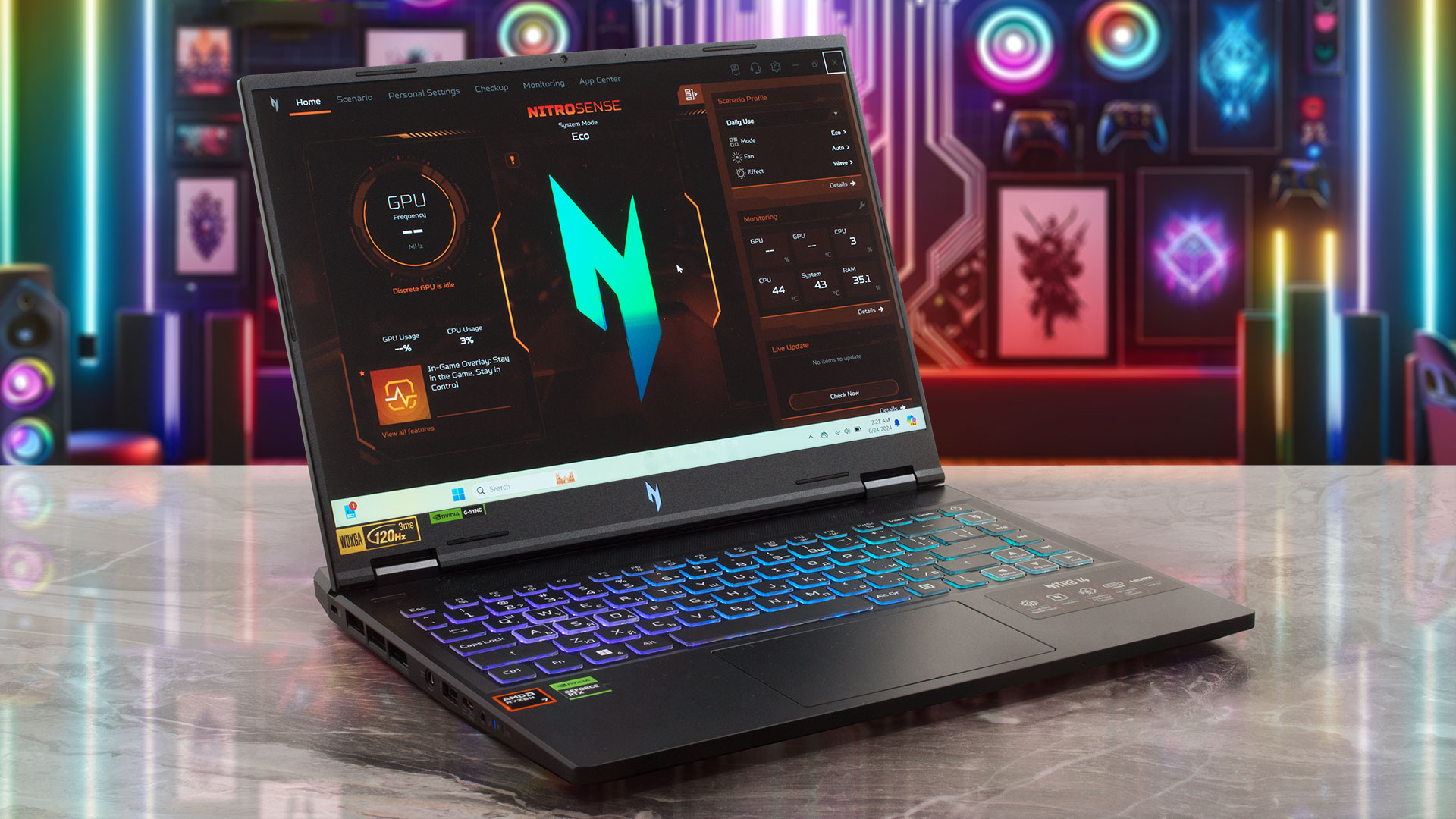
पक्ष
- Great performance for a 14-incher
- Covers 97% of the sRGB color gamut and has accurate color representation with our "Design and Gaming" profile (CSW1437)
- 120Hz refresh rate + wide viewing angles (CSW1437)
- No PWM (CSW1437)
- High max brightness of 330 nits (CSW1437)
- MUX switch + Nvidia Advanced Optimus + G-SYNC
- Modern port selection - 2x USB4 plus 2x Gen 2 Type-A connectors
- Great keyboard
- Long battery life (~12 hours of video playback)
- Solid base
- The CPU and the GPU can maintain high frequencies during full loads (4.67 GHz / 2600 MHz)
- The fans aren't too noisy even in "Turbo" mode
- Very snappy SSD (1TB Micron 3500 MTFDKBA1T0TGD-1BK15ABYY)
विपक्ष
- High CPU and SSD temperatures during long stress
- Soldered RAM and just one M.2 Gen 4 slot
 Author: Severin Kolakov

![[June 2026] Best-Selling Laptop Brands on Amazon Global – Apple’s Unrivaled Dominance in Units and Revenue](https://laptopmedia.com/wp-content/uploads/2026/07/GLOBAL-Best-Brands-400x225.jpg)
![[June 2026] Amazon Global: Top 10 Best-Selling Laptops – Apple’s New MacBook Neo Storms to #1, Reshaping the Market with Affordability](https://laptopmedia.com/wp-content/uploads/2026/07/Best-Selling-Laptops-GLOBAL-Top-10-400x225.jpg)
![[June 2026] Amazon Global: Top 10 Best-Selling Gaming Laptops – Acer’s Nitro V 16S AI Dominates Sales, While ASUS Leads Overall Revenue](https://laptopmedia.com/wp-content/uploads/2026/07/Best-Selling-Gaming-Laptops-GLOBAL-Top-10-400x225.jpg)
![[June 2026] Global Ranking of Best-Selling Laptop GPUs on Amazon – NVIDIA RTX 5060 is the Top-Selling Dedicated GPU](https://laptopmedia.com/wp-content/uploads/2026/07/Best-Selling-GPUs-GLOBAL-Top-10-400x225.jpg)
![[June 2026] Global Ranking of Best-Selling Laptop CPUs on Amazon – Apple M5 Dominates, AMD Ryzen 7 260 Gets Solid Premium Share](https://laptopmedia.com/wp-content/uploads/2026/07/Best-Selling-CPUs-GLOBAL-Top-10-400x225.jpg)
